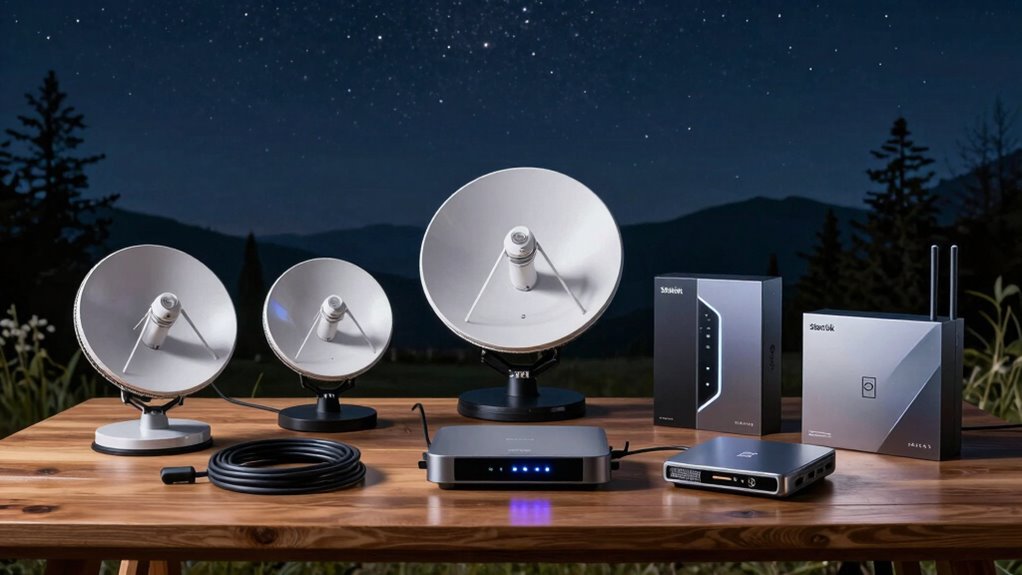

A Starlink satellite internet kit pairs an antenna with networking equipment, but the right choice depends on whether you need a portable setup or a more capable home connection. My best overall pick is the Starlink Standard Kit with Gen 3 Router for buyers seeking a straightforward standard setup. The Starlink Mini Portable Satellite Internet Kit is the standout for mobility, while the Gen 3 bundle with a 150 ft extension cable suits installations where the antenna needs more distance from the router. The main tradeoffs are portability versus a home-oriented setup, included accessories versus flexibility, and uncertainty around third-party compatibility and warranty coverage. Read on for the full comparison and guidance on choosing a kit that fits your location and use.

Get the latest gadgets delivered free with Prime
- Fast, free delivery on millions of items
- Prime Video, Amazon Music and more included
- Member-only deals all year
Complete the kit



Key Takeaways
- The lineup splits into two practical groups: Mini-style kits for portability and Standard or Gen 3 kits aimed at home or more fixed installations.
- The Starlink Standard Kit with Gen 3 Router is the clearest general-purpose pick; several similarly named Gen 3 kits make bundle details and seller terms worth checking closely.
- Mini listings emphasize compact use, but their names alone do not establish service-plan availability, included accessories, or suitability for every travel scenario.
- The 150 ft extension-cable bundle addresses antenna placement needs that a basic kit may not, though buyers should verify exactly what the cable connects and whether it suits their installation.
- Third-party listings that claim compatibility or include upgraded routers can differ in warranty coverage and package contents, making seller and support details part of the decision.
| Starlink Mini Portable Satellite Internet Kit |  | Best for Compact Travel | Connectivity: Satellite internet and Wi-Fi | Wi-Fi generation: Wi-Fi 5 | Frequency band: Dual-band | VIEW ON AMAZON | See Our Full Breakdown |
| Starlink Mini X Portable Satellite Internet Kit with Dual-Band Router |  | Best for Router Flexibility | Model: Starlink Mini X | Model numbers: UTA-231 and UTA-251 | Frequency band: Dual-band | VIEW ON AMAZON | See Our Full Breakdown |
| Gen 3 Satellite Internet Kit Compatible with Starlink, Wi-Fi 6 Router |  | Best for Multi-Device Networks | Wi-Fi generation: Wi-Fi 6 (802.11ax) | Frequency band: Tri-band | Data transfer rate: 150 megabits per second | VIEW ON AMAZON | See Our Full Breakdown |
| Starlink Standard Kit with Gen 3 Router |  | Best for Home Setup | Router: Gen 3 | Wireless standards: 802.11a, 802.11ac, 802.11n | Frequency band: Dual-band | VIEW ON AMAZON | See Our Full Breakdown |
| SL-4X Made for STARLINK Standard (New Gen) Satellite Internet Kit – Wi-Fi 6 Router, High-Performance Antenna, Low-Latency Connectivity for RV & Travel |  | Best for Standard-Dish Wi-Fi 6 | Model number: UTA-232 | Wi-Fi standard: 802.11ax (Wi-Fi 6) | Frequency band: Dual-band | VIEW ON AMAZON | See Our Full Breakdown |
| STARLINK Gen 3 Satellite Internet Bundle with Wi-Fi 6 Router and 150 ft Extension Cable |  | Best for Flexible Fixed Installation | Model: Gen 3 | Model number: UTA-231 | Wi-Fi generation: Wi-Fi 6 | VIEW ON AMAZON | See Our Full Breakdown |
| Starlink Mini Portable Satellite Internet Kit |  | Best for Compact Roaming | Model: veritas-mini-dish | Connectivity: Dual-band Wi-Fi 5 and Ethernet | Average power consumption: 25–40 watts | VIEW ON AMAZON | See Our Full Breakdown |
| Portable Satellite Internet Mini Kit with Integrated Wi-Fi |  | Best for Buyers Willing to Verify the Listing | Model: Mini Gen4 | Antenna: Compact satellite antenna | Wi-Fi: Integrated | VIEW ON AMAZON | See Our Full Breakdown |
| SpaceX Gen 3 Standard 4X Satellite Kit – High-Speed Low-Latency Internet, Wi-Fi 6 Travel Router with Tripod |  | Best for a Full Standard Kit | Model name: SPCX Gen 3 | Model number: STD-4X | Wi-Fi generation: Wi-Fi 6 | VIEW ON AMAZON | See Our Full Breakdown |
| Starlink Standard Kit with Gen 3 AX Tri-Band Wi-Fi Router (Third-Party Bundle, No Warranty) |  | Best for Buyers Who Accept Warranty Risk | Router: Gen 3 AX tri-band Wi-Fi | Dimensions: 17.04 × 13.15 × 3.11 inches | Weight: 6.21 pounds | VIEW ON AMAZON | See Our Full Breakdown |
| Satellite Internet Standard Kit (Gen 3) with Wi-Fi 6 Router |  | Best for Straightforward Multi-Device Use | Model: Standard Kit (Gen 3) | Antenna: Rectangular | Wireless standard: Wi-Fi 6 (802.11ax) | VIEW ON AMAZON | See Our Full Breakdown |
| Portable Starlink Mini Satellite Antenna with Built-In Wi-Fi Router |  | Best for Low-Power Travel | Dimensions: 11.75 × 10.2 inches | Weight: Under 2.5 lb | Wi-Fi: Dual-band Wi-Fi 5 (802.11ac), 3×3 MU-MIMO | VIEW ON AMAZON | See Our Full Breakdown |
| Starlink Standard Kit AX Tri-Band Wi-Fi System |  | Best for a Fixed Remote Home | Weight: 14.8 lb | Dimensions: 17.04 × 17.4 × 3.11 inches | Router generation: Gen 3 AX Tri-Band | VIEW ON AMAZON | See Our Full Breakdown |
| MAGNETOE Starlink Mini Satellite Internet Kit, 4th Generation |  | Best for Minimal-Weight Carry | Brand: MAGNETOE | Antenna: Phased array | Built-in media: Starlink Mini satellite | VIEW ON AMAZON | See Our Full Breakdown |
| SpaceX Starlink Gen 3 Standard Satellite Internet Kit with Wi-Fi 6 Router |  | Best Complete Standard Kit | Connectivity: Satellite internet and Wi-Fi 6 | Wi-Fi generation: Tri-band Wi-Fi 6 (802.11ax) | Security protocols: WPA2 and WPA3 | VIEW ON AMAZON | See Our Full Breakdown |
| starlink satellite internet kit | Frequency band | Warranty |
|---|---|---|
| Starlink Mini Portable Satelli | Dual-band | — |
| Starlink Mini X Portable Satel | Dual-band | — |
| Gen 3 Satellite Internet Kit C | Tri-band | — |
| Starlink Standard Kit with Gen | Dual-band | 1-year manufacturer warranty |
| SL-4X Made for STARLINK Standa | Dual-band | — |
| STARLINK Gen 3 Satellite Inter | Tri-band | 1 year |
| Starlink Mini Portable Satelli | — | 1 year |
| Portable Satellite Internet Mi | — | 2 years |
| SpaceX Gen 3 Standard 4X Satel | Tri-band | 1 year |
| Starlink Standard Kit with Gen | — | None included; third-party bundle |
| Satellite Internet Standard Ki | Dual-band | — |
| Portable Starlink Mini Satelli | — | — |
| Starlink Standard Kit AX Tri-B | — | — |
| MAGNETOE Starlink Mini Satelli | — | 1 year |
| SpaceX Starlink Gen 3 Standard | — | 1 year manufacturer warranty |
More Details on Our Top Picks
Starlink Mini Portable Satellite Internet Kit
I’d put the Starlink Mini first for buyers whose priority is taking satellite internet between campsites, vehicles, or temporary work spots. Its built-in Wi-Fi router keeps the kit simpler than the Starlink Mini X, which adds a separate router and is listed at a substantial 41 pounds. The included kickstand, pipe adapter, power cable, and supply also give this Mini a practical setup advantage over buying components separately. Its stated 25–40-watt average draw is useful for planning off-grid power, though actual service still depends on a clear sky view and an active qualifying plan. Wi-Fi 5 is less current than the Wi-Fi 6 router in the Gen 3 Satellite Internet Kit, so I’d choose this for portability rather than a more demanding home network.
Pros:- Compact design is suited to mobile setups
- Built-in Wi-Fi router avoids a separate router
- Kickstand, pipe adapter, cable, and power supply are included
- Ethernet and mesh networking support offer wired and expanded-network options
Cons:- Requires an unobstructed view of the sky
- Service activation and a qualifying plan are required
- Wi-Fi 5 is less current than the Wi-Fi 6 options in this roundup
Best for: RVers, campers, and remote workers who want a compact satellite kit with Wi-Fi built in and included mounting and power components.
Not ideal for: Households prioritizing newer Wi-Fi features or buyers who cannot provide a clear sky view and an active Starlink plan.
- Connectivity:Satellite internet and Wi-Fi
- Wi-Fi generation:Wi-Fi 5
- Frequency band:Dual-band
- Maximum data transfer rate:Over 100 Mbps
- Average power consumption:25–40 watts
- Power input:DC
- Ethernet:Yes
- Included components:Kickstand, pipe adapter, power cable, power supply
Our verdict“Choose the Starlink Mini if portable, self-contained satellite internet matters more than having the newer Wi-Fi hardware found in the Gen 3 Satellite Internet Kit.”
Starlink Mini X Portable Satellite Internet Kit with Dual-Band Router
The Starlink Mini X is aimed at travelers who want a portable antenna but also need the flexibility of an additional dual-band router. Its IP67-rated antenna is a useful distinction from the standard Starlink Mini: dust and rain resistance can suit exposed travel setups, while app-guided setup may help first-time users get connected. The listing reports 100 Mbps or more and 25–60 ms latency, but satellite coverage and conditions affect real performance. The key tradeoff is the listed 41-pound weight, which makes this a weaker fit for carrying between sites than the Mini’s compact, integrated arrangement. Four ports and a stated 320-square-foot connectivity range add network detail, but I’d verify the unusually heavy listing and exact kit contents before choosing it.
Pros:- IP67-rated antenna resists dust and rain
- Includes an additional dual-band router
- App-guided setup is suited to less technical users
- Four ports provide multiple wired connection options
Cons:- Listed weight of 41 pounds undermines its portable positioning
- Performance depends on satellite coverage and connection conditions
- The listing’s kit dimensions and weight warrant verification
Best for: RV and boat owners who want an outdoor-rated Mini antenna, app-guided setup, and a separate dual-band router for their travel network.
Not ideal for: Backpackers or frequent movers who need the lightest possible kit, or buyers who require verified weight and portability details before purchase.
- Model:Starlink Mini X
- Model numbers:UTA-231 and UTA-251
- Frequency band:Dual-band
- Connectivity:Wi-Fi and satellite
- Reported maximum upstream transfer rate:300 megabits per second
- Connectivity range:320 square feet
- Ports:4
- Weather resistance:IP67-rated
- Listed weight:41 pounds
Our verdict“Choose the Mini X if an outdoor-rated antenna and separate router matter more than the simpler, lighter-listed Starlink Mini setup.”
Gen 3 Satellite Internet Kit Compatible with Starlink, Wi-Fi 6 Router
I’d choose this Gen 3 Satellite Internet Kit for a home, cabin, or mobile base where several devices share the connection. Its Wi-Fi 6 tri-band router, five ports, and gigabit LAN bandwidth make it more network-focused than the portable Starlink Mini, whose built-in Wi-Fi 5 favors a smaller, simpler setup. The included 50-foot cable can also give more flexibility when positioning the dish for a clearer sky view. The listing specifies 150 Mbps data transfer and 30 Mbps upstream, but those figures do not remove regional coverage limits or the need for an active subscription. Compared with the Starlink Standard Kit, this option calls out WPA3 security and tri-band Wi-Fi, though buyers should confirm that its stated compatibility and service options match their intended Starlink setup.
Pros:- Wi-Fi 6 tri-band router is suited to busy device networks
- Five ports and 1000 Mbps LAN bandwidth support wired equipment
- Includes a 50-foot Starlink cable for flexible dish placement
- Supports WPA2 and WPA3 security protocols
Cons:- Requires an active Starlink subscription
- Needs a clear view of the sky, and service performance varies by region
- Less compact than the integrated Starlink Mini for travel
Best for: Remote households and mobile-base users connecting multiple devices who want Wi-Fi 6, wired ports, and a longer included dish cable.
Not ideal for: Travelers who want the smallest integrated setup, or anyone unwilling to maintain an active service subscription and confirm regional availability.
- Wi-Fi generation:Wi-Fi 6 (802.11ax)
- Frequency band:Tri-band
- Data transfer rate:150 megabits per second
- Maximum upstream data transfer rate:30 megabits per second
- LAN port bandwidth:1000 Mbps
- Ports:5
- Security protocols:WPA2 and WPA3
- Included cable:50 ft (15 m) Starlink cable
- Service requirement:Active Starlink subscription
Our verdict“Pick this Gen 3 kit over the Starlink Mini when a multi-device Wi-Fi 6 network and wired connections matter more than compact portability.”
Starlink Standard Kit with Gen 3 Router
For a fixed home or remote property, I’d start with the Starlink Standard Kit: it pairs the dish with a Gen 3 router, power supply, cables, and kickstand, with self-installation as its main appeal. Unlike the Starlink Mini, it is not positioned around compact travel; it makes more sense when the dish can stay in place and serve a household. The stated 7-pound item weight and weather-resistant design are useful setup details, but placement still depends on an unobstructed sky view. Compared with the Wi-Fi 6 tri-band Gen 3 Satellite Internet Kit, this listing specifies a dual-band router and fewer network details, so buyers focused on advanced Wi-Fi should compare carefully. A listed service credit is conditional and should not drive the equipment choice.
Pros:- Includes dish, Gen 3 router, cables, power supply, and kickstand
- Designed for self-installation
- Weather-resistant design suits home and remote locations
- Listed item weight is 7 pounds
Cons:- Requires a clear view of the sky
- The listing specifies dual-band rather than tri-band Wi-Fi
- The service credit is limited to eligible customers and subject to terms
Best for: Households and remote-property owners who want a self-install Starlink kit with the standard dish, Gen 3 router, and core setup components included.
Not ideal for: Buyers seeking a compact travel kit, or network-focused households that specifically want the tri-band Wi-Fi 6 and port details listed for the other Gen 3 kit.
- Router:Gen 3
- Wireless standards:802.11a, 802.11ac, 802.11n
- Frequency band:Dual-band
- Item weight:7 pounds
- Item dimensions:23.4 × 15.07 × 1.5 inches
- Weather resistance:Designed for a wide range of temperatures and weather conditions
- Warranty:1-year manufacturer warranty
- Included items:Satellite dish, Gen 3 router, cables, power supply, kickstand
Our verdict“Choose this Standard Kit for a straightforward home installation, but compare the tri-band Gen 3 kit if advanced Wi-Fi features are a priority.”
SL-4X Made for STARLINK Standard (New Gen) Satellite Internet Kit – Wi-Fi 6 Router, High-Performance Antenna, Low-Latency Connectivity for RV & Travel
The SL-4X is the fit here for buyers who want a Wi-Fi 6 router with a Standard (New Gen) Starlink dish, including in a cabin, farm, or RV setup. Its dual-band Wi-Fi 6 router and weather-resistant construction distinguish it from the Starlink Standard Kit, which lists a Gen 3 dual-band router but does not specify Wi-Fi 6. It also differs from the Gen 3 Satellite Internet Kit’s tri-band router: the SL-4X offers Wi-Fi 6 without the extra band or detailed port and throughput figures. The listing describes plug-and-play setup with cables and mounts, but provides few verifiable performance details and says compatibility is limited to the Standard (New Gen) dish. I’d confirm the included hardware and compatibility before choosing it over the Starlink-branded Standard Kit.
Pros:- Dual-band Wi-Fi 6 router is specified
- Weather-resistant construction is suited to outdoor installations
- Listing describes plug-and-play setup with cables and mounts
- Designed for homes, farms, cabins, and RV use
Cons:- Compatibility is limited to the Starlink Standard (New Gen) dish
- No throughput, port-count, or router-range figures are provided
- The listing gives limited detail for verifying included components
Best for: Owners of a compatible Starlink Standard (New Gen) dish who want a weather-resistant setup paired with a dual-band Wi-Fi 6 router.
Not ideal for: Starlink Mini owners, buyers who need stated port counts or throughput figures, and shoppers who prefer the more clearly specified Starlink-branded Standard Kit.
- Model number:UTA-232
- Wi-Fi standard:802.11ax (Wi-Fi 6)
- Frequency band:Dual-band
- Network type:Wireless
- Connectivity protocol:Wi-Fi
- Antenna location:Home Wi-Fi
- Weatherproof:Yes
- Compatible equipment:Starlink Standard (New Gen) dish
Our verdict“Consider the SL-4X if you have a compatible Standard (New Gen) dish and want Wi-Fi 6, but favor the Starlink Standard Kit if clearer equipment details matter more.”
STARLINK Gen 3 Satellite Internet Bundle with Wi-Fi 6 Router and 150 ft Extension Cable
I’d shortlist this bundle when the main challenge is getting the dish to an open-sky position far from the router or building entry point: its included 150 ft extension cable gives more placement flexibility than the Starlink Mini Portable Satellite Internet Kit, which is built around travel and a shorter power cable. The Wi-Fi 6 router is suited to households connecting several devices, and the product description presents setup as straightforward without special tools. The tradeoff is that the specs list LAN bandwidth at only 10/100 Mbps, a notable limitation for buyers planning wired devices or a fast local network. I’d also weigh the listing’s Generic brand identification and one-year warranty against a clearly identified Starlink kit. This is a cable-reach pick, not the safest choice for buyers prioritizing clear manufacturer details.
Pros:- Includes a 150 ft extension cable for more flexible dish placement.
- Wi-Fi 6 router is suited to connecting multiple household devices.
- Designed for rural and remote internet access.
- Setup is described as straightforward and requiring no special tools.
Cons:- Listed LAN port bandwidth is limited to 10/100 Mbps.
- Brand and manufacturer are identified as Generic.
- The 20-pound listed weight makes it less appealing for frequent transport.
Best for: Rural homeowners who need a long cable run to place the dish where it has a clear sky view.
Not ideal for: Buyers who need gigabit-speed wired connections or want a clearly identified manufacturer and warranty support.
- Model:Gen 3
- Model number:UTA-231
- Wi-Fi generation:Wi-Fi 6
- Wireless standard:802.11ax
- Frequency band:Tri-band
- Extension cable length:150 ft
- LAN port bandwidth:10/100 Mbps
- Weight:20 pounds
- Warranty:1 year
Our verdict“Choose this bundle if a long dish cable run matters more than gigabit wired networking or clearly documented brand support.”
Starlink Mini Portable Satellite Internet Kit
For buyers who want satellite internet to travel with them, I’d put this Mini ahead of the larger STARLINK Gen 3 Satellite Internet Bundle with Wi-Fi 6 Router and 150 ft Extension Cable. Its six-pound portable format, integrated dual-band Wi-Fi 5 router and Ethernet port suit an RV, campsite or temporary off-grid work setup without needing a separate router. The included kickstand, mounting pieces, power supply and 50 ft DC cable make the kit more travel-ready than a fixed-home bundle. Its stated 25–40 watt average draw also gives power-conscious travelers a useful planning figure. The tradeoff is that portability doesn’t remove the need for a clear view of the sky or an active Starlink service plan. Wi-Fi 5 is also a step behind the Wi-Fi 6 router in the Gen 3 bundle, so this prioritizes mobility over a newer wireless generation.
Pros:- Compact six-pound design is easier to move between travel locations.
- Integrated dual-band Wi-Fi 5 and Ethernet reduce the need for separate networking gear.
- Includes a 50 ft DC power cable, AC supply and mounting accessories.
- Listed average power consumption is 25–40 watts.
Cons:- Requires a clear view of the sky and an active Starlink service plan.
- Wi-Fi 5 is an older generation than the Wi-Fi 6 router in the Gen 3 extension-cable bundle.
- The listed accessories and power setup may still require planning for vehicle or off-grid use.
Best for: RV travelers, campers and mobile workers who want an integrated satellite dish and Wi-Fi router in a portable kit.
Not ideal for: Households seeking a fixed installation with Wi-Fi 6, or travelers who cannot provide clear sky access and active Starlink service.
- Model:veritas-mini-dish
- Connectivity:Dual-band Wi-Fi 5 and Ethernet
- Average power consumption:25–40 watts
- Weight:6 pounds
- DC power cable:50 ft (15 m)
- Included accessories:Kickstand, pipe/pole mount adapter, flat mount, power cable, AC power supply, Starlink plug
- Warranty:1 year
Our verdict“Pick the Starlink Mini if portability and included travel accessories matter more than Wi-Fi 6 or a fixed-home installation.”
Portable Satellite Internet Mini Kit with Integrated Wi-Fi
This listing aims at the same travel and off-grid buyer as the Starlink Mini Portable Satellite Internet Kit, with an integrated antenna and Wi-Fi and a claimed setup time of about five minutes. It also advertises up to 200+ Mbps and a two-year warranty, which may look attractive on paper. I would rank it below the named Starlink Mini, though, because the product data gives limited detail about service terms and compatibility; a speed claim alone doesn’t establish which satellite network or plan supports it. The listed 300-foot range and 32 channels also don’t clarify real-world satellite performance or what the channels refer to. It may suit shoppers who can confirm service and device compatibility with the seller before buying, but I’d favor the Starlink-branded Mini for a clearer description of power, connectivity and included accessories.
Pros:- Portable design is intended for RV travel, camping and off-grid use.
- Integrated antenna and Wi-Fi reduce the need for separate components.
- Product description claims setup takes about five minutes.
- Listing states a two-year warranty.
Cons:- Service terms and compatibility are not clearly detailed in the provided listing information.
- The up-to-200+ Mbps speed claim is not accompanied by service or operating conditions.
- Requires a clear view of the sky.
Best for: RV and camping buyers prepared to confirm network compatibility, service terms and the meaning of the listed specifications before purchase.
Not ideal for: Buyers who want clearly documented Starlink service compatibility, known connectivity details or a fully specified travel power kit.
- Model:Mini Gen4
- Antenna:Compact satellite antenna
- Wi-Fi:Integrated
- Maximum stated speed:Up to 200+ Mbps
- Setup time:About 5 minutes
- Maximum range:300 feet
- Dimensions:20 × 19.2 × 12 inches
- Warranty:2 years
Our verdict“Consider this portable kit only after confirming Starlink compatibility and service details; the Starlink Mini is the clearer choice for buyers seeking a specified travel setup.”
SpaceX Gen 3 Standard 4X Satellite Kit – High-Speed Low-Latency Internet, Wi-Fi 6 Travel Router with Tripod
Among these five options, this is the most complete-looking standard kit for buyers who want a dish, Wi-Fi 6 router, tripod, cables and AC adapter together. That makes it a more natural fit for home or travel setups needing the listed accessories than the STARLINK Gen 3 Satellite Internet Bundle with Wi-Fi 6 Router and 150 ft Extension Cable, which stands out specifically for cable reach. The listing also specifies WPA3 security, app control and 1000 Mbps bandwidth, giving buyers more detail on networking than the portable kits provide. The tradeoffs are familiar to satellite users: performance depends on an unobstructed sky view, weather can affect connectivity, and an active service plan is required. The listing’s compatibility and operating-system fields are unusual for a router, so I’d verify those details and regional availability before relying on every claim.
Pros:- Includes a satellite dish, Wi-Fi 6 router, tripod, cables and AC adapter.
- Lists WPA3 security and app-based connection control.
- Specifies 1000 Mbps bandwidth and up to 100 Mbps upstream data transfer.
- Designed for streaming, gaming and video calls where sky visibility is clear.
Cons:- Requires an active Starlink service plan and may not be available in every area.
- Obstructions and weather can affect connectivity.
- Some listed compatibility and operating-system details warrant verification.
Best for: Households or travelers seeking a standard dish-and-router kit with a tripod, Wi-Fi 6 and included power accessories.
Not ideal for: Buyers who need a compact low-power travel dish, guaranteed service in their region or performance independent of sky and weather conditions.
- Model name:SPCX Gen 3
- Model number:STD-4X
- Wi-Fi generation:Wi-Fi 6
- Frequency band:Tri-band
- Security protocol:WPA3
- Number of ports:2
- Bandwidth:1000 Mbps
- Maximum upstream data transfer rate:100 Mbps
- Warranty:1 year
Our verdict“Choose this standard kit if you want the most fully accessorized Wi-Fi 6 setup here, provided service is available and you can place the dish with a clear sky view.”
Starlink Standard Kit with Gen 3 AX Tri-Band Wi-Fi Router (Third-Party Bundle, No Warranty)
This third-party bundle may suit buyers who want a Starlink Standard Kit with a Gen 3 AX tri-band router and are comfortable checking seller and support details themselves. Compared with the SpaceX Gen 3 Standard 4X Satellite Kit, its listing is much less specific about included accessories, ports and performance, and it explicitly says the bundle is unofficial and has no Starlink warranty. That missing warranty is the central tradeoff, not a small footnote: dish or router problems may leave you with less direct manufacturer recourse. The product is described as self-installing and intended for high-speed, low-latency access in underserved locations, but the provided data doesn’t substantiate a speed figure or spell out service terms. I’d rank it below the better-documented standard kit unless the seller confirms exactly what is included and how returns and support work.
Pros:- Includes a Gen 3 AX tri-band Wi-Fi router.
- Described as a self-install bundle.
- Designed for satellite internet access in underserved locations.
Cons:- Third-party bundle is explicitly not an official Starlink bundle.
- No Starlink warranty is included.
- Listing provides limited detail about performance, included components and service terms.
Best for: Buyers who specifically want a standard kit with a Gen 3 tri-band router and are willing to verify seller support and bundle contents.
Not ideal for: First-time Starlink buyers who want official warranty coverage, clear accessory details or straightforward manufacturer support.
- Router:Gen 3 AX tri-band Wi-Fi
- Dimensions:17.04 × 13.15 × 3.11 inches
- Weight:6.21 pounds
- Warranty:None included; third-party bundle
Our verdict“Buy only if the seller confirms the bundle contents and support arrangements and you accept having no Starlink warranty.”
Satellite Internet Standard Kit (Gen 3) with Wi-Fi 6 Router
I’d shortlist this generic Gen 3 kit for buyers who want a rectangular antenna and Wi-Fi 6 router without needing a long list of extras. Its stated speed of over 100 Mbps and support for phones, computers, and gaming consoles make it a more flexible household choice than the MAGNETOE Starlink Mini, which provides no speed measurements. The tradeoff is that this listing gives little detail about installation, weather protection, or the exact service arrangement, so I wouldn’t assume it matches a clearly specified Starlink bundle. It may suit a home, temporary work site, or travel setup, but portability claims alone don’t establish how easy it is to power on the road. I’d choose it only after confirming the seller’s hardware and service compatibility.
Pros:- Wi-Fi 6 supports multiple connected devices
- Advertised data rate is over 100 Mbps
- Compatible-device list includes computers, smartphones, and gaming consoles
- Portable, lightweight design is described for residential and travel use
Cons:- Manufacturer is listed as generic, with limited detail about the exact bundle
- Power input is listed only as DC, without voltage or connector details
- Service compatibility, weather resistance, and installation components are not specified
Best for: Buyers who want a Wi-Fi 6 router for several everyday devices and can verify the kit’s Starlink service and included components before ordering
Not ideal for: Travelers who need documented USB-C power, a compact weight, or clearly listed mounting accessories
- Model:Standard Kit (Gen 3)
- Antenna:Rectangular
- Wireless standard:Wi-Fi 6 (802.11ax)
- Frequency band:Dual-band
- Data transfer rate:100 Mbps
- Power input:DC
- Compatible devices:Gaming console, personal computer, smartphone
Our verdict“Choose this kit for a basic multi-device Wi-Fi 6 setup only if the seller confirms its Starlink service compatibility and what the box contains.”
Portable Starlink Mini Satellite Antenna with Built-In Wi-Fi Router
For a mobile setup, I’d favor this Mini when small size and flexible power matter more than having the newest router generation. At under 2.5 pounds, with 12–48V DC and USB-C PD input, it is easier to pair with vehicle or portable power than the full-size SpaceX Starlink Gen 3 Standard Satellite Internet Kit. Its built-in dual-band Wi-Fi 5 is listed for up to 128 devices, though that maximum should not be confused with guaranteed performance for a crowded group. The included kickstand and pipe adapter also give travelers more setup options. The compromise is that Wi-Fi 5 is an older generation than the Wi-Fi 6 systems in this roundup, and actual speeds and coverage depend on service availability and local conditions.
Pros:- Compact 11.75 × 10.2-inch design weighs under 2.5 pounds
- Accepts 12–48V DC or USB-C PD power
- Built-in dual-band Wi-Fi 5 is specified for up to 128 devices
- Kickstand and pipe adapter provide two mounting options
Cons:- Wi-Fi 5 is an older wireless generation than the Wi-Fi 6 kits in this roundup
- Requires compatible satellite service
- Speeds and coverage can vary with location and conditions
Best for: Van and RV travelers, remote workers, and campers who need a compact antenna with USB-C or vehicle-voltage power options
Not ideal for: Households seeking a Wi-Fi 6 router, or buyers who need verified coverage and performance in a specific location
- Dimensions:11.75 × 10.2 inches
- Weight:Under 2.5 lb
- Wi-Fi:Dual-band Wi-Fi 5 (802.11ac), 3×3 MU-MIMO
- Maximum connected devices:128
- Download speed:Over 100 Mbps
- Power consumption:25–40 W
- Power input:12–48V DC or USB-C PD
- Included accessories:Kickstand and pipe adapter
Our verdict“Pick this Mini for travel when light weight and USB-C or vehicle power are more useful than a Wi-Fi 6 router.”
Starlink Standard Kit AX Tri-Band Wi-Fi System
I’d place this Standard Kit ahead of the travel-focused Mini options for buyers setting up a home or off-grid base. Its Gen 3 AX tri-band Wi-Fi 6 router, WPA3 security, and Ethernet connectivity provide a more substantial home-network setup than the Portable Starlink Mini Satellite Antenna, which prioritizes compact size and mobile power. A listed gigabit bandwidth figure and one LAN port suggest room for wired equipment, though the product data does not clarify real-world internet throughput. Self-installation is a plus for rural users without easy access to an installer. The drawbacks are practical: the 14.8-pound system is less convenient to move, it needs a clear sky view, and the listing says the hardware has no warranty. I’d verify that warranty point before relying on it as a primary connection.
Pros:- Gen 3 AX tri-band Wi-Fi 6 router supports multiple devices
- WPA3 security and Ethernet connectivity are listed
- Self-install setup is described as quick and not requiring professional help
- Designed for home, travel, gaming, and streaming use where satellite coverage is available
Cons:- At 14.8 pounds, it is less suited to frequent packing and relocation
- Trees and buildings can obstruct the required sky view
- Hardware warranty is not included according to the product details
Best for: Rural homeowners or off-grid property owners who want a tri-band Wi-Fi 6 setup and can mount the antenna with a clear sky view
Not ideal for: Frequent travelers or buyers who need a lightweight kit, a documented hardware warranty, or several LAN ports
- Weight:14.8 lb
- Dimensions:17.04 × 17.4 × 3.11 inches
- Router generation:Gen 3 AX Tri-Band
- Wi-Fi generation:Wi-Fi 6 (802.11ax), tri-band
- Number of ports:1 LAN port
- Bandwidth:1 Gbps
- Security protocol:WPA3
- Connectivity:Ethernet and Wi-Fi
Our verdict“Choose this for a remote home that needs tri-band Wi-Fi 6, but skip it for frequent travel or if a hardware warranty is a must.”
MAGNETOE Starlink Mini Satellite Internet Kit, 4th Generation
At a listed 16 ounces, this MAGNETOE Mini is the lightest-specified option in this batch, making it a plausible pick for buyers who carry connectivity gear between outdoor work sites. App-based setup and a phased-array antenna point toward a simpler field setup than the heavier Starlink Standard Kit AX Tri-Band Wi-Fi System. Its weather- and heat-resistant construction is also relevant for use outdoors, though the listing provides no formal protection rating. That lack of performance detail is the central tradeoff: unlike the Portable Starlink Mini Satellite Antenna, it does not state download speeds, Wi-Fi generation, device capacity, or power options. I would treat it as a lightweight candidate, not a proven replacement for a work connection, and confirm what service and hardware are actually included.
Pros:- Listed weight of 16 ounces favors portable use
- Phased-array antenna is specified
- App-based setup is described as tool-free
- Weather- and heat-resistant construction is claimed
Cons:- No speed or latency measurements are provided
- Wi-Fi generation, power input, and connected-device capacity are unspecified
- Connectivity depends on satellite coverage, and weather resistance has no listed rating
Best for: Outdoor workers and travelers who prioritize low carry weight and app-based setup over published speed or network specifications
Not ideal for: Remote workers who depend on documented throughput, Wi-Fi details, device capacity, or confirmed compatibility with a specific service plan
- Brand:MAGNETOE
- Antenna:Phased array
- Built-in media:Starlink Mini satellite
- Weight:16 oz
- Color:White
- Unit count:1
- Warranty:1 year
Our verdict“Consider this Mini if low carry weight matters most, but choose a better-documented kit for work that depends on known speed and power capabilities.”
SpaceX Starlink Gen 3 Standard Satellite Internet Kit with Wi-Fi 6 Router
Of the standard-size kits here, this is my clearest choice for buyers who want a specified hardware bundle rather than a travel-first Mini. It lists the dish, kickstand mount, power supply, cables, and a tri-band Wi-Fi 6 router, plus five ports and a 49.2-foot included cable. That makes it more fully documented for a home or mobile installation than the Satellite Internet Standard Kit (Gen 3) with Wi-Fi 6 Router, whose power and included accessories are not detailed. The stated 150 Mbps data rate and 30 Mbps maximum upstream rate offer useful reference points, not a promise of results at every site. A clear sky view and monthly service plan are still required, and the router’s footprint and standard-kit format are less convenient than a Mini for frequent relocation.
Pros:- Bundle lists dish, kickstand mount, router, power supply, and cables
- Tri-band Wi-Fi 6 router includes five ports and gigabit LAN bandwidth
- 49.2-foot cable gives more placement flexibility than a short, unspecified cable
- Weatherproof construction and a one-year manufacturer warranty are listed
Cons:- Requires a monthly satellite service plan
- Needs an unobstructed view of the sky for best connection
- Standard-kit format is less compact for frequent travel than the Mini options
Best for: Households, remote workers, or mobile users who want a standard antenna, a listed Wi-Fi 6 router, and installation components in one kit
Not ideal for: Backpack travelers or buyers who want service included, do not have a clear sky view, or need confirmed performance at a specific location
- Connectivity:Satellite internet and Wi-Fi 6
- Wi-Fi generation:Tri-band Wi-Fi 6 (802.11ax)
- Security protocols:WPA2 and WPA3
- Number of ports:5
- LAN port bandwidth:1000 Mbps
- Data transfer rate:150 Mbps
- Maximum upstream transfer rate:30 Mbps
- Included cable length:49.2 ft
- Warranty:1 year manufacturer warranty
Our verdict“Choose this standard kit for a more fully specified home or mobile installation, provided you can supply service and a clear sky view.”

How We Picked
I compared the 15 listings by how clearly each appears to serve a real Starlink buying need: portable connectivity, a standard home setup, or a bundle with a specific installation advantage. I gave more weight to recognizable kit roles, useful included components, and clearly stated router or cable details than to broad claims about speed or performance that the product names alone cannot verify.
The ranking favors options with a clear purpose and fewer purchasing ambiguities. The standard Gen 3 kit leads as a practical all-rounder, while Mini kits rank higher for mobile use and the long-cable bundle earns a place for installations where placement flexibility matters. Compatible or third-party bundles rank lower when their relationship to Starlink, warranty terms, or exact contents require extra verification. The supplied listings do not establish service availability, plan terms, or measured performance, so I treat those as buyer checks rather than confirmed advantages.
| starlink satellite internet kit | Frequency band |
|---|---|
| Starlink Mini Portable Satelli | Dual-band |
| Starlink Mini X Portable Satel | Dual-band |
| Gen 3 Satellite Internet Kit C | Tri-band |
| Starlink Standard Kit with Gen | Dual-band |
| SL-4X Made for STARLINK Standa | Dual-band |
| STARLINK Gen 3 Satellite Inter | Tri-band |
| Starlink Mini Portable Satelli | — |
| Portable Satellite Internet Mi | — |
| SpaceX Gen 3 Standard 4X Satel | Tri-band |
| Starlink Standard Kit with Gen | — |
| Satellite Internet Standard Ki | Dual-band |
| Portable Starlink Mini Satelli | — |
| Starlink Standard Kit AX Tri-B | — |
| MAGNETOE Starlink Mini Satelli | — |
| SpaceX Starlink Gen 3 Standard | — |
Factors to Consider When Choosing Starlink Satellite Internet Kit
Before choosing a kit, separate the antenna hardware decision from the service and installation decisions. Similar product names can hide different package contents, seller arrangements, and support terms, so the listing details matter as much as the headline.
Choose portability only when you will move the antenna
A Mini-style kit is most compelling when compact transport and flexible placement matter more than a standard home-oriented setup. For a fixed home installation, a portable label by itself does not make the kit a better fit; check the supplied power, mounting, and networking details instead. Buyers planning to use a kit in an RV or at multiple locations should confirm that their service plan and account setup support that use. Do not assume that “portable” means uninterrupted connectivity while moving or that every travel destination is supported. Compare the antenna and included equipment, not just the word Mini in the title. If your setup will stay in one place, a Standard kit may be easier to evaluate against your installation needs.
Verify service availability and plan rules before buying hardware
A satellite kit does not by itself tell you whether service is available at your address or how your intended use will be treated. Check Starlink’s current availability and service-plan information for the locations where you expect to connect before choosing between Mini and Standard hardware. This step matters especially for buyers hoping to use a kit across several destinations or outside their home region. Treat claims about travel, roaming, or mobile use as a reason to check the current account rules, not as proof that a particular plan is included. Hardware and service may be purchased or managed separately, so confirm what the seller actually provides. Skipping this check can leave you with suitable equipment but a service arrangement that does not match your plans.
Plan antenna placement before selecting a cable bundle
Satellite connectivity depends on a suitable view of the sky, so the best place for the antenna may not be beside the router or power source. Walk the intended installation area and identify obstructions before deciding whether a longer cable is useful. The 150 ft bundle in this roundup addresses a placement-distance need, but buyers should verify the cable’s purpose, connectors, and compatibility with the exact kit. A longer run can simplify placement while adding cable routing and protection work. Avoid assuming that an included tripod or extension solves mounting, weather exposure, or obstruction problems on its own. Choose accessories around the site you have, not around a bundle title.
Compare complete package contents, not similar product names
This roundup includes several listings whose names overlap around Gen 3, Standard, Wi-Fi 6, and Starlink compatibility. Those labels do not guarantee that two packages contain the same antenna, router, cable, mount, power supply, or documentation. Before ordering, read the current package list and check the exact model and seller; even repeated Mini titles may represent separate listings. A bundle can be useful if it includes an accessory you already need, but extra components have little value if they do not fit your setup. Keep a short checklist of required parts and compare each listing against it. This reduces the chance of buying a second router or discovering that a needed mount is absent.
Treat third-party compatibility and warranty claims carefully
Some entries are described as compatible with Starlink or as third-party bundles, which makes seller terms especially relevant. Confirm whether the antenna and router are Starlink equipment, what the listing means by compatibility, and who handles support if a component fails. The listing that explicitly says “No Warranty” presents a different ownership risk from a kit with clear warranty information. Do not read a Wi-Fi feature label as proof that every device will work with the intended Starlink setup. Check return conditions and the exact seller before purchase, particularly when the product title uses broad or ambiguous branding. A lower-friction purchase can be more valuable than an accessory bundle whose support path is unclear.
Match the router to your network, not just the antenna
The router affects how devices connect inside your home or vehicle, while the antenna handles the satellite link. A Wi-Fi 6 or tri-band label may matter if your household has many devices or demanding local network use, but it does not independently promise faster satellite service. Check whether the router is included, whether it is integrated or separate, and whether the listing describes it clearly. Buyers with an existing mesh system or wired network should check compatibility and connection options before paying for a bundled router they may not use. For a simple setup, fewer separate components may be easier to manage. For a larger network, prioritize the router arrangement and expansion needs alongside the antenna choice.
Frequently Asked Questions
Should I choose a Starlink Mini kit or a Standard kit for an RV?
Start with how often the antenna will move and where you expect to use it. The Mini listings in this roundup are the more direct candidates for buyers prioritizing portability, while Standard kits are more oriented toward a conventional installation. Neither product title confirms that a particular service plan supports every travel pattern, so check current plan rules and coverage for your destinations. Also compare power, mounting, and package contents for the exact listing. If the antenna will usually stay installed at one site, a Standard kit may be a more suitable starting point.
Does a Wi-Fi 6 or tri-band router mean my satellite connection will be faster?
Not by itself. Router labels describe the local wireless network and do not establish the speed of the satellite connection, which depends on service, location, conditions, and other factors. A stronger router feature set can still help when several devices share your home network or when you need broader local connectivity. Check which router is actually included and whether it suits the size and layout of your space. Avoid paying for a router specification that does not solve a real network need.
Is the 150 ft extension-cable bundle the right choice for a house with trees?
A longer cable may give you more freedom to place the antenna away from the house, but it does not remove obstructions by itself. First identify a location with a suitable sky view, then confirm that the cable in the bundle has the right connectors and serves the connection you need. Check the route for exposure, trip hazards, and practical cable protection. If trees block the likely installation area, a different mounting location may matter more than cable length. The bundle is most useful when you already know that distance is the main placement constraint.
What should I verify before buying a third-party Starlink-compatible kit?
Confirm the exact hardware included, whether the antenna and router are Starlink equipment, and what “compatible” means for the specific listing. Check warranty coverage, return terms, seller identity, and who provides support if a component does not work as expected. The roundup includes a third-party bundle explicitly labeled “No Warranty,” so support terms should not be treated as a minor detail. Compare the package against the official or clearly described options to spot missing parts. If the listing leaves key details unclear, ask the seller before ordering or choose a more transparent package.
Does buying one of these kits include Starlink service?
The product titles here describe hardware kits and do not confirm that an active service plan is included. Check the seller’s package description and Starlink’s current account and service requirements before purchase. Verify availability for your intended location and whether the plan supports the way you expect to use the antenna. This is especially relevant if you plan to travel or use the kit in multiple places. Treat hardware and connectivity service as separate questions until the listing clearly says otherwise.
Conclusion
For a dependable starting point among these listings, I recommend the Starlink Standard Kit with Gen 3 Router as the best overall choice, based on its clear standard-kit role. The Starlink Mini Portable Satellite Internet Kit is the best fit for buyers who put compact transport first, while the Gen 3 bundle with a 150 ft extension cable is the specific-needs pick for sites where antenna placement requires a longer run. For value, compare the package contents of the basic Standard and Mini listings against the parts you actually need; the titles alone do not establish which offers the better deal. Beginners should favor a clearly described kit with straightforward seller and support terms over an ambiguous compatible bundle. For a premium-style choice, the tri-band router listings may suit a larger local network, but only if their exact components and warranty terms check out. Before choosing any kit, verify service availability, plan suitability, package contents, and warranty coverage.