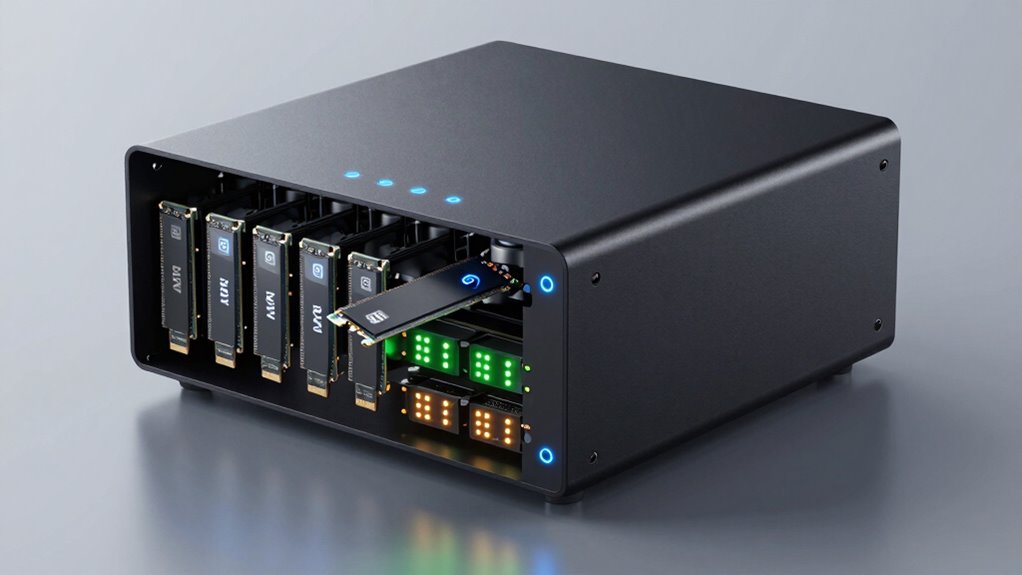

An NVMe NAS can deliver compact, low-noise storage for fast file access, but the right choice depends on whether you need a complete server or NVMe drives for a system you already own. I rate the UGREEN NASync DXP480T Plus as the best overall pick for buyers seeking a purpose-built four-bay all-flash NAS. The TerraMaster F8 SSD Plus stands out for eight NVMe bays and stronger expansion potential, while the Beelink ME Mini offers a compact multi-slot alternative. The main tradeoffs are drive-bay count, network speed, software flexibility, and the cost of populating several slots. Read on for the full comparison and guidance on matching an NVMe NAS to your workload.

Get the latest gadgets delivered free with Prime
- Fast, free delivery on millions of items
- Prime Video, Amazon Music and more included
- Member-only deals all year
Complete the kit



Key Takeaways
- The DXP480T Plus is the clearest all-flash NAS choice: it is built around four NVMe bays, while the DXP4800 Plus is a more conventional NAS with four bays and a 10GbE connection.
- More NVMe slots do not automatically mean more useful capacity: the Beelink ME Mini has six M.2 slots, and the TerraMaster F8 SSD Plus has eight SSD bays, so buyers should check drive size, supported formats, and planned capacity before choosing.
- Network speed can limit real-world transfers: models with 10GbE, such as the LincStation N2 and UGREEN DXP4800 Plus, have a stronger wired-network case than the 1GbE UGREEN DH2300.
- The WD Red SN700 drives are components, not NAS appliances: the 2TB and 500GB versions suit buyers upgrading a compatible system, but neither provides a NAS processor, enclosure, or network connection.
- Simple two-bay models and high-slot-count systems serve different jobs: the UGREEN DH2300 and DXP2800 prioritize a smaller storage setup, while the TerraMaster F8 SSD Plus favors buyers building a larger all-SSD pool.
| Beelink ME Mini NAS PC with Intel N95, 12GB LPDDR5, 64GB eMMC, 6 M.2 Slots, and Dual 2.5GbE LAN |  | Best for Maximum NVMe Slots | Processor: Intel N95, 4 cores/4 threads, up to 3.4GHz | Memory: 12GB LPDDR5 | Built-in storage: 64GB eMMC | VIEW ON AMAZON | See Our Full Breakdown |
| UGREEN NASync DXP480T Plus 4-Bay All-Flash NAS |  | Best Premium All-Flash NAS | Processor: Intel Core i5-1235U, 10-core/12-thread | Memory: 8GB DDR5 | System storage: 128GB built-in SSD | VIEW ON AMAZON | See Our Full Breakdown |
| Western Digital 2TB WD Red SN700 NVMe Internal SSD for NAS |  | Best NAS NVMe Upgrade Drive | Capacity: 2TB | Interface: NVMe Gen3 PCIe | Form factor: M.2 2280 | VIEW ON AMAZON | See Our Full Breakdown |
| LincStation N2 6-Bay NAS Server with Intel N100, 16GB LPDDR5, 10GbE, and Unraid Starter License |  | Best Hybrid NVMe and SATA NAS | Processor: Intel N100, 4 cores/4 threads, up to 3.4GHz | Memory: 16GB LPDDR5 | SATA bays: 2 x 2.5-inch | VIEW ON AMAZON | See Our Full Breakdown |
| UGREEN NAS DH2300 2-Bay Desktop NAS, Support Capacity 64TB (Diskless), Remote Access, AI Photo Album, 4GB RAM, 1GbE, 4K HDMI |  | Best for NAS Beginners | Drive bays: 2 | Maximum supported capacity: 64TB | Memory: 4GB RAM | VIEW ON AMAZON | See Our Full Breakdown |
| TerraMaster F8 SSD Plus 8-Bay NAS, Intel Core i3-N305, 16GB DDR5, Diskless |  | Best Compact All-Flash NAS | Processor: Intel Core i3-N305, 8 cores and 8 threads, up to 3.4GHz | Memory: 16GB DDR5 4800MHz | Drive slots: 8 M.2 2280 NVMe SSD slots | VIEW ON AMAZON | See Our Full Breakdown |
| UGREEN DXP2800 2-Bay NAS |  | Best Hybrid NAS for Home NVMe Caching | Processor: Intel N100 quad-core | Memory: 8GB DDR5 | Drive bays: 2 HDD bays | VIEW ON AMAZON | See Our Full Breakdown |
| Western Digital WD Red SN700 500GB NVMe Internal SSD for NAS |  | Best NVMe Upgrade for a NAS | Capacity: 500GB | Interface: NVMe, PCIe Gen3 | Form factor: M.2 2280 | VIEW ON AMAZON | See Our Full Breakdown |
| UGREEN NAS DXP4800 Plus 4-Bay NAS with Intel Pentium Gold 8505, 8GB DDR5 RAM, 128GB SSD, 10GbE, HDMI, Diskless |  | Best for Mixed-Capacity Storage and 10GbE | Processor: Intel Pentium Gold 8505, 5-core CPU | Memory: 8GB DDR5 | Drive bays: 4-bay; 3.5-inch and 2.5-inch form factors listed | VIEW ON AMAZON | See Our Full Breakdown |
| nvme na | Memory | Networking | Processor |
|---|---|---|---|
| Beelink ME Mini NAS PC with In | 12GB LPDDR5 | Dual 2.5GbE LAN; Wi-Fi 6 | Intel N95, 4 cores/4 threads, up to 3.4GHz |
| UGREEN NASync DXP480T Plus 4-B | 8GB DDR5 | 10GbE port and Wi-Fi 6 | Intel Core i5-1235U, 10-core/12-thread |
| Western Digital 2TB WD Red SN7 | — | — | — |
| LincStation N2 6-Bay NAS Serve | 16GB LPDDR5 | 10GbE | Intel N100, 4 cores/4 threads, up to 3.4GHz |
| UGREEN NAS DH2300 2-Bay Deskto | 4GB RAM | 1GbE; wired Ethernet | — |
| TerraMaster F8 SSD Plus 8-Bay | 16GB DDR5 4800MHz | 10GbE | Intel Core i3-N305, 8 cores and 8 threads, up to 3.4GHz |
| UGREEN DXP2800 2-Bay NAS | 8GB DDR5 | 2.5GbE | Intel N100 quad-core |
| Western Digital WD Red SN700 5 | — | — | — |
| UGREEN NAS DXP4800 Plus 4-Bay | 8GB DDR5 | 1 × 10GbE and 1 × 2.5GbE | Intel Pentium Gold 8505, 5-core CPU |
More Details on Our Top Picks
Beelink ME Mini NAS PC with Intel N95, 12GB LPDDR5, 64GB eMMC, 6 M.2 Slots, and Dual 2.5GbE LAN
The Beelink ME Mini suits buyers who want a small NAS built around six M.2 NVMe drives, rather than a mix of conventional drive bays and flash storage. Its listed capacity reaches 24TB, and dual 2.5GbE ports give it more networking flexibility than the 1GbE UGREEN NAS DH2300. The Intel N95 can also handle lightweight media-server and soft-routing jobs, while support for FNOS, Unraid, and TrueNAS leaves operating-system choice open.
The tradeoff is that the 64GB eMMC system storage is modest, and the unit is diskless, so the NVMe capacity requires separate drive purchases. Unlike the LincStation N2, it has no stated SATA bays for lower-cost mixed storage. I’d choose it for an all-NVMe build, but skip it if you want a straightforward, drive-flexible NAS.
Pros:- Six M.2 NVMe slots support up to 24TB total capacity.
- Dual 2.5GbE LAN offers more network capacity and routing flexibility than 1GbE systems.
- Supports FNOS, Unraid, and TrueNAS, plus common media-server platforms.
- Wi-Fi 6 and Bluetooth 5.2 add wireless connectivity options.
Cons:- NVMe drives are not included, adding separate component selection and setup.
- The 64GB eMMC system storage is limited for broader mini-PC use.
- Storage expansion is restricted to M.2 NVMe drives, with no stated SATA bays.
Best for: Home-lab builders who want a compact, all-NVMe NAS with multiple M.2 slots and dual 2.5GbE networking.
Not ideal for: Buyers seeking inexpensive bulk storage, SATA drive support, or a NAS that arrives with storage installed.
- Processor:Intel N95, 4 cores/4 threads, up to 3.4GHz
- Memory:12GB LPDDR5
- Built-in storage:64GB eMMC
- M.2 slots:6 x M.2 NVMe
- Supported SSD sizes:2230, 2242, and 2280
- Maximum storage:4TB per slot; 24TB total
- Networking:Dual 2.5GbE LAN; Wi-Fi 6
- Supported NAS systems:FNOS, Unraid, and TrueNAS
Our verdict“Choose the Beelink ME Mini if six NVMe slots and dual 2.5GbE matter more than SATA flexibility or included drives.”
UGREEN NASync DXP480T Plus 4-Bay All-Flash NAS
The UGREEN NASync DXP480T Plus is the performance-focused choice here for users who want an all-flash NAS to serve editing projects, virtual machines, or multiple demanding applications. Its Core i5-1235U gives it more processing headroom than the Intel N95 Beelink ME Mini, while 10GbE and two Thunderbolt 4 ports provide faster wired and direct-connection options for compatible workflows. Four M.2 slots support up to 32TB, and the built-in 128GB SSD gives system operations dedicated storage.
That capability comes with a narrower storage format: unlike the LincStation N2, it has no stated SATA bays for mixing in conventional drives. It is also diskless, and the 8GB RAM is a constraint for heavier virtual-machine workloads. I’d pick it for a fast all-flash workstation companion, not for low-cost capacity or maximum memory flexibility.
Pros:- Intel Core i5-1235U provides more processing headroom than entry-level NAS processors.
- 10GbE and dual Thunderbolt 4 support high-speed network and direct connections.
- Four M.2 slots support up to 32TB of all-flash storage.
- Docker, virtual machines, and Plex broaden its uses beyond file storage.
Cons:- Diskless configuration means all four NVMe drives must be sourced separately.
- The four-slot all-flash design offers no stated SATA bays for lower-cost capacity.
- 8GB RAM may limit demanding virtual machines and heavier multitasking.
Best for: Video editors and technically confident creators who need fast NVMe storage, 10GbE, Thunderbolt connectivity, and NAS applications.
Not ideal for: Buyers prioritizing inexpensive bulk storage, a simple beginner setup, or a NAS with conventional SATA bays.
- Processor:Intel Core i5-1235U, 10-core/12-thread
- Memory:8GB DDR5
- System storage:128GB built-in SSD
- Drive slots:4 x M.2 NVMe
- Maximum capacity:32TB
- Networking:10GbE port and Wi-Fi 6
- Additional ports:2 x Thunderbolt 4 and 8K HDMI
- RAID support:JBOD, Basic, RAID 0, 1, 5, 6, and 10
Our verdict“Choose the DXP480T Plus for a high-performance all-flash workflow with 10GbE and Thunderbolt, provided you can work within its four NVMe slots and 8GB RAM.”
Western Digital 2TB WD Red SN700 NVMe Internal SSD for NAS
The WD Red SN700 is the only item in this group that is a drive rather than a complete NAS, making it a practical component choice for an existing compatible system. Its NAS-focused design targets always-on workloads such as caching, databases, and shared editing files. The M.2 2280 format and PCIe Gen3 interface fit many NAS systems, while rated sequential speeds of up to 3,400 MB/s read and 2,900 MB/s write can help responsive, flash-based tasks.
Compared with the 500GB WD Red SN700 elsewhere in this roundup, this version offers 2TB of capacity for larger working sets. It is still a Gen3 drive, not a newer Gen4 option, and its benefit depends on whether the NAS has a suitable M.2 slot and workload. I’d choose it for an upgrade where NAS-oriented endurance matters more than peak interface generation; it cannot provide storage without a NAS enclosure.
Pros:- Designed for NAS use and continuous workloads.
- 2TB capacity offers more room than the 500GB WD Red SN700 listed in this roundup.
- M.2 2280 NVMe format suits compatible NAS slots.
- Rated sequential speeds reach 3,400 MB/s read and 2,900 MB/s write.
Cons:- It is a standalone SSD, not a NAS enclosure or complete storage system.
- PCIe Gen3 is an older interface generation than Gen4 NVMe drives.
- Its value depends on having a compatible slot and a workload that benefits from NVMe.
Best for: NAS owners with a compatible M.2 2280 slot who need a 2TB NVMe drive for caching, shared work files, or other always-on tasks.
Not ideal for: Buyers building a complete NAS, users whose system lacks NVMe support, or those seeking a newer Gen4 interface.
- Capacity:2TB
- Interface:NVMe Gen3 PCIe
- Form factor:M.2 2280
- Model number:WDS200T1R0C
- Target use:NAS devices
Our verdict“Choose this 2TB WD Red SN700 when a compatible NAS needs a NAS-oriented NVMe upgrade rather than a complete storage system.”
LincStation N2 6-Bay NAS Server with Intel N100, 16GB LPDDR5, 10GbE, and Unraid Starter License
The LincStation N2 is the most flexible option here for buyers who want NVMe speed without committing every storage slot to flash. It combines four M.2 NVMe slots with two 2.5-inch SATA bays, giving it a mix-and-match layout the all-flash UGREEN NASync DXP480T Plus does not offer. Its included Unraid Starter License also gives first-time NAS builders a defined software starting point, while 16GB LPDDR5 provides more memory than the DXP480T Plus’s 8GB.
The Intel N100 is suited to storage, backups, media streaming, and lighter Docker services rather than the heavier workloads aimed at the UGREEN Core i5 model. It is diskless, so drives still need to be added, and the two-year warranty is shorter than the three-year coverage listed for the UGREEN. I’d choose it for a mixed-drive home server, not an all-flash editing system.
Pros:- Combines four M.2 NVMe slots with two 2.5-inch SATA bays.
- 10GbE networking supports fast connections to compatible network equipment.
- Includes an Unraid Starter License.
- 16GB LPDDR5 gives it more memory than the 8GB UGREEN NASync DXP480T Plus.
Cons:- Diskless configuration requires separate drive purchases.
- Intel N100 is better suited to lighter server tasks than demanding compute workloads.
- Two-year warranty is shorter than the three-year coverage listed for the DXP480T Plus.
Best for: Home-lab and media-server builders who want NVMe caching or storage alongside two SATA drives and an included Unraid license.
Not ideal for: Creators who need a more powerful processor for demanding applications, or buyers who want a NAS with drives already installed.
- Processor:Intel N100, 4 cores/4 threads, up to 3.4GHz
- Memory:16GB LPDDR5
- SATA bays:2 x 2.5-inch
- M.2 slots:4 x M.2 2280 NVMe
- Networking:10GbE
- Operating system license:Unraid Starter License included
- Ports:USB-C (10G), USB 3.2 Gen 2, HDMI 2.0, 3.5mm audio
- Dimensions:5.9 x 8.2 x 1.5 inches
Our verdict“Choose the LincStation N2 for a compact Unraid system that blends NVMe and SATA storage with 10GbE, rather than for demanding compute-heavy work.”
UGREEN NAS DH2300 2-Bay Desktop NAS, Support Capacity 64TB (Diskless), Remote Access, AI Photo Album, 4GB RAM, 1GbE, 4K HDMI
The UGREEN NAS DH2300 is the straightforward choice for personal backups and photo libraries, not a true NVMe NAS. Its two drive bays and 4GB RAM are aimed at familiar storage tasks, while AI photo tagging and duplicate detection can reduce manual sorting. Compared with the Beelink ME Mini, it gives up NVMe slots and faster networking in favor of a simpler, beginner-oriented setup; its 1GbE connection is also slower than the 10GbE LincStation N2.
That distinction matters if the goal is an NVMe-centered editing or server workflow: the DH2300’s supplied data lists no M.2 NVMe slots, Docker, or virtual-machine support. It is diskless, and wired Ethernet is the stated network option, with Wi-Fi requiring an external USB adapter. I’d consider it for household file storage and photo organization, but skip it if NVMe expansion or server applications are the point of the purchase.
Pros:- Beginner-oriented interface is suited to personal file backups and photo libraries.
- AI photo tagging and duplicate detection can simplify photo organization.
- Two drive bays support a reported maximum capacity of 64TB.
- 4K HDMI provides a local video-output option.
Cons:- No M.2 NVMe slots are listed, so it does not serve as an NVMe NAS platform.
- 1GbE networking is slower than the 2.5GbE and 10GbE options in this roundup.
- No Docker or virtual-machine support is listed for more advanced server use.
- Diskless, with Wi-Fi requiring an external USB adapter.
Best for: First-time NAS buyers who mainly want a two-bay home destination for backups, photos, and videos with photo organization tools.
Not ideal for: NVMe-focused builders, users who need Docker or virtual machines, and buyers who require Wi-Fi or faster-than-1GbE networking.
- Drive bays:2
- Maximum supported capacity:64TB
- Memory:4GB RAM
- Networking:1GbE; wired Ethernet
- Video output:4K HDMI
- Security:RAID modes, two-factor authentication, encrypted transfers
- Photo features:AI photo tagging and automatic duplicate detection
Our verdict“Choose the DH2300 for beginner-friendly household backups and photo sorting, not for an NVMe-centered NAS or server workload.”
TerraMaster F8 SSD Plus 8-Bay NAS, Intel Core i3-N305, 16GB DDR5, Diskless
The TerraMaster F8 SSD Plus is the most direct fit here for buyers who want an NVMe NAS built around flash storage rather than hard-drive bays. Its eight M.2 2280 slots support up to 64TB of NVMe capacity, while the Core i3-N305 and 16GB of DDR5 give it more headroom for simultaneous storage and business workloads than the smaller UGREEN DXP2800. The 10GbE port can make fast SSD storage more useful on a suitably equipped network, and quiet standby operation suits a workspace. The tradeoff is a narrower drive choice: it accepts M.2 2280 NVMe drives, not conventional 3.5-inch disks, and none are included. I’d choose it over the four-bay UGREEN DXP4800 Plus when compact, all-flash storage matters more than expandable HDD capacity.
Pros:- Eight M.2 2280 NVMe slots support up to 64TB total capacity
- Core i3-N305 and 16GB DDR5 provide a capable hardware base for multitasking
- 10GbE networking can support faster transfers on a compatible network
- Compact design and below-19dB standby noise suit quiet work areas
Cons:- Diskless configuration requires purchasing all NVMe drives separately
- Limited to M.2 2280 NVMe drives, unlike NAS options that accept HDDs
Best for: Small offices and creators building a quiet, compact all-flash NAS with multiple NVMe drives and a 10GbE network.
Not ideal for: Buyers who want to reuse 3.5-inch hard drives, need included storage, or prefer a broad choice of drive formats.
- Processor:Intel Core i3-N305, 8 cores and 8 threads, up to 3.4GHz
- Memory:16GB DDR5 4800MHz
- Drive slots:8 M.2 2280 NVMe SSD slots
- Maximum capacity:64TB total; up to 8TB per SSD
- Networking:10GbE
- Standby noise:Below 19dB
- Included storage:None; diskless
- Warranty:2 years
Our verdict“Choose the F8 SSD Plus if you want compact, eight-drive NVMe storage and can accept its drive-format limits and diskless setup.”
UGREEN DXP2800 2-Bay NAS
The UGREEN DXP2800 suits home users who want NVMe slots alongside conventional drive bays, rather than an all-flash system. Its two HDD bays allow a capacity-focused storage setup, while two M.2 NVMe slots add room for faster storage or cache; that mixed approach differs from the TerraMaster F8 SSD Plus, which is built around eight NVMe drives and 10GbE. The DXP2800’s 2.5GbE connection is a more modest network link, but it can be a sensible match for a typical home setup. An Intel N100 and 8GB DDR5 support media and backup uses, with Docker, virtual machines, and surveillance features for people willing to configure them. Drives are not included, and the advanced functions may take setup time.
Pros:- Combines two HDD bays with two M.2 NVMe slots
- Supports up to 80TB of storage according to the supplied product data
- 2.5GbE networking offers more bandwidth than a 1GbE connection
- Supports Docker, virtual machines, and Plex-compatible media applications
Cons:- HDDs and SSDs must be purchased separately
- 2.5GbE is less suited to high-throughput workflows than the TerraMaster F8 SSD Plus’s 10GbE
- Advanced applications and surveillance features may require setup and compatible devices
Best for: Home users who want a two-drive HDD NAS with NVMe slots for added speed, plus room to explore media, backup, or Docker applications.
Not ideal for: Teams needing 10GbE transfers, an all-NVMe array, or a ready-to-run system without separately purchased drives and configuration.
- Processor:Intel N100 quad-core
- Memory:8GB DDR5
- Drive bays:2 HDD bays
- M.2 slots:2 NVMe slots
- Maximum storage capacity:80TB
- Networking:2.5GbE
- Supported platforms:Windows, macOS, Android, iOS, web browsers, and compatible smart TVs
- Included drives:None; HDDs and SSDs sold separately
Our verdict“Pick the DXP2800 if you want a home NAS that mixes HDD capacity with NVMe slots and do not need 10GbE.”
Western Digital WD Red SN700 500GB NVMe Internal SSD for NAS
The WD Red SN700 500GB is a drive, not a NAS, so it makes sense for buyers upgrading a compatible system rather than starting a storage setup. Its NAS-oriented design and PCIe Gen3 interface are aimed at multitasking, virtualization, and collaborative work; the advertised read speed reaches 3,430 MB/s. That makes it a component option for systems such as the TerraMaster F8 SSD Plus, whose M.2 slots accept 2280 NVMe drives, rather than a replacement for a complete NAS like the UGREEN DXP2800. The main compromise is capacity: 500GB is a modest amount for shared files or media, so buyers may need multiple drives or a larger-capacity alternative. A five-year limited warranty is a useful ownership detail, but compatibility still depends on the NAS.
Pros:- Designed for NAS workloads and multitasking
- Advertised read speeds up to 3,430 MB/s
- M.2 2280 NVMe form factor fits compatible NAS slots
- Five-year limited manufacturer warranty
Cons:- 500GB capacity may be restrictive for shared storage or media libraries
- Requires a compatible NAS with an M.2 2280 NVMe slot
- Does not provide a NAS enclosure, networking, or backup software
Best for: NAS owners with an available M.2 2280 NVMe slot who need a workload-focused SSD for caching, virtualization, or active project files.
Not ideal for: Anyone shopping for a complete NAS, needing a large single-drive capacity, or whose NAS does not support M.2 2280 NVMe drives.
- Capacity:500GB
- Interface:NVMe, PCIe Gen3
- Form factor:M.2 2280
- Read speed:Up to 3,430 MB/s
- Cache memory:500MB
- Dimensions:3.15 × 0.87 × 0.09 in
- Warranty:5-year limited manufacturer warranty
- Model number:WDS500G1R0C
Our verdict“Choose the WD Red SN700 as an NVMe component upgrade for a compatible NAS, not as a standalone storage system.”
UGREEN NAS DXP4800 Plus 4-Bay NAS with Intel Pentium Gold 8505, 8GB DDR5 RAM, 128GB SSD, 10GbE, HDMI, Diskless
The UGREEN NAS DXP4800 Plus is a better fit for buyers who want conventional drive capacity with faster networking, rather than an all-NVMe enclosure. Its four SATA drive bays and stated 144TB maximum capacity give it a different role from the TerraMaster F8 SSD Plus, which trades HDD flexibility for eight M.2 NVMe slots. The DXP4800 Plus pairs a Pentium Gold 8505 and 8GB DDR5 with 10GbE and 2.5GbE ports, plus HDMI for direct display output. The listing also specifies a 128GB SSD, though the configuration is described as diskless and the HDDs are sold separately, so buyers should verify what storage is included. Docker, virtual machines, and photo tools add flexibility, but setup may be more involved than a basic home file server.
Pros:- Four drive bays and stated support for up to 144TB accommodate larger storage plans
- 10GbE plus 2.5GbE provides multiple wired networking options
- HDMI output supports direct display connection
- Pentium Gold 8505, 8GB DDR5, and application support suit multitasking
Cons:- Hard drives are sold separately, so the full storage capacity requires additional drives
- Uses SATA drive bays rather than an all-NVMe drive layout
- Advanced features and setup may be challenging for first-time NAS owners
Best for: Small offices and advanced home users who want multiple SATA drive bays, 10GbE networking, and room to run applications such as Docker or virtual machines.
Not ideal for: Buyers seeking a purpose-built all-NVMe NAS, a simple beginner setup, or a complete system with HDD capacity already installed.
- Processor:Intel Pentium Gold 8505, 5-core CPU
- Memory:8GB DDR5
- Drive bays:4-bay; 3.5-inch and 2.5-inch form factors listed
- Maximum capacity:144TB
- Networking:1 × 10GbE and 1 × 2.5GbE
- Connectivity:Ethernet, HDMI, SATA, and USB
- Listed SSD capacity:128GB
- Read speed:1,250MB/s
Our verdict“Choose the DXP4800 Plus if your priority is high-capacity SATA storage with 10GbE, not an all-flash NVMe array.”

How We Picked
I ranked these options by how directly they serve an NVMe NAS use case: whether the product is a complete NAS or only an SSD, how many suitable drive positions it provides, what networking and processing hardware it includes, and how clearly it fits a particular kind of buyer. I also weighed setup flexibility, memory, operating-system considerations, and the practical difference between an all-flash appliance and a general NAS that happens to include an SSD.
The order favors complete systems that make NVMe storage central to the design and pair it with capabilities useful for shared storage. The DXP480T Plus leads as a dedicated four-bay all-flash NAS; the TerraMaster F8 SSD Plus follows for buyers who value eight SSD bays and a more capable processor. Compact or simpler systems rank lower for this specific brief when their bay count, network connection, or platform focus limits their fit. The SN700 drives appear as component picks rather than NAS replacements, and their ranking reflects how useful each capacity is for a compatible build.
| nvme na | Processor |
|---|---|
| Beelink ME Mini NAS PC with In | Intel N95, 4 cores/4 threads, up to 3.4GHz |
| UGREEN NASync DXP480T Plus 4-B | Intel Core i5-1235U, 10-core/12-thread |
| Western Digital 2TB WD Red SN7 | — |
| LincStation N2 6-Bay NAS Serve | Intel N100, 4 cores/4 threads, up to 3.4GHz |
| UGREEN NAS DH2300 2-Bay Deskto | — |
| TerraMaster F8 SSD Plus 8-Bay | Intel Core i3-N305, 8 cores and 8 threads, up to 3.4GHz |
| UGREEN DXP2800 2-Bay NAS | Intel N100 quad-core |
| Western Digital WD Red SN700 5 | — |
| UGREEN NAS DXP4800 Plus 4-Bay | Intel Pentium Gold 8505, 5-core CPU |
Factors to Consider When Choosing Nvme Nas
Choosing an NVMe NAS is partly a storage decision and partly a system-design decision. Before comparing slot counts, I would work out what needs to move across the network, how much usable capacity you need, and whether you want to manage a complete appliance or assemble storage from individual parts.
Decide whether you need a NAS or an NVMe drive
A NAS appliance includes the enclosure, processor, memory, network ports, and software platform; an NVMe SSD supplies storage only. Buying a drive such as the WD Red SN700 makes sense when you already have a compatible NAS, mini PC, or server with an open M.2 slot. It does not turn that device into a network storage system by itself. Check the host’s M.2 keying, supported drive length, interface, and thermal clearance before ordering. Buyers who want a ready-to-configure shared storage device should start with a complete NAS instead of comparing standalone drives as if they were equivalent products.
Match network bandwidth to your actual clients
NVMe storage can read and write faster than many home and small-office networks can carry data. A 1GbE link can be a bottleneck for large transfers, while 2.5GbE or 10GbE can make faster storage more useful when the client computer and network equipment support it too. A single fast NAS port will not improve transfers through a slower switch, router, cable, or client adapter. For routine backups and document sharing, faster networking may matter less than reliable access and enough capacity. For video editing or large shared project files, map the whole connection path before paying for high-speed storage.
Plan capacity around usable storage, not slot count
Slot count shows how many drives a system can hold, not how much space will remain after redundancy, formatting, and filesystem overhead. Estimate your current data, annual growth, and the amount of free space you want to keep before choosing a two-, four-, six-, or eight-bay design. More bays can provide room to grow or support a storage layout with redundancy, but they also mean more drives to buy and manage. Check which drive capacities and physical formats the NAS supports, then confirm how its software handles expansion. A smaller system can be the more sensible choice when its capacity already covers several years of use.
Choose a redundancy plan before filling the bays
Multiple SSDs do not automatically protect files from drive failure; protection depends on the storage layout and the NAS software. Redundant arrays can keep a system available after some drive failures, but they reduce usable capacity and are not a substitute for a separate backup. Think through whether you value maximum space, fault tolerance, or easier expansion, then check which layouts the system supports. Keep another copy of important files on an independent device or in another location. Buyers who need to restore work quickly should also test that their backup can be recovered, rather than relying only on a healthy status display.
Compare software flexibility with setup simplicity
Some buyers want a guided appliance interface for sharing files and managing backups; others prefer the freedom to choose and configure their own NAS software. Hardware details such as included memory, processor class, and an included operating-system license can shape that experience, but they do not tell the whole story. Check whether the software supports the services you need, such as user permissions, remote access, snapshots, or media apps. A more flexible platform can take extra setup and maintenance, while a simpler system may offer fewer choices. Pick the level of control you are willing to manage, not just the most powerful processor on the list.
Account for cooling, power, and drive endurance
NVMe SSDs are compact, but sustained transfers can produce heat, so airflow and heatsink clearance matter in a system with several drives. Check the NAS design and drive guidance before assuming every M.2 slot can run at full speed continuously. Also compare the SSD’s workload rating and warranty terms with the job you expect it to do; a drive used for frequent writes has a different duty pattern from one used mostly for reads. A low-noise, low-power setup may suit a home office better than a system chosen for peak throughput alone. Budget for compatible drives and cooling needs as part of the complete build.
Frequently Asked Questions
Should I buy an all-flash NAS or a conventional NAS with NVMe drives?
Choose an all-flash NAS when compact SSD storage and a purpose-built multi-drive design are the main goals. A conventional NAS may suit you better if you need a broader drive mix or want a general storage server rather than an SSD-focused appliance. The DXP480T Plus is the lineup’s dedicated four-bay all-flash option, while the DXP4800 Plus combines four bays with 10GbE in a more conventional NAS design. Compare supported drive types and storage layouts before treating them as interchangeable. The best fit depends on the storage you plan to install, not just the word “NVMe” in a listing.
Will a 10GbE NVMe NAS make file transfers ten times faster?
Not by itself. The NAS, client computer, network adapter, switch, cabling, and storage setup all affect transfer speed, so one slower link can limit the whole path. A 10GbE model such as the LincStation N2 or DXP4800 Plus is most useful when the rest of your network can take advantage of that connection. Small files and tasks that depend on processing or metadata may not scale with link speed in the same way as large sequential transfers. Check your client hardware and network equipment before choosing a NAS mainly for 10GbE.
Can I use the WD Red SN700 500GB as a NAS boot drive?
That depends on the NAS or host system’s supported boot options and M.2 configuration. The SN700 500GB is a standalone NVMe SSD, not a NAS appliance, so it needs a compatible device and software setup. A smaller drive may work for an operating system or cache role when the host supports that use, but it offers less room for files than the 2TB version. Check the device manual for boot support, slot sharing, and drive compatibility before buying. Keep important data on a separate storage volume and maintain a backup regardless of the drive’s role.
Is a two-bay NAS enough if I want SSD storage and redundancy?
It can be, if the NAS supports a redundant layout and the resulting usable capacity meets your needs. With only two bays, redundancy usually leaves less room for growth than a system with more drive positions, and replacing drives may require careful planning. Models such as the UGREEN DH2300 and DXP2800 are aimed at simpler two-bay setups, rather than the expansion room offered by six- or eight-bay systems. Remember that a mirrored or redundant array is not a backup against deletion, theft, or damage to the whole NAS. Choose two bays for a modest, well-defined data set; favor more bays when capacity growth or flexible layouts matter.
When should I choose a NAS appliance instead of a mini PC with M.2 slots?
A NAS appliance is usually the better fit when you want a system designed around storage management, shared folders, and a guided setup. A mini PC such as the Beelink ME Mini can appeal to buyers who value a compact footprint and are comfortable choosing and configuring their software. Slot count alone does not confirm drive compatibility, cooling performance, or the storage features available in the operating system. Check whether the system supports the sharing, backup, and redundancy tools you need before treating its M.2 slots as a complete NAS solution. Choose the mini PC when its flexibility is worth the extra setup work; choose an appliance when a more purpose-built storage experience matters more.
Conclusion
For most buyers seeking a dedicated NVMe storage appliance, I recommend the UGREEN NASync DXP480T Plus as the best overall because its four-bay all-flash design closely matches the category. The Beelink ME Mini is my value-oriented compact pick for buyers who want six M.2 slots and are comfortable configuring a mini-PC platform, while the TerraMaster F8 SSD Plus is the best premium-style choice for those who need eight SSD bays and a stronger processor. Beginners should look at a complete UGREEN NAS appliance, then choose between the simpler two-bay models and the more capable four-bay options based on capacity and network needs. For a compatible system you already own, the WD Red SN700 2TB is the more useful standalone-drive pick; the 500GB model is better suited to smaller or dedicated roles. If your priority is 10GbE, compare the LincStation N2 and DXP4800 Plus against your network before deciding, since the fastest port only helps when the rest of the setup can use it.