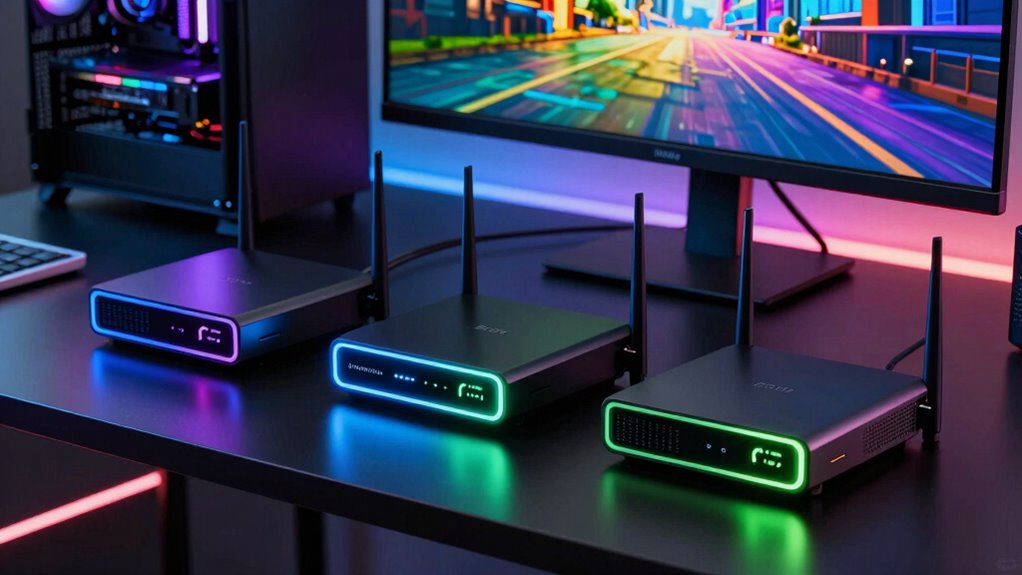

For wireless PCVR, low latency is essential to ensure a smooth, immersive experience. The best routers for this purpose prioritize minimal lag, fast speeds, and stable connections. The TP-Link Archer AX21 stands out as the overall best choice thanks to its solid WiFi 6 performance, while the MSI Radix AXE6600 offers cutting-edge WiFi 6E that reduces interference for gaming and VR. However, choosing the right router involves balancing speed, coverage, ease of setup, and future-proofing. Some models deliver excellent latency but come at a higher price, while others sacrifice a bit of speed for simplicity and affordability. Keep reading for the full breakdown to find the best fit for your wireless PCVR needs.

Get the latest gadgets delivered free — and shop member deals
- Fast, free delivery on millions of items
- Access to Prime Big Deal Days deals on October 6–7
- Prime Video, Amazon Music and more included
Complete the kit



Key Takeaways
- WiFi 6 and WiFi 6E routers generally provide lower latency and more stable connections suitable for PCVR.
- Higher frequency bands (such as 6 GHz) reduce interference and improve latency, especially in crowded environments.
- Advanced QoS and gaming features can help prioritize VR traffic, but may add complexity or cost.
- Coverage area and device management are important; some routers handle many devices better, reducing lag spikes.
- Price correlates with features; investing in a premium router can improve latency and future compatibility.
| TP-Link Archer AX21 (AX1800) WiFi 6 Router |  | Best Overall Low Latency Router for Wireless PCVR | Wi-Fi Standard: Wi-Fi 6 (802.11ax) | Bands: Dual-Band (2.4 GHz and 5 GHz) | Max Speed: AX1800 (1.8 Gbps total; 1200 Mbps on 5 GHz, 574 Mbps on 2.4 GHz) | VIEW ON AMAZON | See Our Full Breakdown |
| ASUS RT-AX1800S Dual Band WiFi 6 Router |  | Best Value Low Latency Router for Wireless PCVR | Wi-Fi Standard: Wi-Fi 6 (802.11ax) | Bands: Dual-Band (2×2) | Bandwidth: Up to 1024-QAM | VIEW ON AMAZON | See Our Full Breakdown |
| ASUS TUF Gaming BE6500 WiFi 7 Dual-Band Router |  | Best for Gaming and Low Latency with WiFi 7 | Wi-Fi Standard: Wi-Fi 7 (802.11be) | Max Speed: 6500 Mbps | Bands: Dual-Band | VIEW ON AMAZON | See Our Full Breakdown |
| TP-Link AX3000 Dual-Band Wi-Fi 6 Gigabit Wireless Router | 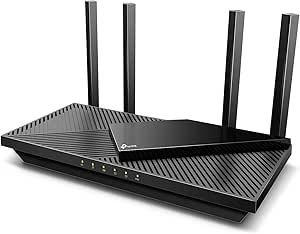 | Best Budget Dual-Band WiFi 6 Router for Wireless PCVR | Wi-Fi Standard: Wi-Fi 6 (802.11ax) | Max Speed: AX3000 (2402 Mbps on 5 GHz, 574 Mbps on 2.4 GHz) | Bands: Dual-Band | VIEW ON AMAZON | See Our Full Breakdown |
| NETGEAR Nighthawk RS90 Dual-Band WiFi 7 Router (BE3600) |  | Best Overall for High-Speed, Low-Latency Wireless PCVR | Model: RS90 | WiFi Standard: WiFi 7 (BE3600) | Bands: Dual-band (2.4 GHz / 5 GHz) | VIEW ON AMAZON | See Our Full Breakdown |
| NETGEAR Nighthawk WiFi 6 Router (RAX36) – AX3000, Dual-Band, 3 Gbps, Covers 2,000 sq. ft., 25 Devices, VPN, USB 3.0, Gaming |  | Best Value for Reliable Wireless PCVR in a Budget | Model: RAX36 | Technology: WiFi 6 | Speed: 3 Gbps | VIEW ON AMAZON | See Our Full Breakdown |
| GL.iNet GL-BE9300 Flint 3 Tri-Band Wi-Fi 7 Router |  | Best for Ultra-High-Speed, Large-Scale PCVR and Streaming | Wireless Standard: Wi-Fi 7 | Maximum Speed: 12.5 Gbps | Coverage: Up to 2000 sq. ft. | VIEW ON AMAZON | See Our Full Breakdown |
| GL.iNet GL-MT6000 Flint 2 Wi-Fi 6 Gaming Router with Dual 2.5G Ports |  | Best for High-Speed Wired and Wireless Gaming | Model: GL-MT6000 (Flint 2) | Wi-Fi Standard: Wi-Fi 6 | Max Wireless Speed: Up to 6 Gbps | VIEW ON AMAZON | See Our Full Breakdown |
| TP-Link Archer AXE75 AXE5400 Tri-Band WiFi 6E Router |  | Best for Future-Proof, Low-Latency PCVR with WiFi 6E | Max Speed: 5400 Mbps | Bands: Tri-Band (6 GHz, 5 GHz, 2.4 GHz) | WiFi Standard: WiFi 6E | VIEW ON AMAZON | See Our Full Breakdown |
| low latency router for wireless pcvr | Bands | Wi-Fi Standard |
|---|---|---|
| TP-Link Archer AX21 | Dual-Band (2.4 GHz and 5 GHz) | Wi-Fi 6 (802.11ax) |
| ASUS RT-AX1800S Dual Band WiFi | Dual-Band (2×2) | Wi-Fi 6 (802.11ax) |
| ASUS TUF Gaming BE6500 WiFi 7 | Dual-Band | Wi-Fi 7 (802.11be) |
| TP-Link AX3000 Dual-Band Wi-Fi | Dual-Band | Wi-Fi 6 (802.11ax) |
| NETGEAR Nighthawk RS90 Dual-Ba | Dual-band (2.4 GHz / 5 GHz) | — |
| NETGEAR Nighthawk WiFi 6 Route | — | — |
| GL.iNet GL-BE9300 Flint 3 Tri- | — | — |
| GL.iNet GL-MT6000 Flint 2 Wi-F | — | Wi-Fi 6 |
| TP-Link Archer AXE75 AXE5400 T | Tri-Band (6 GHz, 5 GHz, 2.4 GHz) | — |
More Details on Our Top Picks
TP-Link Archer AX21 (AX1800) WiFi 6 Router
The TP-Link Archer AX21 stands out for its robust Wi-Fi 6 capabilities, offering up to 1.8 Gbps combined bandwidth and advanced features like OFDMA and Beamforming that help manage multiple VR headsets and gaming devices with minimal lag. While it doesn’t support the 6 GHz band like some tri-band options, it provides solid coverage and stable connections suitable for most wireless PCVR setups. Compared to the MSI Radix AXE6600, it’s more affordable and easier to set up, though it sacrifices the ultra-fast tri-band speeds and RGB aesthetics. It’s better suited for users who want reliable, high-speed wireless without the complexity or premium price of multi-band routers but should be avoided if you need the absolute lowest latency for demanding VR experiences.
Pros:- Supports Wi-Fi 6 with OFDMA and Beamforming for reduced latency and better device handling
- Provides long-range coverage with four high-gain antennas
- Works with all major ISPs and supports VPN servers
Cons:- Requires a separate modem for most internet providers, adding complexity
- Lacks the 6 GHz band, limiting future-proofing and peak speeds
Best for: Gamers and VR enthusiasts seeking a reliable Wi-Fi 6 router with strong coverage and multi-device support at an affordable price
Not ideal for: Power users needing tri-band WiFi 6E or ultra-low latency for professional VR streaming or multi-user environments
- Wi-Fi Standard:Wi-Fi 6 (802.11ax)
- Bands:Dual-Band (2.4 GHz and 5 GHz)
- Max Speed:AX1800 (1.8 Gbps total; 1200 Mbps on 5 GHz, 574 Mbps on 2.4 GHz)
- Antennas:4 high-gain external antennas
- Key Technologies:OFDMA, Beamforming, Gigabit ports
- VPN Support:OpenVPN and PPTP VPN server
- Compatibility:All major ISPs (modem required)
- Warranty:2-year with 24/7 support
Our verdict“This router offers a balanced mix of speed, coverage, and features for most wireless PCVR users prioritizing reliability without the high cost of premium routers.”
ASUS RT-AX1800S Dual Band WiFi 6 Router
The ASUS RT-AX1800S offers a compelling package with Wi-Fi 6 features like MU-MIMO and OFDMA, providing efficient multi-device connectivity critical for smooth VR streams. Its subscription-free AiProtection security and built-in VPN support give added value over some competitors like the TP-Link AX21, which may lack integrated security features. While it’s limited to 2×2 dual-band, this model’s five gigabit ports and AiMesh support make it a versatile choice for expanding coverage in a multi-room VR setup. Compared with the MSI Radix AXE6600, it’s less complex and more affordable but doesn’t support WiFi 6E or tri-band speeds, which could limit future scalability. It suits users who want dependable Wi-Fi 6 performance without the high cost of advanced gaming routers.
Pros:- Subscription-free AiProtection Classic security powered by Trend Micro
- Supports MU-MIMO, OFDMA, and 1024-QAM for enhanced multi-device throughput
- Five gigabit ports allow direct wired connections for low latency devices
Cons:- Limited to dual-band Wi-Fi 6, missing out on tri-band advantages
- Actual performance can vary with network congestion and building materials
Best for: Home users wanting secure, expandable Wi-Fi 6 coverage for wireless PCVR with good security features included
Not ideal for: Heavy multi-gamer households or professional VR streamers needing the absolute fastest tri-band WiFi 6E setup
- Wi-Fi Standard:Wi-Fi 6 (802.11ax)
- Bands:Dual-Band (2×2)
- Bandwidth:Up to 1024-QAM
- Antennas:4 external antennas
- Security:AiProtection Classic
- Ports:1 WAN, 4 LAN Gigabit
- Features:MU-MIMO, OFDMA, parental controls
- Compatibility:All major ISPs
Our verdict“This router delivers strong Wi-Fi 6 performance with security and expandability at a budget-friendly price, ideal for typical wireless PCVR setups.”
ASUS TUF Gaming BE6500 WiFi 7 Dual-Band Router
The ASUS TUF Gaming BE6500 leverages WiFi 7 (802.11be) technology to deliver lightning-fast speeds up to 6500 Mbps, making it an excellent choice for low-latency VR gaming. Its Multi-Link Operation (MLO) ensures stable, simultaneous multi-band connections, reducing lag during intense gaming or VR sessions. The quad 2.5G ports support high-speed wired connections, and gamer-focused features like a dedicated Gaming Port and Open NAT provide optimized gaming performance. Though it’s only dual-band, the inclusion of WiFi 7 and the high throughput makes it stand out from older WiFi 6 models like the TP-Link AX21. The premium features may be overkill for casual users, but for dedicated gamers seeking minimal latency, this model offers substantial benefits.
Pros:- Supports WiFi 7 with speeds up to 6500 Mbps for ultra-low latency gaming
- Multi-Link Operation (MLO) ensures stable multi-band connections
- Four 2.5GbE ports for high-speed wired setups
- Includes subscription-free ASUS security system
Cons:- Limited to dual-band; no tri-band or dedicated 6 GHz backhaul
- Higher price point due to premium gaming features and WiFi 7 support
Best for: Serious gamers and VR streamers who need the lowest possible latency and fastest speeds with future-proof WiFi 7 technology
Not ideal for: Average home users or those on a tight budget who won’t utilize WiFi 7 features or multi-gig ports
- Wi-Fi Standard:Wi-Fi 7 (802.11be)
- Max Speed:6500 Mbps
- Bands:Dual-Band
- Ports:4x 2.5GbE
- Multi-Link Operation:Yes
- Security:Subscription-free ASUS security
- Backward Compatibility:802.11be, 802.11ax, 802.11ac, 802.11n
Our verdict“This router is ideal for gamers and VR enthusiasts prioritizing the lowest latency and fastest speeds with future-ready WiFi 7, despite its premium cost and limited bands.”
TP-Link AX3000 Dual-Band Wi-Fi 6 Gigabit Wireless Router
The TP-Link AX3000 provides a cost-effective solution for wireless PCVR setups with Wi-Fi 6 speeds up to 2402 Mbps on 5 GHz. Its four high-gain antennas and Beamforming technology extend coverage, making it suitable for multi-room VR gaming. OFDMA reduces latency and jitter, which benefits real-time VR experiences. Compared to the ASUS RT-AX1800S, it offers similar core Wi-Fi 6 features but at a lower price point, making it appealing for budget-conscious buyers. However, it lacks advanced security features that come with subscription-based options and has limited ports, which could be a drawback for users with multiple wired devices. Overall, it’s a solid choice for those prioritizing affordability without sacrificing essential low-latency performance.
Pros:- Supports Wi-Fi 6 with speeds up to 2402 Mbps on 5 GHz
- Four high-gain antennas with Beamforming for broad coverage
- OFDMA technology for reduced latency and jitter
Cons:- Requires a separate modem for most ISPs, adding setup complexity
- Basic security features may need paid upgrade for advanced protection
Best for: Budget-conscious VR users seeking reliable Wi-Fi 6 performance with wide coverage in a simple setup
Not ideal for: High-end gamers or streamers needing tri-band WiFi 6E or advanced security features without additional subscription costs
- Wi-Fi Standard:Wi-Fi 6 (802.11ax)
- Max Speed:AX3000 (2402 Mbps on 5 GHz, 574 Mbps on 2.4 GHz)
- Bands:Dual-Band
- Antennas:4 high-gain external antennas
- Beamforming:Yes
- Security:HomeShield (basic, optional paid upgrade)
- ISP Compatibility:All major ISPs (modem required)
Our verdict“This router balances cost and performance well for typical wireless PCVR setups, but lacks some advanced features of higher-tier models.”
NETGEAR Nighthawk RS90 Dual-Band WiFi 7 Router (BE3600)
The NETGEAR Nighthawk RS90 stands out for leveraging the latest WiFi 7 technology, delivering speeds up to 3.6 Gbps, which is a significant boost over WiFi 6 options like the NETGEAR RAX36. Its dual-band setup provides ample bandwidth for demanding PCVR sessions, and the 2.5 Gig WAN port supports multi-gig internet plans, reducing latency bottlenecks. While setup is straightforward via the Nighthawk app, this model’s standalone nature means you’ll need a separate modem, similar to the RAX36, but it offers faster WiFi speeds and broader device support. The main tradeoff is its reliance on a compatible internet service and the need for a mesh system in larger homes. This router is ideal for gamers and VR enthusiasts who prioritize speed and minimal lag.
Pros:- Fast WiFi 7 speeds up to 3.6 Gbps, 1.2x faster than WiFi 6
- Wide coverage up to 2,000 sq. ft. and support for 50 devices
- 2.5 Gig WAN port ready for multi-gig internet plans
- Easy setup and remote management via the Nighthawk app
Cons:- Standalone router needs a separate modem for internet access
- NETGEAR Armor security requires a paid subscription after trial
- Walls and interference can reduce range in larger homes
Best for: Power users with multi-gig internet plans who want the fastest wireless speeds for PCVR and demanding online activities.
Not ideal for: Users with a modest internet plan or those seeking an all-in-one modem/router solution, as it requires a separate modem and may be overkill for basic setups.
- Model:RS90
- WiFi Standard:WiFi 7 (BE3600)
- Bands:Dual-band (2.4 GHz / 5 GHz)
- Max Wireless Speed:Up to 3.6 Gbps
- Coverage:Up to 2,000 sq. ft.
- Device Capacity:Up to 50 devices
- WAN Port:1x 2.5 Gig
- Processor:Quad-core 2.0 GHz
- Features:MU-MIMO, OFDMA
Our verdict“This router is perfect for high-performance PCVR setups in tech-savvy homes with multi-gig internet connections.”
NETGEAR Nighthawk WiFi 6 Router (RAX36) – AX3000, Dual-Band, 3 Gbps, Covers 2,000 sq. ft., 25 Devices, VPN, USB 3.0, Gaming
Compared with the WiFi 7 model, the NETGEAR RAX36 offers solid performance with speeds up to 3 Gbps, enough for most PCVR setups, especially in homes where ultra-high speeds are not critical. Its dual-band setup covers 2,000 sq. ft., supporting up to 25 devices, making it suitable for medium-sized households. Unlike the GL.iNet Flint 3 with tri-band WiFi 7, this router provides a more affordable option that still delivers reliable low-latency gaming and VR experiences. A key limitation is the need for a separate modem, similar to the WiFi 7 router, and its 4 Ethernet ports may be limiting for wired setups. This pick is ideal for gamers and VR users seeking dependable performance without the latest WiFi 7 features.
Pros:- Reliable WiFi 6 speeds up to 3 Gbps for smooth VR and gaming
- Covers up to 2,000 sq. ft. with support for 25 devices
- Includes VPN and USB 3.0 port for added flexibility
- Affordable compared to WiFi 7 options
Cons:- Requires a separate modem for internet access
- Limited to 4 Ethernet ports, which might be restrictive for wired setups
- No support for WiFi 6E or tri-band functionality
Best for: Budget-conscious gamers and VR users who want dependable WiFi 6 performance with solid coverage.
Not ideal for: Environments demanding the absolute lowest latency or future-proofing with WiFi 7, as this model lacks some of the latest speed enhancements.
- Model:RAX36
- Technology:WiFi 6
- Speed:3 Gbps
- Coverage:2000 sq. ft.
- Devices Supported:25
- Ports:4 x 1G Ethernet
- Security Protocol:WPA3
- Control Method:App
Our verdict“This router offers a dependable, budget-friendly choice for standard PCVR gaming and streaming needs in mid-sized homes.”
GL.iNet GL-BE9300 Flint 3 Tri-Band Wi-Fi 7 Router
The GL.iNet GL-BE9300 Flint 3 elevates PCVR performance with its tri-band WiFi 7 capabilities, reaching speeds up to 9 Gbps—far surpassing both WiFi 6 and WiFi 7 dual-band options like the RS90. Its extensive coverage and ability to handle over a hundred connected devices make it ideal for large households or advanced gaming setups. The inclusion of multiple security protocols and parental controls adds to its appeal, especially for tech-savvy users. However, the setup process can be intricate, and the advanced features might be overwhelming for less experienced users. This router is best suited for those seeking the ultimate in speed, stability, and device capacity for demanding VR and streaming scenarios.
Pros:- Ultra-fast WiFi 7 speeds up to 12.5 Gbps for seamless VR and streaming
- Supports over a hundred devices with reliable tri-band connectivity
- Advanced security features and parental controls
- Extensive coverage perfect for large homes or multi-room setups
Cons:- Setup may require firmware updates and technical familiarity
- Price point not specified, likely premium
- Advanced features may be unnecessary for basic users
Best for: Enthusiasts with large homes or professional-grade VR and streaming needs, seeking maximum bandwidth and device support.
Not ideal for: Casual users or those with limited technical knowledge who prefer simple plug-and-play setups, as this device has a more complex initial configuration.
- Wireless Standard:Wi-Fi 7
- Maximum Speed:12.5 Gbps
- Coverage:Up to 2000 sq. ft.
- Number of Ports:5
- Security Protocols:wpa2-psk, wpa3, wpa2-enterprise, wpa-enterprise
- Control Method:App, Push Button
- Router OS:Linux
- Additional Features:Parental controls, VPN support
Our verdict“This router is ideal for power users with large spaces and demanding VR setups needing maximum speed and device capacity.”
GL.iNet GL-MT6000 Flint 2 Wi-Fi 6 Gaming Router with Dual 2.5G Ports
The GL.iNet Flint 2 offers a compelling combination of Wi-Fi 6 speeds up to 6 Gbps and dual 2.5G wired ports, making it a strong choice for wired PCVR setups that demand low latency. Its 8-stream technology enhances both wireless and wired performance, with VPN support including WireGuard and OpenVPN, ensuring fast, secure connections. While it supports over 100 devices, the initial firmware setup can be a hurdle, and VPN speeds can vary based on your network environment. Compared to WiFi 7 options like the GL.iNet Flint 3, it emphasizes wired performance and VPN features more than raw wireless speed. This is best for gamers who prioritize wired low-latency connections alongside a capable WiFi 6 network.
Pros:- Wi-Fi 6 speeds up to 6 Gbps with 8-stream technology
- Dual 2.5G ports for ultra-fast wired connections
- Supports over 100 devices with VPN and ad blocking
- Strong security features and flexible setup options
Cons:- Firmware update recommended upon initial setup
- VPN speeds may vary depending on network environment
- No WiFi 6E or tri-band support for future-proofing
Best for: Gamers and VR enthusiasts who need fast, reliable wired connections with flexible wireless options.
Not ideal for: Users seeking WiFi 6E or WiFi 7 features, or those unwilling to perform firmware updates for optimal performance.
- Model:GL-MT6000 (Flint 2)
- Wi-Fi Standard:Wi-Fi 6
- Max Wireless Speed:Up to 6 Gbps
- Ports:Dual 2.5G
- Device Capacity:100+
- VPN:WireGuard, OpenVPN
- RAM:1GB DDR4
- Additional Features:AdGuard Home, security
Our verdict“This router excels for wired PCVR setups that demand low latency and fast VPN support in a gaming environment.”
TP-Link Archer AXE75 AXE5400 Tri-Band WiFi 6E Router
The TP-Link Archer AXE75 pushes PCVR capabilities further with tri-band WiFi 6E, offering speeds up to 5400 Mbps, including a dedicated 6 GHz band that reduces interference and latency. Its 1.0 GHz dual-core CPU and OFDMA technology support a high device count, making it suitable for busy households with numerous VR headsets and streaming devices. While its support for EasyMesh simplifies whole-home coverage, the need for compatible WiFi 6E client devices limits immediate benefits. Additionally, it requires a separate modem, similar to other high-end routers in this roundup. This model is best for those wanting the latest in WiFi technology for low-latency VR gaming and future expansion.
Pros:- Tri-band WiFi 6E with dedicated 6 GHz band for low latency
- Supports up to 4x devices with OFDMA technology
- Built-in VPN server and client support
- EasyMesh compatibility for whole-home coverage
Cons:- Requires a separate modem for most internet providers
- Price likely premium, not specified here
- 6 GHz band needs compatible WiFi 6E clients to maximize benefits
Best for: Enthusiasts with WiFi 6E-compatible devices seeking ultra-low latency and high capacity for demanding PCVR and streaming.
Not ideal for: Users with older WiFi devices or those who do not plan to upgrade to WiFi 6E clients, as the 6 GHz benefits won’t be fully realized.
- Max Speed:5400 Mbps
- Bands:Tri-Band (6 GHz, 5 GHz, 2.4 GHz)
- WiFi Standard:WiFi 6E
- CPU:1.0 GHz dual-core
- Memory:512 MB
- Mesh Support:Yes
- Security:TP-Link HomeShield
- Additional Features:OFDMA, VPN, parental controls
Our verdict“This router is a future-proof choice for high-demand PCVR setups in WiFi 6E-enabled homes seeking the lowest latency and highest capacity.”
How We Picked
These routers were selected based on their real-world performance potential for wireless PCVR, focusing on latency, throughput, and stability. We prioritized models with WiFi 6 or 6E standards, as these offer lower latency and more reliable connections in congested environments. Ease of setup and user interface were also considered, since a complicated setup can hinder quick troubleshooting during gaming sessions. Price-to-performance ratio was a key factor, with a preference for routers that deliver high-end performance without excessive cost. Our ranking reflects a balance of cutting-edge technology, user experience, and value for gamers who demand minimal lag for VR applications.| low latency router for wireless pcvr | Wi-Fi Standard | Bands |
|---|---|---|
| TP-Link Archer AX21 | Wi-Fi 6 (802.11ax) | Dual-Band (2.4 GHz and 5 GHz) |
| ASUS RT-AX1800S Dual Band WiFi | Wi-Fi 6 (802.11ax) | Dual-Band (2×2) |
| ASUS TUF Gaming BE6500 WiFi 7 | Wi-Fi 7 (802.11be) | Dual-Band |
| TP-Link AX3000 Dual-Band Wi-Fi | Wi-Fi 6 (802.11ax) | Dual-Band |
| NETGEAR Nighthawk RS90 Dual-Ba | — | Dual-band (2.4 GHz / 5 GHz) |
| NETGEAR Nighthawk WiFi 6 Route | — | — |
| GL.iNet GL-BE9300 Flint 3 Tri- | — | — |
| GL.iNet GL-MT6000 Flint 2 Wi-F | Wi-Fi 6 | — |
| TP-Link Archer AXE75 AXE5400 T | — | Tri-Band (6 GHz, 5 GHz, 2.4 GHz) |
Factors to Consider When Choosing Low Latency Router For Wireless Pcvr
Choosing a low latency router for wireless PCVR involves more than just speed. You need to consider coverage, interference, device management, and future-proofing to ensure your setup remains smooth over time. The right router can drastically reduce lag spikes and improve overall VR immersion, but selecting one requires understanding key features and tradeoffs beyond raw specs. Here are some factors that can help you make an informed decision.WiFi Standard and Frequency Bands
WiFi 6 and WiFi 6E are the current standards best suited for low latency PCVR. WiFi 6 offers improved speed and efficiency, but WiFi 6E introduces the 6 GHz band, which reduces interference and congestion, leading to lower latency. If you have multiple devices or live in a crowded WiFi environment, prioritizing WiFi 6E can make a noticeable difference in VR smoothness. Keep in mind that your VR headset and other hardware must also support these standards to benefit fully.
Coverage and Signal Strength
For wireless PCVR, a strong, stable signal at the play area is essential. Routers with multiple antennas and beamforming technology can focus signals directly toward your VR device, reducing lag. Consider your space—large rooms or multi-story setups may require a router with wider coverage or mesh capabilities. Ignoring coverage can lead to dead zones or frequent disconnections during VR sessions, which disrupt immersion.
Latency and QoS Features
Look for routers with advanced Quality of Service (QoS) settings that allow prioritization of VR traffic. This helps minimize lag during gameplay by giving your VR data packets precedence over other network activity. Some routers also include gaming-specific optimizations, which can further reduce latency. However, overly complex QoS setups can be confusing; choose a model with user-friendly controls if ease of use matters to you.
Ease of Setup and User Interface
An intuitive setup process and straightforward interface can save time and reduce frustration, especially if you’re not a networking expert. Routers with mobile apps or web dashboards that clearly display device connections and allow quick adjustments are preferable. Remember, a complicated setup may lead to misconfiguration that hampers your VR experience, so balance advanced features with usability.
Price and Future-Proofing
While premium routers typically offer the best low latency performance, they also come at a higher cost. Consider your current and future needs—investing in a router with WiFi 6E or multiple gigabit ports can extend the lifespan of your setup. Conversely, budget models might suffice if your space is small and you only plan to use VR occasionally. Weigh the cost against expected longevity and performance gains to avoid overspending or underperforming.
Frequently Asked Questions
Will a WiFi 6E router significantly improve my wireless PCVR experience?
Yes, WiFi 6E routers can reduce latency and interference by utilizing the new 6 GHz band, which is less crowded than traditional 2.4 GHz and 5 GHz bands. This can lead to a more stable and responsive connection during VR gameplay, especially in congested environments. However, to realize these benefits, your VR headset and other network hardware need to support WiFi 6E. If they do, upgrading to a WiFi 6E router can provide noticeable improvements in VR immersion and responsiveness.
Is it worth paying more for a gaming-specific router for PCVR?
Investing in a gaming router can be worthwhile if it offers advanced QoS, multiple bands, and optimized traffic management, which collectively reduce latency and improve stability. These features prioritize VR data streams, minimizing lag spikes that can disrupt immersion. However, some high-end gaming routers come with complex settings that may be unnecessary if you prefer simplicity. If your priority is minimal latency and reliable connections, spending more on a gaming model is generally justified, but ensure the features align with your setup.
How important is coverage area for wireless PCVR?
Coverage area directly impacts the stability of your VR connection, especially if your play space is large or multi-room. A router with multiple antennas, beamforming, or mesh capabilities can extend reliable signal strength to your VR headset, reducing disconnections and lag. Failing to consider coverage might mean experiencing dead zones or weak signals, which can cause frustrating interruptions during immersive VR sessions. Choose a router suited to your space to maintain a consistent low-latency connection.
Can mesh WiFi systems improve low latency for PCVR?
Absolutely. Mesh systems can provide seamless coverage across larger areas, reducing dead zones and maintaining stable, low-latency connections essential for PCVR. They allow multiple nodes to work together, ensuring your VR device stays connected to the strongest signal regardless of movement. While they can be more expensive and complex to set up, mesh routers often outperform single units in maintaining consistent low latency over larger or multi-room setups.
Should I prioritize speed over latency when choosing a router for VR?
While high speeds are beneficial, low latency is more critical for VR to prevent lag and motion sickness. A router with excellent throughput but high latency can still cause issues, so focus on models that emphasize low ping and quick data transfer. Features like QoS and dual or tri-band support often contribute more directly to a smoother VR experience than raw speed figures. Balance speed with latency-focused features for optimal performance.
Conclusion
For the most demanding wireless PCVR setups, the MSI Radix AXE6600 offers cutting-edge WiFi 6E technology and minimal latency, making it ideal for enthusiasts. Those seeking a reliable, high-performance option without excessive cost should consider the TP-Link Archer AX21, which balances features and affordability. Beginners or users with smaller spaces might prefer the ASUS RT-AX1800S for its simplicity and ease of setup. For future-proofing and maximum performance, investing in a WiFi 6E or gaming router can provide the lowest latency and best stability, especially in crowded environments. Your choice ultimately depends on your specific space, budget, and VR needs.Fall Picks
fall essentials
As an affiliate, we earn on qualifying purchases.