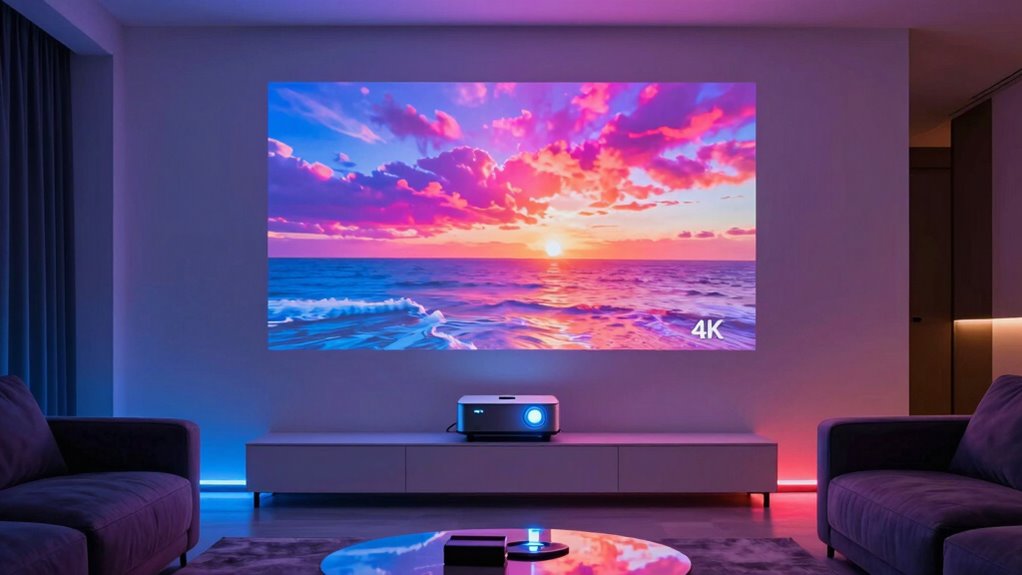
The Hisense M2 Pro is my best overall pick for movie nights, pairing 4K UHD with a portable triple-laser design. For a more dedicated home-cinema setup, the BenQ TK710 stands out as a 4K HDR laser option, while the VOPLLS 4K Smart Projector appeals to viewers who want Google TV and easy setup. The main tradeoff is between true 4K image detail, portability, and the brightness and setup flexibility needed for different rooms. Many projectors advertised as 4K support use native 1080p panels that accept 4K signals, so those labels do not promise the same detail. Read on for my full breakdown of where each model fits and which compromises make sense for your movie setup.

Get the latest gadgets delivered free with Prime
- Fast, free delivery on millions of items
- Prime Video, Amazon Music and more included
- Member-only deals all year
Complete the kit



Key Takeaways
- Native 4K and 4K decoding are different: the Hisense M2 Pro and BenQ TK710 are the clearest candidates for buyers prioritizing 4K imaging, while several portable picks accept 4K input but use native 1080p resolution.
- The BenQ TK710 is the dedicated-room choice: its 4K HDR laser positioning favors a planned home theater over the compact, all-in-one convenience of portable smart models.
- Smart features are common, but not interchangeable: VIDAA, Google TV, and built-in app claims vary by model, so buyers should check app availability and streaming support before relying on a projector as their only source.
- Portability often means accepting resolution limits: lightweight models such as the XuanPad and YOWHICK make flexible placement easier, but their native 1080p specifications matter more than a 4K-support label.
- Outdoor use is a setup challenge, not just a projector feature: the ONOAYO, JOWLURK, and WiMiUS models target outdoor viewing, but ambient light, screen choice, power, and audio still shape the result.
| YOWHICK Portable 1080p Smart Projector with WiFi 6 and Bluetooth 5.3 |  | Best for Simple Streaming | Native resolution: 1920 × 1080 | Display type: LCD | Brightness: 350 lm | VIEW ON AMAZON | See Our Full Breakdown |
| Hisense M2 Pro Triple Laser Smart Portable Projector, 4K UHD |  | Best for True 4K Movie Quality | Resolution: 4K UHD | Brightness: 1,300 ANSI lumens | Light source: Triple laser | VIEW ON AMAZON | See Our Full Breakdown |
| VIDAA Smart Projector with Native 1080p, 4K Decoding, Wi-Fi 6, and Bluetooth 5.4 |  | Best for Automated Setup | Native resolution: 1920 × 1080 | Maximum display resolution: 3840 × 2160 pixels | Brightness: 550 ANSI lumens | VIEW ON AMAZON | See Our Full Breakdown |
| ONOAYO ONO3Pro 2.0 Portable 4K Projector with AI Auto Focus and Dolby Audio |  | Best Compact All-in-One Setup | Video support: 4K decoding | Operating system: Smart TV OS 2.0 | Audio: Dolby Audio, dual 50W speakers, eARC | VIEW ON AMAZON | See Our Full Breakdown |
| ONOAYO ONO5Pro 2.0 4K-Support Outdoor Projector with Dual 60W Dolby Audio |  | Best for Outdoor Movie Features | Resolution support: 4K | Audio: Dual 60W Dolby Audio | Operating system: Smart TV Pro OS 2.0 | VIEW ON AMAZON | See Our Full Breakdown |
| JOWLURK 4K Outdoor Movie Projector with WiFi 6 and Bluetooth 5.3 |  | Best for Large Outdoor Screens | Native resolution: 1920 × 1080 (1080p) | Maximum resolution support: 4K input support | Brightness: 22,000 lumens (manufacturer-stated) | VIEW ON AMAZON | See Our Full Breakdown |
| X9 Pro Smart Projector with VIDAA OS, 4K Decoding, 920 ANSI Lumens, Dolby Audio, Wi-Fi 6 and Bluetooth 5.4 |  | Best Built-In Audio and Streaming | Native resolution: 1080p | Video decoding: 4K | Brightness: 920 ANSI lumens | VIEW ON AMAZON | See Our Full Breakdown |
| XuanPad Portable Smart Mini Projector, Native 1080p with 4K Support, Wi-Fi, Bluetooth 5.2, Autofocus, and 360° Stand |  | Best Compact Pick | Native resolution: 1920 × 1080 | Maximum display resolution: 3840 × 2160 input support | Image size: 40–200 inches | VIEW ON AMAZON | See Our Full Breakdown |
| NICPOW Portable Projector with Built-in Apps, Wi-Fi 6, Bluetooth 5.0, Auto Focus and Keystone |  | Best for Brightness Information and Screen Size | Native resolution: 1920 × 1080 | 4K support: Decoding support | Brightness: 1500 ANSI lumens | VIEW ON AMAZON | See Our Full Breakdown |
| WiMiUS P62 Pro Smart Outdoor Projector, Native 1080p with 4K Support |  | Best for Multiple Wired Sources | Native resolution: 1080p | 4K support: Supported; native display resolution remains 1080p | Brightness: 600 ANSI lumens | VIEW ON AMAZON | See Our Full Breakdown |
| BenQ TK710 4K HDR Laser Projector |  | Best for Bright, Mixed-Use Movie Rooms | Native resolution: 3840 x 2160 | Brightness: 3,200 ANSI lumens | Display type: Laser | VIEW ON AMAZON | See Our Full Breakdown |
| YINCODI Portable Smart Projector with Built-In Apps, Native 1080p, Wi-Fi 6, and Bluetooth |  | Best for Simple Portable Movie Nights | Native resolution: 1920 x 1080 | 4K input support: Yes; display remains native 1080p | Display type: LCD | VIEW ON AMAZON | See Our Full Breakdown |
| VOPLLS 4K Smart Projector with Google TV, WiFi 6, Bluetooth 5.2, Auto Focus, and 360° Rotation |  | Best for Google TV Convenience | Native resolution: 1080p | Input and HDR support: 4K input; HDR10+ | Operating system: Google TV | VIEW ON AMAZON | See Our Full Breakdown |
| 4k projectors for movie | Native resolution | Brightness | Wireless connectivity |
|---|---|---|---|
| YOWHICK Portable 1080p Smart P | 1920 × 1080 | 350 lm | — |
| Hisense M2 Pro Triple Laser Sm | — | 1,300 ANSI lumens | — |
| VIDAA Smart Projector with Nat | 1920 × 1080 | 550 ANSI lumens | — |
| ONOAYO ONO3Pro 2.0 Portable 4K | — | — | Wi-Fi 6, Bluetooth |
| ONOAYO ONO5Pro 2.0 4K-Support | — | — | — |
| JOWLURK 4K Outdoor Movie Proje | 1920 × 1080 (1080p) | 22,000 lumens (manufacturer-stated) | Wi-Fi 6, Bluetooth 5.3 |
| X9 Pro Smart Projector with VI | 1080p | 920 ANSI lumens | — |
| XuanPad Portable Smart Mini Pr | 1920 × 1080 | — | Dual-band Wi-Fi; Bluetooth 5.2 |
| NICPOW Portable Projector with | 1920 × 1080 | 1500 ANSI lumens | Wi-Fi 6, Bluetooth 5.0 |
| WiMiUS P62 Pro Smart Outdoor P | 1080p | 600 ANSI lumens | Wi-Fi 6, Bluetooth 5.2 |
| BenQ TK710 4K HDR Laser Projec | 3840 x 2160 | 3,200 ANSI lumens | — |
| YINCODI Portable Smart Project | 1920 x 1080 | 7,800 lm listed; ANSI rating not specified | Wi-Fi 6; Bluetooth 5.1 listed, with product information also listing 5.4 |
| VOPLLS 4K Smart Projector with | 1080p | — | Wi-Fi 6 |
More Details on Our Top Picks
YOWHICK Portable 1080p Smart Projector with WiFi 6 and Bluetooth 5.3
The YOWHICK suits movie nights where easy streaming and flexible placement matter more than true 4K detail. Its native 1080p panel can accept 4K content, but it displays that content at 1080p; compared with the Hisense M2 Pro, it gives up 4K UHD resolution, Dolby Vision, and a much brighter stated output. In return, it offers direct access to Netflix, Prime Video, and YouTube, plus a broad set of inputs for connecting other sources. The 50–100% zoom and keystone correction help adapt the picture to a room, while built-in speakers make a basic setup possible without extra gear. The tradeoff is its listed 350 lumens, which points to dark-room viewing, and the stated maximum throw distance is inconsistent across the product information.
Pros:- Direct access to Netflix, Prime Video, and YouTube simplifies streaming setup.
- 50–100% zoom and keystone correction offer flexibility when positioning the projector.
- HDMI, USB, AV, and headphone connections support a range of movie sources.
- Built-in speakers allow a simple all-in-one setup.
Cons:- Native resolution is 1920 × 1080, so 4K content is not displayed in 4K detail.
- The listed 350 lumens limits its suitability for rooms with ambient light.
- Maximum throw distance is reported inconsistently, making placement planning less certain.
Best for: Viewers who want a straightforward Netflix or Prime Video projector for occasional movie nights in a dark bedroom or small living room.
Not ideal for: Buyers seeking native 4K detail, a bright picture with room lights on, or dependable long-throw placement.
- Native resolution:1920 × 1080
- Display type:LCD
- Brightness:350 lm
- Image size:40–400 inches
- Throw distance:3.6–19.68 feet; product data also lists 29 feet
- Zoom:50–100%
- Connectivity:Wi-Fi 6, 2.4G Wi-Fi, Bluetooth 5.3, HDMI, USB, AV, 3.5 mm audio
- Warranty:2 years
Our verdict“Choose the YOWHICK for easy built-in streaming and flexible setup in a dark room, not for true 4K picture quality.”
Hisense M2 Pro Triple Laser Smart Portable Projector, 4K UHD
For movie viewers who put image detail and HDR ahead of convenience, the Hisense M2 Pro is the clearest fit in this group. Its 4K UHD resolution, triple-laser light source, and Dolby Vision support offer a more cinema-focused feature set than the 1080p YOWHICK or the 1080p VIDAA Smart Projector, both of which accept or decode 4K content without displaying native 4K resolution. At 1,300 ANSI lumens, it is better equipped for a large image than those lower-brightness models, though it is still best suited to a dim or dark room. Optical zoom can change image size while maintaining the 4K picture, which is useful when placement is fixed. The tradeoffs are a 65-inch minimum image, a maximum of 200 inches, and the need for separate active 3D glasses if you want to watch 3D films.
Pros:- 4K UHD resolution provides genuine 4K image detail rather than only decoding 4K sources.
- Triple-laser light source and Dolby Vision support suit movie-focused viewing.
- 1,300 ANSI lumens is a stronger stated brightness figure than the other reviewed models here.
- Optical zoom changes image size while preserving 4K clarity.
Cons:- Best suited to low-light environments rather than bright rooms.
- Its 65-inch minimum image may not suit compact viewing spaces.
- Active 3D requires glasses, and the product information does not specify that they are included.
Best for: Movie enthusiasts who want native 4K UHD, Dolby Vision, and a large-screen picture for a light-controlled home theater.
Not ideal for: Viewers who need a small projected image, regularly watch with room lights on, or want a projector with no separate 3D accessories.
- Resolution:4K UHD
- Brightness:1,300 ANSI lumens
- Light source:Triple laser
- Projection size:65–200 inches
- Optical zoom ratio:1.0–1.3:1
- Operating system:VIDAA
- HDR format:Dolby Vision
- 3D technology:DLP-Link active shutter; glasses required
Our verdict“Pick the Hisense M2 Pro if native 4K and Dolby Vision matter more than compact image sizing or bright-room flexibility.”
VIDAA Smart Projector with Native 1080p, 4K Decoding, Wi-Fi 6, and Bluetooth 5.4
The VIDAA Smart Projector makes the most sense for buyers who want hands-off setup and built-in entertainment, not native 4K projection. AI autofocus, 6D keystone correction, obstacle avoidance, and automatic screen alignment can reduce the fiddling involved in moving a projector between rooms. Its VIDAA platform adds a wide selection of apps and live TV channels, while AirPlay, voice control, and HDMI 2.1 CEC/ARC broaden the ways to connect and control it. For movie sharpness, though, the 1920 × 1080 native resolution puts it behind the Hisense M2 Pro, which displays 4K UHD; 4K decoding here means it can process 4K sources, not show them at native 4K resolution. Its 550 ANSI lumens also favor dim settings. Compared with the YOWHICK, it adds more automatic image correction and HDR10+, but does not escape the dark-room limitation.
Pros:- AI autofocus, 6D keystone correction, obstacle avoidance, and screen alignment simplify setup.
- VIDAA OS provides access to more than 1,200 apps and 1,000 live TV channels.
- AirPlay, voice control, Wi-Fi 6, and Bluetooth 5.4 offer flexible connections.
- HDR10+ and MEMC add image processing options for compatible content.
Cons:- Native resolution is 1920 × 1080, not 4K UHD.
- 550 ANSI lumens may limit picture visibility in rooms with ambient light.
- Automatic corrections do not make it a substitute for the Hisense M2 Pro’s native 4K detail.
Best for: Households that move a projector between rooms and want automatic focus, image correction, and a broad built-in app selection.
Not ideal for: Movie fans who want native 4K resolution or need a clear picture in a bright living room.
- Native resolution:1920 × 1080
- Maximum display resolution:3840 × 2160 pixels
- Brightness:550 ANSI lumens
- Operating system:VIDAA OS
- Image features:HDR10+, MEMC, AI autofocus, 6D keystone correction, obstacle avoidance, auto screen alignment
- Maximum image size:300 inches
- Throw distance:4.5–16.4 feet
- Connectivity:Wi-Fi 6, Bluetooth 5.4, HDMI 2.1 CEC/ARC, 3.5 mm jack
Our verdict“Choose this VIDAA model for easy repositioning and app access if automated setup matters more to you than native 4K.”
ONOAYO ONO3Pro 2.0 Portable 4K Projector with AI Auto Focus and Dolby Audio
At 2.4 pounds, the ONO3Pro 2.0 is the easiest option here to move between a bedroom, patio, or temporary movie setup. Its smart OS, built-in apps, and Chromecast reduce reliance on a separate streaming device, while autofocus, keystone correction, obstacle avoidance, and screen fit can get an image into place quickly. The dual 50W Dolby Audio speakers and eARC support also give it a more ambitious built-in sound setup than the YOWHICK, whose appeal is simpler streaming and connections. The central uncertainty is picture performance: the product lists 4K decoding but not native resolution, and provides no brightness figure. That makes it harder to judge movie sharpness and suitability for larger screens than with the Hisense M2 Pro, which specifies both 4K UHD and 1,300 ANSI lumens. This is a convenience-first pick, not the safest choice for buyers prioritizing verified image specs.
Pros:- Lightweight 2.4-pound design is easy to move and supports several mounting arrangements.
- Built-in apps and Chromecast simplify streaming without a separate player.
- Automatic focus, keystone, obstacle avoidance, and screen-fit features speed setup.
- Dual 50W Dolby Audio speakers and eARC provide flexible audio options.
Cons:- Native resolution is not specified; 4K decoding alone does not confirm 4K projection.
- Brightness is not provided, so its performance in larger or less-dark rooms is difficult to judge.
- Compared with the Hisense M2 Pro, its image specification is less complete for movie-focused selection.
Best for: People who want a lightweight projector with built-in streaming, automatic image adjustments, and substantial onboard audio for casual movie nights.
Not ideal for: Buyers who need confirmed native 4K resolution or a stated brightness rating to plan a large-screen movie room.
- Video support:4K decoding
- Operating system:Smart TV OS 2.0
- Audio:Dolby Audio, dual 50W speakers, eARC
- Wireless connectivity:Wi-Fi 6, Bluetooth
- Streaming:Built-in apps and Chromecast
- Automatic adjustments:Focus, keystone correction, obstacle avoidance, screen fit, orientation detection
- Zoom:50–100%
- Weight:2.4 lb
Our verdict“Choose the ONO3Pro 2.0 for portability and built-in convenience, but skip it if confirmed 4K resolution and brightness are priorities.”
ONOAYO ONO5Pro 2.0 4K-Support Outdoor Projector with Dual 60W Dolby Audio
The ONO5Pro 2.0 is aimed at buyers who want a feature-rich outdoor movie setup with streaming and strong built-in audio. Its dual 60W Dolby Audio speakers, Chromecast, and built-in apps make it less dependent on extra playback and sound equipment than the Hisense M2 Pro, whose movie strengths center more on specified 4K UHD, Dolby Vision, and triple-laser projection. Automatic focus, keystone correction, obstacle avoidance, and screen fit make casual relocation easier, while HDMI 2.1 and an 18 ms input latency add a gaming option alongside films. But the headline 4K support does not establish native 4K resolution, and no measurable brightness rating is provided. Those omissions matter outdoors, where image size and ambient light can affect the viewing experience. I’d treat it as a convenience-led pick for dark outdoor screenings, not a verified 4K cinema upgrade.
Pros:- Dual 60W Dolby Audio speakers are designed to provide substantial onboard sound.
- Built-in apps and Chromecast simplify playback without an external streaming device.
- Autofocus, keystone correction, obstacle avoidance, and screen fit support flexible placement.
- HDMI 2.1 and 18 ms input latency add a gaming use beyond movies.
Cons:- Native resolution is not stated, so 4K support does not confirm native 4K projection.
- Brightness output is not specified, making outdoor screen performance harder to predict.
- Compared with the Hisense M2 Pro, it lacks clearly stated 4K UHD resolution and ANSI brightness.
Best for: Outdoor movie hosts who want built-in streaming, powerful onboard speakers, and automatic image setup, with gaming as an added use.
Not ideal for: Buyers choosing on verified native 4K resolution or a specified brightness level for large-screen or ambient-light viewing.
- Resolution support:4K
- Audio:Dual 60W Dolby Audio
- Operating system:Smart TV Pro OS 2.0
- Built-in apps:YouTube, Prime Video, Disney+
- Color gamut:98% NTSC
- Colors:1.07 billion
- Auto calibration:Autofocus, keystone correction, obstacle avoidance, screen fit, orientation detection
- Connectivity and latency:Wi-Fi 6, HDMI 2.1, Chromecast; 18 ms input latency
Our verdict“Pick the ONO5Pro 2.0 for outdoor convenience and built-in sound, but choose the Hisense M2 Pro if verified 4K picture specifications come first.”
JOWLURK 4K Outdoor Movie Projector with WiFi 6 and Bluetooth 5.3
The JOWLURK suits movie nights where a very large image and flexible placement matter more than true 4K detail. Its stated 22,000 lumens and projection size up to 450 inches make it the lineup’s outdoor-scale option, while electric focus and auto keystone can reduce setup fiddling. But the resolution distinction matters: it displays at native 1080p, so 4K video is supported as input rather than shown in 4K. The NICPOW provides a stated ANSI brightness figure and more automated screen alignment, which makes its brightness easier to compare on paper; JOWLURK instead emphasizes a much larger maximum image and more connection types. Treat the lumen claim cautiously for ambient-light viewing, and expect image quality to depend on keeping the screen area controlled. I’d pick it for spacious outdoor setups, not for a 4K-focused dark-room cinema.
Pros:- Supports projection sizes up to 450 inches for large outdoor viewing areas
- Electric focus and auto keystone correction simplify image setup
- Wi-Fi 6, Bluetooth 5.3, HDMI, USB, AV, VGA, and 3.5 mm audio provide varied connection options
- Offers ceiling, wall, table, and tripod mounting
Cons:- Native display resolution is 1080p, so 4K sources do not appear in native 4K
- The stated brightness is not given in ANSI lumens, making direct brightness comparisons difficult
- Very bright surroundings can still wash out the picture
Best for: Buyers setting up occasional outdoor movie nights who want a large projected image, broad device compatibility, and flexible mounting options.
Not ideal for: Movie fans seeking native 4K detail or shoppers who need a clearly stated ANSI brightness figure to plan a bright-room setup.
- Native resolution:1920 × 1080 (1080p)
- Maximum resolution support:4K input support
- Brightness:22,000 lumens (manufacturer-stated)
- Projection size:Up to 450 inches
- Throw distance:3.3–29.6 feet
- Wireless connectivity:Wi-Fi 6, Bluetooth 5.3
- Other connections:HDMI, 2 × USB, AV, 3.5 mm audio, VGA
- Mounting options:Ceiling, wall, table, or tripod
Our verdict“Choose the JOWLURK for a large, flexible outdoor screen, but skip it if native 4K resolution is your priority.”
X9 Pro Smart Projector with VIDAA OS, 4K Decoding, 920 ANSI Lumens, Dolby Audio, Wi-Fi 6 and Bluetooth 5.4
The X9 Pro is the most self-contained movie-night choice here: VIDAA OS supplies streaming apps and live channels, and its 2 × 20 W Dolby Audio speakers offer more built-in sound power than the NICPOW’s 5 W stereo speakers. That can reduce the need to add a sound system for casual viewing. Setup features—autofocus, 6D keystone correction, obstacle avoidance, and screen fit—also help when the projector moves between rooms. The limit is resolution: its native image is 1080p, with 4K decoding rather than native 4K display. The WiMiUS P62 Pro also has built-in apps and automatic image adjustments, but the X9 Pro’s listed speaker output and AirPlay 2 and HomeKit support give it a more defined appeal for Apple households. Skip it if sharp native 4K detail matters more than convenience.
Pros:- VIDAA OS includes streaming apps and more than 1,000 live TV channels
- Two 20 W speakers with Dolby Audio provide substantial built-in sound output
- Autofocus, 6D keystone correction, obstacle avoidance, and auto screen fit ease setup
- AirPlay 2, HomeKit, Wi-Fi 6, and Bluetooth 5.4 support versatile wireless use
Cons:- Native resolution is 1080p; 4K video is decoded to that resolution
- The supplied product details do not give a complete port list or installation information
- 920 ANSI lumens may be limiting in rooms with substantial ambient light
Best for: Viewers who want streaming apps, strong built-in speakers, and convenient wireless casting in a living room or bedroom.
Not ideal for: Home-cinema buyers who prioritize native 4K resolution, or viewers who need detailed port and installation information before purchase.
- Native resolution:1080p
- Video decoding:4K
- Brightness:920 ANSI lumens
- HDR:HDR10
- Operating system:VIDAA OS
- Speakers:2 × 20 W with Dolby Audio
- Wireless features:Wi-Fi 6, Bluetooth 5.4, AirPlay 2, HomeKit
- Image setup:Autofocus, 6D keystone correction, obstacle avoidance, auto screen fit
- Ports:HDMI with ARC/CEC, USB, 3.5 mm headphone jack
Our verdict“Pick the X9 Pro for built-in streaming and stronger onboard sound, not for native 4K movie playback.”
XuanPad Portable Smart Mini Projector, Native 1080p with 4K Support, Wi-Fi, Bluetooth 5.2, Autofocus, and 360° Stand
At 1.89 pounds and about 2.69 inches thick, the XuanPad is the easiest choice in this group to move from a bedroom to a campsite or a friend’s place. Its detachable 360° stand, autofocus, and 6D keystone correction make flexible placement less cumbersome than a fixed tabletop setup. Built-in streaming apps and wireless mirroring add convenience, though the listing does not specify ANSI brightness, so I would plan to watch in a dim room rather than rely on it for ambient-light movie sessions. The NICPOW is a more informative alternative for buyers comparing brightness because it lists 1500 ANSI lumens and also reaches up to 300 inches; the XuanPad’s listed maximum is 200 inches. Like the NICPOW, it displays at native 1080p, so its 4K support is not native 4K projection.
Pros:- Lightweight 1.89-pound body is easy to carry between viewing locations
- Detachable 360° stand supports flexible aiming
- Autofocus and 6D keystone correction simplify setup
- Built-in streaming apps, screen mirroring, Wi-Fi, and Bluetooth support cable-free use
Cons:- Native resolution is 1080p, with 4K support referring to input compatibility
- ANSI brightness is not specified, making room-light planning difficult
- Maximum stated image size of 200 inches is smaller than the JOWLURK and NICPOW
Best for: Travelers, renters, and occasional movie watchers who want a lightweight projector with flexible stand positioning and built-in streaming.
Not ideal for: Buyers planning large-screen viewing in a bright room or seeking native 4K detail and a published ANSI brightness specification.
- Native resolution:1920 × 1080
- Maximum display resolution:3840 × 2160 input support
- Image size:40–200 inches
- Weight:1.89 lbs
- Dimensions:About 2.69 inches thick
- Wireless connectivity:Dual-band Wi-Fi; Bluetooth 5.2
- Image adjustments:AI autofocus, 6D keystone correction, 50%–100% zoom
- Connections:HDMI, USB, 3.5 mm jack
- Stand and mounting:Detachable 360° stand; tripod, ceiling, tabletop, floor, or wall
Our verdict“Choose the XuanPad when portability and adjustable placement matter more than verified brightness or native 4K resolution.”
NICPOW Portable Projector with Built-in Apps, Wi-Fi 6, Bluetooth 5.0, Auto Focus and Keystone
The NICPOW is a practical middle ground for buyers who want a portable movie projector but need more useful brightness information than several rivals provide. Its listed 1500 ANSI lumens gives a more comparable reference point than the JOWLURK’s non-ANSI lumen claim, while its up-to-300-inch image exceeds the XuanPad’s 200-inch ceiling on paper. Automatic focus, keystone correction, screen alignment, and obstacle avoidance can make moving it between rooms easier, and built-in apps reduce dependence on a streaming stick. The compromises are familiar in this batch: it is native 1080p, not a true 4K display, and its 5 W stereo speakers are modest beside the X9 Pro’s 2 × 20 W setup. I’d budget for external audio for film nights and avoid treating the maximum image size as a promise of equally bright viewing.
Pros:- 1500 ANSI lumens provides a stated brightness measure for comparison
- Automatic focus, keystone, screen alignment, and obstacle avoidance simplify positioning
- Built-in apps and Wi-Fi 6 support wireless movie streaming
- Rotating stand and projection size up to 300 inches suit flexible setups
Cons:- Native resolution is 1080p; 4K is supported through decoding
- 5 W stereo speakers are less powerful than the X9 Pro’s built-in audio
- A very large image may be less suitable when brightness or room lighting is a concern
Best for: Portable-projector buyers who want a stated ANSI brightness figure, built-in apps, and a larger potential image than compact models offer.
Not ideal for: Viewers who want native 4K resolution, powerful built-in sound, or a large, bright picture in rooms with strong ambient light.
- Native resolution:1920 × 1080
- 4K support:Decoding support
- Brightness:1500 ANSI lumens
- Contrast ratio:20,000:1
- Projection size:Up to 300 inches
- Throw distance:3–18 feet
- Built-in audio:5 W stereo speakers
- Wireless connectivity:Wi-Fi 6, Bluetooth 5.0
- Image features:Auto focus, keystone correction, screen alignment, obstacle avoidance
Our verdict“Choose the NICPOW for its stated ANSI brightness and flexible screen size, and add external audio if movie sound matters.”
WiMiUS P62 Pro Smart Outdoor Projector, Native 1080p with 4K Support
The WiMiUS P62 Pro makes the most sense for movie setups that switch between several wired sources: two HDMI and two USB ports offer more connection flexibility than the X9 Pro’s listed HDMI and USB inputs. Built-in streaming apps, Wi-Fi 6, and automatic focus and keystone correction also make it usable without a complicated installation. Its dual 10 W speakers are a stronger starting point than the NICPOW’s 5 W speakers, though the X9 Pro lists even more speaker power at 2 × 20 W. For picture detail, the caveat is decisive: the P62 Pro is native 1080p, and 4K support does not mean native 4K projection. At 600 ANSI lumens, it is better suited to a darkened room than a bright outdoor gathering. The missing carrying case also makes frequent transport less convenient.
Pros:- Two HDMI and two USB ports accommodate multiple wired sources
- Built-in apps provide direct access to streaming services
- Autofocus, auto keystone, obstacle avoidance, screen alignment, and zoom simplify setup
- Dual 10 W speakers and Bluetooth audio offer flexible sound options
Cons:- Native resolution is 1080p, so 4K sources are not displayed in native 4K
- 600 ANSI lumens is a modest brightness specification for rooms with ambient light
- Carrying case is not included
Best for: Movie viewers who connect multiple consoles, streaming devices, or USB sources and want built-in apps with automatic image setup.
Not ideal for: Buyers seeking native 4K detail, a bright-room projector, or a projector package with a carrying case for frequent travel.
- Native resolution:1080p
- 4K support:Supported; native display resolution remains 1080p
- Brightness:600 ANSI lumens
- HDR:HDR10
- Built-in apps:Prime Video, YouTube, and others
- Audio:Dual 10 W speakers with Dolby Audio
- Wireless connectivity:Wi-Fi 6, Bluetooth 5.2
- Ports:2 × HDMI, 2 × USB, 3.5 mm audio output
- Image adjustments:Autofocus, auto keystone, obstacle avoidance, screen alignment, 50%–100% zoom
Our verdict“Pick the P62 Pro for a multi-source movie setup in a darkened room, but not for native 4K or bright outdoor viewing.”
BenQ TK710 4K HDR Laser Projector
The BenQ TK710 is the strongest movie-focused choice here when the room cannot be kept fully dark. Its 3,200 ANSI-lumen laser light source gives it more stated brightness than the portable YINCODI and VOPLLS models, whose descriptions do not establish comparable ANSI output. Native 4K UHD resolution and HDR10/HLG support suit detailed films, while 95% Rec.709 coverage targets familiar, natural color rather than a wide-gamut claim. It also doubles as a gaming projector, with 1080p at 240Hz and 4ms response time; those figures do not apply to 4K, where input lag is 16ms at 60Hz. The tradeoff is a less flexible cinema setup: the image is limited to 144 inches, and the specified throw distance starts at 8.4 feet. I’d choose it over the portable models for brightness and native 4K, but skip it if portability is the priority.
Pros:- Native 3840 x 2160 resolution with HDR10 and HLG support
- 3,200 ANSI lumens and a laser light source suited to brighter viewing conditions
- 1080p refresh rate up to 240Hz, with 4ms response time at that resolution
- Laser light source rated for 20,000 hours
Cons:- The 4ms response time is limited to 1080p; 4K at 60Hz has 16ms input lag
- Maximum image size is 144 inches, smaller than the very large-screen claims of some portable models
- Minimum throw distance of 8.4 feet limits placement in compact rooms
Best for: Movie and gaming households with a room that needs a brighter laser image and enough space for an 8.4-foot minimum throw
Not ideal for: Buyers seeking a compact projector for spontaneous outdoor setups, or a very large image above 144 inches
- Native resolution:3840 x 2160
- Brightness:3,200 ANSI lumens
- Display type:Laser
- HDR formats:HDR10 and HLG
- Color coverage:95% Rec.709
- Maximum image size:144 inches
- Throw distance:8.4 to 16.3 feet
- Light source life:20,000 hours
Our verdict“Choose the TK710 for brighter-room movie viewing, native 4K, and gaming performance, provided your setup has room for its throw distance.”
YINCODI Portable Smart Projector with Built-In Apps, Native 1080p, Wi-Fi 6, and Bluetooth
The YINCODI makes the most sense for casual movie nights where easy placement and built-in streaming matter more than true 4K detail. It displays at native 1080p; 4K input support does not make the projected image 4K, unlike the BenQ TK710’s native 3840 x 2160 output. Built-in Android TV apps, auto keystone correction, and electric focus reduce the setup steps for a bedroom or outdoor screening, while the 210° rotating stand helps aim the image without relying on a conventional fixed mount. Its listed 7,800-lumen figure is not identified as ANSI lumens, so I would not compare it directly with the BenQ’s ANSI brightness. The product data also gives conflicting maximum image-size information, and the projector is best used in a dim room. Compared with the VOPLLS, it offers a similarly portable 1080p approach, but its app platform and stand are the clearer selling points.
Pros:- Built-in Android TV apps support viewing without a separate streaming device
- Native 1080p display with support for 4K input
- Auto keystone correction and electric focus simplify setup
- 210° rotating stand and Wi-Fi 6, Bluetooth, HDMI, and USB connections support flexible placement
Cons:- Native resolution is 1080p, so it cannot show the fine detail of the BenQ TK710’s native 4K image
- Best viewing is in a dim or dark room, limiting daytime and ambient-light use
- Maximum image-size claims differ between the description and product information
Best for: Casual viewers who want built-in apps and flexible positioning for bedroom or dim-room outdoor movies
Not ideal for: Movie enthusiasts prioritizing native 4K detail, dependable bright-room performance, or a clearly specified maximum screen size
- Native resolution:1920 x 1080
- 4K input support:Yes; display remains native 1080p
- Display type:LCD
- Brightness:7,800 lm listed; ANSI rating not specified
- Contrast ratio:2,000:1
- Stand rotation:210°
- Wireless connectivity:Wi-Fi 6; Bluetooth 5.1 listed, with product information also listing 5.4
- Light source life:30,000 hours
Our verdict“Pick the YINCODI for convenient, portable 1080p streaming in dim spaces, not for a native-4K home cinema.”
VOPLLS 4K Smart Projector with Google TV, WiFi 6, Bluetooth 5.2, Auto Focus, and 360° Rotation
For viewers who want a projector that behaves like a ready-to-stream TV, the VOPLLS has the strongest software pitch among these portable picks: Google TV brings streaming apps, live channels, voice control, and kid-safe settings into the projector. The movie image is still native 1080p, despite support for 4K input and HDR10+, so the BenQ TK710 remains the better fit for buyers seeking actual 4K detail. Automatic focus, keystone correction, screen fit, and 360° rotation make placement less fiddly than a conventional fixed projector, and Wi-Fi 6 plus bidirectional Bluetooth 5.2 broaden its connection options. Its main movie-screening unknown is brightness: the provided specifications do not state a brightness figure, making it hard to judge performance in a room with ambient light. I’d favor it over the YINCODI for Google TV and its broader adjustment features, but neither portable model replaces a bright, native-4K projector for a dedicated cinema setup.
Pros:- Google TV provides streaming apps, live channels, voice control, and kid-safe settings
- Auto focus, auto keystone, screen fit, and smart avoidance simplify setup
- 360° rotation supports angled projection and varied placement
- Wi-Fi 6, bidirectional Bluetooth 5.2, HDMI, and USB provide flexible connections
Cons:- Native display resolution is 1080p, not 4K like the BenQ TK710
- Brightness is not specified, leaving room-light suitability difficult to judge
- HDR10+ and 4K input support do not change the native 1080p display resolution
Best for: Viewers who want Google TV, automatic setup adjustments, and flexible projection for portable movie viewing in a dim room
Not ideal for: Buyers who require native 4K resolution or need a stated brightness level to plan for a room with ambient light
- Native resolution:1080p
- Input and HDR support:4K input; HDR10+
- Operating system:Google TV
- Color coverage:98% NTSC
- Wireless connectivity:Wi-Fi 6
- Bluetooth:Bluetooth 5.2, bidirectional
- Projection adjustment:Auto focus, auto keystone, screen fit, smart avoidance, and 50%–100% digital zoom
- Rotation:360°
- Light source life:Up to 100,000 hours
Our verdict“Choose the VOPLLS for built-in Google TV and adaptable setup, but choose the BenQ TK710 if native 4K movie detail is the priority.”

How We Picked
I compared these 13 models against the needs of movie viewers: image resolution, HDR and laser positioning, stated brightness, focus and keystone tools, smart platform features, portability, audio claims, and likely setup demands. I gave more weight to specifications that directly affect a film on a large screen than to feature counts alone. A projector with native 1080p and 4K decoding can play a 4K source, but that is not the same as displaying native 4K detail, so I treat those claims separately.
The order reflects how well each model appears suited to the broadest range of movie setups, then how compelling it is for a narrower need. The Hisense M2 Pro leads for its combination of 4K UHD and portable triple-laser positioning; the BenQ TK710 follows for buyers who want a more dedicated 4K HDR laser projector. The remaining models offer useful tradeoffs in smart features, setup convenience, portability, or outdoor use, but their native 1080p specifications or less clearly defined theater capabilities limit their place for viewers whose priority is maximum movie detail.
Factors to Consider When Choosing 4k Projectors For Movies
Projector listings can make very different machines sound alike. I would start with the room and the kind of image you want, then compare resolution, light conditions, setup, and streaming needs rather than choosing by a 4K label alone.
Native 4K Versus 4K Support
Check the stated panel or display resolution, not only the phrase “4K support.” A native 1080p projector can accept a 4K video signal and scale it, but the projected image still has fewer physical pixels than a native 4K model. That distinction matters most on a large screen or when you sit close enough to see fine detail. For smaller screens or casual outdoor viewing, native 1080p may be a sensible compromise if portability and price matter more. Avoid assuming that a streaming app’s 4K output changes the projector’s native resolution. Match the resolution claim to your screen size and viewing distance before paying extra for a label.
Room Light, Screen Size, and Brightness
Brightness needs depend on the room, screen, and time of day, not just the projector’s stated figure. A large image spreads the available light over more area, so a projector that looks satisfying on a modest screen may seem dim when enlarged. Dark curtains and controlled lighting can improve perceived contrast without changing the projector. Outdoor viewing is particularly demanding because even dusk and nearby lighting can wash out dark scenes. A reflective screen can help, but it cannot fully compensate for a bright environment. Decide where and when you will watch before treating a brightness specification as a guarantee.
Projection Distance and Placement
Measure the space from the lens to the screen before choosing a model. Throw distance determines the image size you can create from a particular position, and a projector that cannot fill your screen from your shelf or table may require a different layout. Digital keystone correction and autofocus can speed setup, but heavy correction can reduce usable image area or clarity. A 360-degree stand helps with flexible aiming, yet it does not replace checking the projector’s lens geometry. Ceiling mounting also changes access to ports, ventilation, and controls. Use the manufacturer’s projection calculator or throw chart to test your intended placement.
Streaming Apps and External Sources
Built-in smart platforms can reduce cables, but the app list and format support matter more than the word “smart.” Confirm that the services you use are available directly and that the projector supports the audio and video formats you expect. If an app is missing or limited, a streaming stick or media player can fill the gap, though it adds a device and another connection to manage. Check whether the projector has the ports and wireless options needed for your sources. For a fixed theater, an external player may offer more flexibility than relying on a built-in interface. For a portable setup, fewer devices can make spontaneous viewing easier.
Built-In Audio Versus Separate Sound
Built-in speakers are convenient for a bedroom or a quick outdoor gathering, but speaker claims alone do not tell you how dialogue and music will sound at your seating distance. A large projected image can make small speakers feel less immersive, especially in a room with competing noise. Check connection options such as Bluetooth and audio outputs before planning a soundbar or external speaker. Wireless audio is convenient, but some setups can introduce lip-sync delay depending on the devices. A dedicated sound system adds cost and setup work while usually giving films more convincing scale. Choose based on whether you value a tidy all-in-one setup or fuller movie sound.
Portability, Maintenance, and Long-Term Use
Portable models are easier to move between rooms or take outdoors, but check their weight, power arrangement, ventilation, and protection from dust before treating them as grab-and-go devices. Laser light sources can avoid routine lamp replacement, while other designs may involve different maintenance needs; check the specific manufacturer guidance rather than assuming all projectors are alike. Placement around vents matters because blocked airflow can affect operation. If the projector will stay installed, prioritize mounting options, access to inputs, and a suitable screen over compact dimensions. If it will travel, simple focusing and a stable stand can matter more than a small difference in image detail. The right choice depends on how often you will move it and how much setup you are willing to repeat.
Frequently Asked Questions
Does a projector with 4K decoding show movies in native 4K?
No. “4K decoding” generally means the projector can accept and process a 4K source; a model with a native 1080p display still projects an image with 1080p-level physical resolution. That can be adequate for casual viewing, especially on a smaller screen or from farther away. Viewers seeking the fine detail of a native 4K image should check the display resolution in the full specifications. Compare that specification across models rather than relying on a 4K badge. This distinction is especially relevant among the portable options in this roundup.
Is a portable projector a good choice for a main home movie room?
It can work, but portability is not automatically an advantage in a fixed theater. A portable model may simplify placement and include smart features, while a dedicated design such as the BenQ TK710 is positioned more directly around 4K HDR home viewing. Think about your screen size, seating distance, room light, sound system, and whether you will move the projector often. If it will stay in one room, placement flexibility and image performance may matter more than compact size. If you need one projector for several spaces, portability can justify accepting other compromises.
Can I watch movies outdoors with a portable 4K-support projector?
Yes, but outdoor viewing depends on more than whether a projector accepts 4K input. Darkness, screen surface, image size, power access, and sound all affect the result, and nearby light can make dark movie scenes difficult to see. A 4K-support label also does not tell you whether the projector has native 4K resolution. Set expectations around the conditions where you will watch, and plan for a stable screen and external audio if the built-in speakers are not enough. The outdoor-oriented ONOAYO, JOWLURK, and WiMiUS models may fit that use, but the setup still shapes the experience.
Do I need a separate streaming device if a projector has built-in apps?
Not always, but built-in apps are useful only if they include the services and formats you need. Check app availability, software support, and the connections available for a streaming stick or media player before deciding. A separate device can offer a familiar interface or access to an app that is missing from the projector, at the cost of another component and cable. Google TV and VIDAA are not identical platforms, so do not assume every smart projector supports the same services. If you mainly use an external player already, built-in apps may be less important in your decision.
Should I prioritize projector brightness or resolution for movies?
Prioritize the factor that limits your actual room. In a dark, controlled room, resolution and contrast-related image quality can make more difference to detailed films; in a room with ambient light, a high-resolution image can still look washed out. Screen size also changes the balance because a larger image spreads available light over a wider area. Consider when you watch and whether you can darken the room before choosing between a native 4K model and a portable 1080p projector. A realistic screen size and lighting plan often matter more than chasing one specification in isolation.
Conclusion
For most movie viewers seeking a blend of 4K capability and portability, I recommend the Hisense M2 Pro as the best overall. The best premium, dedicated-theater option is the BenQ TK710, especially for buyers who prioritize 4K HDR laser projection over a compact all-in-one setup. For beginners, the VOPLLS 4K Smart Projector is a practical place to start if Google TV, autofocus, and flexible positioning suit the room, though its native resolution should be checked carefully. My best value direction is a native 1080p model with 4K decoding, such as the WiMiUS P62 Pro, when affordability and outdoor flexibility matter more than native 4K detail. For specific needs, compare the ONOAYO and JOWLURK outdoor-focused choices for movie nights outside, or the XuanPad for a compact setup with a rotating stand. Pick by matching the projector’s actual display resolution and placement needs to your room, not by the 4K wording alone.