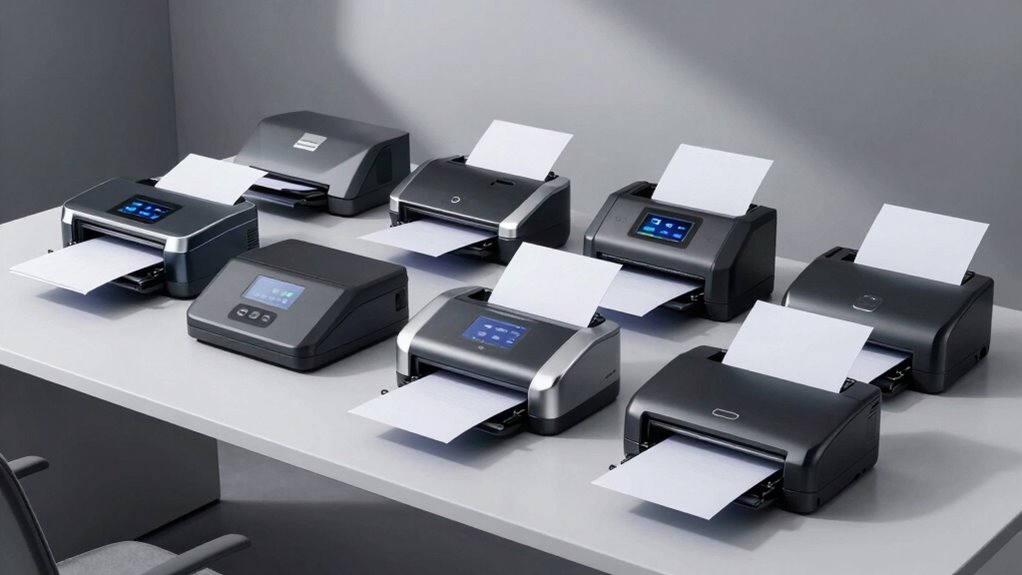

If you want a high-speed document scanner for stacks of paperwork, the ScanSnap iX2500 is my best overall pick for its combination of fast duplex scanning and flexible wireless or USB workflows. The Epson WorkForce ES-590W stands out for buyers who want a connected office setup, while the Canon imageFORMULA R40II is a practical alternative for straightforward desk-based scanning. The main tradeoff is between throughput and convenience: a larger, more capable feeder suits recurring batches, while compact or one-touch models take up less space and ask less of new users. Connectivity and software can matter as much as headline speed when scans need to reach different devices or destinations. Read on for how all nine options compare and which one fits your workflow.

Get the latest gadgets delivered free with Prime
- Fast, free delivery on millions of items
- Prime Video, Amazon Music and more included
- Member-only deals all year
Complete the kit



Key Takeaways
- The ScanSnap iX2500 ranks first because it pairs high-speed duplex scanning with both wireless and USB connections, making it the most flexible fit for regular document batches.
- The Epson ES-590W is the connectivity-focused alternative for buyers who want wireless operation, while the Canon R40II favors a simpler desktop workflow.
- The two iX2500 color options and two iX1300 listings are duplicate configurations by model; color choice alone does not change their role in the lineup.
- The compact ScanSnap iX1300 and one-touch iX2400 make convenience the priority, but buyers with frequent large batches should favor a more office-oriented feeder.
- The Plustek PS188 adds a distinct double-sided color option, while the Epson ES-400 II gives buyers a wired duplex alternative to the wireless ES-590W.
| ScanSnap iX2500 Wireless or USB High-Speed Document Scanner, White |  | Best Overall | Scanning speed: Up to 45 pages per minute, double-sided | Sheet capacity: 100 sheets | Connection: Wi-Fi 6, USB-C | VIEW ON AMAZON | See Our Full Breakdown |
| Plustek PS188 Double-Sided Color Document Scanner |  | Best for Custom Filing Workflows | Scan speed: Up to 30 pages per minute | Duplex scanning: Yes | Automatic document feeder: 50 sheets | VIEW ON AMAZON | See Our Full Breakdown |
| Canon imageFORMULA R40II Duplex Document Scanner |  | Best for Fast USB-C Office Scanning | Scan speed: Up to 45 pages per minute | Scanning: Duplex | Automatic feeder capacity: 60 sheets | VIEW ON AMAZON | See Our Full Breakdown |
| ScanSnap iX2500 Wireless or USB High-Speed Document Scanner, Black |  | Best for Wireless Batch Scanning | Scanning speed: Up to 45 pages per minute, double-sided | Document feeder capacity: 100 sheets | Connectivity: Wi-Fi 6 and USB-C | VIEW ON AMAZON | See Our Full Breakdown |
| Epson WorkForce ES-400 II Duplex Document Scanner |  | Best for Searchable Office Files | Scanning speed: Up to 35 pages per minute | Duplex scanning: Yes | Automatic document feeder: 50 sheets | VIEW ON AMAZON | See Our Full Breakdown |
| ScanSnap iX2400 High-Speed One-Touch Color Document Scanner, Black |  | Best for High-Volume USB Scanning | Scanning speed: Up to 45 pages per minute | Automatic document feeder: 100 sheets | Connection: USB | VIEW ON AMAZON | See Our Full Breakdown |
| ScanSnap iX1300 Wireless or USB Duplex Color Document Scanner |  | Best Compact Wireless Pick | Scanning speed: Up to 30 pages per minute duplex | Standard sheet capacity: 20 sheets | Connections: USB and Wi-Fi | VIEW ON AMAZON | See Our Full Breakdown |
| ScanSnap iX1300 Wireless or USB Double-Sided Color Document Scanner, Black |  | Best for Mixed-Item Compact Scanning | Scanning speed: Up to 30 ppm duplex | Standard sheet capacity: 20 sheets | Connection: USB and Wi-Fi | VIEW ON AMAZON | See Our Full Breakdown |
| Epson WorkForce ES-590W Wireless Duplex Document Scanner |  | Best for Computer-Free High-Speed Scanning | Scanning speed: Up to 45 ppm | Duplex scanning: Single-pass | Automatic document feeder: 100 sheets | VIEW ON AMAZON | See Our Full Breakdown |
| high speed document scanner | Resolution | Scanning speed | Dimensions | Weight |
|---|---|---|---|---|
| ScanSnap iX2500 Wireless or US | 600 dpi | Up to 45 pages per minute, double-sided | 6.26 × 11.5 × 6.34 inches | 7.7 pounds |
| Plustek PS188 Double-Sided Col | — | — | — | — |
| Canon imageFORMULA R40II Duple | 600 dpi | — | — | 7.1 pounds |
| ScanSnap iX2500 Wireless or US | 600 dpi | Up to 45 pages per minute, double-sided | 6.26 × 11.5 × 6.34 inches | — |
| Epson WorkForce ES-400 II Dupl | 300 dpi | Up to 35 pages per minute | 11.6 × 11.6 × 6.9 inches | — |
| ScanSnap iX2400 High-Speed One | 600 dpi | Up to 45 pages per minute | 6.26 × 11.5 × 6.34 in | 7.1 lb |
| ScanSnap iX1300 Wireless or US | 600 dpi | Up to 30 pages per minute duplex | 4.5 × 11.7 × 3.3 in | 4.4 lb |
| ScanSnap iX1300 Wireless or US | 600 dpi | Up to 30 ppm duplex | 4.5 × 11.7 × 3.3 in | 4.4 lb |
| Epson WorkForce ES-590W Wirele | 600 dpi | Up to 45 ppm | 6.7 × 11.6 × 6.6 in | 8.2 lb |
More Details on Our Top Picks
ScanSnap iX2500 Wireless or USB High-Speed Document Scanner, White
For buyers balancing high throughput with flexible setup, the ScanSnap iX2500 is the strongest all-around fit here. Its 45-page-per-minute duplex speed matches the Canon imageFORMULA R40II, while its 100-sheet feeder holds more than the Canon’s 60-sheet tray and the Epson ES-400 II’s 50-sheet feeder. That extra capacity means fewer stops when digitizing a tall stack. Wi-Fi 6 and USB-C also give it more placement and device options than the USB-only Epson and Plustek PS188. The tradeoff is that buyers who want barcode-based naming and extensive custom scan profiles may prefer the Plustek’s workflow tools. The iX2500 also takes up a compact desktop footprint, but it weighs 7.7 pounds, so it is better treated as a workstation scanner than a frequent travel device.
Pros:- Scans duplex documents at up to 45 pages per minute
- 100-sheet feeder reduces pauses to reload during larger jobs
- Wi-Fi 6 and USB-C support wireless and wired workflows
- Automatic file optimization and organization simplify routine scanning
Cons:- At 7.7 pounds, it is less suited to frequent transport than a lightweight portable scanner
- Does not list the Plustek PS188’s barcode-based naming or up to 255 customizable profiles
Best for: Home-office and small-business users who scan large batches and want a high-capacity feeder plus wireless or USB-C connections.
Not ideal for: Buyers who need barcode-driven document filing or a highly configurable profile system; the Plustek PS188 specifically lists those tools.
- Scanning speed:Up to 45 pages per minute, double-sided
- Sheet capacity:100 sheets
- Connection:Wi-Fi 6, USB-C
- Resolution:600 dpi
- Optical sensor:CIS
- Dimensions:6.26 × 11.5 × 6.34 inches
- Weight:7.7 pounds
- Compatibility:Mac, PC, iOS, Android, and popular cloud services
Our verdict“Choose the iX2500 if you want fast duplex scanning, a 100-sheet feeder, and both wireless and USB-C connections in one desktop model.”
Plustek PS188 Double-Sided Color Document Scanner
The Plustek PS188 trades peak speed and connection flexibility for structured document processing. At up to 30 pages per minute, it is slower than the ScanSnap iX2500 and Canon imageFORMULA R40II, so it is not my first pick for clearing the largest stacks quickly. Its appeal is what happens around the scan: barcode-based file naming, full-text search, and as many as 255 customizable scan profiles can help teams route recurring paperwork with less manual sorting. The 50-sheet feeder is adequate for regular office batches, though it holds less than the iX2500’s 100 sheets. It also supports documents up to 200 inches long and cards, adding flexibility for unusual originals. The main limitation is its listed Windows-only operating system support, which rules it out for Mac-centered offices.
Pros:- Duplex scanning captures both sides in one pass
- Barcode-based naming and full-text search support organized retrieval
- Up to 255 customizable scan profiles suit repeatable workflows
- Handles cards and documents up to 200 inches long
Cons:- Up to 30 pages per minute is slower than the 45-page-per-minute iX2500 and Canon R40II
- Listed operating system support is limited to Windows 7, 8, 10, and 11
- 50-sheet feeder requires more frequent reloading than the iX2500’s 100-sheet feeder
Best for: Windows-based offices that process recurring forms and want barcode naming, searchable files, and separate profiles for different document types.
Not ideal for: Mac users or buyers prioritizing the highest listed throughput; the iX2500 and Canon R40II reach 45 pages per minute and the Plustek lists Windows support only.
- Scan speed:Up to 30 pages per minute
- Duplex scanning:Yes
- Automatic document feeder:50 sheets
- Connection:USB
- Optical resolution:600 dpi
- Color depth:48 bpp
- Supported operating systems:Windows 7, 8, 10, and 11
- Warranty:1-year limited warranty
Our verdict“Pick the PS188 for a Windows office that values barcode-led filing and flexible profiles more than maximum scanning speed.”
Canon imageFORMULA R40II Duplex Document Scanner
The Canon imageFORMULA R40II delivers 45-page-per-minute duplex scanning without adding wireless setup or a large feeder to the package. Its speed matches the ScanSnap iX2500, and CaptureOnTouch software can convert varied documents into searchable digital files. For a desk where scanning happens beside a connected computer, USB-C keeps the workflow direct and straightforward. The Canon’s 60-sheet feeder sits between the iX2500’s 100-sheet capacity and the 50-sheet feeders on the Plustek PS188 and Epson ES-400 II, making it a middle ground for batch size. Its foldable feed tray helps keep the unit compact between jobs. The tradeoff is less connection flexibility than the iX2500, and TWAIN and ISIS drivers are not supported, which may matter in offices built around software that expects those drivers.
Pros:- Up to 45 pages per minute with duplex scanning
- 60-sheet feeder holds more than the 50-sheet feeders on the Plustek PS188 and Epson ES-400 II
- USB-C connection and CaptureOnTouch software are included
- Foldable paper feed tray helps reduce its footprint between jobs
Cons:- USB-C-only connection does not offer the iX2500’s Wi-Fi 6 flexibility
- TWAIN and ISIS drivers are not supported
- 60-sheet feeder is smaller than the iX2500’s 100-sheet capacity
Best for: Small offices that scan sizable batches to a nearby computer and want 45-page-per-minute duplex performance with included conversion software.
Not ideal for: Teams that need wireless scanning or TWAIN/ISIS driver support; the iX2500 offers Wi-Fi 6, while the Canon explicitly lacks those drivers.
- Scan speed:Up to 45 pages per minute
- Scanning:Duplex
- Automatic feeder capacity:60 sheets
- Resolution:600 dpi
- Connection:USB-C
- Weight:7.1 pounds
- Software:Canon CaptureOnTouch
- Warranty:1 year
Our verdict“Choose the R40II if you need fast duplex batches over USB-C and do not depend on wireless access or TWAIN/ISIS drivers.”
ScanSnap iX2500 Wireless or USB High-Speed Document Scanner, Black
The black iX2500 earns a distinct place for buyers who want wireless batch scanning without giving up the speed of a wired desktop model. It scans both sides at up to 45 pages per minute, matching the Canon R40II, but adds Wi-Fi 6 and a 100-sheet feeder. Compared with the USB-only Canon and Epson ES-400 II, that combination gives more freedom to place the scanner and send jobs from supported computers or mobile devices. Its touchscreen and customizable profiles can make repeated tasks easier to start, while sensors and a brake roller system are designed to help prevent jams and paper damage. The tradeoff is that it weighs 7.7 pounds and lacks the Plustek PS188’s listed barcode naming and 255-profile customization. The black and white iX2500 listings otherwise share the same core speed and capacity.
Pros:- Up to 45 pages per minute in double-sided scanning
- 100-sheet feeder supports longer batches than the Canon R40II’s 60-sheet feeder
- Wi-Fi 6 and USB-C accommodate wireless and wired connections
- Touchscreen, customizable profiles, and paper-handling sensors support easier routine operation
Cons:- At 7.7 pounds, it is not a particularly portable option
- Does not list the Plustek PS188’s barcode-based file naming
- USB-C-only Canon R40II may be a simpler fit for buyers who do not need wireless scanning
Best for: Small teams or home offices that want a high-capacity scanner with wireless access, touchscreen controls, and repeatable scan profiles.
Not ideal for: Buyers who need a very lightweight scanner or barcode-based filing; the Plustek PS188 lists barcode naming and the iX2500 weighs 7.7 pounds.
- Scanning speed:Up to 45 pages per minute, double-sided
- Document feeder capacity:100 sheets
- Connectivity:Wi-Fi 6 and USB-C
- Resolution:600 dpi
- Color depth:24-bit
- Optical sensor technology:CIS
- Dimensions:6.26 × 11.5 × 6.34 inches
- Compatible platforms:Mac, PC, iOS, and Android
Our verdict“Select the black iX2500 if wireless access, a 100-sheet feeder, and quick profile-based scanning matter more than portability or barcode filing.”
Epson WorkForce ES-400 II Duplex Document Scanner
The Epson WorkForce ES-400 II is a practical fit when searchable files and editable output matter more than leading scan speed. It scans both sides at up to 35 pages per minute, below the 45-page-per-minute ScanSnap iX2500 and Canon R40II, but its ScanSmart software supports searchable PDFs and editable Word or Excel files. That can reduce follow-up work when scanned pages need to be found or reused. The 50-sheet feeder suits moderate batches, though the iX2500’s 100-sheet capacity is better for long runs with fewer reloads. USB connection keeps the setup straightforward for a nearby PC or Mac, but does not match the iX2500’s Wi-Fi 6 flexibility. Cloud storage features also require an internet connection and installed ScanSmart software, so it is less convenient for disconnected workflows.
Pros:- Duplex scanning captures both sides in one pass
- ScanSmart supports searchable PDFs and editable Word or Excel files
- 50-sheet automatic feeder suits routine office batches
- Image adjustments and double-feed detection support document handling
Cons:- Up to 35 pages per minute is slower than the 45-page-per-minute iX2500 and Canon R40II
- USB connection lacks the iX2500’s Wi-Fi 6 option
- Cloud storage features require an internet connection and installed ScanSmart software
Best for: PC and Mac users who regularly turn paper records into searchable PDFs or editable Word and Excel files and scan moderate-sized batches.
Not ideal for: High-volume users seeking the fastest listed throughput or wireless scanning; the iX2500 and Canon R40II reach 45 pages per minute, and the Epson connects by USB.
- Scanning speed:Up to 35 pages per minute
- Duplex scanning:Yes
- Automatic document feeder:50 sheets
- Connection type:USB
- Resolution:300 dpi
- Optical sensor:CCD
- Dimensions:11.6 × 11.6 × 6.9 inches
- Compatibility:PC and Mac
Our verdict“Choose the ES-400 II if searchable and editable digital documents are your priority and 35-page-per-minute USB scanning suits your workload.”
ScanSnap iX2400 High-Speed One-Touch Color Document Scanner, Black
The ScanSnap iX2400 is the strongest fit here for buyers who want fast batches without moving up to a wireless workflow. Its 45-page-per-minute speed and 100-sheet feeder match the Epson WorkForce ES-590W on headline throughput and capacity, while automatic page detection, blank-page removal, and image correction reduce cleanup after a batch. It also handles receipts, cards, photos, and other materials, making it more flexible than a document-only setup. The tradeoff is connectivity: this model is USB-only, whereas the ES-590W and ScanSnap iX1300 can connect over Wi-Fi. At 7.1 pounds, it remains desk-friendly, but its specified operating-system support is narrower than the iX1300’s broad device compatibility.
Pros:- Scans up to 45 pages per minute for quick document batches
- 100-sheet feeder reduces interruptions when scanning larger stacks
- Automatic detection and image cleanup can cut manual file correction
- Handles documents, receipts, business cards, photos, and cards
Cons:- USB-only connection lacks the wireless flexibility of the iX1300 and ES-590W
- Listed operating-system support is limited to Windows 10 or 11 and macOS Monterey 12 or later
Best for: Home offices and small businesses that scan large batches from a Windows 10 or 11 PC or a Mac running Monterey 12 or later.
Not ideal for: Buyers who need wireless or mobile scanning, or who use operating systems outside the listed compatibility range.
- Scanning speed:Up to 45 pages per minute
- Automatic document feeder:100 sheets
- Connection:USB
- Resolution:600 dpi
- Scanner types:Documents, business cards, photos, receipts, ID cards, and insurance cards
- Dimensions:6.26 × 11.5 × 6.34 in
- Weight:7.1 lb
- Compatible operating systems:Windows 10 or 11; macOS Monterey 12 or later
- Warranty:1 year
Our verdict“Choose the iX2400 for fast, high-capacity scanning at a USB-connected workstation, but pick the ES-590W if wireless or computer-free operation matters.”
ScanSnap iX1300 Wireless or USB Duplex Color Document Scanner
The ScanSnap iX1300 prioritizes a small footprint and flexible placement over the batch capacity of the iX2400 and Epson WorkForce ES-590W. At 4.4 pounds and 4.5 inches tall, it suits a crowded desk, while USB and Wi-Fi let you scan from computers and mobile devices or use supported computer-free options. Its duplex rate of up to 30 pages per minute is useful for routine paperwork, but the 20-sheet capacity means repeated loading when you have a large archive to process. Automatic image adjustments and support for photos, receipts, and plastic cards add everyday versatility. I’d favor it over the faster 100-sheet models for limited space and mixed-device access, not for sustained high-volume runs.
Pros:- Compact 4.5 × 11.7 × 3.3-inch footprint fits tight work areas
- USB and Wi-Fi support flexible computer and mobile workflows
- Duplex scanning reaches up to 30 pages per minute
- Scans documents, photos, receipts, and plastic cards
Cons:- 20-sheet capacity calls for frequent reloading during large jobs
- Slower throughput than the 45-page-per-minute iX2400 and ES-590W
- Listed product voltage range is 100V
Best for: Remote workers or small households with limited desk space who scan moderate amounts of paperwork across computers and mobile devices.
Not ideal for: Offices digitizing large stacks every day; its 20-sheet capacity and 30-page-per-minute speed require more hands-on batch management than the iX2400 or ES-590W.
- Scanning speed:Up to 30 pages per minute duplex
- Standard sheet capacity:20 sheets
- Connections:USB and Wi-Fi
- Resolution:600 dpi
- Color depth:48 bits
- Dimensions:4.5 × 11.7 × 3.3 in
- Weight:4.4 lb
- Compatibility:Windows, macOS, iOS, iPadOS, Android, and ChromeOS
- Warranty:1-year depot warranty
Our verdict“Pick the iX1300 when desk space and wireless device access matter more than feeder capacity and maximum batch speed.”
ScanSnap iX1300 Wireless or USB Double-Sided Color Document Scanner, Black
This black iX1300 is a compact duplex scanner for buyers whose paperwork includes more than standard sheets: the product description calls out thick items and plastic cards alongside documents, photos, and receipts. Like the other iX1300 in this lineup, it scans up to 30 pages per minute and has a 20-sheet capacity, so it is a better match for varied, modest-sized jobs than the 100-sheet iX2400 or ES-590W. USB and Wi-Fi provide placement flexibility, and one-touch image optimization can reduce routine correction. The tradeoff is that some functions depend on compatible devices, operating systems, or the mobile app; the iX2400 offers a simpler wired setup and higher batch capacity. The listed specifications otherwise closely mirror the other iX1300, so the differentiator here is the stated handling of thicker items.
Pros:- Handles documents, photos, receipts, plastic cards, and thick items
- One-touch duplex scanning reaches up to 30 pages per minute
- USB and Wi-Fi offer wired and wireless scanning options
- Compact 4.5 × 11.7 × 3.3-inch body suits limited desk space
Cons:- 20-sheet capacity means frequent reloads for larger batches
- Some functions rely on compatible devices, operating systems, or the mobile app
- Lower throughput than the 45-page-per-minute iX2400 and ES-590W
Best for: Users in compact home offices who regularly scan a mix of paper, receipts, photos, and plastic or thicker cards in small batches.
Not ideal for: Teams processing long runs of standard documents or buyers who need a large feeder; the 20-sheet capacity and 30-page-per-minute speed trail the iX2400 and ES-590W.
- Scanning speed:Up to 30 ppm duplex
- Standard sheet capacity:20 sheets
- Connection:USB and Wi-Fi
- Resolution:600 dpi
- Color depth:48 bits
- Scanner types:Documents, receipts, photos, cards, and thick items
- Dimensions:4.5 × 11.7 × 3.3 in
- Weight:4.4 lb
- Warranty:1-year depot warranty
Our verdict“Choose this iX1300 for compact wireless scanning of mixed paper and card types, not for high-volume document queues.”
Epson WorkForce ES-590W Wireless Duplex Document Scanner
The Epson WorkForce ES-590W combines the roundup’s high-throughput class with a more independent workflow than the USB-only iX2400. It scans up to 45 pages per minute, uses single-pass duplex scanning, and holds 100 sheets, so two-sided office paperwork can move through in substantial batches. Its 4.3-inch touchscreen supports scanning directly to email, cloud storage, or a USB drive without a computer, while USB and Wi-Fi cover connected setups. Epson ScanSmart AI is intended to help create searchable files. Compared with the compact iX1300, this Epson is better suited to sustained office queues, but it is larger and heavier at 8.2 pounds. Buyers focused on a small footprint may prefer the iX1300; those seeking a desktop control panel and generous feeder have a clearer fit here.
Pros:- Up to 45 pages per minute with single-pass duplex scanning
- 100-sheet feeder supports substantial document batches
- Touchscreen enables scanning to email, cloud storage, or USB without a computer
- USB and Wi-Fi support wired and wireless workflows
Cons:- At 8.2 pounds, it is heavier than the compact 4.4-pound iX1300
- Larger footprint than the iX1300 may be awkward on a crowded desk
Best for: Small offices and administrative teams that scan two-sided paperwork in large batches and want touchscreen control or direct-to-destination scanning.
Not ideal for: People with very limited desk space or those who only scan occasional small batches; its larger body and 100-sheet capacity may be unnecessary beside a compact iX1300.
- Scanning speed:Up to 45 ppm
- Duplex scanning:Single-pass
- Automatic document feeder:100 sheets
- Connectivity:USB and Wi-Fi
- Display:4.3-inch color touchscreen
- Resolution:600 dpi
- Dimensions:6.7 × 11.6 × 6.6 in
- Weight:8.2 lb
- Color depth:30-bit input, 24-bit output
Our verdict“Choose the ES-590W for fast, high-capacity duplex jobs and touchscreen-led computer-free scanning, while the iX1300 suits smaller workspaces and lighter workloads.”

How We Picked
I ranked these scanners around the needs behind the phrase high-speed document scanner: dependable duplex handling, practical batch throughput, and a workflow that does not turn scanning into a series of extra steps. I also weighed connection choices, ease of use, desktop footprint, and how well each model fits recurring office work versus occasional home paperwork. Speed matters most when the feeder and software can keep a batch moving; a fast scan rate is less useful if the device is awkward to connect or manage.
The ScanSnap iX2500 leads because it offers a strong blend of throughput and workflow flexibility. The ES-590W and R40II follow for buyers with different priorities—wireless access or straightforward desktop operation—while the ES-400 II and PS188 offer alternatives for wired duplex work and color-focused scanning. Compact and one-touch ScanSnap models rank lower for sustained batch workloads, not because they lack value, but because their strongest advantage is convenience. Duplicate color variants are treated as one model in the comparison rather than as separate performance choices.
| high speed document scanner | Scanning speed | Connection |
|---|---|---|
| ScanSnap iX2500 Wireless or US | Up to 45 pages per minute, double-sided | Wi-Fi 6, USB-C |
| Plustek PS188 Double-Sided Col | — | USB |
| Canon imageFORMULA R40II Duple | — | USB-C |
| ScanSnap iX2500 Wireless or US | Up to 45 pages per minute, double-sided | — |
| Epson WorkForce ES-400 II Dupl | Up to 35 pages per minute | — |
| ScanSnap iX2400 High-Speed One | Up to 45 pages per minute | USB |
| ScanSnap iX1300 Wireless or US | Up to 30 pages per minute duplex | — |
| ScanSnap iX1300 Wireless or US | Up to 30 ppm duplex | USB and Wi-Fi |
| Epson WorkForce ES-590W Wirele | Up to 45 ppm | — |
Factors to Consider When Choosing High Speed Document Scanner
Choosing a scanner by its speed figure alone can lead to a poor fit. I would match the machine to how often you scan, what kinds of documents go through it, and where completed files need to go. These broader factors help separate a good specification from a workflow that will still feel efficient after the first batch.
Match feeder capacity to your real batch size
Think about the number of pages you typically scan in one sitting, not the largest job you might face once a year. A feeder suited to recurring paperwork reduces the need to stop, reload, and restart, which can matter more than a small difference in rated speed. For occasional receipts or short forms, a large office-oriented unit may consume desk space without saving much time. Long mixed batches also make reliable paper handling more valuable than a headline pages-per-minute figure. Avoid buying for an imagined maximum workload if your normal use is modest. If several people share the scanner, size your choice around the busiest regular user.
Check duplex needs and document variety
Duplex scanning captures both sides of a sheet in one pass, which saves handling time for contracts, forms, and two-sided records. Yet not every workload needs it: single-sided invoices or one-page letters may not benefit enough to justify paying for features you rarely use. Consider whether your papers include thin receipts, mixed sizes, or delicate originals, since feeding behavior and supported media can shape the day-to-day experience. A fast scanner is only useful if it accepts the documents you actually handle. Buyers who process varied paperwork should check supported paper sizes and feeding guidance before choosing. For a narrow, consistent document stream, simpler capability can be the better fit.
Treat connectivity as a workflow decision
USB is often the simplest route when one computer is permanently assigned to scanning. Wireless access can make the device easier to share or place away from a workstation, but it adds network setup and depends on a stable connection. Before choosing, map the whole path: who starts a scan, which device receives it, and where the file must end up. A scanner with several connection options gives more flexibility, but extra modes do not help if the software makes common destinations cumbersome. Shared offices should favor a setup that multiple users can operate consistently. A single-user desk may be better served by a direct, reliable connection.
Look beyond scan speed to file handling
Scanning creates little value if someone must spend extra time renaming, sorting, or correcting every file. Check whether the included software supports the formats and destinations your work requires, including searchable PDFs if text retrieval matters. Optical character recognition can reduce manual filing, but results vary with print quality, layout, and handwriting. A high-volume workflow benefits from repeatable presets that keep routine jobs consistent. Buyers often overlook the time spent after the paper passes through the feeder. Compare the full scan-to-file process, not just the mechanical speed.
Balance footprint against sustained workload
A compact scanner is easier to keep on a small desk or store between uses, while a larger unit may be a better match for frequent batches. Measure the space needed when the feeder and output area are open, not only the device’s closed dimensions. Also think about access to power, a computer or network, and a clear path for paper. Moving a scanner in and out of storage can erase the convenience of a small footprint if setup is complicated. For a permanent office station, steady operation and easy access may matter more than compactness. For shared or occasional use, space-saving design can be a meaningful advantage.
Estimate ongoing support and maintenance
Paper dust and frequent feeding can affect rollers and image quality over time, so check the maker’s cleaning guidance and availability of replacement supplies before committing. The effort involved in routine care matters most when the scanner handles heavy batches every week. Keep in mind that a high-throughput device may need more attention simply because it processes more pages. A small cleaning routine is easier to maintain than waiting until streaks or feed errors interrupt a deadline. Also check the warranty and support options that apply to your region and intended use. A lower-maintenance fit can beat extra speed for a light-duty home office.
Frequently Asked Questions
Is the ScanSnap iX2500 a better fit than the Epson ES-590W for a shared office?
Both are strong options for buyers who want a high-speed duplex scanner, but the choice depends on how people will connect and use it. The iX2500 is my overall pick because its wireless and USB flexibility suits a range of desk setups. The ES-590W is a compelling alternative when wireless access is central to the office workflow. Before choosing, confirm that the included software and scan destinations suit the devices and filing habits of your team. If reliability through a direct computer connection is the priority, compare that workflow against the convenience of wireless sharing.
Should I choose a compact scanner if I scan large batches only once in a while?
A compact model can make sense if most jobs are short and desk space is scarce, even when a large batch comes around occasionally. For those infrequent jobs, plan for extra time to load and manage pages rather than choosing a larger unit that sits unused most days. If the occasional batch is tied to a deadline or contains hundreds of pages, a feeder designed for regular office work may be less frustrating. Consider where the scanner will live and whether setup each time adds friction. The right answer depends on the cost of storage and setup versus the time saved during a batch.
Do I need wireless scanning if the scanner will stay beside my computer?
Not necessarily. A USB connection can be a simple, dependable choice when one computer handles all scanning and the device stays in one place. Wireless earns its place when several users need access, the scanner must sit away from a workstation, or scans need to start from different devices. It also introduces network setup and possible troubleshooting, so extra connectivity is not automatically a benefit. Decide where scans begin and where files are sent before paying for flexibility you may not use. The iX2500 and ES-590W are the wireless-oriented choices in this group, while the wired models suit more fixed setups.
Is a faster scanner worth it if I mostly scan short documents?
For short, occasional jobs, the difference in feeder speed may have little effect on your day. Setup time, one-touch operation, and easy file delivery can matter more when each scan contains only a few pages. Speed becomes more valuable when jobs are frequent, long, or shared across a team, since small time savings repeat across many batches. Consider the time spent preparing and organizing files as well as the time the pages spend in the scanner. A simpler model may be the better buy for light use even if it cannot match an office-focused option on sustained throughput.
Which model should I choose if I want duplex scanning but do not need wireless?
The Canon imageFORMULA R40II and Epson WorkForce ES-400 II are the clearest wired duplex alternatives in this lineup. The R40II suits buyers who want a straightforward desktop scanning setup, while the ES-400 II offers another office-oriented option without making wireless a deciding feature. The ScanSnap iX2400 also appeals to buyers who value a one-touch approach for routine jobs. Compare software, supported media, and your expected batch size before deciding; connection type alone does not settle the choice. If you might later share the scanner across devices, wireless flexibility could be worth keeping in the shortlist.
Conclusion
For the best overall balance of speed and flexible connections, I recommend the ScanSnap iX2500. The best premium-style fit for a wireless office workflow is the Epson WorkForce ES-590W, while the Canon imageFORMULA R40II is a sensible best value choice for buyers who want straightforward duplex desktop scanning without prioritizing wireless access. New users who prefer a simple, one-touch routine should look at the ScanSnap iX2400. For a smaller desk or lighter workload, choose the ScanSnap iX1300; for a wired alternative, compare the Epson ES-400 II and Plustek PS188 against the documents and software destinations you use. I would choose by recurring batch size first, then narrow the options by connection needs and available space.