
Wireless surround speakers offer a clean, cable-free way to enhance your home theater experience. The ULTIMEA 7.1ch Surround Sound System stands out as the overall best option, delivering immersive surround sound with flexible setup. For those prioritizing compact design, the Klipsch Flexus SURR 100 offers Dolby Atmos technology in a sleek package. Meanwhile, the LG S40TR provides an excellent balance of features and user-friendliness for less experienced home theater enthusiasts. The main tradeoffs in this category often involve balancing sound quality, ease of installation, and price. Continue reading for a detailed comparison to find your perfect fit.
Key Takeaways
- The best overall wireless surround system combines powerful sound, easy setup, and versatility, exemplified by the ULTIMEA 7.1ch system.
- Dolby Atmos integration is a key factor for immersive audio, with many premium options including this feature.
- Wireless rear speakers significantly reduce clutter but may introduce latency or interference if not properly chosen.
- Budget-friendly options often compromise on advanced features like multi-channel surround or integration with smart home systems.
- Compatibility with existing equipment and future-proofing, such as HDMI eARC support, are critical considerations for long-term satisfaction.


More Details on Our Top Picks
ULTIMEA 7.1ch Surround Sound Bar with Subwoofer, Bluetooth 6.0, HDMI ARC, Optical, Aux, Aura A40 Pro, 2026 Model
This ULTIMEA 7.1ch sound bar excels at creating a truly immersive audio experience, rivaling larger setups with its detailed 7.1 surround sound and powerful subwoofer. Its customizable sound settings via app allow for precise tuning, making it ideal for audiophiles and home theater enthusiasts. Compared with simpler soundbars, this model offers extensive connection options, including Bluetooth 6.0 and multiple wired inputs, but this complexity can be daunting for casual users. The system’s multiple wired and wireless connections mean setup takes longer, and its price reflects the advanced features, which may be unnecessary for those seeking straightforward audio. If you want a flexible, high-quality surround solution and don’t mind a more involved setup, this pick stands out.
Pros:- Immersive 7.1 surround sound with detailed audio positioning
- Powerful 330W subwoofer delivers impactful bass
- Customizable sound profiles via dedicated app
Cons:- Complex setup with multiple wired and wireless connections
- Higher price point compared to simpler soundbars
Best for: Home theater enthusiasts who prioritize immersive sound and customization
Not ideal for: Casual viewers seeking a straightforward, plug-and-play soundbar without extensive setup
- Peak Power:330W
- Channels:7.1ch
- Subwoofer Frequency Response:45 Hz
- Bluetooth:6.0
- Model Year:2026
- Surround Speakers:4 (2 wired front, 2 rear with hybrid connection)
Our verdict“This is best suited for users looking for a comprehensive, customizable surround sound experience, willing to handle a more involved installation.”
Klipsch Flexus SURR 100 Surround Sound Speakers with Dolby Atmos Technology – Black
The Klipsch Flexus SURR 100 speakers are a sleek, wall-mountable solution designed specifically to complement Flexus sound bars, delivering an immersive Dolby Atmos experience. Their simple plug-in setup and minimalist design make them ideal for modern interiors. Unlike the ULTIMEA options, these are limited to use with Flexus sound bars, which restricts versatility but ensures perfect integration. Wall-mounting is required for optimal sound placement, which might not suit renters or those unwilling to modify their walls. They excel at providing Atmos effects without clutter, but the narrow compatibility confines their appeal. If you own a Flexus sound bar and want a clean, high-quality Atmos surround, these are a smart choice.
Pros:- Immersive Dolby Atmos surround sound
- Easy wall-mountable setup with no visible wires
- Sleek, minimalist design
Cons:- Limited to Flexus sound bar compatibility
- Requires wall mounting for best placement
Best for: Owners of Flexus sound bars seeking a discreet, stylish Atmos surround system
Not ideal for: Users with different sound bar brands or those wanting standalone surround speakers
- Compatibility:Flexus CORE 100 and CORE 200
- Technology:Dolby Atmos
- Mounting:Wall-mountable
- Power:Individually powered
Our verdict“These speakers are perfect for Flexus owners who want a stylish, clutter-free Atmos surround experience without compatibility concerns.”
ULTIMEA 5.1.2ch Surround Sound System with Dolby Atmos and Bluetooth 5.4
This ULTIMEA 5.1.2 system offers a compelling mix of Dolby Atmos and SurroundX technology, providing a multidimensional soundstage that rivals more elaborate setups. Its upward-firing speakers and rear surround channels create a lifelike home theater environment, ideal for dedicated movie rooms. The ability to transmit lossless audio via HDMI eARC enhances clarity, but the system doesn’t support DTS, limiting its compatibility with some content. The setup involves multiple components, which might be intimidating for beginners, yet the dedicated app allows fine control over sound profiles. Compared to the 7.1 models, this system emphasizes height channels for heighten realism, making it perfect for those who prioritize immersive audio over simplicity.
Pros:- Immersive 3D sound with Dolby Atmos and SurroundX
- Lossless audio via HDMI eARC for high clarity
- Customizable sound with dedicated app
Cons:- No support for DTS content
- Setup complexity with multiple components
Best for: Home theater fans wanting a true multidimensional sound with Dolby Atmos and advanced control
Not ideal for: Casual viewers or those seeking a simple, all-in-one soundbar solution without multiple components
- Channels:5.1.2
- Dolby Atmos:Yes
- Surround Speakers:2 rear
- Connectivity:Bluetooth 5.4, HDMI eARC
- App Control:Yes
- Compatibility:Not compatible with DTS
Our verdict“This system suits users seeking a richly immersive, high-fidelity Atmos experience and comfortable with a more involved setup.”
DYNASTY PROAUDIO WSA-5RP Wireless Rear Speaker Kit with Built-in Amplifier – 5.2/5.8GHz Dual Band, 106 RF Channels Anti-Interference, 2x50W Class-D Power, 100ft Range –for Home Theater Surround Sound
The DYNASTY PROAUDIO WSA-5RP kit transforms passive surround speakers into a wireless setup, ideal for large spaces where running wires is impractical. Its built-in 50W amplifiers and dual-band transmission help maintain a strong, interference-free signal over distances up to 100 feet, surpassing typical WiFi-based solutions. Unlike the other models, this kit provides a straightforward way to add wireless rear channels to existing systems without extra amplifiers or complex wiring. However, it relies on compatibility with existing AV receivers and RCA connections, which may limit use with some modern soundbars. Its long-range capability makes it a smart choice for big rooms but less so for small, cluttered spaces.
Pros:- Easy conversion of passive speakers into wireless surround speakers
- Long wireless range up to 100 ft for large spaces
- Built-in 50W amplifiers reduce equipment clutter
Cons:- Requires existing AV receiver compatibility
- Limited to RCA connections, not optimized for all modern soundbars
Best for: Homeowners with large living rooms or basements seeking flexible, long-range wireless rear speakers
Not ideal for: Small apartments or users with minimal space who don’t need long-distance wireless transmission
Our verdict“Ideal for large rooms needing long-distance wireless rear channels without sacrificing sound quality or adding extra equipment.”
ULTIMEA 7.1ch Sound Bar with Subwoofer, 330W Peak Power, Virtual Surround Sound System for Smart TV, Home Theater Soundbar with 4 Surround Speakers, App Control, Opt/AUX/BT, Aura A40 (2026 Upgraded)
This ULTIMEA 7.1ch sound bar combines virtual surround technology with a wired and wireless design that creates an expansive soundscape, suitable for those who want room-filling audio from a single speaker system. Its three front channels and four surround speakers, including wired and wireless components, deliver precise sound placement, enhanced by AI tuning. While it shares features with the first ULTIMEA model, its focus on virtual surround makes it more accessible for users who prefer a simpler setup without sacrificing spatial accuracy. However, the reliance on multiple connections and the need for app control might be overkill for minimalists or casual listeners. This system offers versatility for varied content types, making it an adaptable home theater choice.
Pros:- Room-filling 7.1 virtual surround sound
- Includes four surround speakers for precise sound positioning
- App-controlled with extensive EQ presets and tuning options
Cons:- Requires multiple connections, which can be complex
- More expensive than basic soundbars
Best for: Users seeking a flexible, immersive sound system that balances complexity and ease of use
Not ideal for: People who want a purely wireless, minimal setup without app-based customization
- Peak Power:330W
- Channels:7.1ch
- Surround Speakers:4
- Bluetooth:Yes
- App Control:Yes
- Model Year:2026
Our verdict“Suitable for those wanting an immersive, customizable surround experience with flexible connection options, despite setup complexity.”
ULTIMEA 7.1ch Surround Sound System for TV with Dolby Atmos, 420W Peak Power, HDMI eARC, App Control, Aura A60 Pro
This system stands out for its comprehensive 7.1-channel setup, delivering Dolby Atmos support that surpasses the Bose system’s simpler stereo configuration. The 420W peak power ensures dynamic, room-filling sound, especially suited for dedicated home theater spaces. Its customizable app allows fine-tuning of sound profiles, which is ideal for audiophiles seeking personalized audio, but the setup’s complexity—combining wired and wireless components—may challenge those looking for straightforward installation. Compared to the Bose Surround Speakers, which are more compact and easier to place, the ULTIMEA offers a more immersive experience at the expense of ease and cost. If you prioritize a fully customizable, high-powered surround experience, this is the pick.
Pros:- Immersive Dolby Atmos 7.1-channel sound with detailed surround channels
- High 420W peak power for impactful audio
- App-controlled fine-tuning and presets
- High-quality HDMI eARC for lossless audio transmission
Cons:- Complex setup with multiple wired and wireless components
- Requires compatible TV and app for full functionality
- Potentially high cost due to advanced features
Best for: Homeowners with dedicated media rooms who want fully immersive, customizable surround sound.
Not ideal for: Casual viewers or renters who prefer quick, easy setup without extensive wiring or high costs.
- Channels:7.1ch
- Power:420W peak
- Subwoofer Size:5.25 inches
- Frequency Response:Down to 45 Hz
- Connectivity:HDMI eARC, App Control
- Surround Speakers:4 (2 wired front, 2 wireless/wired hybrid)
Our verdict“This system is best suited for serious home theater enthusiasts seeking maximum immersion and customization despite its complexity.”
LG S40TR 4.1 ch. Home Theater Soundbar with Rear Surround Speakers and Wireless Subwoofer, Wow Interface, Dolby Audio, AI Sound Pro, Amazon Exclusive
This pick makes the most sense for those wanting a simplified yet effective surround experience, offering a 4.1-channel setup with wireless rear speakers and a subwoofer, which is less complex than the Bose 5.1 system. The Wow Interface and AI Sound Pro enhance ease of use and sound clarity, making it ideal for casual movie nights or smaller living rooms. Unlike the Bose system, which relies on separate speakers, LG’s integrated design provides a neater setup, though it sacrifices some true surround depth and power. The wireless rear speakers eliminate clutter and make placement easier, making this a solid choice for those prioritizing convenience over maximum immersion.
Pros:- Wireless rear speakers for clutter-free setup
- Dolby Audio support for enhanced clarity
- Smart AI Sound Pro for optimized audio
- Easy control via Wow Interface and app
Cons:- Limited to 4.1 channels, less immersive than 5.1 systems
- Less powerful than high-end setups like ULTIMEA 7.1
- Potentially limited expansion options
Best for: Small to medium-sized living rooms and users wanting an easy-to-set-up surround setup with smart features.
Not ideal for: Audiophiles or large-room owners seeking intense, multi-dimensional sound with high customization.
- Channels:4.1
- Connectivity:Wireless rear speakers, Bluetooth
- Dolby Support:Yes
- Smart Features:AI Sound Pro, App control
Our verdict“Ideal for consumers seeking a hassle-free, space-efficient surround sound experience with modern features.”
Bose Surround Sound System for Home Theater, Black
This Bose system excels in blending into your space thanks to its ultra-compact speakers, making it ideal for those who want immersive surround sound without visual clutter. Its 5.1-channel configuration and wireless receivers simplify setup compared to the more elaborate ULTIMEA system. However, the tradeoff is that it offers less power and fewer customization options, which might be noticeable in larger rooms or for users demanding more punch. The Bose system’s strength lies in its ease of integration, making it perfect for smaller rooms or for those who prefer minimal visual impact, but it falls short on raw volume and depth compared to larger systems like Sony’s.
Pros:- Extremely compact, unobtrusive design
- Wireless setup with easy integration
- Expandable with Bose Bass Module for deeper bass
- Simple plug-and-play operation
Cons:- Less powerful sound compared to larger systems
- Requires Bose-compatible components for full surround
- Limited customization options
Best for: Small apartments or media spaces where discreet speakers are preferred and high-impact sound is less critical.
Not ideal for: Large rooms or serious cinephiles seeking the fullest surround experience with maximum power and depth.
- Item Dimensions:3.2 x 3.3 x 3.7 inches
- Weight:2.2 pounds
- Channels:5.1
- Connectivity:Wireless receivers
- Compatibility:Bose soundbars
Our verdict“Best suited for those who value discreet presence and straightforward setup over maximum volume and depth.”
Sony BRAVIA 5.1ch Home Theater System with Soundbar, Subwoofer, and Rear Speakers
This Sony system offers a true 5.1 surround experience with support for Dolby Atmos and DTS:X, making it a strong choice for Sony TV owners. Its seamless integration with BRAVIA TVs enables simplified control and enhanced dialogue clarity, which is a step above the more generic Bluetooth-connected systems like Bose. The system provides deep bass and immersive sound, but its setup requires multiple speakers, which can be challenging for some users. Unlike Bose’s compact speakers, Sony’s components are larger and more involved to position, but the result is a more comprehensive cinematic experience. If you already own a BRAVIA TV, this system offers unmatched convenience and sound quality.
Pros:- Deep, immersive 5.1 surround sound with subwoofer
- Supports Dolby Atmos and DTS:X for cinematic effects
- Wireless Bluetooth streaming for music
- Seamless integration with BRAVIA TVs
Cons:- Requires space and effort to position multiple speakers
- Setup may be complex for some users
- Limited details on remote control features
Best for: Owners of Sony BRAVIA TVs who want a fully integrated, high-quality surround sound system.
Not ideal for: Users seeking a quick, easy setup or minimal components in small spaces.
- Number of Channels:5.1
- Supported Audio Formats:Dolby Atmos, DTS:X
- Connectivity:Bluetooth
- Included Components:Soundbar, Subwoofer, Rear Speakers
Our verdict“Best for Sony TV owners who want a seamless, cinema-quality surround experience with minimal manual setup.”
Samsung 9250S Wireless Rear Speaker Kit, Black (SWA-9250S/ZA, 2025)
This wireless rear speaker kit offers a clean, clutter-free way to add surround sound to compatible Samsung soundbars, making it a practical choice for Samsung users. Its simple wireless connection process and 30-foot range provide flexibility in placement, enabling a more immersive experience without running wires across the room. However, its compatibility is limited to specific Samsung soundbars from 2025, which narrows its potential audience. Unlike dedicated home theater systems like ULTIMEA or Sony, this kit is more about enhancing existing setups than delivering standalone surround sound power. For Samsung owners seeking easy expansion within their ecosystem, this kit provides a straightforward, neat upgrade.
Pros:- Wireless connection for quick, clutter-free setup
- Enhances surround sound experience
- Flexible placement within 30 feet range
- Easy to integrate with compatible Samsung soundbars
Cons:- Limited to specific Samsung models
- Does not function independently without a compatible soundbar
- Less powerful than standalone surround systems
Best for: Samsung soundbar owners wanting to expand their surround sound without clutter or complex wiring.
Not ideal for: Non-Samsung users or those needing extensive customization and power from their surround system.
- Color:Black
- Model:SWA-9250S/ZA
- Compatibility:Samsung 2025 soundbars
Our verdict“Perfect for Samsung users aiming for a simple, wireless expansion of their surround sound within the ecosystem.”
ULTIMEA 5.1CH Surround Sound Bar with Subwoofer, Dolby Atmos, VoiceMX, BassMX, APP, 300W, Bluetooth 5.4, Poseidon M60 (2026 Model)
The ULTIMEA 5.1CH Surround Sound Bar excels for those who want immersive Dolby Atmos without the complexity of a full dedicated surround system. Its 5.1-channel configuration paired with a wired subwoofer delivers room-filling sound that rivals more elaborate setups, especially considering its easy setup—less than a minute in most cases—stands out against more cumbersome solutions. The app control lets users fine-tune sound profiles, though it may overwhelm those unfamiliar with digital customization. Compared with higher-end systems like the Skywave X50, it offers less in height channels and rear surround flexibility, but wins on simplicity and cost. A key tradeoff involves needing a HDMI eARC-compatible TV for full Dolby Atmos experience, which could limit compatibility for some. This pick makes the most sense for consumers wanting a straightforward, powerful soundbar with Dolby Atmos, without the fuss of wireless rear speakers or complex wiring.
Pros:- Immersive Dolby Atmos 5.1-channel surround sound
- Very quick and simple setup process
- Advanced app for personalized sound adjustments
- Stable Bluetooth 5.4 connection
Cons:- Requires HDMI eARC TV for full Dolby Atmos effect
- Limited rear surround options due to built-in speakers
- App interface might be complex for some users
Best for: Homeowners seeking a quick-to-install, Dolby Atmos-enabled soundbar with customizable sound profiles.
Not ideal for: Tech-savvy enthusiasts wanting a fully wireless, multi-height surround experience with rear speakers, like with the Skywave X50.
- Power:300W
- Channels:5.1
- Drivers:Five full-range drivers and one wired wooden subwoofer
- Frequency Response:45 Hz–18 kHz
- Maximum SPL:99 dB
- Bluetooth:5.4
- Model Year:2026
Our verdict“This is an ideal choice for those wanting rich Dolby Atmos sound with minimal installation effort.”
ULTIMEA Skywave X50 5.1.4ch Wireless Surround Sound System for TV, 760W Professional Sound Bar w/Dolby Atmos, 2 Wireless Surround Speakers & 8″ Subwoofer, GaN Amplifier, 4K HDR Pass-Through, HDMI eARC
The ULTIMEA Skywave X50 stands out as the most robust, power-packed wireless surround system in this lineup, delivering a staggering 760W peak power and supporting a full 5.1.4-channel configuration. Its dual 5GHz wireless transmission ensures stable, interference-free connectivity, making it perfect for those who want a truly wireless setup—unlike the wired subwoofer of the 5.1CH Bar. The deep bass down to 28Hz, combined with Gravus Ultra-Linear Bass technology, produces a visceral experience, especially suited for action movies and bass-heavy music. The GaN amplifier and advanced multi-channel DSP engine guarantee high fidelity and expansive soundscapes, rivaling even high-end wired systems. The downside is its complex setup and higher price point, which could deter casual users or those with limited space. This system makes sense for dedicated home theater enthusiasts who want immersive, full-spectrum sound without sacrificing wireless convenience.
Pros:- Unmatched 760W peak power for cinematic impact
- Complete wireless setup with dual 5GHz transmission
- Deep bass down to 28Hz with Gravus technology
- Advanced GaN amplifier for efficient, clean power
Cons:- More complex installation process than simpler soundbars
- Higher price point limiting accessibility
- Physical size and weight may require dedicated space
Best for: Home theater buffs seeking a high-power, fully wireless, multi-dimensional surround experience with room-shaking bass.
Not ideal for: Casual viewers with limited space or budget constraints who may find the setup and cost overwhelming.
- Power:760W peak
- Channels:5.1.4
- Wireless Transmission:Dual 5GHz
- Bass Response:Down to 28Hz
- Amplifier:GaN Ultra-Linear
- Sound Processing:NEURACORE multi-channel DSP
- HDMI Pass-Through:Yes
Our verdict“This is the best choice for those prioritizing power, wireless freedom, and immersive surround sound in a dedicated home theater environment.”
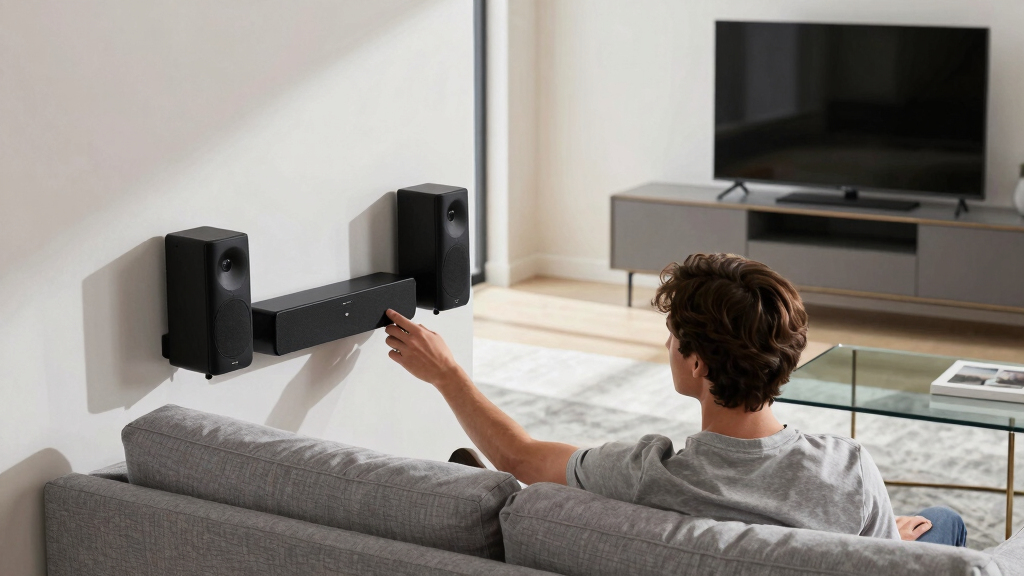
How We Picked
In selecting these wireless surround speakers, I prioritized models that excel in sound performance, ease of installation, build quality, and value for money. I examined technical features like Dolby Atmos support, wireless range, and connectivity options, ensuring they address typical home theater setups. Reliability and user-friendly controls were also key, along with overall compatibility with modern TVs and receivers. Products were ranked based on how well they balance these factors, with an eye toward different budgets and user needs, from casual viewers to audiophiles seeking premium sound.Factors to Consider When Choosing Wireless Surround Speakers
Choosing the right wireless surround speakers involves more than just sound quality. You should consider compatibility with your existing home theater components, ease of setup, and future-proofing features. Understanding these factors helps avoid common pitfalls like mismatched connectivity or insufficient wireless range. The following sections highlight key considerations to guide your decision-making process, ensuring you select a system that meets your needs and expectations.Sound Quality and Dolby Atmos Support
Sound quality is the backbone of any surround sound system. Look for models with Dolby Atmos or DTS:X support if immersive, multidimensional audio is a priority. These features create a more realistic sound environment, but they often come at a higher price. Consider listening to demos or reading detailed reviews to gauge clarity, bass performance, and surround effects. Remember, a higher wattage or more channels typically improves immersion, but quality components matter more than raw power alone.
Wireless Range and Interference
Wireless range is critical for reliable performance, especially in larger rooms. Most systems operate within 30-50 feet, but walls and furniture can reduce effective range. Dual-band or Wi-Fi-based systems tend to be more resistant to interference, ensuring consistent sound without dropouts. Avoid systems that rely solely on Bluetooth, as they often have limited range and potential latency issues. Investing in systems with robust wireless protocols can save you headaches during setup and daily use.
Ease of Setup and Compatibility
Simplicity matters, especially if you’re not technically inclined. Systems with automatic calibration, app-based controls, or HDMI eARC support streamline installation and operation. Compatibility with your existing TV, receiver, or soundbar is essential—check input/output options before purchase. Wireless systems that require extensive configuration or proprietary hubs may introduce frustration or limit future upgrades. A straightforward setup process reduces the risk of misconfiguration and ensures you enjoy your home theater sooner.
Build Quality and Design
Since these speakers are meant to be part of your living space, their design and durability matter. Look for sturdy construction, quality materials, and a style that matches your décor. Compact, unobtrusive models are ideal for smaller rooms or minimalist setups, while larger units may deliver richer sound but occupy more space. Consider whether the speakers blend seamlessly into your environment or serve as a visual statement, and ensure their build quality justifies the price.
Price and Future-Proofing
Budget constraints influence many buying decisions, but investing in a system with future-proof features can save money long-term. Look for support for HDMI eARC, Wi-Fi connectivity, and compatibility with smart home ecosystems if relevant. While premium models tend to include more of these features, they also come at a higher cost. Balancing current needs with potential upgrades ensures you get a system that remains functional and relevant for years to come.
Frequently Asked Questions
Can I connect these wireless surround speakers to my existing home theater system?
Many wireless surround speakers are designed to be compatible with existing home theater setups, but compatibility varies. Check whether your current receiver or soundbar supports wireless rear speakers or if an additional wireless transmitter is required. Some systems include proprietary wireless protocols, which may limit compatibility to specific brands or models. Always verify input/output options and supported standards before purchasing to avoid connectivity issues.
Do wireless surround speakers introduce noticeable audio delay or latency?
Latency can be a concern with wireless audio, especially with older or cheaper systems. High-quality systems typically incorporate low-latency protocols or support for technologies like Wi-Fi 6, which minimize delay. For most users, a well-designed wireless setup provides near-synchronous audio, but in some cases, slight delays might be noticeable, especially during gaming or fast-paced movies. Choosing systems with explicit low-latency features can help maintain audio-visual sync.
What is the typical wireless range I should look for?
Most wireless surround speakers operate effectively within 30 to 50 feet, but this depends on the environment. Walls, furniture, and other electronic devices can weaken signals, so a longer range provides extra buffer for larger rooms or complex layouts. For seamless performance, opt for systems that specify dual-band Wi-Fi or advanced wireless protocols, and consider placing the transmitter centrally for optimal coverage.
Are wireless surround speakers as good as wired options?
Wireless surround speakers can deliver comparable sound quality to wired systems when designed well, but some audiophiles feel wired connections offer more stability and lower latency. Advances in wireless technology have narrowed this gap, making wireless options more viable. However, for critical listening or large, acoustically challenging rooms, wired might still provide the most consistent experience. Balance your need for flexibility with your sound quality expectations to make the best choice.
How important is compatibility with smart home systems?
If you have or plan to build a smart home, compatibility can enhance convenience and integration. Some wireless surround systems support voice control via Alexa, Google Assistant, or Apple HomeKit, allowing you to control volume, input, or power with simple commands. This feature is especially useful for multi-room audio or when you want your home theater to work seamlessly within a broader smart ecosystem. Verify compatibility if smart home integration is a priority for you.
Conclusion
For most users, the ULTIMEA 7.1ch Surround Sound System offers the best overall experience, combining immersive audio with flexible setup. Budget-conscious buyers will appreciate the LG S40TR for its balance of features and affordability. Enthusiasts seeking premium sound and feature set should consider the ULTIMEA Skywave X50 with Dolby Atmos and extensive channels. Beginners or casual viewers will find the Bose Surround Sound System simple to set up and use. Ultimately, your choice depends on your priorities—whether it’s sound quality, ease of use, or budget—so consider what aspects matter most to your home theater experience.