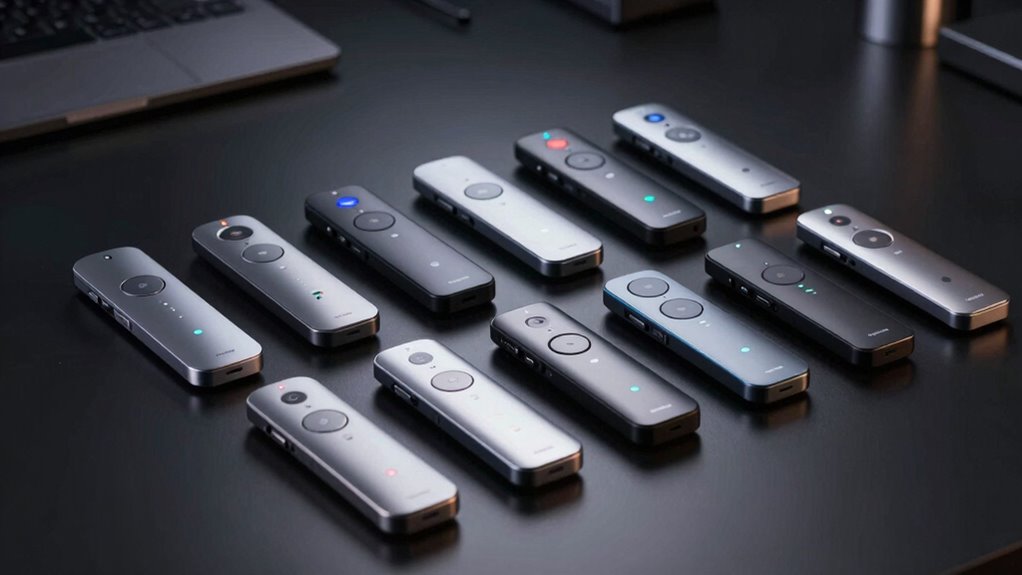
If you’re searching for a wireless presenter remote, you’re likely balancing features like range, ease of control, and compatibility. The Logitech Wireless Presenter R800 stands out as the overall top pick thanks to its reliable green laser pointer and long-range control. For a budget-friendly option, the Logitech R400 offers simplicity and solid performance, while the DINOSTRIKE Remote adds features like air mouse control for more advanced uses. Most options trade off between range, pointer clarity, and additional functions like volume control or annotation. Keep reading for a detailed breakdown to find the best fit for your presentation style.

Get the latest gadgets delivered free with Prime
- Fast, free delivery on millions of items
- Prime Video, Amazon Music and more included
- Member-only deals all year
Complete the kit



Key Takeaways
- Long-range performance is a key factor for large rooms, with models like the 800M excelling in distance.
- Laser pointer color (red vs. green) significantly affects visibility; green lasers are generally easier to see on screens.
- Additional features such as hyperlink control, volume adjustment, and annotation elevate a remote from basic to versatile.
- Build quality and button layout influence ease of use, especially for frequent presenters.
- Compatibility with multiple operating systems and charging options can impact long-term usability.
| Logitech Wireless Presenter R800 with Green Laser Pointer |  | Best Overall for Versatile Presentations | Laser type: Green laser | Wireless range: Up to 100 feet (30 meters) | Display: LCD display with timer | VIEW ON AMAZON | See Our Full Breakdown |
| Logitech Wireless Presenter R400 USB PowerPoint Clicker with Laser Pointer | 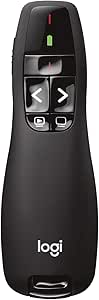 | Best Budget-Friendly for Basic Control | Wireless technology: 2.4GHz RF | Wireless range: Up to 50 feet | Laser: Class 2 red laser pointer | VIEW ON AMAZON | See Our Full Breakdown |
| Wireless Presentation Clicker Rechargeable with Digital Highlight, Laser Pointer, Magnifier, Mouse & Annotation for TV/LED/LCD Screens |  | Best for Interactive and Digital Presentations | Battery: 300mAh rechargeable | Charging time: 1.5 hours | Connectivity: 2.4GHz wireless | VIEW ON AMAZON | See Our Full Breakdown |
| CLIKBUTM Wireless Presentation Clicker with Red Laser Pointer |  | Best Ergonomic Design for Long Sessions | Weight: 38g | Length: 109mm | Control distance: 98ft / 30m | VIEW ON AMAZON | See Our Full Breakdown |
| Presentation Clicker with Case, Power Display Wireless Presenter Remote |  | Best Rechargeable Option with Power Management | Control range: 98ft / 30m | Laser range: 328ft / 100m | Battery: Built-in rechargeable | VIEW ON AMAZON | See Our Full Breakdown |
| 800M Long Range Presentation Clicker with Green Laser Pointer |  | Best for Ultra-Long Range Control and Professional Setup | Maximum Range: 2625 feet (800m in open space, ~500m indoors) | Green Laser Range: Up to 200m | Wireless Frequency: 433 MHz | VIEW ON AMAZON | See Our Full Breakdown |
| UBUYONE Wireless Presenter Remote with Hyperlink and Volume Control for PowerPoint, Keynote, Mac, PC, Laptop |  | Best for Versatile Control with Broad Compatibility | Maximum Range: 100 meters | Supported Systems: Windows, Mac OS, Linux, Android | Battery: 1 AAA (included) | VIEW ON AMAZON | See Our Full Breakdown |
| Wireless Presenter Remote with Red Pointer, Hyperlink & Volume Control – RF 2.4GHz USB PowerPoint Clicker |  | Best for Easy Setup and Long Range in Small to Medium Rooms | Wireless Technology: RF 2.4GHz | Range: Up to 100 feet | Pointer: Bright red light | VIEW ON AMAZON | See Our Full Breakdown |
| Wireless Presentation Clicker with Laser Pointer for PowerPoint |  | Best for Laser Precision and Portability | Control Range: 98 feet / 30 meters | Laser Range: 328 feet / 100 meters | Weight: 58g | VIEW ON AMAZON | See Our Full Breakdown |
| QUI Presentation Clicker with Volume Control, Wireless Presenter Remote |  | Best Overall for Large, Dynamic Venues | Brand: QUI | Connectivity: Wireless USB receiver | Wireless Range: Up to 328 ft | VIEW ON AMAZON | See Our Full Breakdown |
| Wireless Presentation Clicker with USB Receiver |  | Best Value for Office and Classroom Use | Wireless Technology: 2.4 GHz | Control Distance: 50 ft | Material: ABS plastic | VIEW ON AMAZON | See Our Full Breakdown |
| DINOSTRIKE Wireless Presenter Remote with Air Mouse Control, Rechargeable USB A/C PowerPoint Clicker |  | Best for Interactive Presentations with Air Mouse Functionality | Battery: 300 mAh rechargeable | Charging Time: 3 hours | Connectivity: RF 2.4GHz wireless | VIEW ON AMAZON | See Our Full Breakdown |
| Logitech R500s Wireless Presenter with Laser Pointer |  | Best for Seamless Multi-Platform Compatibility | Connectivity: USB receiver or Bluetooth | Operating Range: 20 meters (65 ft) | Battery Life: Up to 12 months | VIEW ON AMAZON | See Our Full Breakdown |
| Logitech Spotlight Presentation Remote – Universal Wireless, Black |  | Best for Advanced Highlighting and Content Control | Color: Black | Connectivity: USB-A receiver or Bluetooth | Operating Range: 30 meters (100 ft) | VIEW ON AMAZON | See Our Full Breakdown |
| wireless presenter remote | Compatibility | Connectivity |
|---|---|---|
| Logitech Wireless Presenter R8 | — | — |
| Logitech Wireless Presenter R4 | — | — |
| Wireless Presentation Clicker | MacOS, Windows | 2.4GHz wireless |
| CLIKBUTM Wireless Presentation | — | — |
| Presentation Clicker with Case | Windows, Mac, Linux | — |
| 800M Long Range Presentation C | Windows 10, macOS 12+ | USB receiver |
| UBUYONE Wireless Presenter Rem | — | — |
| Wireless Presenter Remote with | Plug & play USB receiver | — |
| Wireless Presentation Clicker | Windows, Mac, Linux | — |
| QUI Presentation Clicker with | Mac OS, Windows; PowerPoint, Keynote, Google Slides, Excel, ACDSee, Prezi | Wireless USB receiver |
| Wireless Presentation Clicker | MS Word, Excel, PowerPoint, iWork | Plug-and-play USB receiver |
| DINOSTRIKE Wireless Presenter | Windows 7/8+, Mac OS, Linux, Android | RF 2.4GHz wireless |
| Logitech R500s Wireless Presen | Windows, Mac, iOS, Android | USB receiver or Bluetooth |
| Logitech Spotlight Presentatio | Windows, macOS, PowerPoint, Keynote, PDFs | USB-A receiver or Bluetooth |
More Details on Our Top Picks
Logitech Wireless Presenter R800 with Green Laser Pointer
The Logitech R800 stands out for its bright green laser that remains visible even on LCD and plasma screens, making it ideal for larger or brightly lit rooms where traditional red lasers struggle. Its long 100-foot range provides freedom to move around without losing control, and the LCD timer with silent alerts helps manage presentation time effectively. Compared to the Logitech R400, which offers a simpler control scheme and shorter range, the R800’s advanced features come with a slightly higher price and bulkier receiver. The laser’s brightness might be excessive in small or dark settings, and the reception indicator can limit effective range. Overall, this remote is best suited for professionals who need visibility and range, but those with smaller venues or budget constraints might prefer simpler options.
Pros:- Bright green laser remains visible on LCD and plasma screens
- 100-foot wireless range offers great freedom of movement
- LCD timer with silent vibrating alerts helps track presentation time
- Plug-and-play USB receiver stored inside the remote
Cons:- Green laser may be too intense or distracting in small or dark settings
- Reception indicator limits effective roaming distance
Best for: Conference presenters who need a highly visible laser and extensive movement range in large, well-lit rooms
Not ideal for: Casual users or small room presentations where laser brightness and long range are unnecessary
- Laser type:Green laser
- Wireless range:Up to 100 feet (30 meters)
- Display:LCD display with timer
- Alerts:Silent, vibrating time alerts
- Receiver:Storable plug-and-play USB receiver
- Software required:None
Our verdict“This remote is perfect for professionals needing visibility and range in large, bright environments, but might be overkill for smaller rooms or casual use.”
Logitech Wireless Presenter R400 USB PowerPoint Clicker with Laser Pointer
The Logitech R400 offers straightforward slide control with a built-in red laser pointer, making it suitable for users who prioritize simplicity. Its 50-foot wireless range provides enough mobility for typical conference rooms, and the plug-and-play USB receiver simplifies setup without software requirements. However, compared to the Logitech R800, it lacks a timer and vibration alerts, which can be a drawback for time-managed presentations. The use of AAA batteries, which aren’t rechargeable, may lead to ongoing costs, and the red laser might be less visible in brightly lit or large venues. This remote makes sense for occasional presenters or those on a budget, but power users seeking advanced features may find it limiting.
Pros:- Simple plug-and-play setup with no software needed
- Red laser pointer is effective against most backgrounds
- 50-foot wireless range provides good mobility
- Receiver stores inside the remote for portability
Cons:- Requires AAA batteries that are not rechargeable
- Lacks timer and vibration alerts for time management
- Red laser less visible in bright environments
Best for: Infrequent presenters or educators seeking an affordable, easy-to-use remote for small to medium rooms
Not ideal for: Frequent speakers or professionals needing timer and alert features or green laser visibility
- Wireless technology:2.4GHz RF
- Wireless range:Up to 50 feet
- Laser:Class 2 red laser pointer
- Batteries:AAA (required)
- Storage:Built-in docking bay for receiver
Our verdict“This remote is ideal for casual or infrequent use where simplicity and affordability are key, but it lacks features for intense, timed presentations.”
Wireless Presentation Clicker Rechargeable with Digital Highlight, Laser Pointer, Magnifier, Mouse & Annotation for TV/LED/LCD Screens
This rechargeable wireless presenter excels at digital and interactive presentations, offering features like digital highlight, magnifier, and mouse control that traditional laser pointers can’t match. Its gyro-sensor mouse mode enables cursor control without aiming, ideal for TV or large LED screens where laser pointers are ineffective. The dual USB-A/USB-C receiver ensures broad compatibility, and the rechargeable battery provides weeks of use after a short charge. Compared to the Logitech R800, which focuses on laser visibility, this model emphasizes digital annotation and control, but digital features may not integrate smoothly with all conferencing software, and mouse mode is limited to hyperlink and file interaction. It suits tech-savvy users who want versatile, interactive control over digital content.
Pros:- Works on TV/LED/LCD screens where laser pointers fade
- Gyro-sensor mouse mode enables cursor control without aiming
- Replaces multiple tools with digital highlight, magnifier, and annotation
- Dual USB-A/USB-C receiver for broad device compatibility
Cons:- Mouse mode limited to hyperlinks and file interactions
- Digital features may not work seamlessly with all conferencing platforms
- Requires charging every few weeks
Best for: Digital presenters and educators needing interactive features on large screens and compatibility with modern devices
Not ideal for: Traditionalists or those who primarily need laser pointers for small venues
- Battery:300mAh rechargeable
- Charging time:1.5 hours
- Connectivity:2.4GHz wireless
- Receiver:2-in-1 USB-A / USB-C
- Compatibility:MacOS, Windows
- Features:Digital highlight, magnifier, mouse control, annotation
Our verdict“This remote is excellent for digital, interactive presentations requiring versatile control, though it may be overkill for simple laser pointing.”
CLIKBUTM Wireless Presentation Clicker with Red Laser Pointer
The CLIKBUTM Wireless Presenter emphasizes comfort with an ergonomic design and a powerful 328-foot laser range. Its 98-foot control distance makes it suitable for large venues or auditoriums, and the simple plug-and-play USB dongle ensures quick setup. The red laser pointer is effective for most presentations, though it lacks the green laser option, which could be a drawback in brightly lit environments. The remote’s lightweight 38g design and long battery life on a single AAA make it ideal for extended use. Compared to the Logitech R400, it offers a much longer laser range but fewer advanced features like timers or digital annotations. This remote suits users who prioritize range and ergonomic comfort over additional digital controls.
Pros:- Exceptional laser range of 328 feet for large spaces
- Ergonomic, lightweight design enhances comfort
- Plug-and-play with no driver installation
- Uses common AAA battery with ~2 months lifespan
Cons:- Only red laser, no green laser option
- Requires removing battery film before first use
- Limited to basic slide control functions
Best for: Large venue speakers and educators who need a highly visible laser pointer and comfortable grip for extended sessions
Not ideal for: Casual users or those requiring integrated timers or advanced digital features
- Weight:38g
- Length:109mm
- Control distance:98ft / 30m
- Laser range:328ft / 100m
- Battery:1 AAA (lasting about 2 months)
- Buttons:5
Our verdict“This remote is designed for large venues and comfort, making it ideal for lengthy presentations in open spaces, but it lacks advanced digital features.”
Presentation Clicker with Case, Power Display Wireless Presenter Remote
The Presentation Clicker combines convenience with a rechargeable battery and a digital power display, making it a practical choice for users who want to avoid frequent battery replacements. Its 98-foot control range and 328-foot laser range ensure coverage for most meeting environments, and the plug-and-play USB receiver simplifies setup. The inclusion of a power display helps users monitor battery health easily, extending usability. Compared with simpler models like the Logitech R400, this remote offers more digital features and rechargeable convenience but sacrifices some compactness and may be bulkier with the case. It’s well-suited for professionals who value long-term battery management and ease of use in various OS environments.
Pros:- Rechargeable battery with long lifespan and digital power indicator
- Long control and laser ranges suitable for large rooms
- Plug-and-play with broad OS compatibility
- Includes protective case for portability
Cons:- Larger and potentially less portable than smaller models
- Requires charging, so no instant power on for last-minute use
- Limited to desktop/laptop use, not mobile devices
Best for: Frequent presenters and professionals seeking a rechargeable, feature-rich remote with clear power status
Not ideal for: Casual users or those who prefer ultra-lightweight, minimalistic remotes for quick, infrequent use
- Control range:98ft / 30m
- Laser range:328ft / 100m
- Battery:Built-in rechargeable
- Display:LED digital power indicator
- Compatibility:Windows, Mac, Linux
- Functions:Page navigation, black screen, laser toggle
Our verdict“This remote suits professionals who want a rechargeable, feature-packed presenter with clear battery status, yet it might be too bulky for casual or infrequent use.”
800M Long Range Presentation Clicker with Green Laser Pointer
This Norwii model stands out for its impressive 800-meter control range, far surpassing most competitors like the Wireless Presentation Clicker with Laser Pointer for PowerPoint, which offers just 30 meters. Its 433MHz anti-interference technology ensures reliable connectivity even in crowded wireless environments, making it ideal for large venues or outdoor presentations. The HD OLED display provides real-time info—battery, timer, signal—enhancing confidence during sessions. However, the actual range can fluctuate depending on obstacles and weather, and customizing controls requires separate software, adding complexity. Compared to standard RF options, this remote’s premium CNC metal build feels more durable and ergonomic. Still, its higher price and dependence on software for key mapping might be a hurdle for casual users. Best suited for professionals needing extended range and multi-display support, willing to handle some setup complexity.
Pros:- Ultra-long 800m control range with anti-interference technology
- HD OLED display shows battery, timer, and signal status
- Premium CNC metal unibody with ergonomic design
- Connects to up to 4 displays simultaneously
Cons:- Range varies significantly with obstacles and weather conditions
- Requires separate software for custom key mapping
Best for: Presenters working in large venues or outdoor settings where maximum control range and durability matter most.
Not ideal for: Casual users or small conference settings where a simple, plug-and-play device suffices, as this model’s complexity and cost may be unnecessary.
- Maximum Range:2625 feet (800m in open space, ~500m indoors)
- Green Laser Range:Up to 200m
- Wireless Frequency:433 MHz
- Display:HD OLED
- Battery:600 mAh rechargeable USB-C
- Control Modes:Arrow, Page, Mouse Wheel
- Compatibility:Windows 10, macOS 12+
- Connectivity:USB receiver
Our verdict“This remote is perfect for tech-savvy professionals demanding long-range reliability and multi-screen control, despite its higher cost and setup needs.”
UBUYONE Wireless Presenter Remote with Hyperlink and Volume Control for PowerPoint, Keynote, Mac, PC, Laptop
This UBUYONE remote makes a strong case for those who need a multifunctional, wireless control solution that works seamlessly across platforms. Its up to 100-meter range is similar to many standard remotes like the Wireless Presentation Clicker with Red Pointer, but adds hyperlink and volume controls for more comprehensive presentation management. Its plug-and-play design means no drivers are needed, simplifying setup, and it supports both Windows and Mac systems, even Linux and Android, making it a flexible choice. The bright red light is highly visible, but might be less effective on certain screens, and the AAA battery requirement, unlike rechargeable options, could be inconvenient for frequent use. Compared to the Wireless Presenter Remote with Red Pointer, Hyperlink & Volume Control, it offers the advantage of broader system compatibility but lacks rechargeable power. Ideal for presenters who need reliable, versatile control across multiple devices and platforms without complicated software.
Pros:- Long wireless control range up to 100 meters
- Includes hyperlink, volume, and window switching controls
- Broad compatibility across Windows, Mac, Linux, Android
- Bright red light for easy highlighting
Cons:- Uses AAA batteries instead of built-in rechargeable options
- Supports only one device at a time
Best for: Business professionals or educators who switch between different operating systems and need multifunctional controls.
Not ideal for: Users seeking a rechargeable device or those who prefer minimal controls with only basic slide navigation, as this offers more functions but at the cost of simplicity.
- Maximum Range:100 meters
- Supported Systems:Windows, Mac OS, Linux, Android
- Battery:1 AAA (included)
- Additional Features:Hyperlink, volume, window switch
- Item Dimensions:5.47″ L x 0.74″ W x 0.49″ H
- Weight:31 g
Our verdict“This remote suits users who prioritize multifunctionality and cross-platform compatibility over rechargeable convenience.”
Wireless Presenter Remote with Red Pointer, Hyperlink & Volume Control – RF 2.4GHz USB PowerPoint Clicker
This RF 2.4GHz remote simplifies presentation control with a plug-and-play approach, making it suitable for users who want quick setup and reliable operation. Its 100-foot range is comparable to more advanced models like the 800M Long Range Clicker, but without the extended distance or software complexity. The bright red pointer is highly visible against most backgrounds, and the magnetic USB storage keeps the receiver safe and accessible. However, the AAA battery isn’t rechargeable, which could be inconvenient for frequent use, and the red pointer may be less effective on certain digital screens. Unlike the Wireless Presentation Clicker with Laser Pointer for PowerPoint, this model relies on RF and lacks laser precision, but offers straightforward functionality for everyday presentations. Ideal for professionals who need a reliable, easy-to-use remote with decent range and no fuss.
Pros:- Plug-and-play setup with no software needed
- Long 100 ft wireless range for mobility
- Bright red pointer visible against most backgrounds
- Magnetic USB storage for receiver
Cons:- AAA batteries not rechargeable
- Red pointer less effective on LCD/LED screens
Best for: Educators or business users who want quick, reliable wireless control without software fuss in medium-sized rooms.
Not ideal for: Power users requiring laser pointers or rechargeable batteries, or those in large outdoor venues where longer range is necessary.
- Wireless Technology:RF 2.4GHz
- Range:Up to 100 feet
- Pointer:Bright red light
- Power:1 AAA battery (not included)
- Compatibility:Plug & play USB receiver
- Functions:Page forward/back, volume, hyperlink
Our verdict“This remote provides dependable, straightforward control for everyday presentations without complex setup or high costs.”
Wireless Presentation Clicker with Laser Pointer for PowerPoint
This lightweight presenter emphasizes laser pointing with a 328-foot laser range, catering to users who prioritize laser precision over ultra-long control distances. Its 98-foot control range is sufficient for most indoor settings, but less than the 800-meter offered by the Norwii. The ergonomic design and small weight—just 58g—make it easy to carry around, especially compared to bulkier models. The built-in USB receiver stores inside the device, simplifying transport, but it runs on two AAA batteries, which may be less convenient than rechargeable options. Unlike RF-based options, this model relies on standard 2.4GHz wireless, which can be reliable but sometimes more prone to interference. It’s ideal for those who need laser pointer capabilities and portability but don’t require extensive control distances. Best suited for presenters who value laser accuracy and ease of use in smaller rooms.
Pros:- Laser pointer with a range of 328 feet (100 meters)
- Lightweight and ergonomic design
- USB receiver stores inside the device for portability
- Supports major presentation software
Cons:- Requires two AAA batteries, not rechargeable
- Laser pointer less effective on certain digital screens
Best for: Mobile professionals or educators who need a compact remote with laser pointing for precise slides highlighting.
Not ideal for: Large venue presenters or those needing very long control ranges, as 98 feet may be insufficient for wide auditoriums.
- Control Range:98 feet / 30 meters
- Laser Range:328 feet / 100 meters
- Weight:58g
- Batteries:2 AAA (included)
- Compatibility:Windows, Mac, Linux
- Receiver Storage:Inside the device
Our verdict“This pick is ideal for those who need laser accuracy in portable form, but it’s less suited for large or outdoor venues requiring longer control distances.”
QUI Presentation Clicker with Volume Control, Wireless Presenter Remote
This remote shines with its extensive wireless range of up to 328 ft, making it ideal for large conference halls or lecture theaters where mobility is key. Unlike the Logitech Spotlight, which offers advanced highlighting features but a shorter 30-meter range, the QUI clicker prioritizes roaming freedom. Its bright red laser pointer delivers visibility in sizable spaces, and its broad compatibility ensures it works seamlessly with Windows, Mac, and popular presentation software. The plug-and-play design means no drivers are needed, but the AAA battery isn’t included, which could delay setup. This pick balances long-range control with straightforward functionality, though the lack of rechargeable power might be a drawback for frequent users.
Pros:- Extensive wireless range of up to 328 ft for unrestricted movement
- Plug-and-play with no driver installation required
- Bright red laser pointer visible in large venues
- Compatible with Mac OS, Windows, and major presentation apps
Cons:- AAA battery not included, adding an extra step to setup
- Lacks rechargeable battery option, increasing ongoing costs
Best for: Large venues where presenters need to move freely across big spaces.
Not ideal for: Casual users who prefer rechargeable batteries or shorter-range remotes for smaller rooms.
- Brand:QUI
- Connectivity:Wireless USB receiver
- Wireless Range:Up to 328 ft
- Pointer:Bright red laser light
- Controls:Page up/down, hyperlink navigation, volume control, full screen/black screen
- Compatibility:Mac OS, Windows; PowerPoint, Keynote, Google Slides, Excel, ACDSee, Prezi
- Power Source:1x AAA battery (not included)
- Special Feature:Pocket/notebook clip for portability
Our verdict“This remote is best suited for presenters in large spaces who prioritize long-range control and straightforward operation.”
Wireless Presentation Clicker with USB Receiver
Compared with the QUI remote, which boasts a longer 328 ft range, this model offers a more modest 50 ft control distance but excels in portability and ease of use. Its compact pen-like design makes it highly convenient for quick trips between meetings or classrooms. Setup is straightforward with a simple plug-and-play USB connection, and it supports a broad range of applications like PowerPoint, Word, Excel, and iWork—ideal for users who need versatility across software. The AAA battery isn’t included, which is a minor inconvenience, especially for users who prefer rechargeable options. While it isn’t suited for large venues or presentations requiring extensive mobility, it’s perfect for smaller rooms and on-the-go use.
Pros:- Compact, pen-sized design for portability
- Plug-and-play USB receiver for quick setup
- Works with a wide range of productivity applications
- Affordable price point for casual or infrequent use
Cons:- Limited control range of 50 ft, less suitable for large rooms
- AAA battery not included, requiring extra purchase
Best for: Educators and office workers needing a reliable, portable remote for small to medium rooms.
Not ideal for: Large conference speakers requiring extensive roaming; those needing rechargeable batteries or longer range.
- Wireless Technology:2.4 GHz
- Control Distance:50 ft
- Material:ABS plastic
- Power Source:1x AAA battery (not included)
- Connectivity:Plug-and-play USB receiver
- Compatibility:MS Word, Excel, PowerPoint, iWork
Our verdict“This remote offers excellent portability and compatibility for small to medium spaces but isn’t ideal for large venues demanding longer control distances.”
DINOSTRIKE Wireless Presenter Remote with Air Mouse Control, Rechargeable USB A/C PowerPoint Clicker
This model stands out because it combines a traditional presenter with an air mouse, adding interactive control to slideshows. Its impressive light range of up to 656 ft surpasses typical remotes like the Logitech R500s, which offers a 20-meter range but lacks air mouse features. The rechargeable 300 mAh battery supports weeks of use, and the plug-and-play USB receiver simplifies setup across Windows, Mac, Linux, and Android platforms. However, the array of functions might require a learning curve, and the remote goes into sleep mode, potentially causing brief delays during operation. It’s best suited for those who want more than just basic control, especially in versatile environments.
Pros:- Dual functionality as a presenter and air mouse
- Long light range of up to 656 ft for visibility
- Rechargeable battery with weeks of use per charge
- Plug-and-play operation across multiple OS platforms
Cons:- Some functions require familiarization with button layout
- Goes into sleep mode, which can cause brief operation delays
Best for: Tech-savvy presenters who want a versatile device for interactive and multimedia-rich presentations.
Not ideal for: Users preferring simple remotes with minimal functions or those uncomfortable with learning multiple controls.
- Battery:300 mAh rechargeable
- Charging Time:3 hours
- Connectivity:RF 2.4GHz wireless
- Air Mouse Range:82 ft
- Wireless Control Range:164 ft
- Light Range:656 ft
- Compatibility:Windows 7/8+, Mac OS, Linux, Android
Our verdict“Ideal for advanced users seeking a multifunction remote that offers both presentation control and interactivity in large, versatile settings.”
Logitech R500s Wireless Presenter with Laser Pointer
Compared with the QUI remote’s extensive range, the Logitech R500s offers a more moderate wireless distance of 20 meters but compensates with dual connectivity options—USB receiver and Bluetooth Low Energy—ensuring compatibility across Windows, Mac, iOS, and Android. Its 12-month battery life and power-saving mode that disables the laser when not needed reduce ongoing maintenance. The laser pointer is bright and easy to see, but the reliance on a single AAA battery may be limiting for heavy use, and the absence of advanced features like highlighting or magnification makes it less suitable for high-impact presentations. This remote balances versatility with simplicity, ideal for users who switch devices frequently.
Pros:- Dual connectivity via USB receiver and Bluetooth
- Long 12-month battery life with power-saving mode
- Compatible with multiple operating systems including iOS and Android
- Long 20-meter operating range for flexible movement
Cons:- Basic laser pointer without highlighting or magnification
- Battery life and range may fluctuate with environmental conditions
Best for: Professionals who need a flexible, multi-platform remote for regular presentations across different devices.
Not ideal for: Large venues or users seeking advanced pointing features beyond basic laser and slide controls.
- Connectivity:USB receiver or Bluetooth
- Operating Range:20 meters (65 ft)
- Battery Life:Up to 12 months
- Laser:Bright red laser pointer
- Compatibility:Windows, Mac, iOS, Android
- Software:Logitech Presentation App
Our verdict“This remote offers excellent multi-platform support and convenience for frequent users who value flexibility over advanced presentation tools.”
Logitech Spotlight Presentation Remote – Universal Wireless, Black
Standing apart from simpler models like the QUI or R500s, the Logitech Spotlight emphasizes highlighting and magnification features, offering pixel-perfect control that enhances visual engagement. Its mouse-like cursor control enables precise interaction with videos and links, a feature absent in most basic remotes. The impressive 100 ft operating range and quick 3-hour charge for 3 hours of use, plus vibration alerts for pacing, make it ideal for high-stakes or multimedia presentations. However, its advanced functions require the Logitech Logi Options+ app, which may intimidate casual users. This remote suits experienced presenters who want a tool that elevates content delivery with interactive features.
Pros:- Advanced highlight and magnify features for engaging content
- Mouse-like cursor control for multimedia interaction
- Long 100 ft range and rapid 1-minute charge for hours of use
- Vibration alerts for presentation pacing
Cons:- Requires Logitech Logi Options+ software for full features
- More complex setup may be overwhelming for beginners
Best for: Professional presenters seeking advanced content interaction and highlighting capabilities.
Not ideal for: Infrequent users or those who prefer simple slide control without additional software or features.
- Color:Black
- Connectivity:USB-A receiver or Bluetooth
- Operating Range:30 meters (100 ft)
- Battery Life:Up to 3 months
- Quick Charge:1 minute for 3 hours
- Controls:Three-button design with on-screen cursor
- Compatibility:Windows, macOS, PowerPoint, Keynote, PDFs
Our verdict“Ideal for experienced presenters who want to deliver dynamic, visually engaging presentations with advanced control features.”
How We Picked
Our evaluation focused on core performance factors: wireless range, ease of use, build quality, and feature set. We also prioritized compatibility with different devices, battery life, and overall value. The ranking reflects a balance between these criteria, highlighting options that excel in key areas while noting where tradeoffs exist. Products with intuitive controls and reliable wireless signals naturally rank higher, as these qualities directly affect presentation confidence and flow.Factors to Consider When Choosing Wireless Presenter Remote
Choosing the right wireless presenter remote involves understanding your specific presentation needs. Beyond basic features like range and laser visibility, consider how additional functions—such as volume control, hyperlink navigation, or annotation—can enhance your experience. Compatibility with your device ecosystem and ease of use are critical for seamless operation. Investing in a well-built remote can also reduce frustration during important moments, so weigh durability and battery options carefully. Recognizing common pitfalls, like choosing a model with limited range or incompatible software, helps make a smarter purchase.Range and Connectivity
The primary purpose of a presentation remote is reliable wireless connectivity over an adequate distance. Longer range models, such as those with 100+ meters, are ideal for large venues but often come at a higher price or bulkier design. RF (radio frequency) connections generally provide more stable links than Bluetooth, especially in environments with lots of wireless interference. Ensuring compatibility with your device’s operating system is also vital, as some remotes work better with Windows, Mac, or specific presentation software.
Pointer Visibility and Laser Type
The laser pointer’s color impacts its visibility on screens. Green lasers, like those on the Logitech R800, are easier to see in bright rooms, making them preferable for large or well-lit spaces. Red lasers tend to be cheaper but may fade into backgrounds, reducing effectiveness. Consider also the laser’s brightness and whether the pointer size complements your presentation style—smaller points are less distracting but might be harder to see from a distance.
Additional Features and Controls
Extra functions such as volume control, hyperlink navigation, annotation, and screen magnification can turn a simple remote into a multifunctional tool. Think about which features you need most; for example, if you often switch between slides and videos, a remote with volume and media controls will be beneficial. However, added complexity can sometimes lead to a cluttered button layout, so prioritize intuitive controls that match your workflow.
Build Quality and Ease of Use
A well-constructed remote with a sturdy feel and ergonomic button placement can make a significant difference during presentations. Cheaper models might feel flimsy or have buttons that are hard to press, disrupting your flow. A good remote should be lightweight yet durable, with a simple interface that allows quick operation without fumbling. If you present frequently, investing in a model with a comfortable grip and reliable switch responsiveness is worthwhile.
Battery Life and Charging Options
Long-lasting batteries or rechargeable options ensure you won’t be caught without power mid-presentation. Some models use standard batteries, easy to replace, while others feature rechargeable batteries via USB, offering convenience and sustainability. Consider your typical usage; a remote with a low battery indicator helps avoid surprises. Compatibility with rechargeable USB-C ports can future-proof your setup, especially if you prefer fewer batteries to handle.
Frequently Asked Questions
Can I use a wireless presenter remote with any presentation software?
Most wireless presenter remotes are compatible with common presentation software like PowerPoint, Keynote, or Google Slides, especially those that use standard keyboard shortcuts. RF and USB-based remotes tend to work universally without additional setup, but Bluetooth models might require pairing steps. Always check the remote’s compatibility with your operating system and software to prevent connectivity issues during presentations.
How important is laser pointer color for visibility?
The laser pointer color greatly impacts visibility, especially in brightly lit rooms. Green lasers are generally more visible on screens and across larger distances, making them suitable for big venues. Red lasers are more affordable but can be harder to see in bright conditions. Choosing a remote with a green laser provides more reliable pointing accuracy, especially if you present in large or well-lit spaces.
Should I prioritize a long-range remote or a compact design?
This depends on your presentation environment. If you often present in large rooms, a remote with extended range—over 50 meters—ensures you’re not tethered to your laptop. Conversely, if portability and ease of carrying are more important, a compact, lightweight remote might be better, even if it has a shorter range. Consider your typical presentation size and mobility needs when balancing these factors.
Are rechargeable wireless presenter remotes worth the extra cost?
Rechargeable remotes offer convenience and reduce ongoing battery costs, making them a smart choice for frequent presenters. They often come with USB charging, which simplifies maintenance and ensures you’re always ready. However, they might be slightly heavier or more fragile than standard battery-powered models. If you present regularly, investing in a rechargeable remote can save money and hassle over time.
What should I avoid when choosing a wireless presenter remote?
Avoid models with limited range, poor build quality, or incompatible software. Low-quality remotes may disconnect unexpectedly or have unresponsive buttons, which can ruin your flow. Additionally, be wary of remotes with overly complicated controls if you prefer simplicity. Reading reviews and verifying compatibility before purchase can help prevent these issues and ensure a smooth presentation experience.
Conclusion
For those who need a reliable, feature-rich remote for frequent, professional presentations, the Logitech Wireless Presenter R800 stands out as the best overall choice thanks to its long range, clear laser pointer, and robust build. Budget-conscious users will find the Logitech R400 offers solid performance at a lower price, suitable for occasional use. If you seek the ultimate in versatility and advanced features, the Logitech Spotlight is ideal for tech-savvy presenters who want seamless control and customization. Beginners and casual users should opt for simple, reliable models with straightforward controls, while those in large venues or needing extra functions should prioritize longer range and additional features. Tailor your pick based on your presentation environment and how often you’ll use the remote.