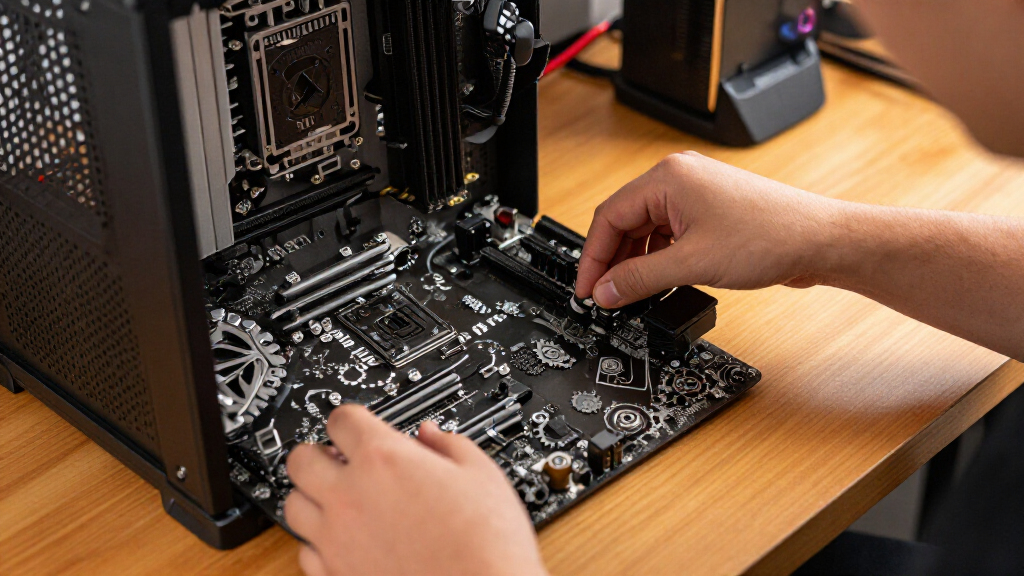
The best ASRock Taichi motherboard overall for a current AMD build is the X870E Taichi, pairing an up-to-date AM5 platform with high-end connectivity and room for powerful components. The B650E Taichi Lite is a more restrained AM5 alternative, while the Z890 Taichi suits buyers building around Intel Core Ultra processors. The main choice is not simply premium versus budget: socket generation, processor compatibility, board size, and whether a listing is a complete combo or a standalone board all matter. Older X570, X470, Z390, and X299 models may fit an existing system, but they are not direct substitutes for current-platform boards. Read on for the full comparison, selection criteria, and advice on matching a Taichi board to your build.

Get the latest gadgets delivered free with Prime
- Fast, free delivery on millions of items
- Prime Video, Amazon Music and more included
- Member-only deals all year
Complete the kit



Key Takeaways
- The X870E Taichi is the clearest current AMD all-rounder in this lineup; the separate Ryzen 9 9950X3D combo is a different purchase because it bundles a CPU with a motherboard.
- AM5 options serve different priorities: the X870E models target high-end connectivity, while the B650E Taichi and Taichi Lite are alternatives for buyers who do not need every premium-board feature.
- Intel choices are split by processor generation. Z890 is for Core Ultra processors, while Z790, Z690, and Z390 use different platforms and should not be treated as interchangeable upgrades.
- Board size can affect the whole build. Several listings are EATX, so case clearance and cable access need checking before choosing them over an ATX board.
- Marketplace-compatible listings need extra verification. The ZXKLXYY X570 and Ayylltx Z690 Razer Edition listings should be checked for exact model, included accessories, support, and return terms before purchase.
| ASRock X570 Taichi AM4 ATX Motherboard |  | Best AM4 Taichi for Storage Expansion | Form factor: ATX | Socket and chipset: AM4; AMD X570 | Compatible processors: AMD Ryzen 2000, 3000, and 5000 Series | VIEW LATEST PRICE | See Our Full Breakdown |
| ZXKLXYY Computer Motherboard Compatible with ASRock X570 Taichi Socket AM4 DDR4 ATX |  | Best for Buyers Willing to Verify a Third-Party Replacement | Brand and listed chipset: ZXKLXYY; C206 listed | Socket and form factor: AM4; ATX | Claimed processor compatibility: AMD Ryzen 1000–5000 Series | VIEW LATEST PRICE | See Our Full Breakdown |
| ASRock X299 Taichi CLX ATX Motherboard for LGA 2066 |  | Best for High-Capacity Intel Workstations | Form factor: ATX | Socket and chipset: LGA 2066; Intel X299 | Compatible processors: Intel Core X-Series | VIEW LATEST PRICE | See Our Full Breakdown |
| Ayylltx Z690 Taichi Razer Edition Compatible Motherboard LGA 1700 ATX DDR5 |  | Best for Buyers Seeking a Z690 Razer Edition-Compatible Board | Brand and model number: Ayylltx; TVJTPVPAB | Chipset and socket: Intel Z690; LGA 1700 | Claimed processor compatibility: Intel Core 12th, 13th, and 14th Gen | VIEW LATEST PRICE | See Our Full Breakdown |
| AMD Ryzen 9 9950X3D CPU and ASRock X870E Taichi WiFi EATX Motherboard Combo |  | Best Premium AM5 Taichi Platform Bundle | Processor: AMD Ryzen 9 9950X3D; 16 cores; 32 threads | CPU clock, cache, and TDP: Up to 5.7 GHz boost; 144 MB L2+L3 cache; 170 W TDP | Motherboard and socket: ASRock X870E Taichi WiFi; AM5; EATX | VIEW LATEST PRICE | See Our Full Breakdown |
| ASRock Z890 Taichi ATX Motherboard for Intel Core Ultra Processors |  | Best for a New Intel Build | Socket and chipset: LGA1851; Intel Z890 | Compatible processors: Intel Core Ultra Series 2 | Form factor: ATX | VIEW LATEST PRICE | See Our Full Breakdown |
| ASRock X670E Taichi Carrara AM5 Motherboard for AMD Ryzen 7000 Series |  | Best for SATA-Rich AM5 Builds | Socket and chipset: AM5; AMD X670 | Compatible processors: AMD Ryzen 7000 Series | Form factor and dimensions: EATX; 12 x 10.5 in (30.5 x 26.7 cm) | VIEW LATEST PRICE | See Our Full Breakdown |
| ASRock Z790 Taichi Carrara Motherboard | 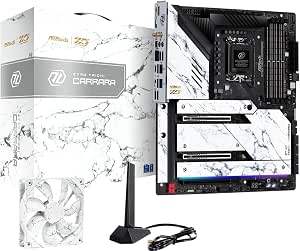 | Best for Multi-Drive LGA1700 Builds | Socket and chipset: LGA1700; Intel Z790 | Compatible processors: 12th- and 13th-generation Intel Core | Memory: 4 DDR5 DIMM slots; up to 128 GB | VIEW LATEST PRICE | See Our Full Breakdown |
| ASRock X470 Taichi Motherboard (AM4, DDR4, NVMe M.2) |  | Best for Extending an AM4 Build | Socket and chipset: AM4; AMD X470 | Compatible processors: AMD Ryzen processors; listed examples include Ryzen 9 5900X, Ryzen 7 5700X3D, and Ryzen 5 5600G | Form factor: ATX (implied by product data) | VIEW LATEST PRICE | See Our Full Breakdown |
| ASRock Z390 Taichi Motherboard |  | Best for a Legacy Intel Refresh | Socket and chipset: LGA1151; Intel Z390 | Compatible processors: 8th- and 9th-generation Intel Core | Form factor: ATX | VIEW LATEST PRICE | See Our Full Breakdown |
| ASRock X870E Taichi AMD AM5 EATX Motherboard |  | Best for Maximum Expansion | Form factor: EATX | Socket and processors: AM5; AMD Ryzen 7000, 8000, and 9000 series | Chipset: AMD X870 | VIEW LATEST PRICE | See Our Full Breakdown |
| ASRock B650E Taichi ATX Motherboard for AMD AM5 Ryzen 9000/8000/7000 |  | Best Balanced AM5 Taichi | Form factor: ATX, 12.0 × 9.6 in | Socket and processors: AM5; AMD Ryzen 7000, 8000, and 9000 series | Chipset: AMD B650E | VIEW LATEST PRICE | See Our Full Breakdown |
| ASRock B650E Taichi Lite Motherboard (AM5, DDR5) |  | Best for a Simpler AM5 Build | Model: ASRock B650E Taichi Lite; model number 90-MXBMG0-A0UAYZ | Form factor: ATX | Socket and processors: AM5; AMD Ryzen 7000 series | VIEW LATEST PRICE | See Our Full Breakdown |
| asrock taichi motherboard | Memory | Storage | Form factor | Socket and chipset |
|---|---|---|---|---|
| ASRock X570 Taichi AM4 ATX Mot | DDR4; 4 slots; up to 128 GB; up to 4666 MHz (OC) | 3 x M.2; 8 x SATA 3 | ATX | AM4; AMD X570 |
| ZXKLXYY Computer Motherboard C | DDR4; up to 128 GB; up to 4666 MHz (OC) | 3 x M.2; 8 x SATA 3 | — | — |
| ASRock X299 Taichi CLX ATX Mot | DDR4; 8 slots; up to 256 GB; up to 4200+ MHz (OC) | 3 x M.2; 10 x SATA | ATX | LGA 2066; Intel X299 |
| Ayylltx Z690 Taichi Razer Edit | DDR5; up to 192 GB | 2 x Hyper M.2 PCIe Gen4x4; 1 x M.2 PCIe Gen3x2/SATA; 6 x SATA3 plus 1 independent SATA3 | — | — |
| AMD Ryzen 9 9950X3D CPU and AS | DDR5; up to 256 GB; up to 8200+ MHz (OC) | 4 x M.2: 1 Gen5 x4 and 3 Gen4 x4; 6 x SATA3 | — | — |
| ASRock Z890 Taichi ATX Motherb | 4 DDR5 slots; up to 256 GB | — | ATX | LGA1851; Intel Z890 |
| ASRock X670E Taichi Carrara AM | 4 dual-channel DDR5 slots; up to 128 GB | 3 Hyper M.2 slots; 1 vertical M.2 listed; 8 SATA 3 ports | — | AM5; AMD X670 |
| ASRock Z790 Taichi Carrara Mot | 4 DDR5 DIMM slots; up to 128 GB | 1 PCIe Gen5x4 M.2; 4 PCIe Gen4x4 M.2; 8 SATA ports | — | LGA1700; Intel Z790 |
| ASRock X470 Taichi Motherboard | Dual-channel DDR4 | NVMe M.2 and SATA | ATX (implied by product data) | AM4; AMD X470 |
| ASRock Z390 Taichi Motherboard | 4 dual-channel DDR4 DIMM slots; up to 64 GB | SATA 3 support | ATX | LGA1151; Intel Z390 |
| ASRock X870E Taichi AMD AM5 EA | 4 DDR5 slots; up to 256 GB; up to 8200 MHz | 4 M.2 sockets; 6 SATA ports | EATX | — |
| ASRock B650E Taichi ATX Mother | 4 DDR5 DIMM slots; up to 256 GB; up to 7600+ MT/s (OC) listed | 1 PCIe Gen5x4 M.2; 2 PCIe Gen4x4 M.2; 4 SATA3 ports | ATX, 12.0 × 9.6 in | — |
| ASRock B650E Taichi Lite Mothe | 4 DDR5 slots; up to 256 GB; listed speed 6400 MHz | — | ATX | — |
More Details on Our Top Picks
ASRock X570 Taichi AM4 ATX Motherboard
The ASRock X570 Taichi is the most balanced choice here for an AM4 build that needs room for several drives. Its three M.2 slots and eight SATA ports give it more storage flexibility than the X299 Taichi CLX’s three M.2 slots paired with ten SATA ports, while staying on AMD’s mainstream AM4 platform rather than requiring Intel Core X-Series hardware. Wi-Fi 6, Bluetooth 5.0, and a broad USB selection also reduce the need for add-in cards. The tradeoff is age: it uses DDR4 and PCIe 4.0, not the DDR5 and PCIe 5.0 found on the X870E Taichi combo. Ryzen 5000 support may also depend on the installed BIOS, and the listed peak memory speed requires overclocking. I’d choose it for a well-connected AM4 system, not a new-generation build.
Pros:- Three M.2 slots and eight SATA ports support varied storage layouts.
- Built-in Wi-Fi 6 and Bluetooth 5.0 provide wireless connectivity without add-in cards.
- Supports up to 128 GB of DDR4 memory across four slots.
- Includes PCIe 4.0 expansion and multiple USB 3.2 connections.
Cons:- Uses the older AM4 and DDR4 platform rather than current AM5 and DDR5.
- Ryzen 5000 processors may require a BIOS update.
- The maximum listed memory speed requires overclocking.
Best for: AM4 builders who want onboard Wi-Fi and Bluetooth plus multiple M.2 and SATA drives without moving to a newer platform.
Not ideal for: Buyers starting a new DDR5 or PCIe 5.0 system, or anyone who needs confirmed out-of-box Ryzen 5000 support without checking the BIOS.
- Form factor:ATX
- Socket and chipset:AM4; AMD X570
- Compatible processors:AMD Ryzen 2000, 3000, and 5000 Series
- Memory:DDR4; 4 slots; up to 128 GB; up to 4666 MHz (OC)
- Expansion:3 x PCIe 4.0 x16; 2 x PCIe 4.0 x1
- Storage:3 x M.2; 8 x SATA 3
- Wireless and networking:Intel Wi-Fi 6; Bluetooth 5.0; Intel Gigabit LAN
- Audio and USB:Realtek ALC1220 7.1-channel HD audio; 3 x USB 3.2 Gen 2; 8 x USB 3.2 Gen 1
Our verdict“Choose the X570 Taichi for an AM4 system where flexible storage and built-in wireless matter more than newer memory and PCIe standards.”
ZXKLXYY Computer Motherboard Compatible with ASRock X570 Taichi Socket AM4 DDR4 ATX
This listing is aimed at buyers seeking an X570 Taichi-compatible replacement, but it is not presented as an ASRock-manufactured board. That distinction matters more here than the claimed feature set: the listing names a C206 chipset while also describing an AM4 Ryzen board with PCIe 4.0, so I would verify the exact hardware, BIOS, and seller support before choosing it. On paper, its three M.2 slots, eight SATA ports, and 11 USB connections resemble the ASRock X570 Taichi, but the original board is the clearer pick when provenance and platform identity matter. The claimed broad Ryzen 1000–5000 compatibility may appeal to a repair buyer, yet the conflicting chipset detail clouds that promise. I’d treat this as a cautious replacement-part option, not a straightforward alternative for a new build.
Pros:- Lists three M.2 slots and eight SATA 3 ports for flexible drive installation.
- Claims support for up to 128 GB of DDR4 memory.
- Lists 11 USB ports and Realtek ALC1220 audio.
- Claims compatibility with AMD Ryzen 1000–5000 Series processors.
Cons:- The listed C206 chipset conflicts with the X570 AM4 platform description.
- Third-party compatibility listing rather than an official ASRock-manufactured product.
- The listing says RAID configurations are not supported.
Best for: Experienced AM4 repairers who specifically need a compatible replacement board and can confirm its chipset, BIOS, and support before purchase.
Not ideal for: First-time builders or buyers who want a clearly identified, official ASRock X570 Taichi with dependable platform documentation.
- Brand and listed chipset:ZXKLXYY; C206 listed
- Socket and form factor:AM4; ATX
- Claimed processor compatibility:AMD Ryzen 1000–5000 Series
- Memory:DDR4; up to 128 GB; up to 4666 MHz (OC)
- Expansion standard:PCIe 4.0 listed
- Storage:3 x M.2; 8 x SATA 3
- USB:11 total: 3 x USB 3.2 Gen 2; 8 x USB 3.2 Gen 1
- Audio and RAID:Realtek ALC1220; RAID not supported
Our verdict“Consider this only as a verified replacement-part candidate; buyers who want a clearly specified Taichi should favor the ASRock X570 Taichi instead.”
ASRock X299 Taichi CLX ATX Motherboard for LGA 2066
The X299 Taichi CLX serves a different buyer from the AM4 X570 Taichi: it is built for Intel Core X-Series processors and offers eight memory slots with up to 256 GB of DDR4. That capacity gives it a stronger case for memory-heavy workstation tasks than the X570 model’s four slots and 128 GB ceiling. It also pairs three M.2 slots with ten SATA ports, dual Ethernet, and Wi-Fi 6, making it well suited to a system with many drives and wired-network options. The cost of that flexibility is platform specificity. You need an LGA 2066 CPU, and the listed memory speeds above standard settings require overclocking. Compared with the newer X870E Taichi combo, it lacks the listed DDR5 and PCIe 5.0 features; it makes sense for a suitable existing Intel workstation, not a fresh platform choice.
Pros:- Eight memory slots support up to 256 GB of DDR4.
- Three M.2 slots and ten SATA ports accommodate many storage devices.
- Wi-Fi 6 and dual Ethernet provide multiple networking options.
- Aluminum alloy heatsink and heatpipe cooling are specified for the board.
Cons:- Requires an Intel Core X-Series processor with an LGA 2066 socket.
- Uses DDR4 rather than the DDR5 platform featured by the X870E Taichi combo.
- Memory speeds above standard settings require overclocking.
Best for: Owners of compatible Intel Core X-Series processors building a workstation that needs high DDR4 capacity and multiple storage connections.
Not ideal for: AM4 or AM5 builders, or buyers choosing a new platform who want DDR5 and PCIe 5.0 support.
- Form factor:ATX
- Socket and chipset:LGA 2066; Intel X299
- Compatible processors:Intel Core X-Series
- Memory:DDR4; 8 slots; up to 256 GB; up to 4200+ MHz (OC)
- Storage:3 x M.2; 10 x SATA
- USB:11 ports
- Networking:Wi-Fi 6; 2 Ethernet ports
- Power and cooling:13-phase power design; aluminum alloy heatsink with heatpipe
Our verdict“Pick the X299 Taichi CLX for a compatible Intel workstation that benefits from 256 GB of DDR4 and extensive storage, rather than for a new-generation build.”
Ayylltx Z690 Taichi Razer Edition Compatible Motherboard LGA 1700 ATX DDR5
This Ayylltx listing targets a Z690 Taichi Razer Edition-compatible build, but its third-party status makes verification a larger part of the buying decision than it is for the ASRock X570 Taichi. The listed platform is more current than that AM4 board in key areas: it claims DDR5, PCIe 5.0 graphics slots, and Thunderbolt 4/USB4, with LGA 1700 support for Intel 12th-, 13th-, and 14th-generation Core processors. Those connections suit a system that needs fast external I/O and newer memory. Yet the listing also contains a form-factor discrepancy in its source data and says RAID is unsupported. Unlike the ASRock X299 Taichi CLX, this is not an Intel Core X-Series LGA 2066 board. I’d consider it only after confirming the physical layout, exact board identity, and support arrangements.
Pros:- Lists support for Intel 12th-, 13th-, and 14th-generation Core processors.
- Claims DDR5 capacity up to 192 GB.
- Lists two PCIe 5.0 x16 slots and Thunderbolt 4/USB4 Type-C ports.
- Provides three listed M.2 interfaces and six SATA 3 ports.
Cons:- Third-party compatible product rather than an official ASRock-manufactured board.
- Source data has a form-factor discrepancy that should be resolved before purchase.
- RAID configurations are listed as unsupported.
Best for: Experienced Intel LGA 1700 builders who need the listed DDR5, PCIe 5.0, and Thunderbolt connectivity and can verify the third-party board details.
Not ideal for: Buyers who want an official ASRock board, need RAID, or cannot confirm the listed form factor and exact product identity.
- Brand and model number:Ayylltx; TVJTPVPAB
- Chipset and socket:Intel Z690; LGA 1700
- Claimed processor compatibility:Intel Core 12th, 13th, and 14th Gen
- Memory:DDR5; up to 192 GB
- Expansion:2 x PCIe 5.0 x16; 1 x PCIe 4.0 x16; 1 x PCIe 3.0 x1
- Storage:2 x Hyper M.2 PCIe Gen4x4; 1 x M.2 PCIe Gen3x2/SATA; 6 x SATA3 plus 1 independent SATA3
- USB:2 x Thunderbolt 4/USB4 Type-C; front USB 3.2 Gen2x2 Type-C; 2 x rear USB 3.2 Gen2; 8 x USB 3.2 Gen1
- Power design and RAID:20-phase SPS Dr.MOS; RAID not supported
Our verdict“Choose this only if you need its claimed LGA 1700 and high-speed I/O features and can confirm the board’s identity and fit before buying.”
AMD Ryzen 9 9950X3D CPU and ASRock X870E Taichi WiFi EATX Motherboard Combo
This bundle is the premium step up from the AM4 X570 Taichi: it combines an AM5 X870E Taichi WiFi board with a 16-core, 32-thread Ryzen 9 9950X3D, plus DDR5, PCIe 5.0, Wi-Fi 7, and USB4. That makes it a platform-level purchase rather than a motherboard-only upgrade, and the listed four M.2 slots give it more onboard SSD capacity than the X570’s three. The 5G LAN and Bluetooth 5.4 add newer connectivity, while the processor’s 5.7 GHz maximum boost and 144 MB of combined L2+L3 cache mark this out for demanding workloads and high-end gaming. The tradeoffs are substantial: it is an EATX system, the CPU cooler is not included, and the 170 W processor is specified with a liquid cooler recommended. I’d skip it if the goal is only to replace an AM4 board.
Pros:- Pairs the X870E Taichi WiFi board with a 16-core, 32-thread Ryzen 9 9950X3D.
- Supports DDR5 up to 256 GB and two PCIe 5.0 x16 slots.
- Includes Wi-Fi 7, Bluetooth 5.4, 5G LAN, and two rear USB4 Type-C ports.
- Four M.2 slots include one PCIe Gen5 x4 interface.
Cons:- EATX dimensions can limit case compatibility compared with ATX boards such as the X570 Taichi.
- CPU cooler is not included, and a liquid cooler is recommended.
- The AM5 bundle is not a compatible replacement for an AM4 system.
Best for: Builders planning a high-end AM5 gaming or productivity system who want the processor and Taichi motherboard together and have room for an EATX board and suitable cooling.
Not ideal for: AM4 owners seeking a drop-in motherboard replacement, compact-case builders, or buyers who need a bundle with a CPU cooler included.
- Processor:AMD Ryzen 9 9950X3D; 16 cores; 32 threads
- CPU clock, cache, and TDP:Up to 5.7 GHz boost; 144 MB L2+L3 cache; 170 W TDP
- Motherboard and socket:ASRock X870E Taichi WiFi; AM5; EATX
- Memory:DDR5; up to 256 GB; up to 8200+ MHz (OC)
- Expansion:2 x PCIe 5.0 x16
- Storage:4 x M.2: 1 Gen5 x4 and 3 Gen4 x4; 6 x SATA3
- Networking:5G LAN; Wi-Fi 7; Bluetooth 5.4
- USB and cooling:2 rear USB4 Type-C ports; CPU cooler not included; liquid cooler recommended
Our verdict“Choose this bundle for a new, spacious AM5 build that can use the 9950X3D and supply its own cooling; avoid it as an AM4 upgrade.”
ASRock Z890 Taichi ATX Motherboard for Intel Core Ultra Processors
The Z890 Taichi is the clearest pick here for a new system built around an Intel Core Ultra Series 2 processor. Its LGA1851 socket, Wi-Fi 7, and Thunderbolt 4 support make it a more current platform than the Z790 Taichi Carrara, which is for 12th- and 13th-generation Intel CPUs. The 20+1+2+1+1 power design and 110A VCore stages suit buyers pairing a flagship CPU with demanding workloads, while the ESS DAC adds a dedicated audio feature uncommon across this group. The tradeoff is platform specificity: older LGA1700 processors will not fit, and DDR5 speeds above standard levels depend on overclocking. The listing also mentions both Z890 Taichi and Z890 Taichi OCF, so I would verify the exact variant before purchase.
Pros:- Supports Intel Core Ultra Series 2 processors on the LGA1851 socket.
- Wi-Fi 7 and two Thunderbolt 4 Type-C graphics outputs provide current connectivity.
- 20+1+2+1+1 power phases with 110A VCore SPS suit high-demand CPUs.
- ESS SABRE9219 DAC supplements the Realtek audio codec.
Cons:- LGA1851 support excludes the older CPUs compatible with the Z790 Taichi Carrara.
- DDR5 speeds up to 9200 MHz require overclocking and may depend on the memory kit.
- The product description gives conflicting Z890 Taichi and Z890 Taichi OCF variant names.
Best for: Builders choosing an Intel Core Ultra Series 2 CPU who want Wi-Fi 7, Thunderbolt 4, and robust power delivery on an ATX board.
Not ideal for: Owners of LGA1700 Intel CPUs or buyers seeking a clearly specified model variant without checking the listing details.
- Socket and chipset:LGA1851; Intel Z890
- Compatible processors:Intel Core Ultra Series 2
- Form factor:ATX
- Memory:4 DDR5 slots; up to 256 GB
- Maximum memory speed:Up to 9200 MHz (OC)
- Expansion and storage:PCIe expansion; M.2 support; 4 SATA ports
- Graphics outputs:1 HDMI; 2 Thunderbolt 4 Type-C
- Networking and audio:Wi-Fi 7; 2 Ethernet ports; Realtek ALC4082; ESS SABRE9219 DAC
Our verdict“Choose this board for a feature-rich Intel Core Ultra Series 2 build, but confirm the precise variant and expect to tune memory beyond standard speeds.”
ASRock X670E Taichi Carrara AM5 Motherboard for AMD Ryzen 7000 Series
The X670E Taichi Carrara fits AMD Ryzen 7000 builders who need more conventional drive connections than the newer, more platform-specific Z890 Taichi. Its eight SATA ports, three Hyper M.2 slots, and PCIe 5.0 expansion let a system combine a large SATA library with fast NVMe storage. Wi-Fi 6E and 2.5 Gigabit LAN cover wireless and wired networking without requiring an add-in card. The main constraint is physical: this is an EATX board, so a case must have matching clearance, unlike the ATX Z890 and Z790 options. Its listed memory capacity is 128 GB, lower than the Z890 Taichi’s 256 GB, and integrated graphics depend on the installed processor. I’d pick it for storage flexibility, not for the smallest or most memory-heavy system.
Pros:- Eight SATA ports support a sizable collection of legacy and bulk-storage drives.
- Three Hyper M.2 slots and two PCIe 5.0 x16 slots support fast storage and expansion.
- Wi-Fi 6E and 2.5 Gigabit LAN provide built-in network options.
- Four DDR5 slots support up to 128 GB.
Cons:- EATX dimensions require a compatible case and more room than standard ATX boards.
- Its 128 GB memory ceiling is below the Z890 Taichi’s listed 256 GB capacity.
- Integrated graphics support varies by processor.
Best for: Ryzen 7000 builders assembling an EATX system with several SATA drives, multiple M.2 SSDs, and PCIe 5.0 expansion.
Not ideal for: Buyers with ATX-only cases, those planning a 256 GB memory configuration, or builders who need integrated graphics regardless of CPU choice.
- Socket and chipset:AM5; AMD X670
- Compatible processors:AMD Ryzen 7000 Series
- Form factor and dimensions:EATX; 12 x 10.5 in (30.5 x 26.7 cm)
- Memory:4 dual-channel DDR5 slots; up to 128 GB
- PCIe slots:2 PCIe 5.0 x16
- Storage:3 Hyper M.2 slots; 1 vertical M.2 listed; 8 SATA 3 ports
- Networking:Wi-Fi 6E; 2.5 Gigabit LAN; Killer E3100G
- Audio:Realtek ALC4082; 5.1-channel HD audio
Our verdict“Pick the X670E Taichi Carrara if your Ryzen 7000 build needs eight SATA ports and your case supports EATX.”
ASRock Z790 Taichi Carrara Motherboard
For an LGA1700 system that needs room for both SSDs and SATA drives, the Z790 Taichi Carrara offers an unusually flexible storage mix: five M.2 slots and eight SATA ports. That makes it a stronger fit for drive-heavy builds than the X670E Taichi Carrara’s three Hyper M.2 slots, though that AMD board supports a different processor platform and has two PCIe 5.0 x16 slots. This model also adds USB4 Type-C, HDMI, and an ESS DAC, while four DDR5 slots allow up to 128 GB. Its limitation is the CPU generation boundary: it supports 12th- and 13th-generation Intel Core processors, not the Core Ultra Series 2 chips supported by the Z890 Taichi. The stated 7400+ MHz memory rate is overclocked, so I wouldn’t treat it as a guaranteed plug-and-play speed.
Pros:- Five M.2 slots and eight SATA ports offer broad storage expansion.
- Supports 12th- and 13th-generation Intel Core processors with DDR5 memory.
- Two USB4 Type-C ports and HDMI provide useful connectivity and display options.
- ESS SABRE9218 DAC and Nahimic complement the Realtek audio codec.
Cons:- LGA1700 support does not extend to Intel Core Ultra Series 2 processors supported by the Z890 Taichi.
- The listed memory speed above 7400 MHz is an overclocked figure, not a standard operating guarantee.
Best for: Builders using a 12th- or 13th-generation Intel Core CPU who want many SSD and SATA connections on one board.
Not ideal for: Buyers starting a Core Ultra Series 2 build, or anyone expecting the listed maximum DDR5 speed without memory tuning.
- Socket and chipset:LGA1700; Intel Z790
- Compatible processors:12th- and 13th-generation Intel Core
- Memory:4 DDR5 DIMM slots; up to 128 GB
- Maximum memory speed:Up to 7400+ MHz (OC)
- PCIe slots:2 PCIe 5.0 x16; 1 PCIe 4.0 x16
- Storage:1 PCIe Gen5x4 M.2; 4 PCIe Gen4x4 M.2; 8 SATA ports
- Graphics and USB outputs:2 USB4 Type-C; 1 HDMI
- Audio:Realtek ALC4082; ESS SABRE9218 DAC; Nahimic
Our verdict“Choose this Carrara for a 12th- or 13th-generation Intel build that needs unusually broad M.2 and SATA storage options.”
ASRock X470 Taichi Motherboard (AM4, DDR4, NVMe M.2)
The X470 Taichi is the legacy-platform choice for buyers who already own compatible AM4 parts and want a Taichi board without moving to DDR5. Its DDR4 memory support and NVMe M.2 storage suit a practical refresh using processors such as the listed Ryzen 9 5900X or Ryzen 5 5600G. Compared with the newer X670E Taichi Carrara, it gives up AM5 support and the newer platform’s PCIe 5.0 expansion, so it is not the right foundation for a forward-looking build. The supplied specs also give less detail about M.2 slot counts and connectivity than the newer boards, making feature-by-feature planning harder. I’d favor it when reusing an AM4 CPU and DDR4 memory matters more than access to current platform features.
Pros:- Supports compatible AM4 Ryzen processors, including the listed Ryzen 9 5900X and Ryzen 5 5600G.
- DDR4 support lets an existing AM4 owner reuse memory.
- NVMe M.2 support provides a fast storage option.
- ATX form factor fits standard ATX-oriented builds.
Cons:- AM4 is an older platform compared with the AM5 X670E Taichi Carrara.
- The listed memory speed tops out at 3466 MHz, and the description does not specify a memory capacity.
- The provided product data does not establish PCIe 4.0 support or a detailed expansion-slot layout.
Best for: AM4 owners reusing DDR4 memory and compatible Ryzen processors who need an ATX Taichi board with NVMe M.2 storage.
Not ideal for: New-system builders seeking AM5, DDR5, or the PCIe 5.0 expansion listed for the X670E Taichi Carrara.
- Socket and chipset:AM4; AMD X470
- Compatible processors:AMD Ryzen processors; listed examples include Ryzen 9 5900X, Ryzen 7 5700X3D, and Ryzen 5 5600G
- Form factor:ATX (implied by product data)
- Memory:Dual-channel DDR4
- Maximum memory speed:3466 MHz
- Storage:NVMe M.2 and SATA
Our verdict“Choose the X470 Taichi to reuse an AM4 processor and DDR4 memory, not as the starting point for a current-generation build.”
ASRock Z390 Taichi Motherboard
The Z390 Taichi makes sense for a narrowly defined buyer: someone refreshing an existing system built around an 8th- or 9th-generation Intel Core processor. It supports up to 64 GB of DDR4 and offers three PCIe 3.0 x16 slots, integrated Wi-Fi, and 2.5GbE networking, giving an older gaming or workstation build useful expansion without changing its CPU platform. Compared with the Z790 Taichi Carrara, it is limited to older processors, lower memory capacity, and PCIe 3.0 rather than the newer board’s PCIe 5.0 and five M.2 slots. The listed connectivity includes one HDMI output and SATA 3 storage, but no detailed M.2 count is provided. I’d shortlist it only when keeping an LGA1151 processor is part of the plan.
Pros:- Supports both 8th- and 9th-generation Intel Core processors on LGA1151.
- Four DDR4 slots support up to 64 GB of memory.
- Three PCIe 3.0 x16 slots offer expansion flexibility for compatible cards.
- Integrated Wi-Fi and 2.5GbE provide built-in wireless and wired networking.
Cons:- LGA1151 support limits the board to an older Intel processor generation.
- PCIe 3.0 and the 64 GB DDR4 ceiling trail the newer Z790 Taichi Carrara.
- Only one HDMI output is listed, and the supplied specs do not detail an M.2 slot count.
Best for: Owners of an 8th- or 9th-generation Intel Core system who want to replace or refresh an LGA1151 ATX motherboard.
Not ideal for: New PC builders or buyers seeking recent CPU support, DDR5, PCIe 5.0, or the richer M.2 specification of the Z790 Taichi Carrara.
- Socket and chipset:LGA1151; Intel Z390
- Compatible processors:8th- and 9th-generation Intel Core
- Form factor:ATX
- Memory:4 dual-channel DDR4 DIMM slots; up to 64 GB
- PCIe slots:3 PCIe 3.0 x16; 2 PCIe 3.0 x1
- Networking:Integrated Wi-Fi; 2.5GbE Ethernet
- Connectivity:10 USB ports; 1 HDMI
- Storage:SATA 3 support
Our verdict“Keep the Z390 Taichi on your shortlist only if you are preserving an 8th- or 9th-generation Intel system rather than building new.”
ASRock X870E Taichi AMD AM5 EATX Motherboard
I’d choose the X870E Taichi when a high-end AM5 build needs room for several fast drives, multiple expansion cards, and modern connectivity. Its four M.2 sockets and two PCIe 5.0 x16 slots give it more expansion flexibility than the B650E Taichi, which has one PCIe 5.0 graphics slot and three M.2 sockets. USB4, Wi-Fi 7, and 5Gbps LAN also make this the stronger fit for fast peripherals and networking without add-in cards. The 27-phase power design suits demanding Ryzen processors, but the EATX board needs a compatible, roomy case. It’s a more expansive choice than the B650E Taichi, not a sensible pick for a compact or modest build. Memory support is listed up to 256 GB, though four DIMM slots mean buyers should plan their memory configuration rather than assume more modules always improve performance.
Pros:- Four M.2 sockets support a multi-drive storage setup.
- Two PCIe 5.0 x16 slots allow flexible high-bandwidth expansion.
- Onboard USB4, Wi-Fi 7, and 5Gbps LAN provide fast connectivity without add-in cards.
- Supports AMD Ryzen 7000, 8000, and 9000 series processors.
Cons:- EATX dimensions require a case with verified EATX support.
- Its extensive connectivity can be unnecessary for a single-GPU build with few drives.
- Four memory slots require attention to module count and configuration when planning memory.
Best for: AM5 builders using a high-end Ryzen processor who need multiple M.2 drives, two PCIe 5.0 expansion slots, and onboard USB4 and Wi-Fi 7.
Not ideal for: Builders with standard-sized or compact cases, or buyers who need only one graphics slot and a few drives; the EATX footprint and extensive expansion may be unnecessary.
- Form factor:EATX
- Socket and processors:AM5; AMD Ryzen 7000, 8000, and 9000 series
- Chipset:AMD X870
- Memory:4 DDR5 slots; up to 256 GB; up to 8200 MHz
- Expansion:2 PCIe 5.0 x16 slots; x16/x0 or x8/x8 operation
- Storage:4 M.2 sockets; 6 SATA ports
- Networking:Wi-Fi 7; 5Gbps LAN
- USB and power delivery:Onboard USB4; 27-phase, 110A SPS
Our verdict“I’d pick the X870E Taichi for a spacious, high-end AM5 system that can make real use of its extra storage, PCIe, and networking options.”
ASRock B650E Taichi ATX Motherboard for AMD AM5 Ryzen 9000/8000/7000
The B650E Taichi is my balanced choice for an AM5 system that needs premium connectivity without the X870E Taichi’s larger EATX footprint and broader expansion layout. It keeps USB4, one PCIe 5.0 x16 graphics slot, and three M.2 sockets, so a single-GPU build still gets fast storage and peripheral connections. Its 24+2+1-phase, 105A power design and reinforced VRM cooling also make it a capable match for supported Ryzen processors. The tradeoff is less room for expansion than the X870E: there’s one PCIe 5.0 x16 slot, Wi-Fi 6E rather than Wi-Fi 7, and four SATA ports. Memory-speed figures in the product information differ, so I would verify the supported speed for the chosen processor and memory kit before buying.
Pros:- ATX layout pairs PCIe 5.0 graphics support with three M.2 sockets.
- Rear USB4 and front USB 3.2 Gen 2×2 Type-C support fast peripherals.
- 24+2+1-phase, 105A SPS power design with reinforced VRM cooling.
- Wi-Fi 6E, Bluetooth 5.3, and Killer 2.5G LAN are onboard.
Cons:- One PCIe 5.0 x16 slot offers less expansion flexibility than the X870E Taichi’s two.
- Wi-Fi 6E and 2.5G LAN are less capable on paper than the X870E Taichi’s Wi-Fi 7 and 5Gbps LAN.
- The listed memory-speed figures differ, so buyers may need to confirm compatibility details.
Best for: AM5 builders seeking an ATX Taichi board with USB4, three M.2 sockets, and PCIe 5.0 graphics support for a single-GPU system.
Not ideal for: Buyers planning two PCIe 5.0 expansion cards, wanting Wi-Fi 7 or 5Gbps LAN, or requiring clear and consistent memory-speed specifications.
- Form factor:ATX, 12.0 × 9.6 in
- Socket and processors:AM5; AMD Ryzen 7000, 8000, and 9000 series
- Chipset:AMD B650E
- Memory:4 DDR5 DIMM slots; up to 256 GB; up to 7600+ MT/s (OC) listed
- Graphics slot:1 PCIe 5.0 x16
- Storage:1 PCIe Gen5x4 M.2; 2 PCIe Gen4x4 M.2; 4 SATA3 ports
- Networking:Wi-Fi 6E; Bluetooth 5.3; Killer 2.5G LAN
- USB and power design:Rear USB4 Type-C; 24+2+1-phase, 105A SPS
- Audio:Realtek ALC4082; ESS SABRE9218 DAC; WIMA capacitors
Our verdict“I’d choose this B650E Taichi for a single-GPU AM5 build that needs USB4 and several M.2 drives in an ATX board.”
ASRock B650E Taichi Lite Motherboard (AM5, DDR5)
The B650E Taichi Lite is the straightforward pick for buyers who want an AM5 Taichi board with DDR5 and PCIe 5.0 support but don’t need the richer connectivity of the full B650E Taichi. Its stated support for up to 256 GB of memory and Ryzen 7000 processors covers the core of a capable desktop build. Compared with the full B650E Taichi, though, the supplied details don’t list USB4, Wi-Fi, Bluetooth, or a detailed M.2 layout, so I wouldn’t choose it for a system where those connections matter. The main caution is the unit’s 90-day refurbished warranty, which offers less coverage than buyers may expect from a new motherboard. The listed port details are also sparse, making this a better fit for a buyer willing to verify the exact configuration before assembling a system.
Pros:- AM5 socket supports AMD Ryzen 7000 series processors.
- Four DDR5 slots support up to 256 GB of memory.
- PCIe 5.0 support provides a next-generation expansion path.
- ATX format offers a familiar fit for many desktop cases.
Cons:- The listed refurbished-unit warranty is only 90 days.
- Provided specifications do not establish USB4, Wi-Fi, Bluetooth, or a detailed M.2 configuration.
- The supplied port information is limited, so buyers should confirm the exact board and connectivity before purchase.
Best for: A Ryzen 7000 builder who wants AM5, DDR5, and stated PCIe 5.0 support, and is comfortable checking refurbished-unit condition and exact connectivity.
Not ideal for: Buyers who need a long warranty, confirmed USB4 or wireless networking, or a fully specified multi-drive layout; the provided listing details leave these points unclear.
- Model:ASRock B650E Taichi Lite; model number 90-MXBMG0-A0UAYZ
- Form factor:ATX
- Socket and processors:AM5; AMD Ryzen 7000 series
- Chipset:AMD B650
- Memory:4 DDR5 slots; up to 256 GB; listed speed 6400 MHz
- Expansion:2 PCIe slots; PCIe 5.0 support listed
- Storage and ports:4 SATA ports; 4 USB 2.0 ports
- Video output:1 HDMI port
- Warranty:90 days; refurbished unit
Our verdict“I’d consider the Taichi Lite for a basic AM5 build only after verifying its exact ports and accepting the short refurbished warranty.”
How We Picked
I ranked these boards by how well each listing fits a clear buyer need: a current platform, an upgrade path, a specialized legacy build, or a bundled CPU-and-board purchase. Platform and CPU compatibility came first, followed by memory generation, form factor, expansion potential, and the practical value of choosing a premium Taichi model over a less feature-heavy option. I gave current-generation standalone boards the strongest general-purpose placement because they serve more new builds than older sockets or third-party compatibility listings.
The ranking also reflects listing confidence and product scope. A CPU-and-motherboard combo can make sense for a buyer who wants both parts, but it is not directly comparable with a motherboard alone. Likewise, the X570-compatible ZXKLXYY and Z690 Razer Edition Ayylltx listings are not presented as equivalent to clearly identified ASRock boards; buyers should verify the exact hardware and seller details. Older X299, X470, and Z390 options remain relevant for compatible existing systems, but their narrower upgrade paths limit their role in a 2027 roundup.
| asrock taichi motherboard | Form factor |
|---|---|
| ASRock X570 Taichi AM4 ATX Mot | ATX |
| ZXKLXYY Computer Motherboard C | — |
| ASRock X299 Taichi CLX ATX Mot | ATX |
| Ayylltx Z690 Taichi Razer Edit | — |
| AMD Ryzen 9 9950X3D CPU and AS | — |
| ASRock Z890 Taichi ATX Motherb | ATX |
| ASRock X670E Taichi Carrara AM | — |
| ASRock Z790 Taichi Carrara Mot | — |
| ASRock X470 Taichi Motherboard | ATX (implied by product data) |
| ASRock Z390 Taichi Motherboard | ATX |
| ASRock X870E Taichi AMD AM5 EA | EATX |
| ASRock B650E Taichi ATX Mother | ATX, 12.0 × 9.6 in |
| ASRock B650E Taichi Lite Mothe | ATX |
Factors to Consider When Choosing Best Asrock Taichi Motherboards
Before choosing a Taichi board, match the board to the rest of the build rather than starting with the model name. The Taichi range spans multiple CPU sockets, memory generations, board sizes, and listing types, so a familiar brand name does not guarantee compatibility or equivalent features.
Match the socket and processor generation first
Start with the exact processor family you plan to install, then confirm the motherboard socket and supported CPU generation on the manufacturer’s product page. AM5 boards in this roundup serve Ryzen 7000, 8000, and 9000 series according to their listed compatibility, while X570 and X470 belong to the older AM4 platform. Intel boards also differ by generation: Z890, Z790, Z690, and Z390 are not a single upgrade path. A board with the right socket may still need a BIOS update for a newer processor, so check CPU support and the board’s update method before ordering. Avoid choosing by chipset name alone, since two Taichi models can require entirely different processors and memory. If you are replacing a board in an existing system, verify the exact CPU model before considering newer-platform options.
Decide whether DDR4 or DDR5 fits your build
Memory generation is a compatibility boundary, not a minor feature choice: DDR4 and DDR5 modules do not fit the same slots. Older AM4 choices such as X570 and X470 are associated with DDR4, while the newer AM5 boards in this roundup use DDR5. Intel options vary by specific model, so confirm the board’s exact memory support rather than assuming it from the processor socket. Reusing existing memory can reduce the scope of an upgrade, but keeping an older memory platform may limit which boards you can choose. For a new build, compare the cost and availability of a complete memory kit before committing to a platform. Also check the board’s supported memory configuration and speed guidance, especially if you plan to populate every slot.
Check ATX and EATX fit before planning the case
ATX and EATX describe different board footprints, and an EATX board can create fit or cable-access problems in a case that only lists ATX support. This matters for the X870E Taichi and the Ryzen 9 9950X3D combo listing, both described as EATX, as well as other boards whose listing specifies a larger format. Check the case manufacturer’s supported board dimensions, not only the general form-factor label. Leave room for side-mounted connectors, radiator placement, and cable routing where the case layout makes those areas tight. A larger board can offer more space for connections, but it is a poor trade if it forces compromises elsewhere in the build. If the case is already chosen, use its measurements as a filter before comparing premium features.
Pay for features your build can actually use
Premium boards make the most sense when their connectivity, expansion, and power-delivery features match a demanding CPU or a system with several add-in devices. For a basic gaming or general-purpose build, a less elaborate board may cover the requirements without adding complexity. List the devices you expect to install, such as storage drives, capture cards, or high-speed networking equipment, and compare that list with the board’s documented slots and ports. Do not assume every Taichi model has the same feature set just because the family name is shared. A bundled CPU-and-board listing can simplify buying two core components together, but it makes it harder to compare board value on its own. Check the exact included parts and warranty terms before treating a bundle as equivalent to separate retail products.
Treat older platforms and third-party listings as targeted buys
An older board can be a sensible replacement for a failed component or a low-cost way to keep a compatible system running, but it is usually a poor starting point for a fresh build unless the rest of the parts are already selected. The X299, X470, X570, and Z390 models have narrower processor and memory compatibility than the current AM5 and Intel Core Ultra options here. Compatibility-branded listings deserve additional checks: confirm the manufacturer, model number, board revision, included accessories, and seller support rather than relying on a title that says “compatible with.” Compare photos and specifications with ASRock’s official documentation where possible. If the listing cannot clearly establish which board is being sold, choose a clearly identified model instead. This extra caution is especially relevant for the ZXKLXYY and Ayylltx listings in this roundup.
Frequently Asked Questions
Which ASRock Taichi motherboard is the best starting point for a new AMD build?
For a high-end new AMD system, the X870E Taichi is the most straightforward pick in this lineup because it is a current AM5 board positioned for Ryzen 9000, 8000, and 7000 series use. Buyers who do not need a flagship feature set should compare it with the B650E Taichi and B650E Taichi Lite before paying for a higher-tier platform. Check the exact CPU support list and BIOS requirements for your chosen processor. Also confirm whether your case supports the board’s EATX size, since the X870E Taichi is listed in that format. The right choice depends on the parts you will connect, not the chipset name alone.
Can I reuse my AM4 processor and DDR4 memory with an AM5 Taichi board?
No: an AM4 processor does not fit an AM5 socket, and DDR4 memory is not interchangeable with DDR5 slots. The X570 and X470 models in this roundup are the relevant Taichi options for an AM4-based system, while the B650E and X870E boards are AM5 choices. If you want to keep your existing processor and memory, select a compatible AM4 replacement rather than treating an AM5 board as a drop-in upgrade. If you are ready to replace both CPU and memory, compare the full platform cost before choosing. Confirm the exact board specifications, since product titles can omit details that matter to compatibility.
Is the Ryzen 9 9950X3D and X870E Taichi combo the same kind of purchase as the motherboard alone?
No. The combo listing includes a processor as well as an X870E Taichi motherboard, so it should be evaluated as a package rather than as a standalone board. Confirm that the listed CPU is the exact model you want and that the motherboard is the exact revision and configuration you expect. Check the package contents, warranty coverage for each component, and the return process if one item has an issue. The EATX board size also affects case compatibility, so verify clearance before choosing the combo. If you already own a compatible CPU, a board-only option is the more relevant comparison.
Should I buy an older Taichi board for a new PC build?
Usually, an older Taichi model makes the most sense when you already own a compatible processor, memory, and other parts. The X570 and X470 serve AM4 builds, while Z390 and X299 belong to older Intel platforms; none should be treated as a direct alternative to the current AM5 or Z890 options. For a fresh system, compare the total cost of sourcing older platform parts with the benefits of choosing a newer socket. An older board can still be a practical replacement or a fit for a parts-based build, but check CPU support, memory type, and availability of accessories first. Avoid buying one solely because its Taichi name resembles that of a newer model.
How can I verify the ZXKLXYY or Ayylltx compatibility listings before ordering?
Start by asking for the exact manufacturer model number and board revision, then compare the listing’s specifications and photos with official documentation. Confirm the socket, memory type, board dimensions, included accessories, and BIOS support for your processor. Check who provides warranty service and how returns work if the delivered board differs from the listing. A title that says “compatible with” does not by itself establish that the product is an ASRock-manufactured board or has the same support as a clearly named ASRock model. If the seller cannot answer these questions, a clearly identified board is the safer choice.
Conclusion
For most buyers building a current AMD system, I recommend the ASRock X870E Taichi as the best overall pick, provided the EATX footprint and feature set suit the build. The B650E Taichi Lite is my best value direction for shoppers who want an AM5 Taichi board without prioritizing every premium extra, while the Ryzen 9 9950X3D and X870E Taichi combo is the best premium route for buyers who want the processor and board together. Beginners should start with a clearly identified standalone board that matches their CPU and case, then verify memory type and BIOS support before purchase; the B650E Taichi is a sensible place to compare. For an Intel Core Ultra build, look at the Z890 Taichi; for an existing AM4 or older Intel system, choose among X570, X470, Z390, or X299 only after confirming exact compatibility. The key decision is whether you need a current platform, a targeted replacement, or a complete bundle—not simply which model has the longest feature list.