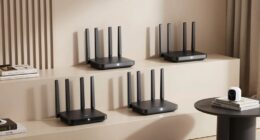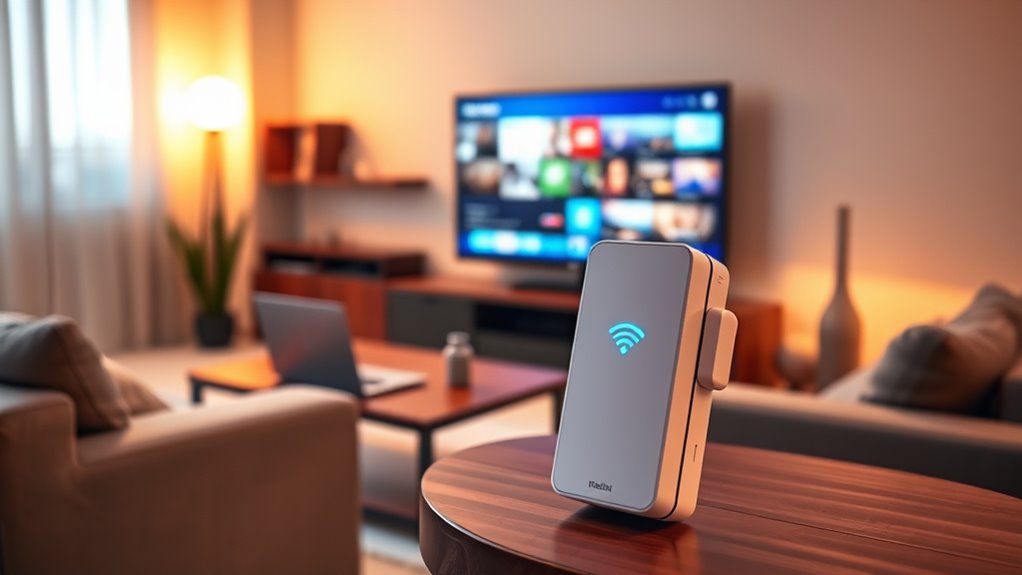
WiFi range extenders can help reach rooms where your router’s signal is weak, but the best choice depends on your router, home layout, and how you connect devices. I’d start with the TP-Link AX3000 WiFi 6 Range Extender as the best overall pick for its WiFi 6 support and gigabit Ethernet port. The TP-Link RE815X suits buyers who want tri-band operation, while the NETGEAR EX6120 is a simpler fit for basic coverage needs. The main tradeoff is between newer wireless features and the cost and setup demands they can bring; advertised coverage figures alone don’t predict results in every home. Read on for the full breakdown, buying advice, and answers to common questions.

Get the latest gadgets delivered free with Prime
- Fast, free delivery on millions of items
- Prime Video, Amazon Music and more included
- Member-only deals all year
Complete the kit



Key Takeaways
- TP-Link AX3000 WiFi 6 Range Extender leads this lineup for shoppers seeking WiFi 6 and a gigabit Ethernet connection in one device.
- TP-Link RE815X stands apart with tri-band operation, which may suit a compatible network better than a basic dual-band extender.
- The RE403BE adds a 2.5G port and WiFi 7, making it a premium fit for newer wired equipment rather than a default choice for every home.
- NETGEAR EX6120 and TP-Link RE315 represent simpler AC-class options for buyers who do not need the latest wireless generation.
- Several non-TP-Link listings make large coverage and device-count claims; compare their concrete specifications and setup details instead of treating those figures as guaranteed results.
| TP-Link AX3000 WiFi 6 Range Extender with Dual-Band and Gigabit Port |  | Best Overall | WiFi standard: WiFi 6 (802.11ax) | Bands: Dual-band | Maximum listed speed: 2404 Mbps (5 GHz), 574 Mbps (2.4 GHz) | VIEW ON AMAZON | See Our Full Breakdown |
| NETGEAR WiFi Extender EX6120, Up to 1,500 sq ft, 1.2 Gbps |  | Best for Simple Dead-Zone Fixes | Bands: Dual-band (2.4 GHz and 5 GHz) | Maximum listed speed: 1.2 Gbps | Coverage: Up to 1,500 sq. ft. | VIEW ON AMAZON | See Our Full Breakdown |
| 2026 1.2Gbps WiFi Extender Signal Booster, Dual Band, Up to 12880 Sq. Ft, Easy Setup with Ethernet Port, White |  | Best for Homes with Adjustable Placement | Bands: Dual-band | Maximum listed speed: 1.2 Gbps on 5 GHz; 300 Mbps on 2.4 GHz | Claimed range: Up to 12,880 sq. ft. | VIEW ON AMAZON | See Our Full Breakdown |
| WiFi Extender Signal Booster 1200Mbps Dual-Band |  | Best for Access Point Mode | Listed bandwidth: 1200 Mbps total | Band speeds: 867 Mbps on 5 GHz; 300 Mbps on 2.4 GHz | Coverage: Up to 5,200 sq. ft. | VIEW ON AMAZON | See Our Full Breakdown |
| TP-Link RE615X AX1800 WiFi 6 Range Extender with Ethernet Port |  | Best Compact WiFi 6 Pick | WiFi standard: WiFi 6 (802.11ax) | Bands: Dual-band (2.4 GHz and 5 GHz) | Maximum listed speed: 1201 Mbps (5 GHz), 574 Mbps (2.4 GHz) | VIEW ON AMAZON | See Our Full Breakdown |
| TP-Link RE515X AX1500 WiFi 6 Range Extender with Ethernet Port |  | Best for WiFi 6 Homes | WiFi standard: WiFi 6 (802.11ax) | 5 GHz speed: Up to 1201 Mbps | 2.4 GHz speed: Up to 300 Mbps | VIEW ON AMAZON | See Our Full Breakdown |
| WiFi Extender 2026 50X WiFi 6 Booster AX3000 |  | Best for High Device Counts | WiFi generation: WiFi 6 | Maximum listed speed: Up to 3000 Mbps | Bands: Dual-band: 2.4 GHz and 5.8 GHz | VIEW ON AMAZON | See Our Full Breakdown |
| TP-Link AC1900 WiFi Range Extender RE550 |  | Best for Adjustable Coverage | Wireless standard: WiFi 5 (802.11ac), AC1900 | 5 GHz speed: Up to 1300 Mbps | 2.4 GHz speed: Up to 600 Mbps | VIEW ON AMAZON | See Our Full Breakdown |
| 2026 WiFi Extender, Repeater, Booster, Covers Up to 10,000 Sq.ft and 80 Devices, with Ethernet Port |  | Best Compact Option | Wireless compatibility: 802.11ax | Data transfer rate: 1200 Mbps | Frequency bands: Dual-band | VIEW ON AMAZON | See Our Full Breakdown |
| TP-Link RE815X AX5400 WiFi 6 Tri-Band Range Extender with Ethernet Port |  | Best Premium Capacity | WiFi standard: WiFi 6 (802.11ax) | Total listed bandwidth: Up to 5400 Mbps | Frequency bands: Tri-band: 2.4 GHz and two 5 GHz bands | VIEW ON AMAZON | See Our Full Breakdown |
| 1200Mbps Dual Band WiFi Extender Signal Booster for Home |  | Best for Device Capacity | Maximum speed: 1200 Mbps | Bands: 2.4 GHz and 5 GHz | Stated coverage: Up to 3600 sq. ft. | VIEW ON AMAZON | See Our Full Breakdown |
| TP-Link BE3200 Wi-Fi 7 Dual-Band Range Extender RE223BE with Ethernet Port |  | Best for Wi-Fi 7 Upgrades | Wi-Fi standard: Wi-Fi 7 | Bands: 2.4 GHz and 5 GHz | Maximum speed: 2594 Mbps (5 GHz), 688 Mbps (2.4 GHz) | VIEW ON AMAZON | See Our Full Breakdown |
| WiFi Extender Signal Booster for Home Up to 5000 sq.ft and 50 Devices, Wireless Repeater with Ethernet Port, Alexa Compatible |  | Best for Basic 2.4 GHz Coverage | Stated coverage: Up to 5000 sq. ft. | Device support: Up to 50 devices | Frequency: 2.4 GHz | VIEW ON AMAZON | See Our Full Breakdown |
| TP-Link BE6300 Wi-Fi 7 Dual-Band Range Extender RE403BE with 2.5G Port |  | Best for Fast Wired Backhaul | Wi-Fi standard: Wi-Fi 7 | Bands: 2.4 GHz and 5 GHz | Total bandwidth: 6.3 Gbps | VIEW ON AMAZON | See Our Full Breakdown |
| TP-Link AC1200 WiFi Extender Dual Band (RE315) |  | Best for Simple Dead-Zone Fixes | Wi-Fi bands: 2.4 GHz and 5 GHz | Total bandwidth: 1.2 Gbps | Maximum speed by band: 867 Mbps (5 GHz), 300 Mbps (2.4 GHz) | VIEW ON AMAZON | See Our Full Breakdown |
| wifi range extender | Ethernet | Bands | Antennas |
|---|---|---|---|
| TP-Link AX3000 WiFi 6 Range Ex | Gigabit Ethernet | Dual-band | — |
| NETGEAR WiFi Extender EX6120 | Fast Ethernet (10/100 Mbps) | Dual-band (2.4 GHz and 5 GHz) | — |
| 2026 1.2Gbps WiFi Extender Sig | Port included; speed not specified | Dual-band | Four adjustable external antennas |
| WiFi Extender Signal Booster 1 | Port included; speed not specified | — | — |
| TP-Link RE615X AX1800 WiFi 6 R | Gigabit | Dual-band (2.4 GHz and 5 GHz) | Two high-gain directional antennas |
| TP-Link RE515X AX1500 WiFi 6 R | 1 Gigabit Ethernet port | — | 2 high-gain directional antennas |
| WiFi Extender 2026 50X WiFi 6 | Port included | Dual-band: 2.4 GHz and 5.8 GHz | — |
| TP-Link AC1900 WiFi Range Exte | Gigabit Ethernet port | — | 3 adjustable external antennas |
| 2026 WiFi Extender | Port included | — | — |
| TP-Link RE815X AX5400 WiFi 6 T | Gigabit Ethernet port | — | 4 high-gain directional antennas |
| 1200Mbps Dual Band WiFi Extend | Yes | 2.4 GHz and 5 GHz | 4 high-gain antennas |
| TP-Link BE3200 Wi-Fi 7 Dual-Ba | — | 2.4 GHz and 5 GHz | 4 |
| WiFi Extender Signal Booster f | Yes | — | — |
| TP-Link BE6300 Wi-Fi 7 Dual-Ba | 1 × 2.5 Gbps port | 2.4 GHz and 5 GHz | 4 external antennas |
| TP-Link AC1200 WiFi Extender D | Yes | — | — |
More Details on Our Top Picks
TP-Link AX3000 WiFi 6 Range Extender with Dual-Band and Gigabit Port
The TP-Link AX3000 is my strongest all-around pick for extending a WiFi 6 network because its 5 GHz link has more headroom than the RE615X AX1800, while its Gigabit Ethernet port can connect a wired device without the slower Fast Ethernet ceiling found on the NETGEAR EX6120. OFDMA, MU-MIMO and Beamforming are designed to manage traffic across multiple devices and direct coverage where it is needed, making this a better fit for a busy home than a basic dead-zone fix.
Its OneMesh compatibility can help create a more unified TP-Link setup, and the Tether app simplifies placement and setup. The tradeoff is that an extender still relies on a usable signal from the router, so the claimed coverage is not a guarantee through walls or across every floor. It also does not work with TP-Link Deco mesh systems.
Pros:- WiFi 6 features include OFDMA, MU-MIMO and Beamforming
- Higher listed 5 GHz speed than the TP-Link RE615X AX1800
- Gigabit Ethernet supports faster wired links than the NETGEAR EX6120’s Fast Ethernet port
- Tether app setup and OneMesh compatibility
Cons:- Does not work with TP-Link Deco mesh systems
- Coverage and performance depend on router placement, obstacles and the signal reaching the extender
- An extender improves reach but does not increase the internet speed supplied by the connection
Best for: Households with a WiFi 6 router, several connected devices and a wired device to place beyond the router’s usual reach
Not ideal for: Owners of TP-Link Deco mesh systems or homes where the router signal is already too weak at the extender location
- WiFi standard:WiFi 6 (802.11ax)
- Bands:Dual-band
- Maximum listed speed:2404 Mbps (5 GHz), 574 Mbps (2.4 GHz)
- Ethernet:Gigabit Ethernet
- Coverage:Up to 2400 sq. ft.
- Wireless technologies:OFDMA, Beamforming, MU-MIMO
- Compatibility:All WiFi-enabled devices and routers; OneMesh compatible
- Setup:TP-Link Tether app
Our verdict“Choose the TP-Link AX3000 if you want a WiFi 6 extender with strong listed dual-band capacity and a Gigabit port for a wired device.”
NETGEAR WiFi Extender EX6120, Up to 1,500 sq ft, 1.2 Gbps
The NETGEAR EX6120 is aimed at buyers who want to cover a modest dead zone without needing the WiFi 6 feature set of the TP-Link AX3000 or RE615X. Its dual-band design and choice of app or WPS setup keep the process accessible, while WPA3 provides a current security option. With listed coverage of 1,500 sq. ft., it is the more restrained fit for a room or small area where the router still reaches the extender reliably.
The main compromise is its 10/100 Mbps Ethernet port, which limits wired-device links compared with the Gigabit ports on both TP-Link models. Its listed speed is also lower than the AX3000’s, so I would not choose it for a demanding multi-device extension job. The EX6120 makes sense when straightforward setup matters more than newer WiFi features or fast wired backhaul.
Pros:- Setup can use either the app or WPS
- Dual-band operation
- WPA3 security support
- Wired connection option for a nearby device
Cons:- Fast Ethernet port is limited to 10/100 Mbps
- Listed 1,500 sq. ft. coverage is lower than the TP-Link AX3000 and RE615X
- Requires a usable router signal where the extender is installed
Best for: People seeking an uncomplicated way to extend a compatible router’s signal into one nearby room or small dead zone
Not ideal for: WiFi 6 households, larger homes or buyers who need a Gigabit wired connection for a TV, console or desktop
- Bands:Dual-band (2.4 GHz and 5 GHz)
- Maximum listed speed:1.2 Gbps
- Coverage:Up to 1,500 sq. ft.
- Ethernet:Fast Ethernet (10/100 Mbps)
- Security:WPA3
- Setup:App or WPS
Our verdict“Pick the EX6120 for a small, simple coverage fix when WPS or app setup matters more than WiFi 6 and Gigabit Ethernet.”
2026 1.2Gbps WiFi Extender Signal Booster, Dual Band, Up to 12880 Sq. Ft, Easy Setup with Ethernet Port, White
This extender’s clearest point of difference is its set of four adjustable external antennas. They give buyers more flexibility to orient the device toward a weak-signal area, unlike the more compact TP-Link AX3000 and RE615X, whose listed descriptions do not specify adjustable antennas. Dual-band operation, beamforming and an Ethernet port add options for directing coverage and connecting a nearby wired device. WPA3 and device isolation are also listed for buyers who want those security features.
The headline range of 12,880 sq. ft. is far above the TP-Link AX3000’s listed 2,400 sq. ft., but that claim alone cannot tell a buyer how the extender will perform in a particular building. Its 5 GHz figure is 1.2 Gbps, and the description says setup may be complex for non-technical users. I would favor this model when antenna placement is useful, while choosing a TP-Link WiFi 6 option for clearer ecosystem compatibility and a stated Gigabit port.
Pros:- Four adjustable external antennas allow flexible positioning
- Dual-band operation with beamforming
- WPA3 encryption and device isolation are listed
- Ethernet port supports a wired device connection
Cons:- Setup may be challenging for non-technical users
- The unusually large range claim does not establish real coverage in a specific home
- The supplied data does not identify a WiFi standard or Ethernet port speed
Best for: Buyers willing to adjust external antennas to improve reception toward a particular room or section of a home
Not ideal for: Less technical buyers seeking a clearly specified WiFi 6 model, or anyone relying on the very large coverage claim as a guaranteed result
- Bands:Dual-band
- Maximum listed speed:1.2 Gbps on 5 GHz; 300 Mbps on 2.4 GHz
- Claimed range:Up to 12,880 sq. ft.
- Antennas:Four adjustable external antennas
- Wireless technology:Beamforming
- Ethernet:Port included; speed not specified
- Security:WPA3 encryption, device isolation
- Color:White
Our verdict“Consider this extender if adjustable antennas matter more to you than the TP-Link models’ stated WiFi 6 and Gigabit specifications.”
WiFi Extender Signal Booster 1200Mbps Dual-Band
The standout reason to consider this extender is its Access Point mode, which lets it extend coverage from a wired network connection. That gives it a different role from the TP-Link AX3000 and RE615X, which are the stronger documented choices for WiFi 6 wireless extension but do not list AP mode in the supplied specs. Its dual-band bandwidth is listed as 867 Mbps on 5 GHz and 300 Mbps on 2.4 GHz, with an Ethernet port for a wired link.
That flexibility comes with older 802.11a/b/g/n standards, unlike the WiFi 6 TP-Link options, and its WPA-PSK/WPA2-PSK encryption listing does not include WPA3 as the NETGEAR EX6120 does. The claimed 5,200 sq. ft. coverage should be treated as a stated maximum, since walls and placement affect reach. Setup may require turning off mobile data or resetting if problems arise, adding friction compared with app-guided TP-Link setup.
Pros:- Access Point mode supports coverage from a wired network connection
- Dual-band operation with listed 867 Mbps on 5 GHz
- Ethernet port supports wired connectivity
- Listed coverage reaches up to 5,200 sq. ft.
Cons:- Uses 802.11a/b/g/n standards rather than WiFi 6
- Security listing specifies WPA-PSK/WPA2-PSK, not WPA3
- Setup troubleshooting may require disabling mobile data or resetting the device
Best for: Buyers who can run Ethernet to the extender and want to use Access Point mode to bring WiFi to another area
Not ideal for: WiFi 6 buyers or households seeking the newer security option listed for the NETGEAR EX6120
- Listed bandwidth:1200 Mbps total
- Band speeds:867 Mbps on 5 GHz; 300 Mbps on 2.4 GHz
- Coverage:Up to 5,200 sq. ft.
- Ethernet:Port included; speed not specified
- Wireless standards:IEEE 802.11a/b/g/n
- Encryption:WPA-PSK/WPA2-PSK
- Modes:Range extender and Access Point
Our verdict“Choose this model when you can feed it Ethernet and want AP mode, but favor the TP-Link AX3000 for a modern WiFi 6 wireless extender.”
TP-Link RE615X AX1800 WiFi 6 Range Extender with Ethernet Port
The TP-Link RE615X AX1800 is a sensible WiFi 6 option for buyers who want a Gigabit Ethernet port and app-based setup without stepping up to the AX3000’s higher listed 5 GHz speed. Its 1,201 Mbps 5 GHz and 574 Mbps 2.4 GHz figures are suited to extending a typical dual-band home network, while the two high-gain directional antennas offer a way to focus the signal. Compared with the NETGEAR EX6120, it brings WiFi 6 and Gigabit Ethernet; compared with the TP-Link AX3000, it gives up 5 GHz headroom.
Listed coverage is up to 2,100 sq. ft., slightly below the AX3000’s figure, and real reach still depends on where it can receive the router’s signal. It supports EasyMesh and the Tether app, but the supplied data says it is not compatible with Deco systems. It is a balanced choice for moderate needs, not a substitute for improving a weak router connection.
Pros:- WiFi 6 dual-band support
- Gigabit Ethernet port for a wired device
- Two high-gain directional antennas
- EasyMesh compatibility and setup through the Tether app
Cons:- Lower listed 5 GHz speed than the TP-Link AX3000
- Does not support the 6 GHz band
- Coverage varies with layout and is listed below the AX3000’s maximum
Best for: WiFi 6 households with moderate coverage needs that want directional antennas, app setup and a Gigabit port for a wired device
Not ideal for: Buyers needing the higher listed 5 GHz capacity of the TP-Link AX3000 or compatibility with TP-Link Deco mesh
- WiFi standard:WiFi 6 (802.11ax)
- Bands:Dual-band (2.4 GHz and 5 GHz)
- Maximum listed speed:1201 Mbps (5 GHz), 574 Mbps (2.4 GHz)
- Ethernet:Gigabit
- Coverage:Up to 2,100 sq. ft.
- Antennas:Two high-gain directional antennas
- Compatibility:EasyMesh-compatible; supports AX devices
- Setup:TP-Link Tether app
Our verdict“Choose the RE615X if you want a balanced WiFi 6 extender with directional antennas and Gigabit Ethernet for moderate coverage needs.”
TP-Link RE515X AX1500 WiFi 6 Range Extender with Ethernet Port
The RE515X is a sensible match for homes with a WiFi 6 router where coverage gaps matter more than adding another high-bandwidth radio. Its stated coverage reaches up to 1,800 sq. ft., and the two directional antennas and Beamforming are intended to focus the extended signal toward devices. Compared with the older TP-Link RE550, it trades a third antenna and higher listed dual-band rates for WiFi 6 support. The Gigabit Ethernet port also gives a nearby wired device a connection to the extended network. EasyMesh support can help it fit into a compatible setup, but the feature depends on the router. Like other repeaters, it cannot raise the speed delivered by the internet plan, and its real coverage depends on placement, walls, and the source router.
Pros:- WiFi 6 support suits compatible newer routers and devices
- Two directional high-gain antennas and Beamforming focus the extended signal
- Gigabit Ethernet port supports a wired connection
- EasyMesh compatibility can support a more unified network with compatible routers
Cons:- Listed coverage is lower than the RE550’s stated 2,100 sq. ft.
- An extender does not increase the internet speed supplied by the router
- Performance varies with router capability, placement, and obstacles
Best for: Households with a WiFi 6 router that need coverage in a nearby room and want a wired port for a TV, console, or desktop.
Not ideal for: Owners of Deco mesh systems or buyers seeking a major speed increase rather than better signal reach.
- WiFi standard:WiFi 6 (802.11ax)
- 5 GHz speed:Up to 1201 Mbps
- 2.4 GHz speed:Up to 300 Mbps
- Listed coverage:Up to 1,800 sq. ft.
- Antennas:2 high-gain directional antennas
- Ethernet:1 Gigabit Ethernet port
- Mesh compatibility:EasyMesh-compatible
Our verdict“Choose the RE515X if your WiFi 6 router needs help reaching a nearby dead zone and you value a wired port.”
WiFi Extender 2026 50X WiFi 6 Booster AX3000
This AX3000 extender is pitched at homes with many connected devices, with claimed support for 165+ devices and dual-band speeds up to 3000 Mbps. Those figures make it stand apart from the TP-Link RE515X, whose listed speeds are lower and whose coverage claim is far more modest. The tradeoff is that the 50X listing supplies little detail on how its large 25,699 sq. ft. coverage figure was measured, or on router-brand compatibility and advanced security. Treat the headline range as a claim rather than a guarantee; an extender still depends on a usable signal from the main router. Repeater and AP modes add flexibility, while WPS promises a quick start. This pick suits buyers who want the advertised capacity and can accept less documentation when choosing and configuring a network device.
Pros:- Advertised dual-band speeds reach up to 3000 Mbps
- Claims support for more than 165 devices
- Repeater and access point modes offer two setup options
- Includes an Ethernet port and WPS setup
Cons:- Very large coverage claim is not accompanied by measurement details
- Router compatibility is not clearly specified
- Advanced security features are not detailed
Best for: Households with many smart home devices that want a dual-band extender with repeater and access point modes.
Not ideal for: Buyers who need clearly documented router compatibility, security details, or dependable whole-home range estimates.
- WiFi generation:WiFi 6
- Maximum listed speed:Up to 3000 Mbps
- Bands:Dual-band: 2.4 GHz and 5.8 GHz
- Claimed coverage:Up to 25,699 sq. ft.
- Device support:165+ devices claimed
- Modes:Repeater and AP
- Ethernet:Port included
Our verdict“Consider the 50X for a device-heavy home if its broad capacity claims suit your needs and you are comfortable with limited specifications.”
TP-Link AC1900 WiFi Range Extender RE550
With three adjustable external antennas and listed coverage up to 2,100 sq. ft., the RE550 gives buyers more flexibility to aim its extended signal than the two-antenna TP-Link RE515X. Its AC1900 dual-band specification lists up to 1300 Mbps on 5 GHz and 600 Mbps on 2.4 GHz, but it uses WiFi 5 rather than the RE515X’s WiFi 6. That makes the RE550 a better fit for a compatible older router than for someone building around newer WiFi 6 devices. The Gigabit Ethernet port serves a nearby wired device, and EasyMesh can help with compatible routers; it does not work with Deco systems. TP-Link notes that extender speeds can fall relative to the existing WiFi, so antenna adjustability and reach are the main reasons to choose it.
Pros:- Three adjustable external antennas allow signal direction changes
- Listed coverage reaches up to 2,100 sq. ft.
- Gigabit Ethernet port supports a wired device
- Tether app setup and EasyMesh support with compatible routers
Cons:- Uses WiFi 5 rather than the RE515X’s WiFi 6
- Extender speeds may be lower than the existing WiFi connection
- Not compatible with Deco mesh systems
Best for: Owners of an older dual-band router who want adjustable antennas, broader listed coverage, and a wired port.
Not ideal for: Buyers prioritizing WiFi 6 features or compatibility with TP-Link Deco mesh systems.
- Wireless standard:WiFi 5 (802.11ac), AC1900
- 5 GHz speed:Up to 1300 Mbps
- 2.4 GHz speed:Up to 600 Mbps
- Listed coverage:Up to 2,100 sq. ft.
- Antennas:3 adjustable external antennas
- Ethernet:Gigabit Ethernet port
- Mesh compatibility:EasyMesh-compatible routers; not Deco
- Setup:TP-Link Tether app
Our verdict“Pick the RE550 if antenna flexibility and its larger stated coverage suit an older router better than WiFi 6 support.”
2026 WiFi Extender, Repeater, Booster, Covers Up to 10,000 Sq.ft and 80 Devices, with Ethernet Port
At 2.5 × 3 × 3 inches, this black dual-band extender has a compact listed footprint, a useful distinction from larger units such as the antenna-equipped TP-Link RE550. It claims up to 10,000 sq. ft. of coverage and support for 80 devices, but the supplied data does not explain those figures in detail. The stated 1200 Mbps rate and 802.11ax compatibility point to a WiFi 6-class device, while the listing also calls for a compatible router for best performance. WPS and a smartphone app are offered for setup, and an Ethernet port can connect a nearby wired device. The compact dimensions may appeal where outlet space is tight, though they sit alongside a note about external antennas that may feel bulky. Treat range as dependent on the source signal and home layout.
Pros:- Compact listed dimensions can fit tighter outlet locations
- 802.11ax compatibility and dual-band operation
- Includes an Ethernet port for a wired device
- WPS and smartphone app setup are listed
Cons:- The 10,000 sq. ft. coverage claim lacks supporting measurement details
- A compatible router is recommended for optimal performance
- Product data gives conflicting impressions about the external antennas and compact form
Best for: Apartment dwellers or small-home users who need a compact extender with a wired port and have a compatible router.
Not ideal for: Buyers who need well-documented coverage claims or a clearly specified antenna configuration.
- Wireless compatibility:802.11ax
- Data transfer rate:1200 Mbps
- Frequency bands:Dual-band
- Claimed range:Up to 10,000 sq. ft.
- Device capacity:Up to 80 devices claimed
- Dimensions:2.5 × 3 × 3 inches
- Ethernet:Port included
- Warranty:1 year
Our verdict“Choose this model when compact dimensions and an Ethernet port matter more than detailed evidence behind its range claim.”
TP-Link RE815X AX5400 WiFi 6 Tri-Band Range Extender with Ethernet Port
The RE815X is the most capable option here on paper: its tri-band WiFi 6 design combines one 2.4 GHz band with two 5 GHz bands and lists total bandwidth up to 5400 Mbps. Compared with the dual-band TP-Link RE515X, that extra band and four directional antennas are aimed at homes with more demanding traffic and multiple devices. Beamforming, 1024-QAM, and 160 MHz channels add technical headroom for compatible equipment, while a Gigabit Ethernet port provides a wired connection. OneMesh support applies only with compatible routers, and the listing says it is not compatible with Deco systems. The high aggregate figure is not a promise that a single device will reach that speed: the router, client devices, placement, and obstacles all shape actual performance.
Pros:- Tri-band WiFi 6 design offers more listed bandwidth than dual-band alternatives
- Four high-gain directional antennas and Beamforming
- Supports 1024-QAM and 160 MHz channels
- Gigabit Ethernet port and OneMesh support with compatible routers
Cons:- OneMesh support does not include Deco systems
- Actual speeds depend on the router, client devices, placement, and obstacles
- A Gigabit Ethernet port may limit wired throughput below the listed aggregate wireless bandwidth
Best for: Households with a compatible OneMesh router, WiFi 6 devices, and several rooms where higher network capacity matters.
Not ideal for: Owners of Deco systems or buyers whose main goal is guaranteed higher internet speed from an extender.
- WiFi standard:WiFi 6 (802.11ax)
- Total listed bandwidth:Up to 5400 Mbps
- Frequency bands:Tri-band: 2.4 GHz and two 5 GHz bands
- Antennas:4 high-gain directional antennas
- Ethernet:Gigabit Ethernet port
- Wireless features:Beamforming, 1024-QAM, 160 MHz channels
- Mesh support:OneMesh with compatible routers
Our verdict“Choose the RE815X for added WiFi 6 capacity when you have a compatible OneMesh router and devices that can use it.”
1200Mbps Dual Band WiFi Extender Signal Booster for Home
This extender is the lineup’s capacity pick: its stated support for up to 80 devices suits a busy smart home better than the TP-Link AC1200 RE315, which lists support for up to 32. Four high-gain antennas and dual-band operation are intended to help carry connections into dead zones, while the Ethernet port gives a nearby wired device another way to connect. Its listed 3600 sq. ft. coverage is useful on paper, though actual reach depends on placement and the router’s signal; an extender cannot raise the internet speed coming into the home. Compared with the newer Wi-Fi 7 TP-Link BE3200, this model offers a larger stated coverage area and more device capacity, but lacks that newer standard and app-based setup details. WPS may simplify installation, though the product description also flags setup complexity.
Pros:- Dual-band 2.4 GHz and 5 GHz operation
- Four high-gain antennas
- Lists support for up to 80 devices
- Ethernet port and multiple operating modes
Cons:- Does not increase the speed supplied by the internet plan
- Setup may take more effort than app-guided models
- Listed router compatibility stops at 802.11ac
Best for: Households with many smart devices and a compatible 802.11ac or older router that need to extend coverage beyond a dead zone.
Not ideal for: Buyers seeking Wi-Fi 7 features, guaranteed whole-home performance, or straightforward app-guided setup.
- Maximum speed:1200 Mbps
- Bands:2.4 GHz and 5 GHz
- Stated coverage:Up to 3600 sq. ft.
- Device support:Up to 80 devices
- Antennas:4 high-gain antennas
- Ethernet:Yes
- Compatibility:802.11ac/a/b/g/n routers
- Security:WPA/WPA2-PSK
Our verdict“Choose this extender if device capacity and a large stated coverage area matter more to you than Wi-Fi 7 or app-guided setup.”
TP-Link BE3200 Wi-Fi 7 Dual-Band Range Extender RE223BE with Ethernet Port
The RE223BE is the lineup’s entry point for Wi-Fi 7, pairing MLO and smart roaming with app-based setup. Those features make it a stronger fit for a newer router and devices that can use the newer standard; the older TP-Link AC1200 RE315 is simpler on paper but lacks Wi-Fi 7 capabilities. Four antennas and Beamforming are intended to direct coverage toward connected devices, and a single Ethernet port can serve a wired device. The tradeoff is that this is still a dual-band extender without 6 GHz, so it does not deliver the full band selection available from some newer Wi-Fi systems. Its stated 2400 sq. ft. coverage is also less than the 2800 sq. ft. listed for the TP-Link BE6300. EasyMesh compatibility does not include Deco systems.
Pros:- Wi-Fi 7 support with MLO
- Tether app setup and management
- Four antennas with Beamforming
- Ethernet port and EasyMesh compatibility
Cons:- No 6 GHz band
- Listed coverage is lower than the BE6300’s
- Not compatible with Deco mesh systems
Best for: Owners of Wi-Fi 7 routers who want app-managed coverage extension and have an EasyMesh-compatible setup outside the Deco line.
Not ideal for: Deco mesh owners, buyers who need 6 GHz, or households prioritizing the larger stated coverage area of the BE6300.
- Wi-Fi standard:Wi-Fi 7
- Bands:2.4 GHz and 5 GHz
- Maximum speed:2594 Mbps (5 GHz), 688 Mbps (2.4 GHz)
- Stated coverage:Up to 2400 sq. ft.
- Antennas:4
- Ethernet ports:1
- Mesh compatibility:EasyMesh; not compatible with Deco systems
- Setup:Tether app
- 6 GHz support:No
Our verdict“Pick the RE223BE if you want Wi-Fi 7 features and Tether app setup in a smaller stated coverage area than the BE6300.”
WiFi Extender Signal Booster for Home Up to 5000 sq.ft and 50 Devices, Wireless Repeater with Ethernet Port, Alexa Compatible
This repeater makes its case with a 5000 sq. ft. stated coverage area, but its listed radio details narrow its use: it operates on 2.4 GHz and tops out at 300 Mbps. That makes it a better match for basic browsing and smart-home connections than for households trying to extend faster 5 GHz streaming or gaming connections. By comparison, the 1200Mbps Dual Band WiFi Extender offers both 2.4 GHz and 5 GHz, giving it more flexibility for mixed use, although its claimed coverage area is smaller. This model’s plug-and-play setup and Ethernet port keep the basics accessible, and it lists support for up to 50 devices. The broad coverage figure should not be read as a guarantee; placement and the signal reaching the extender will shape real results.
Pros:- Lists coverage up to 5000 sq. ft.
- Supports up to 50 devices
- Plug-and-play setup
- Ethernet port for a wired connection
Cons:- Listed frequency is limited to 2.4 GHz
- 300 Mbps maximum data rate may constrain demanding uses
- No external antennas are specified
Best for: People with a compatible router who need a simple 2.4 GHz connection for browsing or smart-home devices in a distant room.
Not ideal for: Households extending 5 GHz Wi-Fi or relying on high-bandwidth gaming, video calls, or streaming.
- Stated coverage:Up to 5000 sq. ft.
- Device support:Up to 50 devices
- Frequency:2.4 GHz
- Data rate:300 Mbps
- Security:WEP, WPA/WPA2
- Ethernet:Yes
- Compatibility:802.11a/b/g/n/ac
- Dimensions:2.3 × 2.1 × 3.3 in.
Our verdict“Choose this repeater for basic 2.4 GHz reach, but select a dual-band model if you need faster or more flexible connections.”
TP-Link BE6300 Wi-Fi 7 Dual-Band Range Extender RE403BE with 2.5G Port
The RE403BE stands apart through its 2.5 Gbps Ethernet port, which gives a nearby wired device or network connection more headroom than the single Ethernet port on the TP-Link BE3200. Its Wi-Fi 7 dual-band design and four external antennas target broader coverage, with a stated area of up to 2800 sq. ft. That makes it a better fit than the BE3200 for buyers who want the larger listed coverage area and a faster wired port. The tradeoff is that neither model includes 6 GHz, and the advertised 6.3 Gbps total bandwidth should not be mistaken for a guaranteed client speed. The product data also says a Wi-Fi 6 or newer router is needed for full feature support. Like other extenders, it can improve reach without raising the internet plan’s speed.
Pros:- 2.5 Gbps Ethernet port
- Wi-Fi 7 dual-band support
- Four external antennas
- Beamforming, MU-MIMO, and OFDMA support
Cons:- No 6 GHz band
- Full feature support requires a Wi-Fi 6 or newer router
- Extending coverage does not raise the internet plan’s maximum speed
Best for: Wi-Fi 6 or newer router owners who need extended coverage plus a high-speed Ethernet connection for a wired device.
Not ideal for: Buyers with older routers seeking all listed features, or those who specifically need 6 GHz coverage.
- Wi-Fi standard:Wi-Fi 7
- Bands:2.4 GHz and 5 GHz
- Total bandwidth:6.3 Gbps
- Stated coverage:Up to 2800 sq. ft.
- Ethernet:1 × 2.5 Gbps port
- Antennas:4 external antennas
- Supported features:Beamforming, MU-MIMO, OFDMA, TWT, BSS Coloring, Airtime Fairness
- Router requirement:Wi-Fi 6 or newer for full feature support
Our verdict“Choose the RE403BE if a fast wired port and Wi-Fi 7 matter more than 6 GHz support or compatibility with an older router.”
TP-Link AC1200 WiFi Extender Dual Band (RE315)
The RE315 is a straightforward choice for a few stubborn dead zones: its 1500 sq. ft. stated coverage, adjustable antennas, and Tether app setup target smaller homes or specific rooms rather than a sprawling layout. Compared with the 1200Mbps Dual Band WiFi Extender, it lists fewer supported devices—up to 32 versus 80—but comes with adjustable external antennas and adaptive path selection. It also offers less listed reach than the TP-Link BE3200, which adds Wi-Fi 7 features for newer networks. The RE315’s simpler AC1200 class may suit buyers with older or mixed devices, though its performance still depends on the router and placement. EasyMesh compatibility is useful with supported routers, but it does not extend Deco mesh systems.
Pros:- Tether app setup and management
- Adjustable external antennas
- Dual-band Wi-Fi with listed 1.2 Gbps total bandwidth
- Ethernet port and adaptive path selection
Cons:- Listed coverage is limited to 1500 sq. ft.
- Supports up to 32 devices
- Not compatible with Deco mesh systems
Best for: People seeking app-guided coverage for a small home or a single dead zone, with a compatible EasyMesh router.
Not ideal for: Large households with many connected devices, users needing broad coverage, or Deco mesh owners.
- Wi-Fi bands:2.4 GHz and 5 GHz
- Total bandwidth:1.2 Gbps
- Maximum speed by band:867 Mbps (5 GHz), 300 Mbps (2.4 GHz)
- Stated coverage:Up to 1500 sq. ft.
- Device support:Up to 32 devices
- Ethernet:Yes
- Setup:TP-Link Tether app
- Mesh compatibility:EasyMesh-compatible routers; not Deco systems
Our verdict“Choose the RE315 for app-guided help with a small dead zone, but look to the BE3200 for Wi-Fi 7 and broader listed coverage.”

How We Picked
I ranked these wifi range extenders by the practical choices their listed features support: wireless generation and bands, presence and speed of Ethernet ports, and the clarity of the available specifications. I gave more weight to identifiable models with concrete details, since buyers can more readily judge how those fit an existing router and wired devices. I also considered usability signals such as setup claims and whether a product appears aimed at basic expansion or a more capable home network.
The order reflects fit across common home needs, not a promise of identical coverage or speed in every building. Newer WiFi 6 and WiFi 7 options rank higher when their capabilities offer a clear path for compatible equipment, while simpler AC models remain useful for modest needs. Products with broad coverage or device-count claims but fewer specific details rank lower because those figures are hard to compare without consistent testing conditions. I account for tradeoffs throughout: a more advanced radio or port can be wasted if the router, internet plan, placement, or client devices cannot use it.
Factors to Consider When Choosing Wifi Range Extenders
Choosing an extender starts with diagnosing the weak spot and understanding what the device can realistically change. I’d check compatibility, placement, and the path between the router and the problem area before comparing headline speeds.
Match the Extender to Your Router and Devices
Wireless generation matters most when it matches equipment already in the home. A WiFi 7 extender can be a sensible fit for newer routers and devices, but it cannot make older clients use WiFi 7. Likewise, upgrading from AC to WiFi 6 may offer limited benefit if the router remains the bottleneck. Check whether the extender supports the bands and security features your router uses. If you expect to replace the router soon, a newer extender may give you more room to grow. If not, a compatible, simpler model may be the more sensible choice.
Plan Placement Before Shopping
An extender needs a usable signal from the router, so placing it inside the dead zone often repeats a weak connection. Find an outlet roughly between the router and the area you want to reach, then check the signal there with a phone or laptop. Walls, floors, mirrors, and appliances can affect the path, so a floor plan rarely tells the whole story. A coverage number on a listing is not a guarantee for a particular house. In a long or multi-floor home, more than one access point or a mesh system may suit the layout better. Choose placement based on the connection path, not simply the room with the worst signal.
Understand How an Extender Affects Traffic
A wireless extender receives and rebroadcasts traffic, so the quality of its link back to the router affects the experience at the far end. The advertised maximum rate describes capabilities under specified conditions; it does not promise that rate on every device. Band and radio design can affect how the extender shares traffic, but the router and client devices remain part of the equation. For video calls or gaming, a stable connection is often more useful than an impressive combined speed figure. Check whether the product’s operating mode and band details are clear before buying. If you need consistently strong performance across several rooms, compare extenders with wired access points or mesh systems.
Decide Whether You Need an Ethernet Port
A wired port can connect a desktop, television, console, or other device that lacks reliable WiFi. It may also help when the extender itself can connect to the router over Ethernet, though supported modes vary by model. Read the port speed carefully: a gigabit port and a 2.5G port serve different wired setups, and the faster port helps only when the connected network equipment supports it. A high-speed port does not by itself improve the extender’s wireless link to the router. If all your devices use WiFi and there is no cable route, the port may add little value. Think about where the extender will sit and which device could actually plug into it.
Weigh Advanced Features Against Setup and Support
Extra bands and newer wireless standards can add flexibility, but they may also make compatibility and setup choices less straightforward. Before ordering, check how the extender joins the existing network and whether it can use the same network name or requires a separate one. Look for clear instructions, update support, and a way to restore factory settings if the connection fails. Treat unusually large coverage or device-count claims as claims to investigate, especially when the listing provides little detail about how they were measured. Paying for advanced features makes more sense when your router and devices can use them. For a simple coverage gap, prioritize clear setup information and a good placement plan.
Frequently Asked Questions
Will a WiFi range extender fix a slow internet connection?
An extender can improve access to a router’s signal in a weak-coverage area, but it cannot increase the speed delivered by your internet service. It also cannot fix congestion, a failing router, or a poor connection between the router and modem. First compare connection performance near the router with performance in the problem room. If both are slow, investigate the service or router before buying an extender. If only the distant room struggles, extending coverage may help, subject to placement and the quality of the link back to the router.
Should I choose an extender with the same WiFi generation as my router?
Matching generations is not mandatory, but the router and client devices determine which features can be used. A newer extender can work with older equipment, though that equipment will not gain capabilities it does not support. If your router is WiFi 6 and your devices are mostly older, a WiFi 6 extender can still connect, but the benefits may be modest. If you plan to upgrade the rest of the network soon, buying for that next setup may make sense. Check each model’s compatibility details rather than relying on the generation label alone.
How can I tell whether I need an extender or a mesh system?
An extender can suit a single weak spot when a usable signal reaches a convenient outlet nearby. Mesh is often a better fit when several rooms or floors need consistent coverage and you want coordinated access points. The right choice also depends on whether you can run Ethernet between network points, since wired backhaul can change performance. Map the affected rooms and note where the router sits before deciding. If your dead zones are scattered or the connection drops as you move around, compare a mesh setup alongside single-extender options.
Does an Ethernet port mean an extender will deliver wired speeds to my devices?
The port gives you a wired connection between a device and the extender, but the extender still has to carry traffic to the router. If that connection is wireless, its quality can limit the speed available at the wired device. Port speed also sets a ceiling, and a faster port helps only when the rest of the network supports it. Check whether the model supports Ethernet backhaul if you plan to connect the extender to the router with a cable. For a wired desktop or console, placement and the extender’s backhaul matter as much as the port itself.
Can I trust a listing that claims coverage for thousands of square feet?
Use advertised coverage as a rough claim, not a prediction for your home. Results depend on walls, floors, interference, router placement, and how the manufacturer defines coverage. Large device-count claims also do not tell you how well those devices will perform at once. Compare listings by concrete details such as wireless generation, bands, port speed, setup information, and support. If a product gives little information beyond a very large coverage figure, it is harder to judge against clearly specified models.
Conclusion
For the best overall, I’d choose the TP-Link AX3000 WiFi 6 Range Extender for its combination of WiFi 6 and gigabit Ethernet. The best value for a basic setup is the TP-Link RE315, provided AC-class coverage fits your needs; beginners wanting a straightforward option can also compare it with the NETGEAR EX6120. For a premium tri-band pick, consider the TP-Link RE815X when the rest of your network can use its capabilities. If you need a newer standard and a faster wired connection, the TP-Link RE403BE is the standout for specific WiFi 7 and 2.5G needs. Choose according to your router, layout, and devices, since those determine whether the extra features will matter.
Fall Picks
fall essentials
As an affiliate, we earn on qualifying purchases.