A Wi-Fi 6E mesh system adds a 6 GHz band to spread compatible devices across more wireless capacity, while mesh nodes extend coverage around the home. My best overall pick is the TP-Link Deco XE75 Pro 3-Pack, which pairs a three-node kit with a wired multi-gig option. The Deco XE70 Pro 3-Pack stands out for households weighing wired connectivity, while the Amazon eero Pro 6E 3-Pack favors a simpler app-led setup. The main tradeoffs are how many nodes you need, whether your devices can use 6 GHz, and whether you value added ports or easier management more. Read on for the full breakdown and guidance on matching a kit to your home.

Get the latest gadgets delivered free with Prime
- Fast, free delivery on millions of items
- Prime Video, Amazon Music and more included
- Member-only deals all year
Complete the kit



Key Takeaways
- Three-node kits dominate this lineup: the XE75 Pro, XE70 Pro, and eero Pro 6E bundles suit buyers who want multiple access points, while the single XE75 is better treated as an expansion or small-home option.
- Deco XE75 and XE75 Pro are not interchangeable: the Pro versions add a 2.5 Gbps port, which matters when the internet plan or wired network can use that speed.
- Kit size can matter more than the model name: a two-pack may suit a compact layout, but larger or multi-story homes may benefit more from a three-pack than from a higher-spec router with too few nodes.
- The eero Pro 6E offers a different setup priority: it is a fit for people who favor app-guided management, while Deco models offer more variation in port configuration and pack size.
- The renewed XE75 Pro 3-Pack needs a condition check: it shares the core model identity of the new three-pack, but buyers should verify included accessories, warranty terms, and return coverage before choosing it.
| TP-Link Deco XE70 Pro Tri-Band Wi-Fi 6E Mesh System, 3-Pack |  | Best Overall | Model: Deco XE70 Pro | System size: 3-pack | Wi-Fi standard: Wi-Fi 6E (802.11ax) | VIEW ON AMAZON | See Our Full Breakdown |
| TP-Link Deco XE75 AXE5400 Tri-Band WiFi 6E Mesh System, 2-Pack |  | Best for Smaller Homes | Model: Deco XE75 | Pack size: 2 units | Wi-Fi standard: Wi-Fi 6E | VIEW ON AMAZON | See Our Full Breakdown |
| TP-Link Deco XE75 AXE5400 Tri-Band WiFi 6E Mesh System, 3-Pack |  | Best for Large Homes | Model: Deco XE75 | Package size: 3-pack | Wi-Fi standard: Tri-band Wi-Fi 6E | VIEW ON AMAZON | See Our Full Breakdown |
| TP-Link Deco XE75 Pro Tri-Band Wi-Fi 6E Mesh System, 2-Pack |  | Best Two-Node Pick for Multi-Gig | Model: Deco XE75 Pro | Package size: 2-pack | Wi-Fi standard: Wi-Fi 6E | VIEW ON AMAZON | See Our Full Breakdown |
| Amazon eero Pro 6E Tri-Band Mesh Wi-Fi System, 3-Pack |  | Best for Simple Setup and Smart-Home Links | Pack size: 3-pack | Wi-Fi standard: Wi-Fi 6E | Maximum network speed: Up to 2.3 Gbps | VIEW ON AMAZON | See Our Full Breakdown |
| TP-Link Deco XE75 Pro AXE5400 Tri-Band Wi-Fi 6E Mesh System, 3-Pack | 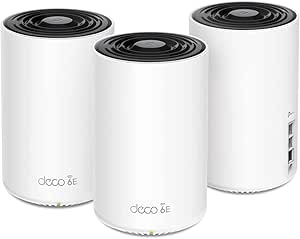 | Best for Large Homes with Wired Devices | Model: Deco XE75 Pro | Pack size: 3 units | Wi-Fi generation: Wi-Fi 6E | VIEW ON AMAZON | See Our Full Breakdown |
| TP-Link Deco XE75 Pro AXE5400 Tri-Band Wi-Fi 6E Mesh System, 3-Pack (Renewed) | | Best Renewed Mesh Pick | Model: Deco XE75 Pro | Condition: Renewed | Pack size: 3 units | VIEW ON AMAZON | See Our Full Breakdown |
| TP-Link Deco XE75 Tri-Band Wi-Fi 6E Mesh System, 1-Pack | 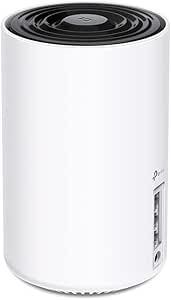 | Best for Expanding an Existing Deco Network | Model: Deco XE75 | Package size: 1 unit | System type: Tri-band Wi-Fi 6E mesh router | VIEW ON AMAZON | See Our Full Breakdown |
| wi fi 6e mesh system | Model | Device capacity | Coverage | Wi-Fi standard |
|---|---|---|---|---|
| TP-Link Deco XE70 Pro Tri-Band | Deco XE70 Pro | Up to 200 devices | Up to 7,200 sq. ft. in description; another supplied detail lists up to 2,900 sq. ft. | Wi-Fi 6E (802.11ax) |
| TP-Link Deco XE75 AXE5400 Tri- | Deco XE75 | Up to 200 devices | — | Wi-Fi 6E |
| TP-Link Deco XE75 AXE5400 Tri- | Deco XE75 | Up to 200 devices | Up to 7,200 sq. ft. | Tri-band Wi-Fi 6E |
| TP-Link Deco XE75 Pro Tri-Band | Deco XE75 Pro | Up to 200 devices | Up to 5,500 sq. ft. | Wi-Fi 6E |
| Amazon eero Pro 6E Tri-Band Me | — | — | Up to 6,000 sq. ft. | Wi-Fi 6E |
| TP-Link Deco XE75 Pro AXE5400 | Deco XE75 Pro | Up to 200 devices | Up to 7,200 square feet | — |
| TP-Link Deco XE75 Pro AXE5400 | Deco XE75 Pro | Up to 200 devices | Up to 7,200 square feet | — |
| TP-Link Deco XE75 Tri-Band Wi- | Deco XE75 | Up to 200 devices | — | — |
More Details on Our Top Picks
TP-Link Deco XE70 Pro Tri-Band Wi-Fi 6E Mesh System, 3-Pack
I’d put the Deco XE70 Pro 3-Pack first for buyers who want a three-node Wi-Fi 6E network plus useful wired flexibility. Its 2.5 Gbps port on every unit can accommodate a multi-gig internet connection or a fast wired device, while two additional Gigabit ports and wired or wireless backhaul give you options for connecting nodes. The system is listed for up to 200 devices and supports app setup and AI-assisted roaming, which suits busy homes with devices spread across several rooms.
Compared with the Deco XE75 3-Pack, the XE70 Pro lists a lower combined maximum rate, but it adds 2.5 Gbps connectivity that the XE75’s listed ports lack. Coverage figures conflict in the supplied details: the description says up to 7,200 sq. ft., while another listing says 2,900 sq. ft. I’d verify the coverage for the exact package before buying.
Pros:- Tri-band Wi-Fi 6E includes 6 GHz for compatible devices and potential congestion relief.
- Each unit has one 2.5 Gbps port plus two Gigabit ports.
- Supports wired and wireless backhaul.
- App setup and AI-assisted roaming simplify network management.
Cons:- Coverage information conflicts between 2,900 and 7,200 sq. ft. in the supplied details.
- Its listed maximum rate of 4.9 Gbps is lower than the Deco XE75 models’ 5.4 Gbps.
- The 6 GHz band’s benefits depend on compatible client devices.
Best for: Households wanting three Wi-Fi 6E nodes, multi-gig wired connectivity, and app-guided roaming across a larger home.
Not ideal for: Buyers who need a confidently stated coverage estimate or who prioritize the highest listed combined wireless speed over 2.5 Gbps ports.
- Model:Deco XE70 Pro
- System size:3-pack
- Wi-Fi standard:Wi-Fi 6E (802.11ax)
- Frequency bands:Tri-band, including 6 GHz
- Maximum data rate:Up to 4.9 Gbps
- Coverage:Up to 7,200 sq. ft. in description; another supplied detail lists up to 2,900 sq. ft.
- Device capacity:Up to 200 devices
- Ports per unit:1 × 2.5 Gbps and 2 × Gigabit
- Backhaul:Wired and wireless
Our verdict“Choose the XE70 Pro 3-Pack if multi-gig ports and three-node flexibility matter more than a clear-cut coverage figure or the XE75’s higher listed combined rate.”
TP-Link Deco XE75 AXE5400 Tri-Band WiFi 6E Mesh System, 2-Pack
The Deco XE75 2-Pack is the more restrained choice for buyers who need Wi-Fi 6E coverage without adding a third node. Its listed reach is up to 5,500 sq. ft., and the system supports up to 200 devices, so the two-unit format can suit a wide, open home or a smaller multi-level layout. The 6 GHz band can serve compatible devices or act as backhaul, giving the system flexibility when you place the nodes.
Against the Deco XE75 3-Pack, this version has the same listed 5,400 Mbps combined rate but fewer units and a lower coverage figure. That makes it a sensible fit when two nodes are enough; it is less compelling for homes with stubborn dead zones. Its ports are Gigabit rather than multi-gig, unlike the XE75 Pro 2-Pack, and some HomeShield controls may require a premium service. A separate modem may also be needed.
Pros:- Tri-band Wi-Fi 6E provides a 6 GHz band for compatible devices or backhaul.
- Two units are rated for coverage up to 5,500 sq. ft.
- Supports up to 200 connected devices.
- Deco app handles setup and network management, with Alexa compatibility.
Cons:- Gigabit LAN ports do not provide a 2.5 Gbps wired connection.
- Some HomeShield security and parental-control functions may require a premium service.
- Most internet providers require a separate modem.
Best for: People in smaller or open-plan homes who want Wi-Fi 6E, a two-node setup, and app-based management for many connected devices.
Not ideal for: Owners of large, segmented homes who need a third node, or multi-gig subscribers seeking a 2.5 Gbps Ethernet port.
- Model:Deco XE75
- Pack size:2 units
- Wi-Fi standard:Wi-Fi 6E
- Frequency bands:2.4 GHz, 5 GHz, and 6 GHz
- Maximum combined data rate:Up to 5,400 Mbps
- Maximum coverage:Up to 5,500 sq. ft.
- Device capacity:Up to 200 devices
- Ports:6 total; Gigabit LAN
- Management:Deco app; Alexa compatibility
Our verdict“Pick this two-unit XE75 when its listed coverage fits your layout and you do not need the extra node or multi-gig port offered by other options.”
TP-Link Deco XE75 AXE5400 Tri-Band WiFi 6E Mesh System, 3-Pack
For a larger home where node placement matters more than multi-gig Ethernet, I’d favor the Deco XE75 3-Pack. Three units are listed to cover up to 7,200 sq. ft., and the 6 GHz band can connect compatible devices or carry backhaul traffic between nodes. Its 5,400 Mbps combined rate and capacity for up to 200 devices give it a strong spec profile for a busy household, while the Deco app keeps setup and management approachable.
Compared with the XE75 2-Pack, the extra unit and higher listed coverage are the main reasons to choose this package; the combined rate is the same. The tradeoff is wired speed: its ports are Gigabit, so the XE75 Pro 2-Pack is a better match for multi-gig internet or wired equipment that can use a 2.5 Gbps connection. A modem may be required, and 6 GHz benefits require compatible devices.
Pros:- Three-node system is listed for coverage up to 7,200 sq. ft.
- Tri-band Wi-Fi 6E offers a 6 GHz band for compatible clients or backhaul.
- Supports up to 200 devices.
- Deco app provides setup and network management.
Cons:- All listed ports are Gigabit, unlike the 2.5 Gbps port on the XE75 Pro 2-Pack.
- A separate modem may be required for most internet providers.
- The 6 GHz band’s client-device benefits require Wi-Fi 6E compatibility.
Best for: Families or remote workers in large, multi-room homes who need three mesh nodes and broad Wi-Fi 6E coverage.
Not ideal for: Buyers with multi-gig wired needs, a modest home suited to two nodes, or few devices capable of using 6 GHz.
- Model:Deco XE75
- Package size:3-pack
- Wi-Fi standard:Tri-band Wi-Fi 6E
- Coverage:Up to 7,200 sq. ft.
- Maximum combined speed:Up to 5,400 Mbps
- Band speeds:6 GHz: 2,402 Mbps; 5 GHz: 2,402 Mbps; 2.4 GHz: 574 Mbps
- Device capacity:Up to 200 devices
- Ports:9 total; 10/100/1000 Mbps LAN
- Security:WPA-Personal, WPA2-Personal, WPA3-Personal
Our verdict“Choose the XE75 3-Pack when broad three-node coverage is the priority and Gigabit wired ports are sufficient.”
TP-Link Deco XE75 Pro Tri-Band Wi-Fi 6E Mesh System, 2-Pack
The Deco XE75 Pro 2-Pack targets a specific need: Wi-Fi 6E mesh coverage with a 2.5 Gbps WAN/LAN port on each unit. That port gives multi-gig internet subscribers more room than the Gigabit-only Deco XE75 2-Pack, and it can connect a fast wired device while the other ports handle ordinary Ethernet gear. Coverage is listed at up to 5,500 sq. ft., with support for as many as 200 devices.
Its 5,400 Mbps combined rate matches the standard XE75 models, so the Pro distinction is primarily wired connectivity, not a higher listed wireless rate. Compared with the XE75 3-Pack, it has one fewer node and a lower coverage figure, but each unit has a 2.5 Gbps port. Skip it if your home needs three access points more than it needs multi-gig Ethernet. A separate modem is required.
Pros:- One 2.5 Gbps WAN/LAN port on each unit supports multi-gig connections.
- Tri-band Wi-Fi 6E includes a dedicated 6 GHz band.
- Two units are listed for coverage up to 5,500 sq. ft.
- Supports up to 200 devices and is managed through the Deco app.
Cons:- Only one 2.5 Gbps port per unit; the other two are Gigabit.
- The 2-pack has a lower listed coverage area than the XE75 3-Pack.
- A separate modem is required.
Best for: Multi-gig internet subscribers with a medium-to-large home who want two mesh units and faster wired connectivity.
Not ideal for: People needing three nodes for distant rooms or buyers whose wired equipment and internet plan are limited to Gigabit speeds.
- Model:Deco XE75 Pro
- Package size:2-pack
- Wi-Fi standard:Wi-Fi 6E
- Frequency bands:2.4 GHz, 5 GHz, and 6 GHz
- Combined data rate:Up to 5,400 Mbps
- Coverage:Up to 5,500 sq. ft.
- Device capacity:Up to 200 devices
- Ports per unit:1 × 2.5 Gbps WAN/LAN and 2 × 1 Gbps LAN
- Modem:Separate modem required
Our verdict“Choose the XE75 Pro 2-Pack if a 2.5 Gbps wired link matters more than having a third mesh node.”
Amazon eero Pro 6E Tri-Band Mesh Wi-Fi System, 3-Pack
The eero Pro 6E 3-Pack stands apart from the Deco options through its mix of guided app setup, TrueMesh traffic routing, and smart-home connectivity. Three units are listed for coverage up to 6,000 sq. ft., and each has a 2.5 Gb and a 1 Gb auto-sensing Ethernet port. Built-in Alexa, Zigbee, Thread, and Bluetooth LE support may also reduce the need for separate hubs in a compatible smart home.
Its listed network speed of up to 2.3 Gbps is much lower than the 5.4 Gbps figures for the Deco XE75 systems, and its coverage figure is below the XE75 3-Pack’s 7,200 sq. ft. Those Deco kits are stronger on stated speed and reach; eero’s appeal is the integrated smart-home radio set and guided management. Some security and network features require a subscription, and setup needs a supported phone or tablet plus internet service.
Pros:- Three units are listed for coverage up to 6,000 sq. ft.
- Each unit includes a 2.5 Gb and a 1 Gb auto-sensing Ethernet port.
- TrueMesh routing is designed to help manage traffic between nodes.
- Built-in Alexa, Zigbee, Thread, and Bluetooth LE support smart-home connections.
Cons:- Listed maximum network speed of 2.3 Gbps is below the Deco XE75 models’ 5.4 Gbps.
- Some security and network-management features require a separate subscription.
- Setup requires a supported iOS or Android device and an internet connection.
Best for: Smart-home households seeking three Wi-Fi 6E nodes, guided app management, and built-in Zigbee or Thread connectivity.
Not ideal for: Buyers prioritizing the highest listed combined Wi-Fi rate, the largest stated coverage area, or subscription-free access to all management features.
- Pack size:3-pack
- Wi-Fi standard:Wi-Fi 6E
- Maximum network speed:Up to 2.3 Gbps
- Coverage:Up to 6,000 sq. ft.
- Connected devices:100+
- Ethernet ports per unit:One 2.5 Gb and one 1 Gb auto-sensing port
- Wireless speed:Up to 1.6 Gbps
- Smart-home connectivity:Alexa, Zigbee, Thread, Bluetooth Low Energy 5.0
- Processor and memory:1 GHz dual-core processor; 1,024 MB RAM
Our verdict“Pick the eero Pro 6E if smart-home integration and guided setup outweigh the Deco systems’ higher listed speeds and coverage.”
TP-Link Deco XE75 Pro AXE5400 Tri-Band Wi-Fi 6E Mesh System, 3-Pack
The three-unit Deco XE75 Pro is the strongest fit here for a large home that needs both broad coverage and faster wired connections. Its advertised coverage reaches up to 7,200 square feet, while the 6 GHz band adds a less-congested wireless option for compatible devices. Unlike the single-unit Deco XE75, this pack is designed to spread mesh coverage across multiple rooms or floors.
Each unit also has a 2.5 Gbps WAN/LAN port plus two Gigabit ports, giving a wired desktop, switch, or faster internet connection more headroom than a system limited to Gigabit ports. The tradeoff is that the 5,400 Mbps figure is a combined theoretical rate, not a single-device speed, and most providers require a separate modem. Choose this over the renewed XE75 Pro if you want a new-condition listing rather than a renewed unit.
Pros:- Three units are rated to cover up to 7,200 square feet
- Tri-band Wi-Fi 6E includes a 6 GHz band
- Each unit has a 2.5 Gbps WAN/LAN port and two Gigabit LAN ports
- Supports up to 200 devices
Cons:- Most internet providers require a separate modem
- The 5,400 Mbps combined rate is a theoretical total across bands, not a per-device speed
- Three units can be excessive for smaller homes
Best for: Owners of large, multi-room homes who want Wi-Fi 6E coverage and a 2.5 Gbps wired connection at each mesh unit.
Not ideal for: Apartment dwellers or buyers seeking one router for a compact space; a three-unit system may be more equipment than they need, and a modem is typically still required.
- Model:Deco XE75 Pro
- Pack size:3 units
- Wi-Fi generation:Wi-Fi 6E
- Frequency bands:2.4 GHz, 5 GHz, and 6 GHz
- Maximum combined data rate:5,400 Mbps
- Coverage:Up to 7,200 square feet
- Device capacity:Up to 200 devices
- Ports per unit:1 x 2.5 Gbps WAN/LAN; 2 x 1 Gbps LAN
- Management:Deco app
Our verdict“Choose this pack for broad Wi-Fi 6E coverage and 2.5 Gbps wired flexibility across a large home, provided you already have or plan to get a modem.”
TP-Link Deco XE75 Pro AXE5400 Tri-Band Wi-Fi 6E Mesh System, 3-Pack (Renewed)
This renewed three-pack keeps the core hardware advantages of the standard Deco XE75 Pro: tri-band Wi-Fi 6E, coverage rated up to 7,200 square feet, and a 2.5 Gbps WAN/LAN port on every unit. Like the new-condition XE75 Pro, it suits a home where one router cannot reliably cover every floor and wired connections matter at more than Gigabit speeds.
Compared with the single-unit Deco XE75, the three nodes provide a practical path to whole-home coverage, while app setup and AI-driven mesh management simplify network administration. The defining tradeoff is condition: this is a renewed product, so buyers should check the seller’s renewal terms and return coverage before choosing it over the standard three-pack. HomeShield’s basic features are included, but Pro features require a paid subscription after the free trial, and most providers require a separate modem.
Pros:- Three-unit system is rated for coverage up to 7,200 square feet
- Dedicated 6 GHz band alongside 2.4 GHz and 5 GHz
- Each unit has a 2.5 Gbps WAN/LAN port and two Gigabit LAN ports
- App-based setup and AI-driven mesh management
Cons:- Renewed condition may not suit buyers who want a new product
- HomeShield Pro features require a paid subscription after the free trial
- Most internet providers require a separate modem
Best for: Buyers who want a three-node Wi-Fi 6E system with 2.5 Gbps ports and are comfortable purchasing a renewed product.
Not ideal for: Shoppers who specifically want a new-condition device or do not want to check renewal and return terms; also a poor fit for homes that do not need three mesh units.
- Model:Deco XE75 Pro
- Condition:Renewed
- Pack size:3 units
- Wi-Fi generation:Wi-Fi 6E (802.11ax)
- Bands:2.4 GHz, 5 GHz, and 6 GHz
- Maximum combined speed:5,400 Mbps
- Coverage:Up to 7,200 square feet
- Device capacity:Up to 200 devices
- Ports per unit:1 x 2.5 Gbps WAN/LAN; 2 x Gigabit LAN
Our verdict“Pick this renewed three-pack if you want the XE75 Pro’s coverage and faster wired ports and are willing to review the renewal terms.”
TP-Link Deco XE75 Tri-Band Wi-Fi 6E Mesh System, 1-Pack
The single-unit Deco XE75 makes the most sense when you need one Wi-Fi 6E router or an extra node for a compatible Deco setup—not a full three-piece coverage package. It can operate on its own and supports up to 5,400 Mbps combined across three bands, including a 6 GHz band rated at 2,402 Mbps. That gives it the same headline combined rate as the XE75 Pro three-pack, but the one-unit package is intended for a very different coverage need.
Compared with the Deco XE75 Pro 3-Pack, this XE75 listing is easier to add selectively to a Deco network, but the supplied data does not list the Pro model’s 2.5 Gbps port or a multi-unit coverage figure. Alexa support, app management, and basic HomeShield controls add convenience; some HomeShield features require a premium service. Most internet providers also require a separate modem.
Pros:- Can operate as a standalone router or join a compatible Deco network
- Tri-band Wi-Fi 6E includes a 6 GHz band
- Supports up to 200 devices
- App setup, remote management, Alexa support, and basic HomeShield features
Cons:- One unit is not a three-node whole-home kit
- A modem is required for most internet providers
- Some HomeShield features require a premium service
Best for: People setting up a Wi-Fi 6E router in a smaller home or adding a compatible node to an existing TP-Link Deco network.
Not ideal for: Buyers who need whole-home coverage from the package alone or specifically need a 2.5 Gbps port; this listing includes one unit and does not specify that faster port.
- Model:Deco XE75
- Package size:1 unit
- System type:Tri-band Wi-Fi 6E mesh router
- Combined speed:Up to 5,400 Mbps
- 6 GHz band:2,402 Mbps (HE160)
- 5 GHz band:2,402 Mbps (HE160)
- 2.4 GHz band:574 Mbps
- Device capacity:Up to 200 devices
- Compatibility:Compatible with other TP-Link Deco systems
Our verdict“Choose the single Deco XE75 for a compact Wi-Fi 6E setup or a targeted Deco-network expansion, not as a substitute for the XE75 Pro three-pack’s listed coverage.”

How We Picked
I compared these eight listings on the factors that change the ownership decision: mesh coverage potential, 6 GHz capability, wired port options, pack size, setup approach, and fit for different homes. Wi-Fi 6E can ease congestion for compatible devices, but the third band does not make every client faster, and walls or node placement still shape real coverage. I gave extra weight to listings that pair useful hardware with enough nodes for whole-home use, rather than treating a model name or a single speed label as a complete measure.
The ranking favors the Deco XE75 Pro 3-Pack as the strongest balance of node count and wired flexibility, followed by alternatives that serve a clearer specific need. I distinguish two- and three-packs because buying too few nodes can undermine a mesh system’s purpose; I also separate standard Deco XE75 models from Pro variants because their wired options differ. The eero earns a place for buyers who prioritize guided management, while the single-unit and renewed listings rank lower for buyers seeking a ready-to-deploy whole-home kit or more predictable purchase conditions.
| wi fi 6e mesh system | Model | Wi-Fi standard | Coverage |
|---|---|---|---|
| TP-Link Deco XE70 Pro Tri-Band | Deco XE70 Pro | Wi-Fi 6E (802.11ax) | Up to 7,200 sq. ft. in description; another supplied detail lists up to 2,900 sq. ft. |
| TP-Link Deco XE75 AXE5400 Tri- | Deco XE75 | Wi-Fi 6E | — |
| TP-Link Deco XE75 AXE5400 Tri- | Deco XE75 | Tri-band Wi-Fi 6E | Up to 7,200 sq. ft. |
| TP-Link Deco XE75 Pro Tri-Band | Deco XE75 Pro | Wi-Fi 6E | Up to 5,500 sq. ft. |
| Amazon eero Pro 6E Tri-Band Me | — | Wi-Fi 6E | Up to 6,000 sq. ft. |
| TP-Link Deco XE75 Pro AXE5400 | Deco XE75 Pro | — | Up to 7,200 square feet |
| TP-Link Deco XE75 Pro AXE5400 | Deco XE75 Pro | — | Up to 7,200 square feet |
| TP-Link Deco XE75 Tri-Band Wi- | Deco XE75 | — | — |
Factors to Consider When Choosing Wi Fi 6e Mesh System
Choosing a Wi-Fi 6E mesh system is less about chasing the biggest wireless number and more about matching the hardware to your floor plan, clients, and wired network. These broader checks can prevent common mismatches that model comparisons alone may not resolve.
1. Match the number of nodes to your floor plan
Mesh coverage depends on both node placement and the route between nodes, so a larger advertised coverage figure cannot account for every wall, floor, or dense building material. Start by identifying weak-signal areas and the places where people use bandwidth-heavy devices, then plan node positions between them. A three-pack can be useful in a multi-story or spread-out home, but adding nodes too close together can create overlap without fixing a distant dead zone. In a compact home, a two-pack may be easier to place well than three units. Avoid buying a one-pack as though it automatically replaces a complete mesh kit; check whether it is meant to act as a standalone router or an added node in a compatible system.
2. Check whether your devices can use the 6 GHz band
The 6 GHz band is available only to compatible Wi-Fi 6E or newer clients, so older phones, laptops, and smart-home devices will use other bands. That makes 6E a stronger fit for a household with newer devices than for one whose clients are mostly older models. Its added spectrum can reduce competition on busy networks, but it does not promise a longer range through walls than lower-frequency bands. Keep high-demand compatible devices closer to a node when possible. If few of your devices support 6 GHz, compare the mesh system’s coverage, wired ports, and management features rather than paying attention only to its 6E label.
3. Decide whether a 2.5 Gbps port has a job in your network
A faster Ethernet port can help connect a multi-gig internet gateway, a wired switch, or a local device that benefits from a faster link. It only pays off when the connected equipment and service can also use that capacity; a standard gigabit connection will not become multi-gig just because one mesh node has a 2.5 Gbps port. Check the port layout across the kit, not just the headline specification for one unit. Wired backhaul can also improve the link between nodes when running Ethernet is practical, though the network’s port count and layout determine how easy that is. If your home has no multi-gig devices or wiring plans, a less expensive model with adequate ports may be a more sensible match.
4. Treat wireless backhaul and Ethernet backhaul differently
Without Ethernet between nodes, a mesh system uses wireless capacity to communicate across the home as well as serve client devices. A dedicated or additional band can help manage that traffic, but walls, distance, and interference still affect the connection between nodes. Ethernet backhaul avoids some of those wireless constraints, provided the home has usable cabling and the mesh kit supports the needed setup. Before buying, check where your modem sits and whether you can place nodes with a reasonably clear path or connect them by wire. Do not assume that a tri-band label means every client always receives a separate, uninterrupted band; band use depends on system design and network conditions.
5. Compare setup and control features with your household’s needs
App-led setup can make installation and basic network checks easier, particularly for households that do not want to manage router settings frequently. More control can matter if you need to separate devices, manage access, or troubleshoot a wired layout, so check which options are included rather than assuming every system offers the same controls. Consider who will maintain the network after installation and whether they are comfortable using a phone app for changes. Also review any account requirements or optional services before purchase, since software policies can affect how you use the system over time. A straightforward interface is useful, but it should not outweigh coverage or port needs that the hardware cannot meet.
6. Decide how much purchase-condition uncertainty you accept
A renewed unit can be a way to select a particular mesh model, but its condition and included items may vary by seller and listing. Check the warranty, return window, included power adapters, and whether the full node count is present before choosing a renewed kit. These details matter especially for mesh systems, where a missing node or accessory can change the coverage plan. A new listing generally makes the expected condition clearer, while a renewed option asks the buyer to verify more of the purchase terms. If dependable support and a complete set are priorities, weigh that certainty against the appeal of a renewed product.
Frequently Asked Questions
Will a Wi-Fi 6E mesh system improve speed on my older devices?
Older devices that lack Wi-Fi 6E cannot connect to the 6 GHz band, so they will not gain that band’s added capacity directly. They can still benefit from better coverage or less congestion if the mesh system is placed well and the network has competing traffic. The size of that benefit depends on the home layout, client capabilities, and internet connection. If most of your devices are older, prioritize the right number of nodes and suitable wired options over 6 GHz alone. A 6E system is a more compelling upgrade when you also expect to add compatible phones, computers, or other clients.
Should I choose a two-pack or a three-pack for my home?
Choose based on the areas that need reliable coverage, not simply the home’s square footage. A two-pack may suit a compact, open layout, while a three-pack can offer more placement options in a spread-out or multi-story home. Extra nodes are not automatically better: poor placement or excessive overlap can limit the benefit. If you can, map where the gateway and nodes can sit before buying and account for walls and floors between them. In this lineup, the three-packs are the more direct choice for whole-home coverage, while the two-packs fit smaller or less demanding layouts.
Is the Deco XE75 Pro worth choosing over the standard Deco XE75?
The deciding difference in these listings is the Pro model’s 2.5 Gbps port, which can serve a multi-gig internet connection or a compatible wired device. If your modem, switch, or wired equipment is limited to gigabit speeds, that port may not change everyday performance. Both models are tri-band Wi-Fi 6E systems, so the Pro label should not be read as a guarantee that wireless coverage will reach farther. Compare the kit size as well: the right number of nodes can matter more than the port upgrade in a large home. Pick the Pro when you have a clear use for multi-gig connectivity; otherwise, the standard version may cover your needs.
Does a 6 GHz band make mesh coverage better through walls?
Not by itself. The 6 GHz band provides additional wireless capacity for compatible clients, but its signal can be more affected by obstructions than lower-frequency Wi-Fi bands. A mesh system’s node locations and the connection between those nodes remain central to coverage. In a home with dense walls, adding a well-placed node or using Ethernet backhaul may help more than relying on 6 GHz reach. Treat 6E as a way to add capacity for suitable devices, not as a fix for every dead zone.
What should I verify before buying the renewed Deco XE75 Pro 3-Pack?
Confirm that the listing includes all three nodes, their power adapters, and any other accessories needed for setup. Check the seller’s stated condition, warranty coverage, and return terms, since these can differ from a new-product purchase. Make sure the renewed model is the XE75 Pro variant if you are choosing it for its 2.5 Gbps port. Also confirm that the system can be added to or configured as you intend if you already own compatible Deco equipment. If those details are unclear, the new three-pack is the simpler choice for a buyer who wants more predictable purchase conditions.
Conclusion
For most households seeking a ready-to-place kit with a strong mix of coverage potential and wired flexibility, I recommend the TP-Link Deco XE75 Pro 3-Pack as best overall. The Deco XE70 Pro 3-Pack is my value-oriented alternative for buyers who want a three-node Deco setup and do not need to choose the XE75 Pro specifically. For a more premium, multi-gig-ready Deco configuration, look to the XE75 Pro and select the two- or three-pack to suit the home. The Amazon eero Pro 6E 3-Pack is my beginner-friendly pick for shoppers who prefer an app-led setup experience. Choose the standard XE75 single unit for a small space or compatible system expansion, and consider the renewed XE75 Pro only after checking its condition, included parts, and warranty. The best match is the kit that fits your layout and devices—not simply the one with the most impressive label.