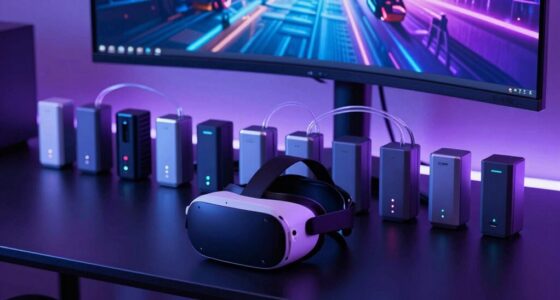
For those seeking reliable remote control over multiple computers, a kvm switch over ip offers a practical solution. The best overall pick, ATEN CN9000 VGA KVM over IP Switch, stands out for its straightforward remote access and compatibility. The Tripp Lite NetCommander 16-Port provides extensive port options for larger setups, while the AweSun IPKVM Switch Q1 offers advanced security and 4K support for high-resolution needs. Buyers face tradeoffs between bandwidth, ease of use, and cost—more ports or higher resolution often require higher investments. Continue reading for a detailed breakdown of each option’s strengths and limitations.

Get the latest gadgets delivered free with Prime
- Fast, free delivery on millions of items
- Prime Video, Amazon Music and more included
- Member-only deals all year
Complete the kit



Key Takeaways
- Top picks are distinguished by their balance of performance, ease of use, and scalability.
- Higher port counts and 4K support generally come with increased price tags and complexity.
- Remote access quality varies significantly, with some models offering BIOS-level control and encryption.
- Compatibility with different video interfaces (VGA, HDMI, DisplayPort) is crucial based on user setup.
- Ease of setup and management is often overlooked but key for non-technical users.
| ATEN CN9000 VGA KVM over IP Switch – Remote Access for 1 Computer |  | Best for Remote Management of Legacy and Modern Systems | Maximum Video Resolution: 1920 x 1200 @ 60Hz | Number of Ports: 1 | Supports: VGA, USB, PS/2 | VIEW ON AMAZON | See Our Full Breakdown |
| Tripp Lite NetCommander 16-Port Cat5 KVM Over IP Switch, 2+1 User, 1U Rack Mount, 3-Year Warranty |  | Best for Large-Scale Multi-User Server Control | Number of Ports: 16 | Video Resolution: 1920 x 1080 at 60Hz | User Support: 2 remote + 1 local | VIEW ON AMAZON | See Our Full Breakdown |
| JetKVM IP KVM Over IP Ethernet Control Any Computer Remotely |  | Best for Customizable, Low-Latency Remote Control | Video Output Interface: USB-C (DisplayPort/HDMI adapters support) | Video Resolution: 1080p at 60FPS | Open Source: Yes | VIEW ON AMAZON | See Our Full Breakdown |
| TESmart 8×1 HDMI KVM Switch 8 Port 4K@30Hz with Remote and Cables |  | Best for Multi-Device HDMI Control with Easy Setup | Number of Ports: 8 HDMI inputs, 1 HDMI output | Resolution Support: 4K@30Hz | Control Methods: IR remote, hotkeys, LAN, RS232 | VIEW ON AMAZON | See Our Full Breakdown |
| Vertiv Avocent AV3000 Rackmount KVM Over IP Switch, 8 Port, VGA, DisplayPort, DVI, HDMI |  | Best for Enterprise Multi-Interface Video Support and Security | Number of Ports: 8 | Video Interfaces: VGA, DVI, DisplayPort, HDMI | Security: Two-factor, AES encryption | VIEW ON AMAZON | See Our Full Breakdown |
| Tripp Lite NetCommander 8-Port Cat5 Compact KVM Over IP Switch |  | Best Overall for Small to Medium Server Rooms | Number of Ports: 8 | Rack Mountable: Yes, 1U | Maximum Video Resolution: 1920 x 1080 at 60Hz | VIEW ON AMAZON | See Our Full Breakdown |
| Tripp Lite NetDirector 16-Port IP KVM Switch with Daisy-Chain Support |  | Best for Large Data Centers with High-Definition Needs | Number of Ports: 16 | Rack Size: 1U | Video Resolution: 2048 x 1536 local, 1600 x 1200 remote | VIEW ON AMAZON | See Our Full Breakdown |
| Eaton 16-Port Rack KVM Over IP Switch with 19-inch LCD Screen |  | Best for Federal and GSA-Compliant Environments | Number of Ports: 16 | Display: 19-inch LCD | Video Resolution: 1920 x 1200 at 60Hz | VIEW ON AMAZON | See Our Full Breakdown |
| AweSun IPKVM Switch Q1, KVM Over IP Device with HDMI & USB & Ethernet Ports |  | Best for Compact, Versatile Remote Control in Industrial or Small-Scale Settings | Operation Mode: Offline Remote Access | Connector Type: HDMI | Control Method: Remote Connectivity Protocol Ethernet | VIEW ON AMAZON | See Our Full Breakdown |
| ATEN 1-Local/Remote Share Access Single Port 4K DisplayPort KVM Over IP Switch |  | Best for High-Resolution Single-Device Control in Critical Environments | Resolution Support: 4K DCI (4096 x 2160) @ 30Hz | Connectivity: DisplayPort, Virtual Media | Power Supply: Dual power supply | VIEW ON AMAZON | See Our Full Breakdown |
| AV Access 4K HDMI USB KVM Extender TCP/IP Over Single Cat5e/6/6a/7 to 390ft |  | Best for Long-Distance 4K Video Transmission Over Network | Maximum Distance: 120m (390ft) | Resolution Support: 4K@30Hz, 1080P@120Hz | USB Ports: 3 USB 2.0 | VIEW ON AMAZON | See Our Full Breakdown |
More Details on Our Top Picks
ATEN CN9000 VGA KVM over IP Switch – Remote Access for 1 Computer
This single-port VGA KVM switch excels in environments where high-resolution VGA output is necessary, supporting up to 1920 x 1200 @ 60Hz, which surpasses many basic IP KVM options like the JetKVM, especially for legacy systems. Its compatibility with both VGA and older PS/2 interfaces makes it a flexible choice for mixed setups. The inclusion of dual LAN and dual power sources enhances reliability, crucial for server room use. However, its setup can be complex, requiring technical skills, and it’s limited to controlling just one computer, making it less suited for multi-server environments. Compared to multi-port solutions like the Tripp Lite 16-Port, this is more specialized but less scalable.
Pros:- Supports high-resolution VGA video up to 1920 x 1200 @ 60Hz
- Compatible with modern and legacy systems including PS/2
- Web-based remote management with multi-language support
- Redundant dual LAN and power for continuous operation
Cons:- Setup can be technically complex and time-consuming
- Limited to controlling only one computer
Best for: IT professionals managing legacy infrastructure needing reliable, high-resolution remote access to single systems.
Not ideal for: Large data centers or users needing to control multiple servers simultaneously, due to its single-port design.
- Maximum Video Resolution:1920 x 1200 @ 60Hz
- Number of Ports:1
- Supports:VGA, USB, PS/2
- Remote Access:Yes
- Dual LAN:Yes
- Dual Power:Yes
Our verdict“This option is best for users needing reliable, high-res remote access to a single legacy or modern system, with a focus on stability.”
Tripp Lite NetCommander 16-Port Cat5 KVM Over IP Switch, 2+1 User, 1U Rack Mount, 3-Year Warranty
The Tripp Lite NetCommander stands out for managing up to 16 servers with support for multiple simultaneous users, including two remote and one local, making it ideal for data centers or IT environments with high user demands. Its high-resolution video (1920 x 1080 at 60Hz) and extensive security features like 128-bit AES encryption and HTTPS set it apart from smaller or less secure options like the JetKVM. While its extensive configuration options and network requirements can intimidate less experienced users, its 3-year warranty and serial port support provide peace of mind for enterprise deployments. Compared to the Vertiv AV3000, this model scales better for larger setups with more ports and user support.
Pros:- Supports up to 16 servers with multiple user sessions
- High-resolution video support and secure encrypted access
- Includes serial ports for device management
- Reliable dual power supplies and 3-year warranty
Cons:- Setup and configuration can be complex and network-intensive
- High cost may be prohibitive for small-scale use
Best for: IT teams managing multiple servers requiring secure, simultaneous remote access with high capacity.
Not ideal for: Small offices or single-user setups, since its scale and complexity exceed basic needs.
- Number of Ports:16
- Video Resolution:1920 x 1080 at 60Hz
- User Support:2 remote + 1 local
- Security:128-bit AES, HTTPS
- Serial Ports:2
- Rack Size:1U
Our verdict“Ideal for enterprise environments needing scalable, secure remote server management for multiple users.”
JetKVM IP KVM Over IP Ethernet Control Any Computer Remotely
The JetKVM IP KVM offers flexible remote control over Ethernet, supporting local, cloud, and Wake on LAN options, making it suitable for specialized setups needing low-latency 1080p streaming at 60FPS. Its open-source Linux foundation allows extensive customization, appealing to technically skilled users who want to tailor their remote access solutions. Compared to plug-and-play models like the TESmart, JetKVM provides a high degree of control flexibility, but setup complexity and limited hardware interfaces mean it’s less user-friendly for beginners. Its hardware dimensions and open platform make it a good fit for advanced users looking for expandable, low-latency control.
Pros:- Supports remote control via local, cloud, and Wake on LAN
- Low latency 1080p streaming at 60FPS
- Open-source Linux platform for customization
- Flexible power options including USB-C and external power
Cons:- Requires technical knowledge for setup and configuration
- Limited to specific hardware interfaces and configurations
Best for: Tech-savvy IT professionals or enthusiasts seeking customizable, low-latency remote control solutions for specific hardware configurations.
Not ideal for: Non-technical users or those seeking straightforward, out-of-the-box solutions without extensive setup.
- Video Output Interface:USB-C (DisplayPort/HDMI adapters support)
- Video Resolution:1080p at 60FPS
- Open Source:Yes
- Power Options:USB-C and external
- Hardware Interface:HDMI, USB Type C
- Operating System:Linux
Our verdict“Best suited for users comfortable with Linux and customization, needing low-latency remote control for complex setups.”
TESmart 8×1 HDMI KVM Switch 8 Port 4K@30Hz with Remote and Cables
The TESmart 8×1 HDMI KVM switch simplifies managing multiple HDMI computers with a single set of peripherals, supporting up to 8 sources with 4K resolution at 30Hz. Its diverse control options, including IR remote, hotkeys, LAN, and RS232, provide flexibility for different environments, especially conference rooms or control centers. The inclusion of 8 dedicated KVM cables streamlines setup, but reliance on remote batteries (not included) and the 30Hz refresh rate at 4K could be limiting for high-end gaming or professional video editing. Its multi-control methods make it more versatile than basic HDMI switches, yet the complexity of configuration may challenge newcomers.
Pros:- Supports 4K at 30Hz, suitable for most office applications
- Multiple control methods including IR remote and LAN
- Includes 8 pre-connected KVM cables for quick setup
- Supports hotkeys, mouse wheel, and RS232 control
Cons:- Remote batteries are not included, requiring additional purchase
- Limited to 30Hz at 4K, not ideal for fast-paced video content
Best for: Office or control room users needing to switch between multiple HDMI sources efficiently and easily.
Not ideal for: High-performance gaming or professional video editing where higher refresh rates are necessary at 4K.
- Number of Ports:8 HDMI inputs, 1 HDMI output
- Resolution Support:4K@30Hz
- Control Methods:IR remote, hotkeys, LAN, RS232
- Included Cables:8 x 5ft KVM cables
- Power:Requires AAA batteries (not included)
Our verdict“Best for multi-device HDMI environments seeking flexible control and straightforward setup, with some compromise on refresh rate.”
Vertiv Avocent AV3000 Rackmount KVM Over IP Switch, 8 Port, VGA, DisplayPort, DVI, HDMI
The Vertiv Avocent AV3000 delivers enterprise-grade remote management with support for multiple video interfaces—VGA, DVI, DisplayPort, and HDMI—making it flexible for diverse hardware environments. Its ability to manage up to 16 servers from a single console, with features like virtual media and AES encryption, sets it apart from smaller or less secure models like the ATEN CN9000. However, with only 8 ports, it may require additional units for larger setups, and its setup can be complex, suited for those with technical experience. The broad video interface support makes it ideal for mixed hardware environments, but it’s less suited for small-scale or straightforward needs.
Pros:- Supports multiple video interfaces including VGA, DVI, DisplayPort, HDMI
- Secure remote access with two-factor authentication and AES encryption
- Enables management of up to 16 servers from one console
- Includes virtual media features
Cons:- Limited to 8 ports, requiring additional units for larger setups
- Setup complexity may challenge less experienced users
Best for: Large enterprises needing multi-interface, secure remote access to multiple servers from a single console.
Not ideal for: Small offices or setups with fewer than 8 servers, due to its scale and complexity.
- Number of Ports:8
- Video Interfaces:VGA, DVI, DisplayPort, HDMI
- Security:Two-factor, AES encryption
- Management:Up to 16 servers
Our verdict“Ideal for large-scale enterprise environments requiring flexible video interface support with high security.”
Tripp Lite NetCommander 8-Port Cat5 Compact KVM Over IP Switch
This switch is the most versatile choice in this lineup, supporting up to 8 servers locally with the ability to cascade and control up to 128 devices. Its secure web interface and virtual media support make it suitable for multi-user environments, outperforming less feature-rich options like the ATEN CN9950, which offers only single-port access. However, its setup complexity means it’s better suited for users with some technical background, and the need for Cat5e/6 cabling can be limiting for shorter distances. Compared to the smaller AweSun Q1, this model provides a broader management capacity at the expense of higher complexity.
Pros:- Supports simultaneous local and remote multi-user access
- Cascading capability extends control to 128 servers
- Secure web-based management with multi-level authentication
- Includes virtual media and PDU control features
Cons:- Complex setup requiring technical expertise
- Limited to 8 ports per unit without cascading, requiring additional units for larger setups
Best for: IT professionals managing small to mid-sized server farms who need scalable, secure remote access.
Not ideal for: Home lab enthusiasts or small offices with limited technical support, due to its setup complexity.
- Number of Ports:8
- Rack Mountable:Yes, 1U
- Maximum Video Resolution:1920 x 1080 at 60Hz
- Remote Support:Yes
- Cascading Support:Yes
- Serial Ports:2
Our verdict“This switch is best suited for organizations needing scalable, secure remote management with advanced features, despite its setup complexity.”
Tripp Lite NetDirector 16-Port IP KVM Switch with Daisy-Chain Support
This 16-port switch is designed for enterprise environments demanding high security and high-resolution video, supporting up to 2048 x 1536 local and 1600 x 1200 remote resolutions. Its robust security protocols like 128-bit SSL and AES encryption surpass the encryption features of the Eaton 16-Port, making it suitable for sensitive data centers. The higher number of ports and support for remote access over LAN, WAN, and the Internet make it more versatile for large-scale operations. Its complexity and cost, however, may be overkill for smaller setups or less security-focused users, who might prefer the simpler Eaton model.
Pros:- Supports remote access via LAN, WAN, and Internet
- High-definition video support up to 2048 x 1536
- Advanced security protocols for sensitive environments
- Daisy-chain support for expanding control
Cons:- Setup may be complex for less experienced users
- Higher price point compared to smaller or simpler switches
Best for: Large-scale data centers or enterprise IT teams requiring extensive remote control with high security and high-res video support.
Not ideal for: Small businesses or home labs, due to the higher cost and setup complexity involved.
- Number of Ports:16
- Rack Size:1U
- Video Resolution:2048 x 1536 local, 1600 x 1200 remote
- Security:128-bit SSL, AES, RSA
- Authentication:RADIUS, LDAP/S
- Maximum Users:64
Our verdict“This switch excels in large, security-sensitive environments needing high-res video and extensive remote access, with a tradeoff in complexity and cost.”
Eaton 16-Port Rack KVM Over IP Switch with 19-inch LCD Screen
The Eaton 16-port switch combines high-resolution VGA output with a built-in 19-inch LCD for local management, making it a practical choice for secure, remote server control in regulated environments. It’s comparable to the NetCommander for its port count but offers a more straightforward interface with its integrated display, which benefits users who prefer local visual access. The TAA compliance makes it appealing for federal projects, though its reliance on VGA limits compatibility with newer display technologies. Its one-year warranty and complex network setup might be drawbacks for smaller or less specialized users.
Pros:- Supports remote management of 16 servers with high-res VGA display
- Secure remote access with advanced encryption
- TAA compliant for federal procurement
- Easy installation in standard 1U rack
Cons:- Limited to VGA video output, not suitable for modern displays
- Requires network configuration for remote access
- Less flexible for users needing HDMI or 4K support
Best for: Government agencies and contractors needing TAA-compliant, secure remote server management within standard rack setups.
Not ideal for: Small offices or users seeking HDMI or 4K video support, due to its VGA-only output and limited resolution.
- Number of Ports:16
- Display:19-inch LCD
- Video Resolution:1920 x 1200 at 60Hz
- Rackmount Size:1U
- Protocols Supported:IPv4, IPv6
- Security Features:128-bit RC4, 3DES, AES, SSL
Our verdict“Ideal for federal or regulated environments seeking secure, TAA-compliant remote control with local display, despite VGA limitations.”
AweSun IPKVM Switch Q1, KVM Over IP Device with HDMI & USB & Ethernet Ports
The AweSun Q1 distinguishes itself with its compact design, supporting BIOS-level access with HDMI, USB, and Ethernet, making it suitable for industrial, remote, or small server environments. Its plug-and-play approach simplifies deployment compared to bulkier options like the NetDirector, though its limited specs mean it’s less ideal for large or security-critical setups. Its support for BIOS control during crashes offers a notable advantage over simpler devices like the ATEN CN9950, especially where system recovery is vital. However, its limited detailed specs and external power requirement could be a concern for some users.
Pros:- Supports BIOS-level control during crashes
- Compact and portable for diverse environments
- Secure encryption with RSA and AES
- Easy plug-and-play setup
Cons:- Limited detailed specifications available
- External power supply needed (12V)
Best for: Small businesses, industrial applications, or remote workers needing BIOS-level control in a portable form factor.
Not ideal for: Large data centers or enterprise environments with high security and extensive management needs, due to its limited features.
- Operation Mode:Offline Remote Access
- Connector Type:HDMI
- Control Method:Remote Connectivity Protocol Ethernet
- Mounting Type:Surface Mount
- Control Type:Push Button
- Upper Temperature Rating:40 °C
Our verdict“This device is perfect for remote, industrial, or small-scale server management where BIOS access and portability outweigh extensive features.”
ATEN 1-Local/Remote Share Access Single Port 4K DisplayPort KVM Over IP Switch
The ATEN CN9950 stands out with its support for 4K DCI resolution, offering crisp visuals for a single PC or server, making it ideal for control rooms or high-end workstations. Its dual LAN and dual power redundancy enhance reliability, comparable to the Eaton in terms of security but with a focus on ultra-high resolution. The virtual media feature simplifies remote updates and troubleshooting, although its complexity in setup may challenge less technical users. Compared with the multi-port options, this switch provides a focused solution for dedicated high-res control, sacrificing expandability for clarity and stability.
Pros:- Supports 4K display resolution for sharp visuals
- Secure BIOS-level remote access without extra software
- Dual LAN and power redundancy for reliable operation
- Virtual media support for updates and troubleshooting
Cons:- Limited to a single device, not suitable for multi-server environments
- Setup can be complex requiring technical expertise
Best for: Control room operators or high-end workstation users requiring single-device, 4K display support with maximum reliability.
Not ideal for: Small office setups or users needing multi-server management, as it only supports one port and device.
- Resolution Support:4K DCI (4096 x 2160) @ 30Hz
- Connectivity:DisplayPort, Virtual Media
- Power Supply:Dual power supply
- LAN:Dual LAN ports
- Remote Access:BIOS-level
- Additional Features:Environment monitoring, reboot control
Our verdict“This switch offers high-resolution, reliable control for a single device, ideal for critical environments where clarity and uptime matter most.”
AV Access 4K HDMI USB KVM Extender TCP/IP Over Single Cat5e/6/6a/7 to 390ft
This KVM extender stands out for its impressive ability to transmit 4K video, audio, and USB signals up to 390 feet over a single Ethernet cable. Unlike the Tripp Lite NetCommander models, which require dedicated hardware and are limited to shorter or more straightforward setups, the AV Access unit leverages existing network infrastructure, making it ideal for large-scale or distributed environments. While the long-distance transmission is a key strength, it does come with tradeoffs: network conditions can affect latency, and setup demands familiarity with network configuration may challenge beginners. Compared to simpler HDMI extenders, this model offers the advantage of remote access over LAN but demands a stable network for optimal performance.
Pros:- Supports stunning 4K resolution at 30Hz for crisp visuals
- Extends signals up to 390 feet, ideal for large spaces
- Utilizes existing Ethernet cables, reducing additional wiring costs
- Plug-and-play with no driver installation required
Cons:- Relies on a stable, well-configured network; poor network conditions can cause latency
- Limited to 16 extender sets within the same network, restricting scalability for very large setups
- Requires Ethernet cables and network knowledge, not suitable for all users
Best for: IT professionals managing remote server rooms or large multimedia installations needing 4K quality over extensive distances.
Not ideal for: Home users or small office setups where short cable runs and plug-and-play simplicity are preferred, as network setup complexity might be overkill.
- Maximum Distance:120m (390ft)
- Resolution Support:4K@30Hz, 1080P@120Hz
- USB Ports:3 USB 2.0
- Control Protocol:IEEE T568B
- Number of Extender Sets:Up to 16
- Power:12V DC
- Operation Mode:OFF-NONE-ON
- Connector Types:HDMI, USB-A, USB-B, RJ45
- Mounting:Rack Mount
Our verdict“This extender is perfect for network-savvy users needing reliable 4K extension over long distances but less ideal for those seeking quick, cable-based solutions without network complexity.”
How We Picked
To evaluate these kvm switch over ip options, I focused on performance, usability, build quality, and value. Performance metrics included resolution support, latency, and remote access reliability. Usability considerations covered setup simplicity, management features, and compatibility with various hardware interfaces. Build quality and warranty terms served as indicators of durability and manufacturer support. Finally, value was assessed by comparing features relative to price, ensuring options suit different budgets without sacrificing essential capabilities. Products were ranked based on how well they balance these factors for typical users and enterprise needs.Factors to Consider When Choosing Kvm Switch Over Ip
Choosing the right kvm switch over ip depends on several key factors beyond just port count or resolution. Understanding your specific environment, future expansion plans, and security needs can significantly influence your decision. This guide highlights the main considerations to help you avoid common pitfalls and select a device that aligns with your technical requirements and budget.Performance and Resolution Support
High-resolution video support, such as 4K, is essential for applications that demand crisp visuals, like graphic design or video editing. Latency, or delay in remote input response, can impact usability, especially for tasks requiring precision. When evaluating options, consider not just maximum resolution but also the stability of remote access, especially over longer distances or slower networks. Cheaper models may struggle with high bandwidth or multiple users, so balancing resolution needs with network capacity is vital.
Scalability and Port Count
The number of ports determines how many computers you can connect simultaneously. Larger setups benefit from models supporting 16 or more ports, but these tend to be more costly and complex. If you anticipate growth, choose a model with expandable features like daisy-chaining. Conversely, smaller environments may only need 2-4 ports, making simpler, less expensive units more appropriate. Overestimating your needs can lead to wasted investment, while underestimating may require additional hardware later.
Compatibility and Video Interfaces
Ensure the switch supports the video interfaces used in your environment, whether VGA, HDMI, DVI, or DisplayPort. Compatibility issues can cause headaches and additional costs if adapters or converters are needed. Some models support multiple interfaces, offering flexibility for mixed hardware setups. In contrast, selecting a device that only works with a specific interface limits future expansion and may require costly upgrades.
Security and Management Features
Remote management capabilities like BIOS-level access, encryption, and user authentication are critical for enterprise environments. Secure access prevents unauthorized control and data breaches. Ease of management, including web interfaces or console access, simplifies setup and ongoing maintenance. Cheaper units may lack these features, making them unsuitable for sensitive or high-security applications.
Ease of Use and Support
Simple installation and intuitive management interfaces benefit users without advanced technical skills. Features like remote firmware updates, user access controls, and clear documentation reduce setup time and troubleshooting. Consider manufacturer support and warranty terms, especially for critical infrastructure. A more straightforward product with good support can save time and money in the long run, even if it costs a little more initially.
Frequently Asked Questions
Can I use a KVM over IP switch for gaming or high-performance applications?
While some KVM over IP switches support high resolutions like 4K, they are typically designed for control room, server management, or enterprise use rather than gaming. Latency can be an issue, as remote input delay might affect fast-paced activities. For gaming or high-performance tasks, local connections or specialized gaming KVMs are usually better suited, as they tend to prioritize low latency and higher refresh rates.
Is it necessary to have a dedicated network for my KVM over IP?
It depends on your environment. For small setups, using your existing network can suffice, but for critical or high-security applications, a dedicated network segment can prevent interference and ensure reliable performance. Segregating KVM traffic reduces latency and minimizes security risks, especially in enterprise or data center settings. In high-demand environments, dedicated switches and VLANs are recommended to optimize performance.
What is the typical setup process for a KVM switch over IP?
Setup usually involves connecting the KVM switch to your network, attaching the servers or computers to the switch’s ports, and configuring access through a web interface or management software. Many models support plug-and-play installation, but optimal configuration — such as setting IP addresses, security options, and user permissions — can take additional time. Proper documentation and manufacturer support can ease this process, especially for larger or more complex systems.
Can a KVM over IP switch support multiple remote users simultaneously?
Yes, most enterprise-grade KVM over IP switches allow multiple users to access the same console concurrently, with user management controls to prevent conflicts. This feature is especially useful in data centers or remote management scenarios. However, simultaneous access can strain network bandwidth and server resources, so ensuring your infrastructure can handle multiple sessions is essential. Check the specifications for concurrent user limits before choosing a model.
How secure are KVM over IP devices for sensitive environments?
Security features like encryption, user authentication, and BIOS-level access are common in higher-end models. These safeguards prevent unauthorized access and protect sensitive data during remote sessions. Regular firmware updates and strong password policies further enhance security. For environments with high confidentiality needs, selecting a device with robust encryption and access controls is advisable, even at a higher cost.
Conclusion
The best overall choice for most users is the ATEN CN9000 VGA KVM over IP Switch, thanks to its simplicity and reliable remote access. For larger setups or those needing extensive port support, the Tripp Lite NetCommander 16-Port offers excellent scalability. Budget-conscious buyers might prefer the Tripp Lite NetCommander 8-Port, providing solid features at a lower price. Enterprises and security-focused environments should consider the Vertiv Avocent AV3000 or AweSun IPKVM for advanced security and high resolution. Beginners should prioritize ease of setup and support, while power users may value features like BIOS-level control and virtualization compatibility.
Fall Picks
fall essentials
As an affiliate, we earn on qualifying purchases.