For most people seeking a pro USB microphone, I’d start with the RØDE PodMic USB: its dynamic design, USB-C connection, and XLR option make it a strong fit for polished voice recording and future studio upgrades. The Logitech Blue Yeti stands out for its four pickup patterns and hands-on controls, while the FIFINE AmpliGame AM8 offers a dynamic USB/XLR route for streaming and gaming. The main tradeoffs are room-noise pickup versus voice isolation, simple USB convenience versus XLR flexibility, and desktop features versus portability. Continue reading for the full breakdown and a pick matched to your setup.

Get the latest gadgets delivered free with Prime
- Fast, free delivery on millions of items
- Prime Video, Amazon Music and more included
- Member-only deals all year
Complete the kit


![Aokeo Pop Filter, [Upgraded Three Layers] Metal Mesh & Fo...](https://m.media-amazon.com/images/I/81prHDtlOsL._AC_SL480_.jpg)
Key Takeaways
- The lineup splits into distinct use cases: the RØDE PodMic USB and FIFINE AM8 are dynamic choices for voice-focused setups, while the Blue Yeti and AKG Lyra offer more flexible condenser-style recording.
- USB/XLR models such as the RØDE PodMic USB, FIFINE AM8, and Samson G-Track Pro leave room for an audio-interface-based setup later, while USB-only picks keep the connection simpler.
- Pickup-pattern flexibility is a practical advantage when recording more than one person; the Blue Yeti and Samson G-Track Pro offer more ways to adapt than the lavalier and compact desktop options.
- The lowest-friction choices depend on the setting: the Sennheiser XS Lav USB-C suits mobile speech capture, while the TONOR G11 Pro and CMTECK G009 target desk-based calls rather than full studio recording.
- A bundle can reduce setup friction but does not guarantee the best microphone fit; the FIFINE AM8T adds a boom arm, while a buyer with an existing stand may prefer choosing around microphone behavior instead.
| AKG Ara USB-C Condenser Microphone |  | Best for Flexible Home Recording | Connectivity: USB-C | Audio resolution: Up to 24-bit/96 kHz | Polar patterns: Cardioid, omnidirectional | VIEW ON AMAZON | See Our Full Breakdown |
| Logitech Blue Yeti USB Microphone with Blue VO!CE Effects, Four Pickup Patterns, and Desktop Stand |  | Best for Multi-Format Recording | Connectivity: USB | Microphone design: Tri-capsule array | Pickup patterns: Cardioid, omni, bidirectional, stereo | VIEW ON AMAZON | See Our Full Breakdown |
| MAONO A04 USB Condenser Microphone Kit |  | Best Complete Starter Kit | Connectivity: USB and USB Type-C | Capsule: 16 mm electret condenser | Sampling rate and bit depth: 192 kHz/24-bit | VIEW ON AMAZON | See Our Full Breakdown |
| Logitech Blue Yeti USB Microphone, Midnight Blue |  | Best for a Feature-Rich Desktop Setup | Connectivity: USB, USB Type-A | Microphone type: Tri-capsule array | Pickup patterns: Cardioid, omnidirectional, bidirectional, stereo | VIEW ON AMAZON | See Our Full Breakdown |
| FIFINE K669B USB Condenser Microphone |  | Best Simple Solo-Voice Pick | Connectivity: USB | Connector types: USB Type-A, USB Type-C | Polar pattern: Unidirectional (cardioid) | VIEW ON AMAZON | See Our Full Breakdown |
| Samson G-Track Pro USB Condenser Microphone with Audio Interface |  | Best for Home Recording | Microphone type: Dual back electret condenser | Diaphragm: 25 mm / 3 microns | Polar patterns: Cardioid, bidirectional, omnidirectional | VIEW ON AMAZON | See Our Full Breakdown |
| FIFINE AmpliGame AM8 USB/XLR Dynamic Microphone |  | Best for a USB-to-XLR Upgrade Path | Microphone type: Dynamic | Connectivity: USB and XLR | Polar pattern: Unidirectional cardioid | VIEW ON AMAZON | See Our Full Breakdown |
| AKG Lyra Ultra-HD USB-C Microphone – 24-bit/192kHz Condenser Mic for Recording, Streaming, Gaming, Podcasting & ASMR (Blue & Silver) |  | Best for High-Resolution USB Recording | Connector: USB Type-C | Resolution: 24-bit/192 kHz | Polar patterns listed: Cardioid, omnidirectional (adaptive capsule array) | VIEW ON AMAZON | See Our Full Breakdown |
| FIFINE AmpliGame AM8T USB/XLR Dynamic Gaming Microphone Kit with Boom Arm |  | Best Complete Desk Kit | Connectivity: USB and XLR | Microphone type: Dynamic | Polar pattern: Unidirectional cardioid | VIEW ON AMAZON | See Our Full Breakdown |
| ZealSound K66 USB Podcast Microphone with Noise Reduction and Audio Controls |  | Best for Simple, Adapter-Friendly Podcasting | Microphone type: Condenser | Pickup pattern: Cardioid | Frequency response: 40 Hz–18 kHz | VIEW ON AMAZON | See Our Full Breakdown |
| RØDE PodMic USB Dynamic Broadcast Microphone with XLR and USB-C |  | Best for a USB-to-XLR Upgrade Path | Microphone type: Dynamic | Connectivity: USB-C and XLR | Polar pattern: Unidirectional | VIEW ON AMAZON | See Our Full Breakdown |
| Sennheiser XS Lav USB-C Omnidirectional Lavalier Microphone, Black | 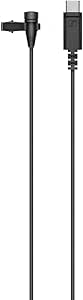 | Best for Mobile, Hands-Free Speech | Microphone type: Condenser lavalier | Connector: USB-C | Polar pattern: Omnidirectional | VIEW ON AMAZON | See Our Full Breakdown |
| TONOR G11 Pro USB Conference Microphone with AI Noise Cancellation |  | Best for Shared-Desk Calls | Connectivity: USB | Polar pattern: Omnidirectional | Pickup distance: Up to 11.5 ft | VIEW ON AMAZON | See Our Full Breakdown |
| CMTECK G009 USB Desktop Microphone with Noise Cancellation and Mute Button |  | Best for a Simple Desktop Call Setup | Connectivity: USB | Microphone type: Condenser | Polar pattern: Conflicting listing: omnidirectional and unidirectional | VIEW ON AMAZON | See Our Full Breakdown |
| pro usb microphone | Connectivity | Signal-to-noise ratio | Channels | Polar pattern |
|---|---|---|---|---|
| AKG Ara USB-C Condenser Microp | USB-C | 91 dB | 1 | — |
| Logitech Blue Yeti USB Microph | USB | 100 dB | 2 | — |
| MAONO A04 USB Condenser Microp | USB and USB Type-C | 70 dB | 1 | Cardioid |
| Logitech Blue Yeti USB Microph | USB, USB Type-A | 70 dB | 2 | — |
| FIFINE K669B USB Condenser Mic | USB | 78 dB | 1 | Unidirectional (cardioid) |
| Samson G-Track Pro USB Condens | — | — | — | — |
| FIFINE AmpliGame AM8 USB/XLR D | USB and XLR | 80 dB | 1 | Unidirectional cardioid |
| AKG Lyra Ultra-HD USB-C Microp | — | 78 dB | — | — |
| FIFINE AmpliGame AM8T USB/XLR | USB and XLR | 80 dB | — | Unidirectional cardioid |
| ZealSound K66 USB Podcast Micr | USB with USB-C and Lightning adapters | — | — | — |
| RØDE PodMic USB Dynamic Broadc | USB-C and XLR | 60 dB | 1 | Unidirectional |
| Sennheiser XS Lav USB-C Omnidi | — | 25 dB | 1 | Omnidirectional |
| TONOR G11 Pro USB Conference M | USB | — | — | Omnidirectional |
| CMTECK G009 USB Desktop Microp | USB | 76 dB | — | Conflicting listing: omnidirectional and unidirectional |
More Details on Our Top Picks
AKG Ara USB-C Condenser Microphone
The AKG Ara pairs high-resolution recording with two useful pickup patterns, making it a strong fit for creators who alternate between solo narration and small-group conversations. Its cardioid mode focuses on a speaker in front of the mic; omnidirectional mode can capture sound from around it. Compared with the FIFINE K669B, the Ara offers more recording flexibility and zero-latency headphone monitoring, while the FIFINE keeps the setup simpler and more focused on one speaker.
The USB-C connection and broad device compatibility suit a desk that includes computers or mobile devices, though some mobile setups need an adapter. The single-channel design also limits it for stereo capture. I’d choose it for adaptable voice recording, not for buyers who need multichannel production or a mic that works with every phone cable straight away.
Pros:- Records up to 24-bit/96 kHz for detailed voice capture.
- Cardioid and omnidirectional patterns cover solo and group recording.
- Zero-latency headphone monitoring helps speakers hear their voice while recording.
- Works with Mac, PC, iOS, and Android devices.
Cons:- Some mobile-device setups require a compatible adapter.
- Single-channel recording limits stereo and multichannel workflows.
Best for: Home creators who record solo narration most of the time but sometimes need to capture a small group or room conversation.
Not ideal for: Mobile-first users who want a guaranteed cable-free connection to every phone, or creators who need multichannel recording.
- Connectivity:USB-C
- Audio resolution:Up to 24-bit/96 kHz
- Polar patterns:Cardioid, omnidirectional
- Frequency response:20 Hz–20 kHz
- Signal-to-noise ratio:91 dB
- Channels:1
- Compatibility:Mac, PC, iOS, and Android
- Monitoring:Built-in headphone output with zero-latency monitoring
Our verdict“Choose the AKG Ara if you want a high-resolution USB mic with more pickup flexibility than the single-pattern FIFINE K669B.”
Logitech Blue Yeti USB Microphone with Blue VO!CE Effects, Four Pickup Patterns, and Desktop Stand
The Blue Yeti earns its place through versatility: its tri-capsule design offers cardioid, omnidirectional, bidirectional, and stereo patterns, so one desktop mic can serve a solo stream, a two-person interview, or a wider room recording. That range goes beyond the two patterns on the AKG Ara, which is a more straightforward choice for users who do not need stereo or bidirectional capture. Onboard gain, pattern, headphone-volume, and mute controls make adjustments accessible without reaching for software.
Real-time monitoring is useful for catching level problems as they happen, and Blue VO!CE effects add optional processing through Logitech G HUB. The tradeoff is a larger feature set that depends on installing software for its full capabilities. I’d pick this Yeti for creators who change recording formats; a single-speaker setup may be better served by the simpler FIFINE K669B.
Pros:- Four pickup patterns support a wide range of recording arrangements.
- Onboard gain, mute, pattern, and headphone-volume controls speed up adjustments.
- Real-time monitoring helps with recording-level checks.
- Blue VO!CE effects provide optional voice processing through Logitech G HUB.
Cons:- Full software features require installing Logitech G HUB.
- Its range of controls and patterns is unnecessary for creators who only record solo voice.
Best for: Podcasters, streamers, and interviewers who switch between solo voice, two-person conversations, stereo capture, and group audio.
Not ideal for: Buyers who want a minimal software-free setup or only record one speaker in a fixed position.
- Connectivity:USB
- Microphone design:Tri-capsule array
- Pickup patterns:Cardioid, omni, bidirectional, stereo
- Frequency response:20 Hz–20 kHz
- Signal-to-noise ratio:100 dB
- Channels:2
- Included accessory:Adjustable desktop stand
- Software:Blue VO!CE effects through Logitech G HUB
Our verdict“Pick the Blue Yeti if you need more recording-pattern options and hands-on controls than the focused AKG Ara provides.”
MAONO A04 USB Condenser Microphone Kit
The MAONO A04 is the most ready-to-mount option here: its kit includes a scissor arm, shock mount, pop filter, and foam windscreen, so a new creator gets more of the recording setup in one package. That makes it a more complete starting point than the desktop-stand Blue Yeti, though the Yeti offers four pickup patterns and onboard controls that the A04 lacks. The MAONO uses a cardioid 16 mm condenser capsule, a practical arrangement for a single speaker recording close to the mic.
Its listed 192 kHz/24-bit chipset sounds impressive on paper, but the 30 Hz–16 kHz response and 70 dB signal-to-noise ratio make the headline resolution only one part of the recording picture. The recommended close working distance and limited clamp fit can constrain desk placement. I’d favor it for a first voice setup where included mounting gear matters more than pattern versatility; Xbox users should skip it.
Pros:- Includes a scissor arm, shock mount, pop filter, and foam windscreen.
- Cardioid pattern suits close, single-speaker recording.
- USB plug-and-play operation does not require extra driver software.
- Supports computers, PS4, PS5, and mobile phones.
Cons:- Not compatible with Xbox.
- Desk clamp is limited to surfaces under 2.1 inches thick.
- Recommended recording distance of 2–6 inches may not suit every desk or speaking style.
Best for: First-time podcasters and streamers who want a close-talk mic plus an arm, shock mount, pop filter, and windscreen in the box.
Not ideal for: Xbox users, people with desks thicker than the clamp limit, or creators who need multiple pickup patterns and flexible room recording.
- Connectivity:USB and USB Type-C
- Capsule:16 mm electret condenser
- Sampling rate and bit depth:192 kHz/24-bit
- Polar pattern:Cardioid
- Frequency response:30 Hz–16 kHz
- Signal-to-noise ratio:70 dB
- Channels:1
- Included accessories:Scissor arm, shock mount, pop filter, foam windscreen, boom arm base, and USB cables
- Compatibility:Computers, Mac OS, PS4, PS5, and mobile phones; not Xbox
Our verdict“Choose the MAONO A04 if you want a bundled voice-recording setup and can work within its close-mic placement and compatibility limits.”
Logitech Blue Yeti USB Microphone, Midnight Blue
This Midnight Blue Blue Yeti combines a metal enclosure and adjustable desktop stand with four pickup patterns and onboard controls. Its practical advantage over the MAONO A04 is flexibility: cardioid, omnidirectional, bidirectional, and stereo modes suit more than close, single-speaker recording. Gain, mute, headphone volume, and pattern controls also make everyday changes direct, without relying on a software panel for basic operation.
Blue VO!CE effects and no-latency monitoring expand its usefulness for streaming and calls, though the full software feature set requires Logitech G HUB. Compared with the other Blue Yeti in this list, the core pattern selection and control approach are similar; this version is a distinct color option rather than a substantially different recording tool. Its listed 70 dB signal-to-noise ratio is also lower than the 100 dB figure provided for the Blackout model, so I’d avoid choosing between them on color alone without checking which specifications matter to your setup.
Pros:- Four pickup patterns suit solo, stereo, two-person, and room recording.
- Onboard controls provide direct access to gain, mute, headphone volume, and pattern selection.
- Adjustable desktop stand supports a ready-to-use desk setup.
- No-latency monitoring and Blue VO!CE effects support streaming workflows.
Cons:- Full Blue VO!CE functionality requires Logitech G HUB.
- The product data lists a 70 dB signal-to-noise ratio, below the 100 dB figure listed for the Blackout Yeti.
- Its USB Type-A connection may require an adapter on newer devices without that port.
Best for: Desktop streamers and podcasters who want physical controls, multiple pickup patterns, and a color-matched microphone for a PC or Mac setup.
Not ideal for: Buyers seeking a simple single-pattern mic, a mobile-first USB-C connection, or a setup that avoids companion software entirely.
- Connectivity:USB, USB Type-A
- Microphone type:Tri-capsule array
- Pickup patterns:Cardioid, omnidirectional, bidirectional, stereo
- Frequency response:20 Hz–20 kHz
- Signal-to-noise ratio:70 dB
- Channels:2
- Enclosure material:Metal
- Color:Midnight Blue
Our verdict“Choose this Yeti for hands-on desktop control and four-pattern flexibility, but compare its listed noise specification with the Blackout version before deciding.”
FIFINE K669B USB Condenser Microphone
The FIFINE K669B keeps a pro-USB setup uncomplicated: connect it over USB, use its cardioid pattern for one speaker, and adjust level with the built-in volume knob. Its metal body adds a sturdier feel than a lightweight plastic desktop mic, while the focused pickup pattern suits streams, calls, and basic podcast recording. Compared with the more versatile Blue Yeti, the K669B gives up stereo and multi-person patterns, but also avoids a more involved control and software setup.
This is a better fit for a fixed solo desk than for interviews or room capture. It supports PC, Mac, and PS4/PS5, but not Xbox or smartphones, and some apps may need automatic gain control disabled to prevent volume fluctuations. The product data lists a 20 Hz–20 kHz range, but only one pickup pattern, so I’d choose it for straightforward voice work rather than broad recording flexibility.
Pros:- Plug-and-play USB connection needs no external power.
- Built-in volume knob makes quick level changes easy.
- Metal enclosure offers a sturdy desktop build.
- Cardioid pickup is suited to a single nearby speaker.
Cons:- Only one pickup pattern, so it is not suited to multi-person recordings.
- Not compatible with Xbox consoles or smartphones.
- Some applications may require automatic gain control to be disabled to avoid volume fluctuations.
Best for: Solo streamers, gamers, and remote workers using a PC, Mac, or PS4/PS5 who want direct level control without extra recording modes.
Not ideal for: Interviewers, smartphone users, and Xbox owners who need multi-person pickup or broader device support.
- Connectivity:USB
- Connector types:USB Type-A, USB Type-C
- Polar pattern:Unidirectional (cardioid)
- Frequency range:20 Hz–20 kHz
- Signal-to-noise ratio:78 dB
- Channels:1
- Enclosure material:Metal
- Cable:6.5 ft USB-B to USB-A/C
- Compatibility:Desktop/laptop, PC, PS4, and PS5; not Xbox or smartphones
Our verdict“Pick the K669B for straightforward solo voice recording on a compatible computer or PlayStation, not for interviews or mobile use.”
Samson G-Track Pro USB Condenser Microphone with Audio Interface
The G-Track Pro is the most recording-focused option here: its built-in instrument input and mixer let you capture a microphone and instrument as two independent channels over USB. That makes it more flexible for music sessions than the single-channel FIFINE AM8, while the Samson also offers cardioid, bidirectional, and omnidirectional patterns for solo vocals, face-to-face conversation, or group recording. Its 24-bit/96 kHz support gives home projects room for detailed capture, though the AKG Lyra reaches a higher stated sample rate and may suit buyers prioritizing that specification. The tradeoff is a substantial 4 lb desktop body and computer-dependent USB power; it is less convenient to move around or use in a mobile setup. I’d choose it for a fixed recording desk, not a lightweight streaming rig.
Pros:- Records two independent audio channels through its built-in interface and mixer.
- Three polar patterns cover solo recording, two-person conversation, and group pickup.
- Supports recording up to 24-bit/96 kHz.
- Includes a 1/4-inch instrument input alongside USB connectivity.
Cons:- The 4 lb weight makes it cumbersome for portable recording.
- Needs a USB-connected computer for power.
- Its 96 kHz ceiling is below the AKG Lyra’s stated 192 kHz maximum.
Best for: Home musicians and podcasters who want to record a voice and a connected instrument as separate channels without adding a standalone interface.
Not ideal for: Mobile creators or buyers who need a lightweight microphone, battery operation, or a higher maximum sample rate than 96 kHz.
- Microphone type:Dual back electret condenser
- Diaphragm:25 mm / 3 microns
- Polar patterns:Cardioid, bidirectional, omnidirectional
- Frequency response:50 Hz–20 kHz
- Maximum SPL:120 dB SPL
- Recording resolution:16- or 24-bit, up to 96 kHz
- Connectivity and inputs:USB; 1/4-inch instrument input, 1 MΩ
- Headphone output:1/8-inch (3.5 mm), 16 Ω
- Weight:4 lb
Our verdict“Choose the G-Track Pro if you want a USB mic that can also handle a direct instrument input and two-channel home recording.”
FIFINE AmpliGame AM8 USB/XLR Dynamic Microphone
The FIFINE AmpliGame AM8 fits creators who want a straightforward USB setup now but may move to an XLR mixer or interface later. Its USB and XLR connections make that path more flexible than the USB-only ZealSound K66, while the dynamic cardioid design and suggested 2–6 inch recording distance suit close-mic streaming and podcasting. In USB mode, tap-to-mute, gain control, and headphone monitoring keep common adjustments within reach instead of buried in software. That convenience has limits: its RGB and function controls are unavailable over XLR, and the XLR cable is not included. It is also a single-channel mic, so it lacks the G-Track Pro’s instrument input and two-channel recording features. I’d pick the AM8 for a close-speaking desk setup, especially if an XLR expansion is part of the plan.
Pros:- USB and XLR connections support both direct computer use and later interface-based setups.
- Tap-to-mute includes an LED reminder.
- Headphone monitoring, volume, and gain controls are available in USB mode.
- Cardioid pickup is suited to close, single-speaker recording.
Cons:- XLR cable is not included.
- RGB lighting and function controls are unavailable in XLR mode.
- Single-channel dynamic design offers fewer recording configurations than the Samson G-Track Pro.
Best for: Streamers and podcasters who want onboard USB controls today and the option to connect to an XLR interface later.
Not ideal for: Buyers who need included XLR cabling, multi-pattern recording, or full onboard controls when using an XLR setup.
- Microphone type:Dynamic
- Connectivity:USB and XLR
- Polar pattern:Unidirectional cardioid
- Frequency response:50 Hz–16 kHz
- Signal-to-noise ratio:80 dB
- Channels:1
- Suggested recording distance:2–6 in
- Stand threads:3/8 in and 5/8 in
- Enclosure material:ABS plastic and metal
Our verdict“Choose the AM8 if you want an accessible USB mic with an XLR upgrade path and can work close to the capsule.”
AKG Lyra Ultra-HD USB-C Microphone – 24-bit/192kHz Condenser Mic for Recording, Streaming, Gaming, Podcasting & ASMR (Blue & Silver)
The AKG Lyra is the resolution-focused pick in this group, supporting 24-bit/192 kHz recording and offering an adaptive capsule array with four capture modes. That makes it more appealing than the single-pattern FIFINE AM8 for creators who want to vary how a desk recording is picked up, while its USB-C plug-and-play compatibility spans PC, Mac, iOS, and Android devices. Zero-latency headphone monitoring helps with live recording, and the included desktop stand means it can go straight onto a desk. The tradeoff is that phone use may call for a Camera Connection Kit or OTG adapter, and the supplied details list cardioid and omnidirectional patterns even though they describe four modes. Compared with the Samson G-Track Pro, the Lyra prioritizes resolution and device flexibility over a dedicated instrument input and two-channel capture.
Pros:- Supports 24-bit/192 kHz recording.
- Adaptive capsule array provides four capture modes.
- USB-C connectivity supports PC, Mac, iOS, and Android devices.
- Zero-latency headphone monitoring and an integrated desktop stand are included.
Cons:- Some mobile devices may require a separate Camera Connection Kit or OTG adapter.
- Listed pattern details name cardioid and omnidirectional modes, leaving the full four-mode pattern breakdown unclear.
- Does not offer the Samson G-Track Pro’s stated instrument input and two-channel recording.
Best for: Podcasters, musicians, and streamers who want high-resolution USB-C recording, headphone monitoring, and multiple capture modes on a desktop.
Not ideal for: Musicians who need a direct instrument input and two independent channels, or mobile users who do not want to source a compatible adapter.
- Connector:USB Type-C
- Resolution:24-bit/192 kHz
- Polar patterns listed:Cardioid, omnidirectional (adaptive capsule array)
- Frequency range:20 Hz–20 kHz
- Signal-to-noise ratio:78 dB
- Sensitivity:98 dB
- Impedance:16 Ω
- Included software:Ableton Live 10 Lite
- Mounting options:Integrated desktop stand or standard/boom mic stand
Our verdict“Choose the Lyra if high-resolution USB-C capture and adaptable desktop pickup matter more than direct instrument recording.”
FIFINE AmpliGame AM8T USB/XLR Dynamic Gaming Microphone Kit with Boom Arm
The AM8T kit pairs the USB/XLR dynamic AM8-style microphone with a boom arm, desk clamp, USB cable, and windscreen, so it is the most ready-to-position package here. Compared with the standalone FIFINE AM8, the included arm frees desk space and makes it easier to bring the mic close for cardioid pickup; that placement can help focus a stream or podcast voice. Onboard mute, gain, and headphone-volume controls also keep routine adjustments accessible, while RGB lighting can be switched off. The core recording profile remains a single-channel dynamic mic with a 50 Hz–16 kHz range, rather than the higher-resolution condenser approach of the AKG Lyra. An XLR cable is still missing, and the clamp only fits desks under two inches thick, so check the mounting surface before choosing this kit.
Pros:- Includes a boom arm, desk clamp, USB-to-USB-C cable, and windscreen.
- USB and XLR connectivity allow direct computer use or connection to an interface.
- Onboard mute, gain, and headphone-volume controls support quick adjustments.
- RGB lighting is customizable and can be turned off.
Cons:- XLR cable is not included.
- The desk clamp fits desktops less than two inches thick.
- Its single-channel, 50 Hz–16 kHz dynamic format is less suited to buyers seeking the AKG Lyra’s stated 24-bit/192 kHz capture.
Best for: Desk-based streamers and podcasters who want a boom arm and adjustable USB/XLR microphone controls in one package.
Not ideal for: Creators with desks two inches thick or more, or buyers who need an included XLR cable or high-resolution condenser recording.
- Connectivity:USB and XLR
- Microphone type:Dynamic
- Polar pattern:Unidirectional cardioid
- Frequency range:50 Hz–16 kHz
- Signal-to-noise ratio:80 dB
- Included accessories:Boom arm stand, C-clamp, 8.2 ft USB-to-USB-C cable, windscreen
- Not included:XLR cable
- Weight:2.6 lb
- Dimensions:12.6 × 4.72 × 1.97 in
Our verdict“Choose the AM8T if you need an included boom arm and desk controls for close-up streaming, and your desk fits the clamp.”
ZealSound K66 USB Podcast Microphone with Noise Reduction and Audio Controls
The ZealSound K66 is built around direct, accessible controls rather than the recording flexibility of the higher-ranked options. Its cardioid condenser capsule, noise reduction mode, mute button, and separate microphone, monitoring, and echo controls give new podcasters useful adjustments without a software setup. The included USB-C and Lightning adapters broaden its reach to compatible phones and tablets, unlike the USB/XLR FIFINE AM8, which is aimed more at a close-mic desk setup and future interface connection. The K66’s zero-latency headphone monitoring is useful for hearing a live signal, but its noise reduction is described as reducing common background sounds, not removing them entirely. Its 46 kHz sampling rate is also modest beside the AKG Lyra’s 24-bit/192 kHz specification. I’d favor this mic for uncomplicated speech recording, not demanding music production.
Pros:- Plug-and-play setup does not require drivers or software.
- Noise reduction mode can help reduce common background sounds.
- Separate microphone, monitoring, and echo controls provide direct adjustments.
- Mute button includes a visible LED indicator and headphone monitoring is zero-latency.
Cons:- Noise reduction may reduce noise but does not promise to eliminate it.
- Phone compatibility depends on adapter and device support.
- Its stated 46 kHz sampling rate is less suited to high-resolution production than the AKG Lyra.
Best for: First-time podcasters and remote speakers who want onboard controls and adapter-supported connections to a computer, tablet, or compatible phone.
Not ideal for: Musicians seeking high-resolution recording, users who need XLR connectivity, or anyone expecting noise reduction to eliminate room sound.
- Microphone type:Condenser
- Pickup pattern:Cardioid
- Frequency response:40 Hz–18 kHz
- Sampling rate:46 kHz
- Sensitivity:–45 dB ±3 dB
- Monitoring:Zero-latency via 3.5 mm headphone jack
- Controls:Microphone volume, monitoring volume, echo, mute
- Connectivity:USB with USB-C and Lightning adapters
- Compatibility:Windows PC, Mac, PS4, PS5, iPhone, iPad, and compatible USB-C devices
Our verdict“Choose the K66 for straightforward speech recording with onboard controls and adapters, not for advanced studio or XLR workflows.”
RØDE PodMic USB Dynamic Broadcast Microphone with XLR and USB-C
The PodMic USB is the strongest fit here for speech creators who want a serious desktop mic now and an XLR option later. Its dynamic, unidirectional design focuses on the speaker, while the built-in pop filter and shock mount reduce the need for extra accessories. Over USB, APHEX processing and zero-latency headphone monitoring add useful control; the processing is not available through XLR. Compared with the condenser-based Blue Yeti, this RØDE favors a broadcast-style, close-speaking setup over multiple pickup patterns for group recording. The metal enclosure and included swing mount support a more permanent desk rig, but the mic is less suited to hands-free, room-wide pickup. Buyers should also account for the one-year warranty unless they register to extend it.
Pros:- USB-C and XLR connections support both simple computer use and a later interface setup.
- APHEX DSP over USB adds processing without requiring separate software or hardware.
- Built-in pop filter and internal shock mount reduce accessory needs.
- Zero-latency headphone monitoring helps speakers hear their voice while recording.
Cons:- APHEX processing is available only over USB, not through the XLR connection.
- The one-year warranty requires product registration for an extension.
- Its focused pickup is less suitable for capturing multiple people or a broad room.
Best for: Podcasters and streamers who want a close-talk dynamic microphone with USB convenience and the option to move to an XLR interface.
Not ideal for: People recording several speakers around one table or seeking a USB mic with multiple pickup patterns; its unidirectional design is intended for focused speech.
- Microphone type:Dynamic
- Connectivity:USB-C and XLR
- Polar pattern:Unidirectional
- Frequency range:20 Hz–20 kHz
- Signal-to-noise ratio:60 dB
- Channels:1
- Enclosure material:Metal
- Included accessories:Swing mount, USB-C cable, pouch
Our verdict“Choose the PodMic USB if you want a broadcast-oriented dynamic mic that can move from USB recording to an XLR setup.”
Sennheiser XS Lav USB-C Omnidirectional Lavalier Microphone, Black
The Sennheiser XS Lav USB-C serves a different purpose from desk-focused options such as the RØDE PodMic USB: it clips to clothing, keeping the mic close to the speaker while leaving hands and desk space free. Its omnidirectional capsule can capture voice without precise aiming, which suits interviews, presentations, and mobile video when the subject is moving. The 2 m cable gives some flexibility between the wearer and a phone or computer, and the clip, windscreen, and pouch cover the basic kit. The tradeoff is that it is a lavalier, not a broadcast-style desktop mic with onboard monitoring or controls. Its USB-C plug may also need an adapter for USB-A devices, and the listed 25 dB signal-to-noise ratio is modest beside the PodMic’s 60 dB figure.
Pros:- Clip-on form keeps the microphone close to the speaker without occupying desk space.
- Omnidirectional pickup is less sensitive to exact mic positioning.
- Two-meter cable allows room to position a compatible phone or computer.
- Includes a clip, foam windscreen, and storage pouch.
Cons:- USB-C connector may require an adapter for USB-A devices.
- No headphone monitoring or onboard mute and volume controls are listed.
- Its 25 dB signal-to-noise ratio is lower than the listed 60 dB figure for the RØDE PodMic USB.
Best for: Mobile presenters, interviewers, and video creators who need a clip-on USB-C mic that keeps speech close while they move.
Not ideal for: Podcasters seeking a desktop broadcast setup with headphone monitoring, XLR expansion, or physical recording controls.
- Microphone type:Condenser lavalier
- Connector:USB-C
- Polar pattern:Omnidirectional
- Cable length:2 m (6.6 ft)
- Signal-to-noise ratio:25 dB
- Channels:1
- Weight:88 g
- Included accessories:Microphone clip, foam windscreen, storage pouch
Our verdict“Pick the XS Lav USB-C for hands-free mobile speech capture, not for a feature-rich desktop podcast station.”
TONOR G11 Pro USB Conference Microphone with AI Noise Cancellation
The TONOR G11 Pro is aimed at calls and online learning rather than polished solo podcast recordings. Its omnidirectional pickup reaches up to 11.5 feet, so several people can speak without leaning toward a close-talk mic like the RØDE PodMic USB. A one-tap mute, four-level volume adjustment, and headphone monitoring put practical call controls on the compact desktop unit. AI noise reduction is intended to limit distractions such as fan noise and keyboard clicks, though it does not change the basic tradeoff of capturing sound from all directions. Compared with the CMTECK G009, the TONOR specifies a pickup distance and adds headphone monitoring; it is also explicitly listed as compatible with Windows and macOS. Its headphone jack is for monitoring, not speaker output, and external speakers may cause feedback.
Pros:- Omnidirectional pickup with a stated reach of up to 11.5 feet suits shared calls.
- AI noise reduction is designed to limit fan noise and keyboard clicks.
- Mute, four-level volume adjustment, and headphone monitoring are built in.
- Plug-and-play compatibility is listed for Windows and macOS.
Cons:- Omnidirectional pickup can capture unwanted room sound despite noise reduction.
- The headphone jack is not a speaker output, and external speakers may cause feedback.
- Its conference-focused design is less suited to close, controlled podcast recording than the RØDE PodMic USB.
Best for: Remote workers, small study groups, and online instructors who need a shared desktop mic with quick mute and monitoring controls.
Not ideal for: Solo creators seeking a close, broadcast-style sound or buyers who need the microphone to double as a speaker.
- Connectivity:USB
- Polar pattern:Omnidirectional
- Pickup distance:Up to 11.5 ft
- Noise reduction:AI noise reduction
- Headphone jack:3.5 mm
- Compatibility:Windows and macOS
- Cable length:1.8 m
- Weight:130 g
Our verdict“Choose the G11 Pro for shared calls and classes where simple controls and room coverage matter more than broadcast-style isolation.”
CMTECK G009 USB Desktop Microphone with Noise Cancellation and Mute Button
The CMTECK G009 makes sense for buyers who want a compact, plug-and-play desktop mic with a physical mute button rather than a more elaborate recording rig. Its adjustable gooseneck lets users move the capsule closer to their speaking position, while the LED indicator makes mute status visible at a glance. Noise cancellation and a pop filter are included, but the listing gives conflicting pickup-pattern details—omnidirectional in one place and unidirectional in another—so I would not choose it when precise room coverage is a deciding factor. Compared with the TONOR G11 Pro, it offers a flexible gooseneck and LED mute indicator, while the TONOR specifies a pickup distance and headphone monitoring. Compatibility is also narrower: Windows, Mac, and PS4 are listed, but Linux, Android, and Raspberry Pi are excluded.
Pros:- Plug-and-play USB connection needs no external power.
- Adjustable gooseneck helps position the microphone at the desk.
- Mute button has an LED status indicator.
- Noise cancellation and a pop filter are included.
Cons:- Product information conflicts on whether the pickup pattern is omnidirectional or unidirectional.
- Not listed as compatible with Linux, Android, or Raspberry Pi.
- No headphone monitoring is specified, unlike the TONOR G11 Pro.
Best for: Windows or Mac users who want an uncomplicated desktop call microphone with an adjustable neck and visible mute status.
Not ideal for: Linux, Android, or Raspberry Pi users, and buyers who need dependable pickup-pattern details or a mic for pro-level recording.
- Connectivity:USB
- Microphone type:Condenser
- Polar pattern:Conflicting listing: omnidirectional and unidirectional
- Form factor:Gooseneck
- Compatible devices:Desktop, laptop, PC, PS4
- Operating systems:Windows 7, 8, and 10; Mac OS
- Signal-to-noise ratio:76 dB
- Enclosure material:Metal
Our verdict“Pick the G009 for basic Windows or Mac calls if its compatibility limits and unclear pickup pattern fit your setup.”

How We Picked
I ranked these microphones by how well their connection and microphone design suit real voice-recording needs. The main criteria were speech-focused sound potential, pickup behavior in untreated rooms, connection flexibility, useful onboard controls, setup demands, and whether included accessories meaningfully reduce the effort of building a working setup. I also weighed portability and use-case fit: a lavalier can be a better tool for mobile dialogue than a larger desktop mic, even when it serves a different kind of recording.
The order favors models that combine strong voice-focused utility with practical flexibility for recording, streaming, or podcasting. That puts the RØDE PodMic USB and Blue Yeti near the top for different reasons: one prioritizes dynamic voice capture and USB/XLR growth, while the other prioritizes pickup-pattern options and accessible controls. More specialized, compact, or meeting-oriented models rank lower for broad pro use, not because they lack a purpose, but because their strengths apply to narrower setups.
| pro usb microphone | Polar pattern | Microphone type |
|---|---|---|
| AKG Ara USB-C Condenser Microp | — | — |
| Logitech Blue Yeti USB Microph | — | — |
| MAONO A04 USB Condenser Microp | Cardioid | — |
| Logitech Blue Yeti USB Microph | — | Tri-capsule array |
| FIFINE K669B USB Condenser Mic | Unidirectional (cardioid) | — |
| Samson G-Track Pro USB Condens | — | Dual back electret condenser |
| FIFINE AmpliGame AM8 USB/XLR D | Unidirectional cardioid | Dynamic |
| AKG Lyra Ultra-HD USB-C Microp | — | — |
| FIFINE AmpliGame AM8T USB/XLR | Unidirectional cardioid | Dynamic |
| ZealSound K66 USB Podcast Micr | — | Condenser |
| RØDE PodMic USB Dynamic Broadc | Unidirectional | Dynamic |
| Sennheiser XS Lav USB-C Omnidi | Omnidirectional | Condenser lavalier |
| TONOR G11 Pro USB Conference M | Omnidirectional | — |
| CMTECK G009 USB Desktop Microp | Conflicting listing: omnidirectional and unidirectional | Condenser |
Factors to Consider When Choosing Pro Usb Microphone
Before choosing a pro USB microphone, match the mic to the room, speaker distance, and recording routine—not just the feature list. These factors help separate a useful upgrade from a device that is awkward in your actual setup.
Match the Microphone Type to Your Room
A microphone does not remove room echo or background noise simply by having a USB connection or noise-control feature. Condenser designs can capture detailed sound, but that sensitivity may also make keyboard clicks, reflections, and nearby activity more apparent. Dynamic microphones can be a more forgiving choice when you can speak close to the mic and want less emphasis on the surrounding room. A treated room changes the calculation: there, a condenser may capture a more open sound without the same room penalties. The common mistake is buying for a quiet studio that does not exist; choose around the noise and reflections you actually have.
Decide Whether You Need Multiple Pickup Patterns
Multiple patterns are useful when the microphone must handle different recording arrangements, such as solo narration, two-person conversation, or a group around a table. For a single speaker who stays close to the mic, a single-direction design may be easier to place and less likely to capture unwanted sound. Extra pattern choices add controls and setup decisions, so they are not automatically an upgrade. Think through who will speak and where they will sit before paying for flexibility. If the mic will mainly serve calls or one-person streaming, simple placement may matter more than switching patterns.
Choose USB Simplicity or a Path to XLR
USB is the straightforward route: connect the microphone to a compatible device and avoid buying a separate interface for basic recording. USB/XLR models add the option of using an audio interface or mixer later, which can suit creators building a more involved signal chain. That flexibility only helps if you expect to use XLR; otherwise, the extra connection can go unused. Check your computer ports and the included cable requirements before ordering, especially if your setup depends on USB-C. A useful rule is to buy for the workflow you can name, not a hypothetical studio build.
Plan for Distance, Position, and Mounting
Microphone placement affects voice consistency as much as many headline specifications. A desktop stand can be convenient, but it may put the mic too far away or transmit desk vibrations; a boom arm can make close positioning easier while freeing workspace. Lavalier microphones solve a different problem by keeping the mic near the speaker as they move, though clothing contact and cable handling need attention. Before choosing, check what mounting hardware is included and whether it fits your desk or stand. Buyers often focus on the microphone body and overlook the small accessories that determine whether the mic can sit in the right place.
Separate Recording Features from Noise Treatment
Onboard mute, gain, headphone monitoring, and software effects can make recording easier to control, but they do not replace good mic technique. Noise-reduction features may help with steady background sounds, yet aggressive processing can make speech sound unnatural or clip words. Speak at a consistent distance, set gain so normal speech has headroom, and listen to a short test recording before an important session. For calls, a quick mute control may be more useful than studio-style features; for narration, monitoring and predictable levels matter more. Pick controls that solve a recurring problem instead of treating a longer feature list as proof of professional results.
Pay for Flexibility Only When Your Work Needs It
It makes sense to pay more for capabilities you will use regularly, such as XLR expansion, adaptable pickup patterns, or a mount that improves your daily workflow. A beginner recording solo speech may get more benefit from straightforward controls and reliable positioning than from advanced routing. A mobile presenter may value a compact lavalier setup over a feature-rich desktop microphone. Bundled accessories can reduce setup effort, but check whether they suit your desk and recording position rather than assuming a kit is a better fit. The best choice is the one whose added capabilities match a real task in your routine.
Frequently Asked Questions
Should I choose a dynamic or condenser USB microphone for a noisy room?
I would usually favor a dynamic model if you can keep it close to your mouth and your room has computer fans, traffic, or nearby activity. A condenser can capture more detail, but it may also pick up more room sound and reflections. Neither type cancels noise on its own, so placement and speaking distance still matter. If you record in a quiet, treated space, a condenser can be a sensible choice. Make the decision around the room you have, not a studio you may build later.
Is a USB/XLR microphone worth choosing if I only record over USB now?
It can be worthwhile if you expect to add an audio interface, mixer, or more controlled studio workflow later. If your needs are limited to direct computer recording, the XLR connection may not change your day-to-day experience. Check whether the microphone’s USB mode already covers your monitoring and control needs before treating XLR as a must-have. You will also need compatible audio gear and setup time to use that connection. I’d choose USB/XLR for a specific growth plan, not just because it sounds more professional.
Do I need multiple pickup patterns for solo podcasting or streaming?
Usually not if you record alone and can keep the mic in a consistent position. A focused pickup pattern can simplify placement and reduce sound from other directions. Multiple patterns earn their place when you plan to record interviews, roundtables, or instruments that need a different capture arrangement. Extra options also mean more settings to understand and verify before recording. If your format is almost always one-person speech, prioritize comfortable positioning and a suitable mic type first.
Will a USB microphone work with my phone or tablet?
Compatibility depends on the microphone’s connector, the device’s port, and whether the device supports the mic’s USB audio connection. USB-C models may connect more directly to some current phones and tablets, but port shape alone does not promise compatibility. You may need an adapter, and some devices can have power or app limitations. Check the microphone’s connection requirements against your exact device before buying. If you record on the move often, a compact lavalier may be more convenient than a desktop mic even when both connect by USB.
Is a boom arm bundle better than buying a microphone and stand separately?
A bundle is useful when the included arm fits your desk and lets you position the microphone close without blocking your workspace. It is less compelling if you already own a compatible stand or need a different mounting reach. Check the arm’s clamp requirements, available desk space, and microphone attachment before relying on the bundle. A poor position can undermine an otherwise capable mic, so mounting fit is a real part of the decision. Compare the included setup with your existing gear rather than assuming more accessories always mean better value.
Conclusion
For a broad voice-recording setup, I’d choose the RØDE PodMic USB as best overall for its dynamic design and USB/XLR flexibility. The FIFINE K669B is my best value-style pick for a straightforward desktop setup, while the AKG Lyra is the best premium-leaning option for buyers who want a feature-rich condenser microphone. Beginners who want hands-on controls and multiple recording patterns should start with the Logitech Blue Yeti. For focused gaming and streaming, choose the FIFINE AmpliGame AM8 or its boom-arm bundle; for mobile speech, pick the Sennheiser XS Lav USB-C; and for desk calls, consider the TONOR G11 Pro or CMTECK G009. The right pro USB microphone is the one that fits your room, speaking position, and recording routine—not simply the one with the longest feature list.
Fall Picks
fall essentials
As an affiliate, we earn on qualifying purchases.