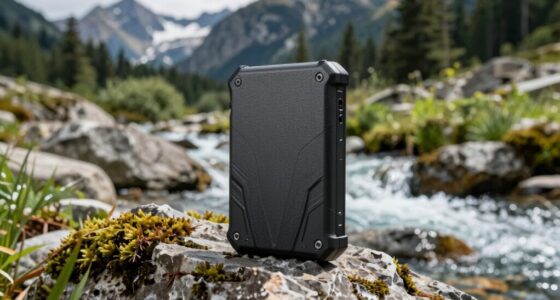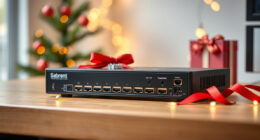
As WiFi 7 continues to roll out, choosing the right access point becomes more complex. The best models deliver lightning-fast speeds, robust coverage, and support for multiple devices, but tradeoffs often involve price, ease of setup, and specific features. The Zyxel WiFi 7 Wireless Access Point BE6500 stands out for its multi-gig support and PoE+ power, making it ideal for enterprise environments. Meanwhile, the TP-Link BE6500 Dual-Band WiFi 7 Router offers a more budget-friendly option with solid performance for home use. Other models excel in outdoor durability or mesh configurations. Continue reading for a detailed breakdown of each option and how to pick the right one for your needs.

Get the latest gadgets delivered free with Prime
- Fast, free delivery on millions of items
- Prime Video, Amazon Music and more included
- Member-only deals all year
Complete the kit



Key Takeaways
- High-performance WiFi 7 access points often balance speed with coverage, but not all are equally easy to set up or manage.
- Multi-gig ports are a common feature among top models, supporting future-proofing for high-bandwidth applications.
- Mesh systems like Deco BE25 provide better coverage for larger homes, though they may sacrifice some speed at the edges.
- Outdoor models such as EAP725-Outdoor are essential for harsh environments but tend to be more expensive and complex to install.
- Price varies widely; premium options deliver cutting-edge features, while mid-range models focus on value for typical home or office needs.
| Zyxel WiFi 7 Wireless Access Point BE6500 | 2.5G | PoE+ | NWA50BEPRO |  | Best Overall Enterprise-Grade WiFi 7 Access Point | Wireless Standard: WiFi 7 | Speed: 6.5 Gbps | Bands: 2.4GHz, 5GHz, 6GHz | VIEW ON AMAZON | See Our Full Breakdown |
| TP-Link BE6500 Dual-Band WiFi 7 Router (BE400) |  | Best Value Home WiFi 7 Router with Extensive Coverage | Wi-Fi Technology: Wi-Fi 7 | Max Bandwidth: 6.5 Gbps | Bands: Dual-band | VIEW ON AMAZON | See Our Full Breakdown |
| NETGEAR Cloud Managed WiFi 7 Wireless Multi-Gig Access Point (WBE710) |  | Best for Large-Scale Business or Multi-Device Environments | WiFi Technology: WiFi 7 Tri-Band | Coverage: 3,000 sq. ft. | Device Support: Up to 256 clients | VIEW ON AMAZON | See Our Full Breakdown |
| Cudy BE3600 Dual-Band Wi-Fi 7 Ceiling Mount Access Point, AP3600 |  | Best for Flexible, Open-Source Deployment with Advanced Features | Wi-Fi Standard: Wi-Fi 7 | Multi-Link Operation: Yes | PoE Passthrough: Yes | VIEW ON AMAZON | See Our Full Breakdown |
| TP-Link Dual-Band Wi-Fi 7 Router, Archer BE3600 |  | Best for Seamless Whole-Home Coverage with Mesh Support | Wi-Fi Technology: Wi-Fi 7 | Speed (5 GHz): 2882 Mbps | Speed (2.4 GHz): 688 Mbps | VIEW ON AMAZON | See Our Full Breakdown |
| Omada 7 Pro X BE11000 WiFi Access Point, 10G Port, without DC Adapter |  | Best for Enterprise-Grade Future-Proofing | Model: BE11000 | WiFi Technology: Wi-Fi 7 | Max Speed: 5.0 Gbps | VIEW ON AMAZON | See Our Full Breakdown |
| Omada 7 BE5000 Wireless Access Point with 2.5G Port (EAP720) |  | Best for Business Environments Seeking High-Speed Wired and Wireless | Wi-Fi Technology: Wi-Fi 7 | Wi-Fi Speed: Up to 5.0 Gbps | Frequency Bands: 2.4 GHz and 5 GHz | VIEW ON AMAZON | See Our Full Breakdown |
| Deco 7 BE25 Dual-Band WiFi 7 Mesh System 5 Gbps |  | Best for Whole-Home Coverage and Easy Setup | WiFi Standard: WiFi 7 | Speed: up to 4324 Mbps (5 GHz), 688 Mbps (2.4 GHz) | Coverage: up to 2,600 sq. ft. | VIEW ON AMAZON | See Our Full Breakdown |
| Omada 7 Pro BE11000 Wireless Access Point, 2.5G Port, with DC Adapter |  | Best for High-Performance Business Networks with Easy Power Options | Wi-Fi Technology: Wi-Fi 7 | Max Speed: 5 Gbps on 5 GHz, 688 Mbps on 2.4 GHz | Tri-Band Speed: 11.0 Gbps | VIEW ON AMAZON | See Our Full Breakdown |
| Omada 7 BE5000 WiFi Access Point, 2.5G Port, without DC Adapter (EAP723) |  | Best for High-Speed, Flexible Business Networking | Wi-Fi Standard: Wi-Fi 7 | Speed: Up to 4,324 Mbps | Port: 2.5G | VIEW ON AMAZON | See Our Full Breakdown |
| Omada 7 Outdoor BE5000 WiFi Access Point (EAP725-Outdoor) |  | Best Outdoor Wi-Fi 7 Access Point | Antenna Modes: Switchable directional and omnidirectional | Wi-Fi Standard: Wi-Fi 7 | Max Speed: up to 5 Gbps | VIEW ON AMAZON | See Our Full Breakdown |
| Omada 7 Max BE15000 WiFi Access Point (EAP787) |  | Best High-Performance Tri-Band WiFi 7 Access Point | RF Scanning: Real-time spectrum monitoring | 6 GHz Coverage: Extended with AFC | Wi-Fi Standard: Wi-Fi 7 | VIEW ON AMAZON | See Our Full Breakdown |
| TP-Link Festa F76 WiFi 7 2.5G Wireless Access Point |  | Best Compact High-Speed WiFi 7 for Small Businesses | WiFi Standard: WiFi 7 | Max Speed: 11,000 Mbps | Ethernet Port: 2.5G with PoE+ | VIEW ON AMAZON | See Our Full Breakdown |
More Details on Our Top Picks
Zyxel WiFi 7 Wireless Access Point BE6500 | 2.5G | PoE+ | NWA50BEPRO
The Zyxel BE6500 stands out for its enterprise-level performance with dual-radio tri-band operation reaching up to 6.5 Gbps. Compared to the TP-Link BE6500, it offers more advanced management options via NebulaFlex, making it a better fit for larger or more complex networks. Its support for multi-gigabit wired uplinks and PoE+ ensures flexible deployment in demanding environments. However, its setup can be more complex, especially for users unfamiliar with enterprise equipment, and full WiFi 7 speed utilization depends on compatible devices. This model is ideal for organizations seeking high-speed, scalable wireless infrastructure, but those with simpler needs should consider more user-friendly options.
Pros:- Supports up to 6.5 Gbps WiFi 7 speeds for future-proof performance
- Flexible band operation with tri-band support for high client density
- Enterprise management via NebulaFlex for cloud or local control
- Includes multi-gigabit PoE+ port for versatile wired connectivity
Cons:- Complex setup process may be challenging for non-technical users
- Requires compatible devices to fully leverage WiFi 7 speeds
Best for: Large businesses or network administrators seeking scalable, high-performance WiFi 7 solutions with management flexibility
Not ideal for: Small offices or home users without technical expertise who prefer plug-and-play devices
- Wireless Standard:WiFi 7
- Speed:6.5 Gbps
- Bands:2.4GHz, 5GHz, 6GHz
- Radio Operation:Dual-radio, Tri-band
- Management:NebulaFlex
- LAN Port:1x 2.5GbE with PoE+
- Compatibility:WPA3, MU-MIMO, MLO
- Antenna:Internal
- Security Protocol:WPA3
Our verdict“This access point is best suited for organizations needing robust, scalable WiFi 7 with advanced management features.”
TP-Link BE6500 Dual-Band WiFi 7 Router (BE400)
The TP-Link BE6500 router offers a compelling mix of high-speed WiFi 7 performance and user-friendly setup, making it ideal for large homes and demanding streaming or gaming. Its support for up to 6.5 Gbps and six streams ensures fast, reliable connections across multiple devices, comparable to the Archer BE3600, but with a broader coverage radius of 2,400 sq. ft. It includes advanced security features and parental controls, adding value for families. However, its dual-band only support means it misses out on the dedicated 6 GHz band, which could limit future-proofing, and high-end features come at a higher price. This router makes sense for users who want excellent performance without enterprise complexity, but those needing the absolute latest in multi-band tech may look elsewhere.
Pros:- Supports WiFi 7 speeds up to 6.5 Gbps for fast, stable connections
- Extensive coverage of up to 2,400 sq. ft. suits large homes
- Easy setup via mobile app and web interface
- Includes advanced security and parental controls
Cons:- Lacks the 6 GHz band found in higher-end tri-band models
- Potentially high cost for its feature set
Best for: Home users with large smart homes seeking high-speed WiFi 7 coverage and simple management
Not ideal for: Tech enthusiasts craving the latest tri-band features or ultra-low latency for competitive gaming
- Wi-Fi Technology:Wi-Fi 7
- Max Bandwidth:6.5 Gbps
- Bands:Dual-band
- Coverage:Up to 2,400 sq. ft.
- Streams:6
- Ports:1x 2.5 Gbps WAN/LAN, 1x 2.5 Gbps LAN, 3x 1 Gbps LAN
- Security:Advanced cybersecurity
- Setup:Mobile app & web interface
Our verdict“This router offers a reliable, high-speed WiFi 7 experience for large home environments at a reasonable price point.”
NETGEAR Cloud Managed WiFi 7 Wireless Multi-Gig Access Point (WBE710)
The NETGEAR WBE710 excels in supporting a vast number of devices with its tri-band WiFi 7 and MU-MIMO tech, making it ideal for busy offices or large-scale deployments. Covering up to 3,000 sq. ft. and supporting over 256 clients, it surpasses the Cudy AP3600 in capacity and remote management flexibility through NETGEAR Insight. Its wired connectivity with PoE+ and support for open-source ecosystems like OpenWiFi make it versatile, but the need for PoE+ infrastructure and the absence of included power adapters could complicate initial setup. It’s best suited for network administrators managing extensive environments, but casual or small-scale users should consider simpler options.
Pros:- Supports WiFi 7 tri-band with MU-MIMO for reliable high-density connectivity
- Supports up to 256 devices with extensive coverage
- Remote management via NETGEAR Insight for ease of control
- Includes 2.5 Gbps Ethernet port and PoE+ support
Cons:- Power adapter sold separately, adding to overall cost
- Requires existing PoE+ infrastructure for optimal setup
- Designed primarily for enterprise deployments, not plug-and-play
Best for: IT professionals managing enterprise or campus networks requiring high device density and remote management
Not ideal for: Home or small office users who do not need extensive device support or remote cloud management
- WiFi Technology:WiFi 7 Tri-Band
- Coverage:3,000 sq. ft.
- Device Support:Up to 256 clients
- Ethernet Port:2.5G
- Power Options:PoE+
- Security:WPA3
Our verdict“This access point is ideal for network managers needing high-capacity, remote-managed WiFi 7 in large or complex environments.”
Cudy BE3600 Dual-Band Wi-Fi 7 Ceiling Mount Access Point, AP3600
The Cudy BE3600 offers a compelling option for those seeking high throughput with multi-link operation and open-source flexibility. Its ultra-wide 320 MHz channels and PoE passthrough support make it suitable for demanding office settings or custom deployments, especially with ecosystems like OpenWiFi. Its support for VPN protocols such as WireGuard and IPsec enhances security options, but the need for existing PoE infrastructure and the absence of an included adapter complicate initial setup. Compared to consumer-focused options like the TP-Link BE3600, this model caters more to technical users needing open ecosystem support, though it might be overkill for straightforward home networks.
Pros:- Supports multi-link operation for increased throughput and reduced latency
- PoE passthrough simplifies wired device extension
- Open-source ecosystem compatibility allows flexible management
- Secure VPN options with WPA3
Cons:- Adapter sold separately, requiring existing PoE equipment
- Potential complexity for non-technical users
- Limited pricing and availability info
Best for: Tech-savvy network administrators or integrators requiring open-source management and high throughput
Not ideal for: Average home users or those without existing PoE setup, due to complexity and additional hardware requirements
- Wi-Fi Standard:Wi-Fi 7
- Multi-Link Operation:Yes
- PoE Passthrough:Yes
- Channels:320 MHz Ultra-Wide
- Security:WPA3
- Ecosystem:OpenWiFi
Our verdict“This AP is best suited for technical deployments demanding open-source flexibility and high throughput, rather than casual or simple setups.”
TP-Link Dual-Band Wi-Fi 7 Router, Archer BE3600
The TP-Link Archer BE3600 offers a balanced approach with WiFi 7 speeds up to 2882 Mbps on the 5 GHz band, making it suitable for streaming, gaming, and smart devices. It’s comparable to the TP-Link BE6500 in technology but stands out for its mesh capabilities, allowing multiple units to work together for seamless coverage. Its easy setup via the Tether app and support for mesh networking make it a practical choice for households seeking reliable, whole-home WiFi without complex enterprise features. However, it doesn’t support the 6 GHz band, which could limit bandwidth in highly dense environments, and performance may fluctuate based on environment and obstacles. This makes it perfect for users prioritizing simplicity and coverage over ultra-high capacity.
Pros:- Supports WiFi 7 speeds up to 2882 Mbps for fast connections
- Mesh support for whole-home seamless coverage
- Easy setup with Tether app
- Compatible with voice assistants and smart home integration
Cons:- Lacks the 6 GHz band, limiting future capacity
- Performance can vary based on environment
Best for: Home users wanting reliable WiFi 7 coverage with easy expansion through mesh networks
Not ideal for: Advanced users seeking enterprise-grade security or multi-band tri-band performance
- Wi-Fi Technology:Wi-Fi 7
- Speed (5 GHz):2882 Mbps
- Speed (2.4 GHz):688 Mbps
- Ports:1x 2.5 Gbps WAN/LAN, 1x 2.5 Gbps LAN, 3x 1 Gbps LAN
- Coverage:Up to 2,000 sq. ft.
- Compatibility:EasyMesh, Alexa, Google
Our verdict“This router is well-suited for households aiming for simple, reliable WiFi 7 coverage with easy mesh expansion.”
Omada 7 Pro X BE11000 WiFi Access Point, 10G Port, without DC Adapter
The Omada 7 Pro X BE11000 stands out for its high-speed Wi-Fi 7 support combined with a future-proof 10G port, making it ideal for large-scale business networks needing ultra-fast wired and wireless connectivity. Compared to the Omada 7 BE5000, it offers a 10G port that supports higher backbone speeds, but it requires additional setup complexity and a separate power supply, which might discourage smaller setups. Its advanced network management features are tailored for enterprises, yet the absence of a power adapter adds a minor inconvenience. This model is better suited to large organizations or data centers that prioritize scalability and speed over simplicity.
Pros:- Supports Wi-Fi 7 for faster, more reliable wireless connections
- Future-proof 10G port allows for high-speed wired upgrades
- Advanced network management features for enterprise deployment
- Supports PoE (802.3at) for flexible installation
Cons:- Power adapter not included, requiring an extra purchase
- Setup complexity may require technical expertise
- No included power supply can delay deployment
Best for: Large businesses or data centers needing high capacity and future-proof wired/wireless integration
Not ideal for: Small offices or home users who prefer plug-and-play simplicity and minimal setup
- Model:BE11000
- WiFi Technology:Wi-Fi 7
- Max Speed:5.0 Gbps
- Frequency Bands:2.4 GHz and 5 GHz
- Ports:1 x 10G port
- Power Supply:Supports PoE (802.3at) and DC
- Power Consumption:25.4W
- Maximum Clients:250+
Our verdict“This is an excellent choice for large-scale enterprise networks that need the highest wired and wireless speeds, despite requiring technical setup.”
Omada 7 BE5000 Wireless Access Point with 2.5G Port (EAP720)
The Omada BE5000 delivers impressive Wi-Fi 7 speeds up to 5.0 Gbps on dual bands, complemented by a 2.5G Ethernet port that future-proofs wired connections. Unlike the Omada 7 Pro X, it is designed for smaller, yet demanding business setups, offering a balance of advanced features and manageable complexity. Its flexible power options, including PoE and DC, make it versatile for various installation environments. However, the setup may challenge less technical users, and some premium features require additional configuration. This pick makes the most sense for medium-sized offices or retail spaces looking for high performance without enterprise-level scale.
Pros:- Supports Wi-Fi 7 with dual-band speeds up to 5.0 Gbps
- Includes a 2.5G Ethernet port for fast wired connectivity
- Flexible installation with PoE and DC power options
- Advanced network management via Omada platform
Cons:- Setup could be complex for non-technical users
- Premium features might require additional configuration
- Limited information on pricing and availability
Best for: Medium-sized businesses or retail locations needing high-speed Wi-Fi and reliable wired connections
Not ideal for: Home networks or very small offices where simplicity and cost are priorities
- Wi-Fi Technology:Wi-Fi 7
- Wi-Fi Speed:Up to 5.0 Gbps
- Frequency Bands:2.4 GHz and 5 GHz
- Ethernet Port:2.5G
- Power Supply:PoE (802.3at) and DC
- Power Consumption:17.83W
- Maximum Clients:250+
- Warranty:5 years
Our verdict“Ideal for growing businesses that demand robust wireless and wired performance with manageable complexity.”
Deco 7 BE25 Dual-Band WiFi 7 Mesh System 5 Gbps
The Deco 7 BE25 mesh system offers up to 4324 Mbps on 5 GHz and 688 Mbps on 2.4 GHz, making it a strong performer for household use. Compared to the Omada 7 BE5000, it excels in providing seamless coverage across a large area—up to 2,600 sq. ft.—and supporting over 150 devices. Its simple setup via the Deco App makes it accessible for non-technical users, but it requires a separate modem, and multiple units may be necessary for optimal backhaul performance. While security features are robust, some advanced options may come behind a subscription wall. This system is perfect for families or apartment dwellers seeking reliable, high-speed Wi-Fi across their entire home without complex configurations.
Pros:- High Wi-Fi 7 speeds suitable for streaming and gaming
- Easy to set up and manage with the Deco App
- Supports extensive coverage and many devices
- Includes security features like TP-Link HomeShield
Cons:- Requires a separate modem for internet connection
- Backhaul setup may need multiple units for best performance
- Some advanced features may require a subscription
Best for: Home users seeking reliable mesh Wi-Fi for large houses or apartments
Not ideal for: Users with complex networks or needing enterprise-grade security and management
- WiFi Standard:WiFi 7
- Speed:up to 4324 Mbps (5 GHz), 688 Mbps (2.4 GHz)
- Coverage:up to 2,600 sq. ft.
- Number of Devices Supported:over 150
- Ethernet:2.5G Ethernet
- Security:TP-Link HomeShield
Our verdict“Best suited for households wanting quick, reliable Wi-Fi coverage with minimal fuss and setup.”
Omada 7 Pro BE11000 Wireless Access Point, 2.5G Port, with DC Adapter
The Omada 7 Pro BE11000 combines high-speed Wi-Fi 7 with a 2.5G Ethernet port and included DC power supply, streamlining deployment in demanding business environments. Compared to the Omada 7 Pro X, it offers a more straightforward power solution, making it a practical choice for installations needing reliable wired and wireless performance. Its centralized management and support for over 380 devices make it ideal for busy offices or retail spaces. The setup may involve some technical knowledge, and its higher price reflects its enterprise focus. This product suits organizations that want robust performance with easier power management.
Pros:- Supports Wi-Fi 7 with high dual-band speeds
- Includes a 2.5G Ethernet port for fast wired connections
- Easy to deploy with included DC power supply
- Supports over 380 devices with centralized management
Cons:- Setup may require technical expertise
- Premium price point for small-scale use
- Limited detailed user feedback available
Best for: Businesses needing high-capacity, high-speed Wi-Fi with straightforward power options
Not ideal for: Small offices or home users who do not need enterprise management features
- Wi-Fi Technology:Wi-Fi 7
- Max Speed:5 Gbps on 5 GHz, 688 Mbps on 2.4 GHz
- Tri-Band Speed:11.0 Gbps
- Wireless Bands:6 GHz, 5 GHz, 2.4 GHz
- Concurrent Devices:380+
- Coverage:1500 sq.ft
- Ports:2.5G Ethernet
- Power Options:802.3at PoE+ and 12V DC
Our verdict“An excellent choice for larger businesses seeking enterprise-grade wireless performance with simplified power setup, despite higher cost and complexity.”
Omada 7 BE5000 WiFi Access Point, 2.5G Port, without DC Adapter (EAP723)
The Omada 7 BE5000 offers robust Wi-Fi 7 speeds up to 4,324 Mbps on 5 GHz, paired with a 2.5G port that supports high-speed wired connections. Its flexible management features, including centralized control and mesh capabilities, make it suitable for high-performance networks in demanding environments. Compared with the Omada 7 Pro X, it provides a more balanced wired/wireless setup for mid-sized networks, but the absence of a power supply could complicate deployment. Its focus on advanced connectivity makes it ideal for offices or campuses where network reliability is essential, but it may be overkill for small home setups.
Pros:- Supports Wi-Fi 7 with high dual-band speeds
- Includes a 2.5G Ethernet port for fast wired links
- Centralized management and mesh network support
- No internal power supply needed, offering deployment flexibility
Cons:- Setup can be complex for non-technical users
- No included power adapter may hinder quick deployment
- Limited detailed user feedback available
Best for: Mid-sized enterprises or campuses requiring scalable, high-speed Wi-Fi with flexible management
Not ideal for: Home users or very small offices seeking simple, plug-and-play solutions
- Wi-Fi Standard:Wi-Fi 7
- Speed:Up to 4,324 Mbps
- Port:2.5G
- Management Features:Centralized, Mesh, Seamless Roaming
- Power Supply:Without DC Adapter
- Max Devices:380+
Our verdict“Best suited for larger networks needing high-speed, flexible wireless and wired options with enterprise features, despite setup complexity.”
Omada 7 Outdoor BE5000 WiFi Access Point (EAP725-Outdoor)
This outdoor model stands out for combining high-speed Wi-Fi 7 with flexible, switchable antennas, making it ideal for large outdoor areas. Compared with indoor options like the TP-Link Festa F76, it offers more targeted coverage with directional antennas, though it sacrifices some simplicity—requiring professional installation and lacking an included PoE injector. Its support for up to 5 Gbps ensures fast outdoor connectivity, but the antenna options mean users need to choose carefully for their coverage needs. This pick makes the most sense for outdoor venues or expansive properties where flexible coverage outweighs plug-and-play convenience.
Pros:- Supports high-speed Wi-Fi 7 connectivity up to 5 Gbps
- Flexible switchable directional and omnidirectional antennas
- Plug & Play with automatic antenna detection
Cons:- Does not include PoE injector, adding extra cost
- Requires professional installation for outdoor deployment
- Limited coverage without external antennas
Best for: Outdoor venues, large properties, or environments requiring customizable antenna setups
Not ideal for: Indoor spaces or small offices where simple, all-in-one solutions are preferred
- Antenna Modes:Switchable directional and omnidirectional
- Wi-Fi Standard:Wi-Fi 7
- Max Speed:up to 5 Gbps
- Coverage Area:Omnidirectional: 3,229 ft² (300 m²), Directional: 5,500 ft² (510 m²)
- PoE Port:1× 2.5G PoE
Our verdict“This is best suited for outdoor environments where flexible coverage and high speed are priorities, and professional setup is manageable.”
Omada 7 Max BE15000 WiFi Access Point (EAP787)
This model makes the most sense for demanding environments where maximum speeds and interference management are critical, thanks to its tri-band setup and real-time spectrum monitoring. Unlike the simpler dual-band Omada 7 BE5000, the BE15000 offers up to 8648 Mbps on 5 GHz and 5765 Mbps on 6 GHz, making it ideal for high-density networks. The advanced RF scanning helps avoid interference, but this feature adds complexity and might be overwhelming for non-technical users. Compared to the TP-Link Festa F76, it is less user-friendly but offers superior spectrum management for larger or more interference-prone environments.
Pros:- High-speed tri-band Wi-Fi 7 performance with 5765 Mbps on 6 GHz
- Real-time spectrum monitoring for interference avoidance
- Extended 6 GHz coverage with AFC technology
Cons:- No included DC power adapter, increasing initial setup costs
- Setup can be complex for non-technical users
- Designed for advanced network environments, may be overkill for small setups
Best for: Large enterprise environments, dense office spaces, or advanced network setups demanding maximum throughput and interference mitigation
Not ideal for: Small businesses or home users lacking technical expertise or seeking simple setup
- RF Scanning:Real-time spectrum monitoring
- 6 GHz Coverage:Extended with AFC
- Wi-Fi Standard:Wi-Fi 7
- Speed:5765 Mbps (6 GHz), 8648 Mbps (5 GHz), 688 Mbps (2.4 GHz)
Our verdict“This access point fits high-demand environments where maximum throughput and interference management are essential, accepting some setup complexity.”
TP-Link Festa F76 WiFi 7 2.5G Wireless Access Point
The Festa F76 is tailored for small businesses seeking a compact, high-speed Wi-Fi 7 solution with advanced features like Multi-Link Operation. Its sleek, ultra-slim design allows flexible deployment, and cloud management via Festa Cloud ensures easy setup and maintenance. While it offers impressive speeds up to 11,000 Mbps across tri-bands, it requires the Festa Cloud platform—limiting compatibility with other management systems like Omada. The absence of included power supply and its focus on small business environments mean it might lack the scalability needed for larger networks. Compared to the outdoor BE5000, its indoor design simplifies installation but limits outdoor use.
Pros:- Supports tri-band speeds up to 11,000 Mbps with advanced features
- Compact, stylish design suitable for various environments
- Easy setup with cloud management and zero-touch provisioning
Cons:- Requires Festa Cloud for management, limiting flexibility
- Power supply not included, adding to initial cost
- Designed primarily for small business environments, may lack scalability
Best for: Small businesses or offices needing a stylish, high-speed WiFi 7 access point with simple cloud management
Not ideal for: Large enterprise networks or outdoor deployments where ruggedness and antenna flexibility are required
- WiFi Standard:WiFi 7
- Max Speed:11,000 Mbps
- Ethernet Port:2.5G with PoE+
- Power Supply:12V/2.5A DC or PoE+
- Technology:Multi-Link Operation (MLO), Multi-RUs, 4K-QAM
- Design:Ultra-slim, compact
Our verdict“This access point offers high speed and simplicity for small offices and shops but isn’t ideal for large or outdoor networks needing advanced management options.”

How We Picked
I evaluated these WiFi 7 access points based on several key criteria: network performance (speed, latency, multi-user support), build quality, ease of installation and management, versatility (indoor vs outdoor, mesh capability), and value for money. Priority was given to models that support multi-gigabit speeds, future-proof features like multi-gig ports, and reliable management tools. I also considered user reviews and the practicality of deployment environments to rank these options effectively. The result is a lineup that caters to different use cases—from home setups to enterprise deployments—highlighting their strengths and limitations.Factors to Consider When Choosing Wifi 7 Access Point
Choosing the right WiFi 7 access point involves more than just chasing the highest speeds. It’s important to match features with your specific environment and usage needs. Consider your coverage area, device density, and whether you need outdoor durability or mesh capabilities. Additionally, look at ports, management features, and future compatibility to avoid obsolescence. Understanding these factors can help prevent overspending on unnecessary features or missing out on critical capabilities.Performance and Speed Support
Look for access points that support multi-gig speeds and advanced features like 4K QAM modulation and MU-MIMO. These ensure your network can handle high-bandwidth activities such as 4K streaming, gaming, and large file transfers. However, remember that actual performance depends on your internet plan and connected devices. Investing in a model with multi-gig ports can future-proof your setup, but if your internet connection is slower, premium features won’t translate into noticeable gains.
Coverage and Deployment Environment
Consider the size of your space and whether you need an indoor or outdoor solution. Mesh systems like the Deco 7 BE25 excel at covering large or multi-floor homes, but may compromise some speed at the edges. Outdoor access points, such as the EAP725-Outdoor, are built for durability and weather resistance but tend to be more expensive. Avoid underestimating coverage needs; a poorly chosen access point can lead to dead zones despite high advertised speeds.
Management and Ease of Setup
For non-technical users, management interfaces and setup processes matter. Many enterprise-grade models offer cloud management, which simplifies ongoing control, updates, and troubleshooting. Consumer-focused models may rely on app-based setups that are quick but less flexible. Weigh the complexity of deployment against your comfort level and whether you plan to expand or upgrade later.
Ports and Future-Proofing
Multi-gig Ethernet ports support high-speed wired connections and are increasingly common in WiFi 7 devices. Check whether the access point has enough ports for your needs and whether they support the latest standards. Some models lack multi-gig ports, which could limit your network’s growth. Also, consider whether the device supports latest WiFi standards and features to ensure compatibility with future devices.
Price and Value
Premium models often cost significantly more but include features like outdoor durability, multi-gig ports, and advanced management. For most home users, mid-range models offer a good balance of performance and price. Avoid overspending on features you won’t use, but also be cautious of choosing a budget option that might lack essential future-proofing features or reliability.
Frequently Asked Questions
Will my current devices benefit from WiFi 7 access points?
Most current devices are not yet equipped to fully utilize WiFi 7 speeds, but upgrading your access point can improve network stability, reduce latency, and prepare your network for future devices. WiFi 7 offers significant advantages in dense environments and high-bandwidth scenarios, so even if your devices can’t leverage the full speed yet, you’ll see improved overall network performance and scalability. Investing in a WiFi 7 access point makes sense if you plan to upgrade your devices soon or need robust WiFi for multiple simultaneous users.
Are outdoor WiFi 7 access points worth the extra cost?
Outdoor WiFi 7 access points are designed for durability and weather resistance, making them essential for gardens, patios, or large outdoor areas. They tend to be more expensive and complex to install but provide reliable coverage in harsher environments. If your outdoor needs are limited, a high-quality indoor model with a mesh extension might suffice. However, for extensive outdoor spaces or harsh climates, an outdoor-specific device ensures longevity and consistent performance.
How important are multi-gig ports on a WiFi 7 access point?
Multi-gig ports support wired connections at speeds exceeding 1 Gbps, which is increasingly important as internet plans grow faster and local file transfers demand higher bandwidth. They also enable future-proofing, allowing your wired network to keep pace with WiFi advancements. If you rely heavily on wired devices or want to maximize your internet speed, choosing a model with multi-gig Ethernet ports is a wise investment. Conversely, if your internet plan remains below 1 Gbps, these ports may be less critical now.
Is mesh capability essential for WiFi 7 access points?
Mesh capability helps extend WiFi coverage over larger areas or multi-floor homes by connecting multiple access points seamlessly. For dense environments or large properties, mesh systems like the Deco BE25 are highly effective, providing uniform coverage without dead zones. However, mesh systems often trade off some raw speed at the edges for better coverage. If your space is small or already well-covered, a single high-performance access point might be sufficient without mesh, saving cost and complexity.
Should I prioritize features or price when choosing a WiFi 7 access point?
Balancing features and price depends on your specific needs. For demanding environments such as enterprise or multi-user households, investing in a feature-rich, premium model delivers better scalability and reliability. For typical home use, mid-range options with essential features often provide excellent value without overspending. Avoid choosing a device solely based on the highest specs; instead, match the available features with what you truly need to prevent overpaying for unnecessary capabilities.
Conclusion
For most users, the Zyxel WiFi 7 Wireless Access Point BE6500 offers the best overall combination of speed, manageability, and future-proofing. Those seeking maximum value should consider the TP-Link BE6500 Router, which balances performance and affordability. If outdoor durability or extensive coverage is your priority, models like the EAP725-Outdoor are worth the investment. Beginners or small households will find the Deco 7 BE25 Mesh System straightforward and effective, while enterprise setups benefit from high-end solutions like the Omada 7 Max BE15000. Ultimately, your choice depends on your environment, budget, and future plans.
As an affiliate, we earn on qualifying purchases.Fall Picks
fall essentials