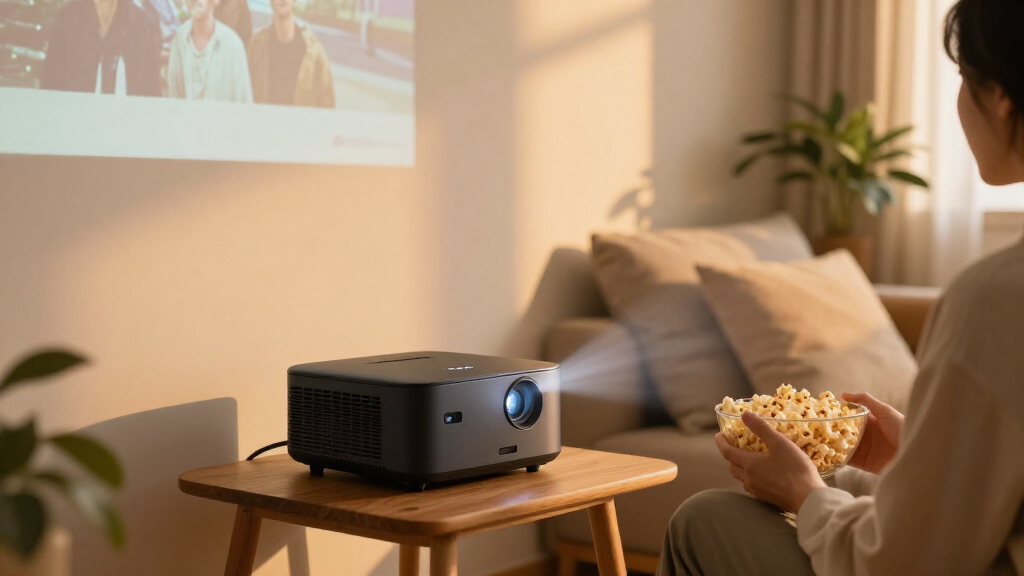

For most movie nights, I’d start with the Epson Home Cinema 2350: its home-theater design and Android TV make it the strongest choice here for a dedicated indoor setup. The HAPPRUN 2500 ANSI Google TV Smart Projector stands out for buyers prioritizing a brighter image, while the Aurzen Roku TV E1R keeps streaming simple in a portable package. The main tradeoffs are brightness and image quality versus portability, built-in streaming convenience, and how much setup you’re willing to handle. A projector’s advertised 4K decoding also doesn’t mean it displays native 4K resolution. Read on for how the 15 options compare and which one best fits your movie room.

Get the latest gadgets delivered free with Prime
- Fast, free delivery on millions of items
- Prime Video, Amazon Music and more included
- Member-only deals all year
Complete the kit



Key Takeaways
- The Epson Home Cinema 2350 is the clearest indoor theater pick: it is the lineup’s dedicated home-cinema option, while many rivals emphasize compact size and built-in apps.
- Streaming simplicity is a major point of difference: Roku models suit viewers who want a familiar interface, while Google TV models offer a different app and content environment.
- Native 1080p and 4K decoding are not the same: several portable picks decode 4K sources but display at native 1080p, so buyers should judge image output rather than the 4K label alone.
- Brightness claims matter most when room light is hard to control: the HAPPRUN 2500 ANSI model is the standout to compare for a brighter setup, while compact models make more sense in darker rooms.
- Auto focus and adjustment features can reduce setup work, not fix every placement problem: a good screen position and suitable throw distance still matter across the portable options.
| Aurzen Roku TV E1R Portable Mini Projector |  | Best for Lightweight Roku Streaming | Native resolution: 1280 × 720 | Maximum image size: 120 inches | Brightness: 160 lm | VIEW LATEST PRICE | See Our Full Breakdown |
| Boldever H1 Portable Smart Projector with Google TV |  | Best for Built-In Audio and Google TV | Native resolution: 1080p | 4K support: 4K decoding; content displays at native 1080p | Brightness: 2000 ANSI lumens | VIEW LATEST PRICE | See Our Full Breakdown |
| Pemoon Portable 1080p Projector with Google TV Stick, Wi-Fi 6, Bluetooth 5.2, Auto Focus and Rotating Stand |  | Best for Flexible Placement | Native resolution: 1920 × 1080 | 4K support: 4K decoding | Brightness: 3000 ANSI lumens (listed) | VIEW LATEST PRICE | See Our Full Breakdown |
| HAPPRUN Roku Smart Mini Projector with Wi-Fi and Bluetooth |  | Best for Flexible Mounting | Display type: LCD | Maximum resolution: HD | Maximum image size: 120 inches | VIEW LATEST PRICE | See Our Full Breakdown |
| ONOAYO ONO3Pro 2.0 Portable 4K-Decode Projector with AI Auto Adjustment and Dolby Audio |  | Best for Lightweight Streaming and Audio | Video support: 4K decoding | Audio: Dolby Audio; dual 50W speakers | Connectivity: Wi-Fi 6, Bluetooth, eARC, Chromecast | VIEW LATEST PRICE | See Our Full Breakdown |
| VIDAA Smart Projector with Native 1080p, 4K Decoding, Wi-Fi 6 and Bluetooth 5.4 |  | Best for Flexible Built-In Streaming | Operating system: VIDAA OS | Native resolution: 1920 × 1080 | Maximum supported resolution: 3840 × 2160 pixels | VIEW LATEST PRICE | See Our Full Breakdown |
| YGSKK Mini Projector with Wi-Fi 6, Bluetooth 5.3, Built-In Apps, and Native 1080p |  | Best for Ceiling Projection on a Compact Setup | Resolution: Native 1080p; compatible with 4K video playback | Brightness: 300 ANSI lumens | Wireless connectivity: Wi-Fi 6; 5 GHz and 2.4 GHz | VIEW LATEST PRICE | See Our Full Breakdown |
| VISSPL 4K Smart Projector with Google TV, WiFi 6, Bluetooth 5.2, Auto Focus & Keystone, Portable Outdoor Movie Projector |  | Best for Brighter Indoor and Outdoor Movie Nights | Brightness: 3,000 ANSI lumens | Resolution: 1080p native, 4K decoding support | Color gamut: 99.8% wide color gamut | VIEW LATEST PRICE | See Our Full Breakdown |
| Aurzen Roku TV D1R Portable Smart Projector |  | Best for Roku-Friendly Movie Streaming | Native resolution: 1920 × 1080 | Display type: LCD | Image size: 40–200 inches | VIEW LATEST PRICE | See Our Full Breakdown |
| HAPPRUN J7 Outdoor Smart Projector with 4K Decoding and Dolby Audio |  | Best for Built-In Sound at Outdoor Movie Nights | Model: J7 | Brightness: 1,500 ANSI lumens | Resolution: 4K decoding; native resolution not specified | VIEW LATEST PRICE | See Our Full Breakdown |
| Epson Home Cinema 2350 4K PRO-UHD Smart Streaming Projector with Android TV | 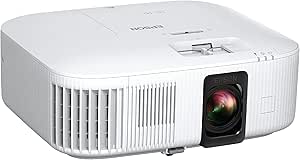 | Best for Bright-Room Movie Viewing | Resolution: 3840 × 2160 | Display type: LCD, 3LCD technology | Brightness: 2,800 lumens | VIEW LATEST PRICE | See Our Full Breakdown |
| X9 Pro Smart Projector with VIDAA OS, 4K Decoding, Dolby Audio, Wi-Fi 6, and Auto Focus |  | Best for Built-In Movie Audio | Native resolution: 1080p | Video decoding: 4K | Brightness: 920 ISO lumens | VIEW LATEST PRICE | See Our Full Breakdown |
| HAPPRUN 2500 ANSI Google TV Smart Projector |  | Best for Large-Screen Streaming | Native resolution: 1920 × 1080 | Maximum supported resolution: 3840 × 2160 pixels | Brightness: 2,500 ANSI lumens | VIEW LATEST PRICE | See Our Full Breakdown |
| Aurzen EAZZE D1 Smart Portable Projector | 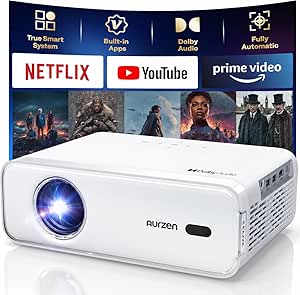 | Best for Simple Portable Setup | Resolution: Native 1080p | HDR: HDR10 | Image adjustment: Auto focus, auto keystone, obstacle avoidance, auto screen alignment | VIEW LATEST PRICE | See Our Full Breakdown |
| WiMiUS P62 Pro Smart Projector with Built-In Apps |  | Best for Dim-Room Movie Nights | Native resolution: 1080p | Video support: 4K | Brightness: 600 ANSI lumens | VIEW LATEST PRICE | See Our Full Breakdown |
| smart home projectors for movie | Brightness | Connectivity | Native resolution |
|---|---|---|---|
| Aurzen Roku TV E1R Portable Mi | 160 lm | Wi-Fi (2.4G/5G), Bluetooth 5.2, HDMI, USB | 1280 × 720 |
| Boldever H1 Portable Smart Pro | 2000 ANSI lumens | — | 1080p |
| Pemoon Portable 1080p Projecto | 3000 ANSI lumens (listed) | Bluetooth, HDMI, Wi-Fi | 1920 × 1080 |
| HAPPRUN Roku Smart Mini Projec | — | Dual-band Wi-Fi (2.4G/5G), Bluetooth 5.2, HDMI with ARC, USB 2.0, 3.5mm jack | — |
| ONOAYO ONO3Pro 2.0 Portable 4K | — | Wi-Fi 6, Bluetooth, eARC, Chromecast | — |
| VIDAA Smart Projector with Nat | 550 ANSI lumens | Wi-Fi 6, Bluetooth 5.4, HDMI 2.1 CEC/ARC, 3.5 mm jack | 1920 × 1080 |
| YGSKK Mini Projector with Wi-F | 300 ANSI lumens | — | — |
| VISSPL 4K Smart Projector with | 3,000 ANSI lumens | Wi-Fi 6, Bluetooth 5.2, HDMI ARC/CEC, USB | — |
| Aurzen Roku TV D1R Portable Sm | — | Wi-Fi, Bluetooth 5.2, HDMI, USB, audio | 1920 × 1080 |
| HAPPRUN J7 Outdoor Smart Proje | 1,500 ANSI lumens | — | — |
| Epson Home Cinema 2350 4K PRO- | 2,800 lumens | HDMI, Wi-Fi | — |
| X9 Pro Smart Projector with VI | 920 ISO lumens | — | 1080p |
| HAPPRUN 2500 ANSI Google TV Sm | 2,500 ANSI lumens | Wi-Fi 6, Bluetooth 5.1, HDMI with ARC, USB 2.0, 3.5 mm audio | 1920 × 1080 |
| Aurzen EAZZE D1 Smart Portable | — | — | — |
| WiMiUS P62 Pro Smart Projector | 600 ANSI lumens | — | 1080p |
More Details on Our Top Picks
Aurzen Roku TV E1R Portable Mini Projector
For a movie setup that needs to move from room to room, the Aurzen Roku TV E1R keeps the streaming path simple: Roku is built in, and Apple AirPlay and two-way Bluetooth add ways to send content or connect audio. Its under-one-pound weight and rotating stand make quick placement easier than with the heavier Boldever H1. The tradeoff is picture detail: this model is native 720p, while the H1 and Pemoon deliver native 1080p, so subtitles and fine image texture will look less crisp on a large screen. Its stated 160-lumen brightness also points to dim-room movie watching rather than a bright living room. I’d choose it for portability and Roku convenience, not for a large, highly detailed cinema image.
Pros:- Roku streaming is built in, reducing the need for a separate streaming device
- Under-one-pound design with a carrying strap is easy to move
- Apple AirPlay and two-way Bluetooth support flexible casting and audio
- 180-degree rotating stand and automatic vertical keystone correction simplify placement
Cons:- Native 1280 × 720 resolution is less detailed than the Boldever H1 and Pemoon’s native 1080p
- Stated brightness of 160 lumens favors dark-room viewing
- Activation requires a Roku account and internet connection
Best for: Viewers who want a very light projector with Roku built in for casual movies in a dark bedroom, dorm, or travel setup.
Not ideal for: Movie fans prioritizing sharp detail on a large screen or watching with ambient light; its native 720p resolution and stated 160-lumen brightness are limiting factors.
- Native resolution:1280 × 720
- Maximum image size:120 inches
- Brightness:160 lm
- Maximum throw distance:9.6 feet
- Throw ratio:1.12:1
- Connectivity:Wi-Fi (2.4G/5G), Bluetooth 5.2, HDMI, USB
- Stand rotation:180°
- Weight:Under 1 lb
Our verdict“Choose the E1R for lightweight Roku movie streaming in a dark room, but pick the Boldever H1 or Pemoon if native 1080p detail matters more.”
Boldever H1 Portable Smart Projector with Google TV
The Boldever H1 is a well-rounded pick for movie nights where a separate speaker or streaming stick would add clutter. Google TV, a voice remote, and a stated 30W stereo speaker give it a more self-contained setup than the Pemoon, which relies on an included Google TV Stick. Native 1080p is a sensible fit for movies, while 4K decoding means compatible 4K content is played back at the projector’s 1080p resolution—not displayed in native 4K. Auto focus and keystone correction ease setup, and its 4.0-pound weight is still portable, though not as featherlight as the Aurzen E1R. I’d favor the H1 for flexible home use; buyers should treat its 2000 ANSI-lumen claim as a listed spec, not a guarantee of bright-room performance.
Pros:- Google TV provides built-in access to streaming apps and live channels
- Native 1080p resolution suits movie viewing better than the Aurzen E1R’s 720p
- 30W stereo speaker can reduce the need for separate audio equipment
- Auto focus, auto keystone, Wi-Fi 6, and Bluetooth 5.4 support a convenient setup
Cons:- 4K content is decoded but displayed at native 1080p
- At 4.0 pounds, it is heavier than the Aurzen E1R and ONOAYO ONO3Pro 2.0
- Some apps restrict screen mirroring because of copyright limitations
Best for: Households wanting a portable native-1080p movie projector with Google TV and built-in stereo sound, without adding a separate streamer or speaker.
Not ideal for: Viewers who require native 4K playback, or buyers who want a projector below two pounds for frequent travel.
- Native resolution:1080p
- 4K support:4K decoding; content displays at native 1080p
- Brightness:2000 ANSI lumens
- Operating system:Google TV
- Speaker:30W HiFi stereo
- Wireless:Wi-Fi 6; Bluetooth 5.4
- Supported screen size:40–200 inches
- Weight:4.0 lbs
Our verdict“Pick the H1 for an easy-to-set-up Google TV movie system with built-in stereo sound, not for native 4K or ultralight portability.”
Pemoon Portable 1080p Projector with Google TV Stick, Wi-Fi 6, Bluetooth 5.2, Auto Focus and Rotating Stand
The Pemoon makes the most sense when a movie projector must point in more directions than a fixed tabletop setup allows. Its 360° rotating stand supports flexible positioning, while auto focus, auto keystone, and smart screen alignment reduce the work of getting an image in place. Unlike the Boldever H1, streaming comes through an included Google TV Stick rather than an operating system described as built into the projector; that distinction may matter if you prefer fewer separate components. Both offer native 1080p and 4K decoding, so neither displays 4K at native resolution. The listed 3000 ANSI lumens could appeal to viewers seeking more brightness, but the product data also repeats resolution and brightness details inconsistently. I’d weigh that uncertainty against the useful placement features and two-year warranty.
Pros:- Native 1080p resolution provides more detail than the Aurzen E1R’s native 720p
- 360° rotating stand allows flexible aiming
- Auto focus, auto keystone, and smart screen alignment simplify setup
- Includes a Google TV Stick and a two-year warranty
Cons:- 4K content is decoded but displayed at native 1080p
- Listing repeats brightness and resolution details inconsistently, making the stated 3000 ANSI lumens harder to interpret
- The included streaming stick is a separate component, unlike the Boldever H1’s built-in Google TV
Best for: Movie watchers who need a projector that can be aimed flexibly across rooms or onto different surfaces, and who value automated setup adjustments.
Not ideal for: Buyers who need clearly documented performance specifications or native 4K image resolution; the brightness and resolution details are inconsistent, and 4K is decoded rather than displayed natively.
- Native resolution:1920 × 1080
- 4K support:4K decoding
- Brightness:3000 ANSI lumens (listed)
- Connectivity:Bluetooth, HDMI, Wi-Fi
- Wireless:Wi-Fi 6; Bluetooth 5.2
- Stand:360° rotating
- Image adjustment:Auto focus, auto keystone correction, smart screen alignment, 50–100% digital zoom
- Warranty:2 years
Our verdict“Choose the Pemoon if flexible aiming and automated setup matter most, but favor the Boldever H1 if you want a more clearly specified built-in Google TV setup.”
HAPPRUN Roku Smart Mini Projector with Wi-Fi and Bluetooth
The HAPPRUN Roku Smart Mini Projector is the mounting-friendly choice in this group: it can sit on a table or floor, attach to a tripod, or be mounted on a wall or ceiling. That flexibility can help movie fans leave a screen area clear without shifting furniture each time. Roku streaming, AirPlay, and Dolby Audio stereo speakers keep the setup focused on straightforward viewing, much like the Aurzen E1R. The difference is that HAPPRUN lists a longer maximum throw distance of 17.43 feet, while the E1R specifies a 120-inch maximum image and a 9.6-foot maximum throw. HAPPRUN lists HD as its maximum resolution, so I wouldn’t choose it over the native-1080p Boldever H1 or Pemoon for fine detail. Its mounting options and unreported brightness make room planning less certain.
Pros:- Roku streaming and popular apps are built in
- Mounts on a ceiling, tripod, table, wall, or floor
- Apple AirPlay supports iOS casting
- Dolby Audio stereo speakers and HDMI ARC provide useful audio options
Cons:- Maximum resolution is listed as HD, below the native 1080p Boldever H1 and Pemoon
- Brightness is not specified in the supplied product data
- No automatic focus is listed, unlike the Boldever H1 and Pemoon
Best for: Movie viewers who want Roku streaming and several mounting choices for a dedicated room, ceiling setup, or flexible tabletop use.
Not ideal for: Buyers seeking native 1080p detail or a projector with a clearly stated brightness figure for judging performance in a room with ambient light.
- Display type:LCD
- Maximum resolution:HD
- Maximum image size:120 inches
- Throw distance:3.28–17.43 feet
- Contrast ratio:1800:1
- Connectivity:Dual-band Wi-Fi (2.4G/5G), Bluetooth 5.2, HDMI with ARC, USB 2.0, 3.5mm jack
- Audio:Built-in stereo speakers with Dolby Audio
- Mounting options:Ceiling, tripod, tabletop, wall, or floor
Our verdict“Choose this HAPPRUN for Roku convenience and varied mounting, but select a native-1080p option if movie detail is your priority.”
ONOAYO ONO3Pro 2.0 Portable 4K-Decode Projector with AI Auto Adjustment and Dolby Audio
At 2.4 pounds, the ONOAYO ONO3Pro 2.0 is easier to relocate than the 4.0-pound Boldever H1, while its built-in streaming apps and Chromecast make it more self-contained than the Pemoon’s included Google TV Stick arrangement. The audio pitch is strong on paper: Dolby Audio and dual 50W speakers, plus eARC for connecting compatible equipment. AI-assisted focus and image alignment, including obstacle avoidance and screen fit, can also reduce setup fiddling. The key movie-going uncertainty is the picture specification: the supplied data lists 4K decoding but gives no native resolution or brightness level. That leaves less basis for comparing sharpness and room suitability than with the H1 or Pemoon, both of which specify native 1080p. I’d pick it for portability and a feature-rich setup, not when verified image performance is the deciding factor.
Pros:- Built-in streaming apps and Chromecast reduce reliance on a separate streamer
- AI-assisted focus, keystone correction, obstacle avoidance, and screen fit support easier placement
- At 2.4 pounds, it is lighter than the Boldever H1
- Dolby Audio, dual 50W speakers, and eARC offer flexible audio options
Cons:- Native resolution is not specified in the supplied product data
- Brightness level is not specified, making room suitability harder to judge
- 4K decoding does not establish native 4K image resolution
Best for: Portable movie viewers who want built-in streaming, Chromecast, strong listed speaker hardware, and automated image adjustments in one unit.
Not ideal for: Buyers who need confirmed native resolution and brightness before choosing a projector, or who specifically want native 4K playback.
- Video support:4K decoding
- Audio:Dolby Audio; dual 50W speakers
- Connectivity:Wi-Fi 6, Bluetooth, eARC, Chromecast
- Automatic adjustments:Focus, keystone correction, obstacle avoidance, screen fit, projection orientation
- Zoom:50%–100%
- Weight:2.4 lb
- Mounting options:Desktop, tripod, wall, ceiling
- Cooling:Dual-fan cooling
Our verdict“Choose the ONO3Pro 2.0 for a portable, streaming-ready setup with extensive audio and auto-adjustment features, but skip it if confirmed picture specifications are a must.”
VIDAA Smart Projector with Native 1080p, 4K Decoding, Wi-Fi 6 and Bluetooth 5.4
VIDAA OS gives this projector a wide range of built-in viewing options, including more than 1,200 apps and 1,000 live TV channels, so it can serve as a movie setup without relying on a separate streaming stick. Its automatic focus, 6D keystone correction, obstacle avoidance, and screen alignment reduce the work of getting an image into shape after moving it. Compared with the Aurzen Roku TV D1R, this model offers a larger stated maximum image and more extensive automatic image adjustments, while Roku may feel simpler for viewers already used to its interface. The main movie-night limit is 550 ANSI lumens: I’d favor a dark room over daytime viewing. And while it decodes 4K content, its native image is 1080p, not 4K.
Pros:- VIDAA OS lists more than 1,200 apps and 1,000 live TV channels
- Automatic focus and image correction simplify placement
- AirPlay and Dolby Audio add flexible streaming and sound options
- Supports a stated maximum image size of 300 inches
Cons:- 550 ANSI lumens is a limiting factor in bright rooms
- Native resolution is 1080p; 4K is handled through decoding
Best for: Movie viewers who want extensive built-in apps, live TV, and easy image setup in a room they can darken.
Not ideal for: Buyers who watch with lights on or expect native 4K detail; its brightness is modest and its panel is 1080p.
- Operating system:VIDAA OS
- Native resolution:1920 × 1080
- Maximum supported resolution:3840 × 2160 pixels
- Brightness:550 ANSI lumens
- Maximum image size:300 inches
- Throw distance:4.5–16.4 feet
- Connectivity:Wi-Fi 6, Bluetooth 5.4, HDMI 2.1 CEC/ARC, 3.5 mm jack
- Image features:HDR10+, MEMC, AI autofocus, 6D keystone correction, obstacle avoidance, automatic screen alignment
Our verdict“Choose this for convenient VIDAA streaming and automated setup in a darkened room, not for bright viewing or native 4K.”
YGSKK Mini Projector with Wi-Fi 6, Bluetooth 5.3, Built-In Apps, and Native 1080p
The 210° rotating base makes the YGSKK a practical pick when a movie setup needs to aim at a ceiling or an awkward wall without a separate mount. Electric focus and built-in streaming apps also keep basic setup and playback within the projector. Compared with the VISSPL 4K Smart Projector, it gives up stated brightness and Google TV, so I’d reserve it for a smaller, dim room rather than outdoor screenings or a large image with ambient light. Its native 1080p resolution is a straightforward fit for HD movies, but 4K compatibility means video playback support, not a 4K panel. Bluetooth 5.3 works with audio devices, but not smartphones; Android mirroring also requires an app.
Pros:- Native 1080p resolution for HD movie playback
- 210° rotating base supports flexible wall and ceiling projection
- Electric focus reduces manual adjustment
- Built-in apps and Wi-Fi 6 support direct streaming
Cons:- 300 ANSI lumens limits use in rooms with ambient light
- Bluetooth does not connect to smartphones
- Android phone mirroring requires an app
Best for: Apartment movie watchers and bedroom viewers who want a native 1080p projector that can aim at a ceiling without extra mounting hardware.
Not ideal for: Outdoor movie hosts or viewers who need a bright image in a lit room; its 300 ANSI lumens suit dark conditions better.
- Resolution:Native 1080p; compatible with 4K video playback
- Brightness:300 ANSI lumens
- Wireless connectivity:Wi-Fi 6; 5 GHz and 2.4 GHz
- Bluetooth:Bluetooth 5.3; supports Bluetooth audio devices, not smartphones
- Screen size:50–200 inches
- Ports:HDMI, USB, 3.5 mm audio
- Focus:Electric focus
- Rotation:210° rotating base
- Audio:Built-in stereo speakers
Our verdict“Pick the YGSKK for flexible ceiling projection in a dark, compact viewing space, but skip it if brightness or easy phone connectivity is a priority.”
VISSPL 4K Smart Projector with Google TV, WiFi 6, Bluetooth 5.2, Auto Focus & Keystone, Portable Outdoor Movie Projector
The VISSPL’s stated 3,000 ANSI lumens set it apart from the dimmer YGSKK and VIDAA models in this group, giving it a stronger case for outdoor screenings and rooms that are not fully dark. Google TV, voice control, and access to more than 10,000 apps make streaming convenient, while auto focus and keystone correction help when the 360° stand is repositioned. It is still a native 1080p projector; 4K decoding does not add 4K panel detail, so buyers focused on resolution should read that distinction carefully. The feature set is broader than the Aurzen Roku TV D1R, but the Roku’s platform may suit viewers who prefer its interface. VISSPL also leaves its weight unspecified, making portability harder to judge.
Pros:- Stated 3,000 ANSI lumens offer more brightness headroom than the YGSKK
- Google TV includes access to more than 10,000 apps and voice control
- Auto focus and keystone correction speed up setup
- 360° adjustable stand supports varied placement
Cons:- Native resolution is 1080p despite 4K decoding support
- Weight is not specified, so portability is difficult to judge
- Google TV and automatic setup features may add complexity for buyers seeking a very simple setup
Best for: Movie fans who want a flexible projector for both indoor viewing and outdoor screenings, with Google TV built in.
Not ideal for: Buyers who require native 4K resolution, a specified carry weight, or the simplest possible smart TV interface.
- Brightness:3,000 ANSI lumens
- Resolution:1080p native, 4K decoding support
- Color gamut:99.8% wide color gamut
- Sound level:25 dB
- Connectivity:Wi-Fi 6, Bluetooth 5.2, HDMI ARC/CEC, USB
- Automatic setup:Auto focus and auto keystone
- Digital zoom:50%–100%
- Stand adjustment:360°
Our verdict“Choose the VISSPL for flexible, brighter movie viewing with Google TV, provided native 4K resolution and a known carry weight are not requirements.”
Aurzen Roku TV D1R Portable Smart Projector
The D1R makes sense for buyers who want Roku streaming built into a native 1080p projector, rather than adding a separate streaming device. Automatic focus and keystone correction help when moving it between rooms, and its 40–200-inch image range covers flexible home movie setups. Compared with the VIDAA Smart Projector, this model has a lower stated maximum image size but may be the more familiar route for viewers already invested in Roku. Its dual 5W speakers and Dolby Audio provide onboard sound, though a larger group may prefer an external audio system. Activation requires a Roku account and internet access, and the cooling fan can be audible during quiet scenes—two drawbacks that matter more in a bedroom than in a lively living room.
Pros:- Native 1080p resolution matches HD movie content
- Roku apps and free channels are built in
- Automatic focus and keystone correction simplify repositioning
- Bluetooth 5.2 and AirPlay provide additional connection options
Cons:- Roku account and internet connection are required for activation
- Cooling fan noise may distract during quiet scenes
- Maximum stated image size is 200 inches
Best for: Viewers already comfortable with Roku who want built-in streaming and automatic image correction in a portable 1080p projector.
Not ideal for: Buyers who want account-free activation, silent operation, or a larger stated image than 200 inches.
- Native resolution:1920 × 1080
- Display type:LCD
- Image size:40–200 inches
- Throw distance:3.71–18.58 feet
- Speakers:Dual 5W
- Connectivity:Wi-Fi, Bluetooth 5.2, HDMI, USB, audio
- Power:60 watts
- Weight:2.1 kg
Our verdict“Choose the D1R for familiar Roku streaming and easy repositioning, but avoid it if activation requirements or fan noise will disrupt your viewing.”
HAPPRUN J7 Outdoor Smart Projector with 4K Decoding and Dolby Audio
The J7’s biggest movie-night distinction is its pair of 15W speakers, which gives it a stronger built-in audio proposition than the Aurzen Roku TV D1R’s dual 5W speakers. That can simplify an outdoor setup when bringing separate speakers is inconvenient. It also combines 1,500 ANSI lumens with autofocus, automatic screen adjustment, and multiple mounting options, including a tripod, table, ceiling, or wall. Compared with the brighter VISSPL, the J7 has a lower stated brightness, but its advertised speaker output is substantially higher. The main caveat is that the product data lists 4K decoding without specifying native resolution; buyers should not assume a 4K panel or judge movie detail from the decoding claim alone. Its app access and Wi-Fi 6 support suit standalone streaming.
Pros:- Two 15W speakers provide substantial stated onboard audio output
- Built-in access to more than 1,000 streaming apps
- Autofocus and automatic screen adjustment help with quick setup
- Ceiling, table, tripod, and wall mounting options offer placement flexibility
Cons:- Native display resolution is not specified
- Its 1,500 ANSI lumens are below the VISSPL’s stated 3,000 ANSI lumens
- 4K decoding does not establish native 4K resolution
Best for: Outdoor movie hosts who want built-in streaming and more onboard speaker output to reduce extra equipment.
Not ideal for: Buyers who need confirmed native 4K or a clearly specified resolution before choosing a projector.
- Model:J7
- Brightness:1,500 ANSI lumens
- Resolution:4K decoding; native resolution not specified
- Contrast ratio:20,000:1
- Color gamut:95%
- Speakers:2 × 15W
- Wireless:Wi-Fi 6, Bluetooth 5.2
- Ports:HDMI, USB, 3.5 mm headphone jack
- Features:Built-in streaming apps, autofocus, automatic screen adjustment
Our verdict“Pick the J7 for outdoor movie setups that value built-in sound and easy placement, but choose a projector with confirmed resolution if image detail is your main priority.”
Epson Home Cinema 2350 4K PRO-UHD Smart Streaming Projector with Android TV
The Epson Home Cinema 2350 is the strongest fit here for movie watchers who cannot fully darken the room. Its 2,800-lumen output and 3LCD design are aimed at keeping colors vivid in more ambient light, while its listed 3840 × 2160 resolution and HDR10 support make it the clearest pick for buyers prioritizing a higher-resolution image. Android TV also puts streaming services and voice search on board, without a separate streaming stick.
Compared with the native-1080p HAPPRUN 2500 ANSI Google TV Smart Projector, the Epson is the more resolution-focused option, while the HAPPRUN lists a wider 40–300-inch screen range and more explicit placement details. The tradeoff is that the Epson’s listed 35:1 contrast ratio may limit dark-scene depth, and wireless streaming depends on a stable connection. I would choose it for a brighter multipurpose room, not for a dark-room setup built around inky blacks.
Pros:- Listed 3840 × 2160 resolution with HDR10 support
- 2,800 lumens and 3LCD technology target bright, vivid images
- Android TV and voice search provide built-in streaming access
- HDMI and Wi-Fi support connections to streaming and playback devices
Cons:- Listed 35:1 contrast ratio is a concern for shadow detail in dark movie scenes
- Brightness and color output can vary with usage conditions
- Streaming features rely on a stable wireless connection
Best for: Movie watchers who want higher-resolution playback and vivid color in a living room that is not fully darkened.
Not ideal for: Viewers focused on deep black levels in a dedicated dark theater, or anyone who needs a projector with a clearly specified high contrast ratio.
- Resolution:3840 × 2160
- Display type:LCD, 3LCD technology
- Brightness:2,800 lumens
- HDR:HDR10
- Operating system:Android TV
- Connectivity:HDMI, Wi-Fi
- Contrast ratio:35:1
- Mounting:Tabletop
Our verdict“Choose the Epson if you want its higher-resolution, bright-room movie setup, but pick a different model if dark-scene contrast matters most.”
X9 Pro Smart Projector with VIDAA OS, 4K Decoding, Dolby Audio, Wi-Fi 6, and Auto Focus
The X9 Pro stands out for buyers who want a movie setup with unusually substantial built-in sound: its dual 20W Dolby Audio speakers reduce the need to add a separate speaker system right away. VIDAA streaming, AirPlay 2, and HomeKit support add flexibility for households that use Apple devices, and automatic focus, keystone correction, obstacle avoidance, and screen fit can simplify setup when the projector moves between rooms.
Unlike the Epson Home Cinema 2350, this model has native 1080p resolution; 4K decoding means it can process 4K video, not display it at 4K detail. Its listed 920 ISO lumens also make it less suited to ambient-light viewing than the Epson or the HAPPRUN 2500 ANSI model. I would favor the X9 Pro for a darker room where easy setup and stronger onboard audio matter more than 4K-level image detail. App availability may vary by region.
Pros:- Dual 20W speakers with Dolby Audio provide more built-in sound output than the other listed models
- AI auto focus, keystone correction, obstacle avoidance, and screen fit simplify placement
- AirPlay 2 and HomeKit support suit Apple-focused homes
- HDMI with ARC/CEC, USB, and headphone output provide useful connection options
Cons:- Native resolution is 1080p; 4K content is decoded rather than displayed at native 4K
- Listed brightness of 920 ISO lumens is less suited to rooms with substantial ambient light
- Specific app availability and regional support are not detailed
Best for: Apple-device households and movie watchers who want automatic image setup and powerful built-in speakers in a dim room.
Not ideal for: Buyers seeking native 4K detail, strong performance in a bright room, or guaranteed access to a specific streaming app.
- Native resolution:1080p
- Video decoding:4K
- Brightness:920 ISO lumens
- HDR:HDR10
- Operating system:VIDAA
- Speakers:2 × 20W with Dolby Audio
- Wireless features:Wi-Fi 6, AirPlay 2, HomeKit
- Ports:HDMI with ARC/CEC, USB, 3.5 mm headphone jack
Our verdict“Pick the X9 Pro for easy setup and fuller built-in movie sound in a dark room, not for native 4K viewing or bright-room projection.”
HAPPRUN 2500 ANSI Google TV Smart Projector
For a movie-first setup where screen size and simple streaming take priority, the HAPPRUN 2500 ANSI makes a strong case. Built-in Google TV provides a familiar route to streaming apps, while its listed 2,500 ANSI lumens are a more compelling fit for rooms with some ambient light than the 600 ANSI lumens listed for the WiMiUS P62 Pro. The projector supports 40–300-inch images, with auto focus and screen alignment helping reduce setup work as you adjust placement.
There is a clear ceiling on image detail: this is native 1080p, and 4K support refers to decoding, unlike the Epson Home Cinema 2350’s listed 3840 × 2160 resolution. Its dual 10W Dolby Audio speakers can serve casual movie nights, though they are not a substitute for a dedicated theater sound system. I would pick it over the Aurzen EAZZE D1 when brightness and Google TV matter more than a compact portable setup.
Pros:- Google TV built in for streaming apps
- Listed 2,500 ANSI lumens suit rooms with more ambient light than lower-output options
- Supports image sizes from 40 to 300 inches
- Auto focus and screen alignment ease placement adjustments
Cons:- Native resolution is 1080p; 4K video is decoded rather than displayed at native 4K
- Dual 10W speakers may fall short for buyers building a separate home-theater sound system
- Large stated screen size does not remove the need for suitable room distance and viewing conditions
Best for: Families and casual movie watchers who want a large projected image, built-in Google TV, and flexible placement options.
Not ideal for: Buyers who want native 4K detail, a dedicated home-theater audio experience, or a particularly compact projector.
- Native resolution:1920 × 1080
- Maximum supported resolution:3840 × 2160 pixels
- Brightness:2,500 ANSI lumens
- Screen size:40–300 inches
- Operating system:Google TV
- Speakers:Dual 10W with Dolby Audio
- Connectivity:Wi-Fi 6, Bluetooth 5.1, HDMI with ARC, USB 2.0, 3.5 mm audio
- Mounting options:Ceiling, tripod, tabletop, wall, or floor
Our verdict“Choose the HAPPRUN for a bright, big-screen Google TV setup, provided native 4K resolution and theater-grade sound are not priorities.”
Aurzen EAZZE D1 Smart Portable Projector
The Aurzen EAZZE D1 is aimed at movie watchers who value easy setup over chasing the highest brightness or resolution in this group. Its native 1080p image, HDR10, and automatic focus, keystone correction, obstacle avoidance, and screen alignment make it practical for moving between rooms or setting up a temporary viewing spot. Built-in streaming and dual 8W Dolby Audio speakers keep the kit fairly self-contained, while the listed mounting options include tabletop, tripod, wall, and ceiling use.
Compared with the HAPPRUN 2500 ANSI Google TV Smart Projector, the Aurzen’s appeal is its automatic adjustments and portable positioning, not its stated light output or screen-size range, which are not specified here. Its main limitation is the built-in operating system: additional apps cannot be downloaded, and protected content may fail when mirrored or cast. I would choose it for a simple, repeatable setup, but not if a particular streaming service or native app flexibility is a must.
Pros:- Native 1080p resolution with HDR10
- Automatic focus, keystone correction, obstacle avoidance, and screen alignment
- Built-in smart TV operating system for streaming
- Dual 8W Dolby Audio speakers and multiple mounting options
Cons:- Cannot download additional streaming apps on this version
- Some protected streaming content may not work when mirrored or cast
- Bluetooth supports audio transmission only
Best for: Movie watchers who move a projector between rooms and want automatic picture setup with built-in streaming.
Not ideal for: Viewers who need a specific app that is not preinstalled, rely on protected-content screen mirroring, or want a stated high-brightness rating.
- Resolution:Native 1080p
- HDR:HDR10
- Image adjustment:Auto focus, auto keystone, obstacle avoidance, auto screen alignment
- Keystone range:Vertical ±15°, horizontal ±15°
- Audio:Dual 8W speakers with Dolby Audio and 3D stereo
- Wireless connectivity:Dual-band 2.4 GHz/5 GHz Wi-Fi, Bluetooth 5.1
- Ports:1 HD port, 2 USB ports, 3.5 mm headphone jack
- Mounting options:Ceiling, tabletop, tripod, or wall
Our verdict“Pick the EAZZE D1 for portable movie viewing with hands-off setup, but skip it if app choice or reliable casting is central to your routine.”
WiMiUS P62 Pro Smart Projector with Built-In Apps
The WiMiUS P62 Pro is a fit for movie nights in a room where the lights can be lowered and the projector can stay close to the viewing setup. It combines native 1080p resolution, HDR10, built-in streaming apps, and automatic focus and keystone correction, so a separate streaming device and manual image adjustment may not be needed. Dual 10W Dolby audio speakers cover basic playback, and two HDMI ports make it easier to keep more than one external source connected.
Its listed 600 ANSI lumens put it behind the Epson Home Cinema 2350 and HAPPRUN 2500 ANSI in brightness, making it a weaker choice for daytime movies or rooms with lights on. Like the HAPPRUN and X9 Pro, it supports 4K video but displays at native 1080p. The missing carrying case also makes frequent travel less convenient. I would pick it for a fixed, dark-room setup, not a bright multipurpose living room.
Pros:- Native 1080p resolution with HDR10
- Built-in streaming apps and automatic focus and keystone correction
- Two HDMI ports and two USB ports support multiple connected devices
- Dual 10W Dolby audio speakers provide onboard sound
Cons:- Listed 600 ANSI lumens are less suited to ambient-light viewing than the Epson or HAPPRUN
- 4K video support does not change its native 1080p display resolution
- Carrying case is not included
Best for: Buyers setting up a modest, mostly stationary movie space in a dim room who want built-in apps and multiple wired inputs.
Not ideal for: Viewers who watch with lights on, want native 4K detail, or need a ready-to-carry projector for frequent travel.
- Native resolution:1080p
- Video support:4K
- Brightness:600 ANSI lumens
- HDR:HDR10
- Wireless connectivity:Wi-Fi 6, Bluetooth 5.2
- Ports:2 HDMI, 2 USB, 3.5 mm audio output
- Audio:Dual 10W speakers with Dolby audio
- Mounting options:Ceiling, table, tripod, or wall
Our verdict“Choose the P62 Pro for a dim-room setup with built-in apps and plenty of ports, but look to a brighter model for daytime or living-room viewing.”
How We Picked
I ranked these smart home projectors for movie viewing by weighing the parts that change the viewing experience most: resolution, stated brightness, streaming access, setup features, portability, and audio claims. A projector with native 1080p is not interchangeable with one that only decodes a 4K signal, and a built-in smart platform is useful only if it supports the viewer’s preferred apps and is easy to control. I also considered whether each model’s design better suits a fixed indoor room, casual portable viewing, or outdoor use.
The ranking favors a balanced movie setup over a long feature list. The Epson Home Cinema 2350 ranks highest for a home theater, while compact Roku and Google TV models earn their places through simpler streaming and easier relocation. Models with similar portable feature sets are separated by their stated display resolution, brightness, focus and keystone tools, and the clarity of their intended use. I treat 4K decoding as a compatibility feature rather than proof of native 4K projection, and I do not assume that built-in audio replaces a separate sound system.
Factors to Consider When Choosing Smart Home Projectors For Movies
Before choosing a projector, I’d match it to the room and the way movie night actually works. Smart features and portability can simplify setup, but they cannot compensate for a room that is too bright or a projector placed too far from the screen.
Match brightness to the room, not the marketing
Ambient light washes out dark scenes first, so a projector that looks convincing in a dark room may disappoint in a living room with lamps or open curtains. If you cannot darken the space, prioritize a clearly stated brightness figure and treat it as one factor rather than a guarantee of picture quality. Brightness specifications can use different measurement methods, which makes direct comparisons less straightforward than a single number suggests. A larger projected image also spreads light over more area, so it can look dimmer than a smaller image from the same unit. For evening movies in a controlled room, contrast and placement may matter more than chasing the highest brightness claim. I’d plan the room before paying extra for a brighter model.
Check native resolution separately from 4K decoding
Native resolution describes the projector’s actual pixel grid; 4K decoding describes its ability to accept and process a 4K source. Those capabilities are not equivalent, even when both appear in a product description. For movies, native 1080p can provide a clear image at common home viewing sizes, while native 4K is a different class of output. Check the manufacturer’s specification for native resolution rather than inferring it from a “4K” label. Also think about seating distance and screen size: a resolution upgrade may matter less from across a small room than from close seating in a dedicated theater. Spend on the resolution you can see, not just the most prominent label.
Treat smart TV software as part of the setup
Built-in Roku, Google TV, VIDAA, or other app platforms can spare you an extra streaming device and reduce cable clutter. Their value depends on app availability, interface preferences, update support, and whether the projector can connect reliably to your home network. Before buying, check that your essential streaming services are available on the built-in platform in your region. An external streamer can be a useful fallback or upgrade, but it adds another device, remote, and connection to manage. Built-in apps also do not automatically mean every service will play at the same quality or support every audio format. Choose the platform you will actually use, not simply the one with the longest feature list.
Plan placement before relying on auto setup
Auto focus and keystone correction can make a portable projector faster to set up, especially when it moves between rooms. They cannot change the projector’s throw distance, create a larger image than its optics allow, or correct every placement angle without affecting the picture. Digital keystone correction adjusts the image electronically and may reduce usable detail, so positioning the projector square to the screen remains preferable. Measure the distance from the planned shelf or table to the screen and compare it with the maker’s projection guidance. A rotating stand helps aim the unit, but it does not solve an unsuitable viewing distance. Buyers who want a permanent installation should prioritize lens and placement flexibility over quick adjustment features.
Budget for sound and outdoor use as separate needs
Built-in speakers are convenient for casual viewing, but movie dialogue and effects often benefit from a separate speaker or sound system. Check how the projector connects to external audio, including Bluetooth or wired outputs, and whether that connection fits your room. Bluetooth can introduce audio delay with some combinations of devices, so compatibility matters more than the presence of the feature alone. Outdoor viewing adds further demands: darkness, a stable surface, power access, and suitable weather protection all affect the experience. A portable projector is not automatically weatherproof, and a patio’s ambient light can flatten the image. Treat portability as ease of moving the unit, not proof that it will perform well in every outdoor setting.
Frequently Asked Questions
Does a projector with 4K decoding show movies in native 4K?
No. 4K decoding means the projector can accept a 4K signal, but its displayed image is limited by its native resolution. Several models in this roundup pair 4K decoding with native 1080p, so buyers should check both specifications. If native 4K output matters to you, confirm that exact capability in the manufacturer’s technical details. For many living-room setups, native 1080p may still be a sensible match for screen size and viewing distance.
Can a smart projector replace a streaming stick?
Often, yes, if the built-in platform supports your preferred apps and works well on your network. Roku and Google TV options in this roundup are aimed at viewers who want streaming built into the projector rather than an extra device. App availability can vary by region, and software support can change over time, so check for the services you use before buying. A streaming stick remains a practical backup if an app is missing or you prefer a different interface. It also gives you more flexibility if you later replace the projector.
Will a portable projector be bright enough for daytime movies?
Portable size alone does not tell you how bright a projector will look, and daylight is demanding for any projected image. The HAPPRUN 2500 ANSI model is the lineup’s brightness-focused option, but a higher stated figure does not make a bright room equivalent to a dark one. Closing curtains and reducing ambient light can improve contrast more than moving up a small step in projector brightness. A smaller image can also look brighter than a much larger one from the same projector. For regular daytime viewing, compare measured brightness data and plan to control the room light.
Should I choose an auto-focus model if I move the projector between rooms?
Auto focus can save time when the projector is frequently moved, and auto adjustment features can make casual setup less fussy. They do not remove the need to place the projector at a suitable distance and close to square with the screen. Digital keystone correction can reduce image detail, so it is better treated as a convenience than a substitute for good placement. A rotating stand may help aim a compact unit, but check that the projector can still produce your preferred image size from each location. For a fixed theater, dependable placement and picture performance may matter more than fast automatic setup.
Is a projector’s built-in speaker enough for movie nights?
It can be adequate for casual viewing in a small, quiet room, but built-in audio is rarely the strongest reason to choose a projector. Dialogue clarity, room size, and background noise all affect whether the sound feels satisfying. Models advertising Dolby Audio do not necessarily include powerful speakers or reproduce the effect of a separate sound system. Check the available audio connections and confirm they work with the speaker setup you already own. If you plan regular movie nights, setting aside room for external audio can improve the experience more than an extra convenience feature.
Conclusion
For a dedicated indoor movie room, I’d choose the Epson Home Cinema 2350 as best overall, while buyers who want a brighter stated specification should compare it with the HAPPRUN 2500 ANSI Google TV Smart Projector. For best value, I’d focus on the Roku or Google TV portable models that match your preferred interface and provide the resolution you actually need, rather than paying extra for a 4K-decoding label. The Aurzen Roku TV E1R is my pick for beginners who want familiar, straightforward streaming in a portable format. For moving between rooms or occasional outdoor sessions, compare the compact models with auto focus and adjustment features, especially the Pemoon and VISSPL options. If you want a more theater-oriented setup, favor the Epson; if easy streaming and relocation matter more, choose a portable smart model and plan for a dark room and separate sound.
Halloween Picks
halloween
As an affiliate, we earn on qualifying purchases.