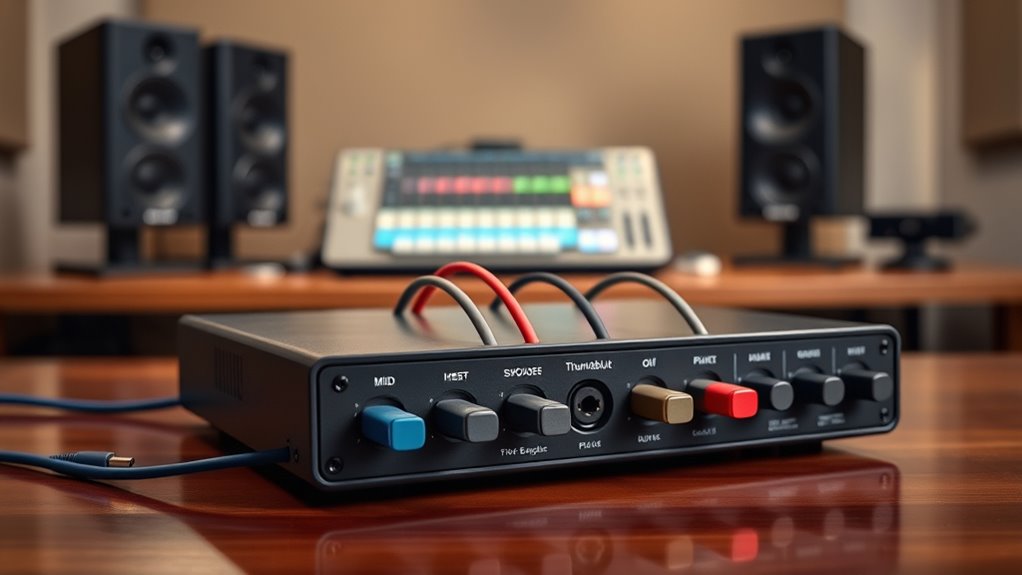

The MOTU 16A is my best overall pick for a Thunderbolt audio interface because its broad I/O and Thunderbolt 4/USB4 connectivity suit flexible, expanding studios. For a compact recording setup, the Universal Audio Apollo Twin X DUO Gen 2 offers a more focused desktop format, while the MOTU 848 brings extensive routing and connectivity to larger rigs. The main choice is between high channel counts and expansion, a compact interface with UAD processing, and the added inputs or DSP of larger Apollo models. Connection compatibility matters, too: Thunderbolt 3 and Thunderbolt 4/USB4 products may not fit every computer or workflow in the same way. Read on for a ranked comparison and guidance on which tradeoffs suit your studio.

Get the latest gadgets delivered free with Prime
- Fast, free delivery on millions of items
- Prime Video, Amazon Music and more included
- Member-only deals all year
Complete the kit



Key Takeaways
- MOTU 16A ranks first for flexible studio expansion, pairing a high channel count with Thunderbolt 4/USB4 rather than centering the design on onboard UAD processing.
- Apollo Twin X DUO Gen 2 is the clearest compact choice, while its DUO processing capacity makes it a different proposition from the QUAD model.
- Apollo Twin X QUAD Gen 2 targets users who want more onboard UAD processing in a desktop Apollo format; it is not a substitute for the larger I/O of the Apollo x8.
- MOTU 848 and 10pre serve bigger connection needs than the Twin models, so channel count and routing requirements matter more than choosing by product family alone.
- Thunderbolt 3 versus Thunderbolt 4/USB4 is a practical compatibility distinction across this lineup; buyers should check computer ports, adapters, and required connection protocols before choosing.
| MOTU 16A 32×34 Thunderbolt 4/USB4 Audio Interface |  | Best for Large Routing Setups | Audio channels: 32 inputs, 34 outputs | Analog I/O: 16 balanced TRS line inputs and outputs | Optical I/O: Two banks of 8-channel ADAT | VIEW ON AMAZON | See Our Full Breakdown |
| Universal Audio Apollo Twin X DUO Gen 2 Thunderbolt 3 Audio Interface |  | Best Compact UAD Recording Pick | Connectivity: Thunderbolt 3 | Channels: 32 | Audio input: XLR | VIEW ON AMAZON | See Our Full Breakdown |
| Universal Audio Apollo x4 Gen 2 Thunderbolt 3 Audio Interface with UAD Analog Classics Pro |  | Best for Multi-Mic UAD Tracking | Connectivity: Thunderbolt 3 | Channels: 32 | Audio inputs: XLR, AUX | VIEW ON AMAZON | See Our Full Breakdown |
| MOTU 848 28×32 Thunderbolt 4/USB4 Audio Interface |  | Best Hybrid Studio Interface | Audio I/O: 28 inputs, 32 outputs | Analog I/O: 12 inputs, 12 outputs | Mic preamps: 4 channels, up to +74 dB gain | VIEW ON AMAZON | See Our Full Breakdown |
| MOTU 10pre 26×28 Thunderbolt 4/USB4 Audio Interface |  | Best for High-Input-Count Sessions | Audio I/O: 26 inputs, 28 outputs | Mic/line/instrument inputs: 10 combo-jack inputs | Analog outputs: 8 TRS line-level outputs | VIEW ON AMAZON | See Our Full Breakdown |
| Universal Audio Apollo Twin X QUAD Gen 2 Audio Interface | | Best Compact DSP Studio Interface | Connectivity: Thunderbolt 3 | DSP power: QUAD Core | Maximum sample rate: 192 kHz | VIEW ON AMAZON | See Our Full Breakdown |
| Universal Audio Apollo x8 Gen 2 Thunderbolt 3 Audio Interface with UAD Analog Classics |  | Best for Rack Studios and Multi-Mic Recording | Form factor: Rackmount | Connectivity: Thunderbolt 3 | Channels: 8 | VIEW ON AMAZON | See Our Full Breakdown |
| thunderbolt audio interface | Connectivity | Maximum sample rate | Channels | Weight |
|---|---|---|---|---|
| MOTU 16A 32×34 Thunderbolt 4/U | Thunderbolt 4/USB4, USB 3/USB 2, dual Gigabit AVB Ethernet | 192 kHz | — | — |
| Universal Audio Apollo Twin X | Thunderbolt 3 | 192 kHz | 32 | 16 ounces |
| Universal Audio Apollo x4 Gen | Thunderbolt 3 | 192 kHz | 32 | 3 kg |
| MOTU 848 28×32 Thunderbolt 4/U | Thunderbolt 4/USB4 via USB-C, USB 3/USB 2, dual Gigabit AVB ports | 192 kHz | — | — |
| MOTU 10pre 26×28 Thunderbolt 4 | Thunderbolt 4/USB4, USB 3/USB 2, dual Gigabit AVB ports | 192 kHz | — | — |
| Universal Audio Apollo Twin X | Thunderbolt 3 | 192 kHz | 32 | 4 pounds |
| Universal Audio Apollo x8 Gen | Thunderbolt 3 | 192 kHz | 8 | 16.9 pounds |
More Details on Our Top Picks
MOTU 16A 32×34 Thunderbolt 4/USB4 Audio Interface
I’d choose the MOTU 16A when a studio needs many line-level connections and flexible routing more than built-in mic preamps. Its 16 balanced TRS inputs and outputs, dual ADAT banks, and 32-input/34-output total make it a stronger fit for synths, outboard gear, and expanded digital rigs than the smaller desktop Apollo Twin X DUO Gen 2. Thunderbolt 4/USB4 support is paired with USB compatibility, while the 64-channel mixer, onboard effects, and AVB networking can handle monitoring and routing without leaning entirely on a computer. The tradeoff is its rack-oriented footprint and lack of listed mic preamps; the MOTU 848 is a better match if you need four built-in preamps. I’d skip the 16A for a simple vocal-and-guitar recording setup.
Pros:- 16 balanced line inputs and outputs suit hardware-heavy studios.
- Two banks of 8-channel ADAT I/O allow substantial digital expansion.
- 64-channel mixing, onboard effects, and patchbay routing support complex monitoring.
- Thunderbolt 4/USB4, USB compatibility, and AVB networking offer flexible system connections.
Cons:- No built-in mic preamps are listed, so microphones require external preamps.
- Its 19-inch-wide, 11-pound chassis is less convenient for a compact desktop setup.
- Connecting an iPad by Lightning requires a separately sold adapter kit.
Best for: Project and commercial studios with multiple line-level instruments, outboard processors, or ADAT gear to route at once.
Not ideal for: Singer-songwriters who need built-in mic preamps, or desktop users seeking a small interface with a simple input layout.
- Audio channels:32 inputs, 34 outputs
- Analog I/O:16 balanced TRS line inputs and outputs
- Optical I/O:Two banks of 8-channel ADAT
- Connectivity:Thunderbolt 4/USB4, USB 3/USB 2, dual Gigabit AVB Ethernet
- Maximum sample rate:192 kHz
- DSP mixing:64-channel mixer with 32 busses and onboard effects
- Dimensions and weight:12.25 x 19 x 1.75 inches; 11 pounds
- Compatible operating systems:macOS, Windows, iOS
Our verdict“Choose the MOTU 16A if your priority is extensive line-level I/O and routing rather than onboard microphone preamps.”
Universal Audio Apollo Twin X DUO Gen 2 Thunderbolt 3 Audio Interface
The Apollo Twin X DUO Gen 2 suits a desktop recordist who values UAD plug-in processing and a compact workflow over abundant physical I/O. Its two Unison mic preamps and DUO Core DSP are aimed at tracking through supported UAD plug-ins in real time, a different priority from the MOTU 16A’s large line-level patching capacity. Compared with the Apollo x4 Gen 2, the Twin X is the more compact choice, but it gives up two mic preamps and the extra DSP headroom indicated by the x4’s QUAD Core. Monitor correction, Auto-Gain, and bass management add useful control for compatible workflows. The limitation is that it requires Thunderbolt 3 and its plug-in benefits depend on compatible software; it’s not the pick for users who need broad standalone routing or many simultaneous inputs.
Pros:- Two Unison mic preamps support a focused two-input recording setup.
- DUO Core DSP enables real-time processing with supported UAD plug-ins.
- Monitor correction, Auto-Gain, and bass management add useful studio controls.
- Works with Windows and macOS.
Cons:- Thunderbolt 3 is required, limiting compatibility with systems that lack that connection.
- Two preamps provide less simultaneous mic capacity than the Apollo x4 Gen 2’s four.
- Some capabilities depend on compatible DAW software and UAD plug-ins.
Best for: Desktop vocalists, podcasters, and producers who want two Unison preamps and real-time UAD processing in a compact Thunderbolt setup.
Not ideal for: Bands recording several microphones at once, or users whose computers lack Thunderbolt 3 and who need a large bank of physical I/O.
- Connectivity:Thunderbolt 3
- Channels:32
- Audio input:XLR
- Mic preamps:2 Unison preamps
- DSP processing:DUO Core
- Maximum sample rate:192 kHz
- Compatible operating systems:Windows, macOS
- Weight:16 ounces
Our verdict“Pick the Apollo Twin X DUO Gen 2 for compact recording with two Unison preamps and UAD processing, not for high channel counts.”
Universal Audio Apollo x4 Gen 2 Thunderbolt 3 Audio Interface with UAD Analog Classics Pro
When I’d move beyond a two-preamp desktop interface, the Apollo x4 Gen 2 is the natural UAD step up: it provides four Unison mic preamps and QUAD Core DSP for real-time UAD plug-in processing. That makes it better suited than the Apollo Twin X DUO Gen 2 for recording a small ensemble or several sources at once, while the Twin X remains the more compact, simpler choice. The x4 also reaches 192 kHz and works with Windows and macOS. Its tradeoff is not sheer connectivity: the MOTU 10pre offers ten combo-jack inputs and extensive optical I/O, making it more appropriate for larger sessions and hardware expansion. The x4 remains tied to Thunderbolt 3, and its 3 kg weight makes it less appealing as a grab-and-go interface.
Pros:- Four Unison preamps accommodate more simultaneous microphones than the Apollo Twin X DUO Gen 2.
- QUAD Core DSP supports real-time UAD plug-in processing.
- Supports sample rates up to 192 kHz.
- Compatible with Windows and macOS DAW setups.
Cons:- Requires a Thunderbolt 3 connection.
- At 3 kg, it is less portable than the Apollo Twin X DUO Gen 2.
- Four preamps and the listed XLR/AUX inputs offer less expansion than the MOTU 10pre’s broader I/O.
Best for: Small studios recording several microphones at once and using UAD plug-ins for real-time tracking.
Not ideal for: Mobile producers prioritizing a lightweight interface, or larger studios needing more than four built-in mic preamps and extensive I/O.
- Connectivity:Thunderbolt 3
- Channels:32
- Audio inputs:XLR, AUX
- Microphone preamps:4 Unison preamps
- DSP processing:QUAD Core
- Maximum sample rate:192 kHz
- Compatible operating systems:Windows, macOS
- Weight:3 kg
Our verdict“Choose the Apollo x4 Gen 2 if you need four Unison preamps and UAD tracking tools without moving to a larger multi-I/O system.”
MOTU 848 28×32 Thunderbolt 4/USB4 Audio Interface
The MOTU 848 balances built-in recording inputs with broad studio routing. Its four remotely controllable mic preamps make it more ready for microphone sessions than the line-focused MOTU 16A, while 12 analog inputs and outputs, dual optical banks, and AVB networking leave room for expanded setups. Thunderbolt 4/USB4 and USB 3/USB 2 compatibility also give it a wider connection range than the Thunderbolt 3-only Apollo x4 Gen 2. A 64-channel DSP mixer and onboard effects help manage monitoring outside the DAW, though the effects are specified only up to 96 kHz even though the interface supports 192 kHz. I’d favor the 848 for a mixed mic, line, and digital studio; the MOTU 10pre is the stronger fit when ten combo inputs matter more.
Pros:- Four mic preamps with up to +74 dB gain cover common multi-mic recording needs.
- Analog, dual-bank optical, and AVB connections support varied studio routing.
- 64-channel DSP mixing with 32 busses provides onboard monitoring and effects.
- Thunderbolt 4/USB4 and USB compatibility broaden connection options.
Cons:- Onboard DSP effects processing is specified for sample rates up to 96 kHz.
- The MOTU 10pre offers more built-in combo inputs for mic-heavy sessions.
- Lightning connection to iOS devices requires a separately sold adapter kit.
Best for: Studios that record microphones and line-level sources, use optical expansion, and want Thunderbolt 4/USB4 plus AVB routing.
Not ideal for: Users needing ten built-in combo inputs, or anyone expecting the onboard DSP effects to operate at the interface’s full 192 kHz rate.
- Audio I/O:28 inputs, 32 outputs
- Analog I/O:12 inputs, 12 outputs
- Mic preamps:4 channels, up to +74 dB gain
- Optical I/O:Two 8-channel banks
- Connectivity:Thunderbolt 4/USB4 via USB-C, USB 3/USB 2, dual Gigabit AVB ports
- Maximum sample rate:192 kHz
- DSP mixing:64-channel mixing with 32 busses and onboard effects
- Converter dynamic range:125 dB
Our verdict“Pick the MOTU 848 for a flexible hybrid studio that needs four built-in preamps, optical I/O, and AVB networking.”
MOTU 10pre 26×28 Thunderbolt 4/USB4 Audio Interface
The MOTU 10pre is the lineup’s most mic-input-focused choice, with 10 combo-jack mic, line, and instrument inputs. That gives it a clear advantage over the four-preamp MOTU 848 for drum sessions, ensemble recording, or studios that regularly capture several sources together. It also supplies 28 outputs, dual 8-channel optical banks, AVB networking, and Thunderbolt 4/USB4 connectivity. Its 64-channel DSP mixer and effects support flexible monitoring, although the listed effects processing tops out at 96 kHz while the interface itself supports 192 kHz. Compared with the MOTU 16A, the 10pre sacrifices some line-only input/output capacity in favor of built-in preamps and two headphone outputs. I’d skip it if most of your inputs come from external preamps or line-level hardware.
Pros:- Ten combo inputs support a wide range of simultaneous mic, line, and instrument sources.
- Two banks of 8-channel optical I/O add substantial digital expansion.
- Thunderbolt 4/USB4, USB compatibility, and dual Gigabit AVB ports suit flexible studio systems.
- Onboard 64-channel DSP mixing, effects, and two headphone outputs support monitoring needs.
Cons:- DSP effects processing is specified for sample rates up to 96 kHz, below the interface’s 192 kHz maximum.
- The MOTU 16A is better suited to setups centered on numerous balanced line inputs and outputs.
- Lightning connectivity requires a separately sold adapter kit.
Best for: Engineers recording drums, small ensembles, or multiple microphones who also need optical expansion and substantial output routing.
Not ideal for: Hardware-heavy studios that need many balanced line inputs and outputs but have no use for ten built-in mic/line/instrument inputs.
- Audio I/O:26 inputs, 28 outputs
- Mic/line/instrument inputs:10 combo-jack inputs
- Analog outputs:8 TRS line-level outputs
- Digital I/O:Two banks of 8-channel optical I/O
- Connectivity:Thunderbolt 4/USB4, USB 3/USB 2, dual Gigabit AVB ports
- Maximum sample rate:192 kHz
- DSP mixing:64 channels, 32 busses, 32-bit floating point
- Headphone outputs:2
- Converter dynamic range:125 dB
Our verdict“Choose the MOTU 10pre when ten built-in combo inputs are more useful than the 16A’s larger bank of line-level connections.”
Universal Audio Apollo Twin X QUAD Gen 2 Audio Interface
The Apollo Twin X QUAD Gen 2 suits a desktop studio that needs polished conversion and substantial onboard processing without moving to a rack unit. Its QUAD Core DSP runs UAD plug-ins while recording, and the two Unison preamps let you shape input tone with modeled classic hardware. Compared with the rackmount Apollo x8 Gen 2, this Twin takes up less space but offers fewer mic preamps and less room for a multi-mic setup. Auto-Gain can speed up level setting, while Apollo Monitor Correction is aimed at more dependable monitoring across imperfect rooms. The tradeoff is a Thunderbolt 3 requirement and a premium, DSP-centered workflow; buyers seeking broad connectivity or a simpler interface may prefer another option in the lineup.
Pros:- Two Unison preamps support real-time recording through modeled classic hardware
- QUAD Core DSP runs UAD plug-ins during recording
- Apollo Monitor Correction and Auto-Gain support a faster, more controlled workflow
- 192 kHz maximum sample rate and conversion positioned as a strength of the Apollo line
Cons:- Thunderbolt 3 limits use with computers lacking a compatible connection
- Two mic preamps are restrictive for multi-microphone sessions compared with the Apollo x8 Gen 2
- Its DSP-focused feature set and premium positioning may be unnecessary for basic recording
Best for: Desktop producers and recording musicians who want two Unison preamps, UAD processing, and a compact Thunderbolt setup.
Not ideal for: Bands recording several microphones at once, or owners of computers without Thunderbolt 3 who need wider compatibility.
- Connectivity:Thunderbolt 3
- DSP power:QUAD Core
- Maximum sample rate:192 kHz
- Channels:32
- Audio input:XLR
- Operating systems:Windows, macOS
- Weight:4 pounds
- Warranty:1 year
Our verdict“Choose the Twin X QUAD Gen 2 for a compact desktop rig centered on two Unison inputs and onboard UAD processing, not for large recording sessions.”
Universal Audio Apollo x8 Gen 2 Thunderbolt 3 Audio Interface with UAD Analog Classics
For a rack-based studio, the Apollo x8 Gen 2 is the more capable recording hub than the desktop Apollo Twin X QUAD Gen 2: it provides four Unison mic preamps and eight channels, making simultaneous multi-mic sessions more practical. Its HEXA Core DSP supports UAD plug-ins, while Auto-Gain can help set input levels before tracking. Bass management and support for up to 7.1 surround sound also give it a role beyond straightforward stereo recording. That extra capacity comes with a larger, heavier rackmount design, so it makes less sense for a portable or space-constrained setup. Thunderbolt 3 and a compatible computer and recording-software setup are part of the commitment. I’d choose this over the Twin when input count and studio integration matter more than desk space.
Pros:- Four Unison mic preamps accommodate more simultaneous microphones than the Apollo Twin X QUAD Gen 2
- HEXA Core DSP supports UAD plug-in processing
- Auto-Gain helps set input levels before recording
- Bass management and up to 7.1 surround support suit larger monitoring setups
Cons:- Rackmount form factor and 16.9-pound weight are awkward for portable or small-desk setups
- Requires Thunderbolt 3 and a compatible computer and recording-software configuration
- Its additional inputs and surround features may be unnecessary for a basic stereo studio
Best for: Rack-equipped project and professional studios that record several microphones at once or need surround monitoring and bass management.
Not ideal for: Mobile musicians and compact desktop producers who do not need four preamps, rack mounting, or surround features.
- Form factor:Rackmount
- Connectivity:Thunderbolt 3
- Channels:8
- Mic preamps:4 Unison
- DSP power:HEXA Core
- Maximum sample rate:192 kHz
- Supported software:Pro Tools, Logic Pro, Ableton Live, Cubase, UAD plug-ins
- Weight:16.9 pounds
- Warranty:1 year
Our verdict“Pick the Apollo x8 Gen 2 when a rack studio needs four Unison preamps and surround capabilities, and skip it if a compact two-input setup is enough.”

How We Picked
I ranked these interfaces by how well their connection options, I/O capacity, and processing approach fit common studio setups. I gave weight to usable inputs and outputs, room to expand, and whether the unit favors routing flexibility or UAD-based recording and monitoring. Ease of matching the interface to a compact desk, a growing project studio, or a larger recording rig also shaped the order.
The ranking rewards versatility rather than raw specifications alone: the MOTU 16A leads for broad connectivity and expansion, while Apollo Twin models place higher for buyers who specifically want a compact UAD workflow. Larger Apollo and MOTU models move up or down according to whether DSP, channel count, or system flexibility is the priority. I also treated Thunderbolt generation and computer compatibility as real buying constraints, not minor spec-sheet details. No single interface is right for every studio, and each pick carries a tradeoff in size, I/O focus, or processing approach.
| thunderbolt audio interface | Connectivity |
|---|---|
| MOTU 16A 32×34 Thunderbolt 4/U | Thunderbolt 4/USB4, USB 3/USB 2, dual Gigabit AVB Ethernet |
| Universal Audio Apollo Twin X | Thunderbolt 3 |
| Universal Audio Apollo x4 Gen | Thunderbolt 3 |
| MOTU 848 28×32 Thunderbolt 4/U | Thunderbolt 4/USB4 via USB-C, USB 3/USB 2, dual Gigabit AVB ports |
| MOTU 10pre 26×28 Thunderbolt 4 | Thunderbolt 4/USB4, USB 3/USB 2, dual Gigabit AVB ports |
| Universal Audio Apollo Twin X | Thunderbolt 3 |
| Universal Audio Apollo x8 Gen | Thunderbolt 3 |
Factors to Consider When Choosing Thunderbolt Audio Interface
Choosing a Thunderbolt interface starts with the studio you need to connect, not the largest number on a spec sheet. I would settle the computer connection, channel needs, and processing workflow first; those decisions narrow this lineup faster than brand preference.
Match the Thunderbolt Connection to Your Computer
Check the exact ports and supported protocols on the computer you plan to use before comparing interfaces. Thunderbolt 3, Thunderbolt 4, and USB4 share some physical connector designs, but a matching connector shape alone does not prove that every feature will work as expected. Look up the interface maker’s compatibility guidance for your operating system, computer model, and any adapters in the chain. A connection mismatch can limit functionality or complicate setup even when the interface itself is capable. If you use more than one computer, favor a model whose connection options suit all of them rather than assuming a future upgrade will solve the problem. This check is especially relevant here because the MOTU models list Thunderbolt 4/USB4, while the Apollo models list Thunderbolt 3.
Count Simultaneous Sources, Not Just Inputs
Write down the sources you record at the same time: microphones, instruments, synths, external preamps, and playback returns. A project may require only a few connections today but need more when recording a full band or integrating hardware later. Separate physical inputs from digitally connected channels, since an interface’s headline I/O count may include routes that need extra equipment or configuration. Also plan for outputs: monitor pairs, headphones, cue mixes, and hardware sends can use them sooner than expected. Buying far beyond the actual simultaneous need can mean paying for capacity that sits idle, while choosing too little can force patching changes in every session. Channel planning is the main reason to compare the 16A, 848, and 10pre with the compact Twin models rather than treating them as interchangeable.
Choose Between Routing Flexibility and Onboard DSP
Interfaces in this group split between a flexible, high-I/O approach and Apollo’s onboard UAD processing workflow. DSP can be useful when you want to monitor or record through supported processing without placing all of that work on the computer, but it ties part of the workflow to a particular ecosystem. A routing-focused interface may be the better fit if you connect many sources, use external processors, or value adaptable signal paths more than bundled processing. Before paying for more DSP, check whether your sessions actually need multiple processed inputs at once. More processing capacity does not add physical microphone inputs, and more I/O does not automatically deliver the same tracking workflow. Decide which limitation would affect your sessions first.
Plan for Growth Without Overbuying
Think about the next likely change to your setup: more microphones, additional synths, outboard gear, a second room, or a new computer. Expansion is useful only when the interface’s ports, routing, and supported connection methods match the gear you expect to add. Map those additions onto a simple signal-flow plan before buying, including how audio returns to the DAW and how performers hear separate mixes. If your setup is stable and small, a desktop interface may be easier to live with than a larger unit chosen for hypothetical future needs. If you already know the studio will grow, spare I/O and flexible routing can prevent a second purchase. A realistic growth plan is more useful than buying the biggest channel count available.
Factor in Workflow and Setup Complexity
High I/O can bring more routing options, but it can also demand more initial configuration and a clearer labeling system. A compact interface may suit a singer-songwriter who wants a direct desk setup, whereas a multi-source room benefits from a routing plan that accounts for every input, output, and monitor path. Consider who will operate the studio and whether sessions need to be easy to hand off between people. Review the manufacturer’s software, operating-system support, and setup documentation before committing, especially if your work depends on a particular DAW or monitoring routine. A technically capable interface can still slow a session if its workflow does not fit the way you record. Choose the model that makes your regular tasks straightforward, not simply the one with the most features.
Compare the Full Cost of the Workflow
The interface is only one part of the setup: cables, adapters, external preamps, expansion hardware, and compatible computers can affect the total outlay. A model with plentiful I/O may reduce the need for additional routing gear, while a DSP-centered choice may make sense only if you plan to use its processing ecosystem. Check which accessories are included and which connections require separate purchases. Also review support and software requirements so a system update does not disrupt a working studio. Paying more is most defensible when it solves a specific constraint, such as too few simultaneous inputs or a required monitoring workflow. If the upgrade does not change how you record, the simpler fit may be the smarter choice.
Frequently Asked Questions
Will a Thunderbolt 3 Apollo work with a computer that has Thunderbolt 4 or USB4?
It may, but port labels alone are not enough to confirm compatibility. Check Universal Audio’s current compatibility information for your exact computer, operating system, and connection path before buying. If an adapter or dock is involved, verify that it supports the required Thunderbolt connection rather than only USB data. Direct connection is usually the simpler setup when the computer supports it. Treat compatibility as a purchase requirement, not something to resolve after the interface arrives.
Should I choose the Apollo Twin X DUO or the Twin X QUAD?
Both are compact Apollo options, so the decision is mainly about how much onboard UAD processing your sessions need. The DUO suits a more limited processing workload, while the QUAD is aimed at users who want more capacity for supported UAD plug-ins during recording or mixing. Neither choice gives you the larger I/O footprint of an Apollo x8 or the routing-oriented capacity of a MOTU 16A. List the plug-ins and simultaneous channels you expect to run before paying for extra DSP. If the added processing would rarely be used, the DUO may be the more sensible fit.
Do I need a 28- or 32-channel interface for a home studio?
Only if you regularly record or route many sources at once, or have a clear expansion plan. A home studio built around vocals, guitar, and a small number of instruments may not benefit from the capacity of the MOTU 848, 16A, or 10pre. Count simultaneous inputs and outputs, including monitor paths and hardware sends, rather than adding every device you own together. If you work with full ensembles, multiple synths, or outboard equipment, higher I/O can simplify sessions and reduce repatching. Otherwise, a compact Apollo Twin may better match the everyday workload.
Is Thunderbolt worth prioritizing over USB when choosing an audio interface?
Prioritize the connection that fits your computer and workload reliably, not the Thunderbolt label by itself. The products in this roundup pair Thunderbolt with different I/O and processing approaches, so the connection does not make one model automatically better for every studio. Check latency needs, supported drivers, computer ports, and whether the interface offers another usable connection option. If your computer lacks compatible Thunderbolt support, a model with USB4 or another supported connection may be a better match. A stable, supported setup matters more than choosing a port type you cannot use fully.
When does a larger Apollo x8 make more sense than a Twin model?
The Apollo x8 is a stronger candidate when your sessions need more physical connections than a desktop Twin can provide, or when a larger studio workflow justifies the bigger format. A Twin is easier to place in a compact setup and can suit recording a smaller number of sources. Compare your simultaneous microphone, instrument, monitor, and hardware-routing needs before deciding. The x8’s UAD approach may appeal if that processing workflow matters to you, but it is not automatically the right upgrade for someone who only needs more flexible non-UAD routing. Choose it when its added studio capacity solves a specific, recurring limitation.
Conclusion
For the broadest balance of connectivity and studio flexibility, I recommend the MOTU 16A as best overall. The MOTU 10pre is my best value fit for buyers who need a substantial I/O setup without making onboard UAD processing the center of the decision. For a compact desk and UAD workflow, the Apollo Twin X DUO Gen 2 is my best pick for beginners, while the Twin X QUAD suits users who want more UAD processing in the same desktop category. The Apollo x8 Gen 2 is my best premium choice for a larger Apollo-based studio; choose the MOTU 848 instead when extensive routing and Thunderbolt 4/USB4 connectivity matter more. Match the final choice to your computer’s ports and the number of sources you record at once, and the tradeoffs become much clearer.