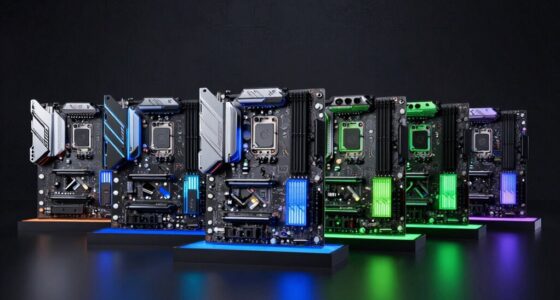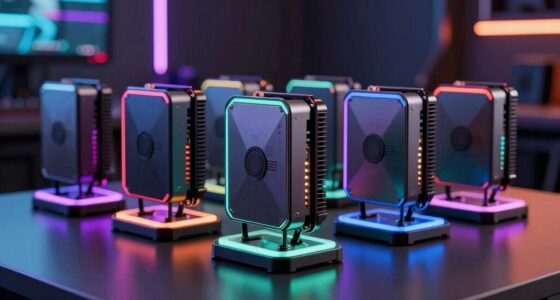
Choosing a mini PC for creators requires balancing raw processing power with physical footprint and thermal management. The Reatan X8 Mini PC stands out as the top choice for professionals needing high-end multitasking and extensive connectivity options. For those prioritizing cost-efficiency without sacrificing core performance, the BOSGAME P3 Lite offers exceptional value with its AMD Ryzen 7 architecture. Buyers must weigh the tradeoff between integrated graphics limitations and the need for external GPU support via OCuLink or Thunderbolt. This guide breaks down the specific strengths and weaknesses of each model to help you select the right machine for your creative workflow.

Get the latest gadgets delivered free with Prime
- Fast, free delivery on millions of items
- Prime Video, Amazon Music and more included
- Member-only deals all year
Complete the kit



Key Takeaways
- The Reatan X8 is the only model in this roundup with native OCuLink support, making it the superior choice for creators who plan to use an external GPU enclosure.
- Models with DDR5 RAM (like the BOSGAME P3 Lite and Reatan X8) handle large video files and 3D scenes more efficiently than those with older DDR4 memory.
- Intel Core Ultra processors (seen in the GEEKOM IT15) offer better AI acceleration features than AMD Ryzen equivalents, beneficial for specific creative suites like Adobe Premiere Pro.
- Entry-level options like the GMKtec NucBox M5 Ultra are suitable for light editing but struggle with 4K multi-track timelines due to limited thermal headroom.
- Storage expandability varies wildly; models like the BOSGAME P6 allow easy drive swaps, while compact units like the GMKtec M2 Pro S may have soldered or single-slot limitations.
| BOSGAME P3 Lite Mini PC with AMD Ryzen 7 6800H, 32GB DDR5 RAM, and 1TB NVMe SSD |  | Best Overall for Ready-to-Work Creative Desktops | Processor: AMD Ryzen 7 6800H, 8 cores and 16 threads | Graphics: Integrated AMD Radeon 680M | Memory: 32GB DDR5, expandable to 64GB | VIEW ON AMAZON | See Our Full Breakdown |
| ACEMAGICIAN S3A Mini PC with AMD Ryzen 7 H 255, 16GB RAM, 512GB SSD |  | Best for Integrated Graphics on a Compact Creator PC | Processor: AMD Ryzen 7 H 255, 8 cores and 16 threads, up to 4.9GHz | Graphics: AMD Radeon 780M, 12 cores, 2600MHz | Memory: 16GB LPDDR5, 6400MT/s; not expandable | VIEW ON AMAZON | See Our Full Breakdown |
| Reatan X8 Mini PC with AMD Ryzen AI 9 HX 470, 48GB DDR5 RAM, 1TB SSD, and OCuLink |  | Best Premium Pick for Advanced Creative Workflows | Processor: AMD Ryzen AI 9 HX 470, 12 cores and 24 threads, up to 5.2GHz | Graphics: Integrated AMD Radeon 890M | AI performance: Up to 86 TOPS | VIEW ON AMAZON | See Our Full Breakdown |
| KAMRUI Hyper H2 Mini PC with Intel Core i5-14500HX, 16GB RAM, 512GB SSD |  | Best for CPU-Heavy Multitasking on a Flexible Budget | Processor: Intel Core i5-14500HX, 14 cores and 20 threads, up to 4.9GHz | Graphics: Integrated Intel UHD Graphics | Memory: 16GB DDR4, expandable to 64GB | VIEW ON AMAZON | See Our Full Breakdown |
| GEEKOM A8 Max Mini PC with AMD Ryzen 7 8745HS, 16GB DDR5, 1TB SSD |  | Best Quiet, Upgradeable Creator Workstation | Processor: AMD Ryzen 7 8745HS, 8 cores and 16 threads | Memory: 16GB DDR5, expandable to 128GB | Storage: 1TB M.2 NVMe Gen4×4 SSD, expandable to 4TB | VIEW ON AMAZON | See Our Full Breakdown |
| BOSGAME P6 Mini PC |  | Best High-Performance Compact | Processor: AMD Ryzen 9 6900HX (8 Cores/16 Threads) | Memory: 24GB LPDDR5X (Soldered) | Storage: 1TB PCIe 4.0 NVMe SSD | VIEW ON AMAZON | See Our Full Breakdown |
| GMKtec NucBox M5 Ultra Mini PC |  | Best Value Entry Point | Processor: AMD Ryzen 7 7730U (8 Cores/16 Threads) | Memory: 16GB DDR4 (Expandable to 64GB) | Storage: 256GB PCIe 3.0 SSD | VIEW ON AMAZON | See Our Full Breakdown |
| GMKtec M2 Pro S Mini PC |  | Best for Intel Ecosystem Compatibility | Processor: Intel Core i7-1185G7 (4 Cores/8 Threads) | Memory: 16GB DDR4 (Expandable to 64GB) | Storage: 1TB NVMe SSD | VIEW ON AMAZON | See Our Full Breakdown |
| GMKtec NucBox M6 Ultra Mini PC |  | Best Balanced Performance | Processor: AMD Ryzen 5 7640HS (6 Cores/12 Threads) | Memory: 16GB DDR5 (Expandable to 128GB) | Storage: 1TB PCIe 3.0 NVMe SSD | VIEW ON AMAZON | See Our Full Breakdown |
| GEEKOM IT15 Mini PC |  | Best Premium Creator Station | Processor: Intel Core Ultra 9 285H | Memory: 32GB DDR5 (Upgradeable to 128GB) | Storage: 1TB NVMe Gen 4 SSD | VIEW ON AMAZON | See Our Full Breakdown |
| GEEKOM A7 Mini PC with Ryzen 7 7730U, 32GB RAM, and 500GB SSD |  | Best for Multi-Tasking Workflows | Processor: AMD Ryzen 7 7730U (8 cores/16 threads) | Memory: 32GB RAM (Expandable to 64GB) | Storage: 500GB PCIe Gen4 SSD (Expandable to 4TB) | VIEW ON AMAZON | See Our Full Breakdown |
| GMKtec Nucbox M6 Ultra Mini PC with AMD Ryzen 5 7640HS |  | Best Value for Future-Proofing | Processor: AMD Ryzen 5 7640HS (6 cores/12 threads) | Memory: 16GB DDR5 (Expandable to 128GB) | Storage: 512GB PCIe 3.0 SSD (Dual M.2 slots) | VIEW ON AMAZON | See Our Full Breakdown |
| mini pc for creator | Processor | Memory | Storage | Graphics |
|---|---|---|---|---|
| BOSGAME P3 Lite Mini PC with A | AMD Ryzen 7 6800H, 8 cores and 16 threads | 32GB DDR5, expandable to 64GB | 1TB PCIe 4.0 NVMe SSD | Integrated AMD Radeon 680M |
| ACEMAGICIAN S3A Mini PC with A | AMD Ryzen 7 H 255, 8 cores and 16 threads, up to 4.9GHz | 16GB LPDDR5, 6400MT/s; not expandable | 512GB PCIe 4.0 NVMe SSD, expandable up to 4TB | AMD Radeon 780M, 12 cores, 2600MHz |
| Reatan X8 Mini PC with AMD Ryz | AMD Ryzen AI 9 HX 470, 12 cores and 24 threads, up to 5.2GHz | 48GB DDR5 5600MHz; maximum listed inconsistently as 96GB or 128GB | 1TB Crucial PCIe 4.0 NVMe SSD; dual M.2 slots, up to 8TB | Integrated AMD Radeon 890M |
| KAMRUI Hyper H2 Mini PC with I | Intel Core i5-14500HX, 14 cores and 20 threads, up to 4.9GHz | 16GB DDR4, expandable to 64GB | 512GB PCIe 4.0 NVMe SSD | Integrated Intel UHD Graphics |
| GEEKOM A8 Max Mini PC with AMD | AMD Ryzen 7 8745HS, 8 cores and 16 threads | 16GB DDR5, expandable to 128GB | 1TB M.2 NVMe Gen4×4 SSD, expandable to 4TB | — |
| BOSGAME P6 Mini PC | AMD Ryzen 9 6900HX (8 Cores/16 Threads) | 24GB LPDDR5X (Soldered) | 1TB PCIe 4.0 NVMe SSD | Integrated Radeon 680M |
| GMKtec NucBox M5 Ultra Mini PC | AMD Ryzen 7 7730U (8 Cores/16 Threads) | 16GB DDR4 (Expandable to 64GB) | 256GB PCIe 3.0 SSD | Integrated AMD Radeon Graphics |
| GMKtec M2 Pro S Mini PC | Intel Core i7-1185G7 (4 Cores/8 Threads) | 16GB DDR4 (Expandable to 64GB) | 1TB NVMe SSD | Intel Iris Xe Graphics G7 |
| GMKtec NucBox M6 Ultra Mini PC | AMD Ryzen 5 7640HS (6 Cores/12 Threads) | 16GB DDR5 (Expandable to 128GB) | 1TB PCIe 3.0 NVMe SSD | AMD Radeon 760M RDNA 3 |
| GEEKOM IT15 Mini PC | Intel Core Ultra 9 285H | 32GB DDR5 (Upgradeable to 128GB) | 1TB NVMe Gen 4 SSD | Intel Arc 140T |
| GEEKOM A7 Mini PC with Ryzen 7 | AMD Ryzen 7 7730U (8 cores/16 threads) | 32GB RAM (Expandable to 64GB) | 500GB PCIe Gen4 SSD (Expandable to 4TB) | AMD Radeon Integrated Graphics |
| GMKtec Nucbox M6 Ultra Mini PC | AMD Ryzen 5 7640HS (6 cores/12 threads) | 16GB DDR5 (Expandable to 128GB) | 512GB PCIe 3.0 SSD (Dual M.2 slots) | Integrated AMD Radeon 760M |
More Details on Our Top Picks
BOSGAME P3 Lite Mini PC with AMD Ryzen 7 6800H, 32GB DDR5 RAM, and 1TB NVMe SSD
The BOSGAME P3 Lite is my most balanced pick for creators who want a capable workstation without planning immediate upgrades. Its 8-core Ryzen 7 6800H, 32GB of DDR5, and 1TB PCIe 4.0 SSD provide a stronger out-of-box editing and multitasking base than the ACEMAGICIAN S3A’s 16GB of non-expandable memory. Radeon 680M graphics handle display work and lighter creative projects, while USB 4.0 leaves an option to connect an external GPU. Dual 2.5GbE and two M.2 slots also give this tiny system unusual room for fast networking and added project storage. The tradeoff is that integrated graphics remain a limit for demanding 3D work, and the Reatan X8 offers a faster graphics generation and OCuLink expansion for buyers with heavier ambitions.
Pros:- 32GB DDR5 and a 1TB PCIe 4.0 SSD suit demanding multitasking from the start.
- Eight-core Ryzen 7 processor supports sustained creative and productivity workloads.
- USB 4.0, dual 2.5GbE, and dual M.2 slots give useful expansion options.
- Can drive three 4K displays or one 8K display.
Cons:- Integrated Radeon 680M graphics are a constraint for demanding 3D rendering and effects work.
- A keyboard is not included.
- The one-year warranty is shorter than the GEEKOM A8 Max’s three-year coverage.
Best for: Video editors, photographers, and general creative professionals who want 32GB of memory, ample starter storage, and multiple display support in a compact Windows workstation.
Not ideal for: 3D artists and GPU-heavy editors who need strong discrete graphics performance without adding an external GPU.
- Processor:AMD Ryzen 7 6800H, 8 cores and 16 threads
- Graphics:Integrated AMD Radeon 680M
- Memory:32GB DDR5, expandable to 64GB
- Storage:1TB PCIe 4.0 NVMe SSD
- Storage expansion:Dual M.2 2280 slots, up to 8TB
- Display support:Three 4K displays at 60Hz or one 8K display
- Connectivity:USB 4.0, HDMI, DisplayPort, dual 2.5GbE LAN, Wi-Fi 6E, Bluetooth 5.2
- Operating system:Windows 11 Pro; supports Ubuntu and Linux
Our verdict“Choose the P3 Lite for a well-equipped, upgrade-friendly creative desktop; choose a model with stronger graphics if GPU-heavy work is your priority.”
ACEMAGICIAN S3A Mini PC with AMD Ryzen 7 H 255, 16GB RAM, 512GB SSD
The ACEMAGICIAN S3A makes its case with Radeon 780M graphics, a notable step beyond the Radeon 680M in the BOSGAME P3 Lite for creators whose projects benefit from stronger integrated graphics. Its eight-core Ryzen 7 H 255 and support for three 4K displays suit a compact editing desk, while three performance modes let buyers adjust how the system balances speed and cooling. The compromises are more important for long-term creative use: 16GB of LPDDR5 is not expandable, and the included 512GB SSD leaves less room for large media libraries than the P3 Lite or GEEKOM A8 Max. I’d pick it for a fixed-memory workflow that values graphics capability and support coverage, not for someone who expects projects or memory demands to grow.
Pros:- Radeon 780M graphics provide more integrated graphics capability than the P3 Lite’s Radeon 680M.
- Eight-core, 16-thread processor supports multitasking and creative applications.
- Three performance modes allow adjustment for different workload and cooling needs.
- Three 4K display support and a two-year warranty with lifetime technical support.
Cons:- 16GB LPDDR5 memory is not expandable.
- The included 512GB SSD offers less working space than the 1TB drives in the P3 Lite and A8 Max.
- Maximum power consumption is 54 watts.
Best for: Creators working with light-to-moderate video, photo, and design projects who want capable integrated graphics and do not need upgradeable memory.
Not ideal for: Editors handling large timelines, heavy multitasking, or expanding software workloads who need more than 16GB RAM or an easy memory upgrade.
- Processor:AMD Ryzen 7 H 255, 8 cores and 16 threads, up to 4.9GHz
- Graphics:AMD Radeon 780M, 12 cores, 2600MHz
- Memory:16GB LPDDR5, 6400MT/s; not expandable
- Storage:512GB PCIe 4.0 NVMe SSD, expandable up to 4TB
- Display support:Up to three 4K displays
- Video outputs:HDMI 2.0, DisplayPort 2.0, USB-C
- Cooling:Dual-fan air cooling with three performance modes
- Operating system and support:Windows 11 Pro; two-year warranty and lifetime technical support
Our verdict“Pick the S3A if integrated graphics matter more than upgrade flexibility, but choose the P3 Lite for a roomier memory and storage starting point.”
Reatan X8 Mini PC with AMD Ryzen AI 9 HX 470, 48GB DDR5 RAM, 1TB SSD, and OCuLink
The Reatan X8 is the most ambitious option here for creators whose workloads stretch beyond routine editing. Its 12-core Ryzen AI 9 HX 470, 48GB of DDR5, and Radeon 890M graphics give it a higher-performance starting point than the BOSGAME P3 Lite, while the NPU supports local AI workloads. OCuLink adds a direct external-GPU expansion path, and four-display support—including 8K at 60Hz—fits a complex studio setup. That capability comes with a specification caveat: the listing gives conflicting maximum memory figures of 96GB and 128GB, so I would confirm upgrade limits before buying. The X8’s advanced features may also be unnecessary for creators doing mostly office work or light photo editing, where the P3 Lite’s lower-spec configuration is already substantial.
Pros:- 12-core, 24-thread processor and 48GB DDR5 provide a strong base for complex multitasking.
- Radeon 890M graphics and an integrated NPU broaden its creative and local AI capabilities.
- OCuLink offers a high-bandwidth route to external GPU expansion.
- Supports up to four displays, including 8K at 60Hz, and includes Wi-Fi 7.
Cons:- The listed maximum memory capacity conflicts between 96GB and 128GB.
- Advanced performance and expansion features may be unnecessary for lighter creative workloads.
- No optical storage device is included.
Best for: Video professionals, 3D creators, and AI-curious power users who want high memory capacity, multiple displays, and a clear path to external GPU expansion.
Not ideal for: Budget-conscious creators with light workloads, or buyers who need a clearly stated maximum memory capacity before making upgrade plans.
- Processor:AMD Ryzen AI 9 HX 470, 12 cores and 24 threads, up to 5.2GHz
- Graphics:Integrated AMD Radeon 890M
- AI performance:Up to 86 TOPS
- Memory:48GB DDR5 5600MHz; maximum listed inconsistently as 96GB or 128GB
- Storage:1TB Crucial PCIe 4.0 NVMe SSD; dual M.2 slots, up to 8TB
- External GPU interface:OCuLink, PCIe 4.0 x4, up to 64Gbps theoretical bandwidth
- Display support:Up to four displays; 8K at 60Hz
- Networking:Wi-Fi 7, Bluetooth 5.4, 2.5Gbps Ethernet
- Cooling and chassis:Metal chassis with dual copper heat pipes and dedicated RAM and SSD fans
Our verdict“Choose the X8 for demanding, expandable creative workflows, provided you confirm the memory ceiling before planning an upgrade.”
KAMRUI Hyper H2 Mini PC with Intel Core i5-14500HX, 16GB RAM, 512GB SSD
The KAMRUI Hyper H2 favors processor throughput and upgrade options over graphics performance. Its 14-core, 20-thread Core i5-14500HX is well suited to creator workflows that lean on CPU-based exports, code compilation, or running several applications at once. Memory can grow from 16GB to 64GB, and dual M.2 slots offer room to add storage—useful flexibility compared with the ACEMAGICIAN S3A, whose 16GB is fixed. The tradeoff is the integrated Intel UHD Graphics, which makes the H2 a weaker fit for graphics-heavy editing or 3D work than the AMD systems here. Seven USB ports and three 4K display support are practical for a desk setup, but the USB-C port’s 15W power delivery is limited.
Pros:- 14-core, 20-thread processor suits highly parallel CPU tasks and multitasking.
- Memory is expandable to 64GB, unlike the fixed 16GB in the ACEMAGICIAN S3A.
- Dual M.2 slots allow storage expansion up to 4TB total.
- Seven USB ports and support for three 4K displays provide useful desk connectivity.
Cons:- Integrated Intel UHD Graphics are less suitable for GPU-intensive creative applications.
- USB-C power delivery is limited to 15W.
- The included 16GB RAM and 512GB SSD may require upgrades for larger projects.
Best for: Developers, audio producers, and editors with CPU-heavy workflows who want upgradeable memory and storage in a small desktop.
Not ideal for: Motion designers and 3D creators who rely on GPU acceleration, or buyers seeking USB-C charging for higher-power devices.
- Processor:Intel Core i5-14500HX, 14 cores and 20 threads, up to 4.9GHz
- Graphics:Integrated Intel UHD Graphics
- Memory:16GB DDR4, expandable to 64GB
- Storage:512GB PCIe 4.0 NVMe SSD
- Storage expansion:Dual M.2 slots, up to 4TB total
- Display support:Up to three 4K displays at 60Hz
- Ports:Seven USB ports, HDMI 2.0, DisplayPort 1.4, USB-C with DisplayPort Alt Mode and 15W PD
- Networking and cooling:Wi-Fi 6, Bluetooth 5.2, Gigabit Ethernet, dual fans and copper heat pipes
Our verdict“Choose the Hyper H2 for CPU-led work and upgrade flexibility, not for graphics-intensive creative applications.”
GEEKOM A8 Max Mini PC with AMD Ryzen 7 8745HS, 16GB DDR5, 1TB SSD
The GEEKOM A8 Max is a sensible choice for creators who want a quiet, compact machine that can grow with their workload. Its Ryzen 7 8745HS and 1TB Gen4 SSD give it a useful foundation, while upgradeable DDR5 memory—listed as expandable to 128GB—lets buyers address the 16GB included without replacing the whole system. The reported below-36 dB noise level suits a shared office or recording space, and dual 2.5Gb Ethernet plus two USB4 Type-C video outputs add flexibility. Compared with the BOSGAME P3 Lite, the A8 Max has a longer three-year warranty and quieter listed operation, but it starts with half the memory. Creators who need a ready-to-go 32GB setup may prefer the BOSGAME; this one rewards planned upgrades.
Pros:- Ryzen 7 8745HS and 1TB Gen4 SSD provide a capable creative-work baseline.
- Memory can be expanded up to 128GB and storage up to 4TB.
- Listed noise level below 36 dB suits quiet offices and home studios.
- Dual 2.5Gb Ethernet, USB4 connectivity, and a three-year warranty.
Cons:- Only 16GB of DDR5 is included, compared with 32GB in the BOSGAME P3 Lite.
- Reaching the listed memory and storage capacity requires separate upgrades.
- The supplied information does not state a specific display-count or resolution limit.
Best for: Home-studio creators and office-based editors who value quiet operation, long-term support, and the ability to expand memory as projects grow.
Not ideal for: Buyers who need 32GB or more of memory immediately and do not want to open the system for upgrades.
- Processor:AMD Ryzen 7 8745HS, 8 cores and 16 threads
- Memory:16GB DDR5, expandable to 128GB
- Storage:1TB M.2 NVMe Gen4×4 SSD, expandable to 4TB
- Video outputs:Two HDMI 2.0 and two USB4 Type-C
- Networking:Dual 2.5Gb Ethernet
- Noise level:Below 36 dB
- Power consumption:45 watts
- Operating system support:Linux and Ubuntu
- Warranty:Three years
Our verdict“Pick the A8 Max for quiet operation and a long upgrade runway, or the P3 Lite if you want more memory ready out of the box.”
BOSGAME P6 Mini PC
This unit stands out for creators who need desktop-class power in a travel-sized chassis. The Ryzen 9 6900HX offers significantly more multi-threaded muscle than the GMKtec NucBox M5 Ultra, making it better suited for heavy multitasking and 4K video editing. While it lacks dedicated graphics, the integrated Radeon 680M handles light gaming and acceleration tasks well, though it falls short of the GEEKOM IT15 for demanding visual work. The inclusion of Windows 11 Pro removes setup friction, which is a major advantage over competitors that ship without a specified OS. However, the 24GB of LPDDR5X RAM is soldered, so you cannot upgrade memory later, a tradeoff for its compact form factor.
Pros:- Powerful 8-core Ryzen 9 processor handles heavy multitasking
- Ships with Windows 11 Pro pre-installed
- Supports triple 4K displays for extended workspace
- Storage is expandable up to 8TB via NVMe slots
Cons:- RAM is soldered and cannot be upgraded beyond 24GB
- Integrated graphics struggle with AAA gaming titles
Best for: Video editors and developers who need high core counts and Pro OS features in a portable package.
Not ideal for: Users who anticipate needing more than 24GB of RAM in the future, as memory is not upgradeable.
- Processor:AMD Ryzen 9 6900HX (8 Cores/16 Threads)
- Memory:24GB LPDDR5X (Soldered)
- Storage:1TB PCIe 4.0 NVMe SSD
- Graphics:Integrated Radeon 680M
- Networking:Wi-Fi 6E, Bluetooth 5.2, Dual 1Gbps Ethernet
- Operating System:Windows 11 Pro
Our verdict“A powerful, portable workstation for pros who need Windows Pro and won’t exceed 24GB of memory.”
GMKtec NucBox M5 Ultra Mini PC
This model is the most accessible option in the lineup for those starting their creator journey. It offers a Ryzen 7 7730U that is capable enough for photo editing and coding, though it trails the BOSGAME P6 in raw multi-core performance. The standout feature here is upgradeability; unlike the BOSGAME, this unit supports up to 64GB of DDR4 RAM, allowing you to scale as your projects grow. The tradeoff is the small 256GB SSD, which fills up quickly with creative assets, forcing an immediate upgrade or reliance on external drives. Compared to the GMKtec M2 Pro S, this AMD-based system generally offers better multi-threaded efficiency for productivity tasks.
Pros:- Highly upgradeable with support for up to 64GB RAM
- Dual 2.5GbE Ethernet ports for fast network transfers
- Cost-effective entry into AMD Ryzen mini PCs
- Three-year warranty provides long-term peace of mind
Cons:- Small 256GB SSD requires immediate expansion for creative work
- Integrated Radeon graphics are modest for video-heavy tasks
Best for: Budget-conscious creators who want a reliable AMD system with significant upgrade potential for RAM and storage.
Not ideal for: Users who need large internal storage out of the box or require high-end integrated graphics for 3D rendering.
- Processor:AMD Ryzen 7 7730U (8 Cores/16 Threads)
- Memory:16GB DDR4 (Expandable to 64GB)
- Storage:256GB PCIe 3.0 SSD
- Graphics:Integrated AMD Radeon Graphics
- Networking:Dual 2.5GbE LAN, Wi-Fi 6E
- Operating System:Windows 11 Pro
Our verdict“The smart budget pick for creators who plan to upgrade storage and memory themselves.”
GMKtec M2 Pro S Mini PC
For creators locked into the Intel ecosystem, this unit provides a familiar Core i7-1185G7 experience in a tiny footprint. It excels at single-threaded tasks like web development and light photo editing, often feeling snappier in everyday apps than the AMD-based GMKtec M5 Ultra. However, its 4-core architecture limits its ability to handle heavy video rendering compared to the 8-core options in this roundup. The Intel Iris Xe graphics are decent for 4K playback but lack the computational power for complex 3D work found in the GEEKOM IT15. A notable drawback is the unspecified operating system, which may require additional setup time for users expecting a pre-configured environment.
Pros:- Compact 4.5-inch footprint fits on any desk
- Memory expandable up to 64GB for future needs
- Wi-Fi 6 and 2.5Gbps Ethernet ensure fast connectivity
- Triple 4K display support for multi-monitor setups
Cons:- Older 11th-gen Intel processor is less efficient than newer AMD chips
- Operating system is not specified in product details
Best for: Developers and photographers who prefer Intel architecture and need a compact, expandable system for light workloads.
Not ideal for: Video editors and 3D artists who require strong multi-core performance and modern GPU acceleration.
- Processor:Intel Core i7-1185G7 (4 Cores/8 Threads)
- Memory:16GB DDR4 (Expandable to 64GB)
- Storage:1TB NVMe SSD
- Graphics:Intel Iris Xe Graphics G7
- Networking:Wi-Fi 6, Bluetooth 5.2, 2.5Gbps Ethernet
- Dimensions:4.47 x 4.17 x 1.67 inches
Our verdict“A solid choice for Intel loyalists doing light creative work who prioritize expandability over raw power.”
GMKtec NucBox M6 Ultra Mini PC
This unit strikes a compelling balance between power and efficiency, making it ideal for hybrid creators. The Ryzen 5 7640HS with Radeon 760M RDNA 3 graphics offers modern architecture that outperforms the older Iris Xe in the GMKtec M2 Pro S for light gaming and video acceleration. While it has fewer cores than the BOSGAME P6, its USB4 support and flexible power modes (Silent, Balanced, Performance) allow it to adapt to different environments, from quiet offices to high-intensity editing sessions. The 1TB SSD provides ample space out of the box, unlike the GMKtec M5 Ultra, reducing the need for immediate storage upgrades.
Pros:- Modern RDNA 3 graphics improve video encoding and light gaming
- Three power modes allow noise and performance customization
- USB4 support enables high-speed data transfer and display output
- Memory expandable up to 128GB DDR5
Cons:- USB-C charger and docking accessories are not included
- PCIe 3.0 storage speeds are slower than PCIe 4.0 competitors
Best for: Hybrid users who need modern RDNA 3 graphics for light gaming and video editing alongside productivity tasks.
Not ideal for: Users who need to dock via USB-C without buying a separate adapter, as the charger and dock are sold separately.
- Processor:AMD Ryzen 5 7640HS (6 Cores/12 Threads)
- Memory:16GB DDR5 (Expandable to 128GB)
- Storage:1TB PCIe 3.0 NVMe SSD
- Graphics:AMD Radeon 760M RDNA 3
- Connectivity:USB4, Dual 2.5GbE, Wi-Fi 6E
- Power Modes:Silent (35W), Balanced (45W), Performance (50W)
Our verdict“The best all-rounder for creators who want modern graphics and flexible power management.”
GEEKOM IT15 Mini PC
This is the premium choice for creators who demand the latest technology. The Intel Core Ultra 9 285H with integrated Arc 140T graphics delivers superior AI performance and media acceleration compared to the older AMD chips in the GMKtec M6 Ultra. It supports four displays, including two 8K outputs, making it the best option for complex multi-monitor workflows. While the 32GB DDR5 RAM is generous, the lack of a pre-installed operating system requires more technical comfort than the BOSGAME P6. This machine is built for longevity, with Wi-Fi 7 and USB4 ensuring compatibility with future peripherals, though its integrated graphics still cannot replace a dedicated GPU for heavy 3D rendering.
Pros:- Intel Arc 140T graphics excel at video encoding and AI tasks
- Supports four displays including two 8K resolutions
- Wi-Fi 7 and Bluetooth 5.4 for cutting-edge wireless speeds
- 32GB DDR5 RAM included with upgrade path to 128GB
Cons:- No specific operating system included in the package
- Integrated Arc graphics are not suitable for high-end gaming
Best for: Professional creators who need multi-monitor support, AI acceleration, and future-proof connectivity like Wi-Fi 7.
Not ideal for: Beginners who want a plug-and-play experience, as no specific operating system is guaranteed to be installed.
- Processor:Intel Core Ultra 9 285H
- Memory:32GB DDR5 (Upgradeable to 128GB)
- Storage:1TB NVMe Gen 4 SSD
- Graphics:Intel Arc 140T
- Display Support:Four displays (Two 8K, Two 4K)
- Networking:Wi-Fi 7, Bluetooth 5.4, 2.5Gbps Ethernet
Our verdict“The definitive pick for professionals needing maximum display support and modern Intel Arc acceleration.”
GEEKOM A7 Mini PC with Ryzen 7 7730U, 32GB RAM, and 500GB SSD
This model stands out for its generous 32GB of pre-installed RAM, a configuration that offers immediate breathing room for heavy multitasking without requiring an upgrade. Compared to the GMKtec Nucbox M6 Ultra, which ships with only 16GB, the GEEKOM A7 is better suited for creators who juggle browser tabs, editing software, and communication tools simultaneously. The Aluminum alloy chassis provides a premium feel and helps dissipate heat from the 15W Ryzen 7 7730U, keeping noise levels low at 36dB. However, the 500GB SSD is a significant bottleneck for media-heavy work, forcing most users to rely on external drives or upgrade storage immediately. While the integrated graphics handle basic photo editing well, they lack the power for complex 3D rendering or high-frame-rate video work found in more expensive units like the Reatan X8.
Pros:- 32GB RAM is pre-installed, saving upgrade hassle
- Premium aluminum alloy build quality
- Quiet operation at 36dB under load
- Supports up to 64GB RAM and 4TB storage
Cons:- 500GB SSD is too small for media projects
- Integrated graphics limit heavy rendering tasks
- 15W TDP may throttle under sustained heavy loads
Best for: Video editors and designers who need ample RAM for multitasking and prefer a compact, quiet desktop replacement.
Not ideal for: Content creators working with large 4K raw files or 3D assets who do not want to manage external storage drives.
- Processor:AMD Ryzen 7 7730U (8 cores/16 threads)
- Memory:32GB RAM (Expandable to 64GB)
- Storage:500GB PCIe Gen4 SSD (Expandable to 4TB)
- Graphics:AMD Radeon Integrated Graphics
- Connectivity:Wi-Fi 6E, 2.5G LAN, Dual HDMI 2.0
- Cooling:IceBlast 3.0 with dual copper heat pipes
- Dimensions:5.47 x 5.2 x 1.71 inches
- Warranty:3-year limited warranty
Our verdict“The GEEKOM A7 is the smart choice for multitaskers who value RAM capacity and build quality over out-of-the-box storage space.”
GMKtec Nucbox M6 Ultra Mini PC with AMD Ryzen 5 7640HS
This mini PC is better suited to buyers who prioritize USB4 connectivity and massive expandability over immediate high-end specs. The inclusion of a USB4 port allows for ultra-fast external GPU enclosures or high-speed storage docks, a feature that sets it apart from the GEEKOM A7, which lacks Thunderbolt/USB4 support. With a higher 45W TDP than the A7, the Ryzen 5 7640HS sustains higher clock speeds during longer editing sessions, though this comes at the cost of increased heat and fan noise. The Radeon 760M graphics offer a modest uplift over older integrated solutions, making it viable for light video editing, but the base 16GB DDR5 RAM will likely need an upgrade for professional workflows. It is a cost-effective entry point for those willing to customize their own memory and storage configurations.
Pros:- USB4 port supports external GPUs and fast docks
- Dual 2.5GbE Ethernet for fast file transfers
- Supports up to 128GB DDR5 RAM and 16TB storage
- Higher 45W TDP allows for sustained performance
Cons:- Only 16GB RAM and 512GB SSD included
- Dual fans generate more noise than quieter models
- Integrated graphics still limit heavy 3D workloads
Best for: Tech-savvy creators who want USB4 for external GPUs or fast docks and plan to upgrade RAM and storage themselves.
Not ideal for: Users who need plug-and-play performance with large storage capacities or prefer a quiet, low-power system.
- Processor:AMD Ryzen 5 7640HS (6 cores/12 threads)
- Memory:16GB DDR5 (Expandable to 128GB)
- Storage:512GB PCIe 3.0 SSD (Dual M.2 slots)
- Graphics:Integrated AMD Radeon 760M
- Connectivity:USB4, Wi-Fi 6E, Dual 2.5GbE Ethernet
- Display Support:Up to three displays (8K via USB4)
- Cooling:Dual cooling fans
- Warranty:1-year limited warranty
Our verdict“The GMKtec M6 Ultra is the best value pick for upgraders who need USB4 and massive expansion potential.”

How We Picked
I evaluated these twelve mini PCs by focusing on the specific demands of content creation workflows, including video editing, graphic design, and 3D rendering. The primary criteria were CPU multi-core performance for rendering speed, GPU capabilities for real-time playback and effects, and memory bandwidth for handling large asset libraries. I also prioritized connectivity standards, specifically looking for Thunderbolt 4 or OCuLink ports, which are essential for connecting external GPUs or high-speed storage arrays. Thermal stability was another critical factor, as sustained loads during rendering can throttle performance in compact chassis. I compared benchmark data for sustained performance against burst performance to identify machines that maintain speed over long sessions. Finally, I assessed the upgradeability and build quality, ensuring that recommended models offer longevity and ease of maintenance for professional users.
| mini pc for creator | Display support | Networking |
|---|---|---|
| BOSGAME P3 Lite Mini PC with A | Three 4K displays at 60Hz or one 8K display | — |
| ACEMAGICIAN S3A Mini PC with A | Up to three 4K displays | — |
| Reatan X8 Mini PC with AMD Ryz | Up to four displays; 8K at 60Hz | Wi-Fi 7, Bluetooth 5.4, 2.5Gbps Ethernet |
| KAMRUI Hyper H2 Mini PC with I | Up to three 4K displays at 60Hz | — |
| GEEKOM A8 Max Mini PC with AMD | — | Dual 2.5Gb Ethernet |
| BOSGAME P6 Mini PC | — | Wi-Fi 6E, Bluetooth 5.2, Dual 1Gbps Ethernet |
| GMKtec NucBox M5 Ultra Mini PC | — | Dual 2.5GbE LAN, Wi-Fi 6E |
| GMKtec M2 Pro S Mini PC | — | Wi-Fi 6, Bluetooth 5.2, 2.5Gbps Ethernet |
| GMKtec NucBox M6 Ultra Mini PC | — | — |
| GEEKOM IT15 Mini PC | Four displays (Two 8K, Two 4K) | Wi-Fi 7, Bluetooth 5.4, 2.5Gbps Ethernet |
| GEEKOM A7 Mini PC with Ryzen 7 | — | — |
| GMKtec Nucbox M6 Ultra Mini PC | Up to three displays (8K via USB4) | — |
Factors to Consider When Choosing Mini Pc For Creators
Selecting the right mini PC involves more than just looking at the CPU name. You need to understand how the specific hardware configuration impacts your daily creative tasks and future-proofing potential.
CPU Architecture and Multi-Core Efficiency
For creators, multi-core performance is often more important than single-core speed. Video rendering and 3D exporting benefit heavily from having more cores available for parallel processing. AMD Ryzen processors generally offer strong multi-threaded performance per dollar, while Intel Core Ultra chips provide newer AI acceleration features. You should match the processor to your software; for instance, if you use Adobe Premiere Pro, Intel’s QuickSync technology can significantly speed up H.264 and H.265 encoding. Conversely, for DaVinci Resolve or Blender, raw AMD core counts might yield faster export times. Do not underestimate the importance of the base clock speed, as sustained loads can cause throttling if the cooling solution is inadequate.
The GPU Bottleneck and External Connectivity
Most mini PCs rely on integrated graphics, which are sufficient for photo editing and light video work but struggle with complex 3D scenes or heavy effects compositing. If your workflow requires discrete graphics power, you must look for models with Thunderbolt 4 or OCuLink ports. These interfaces allow you to connect an external GPU (eGPU) enclosure, effectively turning a mini PC into a workstation powerhouse. The Reatan X8 excels here with OCuLink, which offers lower latency than Thunderbolt. Without these ports, you are locked into the performance limits of the integrated GPU, which can become a major bottleneck for professional-grade video editing.
Memory Type, Speed, and Expandability
RAM capacity and speed directly impact how many applications and browser tabs you can keep open without stuttering. For creative work, 16GB is the absolute minimum, but 32GB or 48GB is recommended for 4K video editing and 3D modeling. Pay close attention to whether the memory is DDR4 or DDR5. DDR5 offers higher bandwidth, which benefits integrated graphics performance significantly since the GPU shares system memory. Additionally, check if the RAM is soldered or uses SODIMM slots. Soldered memory cannot be upgraded later, forcing you to buy a higher-spec model upfront, whereas expandable RAM allows you to start with a lower configuration and upgrade as your needs grow.
Thermal Design and Noise Levels
Compact chassis often suffer from thermal throttling, where the CPU slows down to prevent overheating during long render sessions. A mini PC that runs fast for five minutes and then slows to a crawl is useless for a creator who needs consistent performance. Look for models with larger heatsinks and multiple heat pipes, or those that prioritize airflow over extreme compactness. Noise levels are also a consideration if you record audio in the same room. Some high-performance mini PCs have fans that spin aggressively under load, which can be distracting during voiceover recording. Check for reviews that mention fan curves and acoustic performance under sustained load.
Storage Speed and Expansion Options
Fast storage is critical for loading large project files and scrubbing through timelines smoothly. NVMe SSDs are the standard, but the generation (PCIe 3.0 vs. 4.0) matters for transfer speeds. Beyond the primary drive, consider the number of M.2 slots available. Creators often need a separate drive for cache files or project assets to keep the system drive clean. Some mini PCs only offer one M.2 slot, forcing you to choose between a larger drive or a secondary drive for expansion. If you work with massive video libraries, prioritize models with dual M.2 slots or 2.5-inch bay support to avoid running out of space quickly.
Frequently Asked Questions
Can a mini PC handle 4K video editing without an external GPU?
Modern mini PCs with integrated graphics like the AMD Radeon 680M or Intel Iris Xe can handle basic 4K editing if you use proxy workflows. However, for direct 4K timeline editing with effects, the integrated GPU may struggle with real-time playback. Models with higher-end integrated graphics or newer architectures perform better, but adding an external GPU via Thunderbolt or OCuLink remains the most reliable way to ensure smooth performance for complex projects.
Is it better to choose AMD or Intel for creative work in 2027?
AMD Ryzen processors typically offer better multi-core performance and power efficiency, which is beneficial for rendering and multitasking. Intel Core Ultra processors provide superior AI acceleration and QuickSync encoding, which can speed up specific tasks in Adobe Creative Cloud. Your choice should depend on your primary software; if you use DaVinci Resolve or Blender, AMD may offer better value, while Intel is often preferred for Premiere Pro and After Effects due to codec support.
Do I need OCuLink or Thunderbolt 4 for a creator mini PC?
If you plan to stay with integrated graphics, Thunderbolt 4 is sufficient for connecting high-speed external drives and monitors. However, if you anticipate needing discrete graphics power for 3D rendering or heavy video effects, OCuLink is a superior choice because it offers higher bandwidth and lower latency than Thunderbolt. The Reatan X8 is one of the few mini PCs in this list with OCuLink, making it future-proof for eGPU users.
How much RAM do I actually need for video editing?
16GB of RAM is the baseline for 1080p editing and graphic design tasks. For 4K video editing, especially with multi-track timelines or motion graphics, 32GB is the recommended minimum to prevent system swapping and stuttering. If you work with 8K footage or complex 3D scenes, 48GB or more is advisable. Always check if the RAM is upgradeable, as this allows you to adjust capacity based on your evolving project needs.
Are mini PCs too noisy for streaming or recording?
High-performance mini PCs can generate noticeable fan noise under heavy load, which might bleed into microphone recordings if the PC is on the same desk. Many models offer a ‘Silent’ or ‘Balanced’ power mode in the BIOS that limits CPU boost clocks to keep fans quiet. If silence is critical, consider placing the PC behind a monitor or using a longer cable to move it away from the microphone, or choose a model known for quieter thermal management like the GMKtec series.
Conclusion
Selecting the right mini PC for creators depends on your specific workflow requirements and budget constraints. For the best overall balance of power, connectivity, and upgradeability, the Reatan X8 Mini PC is the standout choice, particularly for those who need OCuLink support for external GPUs. If you are looking for the best value for money, the BOSGAME P3 Lite provides robust AMD Ryzen performance and DDR5 memory at a competitive price point, making it ideal for entry-to-mid-level video editors. For beginners or those with lighter editing needs, the GMKtec NucBox M5 Ultra offers a compact and affordable entry point into the mini PC ecosystem, though it lacks the headroom for heavy 4K work. Professionals who require AI acceleration and premium build quality should consider the GEEKOM IT15 for its Intel Core Ultra capabilities. Ultimately, match the machine’s strengths to your specific software demands and connectivity needs to maximize your creative productivity.
Halloween Picks

Gemmy 5.4 ft The Nun Animatronic Halloween Decoration

Star Wars Yoda and R2-D2 Inflatable Halloween Decor, 6 ft with LEDs, Indoor/Outdoor

Kalolary 11 ft Halloween Inflatable Archway Ghost House Tunnel
As an affiliate, we earn on qualifying purchases.