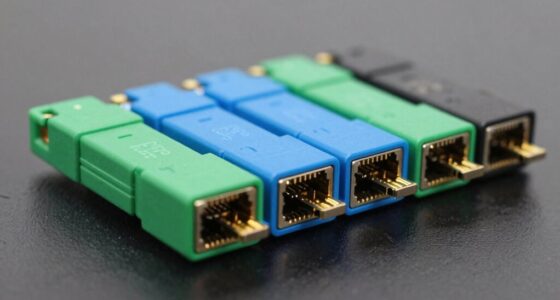
UPS accessories for networking gear can help you mount a battery backup safely, monitor it remotely, or connect it to a computer for management. My best overall pick is the APC AP9631 for network monitoring, while the UPSM-548 bracket and Tripp Lite WEBCARDLXE stand out for mounting and management needs. The main tradeoff is choosing between physical installation support and smarter monitoring, since these accessories solve different problems rather than serving as interchangeable upgrades. Compatibility, available UPS ports, and the weight and shape of your unit matter as much as the accessory itself. Read on for the full breakdown and help matching each option to your setup.

Get the latest gadgets delivered free with Prime
- Fast, free delivery on millions of items
- Prime Video, Amazon Music and more included
- Member-only deals all year
Complete the kit



Key Takeaways
- Management cards provide the biggest network-monitoring upgrade: the APC AP9631 and Tripp Lite WEBCARDLXE serve that purpose, but buyers must verify that their UPS supports the specific card.
- Mounting brackets solve a different problem from management accessories: the UPSM-548, Model 143, and heavy-duty metal rack-wall mount are physical support options, not monitoring upgrades.
- The APC AP9640 is a distinct management-adapter option: it belongs on the shortlist for buyers whose UPS compatibility and management needs match its adapter format.
- The DSD TECH SH-RJ50A is a narrow-use accessory: its USB-to-RJ50 connection can suit compatible APC UPS communication needs, but it does not replace a network management card.
- Fit and compatibility separate useful purchases from wasted ones: check UPS model, mounting orientation, dimensions, weight support, and port type before choosing any accessory.
| UPSM-548 Heavy Duty UPS Wall Mount Bracket for APC Back-UPS |  | Best Compact APC Mount | Model: UPSM-548 | Material: 16-gauge cold-rolled steel | Finish: Flat black powder coat | VIEW ON AMAZON | See Our Full Breakdown |
| UPS Wall Mount Bracket for APC and CyberPower UPS, Model 143 |  | Best Multi-Brand Mount | Model: 143 | Material: Alloy steel | Finish: Black powder-coated | VIEW ON AMAZON | See Our Full Breakdown |
| Tripp Lite WEBCARDLXE UPS Network Management Card |  | Best for Managed Tripp Lite Systems | Model: WEBCARDLXE | Compatibility: Eaton Tripp Lite UPS and PDUs with network card option | Protocols: IPv4, IPv6, HTTP, HTTPS, SMTP, SNMPv1/2c/3, Telnet, SSH, FTP, DHCP | VIEW ON AMAZON | See Our Full Breakdown |
| APC by Schneider Electric AP9640 UPS Management Adapter |  | Best Secure APC Adapter | Model: AP9640 | Brand: APC by Schneider Electric | Network connector: RJ45 | VIEW ON AMAZON | See Our Full Breakdown |
| APC by Schneider Electric AP9631 UPS Network Management Card |  | Best Protocol-Rich APC Card | Model: AP9631 | Form factor: Rack | Supported protocols: SSH, HTTP, HTTPS, SNMP 1, SNMP 3, TCP/IP, Telnet | VIEW ON AMAZON | See Our Full Breakdown |
| UPS Mount Heavy Duty Metal Rack Wall Mounted for Uninterruptible Power Supply Compatible with APC CyberPower (12.3″ H x 4.8″ W x 13″ D) |  | Best for Freeing Up Floor Space | Mount type: Vertical UPS or battery-backup mount | Dimensions: 12.3 x 4.8 x 13 inches (H x W x D) | Material: Cold-rolled alloy steel | VIEW ON AMAZON | See Our Full Breakdown |
| DSD TECH SH-RJ50A USB to RJ50 Cable for APC UPS, 6 ft |  | Best for APC UPS Computer Communication | Brand: DSD TECH | Model: SH-RJ50A | Connectors: USB Type-A male to 10-pin RJ50 male | VIEW ON AMAZON | See Our Full Breakdown |
| ups accessories for networking gear | Model |
|---|---|
| UPSM-548 Heavy Duty UPS Wall M | UPSM-548 |
| UPS Wall Mount Bracket for APC | 143 |
| Tripp Lite WEBCARDLXE UPS Netw | WEBCARDLXE |
| APC by Schneider Electric AP96 | AP9640 |
| APC by Schneider Electric AP96 | AP9631 |
| UPS Mount Heavy Duty Metal Rac | — |
| DSD TECH SH-RJ50A USB to RJ50 | SH-RJ50A |
More Details on Our Top Picks
UPSM-548 Heavy Duty UPS Wall Mount Bracket for APC Back-UPS
I’d choose the UPSM-548 when a small APC Back-UPS needs a secure home off the floor or desk. Its 16-gauge cold-rolled steel construction and included mounting hardware make it a more purpose-built fit for the listed APC models than the broader Model 143 bracket, which is specified for APC and CyberPower units and has a larger internal space. Mounting a UPS vertically can free up room around a networking setup and improve airflow, but the compact fit leaves little margin: the unit must stay within 5 × 4.3 × 8.75 inches. I’d measure the UPS, including any protrusions, before buying. It also suits buyers who want a wall, cabinet, or side-of-table installation, though its stated compatibility centers on APC rather than mixed-brand equipment.
Pros:- 16-gauge cold-rolled steel construction
- Includes mounting hardware and anchors
- Supports wall, desk, cabinet, and table-side mounting
- Compact design can free floor or desk space around networking equipment
Cons:- Maximum supported unit dimensions are limited to 5 × 4.3 × 8.75 inches
- Compatibility is focused on specified APC Back-UPS models
Best for: Owners of a listed APC Back-UPS model who want to mount a compact UPS on a wall, cabinet, or desk side.
Not ideal for: Buyers with a larger UPS or a CyberPower unit; the bracket has strict maximum dimensions and limited stated cross-brand compatibility.
- Model:UPSM-548
- Material:16-gauge cold-rolled steel
- Finish:Flat black powder coat
- Maximum unit dimensions:5 in H × 4.3 in W × 8.75 in L
- Compatible models:APC BE425M, BE600M1, BE850M2, BGE90M
- Mounting surfaces:Wall, desk, cabinet, table side
- Bracket weight:2.2 lb
Our verdict“Choose this bracket for a listed compact APC Back-UPS; pick the Model 143 if you need a larger interior or under-desk mounting.”
UPS Wall Mount Bracket for APC and CyberPower UPS, Model 143
The Model 143 is the more flexible mounting pick for a networking setup that uses an APC or CyberPower UPS. Its wall and under-desk mounting options give it an advantage over the APC-focused UPSM-548, while the 70-pound capacity covers a wider range of unit sizes—provided the UPS fits inside the bracket. The listed interior measures 10.65 × 4.3 × 11 inches, so width is still a limiting dimension and clearance matters. Compared with the separately listed larger 12.3 × 4.8 × 13-inch rack-style mount, this bracket has a more compact stated interior, which may suit tighter installations but rules out some wider units. I’d pick it for a supported UPS when mounting choice matters more than a model-specific fit.
Pros:- Offers both wall and under-desk mounting
- Rated to support UPS units up to 70 lb
- Alloy steel with a black powder-coated finish
- Specified for APC and CyberPower units
Cons:- The 4.3-inch internal width can exclude otherwise compact UPS models
- Compatibility is limited to APC and CyberPower units as specified
- Requires checking unit dimensions and clearance before installation
Best for: Home-office and small-network owners with an APC or CyberPower UPS that fits the stated interior and needs wall or under-desk mounting.
Not ideal for: Owners of UPS units wider than 4.3 inches or models outside the stated APC and CyberPower compatibility; the interior dimensions leave little room for a mismatch.
- Model:143
- Material:Alloy steel
- Finish:Black powder-coated
- Weight capacity:70 lb
- Internal dimensions:10.65 in H × 4.3 in W × 11 in D
- Mounting type:Wall mount or under-desk
- Compatible brands:APC and CyberPower
- Warranty:1 year
Our verdict“Choose the Model 143 for a fitting APC or CyberPower UPS when you want wall-or-under-desk placement rather than the UPSM-548’s narrower APC-specific fit.”
Tripp Lite WEBCARDLXE UPS Network Management Card
For a compatible Eaton Tripp Lite UPS or PDU, the WEBCARDLXE adds the network-side control that a mounting bracket cannot: remote monitoring, alerts, and the ability to reboot connected equipment without visiting the rack. Its support for SNMPv3, SSH, and an HTML5 interface makes it a stronger fit for managed environments than the APC AP9640, which is designed for compatible APC UPS units. The card also supports mass configuration through PowerAlert Element Manager, useful when several supported devices need coordinated settings. This is not a universal UPS accessory, however; the host system must offer a network-card option and match the compatibility requirements. Environmental monitoring also calls for a separate EnviroSense2 module, adding hardware if temperature or humidity data is part of the plan.
Pros:- Enables remote monitoring, control, and equipment rebooting
- Supports SNMPv3 and SSH alongside common network protocols
- HTML5 web interface supports mobile-friendly access without Java
- PowerAlert Element Manager supports mass configuration and firmware updates
Cons:- Works only with compatible Eaton Tripp Lite UPS and PDU models that support a network card
- Environmental monitoring requires a separate EnviroSense2 module
Best for: Network administrators with compatible Eaton Tripp Lite UPS or PDU systems who need remote status, alerts, and control.
Not ideal for: Owners of APC, CyberPower, or other UPS systems without compatible Tripp Lite card support, or buyers who expect environmental sensing without extra hardware.
- Model:WEBCARDLXE
- Compatibility:Eaton Tripp Lite UPS and PDUs with network card option
- Protocols:IPv4, IPv6, HTTP, HTTPS, SMTP, SNMPv1/2c/3, Telnet, SSH, FTP, DHCP
- Network speed:10/100 Mbps auto-sensing
- Interface:HTML5-based web interface
- Environmental monitoring:Requires a separate EnviroSense2 module
- Warranty:2-year limited manufacturer warranty
Our verdict“Choose the WEBCARDLXE for remote management of a compatible Tripp Lite installation; APC-system owners should look at the AP9640 or AP9631 instead.”
APC by Schneider Electric AP9640 UPS Management Adapter
The AP9640 is the straightforward network-management choice for buyers with a compatible APC UPS who want remote access without the broader Tripp Lite feature set. It connects through RJ45, while a Micro-USB console provides local configuration; password protection and disabled-by-default protocols give administrators a more controlled starting point. Compared with the APC AP9631, the AP9640’s supplied details emphasize configuration and command-line access rather than a broader list of management protocols, so I’d favor it when secure setup is the priority and the host APC model is confirmed compatible. Its main limitation is that compatibility is not universal across APC UPS units. Telnet and SSH are the stated remote command-line options, so buyers should check their preferred management workflow before adding it to a network.
Pros:- Adds remote monitoring and control to compatible APC UPS units
- Provides an RJ45 network connection and Micro-USB local console
- Password protection is included
- Protocols are disabled by default for a controlled initial setup
Cons:- Designed for compatible APC UPS units rather than cross-brand use
- Remote command-line access is specified through Telnet or SSH
Best for: IT administrators with a compatible APC UPS who want local Micro-USB setup and password-protected remote command-line access.
Not ideal for: Owners of non-APC or unsupported UPS models, and buyers who need documented protocol breadth beyond the adapter’s stated Telnet and SSH access.
- Model:AP9640
- Brand:APC by Schneider Electric
- Network connector:RJ45
- Local console:Micro-USB
- Remote access:Telnet or SSH
- Security:Password protection; protocols disabled by default
- Operating temperature:0–45°C
- Warranty:2 years
Our verdict“Pick the AP9640 for secure, direct network access to a compatible APC UPS, after verifying the UPS model supports it.”
APC by Schneider Electric AP9631 UPS Network Management Card
The AP9631 is the protocol-focused APC management card in this group, with support listed for SSH, HTTP, HTTPS, SNMP, TCP/IP, and Telnet. That range can suit an administrator integrating UPS monitoring with existing network tools, while its compact rack-form design keeps the accessory suited to equipment-room use. Compared with the AP9640, the AP9631’s supplied specifications spell out more network protocols, whereas the AP9640 gives clearer detail on its Micro-USB console and secure-by-default setup. The tradeoff is that the AP9631 listing does not identify compatible UPS models, so I would verify the host unit before purchase rather than infer compatibility from the APC name alone. Its EU Hybrid plug specification also merits a check against the installation’s power requirements.
Pros:- Supports a broad set of management protocols, including HTTPS, SSH, and SNMP
- Compact rack-form design
- Lightweight at 90 g
- Lists both SNMP 1 and SNMP 3 support
Cons:- Supplied product information does not identify compatible UPS models
- EU Hybrid Type E/F plug specification may not suit every installation
- Console and security details are less explicit than those provided for the AP9640
Best for: Administrators with a confirmed compatible APC UPS who need a compact management card and a broad set of listed network protocols.
Not ideal for: Buyers who cannot verify UPS compatibility or who need a clearly specified console and security setup before choosing an adapter.
- Model:AP9631
- Form factor:Rack
- Supported protocols:SSH, HTTP, HTTPS, SNMP 1, SNMP 3, TCP/IP, Telnet
- Output voltage:120 V
- Power plug type:Type E/F, 2-pin EU Hybrid
- Connector type:USB
- Dimensions:4.49 × 4.76 × 1.5 in
- Weight:90 g
- Frequency range:50/60 Hz (±3 Hz)
Our verdict“Choose the AP9631 when its UPS compatibility is confirmed and its protocol range matters more than the AP9640’s more explicit setup details.”
UPS Mount Heavy Duty Metal Rack Wall Mounted for Uninterruptible Power Supply Compatible with APC CyberPower (12.3″ H x 4.8″ W x 13″ D)
This mount suits network closets where a full-size UPS is taking up useful floor or desk space. Its cold-rolled steel construction supports more than 30 pounds, and the vertical orientation keeps the battery backup elevated and accessible. Compared with the UPSM-548 Heavy Duty UPS Wall Mount Bracket, this model lists compatibility with selected CyberPower units as well as APC models, making it a more flexible candidate for mixed-brand setups. That flexibility still depends on measurements: brand names alone do not guarantee a fit, so check your UPS dimensions before ordering. The 13-inch depth and specified model list also limit where it will work; this is a mounting solution, not a universal rack shelf. Choose it to reclaim space, but skip it if you need a standard rack-mounted UPS or cannot verify a secure mounting surface.
Pros:- Vertical mounting can free floor or desk space in a compact network area.
- Cold-rolled steel construction is rated to support more than 30 pounds.
- Lists compatibility with selected APC and CyberPower UPS models.
- Mounting hardware is included.
Cons:- Compatibility depends on physical dimensions, so the listed brand names do not guarantee a fit.
- The 12.3-by-4.8-by-13-inch form limits placement and UPS size options.
- Requires a suitable wall, desk, or other stable surface for secure installation.
Best for: Home-network and small-office owners with a listed or dimension-matched APC or CyberPower UPS who need to clear floor or desk space.
Not ideal for: Buyers seeking a standard rack shelf, an adjustable universal bracket, or a mount for a UPS they cannot measure and verify for fit.
- Mount type:Vertical UPS or battery-backup mount
- Dimensions:12.3 x 4.8 x 13 inches (H x W x D)
- Material:Cold-rolled alloy steel
- Finish:Flat black powder coating
- Weight capacity:More than 30 lb
- Product weight:5.5 lb
- Listed compatibility:Selected APC Back-UPS Pro and CyberPower 1350VA/1500VA models
- Included:Mounting hardware
Our verdict“Choose this mount if you have verified that your APC or CyberPower UPS fits and want to move it off the floor; skip it if you need a conventional rack shelf.”
DSD TECH SH-RJ50A USB to RJ50 Cable for APC UPS, 6 ft
For a compatible APC UPS, this cable provides a direct link to a computer or server for PowerChute monitoring and shutdown commands. The USB Type-A to 10-pin RJ50 connection is the key distinction: unlike the APC AP9640 UPS Management Adapter or the Tripp Lite WEBCARDLXE, this is a cable-based computer connection, not a network management card for remote access over a LAN. Its 6-foot length gives some flexibility in a workstation or nearby server setup, and it is described as a replacement for specified APC cable part numbers. The tradeoff is narrow compatibility: it is intended for supported APC models, not CyberPower units or other UPS brands. The listed transfer-rate figure also looks questionable for this kind of cable, so I would judge it by its stated connector and device compatibility instead.
Pros:- Connects compatible APC UPS devices to a computer or server for communication.
- Works with APC PowerChute software for monitoring and shutdown functions.
- Six-foot cable length suits many nearby workstation and server connections.
- Listed as a replacement for AP9827 and 940-0127B, 940-0127C, and 940-0127E cables.
Cons:- Compatibility is limited to supported APC UPS models.
- A direct cable connection does not provide the remote LAN management offered by network cards such as the AP9631.
- The stated 480 MHz data-transfer figure may be inaccurate.
Best for: Owners of a compatible APC UPS who want a direct USB connection to a nearby computer or server for PowerChute monitoring and controlled shutdown.
Not ideal for: Buyers who need remote network management, a cable for CyberPower or other non-APC UPS models, or a connection longer than six feet.
- Brand:DSD TECH
- Model:SH-RJ50A
- Connectors:USB Type-A male to 10-pin RJ50 male
- Cable length:1.8 m (6 ft)
- Listed compatible devices:APC Back-UPS Pro 1500/1000/550, Smart-UPS 1000/1500, CS350, and servers
- Software compatibility:APC PowerChute
- Maximum voltage:12 V DC
- Weight:50 g
- Included quantity:1 cable
Our verdict“Pick this cable for a compatible APC UPS connected directly to a nearby computer; choose a network management card instead if you need remote access.”

How We Picked
I ranked these accessories by how directly they help keep networking equipment manageable and physically organized during a power interruption. The comparison weighs compatibility and fit first, then the practical value of each accessory’s role: remote UPS monitoring, local communication, or secure mounting. A management card can be more useful than a bracket for a remotely managed network closet, while a bracket can matter more where floor or shelf space is limited.
The ranking also reflects versatility and the likelihood of a buyer matching the accessory to the right UPS. The APC AP9631 leads for network-management use, while mounting choices are grouped by their installation purpose and stated compatibility. The AP9640 and Tripp Lite card remain conditional choices because the UPS model and supported interface determine whether they fit. The USB-to-RJ50 cable ranks as a focused connection accessory rather than a broad upgrade; none of these products should be treated as universal across UPS brands or models.
Factors to Consider When Choosing Ups Accessories For Networking Gear
Before choosing an accessory, identify the problem you need to solve: remote visibility, local communication, or mounting. These categories overlap only slightly, so buying the most feature-rich item may not help if your UPS lacks the matching slot or your installation does not need a bracket. Use the factors below to check fit and prioritize the outcome that matters to your network setup.
Match the accessory to the UPS model
Start with the full UPS model number, not just its brand or product family. Management cards and adapters can use model-specific slots or interfaces, and a card that fits one APC unit may not fit another. Mounting brackets also differ in supported chassis shapes and attachment points. Check manufacturer compatibility documentation and compare it with the accessory listing before ordering. A familiar connector or brand name alone is not proof of compatibility. If documentation is unclear, confirm the exact UPS model with the accessory maker rather than relying on a visual guess.
Decide whether you need network or local monitoring
A network management card is designed for access over a network, while a USB-to-RJ50 cable supports a compatible direct communication path. Those approaches serve different workflows: remote administrators may want alerts and status access, while a nearby computer may be enough for basic local management. Do not buy a cable expecting network access, or a management card expecting it to work without the required UPS slot and network setup. Check what software, protocols, and network connections your management plan requires. Also consider who will receive alerts and maintain the system after installation. The right choice is the one your team can configure and use.
Treat mounting as a load and access decision
A wall-mounted UPS can free a shelf, but the bracket must match the unit’s dimensions, mounting points, and weight. Verify the accessory’s stated fit and load guidance, then account for the UPS, batteries, and any cables that may pull against the installation. Consider how the wall material and fasteners affect safe support; a bracket alone does not confirm that a wall can carry the load. Leave room to reach the power button, outlets, battery compartment, and service connections. A compact mount may save space but can make maintenance harder if access is tight. If the UPS is heavy or the installation is uncertain, prioritize a properly supported setup over a cleaner layout.
Check the communication port before choosing a cable
UPS communication connectors are not interchangeable just because they resemble common data ports. Confirm the exact port type on the UPS and the connection required by the computer or management software. The DSD TECH SH-RJ50A is specifically a USB-to-RJ50 cable for compatible APC UPS units, so it is not a general-purpose network cable. Check the cable length against the actual route, including any slack needed for service. A longer route can introduce clutter or strain if the cable hangs from the connector. If remote access is the goal, compare a direct cable with a supported network card instead of assuming one can replace the other.
Plan for alerts, maintenance, and failure response
Remote monitoring is most useful when someone can act on the information it provides. Before buying a management accessory, decide where alerts should go, who will receive them, and what steps follow a battery or power warning. Check whether the accessory’s management features fit your existing network and monitoring process. A card that is installed but never configured adds little operational value. For a small home setup, direct status checks may be sufficient; for a remote closet or multi-device environment, network visibility may justify the added setup work. Include battery replacement and test scheduling in the plan, since monitoring does not remove the need for maintenance.
Compare total installation effort, not just the accessory
The purchase is only one part of the job: mounting can call for appropriate fasteners and a suitable wall, while management hardware may require setup, network access, and software configuration. Map those tasks before choosing between a simple bracket, a management card, or a cable. Avoid buying several accessories in the hope that they will work together without checking their separate compatibility requirements. If the UPS will move between locations, a fixed mount may reduce flexibility. If the system rarely needs remote oversight, a network card may add complexity without much benefit. Choose the smallest set of accessories that solves the actual installation and monitoring gaps.
Frequently Asked Questions
Can I use a network management card and a USB-to-RJ50 cable on the same UPS?
Possibly, but their compatibility and intended connections are separate questions. The APC AP9631 and Tripp Lite WEBCARDLXE are network-management options, while the DSD TECH SH-RJ50A provides a direct USB-to-RJ50 connection for compatible APC UPS models. Check the UPS manual for supported accessories, slot availability, and whether both interfaces can operate at once. Also confirm that the management software or network setup supports the access method you want. If your goal is remote status and alerts, a direct cable alone will not provide the same network access.
How do I know which wall mount will fit my UPS?
Use the UPS model number and compare its dimensions, mounting points, and weight with the bracket’s compatibility details. The three mounting choices in this roundup are not interchangeable simply because they are all described as UPS brackets. Check the required orientation and leave room for ventilation, plugs, and battery service. Confirm that the wall and fasteners can support the full installed load, not just the empty bracket. If the listing does not identify your UPS model or provide enough fit information, verify it with the seller or manufacturer before installation.
Is a UPS network management card useful for a home router and modem?
It can be useful when you need to check UPS status or receive alerts without being near the equipment, but it may be more setup than a small home network needs. First confirm that your UPS supports the specific card and that the card can connect to your home network. Consider whether you will act on battery or power notifications and whether your monitoring setup can receive them. If you mainly need a local computer connection, a compatible cable may be a simpler fit. Choose a card when remote visibility solves a real oversight problem, not just because it adds features.
What is the difference between the APC AP9640 and AP9631?
They are separate APC management accessories, so the model name alone is not enough to determine which one fits your UPS or provides the management interface you need. Check the compatibility list and documentation for your exact UPS before comparing features. Pay attention to whether the unit calls for a network management card or a management adapter, as those formats may not be interchangeable. Confirm supported monitoring functions and any required setup steps as well. If both appear compatible, choose based on the documented capabilities your network environment needs rather than assuming the newer-looking model is automatically the better match.
Should I buy a mounting bracket before choosing where the UPS will go?
Choose the location first, then verify that the UPS and bracket suit that space. A wall mount can free a shelf or floor area, but the position must allow safe support, airflow, cable routing, and battery access. Measure the unit and the intended space, including room for plugs and connector bends. Check the wall material and mounting hardware requirements before committing to a bracket. If the UPS needs frequent service or may be relocated, a shelf or rack position could be more practical than a fixed wall installation.
Conclusion
For most buyers seeking network visibility, I recommend the APC AP9631 as the best overall, provided the UPS model supports it. The DSD TECH SH-RJ50A is the best value-style choice for a specific need: a compatible APC UPS that requires a direct USB-to-RJ50 connection. For a premium management-focused setup, compare the APC AP9640 and Tripp Lite WEBCARDLXE against your UPS documentation and required monitoring features before choosing. Beginners with a compatible APC unit and a nearby computer may find the cable path easier to understand than configuring a network card; those who only need to save space should choose a correctly fitted bracket instead. Among the mounts, consider the UPSM-548, Model 143, and heavy-duty rack-wall option by exact fit and installation needs, not by appearance alone. The best accessory is the one your UPS supports and that solves your actual monitoring, connection, or mounting problem.
Fall Picks
fall essentials
As an affiliate, we earn on qualifying purchases.