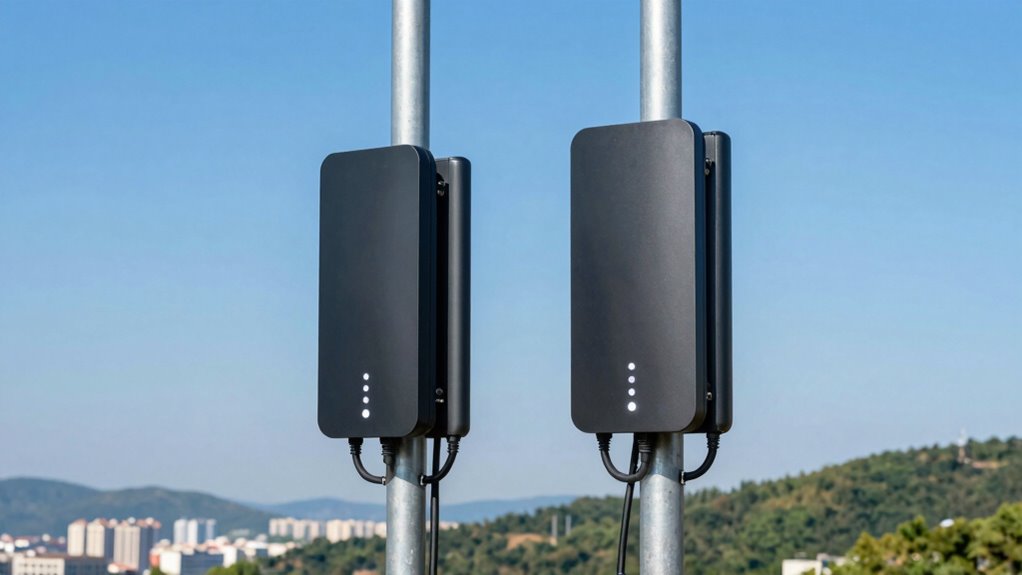

A point-to-point wireless bridge links two locations over a direct radio connection, useful when running cable between buildings is impractical. My best overall pick is the TP-Link Omada Beam Bridge 5-UR Kit for its focused bridge design and 5 GHz capacity; the UeeVii CPE688 stands out for its stated 5 km reach and included Wi-Fi 6 router, while the Ubiquiti NanoStation Loco 5AC bundle suits buyers who want a preconfigured pair. The central tradeoff is between a simple, matched kit and a more flexible setup that may take extra network configuration. Range claims also depend on clear line of sight, mounting, interference, and local conditions. Read on for the full comparison, selection criteria, and advice on choosing a bridge that fits your link.

Get the latest gadgets delivered free with Prime
- Fast, free delivery on millions of items
- Prime Video, Amazon Music and more included
- Member-only deals all year
Complete the kit



Key Takeaways
- The TP-Link Omada Beam Bridge 5-UR is my best overall choice because its kit is purpose-built for a point-to-point link, while router-inclusive UeeVii bundles add local Wi-Fi but also more components to configure.
- The UeeVii CPE688 is the clearest long-link pick in this lineup, with a stated 5 km reach; that figure is a planning reference, not a guarantee for obstructed or interference-heavy paths.
- Gigabit Ethernet appears in several options, including the CPE366 and CPE688, but a gigabit port alone does not mean the wireless link will deliver gigabit throughput.
- The Ubiquiti NanoStation Loco 5AC bundle and Omada EAP211 kits favor ecosystem-oriented or preconfigured deployments, while standalone CPE kits often make more sense for straightforward building-to-building links.
- The lineup includes 100 Mbps, 300 Mbps, 867 Mbps, and Wi-Fi 6-class options, so matching the bridge to the wired devices and actual traffic matters more than choosing by the largest headline figure.
| UeeVii CPE452 5.8GHz Outdoor Wireless Bridge Kit |  | Best for Flexible Power Options | Frequency: 5.8 GHz | Wireless standard: 802.11a, 802.11ac | Maximum data rate: 300 Mbps | VIEW ON AMAZON | See Our Full Breakdown |
| TP-Link Omada Beam Bridge 5-UR Kit, 5 GHz 867 Mbps Wireless Bridge |  | Best for Long-Range Links | Wireless standard: 802.11ac (Wi-Fi 5) | Frequency: 5 GHz | Data rate: 867 Mbps | VIEW ON AMAZON | See Our Full Breakdown |
| UeeVii CPE450 Outdoor Wireless Bridge and WR3000K Wi-Fi 6 Router Kit |  | Best for Adding Wi-Fi at the Remote Building | Bridge frequency: 5.8 GHz | Transmission range: Up to 3 km with clear line of sight | Bridge antenna: 14 dBi directional | VIEW ON AMAZON | See Our Full Breakdown |
| UeeVii CPE688 5 km Dual Gigabit Point-to-Point Wireless Bridge Kit with Wi-Fi 6 AX3000 Router |  | Best for Gigabit Outbuilding Links | Bridge frequency: 5.8 GHz | Stated coverage: Up to 5 km | Ethernet ports: 2 Gigabit RJ45 ports per bridge | VIEW ON AMAZON | See Our Full Breakdown |
| Ueevii 5.8GHz Dual 100Mbps Outdoor Wireless Bridge Point-to-Point CPE for Network Extension |  | Best for Basic Starlink Extensions | Frequency band: 5.8 GHz | Data transfer rate: 100 Mbps | Stated range: 2 km | VIEW ON AMAZON | See Our Full Breakdown |
| AdaLov 1.9-Mile 300Mbps 5.8GHz Outdoor Wireless Bridge Kit with PoE Switch |  | Best for Multi-Device PoE Setups | Wireless frequency: 5.8 GHz | Wireless speed: 300 Mbps | Stated range: Up to 3 km / 1.9 miles | VIEW ON AMAZON | See Our Full Breakdown |
| Ubiquiti NanoStation Loco 5AC Preconfigured Wireless Bridge Bundle (2-Pack) |  | Best for a Ready-to-Deploy 5 GHz Link | Frequency band: 5 GHz | Wireless standard: 802.11ac / Wi-Fi 5 | Maximum stated data rate: 450 Mbps | VIEW ON AMAZON | See Our Full Breakdown |
| UeeVii CPE450 5.8 GHz Outdoor Wireless Bridge, 3 km |  | Best for Point-to-Multipoint Expansion | Frequency bands: 5180.1–5240.0 MHz and 5745.0–5825.0 MHz | Wireless standard: 802.11a / 802.11n | Maximum stated data rate: Up to 300 Mbps between bridges | VIEW ON AMAZON | See Our Full Breakdown |
| GOOD STORY Outdoor Point-to-Point Wireless Bridge Kit, 2-Pack | 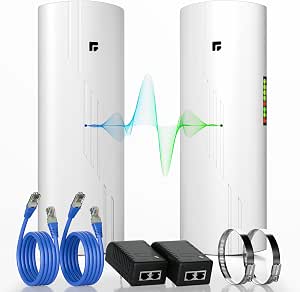 | Best for a Simple Preconfigured Pair | Model: WB610H | Units: 2 | Wireless protocol: IEEE 802.11ac | VIEW ON AMAZON | See Our Full Breakdown |
| CPE366 5.8 GHz Outdoor Wireless Bridge, 3 km, Gigabit |  | Best for Faster Wired Transfers | Frequency: 5.8 GHz | Stated range: Up to 3 km with line of sight | Antenna gain: 16 dBi | VIEW ON AMAZON | See Our Full Breakdown |
| AdaLov CPE660 5.8GHz Outdoor Wireless Bridge, 3km |  | Best for Flexible Installations | Wireless band: 5.8 GHz | Maximum wireless speed: 300 Mbps | Maximum range: Up to 3 km with clear line of sight | VIEW ON AMAZON | See Our Full Breakdown |
| UeeVii Dual-Band Gigabit Wireless Bridge and Wi-Fi 6 Router Kit (CPE5824WR) |  | Best for Starlink and Remote Wi-Fi | Wireless bands: 2.4 GHz and 5.8 GHz | Maximum range: Up to 5 km | Maximum upstream data transfer rate: 430 Mbps | VIEW ON AMAZON | See Our Full Breakdown |
| Omada EAP211-Bridge Kit, Wireless Indoor/Outdoor Access Point |  | Best for Indoor and Outdoor Placement | Frequency: 5 GHz | Maximum stated speed: 867 Mbps | Deployment: Indoor and outdoor use | VIEW ON AMAZON | See Our Full Breakdown |
| UeeVii 5.8G 3KM Wireless Bridge Point-to-Point Outdoor Kit |  | Best for a Straightforward 3 km Link | Wireless frequency: 5.8 GHz | Wireless speed: Up to 300 Mbps | Transmission range: Up to 3 km | VIEW ON AMAZON | See Our Full Breakdown |
| TP-Link Omada EAP211-Bridge Kit Point-to-Point Wireless Bridge |  | Best for Gigabit Wired Expansion | Wireless standard: Wi-Fi 5 | Frequency: 5 GHz | Maximum wireless speed: 867 Mbps | VIEW ON AMAZON | See Our Full Breakdown |
More Details on Our Top Picks
UeeVii CPE452 5.8GHz Outdoor Wireless Bridge Kit
The CPE452 suits buyers linking a nearby outbuilding who want a straightforward kit with more than one way to power the bridges. Its pre-paired setup cuts down configuration work, while 24 V PoE or 12 V DC gives installers options when the power layout differs from a standard PoE setup. The stated range reaches 3 km in open environments, but the two 100 Mbps LAN ports limit wired throughput; the CPE688 is a better fit when gigabit connections and a longer stated range matter. Compared with the Ueevii 5.8GHz Dual 100Mbps Outdoor Bridge, this model also lists a 14 dBi antenna and wall or pole mounting. I would choose it for a modest link where installation flexibility matters more than gigabit speed.
Pros:- Pre-configured and paired for simpler setup
- 24 V PoE and 12 V DC power options
- 14 dBi directional antenna with a stated 3 km open-environment range
- IP65 housing and wall or pole mounting support
Cons:- 100 Mbps LAN ports constrain wired throughput
- The 3 km range is stated for open environments, so obstructions can reduce link performance
Best for: Property owners connecting a garage, workshop, or camera system who need PoE or 12 V DC power choices
Not ideal for: Users moving large files or feeding several high-throughput wired devices, because both LAN ports are limited to 100 Mbps
- Frequency:5.8 GHz
- Wireless standard:802.11a, 802.11ac
- Maximum data rate:300 Mbps
- Stated range:Up to 3 km in open environments
- Antenna:14 dBi directional
- LAN ports:2 × 100 Mbps
- Power:24 V PoE or 12 V DC
- Weather protection:IP65
- Setup:Pre-configured and paired
Our verdict“Choose the CPE452 for a modest outbuilding link when flexible power and simpler setup matter more than gigabit ports.”
TP-Link Omada Beam Bridge 5-UR Kit, 5 GHz 867 Mbps Wireless Bridge
The Omada Beam Bridge 5-UR is the long-distance choice in this group, with a stated reach of up to 15 km and a 23 dBi directional antenna. Its gigabit LAN port gives it a stronger fit for bandwidth-hungry wired equipment than the UeeVii CPE452, whose ports top out at 100 Mbps. App-guided alignment and centralized Omada management can also help when the link sits far from the main network. That reach calls for a clear path and careful aiming, so this is less appealing for a quick, short hop where the simpler Ueevii 5.8GHz Dual 100Mbps Outdoor Bridge may be enough. It is also single-band 5 GHz, which leaves no alternate band listed for the bridge link.
Pros:- Stated point-to-point range up to 15 km
- 23 dBi directional antennas support long-distance links
- Gigabit LAN port accommodates faster wired devices
- App-guided alignment and centralized Omada remote management
Cons:- Long-distance performance depends on careful antenna alignment and a clear path
- Bridge operates on a single 5 GHz band
- Only one LAN port bandwidth is specified
Best for: Installers connecting distant farm buildings or remote sites who can establish a clear path and want centralized network management
Not ideal for: Buyers with a short, obstructed link or those who need dual-band bridge operation
- Wireless standard:802.11ac (Wi-Fi 5)
- Frequency:5 GHz
- Data rate:867 Mbps
- Stated range:Up to 15 km (9.3 miles)
- Antenna gain:23 dBi
- LAN port bandwidth:1000 Mbps
- PoE:802.3af and passive PoE
- Lightning protection:6 kV
- Weather enclosure:IP65
Our verdict“Pick the 5-UR for a carefully aligned long-distance site link with gigabit Ethernet and Omada management.”
UeeVii CPE450 Outdoor Wireless Bridge and WR3000K Wi-Fi 6 Router Kit
This kit pairs two preconfigured CPE450 bridges with a dual-band Wi-Fi 6 router, making it useful when the goal is both a building-to-building link and local wireless access at the far end. That bundled router gives it a different role from the UeeVii CPE452, which focuses on the bridge and offers flexible power inputs but no router in the listed kit. The CPE450’s 14 dBi directional antennas and stated 3 km range suit a clear line-of-sight path, while the router’s six antennas and WPA3 support add options for devices inside the remote building. The bridge ports remain 10/100 Mbps, though, so the CPE688 is the better match for users who want gigabit wired connections. The range also depends on an unobstructed path.
Pros:- Includes two preconfigured bridges and a dual-band Wi-Fi 6 router
- Stated bridge range up to 3 km with clear line of sight
- Six router antennas and WPA3 security support
- IP65-rated bridge casing for outdoor use
Cons:- Bridge Ethernet ports are limited to 100 Mbps
- Stated range depends on a clear line-of-sight path
Best for: Homeowners or small-site operators extending a network to a barn or garage and wanting a Wi-Fi 6 router included for local devices
Not ideal for: Users who need gigabit Ethernet across the bridge or cannot maintain clear line of sight
- Bridge frequency:5.8 GHz
- Transmission range:Up to 3 km with clear line of sight
- Bridge antenna:14 dBi directional
- Bridge ports:2 × 10/100 Mbps RJ45
- Router Wi-Fi:Wi-Fi 6, dual-band 2.4 GHz and 5.8 GHz
- Router antennas:6
- Power support:24 V and 48 V options
- Security:WPA2, WPA3
- Mounting:Pole or wall
Our verdict“Choose this bundle when you want a simple bridge link plus Wi-Fi 6 access at the remote building and can accept 100 Mbps bridge ports.”
UeeVii CPE688 5 km Dual Gigabit Point-to-Point Wireless Bridge Kit with Wi-Fi 6 AX3000 Router
The CPE688 is the strongest fit here for buyers who want gigabit wired connections at both ends of a longer building link. Each bridge has two Gigabit Ethernet ports, and its stated range reaches 5 km, placing it between the CPE452’s 3 km claim and the Omada 5-UR’s 15 km reach. The included AX3000 Wi-Fi 6 router adds local wireless coverage, while IP66 protection gives the bridge housing a higher stated weather rating than the IP65 CPE450 kit. The tradeoff is installation effort: the units need careful alignment, and the listing itself says the voltage and PoE details may need clarification. I would pick it over the CPE450 when wired throughput is the priority, but skip it if the link cannot be aligned reliably.
Pros:- Two Gigabit RJ45 ports on each bridge
- Stated coverage up to 5 km
- Includes a dual-band AX3000 Wi-Fi 6 router
- IP66 weather resistance with adjustable mounting brackets
Cons:- Bridge units require careful alignment
- The listed voltage and PoE details may need clarification
Best for: Small businesses or property owners linking buildings up to the stated 5 km range who need gigabit Ethernet and a bundled Wi-Fi 6 router
Not ideal for: Buyers seeking the simplest installation or a bridge with clearly specified power requirements
- Bridge frequency:5.8 GHz
- Stated coverage:Up to 5 km
- Ethernet ports:2 Gigabit RJ45 ports per bridge
- Router Wi-Fi standard:Wi-Fi 6 (802.11ax)
- Router maximum data rate:3000 Mbps
- Router bands:2.4 GHz and 5 GHz
- Weather resistance:IP66
- PoE:48 V PoE supported
- Security protocols:WPA-Enterprise, WPA-PSK, WPA2-Enterprise
Our verdict“Choose the CPE688 for a longer building link where gigabit ports and included Wi-Fi matter more than effortless setup.”
Ueevii 5.8GHz Dual 100Mbps Outdoor Wireless Bridge Point-to-Point CPE for Network Extension
This Ueevii 5.8GHz bridge is aimed at buyers who need a basic point-to-point path for a barn, garage, or remote camera setup, including networks built around Starlink. Its stated 2 km range is shorter than the 3 km CPE452 and CPE450 kits, and the listing gives a 100 Mbps data rate with two LAN ports, so it fits modest traffic better than gigabit equipment. Pre-paired setup helps reduce configuration work, but the supplied details do not list a mounting bracket, which may add a separate installation step. Compared with the CPE452, this option has fewer stated range and antenna details, but names Starlink compatibility directly. I would choose it for a simple link when 100 Mbps is enough and the path is clear.
Pros:- Pre-paired units support quick setup
- Stated 2 km range for network extension
- Lists compatibility with Starlink, security cameras, and smart devices
- IP65 weather protection for outdoor use
Cons:- 100 Mbps data rate limits bandwidth for demanding wired use
- Single-band 5.8 GHz operation
- No mounting bracket is listed
Best for: Starlink users connecting a nearby detached garage, barn, or small surveillance setup with modest bandwidth needs
Not ideal for: Users who need gigabit throughput, a longer stated reach, or a mounting bracket included in the kit
- Frequency band:5.8 GHz
- Data transfer rate:100 Mbps
- Stated range:2 km
- Antennas:2
- Ports:2 LAN ports
- Power:24 V PoE adapter
- Wireless standards:802.11a/n/ac
- Security:WPA-PSK, WPA2-PSK
- Weather protection:IP65
Our verdict“Pick this bridge for a basic Starlink-fed outbuilding link when 100 Mbps throughput and a 2 km stated range are sufficient.”
AdaLov 1.9-Mile 300Mbps 5.8GHz Outdoor Wireless Bridge Kit with PoE Switch
The AdaLov kit stands out when a building-to-building link also needs to power several wired devices. Its included six-port PoE switch has four PoE ports and two uplinks, so cameras or access points at the remote site can connect without a separate switch. The 14dBi directional antennas and stated 3 km range suit open, aligned paths; like the CPE366, it depends on clear line of sight and careful aiming. AdaLov’s 300 Mbps wireless rating is lower than the 450 Mbps claims for the Ubiquiti NanoStation Loco 5AC bundle and GOOD STORY WB610H, but those kits do not list an integrated PoE switch. Its IP65 enclosures and preconfigured WDS help simplify outdoor deployment, while the switch adds gear that may be unnecessary for a simple two-endpoint link.
Pros:- Included switch provides four PoE ports and two uplink ports
- 14dBi directional antennas support long-distance outdoor links
- IP65-rated enclosures are suited to outdoor installation
- Preconfigured WDS reduces setup steps
Cons:- 300 Mbps stated wireless speed is below the 450 Mbps claims on some competing kits
- Link range and performance depend on clear line of sight and precise antenna alignment
- Designed for outdoor use rather than indoor bridging
Best for: Installers connecting a remote building that needs PoE-powered cameras or access points alongside the wireless bridge
Not ideal for: Buyers seeking a compact two-unit link with minimal extra hardware, or anyone without a clear outdoor line of sight
- Wireless frequency:5.8 GHz
- Wireless speed:300 Mbps
- Stated range:Up to 3 km / 1.9 miles
- Antenna gain:14 dBi directional antennas
- PoE switch:Six ports: four PoE and two uplink
- PoE power budget:65 W
- Weather protection:IP65
- Mounting:Adjustable brackets
Our verdict“Choose AdaLov when the remote end needs several PoE connections; for a simpler bridge with a higher stated wireless rate, compare the Ubiquiti NanoStation Loco 5AC bundle.”
Ubiquiti NanoStation Loco 5AC Preconfigured Wireless Bridge Bundle (2-Pack)
This bundle is a strong fit for buyers who want a matched pair with the power accessories already included. The preconfigured NanoStation Loco 5AC units, PoE injectors, cords, straps, and installation guide make the path from unboxing to mounting more direct than the UeeVii CPE450, whose listing gives fewer bundled installation details. Its stated 450 Mbps throughput also exceeds the 300 Mbps figures listed for the AdaLov and UeeVii CPE450 kits. That does not remove the limits of a single-band 5 GHz link, and the included devices still need outdoor placement and alignment. The listing identifies the brand as Good Story while naming Ubiquiti hardware, so buyers should verify the bundle details and support terms. A one-year warranty is specified.
Pros:- Preconfigured pair is intended for point-to-point setup
- Includes two PoE injectors, power cords, straps, and an installation guide
- Listed 450 Mbps throughput is higher than the 300 Mbps ratings of several kits here
- Gigabit LAN port bandwidth is specified
Cons:- Single-band 5 GHz operation offers no alternate frequency band
- Outdoor installation and antenna alignment still require care
- Listing names Good Story as the brand while specifying Ubiquiti hardware
Best for: Small-business owners or installers who want a paired 5 GHz bridge bundle with PoE injectors and mounting straps included
Not ideal for: Buyers who need a dual-band link, integrated multiport PoE switching, or clearly documented brand and support details
- Frequency band:5 GHz
- Wireless standard:802.11ac / Wi-Fi 5
- Maximum stated data rate:450 Mbps
- LAN port bandwidth:1000 Mbps
- Bundle contents:Two bridge devices, two PoE injectors with cords, two straps, installation guide
- Antennas:Four fixed antennas
- Operating system:airOS
- Warranty:1 year
Our verdict“Pick this bundle for a ready-to-deploy 5 GHz pair with included accessories, provided its brand and support details match your expectations.”
UeeVii CPE450 5.8 GHz Outdoor Wireless Bridge, 3 km
The CPE450 earns its place for networks that may need to reach more than one endpoint: it supports both point-to-point and point-to-multipoint modes, plus access point mode. That flexibility separates it from the GOOD STORY WB610H, whose supplied details focus on a preconfigured two-unit link. UeeVii lists a 3 km maximum distance in clear line of sight and WPA2-PSK security, with weatherproof construction for outdoor deployment. The main constraint is the pair of 10/100 Mbps Ethernet ports: even if the wireless link rate reaches 300 Mbps, wired devices cannot use gigabit Ethernet through these ports. Compared with the CPE366, it also lacks a listed gigabit port. This makes it more suitable for modest network extension or surveillance than high-throughput transfers.
Pros:- Supports point-to-point and point-to-multipoint configurations
- Access point mode adds deployment flexibility
- Two Ethernet ports allow more than one wired connection at the unit
- WPA2-PSK security is specified
Cons:- 10/100 Mbps Ethernet ports cap wired throughput
- Stated 3 km distance requires clear line of sight and may not match obstructed sites
- Wireless data rate is lower than the 450 Mbps claims for the NanoStation and GOOD STORY kits
Best for: Homeowners or site operators extending a modest network to multiple outdoor endpoints or surveillance locations
Not ideal for: Users moving large files across the bridge or connecting devices that need gigabit Ethernet
- Frequency bands:5180.1–5240.0 MHz and 5745.0–5825.0 MHz
- Wireless standard:802.11a / 802.11n
- Maximum stated data rate:Up to 300 Mbps between bridges
- Maximum stated distance:3 km with clear line of sight
- Ethernet ports:2 × 10/100 Mbps RJ45
- PoE input:24–48 V
- Security:WPA2-PSK
- Modes and features:Point-to-point, point-to-multipoint, access point mode, LED indicator
Our verdict“Choose the CPE450 when point-to-multipoint flexibility matters more than gigabit wired speed.”
GOOD STORY Outdoor Point-to-Point Wireless Bridge Kit, 2-Pack
GOOD STORY’s WB610H is the straightforward choice for buyers who want a two-unit outdoor kit and a pairing process designed to be simple. It shares a stated ceiling of 450 Mbps with the Ubiquiti NanoStation Loco 5AC bundle, but its product data is less specific: it does not give a transmission distance, Ethernet port speed, or weather-resistance rating. That makes it harder to match to a long or exposed route than the CPE366, which specifies IP65 protection, a 3 km line-of-sight range, and a gigabit LAN port. PoE and outdoor use are listed, while the actual link speed will depend on conditions and setup. The appeal here is a basic preconfigured bridge; buyers needing measurable range or detailed interface limits should favor a better-documented option.
Pros:- Two-unit kit is intended for straightforward pairing
- Supports IEEE 802.11ac
- PoE power is specified
- Designed for outdoor use
Cons:- No operating range is provided in the product data
- No Ethernet port speed or weather-resistance rating is specified
- 450 Mbps is a maximum claim and depends on link conditions
Best for: Buyers connecting two nearby outdoor locations who value a preconfigured pair and do not need a specified long-range or gigabit link
Not ideal for: Installers who must confirm range, Ethernet speed, or a formal weather-resistance rating before choosing equipment
- Model:WB610H
- Units:2
- Wireless protocol:IEEE 802.11ac
- Maximum stated wireless access speed:Up to 450 Mbps
- Power:PoE
- Weather resistance:Designed for outdoor use; rating not specified
- Data link protocol:Ethernet
- Item weight:2 lb
Our verdict“Choose the WB610H for a basic preconfigured outdoor pair when its unspecified range and port speed fit your project.”
CPE366 5.8 GHz Outdoor Wireless Bridge, 3 km, Gigabit
The CPE366 is the clearest choice in this group for a bridge that must feed a faster wired connection: its 1000 Mbps LAN port can pass more local traffic than the 10/100 ports on the UeeVii CPE450. It also lists a 16 dBi antenna, IP65 enclosure, adjustable brackets, and PTP, PTMP, AP, and bridge modes. Its 3 km figure is a line-of-sight maximum, so it calls for an open route and careful alignment; that distance is not a promise for obstructed sites. Power flexibility has a catch: the gigabit port supports broader input options, but the additional 100 Mbps port supports 24V PoE only, and the included adapters are 24V. This model suits buyers who need the gigabit port, though the port-specific power limits demand attention during installation.
Pros:- Gigabit LAN port supports faster wired traffic than the CPE450’s 10/100 ports
- Offers PTP, PTMP, AP, and bridge operating modes
- IP65 enclosure and adjustable brackets suit outdoor mounting
- Accepts 24V PoE, 48V PoE, or 12V DC at the supported input
Cons:- 3 km stated range requires clear line of sight and careful alignment
- Additional 100 Mbps port supports 24V PoE only; 48V PoE may damage the device
- Only 24V PoE adapters are included
Best for: Installers linking buildings where a gigabit wired port is needed for local transfers or a faster downstream network
Not ideal for: Buyers who need multiple gigabit connections or want to use 48V PoE on the additional 100 Mbps port
- Frequency:5.8 GHz
- Stated range:Up to 3 km with line of sight
- Antenna gain:16 dBi
- Gigabit LAN port:1000 Mbps
- Additional LAN port:100 Mbps; supports 24V PoE only
- Power input:24V PoE, 48V PoE, or 12V DC
- Weather resistance:IP65
- Operating modes:PTP, PTMP, AP, Bridge
Our verdict“Choose the CPE366 when its gigabit port and multiple operating modes matter, and follow the port-specific PoE limits closely.”
AdaLov CPE660 5.8GHz Outdoor Wireless Bridge, 3km
The AdaLov CPE660 suits buyers who want a pre-paired link between buildings and may later repurpose the units for another network layout. Its point-to-point, point-to-multipoint, AP, client bridge, and CPE modes give it more flexibility than the TP-Link Omada EAP211-Bridge Kit, which is presented as a focused two-unit point-to-point kit. The claimed 3 km range depends on clear line of sight and careful aiming, so it is a poor fit for blocked paths or casual placement. Two 100 Mbps Ethernet ports also cap wired throughput below gigabit options in this roundup. I would pay close attention to the two different PoE requirements: using the wrong voltage or port can damage the unit. Its IP65 housing and adjustable wall or pole mounting make it practical for outdoor links when those limits fit the site.
Pros:- Pre-programmed WDS bridge mode reduces initial configuration work
- Multiple operating modes allow use beyond a single point-to-point link
- IP65-rated enclosure and adjustable wall or pole brackets support outdoor mounting
- 14 dBi antenna and stated range up to 3 km suit clear building-to-building paths
Cons:- Both Ethernet ports are limited to 100 Mbps
- Range depends on clear line of sight and precise antenna alignment
- Different PoE requirements by port make power connections easy to get wrong
Best for: Installers connecting buildings or remote CCTV who want several network modes and can align directional units across a clear path
Not ideal for: Homes or small businesses needing gigabit wired throughput, or installations where the antennas cannot maintain clear line of sight
- Wireless band:5.8 GHz
- Maximum wireless speed:300 Mbps
- Maximum range:Up to 3 km with clear line of sight
- Antenna gain:14 dBi
- Ethernet ports:2 × 100 Mbps
- Network modes:Point-to-point, point-to-multipoint, AP, client bridge, and CPE
- PoE support:One port supports 24 V only; the other supports 24–48 V
- Weather protection:IP65-rated enclosure
Our verdict“Choose the CPE660 for a flexible outdoor link with a clear path, provided 100 Mbps ports and careful PoE setup suit your installation.”
UeeVii Dual-Band Gigabit Wireless Bridge and Wi-Fi 6 Router Kit (CPE5824WR)
This UeeVii kit pairs an outdoor bridge with an indoor Wi-Fi 6 router, so it can extend a connection to a remote building and provide local Wi-Fi there. Its dual-band support and stated range up to 5 km give it broader reach than the 3 km AdaLov CPE660, while the CPE660 offers more listed network modes. The gigabit ports are useful for wired devices, but they do not mean the radio will deliver gigabit throughput: the listed maximum upstream transfer rate is 430 Mbps. The bridge has an IP65-rated casing, but the router must stay indoors, which affects where power and equipment can go. I would shortlist it for compatible Starlink or other long-distance setups where the bundled router is useful, and skip it if you need a fully outdoor router or simple single-purpose bridge pair.
Pros:- Bridge supports point-to-point and point-to-multipoint links
- Stated range up to 5 km exceeds the AdaLov CPE660’s 3 km claim
- Dual-band bridge and Wi-Fi 6 router kit can serve remote wired and wireless devices
- IP65-rated outdoor bridge supports pole or wall mounting
Cons:- Router is not waterproof and must remain indoors
- Listed maximum upstream rate is 430 Mbps despite gigabit port bandwidth
- Requires 24 V DC power and WPA2-PSK security
Best for: Starlink users and property owners extending a network to a distant outbuilding who also want an indoor Wi-Fi 6 router
Not ideal for: Buyers who need the router outdoors, expect gigabit wireless throughput, or only need a basic bridge without an included router
- Wireless bands:2.4 GHz and 5.8 GHz
- Maximum range:Up to 5 km
- Maximum upstream data transfer rate:430 Mbps
- Port bandwidth:Up to 1000 Mbps
- Ethernet ports:2 RJ45 ports
- Wi-Fi generation:Wi-Fi 6
- Antenna gain:14 dBi
- Weather protection:IP65-rated bridge; router is not waterproof
Our verdict“Pick this kit when a long-range bridge and indoor Wi-Fi 6 router solve the same remote-site problem, and its 430 Mbps listed upstream ceiling is sufficient.”
Omada EAP211-Bridge Kit, Wireless Indoor/Outdoor Access Point
The Omada EAP211-Bridge Kit is the roundup’s indoor/outdoor option, with a stated 5 GHz speed of up to 867 Mbps. That makes it more appealing on the speed specification than the 300 Mbps AdaLov CPE660 and UeeVii 3KM kit, but the supplied product data says little about range, ports, mounting, pairing, or management. Those missing details matter in a point-to-point bridge: a speed figure alone cannot tell me whether the kit suits a long building-to-building path or how easily it will fit a site. Compared with the TP-Link Omada EAP211-Bridge Kit Point-to-Point Wireless Bridge, this listing has fewer documented specifics, while the latter names its two-unit setup, 1 km claimed range, Gigabit ports, and cloud management. I would consider this model only when indoor/outdoor use and its stated speed align with a use case confirmed by the seller’s full specifications.
Pros:- Rated for both indoor and outdoor use
- Stated 5 GHz speed reaches up to 867 Mbps
- Access point format may suit mixed indoor and outdoor connectivity needs
Cons:- Provided specifications do not state range or antenna gain
- Ethernet ports, mounting, and pairing details are not provided
- The speed figure alone does not establish real point-to-point link performance
Best for: Buyers who need a 5 GHz access point for indoor or outdoor use and can verify the bridge range and installation details before purchase
Not ideal for: Installers planning a long point-to-point link or needing confirmed Ethernet, mounting, pairing, or management details
- Frequency:5 GHz
- Maximum stated speed:867 Mbps
- Deployment:Indoor and outdoor use
Our verdict“Consider this kit for a 5 GHz indoor/outdoor access point use case only after confirming its range and bridge installation details.”
UeeVii 5.8G 3KM Wireless Bridge Point-to-Point Outdoor Kit
This UeeVii kit is a direct fit for buyers who need a 3 km, 5.8 GHz point-to-point link and want a simple outdoor pair with adjustable mounts. Its 300 Mbps wireless speed and two 100 Mbps Ethernet ports put it in much the same throughput class as the AdaLov CPE660; the AdaLov lists more network modes, while this UeeVii description highlights a straightforward link and Wi-Fi 6 router capability. That router claim sits alongside bridge specifications, so I would confirm exactly what is included before relying on it. The 14 dBi directional antenna is intended for a focused path, not broad coverage, and clear line of sight plus accurate alignment remain necessary. IP65 protection supports outdoor placement, but the two-port, 100 Mbps design is a constraint for sites with faster wired networks.
Pros:- Stated 3 km transmission range for a building-to-building connection
- 14 dBi directional antenna suits a focused point-to-point path
- IP65 outdoor design and adjustable mounting support exterior installation
- Plug-and-play setup is intended to reduce configuration effort
Cons:- Two Ethernet ports are limited to 100 Mbps
- Clear line of sight and precise alignment are needed for the intended range
- The Wi-Fi 6 router capability is not fully detailed in the supplied specifications
Best for: Property owners linking two buildings across a clear path who want an outdoor kit with adjustable mounts and a stated 3 km reach
Not ideal for: Users needing gigabit Ethernet, broad-area wireless coverage, or a bridge that can work through obstructed paths
- Wireless frequency:5.8 GHz
- Wireless speed:Up to 300 Mbps
- Transmission range:Up to 3 km
- Antenna:14 dBi high-gain directional
- Ethernet ports:2 × 100 Mbps RJ45
- Wi-Fi standard:AX3000 Wi-Fi 6
- Power supply:24 V PoE
- Weather protection:IP65 outdoor design
Our verdict“Choose this UeeVii for a basic, aligned 3 km outdoor link if 100 Mbps wired ports meet your needs.”
TP-Link Omada EAP211-Bridge Kit Point-to-Point Wireless Bridge
For a point-to-point link where the far end needs several wired connections, this TP-Link Omada kit has the clearest advantage: three Gigabit Ethernet ports on its preconfigured two-unit kit. The stated 867 Mbps over 5 GHz and range up to 1 km make it a shorter-reach choice than the UeeVii CPE5824WR’s claimed 5 km, but the wired ports give it more flexibility than the 100 Mbps AdaLov CPE660 when connecting local equipment. Wi-Fi 5 is an older standard than the Wi-Fi 6 equipment elsewhere in this batch, and the stated range and speed can vary with conditions. Omada cloud management adds a way to manage the link, which may suit network owners already using that platform. I would favor it for a manageable, wired remote segment within its stated range, not for the longest links.
Pros:- Two preconfigured units with automatic pairing simplify setup
- Three Gigabit Ethernet ports support several wired devices
- Omada cloud platform provides remote management
- 867 Mbps stated wireless speed is higher than the 300 Mbps AdaLov CPE660 specification
Cons:- Claimed range is up to 1 km, shorter than the UeeVii CPE5824WR’s stated 5 km
- Uses Wi-Fi 5 rather than Wi-Fi 6
- Actual range and speed may vary from stated specifications
Best for: Small offices, workshops, or camera sites that need a preconfigured bridge with multiple Gigabit wired connections within about 1 km
Not ideal for: Buyers needing a multi-kilometer link or specifically seeking Wi-Fi 6 equipment
- Wireless standard:Wi-Fi 5
- Frequency:5 GHz
- Maximum wireless speed:867 Mbps
- Maximum range:Up to 0.6 mile (1 km)
- Ethernet ports:3 × Gigabit (1000 Mbps)
- Kit contents:2 preconfigured units
- Management:TP-Link Omada cloud platform
Our verdict“Choose the Omada EAP211 kit for a manageable short-range bridge with multiple Gigabit ports, and look elsewhere when distance is the main priority.”
How We Picked
I compared these products as building-to-building links, prioritizing whether each listing describes a matched pair or kit, the stated wireless band and throughput class, Ethernet port capability, and whether routers, switches, or other network gear are included. I also weighed setup cues such as preconfiguration and ecosystem fit, since those can affect how quickly a buyer gets two locations connected. Product names and stated specifications guide this comparison; they do not establish real-world throughput or range.
The ranking favors options with a clear bridge purpose and a useful balance of link capability and setup scope. Models with longer stated reach or gigabit ports rise for demanding links, but those features do not erase line-of-sight limits or configuration needs. Router bundles rank well when they solve a second need at the remote end, while simpler CPE kits suit buyers who already have their own network equipment. I treat closely named Omada kits as separate listings and recommend confirming the exact package contents before ordering.
Factors to Consider When Choosing Point To Point Wireless Bridge
Choosing a bridge starts with the link you need to build, then the network you want at the far end. These broader checks can prevent common mismatches that a product name or range claim will not resolve.
Map the path before comparing range claims
Measure the distance between mounting points and check whether the radios can see each other with a clear path. Trees, walls, rooflines, and even seasonal foliage can reduce reliability, so a stated multi-kilometer range should not be treated as a promise for every property. A longer-range model may offer useful headroom, but it cannot compensate for a blocked path. Check whether each building has a practical, weather-safe mounting position and a way to route Ethernet inside. If the path is obstructed, investigate alternate mounting locations or another connection method before selecting a bridge. This step matters more than choosing between similar headline speeds.
Match Ethernet speed to the traffic you actually move
Start with the wired devices and internet connection at both ends: cameras, office computers, storage, and streaming equipment place different demands on a link. A 100 Mbps Ethernet port can become the bottleneck even if the radio specification sounds faster, while a gigabit port only describes the wired interface. Wireless throughput varies with distance, alignment, interference, and traffic in both directions. For occasional internet access at an outbuilding, a lower-speed kit may be sufficient; frequent file transfers or several high-bandwidth devices call for more headroom. Avoid paying attention to a single Mbps figure without checking the port speed and how the manufacturer describes the kit. Plan around sustained use rather than a best-case number.
Decide whether the far end needs Wi-Fi or only Ethernet
A bridge carries a network connection across the gap, but it may not provide useful Wi-Fi coverage inside the destination building. Router-inclusive bundles, such as options in this roundup, can address that second need and reduce the number of separate devices. They can also add configuration steps and create questions about how the router fits with an existing network. If you already have an access point or router at the remote location, a dedicated bridge pair may be the cleaner choice. If the destination needs both a link and local wireless service, check what role the included router plays and whether it supports your desired network setup. Do not assume that every bridge kit broadcasts client Wi-Fi.
Check power, cabling, and mounting as one installation
Outdoor radios still need power and an Ethernet route, often through a PoE injector or switch, so verify what the box includes. The installation may require outdoor-rated cable, suitable mounts, weather protection at connections, and access to power on the indoor side. A kit that includes a PoE switch can simplify a particular layout, but it may be unnecessary if your network already supplies compatible power. Confirm the included mounting hardware and cable expectations before starting. Also plan how to ground and protect outdoor cabling according to local electrical and installation guidance. These practical details can outweigh small differences in radio specifications.
Treat ecosystem and setup claims as part of the fit
Preconfigured pairs can reduce initial setup work, while managed-network products may suit buyers already using the same ecosystem. Those benefits matter most when you can maintain the system and know which settings the kit expects. A standalone bridge may offer a more direct role in an existing network, but could require manual alignment, addressing, or mode selection. Before buying, check whether the exact kit is configured as a bridge out of the box and whether its management method fits your equipment. Closely named versions can differ in included hardware, so compare model numbers and package contents. Choose the setup you can support later, not only the one that looks quickest on paper.
Pay for headroom when it solves a real constraint
Higher-capacity radios and gigabit interfaces make sense when the link carries substantial local traffic or needs to serve multiple users over time. They may add complexity without a noticeable benefit for a lightly used shed or a basic camera connection. Range headroom can be useful if the measured path approaches the stated limit, but clear line of sight and careful alignment remain necessary. Wi-Fi 6 in a bundled router helps address local wireless needs; it does not by itself raise the bridge’s real-world range. Compare the complete system, including the far-end network gear you would otherwise need. This keeps a premium feature tied to a specific job.
Frequently Asked Questions
Will a point-to-point bridge work if trees or a building block the path?
A clear radio path is the safest basis for planning a point-to-point link. Trees, walls, and rooflines can weaken or interrupt the signal, and foliage changes can make a marginal path less dependable over time. A longer stated range does not remove those obstacles. Look for alternate mounting positions that give the radios a clearer view, and check the path from both ends. If you cannot create a suitable path, compare other network options before buying.
Does a gigabit Ethernet port mean the bridge will deliver gigabit speeds?
No. A gigabit port describes the wired connection between the radio and attached equipment, not the sustained speed across the wireless link. Actual throughput depends on radio capacity, distance, alignment, interference, and the way the network is used. For a busy link, compare the wireless specifications and installation conditions along with the port rating. If your use is limited to basic internet or a few cameras, a gigabit port may not change the experience. Treat the port as one part of the system rather than a throughput guarantee.
Should I choose a bridge kit with a router included?
Choose a router bundle when the destination also needs local Wi-Fi or you want fewer separate devices to source. It can be a convenient fit for an outbuilding that needs both network connectivity and wireless coverage. If you already have suitable network equipment at both ends, a dedicated bridge kit may be simpler to integrate. Check whether the included router is intended to connect behind your main router and what configuration it expects. The extra device is useful only if it meets a real need at the remote location.
How much should I trust a manufacturer’s stated range?
Use stated range as a rough comparison point, not a guaranteed operating distance. The result depends on line of sight, antenna alignment, mounting height, interference, and the performance target you need. A link that connects at the far edge of a claim may not deliver the stability or throughput your devices require. Leave margin where possible and plan the mounting locations before choosing between a 3 km and a 5 km listing. For critical links, verify what support or configuration guidance the seller provides for your specific layout.
Can I mix bridge radios from different brands or product families?
Do not assume that two radios will pair simply because both use 5 GHz or share a speed label. Bridge modes, management tools, wireless protocols, and configuration defaults can differ across brands and product families. Matched kits in this roundup remove much of that compatibility guesswork. If you plan to mix equipment, confirm support for the same operating mode and required settings in the product documentation before buying. Also check whether your network gear at each end can handle the addressing and connection setup.
Conclusion
For most buyers, I recommend the TP-Link Omada Beam Bridge 5-UR Kit as the best overall fit for a dedicated point-to-point link. The UeeVii 5.8 GHz 3 km CPE options are the value-minded picks for simpler links, while the UeeVii CPE688 is my premium choice for buyers who want stated 5 km reach, gigabit capability, and an included Wi-Fi 6 router. Beginners should look first at a matched or preconfigured kit such as the Ubiquiti NanoStation Loco 5AC bundle, then confirm its setup suits their network. For local Wi-Fi at the far end, choose a router bundle; for an ecosystem-managed deployment, compare the Omada EAP211-Bridge kits. The right choice depends on a clear path, required throughput, and what the destination building still needs after the link is in place.