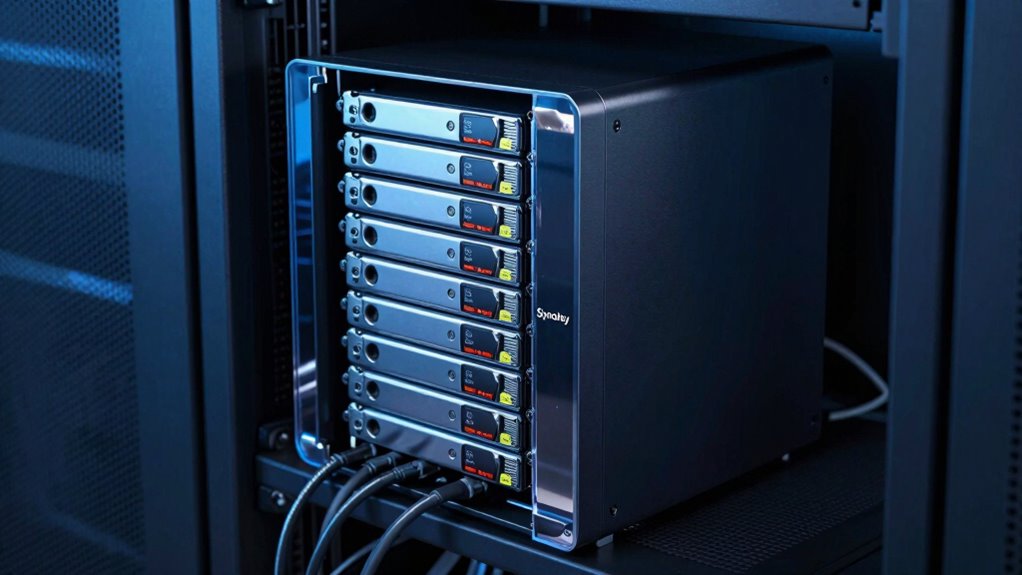

For most Synology owners, I’d start with the Seagate IronWolf 12TB: it balances useful capacity with a NAS-focused design without jumping straight to the largest, more demanding drives. The WD Red Plus 10TB is a sensible alternative for home and small-office systems, while the Seagate IronWolf Pro 20TB suits heavier workloads that need substantial space. The main tradeoffs are capacity versus cost and noise, plus workload demands, drive compatibility, and whether your NAS has enough bays to make a large disk worthwhile. A NAS drive still needs to match your specific Synology model and intended use. Read on for the full comparison and guidance on choosing the right fit.

Get the latest gadgets delivered free with Prime
- Fast, free delivery on millions of items
- Prime Video, Amazon Music and more included
- Member-only deals all year
Complete the kit



Key Takeaways
- The 12TB IronWolf is the most balanced starting point: it avoids the capacity limits of the 4TB and 8TB options without committing to a 20TB-class drive.
- The Pro models are workload-led picks, not automatic upgrades: IronWolf Pro 16TB and 20TB and WD Red Pro 16TB and 20TB target heavier-use systems, but their extra capacity and performance are most useful when the NAS workload can take advantage of them.
- WD Red Plus offers a clearer home-NAS lane: its 4TB, 8TB, and 10TB choices let buyers choose capacity without defaulting to a Pro drive intended for more demanding use.
- The Synology HAT3310-12T stands apart for ecosystem fit: it is the Synology-branded option in this lineup, so buyers should check their NAS model’s compatibility list rather than assume every third-party drive is interchangeable.
- Capacity alone does not pick the winner: bay count, redundancy plans, workload, noise tolerance, and compatibility can make a smaller drive the better choice than a larger one.
| Seagate IronWolf 12TB 3.5-Inch NAS Hard Drive, 7200 RPM |  | Best Balanced 12TB Seagate Pick | Capacity: 12 TB | Form factor: 3.5 inches | Interface: SATA 6 Gb/s | VIEW ON AMAZON | See Our Full Breakdown |
| Seagate IronWolf Pro 20TB NAS Internal Hard Drive |  | Best for High-Capacity RAID | Capacity: 20 TB | Recording technology: CMR | Form factor: 3.5 inches | VIEW ON AMAZON | See Our Full Breakdown |
| Western Digital WD Red Pro 16TB NAS Internal Hard Drive |  | Best for Heavy Multi-User Workloads | Capacity: 16 TB | Model: WD161KFGX | Form factor: 3.5 inches | VIEW ON AMAZON | See Our Full Breakdown |
| Synology HAT3310-12T 12TB NAS Hard Drive |  | Best Synology-Matched Drive | Capacity: 12 TB | Form factor: 3.5 inches | Interface: SATA III, 6 Gb/s | VIEW ON AMAZON | See Our Full Breakdown |
| Western Digital WD Red Pro 20TB NAS Internal Hard Drive |  | Best for Large Commercial NAS Builds | Capacity: 20 TB | Model: WD202KFGX | Drive type: Mechanical HDD | VIEW ON AMAZON | See Our Full Breakdown |
| Western Digital WD Red Plus 4TB NAS Internal Hard Drive |  | Best for Small NAS Setups | Capacity: 4 TB | Drive type: Mechanical HDD | Form factor: 3.5 inches | VIEW ON AMAZON | See Our Full Breakdown |
| Seagate IronWolf 8TB Internal NAS Hard Drive, SATA 6 Gb/s (ST8000VNZ04) |  | Best for Multi-User Value | Capacity: 8 TB | Form factor: 3.5 inches | Interface: SATA 6 Gb/s | VIEW ON AMAZON | See Our Full Breakdown |
| Western Digital WD Red Plus 10TB NAS Internal Hard Drive |  | Best for High-Capacity SMB Storage | Capacity: 10 TB | Interface: SATA 6.0 Gb/s | Form factor: 3.5 inches | VIEW ON AMAZON | See Our Full Breakdown |
| Seagate IronWolf Pro 16TB 3.5-Inch NAS Internal Hard Drive |  | Best Premium for Heavy NAS Workloads | Storage capacity: 16 TB | Form factor: 3.5 inches | Interface: SATA 6 Gb/s | VIEW ON AMAZON | See Our Full Breakdown |
| Western Digital WD Red Plus 8TB NAS Internal Hard Drive | 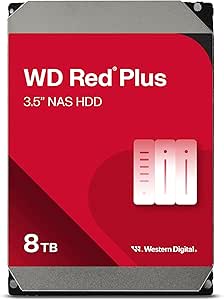 | Best Balanced 24/7 Capacity | Capacity: 8 TB | Drive type: Internal HDD | Form factor: 3.5 inches | VIEW ON AMAZON | See Our Full Breakdown |
| hard drives for synology na | Form factor | Interface | Rotational speed | Capacity |
|---|---|---|---|---|
| Seagate IronWolf 12TB 3.5-Inch | 3.5 inches | SATA 6 Gb/s | 7200 rpm | 12 TB |
| Seagate IronWolf Pro 20TB NAS | 3.5 inches | SATA 6 Gb/s | 7,200 rpm | 20 TB |
| Western Digital WD Red Pro 16T | 3.5 inches | SATA 6 Gb/s | 7200 rpm | 16 TB |
| Synology HAT3310-12T 12TB NAS | 3.5 inches | SATA III, 6 Gb/s | 7,200 rpm | 12 TB |
| Western Digital WD Red Pro 20T | 3.5 inches | SATA 6 Gb/s | 7200 rpm | 20 TB |
| Western Digital WD Red Plus 4T | 3.5 inches | SATA 6 Gb/s | Listing conflicts: 5400 rpm in title; 7200 rpm in specifications | 4 TB |
| Seagate IronWolf 8TB Internal | 3.5 inches | SATA 6 Gb/s | 7200 rpm | 8 TB |
| Western Digital WD Red Plus 10 | 3.5 inches | SATA 6.0 Gb/s | 7200 rpm | 10 TB |
| Seagate IronWolf Pro 16TB 3.5- | 3.5 inches | SATA 6 Gb/s | 7200 rpm | — |
| Western Digital WD Red Plus 8T | 3.5 inches | SATA 6 Gb/s | 5640 rpm | 8 TB |
More Details on Our Top Picks
Seagate IronWolf 12TB 3.5-Inch NAS Hard Drive, 7200 RPM
The 12TB capacity and 7200 RPM speed make this IronWolf a sensible middle ground for a Synology NAS that needs room for shared files, backups, or media without jumping to a 20TB drive. It is specified for systems with up to eight bays, and its 256MB cache and 180MB/s maximum read speed suit general multi-user storage. Compared with the Seagate IronWolf Pro 20TB, this model offers less room and a shorter warranty, but it may fit a smaller storage plan more comfortably. IronWolf Health Management and three years of Rescue Data Recovery Services add support features, not a substitute for a separate backup. The listing has conflicting capacity and speed specifications, so I would verify the exact listing details before buying. Its NAS focus also makes it less suited to a general-purpose desktop upgrade.
Pros:- 12TB capacity offers a practical balance for a multi-bay Synology system.
- Specified for NAS systems with up to eight bays.
- 7200 RPM operation, 256MB cache, and up to 180MB/s read speed.
- Includes IronWolf Health Management and three years of data recovery services.
Cons:- Three-year warranty is shorter than the Seagate IronWolf Pro 20TB’s five-year limited warranty.
- The listing contains conflicting capacity and speed specifications, which should be checked before purchase.
- Its NAS-oriented design may not suit general-purpose storage setups.
Best for: Synology owners building a modest multi-bay NAS for household backups, shared files, and media who want 12TB per drive.
Not ideal for: Buyers who need the largest possible capacity, a five-year warranty, or a drive for a non-NAS desktop setup.
- Capacity:12 TB
- Form factor:3.5 inches
- Interface:SATA 6 Gb/s
- Rotational speed:7200 rpm
- Cache:256 MB
- Maximum read speed:180 MB/s
- NAS bay support:Up to 8 bays
- Warranty:3 years
Our verdict“Choose this IronWolf for a Synology NAS needing a balanced 12TB drive, but verify the listing specifications before ordering.”
Seagate IronWolf Pro 20TB NAS Internal Hard Drive
For a Synology system where drive bays are limited and each one needs to hold as much as possible, the 20TB capacity is the main reason to choose this IronWolf Pro. Its CMR recording, vibration sensors, and 24/7 NAS and RAID design are aimed at multi-bay use, while AgileArray firmware is part of its NAS-focused setup. Compared with the Seagate IronWolf 12TB, this model packs more storage into each bay and adds a five-year limited warranty, though it is a larger-capacity purchase for a system that may not need that much room. A 2.5 million-hour MTBF and three years of Rescue Data Recovery Services add support details, but neither replaces a backup plan. Its NAS-specific design means it is not the right choice for a basic desktop drive replacement.
Pros:- 20TB capacity helps maximize storage in a limited number of Synology bays.
- CMR recording and vibration sensors suit multi-bay RAID workloads.
- Designed for continuous NAS and RAID operation.
- Includes a five-year limited warranty and three years of data recovery services.
Cons:- Its NAS-specific design requires a compatible system and appropriate setup.
- 20TB may be more capacity than smaller home NAS workloads need.
- Its listed average operating power is 7.7 W, a relevant factor when planning a system that runs continuously.
Best for: Synology users with several active shares, large media or project archives, and limited drive bays who need high capacity per bay.
Not ideal for: Small NAS setups that will not use 20TB per drive, or desktop buyers looking for a general-purpose internal drive.
- Capacity:20 TB
- Recording technology:CMR
- Form factor:3.5 inches
- Interface:SATA 6 Gb/s
- Rotational speed:7,200 rpm
- Cache:256 MB
- Read speed:180 MB/s
- Warranty:5-year limited warranty
- Data recovery service:Complimentary 3-year Rescue Data Recovery Services
Our verdict“Pick the IronWolf Pro 20TB when maximizing capacity and long-term NAS support matters more than a smaller drive’s lower capacity.”
Western Digital WD Red Pro 16TB NAS Internal Hard Drive
The 16TB WD Red Pro is aimed at Synology systems that see sustained, demanding activity: its stated workload rating reaches 550TB per year, and it is designed for 24/7, multi-user RAID environments. CMR recording, a 512MB cache, and a listed read speed of 259MB/s give it a stronger performance profile on paper than the Seagate IronWolf 12TB, while its capacity sits below the IronWolf Pro 20TB for buyers who do not need the largest drive in this group. That makes it a useful fit for active file sharing, backup jobs, and RAID rebuild workloads. The tradeoff is that the product data gives no warranty or recovery-service details, making support comparisons harder. It also needs a compatible 3.5-inch SATA system and is more specialized than a basic desktop disk.
Pros:- 16TB capacity suits substantial NAS archives without moving to a 20TB model.
- Rated for workloads up to 550TB per year.
- CMR recording and RAID-oriented design target continuous multi-user use.
- 512MB cache and listed read speed of 259MB/s.
Cons:- Product data does not specify warranty length or data recovery services.
- Requires a compatible 3.5-inch SATA NAS or desktop system.
- Offers less capacity per bay than the Seagate IronWolf Pro 20TB and WD Red Pro 20TB.
Best for: Small-business and advanced home Synology users running frequent shared-file, backup, or RAID workloads who want a 16TB CMR drive.
Not ideal for: Buyers who need the most capacity per bay, explicit warranty and recovery-service details, or a drive for a non-NAS setup.
- Capacity:16 TB
- Model:WD161KFGX
- Form factor:3.5 inches
- Interface:SATA 6 Gb/s
- Rotational speed:7200 rpm
- Cache:512 MB
- Recording technology:CMR
- Read speed:259 MB/s
- Maximum workload rate:550 TB/year
Our verdict“Choose this WD Red Pro for a busy Synology RAID system that needs a workload-rated 16TB drive rather than maximum capacity per bay.”
Synology HAT3310-12T 12TB NAS Hard Drive
This is the most directly Synology-focused option in the group: the HAT3310-12T is designed for Synology storage systems and supports firmware updates through Synology DSM. That alignment may appeal to owners who prefer a drive built and tested for the NAS platform they already use, rather than choosing a third-party model such as the Seagate IronWolf 12TB. Both offer 12TB and 7200 RPM operation, but this Synology drive lists a larger 512MB cache and a maximum transfer rate of 281MB/s. Those figures do not guarantee faster real-world NAS performance, which also depends on the system and workload. Its clearest tradeoff is platform focus: compatibility and firmware features are centered on Synology, so buyers planning a mixed-vendor or future non-Synology setup have less flexibility. The three-year warranty is specified.
Pros:- Designed and tested for Synology storage systems and multi-user NAS workloads.
- DSM firmware update support suits owners who want drive management within Synology’s platform.
- 512MB cache and listed maximum transfer rate of 281MB/s.
- 12TB capacity and 7200 RPM operation suit 24/7 NAS use.
Cons:- Compatibility and firmware features are focused on Synology systems.
- 12TB provides less per-bay capacity than the 16TB and 20TB options in this roundup.
- The specified three-year warranty is shorter than the Seagate IronWolf Pro 20TB’s five-year warranty.
Best for: Synology NAS owners who want a 12TB drive designed for their system and value DSM firmware update support.
Not ideal for: Buyers who may move the drive to a different NAS brand, or who want a larger capacity than 12TB per bay.
- Capacity:12 TB
- Form factor:3.5 inches
- Interface:SATA III, 6 Gb/s
- Rotational speed:7,200 rpm
- Cache:512 MB
- Maximum transfer rate:281 MB/s
- Sector size:512e
- MTTF:1.2 million hours
- Warranty:3 years
Our verdict“Choose the HAT3310-12T when Synology-specific fit and DSM firmware support matter more than cross-platform flexibility or maximum capacity.”
Western Digital WD Red Pro 20TB NAS Internal Hard Drive
For a large Synology deployment with sustained traffic, the WD Red Pro 20TB combines 20TB capacity with a stated 550TB-per-year workload rating and support for RAID-optimized systems with unlimited bays. Its 512MB cache and listed 285MB/s read speed are higher on paper than the Seagate IronWolf Pro 20TB’s 256MB cache and 180MB/s read speed, though those specifications alone do not predict the speed of a complete NAS. Both offer 20TB CMR storage for continuous multi-user use; the WD’s appeal is its stated workload rating and bay support, while the Seagate specifies a five-year warranty and three years of recovery services that are not supplied in this product data. This WD requires a compatible 3.5-inch SATA bay, and usable capacity can be lower depending on the operating environment. Its enterprise-oriented design is more than many home NAS users need.
Pros:- 20TB capacity helps reduce the number of drives needed for a large storage pool.
- Rated for workloads up to 550TB per year and designed for continuous 24/7 use.
- CMR recording and RAID-optimized design suit multi-user NAS systems.
- Listed 512MB cache and read speed of 285MB/s.
Cons:- Product data does not specify warranty length or data recovery services.
- Requires a compatible 3.5-inch SATA drive bay.
- Actual usable capacity may be lower depending on the operating environment.
Best for: Commercial and enterprise Synology operators who need high capacity per bay and a drive specified for sustained, heavy workloads.
Not ideal for: Home NAS owners with light workloads, buyers who need stated warranty and recovery-service details, or systems without a 3.5-inch SATA bay.
- Capacity:20 TB
- Model:WD202KFGX
- Drive type:Mechanical HDD
- Form factor:3.5 inches
- Interface:SATA 6 Gb/s
- Rotational speed:7200 rpm
- Cache:512 MB
- Recording technology:CMR
- Maximum workload rate:550 TB/year
Our verdict“Choose the WD Red Pro 20TB for a large, heavily used Synology system when capacity and workload rating outweigh support details absent from the listing.”
Western Digital WD Red Plus 4TB NAS Internal Hard Drive
The WD Red Plus 4TB suits a compact Synology NAS used for shared files, backups, or a modest media library. Its CMR recording and NAS-oriented firmware fit RAID use better than a desktop drive, while vibration sensors are relevant when several disks run together. Compared with the WD Red Plus 8TB, this model gives up capacity but may suit a smaller array where each bay does not need to hold a large archive. Its 3.5-inch SATA format is a standard fit for many NAS enclosures. The main tradeoff is limited room for growth, and the listing conflicts on rotational speed: it gives both 5400 rpm and 7200 rpm. I would verify the exact model specifications before buying if speed or noise matters to your setup.
Pros:- CMR recording is suited to RAID and NAS workloads
- Designed for continuous operation in home and small-to-medium business NAS systems
- NASware and rotational vibration sensors support multi-drive use
- 3.5-inch SATA interface fits standard NAS drive bays
Cons:- 4TB capacity offers less headroom than the WD Red Plus 8TB and 10TB
- Listing gives conflicting 5400 rpm and 7200 rpm specifications
- Mechanical HDDs are slower than solid-state storage for latency-sensitive tasks
Best for: Synology owners building a small file-sharing or backup NAS who want a NAS-oriented 4TB CMR drive.
Not ideal for: Buyers planning a large media archive or frequent capacity growth; the 4TB limit can fill sooner than the 8TB and 10TB alternatives.
- Capacity:4 TB
- Drive type:Mechanical HDD
- Form factor:3.5 inches
- Interface:SATA 6 Gb/s
- Recording technology:CMR
- Rotational speed:Listing conflicts: 5400 rpm in title; 7200 rpm in specifications
- Read speed:180 MB/s
- Warranty:3-year limited warranty
Our verdict“Choose this for a compact Synology NAS that needs a CMR drive, but confirm the listed rotational speed before purchase.”
Seagate IronWolf 8TB Internal NAS Hard Drive, SATA 6 Gb/s (ST8000VNZ04)
The Seagate IronWolf 8TB is a practical match for a Synology NAS shared by several people, with capacity for a growing file library and a 7200 rpm spindle aimed at responsive access. Its 256 MB cache and NAS health management give it a more NAS-specific feature set than a basic desktop disk. Compared with the WD Red Plus 8TB, the IronWolf lists a higher rotational speed and includes three years of Rescue Data Recovery Services; the WD option instead lists a 5640 rpm speed and a workload rate of up to 180 TB per year. This IronWolf is limited to 3.5-inch bays and remains a mechanical drive, so it will not provide SSD-like access times. I would favor it for multi-user storage, not a setup that needs compact or silent media.
Pros:- 8TB capacity supports shared storage without requiring a high-capacity Pro drive
- 7200 rpm speed and 256 MB cache are suited to multi-user access
- IronWolf Health Management is included
- Three years of Rescue Data Recovery Services are included
Cons:- Requires a 3.5-inch drive bay
- Mechanical storage has higher access latency than an SSD
- Its NAS-specific design may be unnecessary for a simple single-computer external-storage setup
Best for: Households, small teams, and home offices using an up-to-eight-bay Synology NAS for shared files and backups.
Not ideal for: Owners of compact enclosures without 3.5-inch bays or buyers seeking SSD responsiveness for latency-sensitive work.
- Capacity:8 TB
- Form factor:3.5 inches
- Interface:SATA 6 Gb/s
- Rotational speed:7200 rpm
- Cache:256 MB
- Media speed:Up to 180 MB/s
- NAS compatibility:Up to 8 bays
- Warranty and recovery:3-year warranty; 3 years of Rescue Data Recovery Services
Our verdict“Pick this IronWolf for an active, shared Synology NAS where 8TB capacity and included recovery services matter.”
Western Digital WD Red Plus 10TB NAS Internal Hard Drive
The WD Red Plus 10TB is the capacity step-up in the Red Plus group, pairing CMR recording with NASware firmware for a Synology system that runs around the clock. Its stated 180 TB-per-year workload rating makes the intended use clearer than a general desktop drive: file sharing, backups, and business storage within that workload. Compared with the Seagate IronWolf 8TB, it offers 2TB more space and a listed read speed of 260 MB/s, while the IronWolf includes health management and recovery services. This WD model supports up to eight bays, but it is not the high-workload choice in this roundup; the IronWolf Pro 16TB lists a much higher 550 TB-per-year workload rating. The 3-year warranty is also shorter than that Pro drive’s five-year coverage.
Pros:- 10TB capacity provides more room than the 8TB alternatives
- CMR recording and NASware firmware target NAS use
- Specified for 24/7 environments and up to eight-bay systems
- 260 MB/s listed read speed
Cons:- Workload rating is limited to up to 180 TB per year
- Three-year limited warranty is shorter than the IronWolf Pro 16TB warranty
- 3.5-inch mechanical drive requires a compatible NAS bay
Best for: Small-business Synology owners who need a 10TB CMR disk for continuous file storage, backups, or archiving in an array of up to eight bays.
Not ideal for: High-write environments with heavy multi-user workloads beyond the stated 180 TB per year, or buyers who need the longer warranty and higher workload rating of a Pro-class disk.
- Capacity:10 TB
- Interface:SATA 6.0 Gb/s
- Form factor:3.5 inches
- Rotational speed:7200 rpm
- Recording technology:CMR
- Cache:512 MB
- Read speed:260 MB/s
- Workload rate:Up to 180 TB/year
- Warranty:3-year limited warranty
Our verdict“Choose this for a small-business Synology NAS that needs more capacity than an 8TB drive without moving to a Pro-class workload tier.”
Seagate IronWolf Pro 16TB 3.5-Inch NAS Internal Hard Drive
For a Synology NAS that stays busy around the clock, the IronWolf Pro 16TB brings a higher workload ceiling than the standard IronWolf and WD Red Plus drives in this batch. Its 550 TB/year workload rating, CMR recording, AgileArray firmware, and rotational vibration sensors are aimed at multi-bay RAID use rather than a lightly used home archive. The five-year limited warranty and three years of Rescue Data Recovery Services add support that the WD Red Plus 10TB does not list, though that WD drive has a stated read speed and this listing does not. The tradeoff is that Pro-class headroom may be more than a small household needs, and the product information gives conflicting cache details between the title and product data. I would match it to a demanding workload, not buy capacity alone.
Pros:- 16TB capacity reduces the number of drives needed for a given raw storage target
- Workload rating of up to 550 TB/year suits heavier NAS use
- CMR, AgileArray firmware, and vibration sensors target multi-bay RAID operation
- Five-year limited warranty and three years of recovery services
Cons:- Pro-level workload capacity may be unnecessary for light home use
- Listing has conflicting cache information
- Requires a compatible 3.5-inch NAS or RAID setup
Best for: Small-business and power-user Synology owners running multi-bay RAID with frequent writes, multiple users, or continuous services.
Not ideal for: Home users with light backup or media-streaming needs who can meet their capacity needs with a WD Red Plus or standard IronWolf drive.
- Storage capacity:16 TB
- Form factor:3.5 inches
- Interface:SATA 6 Gb/s
- Recording technology:CMR
- Rotational speed:7200 rpm
- Workload rate:Up to 550 TB/year
- MTBF:2.5 million hours
- Warranty:5-year limited warranty
- Data recovery service:3 years of Rescue Data Recovery Services
Our verdict“Choose the IronWolf Pro 16TB for a busy multi-bay Synology array where its high workload rating and longer warranty justify the Pro tier.”
Western Digital WD Red Plus 8TB NAS Internal Hard Drive
The WD Red Plus 8TB occupies a useful middle ground for Synology owners who want more space than the 4TB model without moving to the 10TB drive. It combines CMR recording, NASware firmware, support for up to eight bays, and a stated workload rate of 180 TB per year. That makes it a straightforward fit for file sharing, archiving, and RAID rebuilding in a small or medium NAS. Compared with the Seagate IronWolf 8TB, it lists a lower 5640 rpm speed and workload rating, while the IronWolf specifies 7200 rpm and includes recovery services. The WD’s stated use and firmware still make it a sensible NAS-focused option, but buyers handling frequent, heavy writes may prefer the IronWolf Pro 16TB and its much higher workload rating. Actual usable capacity will be below the nominal 8TB.
Pros:- 8TB capacity balances storage room with a standard NAS drive format
- CMR recording and NASware firmware are intended for NAS use
- Supports up to eight bays and 24/7 operation
- Listed workload rate of up to 180 TB per year
Cons:- 5640 rpm is lower than the 7200 rpm listed for the Seagate IronWolf 8TB
- Three-year warranty is shorter than the IronWolf Pro 16TB warranty
- Usable capacity is less than the stated 8TB after formatting and system overhead
Best for: Home offices and small businesses seeking an 8TB CMR drive for continuous Synology file sharing, archiving, and RAID storage.
Not ideal for: Users with sustained heavy-write workloads or those prioritizing faster listed spindle speed and included recovery services.
- Capacity:8 TB
- Drive type:Internal HDD
- Form factor:3.5 inches
- Rotational speed:5640 rpm
- Interface:SATA 6 Gb/s
- Cache:256 MB
- Recording technology:CMR
- Workload rate:Up to 180 TB/year
- Warranty:3-year limited warranty
Our verdict“Pick this WD Red Plus for an 8TB Synology NAS with steady, moderate workloads rather than heavy write demands.”

How We Picked
I ranked these drives around how well they suit real Synology NAS roles, rather than treating the largest capacity as the automatic winner. The main criteria were NAS-oriented design, available capacity, intended workload class, range of use across home and business systems, and how clearly each model fits a buyer’s likely needs. I also weighed practical ownership factors: drive count, noise and heat expectations, replacement planning, and whether the Synology model’s compatibility list needs checking.
The lineup places the IronWolf 12TB first for its balanced capacity and broad appeal, then separates the Pro drives for heavier workloads from WD Red Plus choices aimed at more modest systems. The Synology HAT3310-12T earns a distinct place for buyers who prefer a Synology-branded drive and want to check model-level support. Within each family, capacity changes the best use case, but it does not erase the tradeoff: paying for more space or a higher workload tier only makes sense when the NAS and its workload can use it.
| hard drives for synology na | Interface |
|---|---|
| Seagate IronWolf 12TB 3.5-Inch | SATA 6 Gb/s |
| Seagate IronWolf Pro 20TB NAS | SATA 6 Gb/s |
| Western Digital WD Red Pro 16T | SATA 6 Gb/s |
| Synology HAT3310-12T 12TB NAS | SATA III, 6 Gb/s |
| Western Digital WD Red Pro 20T | SATA 6 Gb/s |
| Western Digital WD Red Plus 4T | SATA 6 Gb/s |
| Seagate IronWolf 8TB Internal | SATA 6 Gb/s |
| Western Digital WD Red Plus 10 | SATA 6.0 Gb/s |
| Seagate IronWolf Pro 16TB 3.5- | SATA 6 Gb/s |
| Western Digital WD Red Plus 8T | SATA 6 Gb/s |
Factors to Consider When Choosing Hard Drives For Synology Nas
Choosing a drive for a Synology NAS is partly a storage decision and partly a system-planning decision. I’d settle the NAS model, workload, and backup plan before choosing a capacity, since those choices determine whether a premium drive or a smaller model makes practical sense.
Check Synology Compatibility Before Buying
Start with the support information for your exact NAS model and DSM version, not a general claim that a drive is NAS-ready. Compatibility can vary by enclosure and firmware, and an unsupported drive may limit health reporting or generate warnings even if it works as storage. Check the current drive list and any notes about capacity or drive families before ordering multiple disks. For a new system, this check is easier than discovering a mismatch after migration. I’d give the HAT3310-12T extra attention if model-specific support and a Synology-branded option matter to your setup.
Size the Array, Not Just a Single Drive
A drive’s labeled capacity is not the amount of space you can plan to use in a redundant array. RAID or Synology’s storage layouts reserve capacity for protection, and usable space depends on the number and size of installed drives. Estimate your current files, expected growth, snapshots, and shared services before deciding between 4TB, 8TB, 10TB, 12TB, 16TB, or 20TB models. A large drive in a one- or two-bay NAS can be less flexible than several appropriately sized disks in a larger enclosure. Leave room for growth, but don’t buy capacity your bay count and budget cannot put to work.
Match Workload Tier to How the NAS Runs
A personal backup NAS, a small office file server, and a system serving many users do not place the same demands on drives. Pro-class models in this roundup are aimed at heavier workloads, while Red Plus models can make more sense for less intensive home and small-office use. Think about concurrent users, sustained transfers, surveillance streams, and how often the array is active. A higher workload class may bring little practical benefit if the NAS mostly runs scheduled backups. Conversely, a busy shared system is a poor place to choose solely by the lowest capacity or simplest spec.
Plan for Noise, Heat, and Drive Count
NAS drives sit in a small enclosure that may share a room with people, so sound and heat can matter as much as headline performance. Larger or faster drives and multi-disk arrays can create more audible activity and place more thermal load on the enclosure. Check the NAS ventilation guidance, leave airflow around the unit, and think about where it will live before filling every bay. A quieter, lower-capacity setup may be a better household fit than a high-capacity array in a bedroom or office. The right choice depends on both the drive and the environment it will run in.
Choose a Redundancy and Backup Plan Separately
RAID can keep a NAS running through some drive failures, but it is not a backup against accidental deletion, malware, theft, or damage to the whole device. Decide how many drive failures your storage layout is meant to tolerate, then budget bays and disks around that goal. Keep a separate copy of important files on another device or remote service, and test that files can be restored. Drive size affects rebuild time and the amount of data at risk during a failure, so capacity planning and backup planning should happen together. Buying a more expensive drive does not replace either form of protection.
Compare Total System Cost, Not Only Capacity
Think beyond the cost of one disk: a multi-bay NAS may need a matched set, spare capacity for future expansion, and a backup destination. Mixing drive sizes can leave some capacity unused in certain storage layouts, so check how Synology handles expansion before buying one large disk now and smaller disks later. A smaller drive can be the better value if it meets current needs and lets you build the array you actually want. A premium model is easier to justify when its workload class or capacity solves a concrete requirement. Keep a replacement plan in mind, since a NAS is a system to maintain rather than a one-time drive purchase.
Frequently Asked Questions
Can I use any NAS drive in my Synology system?
Not automatically. Check the compatibility information for your exact Synology model, because support can differ across enclosures and software versions. A drive may function while still producing compatibility warnings or missing some health-management features. If you are buying several drives for one array, confirm every model and capacity before placing the order. For the Synology HAT3310-12T, check the NAS model’s support details rather than assuming the brand name guarantees compatibility with every enclosure.
Should I choose a Pro drive for a home Synology NAS?
Only if your workload benefits from the higher-use class or capacity. A home NAS used mainly for backups, media storage, and occasional file access may be better served by a WD Red Plus or standard IronWolf option. Pro models make more sense when the system handles sustained activity, multiple users, or large working datasets. They can also be a poor match for a quiet room if drive noise is a concern. Base the decision on actual use, not the Pro label alone.
Is one 20TB drive better than two smaller drives?
That depends on the NAS bay count and the storage layout you plan to use. One large disk gives substantial capacity in a single bay, but it does not provide drive-level redundancy by itself. Two smaller drives may support a protected array, though usable capacity will be lower and the purchase uses more bays. Consider replacement and expansion plans as well: adding disks later can be constrained by the layout already in place. Decide how much protection and flexibility you need before comparing raw capacity.
Can I mix IronWolf and WD Red drives in one Synology NAS?
Mixed drive brands can work in some Synology storage configurations, but the NAS model, compatibility guidance, drive sizes, and chosen storage layout all matter. Different capacities may leave part of a larger drive’s space unused in a redundant array. Matching drives can make capacity planning and replacements simpler, though matching brands is not a substitute for checking support. Review Synology’s current guidance and the rules for your specific pool before mixing models. If reliability and straightforward maintenance are priorities, plan the drive set before building the array.
How much capacity should I leave for growth and backups?
Start by estimating the data you have now, then add expected growth, snapshots, and any services that will store files on the NAS. Usable array capacity will be less than the sum of the drive labels when storage protection is enabled, so calculate that before choosing a size. Keep backups outside the primary NAS; unused space in the same array does not protect against device loss or accidental deletion. If growth is uncertain, check how your Synology model supports expansion and whether future drives can join the existing pool. This can make a moderate-capacity start more practical than buying the largest drive immediately.
Conclusion
For most buyers, my best overall pick is the Seagate IronWolf 12TB, which balances capacity with a NAS-focused role. The best value depends on how much space you need: the WD Red Plus 8TB is a measured choice for a modest system, while the 10TB model leaves more room to grow. For a best premium option, choose between the IronWolf Pro 20TB and WD Red Pro 20TB based on workload and Synology compatibility. Beginners should start with the WD Red Plus 4TB or 8TB if their storage needs are limited and they want a straightforward capacity target. For a specific preference for Synology-branded storage, check whether the HAT3310-12T is supported by your NAS; for heavier workloads without needing 20TB, compare the 16TB Pro models. My final advice is to confirm compatibility and usable array capacity before choosing a drive family or size.
Halloween Picks
halloween
As an affiliate, we earn on qualifying purchases.