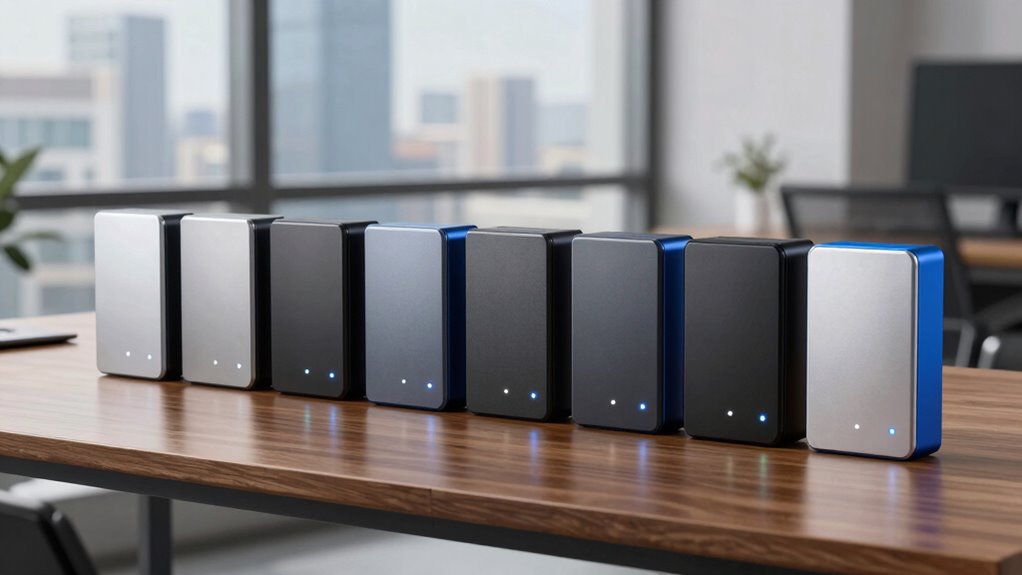

If you need an external hard drive with 20TB or more, the Seagate Expansion 24TB is my best overall pick for its high capacity and included Rescue Data Recovery Service. The WD Elements 20TB is a straightforward alternative for buyers who want a familiar plug-and-play desktop drive, while the OSENTRiX BX100 20TB stands out for its USB-C connection. The main tradeoffs are capacity headroom versus the space you actually need, and simple USB 3.0 convenience versus a newer connection that may better suit your setup. These are large desktop drives, so physical footprint, power, and backup plans matter as much as the terabyte count. Continue reading for the full breakdown and guidance on which model fits your storage needs.

Get the latest gadgets delivered free with Prime
- Fast, free delivery on millions of items
- Prime Video, Amazon Music and more included
- Member-only deals all year
Complete the kit



Key Takeaways
- Seagate’s 24TB and 28TB models provide the most headroom; they suit growing archives better than buying exactly the capacity needed today.
- The WD Elements 20TB and Seagate Expansion 20TB are simple desktop choices, while the 18TB WD Elements falls short of a strict 20TB target.
- USB-C is a connection advantage, not a guarantee of faster transfers; the OSENTRiX BX100’s USB 3.2 Gen 2 port matters only if the computer and cable support it.
- Rescue Data Recovery Service distinguishes two Seagate Expansion models, but it does not replace a separate backup or guarantee every recovery outcome.
- All seven are desktop-scale storage options; buyers wanting a portable, bus-powered drive should look beyond this lineup.
| Seagate Expansion 28TB External Hard Drive with USB 3.0 and Rescue Data Recovery Service |  | Best for Maximum Capacity | Storage capacity: 28 TB | Interface: USB 3.0 (USB 3.2 compatible) | Form factor: 3.5 inches | VIEW ON AMAZON | See Our Full Breakdown |
| Seagate Expansion 22TB External Hard Drive | | Best for Straightforward Backup | Storage capacity: 22 TB | Interface: USB 3.0 | Form factor: 3.5 inches | VIEW ON AMAZON | See Our Full Breakdown |
| Western Digital 18TB Elements Desktop External Hard Drive USB 3.0 (Plug-and-Play) |  | Best for Buyers Who Can Use Less Than 20TB | Storage capacity: 18 TB | Interface: USB 2.0/3.0 | Form factor: 3.5-inch desktop | VIEW ON AMAZON | See Our Full Breakdown |
| WD 20TB Elements Desktop External Hard Drive, USB 3.0 Plug-and-Play Storage | | Best for Console and PC Libraries | Storage capacity: 20 TB | Interface: USB 3.0, compatible with USB 2.0 | Form factor: 3.5-inch | VIEW ON AMAZON | See Our Full Breakdown |
| Seagate Expansion 24TB External Hard Drive (USB 3.0) with Rescue Data Recovery Service |  | Best Balance of Capacity and Listed Read Speed | Storage capacity: 24 TB | Interface: USB 3.0 | Rotational speed: 7200 rpm | VIEW ON AMAZON | See Our Full Breakdown |
| Seagate Expansion 20TB Desktop External Hard Drive | | Best for Recovery-Service Backing | Storage capacity: 20 TB | Interface: USB 3.0 | Form factor: 3.5 inches | VIEW ON AMAZON | See Our Full Breakdown |
| OSENTRiX BX100 20TB USB‑C External Hard Drive (USB 3.2 Gen 2) |  | Best for USB-C Transfer Speed | Capacity: 20 TB | Interface: USB 3.2 Gen 2 (USB-C) | Data transfer rate: Up to 10 Gbps | VIEW ON AMAZON | See Our Full Breakdown |
| external hard drive 20tb | Interface | Form factor | Storage capacity | Warranty |
|---|---|---|---|---|
| Seagate Expansion 28TB Externa | USB 3.0 (USB 3.2 compatible) | 3.5 inches | 28 TB | 1 year limited |
| Seagate Expansion 22TB Externa | USB 3.0 | 3.5 inches | 22 TB | 1 year manufacturer warranty |
| Western Digital 18TB Elements | USB 2.0/3.0 | 3.5-inch desktop | 18 TB | — |
| WD 20TB Elements Desktop Exter | USB 3.0, compatible with USB 2.0 | 3.5-inch | 20 TB | 2-year limited |
| Seagate Expansion 24TB Externa | USB 3.0 | 3.5-inch | 24 TB | 1 year limited |
| Seagate Expansion 20TB Desktop | USB 3.0 | 3.5 inches | 20 TB | 3 years |
| OSENTRiX BX100 20TB USB‑C Exte | USB 3.2 Gen 2 (USB-C) | 3.5 inches | — | Amazon.com Return Policy |
More Details on Our Top Picks
Seagate Expansion 28TB External Hard Drive with USB 3.0 and Rescue Data Recovery Service
I’d choose the 28TB Seagate Expansion when one desktop drive needs to hold an unusually large archive, such as years of video projects or a substantial media library. It offers 4TB more than the 24TB Seagate Expansion and 8TB more than the WD 20TB Elements, so it can reduce how soon a large collection outgrows its storage. The included Rescue Data Recovery Service adds a recovery option, though it is not a substitute for keeping another backup. USB 3.0 connection and drag-and-drop setup keep routine file storage straightforward, but the drive is still a powered 3.5-inch desktop unit, not a travel drive. Its listed read speed is 120 MB/s, so buyers prioritizing the higher listed read speed of the 24TB Seagate should compare those figures before choosing.
Pros:- 28TB capacity exceeds every other drive in this five-product group.
- USB 3.0 connection supports simple drag-and-drop file transfers.
- Includes a limited-time Rescue Data Recovery Service.
- Works with Windows and Mac for general file storage.
Cons:- Requires an external power adapter, so it is not a portable storage option.
- Listed read speed is 120 MB/s, below the 24TB Seagate’s listed 140 MB/s.
- Mac Time Machine use requires reformatting.
Best for: Video editors, archivists, and media-library owners who need more than 20TB in a single desktop drive and have room for its power adapter.
Not ideal for: Traveling users or anyone seeking a compact, bus-powered drive; this 3.5-inch model needs external power and is less convenient to move.
- Storage capacity:28 TB
- Interface:USB 3.0 (USB 3.2 compatible)
- Form factor:3.5 inches
- Rotational speed:7200 rpm
- Read speed:120 MB/s
- Data transfer rate:4800 MB/s (listed)
- Weight:1176 g
- Warranty:1 year limited
Our verdict“Choose this Seagate if a single-drive capacity of 28TB matters more than portability or the higher listed read speed of the 24TB model.”
Seagate Expansion 22TB External Hard Drive
The 22TB Seagate Expansion suits buyers who want a large desktop backup drive with a simple setup rather than the maximum capacity in this group. It connects over USB 3.0 and supports drag-and-drop saving without additional software, while its included Rescue Data Recovery Services provide a recovery option. Compared with the WD 20TB Elements, it adds 2TB and includes recovery service; compared with the 24TB and 28TB Seagate models, it gives up capacity. Its listed read speed is 120 MB/s, matching the 28TB Seagate but below the 24TB model’s listed 140 MB/s. Windows and Mac file use is supported, although Time Machine requires reformatting. The included power adapter also means it belongs on a desk, not in a bag for mobile backup.
Pros:- 22TB capacity provides room for large photo, video, and document archives.
- Drag-and-drop transfers need no additional software.
- Includes Seagate Rescue Data Recovery Services.
- Comes with an 18-inch USB cable and 18W power adapter.
Cons:- Offers less capacity than the 24TB and 28TB Seagate Expansion models.
- Requires external power and is designed for desktop use.
- Time Machine use requires reformatting.
Best for: Home and small-office users who want a large, uncomplicated Windows or Mac file-backup drive with included recovery service.
Not ideal for: Buyers with libraries likely to exceed 22TB soon, or users who need a portable drive or native Time Machine setup without reformatting.
- Storage capacity:22 TB
- Interface:USB 3.0
- Form factor:3.5 inches
- Rotational speed:7200 RPM
- Read speed:120 MB/s
- Data transfer rate:5000 MB/s (listed)
- Weight:1.2 kg
- Warranty:1 year manufacturer warranty
Our verdict“Pick the 22TB Seagate for simple, high-capacity backups with recovery service, but move up to a larger model if your archive is still growing quickly.”
Western Digital 18TB Elements Desktop External Hard Drive USB 3.0 (Plug-and-Play)
The WD Elements 18TB is the capacity-conscious choice for someone whose archive fits below 20TB and who values straightforward USB storage over extra headroom. It supports plug-and-play use with Windows PCs and works with laptops, gaming consoles, and other USB devices, making it a flexible fit for an existing setup. Compared with the WD 20TB Elements, it gives up 2TB, so it is a poorer match for a buyer specifically seeking a drive around 20TB or room for a rapidly expanding collection. Its listed 113.5 MB/s read and write speeds also sit below the 24TB Seagate’s listed 140 MB/s read speed. Like the other desktop models here, it needs external power and is not suited to frequent travel. I’d rank it for users who can accept the lower capacity, not those shopping for the closest match to 20TB.
Pros:- 18TB capacity handles sizable media and backup collections.
- Plug-and-play compatibility makes setup straightforward with Windows PCs.
- Works with laptops, gaming consoles, and other USB-enabled devices.
- USB 3.0 supports faster transfers than USB 2.0 connections.
Cons:- Provides less capacity than the 20TB WD Elements and all listed Seagate models.
- Requires an external power source and is bulky for travel.
- Listed read and write speeds are lower than the 24TB Seagate’s listed read speed.
Best for: Windows PC owners, console users, and home archivists whose current storage needs fit within 18TB and who want plug-and-play desktop storage.
Not ideal for: Buyers who specifically need 20TB or more, or people who need portable, bus-powered storage for travel.
- Storage capacity:18 TB
- Interface:USB 2.0/3.0
- Form factor:3.5-inch desktop
- Read speed:113.5 MB/s
- Write speed:113.5 MB/s
- Data transfer rate:5 Gbps
- Enclosure material:Plastic
- Weight:2.7 pounds
Our verdict“Choose the WD Elements 18TB only if your collection fits comfortably below 20TB and broad USB-device compatibility matters more than extra space.”
WD 20TB Elements Desktop External Hard Drive, USB 3.0 Plug-and-Play Storage
For a buyer focused on the stated 20TB category, the WD Elements 20TB is the most direct capacity match in this group. Its listed compatibility spans Windows, Mac after reformatting, and several Xbox and PlayStation generations, which makes it a practical candidate for large game or media libraries. Compared with the WD Elements 18TB, it adds 2TB; unlike the Seagate Expansion options, the supplied details do not list a rescue recovery service. The USB 3.0 connection keeps setup simple on Windows, but there is no USB-C or Thunderbolt connection for newer workflows that depend on those ports. Its 3.5-inch powered design also limits placement and portability. This is the clearest fit for buyers prioritizing a 20TB capacity and broad console compatibility, rather than the maximum space offered by the larger Seagate models.
Pros:- 20TB capacity directly matches buyers seeking a drive around that size.
- Listed compatibility includes Xbox and PlayStation consoles as well as Windows and Mac.
- USB 3.0 and Windows plug-and-play setup simplify connection.
- Two-year limited warranty is listed.
Cons:- Mac use requires reformatting.
- The desktop form factor needs external power and is not convenient for travel.
- No USB-C or Thunderbolt connectivity.
Best for: Console owners and Windows PC users building a large game, backup, or media library who want a 20TB drive with broad listed device compatibility.
Not ideal for: Mac users who want direct Time Machine setup without reformatting, or buyers who need USB-C, Thunderbolt, or portable bus-powered storage.
- Storage capacity:20 TB
- Interface:USB 3.0, compatible with USB 2.0
- Form factor:3.5-inch
- Weight:2 pounds
- Dimensions:8.95 × 3.52 × 8 inches
- Compatible devices:Windows PC, Mac (reformat required), Xbox Series X/S, Xbox One, Xbox 360, PlayStation 5/4/3
- Warranty:2-year limited
Our verdict“Choose the WD 20TB Elements for a large PC or console library when USB 3.0 is sufficient and a desktop power connection is acceptable.”
Seagate Expansion 24TB External Hard Drive (USB 3.0) with Rescue Data Recovery Service
The 24TB Seagate Expansion sits between the 22TB and 28TB models for capacity, while its listed 140 MB/s read speed is higher than the 120 MB/s figures supplied for those two drives. That makes it a compelling middle option for a large desktop archive when you want more room than the WD 20TB Elements offers without choosing the largest Seagate. It also includes a limited-warranty Rescue Data Recovery Service and uses USB 3.0 for straightforward drag-and-drop storage. The tradeoff is familiar: this is a 3.5-inch drive with an external power adapter, so it is better left at a workstation than carried around. It also needs reformatting for Mac Time Machine. Choose the 28TB model if capacity comes first; this one makes more sense when 24TB is enough and the listed read speed matters.
Pros:- 24TB capacity offers substantial headroom beyond the WD 20TB Elements.
- Listed read speed of 140 MB/s exceeds the listed read speeds of the 22TB and 28TB Seagate models.
- Includes a limited-warranty Rescue Data Recovery Service.
- USB 3.0 supports simple drag-and-drop file storage.
Cons:- Requires an external power adapter and is less convenient to move than a portable drive.
- Time Machine use on Mac requires reformatting.
- Its 24TB capacity is below the 28TB Seagate Expansion.
Best for: Desktop users with large video or media archives who want more than 20TB, included recovery service, and a higher listed read speed than the 22TB and 28TB Seagate models.
Not ideal for: People who need portable, bus-powered storage or Mac users who want to use Time Machine without reformatting.
- Storage capacity:24 TB
- Interface:USB 3.0
- Rotational speed:7200 rpm
- Read speed:140 MB/s
- Write speed:240 MB/s
- Data transfer rate:5 Gbps
- Form factor:3.5-inch
- Weight:3 pounds
- Warranty:1 year limited
Our verdict“Pick the 24TB Seagate if you want a large desktop archive drive with recovery service and its higher listed read speed, but do not need the 28TB model’s extra capacity.”
Seagate Expansion 20TB Desktop External Hard Drive
I’d choose the Seagate Expansion 20TB when a large archive and an included recovery service matter more than newer connectivity. Its USB 3.0 interface supports straightforward plug-and-play storage on Windows and Mac, while the listed Rescue Data Recovery Services add a layer of support absent from the OSENTRiX BX100’s supplied details. The tradeoff is a conventional desktop setup: this 3.5-inch drive needs its own power adapter and is not a portable, single-cable option. Its stated read speed is 120 MB/s, so buyers moving huge media projects may prefer a faster interface, such as the BX100’s USB 3.2 Gen 2 connection, if their computer supports it. Mac users should also plan to reformat it for Time Machine. I’d rank it for buyers who value recovery coverage over USB-C speed.
Pros:- 20TB capacity for large backups and media libraries
- Plug-and-play file storage on Windows and Mac
- Includes Rescue Data Recovery Services
- Three-year manufacturer warranty
Cons:- Requires an external power adapter
- Time Machine use requires reformatting
- USB 3.0 and listed 120 MB/s read speed are less suited to buyers prioritizing faster transfers
Best for: Desktop users building a large Windows or Mac archive who want included data recovery services and a three-year manufacturer warranty.
Not ideal for: Laptop owners who need a portable, bus-powered drive, or Mac users seeking immediate Time Machine compatibility without reformatting.
- Storage capacity:20 TB
- Interface:USB 3.0
- Form factor:3.5 inches
- Rotational speed:7200 rpm
- Read speed:120 MB/s
- Compatible platforms:Windows, Mac, Linux, PC
- Included services:Rescue Data Recovery Services
- Warranty:3 years
Our verdict“Choose this Seagate for 20TB desktop storage with recovery-service coverage, not for portability or the faster USB-C connection offered by the OSENTRiX BX100.”
OSENTRiX BX100 20TB USB‑C External Hard Drive (USB 3.2 Gen 2)
The OSENTRiX BX100 is the speed-focused pick among these 20TB desktop drives: its USB 3.2 Gen 2 connection is rated up to 10 Gbps, with USB 3.0 backward compatibility for older setups. That makes it a better fit than the Seagate Expansion 20TB for users whose computers have a compatible USB-C port and who regularly move large files. The interface rating is not the same as sustained hard-drive performance, though, so I wouldn’t treat 10 Gbps as a promise that every transfer will run at that rate. Its fanless enclosure avoids fan noise, but the 3.5-inch form still needs external power and limits portability. The listed warranty is only Amazon.com’s Return Policy, unlike Seagate’s stated three-year manufacturer warranty. I’d favor it for connection speed, not warranty reassurance.
Pros:- 20TB capacity for extensive backups and media libraries
- USB 3.2 Gen 2 connection rated up to 10 Gbps
- Fanless design for silent operation
- USB 3.0 backward compatibility
Cons:- 3.5-inch desktop form factor and external power adapter limit portability
- Older devices may lack a compatible USB-C or USB 3.2 port
- Warranty information lists Amazon.com Return Policy rather than a multi-year manufacturer warranty
Best for: Creators and desktop users with a USB-C/USB 3.2 Gen 2 port who want a large, quiet drive for frequent file transfers.
Not ideal for: Buyers who need a portable or bus-powered drive, use older computers without compatible ports, or prefer a stated multi-year manufacturer warranty.
- Capacity:20 TB
- Interface:USB 3.2 Gen 2 (USB-C)
- Data transfer rate:Up to 10 Gbps
- Form factor:3.5 inches
- Rotational speed:7200 RPM
- Cache memory:256 MB
- Backward compatibility:USB 3.0
- Warranty:Amazon.com Return Policy
Our verdict“Pick the BX100 if your computer supports USB 3.2 Gen 2 and quiet operation matters more than the Seagate Expansion 20TB’s stated recovery service and manufacturer warranty.”

How We Picked
I compared these drives around the needs behind a 20TB-class purchase: usable capacity, connection type, setup simplicity, recovery support, and fit for a typical desktop or home-office storage role. I gave extra weight to models that meet or exceed 20TB, since the 18TB WD Elements does not reach the capacity in the search query. I also treated USB-C and USB 3.0 as practical compatibility differences, not as proof of real-world speed; transfer rates depend on the drive, host port, cable, and workload.
The ranking favors a useful balance of capacity and buyer protection, then separates straightforward 20TB options from higher-capacity picks and the USB-C alternative. The Seagate Expansion 24TB leads for its capacity headroom and included recovery service; the 28TB version is a better fit when maximum capacity matters more than keeping the purchase modest in scale. The 20TB WD and Seagate models are easier matches for buyers who want a specific capacity, while the 22TB and 18TB options make sense only when their capacity difference suits the buyer’s plan. I did not treat any single drive as a complete backup system: every ranking assumes the buyer checks compatibility and maintains another copy of important files.
| external hard drive 20tb | Interface |
|---|---|
| Seagate Expansion 28TB Externa | USB 3.0 (USB 3.2 compatible) |
| Seagate Expansion 22TB Externa | USB 3.0 |
| Western Digital 18TB Elements | USB 2.0/3.0 |
| WD 20TB Elements Desktop Exter | USB 3.0, compatible with USB 2.0 |
| Seagate Expansion 24TB Externa | USB 3.0 |
| Seagate Expansion 20TB Desktop | USB 3.0 |
| OSENTRiX BX100 20TB USB‑C Exte | USB 3.2 Gen 2 (USB-C) |
Factors to Consider When Choosing External Hard Drive 20tb
Picking a 20TB-class drive is less about finding the biggest number and more about matching capacity, connection, and risk to your storage routine. I would settle these points before choosing a model.
How Much Capacity Will You Actually Use?
A 20TB label describes drive capacity, not the amount of space that will appear available after formatting and system reporting. Think about the files you plan to store, how quickly that archive grows, and whether you want room for future projects. Video libraries and long-term media archives can make the extra space on the 24TB or 28TB Seagate models useful, while a fixed collection may fit a 20TB drive comfortably. Avoid buying exactly to your current estimate if replacing or reorganizing files would be difficult. On the other hand, spare capacity is not automatically useful if the drive will sit mostly empty. If 20TB is a firm minimum, the 18TB WD Elements is not a match despite its similar desktop format.
Check the Whole Connection, Not Just the Port
USB-C describes a connector shape, while USB 3.2 Gen 2 describes a connection standard; neither alone tells you the speed you will get. The OSENTRiX BX100 may fit a newer USB-C setup neatly, but the computer’s port and supplied cable must support the relevant connection for that benefit to matter. The Seagate and WD models here use USB 3.0, which can be convenient for broad compatibility with older equipment. Large transfers may still be limited by the hard drive’s mechanics, the host computer, or many small files. Before buying, check the connector on your computer and whether the drive includes a suitable cable. Do not pay extra for a faster-sounding port if your workflow or host cannot use it.
Plan for Power and Placement
Drives in this capacity class are desktop units rather than pocket drives, so plan for a permanent place near the computer and an available power outlet. This can make them a good fit for a home archive or workstation, but less convenient for carrying between locations. Check whether your desk, media cabinet, or network setup has room for the enclosure and its cables. Keeping a drive in a well-ventilated spot can help avoid heat buildup during long transfers. If you need storage that travels with a laptop or works without a separate power adapter, this lineup may not suit that use. A smaller portable drive or network-attached storage may be a better direction for that requirement.
Treat Recovery Support as a Safety Net, Not a Backup
The Rescue Data Recovery Service listed with the Seagate Expansion 24TB and 28TB models may offer added recovery support under its service terms. It cannot prevent accidental deletion, hardware failure, theft, or damage, and coverage conditions can vary. Read the current service details before counting it as protection for irreplaceable files. Keep a second copy of important data on a separate drive or another backup system, ideally stored apart from the main drive. A second drive connected beside the first may not protect against the same electrical, physical, or human error. Recovery support can reduce one part of the risk, but it is not a substitute for a backup plan.
Choose a File System That Matches Your Devices
Plug-and-play wording does not mean every drive will behave identically across Windows, macOS, and other devices. A drive formatted for one operating system may need reformatting or a compatible file system to work well with another, and reformatting can erase existing contents. Cross-check the file-system needs of any computer, smart TV, or other device that will access the drive. If you need to move files between systems, choose a compatible format and check any limits on individual file size. Save files elsewhere before changing formats. A few minutes spent checking compatibility can prevent setup problems after the drive arrives.
Decide Whether Capacity Headroom Is Worth It
The 22TB, 24TB, and 28TB options add different amounts of headroom beyond a 20TB target, while the two 20TB models match it directly. More capacity can reduce the chance of needing another drive soon, but only if your archive is likely to grow. If the stored data is stable, an exact-capacity option may be a more sensible fit than buying space you do not expect to use. Consider how disruptive a future migration would be: active creative projects may benefit more from spare capacity than a finished, rarely changed archive. Keep the 18TB model in view only if your actual storage requirement is below 18TB. Set your capacity threshold before comparing models so the larger numbers do not distract from your real need.
Frequently Asked Questions
Is a 20TB external hard drive suitable as my only copy of important files?
No. A single drive can fail, be lost, or have files erased by mistake, so it should not be the only home for data you cannot replace. Keep another copy on a separate drive or backup system, and consider storing that copy in a different location. A recovery service may help with some data-loss situations, but it does not prevent loss or cover every case. For an archive that changes often, set a regular backup schedule rather than copying everything only once.
Should I choose the Seagate Expansion 28TB over the 24TB model?
Choose the 28TB version if your archive is already large or is likely to grow enough that the extra headroom will be useful. The 24TB model still provides substantial space beyond a 20TB target and also lists Rescue Data Recovery Service, making it a balanced choice for buyers who value that added support. Compare the service terms for the exact model and region before relying on them. If your files will not approach 24TB, the extra capacity may not improve your day-to-day workflow.
Will the OSENTRiX BX100 transfer files faster because it uses USB-C and USB 3.2 Gen 2?
Not automatically. USB-C is the connector, and USB 3.2 Gen 2 is the stated interface; actual transfer speed also depends on the hard drive, computer port, cable, and type of files. A traditional hard drive may not reach the connection’s theoretical bandwidth, especially with many small files. The USB-C option is most useful when it matches your existing setup and reduces adapter or cable friction. Check the included cable and your computer’s port specification before choosing it for speed alone.
Can I use one of these drives with both a Windows PC and a Mac?
Often, but the drive’s format and the tasks you need to perform determine how smoothly it works. Some file systems are better suited to one operating system, while a cross-platform format may have different performance or file-size limits. A drive may need reformatting for your intended use, and that process erases its contents. Check the operating-system requirements and back up any files before changing formats. If several devices will share the drive, test your chosen setup before moving your only copy of an archive.
Is the 18TB WD Elements a reasonable choice if I searched for a 20TB drive?
It can be reasonable if your real storage requirement is comfortably below 18TB and you do not need room for much growth. It does not meet a strict 20TB capacity target, so buyers using the keyword literally should focus on the 20TB-or-larger models. Leave extra room for future files and for the difference between the advertised capacity and the space your system reports. If migrating the archive later would be a hassle, selecting a drive with more headroom now may be the simpler choice.
Conclusion
For most buyers seeking a large desktop drive, I recommend the Seagate Expansion 24TB as the best overall: it exceeds the 20TB target and lists Rescue Data Recovery Service. The best value in fit is a 20TB model—choose the WD Elements 20TB for a simple plug-and-play option, or the Seagate Expansion 20TB if you prefer that product line. For a best premium, maximum-capacity pick, the Seagate Expansion 28TB gives the most room in this group; the 22TB model offers a smaller step up from 20TB. Beginners who want a direct desktop-storage choice can start with either 20TB model after checking computer compatibility. For a USB-C setup, consider the OSENTRiX BX100, while buyers who need less space can look at the 18TB WD Elements. Whichever model you choose, keep a separate backup of important files.
Halloween Picks

ELAMAS 11ft Animatronic Flying Witch Halloween Decoration

Vexalify 11-Inch Halloween Pumpkin Fog Machine with 12-Color Lights

JOYIN 5-Foot Halloween Animatronic Drinking Skeleton
As an affiliate, we earn on qualifying purchases.