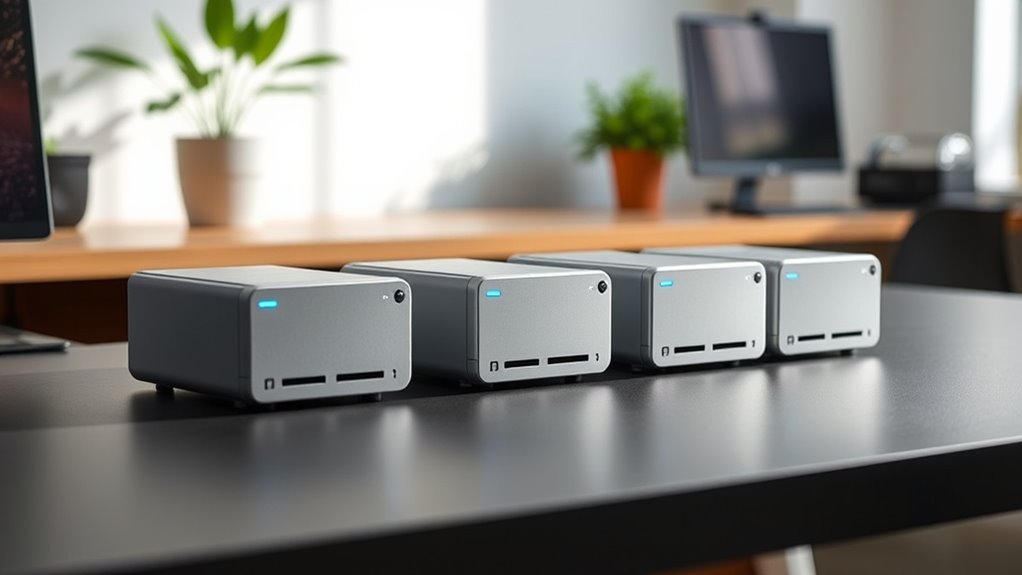
Fanless mini PCs trade moving parts and fan noise for compact, quiet computing, but their cooling limits make processor choice and workload a close match. My best overall pick is the MeLE Quieter4C N150, with 16GB RAM and a 512GB SSD for a balanced everyday setup. The MINIX NEO Z300-0dB stands out for its N300 processor, while the KINGDEL industrial models suit buyers who need serial connections or multiple network ports. Older Celeron sticks take less space but have less memory and storage headroom. Read on for how these options compare and which tradeoffs matter for your setup.
Complete the kit



Key Takeaways
- The MeLE Quieter4C N150 and MeLE Cyber X1 pair an N150 processor with 16GB RAM and a 512GB SSD, giving everyday buyers a stronger starting point than the 4GB, 64GB stick models.
- The MINIX NEO Z300-0dB brings an Intel N300 and 16GB RAM to a fanless design, making it the performance-focused compact option in this lineup.
- Fanless sticks favor placement over expandability: the PCG02 and older Celeron sticks can sit directly at a display, but their modest memory and eMMC storage limit heavier workloads.
- Network and serial ports define the industrial choices: KINGDEL‘s dual LAN and COM connections address equipment and network tasks that ordinary home mini PCs do not.
- RAM and storage vary as much as processors: compare the Quieter DL’s 4GB RAM and 128GB storage with the 16GB/512GB configurations before choosing a unit for multitasking.
| MeLE Quieter4C N150 Fanless Mini PC, 16GB RAM, 512GB SSD, Windows 11 Pro |  | Best Overall | Processor: Intel N150, 4 cores, up to 3.6 GHz | Memory: 16GB DDR4 | Storage: 512GB NVMe SSD | VIEW ON AMAZON | See Our Full Breakdown |
| MeLE PCG02 Fanless Mini PC Stick, Intel N100, 8GB RAM, 128GB eMMC, Windows 11 Pro |  | Best for Unattended Digital Signage | Processor: Intel N100 quad-core, up to 3.4 GHz | Memory: 8GB; listing conflicts between LPDDR5 and LPDDR4 | Storage: 128GB eMMC 5.1 | VIEW ON AMAZON | See Our Full Breakdown |
| MeLE Mini PC N100 Fanless Mini PC with 16GB RAM and 512GB Storage, Supports 4K Triple Display, WiFi 5 & Bluetooth 5.1 |  | Best for Storage Expansion | Processor: 12th Gen Alder Lake Intel N100 | Memory: 16GB LPDDR5, 4800MHz | Storage: 512GB SSD | VIEW ON AMAZON | See Our Full Breakdown |
| MeLE Quieter 4C Fanless Mini PC with Intel N150, 16GB RAM, 512GB Storage |  | Best for 24/7 Quiet Operation | Processor: Intel N150, 4 cores and 4 threads, up to 3.6GHz | Memory: 16GB DDR5 | Storage: 512GB | VIEW ON AMAZON | See Our Full Breakdown |
| KINGDEL Mini Desktop Computer, Fanless Industrial PC, Core i5, 8GB RAM, 256GB SSD, Dual LAN, 4x COM RS232, WiFi, Metal Case |  | Best for Legacy Industrial Connections | Processor: Intel Core i5-3317U dual-core, 1.7GHz base / 2.6GHz max turbo | Memory: 8GB DDR3L | Storage: 256GB mSATA SSD | VIEW ON AMAZON | See Our Full Breakdown |
| GEEKOM iX12 Mini PC Fanless, Intel N95, 8GB DDR5, 256GB SSD, TPM 2.0, 4×2.5G Ports, 5G Failover, 8K Display |  | Best for Network Edge Deployments | Processor: Intel N95 | Memory: 8GB DDR5 4800MHz | Storage: 256GB SSD | VIEW ON AMAZON | See Our Full Breakdown |
| Fanless Mini PC Stick with Intel Celeron J3455, 4GB RAM, 64GB eMMC, and 4K HDMI |  | Best for Basic 4K Signage | Processor: Intel Celeron J3455, 1.5GHz base, up to 2.3GHz | Memory: 4GB LPDDR4 | Storage: 64GB eMMC | VIEW ON AMAZON | See Our Full Breakdown |
| KAMRUI Essenx E1 Mini PC Computer, AMD Athlon Gold 3150U, 8GB RAM, 256GB SSD, Dual 4K Support, WiFi, Bluetooth, Ethernet |  | Best for Dual-Display Home Desks | Processor: AMD Athlon Gold 3150U, 2 cores / 4 threads, 2.4GHz base, 3.3GHz boost | Memory: 8GB DDR4 | Storage: 256GB SSD; supports expansion up to 2TB | VIEW ON AMAZON | See Our Full Breakdown |
| Fanless Mini PC Stick with Intel Celeron N4100, 4GB RAM, 64GB eMMC, Windows 11 Pro, and 4K HDMI |  | Best Compact Windows 11 Stick | Processor: Intel Celeron N4100 quad-core, 1.1GHz base, up to 2.4GHz burst | Memory: 4GB LPDDR4 | Storage: 64GB eMMC; microSD expansion up to 1TB | VIEW ON AMAZON | See Our Full Breakdown |
| MeLE Cyber X1 Fanless Mini PC, Intel N150, 16GB DDR4, 512GB NVMe SSD, Windows 11 Pro |  | Best for Multi-Display Everyday Work | Processor: Intel N150, 4 cores, up to 3.6GHz | Memory: 16GB DDR4 | Storage: 512GB NVMe SSD | VIEW ON AMAZON | See Our Full Breakdown |
| MeLE PCG02 Pro Fanless Mini PC Stick, Intel Celeron N5100, 8GB RAM, 256GB eMMC |  | Best for Portable Dual Displays | Processor: Intel Celeron N5100, quad-core, up to 2.8 GHz burst | Memory: 8GB DDR4, 2933MHz | Storage: 256GB eMMC | VIEW ON AMAZON | See Our Full Breakdown |
| MINIX NEO Z300-0dB Fanless Mini PC with Intel N300, 16GB RAM, 512GB SSD |  | Best for Quiet Everyday Work | Processor: Intel Alder Lake-N N300, octa-core | Memory: 16GB DDR4, upgradeable to 32GB | Storage: 512GB M.2 NVMe SSD; expansion up to 4TB | VIEW ON AMAZON | See Our Full Breakdown |
| MeLE Quieter DL Fanless N100 Mini PC with Dual 2.5G LAN, 4GB RAM, 128GB Storage, Windows 11 Home, Triple 4K Display Support |  | Best for Networked Displays | Processor: Intel Alder Lake N100, up to 3.4GHz, 6MB L3 cache | Memory: 4GB LPDDR4x | Storage: 128GB eMMC; supports M.2 NVMe SSD and MicroSD | VIEW ON AMAZON | See Our Full Breakdown |
| KINGDEL Fanless Industrial Mini PC with 8th Gen Core i7, 16GB RAM, and 512GB NVMe SSD |  | Best for Legacy Industrial Connections | Processor: 8th-generation Intel Core i7, 4 cores; 1.8 GHz base, up to 4.6 GHz turbo | Memory: 16GB DDR4 | Storage: 512GB NVMe SSD | VIEW ON AMAZON | See Our Full Breakdown |
| fanless mini pc | Processor | Memory | Storage | Cooling |
|---|---|---|---|---|
| MeLE Quieter4C N150 Fanless Mi | Intel N150, 4 cores, up to 3.6 GHz | 16GB DDR4 | 512GB NVMe SSD | Fanless |
| MeLE PCG02 Fanless Mini PC Sti | Intel N100 quad-core, up to 3.4 GHz | 8GB; listing conflicts between LPDDR5 and LPDDR4 | 128GB eMMC 5.1 | Fanless passive cooling |
| MeLE Mini PC N100 Fanless Mini | 12th Gen Alder Lake Intel N100 | 16GB LPDDR5, 4800MHz | 512GB SSD | Fanless passive cooling |
| MeLE Quieter 4C Fanless Mini P | Intel N150, 4 cores and 4 threads, up to 3.6GHz | 16GB DDR5 | 512GB | Fanless passive cooling; 8W TDP |
| KINGDEL Mini Desktop Computer | Intel Core i5-3317U dual-core, 1.7GHz base / 2.6GHz max turbo | 8GB DDR3L | 256GB mSATA SSD | — |
| GEEKOM iX12 Mini PC Fanless | Intel N95 | 8GB DDR5 4800MHz | 256GB SSD | Fanless metal chassis |
| Fanless Mini PC Stick with Int | Intel Celeron J3455, 1.5GHz base, up to 2.3GHz | 4GB LPDDR4 | 64GB eMMC | — |
| KAMRUI Essenx E1 Mini PC Compu | AMD Athlon Gold 3150U, 2 cores / 4 threads, 2.4GHz base, 3.3GHz boost | 8GB DDR4 | 256GB SSD; supports expansion up to 2TB | — |
| Fanless Mini PC Stick with Int | Intel Celeron N4100 quad-core, 1.1GHz base, up to 2.4GHz burst | 4GB LPDDR4 | 64GB eMMC; microSD expansion up to 1TB | Fanless passive cooling |
| MeLE Cyber X1 Fanless Mini PC | Intel N150, 4 cores, up to 3.6GHz | 16GB DDR4 | 512GB NVMe SSD | — |
| MeLE PCG02 Pro Fanless Mini PC | Intel Celeron N5100, quad-core, up to 2.8 GHz burst | 8GB DDR4, 2933MHz | 256GB eMMC | Fanless passive cooling |
| MINIX NEO Z300-0dB Fanless Min | Intel Alder Lake-N N300, octa-core | 16GB DDR4, upgradeable to 32GB | 512GB M.2 NVMe SSD; expansion up to 4TB | Fanless passive cooling |
| MeLE Quieter DL Fanless N100 M | Intel Alder Lake N100, up to 3.4GHz, 6MB L3 cache | 4GB LPDDR4x | 128GB eMMC; supports M.2 NVMe SSD and MicroSD | Fanless |
| KINGDEL Fanless Industrial Min | 8th-generation Intel Core i7, 4 cores; 1.8 GHz base, up to 4.6 GHz turbo | 16GB DDR4 | 512GB NVMe SSD | — |
More Details on Our Top Picks
MeLE Quieter4C N150 Fanless Mini PC, 16GB RAM, 512GB SSD, Windows 11 Pro
The Quieter4C N150 balances quiet everyday computing with a practical ready-to-use setup: it includes Windows 11 Pro, 16GB RAM, and a 512GB NVMe SSD. Its fanless cooling suits a silent office or a display-mounted workstation, while support for three 4K displays gives it more screen flexibility than the MeLE PCG02 stick. The included VESA mount also makes it easier to keep a small desk clear. The tradeoff is modest graphics capability: the integrated graphics are a poor fit for demanding games or creative workloads. Storage can be expanded, but the included 512GB may still feel tight for large local media libraries. I’d choose this as the most balanced pick for quiet productivity, rather than for graphics-heavy work.
Pros:- Fanless operation avoids fan noise in quiet rooms
- Windows 11 Pro, 16GB RAM, and an NVMe SSD are included
- Supports up to three 4K displays
- Compact case includes a VESA mount and offers storage expansion
Cons:- Integrated graphics limit demanding gaming and creative work
- The included 512GB storage may be restrictive for large media collections
Best for: Home-office and small-business users who want a silent Windows 11 Pro desktop with several display options
Not ideal for: Gamers and video editors who need strong graphics performance or large built-in storage
- Processor:Intel N150, 4 cores, up to 3.6 GHz
- Memory:16GB DDR4
- Storage:512GB NVMe SSD
- Operating system:Windows 11 Pro
- Display support:Up to three 4K displays
- Video outputs:2 HDMI 2.0, 1 USB-C
- Networking:Wi-Fi 5, Bluetooth 5.1, Gigabit Ethernet
- Dimensions:5.2 x 3.2 x 0.7 inches
- Cooling:Fanless
Our verdict“Choose the Quieter4C N150 for a quiet, versatile everyday Windows desktop; skip it if graphics performance is a priority.”
MeLE PCG02 Fanless Mini PC Stick, Intel N100, 8GB RAM, 128GB eMMC, Windows 11 Pro
The PCG02 fanless stick is built for installations where a tiny computer can stay tucked behind a display. Its Wake-on-LAN, PXE boot, RTC wake, and automatic restart features are more relevant to signage and managed deployments than the triple-screen setup of the MeLE Quieter4C N150. It also includes Windows 11 Pro and Gigabit Ethernet, giving administrators useful options for remote or wired setups. The compact design comes with clear limits: 8GB of memory and 128GB of eMMC leave less room for multitasking and local files than the Quieter4C’s 16GB and SSD. Product information also conflicts on memory type and display resolution, so I would verify those details before buying if they matter to the installation.
Pros:- Fanless stick form fits behind a display
- Windows 11 Pro and Gigabit Ethernet are included
- Wake-on-LAN, PXE boot, RTC wake, and auto restart support unattended setups
- Micro SD expansion supports cards up to 1TB
Cons:- 8GB RAM and 128GB eMMC offer less headroom than the Quieter4C N150
- Listing conflicts on memory type and maximum display resolution
Best for: Small-business operators setting up a compact, wired signage or kiosk PC with remote startup features
Not ideal for: Multitaskers and buyers who need confirmed dual-4K output, more memory, or ample local storage
- Processor:Intel N100 quad-core, up to 3.4 GHz
- Memory:8GB; listing conflicts between LPDDR5 and LPDDR4
- Storage:128GB eMMC 5.1
- Operating system:Windows 11 Pro
- Storage expansion:Micro SD card up to 1TB
- Display outputs:HDMI 2.0 and USB-C DP 1.4; dual 4K claim conflicts with listed 1920 × 1080 maximum
- Connectivity:Wi-Fi 5, Bluetooth 5.1, Gigabit Ethernet, USB
- Business features:Kensington lock slot, Wake-on-LAN, PXE boot, RTC wake, auto power on
- Cooling:Fanless passive cooling
Our verdict“Pick the PCG02 for a compact managed display installation, provided you confirm its memory and display specifications first.”
MeLE Mini PC N100 Fanless Mini PC with 16GB RAM and 512GB Storage, Supports 4K Triple Display, WiFi 5 & Bluetooth 5.1
For a buyer who expects a compact PC’s storage needs to grow, this MeLE N100 stands out for supporting up to 4TB of NVMe or SATA M.2 storage. That gives it a useful upgrade path beyond the included 512GB, and its 16GB of LPDDR5 and triple 4K display support make it a capable fit for quiet, multi-screen productivity. Compared with the Quieter4C N150, it has an older N100 processor and no included operating system, so setup may take more effort and the processor is less appealing for a new Windows desktop. Passive cooling also means the case can reach 55–70°C, so placement and touch access matter. I’d favor it when expansion flexibility outweighs turnkey setup.
Pros:- Supports up to 4TB of NVMe or SATA M.2 storage
- 16GB LPDDR5 and triple 4K display support suit multi-screen productivity
- Fanless design avoids operating noise
- USB-C supports PD 3.0 charging
Cons:- No operating system is included, so setup requires extra work
- Case temperature can reach 55–70°C
- N100 is an older processor than the N150 in the Quieter4C
Best for: Technically comfortable home-office users who want a silent multi-display PC with room to add substantial M.2 storage
Not ideal for: Buyers seeking a ready-to-use Windows PC or anyone who needs a cool-to-touch case
- Processor:12th Gen Alder Lake Intel N100
- Memory:16GB LPDDR5, 4800MHz
- Storage:512GB SSD
- M.2 expansion:Up to 4TB NVMe or SATA M.2
- Display support:Triple 4K at 60Hz
- Ports:2 HDMI, full-function USB-C with PD 3.0
- Wireless:Wi-Fi 5, Bluetooth 5.1
- Operating system:Not included
- Cooling:Fanless passive cooling
Our verdict“Choose this MeLE N100 if you can handle OS setup and value a large M.2 upgrade path over the Quieter4C’s newer processor.”
MeLE Quieter 4C Fanless Mini PC with Intel N150, 16GB RAM, 512GB Storage
This Quieter 4C is aimed at buyers who want a low-power PC to stay on for long stretches. Its 8W TDP and passive cooling support quiet 24/7 operation, while Windows 11 Pro, 16GB RAM, and triple 4K output cover everyday productivity and multi-screen setups. It resembles the Quieter4C N150 elsewhere in this lineup, so its strongest case is the stated DDR5 memory and clearly listed M.2 and Micro SD expansion rather than a different class of performance. The main compromise is heat: the case may reach 55–70°C, which calls for a ventilated placement and is unsuitable for frequent handling. A keyboard is not included, so a complete desktop setup needs peripherals.
Pros:- 8W TDP and fanless cooling suit quiet, continuous operation
- Windows 11 Pro, 16GB RAM, and triple 4K support are listed
- M.2 2280 and Micro SD expansion provide storage flexibility
- USB-C PD 3.0 power input supports 12–20V
Cons:- Case can reach 55–70°C during operation
- Keyboard is not included
- Integrated graphics are not suited to demanding 3D workloads
Best for: Small offices and home users running a quiet, low-power Windows PC continuously for monitoring or routine workloads
Not ideal for: Users who need a cool-to-touch device, included peripherals, or more than basic integrated graphics
- Processor:Intel N150, 4 cores and 4 threads, up to 3.6GHz
- Memory:16GB DDR5
- Storage:512GB
- Storage expansion:Micro SD up to 2TB; M.2 2280 NVMe or SATA SSD up to 4TB
- Display support:Triple 4K at 60Hz via two HDMI ports and full-function USB-C
- Wireless:Wi-Fi 5, Bluetooth 5.1
- USB ports:4
- Power input:USB-C PD 3.0, 12–20V, minimum 36W
- Cooling:Fanless passive cooling; 8W TDP
Our verdict“Choose this Quieter 4C for a low-power always-on workstation if you can give its warm case room to ventilate.”
KINGDEL Mini Desktop Computer, Fanless Industrial PC, Core i5, 8GB RAM, 256GB SSD, Dual LAN, 4x COM RS232, WiFi, Metal Case
The KINGDEL NC1037 serves a different job from the newer MeLE mini PCs: its strongest feature is four RS232 ports and dual Gigabit LAN, useful for connecting legacy equipment or separating wired networks. The full-metal case and fanless design suit fixed industrial or business installations where silent operation and older interfaces matter more than compact dimensions. Its Core i5-3317U, however, is an older dual-core chip paired with 8GB DDR3L, so I would not choose it over the Quieter4C N150 for a modern general-purpose Windows workstation. HDMI and VGA also suit older display setups, but Intel HD Graphics 4000 rules out serious gaming and 3D work. This is a specialist connectivity pick, with limited appeal for buyers who do not need its serial ports.
Pros:- Four COM RS232 ports connect legacy control and business equipment
- Dual Gigabit LAN supports multiple wired network connections
- Full-metal case and fanless cooling suit fixed installations
- HDMI and VGA accommodate different display generations
Cons:- Core i5-3317U and DDR3L are older than the Quieter4C N150 platform
- Intel HD Graphics 4000 is unsuitable for demanding 3D workloads
- Compact design limits upgrade options
Best for: Industrial operators and integrators connecting multiple RS232 devices and wired networks in a quiet fixed installation
Not ideal for: Home-office buyers seeking current-generation performance, modern memory, or strong graphics
- Processor:Intel Core i5-3317U dual-core, 1.7GHz base / 2.6GHz max turbo
- Memory:8GB DDR3L
- Storage:256GB mSATA SSD
- Graphics:Intel HD Graphics 4000
- Networking:2x Gigabit LAN, Wi-Fi
- Serial ports:4x COM RS232
- Other ports:4x USB 3.0, 4x USB 2.0
- Video outputs:HDMI, VGA
- Cooling and case:Fanless, full-metal case
Our verdict“Buy the KINGDEL when four serial ports and dual LAN solve an installation need; otherwise, a newer MeLE model is a better everyday PC fit.”
GEEKOM iX12 Mini PC Fanless, Intel N95, 8GB DDR5, 256GB SSD, TPM 2.0, 4×2.5G Ports, 5G Failover, 8K Display
The GEEKOM iX12 is the most network-focused pick here: four 2.5G Ethernet ports and automatic 5G failover make it a better fit for firewall, VPN, and edge duties than the everyday desktop MeLE Cyber X1. Its fanless metal chassis suits a quiet, always-on installation, while TPM 2.0, AES-NI, and support for VMware and Proxmox speak to security and virtualization needs. The tradeoff is that its 8GB of memory and 256GB SSD leave less room for workloads and local data than the Cyber X1’s 16GB and 512GB. The advertised 8K display support is useful for compatible output, but this machine has no dedicated GPU for graphics-heavy work. I’d choose it for connectivity and deployment features, not general-purpose performance.
Pros:- Four 2.5G Ethernet ports support multi-network and firewall setups
- Automatic 5G cellular failover can maintain connectivity when the primary link drops
- TPM 2.0 and AES-NI support security and encrypted workloads
- Fanless metal chassis supports silent operation
Cons:- 8GB memory and 256GB SSD constrain larger virtual machines and local storage
- No dedicated GPU for demanding graphics workloads
- Its enterprise networking features may be unnecessary for casual desktop use
Best for: Small offices and IT operators building a silent firewall, VPN gateway, or edge virtualization host with multiple wired devices.
Not ideal for: Home users seeking a flexible everyday PC or people running graphics-heavy applications; its network features add little for those uses.
- Processor:Intel N95
- Memory:8GB DDR5 4800MHz
- Storage:256GB SSD
- Networking:4× 2.5G Ethernet; automatic 5G cellular failover
- Security:TPM 2.0; AES-NI
- Virtualization:VMware and Proxmox support; Intel VT-x/VT-d
- Cooling:Fanless metal chassis
- Display:8K support
Our verdict“Choose the iX12 for a silent network appliance with multiple 2.5G ports and 5G failover, but look to the MeLE Cyber X1 for a better-equipped everyday desktop.”
Fanless Mini PC Stick with Intel Celeron J3455, 4GB RAM, 64GB eMMC, and 4K HDMI
This J3455 PC stick keeps a basic display setup small and quiet, with 4K at 60Hz HDMI, Gigabit Ethernet, and dual-band Wi-Fi. Its stick form makes it easier to tuck behind a screen than the KAMRUI Essenx E1, which offers more memory, an SSD, and room for desk-based multitasking. That comparison also shows the J3455’s limits: 4GB RAM and 64GB eMMC leave little headroom for many open apps or large files. The two USB ports further restrict attached peripherals, so a hub may be needed. Windows 10 Pro and Linux support suit simple signage or lightweight tasks, but I would not pick it as a primary PC for demanding work.
Pros:- Fanless design runs silently
- HDMI 2.0 supports 4K output at 60Hz
- Gigabit Ethernet and dual-band Wi-Fi provide wired and wireless options
- Supports Windows 10 Pro and Linux
Cons:- 4GB RAM limits multitasking headroom
- 64GB eMMC offers little local storage
- Only two USB 3.0 ports restrict directly connected peripherals
Best for: Small shops, classrooms, or home users who need a quiet, low-profile PC stick for a simple 4K display or light Linux task.
Not ideal for: People who multitask heavily, store large files locally, or need several USB peripherals connected directly.
- Processor:Intel Celeron J3455, 1.5GHz base, up to 2.3GHz
- Memory:4GB LPDDR4
- Storage:64GB eMMC
- Operating systems:Windows 10 Pro; Linux and Ubuntu support
- Video output:HDMI 2.0, up to 4K at 60Hz
- Wireless:Dual-band Wi-Fi; Bluetooth 5.0
- Ports:2 USB 3.0, Gigabit Ethernet, TF card reader
- Dimensions:5.51 × 1.93 × 0.35 inches
Our verdict“Pick this stick for quiet, basic signage or a lightweight 4K display setup, and choose the KAMRUI Essenx E1 if you need more room for desktop work.”
KAMRUI Essenx E1 Mini PC Computer, AMD Athlon Gold 3150U, 8GB RAM, 256GB SSD, Dual 4K Support, WiFi, Bluetooth, Ethernet
The KAMRUI Essenx E1 is a practical desk PC for buyers who want two 4K screens and more conventional storage than either of the PC sticks in this group. Its 256GB SSD and 8GB RAM make it better suited to everyday multitasking than the J3455 stick’s 64GB eMMC and 4GB RAM, while four USB 3.2 ports give peripherals more room without an immediate hub. HDMI 2.0 and DisplayPort 1.4 let a home office or study spread work across two displays. The tradeoffs are its older two-core processor, Wi-Fi 5, and integrated Radeon graphics: this is for ordinary productivity and media, not demanding games or graphics workloads. The listing describes quiet, continuous operation, but does not explicitly specify fanless cooling, so I’d verify that detail if fanless operation is a must.
Pros:- HDMI and DisplayPort support dual 4K displays
- 256GB SSD offers more responsive storage and capacity than the PC sticks’ eMMC
- Four USB 3.2 ports accommodate several peripherals
- Auto Power-On, RTC Wake, and Wake-on-LAN support scheduled or remote use
Cons:- Two-core processor is a limited fit for demanding workloads
- Wi-Fi 5 may fall short for high-bandwidth wireless use
- The supplied specifications do not confirm fanless cooling
Best for: Home-office workers and students who want a compact PC with dual 4K screens, several USB devices, and SSD storage for everyday tasks.
Not ideal for: Buyers who require explicitly confirmed passive cooling, high-speed wireless, or strong performance for gaming and graphics work.
- Processor:AMD Athlon Gold 3150U, 2 cores / 4 threads, 2.4GHz base, 3.3GHz boost
- Memory:8GB DDR4
- Storage:256GB SSD; supports expansion up to 2TB
- Graphics:Integrated AMD Radeon, up to 1000MHz
- Display:Dual 4K via HDMI 2.0 and DisplayPort 1.4
- Wireless:Wi-Fi 5 (802.11ac)
- Ports:4× USB 3.2, HDMI 2.0, DisplayPort 1.4, 3.5mm audio
- Additional features:Auto Power-On, RTC Wake, Wake-on-LAN
Our verdict“Choose the Essenx E1 for a dual-screen everyday desk setup, but confirm its cooling design if silent, fanless operation is a firm requirement.”
Fanless Mini PC Stick with Intel Celeron N4100, 4GB RAM, 64GB eMMC, Windows 11 Pro, and 4K HDMI
This N4100 PC stick is the more current Windows option between the two compact sticks: it ships with Windows 11 Pro and uses a quad-core processor, while the J3455 stick is listed with Windows 10 Pro. Both are limited to 4GB RAM and 64GB eMMC, so neither is a strong choice for multitasking or large local files. A microSD slot that supports cards up to 1TB gives this model a way to hold extra media or signage content, though it does not change the limited onboard storage. Fanless cooling, HDMI 4K output, Wi-Fi, and Gigabit Ethernet suit a tucked-away display or light-duty project. Its listed 2.8-pound weight is unusual for a PC stick of this size, so I would check the weight against the intended mounting or travel use.
Pros:- Ships with Windows 11 Pro and supports Linux and Ubuntu
- MicroSD expansion supports cards up to 1TB
- Fanless cooling and HDMI output support a quiet display setup
- Includes Wi-Fi, Gigabit Ethernet, and Bluetooth
Cons:- 4GB RAM and 64GB eMMC restrict multitasking and onboard file capacity
- N4100 is suited to light tasks rather than demanding workloads
- The listed 2.8-pound weight is high for a stick-sized device
Best for: A Windows 11 user who needs a small, quiet PC stick for digital signage, streaming, or a light-duty monitor setup with expandable media storage.
Not ideal for: People running several demanding apps, needing substantial built-in storage, or choosing a device primarily for travel based on its size.
- Processor:Intel Celeron N4100 quad-core, 1.1GHz base, up to 2.4GHz burst
- Memory:4GB LPDDR4
- Storage:64GB eMMC; microSD expansion up to 1TB
- Operating system:Windows 11 Pro; Linux and Ubuntu support
- Video output:HDMI, supports 4K
- Connectivity:Dual-band Wi-Fi, Gigabit Ethernet, Bluetooth 4.2
- Cooling:Fanless passive cooling
- Dimensions and weight:5.5 × 1.93 × 0.35 inches; listed weight 2.8 pounds
Our verdict“Choose the N4100 stick for a compact Windows 11 signage or streaming setup with microSD expansion, while the J3455 stick offers a specified 4K-at-60Hz output mode.”
MeLE Cyber X1 Fanless Mini PC, Intel N150, 16GB DDR4, 512GB NVMe SSD, Windows 11 Pro
The MeLE Cyber X1 is the most balanced everyday desktop in this batch: 16GB RAM and a 512GB NVMe SSD give it more working room than the GEEKOM iX12’s 8GB and 256GB, while its N150 chip is aimed at light general computing. It also stands out for driving three independent 4K displays, a useful fit for a compact desk with several screens. That display flexibility does not make it a graphics workstation; it relies on integrated graphics, and the supplied specs do not state the maximum supported RAM. Compared with the iX12, it trades specialized 2.5G networking, 5G failover, and virtualization features for more memory and storage in a general-purpose configuration. Wi-Fi 5 and Gigabit Ethernet cover common connections, but not high-speed wired networking.
Pros:- 16GB RAM and 512GB NVMe SSD provide useful capacity for everyday multitasking
- Supports up to three independent 4K displays
- Fanless design suits noise-sensitive desks
- Empty M.2 slot and Micro SD slot provide storage expansion options
Cons:- Integrated graphics are not designed for demanding gaming or graphics work
- Maximum supported RAM is not specified
- Gigabit Ethernet is less suited to multi-gigabit network setups than the GEEKOM iX12
Best for: Home-office users who want a silent compact PC for everyday work across up to three 4K displays, with ample included memory and SSD space.
Not ideal for: Network operators needing multiple 2.5G ports or 5G failover, and users whose work depends on dedicated graphics.
- Processor:Intel N150, 4 cores, up to 3.6GHz
- Memory:16GB DDR4
- Storage:512GB NVMe SSD
- Operating system:Windows 11 Pro; Linux compatible
- Display output:Up to three independent 4K displays
- Ports:2 HDMI 2.0, 1 USB-C
- Wireless and networking:Wi-Fi 5, Bluetooth 5.1, Gigabit Ethernet
- Expansion:Empty M.2 2280 NVMe slot; Micro SD card slot
Our verdict“Pick the Cyber X1 for a quiet, multi-display everyday PC with stronger included memory and storage, and choose the GEEKOM iX12 for advanced networking.”
MeLE PCG02 Pro Fanless Mini PC Stick, Intel Celeron N5100, 8GB RAM, 256GB eMMC
The PCG02 Pro is the pick I’d make when a fanless computer needs to fit behind a display or travel between setups. Its stick form and 182 g weight make it much easier to tuck away than the larger MINIX NEO Z300-0dB, and two HDMI ports can drive a pair of screens without a separate graphics adapter. The N5100 and 8GB of RAM suit signage, light office tasks, and media playback, while USB PD gives power setups some flexibility.
The main compromise is 256GB eMMC storage: MicroSD can add capacity, but the PCG02 Pro does not support an SSD upgrade. Its case can reach 55–70°C, a notable consideration for enclosed installations. I’d choose the MINIX for heavier multitasking and faster expandable storage; this stick makes more sense when space and portability lead.
Pros:- Small 182 g stick form is easy to mount or carry
- Two HDMI 2.0 ports support dual displays
- Fanless cooling supports quiet, continuous operation
- MicroSD expansion supports cards up to 2TB
Cons:- 256GB eMMC is the only built-in storage and SSD expansion is unsupported
- Case temperature can reach 55–70°C during use
Best for: People setting up lightweight digital signage or a compact dual-screen workstation who need a computer that can travel or hide behind a monitor.
Not ideal for: Buyers running storage-heavy apps or sustained workloads in a tight enclosure, since it lacks SSD expansion and its case can get hot.
- Processor:Intel Celeron N5100, quad-core, up to 2.8 GHz burst
- Memory:8GB DDR4, 2933MHz
- Storage:256GB eMMC
- Storage expansion:MicroSD support up to 2TB; SSD expansion unsupported
- Display outputs:2 × HDMI 2.0
- Power:USB PD 3.0; requires output above 12V and 24W
- Cooling:Fanless passive cooling
- Dimensions and weight:5.7 × 2.4 × 0.78 inches; 182 g
- Wireless:Wi-Fi 5
Our verdict“Choose the PCG02 Pro for a portable, quiet dual-display setup when compactness matters more than upgradeable storage.”
MINIX NEO Z300-0dB Fanless Mini PC with Intel N300, 16GB RAM, 512GB SSD
For everyday office work in a quiet room, I’d put the MINIX NEO Z300-0dB ahead of the MeLE PCG02 Pro. Its 16GB of RAM and 512GB NVMe SSD give browsers, office apps, and local files more breathing room than the stick’s 8GB and eMMC storage. The octa-core Intel N300, Windows 11 Pro, and 4K output make it a more complete desktop setup for users who want to connect a monitor and get to work.
It also leaves room to expand memory and storage, unlike the PCG02 Pro’s fixed eMMC setup. The tradeoff is a larger, heavier enclosure and a top cover that can become warm. Its integrated UHD graphics suit routine display and media tasks, not demanding graphics work. I’d choose this over the MeLE Quieter DL when general multitasking matters more than dual 2.5G networking or triple-display flexibility.
Pros:- 16GB RAM and 512GB NVMe SSD suit everyday multitasking
- Memory and storage can be upgraded
- Windows 11 Pro is included
- Fanless design supports quiet, continuous operation
Cons:- Top cover may become warm during use
- Larger and heavier than stick-style options such as the MeLE PCG02 Pro
Best for: Home-office users who want a quiet Windows 11 Pro desktop for browsing, office apps, video calls, and everyday 4K display use.
Not ideal for: Users who need triple displays, dual 2.5G Ethernet, or a stick-sized computer for tight mounting spaces.
- Processor:Intel Alder Lake-N N300, octa-core
- Memory:16GB DDR4, upgradeable to 32GB
- Storage:512GB M.2 NVMe SSD; expansion up to 4TB
- Operating system:Windows 11 Pro
- Graphics:Integrated Intel UHD Graphics, 32 EUs
- Maximum display resolution:3840 × 2160
- Connectivity:Ethernet, HDMI 2.0, USB-C, MicroSD, Wi-Fi 6, Bluetooth 5
- Cooling:Fanless passive cooling
- Dimensions and weight:4.84 × 4.72 × 1.81 inches; 2 pounds
Our verdict“Pick the MINIX for quiet general-purpose work with more memory and faster expandable storage than a mini PC stick.”
MeLE Quieter DL Fanless N100 Mini PC with Dual 2.5G LAN, 4GB RAM, 128GB Storage, Windows 11 Home, Triple 4K Display Support
The MeLE Quieter DL has a distinct advantage for networked workstations and signage: dual 2.5G Ethernet plus three display outputs, including HDMI, USB-C DisplayPort, and DisplayPort. That combination makes it more flexible for multi-screen control rooms or network appliances than the MINIX NEO Z300-0dB, which is better equipped for ordinary desktop multitasking. Its VESA mount support and fanless build also help keep a fixed installation tidy and quiet.
The catch is the starting configuration: 4GB of RAM and 128GB eMMC can constrain Windows 11 Home and busy workloads. It supports M.2 NVMe and MicroSD expansion, but the listing does not include an SSD or card. I’d favor the MINIX for an out-of-box office PC; the Quieter DL earns its place when networking and multiple displays matter enough to plan a memory and storage upgrade.
Pros:- Dual 2.5G Ethernet supports flexible wired network setups
- Three display outputs support triple 4K configurations
- M.2 NVMe and MicroSD expansion allow more storage
- Fanless design and VESA mounting suit fixed installations
Cons:- 4GB RAM may limit multitasking
- 128GB eMMC is modest, and an SSD or MicroSD card is not included
Best for: IT installers and digital-signage operators who need multiple 4K screens, two wired network connections, and VESA mounting.
Not ideal for: People seeking a ready-to-use multitasking desktop, since 4GB RAM and 128GB eMMC leave less room for apps and files.
- Processor:Intel Alder Lake N100, up to 3.4GHz, 6MB L3 cache
- Memory:4GB LPDDR4x
- Storage:128GB eMMC; supports M.2 NVMe SSD and MicroSD
- Network:Dual 2.5G Ethernet, Wi-Fi 5, Bluetooth 5.1
- Video outputs:HDMI 2.0, USB-C with DP 1.4, DisplayPort 1.4
- Power:10W TDP; PD 3.0 support at 12–18V
- Cooling:Fanless
- Mounting:VESA mount support
- Dimensions and weight:6.61 × 3.74 × 0.84 inches; 0.95 lbs
Our verdict“Choose the Quieter DL for network-heavy, multi-display installations if you’re prepared to expand its memory and storage.”
KINGDEL Fanless Industrial Mini PC with 8th Gen Core i7, 16GB RAM, and 512GB NVMe SSD
When a fanless PC needs to connect to older equipment, the KINGDEL industrial mini PC is the specialist in this group. Its two RS232 serial ports, HDMI and VGA outputs, and seven USB ports offer more direct connection options than the MeLE Quieter DL, whose standout is modern dual 2.5G networking. The 8th-generation Core i7, 16GB RAM, and 512GB NVMe SSD also give it a stronger stated desktop configuration than the small stick options.
That hardware comes in a larger full-metal case with 60-watt power consumption, so it is less suited to discreet, low-power installations than the MINIX NEO Z300-0dB. Integrated UHD 620 graphics are aimed at standard display tasks, not graphics-heavy work, and the operating system is unspecified. I’d pick it for serial-connected business or industrial gear, after confirming software compatibility and OS needs.
Pros:- Two RS232 ports connect legacy serial equipment
- HDMI and VGA support dual-monitor or older-display setups
- 16GB RAM and 512GB NVMe SSD provide a capable stated configuration
- Full-metal fanless case
Cons:- Operating system is not specified
- UHD Graphics 620 is limited for demanding graphics workloads
- 60-watt power consumption and larger case are less suited to low-power compact setups
Best for: Small-business technicians and industrial users who need a fanless PC with RS232 ports, VGA compatibility, and multiple USB connections.
Not ideal for: Buyers prioritizing a small, low-power media PC or demanding graphics performance, or those who need a specified operating system included.
- Processor:8th-generation Intel Core i7, 4 cores; 1.8 GHz base, up to 4.6 GHz turbo
- Memory:16GB DDR4
- Storage:512GB NVMe SSD
- Graphics:Integrated Intel UHD Graphics 620
- Maximum resolution:4096 × 2304
- Video outputs:HDMI and VGA; dual-monitor support
- Ports:7 USB ports; 2 × RS232
- Cooling and case:Fanless cooling; full-metal case
- Power and dimensions:60 watts; 9.2 × 5.9 × 2 inches; 1.38 kg
Our verdict“Choose the KINGDEL when RS232 and VGA connections are central to the job and you can supply or verify the operating system.”

How We Picked
I ranked these systems by how well their listed processor, memory, storage, ports, and form factor match the quiet-computing jobs buyers are likely to have. For general desktop use, I favored balanced configurations with 16GB RAM and 512GB storage over low-memory sticks; for specialized work, I gave weight to useful features such as multiple LAN ports, COM connections, and display outputs. A fanless design only helps when the computer can handle its expected workload without needing sustained high performance, so processor class and configuration both matter.
The order reflects distinct roles rather than treating every model as interchangeable. The Quieter4C N150 leads as a balanced everyday system, while the N300 MINIX earns attention for buyers who prioritize a stronger processor. Industrial KINGDEL systems rank for their specialized connectivity, not as default home desktops. Lower-memory sticks and compact entry systems remain useful for light signage, streaming, or fixed-display jobs, but their limited headroom keeps them below more versatile configurations.
| fanless mini pc | Cooling |
|---|---|
| MeLE Quieter4C N150 Fanless Mi | Fanless |
| MeLE PCG02 Fanless Mini PC Sti | Fanless passive cooling |
| MeLE Mini PC N100 Fanless Mini | Fanless passive cooling |
| MeLE Quieter 4C Fanless Mini P | Fanless passive cooling; 8W TDP |
| KINGDEL Mini Desktop Computer | — |
| GEEKOM iX12 Mini PC Fanless | Fanless metal chassis |
| Fanless Mini PC Stick with Int | — |
| KAMRUI Essenx E1 Mini PC Compu | — |
| Fanless Mini PC Stick with Int | Fanless passive cooling |
| MeLE Cyber X1 Fanless Mini PC | — |
| MeLE PCG02 Pro Fanless Mini PC | Fanless passive cooling |
| MINIX NEO Z300-0dB Fanless Min | Fanless passive cooling |
| MeLE Quieter DL Fanless N100 M | Fanless |
| KINGDEL Fanless Industrial Min | — |
Factors to Consider When Choosing Fanless Mini Pcs
Choosing a silent mini PC means matching the computer to the work it will repeat, not just checking that it has no fan. These broader questions can help prevent a quiet system from becoming a cramped or underpowered one.
Match sustained workloads to passive cooling
Fanless computers shed heat through their cases, so the processor may slow down during long, demanding tasks to stay within thermal limits. A machine that handles browsing or signage smoothly may be a poor fit for extended encoding, heavy compilation, or other sustained CPU work. Think about the length and frequency of your busiest tasks, not only the software you use. Leave open space around the case and avoid hiding it in a closed cabinet where heat can build up. A faster processor can help with short bursts, but it does not remove the cooling limits of a small passive chassis. For continuous heavy workloads, a larger computer with active cooling may be a better match.
Choose memory and storage for the full lifespan
Memory and storage are easy to overlook when comparing processor names, yet they determine how much room a system has for apps, updates, and files. Four gigabytes of RAM can restrict modern multitasking, while 8GB is more comfortable for light desktop tasks and 16GB provides more breathing room. eMMC storage is commonly associated with compact, basic configurations; SSD and NVMe drives are better suited to responsive app use and larger local libraries. Check whether memory and storage can be upgraded before assuming the listed configuration is permanent. Leave capacity for operating system updates and working files rather than calculating only from today’s needs. If the machine will be difficult to access after installation, buying enough capacity upfront can save a later replacement.
Treat ports as part of the job description
A mini PC can be quiet and capable yet still require a tangle of adapters if it lacks the ports your setup needs. Count displays, USB peripherals, wired network connections, and any serial equipment before selecting a model. Triple-display support may sound useful, but check which outputs can drive the resolution and refresh rate you actually need at the same time. Dual LAN is valuable for routing, firewall, or device-isolation jobs, while COM ports target industrial equipment and legacy control systems. These connections often distinguish purpose-built industrial machines from home-oriented models. Choose ports for the devices already in your workflow, with some room for additions.
Check wireless and wired network needs
Wireless specifications matter less when the computer will stay beside a router and more when cabling is impractical. For fixed installations, wired Ethernet usually offers a dependable link for signage, remote administration, or a small server. Multiple Ethernet ports can serve network roles that a typical single-port desktop cannot handle without add-on hardware. Read descriptions of failover carefully: a listed 5G failover feature does not tell you whether a modem, service plan, or other hardware is included. Check the supported Wi-Fi generation and Bluetooth version against the accessories and network you plan to use. If network uptime matters, verify the complete connection path instead of relying on a feature label.
Plan placement, power, and access
Mini PCs can sit behind a monitor, on a shelf, or beside equipment, but each location affects heat, cable access, and maintenance. A stick is convenient at a display with an available HDMI port, while a small desktop offers more room for conventional connections. Check how the power adapter fits into a crowded outlet or cable tray and whether the device can be reached without dismantling the installation. A fanless case still needs room to release heat, so a tight mount can undermine the reason for choosing passive cooling. For a computer installed out of sight, remote access and recovery options can matter more than its footprint. Map the cables and service access before deciding that the smallest form is automatically the easiest.
Pay for specialized features only when they solve a real problem
Industrial features such as multiple LAN ports, serial connections, and metal enclosures can be worthwhile when they connect directly to equipment or support a specific installation. For an ordinary family desktop, those additions may take space and budget without improving daily use. Similarly, a higher processor tier is most useful when the software can benefit from it and the passive cooling design can sustain the workload. Beginners may find a mainstream Windows configuration with familiar display and USB connections easier to set up than a specialized network appliance. Write down the tasks the PC must handle, the ports they require, and the amount of local storage they consume. That list helps distinguish useful capability from specifications that will go unused.
Frequently Asked Questions
Can a fanless mini PC handle everyday browsing and office work?
Yes, many can handle browsing, documents, video playback, and light office tasks quietly. The amount of memory and the storage type matter: a 16GB system with an SSD has more room for browser tabs and applications than a 4GB stick with eMMC. Check that the processor and installed operating system support the apps you need. Avoid assuming that a fanless design makes a low-powered system suitable for every workload. For regular multitasking, favor a configuration with more memory and storage headroom.
Should I choose a mini PC stick or a small desktop?
A stick makes sense when the main goal is attaching a computer directly to a screen for light, fixed-location use. Its compact shape can leave little room for ports, memory, and storage, so check those limits before choosing it as a primary computer. A small desktop is often more practical if you need several peripherals, wired networking, or a fuller local drive. Consider how easy each format will be to power and reach after installation. The best form factor depends on the connections and access your setup requires, not footprint alone.
Is 4GB of RAM enough for a fanless mini PC?
Four gigabytes may suit a single-purpose task such as basic signage or a lightweight kiosk, particularly when few apps run at once. It leaves less room for multiple browser tabs, modern desktop software, and background updates. If the mini PC will serve as a general-purpose computer, 8GB is a more comfortable baseline and 16GB gives more room for multitasking. Check whether memory is replaceable or fixed before buying. Choosing a larger configuration upfront can matter when the system will be mounted somewhere difficult to service.
Can I use a fanless mini PC as a router or network appliance?
It can work if its network ports, processor, and software support the routing or firewall tasks you plan to run. Multiple Ethernet ports can simplify connections, but confirm their speed and how the system handles them under your intended workload. A failover label alone does not confirm that cellular hardware or connectivity service is included. Also check storage, memory, and remote recovery options before leaving the device to run unattended. For a network appliance, port layout and reliable administration can matter more than display features.
Will a fanless mini PC stay fast during long workloads?
Not necessarily: passive cooling can limit sustained performance as heat builds up inside a compact case. A computer may feel responsive during short tasks yet slow down during long CPU-heavy work. Processor model, case design, room temperature, and placement all affect the result. Keep air around the case and avoid enclosed spaces that trap heat. If your work regularly keeps the processor busy for long periods, compare against actively cooled systems designed for sustained loads.
Conclusion
For most quiet desktop buyers, I recommend the MeLE Quieter4C N150 as the best overall fit in this lineup, with 16GB RAM and 512GB storage. The MeLE Quieter 4C N150 with the same listed capacity is a value-oriented alternative to compare, while the MINIX NEO Z300-0dB is my premium pick for buyers who want the N300 processor. Beginners with basic display or kiosk needs can start with a MeLE PCG02 stick, provided its 8GB RAM and 128GB eMMC suit the task. For network or equipment installations, choose a KINGDEL industrial model for its LAN and serial connections; for the smallest placement, consider a stick and accept its lower headroom. Match the configuration to the work you will run most often, then verify the ports and storage before choosing.