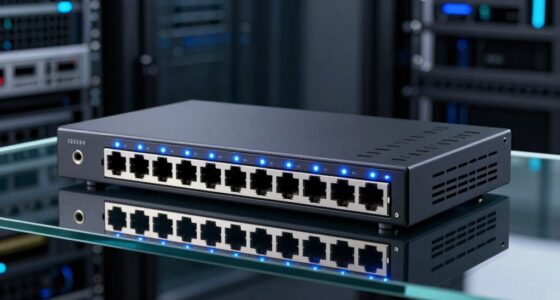
If you’re searching for a 12 bay NAS, you’re likely balancing high storage capacity with performance and expandability. The Best Overall pick, the Synology DiskStation DS3622xs+, offers a robust mix of reliability and advanced features. For those on a tighter budget, the TERRAMASTER T12-500 Pro provides powerful hardware without the premium price. Meanwhile, the Asustor FLASHSTOR 12 Pro Gen2 stands out for all-flash speed, ideal for demanding workloads. These options highlight the common tradeoffs: capacity versus performance, cost versus feature set. Continue reading for a full breakdown of the top contenders and what makes each unique.

Get the latest gadgets delivered free with Prime
- Fast, free delivery on millions of items
- Prime Video, Amazon Music and more included
- Member-only deals all year
Complete the kit



Key Takeaways
- The top NAS models balance processing power, expandability, and data redundancy features.
- All-flash options like the Asustor FS6812X deliver faster speeds but come at a higher price point.
- Rackmount designs such as the QNAP TS-1273AU-RP cater to enterprise environments with redundant power and high connectivity.
- Diskless units like the Synology DX1222 offer flexible expansion but require careful matching with existing hardware.
- Cooling and build quality are critical for maintaining performance in densely populated NAS setups.


More Details on Our Top Picks
TERRAMASTER T12-500 Pro NAS 12-Bay Intel Core i7 1255U, 16GB DDR5 (Diskless)
The TERRAMASTER T12-500 Pro stands out as the most balanced choice for businesses that need high performance and flexibility. Its Intel Core i7-1255U processor provides ample power for demanding backups and data management, surpassing the more basic processors found in entry-level models. With support for up to 288TB of storage and dual 10GbE ports, it offers fast, scalable performance. Compared to the Synology DX1222, which is limited to expansion rather than standalone operation, this NAS delivers a full server experience—though it comes at a higher cost and requires users to purchase drives separately. Its complex setup might challenge beginners, but for those with technical skills, it offers comprehensive control and enterprise-grade backup features. This makes it ideal for small to medium-sized businesses needing robust, flexible storage solutions.
Pros:- Powerful Intel Core i7 processor with high-speed performance
- Supports up to 288TB storage with flexible RAID options
- Dual 10GbE ports for ultra-fast data transfer
- Advanced backup and snapshot capabilities
Cons:- Diskless setup requires purchasing drives separately
- Higher price point may be prohibitive for small budgets
- Complex configuration that may intimidate beginners
Best for: Small to medium-sized businesses seeking high performance, scalability, and enterprise features.
Not ideal for: Home users or small offices that prefer plug-and-play simplicity without complex configurations.
- Processor:Intel Core i7-1255U
- Cores:10 cores
- Threads:12 threads
- Maximum Storage Capacity:288TB
- Ethernet Ports:2 x 10GbE
- Supported RAID:Single, RAID 0, 1, 5, 6, 10
Our verdict“This NAS is best suited for small to medium businesses that need serious power and scalability, despite its complexity and cost.”
Asustor FLASHSTOR 12 Pro Gen2 FS6812X 12-Bay All-Flash NAS
The Asustor FLASHSTOR 12 Pro Gen2 FS6812X is designed for organizations that demand ultra-fast data transfer and high reliability. Its 12 M.2 NVMe SSD slots enable lightning-quick access speeds, making it ideal for virtualization and media workflows where speed is critical. With dual 10GbE ports and ECC DDR5 memory, it provides a level of data integrity and system stability that surpasses many hybrid NAS options, including the QNAP TVS-h1277AX-R5. However, the all-flash design comes with a high price and requires users to purchase and manage SSDs separately, which adds to the cost. Its setup can be complex, making it better suited to experienced IT professionals rather than casual users. Overall, it excels in environments where speed and uptime matter most.
Pros:- Supports enterprise-grade NVMe SSDs with PCIe 4.0 support
- Dual 10GbE ports for rapid network connectivity
- ECC DDR5 memory enhances data integrity
- Compact, energy-efficient design
Cons:- Expensive hardware and SSDs increase total cost
- Requires technical expertise to set up and optimize
- Diskless design means additional purchase of SSDs
Best for: Enterprises needing high-speed data processing, virtualization, or intensive media editing.
Not ideal for: Small offices or home users seeking affordable, straightforward storage solutions.
- Processor:AMD Ryzen Embedded V3C14 Quad-Core 2.0GHz
- Memory:16GB ECC DDR5
- Data Transfer Rate:1181 MB/s
- Network Ports:Dual 10GbE
- Supported Devices:Server, Desktop
- Storage Bays:12 M.2 NVMe
Our verdict“This all-flash NAS delivers exceptional speed and reliability for enterprise workloads, at a premium price and complexity.”
QNAP TVS-h1277AX-R5 12-Bay Desktop Hybrid NAS
The QNAP TVS-h1277AX-R5 offers a versatile platform for users requiring robust processing and flexible storage options. Its AMD Ryzen 5 7000-series CPU delivers fast processing, while the support for both SATA and NVMe drives allows for a hybrid setup tailored to video editing or virtualization tasks. The inclusion of PCIe Gen4 slots adds expandability for additional network or GPU options, providing more flexibility than the Synology DX1222. However, its large size and complex configuration can be daunting for less technical users. Its high price may also limit adoption to professionals who need its specific capabilities. Still, for those with demanding workflows, this model offers a powerful, expandable environment that can grow with their needs.
Pros:- Fast AMD Ryzen 5 CPU supports demanding applications
- Flexible storage with SATA and NVMe bays
- PCIe Gen4 slots for expansion
- Supports virtualization and high-speed editing
Cons:- Setup complexity may challenge less experienced users
- Large footprint limits placement options
- Higher cost compared to simpler NAS models
Best for: Creative professionals and IT pros managing high-throughput workloads and complex workflows.
Not ideal for: Casual users or small offices seeking simple, budget-friendly storage solutions.
- Processor:AMD Ryzen 5 7000-series 6-core
- Memory:Up to 192 GB DDR5
- Storage Bays:8 x SATA, 4 x NVMe
- Expansion Slots:3 PCIe Gen4
- Networking:Dual 10GbE, optional 25GbE
- Form Factor:Desktop 12-bay
Our verdict“Designed for high-end users needing flexibility and power, this NAS may be overkill for basic storage needs but excels in demanding professional environments.”
Synology 12-Bay Disk Expansion DX1222 (Diskless)
The Synology DX1222 is an excellent choice for users who already own a compatible Synology NAS and need to scale storage. Its straightforward design allows quick installation of up to 12 drives, making it easy to expand capacity without replacing the existing system. Compared with rack-mounted options like the QNAP TS-1273AU-RP, the DX1222 offers a more compact footprint and simplified management via Synology DSM. However, it cannot operate as a standalone NAS, which means users must already have a compatible Synology device. Its lack of included drives means additional investment, but the overall expandability and warranty support make it a reliable choice for growing data needs.
Pros:- Simple, quick installation in compatible Synology systems
- Supports up to 12 additional drives
- Intuitive management via Synology DSM
- Backed by a 5-year warranty
Cons:- Requires a compatible Synology NAS to function
- No included drives, additional costs needed
- Limited to expansion, not standalone
Best for: Existing Synology users looking to expand storage capacity easily and reliably.
Not ideal for: First-time NAS buyers or those seeking a standalone solution without existing Synology hardware.
- Number of Bays:12
- Warranty:5 Years
- Model Number:DX1222
- Item Count:1
- UPC:846504004195
Our verdict“This expansion unit is perfect for Synology ecosystem users needing additional storage, though it’s not suitable as an independent NAS.”
TERRAMASTER U12-500 Plus NAS 12-Bay Intel Core i7 1255U, 16GB DDR5, Diskless
The TERRAMASTER U12-500 Plus combines enterprise-level performance with a rack-mount form factor, making it ideal for server rooms and data centers. Powered by the same Intel Core i7-1255U processor as the T12-500 Pro, it supports large capacities up to 288TB and features dual 10GbE ports. Its 2U rack-mount design optimizes space for professional data environments, though its complexity and higher price make it less suitable for casual or small-scale users. Compared to the Synology DX1222, it offers a standalone, rack-mount solution rather than just expansion. It’s an excellent choice for data centers or businesses that prefer rack-mount infrastructure with high-end performance.
Pros:- Powerful Intel Core i7 processor with high throughput
- Supports large capacities up to 288TB
- Rack-mount form factor maximizes data center space
- Dual 10GbE ports for fast networking
Cons:- Requires rack infrastructure and technical setup
- Higher cost compared to desktop models
- Complex installation process for novices
Best for: Small to medium businesses needing rack-mounted, high-performance storage.
Not ideal for: Home users or small offices without rack infrastructure or technical expertise.
- Processor:Intel Core i7-1255U
- Cores:10 cores
- Threads:12 threads
- Maximum Storage Capacity:288TB
- Network Ports:2 x 10GbE
- Form Factor:2U rack mount
Our verdict“This rack-mounted NAS offers enterprise-grade performance for professional environments, with a tradeoff in complexity and cost.”
Synology DiskStation DS3622xs+ (Diskless) 12-Bay NAS Server
The Synology DS3622xs+ stands out for its exceptional scalability, supporting up to 36 drives with expansion units, making it ideal for large businesses with growing storage needs. Its 6-core Intel Xeon processor and up to 48 GB of RAM deliver impressive performance for virtualization, surveillance, and media editing, outpacing many competitors like the QNAP TS-1273AU-RP in raw power. However, this power comes at a higher price point and a complexity level that might challenge less technical users. Its extensive connectivity options, including 10/25GbE and Fibre Channel, make it suitable for demanding enterprise environments, though its size and weight limit portability. Compared to the Synology DS2422+, it offers more expansion, but at the cost of increased complexity and cost. This pick is best for organizations needing significant scalability and high performance without compromise.
Pros:- Supports up to 36 drives with expansion units, offering unmatched scalability
- High-performance 6-core Intel Xeon processor for demanding tasks
- Excellent read/write speeds with over 260,000 4K IOPS and high sequential throughput
- Flexible connectivity including 10/25GbE and Fibre Channel
Cons:- High cost may be prohibitive for small-scale or home users
- Setup and configuration can be complex and may require technical expertise
- Heavy and large, less suitable for portable or space-constrained environments
Best for: Large enterprises or data centers requiring extensive scalability and high throughput for demanding workloads
Not ideal for: Small businesses or home users who prefer simpler, budget-friendly solutions without extensive expansion needs
Our verdict“This NAS is ideal for large organizations needing robust scalability and high-end performance, despite its complexity and price.”
Synology DiskStation DS2422+ 12-Bay NAS with Quad-Core CPU and 4GB Memory (Diskless)
The Synology DS2422+ is tailored for growing businesses that need a flexible, scalable storage solution, supporting up to 24 drives with additional expansion units. Its quad-core processor and 4GB of memory, expandable up to 32GB, enable solid performance for file sharing, backups, and demanding applications, making it a good upgrade over more basic models like the TERRAMASTER U12-500. While it offers impressive read/write speeds up to 2,201 MB/s and 1,383 MB/s respectively, it requires users to purchase drives separately and may be intimidating for beginners. Its construction is sturdy, but its size and weight demand dedicated space, unlike compact options suitable for home use. This NAS is best for companies prioritizing scalability and fast data transfer, ready to handle substantial workloads with room to grow.
Pros:- Supports up to 24 drives via expansion, offering significant scalability
- Fast data transfer with up to 2,201 MB/s read and 1,383 MB/s write speeds
- Expandable memory up to 32GB for demanding multitasking
- Reliable 3-year warranty with solid build quality
Cons:- Requires additional drive purchases, increasing initial investment
- Setup can be complex for users unfamiliar with enterprise NAS configurations
- Heavy and large, less suitable for portable or space-limited environments
Best for: Mid-sized businesses or teams needing expandable storage with high transfer speeds and flexible configurations
Not ideal for: Home users or small offices with limited space or less demanding storage needs
Our verdict“This NAS makes the most sense for growing businesses needing substantial expansion and speed, willing to manage a more complex setup.”
QNAP TS-1273AU-RP 12-Bay High-Performance Rackmount NAS with Redundant Power Supply and 2.5GbE Ports
The QNAP TS-1273AU-RP caters to users who need a resilient, high-performance NAS with redundancy, featuring an AMD Ryzen V1500B quad-core processor and dual 2.5GbE ports for fast networking. Its redundant power supply ensures maximum uptime, making it well-suited for critical applications in data centers or enterprise environments. Compared with the Synology DS3622xs+, it offers comparable processing power but emphasizes high availability, which adds to its reliability. The rackmount design, however, makes it less ideal for home or small office use and requires more technical knowledge to operate effectively. No included drives mean additional investment upfront, but its expandability and durability make it a solid choice for demanding enterprise workloads that prioritize uptime and performance.
Pros:- Powerful AMD Ryzen V1500B processor suitable for demanding tasks
- Redundant power supply for high system availability
- Fast network connectivity with 2.5GbE ports
- Robust rackmount build for enterprise deployment
Cons:- No included drives, requiring additional purchase
- Complex setup and maintenance, not beginner-friendly
- Rackmount form factor is less adaptable for small or home use
Best for: Enterprise environments or data centers requiring maximum uptime and high-performance processing
Not ideal for: Casual users or small offices with limited space and less critical uptime needs
Our verdict“This NAS excels in environments where uptime and performance are critical, though it demands technical expertise and additional investments.”
CENMATE Aluminum 12 Bay Hard Drive Enclosure with Cooling Fan for 2.5“/3.5″ SATA HDD/SSD with USB A/C 3.0, Support Hot Swappable, Tool-Free HDD Enclosure, DAS(NO RAID/NAS)
The CENMATE Aluminum 12 Bay Hard Drive Enclosure offers a straightforward, tool-free solution for external storage, supporting up to 12 drives with hot-swappable design, making it ideal for personal backups or small-scale data transfer. Its aluminum body and cooling fans help keep drives cool during extended use, a plus over typical plastic enclosures. With USB 3.0 connectivity offering transfer speeds up to 5Gbps, it’s perfect for quick data movement, such as copying large media files, outperforming basic external drive docks. However, lacking RAID or NAS capabilities means it’s purely a direct-attached solution, limiting its use for networked or redundant storage needs. Its noise level of 40-50 decibels makes it less suitable for noise-sensitive environments. This enclosure is best for individual users wanting a portable, high-capacity external drive system without the complexities of a full NAS.
Pros:- Supports 12 drives with hot-swappable, tool-free design
- Excellent cooling with aluminum body and built-in fans
- Fast data transfer via USB 3.0 at 5Gbps
- Daisy chain expansion capability for larger external storage setups
Cons:- No RAID or network capabilities, limited to direct connection
- Fan noise around 40-50 decibels may be disruptive in quiet environments
- Requires external power supply, not bus-powered
Best for: Individuals or small teams needing a reliable, high-capacity external drive dock for quick transfers
Not ideal for: Users seeking networked or redundant storage solutions, or those sensitive to noise
Our verdict“This external enclosure suits users needing quick, high-capacity transfer for personal or small-scale use, but not for networked or redundant storage needs.”

How We Picked
I evaluated these 12-bay NAS options based on their hardware performance, expandability, build quality, and feature set. Performance criteria included CPU power, memory capacity, and network connectivity options, which impact data transfer speeds and multitasking. Usability factors like ease of setup, management features, and maintenance were also key. I prioritized models with proven reliability, good user reviews, and a balance of price to value. The ranking reflects a combination of raw performance, feature richness, and suitability for different user needs, from small businesses to enterprise deployments.Factors to Consider When Choosing 12 Bay Nas
Choosing the right 12 bay NAS involves considering several factors beyond just storage capacity. Understanding your workload, future growth plans, and environment will help you select a model that balances performance, expandability, and cost. Here are key considerations that will guide your decision-making process and help avoid common pitfalls.Performance and Hardware Specs
Look beyond just the CPU and RAM; consider network interfaces, cache size, and supported drive types. High-performance CPUs and ample memory support multitasking and heavy data loads, essential for media editing or virtualization. Failing to match NAS specs with your workload can lead to bottlenecks and frustration, especially if you plan to run multiple services or handle large files regularly.
Expandability and Scalability
Ensure the NAS supports your planned storage growth via expansion units or additional drives. Some models allow for adding more RAM or installing faster network cards, which can extend the device’s lifespan and utility. Overlooking future needs may result in costly upgrades or replacements sooner than expected, so evaluate the upgrade paths carefully.
Redundancy and Data Protection
In a 12-bay setup, data redundancy—via RAID configurations or dual power supplies—is critical to avoid data loss. Consider whether your chosen model supports multiple RAID levels and hot-swappable drives. Not prioritizing redundancy can lead to significant downtime or data loss if a drive or power supply fails, especially in a business environment.
Ease of Use and Management
User-friendly interfaces, comprehensive management tools, and good support can drastically reduce setup time and ongoing maintenance. Some NAS units come with advanced features like cloud integration and mobile apps, which are valuable for remote management. Overlooking management complexity can make routine tasks burdensome and increase operational risk.
Price and Total Cost of Ownership
Initial purchase price is just one part of the equation; consider long-term costs such as drives, expansion, maintenance, and energy consumption. High-end models may offer better performance but could be overkill for smaller workloads, while budget options might lack necessary features. Balancing upfront costs with future needs ensures you don’t pay more than necessary over the device’s lifespan.
Frequently Asked Questions
Can I mix different brands of drives in a 12-bay NAS?
While many NAS units support mixed drives, compatibility and performance depend on the NAS’s firmware and hardware. Mixing brands can lead to inconsistent performance or issues with drive recognition, especially if drives have different firmware versions or specifications. For optimal reliability, it’s best to use drives from the same manufacturer and model line, aligning with the NAS’s compatibility list.
Is a rackmount 12-bay NAS worth it for a small business?
Rackmount models like the QNAP TS-1273AU-RP are designed for high performance and redundancy, making them suitable for small to medium businesses with demanding data needs. However, they are often more expensive and require rack space and professional setup. If your business requires high uptime, scalability, and robust networking, the investment can be justified; otherwise, desktop models may suffice.
How important is network connectivity in a 12-bay NAS?
Network interfaces directly impact data transfer speeds and multi-user performance. Models with multiple 10GbE or 2.5GbE ports facilitate faster access, especially when multiple users or servers access data simultaneously. Ignoring network capabilities can create bottlenecks, limiting the full potential of your storage array, particularly in high-throughput scenarios like media editing or backup solutions.
Should I prioritize a pre-configured or diskless NAS?
Pre-configured NAS with drives simplifies setup and guarantees compatibility, but it often comes at a higher initial cost. Diskless units offer flexibility to choose your drives based on performance and capacity needs, and can be more cost-effective if you already have drives or prefer specific brands. Your choice depends on your technical comfort level and the importance of customization versus convenience.
What is the significance of cooling in a dense 12-bay NAS?
Proper cooling is vital in densely populated NAS units to prevent overheating, which can reduce drive lifespan and cause performance issues. Many high-end models include active cooling fans and airflow optimization. Neglecting cooling can lead to hardware failures and increased maintenance costs, especially in environments with high ambient temperatures or extended operational hours.
Conclusion
For most users, the Synology DiskStation DS3622xs+ represents the best overall choice, blending performance, reliability, and expandability. Budget-conscious buyers who need high capacity without breaking the bank will find the TERRAMASTER T12-500 Pro appealing. For enterprise environments demanding redundancy and high throughput, the QNAP TS-1273AU-RP stands out as a strong candidate. Beginners or small offices should consider models with simpler management interfaces, while power users prioritizing speed may prefer all-flash solutions like the Asustor FS6812X. Mapping your specific needs to these options ensures a smooth, future-proof investment.