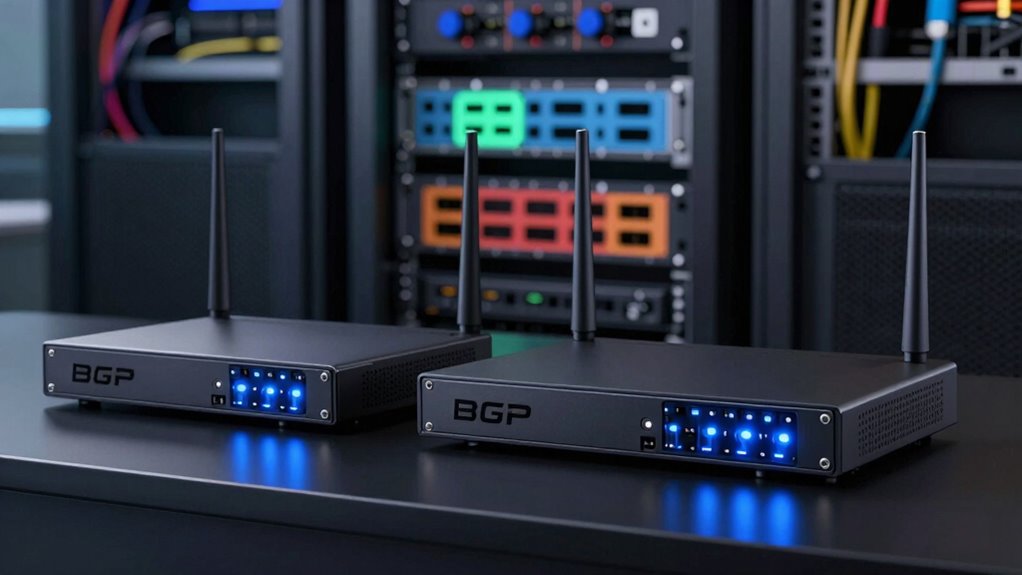

Choosing a BGP router for a lab is less about finding the longest feature list and more about matching the hardware to the routing exercises you plan to run. My leading pick is the MikroTik RB4011iGS+RM for a versatile, rack-ready Gigabit lab; the CCR2004-1G-12S+2XS is the high-speed choice when your experiments need 10G or 25G links; and the Ubiquiti ER-8 offers a more approachable EdgeOS option with BGP listed among its protocols.

Get the latest gadgets delivered free with Prime
- Fast, free delivery on millions of items
- Prime Video, Amazon Music and more included
- Member-only deals all year
The tradeoff is clear: the RB4011 balances copper ports and a 10G uplink, the CCR2004 prioritizes fast fiber connectivity and redundancy, and the renewed ER-8 prioritizes a compact, straightforward routing setup. None of these is a wireless router, and their BGP capabilities do not make them interchangeable. I would choose based on port type, lab scale, configuration preferences, and the product details I can verify—not on raw port counts alone.
Complete the kit



Key Takeaways
- The RB4011iGS+RM is the most balanced fit for a wired lab that needs ten Gigabit Ethernet ports plus an SFP+ option for a faster uplink.
- The CCR2004-1G-12S+2XS makes sense when the lab is built around 10G and 25G SFP connections, but that port mix is a poor match for mostly copper devices.
- The ER-8 explicitly lists BGP alongside OSPF and RIP, and offers both a graphical interface and CLI; its renewed condition and 90-day limited warranty call for extra care.
- For basic BGP learning, more ports or higher link speeds do not automatically mean a better lab. The right choice depends on the number and type of peers and the traffic you intend to route.
- All three are wired-only choices. The RB4011 and CCR2004 use RouterOS, while the ER-8 uses EdgeOS, so the configuration environment is a key point of difference.
| MikroTik RB4011iGS+RM 10-Port Gigabit Ethernet Router |  | Best Overall: a balanced RouterOS platform for copper-first labs | Model: RB4011iGS+RM | Ports: 10 Gigabit Ethernet | SFP+: One 10 Gbps interface; module not included | VIEW ON AMAZON | See Our Full Breakdown |
| MikroTik CCR2004-1G-12S+2XS Ethernet Router |  | Best for High-Speed Labs: extensive 10G and 25G fiber connectivity | Ports: 12 x 10G SFP+ and 2 x 25G SFP28 | Memory: 4 GB ECC with RouterOS v7; 1792 MB ECC with RouterOS v6, per listing | Operating system: RouterOS | VIEW ON AMAZON | See Our Full Breakdown |
| Ubiquiti Networks ER-8 8-Port Gigabit EdgeRouter (Renewed) |  | Best for a Straightforward BGP Learning Setup: EdgeOS with GUI and CLI | Model: ER-8, renewed | Ports: Eight Gigabit RJ45 Ethernet | Routing protocols: Static routing, OSPF, RIP, BGP | VIEW ON AMAZON | See Our Full Breakdown |
| bgp router for lab | Ports | Memory | Operating system | Model |
|---|---|---|---|---|
| MikroTik RB4011iGS+RM 10-Port | 10 Gigabit Ethernet | 1 GB RAM | RouterOS | RB4011iGS+RM |
| MikroTik CCR2004-1G-12S+2XS Et | 12 x 10G SFP+ and 2 x 25G SFP28 | 4 GB ECC with RouterOS v7; 1792 MB ECC with RouterOS v6, per listing | RouterOS | — |
| Ubiquiti Networks ER-8 8-Port | Eight Gigabit RJ45 Ethernet | 2 GB DDR3 RAM | EdgeOS | ER-8, renewed |
More Details on Our Top Picks
MikroTik RB4011iGS+RM 10-Port Gigabit Ethernet Router
The RB4011iGS+RM is my best overall pick because it gives a lab a useful mix rather than forcing a choice between many copper ports and one faster connection. Ten Gigabit Ethernet ports can connect a set of physical peers, management devices, or test segments, while the 10 Gbps SFP+ interface offers an option for a high-speed uplink when paired with a compatible module. That flexibility is more practical for a mixed lab than the CCR2004’s fiber-heavy port layout.
It runs RouterOS on a quad-core Cortex A15 processor with 1 GB of RAM. Those specifications describe the hardware, but they do not establish how many routes or peers it will handle in a particular exercise. I would treat it as a versatile platform for learning and building a modest physical topology, rather than assume it is a substitute for a high-capacity production core. The listed IPsec hardware acceleration is useful if VPN testing is part of the lab, though it is separate from BGP capability.
Rackmount ears and a metal 1U enclosure help this model fit into a permanent bench or small rack. Compared with the ER-8, it gives you more Ethernet ports and SFP+, but it does not offer the ER-8’s stated EdgeOS graphical interface. The SFP+ module is not included, and this is strictly a wired router: buyers wanting Wi-Fi need another device. I would pick it for flexibility and port mix, not for a claim that every RouterOS task will be beginner-friendly.
Pros:- Ten Gigabit Ethernet ports support a broad copper-based lab topology.
- SFP+ provides a 10 Gbps connection option with a compatible module.
- Rackmount ears and a metal 1U enclosure suit a fixed lab rack.
- IPsec hardware acceleration can support VPN-related exercises.
Cons:- The SFP+ module is not included, adding a separate compatibility decision.
- No Wi-Fi is described, and the router offers wired connectivity only.
- The supplied details do not specify BGP route scale or convergence performance.
Best for: A learner or network builder who wants several physical Gigabit connections, a rack-ready RouterOS device, and the option to add a 10G SFP+ link.
Not ideal for: A buyer whose lab is centered on 10G/25G fiber links, who needs built-in Wi-Fi, or who wants a clearly documented route-capacity target before buying.
- Model:RB4011iGS+RM
- Ports:10 Gigabit Ethernet
- SFP+:One 10 Gbps interface; module not included
- Processor:Quad-core Cortex A15, 1400 MHz
- Memory:1 GB RAM
- Operating system:RouterOS
- Form factor:1U rackmount; ears included
- Maximum power consumption:33 W
Our verdict“I would choose the RB4011 for the broadest practical mix of copper ports, RouterOS, and a faster uplink option in a physical BGP lab.”
MikroTik CCR2004-1G-12S+2XS Ethernet Router
If your BGP exercises are built around fast fiber links, the CCR2004-1G-12S+2XS is the specialized pick in this group. Its 12 SFP+ ports and two SFP28 ports give it a much higher-speed interface mix than the RB4011, which has ten Gigabit copper ports and a single SFP+ interface. For a rack where switches, peers, or test systems already use compatible optics, that difference can define the whole topology.
The router runs RouterOS and is described as supporting BGP feed processing. It also lists up to 3.4 Gbps in a single tunnel, but I would not treat that tunnel figure as a direct measure of BGP route capacity. The supplied listing gives 4 GB ECC RAM for RouterOS v7 and 1792 MB ECC for RouterOS v6, and its specifications have some inconsistencies. I would verify the exact hardware and software details for the unit and intended RouterOS version before building a lab plan around them.
Dual redundant power supplies make this more suited than the RB4011 to a setup where keeping the rack running matters, though redundancy does not remove the need to check power and cooling arrangements. Its 12 SFP+ and two SFP28 ports are an advantage only if your lab can use them; the ER-8 or RB4011 is a more direct match for a mostly copper bench. With wired connectivity only and no listed Wi-Fi, this is a purposeful infrastructure choice rather than a casual all-in-one router.
Pros:- Twelve 10G SFP+ ports and two 25G SFP28 ports support a high-speed fiber topology.
- BGP feed processing is specifically mentioned in the product details.
- Dual redundant power supplies can reduce disruption from a single power-supply fault.
- RouterOS provides a shared platform with the RB4011 for buyers already planning around MikroTik.
Cons:- The port mix is a poor fit for labs built mostly from RJ45 Gigabit devices.
- The listing gives version-dependent memory figures and other details that warrant verification.
- No Wi-Fi is described; connectivity is wired only.
Best for: A network engineer or advanced learner building a high-speed, fiber-oriented lab with compatible 10G and 25G equipment.
Not ideal for: A beginner with a few copper devices, a buyer seeking an inexpensive-feeling simple setup, or anyone who cannot verify the listing’s version-dependent specifications.
- Ports:12 x 10G SFP+ and 2 x 25G SFP28
- Memory:4 GB ECC with RouterOS v7; 1792 MB ECC with RouterOS v6, per listing
- Operating system:RouterOS
- Single-tunnel figure:Up to 3.4 Gbps, per listing
- Power inputs:Two AC inputs
- Cooling:Two fans
- Dimensions:443 x 224 x 44 mm
- Connectivity:Wired Ethernet
Our verdict“I would choose the CCR2004 over the RB4011 only when the lab can use its extensive 10G and 25G SFP ports and the specification details have been confirmed.”
Ubiquiti Networks ER-8 8-Port Gigabit EdgeRouter (Renewed)
The Ubiquiti ER-8 earns a place for buyers who want BGP explicitly named alongside static routing, OSPF, and RIP, plus a choice of graphical interface or command line. That combination can make it easier to move from basic configuration to CLI-led practice without changing routers. For a learner focused on route exchange rather than high-speed links, eight Gigabit Ethernet ports provide a workable wired base.
Compared with the RB4011, the ER-8 has fewer Ethernet ports and no SFP interface, so it is less flexible for adding a fiber uplink or linking a larger rack. Its EdgeOS environment is the main differentiator, not raw port count. The supplied information lists a dual-core 800 MHz CPU, 2 GB of DDR3 RAM, and forwarding performance of two million packets per second for 64-byte packets. That packet figure should not be confused with a stated BGP route-table limit, which is not supplied.
This is a renewed unit, with a stated 90-day limited warranty, so condition and support coverage matter more here than with a standard new-equipment purchase. It has no PoE, no SFP, and no wireless capability. I would put it ahead of the MikroTik choices only for a buyer who values the EdgeOS interface and a compact, modest-speed BGP lab; anyone planning fiber links or a more expandable rack should look at the RB4011 or CCR2004 instead.
Pros:- BGP, OSPF, RIP, and static routing are listed as supported protocols.
- Graphical interface and CLI give learners more than one configuration path.
- Eight Gigabit Ethernet ports suit a small wired topology.
- Compact 1U rackmount format with mounting hardware listed.
Cons:- Renewed condition and a stated 90-day limited warranty may not suit buyers seeking new equipment.
- No SFP ports or PoE, limiting fiber and powered-device options.
- Wired only, with no Wi-Fi described.
Best for: A learner who wants a compact wired router with BGP listed, both GUI and CLI configuration, and no requirement for SFP or PoE.
Not ideal for: A buyer who needs 10G/25G links, PoE, wireless access, a new condition unit, or a longer stated warranty.
- Model:ER-8, renewed
- Ports:Eight Gigabit RJ45 Ethernet
- Routing protocols:Static routing, OSPF, RIP, BGP
- Operating system:EdgeOS
- Processor:Dual-core 800 MHz
- Memory:2 GB DDR3 RAM
- Forwarding figure:2 million packets per second for 64-byte packets
- Warranty:90-day limited warranty, per listing
Our verdict“I would choose the ER-8 for an EdgeOS-focused BGP learning lab, but not for a setup that needs fiber expansion or newer-condition assurance.”

How We Picked
I ranked these options for hands-on BGP lab use, not as general-purpose home routers. I gave priority to the information supplied about routing protocol support, port types, hardware and management environment. A lab router needs to fit the exercises: a compact setup for learning routes between a few peers has different needs from a rack with high-speed fiber links and multiple connected devices.
The RB4011 comes first because its ten Gigabit Ethernet ports suit mixed wired lab devices, while SFP+ adds a path to a faster link without making the whole setup fiber-dependent. The CCR2004 ranks second because its 12 SFP+ and two SFP28 ports create the strongest high-speed foundation, but that is a specialized fit and the listed specifications contain inconsistencies. The ER-8 ranks third as a credible entry to BGP practice with a GUI and CLI, but it is renewed, has no SFP ports, and has a shorter stated warranty.
I have not treated a protocol name or a headline throughput figure as proof of performance for every BGP workload. The supplied details do not describe route-table capacity, convergence behavior, or a specific BGP scale for every model. Those unknowns matter for advanced simulations, so I distinguish documented features from assumptions and recommend checking current RouterOS or EdgeOS documentation against the intended lab topology.
| bgp router for lab | Model | Processor | Operating system |
|---|---|---|---|
| MikroTik RB4011iGS+RM 10-Port | RB4011iGS+RM | Quad-core Cortex A15, 1400 MHz | RouterOS |
| MikroTik CCR2004-1G-12S+2XS Et | — | — | RouterOS |
| Ubiquiti Networks ER-8 8-Port | ER-8, renewed | Dual-core 800 MHz | EdgeOS |
Factors to Consider When Choosing Bgp Router For Lab
I would choose a lab router by starting with the exercises and connected equipment, then checking the interface and management style. A headline speed or protocol list only answers part of the question. The key is whether the router’s ports, operating system, and documented capabilities fit the lab you intend to assemble.
Match ports to your lab topology
Count the devices and links you expect to connect, then note which use copper Ethernet and which need SFP. The RB4011’s ten Gigabit Ethernet ports suit a copper-first bench, with one SFP+ option for a faster connection. The CCR2004 is the opposite kind of choice: its 12 SFP+ and two SFP28 ports favor a lab with compatible fiber equipment. The ER-8 supplies eight Gigabit RJ45 ports but no SFP, making it the least expandable choice for fiber work. Also account for the cost and compatibility of transceivers or modules where needed; the RB4011’s SFP+ module is not included.
Separate BGP practice from throughput claims
BGP learning can involve configuring peers, exchanging routes, applying policy, and observing how the network reacts. A fast interface does not by itself prove a router will handle the route count or convergence behavior you have in mind. The ER-8 listing names BGP as a supported protocol, while the CCR2004 description mentions BGP feed processing. For the RB4011, the supplied details identify RouterOS but do not state a BGP scale figure. I would check current vendor documentation for the planned software version and topology, and avoid reading the CCR2004’s single-tunnel throughput as a BGP performance benchmark.
Choose the configuration environment you want to learn
The two MikroTik models use RouterOS; the Ubiquiti model uses EdgeOS and lists both a graphical interface and CLI. If your goal is to study a particular platform, that difference can matter more than a modest change in port count. The ER-8 may suit a learner who values GUI access alongside command-line work. The RB4011 and CCR2004 belong in the same broad RouterOS path, although their physical interfaces target different lab scales. Confirm software versions and documentation for the features you plan to practice before committing to a platform.
Plan for rack space, power, and redundancy
A lab router must fit the physical setup as well as the routing plan. The RB4011 and ER-8 are listed as 1U rackmount devices; the RB4011 includes rack ears, while the ER-8 listing names mounting screws and cage nuts. The CCR2004 is a wider rack unit and lists two fans and dual AC inputs. Its redundant supplies may be useful in a rack that needs to stay powered through one supply fault, but they are not essential for every home lab. None of these models is described as wireless, so plan a separate access point if Wi-Fi is part of the setup.
Check condition and missing information
The ER-8 is explicitly renewed and has a stated 90-day limited warranty, so I would review the seller’s condition terms and return policy before choosing it. The CCR2004 listing has version-dependent RAM figures and other details that appear inconsistent, making verification especially worthwhile. For all three, the supplied product information does not establish every BGP limit a buyer might need. If the lab must reproduce a particular production scale, confirm the exact model, software release, route capacity, and interface compatibility from current documentation rather than extrapolating from the summary specifications.
Frequently Asked Questions
Which router is the best starting point for a physical BGP lab?
I would start with the RB4011iGS+RM if the lab uses several copper Ethernet connections and may need a faster uplink later. Its ten Gigabit ports are a flexible base, and its SFP+ interface leaves room for a compatible 10G link. The ER-8 is also a reasonable learning choice when EdgeOS and its listed GUI-plus-CLI configuration appeal more, but it has fewer ports and no SFP.
Is the CCR2004 better for every BGP lab because it has faster ports?
No. The CCR2004 is a better fit when the lab can use its 10G SFP+ and 25G SFP28 ports. A copper-first setup may gain little from those interfaces and may need extra compatible optics or connected equipment. For a smaller topology of Gigabit RJ45 devices, the RB4011 or ER-8 may be a more direct match. Port speed should follow the lab design, not replace it.
Does the ER-8 support BGP?
The supplied ER-8 details list BGP, along with static routing, OSPF, and RIP, as supported routing protocols. They also identify EdgeOS with a graphical interface and CLI. That makes it a candidate for learning BGP configuration, but the listing does not specify a route-table capacity or guarantee performance for a particular scale. I would check current EdgeOS documentation for the intended exercise.
Do any of these routers include Wi-Fi?
No Wi-Fi capability is described for any of the three products; each is presented as a wired router. If wireless access is needed, I would plan for a separate access point rather than treat one of these as an all-in-one wireless gateway. The RB4011 and ER-8 are centered on Gigabit Ethernet ports, while the CCR2004 is centered on SFP+ and SFP28 connectivity.
What should I verify before buying one for advanced route testing?
I would confirm the exact hardware revision, operating-system version, documented route capacity, and the expected number of peers and routes for the planned topology. Check that optics or SFP modules match the switches and devices in the lab. For the CCR2004, verify the version-dependent memory details in the listing; for the renewed ER-8, check the condition terms and stated warranty. The supplied details do not provide a complete BGP scale specification for any model.
Conclusion
My recommendation depends on the lab you want to build. For the most balanced copper-first physical setup, I would choose the MikroTik RB4011iGS+RM. For a fiber-heavy rack with 10G and 25G links, the CCR2004 is the specialist option, provided its listed details are verified and the ports match your equipment. For a learner who prefers EdgeOS with both GUI and CLI and can accept renewed condition, the ER-8 is the focused alternative. If you only need to study basic BGP exchanges, choose the platform and port mix that fit your topology; the largest or fastest router is not automatically the best lab router.
Columbus Day / Indigenous Peoples' Day Picks
long weekend sales
As an affiliate, we earn on qualifying purchases.