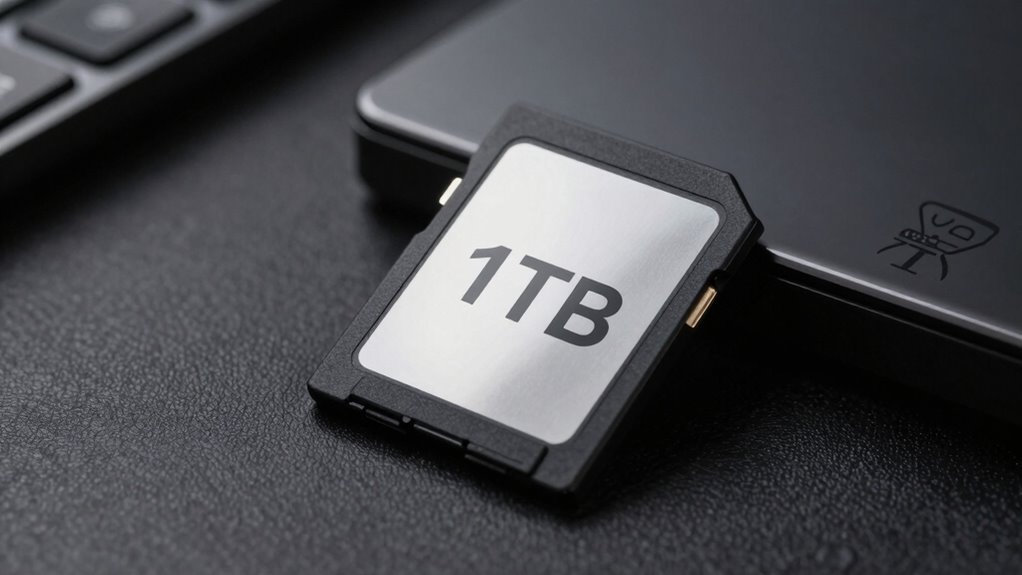

For a high-capacity 1TB microSD card, my best overall pick is the SanDisk Extreme 1TB, which balances broad device appeal with performance-oriented features. The Lexar PLAY BLUE 1TB stands out for handheld gaming and apps, while the SanDisk Extreme PRO 1TB is the premium choice for buyers who prioritize speed. The main tradeoffs are write performance, device compatibility, and whether an included adapter or a lower-demand everyday profile matters more than higher-end capabilities. Capacity labels and speed claims can also be easy to misread, especially when a device has its own card limits. Continue reading for the full breakdown and help matching a card to your camera, console, or other device.

Get the latest gadgets delivered free with Prime
- Fast, free delivery on millions of items
- Prime Video, Amazon Music and more included
- Member-only deals all year
Complete the kit



Key Takeaways
The amazon.com/dp/B0G8LLK2HM?tag=digitechbytes.com-20&ascsubtag=dc-618728″ target=”_blank” rel=”nofollow sponsored noopener”>SanDisk Extreme 1TB is the clearest all-around choice in this lineup, while the Extreme PRO is aimed at buyers willing to prioritize a premium performance profile.
Application and video speed classes matter more than headline read speed when recording demanding video or running apps from a card; the Lexar PLAY BLUE lists V30 and A2.
Not every 1TB listing represents the same capacity claim. The LEKUTAS cards are listed as 999 GB, so check how the device and seller describe usable capacity.
Adapters improve flexibility, not card speed. Several SanDisk and Amazon Basics listings include full-size adapters, useful for compatible card readers and cameras.
The lineup spans different levels of intended use. Everyday options such as SanDisk Ultra and Amazon Basics differ from performance-focused options such as SanDisk Extreme, Lexar Silver Plus, and Lexar PLAY BLUE.
| PNY 1TB PRO Elite Prime microSDXC Card |  | Best for App Performance | Capacity: 1 TB | Card type: microSDXC | Speed classes: Class 10, U3, V30, A2 | VIEW ON AMAZON | See Our Full Breakdown |
| SanDisk Extreme 1TB microSDXC UHS-I Card |  | Best for Speed-Focused Capture | Capacity: 1 TB | Card type: microSDXC UHS-I | Speed classes: Class 10, U3, V30, A2 | VIEW ON AMAZON | See Our Full Breakdown |
| Lexar Silver Plus 1TB microSDXC UHS-I Card |  | Best for 4K at 60 fps | Capacity: 1 TB | Card type: microSDXC UHS-I | Speed classes: Class 10, V30 | VIEW ON AMAZON | See Our Full Breakdown |
| Amazon Basics 1 TB microSDXC Memory Card with Full-Size Adapter |  | Best for Straightforward Everyday Use | Capacity: 1 TB | Card type: microSDXC | Speed classes: UHS-I U3, V30, A2 | VIEW ON AMAZON | See Our Full Breakdown |
| SanDisk Ultra 1TB microSDXC Card with Adapter |  | Best for Phone and Tablet Storage | Capacity: 1 TB | Card type: microSDXC | Speed classes: Class 10, U1, A1 | VIEW ON AMAZON | See Our Full Breakdown |
| Lexar PLAY BLUE 1TB microSDXC UHS-I Card, 160MB/s Read, V30, A2 |  | Best for Nintendo Switch 1 | Capacity: 1 TB | Card type: microSDXC UHS-I | Maximum read speed: Up to 160 MB/s | VIEW ON AMAZON | See Our Full Breakdown |
| LEKUTAS 999 GB TF Memory Card, UHS-I U3 Class 10 V30, Read Speeds up to 80 MB/s |  | Best for Protected Camera Storage | Capacity: 999 GB | Card type: TF | Maximum read speed: Up to 80 MB/s | VIEW ON AMAZON | See Our Full Breakdown |
| LEKUTAS 999GB TF Memory Card, Class 10, UHS-I, U3, V30, up to 80MB/s |  | Best for Multi-Device Camera Use | Capacity: 999 GB | Card type: TF | Interface: UHS-I | VIEW ON AMAZON | See Our Full Breakdown |
| SanDisk Extreme PRO 1TB microSDXC Card with Adapter |  | Best for Fast Transfers and Capture | Capacity: 1 TB | Card type: microSDXC | Maximum read speed: Up to 200 MB/s | VIEW ON AMAZON | See Our Full Breakdown |
| Lexar Blue 1TB microSDXC UHS-I Memory Card |  | Best Warranty Coverage | Capacity: 1 TB | Card type: microSDXC UHS-I | Maximum read speed: Up to 160 MB/s | VIEW ON AMAZON | See Our Full Breakdown |
| Samsung microSDXC T7 1TB Memory Card |  | Best for Durability | Format: microSDXC | Capacity: 1000 GB | Maximum read speed: Up to 170 MB/s | VIEW ON AMAZON | See Our Full Breakdown |
| Samsung Sonic PRO Plus 1TB microSDXC Memory Card |  | Best for Fast Transfers | Format: microSDXC | Capacity: 1 TB | Maximum read speed: Up to 180 MB/s | VIEW ON AMAZON | See Our Full Breakdown |
| SanDisk Extreme 1TB microSDXC UHS-I Memory Card with Adapter |  | Best for A2 App Performance | Format: microSDXC | Capacity: 1 TB | Maximum read speed: Up to 160 MB/s | VIEW ON AMAZON | See Our Full Breakdown |
| high capacity microsd card 1tb | Capacity | Maximum read speed | Card type | Speed classes |
|---|---|---|---|---|
| PNY 1TB PRO Elite Prime microS | 1 TB | Up to 200 MB/s | microSDXC | Class 10, U3, V30, A2 |
| SanDisk Extreme 1TB microSDXC | 1 TB | Up to 245 MB/s | microSDXC UHS-I | Class 10, U3, V30, A2 |
| Lexar Silver Plus 1TB microSDX | 1 TB | Up to 205 MB/s | microSDXC UHS-I | Class 10, V30 |
| Amazon Basics 1 TB microSDXC M | 1 TB | Up to 100 MB/s | microSDXC | UHS-I U3, V30, A2 |
| SanDisk Ultra 1TB microSDXC Ca | 1 TB | Up to 150 MB/s | microSDXC | Class 10, U1, A1 |
| Lexar PLAY BLUE 1TB microSDXC | 1 TB | Up to 160 MB/s | microSDXC UHS-I | — |
| LEKUTAS 999 GB TF Memory Card | 999 GB | Up to 80 MB/s | TF | Class 10, U3, V30 |
| LEKUTAS 999GB TF Memory Card | 999 GB | Up to 80 MB/s | TF | Class 10, U3, V30 |
| SanDisk Extreme PRO 1TB microS | 1 TB | Up to 200 MB/s | microSDXC | Class 10, U3, V30, A2 |
| Lexar Blue 1TB microSDXC UHS-I | 1 TB | Up to 160 MB/s | microSDXC UHS-I | Class 10, U3, V30 |
| Samsung microSDXC T7 1TB Memor | 1000 GB | Up to 170 MB/s | — | — |
| Samsung Sonic PRO Plus 1TB mic | 1 TB | Up to 180 MB/s | — | — |
| SanDisk Extreme 1TB microSDXC | 1 TB | Up to 160 MB/s | — | Class 10, U3, V30 |
More Details on Our Top Picks
PNY 1TB PRO Elite Prime microSDXC Card
The PNY 1TB PRO Elite Prime balances high-capacity video storage with an A2 rating, which suits devices that run apps from removable storage. Its U3 and V30 ratings support 4K recording, while the listed read and write speeds exceed the Amazon Basics card’s 100 MB/s read ceiling. That makes PNY a stronger fit for buyers who move large files or want responsive app access, though its peak 150 MB/s write speed depends on a compatible PNY Performance Prime reader sold separately. It also includes an SD adapter and has water-, drop-, and temperature-resistant construction. Choose it over the SanDisk Ultra if video speed classes matter; skip it if you need confirmed Nintendo Switch 2 compatibility, which it lacks.
Pros:- 1 TB capacity with U3 and V30 ratings for 4K video recording
- A2 rating and listed minimum random-read performance of 4,000 IOPS
- Includes a full-size SD adapter
- Resists water, drops, and temperature extremes
Cons:- Maximum 150 MB/s write speed requires a compatible PNY Performance Prime reader sold separately
- Not compatible with Nintendo Switch 2
Best for: People using a 1TB card for 4K-capable cameras, drones, or devices that run apps from removable storage.
Not ideal for: Nintendo Switch 2 owners or buyers who expect the maximum listed write speed without purchasing a compatible PNY reader.
- Capacity:1 TB
- Card type:microSDXC
- Speed classes:Class 10, U3, V30, A2
- Maximum read speed:Up to 200 MB/s
- Maximum write speed:Up to 150 MB/s with compatible PNY Performance Prime card reader
- Minimum random performance:4,000 IOPS read; 2,000 IOPS write
- Included accessory:SD adapter
- Protection and warranty:Drop-, temperature-, and water-proof; limited lifetime warranty
Our verdict“Choose the PNY for 1TB capacity, 4K-oriented speed classes, and app performance, provided you can accept its reader-dependent peak write speed.”
SanDisk Extreme 1TB microSDXC UHS-I Card
Among these five cards, the SanDisk Extreme 1TB has the highest listed read and write speeds: up to 245 MB/s read and 170 MB/s write. Those figures make it the speed-focused pick for action-camera and drone owners who regularly transfer large footage files, while its U3, V30, and A2 ratings also cover 4K video and app use. The Lexar Silver Plus comes closer on write speed at 150 MB/s and lists 4K recording at 60 fps, but SanDisk claims higher transfer ceilings and support for 5K as well as 4K UHD capture. The tradeoff is that the stated maxima depend on device and conditions, and the supplied information does not list an adapter. Its broad environmental protection is a plus for outdoor use, but check your device’s compatibility before buying.
Pros:- Highest listed read and write speeds in this five-card selection
- U3, V30, and A2 ratings support video capture and app use
- Designed for 5K and 4K UHD recording
- Resists water, dust, shock, drops, temperature, humidity, magnets, and X-rays
Cons:- Peak speeds may depend on the host device and operating conditions
- No SD adapter is listed among the supplied product details
Best for: Drone and action-camera owners who want a 1TB card with high listed transfer speeds for demanding footage workflows.
Not ideal for: Buyers who need an included full-size SD adapter or want product details that specify the conditions required to reach peak speeds.
- Capacity:1 TB
- Card type:microSDXC UHS-I
- Speed classes:Class 10, U3, V30, A2
- Maximum read speed:Up to 245 MB/s
- Maximum write speed:Up to 170 MB/s
- Video support:5K and 4K UHD
- Compatible devices:Action cameras, handheld gaming consoles, laptops, smartphones, tablets
- Protection and warranty:Water-, dust-, shock-, drop-, temperature-, humidity-, magnetic-, and X-ray-resistant; limited lifetime warranty
Our verdict“Pick the SanDisk Extreme if high listed transfer speeds and rugged protection matter more than a confirmed included adapter.”
Lexar Silver Plus 1TB microSDXC UHS-I Card
The Lexar Silver Plus 1TB earns its place for buyers whose priority is a clearly stated video target: 4K recording at up to 60 fps. Its V30 rating and 150 MB/s maximum write speed make it a capable capture option, while the 205 MB/s read ceiling is close to the PNY PRO Elite Prime’s 200 MB/s. The SanDisk Extreme lists higher transfer maxima and 5K support, so it is the more speed-oriented choice; Lexar instead pairs solid figures with recovery software and extensive resistance to environmental hazards. One limit is the adapter’s shorter one-year warranty, compared with the limited lifetime warranty on the card itself. It also is not compatible with Nintendo Switch 2, so handheld-console buyers should verify device support rather than rely on the broad gaming-console compatibility description.
Pros:- Specifically supports 4K recording at up to 60 fps
- Up to 205 MB/s read and 150 MB/s write
- Includes recovery software
- Card resists water, drops, temperature extremes, shock, vibration, X-rays, and magnets
Cons:- Not compatible with Nintendo Switch 2
- Adapter warranty is limited to one year, while the card has a limited lifetime warranty
Best for: Camera owners who want a 1TB card specified for 4K recording at 60 fps and value included recovery software.
Not ideal for: Nintendo Switch 2 owners, or buyers seeking the highest listed transfer speeds and a matching lifetime warranty for the adapter.
- Capacity:1 TB
- Card type:microSDXC UHS-I
- Speed classes:Class 10, V30
- Maximum read speed:Up to 205 MB/s
- Maximum write speed:Up to 150 MB/s
- Video support:4K at up to 60 fps
- Included software:Recovery software
- Warranty:Limited lifetime for card; one year for adapter
Our verdict“Choose the Lexar Silver Plus for its stated 4K-at-60-fps support and recovery software, not for the highest transfer speeds in the group.”
Amazon Basics 1 TB microSDXC Memory Card with Full-Size Adapter
The Amazon Basics 1 TB is the practical choice for buyers who want clear video and app-class credentials without chasing the highest transfer numbers. Its U3, V30, and A2 ratings support video recording and app performance, while the included full-size adapter makes it easier to use in devices with an SD slot. Its read speed is up to 100 MB/s, half the PNY card’s listed 200 MB/s and well below the SanDisk Extreme’s 245 MB/s, so it is less appealing for frequent large-file transfers. The card is rated for Nintendo Switch, unlike the PNY, Lexar Silver Plus, and SanDisk Ultra entries, but it is not compatible with Switch 2. A two-year warranty is shorter than the limited lifetime coverage listed for several alternatives.
Pros:- 1 TB capacity with U3, V30, and A2 ratings
- Full-size SD adapter is included
- Rated for Nintendo Switch compatibility
- Resists shock, water, extreme temperatures, X-rays, and magnetic fields
Cons:- 100 MB/s maximum read speed is lower than the other cards’ listed maxima
- Not compatible with Nintendo Switch 2
- Two-year manufacturer warranty is shorter than the limited lifetime coverage on several alternatives
Best for: Everyday camera, tablet, smartphone, or Nintendo Switch owners who want 1TB storage, an SD adapter, and V30/A2 ratings.
Not ideal for: People who frequently transfer large video files, need the fastest read speeds in this group, or own a Nintendo Switch 2.
- Capacity:1 TB
- Card type:microSDXC
- Speed classes:UHS-I U3, V30, A2
- Maximum read speed:Up to 100 MB/s
- Compatibility:Camera, laptop, smartphone, tablet, Nintendo Switch; not Nintendo Switch 2
- Included accessory:Full-size SD adapter
- Protection:Shock-resistant, IPX6 water-resistant, X-ray- and magnetic-field-resistant
- Warranty:2-year manufacturer warranty
Our verdict“Choose Amazon Basics for a straightforward 1TB card with an adapter and Switch compatibility, if faster transfers are not a priority.”
SanDisk Ultra 1TB microSDXC Card with Adapter
The SanDisk Ultra 1TB is the simplest fit here for Android users expanding space for photos, Full HD video, and apps. Its 150 MB/s maximum read speed is higher than the Amazon Basics card’s 100 MB/s, but its U1 and A1 ratings place it below the U3/V30 options from PNY, Lexar, and SanDisk Extreme for video-focused workloads. That distinction matters if 4K capture is a priority: those other cards carry V30 ratings, while this model is presented for Full HD recording. The listed protection against water, drops, temperature, magnets, and X-rays helps for everyday travel, and it includes an adapter. Usable capacity will be less than the labeled 1TB after formatting, and actual speeds depend on the host device. It supports Nintendo Switch, but not Switch 2.
Pros:- 1 TB capacity for photos, Full HD video, and apps
- Up to 150 MB/s read speed
- A1 app-performance rating
- Includes an adapter and resists water, drops, temperature, magnets, and X-rays
Cons:- U1 and A1 ratings are less suited to demanding video and app workloads than the U3/V30/A2 alternatives
- Usable storage is less than 1 TB after formatting
- Actual speed depends on the host device and conditions
Best for: Android smartphone and tablet owners who need 1TB for photos, Full HD video, and everyday apps rather than demanding 4K capture.
Not ideal for: Action-camera or drone users recording 4K video, or Nintendo Switch 2 owners who need confirmed compatibility.
- Capacity:1 TB
- Card type:microSDXC
- Speed classes:Class 10, U1, A1
- Maximum read speed:Up to 150 MB/s
- Intended use:Full HD video, photos, and apps
- Compatibility:Android smartphones and tablets; Nintendo Switch, not Nintendo Switch 2
- Protection:Drop-, magnetic-, temperature-, water-, and X-ray-proof
- Warranty:Lifetime
Our verdict“Choose the SanDisk Ultra for high-capacity Android storage and Full HD use, but pick a V30 card for a 4K-focused camera.”
Lexar PLAY BLUE 1TB microSDXC UHS-I Card, 160MB/s Read, V30, A2
The Lexar PLAY BLUE 1TB is the most gaming-focused option in this group: its A2 app-performance rating and stated compatibility with Nintendo Switch 1 make it a clear fit for a large downloaded library. Its read speed reaches 160MB/s, below the SanDisk Extreme PRO’s 200MB/s, but the PLAY BLUE still offers a strong mix of capacity and application support for a handheld console. Listed protections against water, shock, vibration, temperature, magnetic fields, X-rays, and drops add reassurance when the card travels between devices. The tradeoff is that write speed is not specified here, so I would not choose it on the assumption that it matches its read speed. It is also explicitly not compatible with Nintendo Switch 2.
Pros:- 1TB capacity for games, apps, and other files
- A2 rating supports app-focused use
- Up to 160MB/s read speed
- Listed resistance to water, shock, vibration, temperature, magnetic fields, X-rays, and drops
Cons:- Write speed is not specified and is lower than the stated read speed
- Not compatible with Nintendo Switch 2
- Read speed is lower than the SanDisk Extreme PRO’s stated 200MB/s
Best for: Nintendo Switch 1 owners who want 1TB for downloaded games and also use a phone or tablet.
Not ideal for: Nintendo Switch 2 owners and buyers who need a stated high write speed for demanding continuous recording.
- Capacity:1 TB
- Card type:microSDXC UHS-I
- Maximum read speed:Up to 160 MB/s
- Video speed class:V30
- App performance class:A2
- Compatibility:Nintendo Switch 1, gaming consoles, GoPro Hero12 Black, smartphones, tablets
- Durability:Water, temperature, shock, vibration, magnetic, X-ray, and drop resistance
- Warranty:5-year limited
Our verdict“Choose the Lexar PLAY BLUE for a 1TB Nintendo Switch 1 library, but skip it if you own Switch 2 or need a clearly stated fast write rate.”
LEKUTAS 999 GB TF Memory Card, UHS-I U3 Class 10 V30, Read Speeds up to 80 MB/s
The LEKUTAS 999 GB TF card targets camera users who value abundant space and a broad list of environmental protections more than fast file transfers. Its U3 and V30 ratings identify it for compatible video-recording devices, while the listed media speed is 70MB/s and maximum read speed is 80MB/s. That makes it a more modest transfer option than the Lexar PLAY BLUE, which specifies up to 160MB/s read, and far less compelling than the SanDisk Extreme PRO for rapid offloads. The card lists shock, IPX6 water, temperature, X-ray, and magnetic resistance, which may suit action cameras or dash cams. However, recording results depend on the host device and conditions; buyers should verify device compatibility rather than assume every advertised resolution will work.
Pros:- Large 999 GB capacity for extended recordings
- U3 and V30 classifications for compatible video devices
- Listed media speed of 70 MB/s
- Shock, IPX6 water, temperature, X-ray, and magnetic protection
Cons:- Maximum read speed of 80 MB/s trails the Lexar PLAY BLUE and SanDisk Extreme PRO
- Recording resolution and performance depend on the host device and usage conditions
- TF naming and broad compatibility claims call for checking the device’s supported card format
Best for: Action-camera, dash-cam, and drone owners seeking near-terabyte capacity with listed environmental protection.
Not ideal for: Photographers who frequently transfer large files or buyers who need clearly documented compatibility with a specific camera.
- Capacity:999 GB
- Card type:TF
- Maximum read speed:Up to 80 MB/s
- Media speed:70 MB/s
- Speed classes:Class 10, U3, V30
- Compatible devices:Action cameras, dash cams, digital cameras, drones, tablets
- Protection:Shockproof, IPX6 waterproof, temperature-proof (-10°C to 80°C), X-ray-proof, magnetic-proof
- Weight:0.02 kg
Our verdict“Pick this LEKUTAS card for large-capacity camera storage with listed protection, not for fast transfers or unverified recording setups.”
LEKUTAS 999GB TF Memory Card, Class 10, UHS-I, U3, V30, up to 80MB/s
This second LEKUTAS 999GB TF card has nearly the same speed and protection profile as the other LEKUTAS listing, but names a wider mix of hosts, including smartphones and tablets alongside cameras, drones, and dash cams. That broader stated device range gives it a slight role as a general-purpose camera card, though it does not change the central limitation: maximum read speed is 80MB/s, well below the Lexar Blue’s 160MB/s or the SanDisk Extreme PRO’s 200MB/s. U3 and V30 ratings are useful signals for compatible recording gear, but they do not guarantee a particular resolution or recording result on every device. I would also treat the two LEKUTAS listings as close alternatives rather than distinct performance tiers; choose this one when its listed compatibility or limited warranty better matches your needs.
Pros:- 999 GB capacity for large photo and video libraries
- UHS-I, U3, and V30 classifications
- Listed compatibility includes smartphones, tablets, drones, and cameras
- Listed shock, IPX6 water, temperature, X-ray, and magnetic protection
Cons:- Up to 80 MB/s read speed is slower than the Lexar Blue and SanDisk Extreme PRO
- No write-speed figure is provided
- Video performance depends on the host device and recording conditions
Best for: Owners who move one high-capacity card among compatible phones, tablets, action cameras, and drones.
Not ideal for: Users who need rapid transfers, a named write-speed figure, or confirmed support for a particular camera model.
- Capacity:999 GB
- Card type:TF
- Interface:UHS-I
- Maximum read speed:Up to 80 MB/s
- Speed classes:Class 10, U3, V30
- Supported video:Full HD, 4K, and 5K
- Compatible devices:Action cameras, dash cams, digital cameras, drones, tablets, smartphones
- Warranty:Limited
Our verdict“Choose this LEKUTAS listing when its broader stated device compatibility suits your setup, while recognizing that its speed profile remains modest.”
SanDisk Extreme PRO 1TB microSDXC Card with Adapter
The SanDisk Extreme PRO 1TB has the strongest stated speed combination in this batch: up to 200MB/s read and 140MB/s write. The write figure matters for buyers capturing continuous shots or moving sizable recordings off a device, where this card has a clearer case than the Lexar PLAY BLUE, which does not list a comparable write speed. It also carries A2, U3, and V30 ratings, making it a more versatile pick for apps and compatible video gear than either 999GB LEKUTAS card. Water, shock, temperature, and X-ray resistance add protection for travel and field use. The catch is that maximum speeds require a compatible reader sold separately, so the included adapter does not by itself guarantee peak transfer performance.
Pros:- Up to 200 MB/s read and 140 MB/s write speeds
- A2, U3, and V30 ratings cover app and compatible video use
- Listed resistance to water, shock, temperature, and X-rays
- Includes an adapter
Cons:- Maximum speeds require a compatible reader sold separately
- Peak performance depends on the host device and reader
- No warranty term is specified in the supplied product data
Best for: Photographers and creators who need a 1TB card with a stated fast write speed for compatible cameras, phones, or tablets.
Not ideal for: Buyers who will use an incompatible reader and expect the advertised maximum transfer speeds without extra hardware.
- Capacity:1 TB
- Card type:microSDXC
- Maximum read speed:Up to 200 MB/s
- Maximum write speed:Up to 140 MB/s
- Speed classes:Class 10, U3, V30, A2
- Compatible devices:Camera, smartphone, tablet
- Included:Adapter
- Weight:5 g
Our verdict“Choose the SanDisk Extreme PRO when its stated 140MB/s write speed and fast transfers matter, provided your reader can support the card’s peak rates.”
Lexar Blue 1TB microSDXC UHS-I Memory Card
The Lexar Blue 1TB pairs broad device compatibility with a 10-year limited warranty for the card, giving it a different appeal from the gaming-focused Lexar PLAY BLUE. Both list 160MB/s maximum read speeds and A2 and V30 ratings, but this model is explicitly aimed at cameras, drones, phones, and tablets and supports Full HD and 4K UHD recording. Its protection list includes IPX7 water resistance as well as drop, magnetic, temperature, wear, and X-ray resistance. Compared with the SanDisk Extreme PRO, it does not provide a stated write speed, and its maximum read rate requires a select Lexar 2-in-1 USB 3.1 reader. That makes the long card warranty and broad use case more persuasive than any claim of superior transfer speed.
Pros:- 1TB capacity for files, apps, and recordings
- A2 and V30 ratings with Full HD and 4K UHD support
- 10-year limited warranty for the card
- Listed IPX7 water, drop, magnetic, temperature, wear, and X-ray resistance
Cons:- No maximum write speed is provided
- Peak read speed requires a select Lexar 2-in-1 USB 3.1 reader
- Actual speed and usable capacity may vary
Best for: Buyers who want one 1TB card for compatible phones, tablets, drones, and cameras, with a long stated card warranty.
Not ideal for: Users who prioritize a documented high write speed or do not plan to use a compatible reader for peak transfers.
- Capacity:1 TB
- Card type:microSDXC UHS-I
- Maximum read speed:Up to 160 MB/s
- Speed classes:Class 10, U3, V30
- Application performance class:A2
- Compatible devices:Action cameras, cameras, drones, smartphones, tablets
- Protection:IPX7 water, drop, magnetic, temperature, wear, and X-ray resistance
- Warranty:10 years for card; 1 year for adapter
Our verdict“Choose the Lexar Blue for broad device use and its 10-year card warranty, but favor the SanDisk Extreme PRO if a stated fast write speed is your priority.”
Samsung microSDXC T7 1TB Memory Card
The Samsung microSDXC T7 pairs 1TB of space with U3, V30, and A2 ratings, making it a flexible pick for 4K recording, mobile apps, and games. Its six listed forms of protection—including water, drops, X-rays, and magnetic exposure—set it apart from the Sonic PRO Plus, whose listed extra protection is dust resistance. The stated seawater resistance and 5-meter drop resistance may appeal to people carrying a card between devices or outdoors, though they do not remove the need for careful handling.
Its read speed reaches up to 170 MB/s, below the Sonic PRO Plus’s 180 MB/s, and no write-speed figure is supplied here. That makes this a stronger fit for buyers prioritizing durability and broad use than those choosing mainly for specified transfer performance. Check device compatibility before buying, since supported speeds and features depend on the host.
Pros:- 1TB capacity for large photo, video, and game libraries
- U3 and V30 ratings support 4K video recording
- A2 rating targets responsive app and game loading
- Water, temperature, X-ray, magnetic, drop, and wear protections are listed
Cons:- No write-speed figure is provided in the supplied specifications
- 170 MB/s maximum read speed is lower than the Sonic PRO Plus’s 180 MB/s figure
- Advertised speeds and compatibility depend on the host device and test conditions
Best for: Camera and handheld-device owners who carry a 1TB card outdoors and value stated water, drop, and environmental protections alongside A2 app support.
Not ideal for: Buyers who need a specified write speed or want the highest listed read speed; the Sonic PRO Plus provides both read and write figures and a higher stated read ceiling.
- Format:microSDXC
- Capacity:1000 GB
- Maximum read speed:Up to 170 MB/s
- Speed class:Class 10, U3, V30, A2
- Compatible devices:Gaming consoles, personal computers, smartphones, tablets
- Durability:Water, temperature, X-ray, magnetic, drop, and wear protection
- Drop resistance:Up to 16.4 ft (5 m)
- Water resistance:Up to 72 hours in seawater
- Warranty:3-year limited
Our verdict“Choose the T7 if broad durability protections matter more to you than a published write speed or the lineup’s highest stated read speed.”
Samsung Sonic PRO Plus 1TB microSDXC Memory Card
The Samsung Sonic PRO Plus is the clearest fit here for buyers who want published read and write figures alongside 1TB capacity. Its stated up to 180 MB/s read and 130 MB/s write speeds exceed the T7’s 170 MB/s read figure, while the T7 lists more kinds of physical protection and an A2 rating. For moving footage or recording on compatible cameras and drones, the write-speed specification gives buyers more information than the T7’s listing provides.
U3 and V30 support 4K video workflows, and compatibility spans handheld consoles, cameras, drones, phones, tablets, and notebooks. The tradeoff is a narrower listed feature set: no A2 rating or detailed water and drop protection appears in the supplied data. Choose it for stated transfer performance, not for a long list of ruggedness claims; actual speeds still depend on device support.
Pros:- 1TB capacity for large media and game libraries
- Published maximum read and write speeds of 180 MB/s and 130 MB/s
- U3 and V30 ratings support 4K video recording
- Listed compatibility includes handheld consoles, cameras, drones, and notebooks
Cons:- No A2 application performance rating is listed
- Dust proofing is the only additional protection specified in the supplied data
- Maximum speeds depend on compatible host devices
Best for: Drone operators, camera owners, and handheld-console players who want 1TB plus published read and write speed figures for compatible devices.
Not ideal for: Buyers who prioritize A2-rated app performance or detailed water, drop, and environmental protection; the Samsung microSDXC T7 lists more of those features.
- Format:microSDXC
- Capacity:1 TB
- Maximum read speed:Up to 180 MB/s
- Maximum write speed:Up to 130 MB/s
- Speed class:Class 10, U3, V30
- Compatible devices:Handheld consoles, cameras, drones, smartphones, tablets, notebooks
- Additional feature:Dust proof
- Dimensions:15 × 11 × 1 mm
Our verdict“Pick the Sonic PRO Plus if published write performance and broad device compatibility matter more than A2 support or extensive listed ruggedness.”
SanDisk Extreme 1TB microSDXC UHS-I Memory Card with Adapter
The SanDisk Extreme 1TB combines U3 and V30 video ratings with A2 application performance, so it can serve both 4K-capable cameras and devices that run apps from removable storage. Compared with the Samsung Sonic PRO Plus, it has a lower stated maximum read speed—160 MB/s versus 180 MB/s—but the SanDisk lists A2 support and a specified write speed of up to 90 MB/s. That makes its appeal less about the highest headline transfer figures and more about a balanced mix of video and app use.
Water, temperature, shock, and X-ray resistance add useful protection for travel. Its 90 MB/s maximum write speed is below the Sonic PRO Plus’s 130 MB/s figure, however, and top speeds require compatible devices. The supplied product name includes an adapter, but the listed specifications do not detail its format or dimensions.
Pros:- A2 rating supports app performance in compatible devices
- U3 and V30 classes support 4K UHD and Full HD video
- Published maximum read and write speeds of 160 MB/s and 90 MB/s
- Listed protection covers water, temperature extremes, shock, and X-rays
Cons:- Maximum write speed is lower than the Sonic PRO Plus’s stated 130 MB/s
- Maximum speeds require compatible devices
- Usable storage is less than the nominal 1TB capacity
Best for: Phone and camera owners who want one 1TB card for A2-rated app use, 4K video, and travel with an included adapter.
Not ideal for: Buyers whose priority is the highest stated transfer performance for frequent large-file recording or copying; the Sonic PRO Plus lists faster maximum read and write speeds.
- Format:microSDXC
- Capacity:1 TB
- Maximum read speed:Up to 160 MB/s
- Maximum write speed:Up to 90 MB/s
- Speed classes:Class 10, U3, V30
- Application performance class:A2
- Video support:4K UHD and Full HD
- Compatible devices:Cameras, smartphones
- Durability:Waterproof, temperature-proof, shock-proof, X-ray-proof
Our verdict“Choose the SanDisk Extreme if A2 app support and a listed adapter matter more than matching the Sonic PRO Plus’s higher speed figures.”

How We Picked
I ranked these cards by how well their stated features match common 1TB use cases: everyday file storage, handheld gaming, app use, and high-resolution video capture. I gave more weight to clearly stated speed classes and practical performance indicators than to read-speed claims alone, since write behavior and application ratings can matter more for recording and running software. I also considered usability details such as included adapters and whether the listing presents a straightforward capacity claim.
The order reflects how broadly useful and clearly specified each option appears, not a claim of hands-on testing. Performance-oriented cards rank ahead when their published features better support demanding workloads; simpler cards remain useful for compatible devices with modest speed needs. Models with very similar names or specifications are treated as separate listings, but I would verify the exact model and device compatibility before buying.
| high capacity microsd card 1tb | Card type | Speed classes |
|---|---|---|
| PNY 1TB PRO Elite Prime microS | microSDXC | Class 10, U3, V30, A2 |
| SanDisk Extreme 1TB microSDXC | microSDXC UHS-I | Class 10, U3, V30, A2 |
| Lexar Silver Plus 1TB microSDX | microSDXC UHS-I | Class 10, V30 |
| Amazon Basics 1 TB microSDXC M | microSDXC | UHS-I U3, V30, A2 |
| SanDisk Ultra 1TB microSDXC Ca | microSDXC | Class 10, U1, A1 |
| Lexar PLAY BLUE 1TB microSDXC | microSDXC UHS-I | — |
| LEKUTAS 999 GB TF Memory Card | TF | Class 10, U3, V30 |
| LEKUTAS 999GB TF Memory Card | TF | Class 10, U3, V30 |
| SanDisk Extreme PRO 1TB microS | microSDXC | Class 10, U3, V30, A2 |
| Lexar Blue 1TB microSDXC UHS-I | microSDXC UHS-I | Class 10, U3, V30 |
| Samsung microSDXC T7 1TB Memor | — | — |
| Samsung Sonic PRO Plus 1TB mic | — | — |
| SanDisk Extreme 1TB microSDXC | — | Class 10, U3, V30 |
Factors to Consider When Choosing High Capacity Microsd Card 1tb
A 1TB capacity is only useful if the card suits the device and workload. I would start with the device manual, then match the card’s speed class and intended use to what you plan to store or record.
Check Your Device’s Capacity Limit First
A card can advertise 1TB and still be unsuitable if your camera, console, drone, or phone supports a lower maximum capacity. Check the exact device model’s manual or manufacturer support page rather than relying on what a similar model accepts. Also confirm that the device supports microSDXC; older devices may use a different format or impose limits. A card that is recognized only after reformatting may still be incompatible, so check before moving important files onto it. For shared use across devices, confirm both can read the card’s file system. This compatibility check can save more trouble than choosing between two cards with similar speed claims.
Match Speed Classes to the Workload
Read speed mostly affects how quickly files move off the card, while sustained write performance matters when recording video or capturing bursts of photos. Video Speed Class markings such as V30 provide a more useful clue for sustained recording than a high maximum read number alone. A2 can help when a supported device runs apps from the card, but it does not make every phone or console faster. Check the device’s recording requirements and select a card that meets them, rather than paying for a performance tier the device cannot use. If your main task is storing music, documents, or media for playback, a simpler card may be a better fit. Keep in mind that real transfer speed also depends on the card reader and host device.
Treat 1TB as Capacity, Not a Guarantee of Usable Space
Operating systems and formatting use some storage, so the available space shown on a device will be below the number printed on the card. The LEKUTAS listings in this roundup use a 999 GB capacity description, while most other entries are presented as 1TB. That difference does not by itself establish how much usable space a particular device will report. Large cards also make file organization and backup more important: losing one card can mean losing a substantial library of photos or recordings. For irreplaceable files, keep another copy on a computer or external drive. Choose capacity based on how often you can offload files, not only on the maximum amount you can store.
Decide Whether an Adapter Helps Your Setup
A full-size SD adapter lets a microSD card fit some cameras and readers, but it does not add storage or raise the card’s speed. An adapter is useful if you move files through an SD slot or use the same card in devices with different card formats. If your devices all use microSD, an adapter may stay unused in a drawer. Check whether the reader supports the card’s capacity and speed class, since an older reader can slow transfers even when the card itself is faster. For frequent file transfers, a compatible reader may matter as much as the card choice. Treat an included adapter as a convenience rather than a reason to overlook performance or compatibility.
Choose a Performance Tier You Can Actually Use
Paying more for a performance-focused card makes sense when your device records demanding video, captures frequent bursts, or benefits from running apps on removable storage. For basic media libraries and general file storage, higher speed claims may not change day-to-day use. Compare the speed-class markings and intended workload rather than choosing by product name alone; “Extreme,” “PRO,” and similar labels do not replace checking specifications. A high-end card also cannot overcome a device’s own transfer or recording limits. If you are uncertain, choose a card with clearly stated workload-relevant ratings and confirm support in your device documentation. That approach avoids paying for speed that cannot be put to use.
Buy from a Source You Can Verify and Test the Card
Counterfeit or mislabeled flash storage can report a capacity it cannot reliably hold, making verification especially useful for a 1TB purchase. Buy from a seller you trust, keep the packaging and order details, and test the card before loading it with valuable files. A full-capacity write-and-read verification tool can reveal problems that a quick format will not. Do not treat a device’s initial capacity display as proof that every storage block works. After testing, format the card in the device that will use it, following that manufacturer’s instructions. Recheck the card if recording errors, missing files, or unexpected disconnects appear.
Frequently Asked Questions
Will a 1TB microSD card work in my camera, phone, or handheld console?
It depends on the exact device, not just the card’s physical fit. Check the manufacturer’s supported capacity, microSDXC support, and any minimum speed-class requirements for your intended use. A device may accept the card for storage but fail to record high-bitrate video if write performance falls short. Also check whether it needs a specific file system or an in-device format. If the manual does not state support for 1TB, contact the device maker before relying on the card for important recordings.
Is a card with a faster advertised read speed always better for video recording?
No. Read speed mainly affects moving files from the card, while recording depends more on sustained write performance and the device’s required video class. A large maximum read figure does not, by itself, prove that a card can maintain a demanding recording rate. Look for the video speed class required by your camera and compare it with the card’s markings. Also remember that the camera, reader, and connection can limit transfer speeds. Choose around the workload rather than the largest number on the package.
Should I choose a 1TB card or use several smaller cards?
A single 1TB card is convenient when you want fewer swaps and a large media library in one place. Several smaller cards can reduce the impact of losing or damaging one card and can help separate events or projects. For travel or important work, a large card should not be the only copy of your files; back them up regularly. Consider how often you can transfer and store footage, since a full 1TB card can take time to offload. The right choice depends on whether convenience or separating risk matters more to you.
Does an included SD adapter make a microSD card faster or more compatible?
An adapter changes the card’s physical format so it can fit a compatible full-size SD slot; it does not increase the microSD card’s speed. Compatibility still depends on the device’s supported capacity, file system, and card standards. Some adapters include a write-protect tab, but that feature does not affect performance. If you transfer files through an SD reader, the reader itself can become the speed limit. Choose an adapter for convenience, not as a substitute for checking device support.
How can I check that a new 1TB card has its stated capacity?
Before storing valuable data, use a trusted capacity verification utility that writes data across the card and reads it back. A quick format or a capacity number shown in a file browser does not test every storage area. Run the check with a reader and connection that can handle the card, and allow time for a full-capacity test. If verification reports errors, stop using the card and contact the seller or manufacturer. Once it passes, format it in the intended device and keep a separate backup of important files.
Conclusion
For most buyers, I recommend the SanDisk Extreme 1TB as the best overall balance for a range of compatible devices. The best value depends on your workload: the Amazon Basics 1TB or SanDisk Ultra 1TB makes more sense for everyday storage when advanced recording features are not needed. For a premium performance-oriented choice, compare the SanDisk Extreme PRO with the standard Extreme and pay for the higher tier only if your device and workflow can use it. Beginners may prefer the SanDisk Ultra with adapter for its straightforward everyday role and added flexibility. For handheld gaming and app use, the Lexar PLAY BLUE is the specific-use pick, while buyers focused on video should prioritize a card with a suitable V30-class rating and confirm device support before choosing.
Halloween Picks
halloween
As an affiliate, we earn on qualifying purchases.