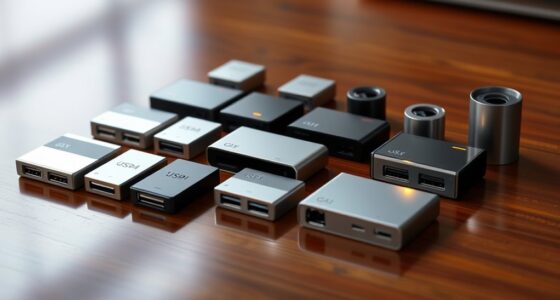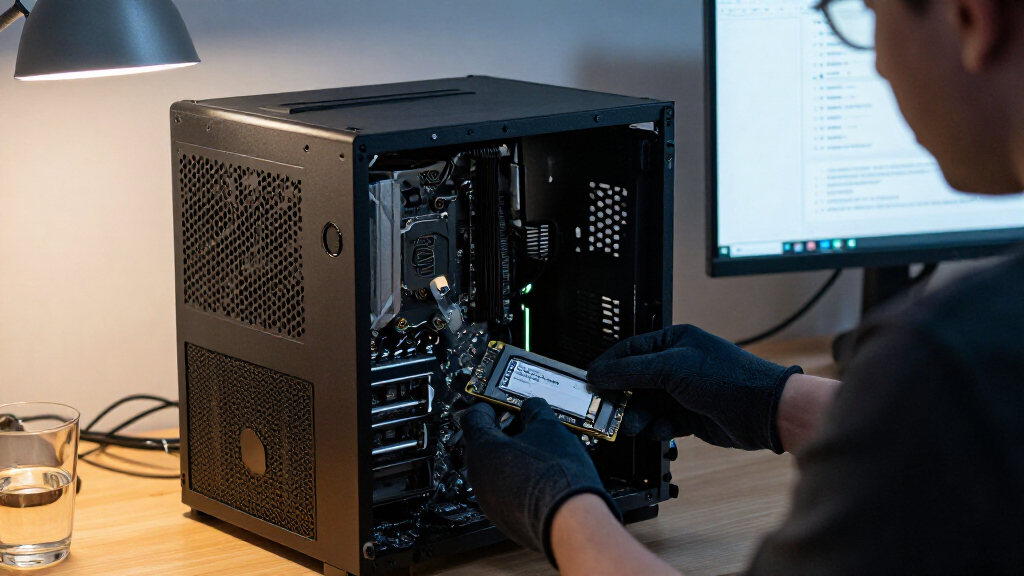

The best enterprise SSDs balance workload endurance, interface compatibility, capacity, and predictable performance rather than chasing speed alone. I name the Kingston DC600M 1.92TB my best overall pick for its mixed-use positioning and familiar SATA form factor; the Micron 5300 PRO 3.84TB stands out for higher-capacity SATA deployments, while the Kingston DC3000ME 3.84TB is the high-performance NVMe choice for compatible systems. The tradeoffs are substantial: SATA drives are easier to fit into established servers, SAS requires a matching controller, and PCIe NVMe demands the right slot and platform support. Endurance ratings, drive condition, included trays, and firmware support can matter as much as headline capacity. Read on for the full breakdown and guidance on matching each drive to its workload.

Get the latest gadgets delivered free with Prime
- Fast, free delivery on millions of items
- Prime Video, Amazon Music and more included
- Member-only deals all year
Complete the kit



Key Takeaways
- The DC600M 1.92TB is the most balanced shortlist pick: its mixed-use positioning and SATA interface suit varied server workloads without requiring an NVMe platform.
- Capacity and workload class are separate decisions: the Micron 5300 PRO and Samsung PM883 provide 3.84TB SATA options, while the Intel D3-S4510 is identified as read-intensive.
- The DC3000ME is the performance outlier, not a universal upgrade: its PCIe 5.0 U.2 interface only helps when the server supports the drive and can use its bandwidth.
- The Kingston DC2000B serves a different purpose: its 240GB M.2 PCIe 4.0 format may fit a compact boot or system role, but it is not a like-for-like replacement for 2.5-inch data drives.
- Product condition and platform details affect the shortlist: the renewed Intel S4510 listing and Dell SAS drive with tray call for verification of condition, controller compatibility, and included hardware.


| enterprise SSD | Capacity | Form factor | Interface | NAND type |
|---|---|---|---|---|
| Kingston DC600M 1.92TB Mixed-U | 1.92TB | 2.5-inch | SATA 3.0, 6 Gbps | 3D TLC |
| Intel D3-S4510 SSDSC2KB019T8 1 | 1.92TB | 2.5-inch | SATA 6 Gb/s | 64-layer Intel 3D TLC |
| Kingston DC2000B 240GB PCIe 4. | 240GB | M.2 2280 | PCIe 4.0 x4 NVMe | — |
| Dell 1.92TB 12Gb/s 2.5-Inch SA | 1.92TB | 2.5-inch | 12Gb/s SAS | — |
| Micron 5300 PRO 3.84TB 2.5-Inc | 3.84TB | 2.5-inch, 7mm | SATA 6Gb/s | — |
| Intel D3-S4510 Series 1.92TB 2 | 1.92TB | 2.5-inch, 7mm | SATA 6Gb/s | TLC |
| Kingston DC600M 960GB Enterpri | 960GB | 2.5-inch | SATA 6Gbps | 3D TLC |
| Samsung PM883 MZ7LH3T8HMLT 3.8 | 3.84TB | 2.5-inch | SATA 6Gb/s | 3D TLC NAND |
| Kingston DC3000ME 3.84TB U.2 P | 3.84TB | U.2, 2.5-inch | — | 3D eTLC |
| Kingston Enterprise 480G DC600 | 480GB | 2.5-inch | — | 3D TLC |
More Details on Our Top Picks
Kingston DC600M 1.92TB Mixed-Use Enterprise SATA SSD, 2.5-Inch
I’d pick the Kingston DC600M when a server needs a balance of reads and writes rather than a drive tuned mainly for read-heavy service. Its mixed-use design and power-loss protection suit always-on systems where an unexpected outage could interrupt writes. The 2.5-inch SATA form factor also makes it a practical fit for existing SATA bays, though its 6 Gbps interface caps throughput well below the Kingston DC2000B’s PCIe NVMe speeds.
Compared with the Intel D3-S4510, which is positioned for read-intensive workloads, the DC600M is the more appropriate match for a broader write mix. The tradeoff is that the supplied details don’t state a specific endurance rating, and SATA limits peak performance. I’d choose it for balanced workloads, not for high-throughput NVMe storage.
Pros:- Mixed-use workload positioning suits a broader read/write balance than read-intensive drives
- Power-loss protection helps protect in-flight data during unexpected outages
- 1.92TB capacity in a common 2.5-inch SATA form factor
- Hardware encryption is listed
Cons:- SATA 6 Gbps limits maximum throughput compared with PCIe NVMe options
- The provided specifications do not state a write-endurance rating
- The listed media speed and cache memory lack units
Best for: Data-center operators with existing 2.5-inch SATA bays who need a 1.92TB drive for mixed read-and-write server workloads.
Not ideal for: Teams building high-throughput NVMe storage or requiring a clearly specified endurance rating before deployment.
- Capacity:1.92TB
- Interface:SATA 3.0, 6 Gbps
- Form factor:2.5-inch
- NAND type:3D TLC
- Sequential read speed:Up to 560 MB/s
- Hardware encryption:Yes
- Power-loss protection:Yes
- Warranty:5 years
Our verdict“Choose the DC600M for mixed-use workloads in SATA-equipped servers, but favor the DC2000B when NVMe throughput matters more than bay compatibility.”
Intel D3-S4510 SSDSC2KB019T8 1.92TB SATA 6Gb/s 3D TLC 1 DWPD 2.5in Read Intensive Enterprise Solid State Drive (Renewed)
The Intel D3-S4510 is the clearest fit here for read-dominated services such as virtualization, content delivery, and analytics. Its stated 1 DWPD endurance, 97,000 random-read IOPS, and power-loss and end-to-end data protection give infrastructure teams more workload detail than the Kingston DC600M listing provides. AES 256-bit encryption adds a security feature for deployments that need drive-level protection.
It shares the familiar 2.5-inch SATA ceiling with the Kingston DC600M, so neither will match the PCIe 4.0 Kingston DC2000B on throughput. The key distinction is workload fit: Intel labels this model read-intensive, while Kingston’s DC600M is positioned for mixed use. This listing is marked Renewed, which may not suit buyers who require a new drive or clearly stated condition and warranty terms.
Pros:- 1 DWPD endurance rating is specified for read-intensive use
- Up to 97,000 random read IOPS for data access workloads
- Power-loss protection and end-to-end data protection are listed
- AES 256-bit encryption and common SATA server compatibility
Cons:- Read-intensive positioning is less suitable for sustained write-heavy workloads
- SATA 6 Gbps limits throughput compared with the Kingston DC2000B NVMe drive
- The product listing identifies the drive as renewed
Best for: Operators of read-heavy virtualization, cloud, database, or content-delivery servers using SATA 2.5-inch bays.
Not ideal for: Buyers who need a new drive, a high write-to-read workload rating, or PCIe NVMe performance.
- Capacity:1.92TB
- Interface:SATA 6 Gb/s
- Form factor:2.5-inch
- NAND type:64-layer Intel 3D TLC
- Sequential read speed:Up to 560 MB/s
- Sequential write speed:Up to 510 MB/s
- Endurance:1 DWPD
- Security and protection:AES 256-bit encryption, power-loss protection, end-to-end data protection
Our verdict“Choose this Intel drive for read-heavy SATA servers when its renewed condition is acceptable; choose the DC600M for a more explicitly mixed-use workload.”
Kingston DC2000B 240GB PCIe 4.0 NVMe M.2 SSD
The Kingston DC2000B fills a different role from the larger SATA drives: it is a compact PCIe 4.0 NVMe M.2 option for server boot volumes or application caching. Its listed read speed of up to 4,500 MB/s gives it a substantial throughput advantage over the SATA-based DC600M and Intel D3-S4510, while an integrated heatsink and hardware-based power-loss protection address two practical server concerns.
That speed comes with a tight capacity ceiling. At 240GB and 0.4 DWPD, it is not a replacement for the 1.92TB SATA drives when a server needs room for active datasets or heavier writes. I’d use it where a compatible M.2 slot can host the operating system or cache, not as general-purpose bulk storage. Its internal-use design also makes compatibility with the server platform a prerequisite.
Pros:- PCIe 4.0 NVMe interface offers far higher stated read throughput than the SATA options
- Hardware-based power-loss protection
- Integrated aluminum heatsink supports thermal management
- Five-year warranty
Cons:- 240GB capacity is restrictive for datasets and general-purpose storage
- 0.4 DWPD is a modest endurance rating for write-heavy server workloads
- Requires a compatible internal M.2 PCIe system
Best for: Server administrators adding a fast, low-capacity boot or caching drive to a system with a compatible M.2 PCIe slot.
Not ideal for: Teams needing multi-terabyte capacity, sustained write-heavy endurance, or a drop-in 2.5-inch SATA replacement.
- Capacity:240GB
- Interface:PCIe 4.0 x4 NVMe
- Form factor:M.2 2280
- Sequential read speed:Up to 4,500 MB/s
- Endurance:0.4 DWPD
- Power-loss protection:Hardware-based
- Heatsink:Integrated aluminum
- Warranty:5 years
Our verdict“Choose the DC2000B for a compact server boot or cache role when NVMe speed matters more than capacity.”
Dell 1.92TB 12Gb/s 2.5-Inch SAS SSD with Drive Tray
This Dell 1.92TB SAS SSD is the lineup’s platform-specific choice: its 12Gb/s SAS interface and included drive tray target compatible PowerEdge servers, including the R640, R740, R740XD, and several other listed models. For an administrator maintaining one of those systems, the tray and named compatibility list can make it a more direct replacement than the SATA-based Kingston DC600M.
That fit is also its main constraint. The product details don’t provide sequential performance, endurance, encryption, or warranty information, so I have less basis for matching it to a workload than I do with the Intel D3-S4510. Its MLC drive type and SAS interface may suit a server configured for SAS, but buyers should confirm the exact system and drive configuration before ordering. I wouldn’t treat it as a universal 2.5-inch enterprise SSD.
Pros:- 12Gb/s SAS interface for compatible enterprise server storage
- 1.92TB capacity
- Drive tray is included
- Several Dell PowerEdge server models are specifically listed as compatible
Cons:- Compatibility is limited to the listed Dell server models
- No warranty details are provided in the product information
- Performance and endurance figures are not supplied
Best for: IT teams replacing a 1.92TB SAS drive in one of the specifically listed Dell PowerEdge R- or T-series servers.
Not ideal for: Buyers using non-listed systems or those who need published performance, endurance, or warranty details for qualification.
- Capacity:1.92TB
- Interface:12Gb/s SAS
- Form factor:2.5-inch
- Drive type:MLC solid-state drive
- Included accessory:Drive tray
- Compatible servers:PowerEdge R640, R740, R740XD, R440, R540, R840, R940, T440, T640
- Model number:ASIRAM6
Our verdict“Choose this Dell drive for a verified compatible PowerEdge SAS bay, but favor the better-documented Intel D3-S4510 when workload specifications are a priority.”
Micron 5300 PRO 3.84TB 2.5-Inch SATA Enterprise SSD
The Micron 5300 PRO stands out for packing 3.84TB into a 2.5-inch SATA enterprise drive, double the capacity of the 1.92TB Kingston DC600M and Intel D3-S4510 options here. Its 540 MB/s read and 520 MB/s write figures are in the same SATA performance class as those drives, so the case for Micron is capacity and enterprise features rather than a leap in interface speed.
Security and data protection are stronger points: the listing specifies AES 256-bit self-encryption with TCG Enterprise, power-loss protection, data-path protection, and adaptive thermal monitoring. Those features can suit managed data-center deployments, but SATA remains a throughput limit beside the PCIe 4.0 Kingston DC2000B. The supplied information also omits an endurance rating, so I’d seek workload qualification details before assigning it to sustained write-heavy service.
Pros:- 3.84TB capacity exceeds the 1.92TB SATA drives in this lineup
- AES 256-bit self-encryption with TCG Enterprise support
- Power-loss protection and enterprise data-path protection
- Adaptive thermal monitoring and hot-plug support are listed
Cons:- SATA 6Gb/s limits throughput compared with PCIe NVMe drives
- No endurance rating is provided in the supplied product data
- Enterprise feature set and 2.5-inch internal design may not suit ordinary desktop use
Best for: Data-center teams that need higher capacity in a 2.5-inch SATA bay, plus self-encryption and power-loss safeguards.
Not ideal for: Buyers who need NVMe-level throughput or a published endurance rating for write-heavy workload planning.
- Capacity:3.84TB
- Interface:SATA 6Gb/s
- Form factor:2.5-inch, 7mm
- Sequential read speed:Up to 540 MB/s
- Sequential write speed:Up to 520 MB/s
- NAND technology:96-layer 3D NAND
- Encryption:AES 256-bit SED, TCG Enterprise
- Protection and monitoring:Power-loss protection, data-path protection, adaptive thermal monitoring, hot-plug support
Our verdict“Choose the Micron 5300 PRO when capacity and enterprise data protection matter more than NVMe-class speed.”
Intel D3-S4510 Series 1.92TB 2.5-Inch SATA SSD
I’d choose the Intel D3-S4510 for a server refresh that needs dependable SATA storage, ample capacity, and restrained power draw rather than NVMe-class throughput. Its 1.92TB capacity and sequential speeds up to 560 MB/s read and 510 MB/s write suit general-purpose storage and read-oriented workloads where the SATA ceiling is acceptable. At 3.2 W active and 1.1 W idle, it is a more power-conscious fit than the performance-first Kingston DC3000ME, which uses PCIe 5.0 NVMe for much higher throughput but requires compatible U.2 infrastructure. The tradeoff is clear: this Intel drive cannot match NVMe for demanding, highly parallel workloads, and its 2.5-inch SATA format limits where it can be installed. I’d also compare its capacity and workload needs with the Samsung PM883, which offers 3.84TB.
Pros:- 1.92TB capacity in a standard 2.5-inch, 7mm SATA form factor
- Sequential performance up to 560 MB/s read and 510 MB/s write
- Low listed active and idle power consumption
- Listed five-year warranty
Cons:- SATA bandwidth is far below the PCIe 5.0 Kingston DC3000ME
- Requires a system with a compatible 2.5-inch SATA bay
- The supplied specifications do not identify workload endurance or power-loss protection
Best for: Data-center operators replacing 2.5-inch SATA drives who want 1.92TB per drive, modest power consumption, and a listed five-year warranty.
Not ideal for: Teams building PCIe 5.0 servers or running throughput-intensive AI and database workloads that need NVMe speeds.
- Capacity:1.92TB
- Form factor:2.5-inch, 7mm
- Interface:SATA 6Gb/s
- NAND type:TLC
- Sequential read:Up to 560 MB/s
- Sequential write:Up to 510 MB/s
- Random read IOPS:97,000
- Active / idle power:3.2 W / 1.1 W
- Warranty:5 years
Our verdict“Choose the D3-S4510 for low-power, general-purpose SATA storage, but pick an NVMe drive when workload throughput takes priority.”
Kingston DC600M 960GB Enterprise Mixed-Use 2.5-Inch SATA SSD
The Kingston DC600M 960GB is the more workload-focused SATA choice here: it is specified for mixed-use enterprise workloads and includes power-loss protection to help protect data during an outage. That makes it a better fit than the read-oriented Intel D3-S4510 when a server regularly handles both reads and writes. Its SATA 6Gbps interface still caps sequential transfers at 560 MB/s read and 530 MB/s write, so it is not a substitute for the Kingston DC3000ME in a compatible U.2 PCIe 5.0 system. The 960GB capacity also means more drives may be needed than with the Intel’s 1.92TB or the Samsung PM883’s 3.84TB. Hardware encryption adds a useful security feature, but the provided data does not include endurance figures or IOPS, making workload qualification harder.
Pros:- Designed for mixed-use enterprise workloads
- Power-loss protection helps guard against unexpected outages
- Hardware encryption is included
- Up to 560 MB/s read and 530 MB/s write over SATA
Cons:- 960GB capacity is lower than the Intel D3-S4510 and Samsung PM883 options
- SATA interface cannot match the Kingston DC3000ME’s PCIe 5.0 throughput
- Provided product data does not specify IOPS or endurance
Best for: Server administrators running read/write-balanced services in SATA-equipped systems who want power-loss protection and hardware encryption.
Not ideal for: Capacity-dense deployments or buyers who need disclosed endurance and IOPS figures before qualifying a drive for a specific workload.
- Capacity:960GB
- Form factor:2.5-inch
- Interface:SATA 6Gbps
- NAND type:3D TLC
- Read speed:560 MB/s
- Write speed:530 MB/s
- Power-loss protection:Yes
- Hardware encryption:Yes
- Warranty:5 years
Our verdict“Pick this DC600M when mixed-use protection features matter more than maximum capacity or NVMe throughput.”
Samsung PM883 MZ7LH3T8HMLT 3.84TB SATA 6Gb/s 2.5-Inch Enterprise SSD
The Samsung PM883 earns its place through capacity: 3.84TB in a 2.5-inch SATA drive can reduce the number of devices needed for storage-heavy servers. Its listed sequential read and write speeds of 550 MB/s and 520 MB/s sit close to the SATA limits, making it a sensible option for capacity-focused workloads rather than a speed upgrade over other SATA drives. Compared with the Intel D3-S4510, it doubles the listed capacity, while the Intel provides more detail on power consumption, latency, and warranty. The Kingston DC600M has specified power-loss protection and hardware encryption; those features are not stated in the supplied PM883 information. I’d shortlist this Samsung when density matters, but would verify endurance, warranty, and data-protection details with the seller before standardizing it for production.
Pros:- 3.84TB capacity in a 2.5-inch drive
- Listed sequential read speed of 550 MB/s
- Listed sequential write speed of 520 MB/s
- SATA 6Gb/s compatibility for supported systems
Cons:- SATA interface limits throughput compared with the Kingston DC3000ME’s PCIe 5.0 NVMe connection
- Provided product information does not state power-loss protection or encryption
- Warranty and workload endurance are not specified in the supplied data
Best for: Storage teams seeking 3.84TB per 2.5-inch SATA bay for capacity-heavy server workloads and able to confirm deployment requirements with the supplier.
Not ideal for: Buyers who need documented power-loss protection, encryption, endurance, or warranty details in the available product specifications.
- Capacity:3.84TB
- Form factor:2.5-inch
- Interface:SATA 6Gb/s
- NAND type:3D TLC NAND
- Sequential read:550 MB/s
- Sequential write:520 MB/s
- Cache memory:6GB
- Data transfer rate:6Gb/s
Our verdict“Choose the PM883 when capacity per SATA bay is the priority, after confirming its support and endurance details for your deployment.”
Kingston DC3000ME 3.84TB U.2 PCIe 5.0 NVMe Enterprise SSD
For a compatible server built around demanding data paths, the Kingston DC3000ME is the clear performance leader in this group. Its PCIe 5.0 x4 NVMe interface and listed 14,000 MB/s read speed put it in a different class from the SATA-based Samsung PM883 and Intel D3-S4510, whose sequential performance stays near 560 MB/s. The 3.84TB capacity, 3D eTLC NAND, hardware encryption, and power-loss protection make it relevant to database, HPC, AI, and cloud infrastructure workloads. Its premium capability comes with a real deployment constraint: this is a U.2 drive, so a system needs the right connector and PCIe support. It can work with PCIe 4.0 systems, but buyers should verify platform compatibility and expected performance before replacing a SATA drive.
Pros:- PCIe 5.0 x4 NVMe interface with listed read speed up to 14,000 MB/s
- 3.84TB capacity with 3D eTLC NAND
- Power-loss protection and AES 256-bit, TCG Opal encryption
- Backward compatible with PCIe 4.0 systems
Cons:- Requires a compatible U.2 connection and suitable host platform
- PCIe 4.0 compatibility does not provide PCIe 5.0-level performance
- Its capabilities may be unnecessary for SATA-bound or low-throughput workloads
Best for: Infrastructure teams with U.2-equipped servers running high-throughput AI, HPC, database, or cloud workloads.
Not ideal for: Operators with only 2.5-inch SATA bays or workloads that do not benefit from NVMe throughput enough to justify a platform change.
- Capacity:3.84TB
- Form factor:U.2, 2.5-inch
- Host interface:PCIe 5.0 x4 NVMe
- NAND type:3D eTLC
- Read speed:14,000 MB/s
- Data transfer rate:5,800 MB/s
- Encryption:AES 256-bit, TCG Opal
- Power-loss protection:Yes
- PCIe 4.0 compatibility:Yes
Our verdict“Choose the DC3000ME for high-throughput enterprise servers with compatible U.2 connectivity, not for SATA-only deployments.”
Kingston Enterprise 480G DC600M (Mixed-Use) | 2.5″ SATA SSD | SEDC600M/480G
This 480GB Kingston DC600M suits a different job from the 960GB DC600M: it brings the same mixed-use positioning and power-loss protection to smaller boot, logging, or application volumes where capacity needs are limited. The SATA 6Gb/s interface and listed 560 MB/s read speed are conventional for this class; the listed 470 MB/s media speed is below the 530 MB/s write speed specified for the 960GB DC600M. Compared with the Intel D3-S4510, it offers explicit mixed-use positioning and hold-up-capacitor power protection, but provides only a quarter of the Intel’s 1.92TB capacity. Hardware encryption is listed, though the product data does not state endurance or warranty terms. I’d select it for a defined, smaller server role, not as the default choice for capacity-hungry storage pools.
Pros:- Mixed-use design for read/write-balanced server tasks
- Power-loss protection uses onboard hold-up capacitors
- Hardware encryption is listed
- 2.5-inch SATA form factor fits compatible server bays
Cons:- 480GB capacity is much lower than the 960GB DC600M and 1.92TB Intel D3-S4510
- Listed 470 MB/s media speed is below the 960GB DC600M’s 530 MB/s write specification
- Supplied data does not specify workload endurance or warranty duration
Best for: System integrators provisioning smaller mixed-use boot, application, or logging volumes in SATA-based servers that benefit from power-loss protection.
Not ideal for: Storage pools needing high capacity per bay, or buyers who require published endurance and warranty specifications before deployment.
- Capacity:480GB
- Form factor:2.5-inch
- NAND type:3D TLC
- Read speed:560 MB/s
- Media speed:470 MB/s
- Power-loss protection:Yes
- Hardware encryption:Yes
- Model number:SEDC600M/480G
Our verdict“Pick the 480GB DC600M for smaller protected mixed-use server volumes, and choose a higher-capacity drive for storage-heavy roles.”
How We Picked
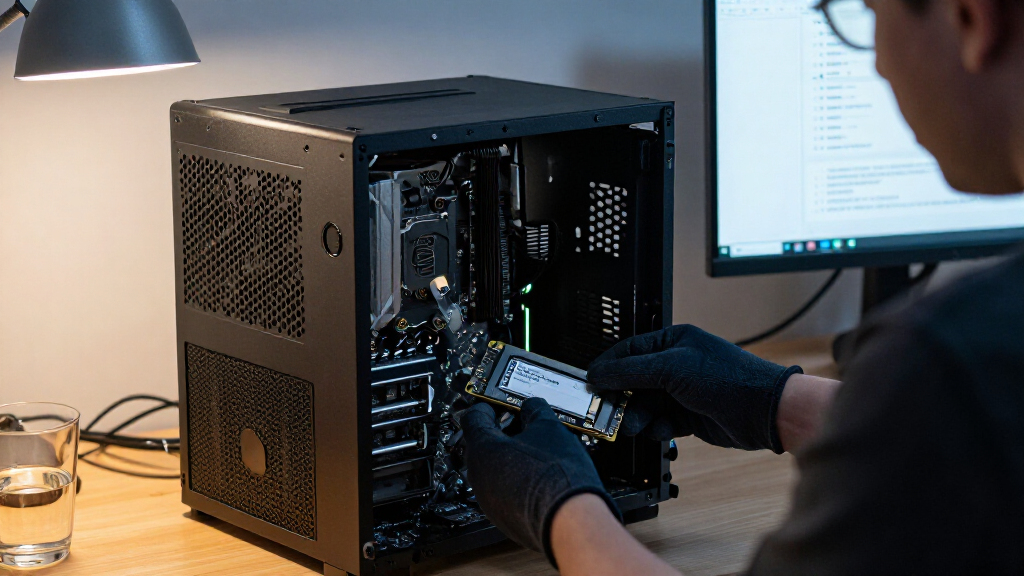
I ranked these drives by how clearly their listed format and workload profile match common enterprise jobs: sustained server storage, mixed-use activity, read-heavy access, boot duty, and high-throughput NVMe storage. I gave priority to identifiable enterprise interfaces, useful capacity choices, and workload labels such as mixed-use or read-intensive, while treating physical fit, controller support, and condition as practical buying factors rather than fine print. The 1.92TB Kingston DC600M leads because it offers a straightforward balance for mixed workloads on SATA infrastructure; the higher-capacity SATA models follow for buyers who value density, and the NVMe and SAS choices rank by their more specialized platform requirements.
This lineup does not provide comparable endurance figures, warranty terms, or detailed performance results for every model, so I do not treat unlisted specifications as proven advantages. I also distinguish between similarly named listings: renewed and standard Intel S4510 products should not be assumed to have identical condition or support terms, and the three DC600M capacities are separate capacity choices rather than different workload classes. A buyer should confirm exact model numbers, firmware, drive health, and server compatibility before deployment.
Factors to Consider When Choosing Best Enterprise SSDs
Enterprise drive selection starts with the server and workload, not the fastest interface listed on a product page. I would first rule out drives that cannot connect to the controller or fit the bay, then compare workload endurance, usable capacity, and support terms across the remaining choices.
Match the Interface to the Server You Already Own
Check the server manual and controller specifications before comparing transfer rates. A 2.5-inch SATA SSD, a SAS drive, and a U.2 NVMe SSD may share a broad physical shape but are not interchangeable at the electrical or protocol level. SAS typically needs a compatible SAS controller, while U.2 NVMe needs an appropriate PCIe connection and backplane. Buying a faster drive for a SATA-only bay can leave that performance unused or make the drive unusable. For upgrades across a fleet, standardizing on the existing supported interface can reduce deployment and spare-parts complications.
Size Endurance for Writes, Not Just Capacity
Read-heavy databases, boot volumes, caching, and write-intensive logging place different demands on SSD endurance. A drive labeled read-intensive may suit workloads with modest writes, but it is not automatically the right choice for frequent updates or sustained write caching. Compare the manufacturer’s drive-writes-per-day rating and total bytes written limit for the exact model and capacity when those figures are available. Do not assume that two SSDs with the same capacity have the same endurance class. If the workload writes heavily, paying for a suitable mixed-use or higher-endurance model can be more useful than selecting a larger but less suitable drive.
Plan Capacity Around Resilience and Growth
Raw SSD capacity is not the same as capacity available to applications. RAID protection, spare capacity, snapshots, filesystem overhead, and future growth all reduce the space available for active data. A 3.84TB drive can lower the number of drives needed for a capacity target, but fewer drives may also change redundancy, rebuild time, and maintenance planning. Smaller capacities can be a better fit for boot volumes or distributed workloads where several independent devices are preferred. Estimate usable space after protection and leave headroom for workload growth rather than filling drives to their rated capacity.
Compare Sustained Workload Fit, Not Interface Headlines
NVMe can reduce latency and raise throughput, but those gains matter most when the application and server can keep the drive busy. Many enterprise services are limited by network speed, CPU, database design, or shared storage, so replacing SATA with PCIe 5.0 may not change user-visible performance. Conversely, workloads with concurrent requests or high queue depth may benefit from an NVMe platform. Look for workload-specific performance data and consistency information, not only peak sequential figures. If those details are missing, treat the interface as a capability and verify expected gains with your application’s own workload profile.
Check Condition, Firmware, and Support Before Deployment
Enterprise SSD listings can differ in whether a drive is new, renewed, or supplied with a tray, and those distinctions affect rollout planning. For renewed drives, ask for available health data, remaining endurance, firmware details, and the seller’s return and warranty terms. Confirm that the firmware is supported by your storage controller and that the exact model number appears on the server vendor’s compatibility list when vendor support is required. A tray may be necessary for installation but does not prove that the drive itself is compatible. For production systems, predictable replacement and support paths can matter more than a small difference in capacity or interface speed.
Frequently Asked Questions
Can I replace a SATA SSD with the Kingston DC3000ME NVMe drive in the same 2.5-inch bay?
Not by assuming the dimensions will fit. The DC3000ME is a U.2 PCIe 5.0 NVMe drive, while a conventional SATA bay and controller use a different protocol and connection. The server needs a compatible U.2 NVMe backplane or supported cabling and PCIe lanes, plus firmware support for booting or managing the drive if that is the intended role. Check the server’s drive-bay documentation and controller configuration before ordering. If the platform is SATA-only, choose a SATA model instead.
Is the renewed Intel D3-S4510 a safe choice for a production server?
It may fit a production workload, but the renewed status makes condition and support checks part of the decision. Ask for the exact model and firmware, available health or wear information, remaining endurance, and the seller’s warranty and return terms. The listing identifies the drive as read-intensive and 1 DWPD, so compare that rating with your actual write load rather than treating it as a general-purpose mixed-use drive. Also verify compatibility with your server and storage controller. If consistent vendor-backed support is a requirement, a new drive from an approved supply channel may be a safer procurement choice.
Should I choose the 3.84TB SATA drives or a smaller mixed-use DC600M?
Choose based on the combination of capacity needs and write activity, not capacity alone. The Micron 5300 PRO and Samsung PM883 offer 3.84TB SATA capacity, which can reduce drive count for storage-heavy deployments, while the DC600M models are explicitly positioned for mixed-use workloads. Check the exact endurance specifications and workload guidance for each model before selecting one for write-heavy service. Also account for RAID overhead, spare capacity, and the cost of rebuilding a larger drive after failure. If the data volume is modest but writes are frequent, a smaller drive with a better-matched workload class may be the stronger fit.
Does a 12Gb/s SAS SSD work in a server with SATA drive bays?
Do not assume it will. SAS and SATA use different drive protocols, and the server needs a SAS-capable controller and compatible backplane for the Dell SAS SSD. Some SAS controllers can support SATA drives, but SATA-only controllers generally do not accept SAS drives. The included tray addresses mounting, not protocol compatibility. Confirm the controller model, backplane, firmware, and supported drive list before buying.
Is the Kingston DC2000B 240GB suitable as a server data drive?
It can suit a compact boot or system role when the server supports its M.2 PCIe 4.0 format, but its 240GB capacity makes it a limited choice for general enterprise data storage. Check whether the platform supports NVMe M.2 drives and whether it provides adequate cooling and boot support. A small system drive can keep the operating system separate from data volumes, which may simplify maintenance. For larger datasets or sustained mixed-use service, compare its endurance and capacity with the 2.5-inch enterprise options. Do not select it solely because a server has an M.2 slot; confirm that slot supports the required protocol and workload.
Conclusion
For most buyers upgrading an established SATA server, I would start with the Kingston DC600M 1.92TB as the best overall option for its mixed-use focus and practical capacity. The Kingston DC600M 960GB or 480GB is the best value direction when the workload needs mixed-use capability but not 1.92TB, while the Micron 5300 PRO 3.84TB is my premium SATA pick for buyers prioritizing higher capacity. Beginners should favor a standard 2.5-inch SATA drive that matches their server’s approved list and avoid assuming that SAS, U.2, and SATA are interchangeable. For specific needs, choose the Intel D3-S4510 for a read-intensive SATA role, the Kingston DC2000B for a compatible compact boot slot, or the DC3000ME when a supported U.2 NVMe platform can use its higher-bandwidth interface. Confirm compatibility, endurance, condition, and support terms for the exact listing before placing a production drive into service.