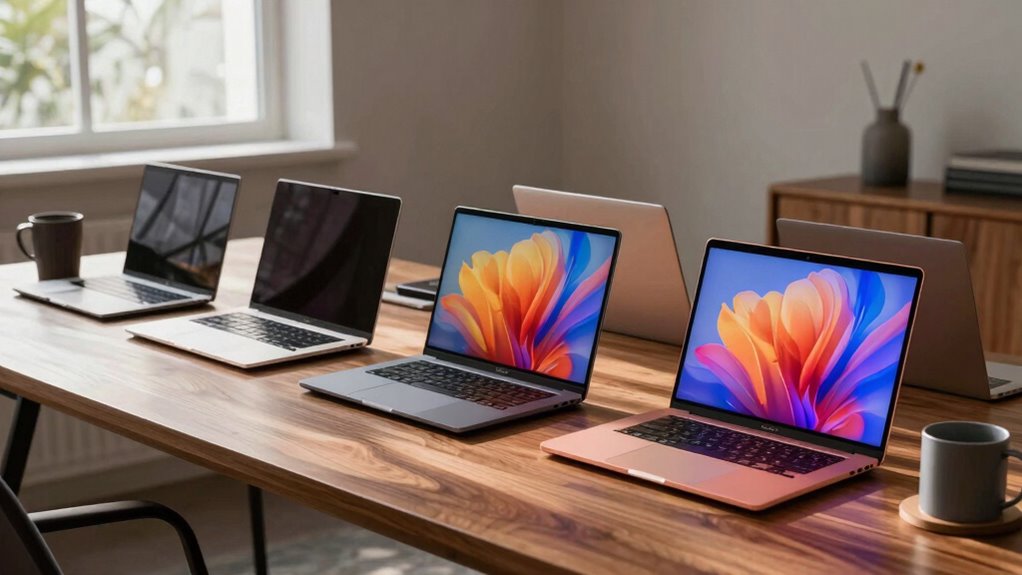

The best premium ultrabook for travel balances a light carry, dependable performance, and enough battery capacity for the way you work. I rank the Apple MacBook Air 13-inch with M5 as the best overall choice for travelers who want a compact system with generous memory and storage; the Dell XPS 13 9350 is a compelling Windows alternative, while the Lenovo Yoga Slim 7i Aura Edition with 32GB RAM suits heavier multitasking. The tradeoffs are clear: smaller screens pack easily but can feel cramped, and premium configurations may offer more power or storage than a travel workload needs. Business users may prefer the ThinkPad T14’s work-focused approach, while the larger ThinkBook 16 gives up compactness for screen space. Read on for the full breakdown and a buying guide that matches these options to different travel routines.

Get the latest gadgets delivered free with Prime
- Fast, free delivery on millions of items
- Prime Video, Amazon Music and more included
- Member-only deals all year
Complete the kit



Key Takeaways
- The MacBook Air 13-inch with M5 is the roundup’s best overall travel fit: its 13-inch format, 24GB memory, and 1TB SSD make it a balanced choice for portable everyday work.
- The Dell XPS 13 9350 is the strongest compact Windows alternative: its 13.4-inch WUXGA display and 1TB SSD keep the configuration focused on travel-friendly productivity.
- The Yoga Slim 7i Aura Edition’s 32GB RAM separates it from the 16GB Aura model: choose it for heavier multitasking, while the 16GB version is a more restrained configuration.
- The ThinkBook 16 Gen 8 favors workspace over easy packing: its 16-inch display is useful for split-screen tasks, but its larger footprint is a compromise for frequent travel.
- Not every premium label means a current-generation travel pick: the renewed ThinkPad X1 Carbon Gen 9’s older processor and refurbished status call for closer checks on condition and support.
| Lenovo ThinkPad T14 Gen 6 14-Inch Touchscreen Business Laptop |  | Best for Business Travel | Processor: Intel Core Ultra 5 225U, up to 4.8 GHz | Display: 14-inch IPS touchscreen, 1920 × 1200, 60 Hz, 400 nits | Memory: 32GB DDR5, expandable up to 64GB | VIEW ON AMAZON | See Our Full Breakdown |
| Lenovo ThinkBook 16 Gen 8 Laptop, Intel Core Ultra 7, 16GB DDR5, 512GB SSD |  | Best for a Large Screen on Work Trips | Processor: Intel Core Ultra 7 255H, 16 cores, up to 5.1 GHz | Display: 16-inch WUXGA IPS, 1920 × 1200, 300 nits, 45% NTSC, anti-glare | Memory: 16GB DDR5 | VIEW ON AMAZON | See Our Full Breakdown |
| Lenovo ThinkPad X1 Carbon Gen 9 14-Inch Laptop, Intel Core i7-1185G7, 16GB RAM, 512GB SSD, Windows 11 Pro (Renewed) |  | Best Lightweight Business Carry | Condition: Renewed | Model year: 2021 | Processor: Intel Core i7-1185G7, 4 cores, 3.0 GHz base, up to 4.8 GHz | VIEW ON AMAZON | See Our Full Breakdown |
| Lenovo Slim 7i Aura Edition 14-inch OLED Laptop, Core Ultra 7 256V, 16 GB RAM, 1 TB SSD |  | Best Premium Display | Processor: Intel Core Ultra 7 256V | Display: 14-inch OLED, WUXGA 1920 × 1200, 60 Hz | Peak brightness: 600 nits | VIEW ON AMAZON | See Our Full Breakdown |
| Lenovo Yoga Slim 7i Aura Edition 14-Inch Laptop, Intel Core Ultra 7 258V, 32GB RAM, 1TB SSD |  | Best for Premium Productivity | Processor: Intel Core Ultra 7 258V | Display: 14-inch OLED touchscreen, 100% DCI-P3, up to 600 nits | Memory: 32GB LPDDR5x | VIEW ON AMAZON | See Our Full Breakdown |
| Apple MacBook Air 13-inch (2026) with M5 Chip, 24GB Memory, 1TB SSD, Sky Blue |  | Best for Battery Life and a Lightweight Carry | Chip: Apple M5 | Memory: 24GB unified memory | Storage: 1TB SSD | VIEW ON AMAZON | See Our Full Breakdown |
| Dell XPS 13 9350 Laptop, 13.4-Inch WUXGA Display, Intel Core Ultra 7 256V, 16GB LPDDR5X, 1TB SSD |  | Best Windows Pick for a High-Refresh Display | Processor: Intel Core Ultra 7 256V, 8 cores, up to 4.8 GHz | Graphics: Intel Arc | Display: 13.4-inch WUXGA (1920 x 1200), 30–120Hz, 500 nits | VIEW ON AMAZON | See Our Full Breakdown |
| premium ultrabook for travel | Display | Memory | Storage | Processor |
|---|---|---|---|---|
| Lenovo ThinkPad T14 Gen 6 14-I | 14-inch IPS touchscreen, 1920 × 1200, 60 Hz, 400 nits | 32GB DDR5, expandable up to 64GB | 1TB SSD; supports up to 2TB PCIe SSD | Intel Core Ultra 5 225U, up to 4.8 GHz |
| Lenovo ThinkBook 16 Gen 8 Lapt | 16-inch WUXGA IPS, 1920 × 1200, 300 nits, 45% NTSC, anti-glare | 16GB DDR5 | 512GB PCIe NVMe SSD | Intel Core Ultra 7 255H, 16 cores, up to 5.1 GHz |
| Lenovo ThinkPad X1 Carbon Gen | 14-inch IPS touchscreen, 1920 × 1200, 60 Hz | 16GB LPDDR4X | 512GB PCIe NVMe SSD | Intel Core i7-1185G7, 4 cores, 3.0 GHz base, up to 4.8 GHz |
| Lenovo Slim 7i Aura Edition 14 | 14-inch OLED, WUXGA 1920 × 1200, 60 Hz | 16GB | 1TB SSD | Intel Core Ultra 7 256V |
| Lenovo Yoga Slim 7i Aura Editi | 14-inch OLED touchscreen, 100% DCI-P3, up to 600 nits | 32GB LPDDR5x | 1TB SSD | Intel Core Ultra 7 258V |
| Apple MacBook Air 13-inch | 13.6-inch Liquid Retina | 24GB unified memory | 1TB SSD | — |
| Dell XPS 13 9350 Laptop | 13.4-inch WUXGA (1920 x 1200), 30–120Hz, 500 nits | 16GB LPDDR5X | 1TB PCIe SSD | Intel Core Ultra 7 256V, 8 cores, up to 4.8 GHz |
More Details on Our Top Picks
Lenovo ThinkPad T14 Gen 6 14-Inch Touchscreen Business Laptop
The ThinkPad T14 Gen 6 is the travel pick for people who need work-ready connections and security more than the lightest possible bag. At 3.2 pounds, it is heavier than the 2.82-pound Yoga Slim 7i Aura Edition, but its RJ45 Ethernet, HDMI 2.1, Thunderbolt 4, and USB-A ports can reduce the need to pack adapters. Its 32GB of expandable memory and 1TB SSD also give it more headroom than the ThinkBook 16 Gen 8’s 16GB and 512GB configuration. The 14-inch 16:10 touchscreen suits document work, while Windows 11 Pro, TPM 2.0, and a fingerprint reader fit managed business setups. The tradeoff is a conventional, less travel-light build, plus Intel integrated graphics that are not aimed at demanding visual workloads; it also lacks a numeric keypad.
Pros:- 32GB DDR5 memory is expandable up to 64GB
- Broad built-in connectivity includes Thunderbolt 4, HDMI 2.1, USB-A, and RJ45 Ethernet
- Windows 11 Pro, TPM 2.0, and fingerprint reader suit business security needs
- 14-inch 1920 × 1200 touchscreen provides a useful 16:10 workspace
Cons:- At 3.2 pounds, it is heavier than the 14-inch Yoga Slim 7i Aura Edition
- Integrated Intel Graphics is a poor fit for graphics-intensive workloads
- No numeric keypad
Best for: Business travelers who need Windows 11 Pro, built-in Ethernet, strong security features, and memory they can expand later.
Not ideal for: Frequent flyers focused on minimizing carry weight, or creative professionals who need discrete graphics or a color-focused display.
- Processor:Intel Core Ultra 5 225U, up to 4.8 GHz
- Display:14-inch IPS touchscreen, 1920 × 1200, 60 Hz, 400 nits
- Memory:32GB DDR5, expandable up to 64GB
- Storage:1TB SSD; supports up to 2TB PCIe SSD
- Operating system:Windows 11 Pro
- Ports:2 × Thunderbolt 4 USB-C, 2 × USB-A, HDMI 2.1, RJ45 Ethernet, headphone/microphone combo
- Security:TPM 2.0, fingerprint reader, Kensington Nano Security Slot
- Weight:3.2 lbs
Our verdict“Choose the ThinkPad T14 Gen 6 if built-in business connectivity and upgrade flexibility matter more than carrying the lightest 14-inch laptop.”
Lenovo ThinkBook 16 Gen 8 Laptop, Intel Core Ultra 7, 16GB DDR5, 512GB SSD
The ThinkBook 16 Gen 8 favors workspace over compact travel dimensions. Its 16-inch 1920 × 1200 screen gives spreadsheets and side-by-side documents more room than the 14-inch ThinkPad T14 Gen 6, while the Core Ultra 7 255H and Intel Arc integrated graphics make it the more performance-oriented choice for heavier everyday multitasking. At 3.75 pounds, though, it is the heaviest option in this five-laptop group, and its larger footprint takes more space on a tray table or in a small bag. Connectivity is a strong point: Thunderbolt 4, HDMI 2.1, an SD card reader, and Ethernet help reduce adapter dependence. The display’s 300-nit brightness and 45% NTSC gamut are the compromise; travelers doing color-critical editing should favor the Yoga Slim 7i Aura Edition’s OLED screen instead.
Pros:- 16-inch 16:10 display offers more working area than the 14-inch models
- Core Ultra 7 255H provides a performance-focused configuration
- Useful port selection includes Thunderbolt 4, HDMI 2.1, SD reader, and Ethernet
- Fingerprint reader, TPM 2.0, and webcam privacy shutter support business use
Cons:- At 3.75 pounds, it is heavier and takes up more bag space than the 14-inch options
- 300-nit brightness may be limiting in bright travel settings
- 45% NTSC color gamut is a poor match for color-critical editing
Best for: Traveling professionals who work with wide spreadsheets or several documents at once and want a large screen with built-in Ethernet and an SD card reader.
Not ideal for: Light-packers and color-focused creators who need a smaller, lighter laptop or a wider-gamut display.
- Processor:Intel Core Ultra 7 255H, 16 cores, up to 5.1 GHz
- Display:16-inch WUXGA IPS, 1920 × 1200, 300 nits, 45% NTSC, anti-glare
- Memory:16GB DDR5
- Storage:512GB PCIe NVMe SSD
- Graphics:Integrated Intel Arc Graphics
- Wireless:Wi-Fi 6E and Bluetooth 5.3
- Ports:Thunderbolt 4 USB-C, USB-C 10Gbps, 2 × USB-A, HDMI 2.1, SD card reader, RJ45 Ethernet, headphone/mic combo
- Weight:3.75 lbs
Our verdict“Pick the ThinkBook 16 Gen 8 if a spacious screen and broad port selection matter more to your travel workflow than compact size and low weight.”
Lenovo ThinkPad X1 Carbon Gen 9 14-Inch Laptop, Intel Core i7-1185G7, 16GB RAM, 512GB SSD, Windows 11 Pro (Renewed)
At 2.4 pounds, the renewed ThinkPad X1 Carbon Gen 9 is the easiest model here to carry through a long travel day. Its 14-inch touchscreen, fingerprint reader, privacy shutter, and Windows 11 Pro retain the business essentials, while the 1920 × 1200 resolution gives it the same basic 16:10 workspace as the newer ThinkPad T14 Gen 6. The distinction is age and condition: this is a 2021 renewed laptop with a four-core Core i7-1185G7 and 16GB of non-expandable LPDDR4X, rather than the T14’s newer processor and expandable memory. It can suit routine office work, but buyers should accept the uncertainty that comes with renewed condition and older hardware. Unlike the OLED Aura models, its IPS screen is a more restrained display choice, and the listed 1MP webcam is modest for frequent video calls.
Pros:- 2.4-pound weight is the lightest in this group
- 14-inch 1920 × 1200 IPS touchscreen
- Fingerprint reader and webcam privacy shutter
- Windows 11 Pro and 512GB NVMe SSD
Cons:- Renewed condition may not suit buyers seeking a new laptop
- Older four-core processor and 16GB LPDDR4X memory offer less headroom than the newer ThinkPad T14 Gen 6
- 1MP webcam is modest for frequent video calls
Best for: Frequent flyers who prioritize low carry weight and want a touchscreen business laptop with Windows 11 Pro for everyday office tasks.
Not ideal for: Buyers who want new condition, a current-generation processor, upgradeable memory, or a higher-resolution webcam for regular video meetings.
- Condition:Renewed
- Model year:2021
- Processor:Intel Core i7-1185G7, 4 cores, 3.0 GHz base, up to 4.8 GHz
- Display:14-inch IPS touchscreen, 1920 × 1200, 60 Hz
- Memory:16GB LPDDR4X
- Storage:512GB PCIe NVMe SSD
- Connectivity:Wi-Fi 6 and Bluetooth 5.0
- Weight:2.4 lbs
Our verdict“Choose this renewed X1 Carbon if minimum carry weight is your priority and you are comfortable with older hardware and renewed condition.”
Lenovo Slim 7i Aura Edition 14-inch OLED Laptop, Core Ultra 7 256V, 16 GB RAM, 1 TB SSD
The Slim 7i Aura Edition is the display-first travel choice: its 14-inch WUXGA OLED reaches a listed 600-nit peak brightness and carries DisplayHDR True Black 500 certification. That makes it a better fit for vivid media and visual work than the ThinkPad T14 Gen 6’s 400-nit IPS touchscreen, though neither specification alone guarantees ideal visibility in every bright setting. At a listed 2.8 pounds and 0.55 inches thick, it is also far easier to pack than the 3.75-pound ThinkBook 16 Gen 8. The aluminum clamshell pairs a Core Ultra 7 256V with 16GB of memory and a roomy 1TB SSD, but the memory is not listed as expandable and graphics are integrated. Lenovo’s up to 17-hour battery claim is a manufacturer estimate, not a promise of that runtime in every workload.
Pros:- 14-inch OLED with 600-nit peak brightness and DisplayHDR True Black 500
- Listed weight of 2.8 pounds and slim 0.55-inch profile suit travel
- 1TB SSD provides ample local storage for work and media
- Aluminum chassis and Windows 11 Pro
Cons:- Integrated graphics are not suited to demanding graphics workloads
- 16GB memory has less capacity than the Yoga Slim 7i Aura Edition’s 32GB configuration
- Up to 17 hours is a manufacturer battery-life claim and varies with use
Best for: Travelers who want a light 14-inch laptop with a vivid OLED screen for presentations, media, and general productivity.
Not ideal for: Buyers who need expandable memory, discrete graphics, or verified all-day runtime for demanding workloads.
- Processor:Intel Core Ultra 7 256V
- Display:14-inch OLED, WUXGA 1920 × 1200, 60 Hz
- Peak brightness:600 nits
- HDR:DisplayHDR True Black 500
- Memory:16GB
- Storage:1TB SSD
- Operating system:Windows 11 Pro
- Weight:2.8 lbs listed; starts at 2.82 lbs
- Battery life:Up to 17 hours, manufacturer claim
Our verdict“Choose the Slim 7i Aura Edition if a bright OLED display and low carry weight matter more than expandable memory or discrete graphics.”
Lenovo Yoga Slim 7i Aura Edition 14-Inch Laptop, Intel Core Ultra 7 258V, 32GB RAM, 1TB SSD
The Yoga Slim 7i Aura Edition combines a travel-friendly 2.82-pound frame with the strongest memory configuration among these 14-inch picks: 32GB LPDDR5x and a 1TB SSD. Its OLED touchscreen covers 100% DCI-P3 and reaches up to 600 nits, making it a more suitable choice for color-sensitive creative work than the Slim 7i Aura Edition configuration with 16GB RAM, or the ThinkPad T14 Gen 6’s IPS panel. The Core Ultra 7 258V, integrated Arc graphics, and 47 TOPS NPU support a modern productivity setup, but integrated graphics still set a limit for demanding 3D or GPU-heavy work. Travel connections are notably broad for its size, with two Thunderbolt 4 ports, HDMI 2.1, USB-A, an SD card reader, and Wi-Fi 7. The tradeoff is Windows 11 Home, rather than the Pro edition on the ThinkPad models.
Pros:- 32GB LPDDR5x memory and 1TB SSD provide generous capacity in a travel-friendly laptop
- OLED touchscreen covers 100% DCI-P3 and reaches up to 600 nits
- 2.82-pound aluminum design with Wi-Fi 7 and Bluetooth 5.4
- Two Thunderbolt 4 ports, HDMI 2.1, USB-A, and SD card reader
Cons:- Windows 11 Home lacks the Pro edition included with the ThinkPad T14 Gen 6
- Integrated Arc graphics are not a substitute for discrete graphics in demanding visual workloads
- Up to 17 hours of battery life is a listed claim and will vary by use
Best for: Traveling professionals and creators who want a lightweight OLED touchscreen, 32GB of memory, and fast wireless connectivity for productivity and color-conscious work.
Not ideal for: Enterprise users who require Windows 11 Pro, or travelers doing demanding 3D work who need discrete graphics.
- Processor:Intel Core Ultra 7 258V
- Display:14-inch OLED touchscreen, 100% DCI-P3, up to 600 nits
- Memory:32GB LPDDR5x
- Storage:1TB SSD
- Graphics:Integrated Intel Arc Graphics
- NPU:47 TOPS
- Ports:2 × Thunderbolt 4, USB-A, HDMI 2.1, SD card reader
- Wireless:Wi-Fi 7 and Bluetooth 5.4
- Weight:2.82 lbs
Our verdict“Pick the Yoga Slim 7i Aura Edition if you want a light, color-capable OLED laptop with ample memory, and do not need Windows Pro or discrete graphics.”
Apple MacBook Air 13-inch (2026) with M5 Chip, 24GB Memory, 1TB SSD, Sky Blue
For travel, this MacBook Air combines a 2.71-pound build with up to 18 hours of battery life, making it a strong choice for long days away from an outlet. Its 24GB of unified memory and 1TB SSD give it more headroom for demanding multitasking than the Dell XPS 13 9350’s 16GB, while MagSafe charging leaves both Thunderbolt 4 ports available for accessories. The 13.6-inch Liquid Retina display and 12MP Center Stage camera also suit mobile work and video calls.
The tradeoff is a short port selection: two Thunderbolt 4 ports can mean carrying a hub if you connect several devices. The XPS lists a higher maximum battery-life figure and a 120Hz display, while this Air’s appeal is its light weight, memory capacity, and straightforward travel setup. I’d pick it for Apple users who value mobility over a broader built-in port selection.
Pros:- Light 2.71-pound design is easy to carry between meetings and trips.
- Up to 18 hours of listed battery life supports long workdays away from a charger.
- 24GB unified memory and a 1TB SSD provide generous multitasking capacity and local storage.
- MagSafe charging preserves the two Thunderbolt 4 ports for peripherals.
Cons:- Two Thunderbolt 4 ports may require a hub for several wired accessories.
- The XPS 13 9350 lists a longer maximum battery-life figure and a 120Hz display.
- Manufacturer warranty details require contacting customer service.
Best for: Apple users who travel frequently, work with several apps at once, and want a light laptop with ample memory and storage.
Not ideal for: Travelers who regularly connect multiple wired accessories without a hub, or who need Windows-only software.
- Chip:Apple M5
- Memory:24GB unified memory
- Storage:1TB SSD
- Display:13.6-inch Liquid Retina
- Battery life:Up to 18 hours
- Weight:2.71 pounds
- Camera:12MP Center Stage
- Connectivity:Wi-Fi 7, Bluetooth 6, two Thunderbolt 4 ports, MagSafe charging, headphone jack
Our verdict“Choose this MacBook Air if low carry weight, long battery life, and 24GB of memory matter more than a larger port selection.”
Dell XPS 13 9350 Laptop, 13.4-Inch WUXGA Display, Intel Core Ultra 7 256V, 16GB LPDDR5X, 1TB SSD
The XPS 13 9350 suits travelers who want a compact Windows laptop with a 30–120Hz WUXGA display, 500-nit brightness, and Windows 11 Pro. Its listed battery life reaches up to 26 hours, exceeding the MacBook Air 13-inch’s stated 18 hours, though those figures are manufacturer claims rather than a direct comparison. The 1TB SSD provides ample room for files, and Wi-Fi 7 plus Thunderbolt 4 fit a modern travel setup.
Its main distinction comes with a real caveat: this computer was resealed for an SSD upgrade, and the upgraded drive has a seller warranty separate from Dell’s one-year warranty on remaining components. It also has 16GB of memory, less than the MacBook Air’s 24GB and the Yoga Slim 7i Aura Edition’s 32GB. I’d favor the XPS for Windows Pro and its display, but skip it if you want an untouched, single-warranty purchase.
Pros:- 13.4-inch WUXGA display offers up to a 120Hz refresh rate and 500 nits of brightness.
- Up to 26 hours of listed battery life is suited to extended days away from a charger.
- Windows 11 Pro, Wi-Fi 7, and Thunderbolt 4 support a capable mobile work setup.
- 1TB PCIe SSD provides substantial local file storage.
Cons:- Computer has been resealed for an SSD upgrade rather than remaining factory-sealed.
- The SSD has a three-year seller warranty, while other components have a separate one-year Dell warranty.
- 16GB of memory is less than the MacBook Air’s 24GB and Yoga Slim 7i Aura Edition’s 32GB.
Best for: Windows users who travel for work and prioritize a bright, high-refresh display, Windows 11 Pro, and 1TB of storage.
Not ideal for: Buyers who want a factory-sealed laptop with one straightforward warranty, or who need more than 16GB of memory for heavy workloads.
- Processor:Intel Core Ultra 7 256V, 8 cores, up to 4.8 GHz
- Graphics:Intel Arc
- Display:13.4-inch WUXGA (1920 x 1200), 30–120Hz, 500 nits
- Memory:16GB LPDDR5X
- Storage:1TB PCIe SSD
- Operating system:Windows 11 Pro 64-bit
- Battery life:Up to 26 hours
- Connectivity:Two Thunderbolt 4 ports, Wi-Fi 7, Bluetooth 5.4
- Condition and warranty:New computer resealed for SSD upgrade; three-year seller warranty on upgraded SSD and one-year Dell warranty on remaining components
Our verdict“Choose the XPS 13 if you want a travel-friendly Windows Pro laptop with a bright 120Hz display and accept its resealed condition and split warranties.”

How We Picked
I ranked these laptops around the parts of ownership that matter on the move: carry-friendly size, useful performance, configuration, and day-to-day flexibility. Screen size and weight class affect how easily a laptop fits into a bag and how comfortable it is to use in tight spaces; memory and storage affect how well it handles multitasking and keeps work available offline. I also considered whether a model’s design and configuration suit business travel, general productivity, or heavier workloads. The product details supplied do not include verified battery runtimes, weights, or port lists, so I do not claim specific results for those factors.
The order reflects the balance of portability and capability, not a claim that one model leads every category. The MacBook Air takes the top spot as a compact, high-capacity general-purpose option; the XPS 13 follows as a Windows-focused small-screen alternative. Lenovo’s 32GB Yoga Slim 7i ranks ahead of its 16GB counterpart for workload headroom, while the ThinkPad T14’s business focus and the ThinkBook 16’s larger workspace serve more specific priorities. The renewed X1 Carbon and the configuration details available for the remaining models make verification before purchase especially relevant.
| premium ultrabook for travel | Processor |
|---|---|
| Lenovo ThinkPad T14 Gen 6 14-I | Intel Core Ultra 5 225U, up to 4.8 GHz |
| Lenovo ThinkBook 16 Gen 8 Lapt | Intel Core Ultra 7 255H, 16 cores, up to 5.1 GHz |
| Lenovo ThinkPad X1 Carbon Gen | Intel Core i7-1185G7, 4 cores, 3.0 GHz base, up to 4.8 GHz |
| Lenovo Slim 7i Aura Edition 14 | Intel Core Ultra 7 256V |
| Lenovo Yoga Slim 7i Aura Editi | Intel Core Ultra 7 258V |
| Apple MacBook Air 13-inch | — |
| Dell XPS 13 9350 Laptop | Intel Core Ultra 7 256V, 8 cores, up to 4.8 GHz |
Factors to Consider When Choosing Premium Ultrabook For Travel
Travel laptop choices often turn on details that a spec list cannot settle by itself. I would match the machine to the trip: a commuter’s short daily carry, a week of client meetings, and remote work from a hotel room place different demands on size, battery planning, and screen space. Use these factors to decide where portability matters most and where a larger or more capable system earns its place.
Choose screen size around where you work
A 13- or 14-inch laptop is easier to fit on a tray table or a crowded café counter, but a smaller display leaves less room for side-by-side documents. A 16-inch screen can reduce window switching when you edit spreadsheets or compare files, though the larger chassis takes up more bag space. Think about your actual work surface, not just the display you prefer at home. If you frequently connect to an external monitor at your destination, a compact screen may be a sensible trade. If you work mainly on the laptop itself, prioritize comfortable scaling and usable workspace over a headline resolution. The ThinkBook 16 illustrates the workspace-first choice in this lineup, while the MacBook Air and XPS 13 favor a smaller footprint.
Treat battery life as a travel plan, not a spec assumption
Battery performance can shift with screen brightness, video calls, wireless use, and demanding applications, so do not infer real travel runtime from processor or memory alone. Look for independent testing of the exact configuration and check whether the manufacturer’s claim reflects light use or a more demanding workload. Consider how often your itinerary offers a power outlet and whether your work can pause for charging. A compact charger and a clear charging plan can matter as much as a small difference in advertised endurance. For long flights or field work, favor verified runtime evidence over a feature label. The product details here do not provide comparable battery measurements, so confirm them before choosing.
Buy memory for the work you actually do
Memory affects how comfortably a laptop can keep many applications and browser tabs open, but more is not automatically better for every traveler. Routine email, documents, and video meetings may not benefit much from moving beyond a sensible baseline, while large datasets, creative applications, and frequent multitasking can make extra capacity useful. Compare the fixed memory configuration carefully because many thin laptops do not offer a practical later upgrade. In this group, the Yoga Slim 7i with 32GB is the clearest choice for memory headroom; the 16GB models better suit lighter workloads. Save the difference in capacity for storage or accessories if your work rarely pushes memory limits.
Check ports and connections before packing
A thin laptop may require a hub for an external display, wired network, memory card, or familiar USB accessories. That adds another item to carry and creates one more component to forget, even when the laptop itself is light. Make a list of the devices you use on trips, then compare their connectors with the exact laptop configuration rather than relying on the product family name. If you present or transfer files often, a direct connection can save setup time. Wireless accessories reduce cable clutter but may introduce pairing and charging tasks. Since the supplied specifications do not list ports, verify them before purchase and include any required adapter in your travel setup.
Separate a premium build from a premium fit
A premium finish does not guarantee the best laptop for your routine. Business-oriented buyers may value the ThinkPad line’s work-focused design, while someone prioritizing a small personal machine may prefer a compact Air or XPS. A renewed older model can still suit a basic workload, but its age and refurbished condition add questions about battery wear, warranty coverage, return terms, and software support. Read the exact listing and confirm the seller’s condition policy rather than assuming “renewed” means equivalent to new. Paying more makes sense when a feature reduces a real daily compromise, such as memory for heavy multitasking or a larger display for sustained document work. Avoid paying for capacity or a specialist design that will sit unused.
Frequently Asked Questions
Is the MacBook Air M5 or Dell XPS 13 a better travel laptop?
I would choose between them based on operating system and the work tools you rely on, rather than assuming either is better for every traveler. The MacBook Air combines a 13-inch format with 24GB memory and 1TB storage, making it a strong general-purpose option if macOS fits your workflow. The Dell XPS 13 offers a compact Windows alternative with a 13.4-inch WUXGA display, 16GB memory, and 1TB storage. Check application compatibility, required ports, and verified battery tests for the exact configuration before deciding. If you move between Windows-only business software and external devices, those checks may matter more than the headline specifications.
Should I choose the 16GB or 32GB Yoga Slim 7i Aura Edition?
The 16GB model is a sensible fit for everyday productivity, including documents, web use, and calls, while the 32GB version provides more room for demanding multitasking. Choose 32GB if you regularly keep large projects, many browser tabs, and several resource-heavy apps open at once. For lighter travel work, extra memory may not change your day-to-day experience enough to justify choosing that configuration. Both listed versions have a 1TB SSD, so storage capacity does not separate them. Confirm the exact processor and memory on the listing, since the two configurations have different Core Ultra 7 model numbers.
Is a 16-inch laptop too large to take on frequent trips?
Not necessarily, but it is a deliberate trade: the ThinkBook 16 gives you more screen workspace at the cost of a larger bag footprint than the 13- and 14-inch options here. It may suit trips where you work long sessions from a desk or need to compare documents side by side. Frequent commuters, people using small tables, and travelers packing light are more likely to appreciate a compact model. Check the exact weight and dimensions, since screen size alone does not describe how it will feel in your bag. Also consider whether an external monitor at your destination could provide workspace without carrying a larger laptop.
Does the renewed ThinkPad X1 Carbon Gen 9 make sense for travel?
It can make sense for buyers who want a ThinkPad-style business laptop and are comfortable buying a renewed, older-generation model. Its listed Core i7-1185G7 processor is older than the Core Ultra configurations in several other picks, so I would compare expected workload performance and software support before choosing it for demanding work. Ask about battery condition, warranty, return terms, and the meaning of the seller’s renewed grade. Those details matter more on a travel laptop because battery wear or a repair delay can disrupt a trip. If you want a newer configuration with fewer condition questions, compare it with the ThinkPad T14 Gen 6 instead.
Which specs should I verify before ordering a travel ultrabook?
Start with the exact weight and dimensions, then check independent battery tests for the configuration you plan to buy. Confirm the ports you need for charging, displays, storage devices, and any wired accessories, since a hub adds weight and extra packing. Verify whether memory and storage are upgradeable or fixed, especially if your workload may grow over the life of the laptop. For renewed products, also check battery health terms, warranty coverage, and return conditions. Finally, confirm the keyboard layout, operating system, and included charger so the laptop is ready for your work setup.
Conclusion
For most travelers, I recommend the MacBook Air 13-inch with M5 as best overall thanks to its compact format and 24GB memory with 1TB storage. The Dell XPS 13 9350 is my best Windows alternative, while the 16GB Lenovo Slim 7i Aura Edition is the best value-style configuration for buyers who want a 14-inch OLED laptop without prioritizing 32GB memory. Choose the Yoga Slim 7i Aura Edition with 32GB as best for heavier multitasking, and the ThinkPad T14 Gen 6 as the business-focused pick. The ThinkBook 16 is best for travelers who put screen workspace ahead of compact packing; beginners who mainly need a straightforward everyday laptop should favor the MacBook Air or the simpler 16GB Aura configuration after checking operating-system preference and battery evidence. I would choose the renewed X1 Carbon only when its condition, warranty, and older hardware suit the buyer’s needs.
Halloween Picks

Vexalify 11-Inch Halloween Pumpkin Fog Machine with 12-Color Lights

8.5 Foot Halloween Inflatable Haunted House Castle with Skeleton, Ghost & Skulls

DomKom 6-Foot Halloween Inflatable Ghosts Roasting Marshmallows
As an affiliate, we earn on qualifying purchases.