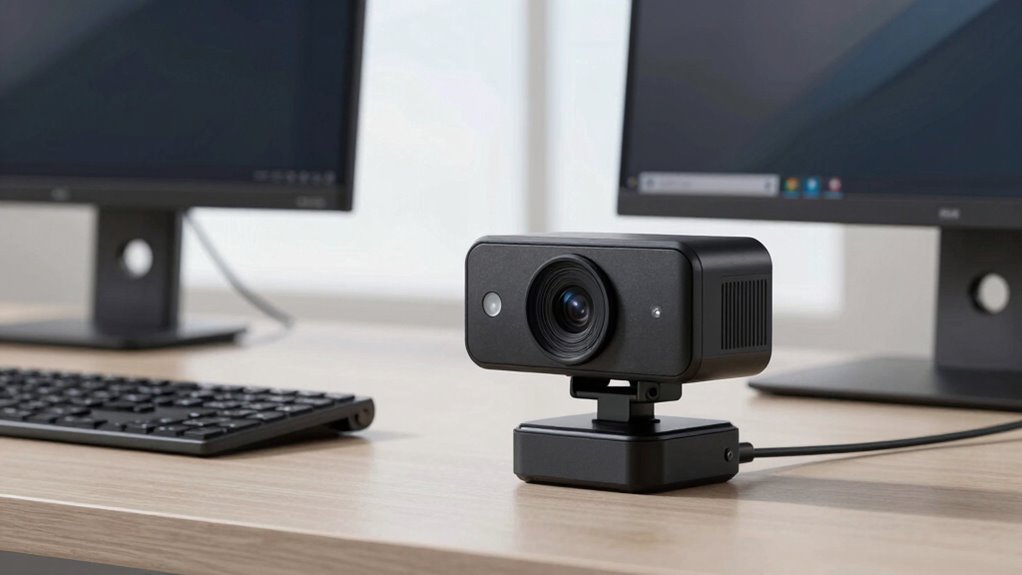

A high-end webcam with autofocus should keep you sharp as you move, but the right choice also depends on resolution, framing, sound, and how much control you want. I rank the Razer Kiyo V2 Pro as the best overall for its 4K capture and 60 fps focus on smooth, detailed video. The OBSBOT Tiny 2 stands out for AI tracking and PTZ control, while the Acer 4K Webcam with Sony sensor is a strong alternative for buyers prioritizing its sensor and PDAF autofocus. The tradeoff is clear: specialized tracking and image controls can add complexity, while simpler models may offer less flexibility. Read on for the full breakdown and help matching a webcam to your setup.

Get the latest gadgets delivered free with Prime
- Fast, free delivery on millions of items
- Prime Video, Amazon Music and more included
- Member-only deals all year
Complete the kit



Key Takeaways
- The Razer Kiyo V2 Pro leads the all-rounder group: its 4K resolution and 60 fps capture make it a versatile pick for creators and work calls, though buyers should confirm their software and computer can handle those settings.
- AI tracking changes framing, not just focus: the OBSBOT Tiny 2 and Insta360 Link 2 can actively follow a subject, which is useful for presentations and movement but more than a stationary desk setup may need.
- PDAF appears across several lower-complexity options: Acer’s sensor-equipped 4K model and the EMEET C960 and NOVA offer a path to autofocus without PTZ tracking.
- Resolution alone does not separate these webcams: several models offer 4K, but features such as a ring light, privacy cover, microphones, and physical tracking controls may matter more to daily use.
- The lineup spans very different budgets and use cases: the NexiGo N930AF is a basic 1080p autofocus option, while the Jabra PanaCast 20 and YoloCam S3 serve more specialized conferencing and streaming needs.
| Razer Kiyo V2 Pro 4K 60 FPS Webcam |  | Best for High-Frame-Rate 4K | Resolution: 4K | Frame rate: 60 FPS | Sensor: 8.3 MP Sony STARVIS 2 | VIEW ON AMAZON | See Our Full Breakdown |
| Acer 4K Webcam with Sony 1/2-Inch Sensor, PDAF Autofocus, Dual Noise-Reducing Microphones, and Magnetic Privacy Cover |  | Best for Autofocus and Built-In Audio | Resolution: UHD 4K | Sensor: Sony 1/2-inch CMOS | Autofocus: Phase Detection Autofocus (PDAF) | VIEW ON AMAZON | See Our Full Breakdown |
| Anker PowerConf C200 2K Webcam |  | Best for Adjustable Framing | Resolution: 2K | Sensor type: CMOS | Focus: Autofocus | VIEW ON AMAZON | See Our Full Breakdown |
| YOLOLIV YoloCam S3 4K Streaming Webcam |  | Best for Manual Image Tuning | Sensor: 1/1.3-inch CMOS | Video modes: 4K at 30 fps; 1080p at 60 fps | Focus: Autofocus with PDAF | VIEW ON AMAZON | See Our Full Breakdown |
| Acer A640 4K Webcam with AI Noise-Canceling Microphone |  | Best for Straightforward Autofocus Calls | Sensor: 1/2.8-inch CMOS | Video modes: 4K at 30 fps; 2K and 1080p at 60 fps | Focus: Autofocus with PDAF | VIEW ON AMAZON | See Our Full Breakdown |
| Razer Kiyo V2 X Webcam, 1440p at 60 FPS, White |  | Best for Smooth 1440p Streaming | Resolution: 2560 pixels (2K), with conflicting resolution claims in the description | Frame rate: 60 FPS | Focus: Autofocus | VIEW ON AMAZON | See Our Full Breakdown |
| OBSBOT Tiny 2 4K PTZ Webcam with AI Tracking, Voice and Gesture Control |  | Best for AI-Powered Presenter Tracking | Resolution: 4K | Sensor: 1/1.5-inch CMOS | Autofocus speed: 0.3 seconds | VIEW ON AMAZON | See Our Full Breakdown |
| NexiGo N930AF 1080p Autofocus Webcam with Microphone |  | Best Entry-Level Autofocus Pick | Resolution and frame rate: 1080p at 30 fps | Sensor: 2 MP CMOS | Focus: Autofocus; can be turned off for manual focus | VIEW ON AMAZON | See Our Full Breakdown |
| Insta360 Link 2 PTZ 4K Webcam |  | Best for Low-Light 4K Calls | Resolution: 4K UHD | Sensor: 1/2-inch CMOS | Focus: Phase-detection autofocus | VIEW ON AMAZON | See Our Full Breakdown |
| Jabra PanaCast 20 4K Conferencing Webcam |  | Best for Business Conferencing | Resolution: 4K Ultra-HD | Sensor: 13-megapixel BSI CMOS | Focus: Autofocus and manual focus | VIEW ON AMAZON | See Our Full Breakdown |
| NexiGo N680E Pro 4K Webcam with Ring Light |  | Best for Built-In Lighting | Sensor: Sony 1/2.5-inch CMOS, 4K | Video: 4K; 1080p at 60 fps | Autofocus: PDAF | VIEW ON AMAZON | See Our Full Breakdown |
| EMEET C960 4K Webcam with PDAF Autofocus and Privacy Cover |  | Best for Flexible Compatibility | Sensor: CMOS | Maximum video resolution: 4K (2160p) | Frame rate: 30 fps | VIEW ON AMAZON | See Our Full Breakdown |
| EMEET NOVA 4K Webcam with PDAF Autofocus and Dual Microphones |  | Best Straightforward 4K Pick | Resolution: UHD 4K | Frame rate: 30 fps | Autofocus: PDAF | VIEW ON AMAZON | See Our Full Breakdown |
| high end webcam with autofocu | Connectivity | Sensor | Resolution | Compatibility |
|---|---|---|---|---|
| Razer Kiyo V2 Pro 4K 60 FPS We | — | 8.3 MP Sony STARVIS 2 | 4K | — |
| Acer 4K Webcam with Sony 1/2-I | USB-C to USB-A; adapter included | Sony 1/2-inch CMOS | UHD 4K | Windows, Mac, ChromeOS, and Switch 2 |
| Anker PowerConf C200 2K Webcam | USB | — | 2K | Windows 7 or later; macOS 10.11 or later |
| YOLOLIV YoloCam S3 4K Streamin | USB 3.0 | 1/1.3-inch CMOS | — | Windows and macOS; Picasso Resolve is Windows-only |
| Acer A640 4K Webcam with AI No | USB; USB-A to USB-C adapter included | 1/2.8-inch CMOS | — | Computers, Switch 2, Teams, Zoom, and Twitch |
| Razer Kiyo V2 X Webcam | USB | — | 2560 pixels (2K), with conflicting resolution claims in the description | — |
| OBSBOT Tiny 2 4K PTZ Webcam wi | USB-C; USB 3.0 data transfer | 1/1.5-inch CMOS | 4K | — |
| NexiGo N930AF 1080p Autofocus | USB | 2 MP CMOS | — | Windows, macOS, Linux, Chrome OS, Ubuntu, Android |
| Insta360 Link 2 PTZ 4K Webcam | USB | 1/2-inch CMOS | 4K UHD | PC and Mac; not compatible with ARM-based Windows systems or Windows Hello Face Recognition |
| Jabra PanaCast 20 4K Conferenc | USB | 13-megapixel BSI CMOS | 4K Ultra-HD | — |
| NexiGo N680E Pro 4K Webcam wit | USB-A | Sony 1/2.5-inch CMOS, 4K | — | — |
| EMEET C960 4K Webcam with PDAF | USB-A | CMOS | — | Windows 7/10/11, macOS 10.14+, Android TV 7.0+, Linux |
| EMEET NOVA 4K Webcam with PDAF | USB 2.0, Type-A | — | UHD 4K | Windows 10/11, macOS 10.14+, Android TV 7.0+ |
More Details on Our Top Picks
Razer Kiyo V2 Pro 4K 60 FPS Webcam
The Kiyo V2 Pro is the strongest fit here for creators who want 4K at 60 FPS rather than choosing between 4K detail and smoother motion. Its 8.3 MP Sony STARVIS 2 sensor, HDR, and low-light enhancements give it a more creator-focused imaging toolkit than the Acer A640, which tops out at 4K/30fps. AI auto-framing can keep you centered as you shift position, while the adjustable mount and tripod thread give you more placement options than a fixed desk setup. The tradeoff is that its manual controls run through Razer Synapse, adding software dependence for users who want to tune the picture. Its 86° view is also fairly broad, so it may include more background than a tight talking-head frame. Choose it for motion and control; skip it if uncomplicated plug-and-play use matters more.
Pros:- Records 4K at 60 FPS for detailed footage with smoother motion
- Sony STARVIS 2 sensor, HDR, and low-light enhancements support challenging lighting
- AI auto-framing helps keep the speaker centered
- Built-in privacy shutter and ¼-inch tripod thread add practical setup flexibility
Cons:- Manual camera controls require Razer Synapse
- The 86° field of view can show more of the room than some users want
Best for: Streamers and video creators who want 4K/60fps, auto-framing, and hands-on image controls for a flexible desk or tripod setup.
Not ideal for: Buyers who want to adjust camera settings without installing software, or who need a narrow field of view for a background-heavy workspace.
- Resolution:4K
- Frame rate:60 FPS
- Sensor:8.3 MP Sony STARVIS 2
- Field of view:86°
- Image features:HDR, AI auto-framing, low-light image enhancement
- Software:Razer Synapse
- Mounting:Adjustable mount with ¼-inch thread
- Privacy:Built-in privacy shutter
Our verdict“Choose the Kiyo V2 Pro if high-frame-rate 4K and adjustable creator controls matter more than software-free operation.”
Acer 4K Webcam with Sony 1/2-Inch Sensor, PDAF Autofocus, Dual Noise-Reducing Microphones, and Magnetic Privacy Cover
This Acer makes a persuasive case for buyers who want 4K autofocus in a compact, polished webcam without stepping up to the Kiyo V2 Pro’s 60 FPS and creator controls. Its Sony 1/2-inch sensor and PDAF autofocus are aimed at responsive focus changes, while the dual microphones offer a useful fallback for calls when a headset is not handy. The aluminum body and magnetic privacy cover give it a more considered desk-ready design than the Anker PowerConf C200, though the Anker counters with selectable framing angles and 2K autofocus at a lower resolution tier. Acer lists compatibility with Windows, Mac, and ChromeOS, plus Switch 2. The drawbacks are the lack of a stated frame rate and conflicting listed weights, so buyers who need precise setup documentation may prefer a clearer spec sheet.
Pros:- UHD 4K capture with a Sony 1/2-inch CMOS sensor
- PDAF autofocus is designed to respond quickly to changes in subject distance
- Dual microphones include ambient-noise reduction and pickup up to 2.5 meters
- Aluminum body and magnetic privacy cover suit a tidy desk setup
Cons:- The supplied product details do not specify a video frame rate
- Weight is listed as both 57 g and 50 g across the provided information
Best for: Remote professionals and presenters who want a compact 4K webcam with PDAF autofocus, built-in microphones, and a physical lens cover.
Not ideal for: Buyers who need a confirmed high frame rate or exact weight for a carefully planned travel or mounted setup.
- Resolution:UHD 4K
- Sensor:Sony 1/2-inch CMOS
- Autofocus:Phase Detection Autofocus (PDAF)
- Microphones:Dual high-sensitivity digital microphones with noise reduction
- Microphone pickup distance:Up to 2.5 meters
- Viewing angle:83°
- Connectivity:USB-C to USB-A; adapter included
- Compatibility:Windows, Mac, ChromeOS, and Switch 2
- Privacy cover:Magnetic
Our verdict“Pick this Acer for compact 4K autofocus and built-in call audio, but choose a better-documented model if frame rate is a deciding spec.”
Anker PowerConf C200 2K Webcam
The PowerConf C200 is the practical choice for people who value framing flexibility more than 4K capture. Its autofocus and low-light correction cover the essentials for video calls, while selectable 65°, 78°, and 95° viewing angles let you tighten the shot for solo meetings or widen it when more of the room needs to appear. That makes it more adaptable at the desk than the Acer 4K webcam, whose listed viewing angle is fixed at 83°. The compromise is resolution: this is a 2K webcam, so it does not match the detailed 4K output of the Acer models or the Razer Kiyo V2 Pro. Dual microphones with AI noise cancellation and a sliding privacy cover round out a straightforward call-focused feature set. I’d choose it for adjustable composition, not for premium 4K production.
Pros:- Autofocus and low-light correction support everyday video calls
- Three selectable viewing angles accommodate different desk and meeting setups
- Dual microphones include AI noise cancellation
- Integrated sliding lens cover provides quick privacy
Cons:- 2K resolution falls short of the 4K options in this roundup
- USB connectivity and stated operating-system support are limited to Windows and macOS
Best for: People who switch between solo calls and small-group meetings and want control over how much of the room appears in frame.
Not ideal for: Creators who need 4K footage or buyers whose main priority is maximum image detail for recorded content.
- Resolution:2K
- Sensor type:CMOS
- Focus:Autofocus
- Viewing angles:65°, 78°, or 95°
- Microphones:Dual with AI noise cancellation
- Connectivity:USB
- Compatibility:Windows 7 or later; macOS 10.11 or later
- Privacy feature:Integrated sliding lens cover
Our verdict“Choose the PowerConf C200 when adjustable framing matters more than 4K detail or creator-oriented controls.”
YOLOLIV YoloCam S3 4K Streaming Webcam
The YoloCam S3 suits streamers who want to shape their image instead of relying entirely on automatic processing. It combines a 1/1.3-inch CMOS sensor with PDAF autofocus and AI-assisted imaging, then adds manual exposure, white-balance, and color controls. Its recording modes offer a useful choice: uncompressed 4K at 30 fps for detail, or 1080p at 60 fps for smoother motion. Compared with the Razer Kiyo V2 Pro, it gives up 4K/60fps but still offers a large sensor and a more explicit manual tuning emphasis. The foldable magnetic mount and tripod interface help with repositioning, though Picasso Resolve is Windows-only. Mac users can use the webcam, but not that color-grading software, which narrows the appeal for cross-platform creators.
Pros:- Large 1/1.3-inch CMOS sensor paired with autofocus using PDAF
- Offers uncompressed 4K at 30 fps or 1080p at 60 fps
- Manual exposure, white-balance, and color controls support tailored image output
- Foldable magnetic mount includes a standard ¼-inch-20 tripod interface
Cons:- Picasso Resolve color-grading software is available only for Windows
- 4K capture is limited to 30 fps, unlike the Razer Kiyo V2 Pro’s 4K/60fps mode
Best for: Streamers and creators who want PDAF autofocus, manual exposure and color tuning, and a choice between detailed 4K and smoother 1080p.
Not ideal for: Mac users who want Picasso Resolve color grading, or creators who require 4K at 60 fps.
- Sensor:1/1.3-inch CMOS
- Video modes:4K at 30 fps; 1080p at 60 fps
- Focus:Autofocus with PDAF
- Field of view:82°
- Digital zoom:4x at 1080p
- Connectivity:USB 3.0
- Mount:Foldable magnetic mount with ¼-inch-20 tripod interface
- Compatibility:Windows and macOS; Picasso Resolve is Windows-only
Our verdict“Pick the YoloCam S3 if hands-on image tuning matters more than 4K/60fps or full software support on Mac.”
Acer A640 4K Webcam with AI Noise-Canceling Microphone
The Acer A640 is the straightforward pick for people who want PDAF autofocus and 4K without making manual image tuning the center of the setup. It records 4K at 30 fps, with 2K and 1080p available at 60 fps, so buyers can favor detail or smoother motion depending on the call or stream. Automatic exposure and low-light correction reduce the need to adjust settings, while the physical privacy shutter is easy to understand at a glance. Compared with the Acer 4K webcam with the 1/2-inch sensor, the A640 provides clearly stated video modes and AI noise cancellation, but its listed sensor is smaller at 1/2.8 inch. It also lacks built-in speakers, and the product information cautions that its best image quality calls for good lighting.
Pros:- PDAF autofocus supports responsive focus during calls
- Offers 4K at 30 fps and 2K or 1080p at 60 fps
- Automatic exposure and low-light correction reduce manual setup
- AI noise-canceling microphone and physical privacy shutter are included
Cons:- Best image quality requires a well-lit environment
- No built-in speakers
- 4K recording is limited to 30 fps
Best for: Remote workers and casual streamers who want simple 4K/30fps autofocus, automatic image adjustments, and a physical privacy shutter.
Not ideal for: Buyers who need built-in speakers, depend on strong image quality in dim rooms, or want 4K recording at 60 fps.
- Sensor:1/2.8-inch CMOS
- Video modes:4K at 30 fps; 2K and 1080p at 60 fps
- Focus:Autofocus with PDAF
- Microphone:AI noise cancellation
- Image features:Low-light correction and automatic exposure
- Connectivity:USB; USB-A to USB-C adapter included
- Privacy:Physical privacy shutter
- Compatibility:Computers, Switch 2, Teams, Zoom, and Twitch
- Built-in speakers:No
Our verdict“Choose the A640 for a simple autofocus call setup with multiple video modes, provided you have good lighting and do not need built-in speakers.”
Razer Kiyo V2 X Webcam, 1440p at 60 FPS, White
The Razer Kiyo V2 X suits streamers who value motion clarity more than 4K detail: its stated 1440p at 60 FPS can keep fast movement looking smoother than the 30 FPS NexiGo N930AF. Fast autofocus also helps maintain a sharp image when you shift position, while the wide-angle lens takes in more of your setup. A built-in microphone, privacy shutter, and tripod thread make it a flexible desk camera, and Razer Synapse adds software customization. The tradeoff is that this model does not offer the 4K resolution or AI tracking found in the OBSBOT Tiny 2. Product details also contain conflicting resolution claims, so buyers should verify the exact output mode before choosing it for a resolution-specific workflow.
Pros:- 1440p video at a stated 60 FPS supports smoother motion than 30 FPS webcams.
- Fast autofocus helps keep the subject sharp as they move.
- Integrated privacy shutter and tripod thread add useful desk and mounting flexibility.
- Razer Synapse provides video customization.
Cons:- The product description contains conflicting resolution claims.
- Does not provide 4K video or AI tracking like the OBSBOT Tiny 2.
- Built-in microphone may be less suitable than a separate dedicated audio setup.
Best for: Streamers and remote presenters who want autofocus and smoother 60 FPS video without needing 4K resolution.
Not ideal for: Buyers who need confirmed 4K output, AI subject tracking, or a camera with unambiguous resolution specifications.
- Resolution:2560 pixels (2K), with conflicting resolution claims in the description
- Frame rate:60 FPS
- Focus:Autofocus
- Lens:Ultra wide-angle
- Connectivity:USB
- Privacy:Integrated privacy shutter
- Mount:Pivoting mount with tripod thread
- Microphone:Built-in
Our verdict“Choose the Kiyo V2 X for autofocus and smooth 1440p streaming, but skip it if you require 4K or need its resolution claims to be fully consistent.”
OBSBOT Tiny 2 4K PTZ Webcam with AI Tracking, Voice and Gesture Control
The OBSBOT Tiny 2 is the clearest choice here for presenters who move around rather than stay centered at a desk. Its 4K camera, 1/1.5-inch CMOS sensor, and 0.3-second autofocus pair with pan-tilt tracking, so the framing can follow a speaker instead of relying on a fixed wide view. Multiple tracking modes, plus voice and gesture controls, give it more hands-free flexibility than the Insta360 Link 2, which also tracks subjects but uses a smaller 1/2-inch sensor. That capability comes with a more involved feature set than a straightforward webcam, and the listed specs do not include a microphone. It may also become hot during use, so buyers planning long sessions should weigh that drawback alongside the camera’s tracking advantages.
Pros:- 4K video and a 1/1.5-inch CMOS sensor support detailed capture.
- Multiple AI tracking modes adapt framing to different presentation styles.
- Voice and gesture controls allow hands-free operation.
- 0.3-second autofocus supports quick focus changes.
Cons:- May become hot during use.
- The provided product data does not specify a built-in microphone.
- AI tracking and PTZ features may be unnecessary for fixed-position video calls.
Best for: Teachers, presenters, and streamers who move around a room and want autofocus with camera movement and hands-free tracking controls.
Not ideal for: Stationary desk callers seeking a simple webcam with a listed built-in microphone, or buyers concerned about heat during extended sessions.
- Resolution:4K
- Sensor:1/1.5-inch CMOS
- Autofocus speed:0.3 seconds
- Tracking modes:Upper Body, Close-Up, Hand Tracking, Zone Tracking
- Controls:Voice and gesture
- Connectivity:USB-C; USB 3.0 data transfer
- Weight:143.3 g
- System requirements:Windows 10 or later; macOS 11 or later
Our verdict“Pick the Tiny 2 if you need a 4K autofocus camera that can follow a moving presenter and respond to hands-free controls.”
NexiGo N930AF 1080p Autofocus Webcam with Microphone
The NexiGo N930AF is a practical starting point for buyers who want real autofocus without the added complexity of 4K PTZ cameras. Its 1080p, 30 FPS output is a clear step down from the 4K Insta360 Link 2 and the 60 FPS Razer Kiyo V2 X, but the autofocus can be switched off when a fixed focus suits the setup better. That control is useful for a stationary desk or repeatable streaming frame. The noise-canceling microphone, lens cover, folding design, and 6.5-foot cable make it ready for basic calls across a wide range of operating systems. Its 47.5-degree viewing angle is relatively narrow, however, so it is less suited to group calls or showing a broad workspace.
Pros:- Autofocus can be disabled for fixed-focus setups.
- Built-in noise-canceling microphone supports basic calls without a separate mic.
- Lens cover provides a simple privacy measure.
- 6.5-foot USB cable and broad OS compatibility suit varied desk setups.
Cons:- Maximum frame rate is 30 FPS.
- 1080p resolution lacks the detail of the 4K options in this roundup.
- 47.5-degree viewing angle is limiting for group calls or broad scene capture.
Best for: Budget-conscious remote workers and students who want a compact 1080p webcam with autofocus, a privacy cover, and broad operating-system support.
Not ideal for: Streamers seeking 60 FPS, 4K detail, a wide room view, or AI framing features.
- Resolution and frame rate:1080p at 30 fps
- Sensor:2 MP CMOS
- Focus:Autofocus; can be turned off for manual focus
- Microphone:Built-in noise-canceling
- Connectivity:USB
- Cable length:6.5 ft (2 m)
- Viewing angle:47.5 degrees
- Compatibility:Windows, macOS, Linux, Chrome OS, Ubuntu, Android
Our verdict“Choose the N930AF for straightforward 1080p autofocus and everyday calls, not for high-frame-rate streaming or 4K image detail.”
Insta360 Link 2 PTZ 4K Webcam
The Insta360 Link 2 combines 4K capture with phase-detection autofocus, HDR, and stated low-light performance, making it a strong fit for people whose workspace lighting is less than ideal. Its AI tracking pans and tilts to keep the subject framed, while DeskView and Whiteboard modes extend its use beyond a standard talking-head shot. Compared with the Jabra PanaCast 20, the Link 2 offers more presentation-specific modes and AI tracking; the Jabra instead lists both autofocus and manual focus. Gesture and smartphone remote controls add flexibility, and the noise-canceling microphone is useful for calls. The compatibility limits matter: it does not work with ARM-based Windows systems or Windows Hello Face Recognition, so check your computer setup before buying.
Pros:- 4K UHD video with HDR and stated low-light performance.
- Phase-detection autofocus supports responsive focus.
- AI tracking helps keep moving subjects in frame.
- DeskView and Whiteboard modes support demonstrations as well as calls.
Cons:- Not compatible with ARM-based Windows systems.
- Does not support Windows Hello Face Recognition.
- Product data does not specify a frame rate.
Best for: PC or Mac users who want 4K autofocus, AI subject tracking, and dedicated desk or whiteboard views for meetings and demonstrations.
Not ideal for: People using ARM-based Windows computers or buyers who require Windows Hello Face Recognition support.
- Resolution:4K UHD
- Sensor:1/2-inch CMOS
- Focus:Phase-detection autofocus
- Special modes:DeskView, Whiteboard, 4K Portrait Mode
- Controls:Gesture and smartphone remote control
- Microphone:AI noise-canceling
- Connectivity:USB
- Compatibility:PC and Mac; not compatible with ARM-based Windows systems or Windows Hello Face Recognition
Our verdict“The Link 2 is a strong 4K autofocus pick for PC and Mac presenters who want tracking and workspace modes, provided their system meets its compatibility limits.”
Jabra PanaCast 20 4K Conferencing Webcam
The Jabra PanaCast 20 takes a conferencing-first approach: it pairs 4K video with AI framing and automatic lighting optimization, reducing the need to adjust the camera each time room conditions change. Its 117-degree field of view gives more context than the narrow NexiGo N930AF, while autofocus and manual focus provide a choice between responsive adjustment and a fixed setup. The 3x optical zoom is a useful distinction for tailoring a shot, and the privacy cover, carry case, and USB-A-to-USB-C cable suit a portable work kit. Compared with the tracking-focused OBSBOT Tiny 2, the Jabra emphasizes conferencing convenience rather than listed voice or gesture control. Warranty coverage requires registration, and the provided data does not specify a frame rate.
Pros:- 4K Ultra-HD video with a 13-megapixel BSI CMOS sensor.
- AI framing and automatic lighting optimization support fuss-free conferencing.
- 117-degree field of view captures more of the room than narrow-view webcams.
- Integrated privacy cover and included protective case support travel and privacy.
Cons:- Warranty requires registration.
- Product data does not specify a frame rate.
- Compared with the OBSBOT Tiny 2, the listed features do not include voice or gesture controls.
Best for: Business users who want a portable 4K conferencing camera with autofocus, automatic lighting adjustment, and a broad view for calls.
Not ideal for: Streamers seeking documented high-frame-rate video or buyers who want AI tracking modes and hands-free gesture controls.
- Resolution:4K Ultra-HD
- Sensor:13-megapixel BSI CMOS
- Focus:Autofocus and manual focus
- Field of view:117 degrees
- Zoom:3x optical, 4x digital
- Connectivity:USB
- Weight:100 g
- Included accessories:USB-A to USB-C cable (1.5 m/4.9 ft), protective carry case
Our verdict“Choose the PanaCast 20 for portable 4K business calls with broad framing and lighting assistance, but look elsewhere for documented high-FPS streaming or hands-free tracking.”
NexiGo N680E Pro 4K Webcam with Ring Light
The N680E Pro pairs PDAF autofocus with a Sony 1/2.5-inch 4K sensor, giving it a useful balance of detail and responsive focus for calls or streaming. Its defining advantage over the EMEET NOVA is the adjustable tri-tone ring light: you can add front-facing light and change its color temperature without setting up a separate lamp. It also supports 1080p at 60 fps, which can make motion look smoother than the 30 fps 4K modes listed for both EMEET webcams here. The tradeoff is that the camera’s output resolution depends on the software you use, so 4K may take setup rather than working automatically. Its USB-A connection is straightforward for many computers, but Switch 2 use requires an adapter. Choose it for its integrated lighting, not for hands-off framing or tracking.
Pros:- PDAF autofocus helps keep the subject in focus as distance changes.
- Adjustable tri-tone ring light with stepless brightness control provides direct control over face lighting.
- Supports 1080p video at 60 fps as well as 4K.
- Includes dual noise-reducing microphones and a built-in privacy shutter.
Cons:- Available output resolution depends on the camera software.
- Switch 2 requires a separate USB-C-to-USB-A adapter.
- The fixed 80° field of view offers no listed framing adjustment or tracking.
Best for: Remote workers and streamers who want autofocus, a built-in adjustable light, and smooth 1080p video without adding a separate lamp.
Not ideal for: Buyers who need 4K to be selected automatically, want subject tracking, or plan to connect to Switch 2 without a USB-C-to-USB-A adapter.
- Sensor:Sony 1/2.5-inch CMOS, 4K
- Video:4K; 1080p at 60 fps
- Autofocus:PDAF
- Field of view:80°
- Microphones:Dual noise-reducing
- Lighting:Tri-tone ring light with stepless brightness control
- Connectivity:USB-A
- Mount:Flexible clip; 1/4-inch tripod mount
- Weight:0.22 kg
Our verdict“Choose the N680E Pro if you want a 4K autofocus webcam with its own adjustable light and 60 fps 1080p mode.”
EMEET C960 4K Webcam with PDAF Autofocus and Privacy Cover
The C960 is a practical pick for buyers who want PDAF autofocus and 4K capture in a webcam that lists support for Windows, macOS, Android TV, and Linux. Compared with the EMEET NOVA, its standout distinction is the listed 360° horizontal and 15° vertical mounting adjustment, which gives more flexibility when aligning the camera on a display or tripod. Automatic light correction and dual omnidirectional microphones round out a simple plug-and-play setup. There is an important setup caveat: video defaults to 1080p, and 4K must be selected in supported software. The listed field of view is also inconsistent—73° in the title and 66° in product information—so I would not choose it based on a precise framing expectation. It is a better fit for compatibility and positioning than for a guaranteed out-of-box 4K image.
Pros:- PDAF autofocus supports responsive focusing during calls.
- Lists compatibility with Windows, macOS, Android TV, and Linux.
- Adjustable mounting offers 360° horizontal and 15° vertical movement, plus a tripod thread.
- Includes automatic light correction, dual microphones, and a privacy cover.
Cons:- Video defaults to 1080p; 4K must be enabled in supported software.
- Field-of-view information conflicts between 73° and 66°.
- The listed maximum frame rate is 30 fps, with no higher-frame-rate mode specified.
Best for: People using Linux or Android TV, as well as desk-based callers who need adjustable mounting and autofocus across supported devices.
Not ideal for: Buyers who want 4K enabled by default or need a clearly specified field of view for carefully planned framing.
- Sensor:CMOS
- Maximum video resolution:4K (2160p)
- Frame rate:30 fps
- Autofocus:PDAF
- Field of view:73° in title; 66° in product information
- Microphones:Dual omnidirectional
- Connectivity:USB-A
- Mounting:360° horizontal and 15° vertical adjustment; 1/4-inch tripod thread
- Compatibility:Windows 7/10/11, macOS 10.14+, Android TV 7.0+, Linux
Our verdict“Pick the C960 if broad device compatibility and adjustable positioning matter more than effortless 4K setup or precise field-of-view information.”
EMEET NOVA 4K Webcam with PDAF Autofocus and Dual Microphones
The NOVA keeps its feature set focused: PDAF autofocus, automatic light correction, two built-in microphones, and a physical privacy cover, all over USB-A. It suits buyers who want a conventional webcam setup rather than the NexiGo N680E Pro’s built-in ring light or the more adjustable mounting listed for the EMEET C960. Its fixed 73° field of view provides a defined framing angle, but it cannot be changed to widen a group shot or tighten a solo view. Like the C960, it starts at 1080p; 4K at 30 fps must be enabled in compatible software. That makes it less convenient for someone expecting UHD immediately after plugging it in. With no facial tracking or manual focus, it is best for a stationary desk where autofocus and basic privacy matter more than advanced camera control.
Pros:- PDAF autofocus and automatic light correction support clear, hands-off calls.
- Offers UHD 4K video at 30 fps when enabled in compatible software.
- Physical privacy cover provides a direct way to block the lens.
- Two omnidirectional microphones have a listed pickup range of up to 8 feet.
Cons:- Defaults to 1080p, so 4K requires a software change.
- The 73° field of view is fixed and cannot be adjusted.
- No facial tracking or manual focus is listed.
Best for: Desk-based video callers who want a compact, simple USB-A webcam with PDAF autofocus, a privacy cover, and 4K available through compatible software.
Not ideal for: Streamers who need facial tracking, manual focus, a changeable field of view, or 4K active without adjusting software settings.
- Resolution:UHD 4K
- Frame rate:30 fps
- Autofocus:PDAF
- Field of view:73°, fixed
- Microphones:Two built-in omnidirectional microphones
- Microphone range:Up to 8 feet
- Connectivity:USB 2.0, Type-A
- Cable length:1.5 m
- Compatibility:Windows 10/11, macOS 10.14+, Android TV 7.0+
Our verdict“Choose the NOVA for a simple fixed-frame autofocus webcam, but look elsewhere if you need tracking or adjustable framing.”

How We Picked
I compared the 13 listed webcams on autofocus capability, image format, framing options, audio features, privacy provisions, and ease of setup. Autofocus mattered most because it defines this roundup: I gave stronger placement to models that pair it with higher-resolution capture or flexible framing, while treating additions such as tracking, a ring light, and built-in microphones as advantages only when they suit a clear buyer need.
The ranking favors versatility and usable control over headline specifications alone. That puts the Razer Kiyo V2 Pro first as a broadly capable 4K, 60 fps option, with the OBSBOT Tiny 2 and Insta360 Link 2 distinguished by PTZ tracking rather than treated as direct substitutes for a fixed camera. Simpler 4K autofocus webcams rank as practical alternatives, while 1080p, conferencing-focused, and niche streaming models suit more specific requirements. I also weighed tradeoffs: more features can mean more setup and a less direct fit for a simple desk call.
| high end webcam with autofocu | Focus |
|---|---|
| Razer Kiyo V2 Pro 4K 60 FPS We | — |
| Acer 4K Webcam with Sony 1/2-I | — |
| Anker PowerConf C200 2K Webcam | Autofocus |
| YOLOLIV YoloCam S3 4K Streamin | Autofocus with PDAF |
| Acer A640 4K Webcam with AI No | Autofocus with PDAF |
| Razer Kiyo V2 X Webcam | Autofocus |
| OBSBOT Tiny 2 4K PTZ Webcam wi | — |
| NexiGo N930AF 1080p Autofocus | Autofocus; can be turned off for manual focus |
| Insta360 Link 2 PTZ 4K Webcam | Phase-detection autofocus |
| Jabra PanaCast 20 4K Conferenc | Autofocus and manual focus |
| NexiGo N680E Pro 4K Webcam wit | — |
| EMEET C960 4K Webcam with PDAF | — |
| EMEET NOVA 4K Webcam with PDAF | — |
Factors to Consider When Choosing High End Webcam With Autofocus
Autofocus is only one part of a webcam decision. I’d start with the way you appear on camera, then match resolution, framing, audio, and setup complexity to your calls or streams rather than paying for features your workflow will not use.
Match autofocus to how much you move
If you sit at a desk and stay in one place, a standard autofocus webcam can keep your face sharp without motorized framing. A PTZ model with AI tracking solves a different problem: it can adjust the view as you move around a room. That added motion can help presenters, teachers, and creators, but it is unnecessary for a fixed camera position. Check whether the product specifies PDAF or another autofocus approach, but do not assume the label alone guarantees smooth focus in every lighting condition. A common mistake is choosing tracking because it sounds more advanced when the real need is simply reliable focus. Match camera movement to your working style, not to the longest feature list.
Choose resolution and frame rate for your actual calls
4K can preserve detail and give you room to crop, but your meeting software, streaming platform, connection, and computer all affect what viewers see. Higher resolution may also take more processing and bandwidth, so it is not automatically the clearest choice for every call. A 60 fps mode can make motion look smoother, which is useful for active presenters or streaming, while a stationary office call may gain less from it. Before choosing a high-spec camera, check which resolutions and frame rates your intended software supports. Do not judge image quality by resolution alone; lighting, lens framing, and exposure also shape the final image. The Razer Kiyo V2 Pro’s combination of 4K and 60 fps is broader than a basic call-focused setup needs, but that flexibility can suit mixed work and creator use.
Treat lighting as part of the camera setup
Autofocus can keep a subject in focus, but it cannot replace enough light or correct a poor camera angle. A built-in ring light, such as the one on the NexiGo N680E Pro, may help when desk space is limited, though it will not suit every room or lighting preference. Buyers with a window or separate lamp may prefer a webcam without integrated lighting and more control over their setup. Avoid placing a bright screen or window behind you if it leaves your face in shadow. Also check where the webcam will sit: a camera too low or too far away can produce an unflattering frame regardless of its sensor. Prioritize controllable, even light before paying for features intended to compensate for a difficult environment.
Decide whether built-in microphones are enough
Webcam microphones are convenient for calls, and several models in this lineup include dual microphones or noise reduction. That can simplify a work-from-home setup, especially if you do not want a separate mic on your desk. Built-in audio may be less suitable for a dedicated stream, a noisy room, or a recording where consistent voice quality matters. Noise reduction can also change how background sounds and speech are captured, so check whether the webcam gives you control over audio processing. A common buying mistake is paying extra for microphone features when you already use a headset or USB microphone. Choose the camera for its image and focus first, then treat its mic as a convenience unless it will be your main audio source.
Check privacy, mounting, and daily controls
A physical privacy cover offers a simple way to block the lens between calls; multiple listed Acer and EMEET models include one. PTZ cameras add useful framing options, but their size, movement, and control features can make placement and setup more involved than a fixed webcam. Before buying, check how the camera attaches to your monitor or tripod and whether its controls work with your operating system and meeting software. Voice and gesture controls can be helpful in a hands-free setup, but they are not necessary for ordinary calls. Consider whether you want a device that stays mounted or one you can pack away. The best convenience feature is the one you will use regularly, not simply the one that appears on the spec sheet.
Pay for features that solve a real workflow problem
A higher-end model makes the most sense when its extra capabilities replace another device or improve a task you do often. PTZ tracking can support room presentations, while a ring light may reduce the need for a separate lamp; a basic 1080p autofocus camera may be plenty for routine calls. Compare the full setup rather than the webcam alone, including lighting, audio, mounts, and the software you already use. Confirm compatibility and available output modes before committing to 4K or advanced controls. Avoid paying for 4K simply as a future-proofing label if your calls are delivered at lower resolution and you do not crop or record locally. Spend on the feature that removes a genuine limitation in your current setup.
Frequently Asked Questions
Is a 4K autofocus webcam worth it if my video calls are usually 1080p?
It can be worthwhile if you record locally, crop into the image, or use the webcam across both meetings and creator work. For calls delivered at 1080p, the difference may be less visible to other participants than the camera’s framing, lighting, and focus behavior. A 4K model can offer flexibility, but it may also ask more of your computer and connection. Check whether your main software accepts the camera’s higher-resolution modes. If you mainly make fixed, everyday calls, a simpler autofocus model may fit better.
Should I choose a PTZ tracking webcam or a fixed autofocus webcam?
Choose PTZ tracking if you regularly move through a room while presenting, teaching, or filming. It can keep you framed as well as focused, a job that a fixed autofocus camera does not do. If you sit at a desk, a fixed model is usually simpler and avoids paying for movement you may not use. Think about the space around the camera too, since tracking needs room to adjust the view. If you are unsure, prioritize dependable autofocus and good placement before adding tracking.
Do webcam microphones make a separate microphone unnecessary?
For routine meetings, built-in microphones can be a convenient way to avoid extra equipment, especially when the webcam includes dual mics or noise reduction. They may not suit noisy rooms, voice recordings, or streams where you want more control over sound. If you already use a headset or USB microphone, the webcam’s audio features may not add much value. Check whether your call software lets you select a separate audio input independently of the camera. Treat built-in microphones as a useful convenience, not a guaranteed replacement for dedicated audio.
Which webcam features matter most if I have poor or uneven lighting?
Start by improving the light on your face, since autofocus cannot compensate for a dark or strongly backlit scene. A model with a built-in ring light may help when there is little room for a separate lamp, but it will not suit every setup. Look for a place to position soft light in front of you and avoid a bright window directly behind. Sensor and exposure features can affect the picture, but the room still plays a major role. If you can fix the lighting separately, choose the webcam for its focus and framing rather than expecting it to solve every image problem.
Is 1080p enough for a high-end webcam with autofocus?
It can be enough when your main use is straightforward video calls and you value simple setup over cropping or high-resolution recording. The NexiGo N930AF is the lineup’s 1080p autofocus option, making it a different kind of pick from the 4K models rather than a direct match on resolution. Your meeting platform may compress or limit the video feed, reducing the practical benefit of a higher-resolution webcam. If you record, stream, or want extra framing flexibility, compare the 4K options instead. Pick based on your output and workflow, not on resolution as a status marker.
Conclusion
For the broadest mix of high-resolution capture and smooth motion, I recommend the Razer Kiyo V2 Pro as best overall. The best premium fit for active presenters is the OBSBOT Tiny 2, whose PTZ and AI tracking suit movement better than a fixed desk camera; the Insta360 Link 2 is another tracking-focused option. For buyers who want 4K autofocus without PTZ complexity, I’d compare the Acer 4K Webcam with Sony sensor and the EMEET C960 or NOVA. The best value-style choice for basic calls is the NexiGo N930AF if 1080p meets your needs, while the best beginner pick is a fixed autofocus model with a privacy cover and straightforward setup, such as the EMEET C960. Choose the Acer A640 or Jabra PanaCast 20 when their microphone or conferencing emphasis fits your setup, and consider the NexiGo N680E Pro if integrated lighting is a priority. The right choice is the one whose autofocus, framing, and extras solve your actual camera problem without adding controls you will rarely use.
Halloween Picks
halloween
As an affiliate, we earn on qualifying purchases.