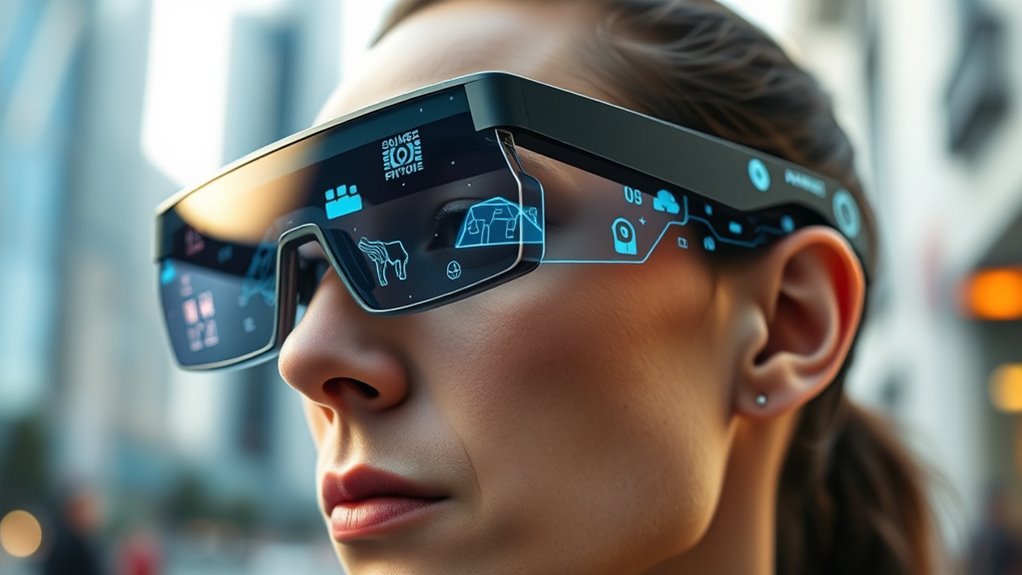
For a smartphone-ready personal display, I’d start with the VITURE Beast for its 1200p image and 58° field of view, then compare it with the RayNeo GT Max for native 3DoF viewing or the VITURE Luma for built-in myopia adjustment. These glasses can make a compatible phone feel like a much larger screen, but the experience depends on phone connectivity, fit, prescription needs, and whether you want a fixed display or spatial movement. A bigger virtual screen does not automatically mean a sharper or more comfortable image, and advertised screen sizes are not directly comparable across brands. I ranked these options by smartphone usability, display and spatial features, fit-related flexibility, and how clearly each product’s strengths match a buyer’s needs. Read on for the full comparison and practical advice on choosing AR glasses that work with your phone.

Get the latest gadgets delivered free with Prime
- Fast, free delivery on millions of items
- Prime Video, Amazon Music and more included
- Member-only deals all year
Complete the kit



Key Takeaways
- VITURE Beast is the strongest all-around starting point in this lineup: its 1200p resolution and 58° field of view make it a well-rounded pick for viewing and gaming, while shoppers prioritizing myopia adjustment may prefer the Luma models.
- RayNeo GT Max models stand out for native 3DoF, which lets the virtual screen stay positioned in space; that feature matters more to users who want spatial viewing than to those who only want a large screen.
- Vision correction is a meaningful differentiator. VITURE Luma and Pro models specify myopia adjustment, but the stated limits differ, so buyers should match the range to their own prescription rather than assume one setting fits all.
- Refresh rate and resolution answer different questions. Models listing 120Hz, such as XREAL 1 Pro+ and VITURE Pro 2, emphasize smoother motion, while 1200p options such as VITURE Beast and Luma emphasize image detail.
- Screen-size claims alone do not settle the choice. The listed virtual screens range from 147 inches on the XREAL xbx a01+ to 267 inches on RayNeo GT Max variants, but field of view, image clarity, fit, and spatial behavior are more useful comparison points.
| AOC Air Mega AR/XR Glasses |  | Best for Handheld Gaming | Display: Micro-OLED | Resolution: 1920 × 1080 | Virtual screen size: 201 inches | VIEW ON AMAZON | See Our Full Breakdown |
| XREAL xbx a01+ AR Glasses |  | Best for Lightweight Phone Viewing | Display: Dual Full HD Micro-OLED | Virtual screen size: 147 inches | Field of view: 50° | VIEW ON AMAZON | See Our Full Breakdown |
| VITURE Luma XR/AR Glasses with -6.0D Myopia Adjustment |  | Best for Myopia Adjustment | Display resolution: 1200p | Virtual screen size: 146 inches | Field of view: 50° | VIEW ON AMAZON | See Our Full Breakdown |
| VITURE Beast XR/AR Glasses |  | Best for a Wider View | Display: Sony Micro-OLED | Resolution: 1200p per eye | Virtual screen size: 174 inches | VIEW ON AMAZON | See Our Full Breakdown |
| VITURE Pro 2 XR Glasses |  | Best Lightweight All-Rounder | Display: Sony Micro-OLED | Resolution: 1080p | Virtual screen size: 146 inches | VIEW ON AMAZON | See Our Full Breakdown |
| XREAL 1 Pro+ AR Glasses with 120Hz OLED Display |  | Best for Built-In Spatial Tracking | Display: OLED | Resolution: 1920 × 1080 | Refresh rate: Up to 120Hz | VIEW ON AMAZON | See Our Full Breakdown |
| Pro AR/XR Glasses 70° FOV 1000″ Screen with Semi-in-Ear Headset |  | Best for a Wide Viewing Angle | Display: Dual 1.8-inch 1080P screens | Field of view: 70° | Advertised screen size: 1000 inches | VIEW ON AMAZON | See Our Full Breakdown |
| RayNeo Air 3s AR/XR Glasses – 201″ 120Hz FHD HueView Display for Movie&Game |  | Best for Color-Focused Viewing | Display: OLED HueView | Resolution: 1920 × 1080 | Refresh rate: 120Hz | VIEW ON AMAZON | See Our Full Breakdown |
| THINKAR AiRA XR AR Glasses with 160-Inch Virtual Display |  | Best Lightweight Pick | Display type: Micro-OLED | Resolution: 1920 × 1080 per eye | Refresh rate: 120Hz | VIEW ON AMAZON | See Our Full Breakdown |
| RayNeo GT Max AR/XR Glasses, 267″ 59° FOV Native 3DoF, Audio by B&O |  | Best Premium Spatial-Cinema Pick | Field of view: 59° | Advertised virtual screen: 267 inches equivalent; adjustable 227, 267, or up to 307 inches | Tracking: Native 3DoF | VIEW ON AMAZON | See Our Full Breakdown |
| Rokid Max2 Black AR Glasses |  | Best for Built-In Myopia Adjustment | Display: Micro-OLED | Virtual screen: 215 inches at 6 meters | Field of view: 50° | VIEW ON AMAZON | See Our Full Breakdown |
| VITURE Luma Ultra XR Glasses |  | Best for Smartphone Multiscreen Work | Display: Sony Micro-OLED | Resolution: 1200p | Virtual screen: 152 inches | VIEW ON AMAZON | See Our Full Breakdown |
| RayNeo GT Max AR/XR Glasses |  | Best for a Wide, Tracked Smartphone Screen | Field of view: 59° | Virtual screen sizes: 227, 267, and up to 307 inches | Spatial tracking: Native 3DoF | VIEW ON AMAZON | See Our Full Breakdown |
| RayNeo GT AR/XR Glasses |  | Best Lightweight Smartphone Media Glasses | Weight: 68 g | Display: 5.5th-generation Tandem MicroOLED | Refresh rate: 120Hz | VIEW ON AMAZON | See Our Full Breakdown |
| ar glasses smartphone | Refresh rate | Field of view | Display | Connectivity |
|---|---|---|---|---|
| AOC Air Mega AR/XR Glasses | 120Hz | — | Micro-OLED | USB-C with DisplayPort Alt Mode |
| XREAL xbx a01+ AR Glasses | — | 50° | Dual Full HD Micro-OLED | USB-C DisplayPort |
| VITURE Luma XR/AR Glasses with | 120Hz | 50° | — | USB-C |
| VITURE Beast XR/AR Glasses | 120Hz | 58° | Sony Micro-OLED | — |
| VITURE Pro 2 XR Glasses | 120Hz | 50° | Sony Micro-OLED | USB-C video-output devices |
| XREAL 1 Pro+ AR Glasses with 1 | Up to 120Hz | 57° | OLED | USB Type-C |
| Pro AR/XR Glasses 70° FOV 1000 | — | 70° | Dual 1.8-inch 1080P screens | USB-C DP output |
| RayNeo Air 3s AR/XR Glasses | 120Hz | — | OLED HueView | — |
| THINKAR AiRA XR AR Glasses wit | 120Hz | 45° | — | USB-C; requires DisplayPort output |
| RayNeo GT Max AR/XR Glasses | Up to 120Hz | 59° | — | One-cable connection to compatible phones, PCs, tablets, and consoles |
| Rokid Max2 Black AR Glasses | 120Hz | 50° | Micro-OLED | USB-C |
| VITURE Luma Ultra XR Glasses | Up to 120Hz | 52° | Sony Micro-OLED | — |
| RayNeo GT Max AR/XR Glasses | Up to 120Hz | 59° | — | — |
| RayNeo GT AR/XR Glasses | 120Hz | — | 5.5th-generation Tandem MicroOLED | — |
More Details on Our Top Picks
AOC Air Mega AR/XR Glasses
For a smartphone owner who also plays on a Legion Go or another USB-C handheld, the AOC Air Mega makes a strong case as a plug-and-play personal monitor. Its listed 201-inch virtual display, FHD resolution, and 120Hz refresh rate suit games and films without asking you to install an app for basic viewing. That straightforward display approach is simpler than the VITURE Luma, whose multi-screen layout depends on SpaceWalker, and the AOC’s stated 900-nit brightness gives buyers a concrete display spec to weigh.
The tradeoff is that USB-C alone is not enough: the connected device needs DisplayPort Alt Mode. The listing also gives less fit and eye-adjustment detail than the VITURE models, and the glasses are not water resistant. I’d pick these for handheld play and private viewing, not for buyers seeking phone-independent AR features or a clearly documented myopia adjustment.
Pros:- FHD Micro-OLED display is suited to films and games.
- 120Hz refresh rate supports smoother motion on compatible devices.
- Plug-and-play connection requires no custom software for basic display use.
- Adjustable nose pads and an included carry case support portable use.
Cons:- USB-C devices must support DisplayPort Alt Mode for video.
- The listing does not specify built-in focus adjustment or spatial tracking.
- Not water resistant.
Best for: Legion Go and other compatible USB-C handheld owners who want a simple, high-refresh private screen for gaming and films.
Not ideal for: Smartphone users whose USB-C port lacks DisplayPort video output, or buyers who need built-in vision correction or documented spatial-screen software.
- Display:Micro-OLED
- Resolution:1920 × 1080
- Virtual screen size:201 inches
- Refresh rate:120Hz
- Maximum brightness:900 nits
- Connectivity:USB-C with DisplayPort Alt Mode
- Audio:Built-in speakers
- Water resistance:Not water resistant
Our verdict“Choose the AOC Air Mega if a compatible handheld or phone is your main source and you want a direct 120Hz display without app setup.”
XREAL xbx a01+ AR Glasses
The XREAL xbx a01+ is the easy pick for phone owners who value a light frame and a screen that stays centered as they move their gaze. At 62g, it is lighter than the 88g VITURE Beast, making it more appealing for long films or travel. Its 147-inch Full HD Micro-OLED display, HDR10 support, and stated 1600-nit brightness give compatible phones a vivid private viewing surface, while directional speakers offer audio without earbuds.
Connection is simple only when the phone supports USB-C DisplayPort video; some iPhones, Switch models, and older devices need adapters, and long phone sessions may call for the separately available XREAL Hub to charge while viewing. Unlike VITURE’s models with described myopia adjustment, this one relies on prescription inserts for vision correction. I’d choose it for lightweight viewing, not for buyers who want extensive built-in fit or focus customization.
Pros:- 62g frame is lighter than the VITURE Beast.
- Full HD Micro-OLED panels with HDR10 and listed 1600-nit brightness.
- Stabilized tracking keeps the screen centered in the viewer’s gaze.
- Directional built-in speakers provide open-ear listening.
Cons:- Direct use requires a USB-C port with DisplayPort video output.
- Some phones and consoles need separately obtained adapters.
- Prescription inserts are optional accessories rather than built-in focus adjustment.
Best for: Travelers and phone-first viewers with a DisplayPort-capable USB-C smartphone who want a light frame for movies, gaming, or casual work.
Not ideal for: Owners of phones without USB-C DisplayPort video, or buyers who want built-in myopia adjustment and charging during long sessions without extra accessories.
- Display:Dual Full HD Micro-OLED
- Virtual screen size:147 inches
- Field of view:50°
- Maximum brightness:1600 nits
- Weight:62g
- Connectivity:USB-C DisplayPort
- Tracking:Stabilized screen tracking
- Audio:Built-in directional speakers
Our verdict“Pick the XREAL a01+ for lightweight private viewing from a compatible USB-C phone, provided you are comfortable with its accessory needs for some devices.”
VITURE Luma XR/AR Glasses with -6.0D Myopia Adjustment
The VITURE Luma stands out for smartphone viewers who want screen glasses without relying on prescription inserts: its independent focus adjustment supports myopia up to -6.0D. That is a stronger stated correction range than the VITURE Pro 2’s -5.00D limit, so it may suit buyers whose prescription falls within the Luma’s range. A 1200p, 120Hz display, 50° field of view, and electrochromic dimming also make it a capable match for compatible phones and handhelds.
There are limits to the phone-first convenience. A compatible device still needs USB-C video output, while multi-screen layouts require SpaceWalker rather than working as a basic cable feature. The VITURE Beast offers a wider 58° field of view and a larger listed virtual screen, but weighs more; the Luma is the more targeted choice for built-in focus correction. I’d skip it if your phone lacks DisplayPort output or you want water protection.
Pros:- Built-in myopia adjustment supports correction up to -6.0D.
- 1200p display and 120Hz refresh rate suit video and gaming.
- Electrochromic dimming lets users adjust lens shading.
- USB-C compatibility spans supported phones, tablets, computers, and handhelds.
Cons:- Direct connection requires a device with USB-C DisplayPort output.
- Multi-screen functionality depends on the SpaceWalker app.
- Not water resistant.
Best for: Smartphone and handheld users with myopia up to -6.0D who want adjustable focus built into the glasses.
Not ideal for: Buyers whose devices lack USB-C DisplayPort video, those needing correction beyond -6.0D, or anyone who expects water resistance.
- Display resolution:1200p
- Virtual screen size:146 inches
- Field of view:50°
- Peak brightness:1000 nits
- Refresh rate:120Hz
- Myopia adjustment:Up to -6.0D
- Connectivity:USB-C
- Weight:2.72 ounces
- Tracking and dimming:Built-in 3DoF and electrochromic film
Our verdict“Choose the VITURE Luma if built-in myopia adjustment up to -6.0D matters more than the Beast’s wider field of view.”
VITURE Beast XR/AR Glasses
For phone users who want more of the virtual screen in their field of view, the VITURE Beast has the widest listed viewing angle among these five picks: 58° FOV, compared with 50° on the VITURE Luma and Pro 2. Its 1200p-per-eye Sony Micro-OLED display, 120Hz refresh rate, and built-in 3DoF tracking are a better fit for immersive viewing and screen positioning than a basic plug-in display. The aluminum-magnesium frame, tilt-adjustable arms, and interchangeable nose pads also offer more fit adjustment than the AOC Air Mega describes.
That wider view comes with a weight tradeoff: at 88g, it is heavier than the 63g VITURE Pro 2 and 62g XREAL a01+. Phone owners also need a compatible device to use SpaceWalker features, and fit depends on the listed IPD ranges. I’d pick the Beast for a more adjustable, spatial viewing setup, not for buyers prioritizing the lightest glasses or built-in myopia correction.
Pros:- 58° field of view is wider than the VITURE Luma and Pro 2 listings.
- 1200p-per-eye Sony Micro-OLED panels run at 120Hz.
- Built-in 3DoF and screen customization support spatial viewing.
- Tilt-adjustable arms and interchangeable nose pads allow fit changes.
Cons:- At 88g, it is heavier than the XREAL a01+ and VITURE Pro 2.
- SpaceWalker features require a compatible device.
- Fit is limited to the stated IPD ranges.
Best for: Smartphone users who want a wider field of view, 3DoF screen positioning, and a more adjustable frame for compatible devices.
Not ideal for: Travelers seeking the lightest frame, people outside the listed IPD fit ranges, or buyers who need built-in myopia adjustment.
- Display:Sony Micro-OLED
- Resolution:1200p per eye
- Virtual screen size:174 inches
- Field of view:58°
- Refresh rate:120Hz
- Peak brightness:1250 nits
- Tracking:Built-in 3DoF
- Weight:88g
- Frame material:Aluminum-magnesium alloy
Our verdict“Choose the VITURE Beast if a wider, positionable virtual screen matters more to you than the lighter weight and built-in focus adjustment of other picks.”
VITURE Pro 2 XR Glasses
The VITURE Pro 2 is the most balanced choice here for a smartphone owner who wants a sharp, fast personal screen in a comparatively light frame. Its 63g weight is close to the XREAL a01+’s 62g, while the Pro 2 adds independent myopia adjustment up to -5.00D, seven nose-pad sizes, and a lens shade. The 1080p Sony Micro-OLED display, 120Hz refresh rate, and stated 1600-nit peak brightness make it a flexible option for phone video, games, and compatible software features.
It does not offer the VITURE Beast’s wider 58° field of view, and its correction range is lower than the Luma’s -6.0D. It also depends on a USB-C video-output source; some consoles and older devices need separate accessories. SpaceWalker and Immersive 3D features add options, but they are software-dependent, and the listing notes the glasses may feel warm during use. This is the sensible pick for mixed phone use, not a no-adapter solution for every device.
Pros:- 63g frame is nearly as light as the XREAL a01+.
- Independent built-in myopia adjustment supports up to -5.00D.
- Seven nose-pad sizes and an included lens shade offer useful fit and viewing options.
- 120Hz Sony Micro-OLED display supports virtual screens and compatible 2D-to-3D software.
Cons:- Some consoles, HDMI devices, and older phones need separate compatible accessories.
- Its 50° field of view is narrower than the VITURE Beast’s 58°.
- The glasses may feel warm during use.
Best for: Phone and handheld users who want a light 120Hz display, built-in myopia adjustment up to -5.00D, and flexible fit options.
Not ideal for: Buyers needing myopia correction beyond -5.00D, the Beast’s wider field of view, or direct connection to devices without compatible USB-C video output.
- Display:Sony Micro-OLED
- Resolution:1080p
- Virtual screen size:146 inches
- Field of view:50°
- Refresh rate:120Hz
- Peak brightness:1600 nits
- Myopia adjustment:0 to -5.00D, independently adjustable for each eye
- Weight:63g
- Connectivity:USB-C video-output devices
Our verdict“Choose the VITURE Pro 2 for a light, adaptable phone display with built-in focus adjustment, as long as your device supports USB-C video or you can add the required accessory.”
XREAL 1 Pro+ AR Glasses with 120Hz OLED Display
The XREAL 1 Pro+ is the strongest fit here for smartphone users who want the screen to respond to head movement without adding a separate tracking module. Its built-in X1 chip provides native 3DoF, while OLED resolution and refresh rates up to 120Hz suit both films and fast-moving games. The 171-inch virtual screen is smaller on paper than the RayNeo GT Max’s claimed 267-inch equivalent, but those screen-size figures do not tell the whole story; XREAL’s practical distinction is its integrated tracking and three-level electrochromic dimming. It can also convert supported 2D content to 3D, which gives existing phone videos another viewing option. The tradeoff is that full 6DoF anchoring needs the optional XREAL Eye, and a compatible USB-C device is required. I’d choose it over the simpler THINKAR AiRA when spatial screen positioning matters more than minimizing weight.
Pros:- Built-in X1 chip enables native 3DoF tracking without an extra tracking accessory.
- OLED display supports 1920 × 1080 resolution and up to 120Hz refresh.
- Three-level electrochromic dimming adjusts lens tint for different surroundings.
- Real-time 2D-to-3D conversion supports photos, video, livestreams, and games.
Cons:- 6DoF spatial anchoring requires the optional XREAL Eye.
- Requires a compatible USB-C device, limiting use with phones lacking video output over USB-C.
- At 0.47 kg, it is substantially heavier than the 63 g THINKAR AiRA listed here.
Best for: Smartphone and handheld-console users who want native 3DoF screen positioning, high-refresh OLED, and adjustable lens tint.
Not ideal for: Buyers who need 6DoF anchoring included or whose phone lacks compatible USB-C video output.
- Display:OLED
- Resolution:1920 × 1080
- Refresh rate:Up to 120Hz
- Virtual screen:171 inches
- Field of view:57°
- Tracking:Native 3DoF
- Connectivity:USB Type-C
- Weight:0.47 kg
Our verdict“Choose the XREAL 1 Pro+ if native 3DoF and adjustable tint matter more than light weight or included 6DoF.”
Pro AR/XR Glasses 70° FOV 1000″ Screen with Semi-in-Ear Headset
For buyers who put a broad view ahead of polished smartphone-specific features, these Pro AR/XR Glasses advertise a 70° field of view, wider than the 57° XREAL 1 Pro+ and 45° THINKAR AiRA. That can make movies and games feel more expansive, while adjustable focus from +2D to −6D gives some users room to tune the image without relying on separate corrective inserts. Magnetic accessories add privacy and sound-related options, though the product information does not spell out their exact effect or included configuration. Its dual 1080P displays and USB-C DP connection cover the core portable-screen use case, but the listing gives little detail about brightness, tracking, or battery behavior. Compared with RayNeo Air 3s, this is a less fully specified choice: I’d favor it for its stated wide view, not for buyers seeking a clearly documented feature set.
Pros:- Advertised 70° field of view is wider than the XREAL 1 Pro+ and THINKAR AiRA.
- Dual 1080P displays provide a defined resolution for video and games.
- Adjustable focus spans +2D to −6D.
- Magnetic accessories are offered for added privacy and sound options.
Cons:- Requires a compatible USB-C device with DisplayPort output.
- The product information warns that the glasses may feel bulky during extended wear.
- Battery life and several key display details are not specified.
Best for: USB-C smartphone and handheld-console owners who prioritize a wide viewing angle and want adjustable focus.
Not ideal for: Buyers who need documented brightness, tracking, battery details, or a lightweight design for long sessions.
- Display:Dual 1.8-inch 1080P screens
- Field of view:70°
- Advertised screen size:1000 inches
- Focus adjustment:+2D to −6D
- Connectivity:USB-C DP output
- Power consumption:2W
Our verdict“Pick these if a wide stated field of view and adjustable focus outweigh sparse technical detail and possible bulk.”
RayNeo Air 3s AR/XR Glasses – 201″ 120Hz FHD HueView Display for Movie&Game
The RayNeo Air 3s makes its case through color and viewing comfort rather than spatial tracking. Its HueView display claims 98% DCI-P3 coverage, ΔE below 2, and 200,000:1 contrast, giving movie and game imagery a more color-focused pitch than the basic display details supplied for the Pro AR/XR Glasses. A 120Hz refresh rate also suits quick motion, while 3840Hz DC dimming, PWM dimming, stepless brightness control, and a low-blue-light/flicker-free certification address viewing comfort. These features do not make it a tracked spatial display like the XREAL 1 Pro+ or RayNeo GT Max, and the listing’s 201-inch screen figure is not directly comparable to other advertised virtual-screen sizes. I’d shortlist it for phone-based entertainment, but skip it if native 3DoF or a transparent, fully documented connection setup is the priority.
Pros:- 120Hz refresh rate supports smooth motion in compatible games and video.
- Display claims 98% DCI-P3 coverage, ΔE below 2, and 200,000:1 contrast.
- 3840Hz DC dimming, PWM dimming, and stepless brightness control offer multiple viewing adjustments.
- Built-in speakers support portable viewing without separate earbuds.
Cons:- No native spatial tracking is specified, unlike the XREAL 1 Pro+ and RayNeo GT Max.
- The listing does not clearly detail device video-output requirements.
- The suggested viewing-break guidance may not suit buyers planning uninterrupted long sessions.
Best for: Smartphone viewers who mainly watch films or play games and value stated color performance, 120Hz motion, and dimming options.
Not ideal for: Buyers who want native 3DoF screen anchoring or need clearly stated tracking and detailed connection requirements.
- Display:OLED HueView
- Resolution:1920 × 1080
- Refresh rate:120Hz
- Advertised screen size:201 inches
- Maximum brightness:650 nits
- Color coverage:98% DCI-P3
- Dimming:3840Hz DC dimming and PWM dimming
- Audio:Built-in speakers
Our verdict“Choose the RayNeo Air 3s for color-focused phone entertainment and comfort controls, not tracked spatial displays.”
THINKAR AiRA XR AR Glasses with 160-Inch Virtual Display
At a stated 63 g, the THINKAR AiRA is the clearest choice in this group for buyers who want a portable phone screen without the heft of the XREAL 1 Pro+. Its 1920 × 1080 Micro-OLED display per eye, 120Hz refresh, and built-in stereo speakers cover movies and gaming, while adjustable nose pads and built-in myopia adjustment may make fit easier for some prescription users. That compact, straightforward setup comes with a narrower 45° field of view than the 57° XREAL or 59° RayNeo GT Max, and there is no tracking feature listed. The claimed 5000-nit maximum brightness is a different measurement from perceived brightness figures elsewhere, so I would not compare the number directly across models. Connection is the key smartphone caveat: USB-C needs DisplayPort output, and HDMI sources require an adapter or hub.
Pros:- 63 g weight is far below the stated weight of the XREAL 1 Pro+.
- Micro-OLED resolution is 1920 × 1080 per eye with up to 120Hz refresh.
- Built-in myopia adjustment and adjustable nose pads support fit customization.
- Stereo speakers are integrated into the glasses.
Cons:- 45° field of view is narrower than the XREAL 1 Pro+ and RayNeo GT Max.
- Direct USB-C connection requires DisplayPort output; HDMI devices need an adapter or hub.
- Not water resistant.
Best for: Frequent travelers and smartphone users seeking lightweight video glasses with built-in myopia adjustment and 120Hz playback.
Not ideal for: Buyers who want a wide field of view, native spatial tracking, water resistance, or plug-and-play use with HDMI-only devices.
- Display type:Micro-OLED
- Resolution:1920 × 1080 per eye
- Refresh rate:120Hz
- Virtual screen:160 inches
- Field of view:45°
- Maximum brightness:5000 nits
- Weight:63 g
- Myopia adjustment:Typically 0 to −6.00D
- Connectivity:USB-C; requires DisplayPort output
Our verdict“Pick the THINKAR AiRA for a notably lightweight phone-connected viewing setup, provided your device supports video over USB-C.”
RayNeo GT Max AR/XR Glasses, 267″ 59° FOV Native 3DoF, Audio by B&O
The RayNeo GT Max is the most feature-rich pick here for a smartphone owner who wants a large private cinema and a screen that stays positioned as they move. Its onboard dual-chip system provides native 3DoF without an external computing box, and Steady, Pinned, and Follow modes give the virtual display different behaviors. The 59° field of view is broader than the THINKAR AiRA’s 45°, while the RayNeo’s adjustable virtual-screen settings and 120Hz refresh target immersive entertainment. Audio tuned by Bang & Olufsen and spatial audio also reduce the need to pack earbuds. Compared with the XREAL 1 Pro+, it claims a larger screen and adds Dolby Vision support when paired with the RayNeo Pocket TV Pro, but that Dolby Vision feature depends on the accessory. Compatible phones still need supported video output, and fit depends on selecting the right IPD size.
Pros:- Native 3DoF tracking and multiple screen-position modes work without an external computing box.
- 59° field of view and adjustable virtual-screen sizes support an expansive viewing setup.
- Bang & Olufsen-tuned speakers and spatial audio provide integrated sound.
- Supports 120Hz refresh, native 3D playback, and real-time 2D-to-3D conversion.
Cons:- Dolby Vision requires pairing with the RayNeo Pocket TV Pro.
- Devices without USB-C DisplayPort output may require an adapter.
- Fit selection is limited to three IPD size groups, and no 6DoF tracking is specified.
Best for: Phone, tablet, and handheld-console users who want native 3DoF, spatial audio, and a cinematic display for travel or home viewing.
Not ideal for: Buyers seeking 6DoF anchoring, a glasses package with Dolby Vision independent of accessories, or a fit that does not match the available IPD sizes.
- Field of view:59°
- Advertised virtual screen:267 inches equivalent; adjustable 227, 267, or up to 307 inches
- Tracking:Native 3DoF
- Refresh rate:Up to 120Hz
- Perceived brightness:Up to 1200 nits
- Color coverage:98% DCI-P3
- Audio:Bang & Olufsen-tuned quad-speaker system with spatial audio
- Connectivity:One-cable connection to compatible phones, PCs, tablets, and consoles
- IPD options:S under 64 mm; M 64–67 mm; L over 67 mm
Our verdict“Choose the RayNeo GT Max if native 3DoF, integrated spatial audio, and a large adjustable screen are worth its accessory and fit dependencies.”
Rokid Max2 Black AR Glasses
The Rokid Max2 is a practical smartphone-connected screen for buyers who want to adjust for nearsightedness without immediately ordering prescription inserts. Its built-in dial supports myopia correction up to 600 degrees, a useful distinction from the RayNeo GT, whose listed strengths center on display and audio rather than diopter adjustment. The 215-inch virtual display, 50° field of view, and 120Hz refresh rate suit films and games, while the included USB-C connection lets compatible phones mirror their screens directly.
The tradeoff is compatibility and vision correction: the phone or other source needs USB-C video output, and the adjustment does not support astigmatism or presbyopia. Brightness is specified at 600 nits, below the VITURE Luma Ultra’s stated peak, and myopia beyond the dial’s range calls for separate prescription lenses. I’d choose this for a straightforward phone-screen setup, not as a feature-rich spatial-workspace system.
Pros:- Built-in dial adjusts myopia correction up to 600 degrees
- 120Hz Micro-OLED display supports smooth video and gameplay
- USB-C screen mirroring works with compatible phones and computers
- No internal battery or charging is needed
Cons:- Myopia adjustment does not support astigmatism or presbyopia
- 600-nit brightness is lower than the VITURE Luma Ultra’s stated 1500 nits
- Device compatibility depends on USB-C video output
Best for: USB-C smartphone owners with myopia up to 600 degrees who want adjustable correction for movies, games, and screen mirroring.
Not ideal for: People with astigmatism, presbyopia, myopia beyond the built-in range, or phones that lack USB-C video output.
- Display:Micro-OLED
- Virtual screen:215 inches at 6 meters
- Field of view:50°
- Maximum brightness:600 nits
- Refresh rate:120Hz
- Myopia adjustment:Up to 600 degrees
- Connectivity:USB-C
- Weight:75 g
Our verdict“Choose the Rokid Max2 if built-in myopia adjustment and simple USB-C phone mirroring matter more than brighter visuals or advanced spatial features.”
VITURE Luma Ultra XR Glasses
The VITURE Luma Ultra makes the most sense for phone users who want more than a mirrored video screen. On supported devices, SpaceWalker adds 3DoF tracking and multi-screen workspaces, giving this model a productivity angle the simpler plug-and-play Rokid Max2 does not offer. Its Sony Micro-OLED display reaches 1200p, up to 120Hz, and a stated 1500 nits, while the 52° field of view sits between the RayNeo GT Max’s wider 59° and the Rokid’s 50°.
That extra capability comes with conditions. Full 6DoF tracking and hand gestures require the separate VITURE Pro Neckband, and software support varies by device and connection. Some consoles and HDMI sources also need a compatible dock. The front RGB and depth cameras support its tracking features, but buyers seeking a simple phone display may find the setup complexity unnecessary. I’d pick it for supported phone workflows, not for someone who wants the fewest accessories and compatibility questions.
Pros:- 1200p Sony Micro-OLED display with refresh rates up to 120Hz
- Up to 1500 nits brightness and a 152-inch virtual screen
- SpaceWalker supports 3DoF tracking and multi-screen workspaces on compatible platforms
- Open-ear audio helps keep nearby sounds audible
Cons:- Full 6DoF tracking and hand gestures require the VITURE Pro Neckband
- Feature support varies by device, operating system, apps, and connection method
- Some HDMI devices and consoles require a compatible dock
Best for: Phone-based workers who use supported devices and want tracked, multi-screen virtual workspaces alongside high-resolution video.
Not ideal for: Buyers seeking full 6DoF or hand control without extra hardware, or anyone using a phone without supported USB-C video output.
- Display:Sony Micro-OLED
- Resolution:1200p
- Virtual screen:152 inches
- Maximum brightness:1500 nits
- Refresh rate:Up to 120Hz
- Field of view:52°
- Tracking:3DoF with SpaceWalker; full 6DoF requires VITURE Pro Neckband
- Cameras:Front RGB camera and dual depth cameras
- Audio:HARMAN-tuned open-ear audio
Our verdict“Pick the Luma Ultra if your compatible smartphone can take advantage of SpaceWalker’s multiscreen tools and you accept accessory-dependent features.”
RayNeo GT Max AR/XR Glasses
For buyers who want a large phone-fed screen that can stay positioned as they move their head, the RayNeo GT Max combines a 59° field of view with native 3DoF tracking. Its selectable viewing modes and virtual screen options—from 227 to 307 inches—make it a stronger fit for spatial viewing than the fixed-screen approach of the Rokid Max2. The 120Hz refresh rate and stated 1200-nit perceived brightness also suit fast games and bright, high-contrast content.
The broader view and tracking do not remove the phone-compatibility hurdle: the source needs USB-C DisplayPort output, or a suitable adapter. The IPD choices (small, medium, and large) may help buyers find a better optical fit, but they are preset sizes rather than continuous adjustment. Compared with the RayNeo GT, the GT Max emphasizes a wider field and larger virtual screen; the standard GT is lighter at 68g and lists Dolby Vision support. I’d choose Max for scale and tracking, not for the lightest wear.
Pros:- 59° field of view with native 3DoF tracking
- Selectable virtual screen sizes from 227 to 307 inches
- Up to 120Hz refresh rate and 1200 nits perceived brightness
- Selectable IPD sizes and B&O-tuned quad-speaker spatial audio
Cons:- USB-C DisplayPort output is required; some devices need an adapter
- Dolby Vision viewing requires the RayNeo Pocket TV Pro
- Preset IPD sizes offer less fine adjustment than a continuous control
Best for: Smartphone gamers and video viewers who want native 3DoF screen positioning, a wide field of view, and multiple virtual screen sizes.
Not ideal for: People whose phones lack USB-C DisplayPort output, or buyers prioritizing lighter glasses over a wider view and larger screen options.
- Field of view:59°
- Virtual screen sizes:227, 267, and up to 307 inches
- Spatial tracking:Native 3DoF
- Refresh rate:Up to 120Hz
- Perceived brightness:Up to 1200 nits
- Color gamut:145% sRGB, 98% DCI-P3
- Audio:Quad-speaker spatial audio co-tuned by Bang & Olufsen
- IPD sizes:S: under 64 mm; M: 64–67 mm; L: over 67 mm
- Connector:USB Type-C
Our verdict“Choose the GT Max if your smartphone supports video over USB-C and you value a wide, tracked virtual screen more than minimal weight.”
RayNeo GT AR/XR Glasses
The RayNeo GT is the lighter pick for phone owners who mainly want a private, high-quality screen for films and games. At 68g, it weighs less than the 75g Rokid Max2, and its 5.5th-generation Tandem MicroOLED display lists 120Hz, 1200 nits, and up to 49 pixels per degree. Dolby Vision HDR support and Bang & Olufsen-tuned quad speakers make it a media-focused alternative to the VITURE Luma Ultra, whose distinguishing strength is its SpaceWalker multiscreen software.
This model offers native 3DoF video viewing, not full 6DoF interaction, so it is better suited to watching than moving around virtual objects. The description also ties Dolby Vision to compatible devices, making phone and content compatibility worth checking before buying. Unlike the GT Max, its listed specs do not claim the wider 59° field of view or multiple virtual screen sizes. I’d favor the GT when comfort and portable viewing matter more than the Max’s broader spatial presentation.
Pros:- 68g design is lighter than the Rokid Max2
- Tandem MicroOLED display supports 120Hz and up to 1200 nits
- Dolby Vision HDR support for compatible devices and content
- Bang & Olufsen-tuned quad-speaker audio and no external computing box
Cons:- Tracking is limited to 3DoF rather than full 6DoF
- Dolby Vision depends on compatible devices and content
- Does not list the GT Max’s 59° field of view or selectable screen sizes
Best for: Frequent travelers and smartphone media viewers who want lightweight glasses, high-contrast video, and integrated spatial audio.
Not ideal for: Buyers who want full 6DoF interaction, a wide 59° field of view, or advanced phone-based multiscreen workspaces.
- Weight:68 g
- Display:5.5th-generation Tandem MicroOLED
- Refresh rate:120Hz
- Brightness:1200 nits
- Color gamut:145% sRGB, 98% DCI-P3
- Contrast ratio:200,000:1
- Pixel density:Up to 49 PPD
- Audio:Bang & Olufsen Racetrack Quad-Speaker system
- Tracking:3DoF spatial audio head tracking
Our verdict“Choose the RayNeo GT for lightweight smartphone movie and gaming sessions, but pick the GT Max if a wider tracked view is your priority.”
How We Picked
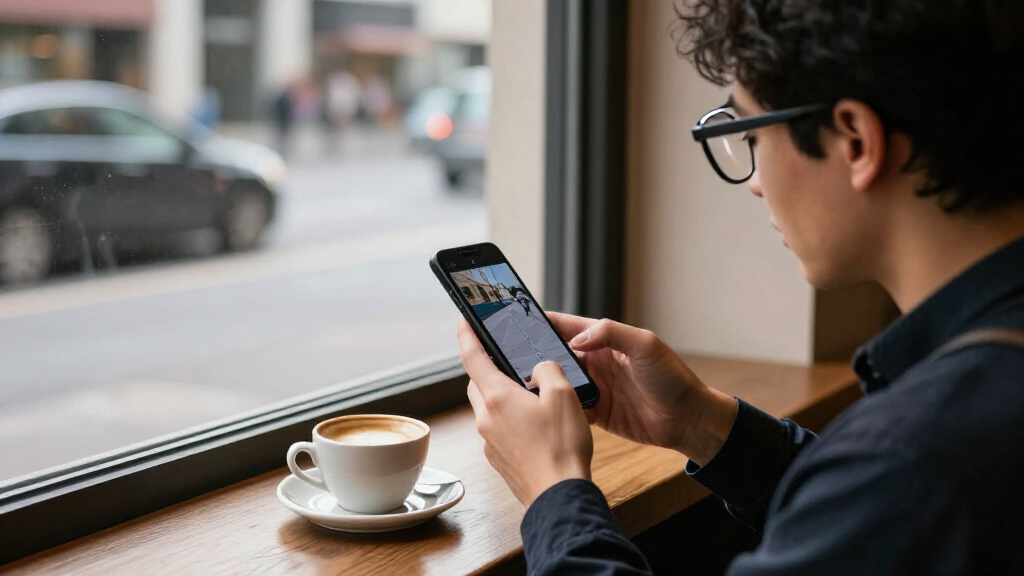
I compared these glasses as smartphone accessories first, looking at the supplied compatibility claims, display resolution and refresh rate, field of view, spatial features, and vision adjustment. I gave more weight to details that change daily use—such as a stated myopia range or native 3DoF—than to a large virtual-screen figure by itself, since screen-size claims are not standardized across brands. Where a listing supplied fewer technical details, I treated that as a limit on how confidently the product could be matched to a particular buyer.
The ranking favors options with a clear combination of useful display features and phone-oriented flexibility, followed by models that serve a more specific need. Premium positioning alone did not move a product higher: a specialist model can be a better choice for its intended user, but a weaker fit for everyone else. Before buying, check whether your exact phone supports the glasses’ required video output and connection method; product naming or a USB-C port alone does not establish compatibility.
| ar glasses smartphone | Audio |
|---|---|
| AOC Air Mega AR/XR Glasses | Built-in speakers |
| XREAL xbx a01+ AR Glasses | Built-in directional speakers |
| VITURE Luma XR/AR Glasses with | — |
| VITURE Beast XR/AR Glasses | — |
| VITURE Pro 2 XR Glasses | — |
| XREAL 1 Pro+ AR Glasses with 1 | — |
| Pro AR/XR Glasses 70° FOV 1000 | — |
| RayNeo Air 3s AR/XR Glasses | Built-in speakers |
| THINKAR AiRA XR AR Glasses wit | — |
| RayNeo GT Max AR/XR Glasses | Bang & Olufsen-tuned quad-speaker system with spatial audio |
| Rokid Max2 Black AR Glasses | — |
| VITURE Luma Ultra XR Glasses | HARMAN-tuned open-ear audio |
| RayNeo GT Max AR/XR Glasses | Quad-speaker spatial audio co-tuned by Bang & Olufsen |
| RayNeo GT AR/XR Glasses | Bang & Olufsen Racetrack Quad-Speaker system |
Factors to Consider When Choosing Ar Glasses Smartphone
Choosing smartphone AR glasses involves more than comparing virtual screen sizes. I’d start with your phone’s output, then weigh how you see, how you plan to use the display, and whether spatial features will make a difference in your routine.
Check Your Phone’s Video Output Before Comparing Models
A USB-C connector does not guarantee that a phone can send video to glasses; the phone must support the required display output, and the glasses may need a compatible adapter or accessory. Check the manufacturer’s compatibility list for your exact phone model and operating system rather than relying on a general “works with smartphones” claim. Also check whether your intended apps can output video as you expect, since device support and app behavior are separate issues. A connection that works with a laptop or handheld console may not behave the same way with a phone. This compatibility check can save you from choosing on display specs that your current device cannot use.
Match Resolution and Refresh Rate to What You Watch
Resolution affects how fine text and image detail appear, while refresh rate affects how smoothly motion is presented. If your main use is video, readable subtitles and a clear image may matter more than the highest refresh figure; for fast-moving games, smooth motion can carry more weight. Neither spec guarantees comfort or sharpness, because fit and how the image sits in your field of view also shape what you see. Compare stated resolution and refresh rate separately instead of treating one as a stand-in for overall image quality. Check that your phone and apps can deliver the content and frame rates you want.
Treat Screen-Size Claims as a Starting Point
Virtual screen figures can make one model appear dramatically larger than another, but brands may describe the viewing experience differently. A larger stated screen does not automatically mean a wider field of view, more detail, or a better image for your eyes. Field of view offers another useful clue: it can help describe how much of your vision the display occupies, though it still does not predict comfort on its own. Use screen size to narrow options, then compare resolution, field of view, fit, and whether the display can remain fixed in space. If possible, look for clear return terms so you can judge comfort with your own phone and content.
Check Vision Correction Against Your Actual Prescription
Built-in diopter adjustment can make glasses more convenient for some nearsighted users, but the stated correction range has limits. Compare that range with your prescription and ask whether your prescription includes astigmatism or other needs that a simple diopter adjustment may not address. Do not assume that a product listing’s maximum correction will suit both eyes or cover your full prescription. If you wear glasses, check whether the glasses support prescription inserts or another approved correction method. Buyers with complex prescriptions should confirm the fit and correction options with the manufacturer before choosing.
Decide Whether Spatial Features Are Worth Prioritizing
Basic screen mirroring places a virtual display in front of you, while spatial features such as native 3DoF can let that screen stay anchored or respond to head movement. That difference matters if you want a more room-like viewing setup, but it may add little for a short video watched straight ahead. Spatial behavior can also depend on the glasses’ software and the connected device, so check what is built into the glasses and what requires a companion app or accessory. Buyers who mainly mirror phone content should prioritize reliable connection and fit over a feature they may rarely use. If spatial viewing is central to your plan, confirm exactly how the model handles it before purchase.
Prioritize Fit and Wearability for Long Sessions
AR glasses sit on your face, so balance, nose support, temple pressure, and light control can matter as much as display specifications during long viewing sessions. A heavier design or a fit that presses on your ears may become distracting even if its image features suit your needs. Check whether the package includes adjustable nose pads, light shields, or other fit options, and whether the frame can accommodate your preferred correction method. Audio design matters too: built-in speakers may keep setup simple, while a different audio route may better suit shared spaces or privacy needs. When the listing leaves fit details unclear, avoid assuming that a frame will feel comfortable based on its screen claims.
Frequently Asked Questions
Will these AR glasses work with any smartphone that has USB-C?
No. The phone needs to support the video output method required by the glasses, and a USB-C charging port by itself does not confirm that capability. Compatibility can vary by exact phone model, operating system, and adapter or accessory requirements. Check the glasses maker’s supported-device information before buying, and confirm that your phone can output the type of video you plan to watch. If phone compatibility is not clearly stated, contact the manufacturer rather than assuming a connection will work.
Should I choose 120Hz or 1200p for smartphone gaming and video?
Choose based on the content and the capability you value most: 120Hz focuses on smoother motion, while 1200p describes a higher-resolution image. Fast-paced games can benefit more from a higher refresh rate, while detailed video, menus, and subtitles can make resolution more noticeable. Your phone and the app also need to provide content that uses the glasses’ capabilities. The VITURE Pro 2 and XREAL 1 Pro+ list 120Hz, while the VITURE Beast and Luma list 1200p, so those specifications point to different priorities rather than a simple winner.
Are the 267-inch virtual-screen glasses automatically better than the smaller-screen models?
No. The advertised diagonal is not a standard measure that makes direct comparisons reliable across brands. Field of view, resolution, image placement, comfort, and spatial behavior all affect how large and useful the display feels. For example, the RayNeo GT Max listings pair a 267-inch claim with native 3DoF, while the VITURE Beast highlights a 58° field of view and 1200p resolution. Choose using the combination of features that fits your use rather than the largest screen number alone.
Can built-in myopia adjustment replace prescription lenses?
Not for every wearer. The VITURE Luma and Pro listings state specific myopia-adjustment ranges, but those controls may not address astigmatism or prescriptions outside the stated limits. Compare the range with your prescription for each eye and check whether the model supports prescription inserts if needed. Do not assume that a single adjustment setting covers every vision requirement. If your prescription is complex, ask the manufacturer or an eye-care professional what correction approach is suitable.
Do I need native 3DoF if I only want to watch video from my phone?
Not necessarily. If you mainly want a large screen directly in front of you, a straightforward display may meet your needs without spatial anchoring. Native 3DoF is more relevant when you want the virtual screen to remain positioned in space as you move your head. That capability may be worth prioritizing for a more spatial viewing experience, but it does not replace checking phone compatibility, image quality, or fit. The RayNeo GT Max and GT listings highlight native 3DoF, while other models may suit simpler screen mirroring better.
Conclusion
For most shoppers, I’d choose the VITURE Beast as the best overall because its 1200p display and 58° field of view make its strengths easy to understand across video and gaming. The best value by capability is the RayNeo Air 3s, which pairs a 120Hz FHD display with a straightforward movie-and-game focus; compare current package contents and phone compatibility before deciding what value means for you. For a best premium spatial pick, look at the RayNeo GT Max and its native 3DoF, while recognizing that its large virtual-screen figure alone should not decide the purchase. For beginners, I’d start with the XREAL xbx a01+ if a simple large-screen experience is the goal, after confirming phone support. For specific vision needs, compare the VITURE Luma and Pro models’ stated myopia ranges with your prescription; for a smoother 120Hz display, consider the VITURE Pro 2 or XREAL 1 Pro+. The right choice depends less on the biggest advertised screen and more on whether your phone, eyes, and viewing habits match the glasses.