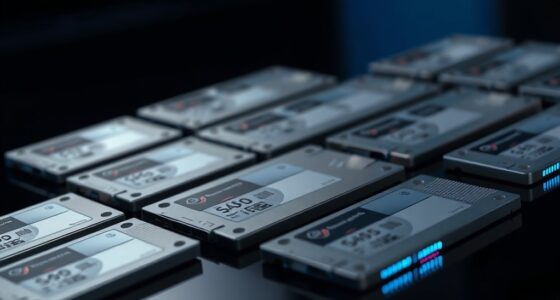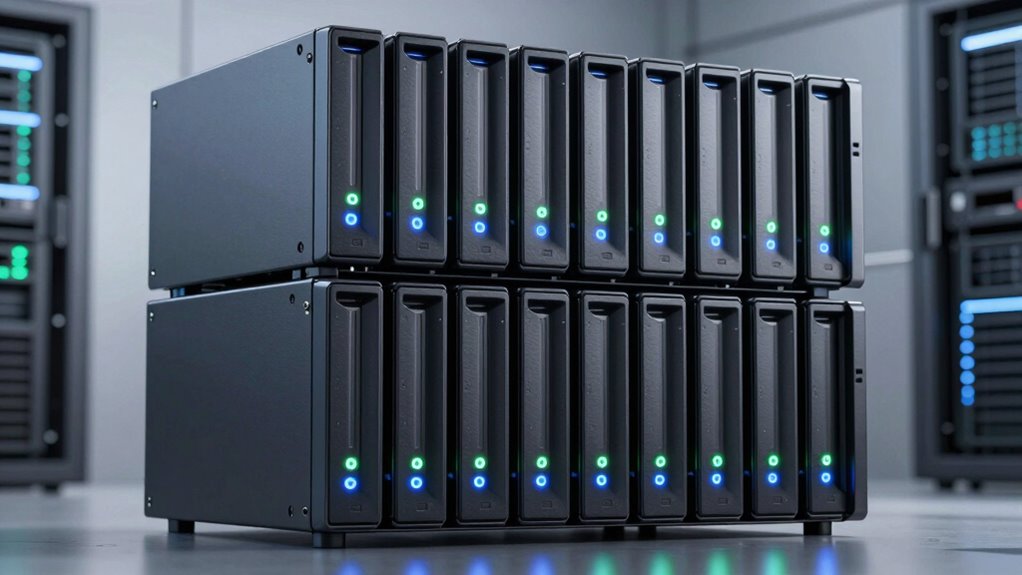
An 8-bay NAS gives you room to build substantial shared storage, but processor power, networking, software, and upgrade paths vary widely. I rank the Synology DS1825+ as the best overall for buyers who want a balanced desktop system, while the QNAP TS-873A-8G stands out for flexible expansion and the UGREEN DXP8800 Ultra for buyers seeking a more performance-focused platform. Rackmount designs and entry-oriented models suit different spaces and workloads, so the most capable specification sheet is not automatically the best fit. I compare the tradeoffs that matter and explain who should choose each model. Continue reading for the full breakdown and advice on matching an 8-bay NAS to your storage plans.

Get the latest gadgets delivered free with Prime
- Fast, free delivery on millions of items
- Prime Video, Amazon Music and more included
- Member-only deals all year
Complete the kit



Key Takeaways
The Synology DS1825+ earns the overall lead by balancing desktop usability, storage capacity, and an established software approach rather than chasing the highest headline performance.
The QNAP TS-873A-8G is a stronger fit for buyers who value configurable hardware and expansion options, but that flexibility calls for more setup decisions.
The UGREEN DXP8800 Ultra and Asustor Lockerstor 8 Gen3 AS6808T target performance-minded enthusiasts; buyers should weigh their workload and software preferences before paying for that headroom.
The Synology RS1221+ is the lineup’s rackmount choice, not a direct desktop substitute; plan for rack space, noise, and a suitable network environment.
Not all eight-bay systems serve the same growth plan: compare drive support, memory and network expansion, and software needs before choosing among the QNAP TS-832PX-4G, Asustor AS6508T, and newer alternatives.
| Synology 8-Bay DiskStation DS1823xs+ (Diskless) |  | Best for Rack-Based Business Continuity | Drive bays: 8 | Expansion: Up to 18 bays with two DX517 units | Drive configuration: Diskless | VIEW ON AMAZON | See Our Full Breakdown |
| QNAP TS-873A-8G 8-Bay NAS |  | Best for Flexible Desktop Expansion | Processor: AMD Ryzen Embedded V1500B quad-core, 2.2 GHz | Memory: 8GB DDR4, expandable to 64GB | Drive bays: 8 | VIEW ON AMAZON | See Our Full Breakdown |
| Synology DS1825+ 8-Bay Diskless NAS |  | Best for Creative Teams That May Upgrade Networking | Drive bays: 8 | Drive configuration: Diskless | Maximum storage capacity: 360 TB | VIEW ON AMAZON | See Our Full Breakdown |
| Synology 8 Bay RackStation RS1221+ (Diskless) |  | Best for Short-Depth Racks | Drive bays: 8 | Drive configuration: Diskless | Rack format: 2U rack mount | VIEW ON AMAZON | See Our Full Breakdown |
| UGREEN NAS DXP8800 Ultra 8-Bay Network Attached Storage |  | Best for High-Speed Creative Workflows | Drive bays: 8 SATA bays | Maximum storage capacity: Up to 272 TB | Processor: Intel 150U, up to 5.4 GHz | VIEW ON AMAZON | See Our Full Breakdown |
| Asustor Lockerstor 8 Gen3 AS6808T 8 Bay NAS for Enthusiasts (Diskless) |  | Best for High-Speed Workloads | Processor: AMD Ryzen Embedded V3C14 quad-core | Memory: 16GB DDR5 ECC; expandable to 64GB | Network ports: Dual 10GbE and dual 5GbE | VIEW ON AMAZON | See Our Full Breakdown |
| Asustor Lockerstor 8 AS6508T 8-Bay NAS Enclosure |  | Best for 10GbE on a Simpler Platform | Processor: Intel Atom C3538 quad-core | Memory: 8GB DDR4-2133 | Drive bays: 8 x 3.5-inch SATA | VIEW ON AMAZON | See Our Full Breakdown |
| QNAP TS-855X-8G-US 8-Bay NAS |  | Best for Expandable Business Storage | Processor: Intel Atom C5125, 8 cores, 2.8GHz | Memory: 8GB DDR4 U-DIMM; expandable to 128GB with ECC support | Drive bays: 6 x 3.5-inch SATA HDD and 2 x 2.5-inch SATA SSD | VIEW ON AMAZON | See Our Full Breakdown |
| QNAP TS-832PX-4G 8-Bay NAS |  | Best for SFP+ Network Setups | Processor: AnnapurnaLabs Alpine AL324 ARM Cortex-A57 quad-core, 1.7GHz | Memory: 4GB DDR4 SODIMM; maximum 16GB | Drive bays: 8 x 3.5-inch SATA 6Gb/s or 3Gb/s | VIEW ON AMAZON | See Our Full Breakdown |
| bay na | Drive bays | Processor | Memory | Warranty |
|---|---|---|---|---|
| Synology 8-Bay DiskStation DS1 | 8 | — | — | — |
| QNAP TS-873A-8G 8-Bay NAS | 8 | AMD Ryzen Embedded V1500B quad-core, 2.2 GHz | 8GB DDR4, expandable to 64GB | 3 years |
| Synology DS1825+ 8-Bay Diskles | 8 | — | — | 3 years |
| Synology 8 Bay RackStation RS1 | 8 | — | — | 3 years |
| UGREEN NAS DXP8800 Ultra 8-Bay | 8 SATA bays | Intel 150U, up to 5.4 GHz | 8GB DDR5, expandable to 96GB | — |
| Asustor Lockerstor 8 Gen3 AS68 | — | AMD Ryzen Embedded V3C14 quad-core | 16GB DDR5 ECC; expandable to 64GB | — |
| Asustor Lockerstor 8 AS6508T 8 | 8 x 3.5-inch SATA | Intel Atom C3538 quad-core | 8GB DDR4-2133 | 2 years |
| QNAP TS-855X-8G-US 8-Bay NAS | 6 x 3.5-inch SATA HDD and 2 x 2.5-inch SATA SSD | Intel Atom C5125, 8 cores, 2.8GHz | 8GB DDR4 U-DIMM; expandable to 128GB with ECC support | 3 years |
| QNAP TS-832PX-4G 8-Bay NAS | 8 x 3.5-inch SATA 6Gb/s or 3Gb/s | AnnapurnaLabs Alpine AL324 ARM Cortex-A57 quad-core, 1.7GHz | 4GB DDR4 SODIMM; maximum 16GB | 2 years |
More Details on Our Top Picks
Synology 8-Bay DiskStation DS1823xs+ (Diskless)
The DS1823xs+ is the strongest fit here for a business that values service continuity and planned growth over a simple desktop setup. Its hot-swappable drives, online volume expansion, and High Availability clustering help reduce disruption as storage changes or a system needs failover. It can also grow from eight bays to 18 with two DX517 units, a clearer expansion path than the supplied specs describe for the DS1825+. Compared with the tabletop QNAP TS-873A-8G, this Synology is more oriented toward rack infrastructure and built-in continuity features, rather than desktop placement and flexible hardware expansion. The tradeoff is practical: it ships without drives and its rack-mount form limits where it fits. I’d shortlist it for a small or midsize organization with an existing rack and staff to manage storage.
Pros:- Hot-swappable drives and online volume expansion can reduce downtime during maintenance and growth.
- Supports expansion to 18 total bays with up to two DX517 units.
- Includes license-free backup, replication, and High Availability clustering features.
- Metal rack-mount enclosure suits structured office or data-center installations.
Cons:- Diskless configuration means compatible drives must be sourced separately.
- Rack-mount design limits placement options compared with tabletop models such as the QNAP TS-873A-8G.
Best for: Small and midsize businesses with a rack, planned storage growth, and a need for high-availability and backup features.
Not ideal for: Home users or small offices without rack equipment, and buyers seeking a ready-to-use system with drives included.
- Drive bays:8
- Expansion:Up to 18 bays with two DX517 units
- Drive configuration:Diskless
- Mounting type:Rack mount
- Dimensions:14.57 x 18.11 x 12.6 inches
- Weight:16.5 pounds
- Enclosure material:Metal
Our verdict“Choose the DS1823xs+ for rack-based business storage that needs built-in continuity features and an expansion path beyond eight bays.”
QNAP TS-873A-8G 8-Bay NAS
The TS-873A-8G makes sense for buyers who want room to tune a desktop NAS around changing workloads. Its Ryzen Embedded quad-core processor, 8GB of expandable memory, two PCIe Gen 3 slots, and two M.2 NVMe slots give it more hardware flexibility than the Synology RS1221+, whose appeal is its short-depth rack format. Dual 2.5GbE ports provide more network headroom than standard gigabit connections, though they do not match the dual 10GbE ports and Thunderbolt 4 connections on the UGREEN DXP8800 Ultra. A choice between QTS and QuTS hero also lets buyers select their preferred QNAP operating system. The supplied product details do not specify a maximum capacity or included drives, so I’d check drive compatibility and workload needs before buying. This is a versatile platform, but its many expansion choices suit a buyer comfortable configuring a NAS.
Pros:- Ryzen Embedded quad-core processor and expandable memory support a range of NAS workloads.
- Two 2.5GbE ports offer more network capacity than standard gigabit Ethernet.
- PCIe slots and M.2 NVMe slots allow hardware expansion and SSD use.
- Supports both QTS and QuTS hero operating systems.
Cons:- 2.5GbE is slower than the dual 10GbE connectivity on the UGREEN DXP8800 Ultra.
- The range of operating-system and hardware choices may require more setup knowledge than a simpler NAS.
- The supplied product data does not specify storage capacity or whether drives are included.
Best for: Small-business teams and technically confident home-office users who want a tabletop NAS with upgrade options for memory, networking, and NVMe storage.
Not ideal for: Buyers who want faster built-in 10GbE connectivity or a straightforward appliance that needs little configuration.
- Processor:AMD Ryzen Embedded V1500B quad-core, 2.2 GHz
- Memory:8GB DDR4, expandable to 64GB
- Drive bays:8
- Ethernet:2 x 2.5GbE RJ45
- Expansion slots:2 x PCIe Gen 3
- M.2 slots:2 x M.2 NVMe
- Operating systems:QTS and QuTS hero
- Mounting type:Tabletop
- Warranty:3 years
Our verdict“Pick the TS-873A-8G if you want a flexible tabletop eight-bay NAS and are comfortable choosing its software and expansion setup.”
Synology DS1825+ 8-Bay Diskless NAS
The DS1825+ is aimed at teams that need an eight-bay Synology for shared business files, backups, surveillance, or video work, with a route to higher-capacity storage. Its stated maximum capacity of 360 TB gives buyers a concrete growth target, while optional 10GbE or 25GbE cards can support faster workflows when the rest of the network is ready. That upgrade-based approach differs from the UGREEN DXP8800 Ultra, which includes dual 10GbE and Thunderbolt 4 in its listed configuration; the UGREEN is better suited to buyers who want fast interfaces built in. The DS1825+ instead favors Synology’s familiar business and data-protection ecosystem. Drives are not included, and higher-speed networking requires a separate card, so its advertised potential involves additional hardware planning. I’d choose it for a Synology-oriented team expecting to grow capacity or network speed over time.
Pros:- Stated storage capacity can expand up to 360 TB.
- Optional 10GbE or 25GbE cards support faster network workflows.
- Designed for business sharing, synchronization, backup, surveillance, and multi-user video editing.
- Metal-and-plastic enclosure weighs 6000 g.
Cons:- Diskless configuration requires a separate drive purchase.
- Faster networking depends on optional upgrade cards, unlike the UGREEN DXP8800 Ultra’s listed dual 10GbE ports.
- The supplied data does not specify an included network speed or expansion-unit model.
Best for: Business and video-production teams already using Synology software that need expandable shared storage and may add faster networking later.
Not ideal for: Buyers who need 10GbE or Thunderbolt connections included, or who want a complete system with drives supplied.
- Drive bays:8
- Drive configuration:Diskless
- Maximum storage capacity:360 TB
- Networking upgrades:Optional 10GbE or 25GbE cards
- Dimensions:9.57 x 13.5 x 6.54 inches
- Weight:6000 g
- Enclosure material:Metal and plastic
- Warranty:3 years
Our verdict“Choose the DS1825+ if you want an expandable Synology platform and are comfortable adding drives and faster networking as needed.”
Synology 8 Bay RackStation RS1221+ (Diskless)
The RS1221+ earns its place by solving a specific installation problem: fitting eight bays into a short-depth rack. Its stated sequential performance—up to 2,315 MB/s read and 1,147 MB/s write—makes it a serious option for small-business file workloads, while High Availability clustering and DiskStation Manager data-protection features serve teams that need a dependable shared-storage setup. Compared with the DS1823xs+, this model’s strongest distinction is the short-depth rack fit; the DS1823xs+ offers a more explicit expansion path to 18 bays and describes hot-swap and online volume expansion. The RS1221+ is still diskless, and its rack-focused design is a poor match for a home desk. Its stated performance figures also do not replace a check of network, drive, and workload requirements. I’d favor it when rack depth is the constraint, not when flexibility of placement is the priority.
Pros:- Short-depth rack format suits installations with limited front-to-back space.
- Stated sequential speeds reach up to 2,315 MB/s read and 1,147 MB/s write.
- Supports Synology High Availability clustering.
- DiskStation Manager provides data-protection features for business workloads.
Cons:- Diskless configuration requires compatible drives to be purchased separately.
- Rack-only placement is less flexible than the tabletop QNAP TS-873A-8G.
- The supplied specs do not list drive-bay dimensions or networking interfaces.
Best for: Small businesses with a short-depth rack that need eight-bay shared storage and Synology data-protection features.
Not ideal for: Home users without rack equipment, or organizations that want a documented expansion path beyond eight bays.
- Drive bays:8
- Drive configuration:Diskless
- Rack format:2U rack mount
- Read speed:Up to 2,315 MB/s
- Write speed:Up to 1,147 MB/s
- Weight:20.6 pounds
- Enclosure material:Metal
- Warranty:3 years
Our verdict“Choose the RS1221+ when a short-depth rack and Synology business features matter more than desktop placement or a stated path past eight bays.”
UGREEN NAS DXP8800 Ultra 8-Bay Network Attached Storage
The DXP8800 Ultra is the most connectivity-focused option in this group. Its dual 10GbE ports and two Thunderbolt 4 ports give creative teams several routes for moving large files, while the Intel 150U processor and DDR5 memory expandable to 96GB suit workloads that may include virtual machines or containers. It also lists two NVMe slots and capacity up to 272 TB across its SATA bays and M.2 storage. Compared with the Synology DS1825+, the UGREEN includes 10GbE in its listed specifications rather than requiring an optional network card, but the DS1825+ may appeal more to teams already invested in Synology’s software environment. The UGREEN is diskless, and its broad workload support makes drive selection and setup a meaningful part of ownership. I’d favor it for technically capable studios that can make use of its fast ports.
Pros:- Dual 10GbE ports and two Thunderbolt 4 ports support fast file-transfer workflows.
- DDR5 memory expands from 8GB to as much as 96GB.
- Two NVMe slots add SSD options alongside the eight SATA bays.
- Supports JBOD, Basic, RAID 0, 1, 5, 6, and 10.
Cons:- Diskless configuration requires separate HDD and SSD purchases.
- Drive setup and management may require IT expertise.
- Its faster connections provide less benefit if client devices and network infrastructure lack compatible ports.
Best for: Creative studios and technical teams moving large project files over 10GbE or Thunderbolt and planning to run memory-intensive services.
Not ideal for: Beginners who want a simple setup, or buyers whose network and computers cannot use 10GbE or Thunderbolt.
- Drive bays:8 SATA bays
- Maximum storage capacity:Up to 272 TB
- Processor:Intel 150U, up to 5.4 GHz
- Memory:8GB DDR5, expandable to 96GB
- Networking:2 x 10GbE
- Ports:2 x Thunderbolt 4, SD 4.0, USB 3.2 Gen 2
- M.2 slots:2 NVMe
- RAID support:JBOD, Basic, RAID 0/1/5/6/10
- Included drives:None; HDDs and SSDs sold separately
Our verdict“Pick the DXP8800 Ultra for a capable studio that can use its built-in 10GbE and Thunderbolt links and manage a diskless setup.”
Asustor Lockerstor 8 Gen3 AS6808T 8 Bay NAS for Enthusiasts (Diskless)
The Lockerstor 8 Gen3 is the performance-focused choice here for buyers who can make use of unusually fast networking and storage acceleration. Its dual 10GbE and dual 5GbE ports offer more high-speed connectivity than the QNAP TS-855X-8G-US, while four PCIe 4.0 NVMe slots give it more room for cache or all-flash configurations than either QNAP model in this batch. ECC DDR5 memory, expandable to 64GB, also suits virtualization and data-intensive work. That capability brings a higher setup burden: it arrives diskless, has no native video output, and its premium hardware is hard to justify for basic file sharing. I’d pick it for demanding media or multi-user workloads, not a simple home backup target.
Pros:- Dual 10GbE and dual 5GbE ports support several high-speed network paths.
- Four PCIe 4.0 M.2 NVMe slots provide flexible cache or all-flash options.
- ECC DDR5 memory is expandable from 16GB to 64GB.
- AMD Ryzen Embedded quad-core processor is suited to demanding workloads.
Cons:- Diskless configuration means drives must be purchased and installed separately.
- No native video output for direct monitor connection.
- Its high-performance hardware may be unnecessary for routine storage and backup.
Best for: Enthusiasts and small production teams running high-throughput media workflows, virtualization, or demanding shared storage.
Not ideal for: Home users who mainly need backups and file sharing, or buyers who want a direct monitor connection and minimal setup.
- Processor:AMD Ryzen Embedded V3C14 quad-core
- Memory:16GB DDR5 ECC; expandable to 64GB
- Network ports:Dual 10GbE and dual 5GbE
- M.2 slots:4 PCIe 4.0 NVMe
- USB connectivity:5 ports, including dual USB4 40Gbps
- Operating system:ASUSTOR Data Master (ADM)
- Configuration:Diskless, 8-bay NAS
- Video output:None
Our verdict“Choose the Lockerstor 8 Gen3 when fast networking, ECC memory, and multiple NVMe slots matter more than simplicity or modest storage needs.”
Asustor Lockerstor 8 AS6508T 8-Bay NAS Enclosure
The Lockerstor 8 AS6508T gives buyers eight SATA bays and dual 10GbE networking without the newer Gen3 model’s emphasis on extensive NVMe acceleration and DDR5 ECC memory. Its 8GB of DDR4 and Intel Atom C3538 are a more modest foundation, but can suit shared storage and backup duties where capacity and fast network access matter more than heavy virtualization. Compared with the QNAP TS-832PX-4G, it has more installed memory and includes M.2 SSD caching support; the QNAP instead offers SFP+ 10GbE ports and PCIe expansion. This ASUSTOR is still diskless, and its processor and memory ceiling make it a weaker fit for intensive applications than the Lockerstor 8 Gen3. Choose it for a less demanding 10GbE storage setup.
Pros:- Eight 3.5-inch SATA bays provide room for a large storage pool.
- Dual 10GbE and dual 2.5GbE interfaces allow flexible network connections.
- Includes 8GB of DDR4 memory.
- Supports M.2 NVMe SSD caching.
Cons:- Ships without hard drives, so the storage pool requires a separate drive purchase.
- The Intel Atom C3538 and 8GB DDR4 are less suited to intensive workloads than the Lockerstor 8 Gen3.
- Its older DDR4 platform offers less memory headroom than newer high-performance alternatives.
Best for: Small offices and home labs that need eight drive bays, dual 10GbE, and a moderate workload rather than extensive virtualization.
Not ideal for: Users running memory-heavy services or intensive media and virtualization workloads who would benefit from the Gen3’s ECC DDR5 and faster NVMe options.
- Processor:Intel Atom C3538 quad-core
- Memory:8GB DDR4-2133
- Drive bays:8 x 3.5-inch SATA
- Maximum storage capacity:144TB
- Network interfaces:2 x 10GbE and 2 x 2.5GbE
- Additional storage:M.2 NVMe SSD cache
- Operating system:ASUSTOR Data Master (ADM)
- Warranty:2 years
Our verdict“Pick the AS6508T for eight-bay capacity and dual 10GbE on a moderate workload, but look to the Gen3 if you need more processing and memory headroom.”
QNAP TS-855X-8G-US 8-Bay NAS
The QNAP TS-855X-8G-US stands out for buyers who expect their storage system to grow beyond its initial setup. Its eight-core Intel Atom C5125, two PCIe expansion slots, and memory expansion up to 128GB with ECC support give it a clear upgrade path that the four-bay-cache-focused Lockerstor 8 AS6508T does not match. The bay layout is distinctive: six 3.5-inch HDD bays plus two 2.5-inch SSD bays, so it can combine bulk storage and dedicated SSD capacity without treating all eight positions alike. It has only one 10GbE port and two M.2 slots, fewer high-speed network ports and NVMe slots than the Lockerstor 8 Gen3. Diskless setup and the need to choose between QTS and QuTS hero also make it better suited to hands-on business users than beginners.
Pros:- Eight-core processor and memory expansion up to 128GB support room to grow.
- Two PCIe Gen 3 x4 slots allow additional expansion options.
- Six HDD bays and two SSD bays separate bulk storage from dedicated SSD capacity.
- Supports both QTS and QuTS hero operating systems.
Cons:- Diskless configuration requires a separate drive purchase.
- Only one 10GbE port, compared with the Lockerstor 8 Gen3’s dual 10GbE.
- Two M.2 slots offer less NVMe flexibility than the Lockerstor 8 Gen3’s four.
Best for: Small businesses and advanced home labs that want PCIe expansion, substantial memory headroom, and a mix of HDD and SSD bays.
Not ideal for: Buyers seeking several 10GbE connections, four NVMe slots, or a straightforward plug-and-store setup.
- Processor:Intel Atom C5125, 8 cores, 2.8GHz
- Memory:8GB DDR4 U-DIMM; expandable to 128GB with ECC support
- Drive bays:6 x 3.5-inch SATA HDD and 2 x 2.5-inch SATA SSD
- Network:1 x 10GbE and 2 x 2.5GbE
- M.2 slots:2 x PCIe Gen 3 x4 NVMe
- PCIe slots:2 x PCIe Gen 3 x4
- Operating systems:QTS; supports QuTS hero
- Warranty:3 years
Our verdict“Choose the TS-855X when expansion and a mixed HDD/SSD bay layout matter more than having multiple 10GbE ports or four NVMe slots.”
QNAP TS-832PX-4G 8-Bay NAS
The QNAP TS-832PX-4G is a network-oriented eight-bay option for buyers whose existing equipment uses SFP+ rather than 10GBASE-T. It pairs two 10GbE SFP+ ports with two 2.5GbE ports, while PCIe expansion can add SSD caching or Qtier storage tiering. That makes it a different proposition from the QNAP TS-855X-8G-US: the TS-855X has a stronger eight-core processor, more installed memory, and two built-in NVMe slots, while this model focuses on SFP+ connectivity and keeps expansion flexible. The tradeoff is its quad-core ARM processor and just 4GB of installed RAM, expandable only to 16GB. It arrives without drives, and its base memory makes it a better fit for network storage than a virtualization-heavy server.
Pros:- Two 10GbE SFP+ ports suit compatible high-speed switching equipment.
- Two 2.5GbE ports add flexible connections for standard network gear.
- Eight SATA bays provide capacity for a large storage pool.
- PCIe expansion supports compatible SSD caching and Qtier options.
Cons:- Ships without drives.
- Base memory is 4GB and the maximum is 16GB.
- Quad-core ARM processing is less suited to heavier workloads than the TS-855X’s eight-core Intel platform.
Best for: Small offices and advanced home labs with SFP+ switches that need eight-bay shared storage and PCIe-based caching options.
Not ideal for: Users running multiple virtual machines or memory-intensive apps, or buyers without SFP+ networking who want stronger built-in performance.
- Processor:AnnapurnaLabs Alpine AL324 ARM Cortex-A57 quad-core, 1.7GHz
- Memory:4GB DDR4 SODIMM; maximum 16GB
- Drive bays:8 x 3.5-inch SATA 6Gb/s or 3Gb/s
- Network ports:2 x 10GbE SFP+ and 2 x 2.5GbE/1GbE/100MbE
- Expansion:PCIe cards, including QM2 for M.2 SATA/NVMe caching and Qtier
- Drives included:No
- Mounting type:Tabletop
- Warranty:2 years
Our verdict“Choose the TS-832PX-4G if SFP+ connectivity is central to your network and your NAS workload is lighter than a virtualization server’s.”

How We Picked
I ranked these systems by how well they match real 8-bay storage needs: capacity planning, performance potential, network connectivity, expansion, management software, and the demands of installation and upkeep. I also weighed whether each model’s hardware makes sense for its likely buyer, from a straightforward shared-storage setup to a tuned home lab or rack-based business deployment. Because all nine are diskless, the NAS is only part of the total system; drive compatibility, drive cost, and backup plans matter to the decision.
The order favors balance and fit over raw specifications alone. The DS1825+ takes the lead as a broadly suitable desktop option, while specialist picks rank highly for the buyers who benefit from their particular strengths. Rackmount form factor, older-generation positioning, and lower-capacity configurations affect where other models sit. A model lower in the ranking may still be the better choice when its networking, expansion approach, or physical design matches your setup.
| bay na | Processor |
|---|---|
| Synology 8-Bay DiskStation DS1 | — |
| QNAP TS-873A-8G 8-Bay NAS | AMD Ryzen Embedded V1500B quad-core, 2.2 GHz |
| Synology DS1825+ 8-Bay Diskles | — |
| Synology 8 Bay RackStation RS1 | — |
| UGREEN NAS DXP8800 Ultra 8-Bay | Intel 150U, up to 5.4 GHz |
| Asustor Lockerstor 8 Gen3 AS68 | AMD Ryzen Embedded V3C14 quad-core |
| Asustor Lockerstor 8 AS6508T 8 | Intel Atom C3538 quad-core |
| QNAP TS-855X-8G-US 8-Bay NAS | Intel Atom C5125, 8 cores, 2.8GHz |
| QNAP TS-832PX-4G 8-Bay NAS | AnnapurnaLabs Alpine AL324 ARM Cortex-A57 quad-core, 1.7GHz |
Factors to Consider When Choosing 8 Bay Nas
Before choosing an 8-bay NAS, I would plan around the system you need to maintain, not just the maximum number of drives it can hold. These broader decisions affect long-term cost, reliability, and how much of the NAS’s hardware you can actually use.
Plan usable capacity, not just raw drive capacity
Eight drive bays describe the number of disks you can install, not the amount of data you can safely store. Redundancy reduces usable capacity, and filesystem overhead or reserved space reduces it further. Estimate your current data, expected annual growth, and the space you want to keep free before buying drives. A common mistake is filling every bay with the largest disks the budget allows, then having no room to expand without replacing drives. Check the NAS’s supported RAID or storage-pool layouts and understand how they handle a failed disk. Also keep a separate backup: disk redundancy helps with drive failure but does not protect against accidental deletion, theft, or malware.
Match networking to actual clients and workloads
A fast network port only helps when the rest of the connection can use it. Check the NAS ports, switches, cabling, and client adapters as a complete path rather than buying around one impressive specification. Multiple users accessing documents may not need the same throughput as a workstation editing large media files directly from shared storage. Link aggregation can help distribute traffic across clients, but it does not automatically make one client’s transfer twice as fast. Think about where the NAS will sit and whether upgrading the network is part of the plan. If most devices connect over ordinary Wi-Fi, spending heavily on network capacity may bring less benefit than adding a wired connection to the key workstation.
Choose software and maintenance you can live with
NAS software shapes everyday tasks such as account management, file sharing, snapshots, remote access, and application installation. A feature-rich interface can be useful for a home lab, but it may add configuration work that a household or small office does not want. Review the manufacturer’s update history, security tools, package ecosystem, and documented support for the services you plan to run. Treat remote access as a security decision: use strong account protection, limit exposed services, and keep the system patched. Before buying, check whether your preferred backup clients and operating systems work well with the NAS. The best interface is the one you can manage consistently, not simply the one with the longest feature list.
Budget for the whole system and future expansion
A diskless NAS leaves buyers to choose drives, and those drives can be a major part of the build. Compare supported drive types and capacities, noise levels, power use, and warranty terms rather than selecting disks by capacity alone. Think through whether you will add memory, faster networking, or expansion storage later, and verify which upgrades the specific model supports. Some buyers pay for performance they never use, while others discover that an entry configuration is difficult to grow around. Check the total cost of the NAS, drives, backup destination, UPS, and any network upgrades together. A less expensive enclosure can become a poor fit if it forces an early replacement or costly workarounds.
Decide between desktop and rackmount installation
Desktop and rackmount 8-bay systems solve different space and infrastructure problems. A desktop enclosure is usually easier to place in a home office or small workspace, while a rackmount unit makes more sense where a rack, suitable airflow, and centralized equipment already exist. Do not assume a rackmount NAS will be quieter or simpler to live with; fan noise and cooling can matter in occupied rooms. Measure depth, clearance, and access for drive servicing before committing to a rack installation. Also consider power protection and how the NAS will be reached during maintenance. If the rack is not already part of your setup, include the cost and space of the supporting equipment in your decision.
Check workload needs before choosing a processor class
File serving, backups, and media storage place different demands on a NAS than running virtual machines, containers, or several applications at once. A stronger processor and more memory can help with concurrent services and heavy workloads, but they cannot compensate for a slow network or poorly planned storage. Write down the jobs the NAS must handle at the same time, then check whether the platform supports the memory and software those jobs need. Buyers sometimes select a high-performance model for a single-user archive that would run comfortably on a simpler system. The opposite mistake is treating an 8-bay unit as a general-purpose server without checking application support and resource limits. Reserve extra capacity when workloads are likely to grow, but pay for it only when it serves a credible plan.
Frequently Asked Questions
Is an 8-bay NAS excessive for a home user?
It depends more on your data growth and drive layout than on whether you run a business. Eight bays can make sense for a large media library, several computers’ backups, or a home lab that benefits from separate storage pools. If your data fits comfortably on fewer drives and you do not need future expansion, a smaller NAS may be simpler and less costly to populate. Remember that an 8-bay diskless enclosure requires drives and a separate backup plan. I would choose eight bays when the added capacity or flexibility has a clear use, rather than buying empty bays for their own sake.
Should I fill all eight bays when I first set up the NAS?
Not necessarily. Starting with fewer drives can leave room for later growth, but the right choice depends on the storage layout you select and whether that layout allows expansion in the way you expect. Check the manufacturer’s instructions for adding disks to a pool before building it; expansion behavior can vary by RAID type and platform. Leaving bays empty does not replace a backup, and it may not be the cheapest route if you later need to replace existing drives to gain capacity. Plan the initial pool around both usable space and your tolerance for drive failure, then document how you intend to grow it.
Do I need faster-than-gigabit networking for an 8-bay NAS?
Not every buyer does. Standard gigabit can be adequate for backups, documents, and light shared use, while large media transfers or multiple simultaneous users can make faster networking more useful. The NAS port is only one piece: your switch, cabling, and computer network adapters must support the same faster connection. A faster link may also be wasted if the disks or workload cannot deliver data quickly enough. I would prioritize a faster network when you can name the clients and tasks that will use it, rather than treating it as a requirement for every eight-bay system.
Is a diskless 8-bay NAS ready to use out of the box?
A diskless model still needs compatible drives and initial software setup before it can store files. You will also need to create a storage pool, set user permissions, configure shares, and choose a backup destination. Check the drive compatibility list and the manufacturer’s setup documentation before buying, particularly if you plan to use drives you already own. A UPS and a secure network configuration may be sensible additions for a system holding important data. Treat the enclosure as the foundation of a storage system, not as a complete backup solution by itself.
Should I choose a rackmount NAS if I do not already own a rack?
Usually, a desktop model is the simpler fit when there is no existing rack or server space. A rackmount enclosure can be a good match for a business or home lab with centralized equipment, planned airflow, and room for safe maintenance. Without that infrastructure, mounting hardware, noise, depth, and cooling can add friction that a desktop unit avoids. Compare the physical dimensions and operating environment before focusing on performance features. In this lineup, the RS1221+ is the rack-oriented choice, so I would select it for a rack-based installation rather than assuming it is a universal upgrade over desktop models.
Conclusion
For the broadest mix of desktop usability and capability, I would start with the Synology DS1825+ as the best overall. Buyers who want a configurable system should look closely at the QNAP TS-873A-8G as the best value-oriented pick, while the UGREEN DXP8800 Ultra and Asustor Lockerstor 8 Gen3 AS6808T suit enthusiasts who want a more performance-focused platform. For a beginner, I would favor a model whose software and support match the user’s comfort level over the largest specification list; the DS1825+ is the clearest starting point in this roundup. Choose the Synology RS1221+ for a rack-based installation, and compare the older Asustor AS6508T or QNAP TS-832PX-4G when their configuration and network features fit a defined need. The right 8-bay NAS is the one that fits your workload, space, maintenance habits, and backup plan—not simply the one with the most ambitious hardware.
Halloween Picks

6-Foot Jason Voorhees Animatronic Halloween Decoration

DomKom 6-Foot Halloween Inflatable Ghosts Roasting Marshmallows

8.5 Foot Halloween Inflatable Haunted House Castle with Skeleton, Ghost & Skulls
As an affiliate, we earn on qualifying purchases.