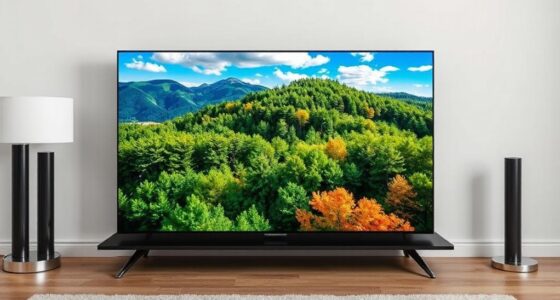

For most MacBook Pro owners, I’d start with the Apple Studio Display with the tilt-adjustable stand: it pairs a 27-inch 5K image with a straightforward Mac-focused setup. The ASUS ProArt PA27JCV is a strong alternative for buyers who want a professional USB-C display, while the INNOCN 34-inch 5K ultrawide favors wide-screen workspace and higher refresh rate over the Studio Display’s standard 16:9 format. The main tradeoffs are price and stand flexibility, desk space, and whether you want a conventional 5K panel, an ultrawide, or a portable screen. A 5K resolution alone does not guarantee the same sharpness, connectivity, or Mac experience. Read on for how I rank all eight options and which one fits your desk.

Get the latest gadgets delivered free with Prime
- Fast, free delivery on millions of items
- Prime Video, Amazon Music and more included
- Member-only deals all year
Complete the kit



Key Takeaways
- The Apple Studio Display with tilt adjustment is my best overall pick for a standard 27-inch 5K desktop setup; its stand choice is simpler than comparing four unrelated form factors.
- The two other Studio Display stand configurations change ergonomics, not screen resolution. Choose VESA mounting for an arm and the height-adjustable version when raising the display matters.
- The ASUS ProArt PA27JCV and ViewSonic VP2788-5K are the Mac-oriented alternatives to compare when you want a 27-inch 5K monitor beyond Apple’s own display.
- The ultrawides trade pixel shape and desk footprint for workspace breadth. INNOCN’s 34-inch model adds 120Hz, while KTC offers a 5K2K dual-mode design with 65W USB-C.
- The InnoView portable 27-inch option is the outlier. Its portable positioning may suit a flexible setup, but buyers should check physical footprint, stand arrangements, and connection needs rather than assuming it works like a travel-sized monitor.
| Apple Studio Display – Standard Glass, Tilt-Adjustable Stand |  | Best for an All-in-One Mac Desk | Screen size: 27 inches | Resolution: 5120 × 2880 (5K) | Brightness: 600 nits | VIEW ON AMAZON | See Our Full Breakdown |
| Apple Studio Display – Standard Glass, VESA Mount Adapter | | Best for a Custom-Mounted Mac Setup | Screen size: 27 inches | Resolution: 5120 × 2880 (5K) | Brightness: 600 nits | VIEW ON AMAZON | See Our Full Breakdown |
| InnoView 27-Inch 5K Portable Monitor (5120×2880, 60Hz, IPS, HDR) |  | Best for Multi-Device Flexibility | Screen size: 27 inches | Resolution: 5120 × 2880 (5K) | Panel: IPS | VIEW ON AMAZON | See Our Full Breakdown |
| KTC 27-Inch 5K2K Dual Mode Monitor with 65W USB-C |  | Best for Switching Between Creative Work and Gaming | Screen size: 27 inches | Resolution modes: 5120 × 2880 (5K) and 2560 × 1440 (2K) | Refresh rates: 60Hz at 5K; 120Hz at 2K | VIEW ON AMAZON | See Our Full Breakdown |
| ViewSonic VP2788-5K 27-Inch 5K Mac-Ready IPS Monitor |  | Best for Ergonomic Creative Workflows | Screen size: 27 inches | Resolution: 5120 × 2880 (5K) | Panel: IPS | VIEW ON AMAZON | See Our Full Breakdown |
| Apple Studio Display – Standard Glass with Tilt and Height Adjustable Stand | | Best for MacBook Pro Integration | Screen size: 27 inches | Resolution: 5120 × 2880 (5K Retina) | Brightness: 600 nits | VIEW ON AMAZON | See Our Full Breakdown |
| INNOCN 34″ 5K 120Hz 5120 x 2160p Ultrawide Monitor for Laptop, MacBook, Mini PC |  | Best for Smooth Ultrawide Work | Screen size: 34 inches | Resolution: 5120 × 2160 | Aspect ratio: 21:9 | VIEW ON AMAZON | See Our Full Breakdown |
| ASUS ProArt PA27JCV 27-inch 5K USB-C Professional Monitor for Mac |  | Best for Color-Critical Creative Work | Screen size: 27 inches | Resolution: 5120 × 2880 (5K HDR) | Refresh rate: 60Hz | VIEW ON AMAZON | See Our Full Breakdown |
| 5k monitors for macbook pro | Screen size | Resolution | Brightness | Color gamut |
|---|---|---|---|---|
| Apple Studio Display | 27 inches | 5120 × 2880 (5K) | 600 nits | — |
| Apple Studio Display | 27 inches | 5120 × 2880 (5K) | 600 nits | — |
| InnoView 27-Inch 5K Portable M | 27 inches | 5120 × 2880 (5K) | 400 cd/m² | 100% sRGB |
| KTC 27-Inch 5K2K Dual Mode Mon | 27 inches | — | 500 cd/m² | 99% DCI-P3; 100% sRGB |
| ViewSonic VP2788-5K 27-Inch 5K | 27 inches | 5120 × 2880 (5K) | — | 100% sRGB; 99% DCI-P3 |
| Apple Studio Display | 27 inches | 5120 × 2880 (5K Retina) | 600 nits | — |
| INNOCN 34" 5K 120Hz 5120 x 216 | 34 inches | 5120 × 2160 | 350 nits | — |
| ASUS ProArt PA27JCV 27-inch 5K | 27 inches | 5120 × 2880 (5K HDR) | 400 cd/m² | 99% DCI-P3; 100% sRGB; 95% Adobe RGB |
More Details on Our Top Picks
Apple Studio Display – Standard Glass, Tilt-Adjustable Stand
I’d choose this Studio Display when the MacBook Pro setup should feel like one connected workstation, not just a screen. Its 27-inch 5K Retina panel, 600-nit brightness, and P3 color support suit detailed design work and crisp text, while the 12MP Center Stage camera and six-speaker spatial-audio system reduce the need for separate meeting gear. Compared with the ViewSonic VP2788-5K, this Apple model adds built-in camera and audio features, while the ViewSonic includes a height-adjustable stand and up to 100W laptop power delivery. The listed Thunderbolt 5 and USB-C ports offer a current-generation connection mix, but the included stand only tilts. I’d factor in a separate stand or mount if you need height adjustment, and skip this if those integrated extras matter less than ergonomic flexibility.
Pros:- 27-inch 5K resolution gives MacBook Pro users ample room for detailed work and readable text.
- 600-nit brightness and P3 wide-color support suit bright rooms and color-rich creative tasks.
- Built-in Center Stage camera and six-speaker spatial audio reduce the need for separate peripherals.
- Thunderbolt 5 and USB-C provide a modern connection set for a Mac-centered workspace.
Cons:- The included stand tilts but does not adjust for height.
- A height-adjustable stand or VESA mount must be purchased separately.
Best for: MacBook Pro owners who want a sharp 5K display with integrated video-call and audio hardware for a streamlined desk.
Not ideal for: Buyers who need height adjustment included or prioritize a fully adjustable stand; the ViewSonic VP2788-5K offers that flexibility out of the box.
- Screen size:27 inches
- Resolution:5120 × 2880 (5K)
- Brightness:600 nits
- Color support:1 billion colors; P3 wide color
- Camera:12MP Center Stage with Desk View
- Audio:Six-speaker system with spatial audio
- Ports:2 × Thunderbolt 5; 2 × USB-C
- Included stand:Tilt-adjustable
- Glass:Standard glass; optional nano-texture glass
Our verdict“Choose this Studio Display for an integrated Mac desk with strong display, camera, and audio features, but budget for a separate ergonomic mount if tilt alone is not enough.”
Apple Studio Display – Standard Glass, VESA Mount Adapter
This Studio Display is the sensible Apple pick when a monitor arm or wall-mounted layout matters more than an included desk stand. It keeps the 27-inch 5K panel, 600-nit brightness, P3 color, Center Stage camera, and six-speaker audio found in the tilt-stand Studio Display, so image quality and built-in meeting features are not the point of difference. The difference is the VESA mount adapter: it lets buyers choose their own arm and height, while the tilt-adjustable model is ready for a basic desk placement. Compared with the ViewSonic VP2788-5K, this Apple option adds integrated camera and audio, but the ViewSonic supplies a fully adjustable stand and up to 100W power delivery. I’d pick this for a planned custom mount, not as a way to avoid setup costs; the arm is separate, and nano-texture glass is also optional.
Pros:- 5K resolution, 600-nit brightness, and P3 color support a detailed MacBook Pro workspace.
- The VESA mount adapter suits users who want to choose their own arm or mounting position.
- Center Stage camera and six-speaker spatial audio add useful meeting features without extra desk peripherals.
- Thunderbolt 5 supports a current-generation connection setup.
Cons:- A compatible monitor arm or wall mount is not included.
- Standard glass is included; nano-texture glass is an additional option.
- The supplied information does not specify the full port configuration for this listing.
Best for: MacBook Pro users who already have a compatible VESA arm or are building a monitor-arm setup and want Apple’s integrated camera and speakers.
Not ideal for: Anyone who wants a complete desk-ready monitor with an included adjustable stand; the ViewSonic VP2788-5K includes tilt, swivel, rotation, and height adjustment.
- Screen size:27 inches
- Resolution:5120 × 2880 (5K)
- Brightness:600 nits
- Color support:P3 wide color
- Camera:12MP Center Stage with Desk View
- Audio:Six-speaker system with spatial audio
- Mounting:VESA mount adapter
- Dimensions:6.61 × 18.82 × 24.53 inches
- Weight:20 pounds
Our verdict“Pick this version if you already plan to mount your display on a VESA arm and want Apple’s built-in camera and audio, otherwise the tilt-stand model is more straightforward.”
InnoView 27-Inch 5K Portable Monitor (5120×2880, 60Hz, IPS, HDR)
I’d shortlist the InnoView for a MacBook Pro owner who wants native 5K detail but also connects non-Apple devices. Its dual USB-C, HDMI, and DisplayPort inputs make it more flexible across computers than the Apple Studio Display, while the built-in kickstand and VESA compatibility allow different desk arrangements. The tradeoff is that “portable” describes its format more than daily carry: at 12.3 pounds, it is better suited to a semi-fixed workspace than a travel bag. Its 400 cd/m² brightness and 100% sRGB coverage are more modest on paper than the Apple display’s 600 nits and P3 support, which may matter for bright rooms or wide-gamut color workflows. I’d favor this for mixed-device office use, not for buyers seeking Apple’s integrated camera and speaker experience or the KTC’s 120Hz 2K mode.
Pros:- Native 5120 × 2880 resolution supports crisp text and detailed creative work.
- USB-C, HDMI, and DisplayPort connections accommodate a range of computers and devices.
- Kickstand and VESA compatibility offer more placement options than a fixed stand.
- Matte finish can reduce distracting reflections during long work sessions.
Cons:- At 12.3 pounds, it is heavy for a monitor intended to be moved frequently.
- 400 cd/m² brightness and 100% sRGB coverage are less compelling for bright rooms and wide-gamut editing.
- 60Hz refresh rate and 14ms response time are not aimed at high-refresh gaming.
Best for: MacBook Pro users who share a 5K desk monitor with other computers and value varied inputs, a matte screen, and flexible mounting.
Not ideal for: Frequent travelers or wide-gamut creative professionals; its 12.3-pound weight limits portability, and its listed color coverage is sRGB rather than DCI-P3.
- Screen size:27 inches
- Resolution:5120 × 2880 (5K)
- Panel:IPS
- Refresh rate:60Hz
- Brightness:400 cd/m²
- Color gamut:100% sRGB
- Ports:2 × USB-C, HDMI, DisplayPort, 3.5mm audio
- Weight:12.3 pounds
- Mounting:Built-in adjustable kickstand; VESA compatible
Our verdict“Choose the InnoView for a multi-device 5K workspace with flexible inputs, but skip it if you need a truly travel-friendly screen or stronger wide-gamut specifications.”
KTC 27-Inch 5K2K Dual Mode Monitor with 65W USB-C
The KTC is the most distinctive choice here if a MacBook Pro monitor also needs to handle gaming. In its 5K mode, it runs at 60Hz for detailed work; switch to 2560 × 1440 and it reaches 120Hz, trading resolution for smoother motion. That flexibility sets it apart from the 60Hz InnoView and Apple Studio Display, neither of which lists a high-refresh mode. For creative work, the 99% DCI-P3 coverage and ΔE<2 claim are appealing, and USB-C delivers up to 65W—useful for a laptop connection, though the supplied data does not confirm that this meets every MacBook Pro’s charging needs. It is less suited to a one-cable, high-resolution setup: HDMI 2.0 is limited to 4K at 60Hz, and 5K remains capped at 60Hz.
Pros:- Dual-mode operation pairs 5K detail for work with 120Hz at 1440p for smoother gaming.
- 99% DCI-P3 coverage and ΔE<2 support color-focused creative tasks.
- USB-C provides up to 65W power delivery for a streamlined laptop connection.
- USB-A hub ports add convenient connections for desk accessories.
Cons:- The native 5K mode is limited to 60Hz.
- HDMI 2.0 is limited to 4K at 60Hz rather than full 5K.
- 65W USB-C power delivery may not suit every MacBook Pro charging requirement.
Best for: MacBook Pro owners who edit or work at 5K but also want a single monitor that can switch to a higher-refresh 1440p gaming mode.
Not ideal for: Buyers who require high refresh at native 5K or depend on HDMI for full-resolution operation; the 5K mode is 60Hz and HDMI 2.0 is limited to 4K at 60Hz.
- Screen size:27 inches
- Resolution modes:5120 × 2880 (5K) and 2560 × 1440 (2K)
- Refresh rates:60Hz at 5K; 120Hz at 2K
- Color gamut:99% DCI-P3; 100% sRGB
- Color accuracy:ΔE<2
- Brightness:500 cd/m²
- HDR:HDR400
- USB-C power delivery:Up to 65W
- Other ports:DisplayPort 1.4, HDMI 2.0, 2 × USB-A 3.0
Our verdict“Choose the KTC if you want one screen for 5K Mac work and 120Hz 1440p gaming, but not if native 5K refresh rate is your priority.”
ViewSonic VP2788-5K 27-Inch 5K Mac-Ready IPS Monitor
For a MacBook Pro used through long editing or design sessions, I’d put the ViewSonic ahead of the tilt-only Apple Studio Display when ergonomic adjustment and laptop charging are the priorities. Its fully adjustable stand includes height, tilt, swivel, and rotation, so the screen can be set to fit the desk without buying a separate mount. Thunderbolt 4 with up to 100W power delivery can also simplify a Mac setup and support daisy-chaining. Pantone validation and 99% DCI-P3 coverage target color-conscious work, while the Apple Studio Display counters with a built-in camera and six-speaker system that the ViewSonic’s supplied details do not list. This is a stronger fit for a dedicated creative desk than for buyers seeking Apple’s integrated peripherals; its Mac-oriented positioning may be less useful in a mixed-platform setup.
Pros:- 5K resolution and IPS panel suit detailed creative and productivity work.
- Pantone validation and 99% DCI-P3 coverage support color-focused workflows.
- Thunderbolt 4 provides up to 100W power delivery and daisy-chaining.
- Stand adjusts for height, tilt, swivel, and rotation without requiring a separate mount.
Cons:- Its Mac-focused positioning may be less useful for buyers who regularly switch between platforms.
- The supplied specifications do not list an integrated camera or speakers.
- The listed connection details do not specify the number of ports for each connection type.
Best for: MacBook Pro designers, photographers, and editors who want a height-adjustable 5K screen, wide color coverage, and substantial laptop power delivery.
Not ideal for: Buyers who want an integrated camera and speaker system or need a monitor equally tailored to a mixed-device setup; the Apple Studio Display includes those built-in features.
- Screen size:27 inches
- Resolution:5120 × 2880 (5K)
- Panel:IPS
- Color gamut:100% sRGB; 99% DCI-P3
- Color certification:Pantone Validated
- Connectivity:Thunderbolt 4, USB-C, HDMI, DisplayPort
- Power delivery:Up to 100W
- Stand adjustment:Tilt, swivel, rotate, and height adjustment
Our verdict“Choose the ViewSonic for an ergonomic MacBook Pro creative desk with strong color credentials and up to 100W laptop power, but favor Apple if built-in video-call and audio hardware matters more.”
Apple Studio Display – Standard Glass with Tilt and Height Adjustable Stand
For a MacBook Pro owner who wants a closely matched desktop setup, the 27-inch 5K Retina panel pairs sharp text with P3 color and 600-nit brightness. Its Thunderbolt 5 and USB-C ports support a tidy connection setup, while the 12MP Center Stage camera and six-speaker spatial-audio system can replace separate desk accessories. Compared with the ASUS ProArt PA27JCV, this Apple display puts more emphasis on integrated camera and audio rather than broad professional color controls and Auto KVM. The tradeoff is stand flexibility: this configuration includes tilt and height adjustment, but a VESA mount is sold separately. Its 60Hz refresh rate also makes it less suited to high-refresh gaming than the INNOCN 34-inch 5K ultrawide.
Pros:- 5120 × 2880 resolution on a 27-inch screen keeps text and fine interface details crisp.
- 12MP Center Stage camera with Desk View supports video calls without a separate webcam.
- Six-speaker system with spatial audio can reduce the need for desktop speakers.
- Thunderbolt 5 and USB-C ports provide flexible connections for a MacBook Pro setup.
Cons:- VESA mounting requires a separately sold mount.
- 60Hz refresh rate is less suited to high-frame-rate gaming than the INNOCN ultrawide.
- The 27-inch 16:9 workspace is narrower than a 21:9 ultrawide.
Best for: MacBook Pro users who want a sharp 27-inch 5K display with integrated video-call camera, quality speakers, and Thunderbolt connectivity.
Not ideal for: Buyers who need a VESA-mounted setup, ultrawide workspace, or refresh rates above 60Hz; the VESA option is separate and the INNOCN offers 120Hz.
- Screen size:27 inches
- Resolution:5120 × 2880 (5K Retina)
- Brightness:600 nits
- Color:P3 wide color; over 1 billion colors
- Camera:12MP Center Stage with Desk View
- Audio:Six-speaker system with spatial audio
- Ports:2 × Thunderbolt 5; 2 × USB-C
- Stand and mounting:Tilt- and height-adjustable stand included; VESA mount sold separately
Our verdict“Choose this Apple display if you value an integrated camera, speakers, and a 27-inch 5K MacBook Pro setup more than ultrawide space or higher refresh rates.”
INNOCN 34″ 5K 120Hz 5120 x 2160p Ultrawide Monitor for Laptop, MacBook, Mini PC
The 34-inch 21:9 screen gives MacBook Pro owners room for side-by-side windows, while its 120Hz refresh rate makes scrolling and motion look smoother than on the 60Hz Apple Studio Display and ASUS ProArt PA27JCV. The 5120 × 2160 resolution is wide 5K, not the same 5120 × 2880 format as those 27-inch monitors, so buyers should weigh horizontal workspace against vertical pixels. Its USB-C connection supplies up to 65W power delivery, which can simplify docking, though that is less charging headroom than the ASUS’s 96W. The VA panel’s 3000:1 contrast and broad gamut suit mixed work and media, but 350-nit brightness and HDR400 are more modest than the Apple display’s 600 nits. Its weight may also complicate desk placement.
Pros:- 34-inch 21:9 format provides broad horizontal room for multitasking.
- 120Hz refresh rate offers smoother motion than the 60Hz Apple Studio Display and ASUS ProArt PA27JCV.
- USB-C supports video, data, and up to 65W power delivery through one connection.
- Height, swivel, and tilt adjustments plus VESA compatibility support flexible positioning.
Cons:- 5120 × 2160 has fewer vertical pixels than the 5120 × 2880 Apple Studio Display and ASUS ProArt PA27JCV.
- 65W USB-C power delivery is lower than the ASUS ProArt PA27JCV’s 96W.
- At 21.56 pounds without the stand, it can be cumbersome to position or mount.
- 350-nit brightness and HDR400 offer less headroom than the Apple display’s 600 nits.
Best for: MacBook Pro users who keep multiple windows open side by side and want smoother motion for scrolling, animation, or casual gaming.
Not ideal for: Color-critical professionals who need a 27-inch 5120 × 2880 workspace, higher charging capacity, or brighter HDR performance.
- Screen size:34 inches
- Resolution:5120 × 2160
- Aspect ratio:21:9
- Refresh rate:120Hz
- Panel type:VA
- Brightness:350 nits
- USB-C power delivery:Up to 65W
- Video inputs:2 × HDMI 2.1; 1 × DisplayPort 1.4
- Stand and mounting:Height, swivel, and tilt adjustment; 100 × 100mm VESA
Our verdict“Pick the INNOCN if wide multitasking space and 120Hz motion matter more to your MacBook Pro workflow than a taller 5K image or higher USB-C charging capacity.”
ASUS ProArt PA27JCV 27-inch 5K USB-C Professional Monitor for Mac
The ASUS ProArt PA27JCV is the clearest fit here for MacBook Pro owners whose work depends on color consistency: its Delta E<2 calibration and coverage of 99% DCI-P3, 100% sRGB, and 95% Adobe RGB suit a mix of video, web, and print tasks. USB-C delivers 96W of power, more than the INNOCN’s 65W, and Auto KVM helps switch between a MacBook Pro and a second computer without juggling peripherals. Unlike the Apple Studio Display, it has no built-in speakers, and its 60Hz refresh rate gives up the INNOCN’s smoother motion. The matte 400-nit screen and ambient-light sensors support a practical work setup, but this is the less compelling choice for gaming or anyone who expects an all-in-one camera-and-audio display.
Pros:- Delta E<2 calibration and wide gamut coverage support color-sensitive creative work.
- USB-C provides up to 96W power delivery, exceeding the INNOCN’s 65W.
- Auto KVM can simplify switching between a MacBook Pro and a second computer.
- Matte screen and ambient-light sensors support comfortable use across changing room conditions.
Cons:- No built-in speakers, unlike the Apple Studio Display’s six-speaker system.
- 60Hz refresh rate trails the INNOCN’s 120Hz for smooth motion and high-frame-rate gaming.
- 400 cd/m² brightness is below the Apple Studio Display’s stated 600 nits.
Best for: MacBook Pro photographers, designers, and video editors who need wide color coverage, calibrated accuracy, and enough USB-C power for a laptop.
Not ideal for: Buyers who want built-in speakers and a webcam, or who prioritize 120Hz motion for gaming and fast-moving content.
- Screen size:27 inches
- Resolution:5120 × 2880 (5K HDR)
- Refresh rate:60Hz
- Brightness:400 cd/m²
- Color gamut:99% DCI-P3; 100% sRGB; 95% Adobe RGB
- Color accuracy:Delta E<2
- USB-C power delivery:Up to 96W
- Screen finish:Matte
- Other features:Ambient-light sensors; Auto KVM
Our verdict“Choose the ASUS ProArt PA27JCV for calibrated color work and higher USB-C charging capacity, but pick the Apple Studio Display if integrated camera and audio matter more.”
How We Picked
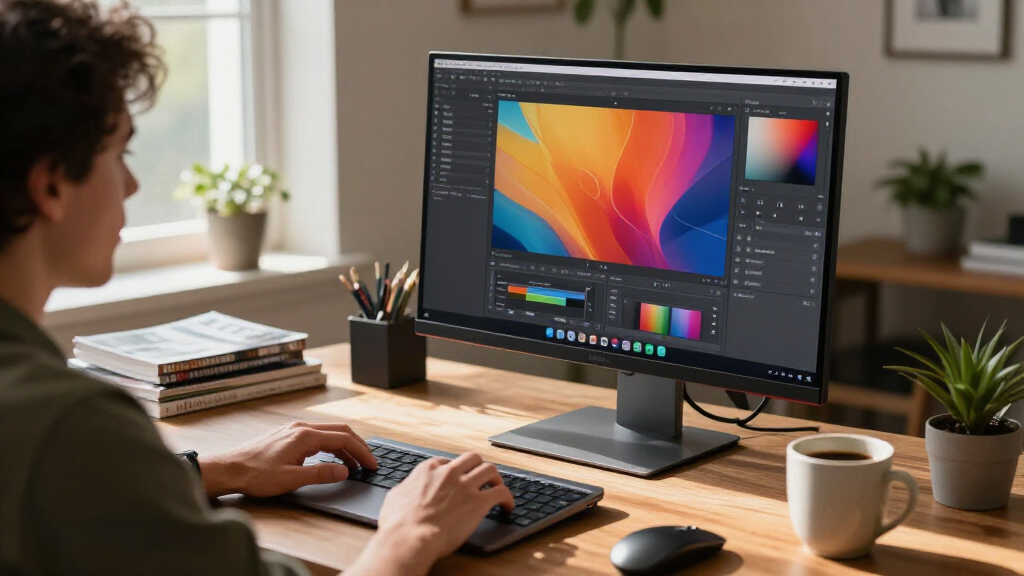
I ranked these displays around the needs of a MacBook Pro desk setup: resolution and screen shape, Mac-friendly connectivity, practical ergonomics, and how clearly each model suits a distinct kind of workspace. A 27-inch 5120 × 2880 panel offers a different desktop experience from a 34-inch 5120 × 2160 ultrawide, even though both are described as 5K. I also treated USB-C power delivery, refresh rate, mounting options, and portability as decision factors—not as features that automatically make one display better for every buyer.
The Apple Studio Display with tilt adjustment takes the lead as the most direct fit for buyers seeking a conventional 27-inch 5K Mac display. I placed its height-adjustable and VESA versions nearby because they keep the same basic display proposition while serving different ergonomic setups. The ASUS and ViewSonic follow as 27-inch alternatives; the KTC and INNOCN ultrawides rank for buyers who prioritize a wide canvas or refresh rate, and the InnoView closes the list as a more specialized portable-format choice. I weighed fit and tradeoffs over feature count, and I don’t treat unlike screen formats as interchangeable.
Factors to Consider When Choosing 5k Monitors For Macbook Pro
Before choosing among these 5K monitors for MacBook Pro, I’d decide how the display will fit into your daily workflow. Resolution is only one part of the decision: pixel density, screen shape, connection setup, stand position, and desk layout affect whether the monitor feels like an upgrade. These checks can help you avoid paying for a feature you won’t use—or choosing a screen that makes your workspace harder to manage.
Match Resolution to Screen Size and Shape
“5K” can describe noticeably different desktop layouts, so check the full pixel dimensions rather than relying on the label. A 27-inch 5120 × 2880 panel gives you a conventional 16:9 workspace, while 5120 × 2160 on a 34-inch ultrawide allocates more room horizontally and less vertically. That can benefit side-by-side timelines or documents, but some apps and websites may use vertical space less comfortably. MacOS scaling also affects how large interface elements appear, so think about your preferred text size as well as raw resolution. A common mistake is assuming two displays with a 5120-pixel width will look or behave alike. If you value familiar proportions and a compact desktop footprint, compare 27-inch models first; choose ultrawide when the wider layout solves a real workflow problem.
Check the Whole MacBook Pro Connection
Look beyond the connector shape and verify how the monitor handles video, data, and laptop charging. USB-C can simplify a desk, but power delivery varies, and a monitor’s wattage may not suit every MacBook Pro workload. If the display does not provide the charging capacity you need, you may still have to connect a separate power adapter. Also check whether the ports you rely on—such as USB-A or additional video inputs—are actually included, since one USB-C cable does not guarantee a full docking setup. Consider your MacBook’s ports and the peripherals you keep attached before buying. A clean one-cable arrangement is useful only when it supports your actual charging and accessory needs.
Choose the Stand or Mount Before You Choose the Screen
Monitor ergonomics can matter more over a long workday than a small spec difference. A tilt-only stand lets you angle the panel but does not raise it, so check whether its fixed height suits your chair and desk. A height-adjustable stand can reduce the need for a riser, while a VESA mount gives you freedom to use an arm or wall bracket. Confirm the mount standard, arm capacity, and available desk clearance before committing to a mounting plan. Buyers sometimes choose a VESA version for flexibility without budgeting for the arm or checking that their desk can support it. Compare the full setup cost and the position you need, not just the monitor’s display features.
Decide Whether Refresh Rate or Pixel Density Matters More
A high-resolution monitor can be a good fit for text-heavy work, photo editing, and detailed design, but refresh rate changes how motion looks and feels. The INNOCN 34-inch model’s 120Hz specification sets it apart from the 60Hz InnoView and from options where high refresh is not the primary pitch. For gaming or frequent scrolling, a higher refresh rate may be more noticeable than extra workspace detail. For static creative work, pixel density, color workflow, and comfortable scaling may matter more. Check that the MacBook Pro and connection path can support the resolution and refresh combination you want; the monitor’s maximum figure alone does not guarantee it in every setup. Avoid paying for a capability your typical apps and workload won’t use.
Treat Portable and Ultrawide Designs as Different Categories
A portable-positioned 27-inch monitor is not automatically easy to carry just because it is marketed as portable. Check its weight, thickness, power requirements, included stand or cover, and the protection it needs between locations. A 34-inch ultrawide has the opposite concern: it can replace a multi-monitor layout, but it takes more desk width and may be awkward to move or position. Think about where the display will live most of the time and how often you will relocate it. Buyers who mainly work at one desk may gain more from a stable stand and straightforward connections than from portability claims. Those who regularly change locations should verify the full carry setup, not just the panel specifications.
Pay for the Upgrade You Will Notice
Stand adjustability, USB-C charging, mounting flexibility, and extra screen width solve different problems; none is a universal upgrade. A VESA version can be the right choice for an existing monitor arm, but it is less convenient if you need to buy mounting hardware separately. A height-adjustable stand can be worthwhile when it replaces a riser or makes shared-desk use easier. An ultrawide earns its place when the wider canvas supports your workflow, not just because the diagonal measurement is larger. Before spending more, list the one or two annoyances you want the monitor to fix and match them to a specific feature. This keeps a Mac-focused purchase centered on daily usability rather than an impressive spec sheet.
Frequently Asked Questions
Will a 5K monitor work with every MacBook Pro?
Compatibility depends on the MacBook Pro model, its video-output capabilities, and the connection method you plan to use. Check Apple’s specifications for your exact laptop and the monitor’s supported resolution and refresh rate over each input. A USB-C or Thunderbolt port does not by itself confirm that every display mode will work through every cable or adapter. If you plan to connect through a dock, check that the dock supports the monitor’s target resolution and refresh rate too. This verification matters most when pairing high resolution with a higher refresh rate or a multi-device setup.
Is a 27-inch 5K screen a better MacBook Pro match than a 34-inch 5K ultrawide?
Neither format is universally better; they support different desk habits. A 27-inch 5120 × 2880 display keeps a familiar 16:9 shape and is a straightforward choice for text, editing, and general desktop use. A 34-inch 5120 × 2160 ultrawide gives you more horizontal room for parallel windows, but it needs more desk width and offers less vertical resolution than the 27-inch 5K format. If you often arrange several windows side by side, the ultrawide may reduce window switching. If you prefer a conventional screen shape or want a more compact desktop, a 27-inch panel may fit better.
Do I need a monitor with USB-C power delivery for my MacBook Pro?
No, but it can reduce cable clutter by combining display output and laptop charging in one connection. Whether it can replace your MacBook Pro charger depends on the monitor’s power-delivery capacity and the demands of your laptop and workload. If the display supplies less power than you need, the laptop may charge slowly or still require its own adapter. Check the monitor’s stated USB-C power output and confirm that it supports video over the same connection. Buyers who already use a dock or prefer separate charging may care less about built-in power delivery.
Should I choose the Studio Display with a stand or the VESA mount version?
Choose based on how you need to position the screen, because these configurations do not offer the same ergonomic flexibility. The tilt-adjustable stand lets you angle the panel but does not raise its height. The height-adjustable stand gives you more direct control over screen position, while the VESA version suits buyers who already have—or plan to buy—a compatible arm or mount. Factor in the cost, desk space, and installation effort of any separate mounting hardware. If you are unsure about your setup, a stand with built-in height adjustment avoids making the monitor’s position depend on an extra purchase.
Is a 120Hz 5K2K ultrawide a good choice for gaming as well as work?
It can suit a mixed work-and-gaming setup, but the monitor’s refresh rate is only one part of the experience. Check whether your MacBook Pro, game, and connection can output the resolution and refresh rate you want, and consider which devices you will connect. The INNOCN 34-inch model’s 120Hz spec is a key distinction in this roundup, but its ultrawide resolution also requires suitable game support and graphics performance. Some games may not use the full screen shape, while other titles can benefit from the added width. If gaming is a priority, verify compatibility for your specific games before choosing it over a conventional 27-inch 5K panel.
Conclusion
For most buyers who want a standard 27-inch 5K Mac display, I recommend the Apple Studio Display with the tilt-adjustable stand as the best overall fit. The ASUS ProArt PA27JCV is my alternative for a Mac-oriented professional monitor, while the ViewSonic VP2788-5K is another 27-inch option worth comparing when you want to look beyond Apple’s display. For buyers seeking better positioning, I’d choose the height-adjustable Studio Display as the best premium ergonomics pick; the VESA configuration makes more sense for someone already planning an arm. The best beginner choice is the tilt-adjustable Studio Display for a simple, conventional desk setup. For specific needs, pick the INNOCN 34-inch ultrawide for width and 120Hz, the KTC 5K2K for its dual-mode design and 65W USB-C, or the InnoView if its portable format fits your setup. The right choice is the one whose screen shape, connections, and mounting options match how you work—not simply the one with “5K” in its name.
Halloween Picks

Vexalify 11-Inch Halloween Pumpkin Fog Machine with 12-Color Lights

Star Wars Yoda and R2-D2 Inflatable Halloween Decor, 6 ft with LEDs, Indoor/Outdoor

12.5-Foot Lighted Halloween Inflatable Archway
As an affiliate, we earn on qualifying purchases.