
For most players, I’d start with the ViewSonic LX700-4K, which pairs 4K resolution with a laser light source and a gaming-focused design. The BenQ TK710 is a strong alternative if you want laser projection, while the ViewSonic PX701-4K keeps the decision focused on core gaming and image features. The main tradeoffs are input response, brightness in your room, setup flexibility, and whether built-in streaming matters to you. A 4K label alone does not tell you how a projector will feel in a fast game or fit your room. Read on for how I’d choose among all eight options.

Get the latest gadgets delivered free with Prime
- Fast, free delivery on millions of items
- Prime Video, Amazon Music and more included
- Member-only deals all year
Complete the kit



Key Takeaways
- The ViewSonic LX700-4K is my best overall pick for its gaming focus and laser light source, while the BenQ TK710 offers another laser-based route.
- The BenQ TK700 and TK710 split on light source: the TK700 is lamp-based, while the TK710 uses a laser, so maintenance preferences may influence the choice.
- The ViewSonic PX701-4K and PX749-4K make gaming the central comparison; check each model’s supported gaming modes and room fit before choosing between them.
- The XGIMI HORIZON 20 and Valerion StreamMaster Plus2 add RGB triple-laser designs, giving buyers interested in that light-source approach two premium-oriented alternatives.
- The VOPLLS G7 stands apart with Google TV and HDR10+, which may suit buyers who want streaming built into the projector as well as gaming.
| ViewSonic LX700-4K 4K UHD Laser Gaming Projector |  | Best for Bright-Room Gaming | Resolution: 4K UHD (3840 × 2160) | Light source: Laser | Brightness: 4,000 ANSI lumens | VIEW ON AMAZON | See Our Full Breakdown |
| XGIMI HORIZON 20 4K RGB Triple Laser Home Projector |  | Best Premium Gaming and Streaming Pick | Native resolution: 3840 × 2160 | Display type: RGB triple laser | Brightness: 3,200 ISO lumens | VIEW ON AMAZON | See Our Full Breakdown |
| ViewSonic PX701-4K UHD Projector |  | Best Value for Straightforward Gaming | Resolution: 3840 × 2160 (4K UHD) | Projection technology: DLP | Brightness: 3,200 ANSI lumens | VIEW ON AMAZON | See Our Full Breakdown |
| BenQ TK700 4K HDR Home Entertainment Gaming and Movie Projector |  | Best for Tabletop Console Setups | Native resolution: 3840 × 2160 | Display type: DLP | Brightness: 3,200 lumens | VIEW ON AMAZON | See Our Full Breakdown |
| VOPLLS G7 4K Projector with Google TV, HDR10+, WiFi, and Bluetooth |  | Best for Easy Setup and Streaming | Resolution: 4K claim; native resolution not specified | Smart TV platform: Google TV | HDR: HDR10+ | VIEW ON AMAZON | See Our Full Breakdown |
| BenQ TK710 4K HDR Laser Projector |  | Best for Bright-Room Gaming | Native resolution: 3840 x 2160 | Brightness: 3,200 ANSI lumens | Display type: Laser | VIEW ON AMAZON | See Our Full Breakdown |
| ViewSonic PX749-4K 4K UHD Gaming Projector |  | Best for Extra-Large Screens | Resolution: 4K UHD (3840 × 2160) | Brightness: 4,000 ANSI lumens | Refresh rate: Up to 240Hz | VIEW ON AMAZON | See Our Full Breakdown |
| Valerion StreamMaster Plus2 4K RGB Laser Projector | 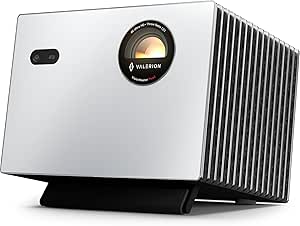 | Best for Color-Rich Gaming and Streaming | Native resolution: 3840 × 2160 | Display type: RGB triple laser | Brightness: 2,000 ISO lumens | VIEW ON AMAZON | See Our Full Breakdown |
| 4k projectors for gaming | Brightness | Input lag | Refresh rate | Connectivity |
|---|---|---|---|---|
| ViewSonic LX700-4K 4K UHD Lase | 4,000 ANSI lumens | 4.2ms | Up to 240Hz | — |
| XGIMI HORIZON 20 4K RGB Triple | 3,200 ISO lumens | 1ms response time | 240Hz | — |
| ViewSonic PX701-4K UHD Project | 3,200 ANSI lumens | 4.2ms | 240Hz | Dual HDMI, powered USB-A |
| BenQ TK700 4K HDR Home Enterta | 3,200 lumens | 16ms listed | — | HDMI, USB 2.0 Type-A |
| VOPLLS G7 4K Projector with Go | — | — | — | AirPlay, Miracast, Chromecast, HDMI, USB-C |
| BenQ TK710 4K HDR Laser Projec | 3,200 ANSI lumens | 16 ms at 4K/60Hz | — | — |
| ViewSonic PX749-4K 4K UHD Gami | 4,000 ANSI lumens | 4.2 ms | Up to 240Hz | USB-C, LAN control, 12V trigger output |
| Valerion StreamMaster Plus2 4K | 2,000 ISO lumens | 4 ms | 240 Hz | Bluetooth 5.2, Ethernet, HDMI 2.1, Wi-Fi 6E, USB 3.0, S/PDIF |
More Details on Our Top Picks
ViewSonic LX700-4K 4K UHD Laser Gaming Projector
The LX700-4K pairs 4,000 ANSI lumens with 4K UHD, making it the brightness-focused choice here for players who cannot fully darken their room. Its 240Hz refresh rate and 4.2ms input lag also suit fast games, while its laser light source and HDR/HLG support serve movie nights between sessions. Compared with the ViewSonic PX701-4K, it offers more stated brightness and a laser light source, but the PX701-4K provides a simpler 1.1× optical zoom setup. The LX700-4K’s 1.3× zoom and image adjustments give more placement flexibility, though a 100-inch image still needs about 7.7 feet of distance. Its dedicated golf simulation mode is a useful extra for simulator owners, but less relevant to players focused only on console gaming.
Pros:- 4,000 ANSI lumens for a brighter image in rooms with some ambient light
- 240Hz refresh rate and 4.2ms input lag for responsive gaming
- Laser light source with HDR/HLG support
- 1.3× optical zoom and multiple image adjustments ease installation
Cons:- A 100-inch image requires about 7.7 feet of projection distance
- Included mounting hardware is not specified
- Golf simulation mode may add little for players who do not use a simulator
Best for: Gamers with a room that gets ambient light who want bright 4K projection and a high refresh rate.
Not ideal for: Players who need a compact short-throw setup or cannot spare roughly 7.7 feet for a 100-inch image.
- Resolution:4K UHD (3840 × 2160)
- Light source:Laser
- Brightness:4,000 ANSI lumens
- Refresh rate:Up to 240Hz
- Input lag:4.2ms
- HDR support:HDR/HLG
- Projection size:80–150 inches
- Optical zoom:1.3×
Our verdict“Choose the LX700-4K if brightness and fast gaming matter more than short-throw convenience.”
XGIMI HORIZON 20 4K RGB Triple Laser Home Projector
The HORIZON 20 is the most all-in-one entertainment choice in this group: 4K RGB triple laser projection sits alongside Google TV, Harman Kardon speakers, and an integrated stand. Its listed 240Hz refresh rate and 1ms response time make it the strongest stated latency option here, while flexible lens shift and optical zoom can help fit an image to a room. Compared with the ViewSonic LX700-4K, it adds built-in streaming and speakers and lists a faster response time; the ViewSonic, however, specifies higher brightness at 4,000 ANSI lumens versus this model’s 3,200 ISO lumens. Support for Dolby Vision, HDR10+, IMAX Enhanced, and Filmmaker Mode broadens its appeal beyond games. Its large projection range can be excessive in a smaller room, and the listed 220–240V input may limit compatibility depending on location.
Pros:- Listed 240Hz refresh rate and 1ms response time
- RGB triple laser with 4K resolution and 100,000:1 contrast ratio
- Google TV and Harman Kardon speakers are built in
- Supports Dolby Vision, HDR10+, IMAX Enhanced, and Filmmaker Mode
Cons:- Its large maximum image size may not suit a compact room
- Listed voltage is 220–240V, which may not match every region’s power supply
- At 3,200 ISO lumens, it has a lower stated brightness figure than the ViewSonic LX700-4K’s 4,000 ANSI lumens
Best for: Console and PC players who want a fast gaming projector with streaming apps, built-in speakers, and cinematic format support.
Not ideal for: Buyers in regions where 220–240V power is incompatible, or those with limited room for a large projection setup.
- Native resolution:3840 × 2160
- Display type:RGB triple laser
- Brightness:3,200 ISO lumens
- Contrast ratio:100,000:1
- Refresh rate:240Hz
- Input lag:1ms response time
- Image size:40–300 inches
- Built-in features:Google TV, Harman Kardon speakers, integrated stand
- Supported formats:IMAX Enhanced, Dolby Vision, HDR10+, Filmmaker Mode
Our verdict“Pick the HORIZON 20 if you want one projector for responsive gaming, streaming, and cinematic viewing.”
ViewSonic PX701-4K UHD Projector
The PX701-4K focuses on the gaming essentials: 4K UHD resolution, 3,200 ANSI lumens, and a stated 240Hz refresh rate with 4.2ms input lag. That gives it a compelling fast-play spec set without the smart platform and built-in audio found on the XGIMI HORIZON 20. Compared with the pricier-featured ViewSonic LX700-4K, the PX701-4K uses DLP projection and a shorter 1.1× optical zoom, while the LX700-4K lists a laser light source, higher brightness, and 1.3× zoom. Auto keystone, four-corner adjustment, and dual HDMI inputs make it adaptable to common console setups. There are two notable limits: the product data gives conflicting maximum screen sizes, and its brightness and HDR support cannot overcome the usual room-darkening needs of a projector for the best image.
Pros:- 4K UHD resolution with HDR/HLG support
- 3,200 ANSI lumens of stated brightness
- 240Hz refresh rate and 4.2ms input lag
- Dual HDMI inputs, auto keystone, and four-corner adjustment
Cons:- Product information conflicts on the maximum supported screen size
- No built-in smart TV platform or speakers are listed
- 1.1× optical zoom gives less placement flexibility than the ViewSonic LX700-4K’s 1.3× zoom
Best for: Console players seeking 4K resolution and low stated input lag, with a room layout that suits a standard-throw projector.
Not ideal for: Buyers who need a specified maximum image size, a laser light source, or built-in streaming and speakers.
- Resolution:3840 × 2160 (4K UHD)
- Projection technology:DLP
- Brightness:3,200 ANSI lumens
- Refresh rate:240Hz
- Input lag:4.2ms
- HDR support:HDR/HLG
- Optical zoom:1.1×
- Connectivity:Dual HDMI, powered USB-A
Our verdict“Choose the PX701-4K if you want a direct 4K gaming setup and can work around its unclear screen-size limit.”
BenQ TK700 4K HDR Home Entertainment Gaming and Movie Projector
The TK700 suits players who want a desktop projector with a clear route to a large 4K image: its stated throw distance produces 100 inches from about 8.2 feet, and the tabletop mounting style keeps installation simple. It lists 3,200 lumens, HDR10, HDMI, and USB 2.0 Type-A, so it covers common console and laptop connections. Compared with the ViewSonic PX701-4K, the BenQ emphasizes a tabletop setup, while the ViewSonic explicitly lists a 240Hz refresh rate and 4.2ms input lag. The BenQ data is inconsistent on gaming latency: it lists both 16ms input lag and 4.2ms latency, so buyers should not assume those figures describe the same mode. Its specified 4,000-hour light-source life is another tradeoff for long-term use. This is a more cautious pick for competitive play than the faster-specified options.
Pros:- 4K resolution with HDR10 support
- 3,200-lumen brightness specification
- Tabletop mounting suits a simple room setup
- HDMI and USB 2.0 Type-A connectivity
Cons:- Product data lists both 16ms input lag and 4.2ms latency without clarifying the difference
- A 100-inch image requires about 8.2 feet of throw distance
- Listed light-source operating life is 4,000 hours
Best for: Console or laptop players who want a tabletop 4K projector and can place it about 8.2 feet from a 100-inch screen.
Not ideal for: Competitive gamers who need a clearly stated refresh rate and unambiguous input-lag figure.
- Native resolution:3840 × 2160
- Display type:DLP
- Brightness:3,200 lumens
- Contrast ratio:10,000:1
- Input lag:16ms listed
- Latency:4.2ms listed
- Connectivity:HDMI, USB 2.0 Type-A
- Mounting type:Tabletop
- Light-source operating life:4,000 hours
Our verdict“Consider the TK700 for a straightforward tabletop setup, but choose the ViewSonic PX701-4K if clear high-refresh gaming specifications matter more.”
VOPLLS G7 4K Projector with Google TV, HDR10+, WiFi, and Bluetooth
The G7 prioritizes convenience: Google TV, built-in streaming apps, and automatic focus and keystone correction reduce the gear and setup steps needed for casual gaming and movie nights. Its 1.24:1 throw ratio is described as short throw, but the supplied example still places a 100-inch image at 9 feet, so check your room before choosing it for a tight space. Compared with the ViewSonic PX701-4K, the G7 offers a smart TV platform, wireless casting, and more automated alignment; the ViewSonic provides explicit figures for 3,200 ANSI lumens, 240Hz, and 4.2ms input lag, which makes its gaming case easier to judge. The G7 lists no measured brightness or native resolution beyond the 4K claim, leaving daylight performance and image detail less certain. Its Dolby Audio and three-year warranty add practical appeal for shared indoor or dusk viewing.
Pros:- Google TV with built-in streaming apps and Google Assistant
- Automatic focus, keystone correction, obstacle avoidance, and screen fit
- Wireless casting plus HDMI and USB-C connectivity
- Dolby Audio and a three-year warranty
Cons:- No measured brightness specification is provided
- Native resolution details are not provided beyond the 4K claim
- The 100-inch image example requires 9 feet of distance
Best for: Casual console players who also want built-in streaming and automated setup for indoor or dusk use.
Not ideal for: Competitive gamers or buyers who need verified brightness, native resolution, and refresh-rate figures before choosing.
- Resolution:4K claim; native resolution not specified
- Smart TV platform:Google TV
- HDR:HDR10+
- Throw ratio:1.24:1
- Image size example:100 inches at 9 feet
- Setup features:Auto focus, 6D keystone correction, obstacle avoidance, screen fit
- Audio:Dolby Audio, dual speakers
- Connectivity:AirPlay, Miracast, Chromecast, HDMI, USB-C
- Warranty:3 years
Our verdict“Pick the G7 for easy setup and streaming, but choose a model such as the ViewSonic PX701-4K if documented gaming performance is the priority.”
BenQ TK710 4K HDR Laser Projector
The BenQ TK710 pairs 3,200 ANSI lumens with a laser light source, giving it more headroom for rooms that are not fully dark than the Valerion StreamMaster Plus2, which is rated at 2,000 ISO lumens. Its 4K input lag is 16 ms at 60Hz, while the faster 4 ms response is limited to 1080p at 240Hz; that makes the BenQ a better fit for players who want to choose between sharp 4K and high-refresh play, rather than expecting both at once. HDR10 and HLG support, plus 95% Rec.709 coverage, suit mixed gaming and movie use. The tradeoff is a smaller maximum image than the ViewSonic PX749-4K and a listed throw distance capped at 16.3 feet. Wireless details are also unspecified despite its Wi-Fi-ready listing.
Pros:- 3,200 ANSI lumens suit rooms with some ambient light.
- 4K UHD resolution with HDR10 and HLG support.
- Supports 1080p gaming at 240Hz with 4 ms response time.
- Laser light source is rated for 20,000 hours.
Cons:- The 4 ms response time applies to 1080p/240Hz; 4K/60Hz input lag is 16 ms.
- Maximum image size is 144 inches, smaller than the ViewSonic PX749-4K’s 300-inch rating.
- Wireless connectivity details are not specified.
Best for: Console and PC players who want a bright laser projector for mixed 4K gaming and high-refresh 1080p play.
Not ideal for: Players who need 4K at 240Hz, a screen larger than 144 inches, or confirmed built-in wireless streaming.
- Native resolution:3840 x 2160
- Brightness:3,200 ANSI lumens
- Display type:Laser
- HDR formats:HDR10, HLG
- Gaming response time:4 ms at 1080p/240Hz
- Input lag:16 ms at 4K/60Hz
- Maximum image size:144 inches
- Laser light source life:20,000 hours
Our verdict“Choose the TK710 for a bright, flexible gaming setup where 4K detail and fast 1080p play both matter.”
ViewSonic PX749-4K 4K UHD Gaming Projector
The ViewSonic PX749-4K is the lineup’s big-screen gaming pick: its stated image size reaches 300 inches, well beyond the BenQ TK710’s 144-inch maximum. It also lists 4.2 ms input lag, up to 240Hz, and Xbox-compatible 1440p at 120Hz, giving console players a specific high-refresh mode alongside 4K UHD resolution. Its 4,000 ANSI lumens are the highest stated brightness among these three projectors, though a large image still benefits from a controlled-light room. A 1.3x optical zoom and keystone adjustments offer placement flexibility, but they cannot remove the need for enough projection distance at very large sizes. Compared with the Valerion StreamMaster Plus2, the ViewSonic emphasizes brightness and screen scale over RGB laser color gamut and built-in Google TV.
Pros:- Projects images up to 300 inches.
- 4,000 ANSI lumens provide strong stated brightness.
- Supports up to 240Hz and Xbox-compatible 1440p at 120Hz.
- 1.3x optical zoom and keystone adjustments help with setup.
Cons:- Very large screen sizes require substantial projection distance.
- The product data does not specify the refresh-rate resolution for its 240Hz mode.
- Ambient light can reduce the visible impact of 4K detail and brightness.
Best for: Gamers with a long throw distance who want a very large screen and Xbox-compatible 1440p/120Hz play.
Not ideal for: Buyers with compact rooms or those prioritizing RGB laser color, Google TV, and detailed streaming features.
- Resolution:4K UHD (3840 × 2160)
- Brightness:4,000 ANSI lumens
- Refresh rate:Up to 240Hz
- Input lag:4.2 ms
- Xbox support:1440p at 120Hz
- Image size:Up to 300 inches
- Optical zoom:1.3x
- Connectivity:USB-C, LAN control, 12V trigger output
Our verdict“Pick the PX749-4K if your room can accommodate a long throw and your priority is fast gaming on an unusually large image.”
Valerion StreamMaster Plus2 4K RGB Laser Projector
The Valerion StreamMaster Plus2 combines gaming speed with a home-theater-oriented feature set: its RGB triple laser is rated for 110% Rec. 2020 color gamut, and it supports Dolby Vision, HDR10, and Google TV. That gives it a broader stated color range and more built-in streaming capability than the BenQ TK710, which instead lists higher brightness at 3,200 ANSI lumens. For gaming, the Valerion lists 4 ms input lag and a 240Hz refresh rate, though its data does not specify the resolution for that refresh rate. Its 40-to-300-inch image range and automatic focus and alignment offer flexible setup, but at 2,000 ISO lumens it is less compelling for ambient-light use than the brighter BenQ or ViewSonic. It suits a room where color and entertainment features take priority over peak brightness.
Pros:- RGB triple laser with a stated 110% Rec. 2020 color gamut.
- Supports Dolby Vision and HDR10.
- Lists 4 ms input lag and a 240Hz refresh rate.
- Google TV, automatic focus, and alignment support a streamlined setup.
Cons:- Its 2,000 ISO lumens are lower than the BenQ TK710 and ViewSonic PX749-4K brightness ratings.
- The resolution for the 240Hz mode is not specified.
- A stationary projector still needs suitable placement space despite its broad throw-distance range.
Best for: Gamers who also stream movies and want wide-gamut RGB laser color, Google TV, and a flexible screen-size range.
Not ideal for: Players gaming in bright rooms or anyone who needs a clearly specified resolution for 240Hz operation.
- Native resolution:3840 × 2160
- Display type:RGB triple laser
- Brightness:2,000 ISO lumens
- Color gamut:110% Rec. 2020
- Input lag:4 ms
- Refresh rate:240 Hz
- Image size:40–300 inches
- Operating system:Google TV
- Connectivity:Bluetooth 5.2, Ethernet, HDMI 2.1, Wi-Fi 6E, USB 3.0, S/PDIF
Our verdict“Choose the StreamMaster Plus2 for color-focused gaming and streaming in a room where you can control ambient light.”
How We Picked
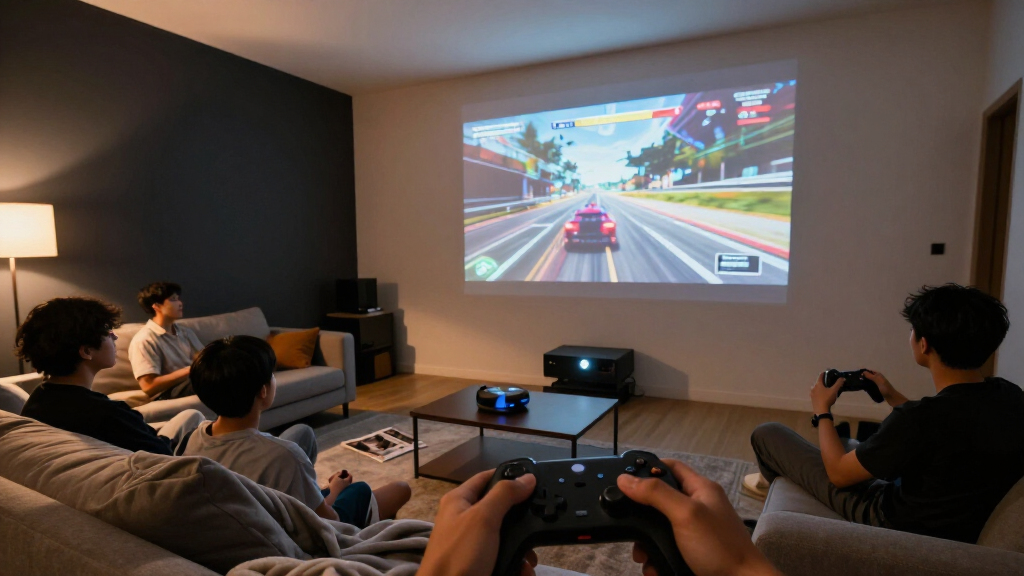
I compared these eight models around the decisions that change the gaming experience: input response and supported gaming features, 4K image presentation, brightness needs, light source, setup demands, and built-in entertainment functions. A projector can look compelling on a feature list yet be a poor fit if its throw distance misses the room, its image washes out under ambient light, or its game modes do not match the player’s priorities.
The ranking favors models whose product positioning puts gaming near the center, then weighs practical tradeoffs such as lamp versus laser and gaming focus versus broader streaming or home-entertainment features. The LX700-4K leads as the most balanced gaming-oriented choice in this group. The remaining picks serve distinct needs: dedicated gaming alternatives, a lamp-based BenQ option, RGB triple-laser models, and a projector with Google TV. I’d verify exact supported resolutions, refresh rates, input lag, and connections for the specific configuration before buying, since those details determine console and PC compatibility.
| 4k projectors for gaming | Display type | Connectivity |
|---|---|---|
| ViewSonic LX700-4K 4K UHD Lase | — | — |
| XGIMI HORIZON 20 4K RGB Triple | RGB triple laser | — |
| ViewSonic PX701-4K UHD Project | — | Dual HDMI, powered USB-A |
| BenQ TK700 4K HDR Home Enterta | DLP | HDMI, USB 2.0 Type-A |
| VOPLLS G7 4K Projector with Go | — | AirPlay, Miracast, Chromecast, HDMI, USB-C |
| BenQ TK710 4K HDR Laser Projec | Laser | — |
| ViewSonic PX749-4K 4K UHD Gami | — | USB-C, LAN control, 12V trigger output |
| Valerion StreamMaster Plus2 4K | RGB triple laser | Bluetooth 5.2, Ethernet, HDMI 2.1, Wi-Fi 6E, USB 3.0, S/PDIF |
Factors to Consider When Choosing 4k Projectors For Gaming
Choosing a gaming projector takes more than matching a console’s resolution to a product label. I’d work through the room, the games you play, and how you plan to use the projector between gaming sessions before settling on a model.
Check the Gaming Modes You’ll Actually Use
“4K” describes image resolution, but it does not tell you the response time or refresh rate available in a game. Fast multiplayer games often benefit more from responsive play at a supported lower resolution than from maximum detail with extra processing. Look up the exact input lag figures for the resolution and refresh rate you intend to use. Check whether a low-latency mode disables image processing or changes picture quality. Also confirm that your console or PC can output the mode the projector accepts. This avoids buying on a headline spec that does not match your preferred way to play.
Measure Throw Distance Before Comparing Models
Projectors need a suitable distance from the screen to produce your target image size, and a room’s layout can rule out a model before its gaming features matter. Measure from the likely lens position to the screen, then compare that distance with the projector’s throw range for your desired diagonal. Account for shelves, ceiling mounts, cables, and anyone walking through the beam. Digital keystone correction can make a skewed image look rectangular, but it may reduce usable image detail. Lens shift and optical zoom can offer more placement flexibility when available. I’d treat room fit as a first-pass filter rather than a detail to solve after purchase.
Match Brightness to Light and Screen Size
A projector that looks bright in a dark room can lose contrast and color when daylight or lamps reach the screen. Larger images also spread the available light over more area, so increasing screen size can make the picture feel less vivid. Decide whether you can dim the room during play and whether you need a fixed screen, a portable screen, or a wall. Screen material and gain affect the result, so projector brightness alone cannot predict how the image will look. If daytime use is common, prioritize room control and a screen suited to the environment before assuming a brighter specification solves everything. For evening gaming, black levels and contrast may matter more than chasing maximum output.
Choose a Light Source for Your Ownership Pattern
Lamp and laser projectors have different maintenance and ownership profiles. A lamp may need replacement after extended use, while laser models avoid routine lamp changes but still have a finite light-source life. Consider how many hours you expect to play each week and whether the projector will also handle films or streaming. If the projector will be used often, maintenance convenience can become more valuable than it seems at purchase time. RGB triple-laser designs are another option in this roundup, but the label alone does not guarantee better gaming response or room performance. Compare the full picture, including color behavior, supported gaming modes, and the room where you’ll watch.
Plan for Sound, Streaming, and Connections
Built-in streaming can simplify a setup, but it does not replace checking the connections your gaming devices require. Confirm the number and type of HDMI inputs, whether your console’s preferred features are supported, and how audio reaches a soundbar or receiver. Projector speakers may work for casual play, but sound can feel disconnected from a large image, especially in a shared room. A streaming platform such as Google TV can reduce the need for a separate media device if its apps meet your needs. Consider cable runs before mounting, since reaching an outlet or audio system can complicate a clean installation. A projector with fewer built-in extras may still be the better gaming choice if it fits your existing setup.
Frequently Asked Questions
Does a 4K projector make sense for competitive gaming?
It can, but resolution should not be your first filter for competitive play. Check the projector’s input lag at the refresh rate and resolution you plan to use, since performance can vary across modes. Some players may prefer a responsive lower-resolution mode over a more detailed 4K image. Make sure your console or PC supports the target mode and that the projector accepts it over the connection you’ll use. For slower or cinematic games, the larger 4K image may matter more than the smallest response time.
Can I use a gaming projector in a room with daylight?
You can, though daylight reduces perceived contrast and can make colors look washed out. Closing curtains or using a screen suited to ambient light often helps more than simply choosing the largest image. Keep in mind that a bigger screen spreads the light over a wider area. If you cannot control the room lighting, compare brightness and screen options together rather than treating projector output as the only answer. For a dedicated gaming room, light control can give you more flexibility in projector choice.
Should I choose a laser projector over a lamp model for gaming?
The light source does not determine gaming responsiveness by itself, so compare input lag and supported gaming modes separately. Laser models in this group may appeal if you value avoiding routine lamp replacement, while a lamp model can still suit a buyer whose priorities and usage pattern fit it. Think about how many hours the projector will run and whether it will serve as your main screen for games and films. Also check the model’s stated light-source life and warranty details. The best fit depends on ownership needs, not the light-source label alone.
Is built-in Google TV worth prioritizing in a gaming projector?
It can be useful if you want to stream without adding another device, and the VOPLLS G7 is the option in this roundup that explicitly includes Google TV. For a console-focused setup, streaming features may matter less than input response, connections, and room placement. Check whether the apps you use are available and whether the projector can route audio to your preferred speakers. A separate streaming box may offer a better fit if you already own one or want to keep media devices interchangeable. Treat built-in TV software as a convenience, not a substitute for checking gaming compatibility.
What should I verify before mounting a 4K projector?
Measure the lens-to-screen distance and confirm that the image size you want falls within the projector’s throw range. Check ceiling height, mount placement, power access, HDMI cable length, and the path to your audio equipment. Confirm whether the model offers optical zoom or lens shift if the planned position is not directly aligned with the screen. Avoid relying on heavy digital keystone correction to fix a poor mount location, since it can reduce image detail. These checks can prevent a projector with suitable gaming features from becoming difficult to install.
Conclusion
I’d choose the ViewSonic LX700-4K as my best overall if I wanted a gaming-focused projector with a laser light source. For a best value direction, I’d compare the ViewSonic PX701-4K and PX749-4K against the gaming modes and connections I need rather than assuming one is cheaper or better without checking current specifications. The BenQ TK710 is my premium laser alternative, while the BenQ TK700 suits buyers who prefer a lamp-based home entertainment model. Beginners who want streaming built in may find the VOPLLS G7 easier to fit into a simple setup; buyers drawn to RGB triple-laser designs can compare the XGIMI HORIZON 20 and Valerion StreamMaster Plus2. Before choosing, confirm the throw distance, supported gaming modes, and connections for your room and devices.
Halloween Picks
halloween
As an affiliate, we earn on qualifying purchases.