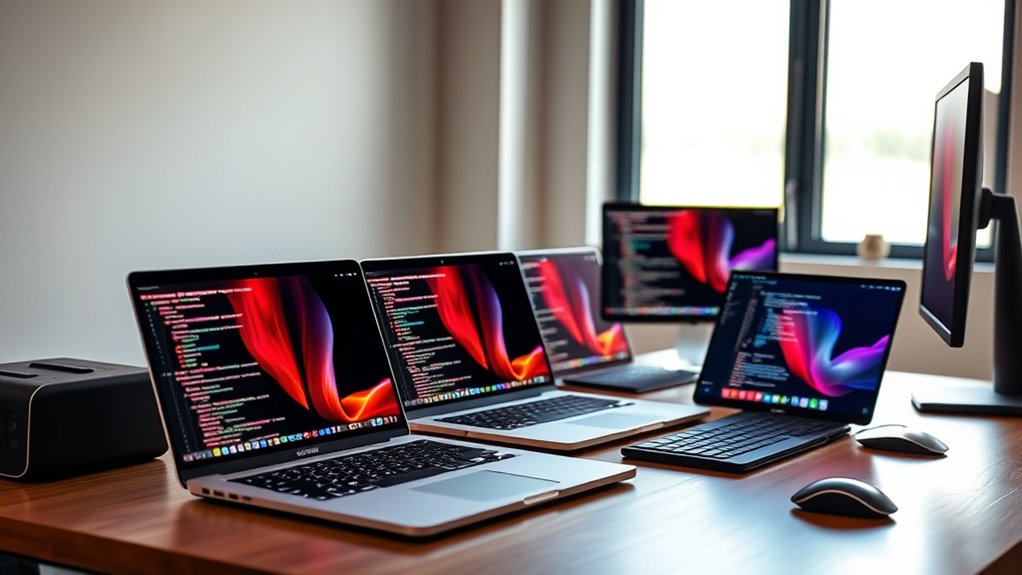

For most developers, the 16-inch MacBook Pro with M5 Pro, 48GB memory, and 1TB SSD is the strongest all-around choice here: it pairs ample memory for demanding projects with a large screen and current-generation features. The 14-inch M5 with 24GB memory is a more portable fit for everyday coding, while the 16-inch M5 Max suits GPU-heavy work and large local workloads. The main tradeoffs are screen size and portability, memory capacity, and whether paying for more CPU or GPU power will actually speed up your work. Older renewed models may offer useful high-memory configurations, but bring age and condition questions that newer models avoid. Read on for the full comparison and help matching a configuration to your development workload.

Get the latest gadgets delivered free with Prime
- Fast, free delivery on millions of items
- Prime Video, Amazon Music and more included
- Member-only deals all year
Complete the kit



Key Takeaways
- The 16-inch M5 Pro with 48GB memory is the most balanced pick in this lineup for developers who keep several tools, containers, and browser tabs open while building projects.
- The 14-inch M5 with 24GB memory stands out for portable development; its extra memory over the 16GB M5 configuration gives more headroom for multitasking.
- The M5 Max with 36GB memory and 2TB SSD is the specialist choice for GPU-heavy development, but many coding workflows will gain more from memory capacity than from its stronger graphics configuration.
- The 16-inch M5 Pro with 24GB memory keeps the large display and current chip generation while giving up some memory headroom versus the 48GB version.
- The renewed M1 Max and M2 Pro options show that older chips can still offer attractive memory or storage configurations, but buyers trade newer hardware and a fresh-product path for those specifications.



| macbook pro for software development | Storage | Display | Ports | Chip |
|---|---|---|---|---|
| Apple 16.2-inch MacBook Pro wi | 1TB SSD | 16.2-inch Liquid Retina XDR | Three Thunderbolt 5, MagSafe 3, SDXC card slot, HDMI, headphone jack | Apple M5 Pro |
| 2023 Apple MacBook Pro 16.2-in | 512GB SSD | 16.2 inches | — | — |
| Apple 14.2-inch MacBook Pro wi | 1TB SSD | 14.2-inch Liquid Retina XDR | Three Thunderbolt 4, MagSafe 3, SDXC card slot, HDMI, headphone jack | Apple M5 |
| Apple 14.2-inch MacBook Pro | 1TB SSD | 14.2-inch Liquid Retina XDR | Three Thunderbolt 4, MagSafe 3, SDXC card slot, HDMI, headphone jack | Apple M5 |
| 2021 Apple MacBook Pro 16-inch | 2TB SSD | 16.2-inch Liquid Retina XDR, 3456 × 2234, up to 120Hz | Three Thunderbolt 4, HDMI, SDXC card slot, MagSafe 3, 3.5mm headphone jack | — |
| Apple 16.2-inch MacBook Pro wi | 1TB SSD | 16.2-inch Liquid Retina XDR | Three Thunderbolt 5, MagSafe 3, SDXC, HDMI, headphone jack | Apple M5 Pro |
| Apple MacBook Pro 16.2-inch wi | 2TB SSD | 16.2-inch Liquid Retina XDR | Three Thunderbolt 5, MagSafe 3, SDXC card slot, HDMI, headphone jack | Apple M5 Max |
More Details on Our Top Picks
Apple 16.2-inch MacBook Pro with M5 Pro, 18-Core CPU, 20-Core GPU, 48GB Memory, 1TB SSD, Wi-Fi 7, Space Black
For developers who routinely run several virtual machines, large builds, containers, or local AI workloads, the M5 Pro and 48GB of unified memory give this 16-inch MacBook Pro more headroom than the 14-inch M5 models in this lineup. Its three Thunderbolt 5 ports, HDMI, and SDXC slot also make a multi-display desk setup easier to wire without relying on as many adapters. Compared with the M5 Max 16-inch model listed elsewhere in the roundup, this configuration is the more restrained choice for CPU-heavy development that does not call for the Max GPU tier. The tradeoff is portability: at 4.71 pounds, it is heavier than the 14-inch options, and its extra capacity may be unnecessary for web development or lighter projects.
Pros:- 48GB unified memory provides room for memory-intensive development workflows
- 18-core CPU and 20-core GPU suit demanding builds and graphics workloads
- 16.2-inch Liquid Retina XDR display offers a spacious coding workspace
- Thunderbolt 5, HDMI, and SDXC provide flexible peripheral and display connections
Cons:- At 4.71 pounds, it is substantially less portable than the 14-inch models
- Its expanded performance and memory may be more than lighter coding workloads need
- Some performance benefits depend on the software and workload
Best for: Developers running multiple containers or virtual machines, compiling large codebases, or working with local AI tools who want substantial memory and a large display.
Not ideal for: Developers who prioritize a light everyday carry or mostly write and test smaller applications; the 14-inch M5 models are easier to travel with and may be sufficient.
- Chip:Apple M5 Pro
- CPU:18-core
- GPU:20-core
- Memory:48GB unified memory
- Storage:1TB SSD
- Display:16.2-inch Liquid Retina XDR
- Ports:Three Thunderbolt 5, MagSafe 3, SDXC card slot, HDMI, headphone jack
- Wireless:Wi-Fi 7, Bluetooth 6
- Weight:4.71 pounds
Our verdict“Choose this model for demanding, memory-heavy development at a desk, and choose a 14-inch M5 MacBook Pro if travel weight matters more.”
2023 Apple MacBook Pro 16.2-inch with M2 Pro, 16GB RAM, 512GB SSD, QWERTY English, Space Gray (Renewed Premium)
This renewed 16-inch MacBook Pro suits developers who want a large macOS workspace and a capable Pro-class processor without choosing one of the newer M5 configurations. The M2 Pro and 16GB of unified memory can serve everyday coding, browser testing, and moderate builds, while the 16.2-inch screen gives more room for an editor and documentation than the compact 14-inch M5 models. Its age shows beside the M5-based alternatives, particularly for buyers planning heavier builds or longer-term workloads, and 512GB of storage leaves less space for SDKs, containers, and project archives than the 1TB options. This is also a Renewed Premium unit rather than a new Apple-certified product: battery capacity is listed as above 80% of original, with a 90-day warranty and compatible non-original accessories.
Pros:- M2 Pro processor is suited to everyday coding and moderate build workloads
- 16.2-inch display provides more workspace than the 14-inch models
- 16GB unified memory supports general development and multitasking
- Professionally inspected and cleaned, with battery capacity listed above 80% of new
Cons:- 512GB SSD offers less room for development tools and local project data than the 1TB models
- Renewed condition, non-original accessories, and a 90-day warranty add purchase uncertainty
- Older M2 Pro platform is less current than the M5 configurations in this roundup
Best for: A developer who wants a large-screen MacBook Pro for general coding and moderate projects, and is comfortable buying a renewed computer with a shorter warranty.
Not ideal for: Developers who need extensive local storage, maximum memory headroom, a new-device purchase, or a longer warranty; the newer M5 models offer more current configurations.
- Model year:2023
- Processor:Apple M2 Pro
- Processor count:12
- Memory:16GB unified memory
- Storage:512GB SSD
- Display:16.2 inches
- Condition:Renewed Premium
- Battery capacity:More than 80% of original capacity
- Warranty:90 days
Our verdict“Pick this renewed model for a large-screen, general-purpose coding machine if you accept its older chip, smaller SSD, and limited warranty.”
Apple 14.2-inch MacBook Pro with M5, 24GB Memory, and 1TB SSD (Space Black)
This is the most balanced pick for developers who want a portable machine without giving up useful memory and storage. The M5 chip, 24GB of unified memory, and 1TB SSD make a practical combination for coding, multitasking, and keeping development tools and projects on the laptop. Compared with the 16GB M5 configuration, the added memory gives more room for simultaneous editors, browsers, and services; unlike the M5 Pro 16-inch model, it remains a more compact 14.2-inch option. The Liquid Retina XDR display and built-in HDMI and SDXC slot are welcome for desk and presentation setups. Its tradeoff is that it lacks the higher-tier M5 Pro CPU and GPU, so developers with very large builds or graphics-heavy workloads may prefer that larger model.
Pros:- 24GB unified memory provides more multitasking headroom than the 16GB M5 configuration
- 1TB SSD gives ample room for projects, tools, and local development environments
- 14.2-inch Liquid Retina XDR display balances workspace and portability
- Thunderbolt 4, HDMI, SDXC, and MagSafe 3 support a flexible desk setup
Cons:- M5 chip has less CPU and GPU capacity than the M5 Pro configuration
- 14.2-inch display offers less workspace than either 16-inch model
- The provided product details do not specify dimensions or weight
Best for: Professional and independent developers who want a portable daily Mac for coding, multitasking, and moderate-to-demanding projects with 1TB of local storage.
Not ideal for: Developers regularly compiling very large codebases, running many virtual machines, or needing a larger built-in display; the M5 Pro 16-inch model offers more processing headroom and screen area.
- Chip:Apple M5
- CPU:10-core
- GPU:10-core
- Memory:24GB unified memory
- Storage:1TB SSD
- Display:14.2-inch Liquid Retina XDR
- Peak brightness:Up to 1600 nits
- Ports:Three Thunderbolt 4, MagSafe 3, SDXC card slot, HDMI, headphone jack
- External displays:Supports up to two
Our verdict“Choose this 24GB M5 model for a well-rounded portable development laptop; step up to M5 Pro for sustained heavy builds or more screen space.”
Apple 14.2-inch MacBook Pro (2025) with M5, 10-core CPU and GPU, 16GB memory, 1TB SSD, Space Black
This 14-inch M5 MacBook Pro is a sensible fit for developers whose work centers on editors, browsers, standard build tools, and a moderate number of open applications. Its 1TB SSD matches the storage on the 24GB M5 model, so project files and toolchains have useful room, but its 16GB of unified memory gives less breathing space for containers, virtual machines, or memory-hungry IDEs. That distinction makes the 24GB version a stronger choice for heavier multitasking, while this one is better suited to routine coding. The 14.2-inch XDR display and support for two external displays work well for a compact desk setup. At 3.41 pounds, it is not the lightest travel laptop, and the supplied details do not state battery duration.
Pros:- M5 10-core CPU and GPU provide a current platform for everyday coding workloads
- 1TB SSD leaves room for development tools and project files
- Liquid Retina XDR display supports a bright, high-contrast coding workspace
- Ports include Thunderbolt 4, HDMI, SDXC, and MagSafe 3
Cons:- 16GB unified memory is less suited to heavy virtual-machine or container use than the 24GB M5 model
- Weighs 3.41 pounds, which may feel substantial for frequent carry
- Battery life duration is not specified in the provided product details
Best for: Students and working developers building typical web, mobile, or application projects who want a 1TB SSD and do not regularly run multiple heavy virtual environments.
Not ideal for: Developers who keep several containers or virtual machines active, or who work on large memory-intensive projects; the 24GB M5 model offers more headroom.
- Chip:Apple M5
- CPU:10-core
- GPU:10-core
- Memory:16GB unified memory
- Storage:1TB SSD
- Display:14.2-inch Liquid Retina XDR
- External displays:Supports up to two
- Ports:Three Thunderbolt 4, MagSafe 3, SDXC card slot, HDMI, headphone jack
- Weight:3.41 pounds
Our verdict“Choose this configuration for everyday development with ample SSD space, but favor the 24GB M5 model if your projects or multitasking are memory-intensive.”
2021 Apple MacBook Pro 16-inch with M1 Max, 64GB RAM, 2TB SSD, QWERTY Keyboard (Renewed)
The standout here is capacity: 64GB of unified memory and a 2TB SSD give developers room for large local datasets, extensive toolchains, and memory-heavy environments. That can matter more to a particular workflow than having the newest chip, and the 16.2-inch XDR display with up to 120Hz refresh provides a generous workspace. Compared with the renewed M2 Pro 16-inch model, this configuration has far more listed memory and storage, which better fits demanding local workloads. Against the newer M5 and M5 Pro models, however, it is an older 2021 platform, so buyers should weigh its capacity against the newer chips and the uncertainty of a renewed unit. The listing also warns that some specifications may be inconsistent, making verification before purchase especially relevant.
Pros:- 64GB unified memory supports demanding multitasking and memory-intensive workloads
- 2TB SSD provides substantial space for tools, datasets, and project archives
- 16.2-inch Liquid Retina XDR display offers a large, high-resolution workspace
- Thunderbolt 4, HDMI, SDXC, and MagSafe 3 support common development desk setups
Cons:- 2021 M1 Max platform is older than the M2 Pro and M5 options in this roundup
- Renewed condition means the computer has prior use
- Listing notes that operating system versions and some specifications may be inconsistent
Best for: Developers who need substantial local memory and storage for large datasets, complex projects, or multiple development environments, and are comfortable with a renewed 2021 laptop.
Not ideal for: Buyers seeking a new, current-generation machine, a longer-term platform choice, or clear and consistent specification details; the M5 models are newer and easier to compare.
- Model year:2021
- Processor:Apple M1 Max, 10-core
- Memory:64GB unified memory
- Storage:2TB SSD
- Display:16.2-inch Liquid Retina XDR, 3456 × 2234, up to 120Hz
- Ports:Three Thunderbolt 4, HDMI, SDXC card slot, MagSafe 3, 3.5mm headphone jack
- Keyboard:QWERTY English
- Condition:Renewed
Our verdict“Choose this renewed M1 Max for its unusually high memory and storage capacity, but prefer an M5 model if a newer platform and clearer specifications matter more.”
Apple 16.2-inch MacBook Pro with M5 Pro, 18-core CPU, 20-core GPU, 24GB Memory, and 1TB SSD
The M5 Pro with an 18-core CPU gives this 16-inch MacBook Pro the headroom for substantial builds, multitasking, and on-device AI workloads, while its 1TB SSD leaves room for development tools and local projects. For software development, the 16.2-inch Liquid Retina XDR display provides ample workspace for code beside documentation, and Thunderbolt 5, HDMI, and SDXC reduce reliance on adapters. Compared with the M5 Max 16-inch MacBook Pro, this configuration has a less powerful GPU, 24GB rather than 36GB of memory, and half the storage; it is the more restrained fit when graphics-heavy work is not central. That memory limit may pinch with large containers, virtual machines, or several demanding tools open at once. Its large chassis also favors desk-based work over frequent travel.
Pros:- 18-core M5 Pro CPU suits demanding builds and parallel development tasks
- 16.2-inch Liquid Retina XDR display offers workspace for code and reference material
- 1TB SSD provides room for tools, repositories, and local project files
- Thunderbolt 5, HDMI, and SDXC support a flexible desk setup
Cons:- 24GB unified memory can constrain large virtual machines and container-heavy workflows
- 20-core GPU and 1TB storage fall short of the M5 Max configuration
- 16-inch size is less convenient for developers who carry a laptop throughout the day
Best for: Developers who want a large screen and strong CPU performance for professional coding, builds, and moderate local AI work without prioritizing maximum GPU power.
Not ideal for: Developers running multiple memory-heavy virtual machines or GPU-intensive workloads who would benefit from the M5 Max model’s 36GB memory and stronger graphics.
- Chip:Apple M5 Pro
- CPU:18-core
- GPU:20-core
- Display:16.2-inch Liquid Retina XDR
- Unified memory:24GB
- Storage:1TB SSD
- Wireless:Wi-Fi 7 and Bluetooth 6
- Ports:Three Thunderbolt 5, MagSafe 3, SDXC, HDMI, headphone jack
Our verdict“Choose this M5 Pro configuration for a large-screen development machine with strong CPU capacity, but pick the M5 Max if your work needs more memory or GPU performance.”
Apple MacBook Pro 16.2-inch with M5 Max, 18-core CPU, 32-core GPU, 36GB Memory, 2TB SSD, Wi-Fi 7 – Space Black
For developers whose work leans on graphics, local AI, or large project environments, the M5 Max, 36GB of unified memory, and 2TB SSD make this the most capable option in this pair. Its 32-core GPU is a meaningful step up from the M5 Pro 16-inch MacBook Pro, while the extra memory and storage give more room for concurrent tools, datasets, and local builds. The 16.2-inch Liquid Retina XDR display and support for up to four external displays suit a multi-screen workstation, and its ports include Thunderbolt 5 and HDMI. The tradeoff is portability: at 4.73 pounds, it is a substantial laptop to carry regularly. Developers focused on CPU-led coding and ordinary builds may not benefit enough from the added GPU capacity to justify choosing this over the M5 Pro configuration.
Pros:- 32-core GPU is suited to graphics-intensive development and local AI workloads
- 36GB unified memory supports heavier multitasking than the M5 Pro model with 24GB
- 2TB SSD accommodates larger codebases, tools, and local datasets
- Supports up to four external displays and includes Thunderbolt 5 and HDMI
Cons:- At 4.73 pounds, it is a heavy choice for frequent commuting
- GPU and memory advantages may go unused in CPU-focused development workflows
- Its larger capacity and performance come with a less portable 16-inch design
Best for: Graphics, machine-learning, and AI developers who run demanding local workloads, keep multiple tools or datasets open, and want to drive up to four external displays.
Not ideal for: Developers focused on web or general application coding who prioritize a lighter daily carry and have little need for the extra GPU, memory, or storage.
- Chip:Apple M5 Max
- CPU:18-core
- GPU:32-core
- Display:16.2-inch Liquid Retina XDR
- Unified memory:36GB
- Storage:2TB SSD
- Wireless:Wi-Fi 7 and Bluetooth 6
- Weight:4.73 pounds
- Ports:Three Thunderbolt 5, MagSafe 3, SDXC card slot, HDMI, headphone jack
Our verdict“Pick the M5 Max when GPU-heavy work, larger local workloads, or multiple external displays are part of your development routine; otherwise, the M5 Pro is the more measured fit.”

How We Picked
I ranked these MacBook Pros by how well their configurations fit real software development workloads: editor and browser multitasking, local builds, virtual machines or containers, storage needs, and sustained work across a full day. I gave extra weight to memory because running an IDE, test suites, containers, and documentation side by side can make memory limits more noticeable than a modest CPU difference. I also considered screen size and portability, since developers often choose between a spacious desk-oriented machine and a laptop that is easier to carry.
The ranking favors current-generation configurations with a useful balance of memory, storage, and performance over machines whose power is aimed at narrower GPU-heavy work. The M5 Pro with 48GB ranks first for its broad workload fit; the 14-inch M5 with 24GB earns a strong place for portable use. The M5 Max ranks highly for specialized graphics workloads, but not as the default choice for ordinary coding. Renewed models remain relevant for buyers prioritizing their listed memory or storage, while their age and renewed condition keep them below the current-generation picks.
| macbook pro for software development | Chip | Ports |
|---|---|---|
| Apple 16.2-inch MacBook Pro wi | Apple M5 Pro | Three Thunderbolt 5, MagSafe 3, SDXC card slot, HDMI, headphone jack |
| 2023 Apple MacBook Pro 16.2-in | — | — |
| Apple 14.2-inch MacBook Pro wi | Apple M5 | Three Thunderbolt 4, MagSafe 3, SDXC card slot, HDMI, headphone jack |
| Apple 14.2-inch MacBook Pro | Apple M5 | Three Thunderbolt 4, MagSafe 3, SDXC card slot, HDMI, headphone jack |
| 2021 Apple MacBook Pro 16-inch | — | Three Thunderbolt 4, HDMI, SDXC card slot, MagSafe 3, 3.5mm headphone jack |
| Apple 16.2-inch MacBook Pro wi | Apple M5 Pro | Three Thunderbolt 5, MagSafe 3, SDXC, HDMI, headphone jack |
| Apple MacBook Pro 16.2-inch wi | Apple M5 Max | Three Thunderbolt 5, MagSafe 3, SDXC card slot, HDMI, headphone jack |
Factors to Consider When Choosing Macbook Pro For Software Development
The right development laptop depends less on a chip name than on the tools you run together and how long you keep a machine. I’d start by mapping your typical workload, then decide where extra memory, storage, screen area, or graphics power will make a practical difference.
Match Memory to the Tools You Run at Once
Think about the busiest moment in your workday, not just the requirements of your code editor. A browser with many tabs, an IDE, a database, containers, and a local test suite can all compete for memory at once. If you regularly run virtual machines or several services locally, prioritize a higher-memory configuration before paying for a stronger GPU. A common mistake is choosing the base memory because the initial project feels light, then keeping more demanding tools open as work grows. If your development happens mostly in a browser, terminal, and one editor, a more modest configuration may be perfectly workable. The practical question is whether your current machine slows down from memory pressure or from long compute-heavy builds.
Choose Chip Performance for Your Actual Bottlenecks
CPU performance matters most when builds, tests, or data-processing tasks keep you waiting repeatedly. GPU power is more relevant for graphics programming, machine-learning experimentation, video workflows, or other tasks that make sustained use of graphics hardware. Many web and application developers will see more day-to-day benefit from sufficient memory and a comfortable display than from stepping up to a Max-class GPU. Before paying for additional graphics capability, check whether your frameworks and tools can use it locally and whether your workflow is limited by graphics rather than CPU or memory. A more powerful chip cannot fix slow network-dependent tests or a poorly configured build pipeline. Match the upgrade to a recurring bottleneck, not to the largest specification on a product page.
Settle the Screen-Size Tradeoff Before Choosing a Configuration
A larger display can make code, documentation, logs, and a preview easier to keep visible together, which can reduce window juggling during long sessions. A 14-inch model is easier to carry and suits shared desks, commuting, or a setup that regularly connects to an external monitor. Buyers sometimes focus on portability without accounting for how much time they spend coding away from a desk. Others buy a larger model for its workspace, then find its size inconvenient for daily travel. Consider where you work most often and whether you already rely on an external display. Screen size is a workflow choice as much as a comfort preference.
Buy Storage for Projects, Simulators, and Local Data
Source code itself often takes little space, but development environments can accumulate large dependencies, package caches, simulators, container images, datasets, and build artifacts. Estimate the space used by current projects and tools, then leave room for new work rather than choosing storage based only on the size of your source folders. External drives or cloud storage can help with archives, but they are less convenient for frequently used environments and large active datasets. A common misstep is assuming storage can be expanded internally later; choose a capacity that fits the laptop’s expected working life. If you use several mobile-device simulators or large local containers, storage deserves more attention than a simple coding workload might suggest.
Treat Renewed Models as a Different Kind of Tradeoff
A renewed laptop can make sense when its listed memory or storage fits your needs better than a newer configuration, but its age changes the buying decision. Check the seller’s renewal terms, return window, battery condition details, and included accessories before comparing specifications. An older high-memory machine may be preferable to a newer low-memory one for a workload that truly needs capacity, but processor generation, remaining support horizon, and battery wear also matter. Do not assume that a renewed label tells you the laptop’s battery health or how much service life remains. Compare the complete configuration and seller protections, not only the chip and memory figures. For a machine you depend on daily, predictable condition may be worth more than an older model’s larger SSD.
Frequently Asked Questions
Is 16GB of memory enough for software development on a MacBook Pro?
It can work for a focused setup with one main editor, a moderate browser workload, and projects that do not run many services locally. The margin shrinks when you add containers, virtual machines, simulators, large test suites, or several development tools at once. In this lineup, the 16GB M5 is the least flexible new configuration, while the 24GB and 48GB options leave more room for multitasking. Think about the heaviest workload you expect during the laptop’s useful life, not only the project you are working on today. If you already see memory pressure on your current computer, choosing more memory is usually the more direct remedy than upgrading graphics.
Should I choose the 14-inch M5 or a 16-inch MacBook Pro for coding?
Choose the 14-inch model if carrying the laptop often matters and you are comfortable working with a compact built-in display or an external monitor. A 16-inch model gives more room for code, documentation, and terminal windows when you work away from a desk display. Neither screen size makes a laptop inherently better for programming; the right choice depends on where your work happens. Also compare the configurations you are considering, since memory differences can affect multitasking more than the size difference affects build performance. If possible, base the choice on your usual workspace and travel routine rather than screen size alone.
Do software developers need the M5 Max, or is M5 Pro enough?
For many application, backend, and web-development workflows, an M5 Pro configuration is the more balanced choice. The M5 Max is easier to justify when your work makes sustained use of GPU resources, such as graphics development or certain machine-learning and media workloads. A faster graphics configuration may bring little practical improvement to tasks that are limited by memory, network access, or CPU-bound builds. Check whether your specific tools support GPU acceleration and whether local performance is a recurring bottleneck. If the answer is unclear, put more weight on memory and storage before stepping up for graphics capacity.
Is a renewed M1 Max or M2 Pro a sensible development laptop in 2027?
It can be sensible if the configuration’s memory and storage match your work and the seller provides clear condition details and a dependable return policy. The renewed M1 Max in this lineup lists 64GB memory and a 2TB SSD, while the renewed M2 Pro lists 16GB memory and a 512GB SSD, so they suit different priorities. Their older generation and renewed status make battery condition, support horizon, and overall condition part of the decision. Compare those factors with the newer M5 options rather than assuming a larger memory figure makes an older laptop the better choice for everyone. A renewed model is most appealing when its specific configuration solves a need that a newer option does not meet as well.
How much SSD storage should I choose for development projects?
There is no single capacity that fits every developer, because project files can be small while tools and local environments grow quickly. Count the space used by container images, simulators, SDKs, datasets, dependencies, and build artifacts in addition to your repositories. Keep some free capacity for updates and new projects instead of planning to fill the drive completely. External storage can hold backups and less-used archives, but it is less convenient for active environments that need frequent access. If your work includes several simulators or large local datasets, favor more internal storage; for lighter projects, a smaller drive may be adequate with disciplined cleanup.
Conclusion
For the best overall balance, I’d choose the 16-inch M5 Pro with 48GB memory and 1TB SSD: it offers substantial multitasking headroom without making GPU-heavy work the price of admission. The best value by workload is the 14-inch M5 with 24GB memory for developers who want a portable machine with more memory flexibility than the 16GB M5. For a best premium, GPU-focused option, the 16-inch M5 Max with 36GB memory and 2TB SSD fits graphics-intensive development better than routine coding. Beginners with lighter projects can start with the 16GB M5, while those expecting containers or simulators should favor the 24GB configuration. For specific memory or storage needs, compare the renewed M1 Max’s 64GB and 2TB setup with the renewed M2 Pro and current M5 Pro options, giving careful attention to condition and support horizon before choosing.
Halloween Picks

Vexalify 11-Inch Halloween Pumpkin Fog Machine with 12-Color Lights

ELAMAS 11ft Animatronic Flying Witch Halloween Decoration

Star Wars Yoda and R2-D2 Inflatable Halloween Decor, 6 ft with LEDs, Indoor/Outdoor
As an affiliate, we earn on qualifying purchases.