
🔍 Read the full analysis: Smart Home, Smarter Choices: Picking AI-Powered Devices on ThorstenMeyerAI.com

Get the latest gadgets delivered free with Prime
- Fast, free delivery on millions of items
- Prime Video, Amazon Music and more included
- Member-only deals all year
TL;DR
ThorstenMeyerAI.com has published a beginner’s guide to setting up AI-enabled smart home devices, from checking Wi-Fi and platform compatibility to reviewing privacy settings. The guide recommends starting with a low-risk device and says AI capabilities, cloud processing and subscription requirements vary by product.
ThorstenMeyerAI.com has published a beginner’s guide to choosing and setting up AI-powered smart home devices, outlining compatibility, account security and privacy checks for people connecting products such as speakers, lights, thermostats and plugs. The guide says setup can take 45 to 90 minutes, depending on the number of devices and whether apps need updates; it does not identify a publication date.
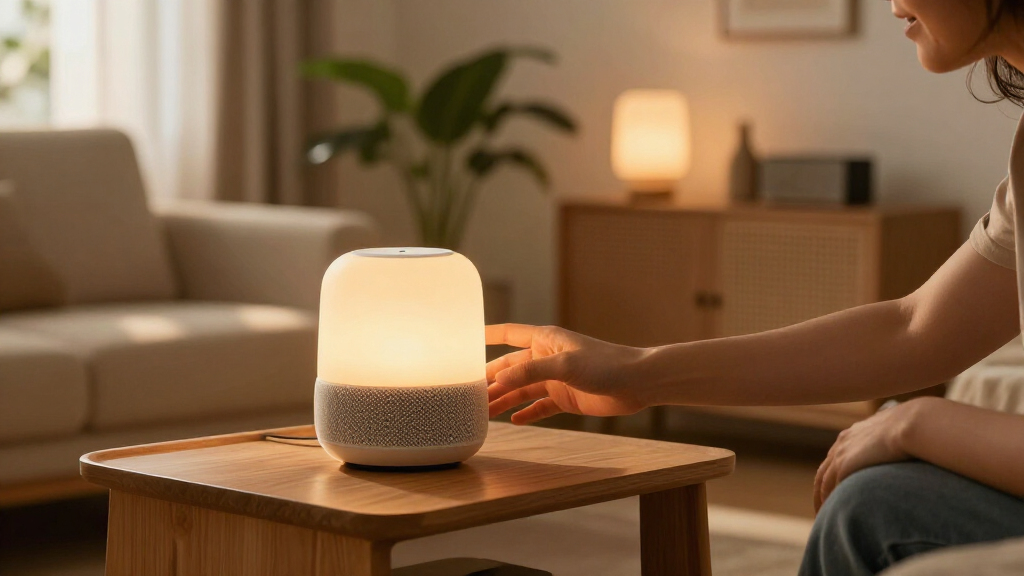
The guide advises readers to choose one low-risk task first, such as controlling a lamp, rather than beginning with locks, alarms, heaters or other equipment that can affect safety or access. Before buying, it says to check each product’s platform support, hub requirements, Wi-Fi band and regional compatibility, considerations also covered in these AI-powered smart home device picks. Some devices require a 2.4 GHz Wi-Fi network or a separate hub, and voice control does not necessarily mean that every routine or AI feature is supported.
For setup, the guide recommends using the manufacturer’s official app, installing app and device updates, and confirming that the device appears online after pairing. It also advises using a unique account password, enabling multifactor authentication when available, and keeping router security software up to date through official controls. Clear device names and correct room assignments can help prevent voice commands and routines from targeting the wrong equipment.
Privacy checks are part of the proposed setup: users are advised to review voice recordings, activity history, data sharing and cloud processing, and disable features they do not need. The source says some products process commands locally while others send voice, sensor or usage data to a cloud service. It also recommends checking how cameras and microphones indicate recording or listening, and how to pause them.
Compatibility and Privacy Shape Setup
The guidance addresses a practical risk for people assembling a mixed-brand smart home: a device may work with a voice assistant but still lack support for a particular automation, network band or hub. Checking those requirements before purchase can reduce failed setup attempts and avoid buying products that cannot perform the intended task.
Privacy and security choices also affect how these devices operate. Reviewing permissions, account access and data settings can help households understand what information a product may handle, while starting with a lamp limits the consequences of mistakes during early experimentation. These are recommendations in the guide, not evidence that any particular product is secure or that a setup will prevent every privacy or safety problem.
The source also includes three product verdicts: it recommends Hubitat for local, multi-protocol automation and subscription-free AI-assisted routine building; SwitchBot for camera-aware, chat-based control and bundled storage, subject to subscription and device limits; and Green as a quiet, expandable local automation base. These are the publisher’s assessments, and the provided material does not include comparative test results or supporting measurements.
Products Worth Considering

Logitech MX Creative Console with 9 Customizable Keys, Graphite

Apple Watch SE 3 GPS 40mm Smartwatch

LG UltraGear 27GX700A-B 27-Inch QHD OLED Gaming Monitor
As an affiliate, we earn on qualifying purchases.
A Small System Comes First
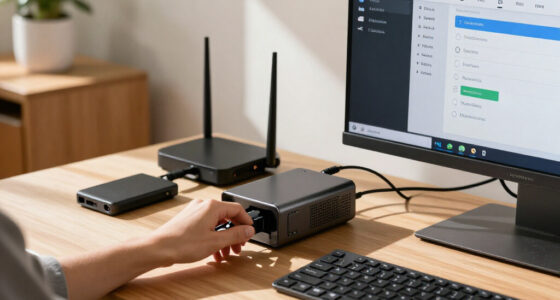
The source frames the setup for beginners using a smartphone or tablet, home Wi-Fi and a limited number of compatible products. Its examples include a smart speaker, lights, a thermostat and a plug. Users may also need a hub, device power supplies, the account tied to the platform and access to the Wi-Fi password or router settings.
The suggested sequence is to select a task and compatible device, secure the account and network, install the official app and updates, connect the product, name it and assign a room, then review controls and privacy preferences. The guide cautions readers not to use an app or account they cannot verify as the manufacturer’s official service. It also says to follow electrical and installation instructions and not attempt wiring work unless qualified.
ThorstenMeyerAI.com identifies itself in the supplied material as an Amazon Associate and says it earns from qualifying purchases. That disclosure is relevant to its product recommendations. The source offers setup guidance and verdicts, but does not provide independent testing details, prices, or a dated comparison of product models.
“We recommend Hubitat as the best overall choice when local, multi-protocol automation and subscription-free AI-assisted routine building matter more than beginner-friendly setup.”
— ThorstenMeyerAI.com
Product Claims Need More Detail
The supplied source does not give a publication date, identify exact product models or provide prices, test procedures, benchmark results or detailed comparisons supporting its recommendations. The scope of the named products’ AI features, subscription charges, device limits and regional availability is not specified. Readers would need to check current product pages and terms before buying.
It is also not clear which data each device collects or where it is processed. The guide notes that local and cloud processing vary by product, but does not map those practices to every recommendation. Compatibility and features can also differ by model and platform. The advice is general guidance, not a guarantee that all devices will work together or that a particular configuration is secure.
Check Current Device Requirements
Before purchasing, readers should confirm the exact model’s platform support, Wi-Fi or hub requirements, subscription terms and regional compatibility using the manufacturer’s current documentation. During setup, the guide’s next steps are to pair one device, install required updates, verify its connection, and review privacy and household-access settings before adding routines or more equipment.
The source does not announce a future test, product launch or follow-up date. Its immediate practical advice is to expand only after the first device works as intended, and to follow manufacturer instructions for any equipment involving electrical installation, heat, security or access.
Key Questions
How long does the guide say setup may take?
It estimates 45 to 90 minutes, depending on how many devices are added and whether apps need updates.
What should I check before buying a smart home device?
Check whether the exact model supports your chosen platform and region, whether it needs a hub or a particular Wi-Fi band, and whether features require a subscription. The source notes that support for voice control does not guarantee support for every routine or AI feature.
Why does the guide recommend starting with a lamp?
A lamp is a lower-risk first device than a lock, alarm or heater. The guide recommends learning the setup process before connecting equipment that could affect safety or access.
What privacy settings should users review?
The guide suggests checking voice recordings, activity history, data sharing and cloud processing, as well as how to pause microphones or cameras. It says users should turn off features they do not need.
Are the product recommendations based on published comparative tests?
The supplied source contains verdicts for Hubitat, SwitchBot and Green, but does not provide testing methods, measurements or detailed comparisons. The recommendations should be treated as the publisher’s assessments.
Source: ThorstenMeyerAI.com