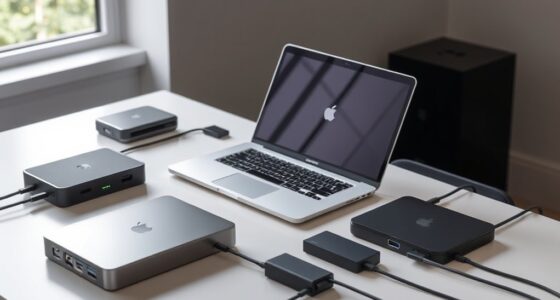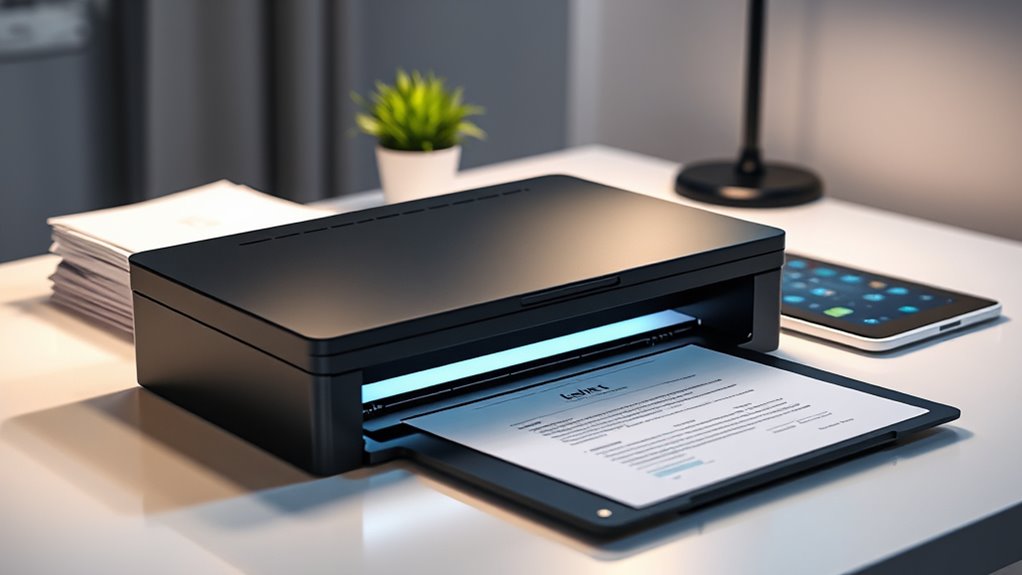

Finding the right document scanner for a small business involves balancing speed, portability, and cost. The Canon imageFORMULA R10 stands out as the best overall choice for its combination of reliable performance and ease of use. The Brother DS-640 offers a compact, mobile solution for on-the-go scanning, while the ScanSnap iX1300 balances fast double-sided scanning with user-friendly features. The main tradeoffs in this category often revolve around size versus speed, and cost versus feature set. Continue reading for a detailed comparison to help you pick the best fit for your needs.

Get the latest gadgets delivered free — and shop member deals
- Fast, free delivery on millions of items
- Access to Prime Big Deal Days deals on October 6–7
- Prime Video, Amazon Music and more included
Complete the kit



Key Takeaways
- Top-performing models like the Canon imageFORMULA R10 excel in reliability and speed, making them ideal for daily small business use.
- Portability is a key factor, with options like the Brother DS-640 and Epson WorkForce ES-50 perfect for mobile workflows.
- Auto Document Feed (ADF) features significantly boost productivity but tend to increase the scanner’s cost and size.
- Wireless connectivity enhances flexibility, but wired models often offer slightly better speed and stability at a lower price.
- Budget-friendly scanners can handle basic tasks well but may lack advanced features like duplex scanning or OCR.
| Canon imageFORMULA R10 Portable Document Scanner |  | Best Portable Scanner for Mobile and Light Office Use | Power Consumption: 2.5W or less | Suggested Daily Volume: 500 scans | Scanning Speed: 12 pages per minute | VIEW ON AMAZON | See Our Full Breakdown |
| Brother DS-640 Compact Mobile Document Scanner |  | Best Compact Scanner for On-the-Go Document Digitization | Scanning Speed: 16 ppm | Weight: 1.5 lbs | Supported Documents: up to 72 inches long | VIEW ON AMAZON | See Our Full Breakdown |
| Canon CanoScan LiDE 300 Scanner |  | Best High-Resolution Desktop Scanner for Photos and Documents | Scanner Type: Document, Photo | Connectivity: USB | Resolution: 2400 x 2400 dpi | VIEW ON AMAZON | See Our Full Breakdown |
| ScanSnap iX1300 Wireless and USB Double-Sided Color Document Scanner, Black |  | Best Versatile Scanner with Wireless and Fast Duplex Scanning | Scanner Type: Document, Receipt | Connection Type: USB, Wi-Fi | Resolution: 600 dpi | VIEW ON AMAZON | See Our Full Breakdown |
| Plustek Mobile Scanner S410 Plus |  | Best Ultra-Light Portable Scanner with OCR for Mobile Professionals | Scanner Type: Document | Connection Type: USB | Resolution: 600 dpi | VIEW ON AMAZON | See Our Full Breakdown |
| Brother DS-740D Duplex Compact Mobile Document Scanner |  | Best for Mobile Professionals and On-the-Go Use | Scan Speed: 16 ppm | Duplex Scanning: Yes | Connectivity: Micro USB 3.0 | VIEW ON AMAZON | See Our Full Breakdown |
| HP Small USB Document & Photo Scanner for Portable 1-Sided Sheetfed Digital Scanning, Model HPPS100 |  | Best for Simple, On-the-Go Document Conversion | Scanner Type: Document, Business Card, Driving License, Embossed Card, Envelop, ID Card, Insurance Card, Photo, Receipt, Text | Connection Type: USB | Resolution: 300 dpi | VIEW ON AMAZON | See Our Full Breakdown |
| ScanSnap iX1300 Wireless or USB Double-Sided Color Document Scanner, White |  | Best for Small Offices Needing Quick, Versatile Scanning | Scanner Type: Document, Receipt | Connection Type: USB, Wi-Fi | Resolution: 600 dpi | VIEW ON AMAZON | See Our Full Breakdown |
| Epson WorkForce ES-50 Compact & Lightweight Mobile Document Scanner |  | Best for Ultra-Lightweight, On-the-Go Scanning | Scan Speed: 5.5 seconds per page | Maximum Document Size: 8.5 x 72 inches | Connectivity: USB 2.0 | VIEW ON AMAZON | See Our Full Breakdown |
| Plustek PS186 Desktop Document Scanner with 50-Page Auto Document Feder (ADF) |  | Best for High-Volume Batch Scanning at a Desk | Scanner Type: Document | Connection Type: USB | Resolution: 600 dpi | VIEW ON AMAZON | See Our Full Breakdown |
| ScanSnap iX2500 Wireless and USB Document Scanner |  | Best Overall for Versatile and Fast Small Business Scanning | VIEW ON AMAZON | See Our Full Breakdown | |||
| Epson Workforce ES-C220 Compact Document Scanner Duplex 20-pg ADF |  | Best Compact Scanner for Space-Conscious Small Offices | VIEW ON AMAZON | See Our Full Breakdown | |||
| Canon imageFORMULA R30 Office Document Scanner with Auto Document Feeder and Duplex Scanning |  | Best Budget-Friendly Office Scanner for Small Teams | VIEW ON AMAZON | See Our Full Breakdown | |||
| ScanSnap iX2500 Wireless or USB High-Speed Document Scanner, Black |  | Best for High-Speed, Versatile Small Business Scanning | VIEW ON AMAZON | See Our Full Breakdown |
More Details on Our Top Picks
Canon imageFORMULA R10 Portable Document Scanner
The Canon imageFORMULA R10 stands out for its lightweight, compact design that makes it ideal for small businesses that need mobility—think remote work or on-the-go scanning. Compared to the Plustek Mobile Scanner S410 Plus, it offers faster duplex scanning at 12 pages per minute and includes built-in software for easy organization, making it more suitable for frequent document handling. However, it’s limited to standard documents and media, not designed for high-resolution photo scanning, which could be a drawback for businesses handling images. Its connection via USB and ENERGY STAR certification help keep energy and cost concerns low. While not ideal for high-volume or photo-centric needs, this model excels where portability and quick document management are priorities.
Pros:- Extremely portable and lightweight for mobile use
- Fast duplex scanning at 12 pages per minute
- Compatible with both Windows and Mac systems
- Built-in software for editing and organizing scans
Cons:- Limited media type support, not suitable for photo or high-res image scanning
- No wireless connectivity, only USB
Best for: Small business owners who frequently work remotely or need a lightweight, portable scanner for simple document workflows.
Not ideal for: Businesses that require high-resolution photo scanning or handling large volumes of documents daily.
- Power Consumption:2.5W or less
- Suggested Daily Volume:500 scans
- Scanning Speed:12 pages per minute
- Automatic Document Feeder:20 sheets
- Compatibility:Windows and Mac
- Connectivity:USB
Our verdict“This scanner is perfect for mobile-savvy small businesses that need quick, simple document scanning on the go.”
Brother DS-640 Compact Mobile Document Scanner
The Brother DS-640 shines for its ultra-lightweight design, weighing only 1.5 lbs, making it ideal for small businesses that need to scan various document types—including ID cards and long receipts—while on the move. Its speed of 16 pages per minute surpasses the Canon R10, with support for documents up to 72 inches long, making it versatile for different business needs. Unlike the Canon R10, it supports Linux and includes OCR and image optimization software, adding value for small offices needing more control. The main tradeoff is its reliance on software for full functionality and limited resolution when connected to a PC, which might slow down high-volume or high-detail scanning. This model suits those who prioritize portability with broader document flexibility.
Pros:- Extremely portable and lightweight design
- Fast scanning speed of 16 ppm
- Supports long and heavy documents up to 72 inches
- Includes OCR and image enhancement software
Cons:- Requires software download for full features
- Limited to 300 dpi at letter size when connected via PC
Best for: Small business professionals who need to scan diverse documents quickly while traveling or working remotely.
Not ideal for: Businesses requiring high-resolution photo scans or extensive document storage capacity.
- Scanning Speed:16 ppm
- Weight:1.5 lbs
- Supported Documents:up to 72 inches long
- Power Source:Micro USB 3.0
- Compatibility:Windows, Mac, Linux
- Software:Includes OCR and document management software
Our verdict“Ideal for mobile professionals needing quick, flexible document scanning across various media types.”
Canon CanoScan LiDE 300 Scanner
The Canon CanoScan LiDE 300 offers a high-resolution 2400 x 2400 dpi scan, making it perfect for small businesses that handle detailed images or archival documents. Its auto scan feature simplifies the process, automatically adjusting settings based on the document type. Compared to the ScanSnap iX1300, it lacks wireless connectivity, relying solely on USB, which limits flexibility in a small office or shared environment. Its compact size fits well in tight spaces, but its single-sheet capacity and basic feature set mean it’s less suited for high-volume tasks. It’s best for those who prioritize image detail over speed or bulk processing, especially when scanning photographs or detailed legal documents.
Pros:- High-resolution 2400 x 2400 dpi for detailed images
- Auto Scan Mode for ease of use
- Compact and space-efficient design
- Supports cloud services like OneDrive and Dropbox
Cons:- Limited to one sheet at a time
- Lacks wireless connectivity
Best for: Small businesses needing high-resolution scans of photos or detailed documents in a compact, space-saving device.
Not ideal for: High-volume scanning environments or businesses needing wireless sharing or multi-sheet capacity.
- Scanner Type:Document, Photo
- Connectivity:USB
- Resolution:2400 x 2400 dpi
- Wattage:4.5 watts
- Media Types:Photo, Receipt, Business Card, Paper
- Dimensions:14.5″D x 9.9″W x 1.7″H
Our verdict“Best suited for detail-oriented scanning of photos and documents in small spaces, not for high-volume workflows.”
ScanSnap iX1300 Wireless and USB Double-Sided Color Document Scanner, Black
The ScanSnap iX1300 combines speed and flexibility, offering duplex scanning at 30 pages per minute and wireless connectivity alongside USB. This makes it highly adaptable for small offices that need to scan different media types, from receipts to multi-page documents, with minimal fuss. Its simple, one-touch operation streamlines daily workflows, and the built-in software supports automatic detection and organization. Compared to the Brother DS-640, its higher speed and wireless features make it better suited for busy environments. The main limitation is its 20-page sheet capacity per scan, which could slow down larger jobs. This model is ideal for businesses that value speed and connectivity over high-volume batch processing.
Pros:- Fast duplex scanning at up to 30 pages per minute
- Wireless and USB connectivity for versatile use
- Compact, space-saving design
- One-touch operation with automatic features
Cons:- Limited to 20 pages per sheet scan
- No detailed mention of advanced OCR features
Best for: Small business teams needing fast, wireless scanning with minimal setup and easy organization.
Not ideal for: High-volume scanning needs or businesses that require large sheet capacity per scan.
- Scanner Type:Document, Receipt
- Connection Type:USB, Wi-Fi
- Resolution:600 dpi
- Standard Sheet Capacity:20
- Media Type:Paper
- Dimensions:4.5″D x 11.7″W x 3.3″H
Our verdict“Best for small teams that need quick, wireless document scanning with minimal complexity.”
Plustek Mobile Scanner S410 Plus
The Plustek S410 Plus offers exceptional portability, weighing less than half a kilogram, making it perfect for small businesses or freelancers who need to digitize documents on the move. Its automatic, button-free operation simplifies workflow, and it handles a variety of document sizes, including IDs and receipts. Its built-in OCR software converts scans into editable files, adding to its appeal for quick digital workflows. Compared with the Canon R10, it sacrifices some speed and resolution for extreme portability and ease of use. Its single-sheet capacity per scan and reliance on USB for power mean it’s less suited for high-volume scanning, but its compact size makes it a natural choice for those with limited workspace or frequent travel.
Pros:- Incredibly lightweight and portable
- Automatic, button-free operation simplifies use
- Supports various document sizes including IDs and receipts
- Built-in OCR software for editable output
Cons:- Single sheet capacity per scan limits batch processing
- Requires USB connection—no wireless options
Best for: Freelancers or small business owners needing a super-light, portable scanner for occasional, quick digitization.
Not ideal for: Businesses with high-volume or photo scanning requirements, due to limited capacity and resolution.
- Scanner Type:Document
- Connection Type:USB
- Resolution:600 dpi
- Wattage:2.5 watts
- Color Depth:48 bits
- Media Type:Paper
Our verdict“Ideal for mobile professionals requiring a tiny, easy-to-use scanner for occasional document digitization.”
Brother DS-740D Duplex Compact Mobile Document Scanner
This compact duplex scanner excels for small business owners who need mobility without sacrificing speed. Its ability to scan both sides at 16 pages per minute makes it a strong contender against larger desktop models like the Plustek PS186, which offers higher capacity but less portability. The DS-740D’s space-saving design and USB-powered operation suit those working outside traditional office settings, yet it relies on software downloads for full driver support, which could slow setup. While limited to letter-sized documents at 300dpi, its support for cloud and email destinations enhances versatility for quick dispatch of scanned files. Compared to stationary scanners, its primary tradeoff is reduced scanning capacity and the need for software management.
Pros:- Compact and portable design ideal for mobile professionals
- Fast duplex scanning at 16 pages per minute
- Supports multiple scan destinations including cloud and email
- Space-saving design reduces desk footprint
Cons:- Requires software download for full driver support
- Limited to letter size paper at 300dpi
- Free technical support only available in the USA
Best for: Small business owners who frequently work remotely or travel and need a portable, reliable scanner.
Not ideal for: Businesses requiring high-volume scanning or handling larger documents, as this model is optimized for mobility and smaller loads.
- Scan Speed:16 ppm
- Duplex Scanning:Yes
- Connectivity:Micro USB 3.0
- Compatibility:Windows, Mac, Linux
- Supported Drivers:TWAIN/WIA, ICA, SANE
- Dimensions:Less than 1 foot in length
- Power Source:USB
- Software Included:Document management and OCR software
Our verdict“This scanner is best suited for mobile entrepreneurs who prioritize portability over high-volume capacity.”
HP Small USB Document & Photo Scanner for Portable 1-Sided Sheetfed Digital Scanning, Model HPPS100
The HPPS100 offers a straightforward solution for small business owners who need quick, reliable scans of documents, receipts, or ID cards while traveling. Its high resolution of 1200 dpi produces clear images, surpassing the 300 dpi of many competitors like the Brother DS-740D, making it ideal for detailed photos or forms. However, with only 10-sheet capacity and simplex scanning, it’s less suited for batch processing or larger jobs. Its tiny size and USB-only connection make it perfect for mobile use, but the lack of wireless connectivity limits flexibility. This model trades volume for portability, making it less appropriate for high-volume office environments.
Pros:- Extremely portable and lightweight
- High-resolution 1200 dpi scans for detail
- Easy to use with compatible PC and Mac software
- Ideal for scanning photos, IDs, and receipts
Cons:- Limited to 10 sheets at a time
- Only simplex scanning available
- No wireless connectivity, only USB
Best for: Freelancers or small business owners who need to scan small batches of documents or photos while traveling or at remote locations.
Not ideal for: Businesses that require high-volume or duplex scanning, as this device is optimized for quick, single-sided scans and limited capacity.
- Scanner Type:Document, Business Card, Driving License, Embossed Card, Envelop, ID Card, Insurance Card, Photo, Receipt, Text
- Connection Type:USB
- Resolution:300 dpi
- Color Depth:24 bits
- Standard Sheet Capacity:10
- Item Dimensions:2″D x 11.6″W x 1.4″H
- Item Weight:3 ounces
- Minimum System Requirements:Windows 7
Our verdict“This scanner suits mobile users who need crisp images of small batches of documents or photos without bulky equipment.”
ScanSnap iX1300 Wireless or USB Double-Sided Color Document Scanner, White
The ScanSnap iX1300 stands out for its rapid 30 pages per minute duplex color scanning, making it suitable for busy small teams. Its dual connectivity—Wi-Fi and USB—offers flexible options compared to the Brother DS-740D’s USB-only setup, streamlining workflow for users who prefer wireless integration. Its compact size and simple software interface make it accessible for users new to scanning, yet it’s limited to 20 sheets at a time, which is less than the Plustek PS186’s 50 pages but still enough for typical small business tasks. The primary tradeoff involves setup time for wireless features and a slightly lower sheet capacity, but overall, it’s a well-rounded choice for fast, multi-device environments.
Pros:- Fast duplex color scanning at 30 ppm
- Wireless and USB connectivity for flexible setup
- Compact, space-efficient design
- User-friendly software for managing documents
Cons:- Limited to 20 sheets per scan cycle
- No automatic document feeder for batch processing
- Requires software setup for full functionality
Best for: Small teams or solo entrepreneurs who need quick double-sided scans and wireless connectivity for flexible workspaces.
Not ideal for: High-volume batch processing or handling large documents, as its sheet capacity is modest and lacks an automatic document feeder.
- Scanner Type:Document, Receipt
- Connection Type:USB, Wi-Fi
- Resolution:600 dpi
- Wattage:17 watts
- Color Depth:48 bits
- Standard Sheet Capacity:20
- Optical Sensor Technology:CIS
- Light Source Type:LED
Our verdict“This scanner is ideal for small teams needing rapid, duplex, wireless scanning without high-volume demands.”
Epson WorkForce ES-50 Compact & Lightweight Mobile Document Scanner
The Epson WorkForce ES-50 emphasizes portability above all, with a design that’s small enough for slipping into a bag. Its ability to scan a single page in just 5.5 seconds makes it superior for quick tasks compared to the Brother DS-740D, which handles higher volumes but is bulkier. Its USB-powered operation eliminates the need for external batteries and power adapters, making it perfect for mobile workflows. However, it only handles one sheet at a time, limiting batch capacity, and lacks automatic feeding or duplex options. While its speed and size are appealing, this makes it better suited for sporadic, individual scans rather than continuous bulk processing.
Pros:- Extremely lightweight and portable
- Fast scanning speed of 5.5 seconds per page
- USB-powered, no external power needed
- Includes OCR for searchable, editable files
Cons:- Limited to single-sheet scanning
- No automatic document feeder or duplex support
- Requires software installation and internet for full features
Best for: Freelancers or mobile professionals who need quick, single-page scans during fieldwork or at client sites.
Not ideal for: Small businesses with high scanning volumes or needing duplex scanning, as this device is designed for quick, one-page tasks only.
- Scan Speed:5.5 seconds per page
- Maximum Document Size:8.5 x 72 inches
- Connectivity:USB 2.0
- Power:USB-powered
- Software:Epson ScanSmart, Nuance OCR
- Compatibility:Windows and Mac
- Automatic Feeding:Yes
Our verdict“This scanner suits mobile users needing quick, single-page scans with minimal setup and maximum portability.”
Plustek PS186 Desktop Document Scanner with 50-Page Auto Document Feder (ADF)
Compared to the ultra-portable options, the Plustek PS186 offers a significant edge in batch processing thanks to its 50-page auto document feeder and high-resolution 600 dpi scanning. This makes it well-suited for small offices or businesses that regularly process multiple documents or forms. Its support for OCR and barcode recognition enhances document management workflows, and the variety of supported formats adds flexibility. However, its larger footprint and requirement for a wired connection limit mobility, and it’s only compatible with Windows, which could exclude some Mac users. This device prioritizes volume and accuracy over portability, making it a solid choice for dedicated desktop use but less so for mobile scenarios.
Pros:- Supports high-resolution scanning at 600 dpi
- 50-page auto document feeder for batch processing
- Includes OCR and barcode recognition
- Supports multiple file formats including PDF, JPEG, TIFF, PNG
Cons:- Limited to Windows OS, no Mac support
- No wireless connectivity, only USB
- No mobile device compatibility
Best for: Small offices or businesses handling regular bulk scanning who need high capacity and advanced processing features.
Not ideal for: Mobile professionals or those with limited space, as its size and desktop setup are less flexible for travel or compact workspaces.
- Scanner Type:Document
- Connection Type:USB
- Resolution:600 dpi
- Wattage:18 watts
- Color Depth:24 bpp
- Standard Sheet Capacity:50
- Media Type:Paper
- Supported OS:Windows 7/8/10/11
Our verdict“This scanner is best for small businesses with steady high-volume needs and a dedicated desktop setup.”
ScanSnap iX2500 Wireless and USB Document Scanner
The ScanSnap iX2500 stands out for its combination of speed, ease of use, and connectivity options, making it ideal for small businesses that need efficient document management. It delivers a swift 45 pages per minute double-sided scanning and features a large 100-sheet feeder, surpassing many competitors like the Epson Workforce ES-C220, which has a smaller capacity. Its Wi-Fi 6 and USB-C support enable flexible placement and cloud integration, streamlining workflows. However, the premium price tag and somewhat complex setup can be barriers for less tech-savvy users. Its size may also require dedicated desk space, which could be a concern for limited offices. This scanner makes the most sense for businesses seeking high speed and versatile connectivity, willing to invest in a premium device.
Pros:- Fast scanning speed of 45 pages per minute
- Large 100-sheet document feeder for bulk scanning
- Wireless (Wi-Fi 6) and USB-C connectivity for flexible setup
- Supports cloud services and device-less operation
Cons:- Premium price may be prohibitive for some small businesses
- Setup can be complex for non-technical users
- Large footprint requires significant desk space
Best for: Small business owners who prioritize fast, wireless, and cloud-enabled scanning with high capacity needs
Not ideal for: Startups or solo entrepreneurs with tight budgets or limited space who prefer plug-and-play simplicity
Our verdict“This pick is best suited for small businesses that need rapid, versatile, and network-ready scanning, despite its higher cost and size.”
Epson Workforce ES-C220 Compact Document Scanner Duplex 20-pg ADF
The Epson Workforce ES-C220 excels as a space-saving solution that offers reliable duplex scanning at 30 pages per minute, making it a strong choice for small offices with limited space. Its compact design contrasts with bulkier models like the ScanSnap iX2500, which, while faster, takes up more desk area. The 20-page auto document feeder and versatile scanning capabilities handle a variety of document types, from standard papers to passports, with ease. Its reliance on a USB connection limits flexibility compared to wireless models, and it does not support cloud integration directly. However, for users who need a straightforward, fast duplex scanner that fits snugly into tight spaces, this device hits the mark. It’s ideal for small offices prioritizing simplicity and space efficiency over wireless features.
Pros:- Space-efficient, compact design
- Fast duplex scanning at 30 pages per minute
- Handles various document types including passports
- Includes robust scanning software
Cons:- Requires USB connection—no wireless option
- Limited to standard document sizes
- No direct cloud support
Best for: Small offices needing reliable duplex scanning in a compact footprint without wireless or cloud features
Not ideal for: Businesses that require wireless, networked, or cloud-connected scanning workflows
Our verdict“This scanner suits small offices seeking a reliable, space-conscious duplex scanner without the need for wireless features.”
Canon imageFORMULA R30 Office Document Scanner with Auto Document Feeder and Duplex Scanning
The Canon imageFORMULA R30 offers a straightforward, no-fuss approach to document scanning, making it ideal for small offices or home businesses that don’t need advanced features. Its 25 pages per minute duplex speed is respectable but slower than the ScanSnap iX2500 or Epson ES-C220, which might matter for higher-volume environments. The built-in 60-sheet auto feeder and simple USB connection allow quick setup and easy operation, with no software installation required. However, its lack of wireless or network capabilities limits flexibility, and it’s better suited for moderate workloads rather than heavy-duty professional use. For those who prioritize affordability and simplicity over speed or advanced features, this scanner delivers reliable performance without breaking the bank.
Pros:- Affordable price point
- Fast duplex scanning at 25 pages per minute
- No software installation needed, simple setup
- Handles various document types including business cards
Cons:- Limited to USB connection—no wireless option
- Moderate speed compared to higher-end models
- Not ideal for high-volume workflows
Best for: Small businesses or home offices needing a budget-friendly, easy-to-use scanner for moderate scanning tasks
Not ideal for: High-volume or wireless-dependent offices that require networked document management
Our verdict“This scanner is a practical choice for small teams seeking a budget-friendly, reliable device for everyday document scanning.”
ScanSnap iX2500 Wireless or USB High-Speed Document Scanner, Black
The ScanSnap iX2500 in black combines high-speed performance with user-friendly features, making it a top option for small businesses that value efficiency. Its 45 pages per minute double-sided scanning outpaces many competitors like the Epson ES-C220 and the Canon R30, thanks to its large 100-sheet feeder and automatic optimizations. The large touchscreen simplifies operation, and its dual connectivity options—Wi-Fi 6 and USB-C—offer maximum flexibility for different office setups. However, the premium price and size may deter budget-conscious or space-constrained users. Its advanced features and fast throughput make it ideal for dynamic small offices handling frequent, high-volume scanning tasks, especially when wireless convenience is a priority.
Pros:- Fast double-sided scanning at 45 pages per minute
- Large 100-sheet document capacity
- Large, responsive touchscreen interface
- Supports Wi-Fi 6 and USB-C, cloud services
Cons:- Higher price point compared to basic models
- Large footprint requires ample desk space
- Setup can be complex for non-technical users
Best for: Small businesses seeking a high-speed, feature-rich scanner with intuitive controls and flexible connectivity
Not ideal for: Solo entrepreneurs or micro-businesses on tight budgets that don’t need high volume or touchscreen features
Our verdict“This scanner is best suited for small businesses that require speed, flexibility, and user-friendly operation at a premium cost.”
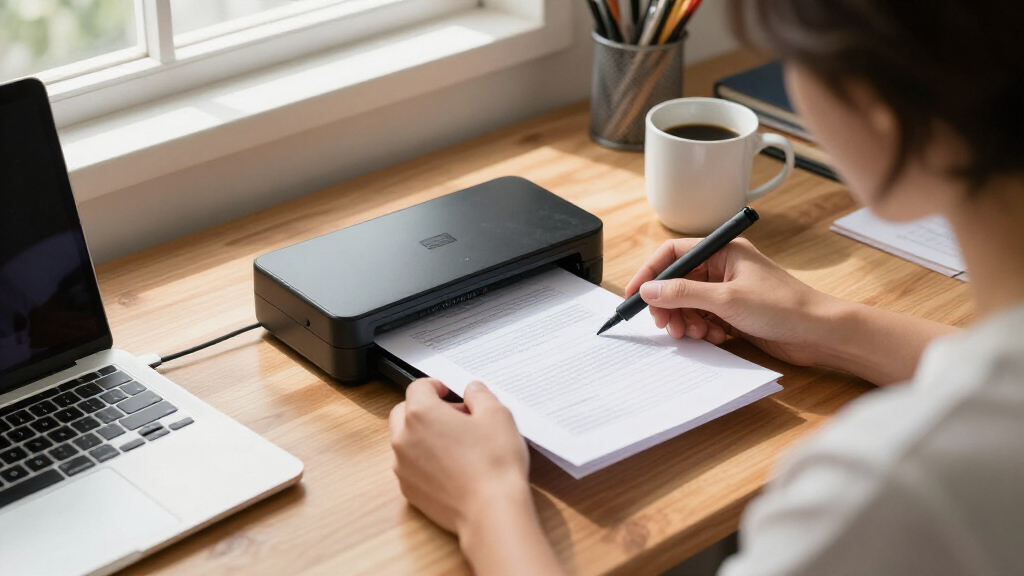
How We Picked
The products in this roundup were evaluated based on performance, usability, build quality, and value for small business environments. Priority was given to models that balance speed with simplicity, ensuring they can handle daily document volume without fuss. We also considered connectivity options, portability, and the inclusion of features like duplex scanning and OCR software, which enhance productivity. Products were ranked to reflect their suitability for different small business needs, from portable on-the-go scanners to desktop solutions capable of handling larger volumes efficiently.Factors to Consider When Choosing Document Scanner For Small Business
Choosing the right document scanner for your small business requires understanding several key factors. Beyond initial price, consider how the scanner’s features align with your daily workflow, budget, and space. The right choice can streamline document management and reduce manual effort, but the wrong one can lead to frustration and inefficiency. Here are the main considerations to keep in mind:Speed and Throughput
Assess how many pages you need to scan daily. Faster scanners with high pages-per-minute rates are better for larger workloads, but they often come at a higher cost. If your volume is light, a slower, more affordable model might suffice. Consider also whether your needs include duplex scanning, which allows both sides of a page to be scanned simultaneously, saving time overall.
Portability and Size
If you frequently work outside the office or in different locations, a compact, lightweight scanner becomes a priority. Conversely, desktop models tend to be bulkier but often offer higher capacity and more features. Think about your typical workspace and mobility needs to find the right balance between size and capability.
Connectivity Options
Wireless models provide flexibility and ease of use, especially in shared or flexible workspaces. USB-only models can offer slightly better speed and stability, which is important if your workflow involves large files or high-volume scanning. Consider whether your existing devices and network setup support the connectivity type you prefer.
Features and Software
Look for features like automatic document feeders (ADF), OCR (optical character recognition), and color scanning. These features improve efficiency and enable digitization of text for editing or searching. However, more advanced features usually come with a higher price tag, so weigh their value against your actual needs.
Budget and Long-Term Value
While initial cost is important, consider the long-term value. Cheaper models may lack durability or key features, leading to higher replacement costs or frustration. Investing in a slightly more expensive, reliable model can save money and time in the long run. Balance your budget with the expected volume and feature requirements to find the best overall value.
Frequently Asked Questions
Can I use a portable scanner for high-volume scanning?
Portable scanners like the Canon imageFORMULA R10 or Epson WorkForce ES-50 are designed for convenience and mobility, making them ideal for light to moderate tasks. However, they typically lack high-capacity feeders and fast speeds needed for large volumes. For high-volume scanning, a desktop model with an automatic document feeder and higher pages-per-minute rate will be more efficient and less prone to jams or overheating.
Is wireless connectivity worth the extra cost?
Wireless connectivity offers significant convenience, especially if your workspace involves multiple users or mobile devices. It allows scanning directly to cloud services, emails, or network folders without physical connections. However, it can sometimes introduce connectivity issues or slower transfer speeds compared to USB models. Consider your environment and whether the added flexibility justifies the extra expense.
Do I need OCR software included in my scanner?
OCR software transforms scanned images into editable text, which can be invaluable for document management and searchability. Many modern scanners include basic OCR; however, more advanced or accurate OCR may require an additional purchase. If you handle a lot of text-heavy documents or need to digitize records for editing, investing in a scanner with robust OCR capabilities is worthwhile.
Should I prioritize speed or image quality?
For small business use, speed generally takes precedence, especially if you’re processing many documents daily. However, if your work involves detailed graphics or high-quality archiving, image quality should also be a priority. Many scanners offer a balance, so look for models that specify both high speed and high-resolution options to meet your specific needs.
How important is durability for a small business scanner?
Durability is a key factor since your scanner will likely see frequent use. Cheaper models might fail prematurely or require frequent repairs, disrupting your workflow. Investing in a well-built, reputable brand can ensure reliability over time, especially if your business depends on consistent document processing. Consider warranty and support options as part of your decision-making process.
Conclusion
For small business owners prioritizing overall performance and ease of use, the Canon imageFORMULA R10 makes a compelling choice as the best overall scanner. Those seeking a budget-friendly, reliable option should consider the Brother DS-640 for portability, while larger teams needing high-volume throughput might find the ScanSnap iX1300 or Epson Workforce ES-C220 better suited. Beginners or infrequent users will appreciate models like the Epson WorkForce ES-50, which balance simplicity with features. Ultimately, your ideal scanner depends on your specific workflow, volume, and workspace constraints—use these recommendations to find the best fit.
As an affiliate, we earn on qualifying purchases.Fall Picks
fall essentials