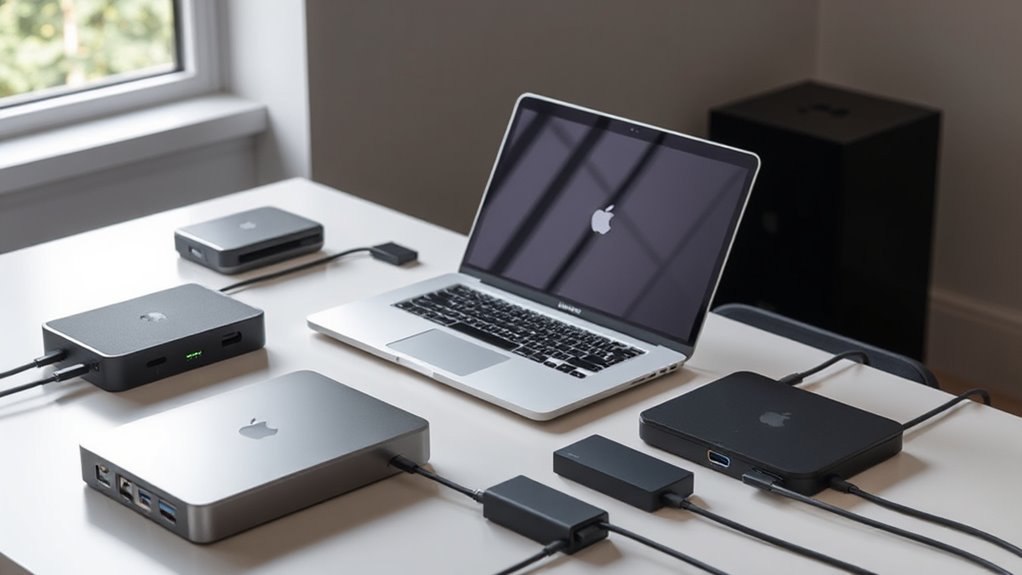

When searching for a Thunderbolt dock for MacBook, the goal is to find a device that offers fast data transfer, multiple ports, and reliable power delivery. The CalDigit E5 Thunderbolt 5 stands out for its extensive port selection and impressive support for high-resolution displays, making it a top overall choice. For those seeking a more budget-friendly option, the UGREEN Maxidok Thunderbolt 5 offers solid performance with triple 4K outputs. Meanwhile, the Belkin Connect Thunderbolt 4 Docking Station excels in simplicity with core features and a sleek design. The main tradeoffs in this category involve balancing port variety, performance, power delivery, and price. Keep reading for a detailed breakdown of each dock and what suits different needs best.

Get the latest gadgets delivered free with Prime
- Fast, free delivery on millions of items
- Prime Video, Amazon Music and more included
- Member-only deals all year
Complete the kit



Key Takeaways
- The top docks combine high-speed Thunderbolt 4 or 5 with multiple display support, often up to 8K or dual 4K setups.
- Power delivery capacity varies, with many docks offering 90W or more, crucial for charging MacBooks during use.
- Port selection ranges from minimal USB-C hubs to comprehensive stations with HDMI, Ethernet, SD card slots, and more.
- Build quality and driverless operation are key factors that influence long-term reliability and ease of setup.
- Premium options tend to have more ports and higher display resolutions, but often come with a higher price tag.
| WAVLINK Thunderbolt 4 Dock with Dual 4K HDMI and 8K Support |  | Best for High-Resolution Multitasking | Video Output: Dual 4K@60Hz HDMI or 8K@60Hz via Thunderbolt 4 | Power Delivery: Up to 96W | Ethernet: 2.5G Ethernet port | VIEW ON AMAZON | See Our Full Breakdown |
| Plugable 16-in-1 Thunderbolt 4 Dock for MacBook Air/Pro and Windows |  | Best for Versatile Compatibility and Connectivity | Number of USB ports: 7 | Ethernet: 2.5G | Display support: Dual 4K 60Hz | VIEW ON AMAZON | See Our Full Breakdown |
| CalDigit E5 Thunderbolt 5 Element 5 Hub – 9 Ports, 4 Thunderbolt 5/USB4 v2, 3 USB-A, 2 USB-C, 90W Charging, 8K/6K Display Support |  | Best for Future-Proof High-Performance Connectivity | Ports: 4 Thunderbolt 5/USB4 v2 | USB-A Ports: 3 | USB-C Ports: 2 | VIEW ON AMAZON | See Our Full Breakdown |
| Plugable Thunderbolt 4 Dock, 100W Charging, Dual HDMI, 13 Ports for Windows and Mac |  | Best for All-in-One Versatility | Power Delivery: 100W (96W certified) | Video Output: Dual HDMI 4K@60Hz or single 8K | Ports: 13 including HDMI, USB, Ethernet, SD | VIEW ON AMAZON | See Our Full Breakdown |
| Plugable Thunderbolt 5 Dock: 16-in-1 Dual HDMI 2.1 Up to 8K 60Hz / 4K 144Hz, 140W Charging, 2.5GbE, Fanless, Driverless, TAA Compliant Docking Station for MacBook Pro/Air & Windows |  | Best for Professional Power and High Refresh Rate Gaming | Video output: Dual HDMI 2.1, up to 8K 60Hz / 4K 144Hz | Laptop charging: 140W | Ports: 16 including USB-C, USB-A, Ethernet | VIEW ON AMAZON | See Our Full Breakdown |
| MOKiN MacBook Pro Docking Station Dual Monitor HDMI Adapter |  | Best Overall for Versatile Dual Monitor Setup | Ports: 2 HDMI, 4 USB (3.0 and 2.0), SD/TF Card Reader, Ethernet, Thunderbolt 3, USB-C Power Delivery | Resolution: Up to 4K@60Hz (single HDMI), 4K@30Hz (dual HDMI) | Power Delivery: 100W | VIEW ON AMAZON | See Our Full Breakdown |
| Anker Prime Docking Station, 14-in-1 Laptop Docking Station Dual Monitor |  | Best for High-Performance Multitasking with Versatile Ports | Connectivity: 14-in-1 | Total Power Output: 160W | USB-C Ports: 3 at 100W max each | VIEW ON AMAZON | See Our Full Breakdown |
| UGREEN Maxidok Thunderbolt 5 Docking Station, Triple 4K@144Hz, 3xTBT5 Port |  | Best for Demanding 4K/8K Workflows with High Refresh Rates | Connectivity: 10-in-1 including USB-A, SD/TF, Ethernet, DP2.1, TBT5 | Thunderbolt Speed: 120Gbps | Display Support: Triple 4K@144Hz or dual 8K@60Hz | VIEW ON AMAZON | See Our Full Breakdown |
| Plugable Thunderbolt 4 Dock for M4/M5 MacBook Air & Pro |  | Best for Seamless Compatibility and Easy Setup | Ports: 13 | Display Support: Dual 4K@60Hz | Power Delivery: 100W | VIEW ON AMAZON | See Our Full Breakdown |
| UGREEN 8-in-1 Thunderbolt 4 Docking Station, Dual 4K@60Hz, 3x TBT4, 40Gbps |  | Best for Compact Dual 4K Setup with High Data Speed | Number of Ports: 8 | Thunderbolt 4 Ports: 3 | Display Support: Dual 4K@60Hz | VIEW ON AMAZON | See Our Full Breakdown |
| Belkin Connect Thunderbolt 4 Docking Station, 5-in-1 USB-C Multiport Core Hub with 96W Power Delivery |  | Best for Versatile High-Resolution Display Support | Ports: 3x Thunderbolt 4 USB-C upstream, 1x Thunderbolt 4 USB-C downstream | Power Delivery: 96W | Display Support: Dual 4K at 60Hz or 8K at 30Hz | VIEW ON AMAZON | See Our Full Breakdown |
| thunderbolt dock for macbook | Power Delivery | Display support | Compatibility | Ports |
|---|---|---|---|---|
| WAVLINK Thunderbolt 4 Dock wit | Up to 96W | — | — | — |
| Plugable 16-in-1 Thunderbolt 4 | — | Dual 4K 60Hz | MacBook M4/M5, Windows, USB4, Thunderbolt 4/5 | — |
| CalDigit E5 Thunderbolt 5 Elem | 90W | Up to 8K or dual 6K/8K | — | 4 Thunderbolt 5/USB4 v2 |
| Plugable Thunderbolt 4 Dock | 100W (96W certified) | — | Thunderbolt 4, Thunderbolt 5, USB4, Windows 10+, macOS | 13 including HDMI, USB, Ethernet, SD |
| Plugable Thunderbolt 5 Dock: 1 | — | — | Thunderbolt 5, USB4, Windows 11+, macOS 13+ | 16 including USB-C, USB-A, Ethernet |
| MOKiN MacBook Pro Docking Stat | 100W | — | — | 2 HDMI, 4 USB (3.0 and 2.0), SD/TF Card Reader, Ethernet, Thunderbolt 3, USB-C Power Delivery |
| Anker Prime Docking Station | — | Dual 4K at 60Hz or 2K@60Hz | Windows 10/11, ChromeOS, DP Alt Mode, Power Delivery | — |
| UGREEN Maxidok Thunderbolt 5 D | 140W | Triple 4K@144Hz or dual 8K@60Hz | — | — |
| Plugable Thunderbolt 4 Dock fo | 100W | Dual 4K@60Hz | M4/M5 MacBook Air & Pro, Windows | 13 |
| UGREEN 8-in-1 Thunderbolt 4 Do | — | Dual 4K@60Hz | Mac, Windows | — |
| Belkin Connect Thunderbolt 4 D | 96W | Dual 4K at 60Hz or 8K at 30Hz | Mac, Windows, USB-C devices | 3x Thunderbolt 4 USB-C upstream, 1x Thunderbolt 4 USB-C downstream |
More Details on Our Top Picks
WAVLINK Thunderbolt 4 Dock with Dual 4K HDMI and 8K Support
This WAVLINK Thunderbolt 4 dock stands out for its versatile display options, supporting dual 4K monitors at 60Hz or a single 8K display at 60Hz, making it ideal for creative workflows or multi-monitor setups. Compared with the Plugable 13-port dock, it offers similar video capabilities but adds 2.5G Ethernet and a faster SD card reader, enhancing data transfer speeds. However, Mac users should be aware that dual monitor support may require specific configurations, and some display setups might be limited to mirroring, not extended mode. Its 96W power delivery ensures most MacBooks can stay charged during intensive use, but system compatibility varies depending on the Mac model and system configuration. Overall, this dock is best suited to users needing high-res visuals and fast data transfer, willing to navigate some configuration complexity.
Pros:- Supports dual 4K@60Hz or 8K@60Hz display configurations for high-res clarity
- Fast data transfer with SD V4.0 card reader and 2.5G Ethernet
- Up to 96W power delivery keeps laptops charged during intense tasks
Cons:- Dual monitor support on Mac may be limited to mirroring unless using specific ports
- Complex display setup may be required for optimal extended desktop configuration
Best for: Creative professionals or power users with high-resolution needs who use Mac or Windows systems and can handle setup complexity.
Not ideal for: Casual users or Mac owners with older models expecting plug-and-play dual extended display support without setup hassle.
- Video Output:Dual 4K@60Hz HDMI or 8K@60Hz via Thunderbolt 4
- Power Delivery:Up to 96W
- Ethernet:2.5G Ethernet port
- Card Reader:SD/MicroSD V4.0, 312MB/s
- Power Adapter:160W
Our verdict“This dock is a strong choice for users prioritizing high-resolution visuals and fast data transfer, despite some setup nuances.”
Plugable 16-in-1 Thunderbolt 4 Dock for MacBook Air/Pro and Windows
Compared with the WAVLINK dock, this Plugable 16-in-1 model offers a broader port selection, including 7 USB ports, multiple video outputs (HDMI and DisplayPort), and 2.5G Ethernet, making it highly adaptable for various workflows. It supports dual 4K 60Hz monitors, providing ample room for multitasking, and offers 100W charging, ensuring MacBook users stay powered through heavy workloads. The main tradeoff is that it requires a Thunderbolt 4 cable for optimal performance, and some features might be limited on older computers or non-Thunderbolt systems. Its universal compatibility makes it a solid choice for mixed environments, but users should be prepared for a slightly higher investment compared to more basic docks. This dock is ideal for professionals needing broad connectivity and reliable performance across multiple platforms.
Pros:- Supports dual 4K@60Hz monitors for enhanced multitasking
- 100W charging keeps laptops powered during demanding tasks
- Wide variety of ports including USB, Ethernet, and SD card reader for versatile connectivity
Cons:- Requires Thunderbolt 4 cable for full functionality
- Higher price point compared to basic docks with fewer ports
Best for: Power users needing extensive port options and cross-platform compatibility with high display resolution support.
Not ideal for: Users with older or non-Thunderbolt systems expecting a no-fuss, plug-and-play setup without cable considerations.
- Number of USB ports:7
- Ethernet:2.5G
- Display support:Dual 4K 60Hz
- Charging power:100W
- Video outputs:2x HDMI, 2x DisplayPort
- Compatibility:MacBook M4/M5, Windows, USB4, Thunderbolt 4/5
Our verdict“This dock offers comprehensive connectivity and high performance, ideal for professionals who need versatility across devices and platforms.”
CalDigit E5 Thunderbolt 5 Element 5 Hub – 9 Ports, 4 Thunderbolt 5/USB4 v2, 3 USB-A, 2 USB-C, 90W Charging, 8K/6K Display Support
The CalDigit E5 Hub redefines high-speed connectivity with Thunderbolt 5 and USB4 v2 support, enabling users to run multiple 8K or dual 6K/8K displays. Unlike the previous models, it provides 4 Thunderbolt 5/USB4 ports, which are essential for future compatibility and maximum bandwidth. 90W power delivery suits most laptops, while offline charging adds convenience. The complex setup, including the need for Thunderbolt 5 or USB4 v2, may be a barrier for older Macs or less tech-savvy users, and dual display support is limited on some older MacBook chips. Compared with the Plugable Thunderbolt 5 Dock, it emphasizes future readiness but may be overkill for users with simpler needs. Overall, this dock is crafted for those investing in the latest tech and demanding maximum performance.
Pros:- Supports up to 8K or dual 6K/8K displays for demanding visual workflows
- High-speed data transfer with Thunderbolt 5 and USB4 v2
- Powerful 90W charging for multiple device types
Cons:- Requires Thunderbolt 5 or USB4 v2, limiting compatibility with older systems
- Dual display support may be limited on some MacBook models
Best for: Early adopters and professionals who want to future-proof their setup with Thunderbolt 5 and high-resolution display support.
Not ideal for: Owners of older Macs or Windows systems without Thunderbolt 5/USB4 v2, or those seeking a plug-and-play experience without setup complexity.
- Ports:4 Thunderbolt 5/USB4 v2
- USB-A Ports:3
- USB-C Ports:2
- Display Support:Up to 8K or dual 6K/8K
- Power Delivery:90W
- Cable Length:0.8m
Our verdict“A future-ready, high-performance dock best suited for early adopters and power users willing to navigate setup complexities.”
Plugable Thunderbolt 4 Dock, 100W Charging, Dual HDMI, 13 Ports for Windows and Mac
Compared with the WAVLINK and CalDigit options, this Plugable Thunderbolt 4 dock combines a robust port selection with reliable performance, supporting dual 4K@60Hz displays or a single 8K display. Its 13 ports include HDMI, USB, Ethernet, SD card reader, and audio, making it a comprehensive workstation solution. The 100W charging capacity ensures MacBook users can keep their laptop charged even during heavy multitasking. The main challenge is that dual display support on Macs can vary, especially on older models, and some features might require specific system configurations. Its broad port array makes it ideal for users needing a single, consolidated dock, but it may be overkill for those with minimal peripheral needs. Perfect for those who want a plug-and-play experience with extensive connectivity.
Pros:- Supports dual 4K@60Hz or single 8K display output
- 13 ports including HDMI, USB, Ethernet, and SD card reader
- 100W power delivery handles most laptop charging needs
Cons:- Dual display support may be limited on some Mac models
- Some features depend on system compatibility and configuration
Best for: Professionals seeking a comprehensive, all-in-one docking station compatible with both Mac and Windows systems.
Not ideal for: Users with simpler setups or older Macs expecting straightforward dual extended display support without configuration issues.
- Power Delivery:100W (96W certified)
- Video Output:Dual HDMI 4K@60Hz or single 8K
- Ports:13 including HDMI, USB, Ethernet, SD
- Compatibility:Thunderbolt 4, Thunderbolt 5, USB4, Windows 10+, macOS
Our verdict“A versatile, all-in-one dock suited for users needing extensive connectivity and high display resolutions across platforms.”
Plugable Thunderbolt 5 Dock: 16-in-1 Dual HDMI 2.1 Up to 8K 60Hz / 4K 144Hz, 140W Charging, 2.5GbE, Fanless, Driverless, TAA Compliant Docking Station for MacBook Pro/Air & Windows
This Plugable Thunderbolt 5 Dock pushes performance boundaries with dual HDMI 2.1 outputs supporting up to 8K at 60Hz or 4K at 144Hz, making it ideal for high-end creative work or gaming setups. With 140W charging, it comfortably supports even the most power-hungry laptops, and the 16-in-1 port array covers all connectivity bases, including USB-C with charging, Ethernet, and multiple USB-A ports. Its driverless and fanless design reduces noise, and TAA compliance makes it suitable for enterprise environments. However, dual 8K or 4K 144Hz support is limited to newer MacBook chips; older Macs or non-Thunderbolt 5 systems may not realize full capabilities. This dock excels for users demanding maximum resolution, refresh rates, and power, but it may be overkill for casual users or those on older hardware.
Pros:- Supports dual HDMI 2.1 with up to 8K 60Hz or 4K 144Hz outputs
- 140W charging for demanding laptops
- Driverless, fanless design for silent operation
Cons:- Limited dual display support on older Macs or non-Thunderbolt 5 systems
- High price point relative to simpler docks
Best for: Creative professionals or gamers who require ultra-high resolution, high refresh rates, and robust connectivity in a professional or gaming environment.
Not ideal for: Owners of older Macs or Windows PCs without Thunderbolt 5 or USB4 v2, or those with modest display needs.
- Video output:Dual HDMI 2.1, up to 8K 60Hz / 4K 144Hz
- Laptop charging:140W
- Ports:16 including USB-C, USB-A, Ethernet
- Compatibility:Thunderbolt 5, USB4, Windows 11+, macOS 13+
Our verdict“This dock is designed for high-end users who need maximum resolution, high refresh rates, and robust performance for professional or gaming use.”
MOKiN MacBook Pro Docking Station Dual Monitor HDMI Adapter
This docking station stands out for supporting dual 4K monitors with high resolutions, making it ideal for creative professionals or programmers who need extended desktop real estate. Compared to the Plugable Thunderbolt 4 Dock, it offers more dedicated ports and a sleek aluminum design that aids heat dissipation. However, its compatibility is limited to MacBooks with multiple Thunderbolt 3 ports, and it doesn’t support Apple USB SuperDrive, which could matter for some users. Its 100W Power Delivery ensures your MacBook remains charged during intensive work sessions, and multiple USB ports mean easy connection to peripherals. The dual HDMI outputs support a maximum of 4K@30Hz on both screens, which may be limiting for high-refresh-rate needs. Overall, this pick makes the most sense for users needing reliable dual monitor support with solid connectivity options.
Pros:- Supports dual 4K monitors at high resolutions
- Multiple ports for versatile connectivity
- Sleek aluminum design enhances heat dissipation and portability
- Power delivery of 100W keeps MacBooks charged
Cons:- Does not support Apple USB SuperDrive
- Limited compatibility with MacBooks having only one Thunderbolt 3 port
- Requires specific port configuration for dual HDMI support
Best for: Creative professionals and programmers who require dual 4K monitors and reliable charging in a compact form.
Not ideal for: Users with single Thunderbolt ports or those needing HDMI support without adapters, as it requires specific port configurations and lacks HDMI compatibility directly.
- Ports:2 HDMI, 4 USB (3.0 and 2.0), SD/TF Card Reader, Ethernet, Thunderbolt 3, USB-C Power Delivery
- Resolution:Up to 4K@60Hz (single HDMI), 4K@30Hz (dual HDMI)
- Power Delivery:100W
- Data Transfer Speed:Up to 5Gbps
- Ethernet Speed:Gigabit (1000Mbps)
- Material:Aluminum
Our verdict“This dock suits users who prioritize dual 4K monitor support and a sleek, portable design, provided their MacBook has multiple Thunderbolt 3 ports.”
Anker Prime Docking Station, 14-in-1 Laptop Docking Station Dual Monitor
The Anker Prime Docking Station excels for users who need a large array of ports and support for dual 4K displays, making it suitable for busy multitaskers and professionals with multiple peripherals. Unlike the UGREEN Maxidok, which supports triple 4K@144Hz but comes at a higher price, the Anker offers a more balanced mix of display support and port variety at a slightly more affordable level. Its 160W total power output allows charging several devices simultaneously, and high-speed USB-C ports support rapid data transfer. However, it cannot support monitors with resolutions higher than 4K at 60Hz, limiting high-refresh-rate gaming or advanced editing workflows. Compatibility with macOS for display mirroring is limited, and some Linux systems may not recognize all ports. Still, this model makes sense for those who want a broad connectivity suite with robust charging capabilities.
Pros:- Supports dual 4K displays at 60Hz for crisp visuals
- High total power output of 160W for charging multiple devices
- Versatile port options for fast data and peripheral connection
- Supports a broad range of operating systems
Cons:- Limited to 4K@60Hz, not supporting higher refresh rates for gaming
- Compatibility issues with macOS for display mirroring
- Higher price point may be a barrier for budget-conscious buyers
Best for: Power users who need to connect multiple peripherals and dual 4K displays with high charging power.
Not ideal for: Mac users needing support for higher-resolution monitors beyond 4K or dual 8K setups, as it cannot handle those resolutions or refresh rates.
- Connectivity:14-in-1
- Total Power Output:160W
- USB-C Ports:3 at 100W max each
- USB-A Ports:1 at 12W max
- Display Support:Dual 4K at 60Hz or 2K@60Hz
- Compatibility:Windows 10/11, ChromeOS, DP Alt Mode, Power Delivery
Our verdict“Best suited for power users needing extensive port options and dual 4K support, especially in multi-device setups.”
UGREEN Maxidok Thunderbolt 5 Docking Station, Triple 4K@144Hz, 3xTBT5 Port
This Thunderbolt 5 dock is geared toward demanding workflows with support for triple 4K@144Hz or dual 8K@60Hz displays, making it ideal for high-end creative professionals and gamers needing ultra-smooth visuals. Compared to the Plugable Thunderbolt 4 Dock, the Maxidok offers higher refresh rates and Thunderbolt 5’s blazing data transfer speeds, making it a premium choice. Its 140W power delivery supports charging while multitasking, and its fanless design ensures silent operation even under load. The complex array of ports includes SD/TF card readers, Ethernet, and multiple USB-A ports, but it requires active adapters for HDMI, which could complicate setup. Additionally, some ports do not support DisplayPort++ or HDMI natively, which may require additional adapters. This makes it a compelling option for power users who need maximum performance and are comfortable with complex setups.
Pros:- Supports triple 4K@144Hz or dual 8K@60Hz displays
- High-speed Thunderbolt 5 transfer rates (120Gbps)
- Powerful 140W charging for laptops and peripherals
- Fanless, silent thermal management
Cons:- Requires active adapters for HDMI, complicating setup
- Premium price makes it less accessible
- Complex port configuration may challenge less technical users
Best for: Creative professionals and gamers who demand high refresh rates and multiple high-resolution displays.
Not ideal for: Budget-conscious users or those requiring simple setups, as the premium price and setup complexity may outweigh benefits.
- Connectivity:10-in-1 including USB-A, SD/TF, Ethernet, DP2.1, TBT5
- Thunderbolt Speed:120Gbps
- Display Support:Triple 4K@144Hz or dual 8K@60Hz
- Power Delivery:140W
- Material:Aluminum alloy
- Design:Fanless
Our verdict“Ideal for demanding creative or gaming setups needing maximum display performance and high data transfer speeds.”
Plugable Thunderbolt 4 Dock for M4/M5 MacBook Air & Pro
This Thunderbolt 4 dock simplifies connectivity for MacBook users with a driverless, plug-and-play design, supporting dual 4K displays and 100W charging. Unlike the UGREEN Maxidok, which offers higher refresh rates and more ports, the Plugable dock emphasizes ease of use and broad compatibility, making it perfect for professionals who prioritize straightforward setup. Its dual HDMI outputs support up to 4K@60Hz, suitable for most productivity tasks but less ideal for high-refresh-rate gaming or advanced video editing. While it works well with M4 and M5 MacBooks, users with older MacBook models or those needing 8K support may find it limiting. Its 13 ports include SD card readers, Ethernet, and audio, providing excellent versatility in a compact design. Overall, this dock makes sense for users who want reliable, hassle-free performance with solid port options.
Pros:- Supports dual 4K displays at 60Hz with no driver needed
- 13 versatile ports including SD, Ethernet, and audio
- Driverless, plug-and-play setup simplifies installation
- Provides 100W charging for MacBooks
Cons:- Limited to 4K@60Hz, not supporting higher refresh rates
- Some features may be less compatible with older Mac models
- Not supporting 8K or higher resolutions
Best for: MacBook users seeking a straightforward, driverless setup with dual 4K support and comprehensive port options.
Not ideal for: Users requiring high-refresh-rate gaming or 8K display support, due to its maximum 4K@60Hz output.
- Ports:13
- Display Support:Dual 4K@60Hz
- Power Delivery:100W
- Compatibility:M4/M5 MacBook Air & Pro, Windows
- Connectivity:Thunderbolt 4, USB-C, USB-A, SD/microSD, Ethernet, Audio
- Setup:Driverless, plug-and-play
Our verdict“Best suited for MacBook users valuing easy setup and reliable dual 4K display support without complex configurations.”
UGREEN 8-in-1 Thunderbolt 4 Docking Station, Dual 4K@60Hz, 3x TBT4, 40Gbps
This UGREEN Thunderbolt 4 dock offers a balanced mix of quick data transfer and dual 4K display support, making it perfect for users who need a compact yet capable solution. Compared to the Plugable Thunderbolt 4 Dock, it provides similar dual 4K@60Hz support but with fewer ports—making it a more streamlined option for space-conscious setups. The 40Gbps transfer speed ensures fast data movement, and its 85W charging supports most laptops. However, it only has three Thunderbolt 4 ports, limiting expandability, and some MacBook models may not fully support dual displays at 4K@60Hz without additional adapters. Its compatibility excludes older Intel-based Mac minis, and it doesn’t support higher resolutions like 8K or higher refresh rates. This makes it a good choice for users who want a straightforward, high-speed dock in a smaller footprint.
Pros:- Supports dual 4K displays at 60Hz
- High data transfer rate of 40Gbps
- Provides 85W charging for laptops
- Compact, space-saving design
Cons:- Limited to three Thunderbolt 4 ports, reducing expandability
- Does not support 8K resolutions or higher refresh rates
- Compatibility issues with some older Mac models for dual display support
Best for: Mac and Windows users seeking a compact, high-speed dock with dual 4K display support.
Not ideal for: Pro users needing 8K support or extensive port expansion, as it offers fewer ports and resolution limits.
- Number of Ports:8
- Thunderbolt 4 Ports:3
- Display Support:Dual 4K@60Hz
- Charging Power:85W
- Data Transfer Speed:40Gbps
- Compatibility:Mac, Windows
Our verdict“Ideal for users desiring a compact, high-speed dock supporting dual 4K displays with straightforward connectivity.”
Belkin Connect Thunderbolt 4 Docking Station, 5-in-1 USB-C Multiport Core Hub with 96W Power Delivery
This Belkin Thunderbolt 4 dock stands out for its ability to support dual 4K displays or a single 8K monitor, making it ideal for users who need exceptional visual clarity. Compared with the WAVLINK Thunderbolt 4 Dock, which also supports dual 4K displays, the Belkin’s standout feature is its robust 96W power delivery, ensuring fast charging for MacBook users. However, the limited port details and absence of additional USB types may be a drawback for those needing more peripheral options. Its compatibility across Mac, Windows, and USB-C devices broadens its appeal, but the lack of explicit port variety could limit flexibility for complex setups. This dock makes the most sense for professionals needing high-res display support and reliable power transfer without extra bells and whistles.
Pros:- Supports dual 4K displays or a single 8K monitor, ideal for high-res workflows
- High-speed data transfer up to 40Gbps ensures quick file movement
- Power delivery of 96W enables fast charging for MacBook and other devices
- Daisy-chain capability simplifies multi-device setups
Cons:- Limited port information may cause uncertainty about peripheral options
- Requires Thunderbolt 4 compatibility for full functionality, limiting device compatibility
- Price is not specified, making value assessment difficult
Best for: Creative professionals and power users who prioritize high-resolution display support and fast charging in a compact form.
Not ideal for: Users seeking extensive USB port variety or dedicated peripherals, as this dock offers few additional connection options beyond Thunderbolt 4 support.
- Ports:3x Thunderbolt 4 USB-C upstream, 1x Thunderbolt 4 USB-C downstream
- Power Delivery:96W
- Display Support:Dual 4K at 60Hz or 8K at 30Hz
- Compatibility:Mac, Windows, USB-C devices
- Included:Thunderbolt 4 cable and power supply
- Data Transfer:Up to 40Gbps
- Size:Compact, desktop-friendly
- Daisy-chaining:Supported
Our verdict“This dock is best suited for professionals who need robust display support and fast charging in a streamlined package, provided they have Thunderbolt 4 compatible devices.”

How We Picked
These Thunderbolt docks were selected based on performance, build quality, port variety, power delivery, and user convenience. I prioritized models that are compatible with MacBook, ensuring driverless operation and reliable connection. The ranking reflects a balance between versatility and value, with top picks offering the best combination of features for most users. Port count, display support, and charging capacity were major factors, alongside reviews of build quality and longevity. Docks that excelled in these areas stood out, although some tradeoffs in price or port size were inevitable to meet different needs.| thunderbolt dock for macbook | Display support |
|---|---|
| WAVLINK Thunderbolt 4 Dock wit | — |
| Plugable 16-in-1 Thunderbolt 4 | Dual 4K 60Hz |
| CalDigit E5 Thunderbolt 5 Elem | Up to 8K or dual 6K/8K |
| Plugable Thunderbolt 4 Dock | — |
| Plugable Thunderbolt 5 Dock: 1 | — |
| MOKiN MacBook Pro Docking Stat | — |
| Anker Prime Docking Station | Dual 4K at 60Hz or 2K@60Hz |
| UGREEN Maxidok Thunderbolt 5 D | Triple 4K@144Hz or dual 8K@60Hz |
| Plugable Thunderbolt 4 Dock fo | Dual 4K@60Hz |
| UGREEN 8-in-1 Thunderbolt 4 Do | Dual 4K@60Hz |
| Belkin Connect Thunderbolt 4 D | Dual 4K at 60Hz or 8K at 30Hz |
Factors to Consider When Choosing Thunderbolt Dock For Macbook
Choosing the right Thunderbolt dock for your MacBook depends on understanding your specific usage needs and compatibility demands. Beyond the number of ports, consider how the dock handles high-resolution displays, power delivery, and overall build quality. Making the right choice can prevent future frustrations with connection stability or insufficient charging. This guide covers key factors that influence which dock is best suited for you, helping you avoid common mistakes and prioritize what matters most.Port Selection and Display Support
Assess your current and future device needs, including monitors, external drives, and peripherals. Docks vary from basic USB-C hubs to advanced Thunderbolt stations supporting multiple 4K or 8K displays. Ensure the dock provides enough ports for your workflow, especially if you plan to connect multiple high-resolution monitors or fast external drives. Remember that more ports often mean a larger size and potentially higher cost, so balance your needs with portability and budget.
Power Delivery and Charging Capacity
Power delivery (PD) is vital for charging your MacBook without needing a separate charger. Most docks offer between 60W to 100W PD, with 87W or higher being ideal for MacBook Pro models. Overestimating power capacity can future-proof your setup, but it also increases the cost. Check your MacBook’s power requirements and match them with the dock’s PD rating to ensure efficient charging during intensive tasks.
Build Quality and Compatibility
Durability and seamless operation matter, especially if you frequently move your MacBook between locations. Look for docks with solid construction, reliable connectors, and support for MacOS without needing drivers. A well-built dock reduces connection issues and longevity concerns. Compatibility with the latest Thunderbolt standards (4 or 5) also ensures future readiness and maximum performance.
Performance and Display Resolution
High-performance docks support high refresh rates and multiple 4K or 8K displays, which is critical for creative professionals and power users. Consider the dock’s bandwidth and whether it supports the resolutions and refresh rates you need. Cheaper docks might only handle 4K at 60Hz, while premium models support 8K or dual 4K at 60Hz/144Hz. Match your display setup with the dock’s capabilities for a smooth experience.
Price and Value
While premium docks offer extensive features, they come at a higher cost. Evaluate whether the added ports, higher resolutions, and build quality justify the price for your specific use case. For many users, a mid-range dock provides excellent value without unnecessary extras. Avoid overpaying for features you won’t utilize, but don’t compromise on essential performance if your workflow demands it.
Frequently Asked Questions
Can I use a Thunderbolt dock with my MacBook Air M2?
Yes, most Thunderbolt docks are compatible with the MacBook Air M2, provided they support Thunderbolt 3 or 4 protocols. It’s essential to verify that the dock explicitly states compatibility with MacOS and your specific MacBook model. Also, ensure that the dock offers enough power delivery to keep your MacBook charged during use, especially if you connect multiple peripherals or displays.
Will a Thunderbolt dock support dual 4K monitors on my MacBook?
Many Thunderbolt docks support dual 4K displays, but the actual capability depends on the dock’s bandwidth and the MacBook’s graphics support. Docks with Thunderbolt 3 or 4 and high bandwidth are more likely to handle dual 4K outputs smoothly. Always check the specifications for maximum supported resolutions and refresh rates to match your monitor requirements.
Is it worth paying extra for a Thunderbolt 5 dock over Thunderbolt 4?
Paying more for a Thunderbolt 5 dock can be worthwhile if you need higher bandwidth, more ports, or future-proofing for upcoming devices. Thunderbolt 5 offers faster data transfer and better display support, which benefits professionals working with high-resolution video or data-intensive tasks. However, for typical everyday use, Thunderbolt 4 docks often provide ample performance at a lower cost.
How important is build quality when choosing a Thunderbolt dock?
Build quality directly impacts the dock’s durability and long-term reliability. A sturdy, well-designed dock reduces connection issues and physical damage, especially if you frequently unplug and move your MacBook. Investing in a high-quality dock also ensures better heat dissipation and overall stability, making it a smarter choice for professional setups or daily use.
Should I prioritize port variety or compact size in my dock?
This depends on your workspace and portability needs. If you work mainly at a desk with ample space, a dock with many ports provides greater flexibility. For those on the go, a compact, minimalist dock with essential ports might be preferable, even if it means sacrificing some expandability. Balance your port requirements with how often you need to carry or move the dock.
Conclusion
For most users, the CalDigit E5 Thunderbolt 5 offers the best overall experience, combining extensive port options with high display support and reliable power delivery. Budget-conscious buyers will find the UGREEN Maxidok Thunderbolt 5 a solid choice that balances performance and price. Professionals needing maximum performance and future-proofing might prefer the Plugable Thunderbolt 5 Dock, with its high resolution and charging capabilities. Beginners or casual users should consider simpler, more affordable options like the Belkin Connect Thunderbolt 4 Docking Station for straightforward connectivity without complexity. Choose based on your priorities—performance, value, or ease of use—to ensure your MacBook setup meets your needs in 2026.
As an affiliate, we earn on qualifying purchases.Halloween Picks
halloween