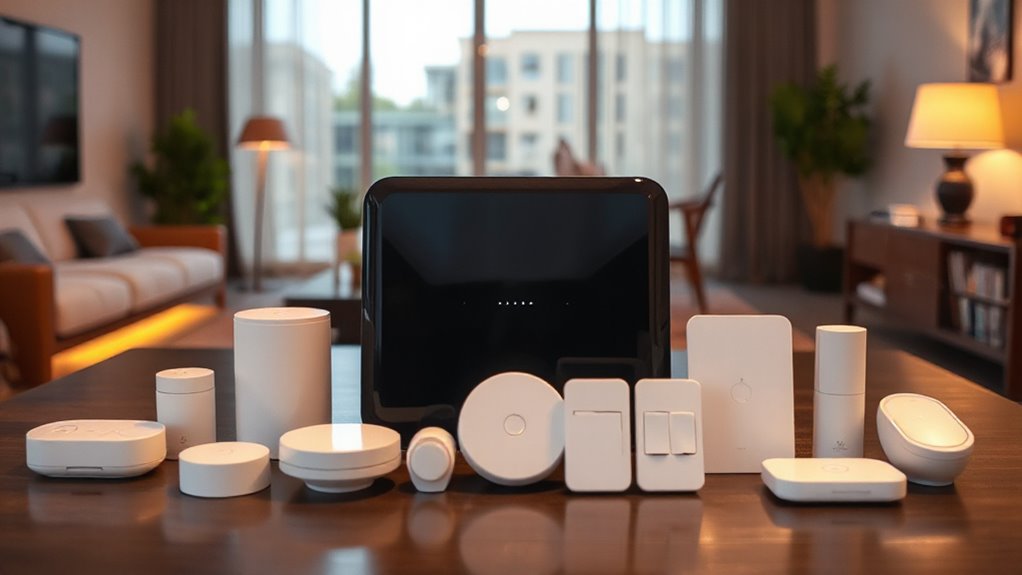

The best Z-Wave 800 Series choice for most smart homes is the Aeotec Smart Home Hub, which combines a standalone controller with Z-Wave, Zigbee, and Matter support. For a flexible Home Assistant setup, I’d look at the Home Assistant Connect ZWA-2; for a simple radio add-on, the Zooz ZST39 LR is a focused alternative. The main tradeoff is whether you want a complete hub or an 800 Series radio that depends on software running elsewhere. Long-range support, Zigbee compatibility, placement, and setup effort also separate these options. Read on for the full breakdown of all nine and help matching each to your system.

Get the latest gadgets delivered free with Prime
- Fast, free delivery on millions of items
- Prime Video, Amazon Music and more included
- Member-only deals all year
Complete the kit



Key Takeaways
- The Aeotec Smart Home Hub is the most balanced standalone pick: it pairs Z-Wave 800 Series with Zigbee and Matter, while USB adapters require a separate host and automation platform.
- Radio adapters are not complete hubs: the Zooz ZST39 LR, Aeotec Z-Stick 10 Pro, Home Assistant Connect ZWA-2, and SONOFF dongles need compatible software and a computer or controller.
- Long Range support needs a full-system check: a compatible 800 Series radio alone does not guarantee Long Range operation; controller software, device support, region, and network design matter too.
- The SONOFF PoE Dongle Max fills a placement niche: it can suit installations where network-based placement is more useful than keeping a radio beside the automation host, but it adds network setup to the job.
- Different buyers need different kinds of flexibility: Hubitat Elevation C-8 Pro and HomeSeer Z-NET PRO are controller-oriented choices, while USB sticks are better for people who already run their own smart home platform.
- Dual-protocol support is not automatic value: Zigbee, Matter, or both can reduce the need for separate radios, but they matter only if the buyer’s devices and chosen platform support the required features.
| Aimee Technology IQPK071 Screenless Smart Home Automation Hub |  | Best for LTE-Backed Home Control | Connectivity: LTE, Bluetooth, Z-Wave 800 Series, wired, wireless | Compatible devices: Smart locks, lights, thermostats, Z-Wave devices, smartphones | Control method: Remote | VIEW ON AMAZON | See Our Full Breakdown |
| HomeSeer Z-NET PRO Z-Wave and Zigbee Network Interface |  | Best for Flexible Network Placement | Model: Z-NET PRO | Protocols: Z-Wave Plus v2 (800 Series), Zigbee 3.0 | Network connectivity: Ethernet, Wi-Fi | VIEW ON AMAZON | See Our Full Breakdown |
| Zooz 800 Series Z-Wave Long Range USB Stick ZST39 LR |  | Best for Z-Wave Long Range DIY Builds | Model: ZST39 | Wireless standards: Z-Wave 800 Series, Z-Wave Plus, Z-Wave Long Range | Hardware interface: USB 3.0 | VIEW ON AMAZON | See Our Full Breakdown |
| Aeotec Z-Stick 10 Pro Zigbee 3.0 and Z-Wave 800 USB Adapter |  | Best Compact Dual-Protocol Adapter | Model: ZWA060-A | Protocols: Zigbee 3.0 and Z-Wave 800 Series | Hardware interface: USB 2.0 Type-A | VIEW ON AMAZON | See Our Full Breakdown |
| Aeotec Smart Home Hub with SmartThings, Z-Wave, Zigbee, and Matter |  | Best for SmartThings Households | Model: V3 Smart Home Hub (2020) | Model number: GP-AEOHUBV3US | Connectivity: Ethernet, Wi-Fi, Z-Wave, Zigbee, Matter | VIEW ON AMAZON | See Our Full Breakdown |
| Home Assistant Connect ZWA-2 Z-Wave Adapter |  | Best for Home Assistant Users | Brand: Nabu Casa | Model: NC-ZWA-9734 | Chipset: 800-series Z-Wave | VIEW ON AMAZON | See Our Full Breakdown |
| SONOFF Z-Wave 800 PoE Dongle Max (Dongle-MZG23) |  | Best for Flexible Network Placement | Chipsets: EFR32ZG23 and ESP32D0WDR2 | Connectivity: Ethernet, Wi-Fi, and USB | Security: Z-Wave S2 Security | VIEW ON AMAZON | See Our Full Breakdown |
| Hubitat Elevation C-8 Pro Smart Home Hub |  | Best Standalone Multi-Protocol Hub | Model: C-8 Pro | Protocols: Matter 1.5, Z-Wave 800 Series with Long Range, Zigbee 3.0, and Bluetooth | Voice assistants: Amazon Alexa, Google Home, and Apple HomeKit | VIEW ON AMAZON | See Our Full Breakdown |
| SONOFF Z-Wave 800 USB Dongle Plus (Dongle-PZG23) |  | Best Simple USB Controller | Model: Dongle-PZG23 | Chip: EFR32ZG23 | Wireless protocol: Z-Wave 800 Series | VIEW ON AMAZON | See Our Full Breakdown |
| zwave hub 800 serie | Model | Connectivity | Weight |
|---|---|---|---|
| Aimee Technology IQPK071 Scree | — | LTE, Bluetooth, Z-Wave 800 Series, wired, wireless | 2.9 pounds |
| HomeSeer Z-NET PRO Z-Wave and | Z-NET PRO | — | — |
| Zooz 800 Series Z-Wave Long Ra | ZST39 | — | 0.02 kg |
| Aeotec Z-Stick 10 Pro Zigbee 3 | ZWA060-A | — | 0.03 kg |
| Aeotec Smart Home Hub with Sma | V3 Smart Home Hub (2020) | Ethernet, Wi-Fi, Z-Wave, Zigbee, Matter | 1.1 pounds |
| Home Assistant Connect ZWA-2 Z | NC-ZWA-9734 | Z-Wave and Z-Wave Long Range | — |
| SONOFF Z-Wave 800 PoE Dongle M | — | Ethernet, Wi-Fi, and USB | — |
| Hubitat Elevation C-8 Pro Smar | C-8 Pro | Two external antennas: one for Z-Wave and one for Zigbee | 2.56 ounces |
| SONOFF Z-Wave 800 USB Dongle P | Dongle-PZG23 | — | — |
More Details on Our Top Picks
Aimee Technology IQPK071 Screenless Smart Home Automation Hub
The IQPK071 is the clearest fit here for someone who wants a standalone-style hub with LTE connectivity, rather than a USB adapter that depends on a separate computer. Its Z-Wave 800 Series support works alongside Bluetooth, and the rechargeable backup battery can keep the hub powered through a temporary interruption. The included SmartMount also makes a fixed wall installation easier than with the Zooz ZST39 or Aeotec Z-Stick 10 Pro, both of which need a host system. The tradeoff is a screenless design: setup and control rely on compatible remote tools, not a built-in display. Its stated 130-foot maximum range is also a more specific, bounded figure than the long-range claims attached to some USB options. Choose it for supported lights, locks, and thermostats, not as a general-purpose, multi-platform DIY controller.
Pros:- Combines Z-Wave 800 Series, LTE, and Bluetooth connectivity
- Rechargeable battery backup helps maintain operation during temporary power interruptions
- SmartMount supports wall installation
- Supports remote control of compatible lights, locks, and thermostats
Cons:- Screenless design offers no integrated display or touchscreen
- Listed compatibility is focused on selected device types rather than a broad set of automation platforms
- Maximum range is specified as 130 feet
Best for: Homeowners seeking a wall-mounted Z-Wave 800 Series hub with LTE connectivity and battery backup for compatible lights, locks, and thermostats.
Not ideal for: DIY users who want to connect a radio stick to Home Assistant or another host, or buyers who want a built-in screen for local control.
- Connectivity:LTE, Bluetooth, Z-Wave 800 Series, wired, wireless
- Compatible devices:Smart locks, lights, thermostats, Z-Wave devices, smartphones
- Control method:Remote
- Maximum range:130 feet
- Power:AC adapter with rechargeable battery backup
- Voltage:7 volts
- Dimensions:7.5 x 1 x 6.1 inches
- Weight:2.9 pounds
- Included mount:SmartMount
Our verdict“Choose the IQPK071 if you want a mounted, LTE-connected hub with battery backup, but skip it if your priority is DIY platform flexibility.”
HomeSeer Z-NET PRO Z-Wave and Zigbee Network Interface
The Z-NET PRO suits buyers who already run compatible automation software and want their Z-Wave 800 Series and Zigbee 3.0 radios positioned apart from the main server. Ethernet or Wi-Fi connectivity gives it more placement freedom than the Zooz ZST39 and Aeotec Z-Stick 10 Pro, which plug directly into a host. Support for HomeSeer HS4, Home Assistant, and openHAB also makes it less tied to one automation platform than a more app-centered hub such as the Aeotec Smart Home Hub. S2 Security, SmartStart, and Network-Wide Inclusion address security and device setup needs. The tradeoff is that this is a network interface, not a complete automation system: buyers still need compatible software and a host. The supplied details do not specify a wireless range, so I would not choose it based on distance claims.
Pros:- Combines Z-Wave 800 Series and Zigbee 3.0 in one interface
- Ethernet and Wi-Fi allow placement away from the automation server
- Supports HomeSeer HS4, Home Assistant, and openHAB
- Includes S2 Security, SmartStart, and Network-Wide Inclusion features
Cons:- Requires compatible automation software and a host system
- Adds network setup compared with direct USB adapters
- Product details do not provide a stated wireless range
Best for: Home Assistant, HomeSeer, or openHAB users who want both Zigbee and Z-Wave radios located where their devices are, rather than beside the automation server.
Not ideal for: Buyers seeking a complete app-led smart home hub that works without setting up and maintaining compatible automation software.
- Model:Z-NET PRO
- Protocols:Z-Wave Plus v2 (800 Series), Zigbee 3.0
- Network connectivity:Ethernet, Wi-Fi
- Compatible platforms:HomeSeer HS4, Home Assistant, openHAB
- Z-Wave features:S2 Security, SmartStart, Network-Wide Inclusion
- Color:White / Blue
- Included items:Ethernet cable, quick start guide card, USB-C power supply, Z-Wave and Zigbee network interface
Our verdict“Pick the Z-NET PRO if you need remotely placed Z-Wave and Zigbee radios for compatible software, not a turnkey automation hub.”
Zooz 800 Series Z-Wave Long Range USB Stick ZST39 LR
The ZST39 LR is a focused choice for a DIY system that needs Z-Wave 800 Series and Long Range support without adding Zigbee hardware. Its advertised coverage reaches up to one mile, but only when the automation software and connected Z-Wave device also support Long Range; that conditional range is not a guarantee for an ordinary mixed-device home. Compared with the Aeotec Z-Stick 10 Pro, the Zooz stick gives up Zigbee and the Aeotec’s broader protocol mix in favor of a dedicated Z-Wave adapter. It supports Home Assistant with JS and HomeSeer, but buyers must supply a separate computer and automation software. OTA firmware updates are supported, while the warning about unofficial firmware and NVM backups makes careful maintenance part of ownership. This is a radio component, not a ready-to-run hub.
Pros:- Supports Z-Wave 800 Series, Z-Wave Plus, and Z-Wave Long Range
- Advertised range reaches up to one mile when the full setup supports Long Range
- Supports OTA firmware updates
- Compatible with Home Assistant with JS and HomeSeer
Cons:- Requires a separate computer and compatible automation software
- Advanced setup assumes Z-Wave and programming knowledge
- Using NVM backups or firmware outside the Zooz support portal can brick the device and void its warranty
Best for: Advanced Home Assistant or HomeSeer users building a computer-based Z-Wave system with compatible Long Range devices and software.
Not ideal for: Beginners or anyone wanting Zigbee support, a standalone hub, or a system that does not require software and host configuration.
- Model:ZST39
- Wireless standards:Z-Wave 800 Series, Z-Wave Plus, Z-Wave Long Range
- Hardware interface:USB 3.0
- Compatible operating systems:Linux, Windows, macOS
- Minimum listed OS versions:macOS 10.15 Catalina, Ubuntu 20.04, Windows 10
- Advertised Long Range coverage:Up to one mile with compatible software and devices
- Weight:0.02 kg
- Warranty:1 year manufacturer warranty
- In the box:1 Z-Wave stick
Our verdict“Choose the ZST39 LR for a carefully managed, Z-Wave-focused DIY system; choose the Aeotec Z-Stick 10 Pro instead if you also need Zigbee.”
Aeotec Z-Stick 10 Pro Zigbee 3.0 and Z-Wave 800 USB Adapter
The Z-Stick 10 Pro is the most versatile USB pick here for buyers who want Z-Wave 800 Series and Zigbee 3.0 from one compact adapter. Unlike the Zooz ZST39 LR, it can serve both radio networks, and it supports platforms including Home Assistant, Zigbee2MQTT, and Z-Wave JS. Its local operation without cloud access will appeal to people who want their compatible setup to run on a Windows, Linux, or macOS host. Aeotec states a range of up to one mile, though actual coverage depends on the environment and setup, so I would not treat that figure as a guaranteed home-wide result. Like the Zooz, this is not a standalone hub: it needs a compatible host system. Choose it over the network-connected HomeSeer Z-NET PRO when direct USB connection and a small footprint matter more than placement flexibility.
Pros:- Combines Zigbee 3.0 and Z-Wave 800 Series support
- Compatible with Home Assistant, Zigbee2MQTT, and Z-Wave JS
- Supports local operation without cloud access on a compatible host
- Compact USB design helps leave nearby ports accessible
Cons:- Requires a compatible computer or other host system
- Stated range of up to one mile depends on the environment and setup
- USB placement ties the adapter to the host unless additional extension hardware is used
Best for: DIY smart home owners running a compatible Windows, Linux, or macOS system who want local Zigbee and Z-Wave control from one USB adapter.
Not ideal for: Buyers who need a standalone hub, want to position the radios independently of a computer, or expect the stated one-mile range in every environment.
- Model:ZWA060-A
- Protocols:Zigbee 3.0 and Z-Wave 800 Series
- Hardware interface:USB 2.0 Type-A
- Stated wireless range:Up to 1 mile
- Compatible operating systems:Windows 10 or higher, Linux, macOS
- Weight:0.03 kg
- Color:White
- Included items:Z-Stick 10 Pro, manual
Our verdict“Choose the Z-Stick 10 Pro if you want one compact, local USB adapter for Zigbee and Z-Wave, but not if you need a standalone or network-placed interface.”
Aeotec Smart Home Hub with SmartThings, Z-Wave, Zigbee, and Matter
This Aeotec hub is the most app-centered option in this group: it brings SmartThings control together with Z-Wave Plus, Zigbee, and Matter, while supporting Alexa and Google Home. Many automations can run locally, which may reduce dependence on cloud processing for supported routines. That makes it a more approachable fit than the Zooz ZST39 LR or Aeotec Z-Stick 10 Pro, both of which require a separate host and compatible automation software. The tradeoff for that simpler hub format is less emphasis on DIY platform choice than the HomeSeer Z-NET PRO, and the stated Z-Wave Plus support applies to the V3 model. It is designed for North America, so regional compatibility narrows its audience. I would choose it for an existing SmartThings home, not for a buyer specifically seeking a Z-Wave 800 Series radio.
Pros:- Supports Matter, Zigbee, and Z-Wave Plus on the V3 model
- Offers both Wi-Fi and Ethernet setup
- Works with Alexa and Google Home
- Many compatible automations can run locally
Cons:- Designed for use in North America
- Z-Wave Plus support is specified for the V3 model only
- Product details specify Z-Wave Plus rather than Z-Wave 800 Series or Long Range
Best for: North American SmartThings users who want a conventional hub for compatible Z-Wave Plus, Zigbee, and Matter devices with app and voice control.
Not ideal for: Buyers specifically seeking Z-Wave 800 Series or Long Range support, users outside North America, or DIY users who want broad host-platform control.
- Model:V3 Smart Home Hub (2020)
- Model number:GP-AEOHUBV3US
- Connectivity:Ethernet, Wi-Fi, Z-Wave, Zigbee, Matter
- Frequency:908.42 MHz
- Control methods:App, voice
- Voice assistant compatibility:Alexa, Google Home
- Color:White
- Weight:1.1 pounds
- Warranty:1 year
Our verdict“Choose this hub for a SmartThings-centered North American home, but look elsewhere if Z-Wave 800 Series support is your main requirement.”
Home Assistant Connect ZWA-2 Z-Wave Adapter
The Home Assistant Connect ZWA-2 is the most direct fit here for buyers who already run Home Assistant and want an 800-series Z-Wave radio without building around a separate hub. It supports Z-Wave and Z-Wave Long Range, while plug-and-play setup and one-click firmware updates reduce the work of getting the adapter running. Its migration support can also help people moving from many other adapters retain an existing setup. Compared with the SONOFF Z-Wave 800 USB Dongle Plus, the ZWA-2 puts more emphasis on Home Assistant setup and migration rather than broad platform compatibility. The tradeoff is clear: Home Assistant is required, and Long Range availability depends on regional rules and device support. I’d skip it if you want a hub that works independently of a Home Assistant system.
Pros:- Supports Z-Wave and Z-Wave Long Range
- Plug-and-play setup with one-click firmware updates
- Migration support for many other adapters
- Includes a 4.9-foot USB cable
Cons:- Requires a Home Assistant system
- Z-Wave Long Range availability and device support vary by region
Best for: Home Assistant users replacing an existing Z-Wave adapter who want 800-series support and a guided migration path
Not ideal for: Smart home owners who do not run Home Assistant or need a standalone hub
- Brand:Nabu Casa
- Model:NC-ZWA-9734
- Chipset:800-series Z-Wave
- Connectivity:Z-Wave and Z-Wave Long Range
- Cable:4.9-foot USB cable included
- Compatibility:Requires Home Assistant
- Unit count:1
Our verdict“Choose the ZWA-2 if you run Home Assistant and value straightforward setup and adapter migration over standalone hub functionality.”
SONOFF Z-Wave 800 PoE Dongle Max (Dongle-MZG23)
The SONOFF Z-Wave 800 PoE Dongle Max suits setups where the Z-Wave radio should sit away from the host computer or server. Its Ethernet, Wi-Fi, and USB connections offer more placement choices than the USB-only SONOFF Z-Wave 800 USB Dongle Plus, and the adjustable dual antennas give you options for positioning the radio. A local web console adds a management route without relying solely on a host interface. It also supports S2 Security and Z-Wave Long Range, with compatibility for Home Assistant, openHAB, and Z-Wave JS. The added connectivity and controls make it a more flexible interface, but not a complete smart home hub: it still needs a compatible platform for hub functions. Buyers who only need a simple USB controller may find the Plus model a more direct match.
Pros:- Offers Ethernet, Wi-Fi, and USB connectivity
- Supports Z-Wave S2 Security and Z-Wave Long Range
- Adjustable dual antennas allow flexible positioning
- Built-in local web console and support for several platforms
Cons:- Requires a compatible smart home platform for hub functionality
- Its multiple connection and management options may be unnecessary for simple USB-controller setups
Best for: Home Assistant, openHAB, or Z-Wave JS users who need to place a Z-Wave radio independently of their host device
Not ideal for: Buyers seeking a standalone smart home hub or a basic USB-only Z-Wave controller
- Chipsets:EFR32ZG23 and ESP32D0WDR2
- Connectivity:Ethernet, Wi-Fi, and USB
- Security:Z-Wave S2 Security
- Long-range support:Z-Wave Long Range (ZWLR)
- Antennas:Two adjustable antennas
- Casing:Aluminum alloy
- Management:Built-in local web console
- Compatibility:Home Assistant, openHAB, and Z-Wave JS
Our verdict“Pick the Dongle Max when network-based placement and connection flexibility matter more than a straightforward USB-only setup.”
Hubitat Elevation C-8 Pro Smart Home Hub
Unlike the ZWA-2 and SONOFF dongles, the Hubitat Elevation C-8 Pro is a complete smart home hub rather than a Z-Wave adapter that depends on another platform. Its Z-Wave 800 Series with Long Range sits alongside Matter, Zigbee, and Bluetooth, giving buyers one device for a mixed-protocol home. Local automations can keep running without an internet connection, and the advanced rule engine has no subscription requirement. That makes it a stronger fit for people who want built-in automation than either the SONOFF Dongle Max or Home Assistant Connect ZWA-2, both of which require a compatible host platform. The tradeoff is a steeper learning curve: advanced rules can take time to configure, and integrations only help if your devices are compatible. Choose a dongle instead if your existing Home Assistant or openHAB system is already the hub.
Pros:- Local automations can run without an internet connection
- Supports Z-Wave 800 Series with Long Range, Matter, Zigbee, and Bluetooth
- No recurring subscription is required
- Includes an advanced rule engine and AI-assisted routine builder
Cons:- Advanced automation features can take time to learn
- Integrations depend on having compatible smart home devices
Best for: Households wanting a standalone hub for local automations across Z-Wave, Zigbee, Matter, and Bluetooth devices
Not ideal for: Home Assistant or openHAB users who only need to add an 800-series Z-Wave radio to an existing system
- Model:C-8 Pro
- Protocols:Matter 1.5, Z-Wave 800 Series with Long Range, Zigbee 3.0, and Bluetooth
- Voice assistants:Amazon Alexa, Google Home, and Apple HomeKit
- Device compatibility:1,000+ devices across 100+ brands
- Connectivity:Two external antennas: one for Z-Wave and one for Zigbee
- Dimensions:2.95 x 3.23 x 0.67 inches
- Weight:2.56 ounces
- Subscription:Not required
Our verdict“Choose the C-8 Pro if you want an independent, locally focused multi-protocol hub rather than a Z-Wave adapter for an existing platform.”
SONOFF Z-Wave 800 USB Dongle Plus (Dongle-PZG23)
The SONOFF Z-Wave 800 USB Dongle Plus is a focused choice for adding Z-Wave 800 capability to a compatible Home Assistant or openHAB system. Its EFR32ZG23 chip supports S2 Security and Z-Wave Long Range, while the adjustable external antenna and included USB extension give you more freedom to position the radio than a dongle plugged directly into a crowded computer port. Compared with the SONOFF Dongle Max, this model is the simpler USB option: it skips Ethernet, Wi-Fi, and a local web console in favor of a more straightforward connection. That also limits its flexibility, since it needs a USB port and a compatible host platform. Regional Z-Wave frequency compatibility is another factor for buyers ordering across markets. I’d choose it over a full hub only when an existing system already handles automations.
Pros:- Supports Z-Wave 800 Series, S2 Security, and Z-Wave Long Range
- Adjustable external 2 dBi antenna
- USB extension allows more flexible placement
- Compatible with Home Assistant and openHAB
Cons:- Requires a USB port and compatible host platform
- Z-Wave frequency compatibility varies by region
Best for: Home Assistant or openHAB users who want a straightforward USB Z-Wave 800 controller with an adjustable antenna
Not ideal for: Buyers who need Ethernet or Wi-Fi placement, standalone hub functionality, or a device verified for another region’s Z-Wave frequency
- Model:Dongle-PZG23
- Chip:EFR32ZG23
- Wireless protocol:Z-Wave 800 Series
- Security:S2 Security
- Long-range support:Z-Wave Long Range (ZWLR)
- Antenna:Adjustable external antenna, 2 dBi
- Compatibility:Home Assistant and openHAB
- Included accessory:USB extension
Our verdict“Pick the Dongle Plus if your existing Home Assistant or openHAB setup needs a compact USB-based Z-Wave 800 controller.”

How We Picked
I ranked these products by how well each matches a real buyer’s intended setup, not by treating every 800 Series device as the same kind of hub. I weighed whether the product is a complete controller or only a radio, the clarity of its platform requirements, protocol breadth, placement options, and the likely effort of setup and ongoing management. I also considered whether its feature set solves a distinct problem, such as adding Zigbee, using PoE, or supporting a self-managed automation platform.
The standalone Aeotec hub leads because it offers a clear route for buyers seeking a ready-to-use controller alongside multiple protocols. Hubitat and HomeSeer suit buyers who want a controller-centered setup, while the USB adapters rank by how well they serve platform-specific or modular systems. I placed specialized options lower for general buyers when their strengths depend on existing software, networking knowledge, or a narrower use case. Before buying, confirm the exact regional frequency, supported Z-Wave features, and compatibility with your controller and devices; product names alone do not settle those details.
| zwave hub 800 serie | Connectivity |
|---|---|
| Aimee Technology IQPK071 Scree | LTE, Bluetooth, Z-Wave 800 Series, wired, wireless |
| HomeSeer Z-NET PRO Z-Wave and | — |
| Zooz 800 Series Z-Wave Long Ra | — |
| Aeotec Z-Stick 10 Pro Zigbee 3 | — |
| Aeotec Smart Home Hub with Sma | Ethernet, Wi-Fi, Z-Wave, Zigbee, Matter |
| Home Assistant Connect ZWA-2 Z | Z-Wave and Z-Wave Long Range |
| SONOFF Z-Wave 800 PoE Dongle M | Ethernet, Wi-Fi, and USB |
| Hubitat Elevation C-8 Pro Smar | Two external antennas: one for Z-Wave and one for Zigbee |
| SONOFF Z-Wave 800 USB Dongle P | — |
Factors to Consider When Choosing Zwave Hub 800 Series
Before choosing a Z-Wave 800 Series hub or adapter, decide what role the hardware will play in your system. A radio, a network interface, and a standalone controller solve different problems, even when all include Z-Wave 800 Series technology.
1. Decide Whether You Need a Hub or a Radio
A standalone hub runs the automation platform and connects devices, so it can replace the need for a separate computer in some homes. A USB adapter supplies a Z-Wave radio but relies on a host such as a Home Assistant machine and compatible software. Buying an adapter while expecting a complete app-controlled hub can leave you with hardware that has no useful controller attached. Check whether the product includes its own interface, automations, and device management, or only the radio link. If you already maintain a home server, an adapter may fit better; if you want fewer components, focus on controller hubs.
2. Verify Regional Frequency and Device Compatibility
Z-Wave devices use regional radio frequencies, so a hub or adapter bought for one market may not pair with devices intended for another. Check the exact model and frequency against the products already installed, especially when importing hardware or combining brands. Then verify that your controller software supports the adapter and the functions you expect, rather than assuming that a USB connection means universal compatibility. Older devices may pair successfully but expose fewer controls than newer ones. A quick compatibility check before purchase can prevent a mixed network that is difficult to maintain.
3. Treat Long Range as a Network Feature, Not a Box Label
Z-Wave Long Range can help with devices that sit far from a conventional mesh, but buying an 800 Series radio alone does not create a Long Range network. The controller, firmware, device, regional rules, and software support all affect whether the feature is available. Long Range and the traditional Z-Wave mesh serve different network needs, so check how your planned devices will communicate and whether they can coexist in your setup. Do not pay for a feature based only on a product name if your platform cannot use it. For many homes, good hub placement and a healthy mesh matter more than Long Range capability.
4. Plan Radio Placement Before Choosing USB, PoE, or a Hub
Radio location can affect reliability, particularly when a controller sits near a computer, router, or other electronics. A USB extension cable can move a stick away from a host, while a PoE or network-connected option may allow placement closer to the devices it serves. Each approach brings different setup needs: USB is simple but host-bound, while network placement requires correct Ethernet and power arrangements. A standalone hub gives another location choice, but it still needs suitable power and network access. Sketch where your controller, router, and Z-Wave devices sit before choosing the connection type.
5. Choose Extra Protocols Only When Your Devices Need Them
Zigbee and Matter support can make a hub more versatile, but protocol labels do not promise that every device feature will work in every app. Check the device list and the specific functions you rely on, such as sensors, scenes, or energy reporting. A Z-Wave-only adapter may be the cleaner choice if your other protocols are already handled elsewhere. On the other hand, consolidating radios can reduce separate hardware and simplify day-to-day management. Avoid paying for overlap that adds no useful capability to your existing setup.
6. Match Setup Complexity to Your Comfort Level
A managed hub can be easier to start with, while a USB radio offers more control to people comfortable configuring automation software and maintaining a host. That flexibility can bring extra work when updating software, restoring backups, or diagnosing radio and network issues. Before choosing a self-managed route, check how the platform handles device inclusion, backups, migrations, and recovery after a host failure. Buyers who value local automation should also verify how the system behaves if internet access drops. The best fit is not the device with the most options, but the one whose ongoing care matches your willingness to manage it.
Frequently Asked Questions
Is a Z-Wave 800 Series USB adapter a complete smart home hub?
No. Products such as the Zooz ZST39 LR and SONOFF USB dongles provide Z-Wave radio connectivity, but they generally need a compatible host and automation software to manage devices and run rules. Before choosing one, confirm that your computer or home server can stay on and that your platform supports the exact adapter. Also check whether you need a separate Zigbee radio or controller. If you want an integrated controller with a ready-to-use interface, compare standalone hubs instead.
Will a Z-Wave 800 Series hub work with my older Z-Wave devices?
Many newer Z-Wave controllers are designed to work with compatible earlier-generation devices, but the exact result depends on regional frequency, device certification, and controller support. Older products may expose basic on/off or sensor functions while lacking newer features. Check the device manufacturer’s compatibility information and your hub platform’s supported-device list before replacing a working network. If you are moving from another controller, confirm whether devices can be migrated or must be excluded and paired again. Plan for that process before resetting an existing hub.
Do I need Z-Wave Long Range for a large home or outdoor devices?
Not automatically. A conventional Z-Wave mesh can cover a large area when powered devices act as repeaters and the controller is placed well. Long Range may help specific distant devices, but the controller software and endpoint devices must support it, and the feature may have regional limits. Map the locations and power types of your devices before buying around a range claim. For a weak existing mesh, adding or repositioning compatible repeaters may address the cause more directly.
Should I choose a hub with Zigbee or Matter if I mainly use Z-Wave?
Choose extra protocols when they match devices you own or plan to add, rather than for the label alone. The Aeotec Smart Home Hub, for example, combines Z-Wave with other protocol support, while dedicated adapters focus on adding a radio to a separate platform. A single box may reduce hardware, but device support and available controls can differ across platforms. Check whether your specific Zigbee or Matter products expose the functions you need through the hub’s software. If those devices are already managed elsewhere, a focused Z-Wave option may be simpler.
Can I move my existing Z-Wave network to a new 800 Series controller without re-pairing every device?
Sometimes, but migration depends on the old controller, the new controller, and whether they support transferring the network information. Do not assume that a newer radio can adopt an existing network just because it uses the same Z-Wave standard. Look for documented backup, restore, or controller-replacement steps for both platforms before purchasing. Keep the old controller available until the new one is operating as expected. If migration is unsupported, budget time to exclude and re-include devices and rebuild automations.
Conclusion
For most buyers who want a standalone controller with multiple protocol options, I recommend the Aeotec Smart Home Hub as best overall. The best value in flexibility is the Zooz ZST39 LR for buyers who already run compatible automation software and want a dedicated Z-Wave radio, not a complete hub. For a best premium or specialist controller setup, consider the Hubitat Elevation C-8 Pro; HomeSeer Z-NET PRO makes more sense for buyers whose existing system benefits from a network interface. The Aeotec hub is also my best pick for beginners seeking an integrated starting point, while the SONOFF PoE Dongle Max is the specific-needs choice for remote network placement. Choose the Home Assistant Connect ZWA-2, Aeotec Z-Stick 10 Pro, or SONOFF USB Dongle Plus when their platform fit and connection style match your existing system, and verify compatibility before committing.
Evergreen bestsellers Picks
bestsellers
As an affiliate, we earn on qualifying purchases.