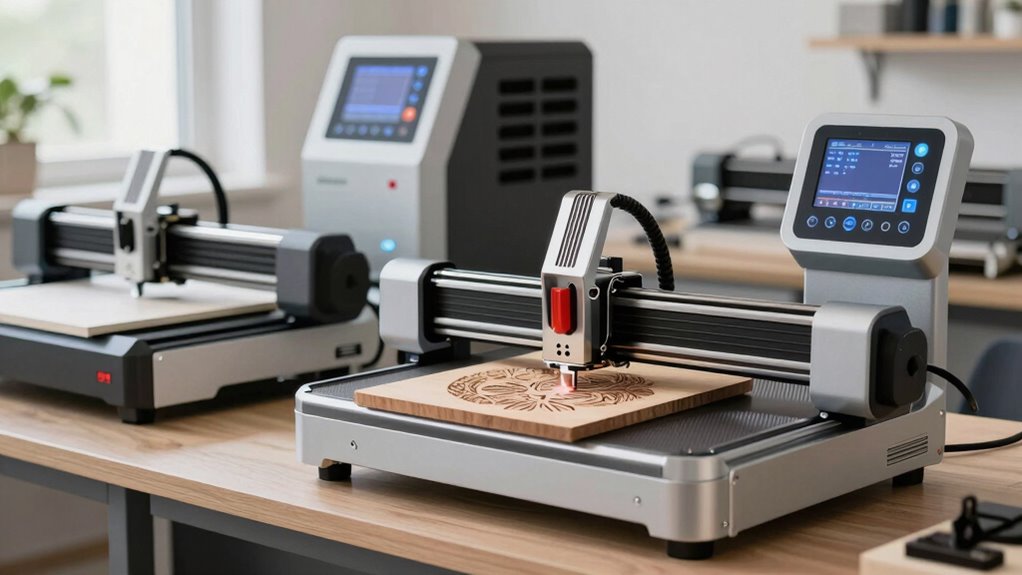

A laser engraver machine can be a compact tool for personalizing small objects or a more capable cutter for regular workshop production. My best overall pick is the xTool S1 40W, which pairs higher output with an enclosure and rotary bundle; the xTool F1 Ultra stands out for its fiber-and-diode flexibility, while the TwoTrees TTS-20 Pro offers a more straightforward 20W diode route. The main tradeoffs are cutting capacity versus material versatility, open-frame affordability versus enclosure and smoke control, and simplicity versus setup flexibility. A higher wattage alone does not settle the choice: workspace, material compatibility, safety provisions, and software matter too. Read on for how these 15 machines differ and which buyer each one suits.

Get the latest gadgets delivered free with Prime
- Fast, free delivery on millions of items
- Prime Video, Amazon Music and more included
- Member-only deals all year
Complete the kit



Key Takeaways
- The xTool S1 40W leads for capable enclosed cutting: its 40W output and included rotary bundle make it a broader workshop pick than the lower-powered open-frame diode options, though the larger setup may be more than occasional engravers need.
- Dual-laser machines serve a different purpose from high-wattage diodes: the xTool F1 Ultra combines fiber and diode sources for a wider range of marking tasks, while the F2 pairs a 5W IR laser with a 15W diode in a more compact-focused format.
- Several 20W diode options compete on accessible cutting power: the ATOMSTACK A20 Pro V2, TwoTrees TTS-20 Pro, and LONGER Ray5 20W offer similar headline output, so workspace, controls, enclosure needs, and support should break the tie.
- Lower-powered and compact machines are not simply lesser versions: the ACMER S1, Artilume T1, and Twotrees TTS-55 Pro make more sense for lighter engraving, smaller projects, or space-limited use than for sustained cutting.
- xTool’s M2 lineup centers on camera-assisted workflows: the 10W and 20W versions share dual-camera positioning, while the 20W Color Craft model adds a CMYK inkjet printer; buyers should choose those extras only if alignment or color workflows fit their projects.
| Twotrees TTS-55 Pro 5.5W Laser Engraver |  | Best for Offline Flexibility | Laser power: 5.5W | Work area: 300 × 300 mm | Laser spot size: 0.08 × 0.46 mm | VIEW ON AMAZON | See Our Full Breakdown |
| ATOMSTACK A20 Pro V2 20W Laser Engraver and Cutter |  | Best for Fast, Higher-Power Cutting | Laser output power: 20W | Maximum engraving speed: 400 mm/s | Engraving accuracy: 0.01 mm | VIEW ON AMAZON | See Our Full Breakdown |
| xTool M2 20W Color Craft Laser Engraver with Dual Cameras and CMYK Inkjet Printer |  | Best for Multimaterial Crafting | Laser power: 20W diode laser | Inkjet: CMYK | Cameras: Dual | VIEW ON AMAZON | See Our Full Breakdown |
| xTool F2 Dual Laser Engraver, 5W IR and 15W Diode |  | Best for Portable Dual-Laser Work | Laser types and power: 5W infrared and 15W diode | Maximum speed: 6000 mm/s | Camera: Built-in 50MP | VIEW ON AMAZON | See Our Full Breakdown |
| TwoTrees TTS-10 Pro 10W Laser Engraver |  | Best Value for a Full-Size Work Area | Optical power: 10W | Laser wavelength: 450 nm ± 5 nm | Working area: 300 × 300 mm | VIEW ON AMAZON | See Our Full Breakdown |
| Artilume T1 Foldable 7000 mW Laser Engraver |  | Best Compact Portable Pick | Laser power: 7000 mW | Work area: 200 × 150 mm (8 × 6 in) | Engraving precision: Up to 0.01 mm | VIEW ON AMAZON | See Our Full Breakdown |
| xTool F1 Ultra 20W Fiber and Diode Dual Laser Engraver |  | Best for Metal and Material Range | Laser types: Fiber and diode | Laser power: 20W each | Maximum speed: 10,000 mm/s | VIEW ON AMAZON | See Our Full Breakdown |
| xTool M2 10W Laser Engraver with Dual Cameras |  | Best for Beginners | Laser power: 10W (10000mW) | Safety class: Class 1 | Positioning: Dual cameras with Place & Go | VIEW ON AMAZON | See Our Full Breakdown |
| ELIDOR Z6 6000mW Laser Engraver and Cutter Machine |  | Best Value for a Larger Work Area | Laser power: 6W (6000mW) | Working area: 300 × 300 mm (11.8 × 11.8 in) | Engraving accuracy: 0.01 mm | VIEW ON AMAZON | See Our Full Breakdown |
| xTool S1 40W Laser Cutter and Engraver with Rotary Bundle |  | Best for Large, High-Power Projects | Laser power: 40W | Bed size: 23.93 × 15.16 in | Maximum engraving speed: 600 mm/s | VIEW ON AMAZON | See Our Full Breakdown |
| xTool M2 20W Enclosed Laser Engraver with Dual Cameras |  | Best for Safer, Camera-Guided Crafting | Brand and model: xTool M2 | Laser type: Diode | Laser power: 20W (20,000mW) | VIEW ON AMAZON | See Our Full Breakdown |
| ACMER S1 Laser Engraver and Cutter, 2500 mW |  | Best Compact Starter Machine | Laser power: 2500 mW | Machine output: 24 W | Wavelength: 455 ± 5 nm | VIEW ON AMAZON | See Our Full Breakdown |
| TwoTrees TTS-20 Pro 20W Laser Engraver |  | Best for Large Workpieces | Optical power: 20W | Wavelength: 450 ± 5 nm | Working area: 418 × 418 mm | VIEW ON AMAZON | See Our Full Breakdown |
| LONGER Ray5 20W Laser Engraver and Cutter |  | Best for Built-In Controls and Safety Extras | Laser power: 20 W | Maximum engraving speed: 24,000 mm/min | Working area: 400 × 365 mm | VIEW ON AMAZON | See Our Full Breakdown |
| ACMER S2 12W Laser Engraver and Cutter |  | Best Mid-Size Versatile Pick | Laser power: 12W | Total system power: 72W | Workspace: 300 × 300 mm | VIEW ON AMAZON | See Our Full Breakdown |
| laser engraver machine | Laser power | Maximum engraving speed | Weight |
|---|---|---|---|
| Twotrees TTS-55 Pro 5.5W Laser | 5.5W | 30,000 mm/min | 8.23 lb |
| ATOMSTACK A20 Pro V2 20W Laser | — | 400 mm/s | 13.67 lb |
| xTool M2 20W Color Craft Laser | 20W diode laser | — | 41.7 lb |
| xTool F2 Dual Laser Engraver | — | — | 10 lb |
| TwoTrees TTS-10 Pro 10W Laser | — | 10,000 mm/min | — |
| Artilume T1 Foldable 7000 mW L | 7000 mW | — | 3.3 lb |
| xTool F1 Ultra 20W Fiber and D | 20W each | — | — |
| xTool M2 10W Laser Engraver wi | 10W (10000mW) | — | 36.2 lb |
| ELIDOR Z6 6000mW Laser Engrave | 6W (6000mW) | — | 4.89 lb |
| xTool S1 40W Laser Cutter and | 40W | 600 mm/s | 86.8 lb |
| xTool M2 20W Enclosed Laser En | 20W (20,000mW) | — | — |
| ACMER S1 Laser Engraver and Cu | 2500 mW | 10,000 mm/min | — |
| TwoTrees TTS-20 Pro 20W Laser | — | Conflicting listings: 10,000 mm/min in description; 30,000 mm/min in item details | — |
| LONGER Ray5 20W Laser Engraver | 20 W | 24,000 mm/min | — |
| ACMER S2 12W Laser Engraver an | 12W | 10,000 mm/min | — |
More Details on Our Top Picks
Twotrees TTS-55 Pro 5.5W Laser Engraver
The Twotrees TTS-55 Pro suits makers who want a roomy 300 × 300 mm bed and more than one way to run a job. Its TF card offline engraving can keep a project moving without leaving a computer connected, while Wi-Fi and compatibility with LightBurn add flexibility. The 5.5W laser is the least powerful choice here, though, so it is better matched to engraving and lighter cutting than to buyers prioritizing fast cuts through thicker stock. Compared with the TwoTrees TTS-10 Pro, it offers less laser power but a higher stated maximum speed and the same work area. Air assist and a laser shield add practical protections, but cutting thickness varies by material, and LaserGRBL is limited to Windows.
Pros:- 300 × 300 mm work area accommodates projects similar in size to those suited to the TTS-10 Pro.
- TF card offline engraving allows jobs to run without a continuously connected computer.
- Supports Wi-Fi, LightBurn, and LaserGRBL.
- Includes air assist and a laser shield.
Cons:- 5.5W laser power is a weaker fit for buyers prioritizing cutting capability over engraving.
- Maximum cutting thickness varies by material.
- LaserGRBL compatibility is limited to Windows.
Best for: Makers who want a 300 × 300 mm work area, offline TF card operation, and flexible software options for lighter engraving and cutting projects.
Not ideal for: Buyers who need higher laser power for more demanding cuts, or Mac and Linux users who specifically want to run LaserGRBL.
- Laser power:5.5W
- Work area:300 × 300 mm
- Laser spot size:0.08 × 0.46 mm
- Engraving accuracy:Up to 0.1 mm
- Maximum engraving speed:30,000 mm/min
- Connectivity:Wi-Fi, online, and TF card offline
- Compatible software:LaserGRBL and LightBurn
- Weight:8.23 lb
Our verdict“Choose the TTS-55 Pro if offline control and a full-size work area matter more than the extra laser power of the TwoTrees TTS-10 Pro.”
ATOMSTACK A20 Pro V2 20W Laser Engraver and Cutter
The ATOMSTACK A20 Pro V2 is the stronger fit for buyers who put cutting capacity and speed ahead of a built-in camera or all-in-one craft features. Its 20W laser output and stated engraving speed of up to 400 mm/s give it a different pace from the lower-power Twotrees TTS-55 Pro, while the aluminum alloy frame and limit switches suit a more production-minded desktop setup. It supports wood, acrylic, and metal, with control options spanning ATOMSTACK software, LightBurn, and LaserGRBL. The tradeoff is that assembly is required, and the protective cover is removable, so it is not as self-contained as the enclosed xTool M2. Type-C and USB connections also mean it lacks the Wi-Fi and TF card options offered by the TTS-55 Pro.
Pros:- 20W laser output is a substantial step up from the 5.5W Twotrees TTS-55 Pro.
- Maximum stated engraving speed of 400 mm/s supports faster job workflows.
- Aluminum alloy frame and limit switches provide a practical machine structure.
- Works with ATOMSTACK software, LightBurn, and LaserGRBL.
Cons:- Requires assembly before use.
- Protective cover is removable rather than a fixed enclosure.
- Connectivity is listed as Type-C and USB, without Wi-Fi or TF card operation.
Best for: Makers and small workshops seeking a 20W diode machine for faster engraving and cutting of materials such as wood and acrylic.
Not ideal for: Buyers who want an enclosed, ready-to-run machine or need wireless and TF card operation without a connected computer.
- Laser output power:20W
- Maximum engraving speed:400 mm/s
- Engraving accuracy:0.01 mm
- Frame material:Aluminum alloy
- Connectivity:Type-C and USB
- Compatible software:ATOMSTACK App/PC software, LightBurn, and LaserGRBL
- Weight:13.67 lb
- Warranty:1 year
Our verdict“Pick the A20 Pro V2 for 20W power and high stated speed, but choose the enclosed xTool M2 if containment and guided craft workflows matter more.”
xTool M2 20W Color Craft Laser Engraver with Dual Cameras and CMYK Inkjet Printer
The xTool M2 20W Color Craft is the most craft-focused choice in this group: it combines a diode laser with a CMYK inkjet module, so buyers can add printing to engraving and cutting workflows rather than relying on a laser alone. Its dual cameras help preview the work area and place materials, while xTool Studio offers templates and an AI image generator. The enclosed Class 1 design with real-time safety monitoring also makes it a more contained setup than the open-frame ATOMSTACK A20 Pro V2. That broader workflow comes with a substantial footprint and 41.7-pound weight, so it is less suited to a portable bench. The 3W IR module is sold separately, and buyers focused mainly on portability or metal marking may prefer the xTool F2’s dual laser approach.
Pros:- Combines a 20W diode laser with a CMYK inkjet module.
- Dual cameras support workspace previews and material placement.
- Works with cardstock, felt, leather, wood, fabric, and paper.
- Enclosed Class 1 design includes real-time safety monitoring.
Cons:- The optional 3W IR module is sold separately.
- At 41.7 lb, it is substantially less portable than the 10 lb xTool F2.
- Its craft-oriented material range and inkjet workflow may not suit buyers seeking a simpler laser-only machine.
Best for: Craft sellers and home makers who work with paper, fabric, felt, leather, and wood and want laser work, CMYK printing, and camera-assisted placement in one enclosed machine.
Not ideal for: Users with limited bench space, buyers seeking a portable engraver, or those who need the optional 3W IR capability included.
- Laser power:20W diode laser
- Inkjet:CMYK
- Cameras:Dual
- Safety classification:Class 1 enclosed design
- Compatible materials:Cardstock, felt, leather, wood, fabric, and paper
- Additional module:3W IR, sold separately
- Weight:41.7 lb
- Warranty:1 year
Our verdict“Choose the M2 if camera-assisted craft work and built-in CMYK printing are worth the larger, heavier setup.”
xTool F2 Dual Laser Engraver, 5W IR and 15W Diode
The xTool F2 stands apart by pairing a 5W infrared laser and 15W diode in an enclosed, assembled machine weighing about 10 lb. That combination supports a much broader stated material range than the diode-only Twotrees TTS-10 Pro, including color marking on metal and 3D embossing, while its built-in 50MP camera helps position work with up to 0.1 mm alignment accuracy. A maximum speed of 6000 mm/s and a portable form make it a compelling pick for moving between work areas. Its key limitation is safety: the product is identified as a Class 4 laser, so the enclosure does not remove the need for careful precautions. The Slide Extension and purifier are optional, and buyers needing a larger work area should compare it with the 300 × 300 mm Twotrees machines.
Pros:- Combines 5W infrared and 15W diode lasers for broader material capability than a diode-only option such as the TTS-10 Pro.
- Supports metal color marking and 3D embossing.
- Built-in 50MP camera supports alignment accuracy up to 0.1 mm.
- Enclosed, assembled design weighs about 10 lb for easier transport.
Cons:- Class 4 laser classification calls for careful safety precautions.
- Slide Extension and purifier are optional accessories.
- No work-area dimensions are supplied here for comparison with the 300 × 300 mm Twotrees models.
Best for: Mobile makers and small businesses that need a compact dual-laser system for varied materials, metal color marking, and camera-assisted placement.
Not ideal for: Beginners seeking a low-risk enclosed workflow, or buyers who need a large stated work area or included fume purifier and Slide Extension.
- Laser types and power:5W infrared and 15W diode
- Maximum speed:6000 mm/s
- Camera:Built-in 50MP
- Alignment accuracy:Up to 0.1 mm
- Motion accuracy:0.00199 in
- Supported materials:300+
- Weight:10 lb
- Enclosure:Enclosed, leak-proof design
Our verdict“Pick the F2 for portable dual-laser versatility, but skip it if a large bed or a less demanding safety setup is your priority.”
TwoTrees TTS-10 Pro 10W Laser Engraver
The TwoTrees TTS-10 Pro balances a 10W diode with a 300 × 300 mm work area, making it a sensible middle ground for makers who want more power than the 5.5W Twotrees TTS-55 Pro without stepping up to the ATOMSTACK A20 Pro V2’s 20W output. Its Wi-Fi, USB, and TF card connections allow both computer-led and offline jobs, and LightBurn support gives users a familiar control option across Windows, macOS, and Linux. The frame uses aluminum alloy and ABS, while the belt-driven XY system keeps this a conventional desktop setup rather than the enclosed, camera-guided xTool M2. Its stated maximum speed is lower than the TTS-55 Pro’s, and bare stainless steel or uncoated metal needs marking spray or surface preparation. The 12-inch bed also limits oversized work.
Pros:- 10W optical power offers a step up from the TTS-55 Pro’s 5.5W laser.
- 300 × 300 mm work area accommodates a broad range of desktop projects.
- Wi-Fi, USB, and TF card support both connected and offline operation.
- Compatible with LightBurn and LaserGRBL on Windows, macOS, and Linux.
Cons:- Maximum stated speed of 10,000 mm/min is below the TTS-55 Pro’s listed 30,000 mm/min.
- Bare stainless steel and uncoated metal require marking spray or surface preparation.
- The 300 × 300 mm work area is too small for projects larger than about 12 inches.
Best for: Desktop makers who want a 10W diode engraver, a 300 × 300 mm bed, and offline TF card operation for wood, leather, acrylic, and coated materials.
Not ideal for: Buyers handling projects larger than 12 inches, prioritizing very high engraving speed, or expecting direct engraving on bare stainless steel without preparation.
- Optical power:10W
- Laser wavelength:450 nm ± 5 nm
- Working area:300 × 300 mm
- Engraving precision:±0.1 mm
- Maximum engraving speed:10,000 mm/min
- Connectivity:Wi-Fi, USB, and TF card
- Compatible software:LightBurn and LaserGRBL
- Warranty:12 months
Our verdict“Choose the TTS-10 Pro for a 10W laser and full-size desktop bed, unless higher stated speed or an enclosed workflow matters more.”
Artilume T1 Foldable 7000 mW Laser Engraver
The Artilume T1 is the portability-first choice here: it weighs just 3.3 pounds and folds for easier storage or transport, unlike the much heavier enclosed xTool M2. Its 200 × 150 mm work area is suited to small signs, tags, and personalized pieces, but it gives up the broader layout of the ELIDOR Z6’s 300 × 300 mm area. Wi-Fi app control offers a convenient route into projects, while compatibility with LaserGRBL and LightBurn gives users more software choice as they gain confidence. The listed 0.01 mm precision and 0.04 × 0.04 mm spot support detailed work, but the 7W rating is not the strongest choice for demanding cuts. This open, lightweight design also calls for ventilation and careful material selection; its included safety features and goggles do not remove those responsibilities.
Pros:- Foldable 3.3-pound design is easier to store and carry than the xTool M2.
- 200 × 150 mm work area handles compact personalized items.
- Wi-Fi app control plus LaserGRBL and LightBurn compatibility offers flexible workflows.
- Includes emergency shutdown, motion protection, overheating detection, and goggles.
Cons:- The 200 × 150 mm work area is substantially smaller than the ELIDOR Z6’s.
- 7W output is a less suitable fit for deep or thick-material cutting.
- Open-machine use requires ventilation and careful attention to fumes and fire risk.
Best for: Makers who need a lightweight engraver for small projects, occasional transport, or storage between sessions.
Not ideal for: Buyers focused on large-format work, deeper cutting, or a fully enclosed home setup.
- Laser power:7000 mW
- Work area:200 × 150 mm (8 × 6 in)
- Engraving precision:Up to 0.01 mm
- Laser spot size:0.04 × 0.04 mm
- Maximum speed:10,000 mm/min
- Connectivity:Wi-Fi app control
- Software compatibility:LaserGRBL (Windows), LightBurn (Windows and Mac)
- Weight:3.3 lb
Our verdict“Choose the T1 if portability and a small footprint matter more than a large bed or stronger cutting capacity.”
xTool F1 Ultra 20W Fiber and Diode Dual Laser Engraver
The xTool F1 Ultra earns its place through its fiber-and-diode laser pairing: the fiber source adds a route to metal engraving, while the diode handles wood, acrylic, leather, and other common craft materials. That range makes it a more specialized choice than the xTool M2 10W, which is pitched toward enclosed, beginner-friendly craft work rather than a dual-laser material mix. A 16MP camera, 220 × 220 mm work area, and support for deep engraving and 3D embossing suit users who need precise positioning and more than surface marking. The tradeoff is a Class 4 laser, so safety procedures matter despite the enclosure, smoke extraction, fire alarm, and emergency stop. The optional conveyor expands the working area to 220 × 500 mm, but it is sold separately, adding a dependency for longer pieces.
Pros:- Fiber and diode lasers cover metals as well as wood, acrylic, leather, and glass.
- Supports deep engraving and 3D embossing beyond basic surface marking.
- 16MP camera aids material placement across a 220 × 220 mm work area.
- Enclosure includes smoke extraction, a fire alarm, and an emergency stop.
Cons:- Class 4 classification calls for appropriate laser safety practices.
- Auto conveyor is sold separately, so longer work requires an additional accessory.
- At 43.8 lb, it is less convenient to move than the portable Artilume T1 or ELIDOR Z6.
Best for: Small-business makers and advanced hobbyists who need one machine for metal marking, nonmetal engraving, and deeper or embossed work.
Not ideal for: Beginners seeking a simple, lower-risk home crafting machine or buyers who need the expanded conveyor area included.
- Laser types:Fiber and diode
- Laser power:20W each
- Maximum speed:10,000 mm/s
- Working area:220 × 220 mm
- Expanded working area:220 × 500 mm with separately sold auto conveyor
- Camera:16MP
- Maximum wood cutting thickness:15 mm
- Safety classification:Class 4
Our verdict“Pick the F1 Ultra when metal capability and advanced engraving matter more than beginner simplicity or portability.”
xTool M2 10W Laser Engraver with Dual Cameras
For a first laser engraver, the xTool M2 10W puts emphasis on positioning and a contained workspace rather than raw power. Its Class 1 enclosure and dual-camera “Place & Go” setup can make material placement less fiddly than on the open Artilume T1, while beginner-oriented software, AI tools, and templates help users get from a design to a job without building every workflow from scratch. The stated support for more than 300 materials gives craft projects room to grow, but the 10W diode is not the same kind of all-around cutting solution as the 40W xTool S1. Full-color printing, rotary engraving, and a 3W IR laser for metal or plastic work require optional add-ons. At 36.2 pounds, it also makes more sense as a stationary home machine than a portable one.
Pros:- Class 1 enclosed design is suited to users prioritizing a contained home setup.
- Dual cameras and ACS support camera-assisted “Place & Go” positioning.
- Beginner-friendly software includes AI tools and customizable templates.
- Supports more than 300 materials, including wood, leather, and fabric.
Cons:- Optional CMYK inkjet, rotary, and 3W IR modules add to the equipment needed for those tasks.
- 10W diode power is less suited to demanding cuts than the xTool S1 40W.
- 36.2-pound weight makes it a poor fit for frequent transport.
Best for: New home crafters who value an enclosed setup, camera-assisted placement, and guided design tools for varied small projects.
Not ideal for: Buyers who want strong cutting performance, metal engraving without an add-on, or an easy-to-carry machine.
- Laser power:10W (10000mW)
- Safety class:Class 1
- Positioning:Dual cameras with Place & Go
- Supported materials:More than 300
- Weight:36.2 lb
- Dimensions:28 × 25 × 12 in
- Warranty:1 year
- Model number:MLM-K610-001
Our verdict“Choose the M2 10W for guided, camera-assisted home crafting rather than high-powered cutting or built-in metal work.”
ELIDOR Z6 6000mW Laser Engraver and Cutter Machine
The ELIDOR Z6 stands out for pairing a 300 × 300 mm work area with a 4.89-pound frame, giving it more room for layouts than the Artilume T1 without turning it into a heavy enclosed machine. That extra bed space helps with batches or wider craft pieces, while the 0.01 mm accuracy and 0.04 × 0.14 mm spot are aimed at detailed engraving. It also works with LaserGRBL and LightBurn, so buyers can choose between familiar software options rather than relying on a single control method. The tradeoff is its 6W output: despite the cutter label and broad material list, it is not the strongest pick for deep cuts or thick stock. The xTool S1 40W is much better suited to substantial cutting, but it is far heavier and built around a different scale of projects.
Pros:- 300 × 300 mm work area is larger than the Artilume T1’s bed.
- 0.01 mm accuracy and a 0.04 × 0.14 mm spot support detailed engraving.
- 4.89-pound weight makes it easier to move than the xTool S1.
- Compatible with both LaserGRBL and LightBurn.
Cons:- 6W output limits its usefulness for deep cuts and thick materials.
- The 300 × 300 mm bed still falls short of the xTool S1’s larger-format setup.
- A broad material list does not remove the need to check whether a particular material is safe and suitable for laser work.
Best for: DIY makers and small sellers who want a lightweight machine with a roomier bed for engraving batches and medium-sized pieces.
Not ideal for: Users who need reliable deep cutting, thick-material processing, or an enclosed setup for indoor work.
- Laser power:6W (6000mW)
- Working area:300 × 300 mm (11.8 × 11.8 in)
- Engraving accuracy:0.01 mm
- Laser spot size:0.04 × 0.14 mm
- Maximum speed:10,000 mm/min
- Weight:4.89 lb
- Software compatibility:LaserGRBL and LightBurn
- Supported file formats:NC, DXF, BMP, JPG, PNG
Our verdict“The Z6 fits buyers who want a portable engraver with more workspace than a compact starter model, but not substantial cutting power.”
xTool S1 40W Laser Cutter and Engraver with Rotary Bundle
When the priority is cutting capacity and room to work, the xTool S1 40W is the strongest fit in this group. Its 23.93 × 15.16-inch bed and stated ability to cut up to 18 mm cherry wood in one pass put it well ahead of the 6W ELIDOR Z6 for heavier jobs. The 118-inch passthrough length also supports stock that would not fit on the Z6 or the smaller Artilume T1 bed. Autofocus, positioning features, and software tutorials help reduce setup friction, while the Class 1 enclosure, flame sensors, emergency stop, and lid-open stop add layers of protection. Those capabilities come with a major practical cost: at 86.8 pounds, this is a machine to place and keep in position, not a portable workshop tool. The supplied dimension data also lists an unusual 0.04-inch depth, so buyers should verify fit before planning a bench layout.
Pros:- 40W laser is rated to cut up to 18 mm cherry wood in one pass.
- Large bed and 118-inch passthrough accommodate oversized work.
- Autofocus and positioning features can simplify job setup.
- Class 1 enclosure includes flame sensors, an emergency stop, and a lid-open stop.
Cons:- At 86.8 pounds, it is difficult to move and needs a dedicated location.
- The listed product depth of 0.04 inches is unusual and should be checked before purchase.
- Its cutting capacity is excessive for buyers who only need a compact engraver like the Artilume T1.
Best for: Makers or small production shops that regularly cut thicker wood or handle long and large-format work.
Not ideal for: People with limited bench space, frequent transport needs, or projects that only require small, light-duty engraving.
- Laser power:40W
- Bed size:23.93 × 15.16 in
- Maximum engraving speed:600 mm/s
- Maximum material thickness:18 mm cherry wood in one pass
- Maximum passthrough length:118 in (3000 mm)
- Weight:86.8 lb
- Safety classification:Class 1
- Power source:Corded electric
Our verdict“Choose the S1 when large workpieces and strong cutting performance justify a heavy, stationary machine.”
xTool M2 20W Enclosed Laser Engraver with Dual Cameras
The xTool M2 is the strongest fit here for home crafters who value a contained workspace and easier material placement over a large open work area. Its Class 1 enclosure and real-time monitoring give it a more safety-focused design than the open-frame ACMER S1, while dual cameras help preview a project and position materials before engraving. It handles common craft stock such as wood, leather, felt, fabric, and paper, and its template-based software can make setup less intimidating. The tradeoff is that several expansion options—including the CMYK inkjet and rotary modules—are sold separately. Unlike the LONGER Ray5, the M2’s listed strengths center on guided crafting and enclosure rather than touchscreen control or varied connectivity.
Pros:- Class 1 enclosure with real-time monitoring
- Dual cameras support workspace previews and material placement
- Works with wood, leather, felt, fabric, and paper
- Software includes templates and an AI image generator
Cons:- CMYK inkjet and RA3 Lite rotary modules are sold separately
- The 3W IR laser module is also an extra purchase
- The provided specifications do not state a working-area size
Best for: Home crafters who want an enclosed diode engraver with camera-assisted placement and software templates for repeatable projects.
Not ideal for: Buyers who need rotary or color-printing functions in the box, or makers whose priority is a broad work area for large pieces.
- Brand and model:xTool M2
- Laser type:Diode
- Laser power:20W (20,000mW)
- Safety class:Class 1
- Cameras:Dual built-in cameras
- Supported materials:Cardstock, felt, leather, wood, fabric, and paper
- Optional modules:CMYK Inkjet module, 3W IR laser, and RA3 Lite Rotary (sold separately)
Our verdict“Choose the M2 if enclosed operation and camera-guided craft placement matter more than bundled add-ons or a specified large work area.”
ACMER S1 Laser Engraver and Cutter, 2500 mW
The ACMER S1 is the most space-conscious entry in this group, with a 130 × 130 mm work area that suits tags, small signs, and other modest projects. Its 99% preassembly and support for Acmerstudio, LightBurn, and LaserGRBL lower setup friction, while broad operating-system compatibility gives beginners room to try different software. The 10,000 mm/min maximum speed and 0.01 mm repeatable positioning accuracy are useful on small jobs, but they do not compensate for the limited bed when a project grows. Compared with the 300 × 300 mm ACMER S2, the S1 is easier to fit on a compact bench but much more constrained for larger work. It can cut thin sheet materials, not serve as a heavy-duty cutter.
Pros:- Compact 130 × 130 mm footprint and working area
- Arrives 99% preassembled
- Works with Acmerstudio, LightBurn, and LaserGRBL
- Supports macOS, Windows, and Linux
Cons:- 130 × 130 mm work area limits project size
- Cutting is described for thin plywood, MDF, and acrylic
- Class 4 laser classification calls for careful safety practices
Best for: Beginners and hobbyists with limited bench space who plan to engrave small pieces and want broad software compatibility.
Not ideal for: Makers producing large signs or expecting to cut thick plywood, MDF, or acrylic; the work area is small and cutting is limited to thin stock.
- Laser power:2500 mW
- Machine output:24 W
- Wavelength:455 ± 5 nm
- Working area:130 × 130 mm
- Maximum engraving speed:10,000 mm/min
- Repeatable positioning accuracy:0.01 mm
- Compatible software:Acmerstudio, LightBurn, LaserGRBL
- Supported operating systems:macOS, Windows, Linux
- Laser certification:Class 4; IEC 60825-1 compliant
Our verdict“Pick the S1 for small, occasional projects and a compact setup, but choose the ACMER S2 if you need room to work on larger pieces.”
TwoTrees TTS-20 Pro 20W Laser Engraver
The TTS-20 Pro earns its place through a 418 × 418 mm work area, the largest stated workspace among these five products. That extra room is more useful than a headline speed for buyers engraving broad panels, multiple small items in one run, or larger craft pieces. It also offers Wi-Fi, USB, and TF card operation, plus LightBurn and LaserGRBL compatibility across Windows, macOS, and Linux. Compared with the LONGER Ray5’s 400 × 365 mm bed, the TwoTrees provides a little more listed working area, while the Ray5 supplies a touchscreen and a more explicitly described safety bundle. One data point needs caution: the product description lists 10,000 mm/min, but the item details state 30,000 mm/min. I would not choose it based on speed until that discrepancy is clarified.
Pros:- Large 418 × 418 mm work area
- Offers Wi-Fi, USB, and offline TF card operation
- Compatible with LightBurn and LaserGRBL
- Supports engraving and light cutting across several materials
Cons:- Listed maximum speed conflicts: 10,000 mm/min in the description versus 30,000 mm/min in item details
- Optional touchscreen, air assist, and honeycomb panel are not included
- The description characterizes cutting as light cutting rather than detailing capacity
Best for: Makers who regularly engrave large panels or batch several pieces and want flexible wired, wireless, and offline job transfer.
Not ideal for: Buyers who need a clearly confirmed engraving-speed specification or expect accessories such as air assist and a honeycomb panel to be included.
- Optical power:20W
- Wavelength:450 ± 5 nm
- Working area:418 × 418 mm
- Engraving precision:±0.1 mm
- Maximum engraving speed:Conflicting listings: 10,000 mm/min in description; 30,000 mm/min in item details
- Connectivity:Wi-Fi, USB, TF card
- Compatible software:LightBurn, LaserGRBL
- Supported operating systems:Windows, macOS, Linux
- Machine weight:4 kg
Our verdict“Choose the TTS-20 Pro when a broad work area and multiple job-transfer options matter more than a settled speed figure or included accessories.”
LONGER Ray5 20W Laser Engraver and Cutter
The LONGER Ray5 balances a generous 400 × 365 mm work area with controls that can make routine jobs less dependent on a connected computer. Its 3.5-inch touchscreen and USB, TF card, Wi-Fi, and app connectivity give buyers several ways to send or manage work. It also lists an enclosure, goggles, an emergency stop, and overheating protection—more clearly specified safety provisions than the open-frame TwoTrees TTS-20 Pro. The Ray5’s stated engraving speed reaches 24,000 mm/min, though speed alone does not settle cutting performance: thicker wood and acrylic still need multiple passes. Its protective shield filters over 95% of laser radiation, not all of it, so I would not treat the shield as a substitute for proper laser precautions.
Pros:- 400 × 365 mm working area accommodates varied project sizes
- 3.5-inch touchscreen and several job-transfer options
- Compatible with LaserGRBL, LightBurn, and LaserBurn
- Includes an enclosure, goggles, emergency stop, and overheating protection
Cons:- Thicker wood and acrylic require multiple cutting passes
- Protective shield filters over 95% of laser radiation rather than all of it
- Larger work area and enclosure require more bench space than the ACMER S1
Best for: Makers who want a large-format diode engraver with a built-in touchscreen, multiple connection methods, and listed safety accessories.
Not ideal for: Buyers who need to cut thicker stock quickly or expect the protective shield to block all laser radiation.
- Laser power:20 W
- Maximum engraving speed:24,000 mm/min
- Working area:400 × 365 mm
- Laser spot size:0.08 × 0.1 mm
- Engraving precision:0.01 mm
- Display:3.5-inch touchscreen
- Connectivity:USB, TF card, Wi-Fi, app
- Compatible software:LaserGRBL, LightBurn, LaserBurn
- Product dimensions:24.5 × 14 × 5 inches
Our verdict“The Ray5 suits buyers who want generous capacity and built-in controls, provided they accept multi-pass cutting and follow additional laser-safety practices.”
ACMER S2 12W Laser Engraver and Cutter
The ACMER S2 occupies a useful middle ground: its 300 × 300 mm workspace is substantially roomier than the ACMER S1’s 130 × 130 mm bed, without requiring buyers to start with the larger-format TTS-20 Pro or Ray5. Its 12W laser is listed for engraving across more than 100 materials, including wood, leather, acrylic, and coated metal, and for cutting up to 15 mm paulownia wood and 12 mm black acrylic with multiple passes. That cutting detail is more specific than the light-cutting description for the TwoTrees, but it should not be read as a single-pass result. LightBurn and LaserGRBL compatibility adds software flexibility, while the shield, goggles, and motion protection provide useful included safeguards. Rotary modules, risers, and air assist remain optional.
Pros:- 300 × 300 mm workspace supports projects beyond the ACMER S1’s small bed
- Compatible with ACMER Studio, LightBurn, and LaserGRBL
- Supports engraving across a stated range of more than 100 materials
- Includes an anti-UV shield, safety goggles, and motion protection
Cons:- Deeper cuts may require multiple passes
- Rotary modules, risers, and air assist are optional accessories
- Maximum engraving speed is listed as 10,000 mm/min
Best for: Hobbyists moving beyond small tags who want a mid-size workspace, several software choices, and stated multi-pass cutting capability.
Not ideal for: Production users who need fast, deep cuts in one pass or buyers who require rotary, riser, or air-assist accessories in the package.
- Laser power:12W
- Total system power:72W
- Workspace:300 × 300 mm
- Positioning accuracy:Up to 0.01 mm
- Laser spot size:0.08 × 0.08 mm
- Maximum engraving speed:10,000 mm/min
- Cutting capacity:Up to 15 mm paulownia wood and 12 mm black acrylic with multiple passes
- Compatible software:ACMER Studio, LightBurn, LaserGRBL
- Included safety features:Anti-UV protective shield, safety goggles, motion protection
Our verdict“Choose the ACMER S2 for a balanced workspace and material range, but look elsewhere if fast deep cutting or bundled expansion hardware is a priority.”

How We Picked
I ranked these laser engraver machines by the work they appear suited to, not by wattage alone. I compared stated laser type and output, the range of potential engraving and cutting tasks, workspace and form factor, positioning aids, enclosure or included accessories, and the practical complexity each setup may bring. A 20W diode machine can be a better fit for general wood and similar craft work, while fiber-and-diode models make sense when marking a broader set of materials is part of the plan.
The order reflects versatility, usable workflow, and fit for likely buyers. Enclosed or bundled machines rank well when their features answer common workshop needs, while lower-powered, compact, or open-frame designs can still be strong choices for specific projects and budgets. I also treated added systems such as cameras, rotary support, and inkjet printing as advantages only when they meaningfully match the buyer’s workflow. Product names and listed features are the basis of this comparison; buyers should confirm current compatibility, safety equipment, workspace dimensions, and included accessories before choosing.
Factors to Consider When Choosing Laser Engraver Machine
Choosing a laser engraver machine starts with the materials and jobs you expect to handle, then moves to how much space, setup, and safety management you can accommodate. These factors help separate a sensible first machine from a specification-heavy purchase that does not suit your projects.
Match Laser Type to Your Materials
Diode, infrared, and fiber lasers do not perform the same job, even when their advertised power figures look comparable. Diode machines commonly suit craft work such as engraving wood and some coated or colored materials, while fiber sources are aimed at marking metals and other compatible materials. A dual-source machine can widen the range, but it also adds cost and configuration choices that may go unused. Check the manufacturer’s material compatibility guidance for the exact surface and finish you plan to mark. Do not assume a laser can engrave or cut every material just because it has a high wattage. If your projects center on one material family, a well-matched single-source machine may be simpler than a more versatile system.
Treat Wattage as One Part of Cutting Performance
Higher optical output can help with cutting speed and the thickness a machine can handle, but it does not tell the whole story. Focus, air assist, lens condition, material composition, and the number of passes all affect the finished result. Makers sometimes buy more power than their typical jobs call for, then discover that bed size or exhaust arrangements are the real constraint. Before choosing between 10W, 20W, and 40W options, list the materials, thicknesses, and production pace you actually need. Check published cut guidance for those materials and leave room for variation between batches. For engraving-focused work, precision and reliable positioning may matter more than maximum cutting output.
Plan for Smoke, Fire Risk, and Enclosure Needs
Laser work produces fumes and can create fire risk, so the machine’s safety setup belongs in the purchase decision. An enclosure can help contain light and smoke, but it does not replace suitable ventilation or careful supervision. Open-frame machines can offer flexible access and a smaller initial footprint, yet they place more responsibility on the operator to manage eye protection, airflow, and the surrounding workspace. Check whether an exhaust system, enclosure, interlocks, or protective equipment is included or sold separately. Never engrave unknown plastics or materials without verifying their safety; some can release hazardous fumes. A machine that fits your room and ventilation plan is a better choice than one whose power is impressive but difficult to operate safely.
Choose a Work Area That Fits Real Projects
Bed size determines what can fit flat on the machine, while overall dimensions determine whether the machine fits your bench and can be reached comfortably. A compact engraver may be ideal for tags, ornaments, and small gifts but restrictive for signs or batch work. A rotary attachment can handle cylindrical items, though it uses different positioning and can limit the usable flat area while installed. Measure the largest item you expect to process, including the space needed to load it and route cables or ventilation. Also check whether the listed working area changes when an enclosure or accessory is fitted. Buying for occasional oversized projects may be less practical than outsourcing those jobs or choosing a machine designed around them.
Value Cameras, Software, and Accessories by Workflow
Camera positioning can help place artwork on irregular or pre-cut objects, but it is most useful when the workflow supports the way you prepare jobs. Software compatibility, file handling, and material presets can have more day-to-day impact than an extra feature on the machine itself. Check which operating systems and design programs are supported, whether the software is easy to update, and what setup steps are required before a first job. A rotary bundle is useful for repeated work on tumblers or other round items, while a camera system is more relevant for precise placement on varied flat pieces. Accessories that are included with a machine may still need setup, calibration, or extra workspace. Prioritize features that remove a recurring task rather than paying attention to a long feature list.
Account for Maintenance and Room to Grow
A laser engraver is a workshop tool, so the ongoing care and support path matter after setup. Lenses and other optical components need cleaning, moving parts may need attention, and residue from cutting can affect performance if it builds up. Ask whether replacement parts, maintenance guidance, and technical support are available for the model you are considering. An entry-level machine can be a sound choice when you are learning or making occasional items, but a hobby that grows into regular production may justify a sturdier or more capable setup. At the same time, buying far beyond your current needs creates extra complexity without a clear payoff. Choose enough capacity for your likely next projects, not every hypothetical job.
Frequently Asked Questions
Is a 20W diode laser enough if I want to engrave and cut?
A 20W diode machine can suit many craft projects that combine engraving with cutting thinner compatible materials, but the result depends on the material, thickness, focus, air assist, and machine setup. It should not be treated as a promise that every material will cut cleanly or quickly. Check the maker’s tested material guidance and compare it with your intended jobs before buying. If you expect frequent work on thicker stock, a higher-output machine such as the 40W xTool S1 may be a better fit. If most of your work is marking rather than cutting, a lower-powered model could be sufficient.
Should I choose a fiber-and-diode engraver or a diode-only machine?
Choose based on the materials you plan to mark, not on the appeal of having two laser sources. The xTool F1 Ultra’s fiber-and-diode combination makes sense when projects call for different material capabilities, while a diode-only machine may be simpler for a wood-focused craft workflow. Check compatibility for the exact metals, coatings, and other surfaces you want to work on; laser type alone is not a guarantee of a particular finish. Dual-source machines can also bring more setup decisions and a higher level of complexity. If you rarely expect to use both sources, put that money toward workspace, ventilation, or accessories you will use often.
Do dual cameras make an engraver easier for a first-time buyer?
Cameras can help with placing artwork on a workpiece, especially when the item is already cut or its position varies from job to job. They do not remove the need to learn focus, material settings, file preparation, and safe operation. The xTool M2 models emphasize camera-assisted placement, but a beginner should still check the software and calibration steps before choosing one. For simple repeat jobs on standard blanks, a camera may not add much value. A clear setup process and suitable safety arrangements can matter more to a new user than camera features.
Is an enclosed laser engraver worth choosing over an open-frame model?
An enclosure can make it easier to manage exposure to laser light and contain some smoke, but it is not a substitute for proper exhaust or supervision. An open-frame machine can be more convenient for loading varied workpieces, though the owner has more responsibility for guarding the work area and arranging ventilation. Consider where the machine will run, who else shares the space, and whether you can route fumes outdoors or use an appropriate extraction system. Also check if the enclosure is included, compatible with the work area, and large enough for your projects. For a shared or indoor workspace, the full safety and ventilation plan should shape the purchase.
When does a rotary attachment matter more than a larger work bed?
A rotary attachment matters when you regularly engrave cylindrical items such as tumblers, while a larger flat bed helps with signs, panels, and larger batches of flat objects. The rotary often changes how the workpiece is positioned and may occupy space that would otherwise be used for flat material. If round items are occasional gifts, an included rotary bundle may not be worth choosing a larger machine around. If they are a regular product, check the rotary’s compatibility, setup steps, and supported object dimensions. Compare those needs with the biggest flat item you plan to make before deciding which workspace feature matters more.
Conclusion
For the broadest mix of cutting capability and workshop features, I recommend the xTool S1 40W with rotary bundle as best overall; buyers who need fiber-and-diode marking should look to the xTool F1 Ultra as the premium, specialized pick. The TwoTrees TTS-20 Pro is my value-minded choice for buyers seeking a 20W diode setup, while the ACMER S1 2500 mW is the gentler starting point for small, light-duty engraving projects. For camera-guided placement, compare the xTool M2 10W and 20W against the materials and cutting demands you have, and choose the Color Craft version only if its inkjet workflow matters to you. If portability and a foldable format come first, the Artilume T1 has a distinct role; for everyday cutting, compare the 20W options by workspace, safety setup, and support rather than wattage alone. My final choice would be the machine that matches your regular materials and room setup—not the one with the longest feature list.
Fall Picks
fall essentials
As an affiliate, we earn on qualifying purchases.