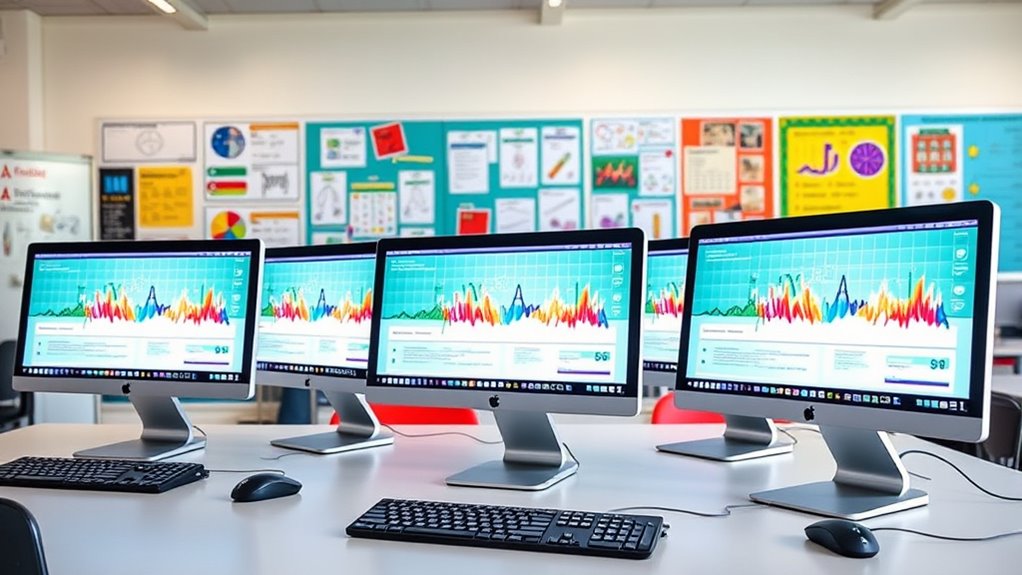

For most classroom labs, I’d choose the 2024 24-inch iMac with M4, 16GB memory, and 256GB SSD as the best overall balance of current performance and straightforward all-in-one setup. The M4 model with 24GB memory and 512GB SSD is a stronger fit for demanding creative classes, while the M4 16GB/512GB Blue models offer more local storage without stepping up to 24GB. The central tradeoff is whether a shared lab needs more memory and local space, or whether student work can live on network or cloud storage. Older M1 and Intel iMacs may suit tighter budgets, but their age and lower memory make them less appealing for a long-lived fleet. Read on for how I rank all six and what to check before choosing lab computers.

Get the latest gadgets delivered free with Prime
- Fast, free delivery on millions of items
- Prime Video, Amazon Music and more included
- Member-only deals all year
Complete the kit



Key Takeaways
- The M4 generation leads this group for a new lab because it pairs current Apple silicon with 16GB or 24GB of memory; the older Intel option is better treated as a limited-budget or legacy-software choice.
- Memory and storage are separate decisions. The 24GB/512GB model is the most capable configuration here, while the 16GB/512GB models favor extra local workspace without adding memory.
- The two 16GB/512GB Blue listings have matching headline specifications, so confirm the exact model and included configuration before ordering; color alone should not decide a fleet purchase.
- The renewed M1 iMac and 2017 Intel iMac are not equivalent budget choices. M1 is the newer architecture, while Intel may matter for particular older software, but either requires a careful support and condition check.
- A classroom fleet is a management decision as much as a computer decision. Consistency across machines, storage policy, peripheral needs, and expected service life can matter more than choosing the highest specification.
| Apple iMac 24-inch with M1 Chip, 8-Core CPU, 8GB RAM, 256GB SSD (2021, Silver, Renewed) |  | Best Renewed Entry Point | Model year: 2021 | Processor: Apple M1, 8-core CPU, 7-core GPU | Display: 24-inch 4.5K Retina, 4480 x 2520 | VIEW ON AMAZON | See Our Full Breakdown |
| Apple 2024 iMac 24-inch All-in-One Desktop with M4 Chip, 16GB RAM, 256GB SSD – Silver |  | Best Overall for Everyday Lab Use | Model: MWUC3LL/A | Processor: Apple M4, 8-core CPU, 8-core GPU | Display: 24-inch 4.5K Retina, 500 nits, supports 1 billion colors | VIEW ON AMAZON | See Our Full Breakdown |
| Apple 2024 iMac 24-inch All-in-One Desktop with M4 Chip, 24GB Memory, 512GB SSD, Silver |  | Best for Demanding Creative Labs | Model: MCR24LL/A | Processor: Apple M4, 10-core CPU, 10-core GPU | Display: 24-inch 4.5K Retina, 500 nits, supports up to 1 billion colors | VIEW ON AMAZON | See Our Full Breakdown |
| Apple 2017 iMac with Intel Core i5, 21.5-inch, 8 GB RAM, 1 TB Storage – Silver |  | Best for Legacy or Storage-First Tasks | Model: A1418 | Operating system: macOS Sierra | Processor: Intel Core i5-7360U, dual-core, 2.3GHz | VIEW ON AMAZON | See Our Full Breakdown |
| Apple 2024 iMac 24-inch All-in-One Desktop with M4 Chip, 16GB Memory, and 512GB SSD – Blue |  | Best Mid-Tier Storage Upgrade | Model: MWV33LL/A | Processor and graphics: Apple M4, 10-core CPU, 10-core GPU | Display: 24-inch 4.5K Retina, 500 nits, supports up to 1 billion colors | VIEW ON AMAZON | See Our Full Breakdown |
| Apple 2024 iMac All-in-One Desktop Computer (M4 Chip, 24-inch Retina Display, 16GB Memory, 256GB SSD, Blue) |  | Best for Shared Classroom Use | Model: 2024 iMac | Processor: Apple M4 chip, 8-core CPU and 8-core GPU | Display: 24-inch 4.5K Retina, 500 nits | VIEW ON AMAZON | See Our Full Breakdown |
| imac for classroom lab | Display | Memory | Storage | Processor |
|---|---|---|---|---|
| Apple iMac 24-inch with M1 Chi | 24-inch 4.5K Retina, 4480 x 2520 | 8GB RAM | 256GB SSD | Apple M1, 8-core CPU, 7-core GPU |
| Apple 2024 iMac 24-inch All-in | 24-inch 4.5K Retina, 500 nits, supports 1 billion colors | 16GB unified memory | 256GB SSD | Apple M4, 8-core CPU, 8-core GPU |
| Apple 2024 iMac 24-inch All-in | 24-inch 4.5K Retina, 500 nits, supports up to 1 billion colors | 24GB unified memory | 512GB SSD | Apple M4, 10-core CPU, 10-core GPU |
| Apple 2017 iMac with Intel Cor | 21.5-inch Full HD, 1920 x 1080 | 8GB DDR4 | 1TB HDD | Intel Core i5-7360U, dual-core, 2.3GHz |
| Apple 2024 iMac 24-inch All-in | 24-inch 4.5K Retina, 500 nits, supports up to 1 billion colors | 16GB unified memory | 512GB SSD | — |
| Apple 2024 iMac All-in-One Des | 24-inch 4.5K Retina, 500 nits | 16GB unified memory | 256GB SSD | Apple M4 chip, 8-core CPU and 8-core GPU |
More Details on Our Top Picks
Apple iMac 24-inch with M1 Chip, 8-Core CPU, 8GB RAM, 256GB SSD (2021, Silver, Renewed)
For a classroom lab that needs a sharp, integrated workstation without demanding heavy creative workloads, this renewed M1 iMac offers a more capable display and newer wireless standards than the 2017 Intel model. Its 4.5K Retina screen gives students room to read detailed documents and view visual projects, while the 1080p camera and six-speaker audio suit hybrid lessons and group demonstrations. The main compromise is 8GB of memory, which leaves less headroom for multiple demanding apps than either 2024 M4 model. The 256GB SSD also calls for shared storage or disciplined file management in a lab. Because it is renewed and carries a 90-day limited warranty, I’d reserve it for a supervised, budget-conscious station rather than a long-term core fleet.
Pros:- 4.5K Retina display provides a crisp workspace for text, graphics, and student presentations.
- M1 8-core CPU is a stronger fit for everyday multitasking than the 2017 dual-core Intel model.
- 1080p camera, three-microphone array, and six speakers support video lessons and demonstrations.
- Wi-Fi 6 and included generic keyboard and mouse make it a ready-to-set-up workstation.
Cons:- 8GB RAM can constrain multitasking and more demanding classroom applications.
- 256GB SSD may require school-managed cloud or network storage for shared lab use.
- Renewed condition and 90-day limited warranty offer less reassurance than the 2024 iMacs.
Best for: Schools adding a renewed Mac station for browser-based coursework, document work, and video calls, with files stored on a school network or cloud service.
Not ideal for: Labs running memory-intensive creative software or buyers seeking a new computer with a longer warranty and more room for future workloads.
- Model year:2021
- Processor:Apple M1, 8-core CPU, 7-core GPU
- Display:24-inch 4.5K Retina, 4480 x 2520
- Memory:8GB RAM
- Storage:256GB SSD
- Camera:1080p FaceTime HD
- Connectivity:Wi-Fi 6, Bluetooth 5.0, two Thunderbolt/USB 4 ports, up to two USB 3 ports
- Condition and warranty:Renewed; 90-day limited warranty
Our verdict“Choose this renewed M1 iMac for a lower-demand classroom station where the display matters more than memory headroom or a new-device warranty.”
Apple 2024 iMac 24-inch All-in-One Desktop with M4 Chip, 16GB RAM, 256GB SSD – Silver
This 2024 iMac is the strongest fit here for a school seeking a current, general-purpose classroom workstation without stepping up to the higher-memory configuration. Its M4 chip and 16GB unified memory give students more room to keep research, class materials, and communication apps open than the renewed M1 or 2017 Intel model. The 4.5K display and 12MP Center Stage camera also suit both desk-based work and remote instruction. Compared with the 24GB/512GB M4 iMac, though, this configuration has less memory and half the storage, so it is less suited to large media projects or locally stored student files. Its four Thunderbolt 4 ports and Wi-Fi 6E support modern peripherals and networks, but fixed internal components make advance storage planning worthwhile.
Pros:- M4 with 16GB unified memory offers more working headroom than the renewed M1 and 2017 Intel options.
- 4.5K Retina display supports detailed work and clear classroom presentations.
- 12MP Center Stage camera, studio-quality microphones, and Spatial Audio speakers support hybrid teaching.
- Wi-Fi 6E and up to four Thunderbolt 4 ports provide current connectivity options.
Cons:- 256GB SSD can fill quickly when students keep project files locally.
- Less memory and storage than the 24GB/512GB M4 configuration.
- All-in-one design offers limited internal upgrade options.
Best for: Schools standardizing on a new all-in-one for everyday assignments, browser-based learning, video instruction, and Apple-device integration.
Not ideal for: Media-production labs or schools that need larger local storage and more memory for demanding projects across several years.
- Model:MWUC3LL/A
- Processor:Apple M4, 8-core CPU, 8-core GPU
- Display:24-inch 4.5K Retina, 500 nits, supports 1 billion colors
- Memory:16GB unified memory
- Storage:256GB SSD
- Camera:12MP Center Stage
- Connectivity:Up to four Thunderbolt 4 ports, Wi-Fi 6E, Bluetooth 5.3
- Audio:Three studio-quality microphones and six speakers with Spatial Audio
Our verdict“Pick this Silver M4 iMac as a balanced new lab computer for everyday coursework, provided the school can manage files beyond its 256GB SSD.”
Apple 2024 iMac 24-inch All-in-One Desktop with M4 Chip, 24GB Memory, 512GB SSD, Silver
Among these options, this Silver M4 configuration offers the most breathing room for labs where students edit media, work with large design files, or keep several applications active. Its 24GB unified memory and 512GB SSD give it a clear advantage over the 16GB/256GB M4 model for project-heavy classes, while the 10-core CPU and GPU are a step up from that model’s 8-core configuration. Support for up to two external 6K displays can also suit advanced teaching stations that need more screen space. Those gains may be unnecessary for basic writing and web research, where the less-equipped M4 iMac can cover the same core classroom tasks. Like the other all-in-ones, its memory and storage configuration is not a practical upgrade path, so schools should match the capacity to their intended lifespan and workload.
Pros:- 24GB unified memory gives demanding student workflows more headroom than the 16GB M4 configurations.
- 512GB SSD provides twice the listed storage of the 256GB M4 options.
- 10-core CPU and 10-core GPU suit heavier creative workloads better than the 8-core M4 configuration.
- Supports up to two external 6K displays for expanded teaching or production setups.
Cons:- Extra capacity may go unused in labs focused on basic coursework and web applications.
- Memory and SSD are fixed configurations rather than straightforward future upgrades.
- An all-in-one limits component replacement compared with a separate desktop and monitor.
Best for: Digital media, design, and advanced coursework labs that need more memory, local storage, and room to connect high-resolution displays.
Not ideal for: Schools outfitting basic research and writing stations that will not use the extra memory, storage, or external-display support.
- Model:MCR24LL/A
- Processor:Apple M4, 10-core CPU, 10-core GPU
- Display:24-inch 4.5K Retina, 500 nits, supports up to 1 billion colors
- Memory:24GB unified memory
- Storage:512GB SSD
- External display support:Up to two 6K displays
- Connectivity:Up to four Thunderbolt 4 ports, Wi-Fi 6E, Bluetooth 5.3
- Camera and audio:12MP Center Stage camera, three microphones, six speakers with Spatial Audio
Our verdict“Choose this configuration for creative or advanced labs that can make practical use of its 24GB memory and 512GB SSD.”
Apple 2017 iMac with Intel Core i5, 21.5-inch, 8 GB RAM, 1 TB Storage – Silver
This 2017 iMac is a niche choice for a lab that values a larger built-in hard drive and legacy Intel-era software over speed and display detail. Its 1TB HDD holds more locally than the 256GB M4 models, and its USB 3.0, Thunderbolt, and Ethernet ports may suit older peripherals or wired classroom networks. But that capacity comes with a slower traditional drive, and the dual-core Intel processor and 8GB RAM are far behind the M4 iMacs for sustained multitasking. The 21.5-inch Full HD display is also less detailed than the 24-inch 4.5K screens on the newer models. I’d consider it only where a specific legacy application or existing setup dictates the choice; it is a poor candidate for a new, long-lived classroom fleet.
Pros:- 1TB hard drive offers more stated local capacity than the 256GB M4 configurations.
- Four USB 3.0 ports, two Thunderbolt ports, and Ethernet support a range of wired equipment.
- 21.5-inch all-in-one format keeps the computer and display together.
- Full HD display is suitable for basic document and web tasks.
Cons:- Dual-core Intel processor and 8GB RAM trail the M1 and M4 options for multitasking.
- Traditional HDD is slower than the SSD storage in the other listed models.
- Full HD resolution is substantially less detailed than the newer 24-inch 4.5K Retina displays.
Best for: Schools maintaining a legacy Intel-based classroom setup or running basic tasks where older peripheral connections and a large local hard drive matter.
Not ideal for: Labs seeking responsive modern multitasking, high-resolution student work, or a workstation with more memory and a fast SSD.
- Model:A1418
- Operating system:macOS Sierra
- Processor:Intel Core i5-7360U, dual-core, 2.3GHz
- Graphics:Intel Iris Plus Graphics 640
- Display:21.5-inch Full HD, 1920 x 1080
- Memory:8GB DDR4
- Storage:1TB HDD
- Ports and wireless:Four USB 3.0, two Thunderbolt, RJ-45 Ethernet, 802.11ac Wi-Fi, Bluetooth 4.2
Our verdict“Consider this 2017 iMac only for a legacy or storage-led role, not as the main choice for a new classroom lab.”
Apple 2024 iMac 24-inch All-in-One Desktop with M4 Chip, 16GB Memory, and 512GB SSD – Blue
This Blue M4 iMac is a useful middle ground for a lab that needs more local file space than the Silver 16GB/256GB configuration but does not need the 24GB memory of the higher-capacity Silver model. Its 512GB SSD gives students more room for class projects and media files, while 16GB unified memory suits general coursework and moderate multitasking. The 10-core M4 CPU and GPU, 4.5K display, and 12MP Center Stage camera also make it a current all-in-one for shared instruction. Compared with the 24GB/512GB iMac, this one keeps the same listed storage but has less memory, so demanding creative applications may be a better fit for that model. Its fixed memory and storage leave less flexibility if lab needs grow.
Pros:- 512GB SSD offers more local storage than the 256GB M4 configuration.
- 16GB unified memory supports routine classroom multitasking.
- 10-core M4 CPU and GPU provide capable performance for coursework and moderate creative tasks.
- 4.5K Retina display, Center Stage camera, and Spatial Audio support instruction and collaboration.
Cons:- Less memory than the 24GB/512GB M4 model for demanding creative workloads.
- Memory and storage are fixed configurations, limiting later capacity changes.
- The 24-inch all-in-one design offers less component flexibility than a separate desktop setup.
Best for: Schools wanting a current M4 workstation with extra local storage for student assignments, media files, and general-purpose lab use.
Not ideal for: Advanced production labs whose students need more than 16GB of memory for demanding creative applications or complex multitasking.
- Model:MWV33LL/A
- Processor and graphics:Apple M4, 10-core CPU, 10-core GPU
- Display:24-inch 4.5K Retina, 500 nits, supports up to 1 billion colors
- Memory:16GB unified memory
- Storage:512GB SSD
- Camera:12MP Center Stage
- Connectivity:Up to four Thunderbolt 4 ports, Wi-Fi 6E, Bluetooth 5.3
- Audio:Three microphones and six speakers with Spatial Audio
Our verdict“Choose this Blue M4 iMac when your lab wants 512GB of local storage for everyday student work without prioritizing the 24GB memory configuration.”
Apple 2024 iMac All-in-One Desktop Computer (M4 Chip, 24-inch Retina Display, 16GB Memory, 256GB SSD, Blue)
I’d shortlist this blue iMac for a classroom lab that needs a clear, spacious screen and a tidy all-in-one setup. Its 24-inch 4.5K Retina display gives students room to read and work without a separate monitor, while the M4 chip and 16GB unified memory suit everyday school tasks, creative projects, and multitasking. The built-in camera, microphones, and speakers also support remote lessons and group presentations without adding a pile of peripherals.
Compared with the 2024 iMac with 24GB memory and 512GB SSD, this configuration has less headroom for demanding workflows and locally stored class materials. Its 256GB SSD makes cloud storage or shared network drives a sensible part of a lab plan. The all-in-one design keeps desk setup simple, but the display and computer are a single unit, so repairs or replacement are less modular than with a separate monitor and tower.
Pros:- M4 chip and 16GB unified memory are suited to everyday classroom multitasking.
- 24-inch 4.5K display makes text and visual coursework easy to view.
- Built-in 12MP Center Stage camera, microphones, and six-speaker audio reduce peripheral needs.
- All-in-one design and integrated Apple features help keep a shared workstation uncluttered.
Cons:- 256GB SSD can fill quickly when students save media and project files locally.
- Less memory and storage headroom than the 24GB/512GB 2024 iMac configuration.
- The integrated computer and display are less modular to service or replace separately.
Best for: Schools setting up shared stations for web-based coursework, office tasks, video lessons, and light creative work, especially where a clean desk and built-in camera matter.
Not ideal for: Labs running large media projects, keeping extensive files on each computer, or needing easy component-by-component upgrades; the 256GB SSD and integrated design limit those options.
- Model:2024 iMac
- Processor:Apple M4 chip, 8-core CPU and 8-core GPU
- Display:24-inch 4.5K Retina, 500 nits
- Memory:16GB unified memory
- Storage:256GB SSD
- Connectivity:Thunderbolt 4, Wi-Fi 6E, Bluetooth 5.3
- Camera:12MP Center Stage
- Audio:Six speakers with Spatial Audio and three studio-quality microphones
- Color:Blue
Our verdict“Choose this iMac for a polished, capable shared classroom station if most student files live in cloud or network storage.”

How We Picked
I ranked these iMacs for shared classroom use by weighing usable performance, memory headroom, and storage capacity against the realities of a lab: repeated student logins, varied workloads, limited desk space, and a need to manage multiple machines consistently. I also considered the age and condition implications of renewed and older Intel systems, since support life and repair planning affect the true usefulness of a fleet.
The M4 configurations rank ahead because they offer the most current platform in this lineup. The 24GB/512GB model takes the premium position for heavier creative work; the 16GB/256GB M4 is my balanced overall choice for general classes. The 16GB/512GB Blue listings follow for buyers who value local capacity, while the M1 renewed model and 2017 Intel model trail because their age, memory, or condition introduces more compromises. I treat listings with matching headline specifications as a configuration check rather than assuming color creates a meaningful performance difference.
| imac for classroom lab | Processor | Connectivity | Audio |
|---|---|---|---|
| Apple iMac 24-inch with M1 Chi | Apple M1, 8-core CPU, 7-core GPU | Wi-Fi 6, Bluetooth 5.0, two Thunderbolt/USB 4 ports, up to two USB 3 ports | — |
| Apple 2024 iMac 24-inch All-in | Apple M4, 8-core CPU, 8-core GPU | Up to four Thunderbolt 4 ports, Wi-Fi 6E, Bluetooth 5.3 | Three studio-quality microphones and six speakers with Spatial Audio |
| Apple 2024 iMac 24-inch All-in | Apple M4, 10-core CPU, 10-core GPU | Up to four Thunderbolt 4 ports, Wi-Fi 6E, Bluetooth 5.3 | — |
| Apple 2017 iMac with Intel Cor | Intel Core i5-7360U, dual-core, 2.3GHz | — | — |
| Apple 2024 iMac 24-inch All-in | — | Up to four Thunderbolt 4 ports, Wi-Fi 6E, Bluetooth 5.3 | Three microphones and six speakers with Spatial Audio |
| Apple 2024 iMac All-in-One Des | Apple M4 chip, 8-core CPU and 8-core GPU | Thunderbolt 4, Wi-Fi 6E, Bluetooth 5.3 | Six speakers with Spatial Audio and three studio-quality microphones |
Factors to Consider When Choosing Imac For Classroom Labs
Choosing an iMac for a lab involves more than matching a computer to a lesson plan. I’d plan around the school’s workload, deployment model, and replacement timeline so a low initial specification does not become a daily bottleneck.
Match Memory to the Heaviest Class Work
Think about the most demanding course that will use the lab, not only routine browsing and document editing. Many browser tabs, large media projects, and simultaneous creative apps can make memory headroom more useful than a modest storage increase. The 24GB M4 configuration is the clearest choice here for classes likely to push that limit. A common mistake is buying every workstation to the lightest current workload, then keeping the fleet for years as software and assignments grow. If most use is web-based or office-focused, 16GB may be a more balanced fit; if project software is central, favor added memory where the budget allows.
Decide Whether Student Files Belong Locally
Lab storage needs depend on whether students save work to local drives, managed network storage, or cloud accounts. The 512GB configurations offer more room for local projects and applications than 256GB models, but they do not replace a clear file-retention policy. Shared computers can accumulate downloads and abandoned project files, so storage management matters even when choosing a larger drive. Before buying, estimate application footprints and the amount of active work students need available between sessions. If assignments are centrally stored and local profiles are controlled, you may prefer spending on memory or keeping the lower-capacity configuration.
Set a Fleet Standard Before Mixing Configurations
Different specifications across a lab can complicate software deployment, classroom instructions, troubleshooting, and eventual replacement. A mix of M4, M1, and Intel machines may leave students with inconsistent performance or different software compatibility. I’d define one standard configuration for general stations, then reserve higher-memory systems for classes that need them. Color differences are cosmetic for performance, but they can help identify groups of machines if the school has a deliberate labeling system. Avoid buying a few mismatched listings simply because their headline specifications seem close; verify exact model details and make sure the lab can support the resulting variety.
Check Software Compatibility and Support Horizon
Before considering an older iMac, list the applications, peripherals, and teaching tools that must run on it. The 2017 Intel model may suit a specific legacy workflow, but age can limit how comfortably it fits a new fleet, and its 8GB memory is a constraint for heavier multitasking. The renewed M1 system is a newer alternative, yet its 8GB memory and renewed condition still call for scrutiny. Ask the school’s IT team to verify operating-system support, app compatibility, device-management needs, and the seller’s renewal terms. Buying an older computer for a small pilot can make sense; making it the foundation of a long replacement cycle is a different risk.
Plan for Shared-Device Setup and Maintenance
An all-in-one design reduces separate display and computer components on each desk, which can simplify room layout, but a lab still needs a plan for keyboards, pointing devices, cables, and repairs. Decide how students will sign in, where work will be saved, and how devices will be reset or cleaned between users. Check that the school’s management tools can configure accounts, apps, updates, and restrictions at scale. A computer that performs well but creates manual setup work for staff may cost the school time every term. Include IT capacity and spare-device planning in the decision, especially when choosing renewed or older models.
Pay More Only for a Real Classroom Need
The higher-spec M4 makes the most sense when coursework benefits from extra memory and local project space, not simply because its configuration is the largest here. For general instruction, a consistent 16GB M4 fleet may leave more room in the budget for peripherals, network improvements, or staff support. Conversely, a low-spec older system can be a false economy if it slows lessons or needs replacement sooner. Compare the expected workload and service life against the cost of maintaining several configurations. I’d spend up for demanding media or design courses, but keep general-purpose stations standardized and avoid paying for capacity students will not use.
Frequently Asked Questions
Is 16GB of memory enough for a shared classroom iMac?
For general web research, document work, and many introductory courses, 16GB is the more balanced starting point among the M4 options in this group. The answer changes when students regularly use large creative projects, several resource-heavy apps, or intensive multitasking. In those settings, the 24GB configuration gives more room to work without treating memory as an afterthought. Ask instructors about the heaviest assignments planned for the full replacement period, not just this semester. If the lab serves varied classes, reserving higher-memory systems for demanding courses can be more practical than outfitting every station identically at the highest specification.
Should a school choose 512GB storage over 256GB?
Choose 512GB when students need substantial local space for active media, design, or other large project files. If profiles and assignments are stored centrally and the school regularly clears local data, 256GB may be adequate for general classroom use. Extra storage does not fix unmanaged downloads or unclear file practices, so establish those routines before selecting a configuration. Also check the size of required applications and whether local files must remain available offline. The right choice depends on the school’s storage workflow, not a simple assumption that every shared computer needs the largest drive.
Does the renewed M1 make more sense than the 2017 Intel iMac for a tight lab budget?
The renewed M1 is the newer platform in this comparison, while the 2017 Intel model may be relevant if a required legacy application or peripheral depends on Intel compatibility. Both listed configurations have 8GB of memory, so neither is the strongest fit for heavy multitasking or a long-lived, demanding lab. With a renewed system, check the seller’s condition description, included accessories, warranty, and return terms. Have IT verify software and operating-system support for either model before purchasing several units. I’d choose between them based on compatibility and support needs rather than assuming their age or architecture makes them interchangeable.
Are the two blue M4 iMac listings different enough to affect classroom performance?
The two Blue listings both specify an M4 chip, 24-inch display, 16GB memory, and 512GB SSD in their titles, so their headline performance and capacity appear aligned. Listing wording alone does not confirm every model detail or included component. Compare the exact model identifier, configuration, warranty, and seller information before placing a fleet order. If those details match, color is unlikely to affect classroom performance, though a consistent color can help with room organization. Avoid splitting a purchase across listings until your procurement team has confirmed that the units are equivalent.
Is one iMac configuration suitable for every classroom in a school?
A single standard can simplify support, but schools with both general-use and creative courses may benefit from a small number of higher-capacity stations. Start by grouping classes by workload and required applications, then identify whether any course needs more memory, local storage, or legacy software support. Keep the everyday configuration consistent where possible so staff can deploy updates and troubleshoot efficiently. Mixed generations can add support complexity, so only introduce them for a defined instructional need. A standard M4 fleet with a targeted 24GB tier is a clearer plan than an assortment of older and newer machines chosen one listing at a time.
Conclusion
For most schools building a new general-purpose lab, I recommend the 2024 M4 iMac with 16GB memory and 256GB SSD as best overall: it pairs the current platform with a sensible configuration for common classroom work. The best value depends on local file needs, but the 16GB/512GB M4 Blue listings are the practical choice when extra local capacity matters; verify the exact listing details before ordering. For design, media, and heavier coursework, choose the 24GB/512GB M4 as best premium. Beginners and general-use labs are better served by a standardized 16GB M4 setup than by older computers that bring more compatibility and support questions. I’d reserve the renewed M1 for a carefully checked budget deployment and the 2017 Intel iMac for specific legacy requirements, not as the default for a new long-term lab.
Halloween Picks
halloween
As an affiliate, we earn on qualifying purchases.