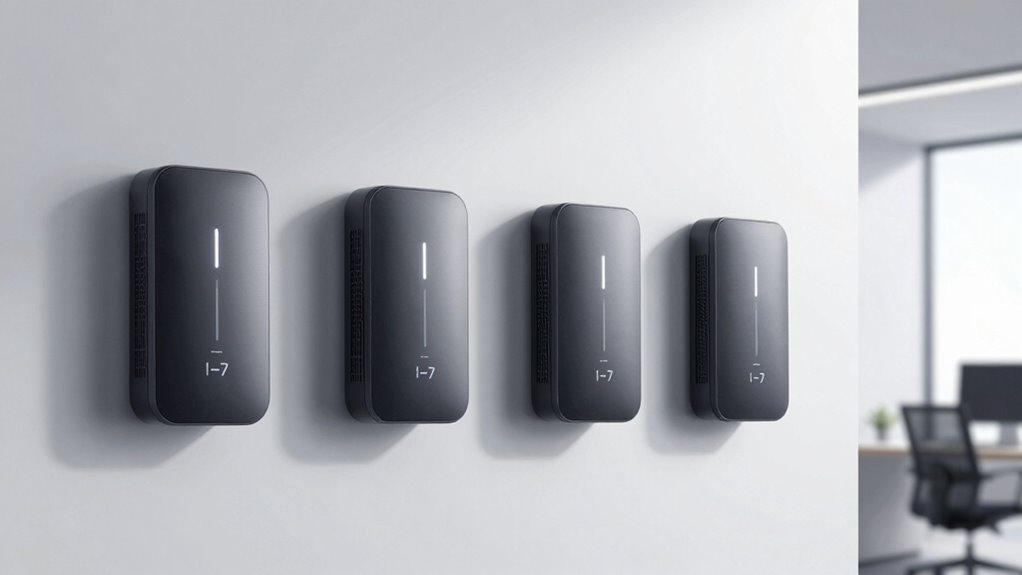

A Wi-Fi 7 access point can improve wireless capacity, but the right choice depends on more than its headline speed: band support, Ethernet uplink, placement, and network management all matter. I’d make the Ubiquiti U7 Pro XG my best overall pick for its tri-band design and 10-gigabit-class wired connection. The TP-Link Omada EAP773 is a strong premium alternative for buyers who want a 10G port, while the Zyxel NWA50BE offers a simpler route into Wi-Fi 7. The main tradeoffs are paying for capacity your internet connection may not use, choosing between ceiling and wall placement, and matching the access point to your existing controller ecosystem. Read on for the full comparison and guidance on which model fits your network.

Get the latest gadgets delivered free with Prime
- Fast, free delivery on millions of items
- Prime Video, Amazon Music and more included
- Member-only deals all year
Complete the kit



Key Takeaways
- Tri-band capacity separates the performance leaders. The Ubiquiti U7 Pro XG and TP-Link Omada EAP770 and EAP772 offer more band capacity than the BE5000 dual-band models, making them better candidates for busy networks and faster local traffic.
- A 10G port only helps when the rest of the network can use it. The U7 Pro XG and Omada EAP773 stand out for wired headroom, but a 2.5G switch or slower router can limit the benefit.
- Mounting style is a practical performance choice. The U7-Pro-Wall and EAP725-Wall suit room-level coverage and wired devices, while ceiling-oriented designs make more sense for broad, open areas.
- Some lower-complexity picks give up peak capacity for easier deployment. The U7 Lite, Zyxel NWA50BE, and Grandstream GWN7670 fit buyers who do not need a tri-band, high-uplink setup; the Grandstream model also needs a separate power solution.
- Management ecosystem can matter as much as radio specifications. UniFi and Omada models are strongest choices for buyers already building around those systems, while a standalone-friendly option may suit a smaller or less managed network better.
| Ubiquiti U7 Pro XG Tri-Band Wi-Fi 7 Access Point |  | Best for 10G Wired Backhaul | Wi-Fi generation: Wi-Fi 7 | Frequency bands: 2.4 GHz, 5 GHz, 6 GHz | Maximum wireless data rate: 5.8 Gbit/s | VIEW ON AMAZON | See Our Full Breakdown |
| Ubiquiti UniFi U7-Pro-Wall Wi-Fi 7 Wall-Mount Access Point |  | Best for Wall-Mounted UniFi Setups | Wi-Fi standard: Wi-Fi 7 (802.11be) | Frequency bands: Tri-band, including 2.4 GHz and 6 GHz | Maximum upstream data transfer rate: 2,000 megabits per second | VIEW ON AMAZON | See Our Full Breakdown |
| Cudy AP11000 BE11000 Wi-Fi 7 Tri-Band Access Point |  | Best for Advanced Network Control | Wi-Fi generation: Wi-Fi 7 (802.11be) | Frequency bands: 2.4 GHz, 5 GHz, 6 GHz | Maximum data rate: 11,000 Mbps | VIEW ON AMAZON | See Our Full Breakdown |
| TP-Link Omada EAP720 Wi-Fi 7 Ceiling-Mount Access Point, BE5000, 2.5G Port |  | Best Dual-Band Value for Omada Networks | Wi-Fi generation: Wi-Fi 7 | Frequency bands: Dual-band: 2.4 GHz and 5 GHz | Maximum combined speed: Up to 5.0 Gbps | VIEW ON AMAZON | See Our Full Breakdown |
| TP-Link Omada EAP770 BE11000 Tri-Band Wi-Fi 7 Access Point |  | Best for High-Capacity Tri-Band Omada Networks | Wi-Fi generation: Wi-Fi 7 | Frequency bands: Tri-band: 6 GHz, 5 GHz, 2.4 GHz | Maximum combined data rate: 11 Gbps | VIEW ON AMAZON | See Our Full Breakdown |
| TP-Link Omada EAP772 BE11000 Tri-Band Wi-Fi 7 Access Point |  | Best for Tri-Band Capacity | Wi-Fi standard: Wi-Fi 7 | Bands: Tri-band: 2.4 GHz, 5 GHz, and 6 GHz | Maximum stated combined speed: 10,654 Mbps | VIEW ON AMAZON | See Our Full Breakdown |
| Grandstream GWN7670 BE3600 Wi-Fi 7 Access Point (Power Adapter Not Included) |  | Best for Business Device Management | Wi-Fi standard: Wi-Fi 7 (802.11be) | Bands: 2.4 GHz and 5 GHz | Maximum aggregate wireless throughput: Up to 3.6 Gbps | VIEW ON AMAZON | See Our Full Breakdown |
| Ubiquiti UniFi U7 Lite WiFi 7 Access Point |  | Best for Compact UniFi Setups | Wireless standard: Wi-Fi 7 | Bands: 2.4 GHz and 5 GHz | Maximum stated speed: Up to 4.3 Gbps on 5 GHz | VIEW ON AMAZON | See Our Full Breakdown |
| Zyxel NWA50BE WiFi 7 Wireless Access Point |  | Best for Flexible Local or Cloud Management | Wi-Fi generation: Wi-Fi 7 (802.11be) | Bands: 2.4 GHz and 5 GHz | Maximum data rate: 5.1 Gbps | VIEW ON AMAZON | See Our Full Breakdown |
| Ubiquiti UniFi U7 Long-Range Access Point |  | Best for Buyers Prioritizing Advertised Indoor Reach | Listed Wi-Fi generation: Wi-Fi 6 | Wireless standard field: 802.11be compatible | Security: WPA3 | VIEW ON AMAZON | See Our Full Breakdown |
| Omada EAP773 Wi-Fi 7 Dual-Band Access Point, 10G Port, Power Adapter Not Included |  | Best for a 10G Omada Uplink | Wi-Fi generation: Wi-Fi 7 | Frequency bands: Dual-band: 2.4 GHz and 5 GHz | Advertised wireless speed: Up to 5.0 Gbps | VIEW ON AMAZON | See Our Full Breakdown |
| TP-Link Omada EAP725-Wall BE5000 Wi-Fi 7 Wall-Plate Access Point |  | Best Wall-Plate Pick | Model: EAP725-Wall | Wi-Fi generation: Wi-Fi 7 | Frequency bands: Dual-band: 2.4 GHz and 5 GHz | VIEW ON AMAZON | See Our Full Breakdown |
| Ubiquiti UniFi U7 Pro Wi-Fi 7 Access Points, 5-Pack |  | Best for Large Multi-AP Deployments | Pack size: 5 access points | Wireless standard: Wi-Fi 7 (802.11.be) | Frequency bands: Tri-band | VIEW ON AMAZON | See Our Full Breakdown |
| TP-Link Omada EAP723 BE5000 Wi-Fi 7 Dual-Band Wireless Access Point |  | Best Straightforward Omada Pick | Wi-Fi generation: Wi-Fi 7 | Wireless class: BE5000 | Frequency bands: Dual-band: 2.4 GHz and 5 GHz | VIEW ON AMAZON | See Our Full Breakdown |
| wi fi 7 access point | Frequency bands | Wi-Fi generation | Security |
|---|---|---|---|
| Ubiquiti U7 Pro XG Tri-Band Wi | 2.4 GHz, 5 GHz, 6 GHz | Wi-Fi 7 | — |
| Ubiquiti UniFi U7-Pro-Wall Wi- | Tri-band, including 2.4 GHz and 6 GHz | — | WPA3 |
| Cudy AP11000 BE11000 Wi-Fi 7 T | 2.4 GHz, 5 GHz, 6 GHz | Wi-Fi 7 (802.11be) | WPA/WPA2/WPA3; WPA3 Enterprise with RADIUS |
| TP-Link Omada EAP720 Wi-Fi 7 C | Dual-band: 2.4 GHz and 5 GHz | Wi-Fi 7 | — |
| TP-Link Omada EAP770 BE11000 T | Tri-band: 6 GHz, 5 GHz, 2.4 GHz | Wi-Fi 7 | — |
| TP-Link Omada EAP772 BE11000 T | — | — | WPA3 |
| Grandstream GWN7670 BE3600 Wi- | — | — | — |
| Ubiquiti UniFi U7 Lite WiFi 7 | — | — | — |
| Zyxel NWA50BE WiFi 7 Wireless | — | Wi-Fi 7 (802.11be) | WPA2 and WPA3 |
| Ubiquiti UniFi U7 Long-Range A | — | — | WPA3 |
| Omada EAP773 Wi-Fi 7 Dual-Band | Dual-band: 2.4 GHz and 5 GHz | Wi-Fi 7 | WPA-PSK, WPA2-PSK, WPA3 |
| TP-Link Omada EAP725-Wall BE50 | Dual-band: 2.4 GHz and 5 GHz | Wi-Fi 7 | WPA-PSK, WPA2-PSK, WPA3 |
| Ubiquiti UniFi U7 Pro Wi-Fi 7 | Tri-band | — | — |
| TP-Link Omada EAP723 BE5000 Wi | Dual-band: 2.4 GHz and 5 GHz | Wi-Fi 7 | — |
More Details on Our Top Picks
Ubiquiti U7 Pro XG Tri-Band Wi-Fi 7 Access Point
The U7 Pro XG is the clearest fit here for a network built around fast wired links: its 10 Gigabit Ethernet port offers more backhaul headroom than the 2.5G ports on the TP-Link Omada EAP770 and EAP720. Tri-band Wi-Fi 7 includes 6 GHz for compatible devices, while the stated wireless ceiling is 5.8 Gbit/s. That makes it a sensible ceiling or wall-mounted choice when the wired network matters as much as wireless capacity. The tradeoff is a single listed RJ-45 port, so it is not a small multiport switch, and the product data does not specify its power-delivery arrangement. I would choose it over the EAP770 for 10G backhaul, but the EAP770 offers a higher stated combined wireless rate and clearer included-adapter details.
Pros:- 10 Gigabit Ethernet port supports high-capacity wired backhaul.
- Tri-band Wi-Fi 7 includes 2.4 GHz, 5 GHz, and 6 GHz.
- Ceiling or wall mounting supports flexible placement.
- Stated wireless data rate reaches 5.8 Gbit/s.
Cons:- Only one RJ-45 network port is listed.
- Power adapter and power-delivery details are not specified in the supplied product data.
Best for: Home labs and small offices with a 10 Gigabit wired network that want a ceiling- or wall-mounted tri-band Wi-Fi 7 access point.
Not ideal for: Buyers who need multiple Ethernet ports or want confirmed power-adapter or PoE details before planning installation.
- Wi-Fi generation:Wi-Fi 7
- Frequency bands:2.4 GHz, 5 GHz, 6 GHz
- Maximum wireless data rate:5.8 Gbit/s
- LAN port:1 × 10 Gigabit Ethernet RJ-45
- Mounting:Ceiling or wall
- Power:22 W
- Dimensions:8.1 × 8.1 × 1.3 in
Our verdict“Choose the U7 Pro XG when 10G backhaul is your priority; pick the Omada EAP770 instead if its higher stated wireless rate and specified power options suit you better.”
Ubiquiti UniFi U7-Pro-Wall Wi-Fi 7 Wall-Mount Access Point
The U7-Pro-Wall is aimed at buyers who need Wi-Fi 7 coverage from a wall-mounted unit rather than a ceiling disc. Its UniFi Controller management, WPA3 security, and Multi-Link Operation make it a more natural match for an existing UniFi network than the TP-Link Omada EAP720, which belongs to a different management platform. The wall-focused design is useful in offices, schools, and large homes where ceiling installation is awkward or coverage needs to be placed closer to users. The supplied data gives a maximum upstream rate of 2,000 megabits per second, lower than the stated rates for the EAP720 and EAP770. It is also indoor-only and requires UniFi Controller management, so buyers seeking a standalone access point or a faster headline rate should compare alternatives.
Pros:- Wall-mounted form factor suits locations where ceiling mounting is impractical.
- Tri-band Wi-Fi 7 includes 2.4 GHz and 6 GHz.
- UniFi Controller support fits existing UniFi network management.
- Supports WPA3 security and Multi-Link Operation.
Cons:- Requires UniFi Controller management.
- Indoor use only.
- The supplied maximum upstream rate is lower than the stated rates for several other picks here.
Best for: UniFi users who need a wall-mounted Wi-Fi 7 access point for indoor offices, classrooms, or residential rooms.
Not ideal for: Buyers who want a standalone setup without UniFi Controller management, need outdoor installation, or prioritize the highest stated throughput.
- Wi-Fi standard:Wi-Fi 7 (802.11be)
- Frequency bands:Tri-band, including 2.4 GHz and 6 GHz
- Maximum upstream data transfer rate:2,000 megabits per second
- Management:UniFi Controller
- Security:WPA3
- Antenna type:Fixed
- Weight:0.58 kg
Our verdict“Pick the U7-Pro-Wall if you already manage UniFi equipment and need wall placement, but compare the Omada EAP720 if its stated throughput and broader power options matter more.”
Cudy AP11000 BE11000 Wi-Fi 7 Tri-Band Access Point
The Cudy AP11000 stands out for buyers who want more control over authentication and provisioning than a basic access point offers. Its OpenWRT-based platform, controller-based device management, and WPA3 Enterprise with RADIUS make it a stronger fit for technically managed networks than the Omada EAP770, whose supplied details emphasize Omada management and WPA3. Connectivity is distinctive too: a 10G SFP+ backhaul slot sits alongside 2.5G RJ45, giving an administrator more ways to connect it to a wired network. The stated 11,000 Mbps rate matches the EAP770’s combined figure, but the Cudy’s adapter is not included, and its stated 1,500-square-foot coverage may call for additional units in larger spaces. I would favor it for configurable deployments, not for the simplest out-of-box setup.
Pros:- 10G SFP+ and 2.5G RJ45 provide flexible wired connectivity.
- WPA3 Enterprise with RADIUS supports managed authentication.
- Controller tools support device discovery and batch firmware updates.
- Tri-band Wi-Fi 7 has a stated maximum data rate of 11,000 Mbps.
Cons:- Power adapter is not included.
- Stated coverage is up to 1,500 sq. ft., which may be insufficient for larger spaces without additional access points.
- Advanced configuration may be less approachable than a simpler managed setup.
Best for: Network administrators and technically confident home-lab users who want RADIUS authentication, controller provisioning, and SFP+ backhaul options.
Not ideal for: Buyers seeking a straightforward installation with power included or those expecting one access point to cover a large or complex building.
- Wi-Fi generation:Wi-Fi 7 (802.11be)
- Frequency bands:2.4 GHz, 5 GHz, 6 GHz
- Maximum data rate:11,000 Mbps
- Backhaul:10G SFP+
- Ethernet:2.5G RJ45
- Maximum stated coverage:1,500 sq. ft.
- Stated client capacity:300+ devices
- Security:WPA/WPA2/WPA3; WPA3 Enterprise with RADIUS
- Power input:12 V DC; power adapter not included
Our verdict“Choose the AP11000 for RADIUS and SFP+ flexibility, while the Omada EAP770 is a better fit if you prefer its Omada management ecosystem and included DC adapter.”
TP-Link Omada EAP720 Wi-Fi 7 Ceiling-Mount Access Point, BE5000, 2.5G Port
The Omada EAP720 is the practical pick for an Omada network that needs Wi-Fi 7 without adding a 6 GHz band. Its dual-band design reaches a stated 5.0 Gbps combined speed, with a 2.5G Ethernet port and support for more than 250 concurrent clients. Compared with the tri-band EAP770, it gives up 6 GHz and the EAP770’s higher 11 Gbps combined rate, but keeps Omada SDN management, mesh support, and both PoE and DC power options. That tradeoff can make sense for buyers whose existing devices mainly use 2.4 GHz and 5 GHz, or who want a ceiling-mounted access point for a managed business network. Buyers planning a 6 GHz-heavy Wi-Fi 7 deployment should spend their attention on the EAP770 instead.
Pros:- Dual-band Wi-Fi 7 offers a stated combined speed of up to 5.0 Gbps.
- Supports more than 250 concurrent clients.
- 2.5G Ethernet and PoE or 12V DC power options support varied installations.
- Omada SDN adds centralized management and mesh networking.
Cons:- Dual-band design omits 6 GHz.
- Advanced management features may require setup within the Omada platform.
- A 2.5G Ethernet port may limit wired backhaul compared with the Ubiquiti U7 Pro XG’s 10G port.
Best for: Small offices and homes already using Omada SDN that want a ceiling-mounted dual-band access point for many client devices.
Not ideal for: Buyers who specifically need 6 GHz Wi-Fi 7, want tri-band capacity, or prefer a network that does not rely on Omada management.
- Wi-Fi generation:Wi-Fi 7
- Frequency bands:Dual-band: 2.4 GHz and 5 GHz
- Maximum combined speed:Up to 5.0 Gbps
- 5 GHz speed:4,324 Mbps
- 2.4 GHz speed:688 Mbps
- Ethernet port:1 × 2.5G
- Power options:802.3at PoE or 12V DC adapter
- Maximum concurrent clients:250+
- Coverage:1,500 sq. ft.
Our verdict“Choose the EAP720 for an Omada-managed network that values capacity and flexible power over 6 GHz; choose the EAP770 for tri-band Wi-Fi 7.”
TP-Link Omada EAP770 BE11000 Tri-Band Wi-Fi 7 Access Point
For an Omada deployment that needs three Wi-Fi bands, the EAP770 is the most balanced high-capacity option in this group. Its 11 Gbps combined data rate spans 6 GHz, 5 GHz, and 2.4 GHz, while support for 380+ concurrent devices makes it better suited to busy networks than the dual-band EAP720. The 2.5G Ethernet port is the main ceiling: unlike the Ubiquiti U7 Pro XG’s 10G port, it does not offer the same wired backhaul headroom. Still, PoE+ or the included 12V DC adapter gives installers a choice, and Omada cloud, app, or local-controller management offers several ways to run the network. Its stated 1,500-square-foot coverage is a planning guide, not a promise of uniform signal through every building.
Pros:- Tri-band Wi-Fi 7 includes 6 GHz, 5 GHz, and 2.4 GHz.
- Stated combined data rate reaches 11 Gbps.
- Supports 380+ concurrent devices.
- Includes a 12V DC adapter and also supports 802.3at PoE+.
Cons:- Single 2.5G Ethernet port offers less backhaul capacity than the U7 Pro XG’s 10G port.
- Stated coverage of up to 1,500 sq. ft. can vary with building layout and conditions.
- PoE+ installation requires compatible network equipment.
Best for: Small businesses and advanced households using Omada that need tri-band Wi-Fi 7 and support for a large client roster.
Not ideal for: Buyers whose wired backbone needs more than 2.5G connectivity or who need coverage beyond a single access point’s stated area.
- Wi-Fi generation:Wi-Fi 7
- Frequency bands:Tri-band: 6 GHz, 5 GHz, 2.4 GHz
- Maximum combined data rate:11 Gbps
- Band data rates:6 GHz: 5,765 Mbps; 5 GHz: 4,324 Mbps; 2.4 GHz: 688 Mbps
- Ethernet port:1 × 2.5 Gbps
- Power options:802.3at PoE+ or 12V DC
- Included power adapter:12V DC
- Concurrent devices:380+
- Management:Omada cloud, app, or local controllers
Our verdict“Pick the EAP770 for an Omada-managed, high-client-count tri-band network; choose the U7 Pro XG instead if 10G wired backhaul takes priority over a higher stated wireless rate.”
TP-Link Omada EAP772 BE11000 Tri-Band Wi-Fi 7 Access Point
The Omada EAP772 is the strongest fit here for buyers who want Wi-Fi 7 across all three bands, including 6 GHz, rather than a dual-band access point. Its stated combined rate reaches 10,654 Mbps, and support for 320 MHz channels gives compatible devices room for wider connections. Compared with the dual-band Grandstream GWN7670, the EAP772 adds a 6 GHz radio but has one 2.5G Ethernet port rather than two. That 2.5G uplink can also constrain real-world wired throughput when several fast clients are active. Ceiling mounting and PoE+ suit a managed installation, while DC power gives another option, though the adapter is not included. I’d choose it for a tri-band Omada deployment, not for a simple plug-in setup.
Pros:- Tri-band Wi-Fi 7 includes a 6 GHz radio.
- Supports channel bandwidth up to 320 MHz.
- 2.5G Ethernet uplink exceeds standard gigabit capacity.
- Can be powered by PoE+ or DC.
Cons:- DC power adapter is not included.
- Requires compatible PoE+ equipment or a separate DC power source.
- One 2.5G uplink may limit aggregate wired throughput.
Best for: Small-business and home-lab administrators building a ceiling-mounted Omada network who want 6 GHz alongside 2.4 GHz and 5 GHz.
Not ideal for: Buyers seeking a ready-to-power standalone unit or multiple multi-gig wired ports; the DC adapter is not included and there is only one 2.5G port.
- Wi-Fi standard:Wi-Fi 7
- Bands:Tri-band: 2.4 GHz, 5 GHz, and 6 GHz
- Maximum stated combined speed:10,654 Mbps
- Maximum channel bandwidth:320 MHz
- Ethernet port:1 × 2.5G
- Power options:PoE+ or DC; DC adapter not included
- Security:WPA3
- Mounting:Ceiling mount
Our verdict“Choose the EAP772 if 6 GHz and tri-band capacity matter more than a second multi-gig port or included power hardware.”
Grandstream GWN7670 BE3600 Wi-Fi 7 Access Point (Power Adapter Not Included)
The Grandstream GWN7670 puts its emphasis on business management and wired flexibility, with an embedded controller plus cloud and on-premises management support. Two 2.5 GbE ports give it an advantage over the single-port TP-Link Omada EAP772 when a site needs more wired options, though the EAP772 is the better choice for adding a 6 GHz band. The GWN7670 is dual-band, with a 3.6 Gbps stated aggregate rate, so it gives up tri-band capacity and the 6 GHz spectrum found on that TP-Link. Support for up to 256 concurrent devices and mesh networking makes it a sensible small- or medium-business candidate, but client capacity is not a guarantee of performance under heavy traffic. It also needs PoE+ or a separately sourced power adapter.
Pros:- Two 2.5 GbE ports provide more wired flexibility than single-port options.
- Embedded controller with cloud and on-premises management choices.
- Supports mesh networking and up to 256 concurrent devices.
- PoE+ power suits a fixed business installation.
Cons:- Dual-band design has no 6 GHz radio.
- Power adapter is not included.
- 2×2:2 radio configuration and 3.6 Gbps aggregate rate trail higher-capacity options such as the EAP772.
Best for: Small and medium businesses that want a centrally managed dual-band Wi-Fi 7 access point, mesh support, and two multi-gig Ethernet ports.
Not ideal for: Homes or offices prioritizing 6 GHz access or the highest stated wireless capacity; this is a dual-band model with a 3.6 Gbps aggregate rate.
- Wi-Fi standard:Wi-Fi 7 (802.11be)
- Bands:2.4 GHz and 5 GHz
- Maximum aggregate wireless throughput:Up to 3.6 Gbps
- Wired ports:2 × 2.5 GbE
- Radio configuration:2×2:2 on 2.4 GHz and 5 GHz
- Power:802.3at PoE+; adapter not included
- Concurrent devices:Up to 256
- Management:Embedded controller, GDMS Networking, and GWN Manager
Our verdict“Pick the GWN7670 for business management features and dual 2.5 GbE ports, but choose the EAP772 if 6 GHz is a priority.”
Ubiquiti UniFi U7 Lite WiFi 7 Access Point
The UniFi U7 Lite is a compact, flexible-mount option for buyers already building around UniFi. It supports ceiling or wall mounting, weighs 1.28 pounds, and has a 2.5 GbE PoE-powered uplink, making it easier to place than the heavier ceiling-mount Omada EAP772. Its stated 5 GHz speed reaches 4.3 Gbps, but unlike the EAP772 it has no 6 GHz band; that makes it a less suitable pick for a network specifically seeking tri-band Wi-Fi 7. The advertised coverage is up to 1,250 square feet and capacity exceeds 200 clients, although actual results depend on layout and demand. PoE keeps the installation tidy, but buyers need compatible power hardware and should not expect a conventional plug-in setup.
Pros:- Ceiling or wall mounting offers flexible placement.
- 2.5 GbE uplink supports more wired capacity than gigabit Ethernet.
- Four spatial streams and stated 5 GHz speed up to 4.3 Gbps.
- Advertised coverage up to 1,250 square feet and support for more than 200 clients.
Cons:- Dual-band design does not include 6 GHz.
- Requires PoE power.
- Advertised coverage and client capacity depend on the installation and network load.
Best for: UniFi users needing a lightweight access point for ceiling or wall placement in a home or small office with PoE already available.
Not ideal for: Buyers who want 6 GHz connectivity, included standalone power, or a tri-band radio for newer Wi-Fi 7 devices.
- Wireless standard:Wi-Fi 7
- Bands:2.4 GHz and 5 GHz
- Maximum stated speed:Up to 4.3 Gbps on 5 GHz
- Spatial streams:4
- Uplink:2.5 GbE
- Power:PoE
- Advertised coverage:Up to 1,250 ft²
- Mounting:Ceiling or wall
Our verdict“Choose the U7 Lite for a compact, flexible UniFi installation, but choose the tri-band EAP772 if you need 6 GHz.”
Zyxel NWA50BE WiFi 7 Wireless Access Point
The Zyxel NWA50BE suits buyers who want a choice between NebulaFlex cloud management and a standalone local interface. That flexibility separates it from the UniFi U7 Lite, which is a more natural match for an existing UniFi environment. Zyxel lists a maximum data rate of 5.1 Gbps and includes a 2.5G uplink, giving this dual-band access point more stated throughput than the Grandstream GWN7670’s 3.6 Gbps aggregate figure. Neither comparison changes the main limitation: the NWA50BE lists only 2.4 GHz and 5 GHz, not 6 GHz. Smart Mesh and MLO add useful network options, while backward compatibility helps it serve older devices. Power requires PoE+ equipment or the included adapter, so check what comes in the package before planning installation.
Pros:- NebulaFlex supports cloud or standalone local management without a subscription.
- 2.5G Ethernet uplink accommodates more throughput than gigabit Ethernet.
- Smart Mesh and Multi-Link Operation support flexible network configurations.
- Backward compatibility supports devices using earlier Wi-Fi standards.
Cons:- Dual-band design has no listed 6 GHz radio.
- Requires PoE+ equipment or the included power adapter.
- Only one 2.5G Ethernet port is listed.
Best for: Small offices and home networks that want Wi-Fi 7 with a choice of Zyxel cloud management or a local standalone interface.
Not ideal for: Buyers seeking a 6 GHz radio or an access point designed to integrate with an existing UniFi or Omada controller ecosystem.
- Wi-Fi generation:Wi-Fi 7 (802.11be)
- Bands:2.4 GHz and 5 GHz
- Maximum data rate:5.1 Gbps
- Ethernet:1 × 2.5G
- Streams:4
- Power:PoE+ or included power adapter
- Management:NebulaFlex cloud or standalone local GUI
- Security:WPA2 and WPA3
Our verdict“Choose the NWA50BE if management flexibility and mesh features matter more than having a 6 GHz band.”
Ubiquiti UniFi U7 Long-Range Access Point
The listing for the Ubiquiti UniFi U7 Long-Range is an awkward match for a Wi-Fi 7 access-point roundup: its supplied data identifies the Wi-Fi generation as Wi-Fi 6, despite also describing the wireless standard as 802.11be compatible. I would verify that specification before buying if Wi-Fi 7 is a firm requirement. The listed indoor reach of up to 150 feet may appeal to buyers focused on coverage, but the data also specifies a single-band wireless design, one antenna, and a 1,000 Mbps LAN port. That makes it much less flexible for busy networks than the dual-band UniFi U7 Lite, which also has a 2.5 GbE uplink. App control and WPA3 are useful, but they do not offset the limited port and radio details.
Pros:- Advertised indoor coverage up to 150 feet.
- Supports WPA3 security.
- App-based control through UniFi OS.
- Ethernet connectivity is listed.
Cons:- Product data identifies the Wi-Fi generation as Wi-Fi 6, creating uncertainty for Wi-Fi 7 buyers.
- Single-band wireless and one fixed antenna limit flexibility.
- The 1,000 Mbps LAN port is slower than the 2.5 GbE uplinks on the UniFi U7 Lite and other options.
Best for: UniFi buyers who prioritize the stated indoor coverage and app control, and who can confirm the Wi-Fi generation and band details before purchase.
Not ideal for: Anyone requiring a clearly specified Wi-Fi 7, dual-band or tri-band access point, or a multi-gigabit wired uplink.
- Listed Wi-Fi generation:Wi-Fi 6
- Wireless standard field:802.11be compatible
- Security:WPA3
- Listed data transfer rate:1,000 Mbps
- LAN port bandwidth:1,000 Mbps
- Ports:1
- Indoor coverage:Up to 150 feet
- Control method:App
Our verdict“Buy only after confirming the Wi-Fi generation if you value its advertised indoor reach more than modern band and uplink flexibility.”
Omada EAP773 Wi-Fi 7 Dual-Band Access Point, 10G Port, Power Adapter Not Included
The EAP773 is my pick for an Omada-managed network where the access point’s wired connection should keep pace with fast local transfers. Its 10G Ethernet port is the main differentiator: compared with the EAP723’s 2.5G port, it leaves more headroom for a high-capacity switch or internet connection. The dual-band design reaches an advertised 5.0 Gbps and supports features including Multi-Link Operation, mesh, roaming, and centralized Omada management. That makes it a strong fit for a busy office or a growing home network, though the listed 250+ client capacity is not a guarantee of high throughput for every device at once. It is not tri-band like the UniFi U7 Pro five-pack, and its DC adapter is not included; plan on compatible PoE or a separate adapter.
Pros:- 10G Ethernet port offers more wired-uplink headroom than the EAP723’s 2.5G port.
- Omada cloud and SDN management support centralized configuration.
- PoE or DC power options allow more than one installation approach.
- Advertised support for 250+ concurrent clients suits busy networks.
Cons:- DC power adapter is not included, so DC-powered installations require a separate purchase.
- Dual-band design lacks the extra band offered by tri-band options such as the UniFi U7 Pro.
- A 10G port can be unnecessary in networks built around Gigabit or 2.5G switching.
Best for: Omada users with a 10G-capable switch who want a high-headroom access point for a busy home office or small business.
Not ideal for: Buyers with only Gigabit networking or no PoE and no suitable DC adapter, since the 10G uplink may go unused and the power supply is not included.
- Wi-Fi generation:Wi-Fi 7
- Frequency bands:Dual-band: 2.4 GHz and 5 GHz
- Advertised wireless speed:Up to 5.0 Gbps
- Ethernet port:10G
- Power options:802.3at PoE or DC power
- Maximum concurrent clients:250+
- Coverage:1,500 sq ft
- Security:WPA-PSK, WPA2-PSK, WPA3
- Warranty:5 years
Our verdict“Choose the EAP773 if you want an Omada-managed dual-band AP with a 10G uplink and can provide compatible PoE or DC power.”
TP-Link Omada EAP725-Wall BE5000 Wi-Fi 7 Wall-Plate Access Point
The EAP725-Wall makes the most sense when access needs to be added at a particular room or desk, rather than spread from a ceiling-mounted unit. Its wall-plate format puts wired connections within reach: it has a 2.5G PoE input, a 2.5G pass-through port, and two Gigabit downlink ports. That layout is more useful for connecting nearby wired devices than the single-port EAP723, while both offer dual-band Wi-Fi 7 and Omada management. The tradeoff is its stated 600-square-foot coverage, well below the 1,500-square-foot figures listed for the EAP723 and EAP773. It also requires a wired PoE connection, so it is a poor fit where cabling cannot reach the installation point. Consider it for room-by-room coverage, not as a substitute for a broad-coverage ceiling AP.
Pros:- Wall-plate design places wireless access close to the room or workspace that needs it.
- 2.5G pass-through and two Gigabit downlinks provide several nearby wired connections.
- Omada centralized management, mesh, and seamless roaming support coordinated deployments.
- Advertised dual-band Wi-Fi 7 rate reaches 5,000 Mbps.
Cons:- Requires a wired PoE connection for power.
- Listed 600-square-foot coverage is more limited than the EAP723 and EAP773 figures.
- Its wall-plate format is less suited to broad, open-area coverage than a ceiling-mounted AP.
Best for: Homeowners, hotels, or small offices with Ethernet cabling to individual rooms who want Wi-Fi plus nearby wired ports.
Not ideal for: Buyers needing broad coverage from one centrally placed AP or lacking a PoE-wired wall location.
- Model:EAP725-Wall
- Wi-Fi generation:Wi-Fi 7
- Frequency bands:Dual-band: 2.4 GHz and 5 GHz
- Maximum data rate:5,000 Mbps
- Ports:1 × 2.5G PoE input, 1 × 2.5G pass-through, 2 × Gigabit RJ45 downlink
- Bandwidth:240 MHz
- Coverage:600 sq ft
- Security:WPA-PSK, WPA2-PSK, WPA3
- Warranty:5 years
Our verdict“Pick the EAP725-Wall for a wired room-by-room installation that benefits from built-in Ethernet ports, not for maximum single-unit coverage.”
Ubiquiti UniFi U7 Pro Wi-Fi 7 Access Points, 5-Pack
This five-pack is aimed at buyers who need several access points across a building, not someone seeking a single replacement AP. Each U7 Pro brings tri-band Wi-Fi 7, six spatial streams, a 2.5 GbE uplink, and PoE+ power; the included five-unit quantity and centralized UniFi management make a coordinated rollout more straightforward. Compared with the dual-band Omada EAP773, the U7 Pro adds a third band, while its 2.5 GbE uplink is less substantial than the EAP773’s 10G port. Its advertised capacity of 300+ clients per unit may suit dense environments, but actual performance depends on deployment and client mix. The scale comes with practical limits: every unit needs PoE+, and five ceiling- or wall-mounted APs are excessive for a small home or a network that only needs one coverage point.
Pros:- Five access points support coverage across multiple rooms or zones.
- Tri-band Wi-Fi 7 and six spatial streams distinguish it from dual-band options such as the EAP773.
- UniFi app management coordinates the access points within one network.
- Each unit has a 2.5 GbE uplink and supports ceiling or wall mounting.
Cons:- PoE+ power is required for each access point.
- A five-unit pack can be unnecessary for smaller spaces or single-AP upgrades.
- The 2.5 GbE uplink offers less wired headroom than the EAP773’s 10G port.
Best for: IT teams fitting out a large office, school, or multi-area venue that wants several UniFi-managed Wi-Fi 7 access points.
Not ideal for: Home users or small offices needing one AP, or buyers without PoE+ infrastructure and a UniFi deployment plan.
- Pack size:5 access points
- Wireless standard:Wi-Fi 7 (802.11.be)
- Frequency bands:Tri-band
- Spatial streams:6
- Maximum client capacity:300+ concurrent connections
- Uplink:2.5 GbE
- Power:PoE+
- Mounting:Ceiling or wall
- Management platform:UniFi OS
Our verdict“Choose this pack for a multi-zone UniFi rollout where five centrally managed tri-band APs justify the PoE+ deployment effort.”
TP-Link Omada EAP723 BE5000 Wi-Fi 7 Dual-Band Wireless Access Point
The EAP723 is the simpler choice for an Omada network that needs Wi-Fi 7 without paying for the EAP773’s 10G uplink. It pairs advertised 5,000 Mbps dual-band Wi-Fi with a 2.5G Ethernet port, ceiling or wall mounting, and Omada Controller management. Mesh and seamless roaming help it fit into a broader Omada setup, while QoS, guest mode, and beamforming add useful network controls. Compared with the wall-plate EAP725-Wall, the EAP723 is better suited to general room coverage and has a listed 1,500-square-foot range, but it does not offer multiple downlink ports for devices near the AP. Its one Ethernet port also limits wired connections, and the DC adapter is not included. Buyers need compatible PoE or a separate adapter rather than assuming the AP can be powered from the box.
Pros:- 2.5G Ethernet is a practical upgrade over Gigabit uplinks without requiring 10G switching.
- Omada Controller, mesh, and seamless roaming support a coordinated network.
- Ceiling or wall mounting suits general-purpose room coverage.
- QoS, guest mode, and beamforming add useful network-management features.
Cons:- DC adapter is not included, so power planning is required.
- A single Ethernet port offers no local downlink connections.
- Dual-band design has fewer bands than the tri-band UniFi U7 Pro.
Best for: Omada users upgrading a home or small office to Wi-Fi 7 who want a 2.5G uplink and centralized management without needing a 10G port.
Not ideal for: Buyers needing multiple wired ports at the access point, a bundled DC adapter, or a faster-than-2.5G uplink.
- Wi-Fi generation:Wi-Fi 7
- Wireless class:BE5000
- Frequency bands:Dual-band: 2.4 GHz and 5 GHz
- Maximum combined data rate:5,000 Mbps
- Ethernet port:1 × 2.5G
- Power:PoE; DC adapter not included
- Coverage:1,500 sq ft
- Mounting:Ceiling or wall
- Warranty:5 years
Our verdict“Choose the EAP723 for a general-purpose Omada Wi-Fi 7 upgrade when 2.5G is sufficient and you can supply PoE or DC power.”

How We Picked
I ranked these access points by the features that change a buying decision: wireless band and capacity, wired uplink headroom, mounting options, power requirements, and fit for home or business use. I gave more weight to models that balance useful Wi-Fi 7 capability with a network connection that can support it, rather than treating a large combined speed figure as a guarantee of real-world performance. Ease of fitting the unit into an existing setup also matters; a strong radio is less useful if it requires a controller, switch, or power arrangement the buyer does not have.
The order reflects distinct use cases, not a claim that one product is best for every building. Tri-band options with faster uplinks rank higher for dense networks and demanding local traffic, while dual-band and compact models remain sensible for smaller deployments. Wall-mount units earn their place when room-specific coverage or nearby Ethernet connections matter more than ceiling placement. I also account for tradeoffs such as adapter exclusions, bundled multi-unit packaging, and the value of staying within an existing UniFi or Omada management system.
| wi fi 7 access point | Wi-Fi generation | Security |
|---|---|---|
| Ubiquiti U7 Pro XG Tri-Band Wi | Wi-Fi 7 | — |
| Ubiquiti UniFi U7-Pro-Wall Wi- | — | WPA3 |
| Cudy AP11000 BE11000 Wi-Fi 7 T | Wi-Fi 7 (802.11be) | WPA/WPA2/WPA3; WPA3 Enterprise with RADIUS |
| TP-Link Omada EAP720 Wi-Fi 7 C | Wi-Fi 7 | — |
| TP-Link Omada EAP770 BE11000 T | Wi-Fi 7 | — |
| TP-Link Omada EAP772 BE11000 T | — | WPA3 |
| Grandstream GWN7670 BE3600 Wi- | — | — |
| Ubiquiti UniFi U7 Lite WiFi 7 | — | — |
| Zyxel NWA50BE WiFi 7 Wireless | Wi-Fi 7 (802.11be) | WPA2 and WPA3 |
| Ubiquiti UniFi U7 Long-Range A | — | WPA3 |
| Omada EAP773 Wi-Fi 7 Dual-Band | Wi-Fi 7 | WPA-PSK, WPA2-PSK, WPA3 |
| TP-Link Omada EAP725-Wall BE50 | Wi-Fi 7 | WPA-PSK, WPA2-PSK, WPA3 |
| Ubiquiti UniFi U7 Pro Wi-Fi 7 | — | — |
| TP-Link Omada EAP723 BE5000 Wi | Wi-Fi 7 | — |
Factors to Consider When Choosing Wi Fi 7 Access Point
Choosing a Wi-Fi 7 access point starts with the network around it, not the biggest number on the box. I’d match the access point to your wired infrastructure, building layout, and management preferences before paying for extra radio capacity.
Match Wi-Fi Bands to How Your Network Gets Used
Tri-band access points add a 6 GHz radio alongside 2.4 GHz and 5 GHz, which can give compatible devices more room when many clients are active. That extra capacity is most useful in a crowded home, office, or venue, not automatically in every small network. Check whether your important client devices support 6 GHz; older phones and laptops cannot use it. A dual-band model can be a better fit when most traffic is routine browsing and streaming, or when the budget is better spent on a stronger switch or more access points. Avoid choosing by a combined theoretical speed figure alone, since actual throughput depends on clients, distance, interference, and the wired path. I’d prioritize coverage and consistent capacity over an impressive maximum that few devices can reach.
Check the Ethernet Uplink Before Paying for Radio Headroom
An access point’s Ethernet port connects its wireless capacity to the rest of the network, so it can become the limiting factor. A 10G uplink can help with fast local transfers or a high-density deployment, but only if the switch, router, cabling, and internet or local services can support that rate. For many homes, 2.5G is already a meaningful step up from gigabit and may be a more balanced match. Map the entire wired path before upgrading: one slower link can cap traffic even when the access point has faster radios. Do not buy a faster port simply because it sounds more future-proof if the rest of the network will remain unchanged for years. Spend on uplink speed when you can identify a real bottleneck or a near-term plan to remove one.
Choose Placement for the Building, Not Just the Product Photo
Ceiling placement can distribute signal across open spaces, while a wall or wall-plate unit can put coverage closer to rooms and provide a convenient point for wired devices. Neither style guarantees better coverage in every building: walls, floors, metal, and the location of clients all affect results. A single powerful access point may leave dead zones where two appropriately placed units would work better. Before buying, sketch the rooms you need to cover and identify practical mounting locations, Ethernet runs, and power access. In hotels, offices, and homes with several separated rooms, multiple lower-output access points can outperform one unit placed in a poor location. Avoid hiding an access point in a cabinet or utility closet, since that can undermine the advantages of a Wi-Fi 7 radio.
Budget for Power, Switching, and Installation
Many access points rely on Power over Ethernet, which can simplify installation but requires a compatible PoE switch or injector. Verify the required PoE standard and available switch power budget before ordering; a port that supports PoE may still lack enough capacity for every connected device. Some models are sold without a power adapter, so check the package details and plan for the required supply rather than assuming one is included. A faster access point may also call for better cabling, a multi-gig switch, or professional installation to reach its potential. For a single unit, an adapter or injector can be practical, while a larger deployment is often easier to manage with a suitable PoE switch. Compare the full network upgrade, not just the access point itself.
Decide Whether You Want a Managed Ecosystem
UniFi and Omada access points make the most sense when their management tools fit the rest of your network. Central management can make configuration, monitoring, and adding access points easier, especially across several rooms or sites. It also adds a learning curve and may involve a controller or ecosystem commitment that a buyer with one access point does not need. Check how the chosen model is configured, whether a controller is required for the features you want, and how it will coexist with your current router. For a small setup, simpler management can be worth more than advanced network controls that will go unused. If you plan to expand later, choose a system you are comfortable managing across all of its access points.
Check Client Support and Upgrade Timing
Wi-Fi 7 access points can serve older Wi-Fi devices, but those clients will not gain Wi-Fi 7 features merely by connecting to a newer access point. The biggest benefit arrives when your phones, computers, and other high-traffic devices support the relevant bands and capabilities. If most of your devices are older, a well-placed access point and a faster wired connection may offer more immediate value than the newest radio features. Check client specifications before buying, especially if you are counting on 6 GHz or multi-link features. You can still choose Wi-Fi 7 as a planned upgrade, but weigh that future flexibility against the cost of improving the current network. Replacing access points before replacing the router, switch, or clients may produce a smaller improvement than expected.
Frequently Asked Questions
Do I need a Wi-Fi 7 router to use one of these access points?
No. An access point can connect to a router or firewall over Ethernet and provide wireless access without the router itself supporting Wi-Fi 7. Your Wi-Fi 7 devices can use the access point’s supported features, while older devices can still connect using the standards they support. The wired router, switch, and internet service can limit overall throughput, though. Check whether the access point needs a controller for the management features you want, since that is separate from basic routing.
Is a tri-band Wi-Fi 7 access point worth choosing over a dual-band model?
Tri-band is most worthwhile when you have compatible 6 GHz clients and a busy network that can use added wireless capacity. It can also suit local transfers or deployments with many active users, provided the wired uplink keeps pace. A dual-band model can be a better match for a smaller home, older client devices, or a network with limited Ethernet capacity. The choice is not simply about peak speed: placement, interference, and the number of clients affect the result. I’d spend more on tri-band only when your devices and workload can make use of the extra band.
Will a 10G Ethernet port make my internet connection faster?
Not by itself. A 10G port gives the access point a faster possible link to the wired network, but internet speed remains limited by the service plan, router, switch, and other links in the path. The extra headroom can still help with local file transfers or multiple busy clients sharing a fast network. If the rest of your equipment has only gigabit ports, the access point will not deliver a 10G end-to-end connection. Check the full wired path before paying for a 10G model.
Should I buy one powerful access point or several smaller ones?
For a large or irregular building, several well-placed access points often provide more dependable coverage than one high-capacity unit at one end of the space. A single unit may suit an open area with a central mounting position and a moderate client load. Multiple units require Ethernet runs, suitable switching or power, and coordination of settings, so they add setup work. Avoid placing access points too close together without a coverage plan, since overlapping signals can complicate client behavior. Start with the building layout and the locations where people actually use wireless devices.
What should I verify before ordering an access point that excludes a power adapter?
Confirm the device’s power method, supported PoE standard, and expected power draw, then check that your switch or injector can supply it. A PoE-capable switch may have a total power budget that is too low for all connected devices at once. If you plan to use a separate adapter, confirm that a compatible supply is available and included only when the listing explicitly says so. Also check whether the intended Ethernet run and switch port support the access point’s wired speed. Planning these details first can prevent a unit from arriving without a workable power source.
Conclusion
For the broadest blend of Wi-Fi 7 capacity and wired headroom, I’d choose the Ubiquiti U7 Pro XG as the best overall option, especially for a network that can use its tri-band design and faster uplink. The TP-Link Omada EAP720 is my best-value direction for buyers who want a ceiling-mount Wi-Fi 7 model with a 2.5G port without stepping up to a tri-band design. For a premium wired-capacity build, compare the Omada EAP773 and U7 Pro XG against your existing ecosystem and switch. Beginners should favor the management platform they already know—or the simpler setup they can maintain—rather than buying the most complex model. For room-level placement, choose the U7-Pro-Wall or EAP725-Wall; for a multi-unit UniFi deployment, the U7 Pro 5-Pack may suit a planned rollout. My final check would be compatibility: confirm client support, uplink speed, mounting location, management needs, and power before choosing.
Halloween Picks
halloween
As an affiliate, we earn on qualifying purchases.