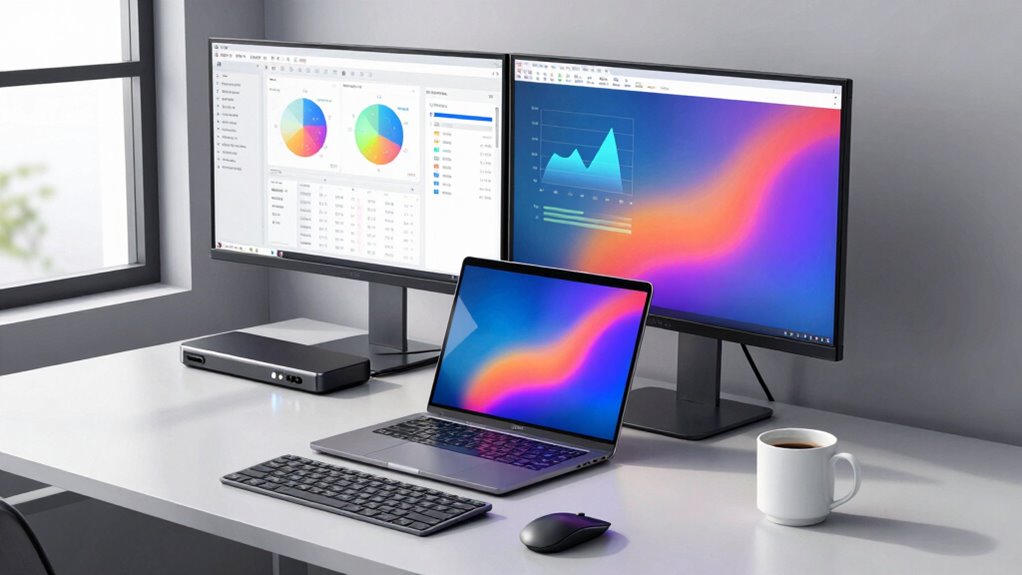

For most office users, I’d start with the Lenovo ThinkPad Universal USB-C Dock as the best overall business laptop docking setup, while the Dell Pro WD25 suits Dell-led workplaces and the Microsoft Surface Thunderbolt 4 Dock is a stronger match for compatible Surface systems. The main choice is between a dependable, laptop-friendly connection and extra display ports or a higher port count. Compatibility, charging capacity, monitor resolution, and the number of cables on your desk can matter more than the headline port total. I compare all 15 options by those practical needs, including compact hubs and full-size docks. Read on for the full breakdown and a recommendation for your work setup.

Get the latest gadgets delivered free with Prime
- Fast, free delivery on millions of items
- Prime Video, Amazon Music and more included
- Member-only deals all year
Complete the kit



Key Takeaways
- The Lenovo ThinkPad Universal USB-C Dock is my best overall starting point: it represents the business-focused balance in this lineup, while Dell Pro WD25 and Microsoft Surface Thunderbolt 4 Dock make more sense when a workplace is standardized around those laptop ecosystems.
- More ports do not automatically mean a better office dock: the Acer, Plugable, MOKiN, and Anker multiport options emphasize expanded connectivity, but buyers still need to match display support and charging to their laptop.
- Triple-display needs narrow the field: several Acer models and the Plugable 13-in-1 are specifically positioned for multi-monitor setups, so check the laptop’s graphics support and operating-system limits before choosing by port count alone.
- Charging claims need context: the Plugable and HoDo list 100W power delivery, but a dock’s delivered power can differ from its input rating and may be shared across connected devices.
- Form factor changes the desk experience: the Umaniy laptop stand and Anker Nano’s detachable hub can suit compact or flexible work areas better than a fixed desktop dock, while adding tradeoffs in cable management and workstation permanence.
| Lenovo ThinkPad Universal USB-C Dock (40AY0090) |  | Best for Managed ThinkPad Fleets | Model: 40AY0090 | Connectivity: USB-C | Ports: 2 USB ports; 3 total ports; 1 HDMI port | VIEW ON AMAZON | See Our Full Breakdown |
| Lenovo USB-C Universal Business Dock 40B30090US with Power Adapter and Cables |  | Best Ready-to-Connect Dual-Display Kit | Model: 40B30090US | Video outputs: 1 DisplayPort 1.4 and 1 HDMI 2.0 | Maximum display support: Dual 4K at 60Hz | VIEW ON AMAZON | See Our Full Breakdown |
| Umaniy 8-in-1 USB-C Laptop Stand with Docking Station |  | Best for a Flexible Single-Laptop Desk | Ports: 8 total, including 5 USB ports | HDMI output: 4K at 30Hz (3840 × 2160) | USB data transfer: Up to 5Gbps | VIEW ON AMAZON | See Our Full Breakdown |
| Acer 13-in-1 USB-C Laptop Docking Station with Triple Display Support |  | Best for Windows Multi-Monitor Desks | Ports: 2 HDMI, 1 DisplayPort 1.4, 4 USB-C, 3 USB-A, Gigabit Ethernet, 3.5 mm audio, SD and TF readers | Power adapter: 110W included | Laptop charging: Up to 100W USB-C PD | VIEW ON AMAZON | See Our Full Breakdown |
| Acer 9-in-1 USB-C Docking Station with Dual HDMI |  | Best for a Straightforward Dual-HDMI Desk | Number of ports: 9 | Video outputs: 2 HDMI, up to 4K at 60Hz | USB-A ports: 3, up to 5Gbps | VIEW ON AMAZON | See Our Full Breakdown |
| Plugable 13-in-1 USB-C Triple Monitor Docking Station with 100W Charging |  | Best for Triple-Display Windows Desks | Ports: 13 | Display outputs: 3 HDMI | Display support: HDMI 1 up to 4K at 30Hz; HDMI 2 and 3 up to 1920×1200 at 60Hz | VIEW ON AMAZON | See Our Full Breakdown |
| HoDo 8-in-1 USB-C Docking Station with Dual HDMI, DisplayPort, VGA, and 100W Power Delivery |  | Best for Legacy Monitor Mixes | Ports: 8 total | Video outputs: 2 HDMI, 1 DisplayPort, 1 VGA | HDMI support: One port up to 4K at 60Hz; second port up to 4K at 30Hz | VIEW ON AMAZON | See Our Full Breakdown |
| MOKiN USB-C Docking Station with Dual HDMI |  | Best for High-Resolution Dual-Screen Desks | Ports: 13-in-1 | Display outputs: 2 HDMI, dual 4K at 60Hz on compatible systems | USB-C ports: 4 USB-C 3.0 | VIEW ON AMAZON | See Our Full Breakdown |
| Acer 11-in-1 USB-C Docking Station for Triple Displays |  | Best for Triple-Display Flexibility | Ports: 11 | Display outputs: 2 HDMI and 1 DisplayPort | Triple-display support: Up to 4K at 60Hz + 4K at 60Hz + 1080p at 60Hz | VIEW ON AMAZON | See Our Full Breakdown |
| Microsoft Surface Thunderbolt 4 Docking Station, Black (T8H-00001) |  | Best for Surface-First Office Setups | Hardware interface: Thunderbolt 4 | Monitor support: Up to two 4K monitors | USB-C ports: 3 | VIEW ON AMAZON | See Our Full Breakdown |
| MOKiN 14-in-1 USB-C Laptop Docking Station |  | Best for Port Variety | Ports: 14 | Video outputs: 2 HDMI and 2 DisplayPort | USB ports: 2 USB-C 3.0, 1 USB-A 3.0, and 2 USB-A 2.0 | VIEW ON AMAZON | See Our Full Breakdown |
| Anker Prime 14-in-1 Docking Station with Dual HDMI Displays |  | Best for Multi-Device Charging | Connectivity: 14-in-1, including 11 data ports and dual HDMI | Total output: 160W | USB-C charging: Up to 100W per port | VIEW ON AMAZON | See Our Full Breakdown |
| Anker 8-in-1 USB-C Docking Station with Dual 4K HDMI |  | Best Compact Desk Hub | Total ports: 8 | Video outputs: 2 HDMI | HDMI resolution: 4K at 60Hz single display; 4K at 30Hz dual displays | VIEW ON AMAZON | See Our Full Breakdown |
| Dell Pro WD25 USB-C Docking Station, 100W, DisplayPort and HDMI |  | Best for Managed Business Fleets | Connection: USB-C | Power delivery: Up to 100W | Ports: 10 total, including 6 USB ports, DisplayPort, Ethernet, and 1 HDMI | VIEW ON AMAZON | See Our Full Breakdown |
| Anker Nano 13-in-1 Laptop Docking Station with Detachable 6-in-1 USB-C Hub |  | Best for Desk-to-Travel Flexibility | Ports: 13 | USB ports: 3 USB-A and 3 USB-C, including 1 upstream port and 2 data ports | Video outputs: 2 HDMI and 1 DisplayPort | VIEW ON AMAZON | See Our Full Breakdown |
| business laptop docking setup | Ports | Compatibility |
|---|---|---|
| Lenovo ThinkPad Universal USB- | 2 USB ports; 3 total ports; 1 HDMI port | — |
| Lenovo USB-C Universal Busines | — | USB-C Alt Mode or Thunderbolt notebooks; Linux, Windows, and macOS |
| Umaniy 8-in-1 USB-C Laptop Sta | 8 total, including 5 USB ports | — |
| Acer 13-in-1 USB-C Laptop Dock | 2 HDMI, 1 DisplayPort 1.4, 4 USB-C, 3 USB-A, Gigabit Ethernet, 3.5 mm audio, SD and TF readers | — |
| Acer 9-in-1 USB-C Docking Stat | — | Windows and macOS devices with USB-C DisplayPort Alt Mode |
| Plugable 13-in-1 USB-C Triple | 13 | Windows 10+, macOS 11+, ChromeOS; USB-C, USB4, and Thunderbolt |
| HoDo 8-in-1 USB-C Docking Stat | 8 total | USB-C with DisplayPort Alternate Mode; compatible Thunderbolt 3/4 and listed USB-C standards |
| MOKiN USB-C Docking Station wi | 13-in-1 | Thunderbolt 3/4 or full-featured USB-C; Linux, Windows, iOS, and macOS |
| Acer 11-in-1 USB-C Docking Sta | 11 | Display-capable USB-C laptops and Thunderbolt 3/4/5; ChromeOS, Linux, Windows, macOS |
| Microsoft Surface Thunderbolt | — | — |
| MOKiN 14-in-1 USB-C Laptop Doc | 14 | Thunderbolt 3/4 or full-featured USB-C laptops |
| Anker Prime 14-in-1 Docking St | — | USB-C, USB4, Thunderbolt, Windows 10/11, ChromeOS, and compatible DP Alt Mode and Power Delivery laptops |
| Anker 8-in-1 USB-C Docking Sta | — | USB-C, USB4, and Thunderbolt; Windows, ChromeOS, and macOS; not Linux |
| Dell Pro WD25 USB-C Docking St | 10 total, including 6 USB ports, DisplayPort, Ethernet, and 1 HDMI | — |
| Anker Nano 13-in-1 Laptop Dock | 13 | — |
More Details on Our Top Picks
Lenovo ThinkPad Universal USB-C Dock (40AY0090)
For a business setup built around compatible ThinkPads, I’d put the Lenovo ThinkPad Universal USB-C Dock ahead of stand-style hubs because it adds automatic firmware updates and remote dock and device management. Those tools suit workplaces that need to maintain several desks, not just connect one laptop at home. The one-cable connection keeps daily docking simple, while the included 90W adapter supplies up to 65W of laptop charging. Compared with Lenovo’s 40B30090US, this model’s appeal is fleet management rather than a documented spread of five USB ports and dual 4K display support. Its tradeoff is that the supplied setup does not reach 100W: that requires a separate 135W adapter. Buyers should also confirm their notebook model is compatible before building a desk around it.
Pros:- One USB-C connection docks a compatible notebook to displays and accessories.
- Automatic firmware updates can simplify ongoing dock maintenance.
- Remote dock and device management features suit centrally managed work environments.
- The included 90W adapter provides up to 65W laptop charging.
Cons:- Reaching up to 100W charging requires a separately sold 135W adapter.
- Compatibility depends on the specific notebook model.
- The provided port details list only two USB ports and one HDMI port, limiting documented connectivity.
Best for: IT teams standardizing compatible ThinkPads across managed office desks and users who value firmware and remote-management features.
Not ideal for: Buyers needing confirmed dual 4K display support, broad port selection, or up to 100W charging without purchasing another adapter.
- Model:40AY0090
- Connectivity:USB-C
- Ports:2 USB ports; 3 total ports; 1 HDMI port
- Charging:Up to 65W with included adapter; up to 100W with optional 135W adapter
- Included power adapter:90W
- Dimensions:8.27 × 6.22 × 2.95 in
- Weight:0.9 kg
- Color:Black
Our verdict“Choose this dock for a compatible ThinkPad fleet where remote management matters more than extensive ports or included 100W charging.”
Lenovo USB-C Universal Business Dock 40B30090US with Power Adapter and Cables
The Lenovo 40B30090US is a practical choice for a desk that needs two screens and everyday peripherals without sourcing display cables separately. It supports dual 4K displays at 60Hz, and the box includes HDMI and DisplayPort cables alongside its USB-C cable and 90W adapter. That makes setup more straightforward than the Acer 9-in-1, which lists dual HDMI outputs but does not include a power adapter in the supplied details. Five USB ports also give office accessories room to connect. The tradeoff is charging: the included adapter supplies up to 65W, while 100W calls for an optional 135W adapter. Compatibility covers USB-C Alt Mode and Thunderbolt laptops, but I’d verify the precise port and display behavior for the intended computer; Ethernet is also unclear in the provided information.
Pros:- Supports two external displays at up to 4K resolution and 60Hz.
- Five USB ports accommodate a useful mix of work peripherals.
- Includes a 90W adapter plus HDMI, DisplayPort, and USB-C cables.
- Works with compatible USB-C Alt Mode and Thunderbolt notebooks.
Cons:- Included adapter provides up to 65W charging; 100W requires an optional 135W adapter.
- Gigabit Ethernet availability is unclear in the provided product information.
- Display output depends on the laptop’s USB-C or Thunderbolt capabilities.
Best for: Office workers with a compatible USB-C Alt Mode or Thunderbolt laptop who want two 4K screens and included connection cables.
Not ideal for: Users who need guaranteed Gigabit Ethernet or 100W charging from the supplied adapter.
- Model:40B30090US
- Video outputs:1 DisplayPort 1.4 and 1 HDMI 2.0
- Maximum display support:Dual 4K at 60Hz
- USB ports:2 USB-C 3.2 Gen 2 and 3 USB-A 3.2 Gen 2
- Total ports:9
- Charging:Up to 65W with included 90W adapter; up to 100W with optional 135W adapter
- Compatibility:USB-C Alt Mode or Thunderbolt notebooks; Linux, Windows, and macOS
- Included accessories:90W power adapter, power cord, USB-C cable, 6-ft HDMI cable, 6-ft DisplayPort cable, microfiber cloth
Our verdict“Pick the 40B30090US for a dual-4K business desk where included display cables and a broad USB selection simplify setup.”
Umaniy 8-in-1 USB-C Laptop Stand with Docking Station
The Umaniy 8-in-1 combines a laptop riser with a hub, so it suits a workspace where screen height and portability matter as much as cable connections. Its nine adjustable levels let users raise a 10–17-inch laptop, while the foldable body and storage bag make it easier to move between office and home desks. Up to 85W of laptop charging is more generous than the Lenovo 40AY0090’s included 65W output, but this is a different kind of setup: the HDMI connection supports only 4K at 30Hz, and it is not a multi-monitor office dock. The 5Gbps USB ports and SD/TF readers cover everyday accessories and card transfers, not demanding storage workflows. HDMI also depends on DisplayPort Alt Mode, and the hub is not intended for high-power devices.
Pros:- Combines a foldable laptop stand and USB-C hub in one portable unit.
- Nine height settings help adapt the laptop position to a desk.
- Supports up to 85W laptop charging when supplied with 100W input.
- Includes 4K HDMI, USB ports, SD/TF readers, and a storage bag.
Cons:- HDMI output is limited to 4K at 30Hz.
- HDMI requires a host USB-C port with DisplayPort Alt Mode.
- Not intended for high-power devices and supports only one hard drive.
Best for: Hybrid workers who carry one 10–17-inch laptop between desks and want an adjustable stand with basic hub functions.
Not ideal for: Office users building a fixed multi-monitor setup, or anyone needing 4K at 60Hz or high-power peripheral support.
- Ports:8 total, including 5 USB ports
- HDMI output:4K at 30Hz (3840 × 2160)
- USB data transfer:Up to 5Gbps
- Power delivery:100W input; up to 85W for laptop, with 15W reserved for peripherals
- Adjustability:9 height levels
- Laptop compatibility:10–17 inches
- Weight:0.9 lbs
- Folded dimensions:10.5 × 2.2 × 0.9 inches
- Included accessory:Portable storage bag
Our verdict“Choose the Umaniy when portability and laptop positioning matter more than the higher-refresh displays and office connectivity of a dedicated dock.”
Acer 13-in-1 USB-C Laptop Docking Station with Triple Display Support
For a compatible Windows laptop that runs several work screens, the Acer 13-in-1 offers the broadest display setup among these five picks: it supports up to three independent displays and includes a 110W adapter for up to 100W laptop charging. The Lenovo 40B30090US is the more restrained option, supporting two 4K screens; Acer is the better match when a third display and connections such as Gigabit Ethernet, SD/TF readers, and audio are part of the desk plan. That flexibility has substantial host-device caveats. Triple 4K at 30Hz requires compatible laptop and GPU DSC support, while macOS is limited to mirroring, not extended desktop. The rear USB-C port is data-only, so I would not treat every USB-C socket as an equivalent charging or display connection.
Pros:- Supports up to three independent displays on compatible Windows laptops.
- Includes a 110W adapter and supplies up to 100W laptop charging.
- Combines HDMI, DisplayPort, USB, Gigabit Ethernet, audio, and card readers.
- Aluminum body includes a security lock slot.
Cons:- macOS supports display mirroring only, not an extended desktop.
- Triple 4K output depends on compatible laptop, GPU, and DSC support.
- Rear USB-C port supports data transfer only.
Best for: Windows-based analysts, operations staff, and office users whose compatible laptop and GPU support three independent displays.
Not ideal for: Mac users who need an extended multi-monitor desktop, or buyers whose laptop cannot support the dock’s display requirements.
- Ports:2 HDMI, 1 DisplayPort 1.4, 4 USB-C, 3 USB-A, Gigabit Ethernet, 3.5 mm audio, SD and TF readers
- Power adapter:110W included
- Laptop charging:Up to 100W USB-C PD
- Display support:Up to 3 independent displays on compatible Windows laptops
- Triple-display resolution:Up to 4K at 30Hz with compatible DSC support
- macOS display mode:Mirroring only; extended desktop unavailable
- Body:Aluminum
- Security:Security lock slot
- Included cable:USB 4.0 Type-C cable
Our verdict“Choose this Acer for a compatible Windows workstation that needs three screens and broad desk connectivity, not for a Mac extended-display setup.”
Acer 9-in-1 USB-C Docking Station with Dual HDMI
The Acer 9-in-1 makes sense for a business desk that needs two HDMI monitors, standard USB accessories, and card readers without moving up to the Acer 13-in-1’s more demanding triple-display setup. Its two HDMI outputs support up to 4K at 60Hz, and up to 90W laptop charging can keep many compatible notebooks powered during desk work. The aluminum enclosure, built-in 0.65-foot cable, and security lock add practical touches for a permanent station. Unlike the Lenovo 40B30090US, though, this Acer’s listed package does not include a power adapter; its charging spec depends on a 100W PD input. It also requires USB-C DisplayPort Alt Mode, and macOS has external-display limitations, so I’d check the host laptop before choosing it for a shared or Mac-based office.
Pros:- Two HDMI outputs support up to 4K at 60Hz.
- Provides up to 90W laptop charging with a 100W PD input.
- Adds three USB-A ports, one USB-C port, and SD/MicroSD readers.
- Aluminum alloy enclosure includes a security lock and built-in host cable.
Cons:- The 100W power adapter is not included.
- Requires a laptop USB-C port with DisplayPort Alt Mode.
- macOS external-display support has limitations, and the built-in cable is only 0.65 ft.
Best for: Windows laptop users setting up two HDMI monitors who already have a suitable 100W power source or plan to provide one.
Not ideal for: Buyers who need an included power adapter, assured Mac extended-display support, or a longer host cable.
- Number of ports:9
- Video outputs:2 HDMI, up to 4K at 60Hz
- USB-A ports:3, up to 5Gbps
- USB-C ports:1, up to 5Gbps
- Power delivery:Up to 100W input; up to 90W to laptop
- Card slots:SD and MicroSD, up to 104Mbps
- Built-in cable:0.65 ft
- Enclosure:Aluminum alloy
- Compatibility:Windows and macOS devices with USB-C DisplayPort Alt Mode
Our verdict“Pick this Acer for a two-HDMI setup when its host compatibility fits and you can supply the required power adapter.”
Plugable 13-in-1 USB-C Triple Monitor Docking Station with 100W Charging
For a business laptop setup built around three HDMI screens, this Plugable dock offers a more direct path than the Acer 11-in-1, which mixes HDMI with DisplayPort. It also adds up to 100W laptop charging, 20W device charging, Gigabit Ethernet, an SD reader, and audio connections, so one dock can handle desk peripherals as well as displays. The video modes vary by port: HDMI 1 reaches 4K at 30Hz, while HDMI 2 and 3 support up to 1920×1200 at 60Hz. That suits document-heavy work better than a desk where every screen needs high-resolution, smooth video. macOS requires DisplayLink software for multiple displays, and HDCP-protected playback is unsupported. Choose it over the HoDo if you need extended screens rather than a broad mix of display connectors.
Pros:- Supports up to three extended HDMI displays.
- Provides up to 100W laptop charging and 20W device charging.
- Combines Gigabit Ethernet, an SD card reader, and audio in/out.
- Compatible with Windows, macOS, and ChromeOS.
Cons:- Multiple displays on macOS require DisplayLink software.
- HDMI 2 and 3 are limited to 1920×1200 at 60Hz, while HDMI 1 supports 4K only at 30Hz.
- Does not support HDCP-protected content playback.
Best for: Windows laptop users who need three extended HDMI displays, wired networking, card access, and laptop charging from one desk dock.
Not ideal for: Mac users who want multiple displays without DisplayLink, or anyone who needs HDCP-protected video playback or 4K at 60Hz across all three screens.
- Ports:13
- Display outputs:3 HDMI
- Display support:HDMI 1 up to 4K at 30Hz; HDMI 2 and 3 up to 1920×1200 at 60Hz
- Laptop charging:Up to 100W
- Device charging:Up to 20W
- USB ports:4 USB-A at 5Gbps; 1 additional USB port
- Additional connectivity:Gigabit Ethernet, SD card reader, audio in/out
- Compatibility:Windows 10+, macOS 11+, ChromeOS; USB-C, USB4, and Thunderbolt
Our verdict“Choose this Plugable dock for a Windows desk that needs three extended HDMI screens and broad connections, but skip it if high-refresh 4K across every display is the priority.”
HoDo 8-in-1 USB-C Docking Station with Dual HDMI, DisplayPort, VGA, and 100W Power Delivery
The HoDo earns a distinct place for offices that still need to connect HDMI, DisplayPort, and VGA screens from one dock. That connector variety is more useful for mixed-age meeting-room monitors than the MOKiN dual-HDMI dock, but it comes with a more limited USB setup: its three USB ports run at USB 2.0 speeds, making them better for keyboards and mice than fast storage. A compatible power adapter can provide up to 87W to the laptop, though the adapter is not included. The dock can reach 4K at 60Hz on DisplayPort or one HDMI port, while its second HDMI tops out at 30Hz. On macOS, external screens mirror rather than extend; attaching VGA also limits display resolution to 1080p. Check your laptop’s USB-C video support before choosing it.
Pros:- Offers HDMI, DisplayPort, and VGA outputs for mixed monitor setups.
- Supports up to 4K at 60Hz through DisplayPort or one HDMI port.
- Can deliver up to 87W to a compatible laptop with a suitable adapter.
- Compact 0.13 kg body is easy to move between workstations.
Cons:- Three USB ports are limited to USB 2.0 transfer speeds.
- Mac external displays mirror the same image rather than extending independently.
- Power adapter is not included, and VGA use limits display resolution to 1080p.
Best for: Small-business IT teams connecting laptops to a mix of HDMI, DisplayPort, and VGA monitors, especially when USB ports are mainly for basic peripherals.
Not ideal for: Mac users who need independent extended displays, or desk workers who regularly transfer files through fast USB storage.
- Ports:8 total
- Video outputs:2 HDMI, 1 DisplayPort, 1 VGA
- HDMI support:One port up to 4K at 60Hz; second port up to 4K at 30Hz
- DisplayPort support:Up to 4K at 60Hz
- VGA support:Up to 1080p
- USB ports:3 USB 2.0, up to 480Mbps
- Laptop power delivery:Up to 100W input and 87W output
- Compatibility:USB-C with DisplayPort Alternate Mode; compatible Thunderbolt 3/4 and listed USB-C standards
Our verdict“Pick the HoDo when legacy VGA and mixed display connectors matter more than fast USB data or independent Mac displays.”
MOKiN USB-C Docking Station with Dual HDMI
The MOKiN is a practical pick for a desk built around two 4K HDMI monitors and a mix of USB devices. Its listed data rates reach 10Gbps, giving it a stronger case for external drives than the HoDo, whose USB ports are limited to USB 2.0. The dock also includes Gigabit Ethernet and accepts up to 100W USB-C power delivery, but the required power adapter is not included. Its main limitation is display behavior: macOS mirrors the two displays, so Mac users should not choose it for an expanded multi-screen workspace. A screen-lock button can turn off connected displays, a useful desk control, though it does not change the compatibility requirement for Thunderbolt or full-featured USB-C. Compared with the Acer 11-in-1, this is the simpler choice when two HDMI screens matter more than a third display or card slots.
Pros:- Supports dual 4K displays at 60Hz on compatible systems.
- Provides USB data transfer up to 10Gbps.
- Includes 1000Mbps Ethernet and multiple USB-A and USB-C ports.
- Screen-lock button can turn off connected displays.
Cons:- macOS mirrors the displays rather than extending them independently.
- A 100W power adapter is required for charging but is not included.
- Requires a compatible Thunderbolt or full-featured USB-C port.
Best for: Windows or Linux laptop users with a compatible full-featured USB-C or Thunderbolt port who want two 4K HDMI monitors, fast peripheral connections, and wired Ethernet.
Not ideal for: Mac users who need two independent external desktops, or buyers seeking an all-in-one setup with an included power adapter.
- Ports:13-in-1
- Display outputs:2 HDMI, dual 4K at 60Hz on compatible systems
- USB-C ports:4 USB-C 3.0
- USB-A ports:2 USB-A 3.0 and 2 USB-A 2.0
- Data transfer rate:Up to 10Gbps
- Power delivery:Up to 100W; adapter not included
- Ethernet:1000Mbps RJ45
- Compatibility:Thunderbolt 3/4 or full-featured USB-C; Linux, Windows, iOS, and macOS
Our verdict“Choose the MOKiN for a compatible non-Mac desk centered on two 4K HDMI screens and fast USB connections, not for independent dual displays on macOS.”
Acer 11-in-1 USB-C Docking Station for Triple Displays
The Acer 11-in-1 makes sense for business users who want three external displays but prefer a mix of HDMI and DisplayPort outputs. Its listed triple-screen mode reaches 4K at 60Hz on two HDMI connections plus 1080p at 60Hz on the third display, a more clearly defined multi-screen arrangement than the Plugable’s mix of one 4K-at-30Hz port and two lower-resolution HDMI outputs. It also brings 10Gbps USB-C, USB-A, Gigabit Ethernet, and SD/microSD card slots to the desk. The tradeoff is a setup that needs compatible video-capable USB-C or Thunderbolt, and its power adapter and cable are not included. Mac external displays mirror, so this is a stronger fit for Windows workflows than Mac users seeking three separate workspaces. The plastic enclosure is another consideration for buyers prioritizing a more substantial dock.
Pros:- Supports a defined triple-display configuration up to 4K at 60Hz, 4K at 60Hz, and 1080p at 60Hz.
- Combines two HDMI outputs with DisplayPort for flexible monitor connections.
- Includes USB-C, USB-A, Gigabit Ethernet, and SD/microSD card slots.
- Delivers up to 85W to a laptop with a suitable 100W power adapter.
Cons:- Power adapter and cable are not included.
- macOS mirrors the same content across external monitors.
- Requires a compatible full-featured USB-C or Thunderbolt port.
Best for: Windows laptop users who need three external screens plus card-reader access and a mix of USB-C, USB-A, and wired network connections.
Not ideal for: Mac users who need independent extended displays, or buyers who want a complete charging setup supplied with the dock.
- Ports:11
- Display outputs:2 HDMI and 1 DisplayPort
- Triple-display support:Up to 4K at 60Hz + 4K at 60Hz + 1080p at 60Hz
- USB-C ports:2, up to 10Gbps
- USB-A ports:2, up to 5Gbps
- Power delivery:Up to 100W input and up to 85W to laptop
- Ethernet:1Gbps RJ45
- Card slots:SD and microSD, up to 104Mbps
- Compatibility:Display-capable USB-C laptops and Thunderbolt 3/4/5; ChromeOS, Linux, Windows, macOS
Our verdict“Choose the Acer for a compatible Windows workstation that needs three screens and card readers, but plan to supply the power adapter and cable separately.”
Microsoft Surface Thunderbolt 4 Docking Station, Black (T8H-00001)
For a Surface-centered office, this dock prioritizes a Thunderbolt 4 connection, two 4K monitor support, and 2.5G Ethernet over the larger display counts offered by the Acer 11-in-1 and Plugable docks. Its three USB-C and three USB-A ports give a workstation room for current and older peripherals, while tactile port indicators can help when connecting equipment by feel. The security lock slot also suits shared or fixed desks. Microsoft lists Surface devices as compatible, but the supplied product details do not clarify charging output or compatibility with other laptop lines. That makes this a less certain choice for mixed-brand fleets, even though the port selection may look attractive. Its business fit is strongest when Surface compatibility is the priority and two monitors are enough; users needing three screens should look to the Acer or Plugable instead.
Pros:- Supports up to two 4K monitors through Thunderbolt 4.
- Includes 2.5G Ethernet and six USB ports split between USB-C and USB-A.
- Tactile port indicators make connections easier to identify.
- Includes a security lock slot and uses 20% recycled ocean-bound plastic.
Cons:- Compatibility is specified for Microsoft Surface devices, leaving support for other laptops unclear.
- Charging output is not detailed in the supplied product information.
- Supports up to two monitors, fewer than the Acer 11-in-1 and Plugable triple-display docks.
Best for: Businesses standardizing on compatible Microsoft Surface laptops that need Thunderbolt connectivity, two 4K monitors, and faster wired networking.
Not ideal for: Mixed-brand laptop fleets that need clearly specified cross-platform compatibility or buyers who require three external displays.
- Hardware interface:Thunderbolt 4
- Monitor support:Up to two 4K monitors
- USB-C ports:3
- USB-A ports:3
- Ethernet:2.5G
- Audio:3.5 mm audio jack
- Compatible devices:Microsoft Surface
- Recycled material:20% ocean-bound plastic
Our verdict“Pick this dock for a Surface-focused desk with two 4K monitors and 2.5G Ethernet, but choose another option for a mixed laptop fleet or a three-screen setup.”
MOKiN 14-in-1 USB-C Laptop Docking Station
I’d choose the MOKiN when a business desk needs many connection types in one dock: it combines four video outputs, Ethernet, USB ports, and SD and microSD readers. That mix suits teams moving between presentations, wired networks, and card-based files without swapping adapters. Compared with the Anker 8-in-1, it gives you more ports and a screen-off button, but the Anker is a smaller, simpler pick for a compact workstation. MOKiN supports up to 100W Power Delivery, though the power adapter is not included, so charging depends on a compatible supply. The main display caveat is significant for Mac users: macOS mirrors external displays rather than extending separate desktops. I’d shortlist it for Windows setups first, after checking the laptop’s USB-C port supports video.
Pros:- Combines two HDMI and two DisplayPort outputs with USB, Ethernet, and SD/microSD readers.
- Supports up to 100W USB-C Power Delivery for compatible laptop charging.
- Includes a button for turning off connected screens.
- Provides 5Gbps USB data transfer and 1000Mbps Ethernet.
Cons:- Power adapter is not included.
- macOS mirrors the same image across connected external monitors.
- Requires Thunderbolt 3/4 or a full-featured USB-C laptop port.
Best for: Windows laptop users who need multiple display connections, wired Ethernet, and built-in SD and microSD readers at a fixed office desk.
Not ideal for: Mac users who want separate extended desktops across multiple monitors, or buyers who expect a power adapter in the box.
- Ports:14
- Video outputs:2 HDMI and 2 DisplayPort
- USB ports:2 USB-C 3.0, 1 USB-A 3.0, and 2 USB-A 2.0
- Maximum power delivery:100W
- Data transfer rate:5Gbps
- Ethernet:1000Mbps RJ45
- Compatibility:Thunderbolt 3/4 or full-featured USB-C laptops
- Included:Dock, user manual, and two cables; charger not included
Our verdict“Choose the MOKiN for a Windows business desk that needs unusually broad port selection, but skip it if you need independent Mac displays or an included charger.”
Anker Prime 14-in-1 Docking Station with Dual HDMI Displays
The Anker Prime is the strongest fit here when the dock must handle a laptop plus several USB-powered devices. Its 160W total output, with up to 100W available per USB-C port, gives a shared desk more charging capacity than the MOKiN 14-in-1, whose appeal centers on broader display connections and card readers. Anker also offers up to 10Gbps data transfer across its data ports, useful for moving work files to compatible storage. Its two HDMI outputs are more focused than MOKiN’s four video connectors, and supported display resolution depends on the laptop’s DisplayPort version. I’d rule it out for Linux machines and for Mac users who expect two independent external desktops: macOS mirrors the displays. Its 1.28 kg plastic enclosure also makes it better suited to a permanent desk than a commute.
Pros:- Offers 160W total output and up to 100W USB-C charging per port.
- Provides up to 10Gbps data transfer.
- Combines 14-in-1 connectivity with dual HDMI outputs and audio options.
- Supports Windows, ChromeOS, and compatible USB-C, USB4, and Thunderbolt systems.
Cons:- Linux is unsupported.
- macOS mirrors the same image on both external monitors.
- The 1.28 kg plastic dock is less convenient to carry than a compact hub.
Best for: Office users who connect several peripherals and want one dock to charge a laptop and multiple devices from a fixed workstation.
Not ideal for: Linux users, Mac users needing separate extended external displays, or anyone seeking a lightweight travel dock.
- Connectivity:14-in-1, including 11 data ports and dual HDMI
- Total output:160W
- USB-C charging:Up to 100W per port
- USB-A charging:Up to 12W
- Data transfer rate:Up to 10Gbps
- Display support:Up to 2K at 60Hz with DP 1.4; up to 1080p at 60Hz with DP 1.2
- Compatibility:USB-C, USB4, Thunderbolt, Windows 10/11, ChromeOS, and compatible DP Alt Mode and Power Delivery laptops
- Weight and material:1.28 kg; plastic enclosure
- Included cable:3.3 ft USB-C upstream cable rated for 100W and 10Gbps
Our verdict“Pick the Anker Prime for a stationary business setup that charges several devices, provided its operating-system and display limits match your laptop.”
Anker 8-in-1 USB-C Docking Station with Dual 4K HDMI
For a smaller business desk, I’d favor this Anker over the larger Anker Prime 14-in-1: it covers the everyday essentials—dual HDMI, Ethernet, USB-A, and an SD/TF reader—without turning the setup into a full-size charging station. Its compact 3.2-ounce ABS body is also easier to move between a home office and a meeting room. The trade is capacity: it supplies fewer connections, and its 85W pass-through charging requires a separate 100W PD wall adapter. Dual HDMI supports 4K at 30Hz, while a single display can reach 4K at 60Hz, so it is better for standard office work than demanding high-refresh visual workflows. Like several docks here, it mirrors external displays on macOS and does not support Linux.
Pros:- Compact 3.2-ounce housing is practical for moving between work locations.
- Supports dual HDMI displays, Gigabit Ethernet, and an SD/TF reader.
- Provides up to 85W laptop charging through Power Delivery pass-through.
- Supports 4K at 60Hz on a single display.
Cons:- Requires a separate 100W PD wall adapter for laptop charging.
- Dual 4K output is limited to 30Hz.
- Does not support Linux, and macOS mirrors external displays.
Best for: Hybrid workers who want a light, easy-to-pack dock for a USB-C laptop, two office monitors, wired networking, and basic peripherals.
Not ideal for: Users who need many USB connections, higher-resolution dual-display operation, Linux compatibility, or a charger included with the dock.
- Total ports:8
- Video outputs:2 HDMI
- HDMI resolution:4K at 60Hz single display; 4K at 30Hz dual displays
- Power Delivery:Up to 85W pass-through
- Ethernet:Gigabit, 1Gbps
- Other connections:2 USB-A, USB-C PD input, SD/TF card reader
- Compatibility:USB-C, USB4, and Thunderbolt; Windows, ChromeOS, and macOS; not Linux
- Dimensions and weight:4.65 × 2.01 × 0.69 inches; 3.2 ounces
Our verdict“Choose this Anker for a portable, essentials-first desk setup; move up to the Anker Prime if your workstation needs more ports and charging capacity.”
Dell Pro WD25 USB-C Docking Station, 100W, DisplayPort and HDMI
The Dell Pro WD25 earns its place for offices that value IT oversight and broad workstation display support more than a long list of consumer-facing extras. It connects through USB-C, supplies up to 100W, and supports up to four high-resolution displays; Dell Device Management Console adds a centralized management option that the Anker Prime 14-in-1 does not list. Six USB ports, Ethernet, DisplayPort, and HDMI cover common desk gear, while the configurable ambidextrous cable can suit different desk layouts. This is a business-oriented choice, not the most flexible match for every laptop: its listed operating-system versions are specific, so I’d check fleet compatibility before purchasing. Compared with the Anker Prime, it has a clearer enterprise management angle, but fewer stated details about per-port charging and data speed.
Pros:- Supports up to four high-resolution displays.
- Provides up to 100W power delivery.
- Includes six USB ports, Ethernet, DisplayPort, and HDMI.
- Offers Dell Device Management Console support and a three-year limited hardware warranty with advanced exchange.
Cons:- Compatibility is specified by particular operating system versions, so older or unlisted systems need checking.
- The provided product details do not specify data transfer rates or the resolution limits for each display arrangement.
Best for: IT teams standardizing Windows, Ubuntu, Red Hat Enterprise Linux, or ChromeOS workstations that need centralized dock management and multi-display support.
Not ideal for: Individual buyers with an operating system outside the listed versions, or users who need confirmed port-by-port charging and data-rate details before choosing.
- Connection:USB-C
- Power delivery:Up to 100W
- Ports:10 total, including 6 USB ports, DisplayPort, Ethernet, and 1 HDMI
- Display support:Up to four high-resolution displays
- Compatible operating systems:Windows 10/11, Ubuntu 24.04, Red Hat Enterprise Linux 9.6+, and ChromeOS 137
- Dimensions:8.07 × 3.54 × 1.39 inches
- Weight:1.2 pounds
- Warranty:Three-year limited hardware warranty with advanced exchange
- Recycled materials:At least 65% postconsumer recycled materials
Our verdict“Choose the Dell WD25 for a managed business fleet with compatible systems and multi-monitor needs, rather than for a desk where detailed port-speed specifications are the priority.”
Anker Nano 13-in-1 Laptop Docking Station with Detachable 6-in-1 USB-C Hub
The Anker Nano stands apart because its detachable 6-in-1 USB-C hub lets one setup serve a fixed desk and travel days. At the desk, the main dock offers HDMI, DisplayPort, Ethernet, audio, and card readers; away from it, the smaller hub can take essential connections along. That makes it more adaptable than the compact Anker 8-in-1, which is a simpler single-piece option, and it arrives with a 140W power adapter rather than requiring a separate wall supply as the Anker 8-in-1 does. The Nano also supports up to three external displays, though Mac users get mirrored output rather than independent desktops. Its ports require a laptop connection to activate, so it is not a standalone charging or peripheral hub when the computer is unplugged.
Pros:- Detachable 6-in-1 USB-C hub supports a more portable travel setup.
- Supports up to three external displays, with resolution options up to 4K at 60Hz for a single display.
- Provides up to 100W laptop charging and includes a 140W power adapter.
- Offers up to 10Gbps data transfer and includes a USB-C cable.
Cons:- macOS supports mirrored mode only across multiple external displays.
- The ports require a connected laptop to activate.
- Triple-display output is limited to 1080p at 60Hz.
Best for: Hybrid business users who want a multi-monitor home-office dock but also need a detachable hub for laptop travel.
Not ideal for: Mac users who need separate extended desktops across multiple external monitors, or anyone who wants dock ports active while the laptop is disconnected.
- Ports:13
- USB ports:3 USB-A and 3 USB-C, including 1 upstream port and 2 data ports
- Video outputs:2 HDMI and 1 DisplayPort
- Display support:Up to 4K at 60Hz single; dual 2K at 60Hz; triple 1080p at 60Hz
- Maximum laptop charging:100W
- Included power adapter:140W
- Maximum data transfer rate:10Gbps
- Other connections:Gigabit Ethernet, 3.5mm audio, SD/TF card slots
- Compatibility and warranty:USB-C and Thunderbolt 3/4/5 laptops; 18-month warranty
Our verdict“Pick the Anker Nano if your business routine alternates between a multi-display desk and travel, but choose a simpler hub if you do not need the detachable design.”

How We Picked
I ranked these docks around the needs of a business laptop desk: laptop compatibility, practical display support, charging, port mix, and everyday setup. I gave more weight to clear business use and a balanced connection than to a large advertised port count. A dock is only useful if it supports the laptop’s USB-C or Thunderbolt capabilities, the monitors’ resolution and refresh needs, and the power level required during a full workday.
The ranking also reflects how each product fits a distinct work pattern. Business-oriented Lenovo and Dell docks lead for buyers seeking a straightforward desk connection, while the Surface Thunderbolt model targets compatible premium systems. Multi-display and high-port-count docks follow for users who need those specific connections; compact hubs and stand-integrated options rank for portability or space-saving rather than being treated as universal replacements. Product names and listed features guide this comparison, but buyers should confirm exact laptop, operating-system, and monitor compatibility before purchase.
Factors to Consider When Choosing Business Laptop Docking Setup
I’d choose a dock by mapping the laptop and desk together, rather than starting with the largest number of ports. These checks can prevent a mismatch that no extra USB socket can fix.
Match the Dock to the Laptop’s USB-C or Thunderbolt Capability
USB-C describes the connector, not a guaranteed set of functions. A laptop may support charging and video over USB-C, data only, or Thunderbolt features, and those differences affect which dock outputs will work. Check the laptop’s technical specifications for DisplayPort Alt Mode, Thunderbolt support, and its supported monitor count before shopping. This is especially relevant when comparing the Surface Thunderbolt 4 dock with USB-C models across the list. A connector that fits physically can still fail to deliver the display or charging setup you expect. In a managed office, confirm that the dock is approved for the company’s laptop fleet and operating systems.
Plan Displays by Resolution, Refresh Rate, and Workload
Count the monitors, then record each one’s resolution and refresh rate; “dual display” or “triple display” alone does not describe the full experience. A dock may support several screens only at particular resolutions, and a laptop’s graphics hardware can impose a lower limit than the dock itself. Also check whether the listed HDMI, DisplayPort, or VGA connections match the cables and monitors already on your desk. For office documents, two screens at standard resolutions may be more useful than chasing a maximum display count. For design or video work, confirm the exact output modes rather than relying on a broad multi-monitor label. Avoid buying a triple-display dock until you verify the laptop can drive all three screens in the configuration you want.
Treat Power Delivery as a Laptop-Specific Requirement
Compare the laptop’s recommended charger wattage with the dock’s stated power delivery, not just the number printed prominently in a product name. The dock may supply less power than its adapter receives, and connected peripherals can affect what remains available to the laptop. A lower-wattage setup may charge slowly or struggle to keep pace during demanding work. For a laptop that came with a high-power adapter, check whether the dock can replace it reliably or whether you’ll need to keep both chargers on the desk. Confirm whether a power adapter is included, since a dock’s charging capability is not useful without the required supply. Extra headroom can help with future laptop replacements, but paying for it adds little if your current fleet has modest power needs.
Choose Ports Around the Devices You Actually Connect
List the peripherals that stay attached—such as keyboard, mouse, webcam, wired network, storage, headset, and monitors—before deciding which dock has the right port mix. A high port count can include connections your team never uses, while a smaller dock may omit one port that forces an adapter onto every desk. Pay attention to whether the dock offers the specific USB generations or legacy connections required by your equipment. VGA can be useful for older meeting-room projectors, while newer desks may get more value from DisplayPort or HDMI. Leave at least one convenient port available for occasional devices rather than filling every connection permanently. In shared offices, standardizing a small number of dock types can simplify support and replacement.
Decide Between a Fixed Dock, a Stand, and a Detachable Hub
A fixed dock is usually the cleaner choice when a laptop stays at one workstation and several devices remain connected. A stand with a built-in hub, like the Umaniy option in this roundup, combines laptop positioning with connectivity, but its size and placement may suit fewer desk layouts. A detachable hub such as the Anker Nano can serve both a desk and a travel bag, though it may mean more cable handling and less permanent cable organization. Think about whether employees regularly move between meeting rooms, home, and office; a compact hub can be easier to carry but may not replace a dedicated desk dock. Also check how the laptop sits when open, where the dock’s cable exits, and whether the setup leaves room for ventilation. Choose for the pattern of use, not for portability that rarely matters.
Check Fleet Support, Firmware, and Desk-Side Maintenance
For a business purchase, compatibility across several laptop models can matter more than the feature set of one employee’s machine. Ask IT whether the dock’s firmware, drivers, and operating-system support fit the organization’s deployment standards. A dock that depends on a particular display technology or software may behave differently across Windows and macOS systems, so verify the exact combination before rolling it out. Consider how easy it will be to label, replace, and troubleshoot docks at shared desks. A consistent model can reduce confusion, while a specialized dock may be justified for a department with specific monitor or power needs. When comparing options, include the cost of any adapters, spare power supplies, and support time in the decision.
Frequently Asked Questions
Will any USB-C dock work with my business laptop?
No. The USB-C plug can fit while the laptop lacks the video, charging, or data features that a particular dock needs. Check the laptop’s specifications for USB-C video support, power input, and supported external display count, then compare those details with the dock. Thunderbolt docks also require a compatible Thunderbolt connection to provide their intended capabilities. For company-owned machines, ask IT to confirm the model and operating system are supported before ordering. This check is more useful than assuming all USB-C ports behave alike.
Can I run three monitors from one of these docks?
Some listed models are designed for triple-display setups, including several Acer docks and the Plugable 13-in-1, but the dock alone does not determine whether three screens will work. The laptop’s graphics hardware, USB-C or Thunderbolt features, operating system, and each monitor’s resolution all affect the result. Confirm the exact supported display arrangement for your laptop and dock, including whether screens can run at the resolutions you need at the same time. Also check whether the dock uses a display technology that calls for software or has platform-specific limits. If three screens are a firm requirement, verify the combination before replacing an existing setup.
Is a 100W power-delivery dock enough for my laptop?
It depends on the laptop’s power requirement and how the dock allocates power while peripherals are connected. Compare the laptop’s supplied charger wattage with the dock’s actual output to the host; a 100W label may describe an input or maximum capability rather than the amount reaching the laptop in every setup. If the laptop needs more power, it may charge slowly or continue to draw power from its own adapter. Check whether the dock’s power supply is included and whether it is rated for the intended output. For a mixed fleet, verify the requirements of the highest-power laptop rather than choosing from one employee’s machine.
Should I buy a Thunderbolt dock or a regular USB-C dock?
Choose Thunderbolt when the laptop supports it and your work benefits from its specific bandwidth or connection capabilities. The Microsoft Surface Thunderbolt 4 Dock is most relevant to compatible systems, while the Lenovo, Dell, Acer, Plugable, and Anker USB-C options address different port and display needs. A Thunderbolt label does not make a dock a better choice for a laptop that cannot use Thunderbolt features. For routine office work, a compatible USB-C dock may provide the connections you need without paying for unused capability. Compare supported monitors, charging, and peripherals for your exact laptop before deciding.
Should I standardize on one dock for the whole office?
Standardizing can make desk setup, employee moves, and IT support simpler, but only when the dock works across the laptop models employees actually use. A Lenovo- or Dell-oriented fleet may benefit from a business-focused dock that fits its deployment, while Surface systems or triple-monitor departments can call for a different match. Check laptop compatibility, charging, monitor arrangements, operating systems, and included power supplies across the fleet first. If one model cannot serve every group, a small approved set of dock types can still limit adapter confusion. Test the proposed combinations with representative laptops and monitors before a larger rollout.
Conclusion
For a dependable everyday business desk, I’d choose the Lenovo ThinkPad Universal USB-C Dock as my best overall pick. The best value depends on the ports your laptop and monitors need; compare the simpler Acer or Anker options with the higher-port-count models before paying for connections you won’t use. For a best premium setup, the Microsoft Surface Thunderbolt 4 Dock fits buyers with compatible Surface hardware, while the Dell Pro WD25 is a strong specific fit for Dell-centered workplaces. Beginners should favor a straightforward dock that matches their laptop and current monitor setup rather than starting with triple-display features. For specific needs, look to the Acer or Plugable triple-display models for multi-monitor desks, the Umaniy stand for an integrated laptop perch, or the Anker Nano for a detachable hub that can move between desk and bag. My final check before buying would be the laptop’s exact display support, charging requirement, and port compatibility.
Halloween Picks
halloween
As an affiliate, we earn on qualifying purchases.