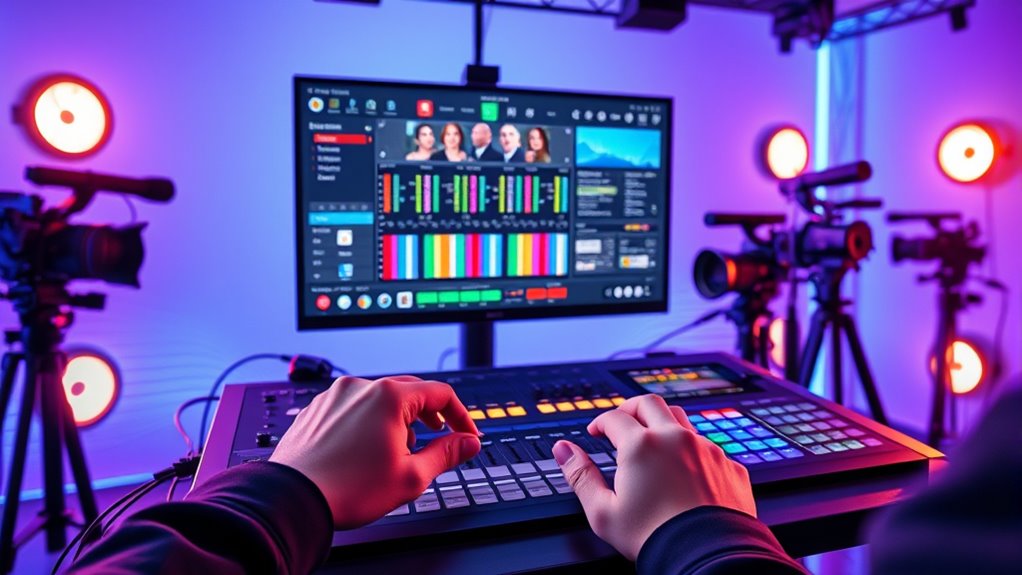
If you’re looking for the 15 best video switchers for live streaming in 2026, I recommend checking out options like Blackmagic’s ATEM Mini Pro, Roland V-8HD, and FEELWORLD’s L4 for professional quality, along with more portable choices like RGBlink Mini and Ugreen HDMI Switch. These switchers offer a range of features, inputs, and compatibility, so you’ll find something for every need. If you keep going, you’ll discover how to choose the perfect one for your setup.
Key Takeaways
- Includes a diverse selection of professional and portable switchers suitable for various live streaming needs.
- Highlights features like multi-format support, transition effects, and multi-platform connectivity.
- Covers essential audio, recording, and output options for seamless live production.
- Offers models with advanced visual effects, layouts, and customizable scene management.
- Provides options across different price ranges to fit budget and feature requirements.
| Blackmagic Design ATEM Mini Pro HDMI Live Stream Switcher (SWATEMMINIBPR) | 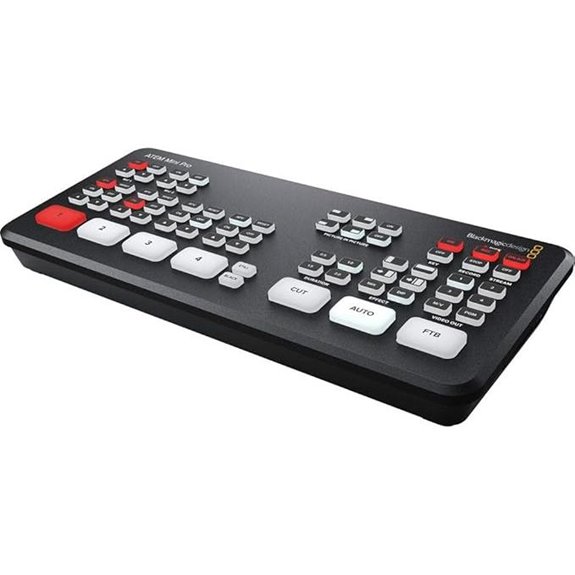 | Best Overall | Input Types: 4 HDMI, 2 stereo analog audio, 1 Ethernet, USB-C | Streaming Protocols: Supports RTMP via Ethernet, USB webcam | Control Interface: Hardware knobs, buttons, multiview monitor | VIEW LATEST PRICE | See Our Full Breakdown |
| Osee GoStream HDMI Multi-Camera Video Mixer | 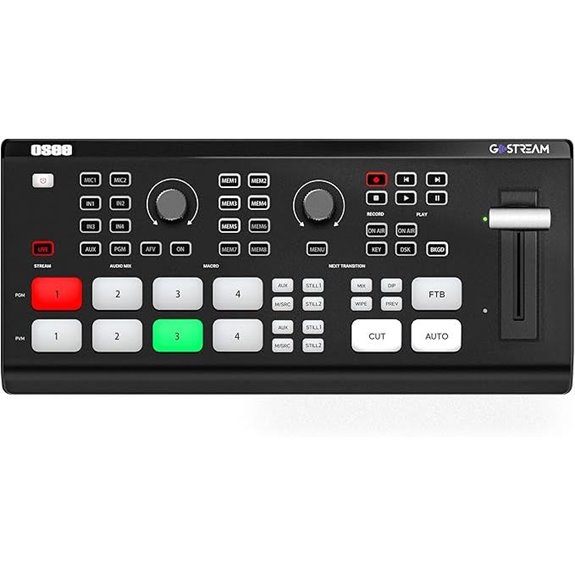 | Most Versatile | Input Types: 4 HDMI, 2 HDMI outputs, 2 Type-C, Ethernet, SD card | Streaming Protocols: RTMP, YouTube, Facebook, Zoom, RTMP servers | Control Interface: Physical panel with buses, T-Bar, macros, menu system | VIEW LATEST PRICE | See Our Full Breakdown |
| Dual 4K HDMI Capture Card for Live Streaming | 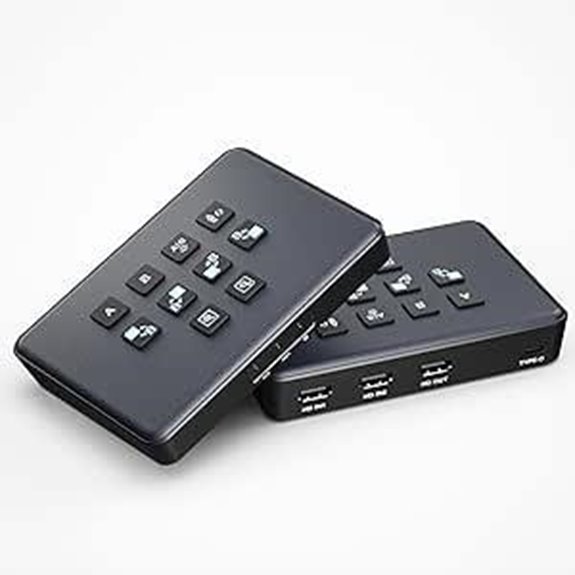 | Budget-Friendly Pick | Input Types: 2 HDMI, 1 HDMI output, USB-C, 3.5mm mic | Streaming Protocols: Compatible with OBS, vMix, YouTube, TikTok, Facebook | Control Interface: USB-C control, software compatible | VIEW LATEST PRICE | See Our Full Breakdown |
| Osee GoStream Deck Pro HDMI Live Stream Switcher | 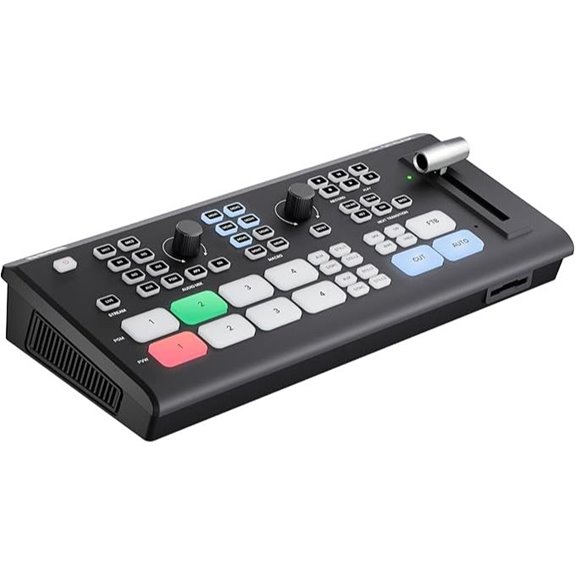 | Professional Grade | Input Types: 4 HDMI, 2 HDMI outputs, 2 Type-C, Ethernet, SD card | Streaming Protocols: RTMP/RTSP, SRT, NDI, YouTube, Facebook | Control Interface: Physical controls, T-Bar, macros, multi-source support | VIEW LATEST PRICE | See Our Full Breakdown |
| RGBlink Mini HDMI Video Mixer & Live Stream Switcher | 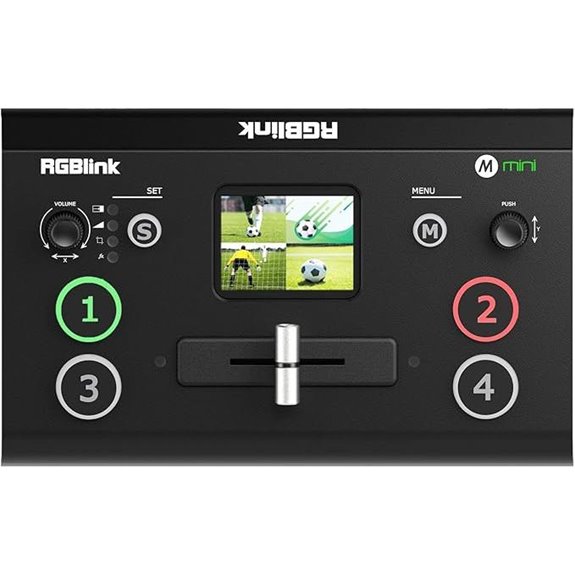 | High-Performance | Input Types: 4 HDMI, USB 3.0, compatible with multiple sources | Streaming Protocols: RTMP, RTMPS, multi-platform streaming | Control Interface: 5.5″ LCD, buttons, knobs, scene presets | VIEW LATEST PRICE | See Our Full Breakdown |
| UGREEN 5-Port 4K HDMI Switch with Remote | 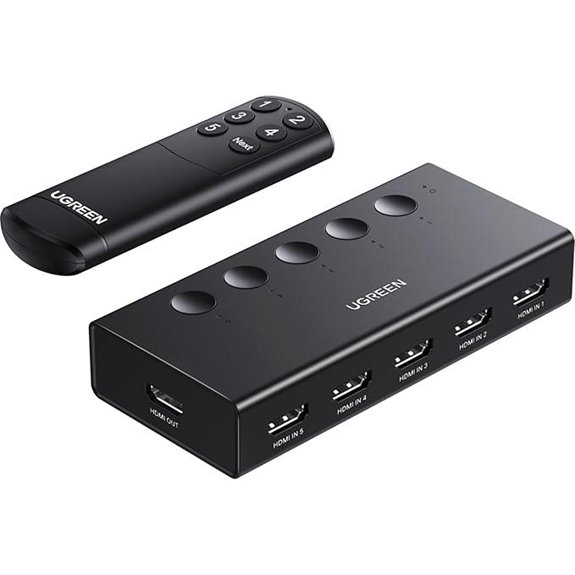 | Beginner Friendly | Input Types: 5 HDMI in, 1 HDMI out, remote control | Streaming Protocols: RTMP, RTMPS, Facebook, YouTube | Control Interface: Remote control, manual buttons, LED indicators | VIEW LATEST PRICE | See Our Full Breakdown |
| Osee GoStream Duet Video Mixer Switcher | 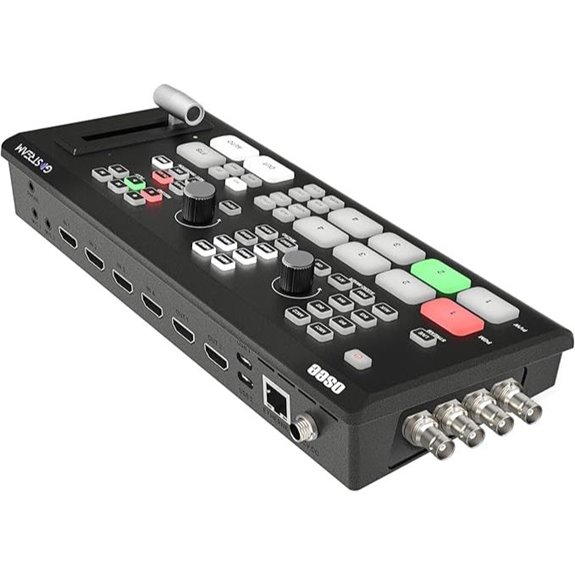 | Multi-Source Powerhouse | Input Types: 4 SDI, 4 HDMI, USB-C, NDI HX, SD/SSD | Streaming Protocols: RTMP, YouTube, Facebook, Twitch, TikTok | Control Interface: Built-in GUI, software control, hardware buttons | VIEW LATEST PRICE | See Our Full Breakdown |
| Osee GoStream Duet 8 ISO Video Switcher | 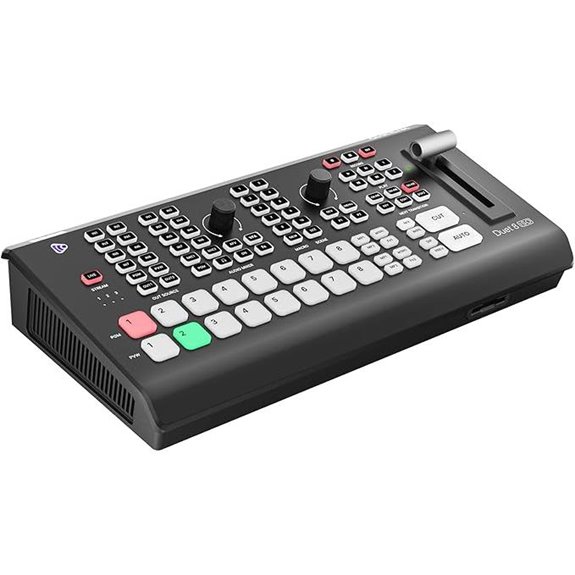 | All-in-One Solution | Input Types: 4 HDMI/SDI, 2 USB, Ethernet, audio, SD card | Streaming Protocols: RTMP, RTMPS, YouTube, Facebook, Twitch | Control Interface: Physical panel, touchscreen, macros, bus controls | VIEW LATEST PRICE | See Our Full Breakdown |
| 4-Channel HDMI Video Mixer & Switcher for Live Streaming | 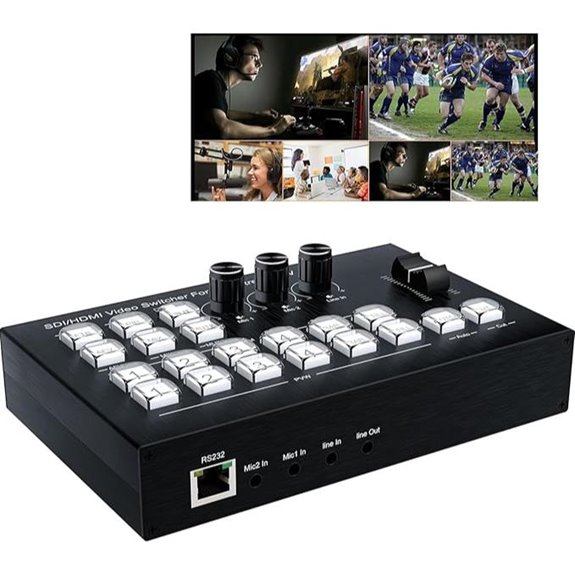 | Compact Power | Input Types: 4 HDMI, 4 SDI, USB-C, MP4, SRT/RTMP streams | Streaming Protocols: RTMP, RTMPS, YouTube, Facebook, TikTok | Control Interface: 5.5″ LCD, buttons, knobs, T-Bar, preset scenes | VIEW LATEST PRICE | See Our Full Breakdown |
| Tenveo 4K60FPS HDMI & SDI Video Switcher |  | Advanced Features | Input Types: 4 HDMI, 4 SDI, USB, multiple streams, PTZ control | Streaming Protocols: RTMP, SRT, RTSP, YouTube, Facebook | Control Interface: 5.5″ LCD, physical buttons, T-Bar, preset scenes | VIEW LATEST PRICE | See Our Full Breakdown |
| Osee GoStream Duet Pro Multi-Camera Streaming Kit | 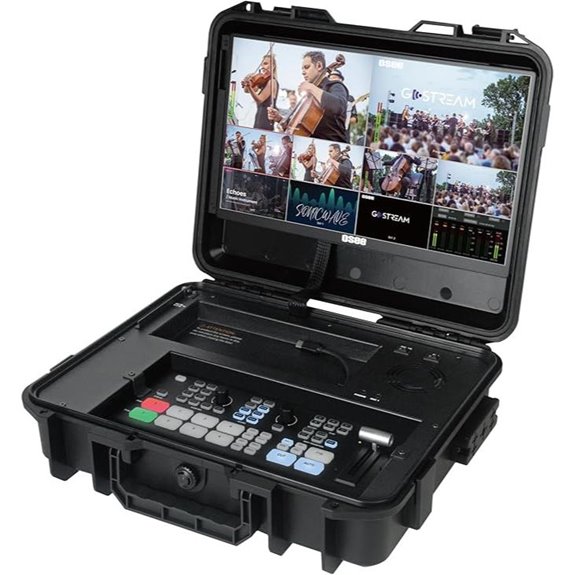 | Portable Convenience | Input Types: 4 HDMI/SDI, 2 USB, Ethernet, power options | Streaming Protocols: RTMP, RTMPS, YouTube, Facebook, Twitch | Control Interface: Integrated monitor, physical buttons, portable design | VIEW LATEST PRICE | See Our Full Breakdown |
| FoMaKo 4K HDMI Video Mixer Switcher with LCD | 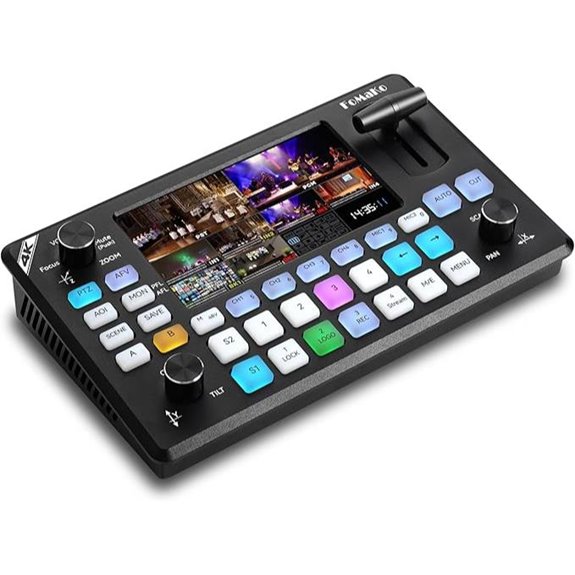 | Touchscreen Ease | Input Types: 4 HDMI, 1 HDMI out, 1 multi-view, UVC, IP streaming | Streaming Protocols: RTMP, RTMPS, YouTube, Facebook, multiple platforms | Control Interface: Touchscreen, physical buttons, remote control | VIEW LATEST PRICE | See Our Full Breakdown |
| FEELWORLD L4 10.1-Inch Touch Screen Video Switcher | 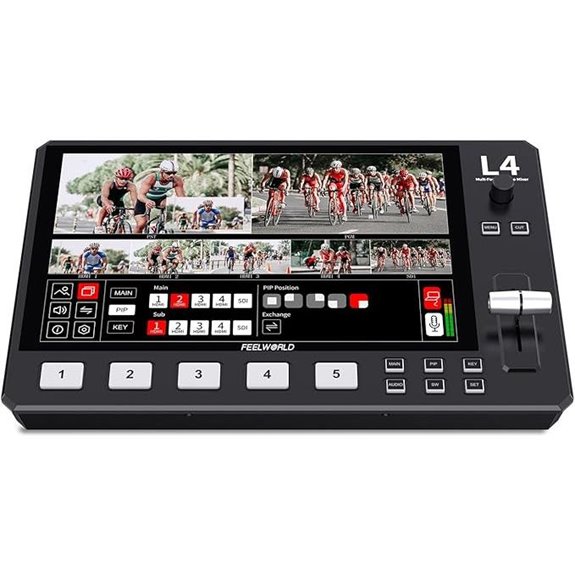 | User-Friendly Design | Input Types: 4 HDMI, 1 HDMI out, SDI, USB3.0, chroma key | Streaming Protocols: RTMP, RTMPS, YouTube, Facebook, Instagram | Control Interface: Touchscreen, physical controls, overlay management | VIEW LATEST PRICE | See Our Full Breakdown |
| Roland V-8HD HD Video Switcher for Live Events | 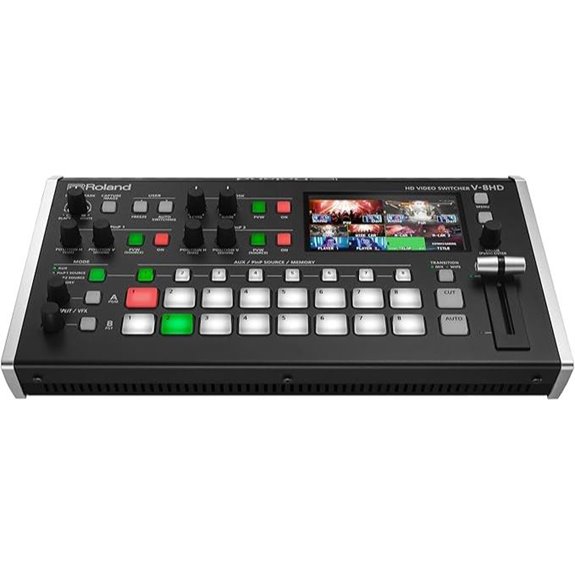 | Studio-Quality | Input Types: 8 HDMI/SDI, USB, Ethernet, effects | Streaming Protocols: RTMP, RTMPS, YouTube, Facebook, Twitch | Control Interface: Software control, physical buttons, macros | VIEW LATEST PRICE | See Our Full Breakdown |
| FEELWORLD L1 V1 Multi-Camera Video Mixer Switcher |  | Professional Broadcast | Input Types: 4 HDMI, 1 SDI, USB, multi-input, effects | Streaming Protocols: RTMP, RTMPS, YouTube, Facebook, TikTok | Control Interface: Touchscreen, physical buttons, preset controls | VIEW LATEST PRICE | See Our Full Breakdown |
More Details on Our Top Picks
Blackmagic Design ATEM Mini Pro HDMI Live Stream Switcher (SWATEMMINIBPR)
If you’re looking for a versatile switcher that’s perfect for multicamera live streaming and broadcasts, the Blackmagic Design ATEM Mini Pro HDMI Live Stream Switcher is an excellent choice. It supports four HDMI inputs with 10-bit color, allowing me to monitor all feeds simultaneously using the multiview. I can switch between cameras with various alternatives like dip, wipe, or DVE effects, plus add overlays with upstream and downstream keyers. Its built-in 6-input audio mixer manages sound seamlessly, and the USB-C port allows me to connect as a webcam. Plus, its compact design makes it ideal for education, business, or eSports.
- Input Types:4 HDMI, 2 stereo analog audio, 1 Ethernet, USB-C
- Streaming Protocols:Supports RTMP via Ethernet, USB webcam
- Control Interface:Hardware knobs, buttons, multiview monitor
- Effects & Transitions:Multiple transitions, keying, DVE effects
- Video Outputs:HDMI PGM, multiview, USB-C webcam
- Audio Features:Embedded HDMI, analog stereo, built-in mixer
- Additional Feature:4-camera multiview display
- Additional Feature:Built-in audio mixer
- Additional Feature:USB webcam output
Osee GoStream HDMI Multi-Camera Video Mixer
The Osee GoStream HDMI Multi-Camera Video Mixer stands out for its versatile connectivity options, making it an excellent choice for live streamers who need to manage multiple media sources seamlessly. It features four HDMI inputs and two HDMI outputs, along with two Type-C ports for webcams, SSDs, or PCs. Its Ethernet port supports multi-platform streaming, while NDI HX input offers additional flexibility. The mixer also includes audio controls, headphone monitoring, and recording capabilities via SD card or USB SSD. With support for both landscape and portrait modes, plus graphics overlays and auto-switching, it delivers professional-quality live production in a compact, user-friendly package.
- Input Types:4 HDMI, 2 HDMI outputs, 2 Type-C, Ethernet, SD card
- Streaming Protocols:RTMP, YouTube, Facebook, Zoom, RTMP servers
- Control Interface:Physical panel with buses, T-Bar, macros, menu system
- Effects & Transitions:Effects, keyers, PIP, auto-switching
- Video Outputs:HDMI, multiview, USB streaming
- Audio Features:Multiple audio inputs, effects, high-quality audio
- Additional Feature:Dual video windows
- Additional Feature:Graphics overlay support
- Additional Feature:Built-in menu system
Dual 4K HDMI Capture Card for Live Streaming
For streamers and content creators seeking high-quality visuals without complicated setups, a dual 4K HDMI capture card offers an ideal solution. It features two HDMI 4K60 inputs, allowing you to connect two cameras or gaming devices simultaneously. The device supports 4K60 input but outputs at 1080P 60fps, ensuring smooth streaming. Its USB-C port connects easily to laptops, and built-in audio ports enable voice integration with microphones or headsets. With plug-and-play design, it’s compatible across multiple platforms and streaming software. Its low latency and versatile layout options make it perfect for live gaming, conferencing, or content creation, all in a compact form.
- Input Types:2 HDMI, 1 HDMI output, USB-C, 3.5mm mic
- Streaming Protocols:Compatible with OBS, vMix, YouTube, TikTok, Facebook
- Control Interface:USB-C control, software compatible
- Effects & Transitions:Effects, PIP, picture layouts
- Video Outputs:HDMI output, USB-C, HDMI input
- Audio Features:3.5mm mic, external mic support
- Additional Feature:Ultra-low latency
- Additional Feature:Plug-and-play design
- Additional Feature:Supports PiP effects
Osee GoStream Deck Pro HDMI Live Stream Switcher
With its extensive connectivity options, the Osee GoStream Deck Pro HDMI Live Stream Switcher stands out as an ideal choice for professional streamers who demand seamless integration of multiple devices. It features 4 HDMI inputs and 2 HDMI outputs, supporting various media sources and monitor setups. The device includes 2 Type-C ports for webcams, an Ethernet port for live streaming, and audio inputs for monitoring and recording. Its SD card slot allows for recording or playback. With customizable macro buttons, versatile transition effects, and multi-source support, it offers a thorough, intuitive control hub that elevates live production quality. This switcher truly combines flexibility with professional-grade features.
- Input Types:4 HDMI, 2 HDMI outputs, 2 Type-C, Ethernet, SD card
- Streaming Protocols:RTMP/RTSP, SRT, NDI, YouTube, Facebook
- Control Interface:Physical controls, T-Bar, macros, multi-source support
- Effects & Transitions:Transition effects, keyers, chroma key
- Video Outputs:HDMI, multiview, USB
- Audio Features:Audio embedding, mixing, effects
- Additional Feature:Macro button customization
- Additional Feature:T-Bar transition control
- Additional Feature:Multi-source support
RGBlink Mini HDMI Video Mixer & Live Stream Switcher
If you’re looking for a compact, easy-to-use switcher that packs powerful features, the RGBlink Mini HDMI Video Mixer & Live Stream Switcher is an excellent choice. It offers four HDMI inputs with 2K resolution, supporting real-time streaming to platforms like Facebook, YouTube, and TikTok. You can broadcast six pictures simultaneously and enjoy 14 transition effects plus nine picture-in-picture layouts. Its USB 3.0 connection makes it compatible with OBS and Vmix, while LAN control allows remote operation. Designed for solo creators and professionals, it’s portable, easy to set up, and enhances live production quality with onboard recording and versatile signal management.
- Input Types:4 HDMI, USB 3.0, compatible with multiple sources
- Streaming Protocols:RTMP, RTMPS, multi-platform streaming
- Control Interface:5.5″ LCD, buttons, knobs, scene presets
- Effects & Transitions:14 transitions, PIP, multi-source overlays
- Video Outputs:HDMI PGM, multi-view, USB webcam
- Audio Features:Built-in audio mixer, embedding, de-embedding
- Additional Feature:6 picture simultaneous broadcast
- Additional Feature:14 transition effects
- Additional Feature:Remote control via LAN
UGREEN 5-Port 4K HDMI Switch with Remote
The UGREEN 5-Port 4K HDMI Switch with Remote stands out as an ideal choice for gamers and streamers seeking seamless device switching without automatic toggling. It easily connects multiple gaming consoles, streaming devices, or computers to one TV or monitor, supporting a wide range of HDMI sources like PS5, Xbox, Switch, Roku, and more. With support for 4K@60Hz and backward compatibility, it guarantees high-quality video and audio. The switch features manual buttons and a remote control with a 33-foot range, making device selection simple. Its USB-powered design assures stable performance, perfect for smooth gameplay and streaming sessions.
- Input Types:5 HDMI in, 1 HDMI out, remote control
- Streaming Protocols:RTMP, RTMPS, Facebook, YouTube
- Control Interface:Remote control, manual buttons, LED indicators
- Effects & Transitions:DIP, WIPE, MIX, PIP, chroma key
- Video Outputs:HDMI out, multiview, remote control
- Audio Features:Audio control, mic input, headphone monitoring
- Additional Feature:Supports automatic/manual switching
- Additional Feature:5 LED indicators
- Additional Feature:33ft remote range
Osee GoStream Duet Video Mixer Switcher
For streamers seeking versatility and professional-quality production, the Osee GoStream Duet Video Mixer Switcher stands out by supporting unlimited inputs, including SDI, HDMI, USB-C, and NDI HX sources. It’s compatible with both landscape and portrait orientations, making setup flexible. You can control it easily via the built-in GUI, computer software for Mac and Windows, or Bitfocus Companion. It offers rich key effects like Chroma Key, PIP, and DSK, plus multiple changeover options such as Wipe and T-Bar. Supporting up to three streams simultaneously, it’s an affordable all-in-one solution that combines multiple functions in a compact device—perfect for professional live streaming.
- Input Types:4 SDI, 4 HDMI, USB-C, NDI HX, SD/SSD
- Streaming Protocols:RTMP, YouTube, Facebook, Twitch, TikTok
- Control Interface:Built-in GUI, software control, hardware buttons
- Effects & Transitions:Effects, keyers, transition effects, PIP
- Video Outputs:HDMI, SDI, multi-view, USB
- Audio Features:Multiple audio inputs, professional effects
- Additional Feature:Unlimited input support
- Additional Feature:NDI support (free activation)
- Additional Feature:Multiple power options
Osee GoStream Duet 8 ISO Video Switcher
The Osee GoStream Duet 8 ISO Video Switcher stands out with its flexible 8-input configuration, making it an ideal choice for live streamers who need seamless integration of multiple sources. It supports various inputs, including SDI, HDMI, webcams, NDI-HX, MP4 players, and SRT/RTMP streams, allowing versatile connectivity without external converters. Its ability to record in MP4 formats and support for program and ISO channels enhances professional workflows. With professional audio inputs, multiple layout options, overlays, and auto-switching, it delivers a broadcast-quality experience. Plus, web browser control and firmware updates guarantee ongoing flexibility and performance for live productions.
- Input Types:4 HDMI/SDI, 2 USB, Ethernet, audio, SD card
- Streaming Protocols:RTMP, RTMPS, YouTube, Facebook, Twitch
- Control Interface:Physical panel, touchscreen, macros, bus controls
- Effects & Transitions:Effects, chroma key, overlays, transitions
- Video Outputs:HDMI, SDI, multiview, USB
- Audio Features:4 HDMI/SDI audio, XLR, 3.5mm, mixer
- Additional Feature:8-channel ISO recording
- Additional Feature:Multi-source layouts
- Additional Feature:Web browser control
4-Channel HDMI Video Mixer & Switcher for Live Streaming
If you’re looking for a reliable switcher to handle multiple HD sources seamlessly, a 4-channel HDMI video mixer is an excellent choice. It supports four HDMI inputs, making it easy to switch between cameras, computers, and media players quickly and smoothly. With two HDMI outputs, you can preview and broadcast simultaneously, ensuring precise control over your stream. It supports 4K/30Hz input and delivers high-definition output at 1080p, maintaining excellent visual quality. Plus, it functions as a digital audio mixer, blending multiple sound sources for balanced, synchronized audio. Its versatile switching modes, including PiP and dual screens, make it ideal for professional live streaming setups.
- Input Types:4 HDMI, 4 SDI, USB-C, MP4, SRT/RTMP streams
- Streaming Protocols:RTMP, RTMPS, YouTube, Facebook, TikTok
- Control Interface:5.5″ LCD, buttons, knobs, T-Bar, preset scenes
- Effects & Transitions:Effects, PIP, keyers, scene transitions
- Video Outputs:HDMI, SDI, multi-view, USB
- Audio Features:Multiple audio inputs, mixing, effects
- Additional Feature:Digital audio mixer
- Additional Feature:Dual display modes
- Additional Feature:Seamless switching
Tenveo 4K60FPS HDMI & SDI Video Switcher
The Tenveo 4K60FPS HDMI & SDI Video Switcher stands out as an ideal choice for professional broadcasters and live production teams seeking seamless multi-camera control and high-quality streaming. It supports up to four HDMI inputs, including two at 4K60FPS, and four SDI inputs, offering versatile connectivity for diverse setups. With dual streaming options and real-time monitoring, it simplifies complex productions. The switcher also manages up to four PTZ cameras with auto-detection and customizable controls, enabling dynamic live streams. Its advanced effects, transitions, and multi-window capabilities ensure professional-level broadcasts. The intuitive control panel and extensive audio processing make it a reliable, all-in-one solution for high-end live streaming needs.
- Input Types:4 HDMI, 4 SDI, USB, multiple streams, PTZ control
- Streaming Protocols:RTMP, SRT, RTSP, YouTube, Facebook
- Control Interface:5.5″ LCD, physical buttons, T-Bar, preset scenes
- Effects & Transitions:36 effects, scene transitions, keyers
- Video Outputs:HDMI, SDI, multi-view, USB
- Audio Features:Multiple audio inputs, mixer, effects
- Additional Feature:4K60FPS support
- Additional Feature:Dual-streaming capability
- Additional Feature:PTZ camera control
Osee GoStream Duet Pro Multi-Camera Streaming Kit
Designed for mobile and professional live streaming setups, the Osee GoStream Duet Pro Multi-Camera Streaming Kit offers a compact, all-in-one solution that combines a versatile switcher, recorder, and player. Its lightweight design (~5kg) and durable build make it perfect for on-the-go use. It features 4 HDMI/SDI inputs, 2 HDMI outputs, and 2 USB ports for cameras and streaming software like OBS or Vmix. The kit supports multiple power options, including AC, DC, and USB power banks, with a built-in USB DC output for connected devices. Its expandability, multiview monitoring, and NDI support make it a flexible, professional choice for multi-camera live production.
- Input Types:4 HDMI/SDI, 2 USB, Ethernet, power options
- Streaming Protocols:RTMP, RTMPS, YouTube, Facebook, Twitch
- Control Interface:Integrated monitor, physical buttons, portable design
- Effects & Transitions:Effects, transition options, multi-source overlays
- Video Outputs:HDMI, SDI, multiview, USB
- Audio Features:XLR, mic/line inputs, studio-grade
- Additional Feature:Portable lightweight design
- Additional Feature:Built-in USB DC power
- Additional Feature:Expandable with accessories
FoMaKo 4K HDMI Video Mixer Switcher with LCD
For professional live streamers seeking versatility and high-quality output, the FoMaKo 4K HDMI Video Mixer Switcher with LCD stands out as a top choice. It supports 4K60FPS input and loop-through, ensuring crisp, low-latency streaming. With multiple HDMI inputs, USB streaming, and Ethernet options, it offers flexible broadcasting to platforms like YouTube and Facebook. The device features advanced effects, multi-camera control, and a user-friendly 5.5-inch LCD with dedicated buttons and knobs. Plus, it records directly to USB drives and includes a 3-year warranty and online training. This mixer truly combines professional features with ease of use for high-level live production.
- Input Types:4 HDMI, 1 HDMI out, 1 multi-view, UVC, IP streaming
- Streaming Protocols:RTMP, RTMPS, YouTube, Facebook, multiple platforms
- Control Interface:Touchscreen, physical buttons, remote control
- Effects & Transitions:Overlays, effects, scene presets, keyers
- Video Outputs:HDMI, SDI, multi-view, USB
- Audio Features:Multiple audio inputs, mixing, professional quality
- Additional Feature:3-year warranty
- Additional Feature:Multi-platform streaming
- Additional Feature:Real-time recording
FEELWORLD L4 10.1-Inch Touch Screen Video Switcher
If you need a versatile and easy-to-use switcher for live streaming, the FEELWORLD L4 stands out with its 10.1-inch touchscreen interface that offers real-time previews and intuitive controls. It supports five input sources, including HDMI and SDI, with full touch and physical buttons for seamless switching via a T-bar. The L4 handles multiple formats—720p, 1080p, 4K—and offers HDMI, SDI, and USB outputs, making it highly adaptable. It also features chroma keying and logo overlay options, perfect for professional broadcasts. Overall, it’s a user-friendly device that simplifies multi-camera live streaming workflows.
- Input Types:4 HDMI, 1 HDMI out, SDI, USB3.0, chroma key
- Streaming Protocols:RTMP, RTMPS, YouTube, Facebook, Instagram
- Control Interface:Touchscreen, physical controls, overlay management
- Effects & Transitions:Keyers, chroma, overlay effects, transitions
- Video Outputs:HDMI, SDI, USB, overlay output
- Audio Features:Microphone inputs, phantom power, audio mixing
- Additional Feature:Touchscreen operation
- Additional Feature:Chroma keying
- Additional Feature:Logo overlay feature
Roland V-8HD HD Video Switcher for Live Events
The Roland V-8HD HD Video Switcher stands out for its all-HDMI workflow, making it ideal for live event producers who need seamless integration of multiple sources. Its lightweight, ultra-compact design guarantees portability without sacrificing professional features. Automated switching functions like sequencing, macros, and preset memories streamline operation, while the built-in multi-viewer preview monitor helps with real-time monitoring. It supports various output formats and offers advanced effects, keying, and graphics capabilities, including a new chroma key engine. The 18-channel digital audio mixer with effects and sync delay ensures perfect audio-video synchronization. Plus, the upcoming control software will enhance its flexibility even further.
- Input Types:8 HDMI/SDI, USB, Ethernet, effects
- Streaming Protocols:RTMP, RTMPS, YouTube, Facebook, Twitch
- Control Interface:Software control, physical buttons, macros
- Effects & Transitions:Effects engine, chroma key, picture overlays
- Video Outputs:HDMI, SDI, multi-view, USB
- Audio Features:18-channel digital mixer, effects
- Additional Feature:Built-in multi-viewer
- Additional Feature:Effects engine
- Additional Feature:18-channel audio mixer
FEELWORLD L1 V1 Multi-Camera Video Mixer Switcher
The FEELWORLD L1 V1 Multi-Camera Video Mixer Switcher stands out for its user-friendly design and versatile features, making it an excellent choice for solo live streamers and small production teams. It offers four HDMI inputs supporting 1080p resolution, enabling seamless switching between multiple high-quality camera feeds. Its compact, lightweight build includes mounting options, allowing stable setup. The device supports real-time switching with effects, previewing six sources, and monitoring audio. With a USB 3.0 output, it doubles as a webcam compatible with popular streaming platforms. Remote operation via LAN and easy control make it ideal for dynamic, multi-camera live streaming without complex setups.
- Input Types:4 HDMI, 1 SDI, USB, multi-input, effects
- Streaming Protocols:RTMP, RTMPS, YouTube, Facebook, TikTok
- Control Interface:Touchscreen, physical buttons, preset controls
- Effects & Transitions:Effects, transitions, keyers, overlays
- Video Outputs:HDMI, SDI, USB
- Audio Features:Multiple mic/line inputs, audio mixing, effects
- Additional Feature:Compact design
- Additional Feature:Multi-source effects
- Additional Feature:Solo operation capability
Factors to Consider When Choosing a Video Switcher for Live Streaming
When choosing a video switcher for live streaming, I focus on key factors like device compatibility, video quality, and ease of use. It’s also important to evaluate transition options and how well it handles audio integration. These points help guarantee I select a switcher that meets both my technical needs and workflow preferences.
Compatibility With Devices
Selecting a video switcher that effortlessly integrates with your existing devices is crucial for smooth live streaming. First, verify it supports your input sources, whether HDMI, SDI, USB-C, or NDI, to connect cameras, computers, or other equipment without issues. Next, confirm compatibility with your streaming software, like OBS or vMix, through recognized protocols or virtual webcam features. Check that the switcher’s outputs match your display or streaming platform, such as HDMI, SDI, or USB, for hassle-free connections. It’s also important that the device can handle your sources’ resolution and frame rate, like 4K60Hz or 1080p60, ensuring smooth transitions. Finally, confirm it supports the necessary audio connections and embedded formats, so your audio remains synchronized and high-quality during streams.
Video Quality and Resolution
Ensuring your video switcher can handle high-quality footage is vital for professional live streams. I always check that it supports at least 1080p resolution to deliver clear, sharp images. If you aim for ultra-high-definition streams, a switcher capable of handling 4K or higher resolutions seamlessly is a must. It’s important that the device can process multiple input and output resolutions simultaneously without sacrificing quality or causing lag. Additionally, look for features like HDR, 10-bit color depth, and chroma subsampling (such as 4:2:2 or 4:4:4) to guarantee vibrant, accurate colors. Frame rate compatibility, especially 60fps or higher, is also vital for smooth motion, particularly in fast-paced content like sports or gaming. These factors guarantee a visually stunning and professional broadcast.
Ease of Operation
A video switcher’s ease of operation is essential for smooth live streaming, especially when quick decisions are needed on the fly. An intuitive user interface with clearly labeled controls makes switching seamless for operators of all skill levels. Physical features like dedicated buttons, T-bars, and knobs allow for quick, precise *handoffs* without digging through menus. Built-in preview screens or multi-view layouts enable me to monitor all sources easily before switching, reducing errors. Touchscreen controls and programmable shortcuts can speed up the process and improve efficiency during live production. A user-friendly design minimizes the learning curve, so even new operators can confidently manage the switcher. Overall, the simpler the operation, the smoother the live stream runs, ensuring professional results every time.
Transition and Effects Options
Switching and effects options play a crucial role in creating a polished live stream, as they help smooth the visual flow between scenes and keep viewers engaged. A variety of transition effects like wipes, dissolves, and fades can add a professional touch and make scene changes seamless. Built-in effects such as keying, picture-in-picture (PIP), and pattern overlays allow for creative overlays and scene enhancements that boost production quality. The number and complexity of these effects directly impact viewer engagement, making your stream look more dynamic. Advanced switchers offer customizable transition durations and styles to match your content’s tone and pace. Seamless, automated effects are especially beneficial during fast-paced, multi-camera productions, ensuring a smooth viewing experience without distractions.
Audio Integration Features
When selecting a video switcher for live streaming, it’s important to evaluate its audio integration features, as clear sound can make or break your broadcast. A good switcher should support multiple audio input sources, like embedded HDMI audio, analog stereo, and professional XLR or 3.5mm microphone inputs, giving you flexibility. Features such as built-in audio mixing, EQ, and level controls help maintain sound quality on the fly. Integration of audio de-embedding allows separate processing or routing of audio signals from video sources, which is essential for complex setups. Support for audio delay or sync adjustment ensures your sound stays perfectly synchronized with the video, preventing lip-sync issues. Compatibility with external audio processors or mixers can also greatly enhance your overall audio production during live streams.
Streaming Platform Support
Choosing a video switcher that supports your target streaming platforms is essential for a smooth live broadcast. I always confirm the device can stream to platforms like YouTube, Facebook, or Twitch without issues. It’s important to verify if the switcher supports protocols like RTMP, RTMPS, or NDI, which ensure broad compatibility. If I plan to broadcast to multiple platforms simultaneously, I check that the switcher can handle multi-platform streaming. I also consider how I’ll connect—whether via Ethernet, USB, or Wi-Fi—based on my network setup. Additionally, I stay mindful of software and firmware updates, as these keep the switcher compatible with evolving streaming protocols and platforms. Choosing the right support features guarantees a seamless live stream experience.
Port and Connectivity Options
The connectivity options on a video switcher directly impact how smoothly I can set up and manage my live streams. I look for models with enough HDMI, SDI, or USB ports to connect all my video sources without needing extra adapters. It’s also essential that the switcher supports multiple output types—like HDMI, SDI, and USB—to match my display and streaming hardware seamlessly. Audio input and output options, such as 3.5mm jacks or XLR connections, help me integrate sound effortlessly. I also consider whether the switcher offers multi-view or multichannel monitoring outputs for real-time source management. Finally, ensuring compatibility with my existing devices and platforms, with matching ports for cameras, computers, and streaming gear, makes setup straightforward and reliable.
Price and Budget Considerations
Budget is a key factor that influences which video switcher I can afford and how many features I can access. Switchers range from budget-friendly models under $200 to professional-grade units costing several thousand dollars, impacting overall affordability. I need to take into account my streaming needs and whether a higher-priced switcher offers advanced features that justify the extra cost. Budget constraints may limit the number of inputs, output quality, or integrated features I can get. Some affordable options might lack dedicated support or warranties, affecting long-term reliability. To get the best value, I compare prices across multiple vendors and factor in additional costs like accessories or software. This helps ensure I choose a switcher that fits my budget without sacrificing essential functionality.
Frequently Asked Questions
How Do Different Switchers Handle Multi-Camera Synchronization?
Different switchers handle multi-camera synchronization through various methods like genlock, timestamp alignment, or internal buffering. I find that genlock is the most reliable, as it syncs all cameras to a single reference signal, preventing delays or frame mismatches. Some advanced switchers also use software algorithms to fine-tune sync automatically. Overall, choosing a switcher with built-in sync features guarantees smoother transitions and better live stream quality.
What Are the Latency Differences Between HDMI and SDI Switchers?
HDMI switchers typically have higher latency, around 100 milliseconds or more, which can cause noticeable delays in live production. SDI switchers usually offer lower latency, often under 50 milliseconds, making them better for real-time applications. I’ve found SDI to be more reliable for professional live streaming, especially when timing and synchronization are critical. So, if latency matters, SDI switchers are generally the better choice.
Can These Switchers Integrate With Popular Streaming Platforms?
Imagine your stream as a symphony—seamless and harmonious. These switchers easily integrate with popular streaming platforms like YouTube, Facebook Live, and Twitch, making your workflow smooth. I’ve found they connect effortlessly through standard protocols and software interfaces, ensuring your live broadcasts run without a hitch. Whether you’re streaming from a studio or on the go, these switchers keep you connected, flexible, and ready to engage your audience effortlessly.
Are There Any Compatibility Issues With Specific Camera Brands?
There can be compatibility issues with certain camera brands, especially if they use proprietary connectors or uncommon video formats. I recommend checking the switcher’s supported inputs before purchasing. For example, some switchers work seamlessly with HDMI cameras, while others might need adapters for SDI or USB-C cameras. To avoid surprises, I always verify compatibility with my specific camera model and consider future expandability.
How Scalable Are These Switchers for Large Live Events?
They’re quite like a well-oiled machine, really scalable for large events. I’ve seen top-tier switchers handle multiple camera feeds with ease, supporting dozens of inputs without breaking a sweat. As long as you choose models designed for expansion, you can add more components or feed sources seamlessly. So, don’t worry—these switchers are built to grow with your needs, making them perfect for big productions.
Conclusion
Choosing the right video switcher can transform your live streams. Did you know that 73% of streamers say that reliable switching equipment boosts viewer engagement? Whether you’re just starting out or already live streaming regularly, investing in a switcher tailored to your needs makes all the difference. I hope this list helps you find the perfect fit—so your next broadcast is smooth, professional, and captivates your audience from start to finish.