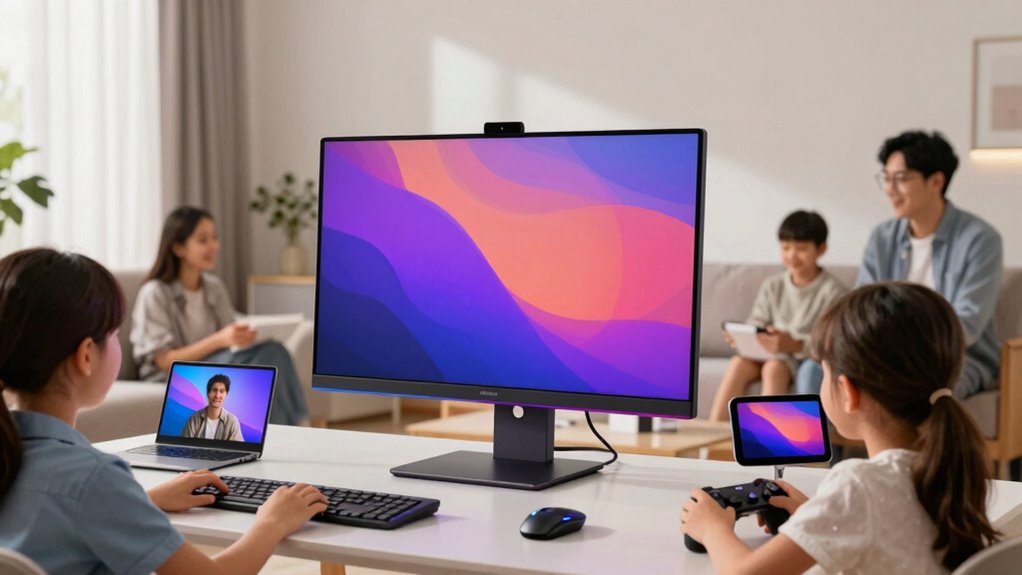

For most households, I’d start with the Dell 27-inch All-in-One: its larger screen and Core 5 processor make it the strongest fit for shared work, school, and video calls. The Lenovo IdeaCentre 24-Inch with 16GB RAM is a more balanced choice for families who want extra memory without stepping up to a 27-inch display, while the HP 21.5-inch All-in-One suits a tighter desk and includes a keyboard and mouse. The main tradeoffs are screen space versus desk footprint, and stronger multitasking capacity versus simpler everyday computing. I compare all eight options by how well their listed features fit shared family use, so keep reading for the full breakdown.

Get the latest gadgets delivered free with Prime
- Fast, free delivery on millions of items
- Prime Video, Amazon Music and more included
- Member-only deals all year
Complete the kit



Key Takeaways
- The Dell 27-inch model has the clearest screen-size advantage for households sharing a computer for homework, documents, and video calls, though its larger footprint may not suit every desk.
- Among the listed configurations, the Lenovo IdeaCentre 24-inch with 16GB RAM offers a useful memory step-up from the 8GB N100 models for families likely to keep several browser tabs and apps open.
- The Lenovo V100 pairs an N100 processor with 512GB SSD storage, a notable combination for families who want room for local files without choosing a more powerful processor.
- The HP 21.5-inch model is the most ready-to-set-up option on paper because it includes a keyboard and mouse, and its compact display can work well on a crowded desk.
- Core i5 labels do not tell the whole story: the MECHAZER, HVLANYN, and Qehi differ in screen size, memory, and storage, so match the full configuration to your family’s workload.
| Lenovo IdeaCentre V100 23.8-Inch All-in-One Desktop, Intel N100, 8GB RAM, 512GB SSD |  | Best for Family File Storage | Processor: Intel N100, 4 cores / 4 threads, up to 3.4GHz | Display: 23.8-inch Full HD (1920 × 1080) anti-glare IPS, 250 nits, non-touch | Memory: 8GB DDR4-3200; supports up to 32GB | VIEW ON AMAZON | See Our Full Breakdown |
| MECHAZER 19-Inch All-in-One Desktop Computer, Core i5, 8GB RAM, 256GB SSD |  | Best Compact Desk Fit | Processor: Core i5, 4 cores, up to 3.7GHz | Display: 19-inch 1080p TN | Memory: 8GB DDR RAM | VIEW ON AMAZON | See Our Full Breakdown |
| Dell 27-inch All-in-One Desktop, FHD, Intel Core 5 120U, Windows 11 Home |  | Best for a Shared Family Screen | Processor: Intel Core 5 120U, 10 cores | Display: 27-inch FHD IPS, 99% sRGB, non-touch | Memory: Not specified | VIEW ON AMAZON | See Our Full Breakdown |
| HP 21.5-Inch FHD All-in-One Desktop with Intel N100, 8GB RAM, 384GB Storage, Windows 11 Home, Keyboard and Mouse |  | Best Ready-to-Use Family Starter | Processor: Intel N100, 4 cores / 4 threads, up to 3.4GHz | Display: 21.5-inch 1920 × 1080 FHD anti-glare VA | Memory: 8GB RAM, as stated in the title | VIEW ON AMAZON | See Our Full Breakdown |
| Lenovo IdeaCentre 24-Inch FHD All-in-One Desktop, Intel N100, 16GB RAM, 256GB SSD |  | Best for Everyday Multitasking | Processor: Intel N100, 4 cores / 4 threads, up to 3.4GHz | Display: 23.8-inch FHD (1920 × 1080) anti-glare IPS, 250 nits | Memory: 16GB RAM; DDR4 is listed, while product details also list DDR5 | VIEW ON AMAZON | See Our Full Breakdown |
| HVLANYN 23.8-Inch All-in-One Desktop Computer, Core i5, 16GB RAM, 512GB SSD |  | Best for Shared Family Multitasking | Display: 23.8-inch Full HD (1920 × 1080) | Processor: Core i5, 4 cores, 3.5 GHz | Memory: 16GB DDR3; maximum 32GB | VIEW ON AMAZON | See Our Full Breakdown |
| Lenovo IdeaCentre 24 All-in-One Desktop Computer |  | Best for Reliable Everyday Family Use | Display: 23.8-inch FHD IPS, 1920 × 1080, anti-glare, 250 nits | Processor: Intel N100, 4 cores, up to 3.4 GHz | Memory: 8GB DDR4 RAM; maximum 32GB | VIEW ON AMAZON | See Our Full Breakdown |
| Qehi 24″ All-in-One Desktop Computer with Intel Core i5, 16GB RAM, 256GB SSD, FHD Display, WiFi 6, and Webcam |  | Best for Family Video Calls | Display: 24-inch (23.82-inch) FHD, 1920 × 1080, anti-glare, tilt adjustable | Processor: Intel Core i5 | Memory: 16GB DDR3 SDRAM, 2666 MHz | VIEW ON AMAZON | See Our Full Breakdown |
| all in one desktop for familie | Processor | Display | Memory | Storage |
|---|---|---|---|---|
| Lenovo IdeaCentre V100 23.8-In | Intel N100, 4 cores / 4 threads, up to 3.4GHz | 23.8-inch Full HD (1920 × 1080) anti-glare IPS, 250 nits, non-touch | 8GB DDR4-3200; supports up to 32GB | 512GB PCIe NVMe M.2 SSD |
| MECHAZER 19-Inch All-in-One De | Core i5, 4 cores, up to 3.7GHz | 19-inch 1080p TN | 8GB DDR RAM | 256GB SSD |
| Dell 27-inch All-in-One Deskto | Intel Core 5 120U, 10 cores | 27-inch FHD IPS, 99% sRGB, non-touch | Not specified | SSD; capacity not specified |
| HP 21.5-Inch FHD All-in-One De | Intel N100, 4 cores / 4 threads, up to 3.4GHz | 21.5-inch 1920 × 1080 FHD anti-glare VA | 8GB RAM, as stated in the title | 384GB, as stated in the title; product details also describe SSD and SD-card expansion |
| Lenovo IdeaCentre 24-Inch FHD | Intel N100, 4 cores / 4 threads, up to 3.4GHz | 23.8-inch FHD (1920 × 1080) anti-glare IPS, 250 nits | 16GB RAM; DDR4 is listed, while product details also list DDR5 | 256GB SSD in title; description mentions configurations up to 2TB PCIe NVMe M.2 SSD |
| HVLANYN 23.8-Inch All-in-One D | Core i5, 4 cores, 3.5 GHz | 23.8-inch Full HD (1920 × 1080) | 16GB DDR3; maximum 32GB | 512GB SSD |
| Lenovo IdeaCentre 24 All-in-On | Intel N100, 4 cores, up to 3.4 GHz | 23.8-inch FHD IPS, 1920 × 1080, anti-glare, 250 nits | 8GB DDR4 RAM; maximum 32GB | 512GB PCIe NVMe M.2 SSD |
| Qehi 24" All-in-One Desktop Co | Intel Core i5 | 24-inch (23.82-inch) FHD, 1920 × 1080, anti-glare, tilt adjustable | 16GB DDR3 SDRAM, 2666 MHz | 256GB SSD |
More Details on Our Top Picks
Lenovo IdeaCentre V100 23.8-Inch All-in-One Desktop, Intel N100, 8GB RAM, 512GB SSD
The Lenovo IdeaCentre V100 is a sensible shared-family choice when a roomy screen and local storage matter more than heavy multitasking. Its 23.8-inch anti-glare IPS display gives homework, video calls, and everyday browsing more space than the MECHAZER’s 19-inch screen, while the 512GB NVMe SSD offers twice the listed capacity of the Lenovo IdeaCentre 24-Inch model here. Wi-Fi 6, Bluetooth 5.2, Gigabit Ethernet, and a USB-C port give the household useful ways to connect devices and accessories.
The tradeoff is its 8GB of RAM and entry-level N100 processor: these suit routine school and home tasks, but can feel limiting with many demanding apps open. Its screen is also non-touch, and the included keyboard and mouse are wired. I’d choose it over the HP when storage clarity and the larger IPS screen matter, but skip it for intensive creative work.
Pros:- 23.8-inch anti-glare IPS screen provides a comfortable shared workspace.
- 512GB PCIe NVMe SSD offers more stated storage than the Lenovo IdeaCentre 24-Inch model.
- Wi-Fi 6, Bluetooth 5.2, Gigabit Ethernet, and USB-C support varied home connections.
- Wired keyboard and mouse are included.
Cons:- 8GB RAM may constrain multitasking as family workloads grow.
- Intel N100 is suited to everyday tasks, not demanding workloads.
- Non-touch screen and wired peripherals offer less flexibility at a shared desk.
Best for: Families sharing one desktop for homework, browsing, video calls, and storing documents or media locally.
Not ideal for: Households that regularly run demanding creative software or expect responsive multitasking across many memory-heavy apps.
- Processor:Intel N100, 4 cores / 4 threads, up to 3.4GHz
- Display:23.8-inch Full HD (1920 × 1080) anti-glare IPS, 250 nits, non-touch
- Memory:8GB DDR4-3200; supports up to 32GB
- Storage:512GB PCIe NVMe M.2 SSD
- Operating system:Windows 11 Home 64-bit
- Wireless:Wi-Fi 6 and Bluetooth 5.2
- Ports:USB-C 10Gbps, 2 USB-A 2.0, 2 USB-A 10Gbps, HDMI-out 1.4b, RJ-45, 3.5mm headset jack
- Camera and audio:HD camera, mono microphone, dual 2W speakers
Our verdict“Choose the V100 for a family that wants a larger IPS screen and clearly specified 512GB storage for everyday home and school use.”
MECHAZER 19-Inch All-in-One Desktop Computer, Core i5, 8GB RAM, 256GB SSD
The MECHAZER’s main family advantage is its 19-inch footprint: it can suit a small study nook or a shared desk where larger all-in-ones would crowd out books and other supplies. Its listed four-core Core i5 contrasts with the Intel N100 processors in the Lenovo V100 and HP 21.5-inch models, but the product details do not specify enough about the chip generation to treat that name alone as a guarantee of stronger everyday performance. Wi-Fi 6, Bluetooth 5.3, and a generous spread of USB and video connections add practical flexibility.
The compromises are more significant for a family than the compact size suggests. The TN panel may look less consistent from different viewing angles than the IPS screen on the Dell 27-inch, and the computer ships with DOS rather than Windows. That means families should plan for an operating-system setup rather than expecting a ready-to-use Windows desktop. I’d pick it only when desk space is the leading priority.
Pros:- Compact 19-inch all-in-one can fit a tight homework station.
- Includes wired keyboard and mouse.
- Wi-Fi 6 and Bluetooth 5.3 provide current wireless connectivity.
- HDMI, VGA, Ethernet, and multiple USB ports support varied peripherals.
Cons:- Ships with DOS, so Windows is not included as a ready-to-use operating system.
- TN display may have weaker off-angle viewing than the lineup’s IPS alternatives.
- 256GB SSD and 8GB RAM leave less room for a growing family library and heavy multitasking.
Best for: Families with a very small desk who can handle installing or supplying an operating system.
Not ideal for: Parents seeking a ready-to-use Windows computer or a screen that works comfortably for several viewers at once.
- Processor:Core i5, 4 cores, up to 3.7GHz
- Display:19-inch 1080p TN
- Memory:8GB DDR RAM
- Storage:256GB SSD
- Operating system:DOS
- Wireless:Wi-Fi 6 and Bluetooth 5.3
- Ports:HDMI, VGA, 2 USB 3.0, 4 USB 2.0, Ethernet, dual audio
- Included accessories:Wired keyboard and mouse
Our verdict“Choose the MECHAZER only if a compact screen is essential and your household is prepared to set up its own operating system.”
Dell 27-inch All-in-One Desktop, FHD, Intel Core 5 120U, Windows 11 Home
The Dell is the lineup’s clearest choice for families who want everyone to see the screen comfortably. Its 27-inch FHD IPS display provides more room for side-by-side homework, shared browsing, or a video call than the 23.8-inch Lenovo V100, and ComfortView Plus reduces blue-light emissions. The 5MP+IR HDR camera has a pop-up privacy cover, while Dolby Atmos audio and a stand that stores the keyboard help keep a shared space tidy. A 10-core Intel Core 5 120U also gives it a more capable stated processor configuration than the N100-based systems here.
That larger-screen experience comes with a key information gap: memory and SSD capacity are unspecified. Families cannot judge upgrade headroom or file space from the supplied details, so I would verify the configuration before choosing it over the V100’s explicit 8GB and 512GB. The display is non-touch, too. This Dell makes most sense when viewing space and its camera matter more than clearly stated storage capacity.
Pros:- 27-inch FHD IPS screen gives multiple family members more viewing space than the smaller all-in-ones.
- 5MP+IR HDR camera includes a pop-up privacy cover.
- ComfortView Plus and Dolby Atmos audio suit regular viewing and calls.
- Stand stores the keyboard to help keep a shared desk clear.
Cons:- Memory and SSD capacity are not specified in the supplied product details.
- Non-touch display lacks the direct interaction some families may prefer.
- Large screen takes more desk space than the Lenovo V100 or HP 21.5-inch model.
Best for: Families who share the screen for homework, video calls, and everyday tasks and want a larger viewing area.
Not ideal for: Buyers who need confirmed memory and storage capacity before choosing, or who want a touch display.
- Processor:Intel Core 5 120U, 10 cores
- Display:27-inch FHD IPS, 99% sRGB, non-touch
- Memory:Not specified
- Storage:SSD; capacity not specified
- Operating system:Windows 11 Home
- Camera:5MP+IR HDR camera with pop-up privacy cover
- Audio:Dual Bluetooth speakers with Dolby Atmos
- Ports:5 USB ports and 2 HDMI ports
Our verdict“Pick the Dell when a large shared screen and privacy-conscious camera matter more than having memory and storage capacity stated upfront.”
HP 21.5-Inch FHD All-in-One Desktop with Intel N100, 8GB RAM, 384GB Storage, Windows 11 Home, Keyboard and Mouse
The HP is a straightforward pick for families who want a Windows desktop with basic accessories included and no unusually large screen to accommodate. Its 21.5-inch anti-glare FHD display and tilting stand make it easier to position for a child’s homework spot than a fixed-angle screen, while the supplied keyboard and mouse help a household get started. Unlike the MECHAZER, it includes Windows 11 Home, and its Wi-Fi 6, HDMI, Ethernet, and USB-C connection give it useful options for home networking and peripherals.
Its N100 processor and integrated graphics are best kept to routine browsing, schoolwork, and video calls; the Dell 27-inch has a more capable stated processor for heavier workloads. There is also a configuration ambiguity: the listing gives 8GB RAM and 384GB storage, while describing SSD and SD-card expansion without clearly resolving the exact storage arrangement. I’d favor the Lenovo V100 if a larger IPS screen and clearly stated SSD capacity matter more.
Pros:- Windows 11 Home, keyboard, and mouse are included.
- Anti-glare Full HD display and tilting stand support a flexible homework setup.
- Wi-Fi 6, USB-C, HDMI, and Ethernet cover common home connections.
- DTS-tuned speakers and a 720p webcam are built in.
Cons:- Listing does not clearly resolve the stated 384GB storage configuration or how SSD and SD-card expansion are arranged.
- Intel N100 and integrated graphics are intended for everyday tasks, not demanding workloads.
- 8GB RAM may restrict heavier multitasking.
Best for: Families seeking a Windows-based desktop for schoolwork and everyday home tasks, with keyboard, mouse, and adjustable viewing angle included.
Not ideal for: Households that need a confirmed storage configuration or plan to run demanding games and creative applications.
- Processor:Intel N100, 4 cores / 4 threads, up to 3.4GHz
- Display:21.5-inch 1920 × 1080 FHD anti-glare VA
- Memory:8GB RAM, as stated in the title
- Storage:384GB, as stated in the title; product details also describe SSD and SD-card expansion
- Operating system:Windows 11 Home
- Camera and audio:720p front-facing camera and DTS-tuned speakers
- Connectivity:Wi-Fi 6 and Bluetooth
- Ports:USB-C 3.1, 2 USB-A 2.0, 2 USB-A 3.0, Ethernet, HDMI, headphone/microphone combo jack
Our verdict“Choose the HP as a practical Windows starter for routine family use, but confirm the storage configuration before buying.”
Lenovo IdeaCentre 24-Inch FHD All-in-One Desktop, Intel N100, 16GB RAM, 256GB SSD
Among the N100-based desktops in this group, this Lenovo’s stated 16GB of RAM gives it the strongest case for a family that keeps several browser tabs, school documents, and communication apps open together. The 23.8-inch anti-glare IPS display matches the V100’s screen size, while Wi-Fi 6, Bluetooth 5.2, Windows 11 Home, built-in speakers, webcam, and wired keyboard and mouse cover the everyday basics. Compared with the V100, it trades some stated storage capacity for more memory on paper.
That comparison needs caution: the supplied listing conflicts on memory type and camera details, and its title says 256GB SSD while the description mentions configurations up to 2TB. I would confirm the exact configuration before purchase. The N100 is still an entry-level processor, so the extra RAM does not make this a demanding-workload machine; the Dell 27-inch has a more capable stated processor, though its memory and storage are also unspecified. Choose this Lenovo for routine multitasking only after verifying the listing.
Pros:- 16GB RAM is more generous on paper than the 8GB listed for the V100 and HP.
- 23.8-inch anti-glare IPS display suits shared home and school use.
- Windows 11 Home and wired keyboard and mouse are included.
- Wi-Fi 6, Bluetooth 5.2, Ethernet, webcam, and speakers are built in.
Cons:- Listing conflicts on memory type and camera specifications.
- Title states 256GB SSD, while the description refers to configurations up to 2TB.
- Intel N100 remains an entry-level processor despite the higher stated memory.
Best for: Families who keep multiple school and household apps open and prefer more stated RAM over the V100’s larger listed SSD.
Not ideal for: Buyers who need unambiguous specifications, substantial confirmed local storage, or performance for demanding creative work.
- Processor:Intel N100, 4 cores / 4 threads, up to 3.4GHz
- Display:23.8-inch FHD (1920 × 1080) anti-glare IPS, 250 nits
- Memory:16GB RAM; DDR4 is listed, while product details also list DDR5
- Storage:256GB SSD in title; description mentions configurations up to 2TB PCIe NVMe M.2 SSD
- Operating system:Windows 11 Home
- Camera and audio:5MP AI camera with IR listed in product information; HD camera also listed in description; dual 2W speakers
- Connectivity:Wi-Fi 6, Bluetooth 5.2, Gigabit Ethernet
- Ports:4 USB-A, HDMI-out, RJ-45 Ethernet, 3.5mm headphone/microphone combo jack
Our verdict“Consider this Lenovo for everyday family multitasking if the seller confirms the RAM and storage configuration you will receive.”
HVLANYN 23.8-Inch All-in-One Desktop Computer, Core i5, 16GB RAM, 512GB SSD
The HVLANYN is the strongest fit here for a household that expects several everyday tasks to run at once: 16GB of RAM and a 512GB SSD give it more working room than the Lenovo IdeaCentre 24’s 8GB of memory. Its 23.8-inch Full HD display keeps the footprint suited to a family desk, while the included keyboard and mouse make setup straightforward. The listing identifies a four-core Core i5 but not its exact model, and the DDR3 memory is older than the Lenovo’s DDR4. That makes the processor claim harder to compare and leaves a less modern memory platform. I’d choose it over the Lenovo when multitasking capacity matters more than newer wireless standards; families who want a built-in webcam or specified Wi-Fi 6 should look at the Qehi instead.
Pros:- 16GB RAM gives shared users more room for simultaneous everyday applications than 8GB options.
- 512GB SSD offers more space for family files and apps than the Qehi’s 256GB SSD.
- 23.8-inch Full HD screen provides a practical size for schoolwork and shared viewing.
- Keyboard and mouse are included, reducing the number of separate setup purchases.
Cons:- DDR3 memory is an older platform than the DDR4 RAM in the Lenovo IdeaCentre 24.
- The listing does not identify the exact Core i5 model, limiting processor comparisons.
- No built-in webcam is specified, which may be inconvenient for family video calls.
Best for: Families sharing one desktop for schoolwork, browsing, video streaming, and several open applications who want 16GB of memory and 512GB of storage.
Not ideal for: Buyers who want a clearly identified processor model, newer DDR4 memory, or a listed built-in webcam; the Core i5 model is unspecified and the RAM is DDR3.
- Display:23.8-inch Full HD (1920 × 1080)
- Processor:Core i5, 4 cores, 3.5 GHz
- Memory:16GB DDR3; maximum 32GB
- Storage:512GB SSD
- Operating system:Windows 11
- Connectivity:Wi-Fi and Bluetooth
- Ports:6 USB ports and 1 HDMI port
- Included accessories:Keyboard and mouse
- Warranty:1 year
Our verdict“Choose the HVLANYN for shared everyday multitasking and ample included storage, but skip it if newer memory or a specified webcam matters more.”
Lenovo IdeaCentre 24 All-in-One Desktop Computer
The Lenovo IdeaCentre 24 takes a more conservative approach than the higher-memory HVLANYN: its Intel N100 and 8GB of DDR4 are aimed at routine browsing, homework, and streaming rather than heavy multitasking. Its advantage is a clearly described setup, including a 23.8-inch anti-glare IPS display, Wi-Fi 6, Bluetooth 5.2, and Windows 11 Home. The matte screen can help reduce distracting reflections in a bright family room, while the 512GB NVMe SSD leaves space for documents and applications. Compared with the Qehi, this Lenovo includes Windows and more storage, but it lacks the Qehi’s stated webcam and 16GB of RAM. I’d pick it for a household that values a known operating system and modern connectivity; families who keep many apps open or edit graphics should seek more memory and stronger graphics capability.
Pros:- Windows 11 Home is specified, so buyers know the included operating system.
- Anti-glare IPS display is suited to shared spaces with changing light.
- Wi-Fi 6 and Bluetooth 5.2 provide current wireless connectivity.
- 512GB PCIe NVMe SSD offers useful capacity for family documents and applications.
Cons:- 8GB of RAM may constrain heavy multitasking compared with the 16GB HVLANYN and Qehi.
- Intel N100 and integrated graphics are not intended for graphics-intensive work or demanding games.
- Four USB ports provide fewer connections than the HVLANYN’s six.
Best for: Families looking for a clearly specified Windows desktop for homework, web browsing, streaming, and video calls over Wi-Fi 6.
Not ideal for: Households that routinely run demanding applications, keep many programs open, or need graphics-intensive performance; its 8GB RAM and integrated graphics are limiting.
- Display:23.8-inch FHD IPS, 1920 × 1080, anti-glare, 250 nits
- Processor:Intel N100, 4 cores, up to 3.4 GHz
- Memory:8GB DDR4 RAM; maximum 32GB
- Storage:512GB PCIe NVMe M.2 SSD
- Graphics:Integrated graphics
- Operating system:Windows 11 Home 64-bit
- Connectivity:Wi-Fi 6, Bluetooth 5.2, and Ethernet
- Ports:4 USB ports and 1 HDMI port
- Warranty:1 year
Our verdict“Choose the Lenovo for straightforward family computing with Windows, anti-glare viewing, and Wi-Fi 6, but look elsewhere for demanding multitasking.”
Qehi 24″ All-in-One Desktop Computer with Intel Core i5, 16GB RAM, 256GB SSD, FHD Display, WiFi 6, and Webcam
The Qehi is the most call-ready choice in this group: its HD webcam with privacy slider and dual-array microphones are built into the all-in-one, avoiding the extra setup a separate camera can require. Its 24-inch anti-glare FHD display and tilt adjustment suit a shared desk, while 16GB RAM and Wi-Fi 6 support everyday multitasking and online meetings. Compared with the Lenovo IdeaCentre 24, the Qehi doubles the listed memory and adds a webcam, but its SSD is only 256GB rather than 512GB. There is also a key family-computer caveat: the product details list DOS, despite the title not naming an operating system, so buyers should confirm software needs and be prepared to install an OS. Its DDR3 memory is older than the Lenovo’s DDR4.
Pros:- Built-in HD webcam with privacy slider supports convenient calls and physical camera privacy.
- Dual-array microphones and built-in speakers reduce reliance on separate call accessories.
- 16GB RAM provides more multitasking headroom than the Lenovo IdeaCentre 24’s 8GB.
- Wi-Fi 6 and an adjustable anti-glare display suit meetings and shared desk use.
Cons:- Product details specify DOS, so buyers may need to install their preferred operating system.
- 256GB SSD provides less local storage than the 512GB drives in the HVLANYN and Lenovo.
- DDR3 RAM is older than the Lenovo IdeaCentre 24’s DDR4 memory.
Best for: Families and students who frequently join video calls and want an integrated webcam, microphone array, Wi-Fi 6, and 16GB RAM.
Not ideal for: Buyers who need a ready-to-use Windows computer, have a large local media collection, or prefer a newer DDR4 memory platform; the listing specifies DOS, a 256GB SSD, and DDR3.
- Display:24-inch (23.82-inch) FHD, 1920 × 1080, anti-glare, tilt adjustable
- Processor:Intel Core i5
- Memory:16GB DDR3 SDRAM, 2666 MHz
- Storage:256GB SSD
- Operating system:DOS, according to the product details
- Connectivity:Wi-Fi 6, Ethernet, and HDMI
- Camera and audio:HD webcam with privacy slider, dual-array microphones, and built-in speakers
- Included accessories:Wired keyboard and mouse
- Warranty:1 year
Our verdict“Choose the Qehi for a family desk centered on video calls, provided you are comfortable handling its DOS operating system and smaller SSD.”

How We Picked
I ranked these desktops around the realities of a shared family computer: whether the screen can handle schoolwork and everyday browsing, whether the listed processor and memory suit common multitasking, how much storage is available for local files, and how easily the system could fit into a home workspace. I also noted practical details such as included peripherals when they were specified. A larger display can make shared tasks easier, but it earns its place only if the household has room for it.
The order favors clear family-use advantages over headline specs alone. That puts the Dell 27-inch model first for its larger screen and Core 5 configuration, followed by options with 16GB RAM or a useful balance of capacity and footprint. The N100 models are better suited to everyday browsing, school portals, and office tasks than sustained demanding workloads. Where a listing gives limited configuration detail, I treat that uncertainty as a drawback rather than filling in missing specifications.
| all in one desktop for familie | Processor | Operating system | Connectivity |
|---|---|---|---|
| Lenovo IdeaCentre V100 23.8-In | Intel N100, 4 cores / 4 threads, up to 3.4GHz | Windows 11 Home 64-bit | — |
| MECHAZER 19-Inch All-in-One De | Core i5, 4 cores, up to 3.7GHz | DOS | — |
| Dell 27-inch All-in-One Deskto | Intel Core 5 120U, 10 cores | Windows 11 Home | — |
| HP 21.5-Inch FHD All-in-One De | Intel N100, 4 cores / 4 threads, up to 3.4GHz | Windows 11 Home | Wi-Fi 6 and Bluetooth |
| Lenovo IdeaCentre 24-Inch FHD | Intel N100, 4 cores / 4 threads, up to 3.4GHz | Windows 11 Home | Wi-Fi 6, Bluetooth 5.2, Gigabit Ethernet |
| HVLANYN 23.8-Inch All-in-One D | Core i5, 4 cores, 3.5 GHz | Windows 11 | Wi-Fi and Bluetooth |
| Lenovo IdeaCentre 24 All-in-On | Intel N100, 4 cores, up to 3.4 GHz | Windows 11 Home 64-bit | Wi-Fi 6, Bluetooth 5.2, and Ethernet |
| Qehi 24" All-in-One Desktop Co | Intel Core i5 | DOS, according to the product details | Wi-Fi 6, Ethernet, and HDMI |
Factors to Consider When Choosing All In One Desktop For Families
Choosing a family all-in-one is less about buying the biggest specification sheet and more about matching the computer to the people, room, and tasks it will serve. I’d settle these household questions before choosing a model.
Match the Screen to the Shared Workspace
A family desktop often serves more than one person, so display size affects how comfortably people can work side by side or switch between documents and video lessons. A 27-inch screen can reduce the need to zoom and make split-screen work more practical, but it takes up more desk space. A 21.5-inch model may fit a bedroom desk, kitchen nook, or homework station better. Measure the desk width and viewing distance, and check where the stand and cables will sit. Families who mostly browse and write can usually favor fit over sheer screen area. Also check the resolution and panel details in the exact listing; screen size alone does not determine clarity or viewing comfort.
Choose Memory for How Your Family Multitasks
Memory affects how well a computer handles several open browser tabs, a video call, and school or office apps at the same time. Eight gigabytes can serve lighter routines, but it leaves less room for a busy shared session. Sixteen gigabytes gives more headroom for households with multiple users or heavier multitasking. Do not assume memory can be upgraded later: all-in-one designs vary, and some configurations may make service difficult. Check the exact model’s upgrade options before buying if future flexibility matters. If the family mainly uses one app at a time, spending extra for more memory may matter less than choosing a better-fitting display or enough storage.
Separate Everyday Speed From Demanding Performance
Processor names are useful clues, but they do not tell you exactly how a computer will perform in every family task. An N100 configuration is aimed at everyday computing such as browsing, email, document editing, and streaming. A listed Core i5 or Core 5 configuration may be a better starting point for heavier multitasking, though the exact processor generation and cooling design still matter. For gaming, video editing, or specialist creative software, check the graphics hardware and software requirements rather than relying on the processor label. Families can avoid paying for capability they will not use by listing their most demanding routine first. If that routine is only a handful of school tabs and video calls, a balanced basic model may be enough.
Think About Storage Beyond the First Year
Storage needs grow as family photos, downloaded school materials, and personal files accumulate. A 512GB SSD provides more room for local files than a 256GB SSD, while cloud storage can reduce the amount kept on the computer. Check whether the listed capacity is an SSD, another storage type, or a mixture; the HP listing, for example, describes 384GB of storage rather than specifying that full amount as an SSD. Consider how many family members will keep files locally and whether they already use cloud accounts. External drives can add capacity, but they also add clutter and require a routine for backups. A little planning now can prevent the shared computer from filling up with duplicate downloads later.
Check What Is Included and What Can Be Serviced
An all-in-one reduces the number of separate components on the desk, but the package contents still vary. Confirm whether a keyboard and mouse are included, and check whether a webcam, Wi-Fi standard, or other features are explicitly listed rather than assumed. A family may value a simple setup, while another may prefer its own ergonomic keyboard or headset. Ask how the computer is serviced and whether memory or storage can be replaced; repairs can be more involved when the display and computer share one enclosure. Also look at warranty coverage and available ports for printers, headphones, and external drives. These practical details can matter more to a busy household than a small processor difference.
Frequently Asked Questions
Is 8GB of RAM enough for a family computer?
It can be enough when the main tasks are browsing, email, document editing, and streaming, especially if family members tend to use the computer one at a time. Many open tabs alongside a video call and school apps can make 8GB feel more restrictive. If several people use the desktop for overlapping tasks, a 16GB configuration gives more room for that routine. I would prioritize memory based on how the household actually multitasks, not just the number of users. Also check whether the exact model allows a later memory upgrade.
Should I choose a 27-inch screen or a smaller all-in-one?
Choose a larger display if the computer will be a central shared workstation for documents, online lessons, and video calls, and the desk has room for it. A smaller screen is often easier to place in a bedroom or compact study area. Screen size does not automatically mean better image quality, so check resolution and display details as well. Think about viewing distance and whether children or adults will use the screen for long sessions. Measuring the available surface before ordering can prevent a large display from making the workspace cramped.
Can an N100 all-in-one handle schoolwork and video calls?
An N100 configuration is aimed at everyday tasks, so it can fit basic schoolwork, web browsing, document editing, and video calls when demands are modest. Performance depends on the specific configuration and how many programs are open at once. Families planning to run demanding creative software, modern games, or heavy workloads should check those programs’ requirements and look beyond the processor name. For ordinary homework use, memory and a reliable internet connection can shape the experience as much as the processor. A household with frequent multitasking may prefer a model with 16GB RAM.
Is 256GB of storage enough when several family members share one desktop?
It can be sufficient if most files stay in cloud storage and users regularly remove old downloads. It can fill faster when multiple people save photos, videos, and school projects locally. Before choosing, estimate what the family wants available offline and whether an external drive is an acceptable backup option. Do not confuse storage capacity with memory: storage holds files, while memory helps run active apps. If local files are a priority, a larger SSD configuration can reduce the need to manage space so often.
What should I check before buying an all-in-one for a child’s study space?
Start with the physical fit: measure the desk and check how much room the stand, keyboard, and mouse need. Confirm the listing’s webcam, Wi-Fi, ports, and included accessories rather than assuming every all-in-one includes the same setup. For school platforms and video calls, check the requirements of the school’s software and whether the computer’s operating system is supported. A screen that can be positioned comfortably and a keyboard suited to the child’s desk can matter during long study sessions. Finally, review parental-control options and support or repair coverage for the exact model.
Conclusion
Best overall: I’d choose the Dell 27-inch All-in-One for families with desk space who want a larger shared screen and a Core 5 configuration. Best value: the Lenovo IdeaCentre 24-inch with 16GB RAM is my pick for households seeking more multitasking headroom in a moderate screen size. Best premium: the Dell is also the strongest premium-leaning choice in this lineup, though the listings do not establish premium build materials or support features. Best for beginners: the HP 21.5-inch model is a straightforward starting point, with a compact screen and keyboard and mouse included. Best for specific needs: pick the Lenovo V100 if local storage capacity matters, the smaller HP if desk space is tight, or a listed Core i5 model if your workload needs more processing headroom. Before ordering, confirm the exact configuration and included features; those details vary across all-in-ones and shape how well they work as a shared family computer.
Halloween Picks

Vexalify 11-Inch Halloween Pumpkin Fog Machine with 12-Color Lights

Kalolary 12ft Halloween Witch Haunted House Inflatable Archway

Pumpkin Halloween Fog Machine with 12-Color LED Lights, Bluetooth Speaker, and Remote
As an affiliate, we earn on qualifying purchases.