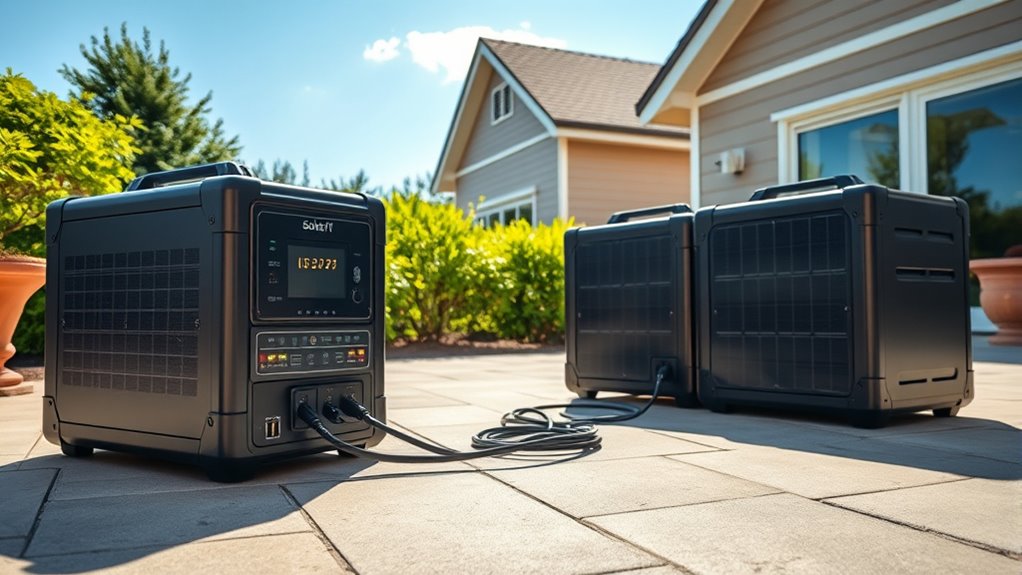
For home backup, I’d choose the OSCAL PowerMax 6000 as the best overall fit in this lineup because its three 400W panels and high-capacity station are aimed at longer outages and heavier loads. The Jackery HomePower 3600 Plus is a strong alternative for buyers prioritizing a larger-capacity system, while the BLUETTI Elite 200 V2 is better suited to keeping a smaller set of essentials running. The main tradeoff is between capacity and solar input for extended backup versus a lighter, simpler kit for short outages. These products vary widely in what they can support, so matching their output to your actual appliances matters more than choosing by battery size alone. Continue reading for my ranking, buying guide, and answers to common home-backup questions.

Get the latest gadgets delivered free with Prime
- Fast, free delivery on millions of items
- Prime Video, Amazon Music and more included
- Member-only deals all year
Complete the kit


Key Takeaways
- OSCAL PowerMax 6000 pairs the largest listed panel array, three 400W panels, with a high-capacity station, making it the lineup’s clearest choice for buyers planning around longer outages.
- Jackery HomePower 3600 Plus and Jackery HomePower 3000 offer substantial station capacity, but their two 200W panels provide less listed solar input than OSCAL’s array.
- BLUETTI Elite 200 V2 has a stated 2073.6Wh capacity and two 200W panels, a more manageable match for selected appliances than whole-home expectations.
- Jackery Solar Generator 1000 v2 and UDPOWER S1200 suit smaller backup plans; UDPOWER’s included 120W panel is a particularly modest recharge source for extended outages.
- ABOK Ark3600 and Jackery Explorer 2000 v2 sit between compact kits and larger-capacity choices, so buyers should compare their output limits and charging details against the appliances they intend to run.
| OSCAL PowerMax 6000 Solar Generator with 3x400W Solar Panels |  | Best for 240V Home Backup | Battery capacity: 3600Wh | AC output: 6000W continuous / 9000W surge | Voltage: 120V/240V split phase | VIEW ON AMAZON | See Our Full Breakdown |
| BLUETTI Elite 200 V2 Solar Generator with Two 200W Solar Panels, 2073.6Wh |  | Best for Faster Everyday Recharging | Battery capacity: 2073.6Wh | Battery chemistry: LiFePO4 | Continuous AC power: 2600W | VIEW ON AMAZON | See Our Full Breakdown |
| Jackery HomePower 3000 Portable Power Station with 2x 200W Solar Panels |  | Best Balanced Home Backup | Battery capacity: 3072Wh | AC output: 3600W / 7200W surge | Battery type: LiFePO4 | VIEW ON AMAZON | See Our Full Breakdown |
| ABOK Ark3600 Portable Power Station with 3x200W Solar Panels |  | Best Expandable Backup | Battery capacity: 3840Wh, expandable to 11520Wh | Battery type: LiFePO4 | Charge cycles: 4000+ | VIEW ON AMAZON | See Our Full Breakdown |
| Jackery Solar Generator 1000 v2 with 200W Solar Panel |  | Best Compact Backup | Battery capacity: 1070Wh | AC output: 1500W | Surge peak: 3000W | VIEW ON AMAZON | See Our Full Breakdown |
| UDPOWER S1200 1190Wh Solar Generator Kit with 120W Panel |  | Best for Fast UPS Backup | Battery capacity: 1,190Wh | Battery type: LiFePO4 | Battery life: 4,000+ cycles; 80% capacity retention after 15+ years | VIEW ON AMAZON | See Our Full Breakdown |
| Jackery Explorer 2000 v2 Portable Power Station with Two 200W Solar Panels |  | Best Balanced Solar Kit | Battery capacity: 2,042Wh | Battery type: LiFePO4 | AC output: 2,200W | VIEW ON AMAZON | See Our Full Breakdown |
| Jackery HomePower 3600 Plus Portable Power Station with Two 200W Solar Panels |  | Best for Whole-Home Expansion | Capacity: 3,584Wh | AC output: 3,600W | Parallel output: 7,200W | VIEW ON AMAZON | See Our Full Breakdown |
| solar generator kit for home backup | Battery capacity | AC output | Battery type |
|---|---|---|---|
| OSCAL PowerMax 6000 Solar Gene | 3600Wh | 6000W continuous / 9000W surge | LiFePO4 |
| BLUETTI Elite 200 V2 Solar Gen | 2073.6Wh | — | — |
| Jackery HomePower 3000 Portabl | 3072Wh | 3600W / 7200W surge | LiFePO4 |
| ABOK Ark3600 Portable Power St | 3840Wh, expandable to 11520Wh | — | LiFePO4 |
| Jackery Solar Generator 1000 v | 1070Wh | 1500W | LFP |
| UDPOWER S1200 1190Wh Solar Gen | 1,190Wh | 1,800W pure sine wave | LiFePO4 |
| Jackery Explorer 2000 v2 Porta | 2,042Wh | 2,200W | LiFePO4 |
| Jackery HomePower 3600 Plus Po | — | 3,600W | — |
More Details on Our Top Picks
OSCAL PowerMax 6000 Solar Generator with 3x400W Solar Panels
The OSCAL PowerMax 6000 is the strongest fit here for households that need 120V/240V split-phase output and want substantial solar input included. Its 6000W continuous output and 3600Wh battery give it more headroom for demanding appliances than the Jackery HomePower 3000, while three 400W panels provide a much larger included array than the smaller kits in this group. The tradeoff is its bulk: this is better treated as a home backup unit than something to move often. Its 5–8ms UPS switchover also makes it suited to keeping sensitive equipment powered through brief outages. I’d choose it when split-phase support matters; buyers with ordinary 120V essentials may find the BLUETTI Elite 200 V2 easier to accommodate.
Pros:- 120V/240V split-phase output supports a broader range of home backup loads
- 6000W continuous output provides more appliance headroom than the Jackery HomePower 3000
- Three included 400W panels offer 1200W of listed panel capacity
- 5–8ms UPS switchover and LiFePO4 battery rated for 3500 cycles
Cons:- Large, heavy design is inconvenient to move frequently
- Its capacity and split-phase capability may be more than a basic emergency setup needs
Best for: Households seeking split-phase backup for demanding 120V and 240V appliances, with room for a large power station and panel array
Not ideal for: Apartment dwellers or casual campers who need a compact system and do not need 240V output
- Battery capacity:3600Wh
- AC output:6000W continuous / 9000W surge
- Voltage:120V/240V split phase
- Battery type:LiFePO4
- Solar input:2400W
- Included panels:3 × 400W
- Charge cycles:3500
- UPS switching time:5–8ms
Our verdict“Choose the OSCAL if your home backup plan calls for split-phase output and substantial included solar capacity.”
BLUETTI Elite 200 V2 Solar Generator with Two 200W Solar Panels, 2073.6Wh
The BLUETTI Elite 200 V2 suits buyers who want a capable backup unit with rapid AC and DC recharging and a long-cycle LiFePO4 battery. Its 2600W continuous output can handle more than small electronics, while the 2073.6Wh capacity keeps the system less imposing than the OSCAL PowerMax 6000. The listed 0–80% recharge time of 50 minutes is the standout for restoring reserves between outages. Its two 200W panels are a smaller solar setup than OSCAL’s three 400W panels, and the stated 5.5-hour solar recharge assumes those 400W panels; that may not match the included array. I’d pick BLUETTI for convenient recharge and moderate backup needs, while households needing longer solar replenishment or split-phase output should compare larger kits.
Pros:- 2600W continuous AC output handles a wider range of appliances than compact backup units
- 0–80% AC and DC recharge is listed at 50 minutes
- LiFePO4 battery is rated for over 6000 cycles
- Two included 200W panels provide a ready solar charging option
Cons:- The 400W included panel capacity is modest beside the OSCAL PowerMax 6000’s 1200W array
- The 5.5-hour solar recharge figure is stated for 400W panels, so it does not describe the included 400W total as clearly as buyers may want
Best for: Homeowners who need backup for several appliances and value quick AC/DC replenishment in a mid-capacity system
Not ideal for: Households seeking 240V split-phase output or a large included solar array for extended off-grid use
- Battery capacity:2073.6Wh
- Battery chemistry:LiFePO4
- Continuous AC power:2600W
- Power lifting mode:3900W
- Included solar panels:2 × 200W
- Solar recharge time:5.5 hours with 400W panels
- AC and DC recharge:0–80% in 50 minutes
- Maximum devices:9
Our verdict“Pick the Elite 200 V2 if quick AC/DC recharging and long battery cycle life matter more than a large solar array or split-phase output.”
Jackery HomePower 3000 Portable Power Station with 2x 200W Solar Panels
The Jackery HomePower 3000 balances 3072Wh capacity and 3600W output in a package described as smaller and lighter than comparable models. That makes it a more approachable home backup choice than the OSCAL PowerMax 6000 for households that do not need split-phase power, while its capacity exceeds the BLUETTI Elite 200 V2’s. A UL-certified UPS with a switch time of up to 20ms supports backup for connected electronics, and hybrid AC plus DC charging is listed at 1.7 hours. Solar replenishment is slower: the two included 200W panels are specified to reach 80% in nine hours. I’d favor it for a mix of household essentials and portability, but buyers planning long outages should weigh that modest panel array against the faster recharge claims of larger-input systems.
Pros:- 3072Wh capacity and 3600W output suit a broad set of 120V backup needs
- UL-certified UPS functionality with a stated switch time of 20ms or less
- Hybrid AC and DC charging is listed at 1.7 hours
- Includes two 200W SolarSaga panels and offers multiple charging inputs
Cons:- Solar charging to 80% is listed at nine hours with the included panels
- It lacks the OSCAL PowerMax 6000’s 120V/240V split-phase capability
Best for: Homeowners who want substantial 120V backup capacity in a comparatively compact unit, with UPS support for electronics
Not ideal for: Buyers who need 240V split-phase output or faster solar recovery from a larger included panel array
- Battery capacity:3072Wh
- AC output:3600W / 7200W surge
- Battery type:LiFePO4
- Battery cycles:4000 cycles to 70% capacity
- UPS switch time:≤20ms
- Included panels:2 × 200W SolarSaga
- AC charging time:2.2 hours
- Hybrid AC+DC charging time:1.7 hours
Our verdict“Choose the HomePower 3000 for a balanced 120V home backup system with UPS support and a more portable design.”
ABOK Ark3600 Portable Power Station with 3x200W Solar Panels
The ABOK Ark3600 is the expandable choice for households that may need to stretch backup from a few essentials to longer outages. It starts at 3840Wh and can grow to 11520Wh, a path the Jackery HomePower 3000 does not offer in the supplied specs. Its 3600W rated output and 15 ports also support several connected devices, while combined AC and solar input is listed for a 1.29-hour recharge. That speed depends on combined inputs; AC-only charging is listed at about three hours. The three included 200W panels total 600W, below the OSCAL PowerMax 6000’s panel capacity. I’d choose ABOK when expansion matters more than portability, but its large battery and bulky build make it a poor fit for buyers who need a frequently moved unit.
Pros:- Expandable capacity can grow from 3840Wh to 11520Wh
- 3600W rated output and 15 ports support multiple household devices
- LiFePO4 battery is rated for over 4000 charge cycles
- Combined AC and solar recharge is listed at 1.29 hours
Cons:- The large capacity makes the unit bulky and limits portability
- Its three included panels total 600W, half the listed panel capacity included with the OSCAL PowerMax 6000
- The fastest recharge claim requires combined AC and solar input
Best for: Homeowners planning extended outages who want to add battery capacity over time and connect many devices
Not ideal for: Buyers who need a compact, easily carried generator or expect to recharge quickly using AC alone
- Battery capacity:3840Wh, expandable to 11520Wh
- Battery type:LiFePO4
- Charge cycles:4000+
- Combined AC+PV recharge:1.29 hours
- AC-only recharge:About 3 hours
- PV input:Up to 2000W
- Output ports:15
Our verdict“Choose the Ark3600 if you want expandable home backup capacity and can accommodate its size.”
Jackery Solar Generator 1000 v2 with 200W Solar Panel
The Jackery Solar Generator 1000 v2 is the compact pick for buyers covering phones, networking gear, lights, and selected small appliances rather than a whole home. Its 1070Wh battery and 1500W output are far below the Jackery HomePower 3000, but its 23.8-pound weight is easier to manage when storage space or mobility matters. The included 200W panel can restore 80% in a listed six hours, though that pace is modest for repeated outage use. A one-hour full charge requires emergency mode in the app; the default is 1.7 hours. I’d choose this when portability and straightforward essential-load backup matter most, but households expecting to run larger appliances for long periods should move up to one of the higher-capacity kits.
Pros:- 23.8-pound weight is easier to store and move than the larger home backup units
- 1500W AC output with a 3000W surge peak supports selected appliances
- LFP battery is rated to retain over 70% capacity after 4000 cycles
- App-controlled charging modes and a 200W solar panel are included
Cons:- 1070Wh capacity provides much less runtime than the HomePower 3000 or ABOK Ark3600
- One-hour full charging requires manually enabling emergency mode
- Solar charging to 80% is listed at six hours with the included 200W panel
Best for: Apartment residents and individuals who need portable backup for communications, lighting, and a few smaller appliances
Not ideal for: Families expecting multi-day backup or sustained power for high-draw household appliances
- Battery capacity:1070Wh
- AC output:1500W
- Surge peak:3000W
- Battery type:LFP
- Weight:23.8 lb
- Solar panel:200W
- Solar charging time:80% in 6 hours
- Battery lifespan:Over 70% capacity after 4000 cycles
Our verdict“Choose the Jackery 1000 v2 for portable backup of essential devices when home-wide capacity is unnecessary.”
UDPOWER S1200 1190Wh Solar Generator Kit with 120W Panel
The UDPOWER S1200 pairs a 1,190Wh LiFePO4 battery with an under-0.01-second UPS switchover, making it the pick here for keeping sensitive electronics powered through a brief outage. Its 1,800W pure sine wave output can handle many household essentials, while 14 ports let you connect several devices at once. Compared with the Jackery Explorer 2000 v2, it has less stored energy and a smaller included solar panel, so it is less suited to longer outages. The tradeoff is that the 120W panel will take longer to replenish the battery than the Jackery’s two 200W panels. I would also plan around the separate shipments: the station and panel may not arrive together. This makes most sense for short interruptions and device backup, rather than running a home through an extended outage.
Pros:- Under-0.01-second UPS switchover suits sensitive electronics
- 1,190Wh LiFePO4 battery is rated for 4,000+ cycles
- 1,800W pure sine wave output supports many household devices
- 14 charging ports allow several devices to run or charge at once
Cons:- Included 120W panel is modest for refilling the battery during an outage
- Power station and solar panel ship separately
- Less capacity than the Jackery Explorer 2000 v2 for extended backup
Best for: Households that want near-instant backup for a router, computer, or other sensitive electronics during brief outages
Not ideal for: People preparing for multi-day outages or wanting faster solar replenishment, since the 120W panel is smaller than the panels included with the Jackery Explorer 2000 v2
- Battery capacity:1,190Wh
- Battery type:LiFePO4
- Battery life:4,000+ cycles; 80% capacity retention after 15+ years
- AC output:1,800W pure sine wave
- UPS switchover:Under 0.01 seconds
- Solar panel:120W foldable, IP65-rated
- Charging ports:5 AC, 2 USB-C (100W), 4 USB-A, 1 car port, 2 DC5521
- Shipment:Power station and solar panel ship separately
Our verdict“Choose the UDPOWER S1200 for fast switchover and short-duration device backup, but look to a higher-capacity kit for longer outages.”
Jackery Explorer 2000 v2 Portable Power Station with Two 200W Solar Panels
With 2,042Wh of capacity, 2,200W AC output, and two 200W panels, the Jackery Explorer 2000 v2 offers a more balanced setup for household backup than the smaller UDPOWER S1200. The added battery capacity gives essentials more runtime, and the larger panel array can restore charge faster in good sunlight. A 20ms UPS switchover adds protection for connected electronics, though it is not as fast as the UDPOWER’s listed under-0.01-second switch. Jackery also lists AC charging to 80% in 66 minutes, which helps when an outage is expected. Its three AC ports may limit how many plug-in appliances you can connect directly, and the solar connection needs the correct DC8020 plug. I’d choose it for a household that wants a capable mid-size station with panels included, while the HomePower 3600 Plus is better suited to heavier loads and expansion.
Pros:- 2,042Wh capacity and 2,200W AC output cover a useful range of household essentials
- Two 200W solar panels provide a larger solar array than the UDPOWER S1200’s included panel
- AC charging reaches 80% in 66 minutes
- LiFePO4 battery and 20ms UPS switchover support backup use
Cons:- Three AC ports may constrain direct connections for multiple plug-in appliances
- Solar panels require the correct DC8020 plug
- Power station and solar panels may ship separately
Best for: Households seeking a mid-size backup station with included solar panels for essentials such as lights, networking equipment, and small appliances
Not ideal for: Buyers planning to power several large appliances or expand to very high capacity, since the HomePower 3600 Plus offers more output and expansion headroom
- Battery capacity:2,042Wh
- Battery type:LiFePO4
- AC output:2,200W
- AC ports:3
- USB-C PD output:100W
- Weight:39.5 lbs
- AC charging time:80% in 66 minutes
- Solar panels:2 × 200W
- UPS switchover:20ms
Our verdict“Pick the Explorer 2000 v2 for a balanced capacity-and-panel package for household essentials, while heavier loads call for the HomePower 3600 Plus.”
Jackery HomePower 3600 Plus Portable Power Station with Two 200W Solar Panels
The Jackery HomePower 3600 Plus is the most capable option in this batch for households planning around larger loads or a longer outage: it combines 3,584Wh capacity with 3,600W AC output and can expand to 21kWh per unit. Its 7,200W parallel output and multiple charging methods give it more room to grow than the Explorer 2000 v2, which has less capacity and output. Hybrid AC-plus-DC charging is listed at two hours, and wheels with a telescoping handle make this large unit easier to move around the house. Those advantages come with a substantial footprint, and the two 200W panels are a modest solar array beside the station’s capacity. The station and panels may also arrive separately. I’d favor it for buyers who value output and expansion headroom, rather than a compact kit they can easily store or carry.
Pros:- 3,600W AC output supports higher-draw household equipment than the Explorer 2000 v2
- Capacity can expand to 21kWh per unit or 43kWh with multiple units
- AC, solar, gas generator, and hybrid charging offer several recharge paths
- Wheels and telescoping handle ease movement around the home
Cons:- Two 200W panels are a modest solar array for replenishing 3,584Wh
- Large capacity and wheeled design are less convenient for compact storage or carrying
- Power station and solar panels may arrive separately
Best for: Homeowners who want to run higher-draw essentials and leave room to expand backup capacity over time
Not ideal for: Apartment dwellers or buyers needing a compact, easily stored kit, since the 3,584Wh station is a larger, wheeled unit and its included solar array totals 400W
- Capacity:3,584Wh
- AC output:3,600W
- Parallel output:7,200W
- Expandable capacity:Up to 21kWh per unit or 43kWh with multiple units
- Battery:LFP; 6,000-cycle rating and 10-year lifespan
- Charging options:Hybrid AC+DC, AC, solar, and gas generator
- Hybrid charging time:2 hours
- Solar charging time:4 hours
- Solar panels:2 × 200W
Our verdict“Choose the HomePower 3600 Plus if high output and expandable household backup matter more than compact storage or a larger included solar array.”

How We Picked
I ranked these kits for home backup usefulness, weighing the station’s stated capacity and the included solar panel array together. More battery capacity can keep appliances running longer, while greater panel input can help replenish the battery when an outage lasts beyond a single charge. I also considered how clearly each kit fits a practical household role, from a few essential devices to a broader set of loads. The listed product names do not provide complete output, transfer, or charging specifications, so I avoid claiming that any station can power specific appliances or connect directly to household circuits without checking its manufacturer details.
The OSCAL PowerMax 6000 ranks first because its three 400W panels distinguish it for recharging during a prolonged outage, while the Jackery HomePower 3600 Plus and HomePower 3000 are alternatives for buyers drawn to larger station capacities. Mid-capacity and compact options rank lower for backup duration or included solar input, though they may be easier to fit into a smaller, focused plan. My order reflects the balance of capacity, included panel input, and likely backup scope—not brand recognition or unsupported performance claims.
| solar generator kit for home backup | Battery type |
|---|---|
| OSCAL PowerMax 6000 Solar Gene | LiFePO4 |
| BLUETTI Elite 200 V2 Solar Gen | — |
| Jackery HomePower 3000 Portabl | LiFePO4 |
| ABOK Ark3600 Portable Power St | LiFePO4 |
| Jackery Solar Generator 1000 v | LFP |
| UDPOWER S1200 1190Wh Solar Gen | LiFePO4 |
| Jackery Explorer 2000 v2 Porta | LiFePO4 |
| Jackery HomePower 3600 Plus Po | — |
Factors to Consider When Choosing Solar Generator Kit For Home Backup
I’d start with the outage plan rather than the kit name: list the devices you need, estimate how long they must run, and check the station’s full specifications. The following factors help reveal where a kit may fall short once it is used for home backup.
Size the battery around essential loads
Write down each appliance you want to power and its wattage, then estimate daily energy use by multiplying watts by hours of operation. Add the loads together and leave room for conversion losses and changing use; a battery’s listed watt-hour capacity does not all reach your devices. Pay attention to high-startup loads such as refrigerators, since their brief surge demand can exceed their normal running draw. A common mistake is to assume a large capacity figure means the unit can run every household appliance. I’d prioritize a reliable plan for a refrigerator, communications, lighting, and medical equipment before adding convenience loads.
Check output and surge limits before buying
Battery capacity tells you how long a station may supply energy, while inverter output determines what it can power at one time. Check both continuous output and surge capacity against the appliances you intend to connect. Also verify the number and type of outlets, since several devices may need to run together. Do not infer whole-home capability from a product name or a high capacity figure. If you need to power hardwired circuits, confirm that the manufacturer supports the required transfer equipment and installation method.
Treat solar wattage as a recharge estimate
Panel wattage describes rated input under favorable conditions; real-world production changes with cloud cover, season, orientation, shading, and panel temperature. A kit with a larger array can collect more energy when sunlight is available, but it still may not replace what your household consumes during a cloudy stretch. Check the station’s maximum solar input, compatible panel voltage, connector type, and whether the supplied panels can reach that input. Avoid buying extra panels before confirming compatibility. For a long outage, plan how you will conserve stored energy as well as recharge it.
Plan for the outage duration you actually face
A short interruption and a multi-day outage call for different systems. For a few hours, a smaller station may cover communications, lighting, and selected appliances without taking up as much space. Longer outages place more weight on battery capacity, solar replenishment, and the ability to ration energy across changing weather. Consider whether you have a safe place to set up panels with useful sun exposure and enough room to store the equipment. Buying a larger station without a realistic charging plan can leave you with a depleted battery after the first day.
Compare portability, storage, and setup
Home backup kits still need to be moved, stored, and set up when the power goes out. Check the station’s weight and dimensions, along with panel folding or carrying arrangements, before deciding where it will live. A system intended to stay near a utility area may suit a different buyer than one that needs to move between rooms or go into a vehicle. Review operating temperature guidance and storage charge recommendations in the manual. The more complicated the setup, the more useful it is to practice the connection and startup steps before an outage.
Know whether you need circuit backup
Portable power stations generally supply devices through their own outlets; powering household wiring may require a compatible transfer switch and a qualified electrician. Confirm whether the model supports that approach and what hardware is required before treating it as a substitute for a home backup system. Never connect a station to a wall outlet to feed household wiring. If you only need a few plug-in essentials, direct connections may be simpler. If you need selected circuits, decide on that scope before comparing kits so the station and installation plan fit together.
Frequently Asked Questions
Can one of these kits power my whole house during an outage?
I would not assume that any kit here can power an entire home based on its product name or battery capacity. Whole-house demand can exceed a portable station’s continuous output, and hardwired circuits may require compatible transfer equipment and professional installation. First identify which loads are essential and check their running and startup wattage against the station’s specifications. If you want multiple circuits, ask an electrician to confirm the system and connection method. A targeted backup plan is usually easier to size accurately than an undefined whole-home goal.
How long will a solar generator keep my refrigerator running?
There is no reliable duration to infer from capacity alone because refrigerators cycle on and off, draw different amounts of power, and may have a startup surge. Check the refrigerator’s energy label or measure its consumption, then account for inverter losses and any other devices drawing from the station. Compare that estimate with usable battery energy, not just the advertised capacity. Solar input can extend runtime when sunlight is available, but cloud and shade can reduce production. I’d plan a conservative backup period and keep other loads low.
Will the included panels recharge the station during a cloudy outage?
They can still produce some electricity in diffuse light, but output may drop sharply compared with clear, direct sun. The listed panel wattage is a rated figure, not a promise of steady charging through poor weather. Check the station’s solar input limit and estimate how much energy your priority devices use each day. For multi-day outages, conserve power and consider whether you have safe access to another charging source. A larger array helps when conditions permit, but it cannot remove the uncertainty of weather.
Should I choose a larger battery or more solar panels?
Choose more battery capacity when you need to store energy for evening use, high loads, or periods without sun. Choose more panel input when you expect regular sunlight and need to replenish energy during the day. Many home-backup plans need a balance: a large battery with too little recharge capacity can run down, while a large array cannot help much if the station has limited storage or input compatibility. Check the station’s maximum solar input before adding panels. Your appliance list and likely outage length should guide the balance.
Can I leave a solar generator connected to my home circuits?
Only use a connection method the manufacturer supports, and confirm the equipment requirements for the specific model. Feeding a home circuit may require a transfer switch installed by a qualified electrician; plugging a station into a wall outlet can create dangerous backfeed. If you plan to power only plug-in devices, connect them directly to the station’s outlets and follow its manual. Before an outage, verify which loads are supported and how the system is isolated from utility power. This step affects both safety and what the station can practically run.
Conclusion
For the broadest backup scope in this group, I’d pick the OSCAL PowerMax 6000 as best overall, chiefly because its three 400W panels give it the strongest listed solar array here. The BLUETTI Elite 200 V2 is my value-minded choice for buyers backing up a smaller set of essentials, while the Jackery HomePower 3600 Plus is the premium-leaning option for those prioritizing a larger-capacity station. Beginners with modest needs may find the Jackery Solar Generator 1000 v2 easier to match to a short, focused list of devices. For compact backup, compare the UDPOWER S1200 and Jackery Explorer 2000 v2 against your runtime needs; for more included solar input, the ABOK Ark3600 offers three panels. Before choosing, verify output, surge limits, solar compatibility, and any circuit connection requirements against your own appliances.
Halloween Picks
halloween
As an affiliate, we earn on qualifying purchases.