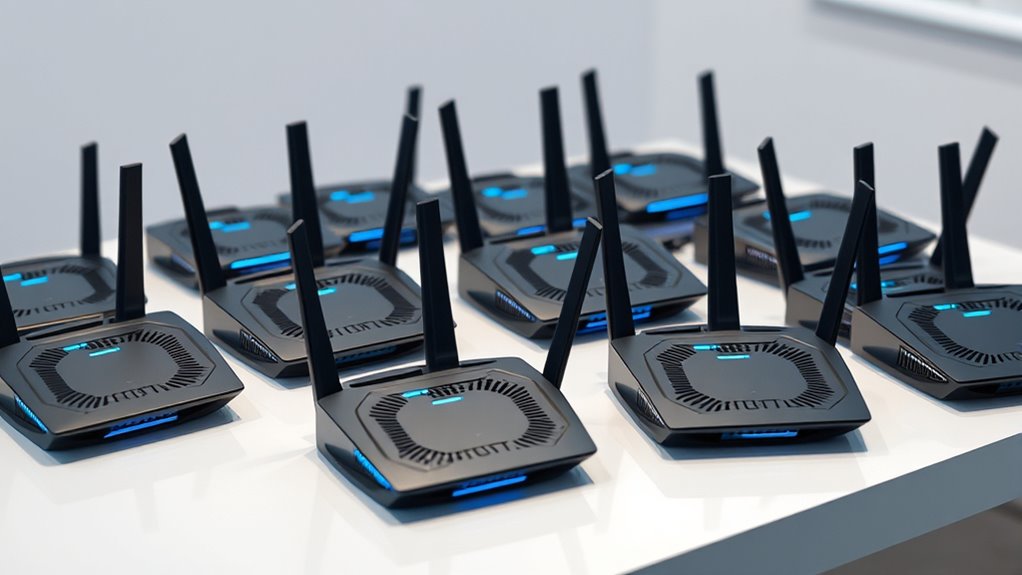

For most homes, I’d start with the TP-Link Archer BE550: its tri-band design gives it more flexibility than the dual-band routers in this roundup. The ASUS ROG Rapture GT-BE98 Pro stands out for buyers seeking a premium, gaming-focused router, while the TP-Link Archer BE230 is a simpler entry point for everyday Wi-Fi. The key tradeoff is whether you need extra bands and wired capacity or would rather keep setup and hardware needs modest. Wi-Fi 7 features also help only when your devices and internet plan can take advantage of them. Read on for how I ranked all 14 options and which one fits your home.

Get the latest gadgets delivered free with Prime
- Fast, free delivery on millions of items
- Prime Video, Amazon Music and more included
- Member-only deals all year
Complete the kit



Key Takeaways
- Tri-band is the clearest step up in flexibility: The Archer BE550 and BE600 offer an additional band compared with the dual-band Archer BE230, BE220, and BE370.
- Gaming-focused hardware is a separate buying lane: The ASUS ROG Rapture GT-BE98 Pro and ROG Strix GS-BE12000 are aimed at homes that value gaming tools and extensive wired connectivity, not just a Wi-Fi 7 label.
- Dual-band models suit simpler networks: The Archer BE230, BE220, and NETGEAR RS90 focus on straightforward Wi-Fi rather than adding a third wireless band.
- Mesh addresses a different problem than a more powerful standalone router: The Deco 7 BE5000 is the lineup’s mesh option for homes where coverage across multiple areas matters more than a single router’s feature set.
- Check the exact model and its ports before choosing: The Archer BE12000 is also identified as the Archer BE670, while the NETGEAR RS200 and RS140 are distinct models; model-specific wired options matter as much as Wi-Fi class claims.
| NETGEAR Nighthawk RS90 Dual-Band WiFi 7 Router |  | Best Straightforward WiFi 7 Upgrade | WiFi generation: WiFi 7 | Frequency bands: Dual-band: 2.4 GHz and 5 GHz | Maximum data transfer rate: Up to 3.6 Gbps | VIEW ON AMAZON | See Our Full Breakdown |
| TP-Link Archer BE230 BE3600 Dual-Band Wi-Fi 7 Router |  | Best Entry-Level Wired Flexibility | Wi-Fi standard: Wi-Fi 7 (802.11be) | Frequency bands: Dual-band: 2.4 GHz and 5 GHz; no 6 GHz | Maximum combined data rate: Up to 3.6 Gbps | VIEW ON AMAZON | See Our Full Breakdown |
| TP-Link Archer BE400 BE6500 Dual-Band Wi-Fi 7 Router |  | Best Dual-Band Capacity | Wi-Fi standard: Wi-Fi 7 | Frequency bands: Dual-band: 2.4 GHz and 5 GHz | Total bandwidth: Up to 6.5 Gbps | VIEW ON AMAZON | See Our Full Breakdown |
| TP-Link Archer BE550 Tri-Band Wi-Fi 7 Router |  | Best Tri-Band Upgrade | Wi-Fi generation: Wi-Fi 7 | Frequency bands: Tri-band: 2.4 GHz, 5 GHz, and 6 GHz | Maximum data transfer rate: Up to 9.3 Gbps | VIEW ON AMAZON | See Our Full Breakdown |
| ASUS ROG Rapture GT-BE98 Pro Quad-Band WiFi 7 Gaming Router |  | Best for High-End Gaming and Multi-Gig Networks | Model: GT-BE98 Pro | Wi-Fi generation: WiFi 7 (802.11be) | Frequency bands: Quad-band, including dual 6 GHz bands | VIEW ON AMAZON | See Our Full Breakdown |
| ASUS ROG Strix GS-BE12000 WiFi 7 Tri-Band Router |  | Best for Gaming and Multi-Gig Wired Setups | Wi-Fi standard: Wi-Fi 7 (802.11be) | Bands: Tri-band, including 6 GHz | Maximum listed speed: Up to 12,000 Mbps | VIEW ON AMAZON | See Our Full Breakdown |
| NETGEAR Nighthawk Dual-Band WiFi 7 Router (RS200) – BE6500 |  | Best for Straightforward Wi-Fi 7 Coverage | Wi-Fi standard: Wi-Fi 7 | Bands: Dual-band | Maximum listed speed: Up to 6.5 Gbps | VIEW ON AMAZON | See Our Full Breakdown |
| TP-Link Archer BE370 Dual-Band Wi-Fi 7 Router |  | Best for EasyMesh Expansion on a Budget-Conscious Network | Wi-Fi standard: Wi-Fi 7 | Bands: Dual-band: 2.4 GHz and 5 GHz | Maximum listed speed: Up to 6.3 Gbps total | VIEW ON AMAZON | See Our Full Breakdown |
| TP-Link Archer BE600 Tri-Band Wi-Fi 7 Router |  | Best for Tri-Band Capacity and Fast Wired Connections | Wi-Fi standard: Wi-Fi 7 | Bands: Tri-band: 6 GHz, 5 GHz, and 2.4 GHz | Maximum combined speed: Up to 9.7 Gbps | VIEW ON AMAZON | See Our Full Breakdown |
| TP-Link Deco 7 BE5000 Dual-Band Wi-Fi 7 Mesh System |  | Best for Whole-Home Wi-Fi Coverage | Wi-Fi standard: Wi-Fi 7 (802.11be) | System: Three-unit mesh pack | Bands: Dual-band | VIEW ON AMAZON | See Our Full Breakdown |
| NETGEAR Nighthawk RS140 Dual-Band WiFi 7 Router |  | Best for straightforward WiFi 7 coverage | WiFi generation: WiFi 7 | Frequency bands: Dual-band: 2.4 GHz and 5 GHz | Maximum speed: Up to 5 Gbps | VIEW ON AMAZON | See Our Full Breakdown |
| TP-Link Archer BE12000 (Archer BE670) |  | Best for multi-gig WiFi 7 headroom | WiFi generation: WiFi 7 | Frequency bands: Tri-band: 2.4 GHz, 5 GHz, and 6 GHz | Advertised band speeds: Up to 5,765 Mbps (6 GHz), 5,765 Mbps (5 GHz), and 688 Mbps (2.4 GHz) | VIEW ON AMAZON | See Our Full Breakdown |
| NETGEAR Nighthawk BE9300 Tri-Band WiFi 7 Router |  | Best for a balanced tri-band upgrade | WiFi generation: WiFi 7 | Frequency bands: Tri-band: 2.4 GHz, 5 GHz, and 6 GHz | Maximum data transfer rate: Up to 9.3 Gbps | VIEW ON AMAZON | See Our Full Breakdown |
| TP-Link Archer BE220 BE3600 Dual-Band Wi-Fi 7 Router |  | Best for compact, basic WiFi 7 networks | WiFi standard: WiFi 7 | Wireless bands: Dual-band: 2.4 GHz and 5 GHz; no 6 GHz band | Maximum speeds: 2,882 Mbps (5 GHz); 688 Mbps (2.4 GHz) | VIEW ON AMAZON | See Our Full Breakdown |
| wifi7 router | Coverage | Ethernet ports | Frequency bands | Wi-Fi standard |
|---|---|---|---|---|
| NETGEAR Nighthawk RS90 Dual-Ba | Up to 2,000 sq. ft. | One 2.5 Gig WAN; four 1 Gig LAN | Dual-band: 2.4 GHz and 5 GHz | — |
| TP-Link Archer BE230 BE3600 Du | Up to 2,000 sq. ft. | One 2.5 Gbps WAN/LAN, one 2.5 Gbps LAN, three 1 Gbps LAN | Dual-band: 2.4 GHz and 5 GHz; no 6 GHz | Wi-Fi 7 (802.11be) |
| TP-Link Archer BE400 BE6500 Du | Up to 2,400 sq. ft. | One 2.5 Gbps WAN/LAN, one 2.5 Gbps LAN, three 1 Gbps LAN | Dual-band: 2.4 GHz and 5 GHz | Wi-Fi 7 |
| TP-Link Archer BE550 Tri-Band | Up to 2,000 sq. ft. | One 2.5 Gbps WAN, four 2.5 Gbps LAN | Tri-band: 2.4 GHz, 5 GHz, and 6 GHz | — |
| ASUS ROG Rapture GT-BE98 Pro Q | Up to 3,500 sq. ft. as stated in the product listing | — | Quad-band, including dual 6 GHz bands | — |
| ASUS ROG Strix GS-BE12000 WiFi | Up to 3,000 sq. ft. | 1 × 2.5 Gbps WAN; 7 × 2.5 Gbps LAN | — | Wi-Fi 7 (802.11be) |
| NETGEAR Nighthawk Dual-Band Wi | Up to 2,500 sq. ft. | — | — | Wi-Fi 7 |
| TP-Link Archer BE370 Dual-Band | — | 1 × 2.5 Gbps WAN/LAN; 1 × 2.5 Gbps LAN; 3 × 1 Gbps LAN | — | Wi-Fi 7 |
| TP-Link Archer BE600 Tri-Band | — | 1 × 10 Gbps WAN/LAN; 1 × 2.5 Gbps WAN/LAN; 3 × 2.5 Gbps LAN | — | Wi-Fi 7 |
| TP-Link Deco 7 BE5000 Dual-Ban | — | Two 2.5 Gbps ports per unit | — | Wi-Fi 7 (802.11be) |
| NETGEAR Nighthawk RS140 Dual-B | Up to 2,250 sq. ft. | — | Dual-band: 2.4 GHz and 5 GHz | — |
| TP-Link Archer BE12000 | Up to 3,000 sq. ft. | — | Tri-band: 2.4 GHz, 5 GHz, and 6 GHz | — |
| NETGEAR Nighthawk BE9300 Tri-B | Up to 2,500 sq. ft. | — | Tri-band: 2.4 GHz, 5 GHz, and 6 GHz | — |
| TP-Link Archer BE220 BE3600 Du | Up to 1,800 sq. ft. | 1 × 1 Gbps WAN/LAN; 4 × 1 Gbps LAN | — | — |
More Details on Our Top Picks
NETGEAR Nighthawk RS90 Dual-Band WiFi 7 Router
The Nighthawk RS90 suits buyers who want a direct step into WiFi 7 without moving to a tri-band design. Its dual-band connection reaches a stated 3.6 Gbps, with coverage rated for up to 2,000 square feet and support for up to 50 devices—an approachable fit for a typical household. Compared with the TP-Link Archer BE230, it has fewer stated device connections, while the BE230 adds EasyMesh support and a second 2.5 Gbps port. The RS90 instead offers four Gigabit LAN ports for wired devices and app-based management. Its main limitation is the lack of a 6 GHz band, which the tri-band Archer BE550 provides, and it needs a separate modem or gateway. I’d choose it for uncomplicated WiFi 7 coverage, not for multi-gig wired expansion.
Pros:- WiFi 7 dual-band speeds rated up to 3.6 Gbps
- Coverage rated for up to 2,000 square feet and 50 devices
- Four Gigabit LAN ports for wired home devices
- 2.5 Gig WAN port and app-based management
Cons:- No 6 GHz band, unlike the tri-band Archer BE550
- Requires a separate modem or gateway for internet service
- NETGEAR Armor requires a subscription after its 30-day trial
Best for: Households replacing an older router that want app-managed WiFi 7, several wired connections, and coverage rated for up to 2,000 square feet.
Not ideal for: Buyers seeking 6 GHz WiFi, mesh expansion, or multiple multi-gig Ethernet connections; it also cannot connect directly to an internet line without a separate modem or gateway.
- WiFi generation:WiFi 7
- Frequency bands:Dual-band: 2.4 GHz and 5 GHz
- Maximum data transfer rate:Up to 3.6 Gbps
- Coverage:Up to 2,000 sq. ft.
- Maximum connected devices:Up to 50
- Ethernet ports:One 2.5 Gig WAN; four 1 Gig LAN
- Management:NETGEAR Nighthawk app
- Modem requirement:Separate modem or gateway required
Our verdict“Choose the RS90 for straightforward dual-band WiFi 7 and four wired LAN connections, but skip it if you need 6 GHz or multi-gig LAN ports.”
TP-Link Archer BE230 BE3600 Dual-Band Wi-Fi 7 Router
The Archer BE230 is a practical WiFi 7 choice for homes that value flexible Ethernet connections and a simple route to adding coverage later. Its two 2.5 Gbps ports can serve a multi-gig internet connection and a fast wired device, while three additional Gigabit LAN ports cover standard gear. EasyMesh support also gives it an expansion path that the NETGEAR Nighthawk RS90 does not list. Both routers are dual-band models rated for up to 3.6 Gbps and 2,000 square feet, but the BE230 is specified for up to 60 devices versus 50 for the RS90. The tradeoff is that this router has no 6 GHz band; WiFi 7 here does not mean access to all three WiFi bands. A separate modem is required, so I’d skip it if you want a single-box internet setup or 6 GHz connectivity.
Pros:- Two 2.5 Gbps ports plus three Gigabit LAN ports
- EasyMesh support for compatible coverage expansion
- Rated for up to 60 connected devices and 2,000 square feet
- Includes parental controls and IoT security features
Cons:- No 6 GHz band
- Requires a separate modem
- Dual-band design limits its appeal for buyers specifically seeking tri-band WiFi 7
Best for: Households with a multi-gig internet plan or wired devices that want two 2.5 Gbps ports and the option to extend coverage through EasyMesh.
Not ideal for: Buyers who want 6 GHz WiFi, a built-in modem, or a larger performance step than a dual-band router rated at 3.6 Gbps.
- Wi-Fi standard:Wi-Fi 7 (802.11be)
- Frequency bands:Dual-band: 2.4 GHz and 5 GHz; no 6 GHz
- Maximum combined data rate:Up to 3.6 Gbps
- Coverage:Up to 2,000 sq. ft.
- Maximum connected devices:Up to 60
- Ethernet ports:One 2.5 Gbps WAN/LAN, one 2.5 Gbps LAN, three 1 Gbps LAN
- Mesh support:EasyMesh
- Modem requirement:Separate modem required
Our verdict“Pick the Archer BE230 for entry-level WiFi 7 with useful multi-gig ports and EasyMesh, but not if 6 GHz is a requirement.”
TP-Link Archer BE400 BE6500 Dual-Band Wi-Fi 7 Router
For a busy home that wants higher stated capacity without stepping up to a tri-band router, the Archer BE400 is the strongest fit among the dual-band picks here. It’s rated for up to 6.5 Gbps, 2,400 square feet, and 90 devices, exceeding the Archer BE230’s listed 3.6 Gbps, 2,000 square feet, and 60 devices. Six antennas and features such as MLO, MU-MIMO, and OFDMA support its role in a household with many connected devices, while two 2.5 Gbps ports give wired connections more headroom than the NETGEAR RS90’s single multi-gig WAN port. But it remains dual-band with no 6 GHz, so the tri-band Archer BE550 is the better match for buyers who want that band. EasyMesh compatibility is useful, though it does not extend to TP-Link Deco systems, and a separate modem is needed.
Pros:- Dual-band WiFi 7 rated for up to 6.5 Gbps
- Coverage rated for up to 2,400 square feet and 90 devices
- Two 2.5 Gbps ports alongside three Gigabit LAN ports
- Supports EasyMesh, VPN, and HomeShield security features
Cons:- No 6 GHz band, unlike the tri-band Archer BE550
- EasyMesh compatibility does not include TP-Link Deco systems
- Requires a separate modem
Best for: Large, device-heavy households that want higher rated dual-band capacity, multi-gig wired ports, and EasyMesh expansion without choosing a tri-band router.
Not ideal for: Buyers who need 6 GHz WiFi, use a TP-Link Deco mesh system, or expect a router to replace their modem.
- Wi-Fi standard:Wi-Fi 7
- Frequency bands:Dual-band: 2.4 GHz and 5 GHz
- Total bandwidth:Up to 6.5 Gbps
- Coverage:Up to 2,400 sq. ft.
- Maximum connected devices:Up to 90
- Antennas:Six
- Ethernet ports:One 2.5 Gbps WAN/LAN, one 2.5 Gbps LAN, three 1 Gbps LAN
- Mesh compatibility:EasyMesh; not compatible with Deco mesh systems
- Modem requirement:Separate modem required
Our verdict“Choose the BE400 for a high-capacity dual-band WiFi 7 network with multi-gig ports, but look to the BE550 if you need 6 GHz.”
TP-Link Archer BE550 Tri-Band Wi-Fi 7 Router
The Archer BE550 earns its place as the step-up pick for buyers who want a 6 GHz band as well as WiFi 7’s newer channel and link features. Its tri-band design is the key distinction from the dual-band Archer BE400: the BE550 adds 6 GHz and is rated for up to 9.3 Gbps, while the BE400’s lower 6.5 Gbps figure comes without that band. Five 2.5 Gbps Ethernet ports also make the BE550 a stronger fit for multi-gig wired networks than the RS90 or BE230. That flexibility has limits: coverage is rated at 2,000 square feet, below the BE400’s 2,400-square-foot figure, and actual reach depends on the home and client devices. Its six antennas are internal, and a separate modem is generally needed for internet service. I’d choose it for band and port flexibility, not maximum stated coverage.
Pros:- Tri-band WiFi 7 includes the 6 GHz band
- Rated for combined data transfer up to 9.3 Gbps
- Five 2.5 Gbps Ethernet ports
- Supports EasyMesh, VPN features, and app-based management
Cons:- Rated coverage is 2,000 square feet, less than the BE400’s 2,400-square-foot figure
- A separate modem is required for most internet providers
- Actual WiFi speeds and coverage depend on the network environment and client devices
Best for: Households with WiFi 7 or 6 GHz-capable devices, multi-gig wired equipment, and a need for a standalone tri-band router.
Not ideal for: Buyers focused on maximum stated coverage, those without compatible 6 GHz devices, or anyone expecting the router to include a modem.
- Wi-Fi generation:Wi-Fi 7
- Frequency bands:Tri-band: 2.4 GHz, 5 GHz, and 6 GHz
- Maximum data transfer rate:Up to 9.3 Gbps
- Coverage:Up to 2,000 sq. ft.
- Ethernet ports:One 2.5 Gbps WAN, four 2.5 Gbps LAN
- Antennas:Six internal antennas
- WiFi features:320 MHz channels, Multi-Link Operation, and 4K-QAM
- Security protocols:WPA2, WPA3, and WPA/WPA2-Enterprise (802.1x)
- Management:TP-Link Tether app for Android and iOS
Our verdict“Choose the BE550 if 6 GHz WiFi and five multi-gig ports matter more than the BE400’s higher stated coverage.”
ASUS ROG Rapture GT-BE98 Pro Quad-Band WiFi 7 Gaming Router
The ROG Rapture GT-BE98 Pro is the specialist pick for a gaming setup or home network built around very fast wired connections. Its quad-band WiFi 7 design includes two 6 GHz bands and a stated maximum data rate of 30 Gbps; that makes it a much more ambitious option than the tri-band Archer BE550, though these figures describe router capacity rather than a guaranteed speed for one device. On the wired side, dual 10G and four 2.5G ports provide room for fast network storage, gaming systems, and multi-gig internet. Game traffic acceleration, QoS, and VPN support add useful control for a demanding network. The tradeoff is specialization: this is more router than a typical household needs, and its eight fixed external antennas call for space. I’d choose it over the BE550 for gaming and 10G connections, not for a simple WiFi upgrade.
Pros:- Quad-band WiFi 7 includes dual 6 GHz bands
- Two 10G ports and four 2.5G ports support fast wired networks
- Gaming traffic acceleration and QoS help prioritize network traffic
- VPN support and parental controls are included
Cons:- Its high-capacity feature set may be unnecessary for ordinary home WiFi needs
- Eight fixed external antennas require room for placement
- Stated speed and coverage depend on the network environment and connected devices
Best for: PC and console gamers, creators, or multi-gig households with 10G wired equipment and a need for extensive WiFi and traffic controls.
Not ideal for: Smaller homes or everyday users who need basic WiFi 7 coverage rather than quad-band capacity, gaming features, and multiple high-speed wired ports.
- Model:GT-BE98 Pro
- Wi-Fi generation:WiFi 7 (802.11be)
- Frequency bands:Quad-band, including dual 6 GHz bands
- Maximum data transfer rate:Up to 30 Gbps
- Coverage:Up to 3,500 sq. ft. as stated in the product listing
- Wired ports:Two 10G and four 2.5G
- Antennas:Eight fixed external antennas
- Memory:2 GB RAM
- Features:Multi-Link Operation, game traffic acceleration, VPN support, parental controls, and QoS
Our verdict“Pick the GT-BE98 Pro for gaming-focused WiFi 7 and extensive 10G/2.5G wiring, but the Archer BE550 is a simpler fit for most homes seeking 6 GHz.”
ASUS ROG Strix GS-BE12000 WiFi 7 Tri-Band Router
The ROG Strix GS-BE12000 is the strongest fit here for households that want Wi-Fi 7 gaming features alongside substantial wired capacity. Its tri-band design includes the 6 GHz band and 320 MHz channels, while ROG Gaming Network and game acceleration tools make traffic management more accessible than tuning every connection by hand. Seven 2.5 Gbps LAN ports also give it an unusual advantage for wired gaming PCs, consoles, and network equipment. Compared with the TP-Link Archer BE600, it offers more 2.5 Gbps LAN ports and a more gaming-focused interface, while the BE600 has a 10 Gbps port and broad device capacity. The tradeoff is that this is a feature-heavy router aimed at buyers who can use its wired and gaming capabilities; it may be excessive for a modest Wi-Fi-only setup.
Pros:- Tri-band Wi-Fi 7 includes 6 GHz and 320 MHz channel support
- Seven 2.5 Gbps LAN ports support multiple high-speed wired devices
- ROG gaming network and acceleration tools simplify traffic prioritization
- AiProtection Pro, VPN features, and Smart Home Master SSIDs add network controls
Cons:- Gaming-focused feature set may be more involved than a basic home network needs
- No 10 Gbps Ethernet port, unlike the TP-Link Archer BE600
- Advertised coverage of 3,000 sq. ft. may not suit every home layout
Best for: Competitive gamers and multi-gig households connecting several gaming PCs, consoles, or other wired devices
Not ideal for: Buyers seeking a simple, low-complexity Wi-Fi upgrade or anyone without multi-gig wired devices to take advantage of its ports
- Wi-Fi standard:Wi-Fi 7 (802.11be)
- Bands:Tri-band, including 6 GHz
- Maximum listed speed:Up to 12,000 Mbps
- Wired capacity:Up to 20G
- Ethernet ports:1 × 2.5 Gbps WAN; 7 × 2.5 Gbps LAN
- Coverage:Up to 3,000 sq. ft.
- Processor and memory:2.0 GHz quad-core CPU; 2 GB RAM
- Antennas:Eight internal antennas
- Mesh compatibility:ASUS AiMesh
Our verdict“Choose the GS-BE12000 if your Wi-Fi 7 gaming setup also needs several 2.5 Gbps wired connections and dedicated gaming controls.”
NETGEAR Nighthawk Dual-Band WiFi 7 Router (RS200) – BE6500
The Nighthawk RS200 is a practical pick for buyers who want Wi-Fi 7 without a tri-band feature stack. Its dual-band design and listed 6.5 Gbps speed suit everyday streaming, video calls, and gaming, while coverage of up to 2,500 sq. ft. targets a typical home rather than a sprawling property. The 2.5 Gig internet port gives it a path to multi-gig service, and support for up to 80 devices should accommodate a busy connected household. Compared with the TP-Link Archer BE370, the RS200 has a lower stated device capacity and less listed detail about wired LAN ports, while the Archer offers more device support and app-based management. Both are dual-band Wi-Fi 7 routers, and neither includes a modem, so buyers need separate internet-service equipment.
Pros:- Wi-Fi 7 with listed speeds up to 6.5 Gbps
- Coverage specification reaches up to 2,500 sq. ft.
- Supports up to 80 connected devices
- 2.5 Gig internet port supports a multi-gig service connection
Cons:- Dual-band design does not include a 6 GHz band
- Requires a separate cable modem or other compatible internet-service equipment
- Product data does not specify the number or speed of LAN ports
Best for: Households upgrading to Wi-Fi 7 for streaming, remote work, and gaming across a moderate-size home
Not ideal for: Buyers who need built-in modem functionality, a 6 GHz band, or extensive multi-gig wired connections
- Wi-Fi standard:Wi-Fi 7
- Bands:Dual-band
- Maximum listed speed:Up to 6.5 Gbps
- Coverage:Up to 2,500 sq. ft.
- Device support:Up to 80 devices
- Internet port:2.5 Gig
- Modem:Separate modem required
Our verdict“Pick the RS200 for a moderate-size home that wants a direct Wi-Fi 7 upgrade and can pair it with a separate modem.”
TP-Link Archer BE370 Dual-Band Wi-Fi 7 Router
The Archer BE370 makes sense for buyers who want straightforward Wi-Fi 7 coverage and the option to expand with EasyMesh. Its dual-band radio skips 6 GHz, but its listed 5 GHz rate of up to 5,764 Mbps and two 2.5 Gbps Ethernet ports give it useful speed for compatible wireless devices and wired connections. Six external antennas and app-based management keep setup approachable, while capacity for up to 90 devices exceeds the RS200’s listed 80-device support. The tradeoff is a less complete Wi-Fi 7 band lineup than the tri-band Archer BE600, which adds 6 GHz and supports more devices. The BE370 also needs a separate modem, and some HomeShield features may require a subscription, so its appealing simplicity does not mean every network feature is included.
Pros:- Two 2.5 Gbps Ethernet ports support faster wired connections
- EasyMesh compatibility allows compatible router-based network expansion
- Advertised support for up to 90 devices and 2,600 sq. ft.
- Six external antennas and TP-Link Tether app simplify setup and management
Cons:- No 6 GHz band, unlike the tri-band Archer BE600
- A separate modem is required
- Some HomeShield features may require a paid subscription
Best for: Households wanting app-managed Wi-Fi 7, two 2.5 Gbps ports, and the option to extend coverage with EasyMesh
Not ideal for: Buyers with 6 GHz-capable devices who want tri-band Wi-Fi 7 or anyone expecting a built-in modem
- Wi-Fi standard:Wi-Fi 7
- Bands:Dual-band: 2.4 GHz and 5 GHz
- Maximum listed speed:Up to 6.3 Gbps total
- Band speeds:5 GHz: up to 5,764 Mbps; 2.4 GHz: up to 619 Mbps
- Coverage and device capacity:Up to 2,600 sq. ft.; up to 90 devices
- Ethernet ports:1 × 2.5 Gbps WAN/LAN; 1 × 2.5 Gbps LAN; 3 × 1 Gbps LAN
- Antennas:Six external antennas
- Mesh compatibility:EasyMesh; not compatible with Deco mesh systems
- Setup and modem:TP-Link Tether app; separate modem required
Our verdict“Choose the Archer BE370 if you want app-managed dual-band Wi-Fi 7 and EasyMesh expansion, but do not need 6 GHz.”
TP-Link Archer BE600 Tri-Band Wi-Fi 7 Router
The Archer BE600 is the most balanced choice here for a home that can use tri-band Wi-Fi 7 and faster wired networking without a gaming-specific focus. Its 6 GHz band gives compatible devices another wireless lane, while the 10 Gbps WAN/LAN port and three 2.5 Gbps LAN ports make it more flexible for multi-gig internet and local devices than the dual-band Archer BE370. It also lists capacity for up to 120 devices, compared with the RS200’s 80. The BE600 does not match the ROG Strix GS-BE12000’s seven 2.5 Gbps LAN ports or gaming-oriented controls, but its combination of 6 GHz, varied ports, VPN support, and app or web management makes it a stronger general-purpose fit. Actual coverage depends on home layout, and Wi-Fi 7 benefits require compatible client devices.
Pros:- Tri-band Wi-Fi 7 includes the 6 GHz band
- 10 Gbps WAN/LAN port plus three 2.5 Gbps LAN ports
- Listed support for up to 120 devices across up to 2,600 sq. ft.
- VPN client and server support with app and web management
Cons:- Full Wi-Fi 7 gains depend on compatible client devices
- Fewer 2.5 Gbps LAN ports than the ROG Strix GS-BE12000
- Coverage can vary with building materials, placement, and layout
Best for: Connected households with Wi-Fi 7 devices, multi-gig internet, and a mix of wired equipment
Not ideal for: Gamers who want dedicated ROG gaming controls or homes that cannot benefit from tri-band and multi-gig networking
- Wi-Fi standard:Wi-Fi 7
- Bands:Tri-band: 6 GHz, 5 GHz, and 2.4 GHz
- Maximum combined speed:Up to 9.7 Gbps
- Band speeds:6 GHz: up to 5,765 Mbps; 5 GHz: up to 2,882 Mbps; 2.4 GHz: up to 1,032 Mbps
- Coverage and device capacity:Up to 2,600 sq. ft.; up to 120 devices
- Ethernet ports:1 × 10 Gbps WAN/LAN; 1 × 2.5 Gbps WAN/LAN; 3 × 2.5 Gbps LAN
- USB:1 × USB 3.0
- Processor and antennas:Quad-core CPU; six antennas
- Management and features:TP-Link Tether app or web interface; MLO and VPN client/server support
Our verdict“The Archer BE600 is a strong all-purpose pick for homes that want 6 GHz Wi-Fi 7 and flexible multi-gig Ethernet.”
TP-Link Deco 7 BE5000 Dual-Band Wi-Fi 7 Mesh System
For a home where one router may leave weak-signal rooms, the Deco 7’s main advantage is its three-unit mesh coverage, not peak speed. The system is listed for up to 6,600 sq. ft. and more than 150 devices, giving it a broader coverage brief than the Archer BE600’s single-router figure of up to 2,600 sq. ft. AI-assisted roaming helps devices move between Deco units, and wired or wireless backhaul offers flexibility when connecting the nodes. Its dual-band Wi-Fi 7 tops out at 5 Gbps, however, and it lacks the BE600’s 6 GHz band and 10 Gbps port. The mesh setup also needs at least two Deco units for backhaul and a separate modem for internet service. This is a coverage-first system, not the best fit for buyers chasing the fastest single-router throughput.
Pros:- Three-unit mesh system lists coverage up to 6,600 sq. ft.
- Supports more than 150 devices
- AI-assisted roaming and wired or wireless backhaul help extend coverage
- Each unit has two 2.5 Gbps Ethernet ports
Cons:- Dual-band Wi-Fi 7 does not include a 6 GHz band
- Wireless or wired backhaul requires at least two Deco units
- A separate modem is required, and performance varies by placement and obstacles
Best for: Large or multi-floor households with Wi-Fi dead zones, many connected devices, and room to place multiple mesh units
Not ideal for: Small homes or buyers prioritizing 6 GHz Wi-Fi 7 and high single-router speeds over distributed coverage
- Wi-Fi standard:Wi-Fi 7 (802.11be)
- System:Three-unit mesh pack
- Bands:Dual-band
- Maximum data rate:Up to 5 Gbps
- Band speeds:5 GHz: up to 4,324 Mbps; 2.4 GHz: up to 688 Mbps
- Coverage and device capacity:Up to 6,600 sq. ft.; over 150 devices
- Ethernet ports:Two 2.5 Gbps ports per unit
- Backhaul and roaming:Wired or wireless backhaul; AI-assisted roaming
- Modem:Separate modem required
Our verdict“Choose the Deco 7 when filling coverage gaps across a large home matters more than having tri-band Wi-Fi 7 or a 10 Gbps port.”
NETGEAR Nighthawk RS140 Dual-Band WiFi 7 Router
The RS140 is a practical step into WiFi 7 for homes that want a capable wireless upgrade without needing a tri-band setup. Its advertised coverage of up to 2,250 square feet and support for up to 80 devices suit a typical busy household, while the 2.5 Gig WAN port leaves room for a faster internet connection than its gigabit LAN ports can deliver to wired devices. Compared with the tri-band NETGEAR Nighthawk BE9300, it gives up the 6 GHz band and extra multi-gig LAN connections, but it is a simpler fit if your devices mainly use 2.4 or 5 GHz WiFi. It needs a separate modem or gateway, and Armor protection becomes subscription-based after the trial. Coverage can also fall with walls and interference.
Pros:- WiFi 7 with advertised wireless speeds up to 5 Gbps
- Coverage listed up to 2,250 sq. ft. and support for up to 80 devices
- 2.5 Gig WAN port supports a faster incoming internet connection
- WPA3 security and automatic firmware updates
Cons:- Dual-band design has no 6 GHz band
- Three 1 Gig LAN ports limit wired multi-gig connections
- Requires a separate modem or gateway; Armor features require a subscription after the trial
Best for: Households upgrading from an older router that want WiFi 7, app-based management, and coverage for a mid-sized home without requiring 6 GHz WiFi.
Not ideal for: Buyers with 6 GHz-capable devices, multi-gig wired equipment, or a need for an all-in-one modem-router.
- WiFi generation:WiFi 7
- Frequency bands:Dual-band: 2.4 GHz and 5 GHz
- Maximum speed:Up to 5 Gbps
- Coverage:Up to 2,250 sq. ft.
- Device capacity:Up to 80 devices
- Processor:Quad-core 2.0 GHz
- Ports:1 × 2.5 Gig WAN; 3 × 1 Gig Ethernet LAN
- Security:WPA3
Our verdict“Choose the RS140 for straightforward WiFi 7 coverage and a 2.5 Gig WAN connection, but pick the BE9300 if you need tri-band WiFi and more multi-gig ports.”
TP-Link Archer BE12000 (Archer BE670)
The Archer BE670 is the most capable match here for a household that wants tri-band WiFi 7 and room to expand its wired network. Its 6 GHz band gives compatible nearby devices another high-speed connection option, while the advertised capacity of up to 128 devices and 3,000-square-foot coverage target homes with many connected gadgets. The 10 Gbps WAN/LAN port is a notable step beyond the NETGEAR Nighthawk BE9300’s 2.5 Gig ports, especially for buyers with multi-gig internet or fast wired equipment. It also has a 2.5 Gbps port, three gigabit LAN ports, and USB 3.0. The tradeoff is that its headline wireless rates depend on device support and conditions; it still needs a separate modem, and EasyMesh compatibility does not extend to TP-Link Deco systems.
Pros:- Tri-band WiFi 7 includes 6 GHz connectivity
- 10 Gbps WAN/LAN port plus a 2.5 Gbps port
- Advertised coverage up to 3,000 sq. ft. and capacity for up to 128 devices
- USB 3.0 and EasyMesh extender compatibility
Cons:- Requires a separate modem
- EasyMesh compatibility does not include Deco mesh systems
- The highest wireless rates require compatible devices and favorable conditions
Best for: Large, device-heavy households with WiFi 7 clients and multi-gig internet or wired equipment that can benefit from a 10 Gbps port.
Not ideal for: Small homes with mostly older WiFi devices, or buyers who want to add a TP-Link Deco mesh system rather than an EasyMesh-compatible extender.
- WiFi generation:WiFi 7
- Frequency bands:Tri-band: 2.4 GHz, 5 GHz, and 6 GHz
- Advertised band speeds:Up to 5,765 Mbps (6 GHz), 5,765 Mbps (5 GHz), and 688 Mbps (2.4 GHz)
- Coverage:Up to 3,000 sq. ft.
- Device capacity:Up to 128 devices
- Antennas:6 high-gain antennas
- Ports:1 × 10 Gbps WAN/LAN, 1 × 2.5 Gbps WAN/LAN, 3 × 1 Gbps LAN, 1 × USB 3.0
- Mesh compatibility:EasyMesh-compatible; not compatible with Deco mesh systems
Our verdict“Choose the Archer BE670 if you need tri-band WiFi 7 and 10 Gbps wired headroom; the RS140 is a simpler fit for homes that do not need 6 GHz or multi-gig LAN options.”
NETGEAR Nighthawk BE9300 Tri-Band WiFi 7 Router
The BE9300 is the balanced choice for buyers who want tri-band WiFi 7 without stepping up to the Archer BE670’s 10 Gbps wired connection. Its 6 GHz band can give compatible devices a less congested route, and the router is rated for up to 100 devices across as much as 2,500 square feet. Two 2.5 Gig LAN ports make it more useful for multi-gig wired gear than the dual-band RS140, while two additional gigabit ports cover everyday connections. The tradeoff is fewer high-speed wired options than the Archer BE670, which also advertises greater coverage and capacity. The BE9300 requires a separate modem or gateway, and its Armor security service moves to a subscription after the trial. Its coverage claim can also vary with walls and interference.
Pros:- Tri-band WiFi 7 includes the 6 GHz band
- Advertised speeds up to 9.3 Gbps
- Two 2.5 Gig LAN ports alongside a 2.5 Gig WAN port
- Rated for up to 100 devices and 2,500 sq. ft.
Cons:- Requires a separate modem or gateway
- No 10 Gbps port, unlike the TP-Link Archer BE670
- NETGEAR Armor requires a subscription after the trial
Best for: Households with WiFi 7 devices that want 6 GHz access, two multi-gig wired connections, and capacity for many simultaneous users.
Not ideal for: Buyers seeking a 10 Gbps port, maximum listed coverage, or a router with a built-in modem.
- WiFi generation:WiFi 7
- Frequency bands:Tri-band: 2.4 GHz, 5 GHz, and 6 GHz
- Maximum data transfer rate:Up to 9.3 Gbps
- Coverage:Up to 2,500 sq. ft.
- Maximum connected devices:Up to 100
- Ports:1 × 2.5 Gig WAN, 2 × 2.5 Gig LAN, 2 × 1 Gig LAN, USB 3.0
- Processor and RAM:Quad-core 2.0 GHz; 2 GB RAM
- Management and security:Nighthawk app; WPA3
Our verdict“Pick the BE9300 for tri-band WiFi 7 and multiple 2.5 Gig connections, but choose the Archer BE670 if 10 Gbps connectivity and a larger stated coverage area matter more.”
TP-Link Archer BE220 BE3600 Dual-Band Wi-Fi 7 Router
The Archer BE220 is the uncomplicated pick for buyers who want WiFi 7 basics and several wired connections, rather than a router built around 6 GHz or multi-gig speeds. Its dual-band design offers up to 2,882 Mbps on 5 GHz and supports multi-link operation, while four gigabit LAN ports provide straightforward connections for devices such as a TV or console. Compared with the NETGEAR RS140, the BE220 lists lower coverage and device capacity, but it adds a fourth gigabit LAN port and supports EasyMesh for compatible expansion. Its main compromise is clear: no 6 GHz band, so it is less suited to homes with newer devices that can take advantage of tri-band WiFi 7. It also requires a modem, and some HomeShield features may need a subscription.
Pros:- WiFi 7 with multi-link operation
- Four gigabit LAN ports plus a WAN/LAN port
- EasyMesh compatibility for supported network expansion
- Tether app setup and management
Cons:- No 6 GHz band
- Coverage is listed at up to 1,800 sq. ft. and capacity at up to 60 devices
- Requires a separate modem; some HomeShield features may require a subscription
Best for: Small or mid-sized households upgrading to WiFi 7 that want four gigabit LAN ports and the option to extend coverage with compatible EasyMesh devices.
Not ideal for: Buyers with 6 GHz-capable devices, multi-gig internet, more than 60 connected devices, or a need for broad coverage across a large home.
- WiFi standard:WiFi 7
- Wireless bands:Dual-band: 2.4 GHz and 5 GHz; no 6 GHz band
- Maximum speeds:2,882 Mbps (5 GHz); 688 Mbps (2.4 GHz)
- Total bandwidth:Up to 3.6 Gbps
- Coverage:Up to 1,800 sq. ft.
- Device capacity:Up to 60 devices
- Ethernet ports:1 × 1 Gbps WAN/LAN; 4 × 1 Gbps LAN
- Mesh compatibility:EasyMesh-compatible; not compatible with Deco mesh systems
Our verdict“Choose the BE220 for an uncomplicated WiFi 7 upgrade with five gigabit Ethernet ports, but opt for the RS140 or a tri-band model if you need more coverage or 6 GHz WiFi.”

How We Picked
I compared these 14 Wi-Fi 7 routers by the features that shape a real home network: band configuration, stated wireless class, wired connectivity, gaming and management tools, and whether the design is a standalone router or a mesh system. I gave more weight to options that offer a clear reason to choose them, such as tri-band flexibility, gaming controls, or whole-home mesh coverage, rather than treating every Wi-Fi 7 badge as equivalent. I also considered how much setup and network complexity each design is likely to ask of its owner.
The ranking favors broad usefulness first, then specialized strengths. That puts a versatile tri-band choice ahead of simpler dual-band models for a general roundup, while dedicated gaming routers rank for buyers who will use their extra capabilities. Entry-level dual-band picks remain useful for smaller or less demanding networks, but their narrower band setup limits their appeal for busy homes. Because exact coverage and performance depend on construction, placement, client devices, and internet service, I treated headline speed and coverage claims as context rather than guarantees.
| wifi7 router | Frequency bands | Wi-Fi standard |
|---|---|---|
| NETGEAR Nighthawk RS90 Dual-Ba | Dual-band: 2.4 GHz and 5 GHz | — |
| TP-Link Archer BE230 BE3600 Du | Dual-band: 2.4 GHz and 5 GHz; no 6 GHz | Wi-Fi 7 (802.11be) |
| TP-Link Archer BE400 BE6500 Du | Dual-band: 2.4 GHz and 5 GHz | Wi-Fi 7 |
| TP-Link Archer BE550 Tri-Band | Tri-band: 2.4 GHz, 5 GHz, and 6 GHz | — |
| ASUS ROG Rapture GT-BE98 Pro Q | Quad-band, including dual 6 GHz bands | — |
| ASUS ROG Strix GS-BE12000 WiFi | — | Wi-Fi 7 (802.11be) |
| NETGEAR Nighthawk Dual-Band Wi | — | Wi-Fi 7 |
| TP-Link Archer BE370 Dual-Band | — | Wi-Fi 7 |
| TP-Link Archer BE600 Tri-Band | — | Wi-Fi 7 |
| TP-Link Deco 7 BE5000 Dual-Ban | — | Wi-Fi 7 (802.11be) |
| NETGEAR Nighthawk RS140 Dual-B | Dual-band: 2.4 GHz and 5 GHz | — |
| TP-Link Archer BE12000 | Tri-band: 2.4 GHz, 5 GHz, and 6 GHz | — |
| NETGEAR Nighthawk BE9300 Tri-B | Tri-band: 2.4 GHz, 5 GHz, and 6 GHz | — |
| TP-Link Archer BE220 BE3600 Du | — | — |
Factors to Consider When Choosing Wifi7 Routers
I’d choose a Wi-Fi 7 router by matching its network design to the problem you actually have. A faster label alone does not fix weak coverage, old client devices, or a slow internet connection.
Decide Whether Dual-Band Is Enough
Dual-band routers use 2.4GHz and 5GHz, which can be a sensible fit for a smaller household with routine streaming, browsing, and work calls. Tri-band models add another band, often including 6GHz, giving compatible devices another route through a busy network. That can help reduce competition when several people are online, but it does not automatically make every device faster. The 6GHz band has shorter reach through walls than lower-frequency bands, so a distant room may not benefit as much as a nearby one. Check which bands the exact router supports rather than assuming all Wi-Fi 7 models have the same setup. I’d pay for the extra band when you have compatible devices and a crowded network, not just for a larger number on the box.
Match Wi-Fi 7 to Your Devices and Internet Plan
A new router can serve older Wi-Fi devices, but those devices will not gain Wi-Fi 7 capabilities they do not support. Before upgrading, list the phones, laptops, consoles, and other clients that connect most often and check their wireless standards. Your internet plan also sets a ceiling on internet download speeds, even if a router advertises far greater wireless capacity. Local traffic, such as transfers between a computer and network storage, can still benefit from a stronger home network independent of internet speed. Avoid choosing by the combined speed class alone; it is not a promise that one device will reach that figure. If most of your equipment is older, better placement or a coverage solution may be a more useful upgrade than a premium router.
Check Wired Ports for Your Fastest Devices
Ethernet ports can matter more than wireless class for a desktop, gaming console, NAS, or access point that stays in one place. Review the number and types of ports, then compare them with your internet service and the devices you plan to connect. A router with a high-capacity wireless design can still become a bottleneck if its wired connections do not match your network needs. Multi-gig and 10G ports are most useful when the modem, internet service, or local equipment can use those speeds. Do not count on a headline such as total wired capacity to mean every port supports that rate. I’d map out wired devices before paying for port capacity that will sit unused.
Choose a Standalone Router or Mesh for the Floor Plan
A standalone router is often the cleaner choice when one central location can reach the rooms that matter. In a long, multilevel, or wall-heavy home, adding mesh nodes can improve reach more reliably than replacing one router with a more elaborate single unit. Mesh adds hardware, setup steps, and another factor to manage, so it is not automatically the better choice for a compact home. A wireless mesh node also needs a good connection back to the main unit; placing it in a dead zone will not solve the problem. If you can connect nodes by Ethernet, that can reduce the burden on the wireless link. Plan placement and backhaul before deciding that more advertised router speed will fix coverage.
Pay for Gaming Features Only If You Will Use Them
Gaming-oriented routers can add traffic controls, game-focused interfaces, and extensive wired options, but those features do not guarantee lower latency. Your connection type, distance to the router, network congestion, and the game server all affect responsiveness. A wired connection remains a strong choice for a stationary gaming PC or console when practical. Gaming controls may help prioritize traffic when other people are using the network, though they cannot improve a weak broadband connection. A mainstream tri-band router may be a better fit for a mixed household that does not need a specialized gaming interface. I’d choose a gaming model when its tools and ports solve a specific need, not simply because gaming is one use of the network.
Compare Setup, Updates, and Network Management
Router ownership includes setup, security updates, and occasional troubleshooting, so consider how much hands-on control you want. A feature-rich model can offer more settings but may take longer to configure than a simpler home router. Mesh systems can make it easier to manage multiple access points from one interface, while adding nodes also adds hardware to maintain. Check how the manufacturer handles firmware updates, parental controls, guest networks, and any optional services before settling on a model. Do not assume every feature is included permanently or managed in the same way across brands. For a household that wants minimal upkeep, a straightforward interface and a clear update path may matter more than advanced controls.
Frequently Asked Questions
Is a Wi-Fi 7 router worth buying if my devices are not Wi-Fi 7 compatible?
It can still connect older devices, but those devices will use the Wi-Fi capabilities they already support. The clearest immediate benefit may be improved network capacity or newer wired options, depending on the router and your setup. If nearly all your devices are older and your current router covers the home well, upgrading may offer little visible change today. Consider whether you expect to replace phones, laptops, or other key devices during the router’s useful life. If not, compare a simpler router or a coverage upgrade before paying for capabilities your clients cannot use.
Should I choose a tri-band router or the Deco 7 mesh system?
Choose between them based on the shape of your coverage problem, not just the number of bands. A tri-band standalone router makes sense when one central location can serve the home and you want additional wireless capacity for compatible clients. The Deco 7 BE5000 is the lineup’s mesh option, making it more relevant when several areas need coverage from multiple access points. Mesh nodes still need sensible placement and a reliable link to the main unit. If your current issue is a distant room or multiple floors, mesh may address it more directly than a stronger single router.
Do I need a 6GHz band to get Wi-Fi 7?
No. The products in this roundup include dual-band and tri-band Wi-Fi 7 designs, so the Wi-Fi 7 label alone does not tell you that a router has 6GHz. A 6GHz band can provide another route for compatible devices and help in a busy network, but its reach through walls is more limited than lower-frequency bands. Your devices also need to support 6GHz to use it. Check the exact model’s band specification and think about where those devices will connect before paying extra for that capability.
Will a Wi-Fi 7 router improve gaming latency?
It may help manage traffic on a busy home network, especially if the router offers game-focused controls, but it cannot guarantee lower latency. The broadband connection, game server distance, wireless interference, and whether the console or PC uses Ethernet all play a part. A wired connection can remove some uncertainty between the device and router. The ASUS ROG models suit buyers interested in dedicated gaming tools, while a simpler router can be enough for a household with light network competition. Check whether you need those controls and ports before paying for a specialized gaming design.
How should I check whether a Wi-Fi 7 router has the right wired ports?
Start with the devices you plan to connect by cable, such as a modem, desktop, console, or network storage unit. Compare their link speeds and count the ports you will need, then check the router’s exact port specifications rather than relying on a total-capacity claim. Faster multi-gig or 10G ports have little practical value if the connected equipment and internet service cannot use them. They can still matter for fast transfers within a home network or for future upgrades. If you have no high-speed wired devices, a simpler port layout may be adequate.
Conclusion
For a broad mix of household devices, my best overall pick is the TP-Link Archer BE550, whose tri-band design gives it more flexibility than the dual-band choices. The best value-style fit is the TP-Link Archer BE230 for buyers who want a straightforward Wi-Fi 7 router without prioritizing a third band. For a best premium choice, I’d point gaming-focused households toward the ASUS ROG Rapture GT-BE98 Pro, while the best for beginners is the simpler Archer BE230. If your main need is broader coverage across the home, the TP-Link Deco 7 BE5000 is the specific mesh pick; for gaming controls and extensive wired needs, compare the ASUS ROG models. Before choosing, check device compatibility, floor plan, and port requirements so the router’s strengths match the network you actually have.
Halloween Picks

Pumpkin Halloween Fog Machine with 12-Color LED Lights, Bluetooth Speaker, and Remote

Halloween Inflatable Haunted House Maze – 20×20 ft with Removable Roof and Blower

ELAMAS 11ft Animatronic Flying Witch Halloween Decoration
As an affiliate, we earn on qualifying purchases.