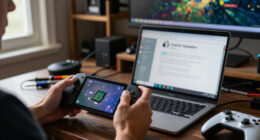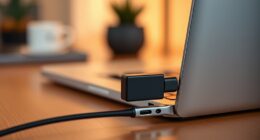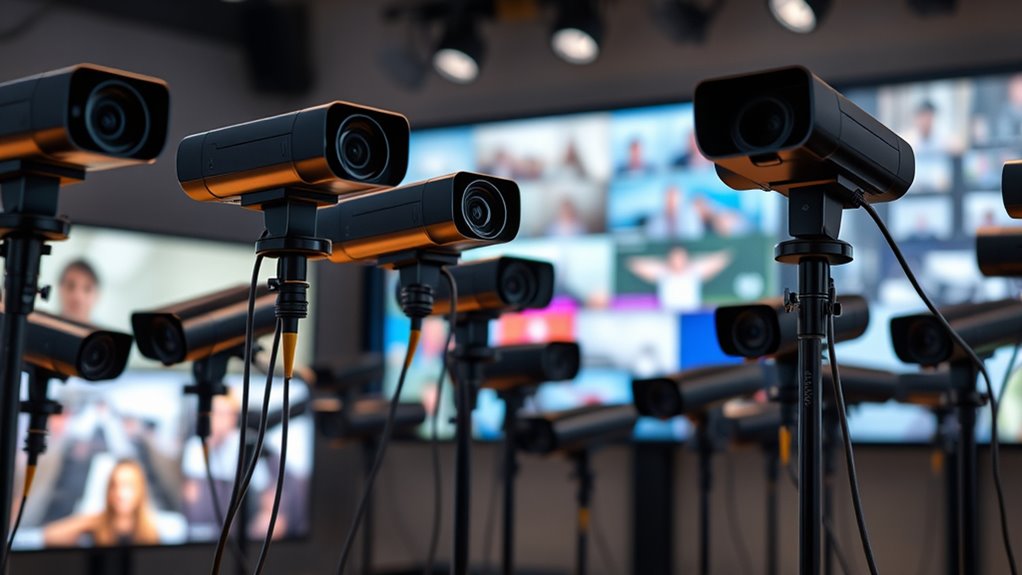

A PTZ webcam can keep a speaker in frame as they move, but the right model depends on whether you need a desktop camera or a room-wide conference system. My best overall pick is the OBSBOT Tiny 2, which balances 4K capture and AI tracking for individual presenters. The Insta360 Link 2 Pro is a strong choice for creators who want more control, while the TONGVEO 4K 20x Optical Zoom is better suited to larger rooms and installed setups. The main tradeoffs are tracking and framing convenience versus connectivity, zoom reach, and setup complexity. Read on for the full breakdown and help matching a camera to your room and workflow.

Get the latest gadgets delivered free with Prime
- Fast, free delivery on millions of items
- Prime Video, Amazon Music and more included
- Member-only deals all year
Complete the kit



Key Takeaways
- The OBSBOT Tiny 2 is the best all-around desktop choice in this lineup: it pairs 4K capture with AI tracking without the room-installation focus of the TONGVEO 20x model.
- Zoom changes the job a camera can do. The TONGVEO model with 20x optical zoom and NDI, HDMI, SDI, USB, and PoE is aimed at installed production, not a typical laptop setup.
- All-in-one conference systems solve a different problem. The TONGVEO speakerphone system and BizEye P30 combine camera and audio functions, which can suit group meetings better than a presenter-focused webcam.
- Kit versions mainly address mounting needs. The EMEET PIXY and OBSBOT Tiny models bundled with tripods make sense when a monitor mount is not the right placement, but buyers should check exactly what accessories are included.
- The lineup favors 4K tracking, but 1080p can still fit a specific workflow. The OBSBOT Tiny SE options trade resolution for a 100fps specification, which may matter more to some users than 4K detail.
| OBSBOT Tiny 2 Lite 4K AI Tracking PTZ Webcam |  | Best for Customizable Tracking | Maximum resolution: 4K at 30 fps | Alternate video mode: 1080p at 60 fps | Sensor: 1/2-inch CMOS | VIEW ON AMAZON | See Our Full Breakdown |
| TONGVEO 4K AI Auto-Tracking PTZ Conference Camera System with Bluetooth Speakerphone |  | Best for Small Meeting Rooms | Camera resolution: UHD 4K at 30 fps | Sensor: 1/2.8-inch CMOS | Field of view: 93 degrees | VIEW ON AMAZON | See Our Full Breakdown |
| EMEET PIXY Dual-Camera AI PTZ 4K Webcam |  | Best Compact Pick | Sensor: 1/2.55-inch Sony sensor | Resolution: 4K | Autofocus: PDAF and AI autofocus; stated 0.2-second focusing | VIEW ON AMAZON | See Our Full Breakdown |
| Insta360 Link 2 PTZ 4K Webcam |  | Best for Presentation Modes | Sensor: 1/2-inch CMOS | Maximum resolution: UHD 4K | Autofocus: Phase Detection Auto Focus (PDAF) | VIEW ON AMAZON | See Our Full Breakdown |
| OBSBOT Tiny 2 4K PTZ Webcam with AI Tracking |  | Best Overall for Solo Creators | Video resolution: 4K | Frame rate: Up to 60 fps | Sensor: 1/1.5-inch CMOS | VIEW ON AMAZON | See Our Full Breakdown |
| OBSBOT Tiny 3 4K AI-Powered PTZ Webcam |  | Best for Versatile AI Tracking | Sensor: 1/1.28-inch CMOS | Video resolution: 4K at 30 fps; 1080p at 120 fps | Connectivity: USB-C | VIEW ON AMAZON | See Our Full Breakdown |
| TONGVEO 4K PTZ Camera with AI Auto-Tracking, 20x Optical Zoom, NDI, HDMI, SDI, USB 3.0, and PoE |  | Best for Production Rooms and Long-Distance Framing | Resolution: Up to 4K at 30 fps via HDMI and USB | IP/NDI streaming: Up to 1080p | Optical zoom: 20x | VIEW ON AMAZON | See Our Full Breakdown |
| Insta360 Link 2 Pro 4K PTZ Webcam |  | Best for Low-Light Desk Presentations | Sensor: 1/1.3-inch CMOS | Video resolution: UHD 4K | Connectivity: USB-C | VIEW ON AMAZON | See Our Full Breakdown |
| OBSBOT Tiny SE 1080p 100fps AI Tracking PTZ Webcam |  | Best for High-Frame-Rate 1080p on a Simple Setup | Video resolution: 1080p at 100 fps; 720p at 150 fps | Sensor: 1/2.8-inch stacked CMOS | Connectivity: USB | VIEW ON AMAZON | See Our Full Breakdown |
| OBSBOT Tiny SE 1080p PTZ Webcam with AI Tracking and Mini Tripod |  | Best Starter Kit with a Mini Tripod | Video resolution: 1080p | Maximum frame rate: 100 fps at 1080p; 120 fps at 720p | Sensor: 1/2.8-inch CMOS | VIEW ON AMAZON | See Our Full Breakdown |
| OBSBOT Tiny 2 Lite 4K PTZ Webcam with AI Tracking and Mini Tripod |  | Best Value for Flexible Framing | Sensor: 1/2-inch CMOS | Video resolution: UHD 4K at 30 fps; 1080p at 60 fps | Focus: Autofocus | VIEW ON AMAZON | See Our Full Breakdown |
| Insta360 Link 2 PTZ 4K Webcam |  | Best for Feature-Rich Presentations | Sensor: 1/2-inch CMOS | Resolution: 4K UHD | Focus: Phase Detection Auto Focus (PDAF) | VIEW ON AMAZON | See Our Full Breakdown |
| BizEye P30 All-in-One Conference System with 4K Dual-Lens Camera and Bluetooth Speakerphone |  | Best for Small-Team Conference Rooms | Camera resolution: 4K PTZ camera and 1080p panoramic lens | Optical and digital zoom: 3x optical; 5x digital | Field of view: 110° PTZ lens; 120° panoramic lens | VIEW ON AMAZON | See Our Full Breakdown |
| EMEET PIXY Dual-Camera AI PTZ 4K Webcam Kit with Tripod |  | Best for Adjustable Desktop Setup | Video resolution: UHD 4K | Sensor: Sony 1/2.55-inch sensor | Autofocus: PDAF and AI autofocus; stated 0.2-second focus time | VIEW ON AMAZON | See Our Full Breakdown |
| OBSBOT Tiny 3 Lite 4K AI Tracking Webcam |  | Best for Fast-Motion Tracking | Sensor: 1/2-inch CMOS | Video resolution: 4K at 30 fps; 1080p at 120 fps | Autofocus: Phase detection autofocus | VIEW ON AMAZON | See Our Full Breakdown |
| ptz webcam | Sensor | Connectivity | Compatibility | Video resolution |
|---|---|---|---|---|
| OBSBOT Tiny 2 Lite 4K AI Track | 1/2-inch CMOS | USB-C | Windows 10 or later; macOS 11 or later | — |
| TONGVEO 4K AI Auto-Tracking PT | 1/2.8-inch CMOS | — | — | — |
| EMEET PIXY Dual-Camera AI PTZ | 1/2.55-inch Sony sensor | USB 2.0 Type-C-to-C cable with Type-C-to-A adapter | Windows 10 or later (64-bit, not ARM); macOS 10.14 or later | — |
| Insta360 Link 2 PTZ 4K Webcam | 1/2-inch CMOS | USB | PC, Mac, laptop, and tablet with USB-C; not compatible with ARM-based Windows | — |
| OBSBOT Tiny 2 4K PTZ Webcam wi | 1/1.5-inch CMOS | USB-C with USB 3.0 data transfer | Windows 10 or later; macOS 11 or later | 4K |
| OBSBOT Tiny 3 4K AI-Powered PT | 1/1.28-inch CMOS | USB-C | Windows 10 (64-bit) or later; macOS 11.0 or later | 4K at 30 fps; 1080p at 120 fps |
| TONGVEO 4K PTZ Camera with AI | 1/2.8-inch CMOS | — | — | — |
| Insta360 Link 2 Pro 4K PTZ Web | 1/1.3-inch CMOS | USB-C | Windows, macOS, Chrome OS, and Linux; not ARM-based Windows | UHD 4K |
| OBSBOT Tiny SE 1080p 100fps AI | 1/2.8-inch stacked CMOS | USB | — | 1080p at 100 fps; 720p at 150 fps |
| OBSBOT Tiny SE 1080p PTZ Webca | 1/2.8-inch CMOS | — | — | 1080p |
| OBSBOT Tiny 2 Lite 4K PTZ Webc | 1/2-inch CMOS | USB | — | UHD 4K at 30 fps; 1080p at 60 fps |
| Insta360 Link 2 PTZ 4K Webcam | 1/2-inch CMOS | USB | PC, Mac, Zoom, Teams, and Twitch; not compatible with ARM-based Windows systems per product information | — |
| BizEye P30 All-in-One Conferen | — | USB and Bluetooth | Windows 10/11, macOS, Android, and iOS | — |
| EMEET PIXY Dual-Camera AI PTZ | Sony 1/2.55-inch sensor | USB 2.0 USB-C to USB-C cable and USB-C to USB-A adapter | — | UHD 4K |
| OBSBOT Tiny 3 Lite 4K AI Track | 1/2-inch CMOS | USB | — | 4K at 30 fps; 1080p at 120 fps |
More Details on Our Top Picks
OBSBOT Tiny 2 Lite 4K AI Tracking PTZ Webcam
The Tiny 2 Lite is a strong fit when you want PTZ movement that follows you without needing a full conference-room camera system. Its customizable tracking areas and preset positions let you shape how it follows movement, while gesture controls make basic adjustments accessible when you are away from your desk. It also records at 4K at 30 fps or 1080p at 60 fps, giving you a choice between detail and smoother motion. Compared with the OBSBOT Tiny 2, it has a smaller 1/2-inch sensor and less elaborate tracking options, so the standard Tiny 2 is the stronger pick for frequent movement or more tracking modes. The Lite’s USB-C plug-and-play setup is simpler, but its lack of Wi-Fi means it remains tethered to your computer.
Pros:- 4K at 30 fps and 1080p at 60 fps offer a useful choice between detail and motion smoothness.
- Custom tracking areas and presets allow more control over where the camera follows.
- Gesture controls make tracking and zoom adjustments accessible without touching the camera.
- Landscape, portrait, and upside-down modes suit varied desk and mounting setups.
Cons:- USB-C connection means the camera must remain wired to a compatible device.
- The 1/2-inch sensor is smaller than the sensor in the standard OBSBOT Tiny 2.
- Not water resistant, so it is intended for indoor use.
Best for: Solo presenters and streamers who want adjustable AI tracking, gesture controls, and flexible shooting orientations in a USB-connected webcam.
Not ideal for: Buyers who need wireless placement or the larger sensor and broader tracking-mode selection of the OBSBOT Tiny 2.
- Maximum resolution:4K at 30 fps
- Alternate video mode:1080p at 60 fps
- Sensor:1/2-inch CMOS
- Focus:Autofocus
- Zoom:4x digital and 4x optical zoom
- Shooting modes:Landscape, portrait, and upside-down
- Connectivity:USB-C
- Compatibility:Windows 10 or later; macOS 11 or later
Our verdict“Choose the Tiny 2 Lite if adjustable, gesture-controlled PTZ tracking matters more than wireless operation or the standard Tiny 2’s larger sensor.”
TONGVEO 4K AI Auto-Tracking PTZ Conference Camera System with Bluetooth Speakerphone
This TONGVEO is less a personal webcam than a meeting-room kit: it pairs a motorized 4K camera with a separate wireless speakerphone. AI speaker tracking and a 93-degree field of view suit group calls where the active speaker may change, while HDMI provides a 4K output option for compatible displays or capture setups. The four-microphone speakerphone has a stated pickup distance of 16.4 feet, making it more meeting-focused than the single-desk OBSBOT Tiny 2 Lite. There is a significant connection tradeoff: USB output is limited to 1080p, despite the camera’s 4K capability, so check the output path you plan to use. The speakerphone also runs for only 6–8 hours per charge, which can be limiting for long sessions without access to power.
Pros:- AI speaker tracking helps keep the active participant in view during group calls.
- HDMI supports 4K output, while USB 3.0 offers a familiar computer connection.
- The speakerphone combines four omnidirectional microphones with USB, Bluetooth, and wireless-dongle connections.
- Flexible mounting and broad operating-system support suit varied conference-room setups.
Cons:- USB camera output is limited to 1080p, despite the camera supporting 4K over HDMI.
- Speakerphone battery life is stated at 6–8 hours, which may not cover a full day of meetings.
- The camera-and-speakerphone system is more involved than a compact personal webcam such as the EMEET PIXY.
Best for: Small teams that need a PTZ camera, speaker tracking, and a separate multi-microphone speakerphone for shared-room video calls.
Not ideal for: Solo creators who need straightforward 4K USB capture or teams that require a speakerphone to last through extended, unplugged meetings.
- Camera resolution:UHD 4K at 30 fps
- Sensor:1/2.8-inch CMOS
- Field of view:93 degrees
- Optical zoom:3x
- Pan and tilt:350 degrees horizontal; 180 degrees vertical
- Camera outputs:HDMI and USB 3.0; USB output up to 1080p
- Speakerphone microphones:Four omnidirectional microphones
- Microphone pickup distance:16.4 ft (5 m)
- Speakerphone battery:2400 mAh; stated 6–8 hours
Our verdict“Pick this system for shared meetings that benefit from speaker tracking and room audio, but not if 4K over USB is a requirement.”
EMEET PIXY Dual-Camera AI PTZ 4K Webcam
The EMEET PIXY puts AI-driven PTZ features into a compact webcam weighing about 132 grams, making it a practical choice for a light desk setup or a bag-ready work kit. Its 4K Sony sensor, PDAF, and AI autofocus are geared toward quick focus changes, while the camera pans 310 degrees and tilts 180 degrees to follow movement. A three-microphone array with selectable sound modes adds more built-in audio flexibility than the OBSBOT Tiny 2 Lite, though neither replaces a dedicated meeting-room speakerphone like the TONGVEO system. PIXY also includes gesture controls and whiteboard detection. Its 73-degree field of view is relatively focused, which can help keep a presenter prominent but may not fit a wide group. A tripod and remote are sold separately, and the field of view is locked across the listed video modes.
Pros:- Compact 131.54 g body is easy to fit into a portable workstation.
- 4K sensor with PDAF and AI autofocus supports quick focus changes.
- Pan-and-tilt tracking follows movement across a desk or presentation area.
- Three-microphone array, sound modes, gesture controls, and whiteboard detection add useful call features.
Cons:- Tripod and remote are sold separately.
- The 73-degree field of view may be restrictive for groups or wide presentation spaces.
- Field of view is locked at the listed 4K 30 fps and 1080p 60 fps modes.
Best for: Mobile presenters and individual creators who want a compact 4K PTZ webcam with autofocus, gesture controls, and built-in microphones.
Not ideal for: Users who need a wide room view, an included tripod or remote, or a dedicated speakerphone for group meetings.
- Sensor:1/2.55-inch Sony sensor
- Resolution:4K
- Autofocus:PDAF and AI autofocus; stated 0.2-second focusing
- Pan and tilt:310 degrees pan; 180 degrees tilt
- Microphones:Three-microphone array with three sound modes
- Field of view:73 degrees
- Connectivity:USB 2.0 Type-C-to-C cable with Type-C-to-A adapter
- Weight:131.54 g
- Compatibility:Windows 10 or later (64-bit, not ARM); macOS 10.14 or later
Our verdict“Choose the PIXY for a compact, feature-rich personal PTZ webcam, provided its narrower view and separately sold accessories fit your setup.”
Insta360 Link 2 PTZ 4K Webcam
The Link 2 is a polished choice for people who move between calls, live presentations, and document demonstrations. Its motorized AI tracking follows movement, while DeskView and Whiteboard modes help shift attention from the presenter to work on a surface or board. The 1/2-inch sensor, HDR, PDAF, and AI noise-canceling audio make it more presentation-oriented than the compact EMEET PIXY, whose listed features focus on a narrower field of view and built-in microphone modes. The Link 2 also offers a 4K portrait mode and privacy mode, useful additions for varied workflows. Its limits are mostly compatibility and setup fit: it does not support ARM-based Windows or Windows Hello Face Recognition, and USB connection keeps it tethered. It is not water resistant, so it belongs in an indoor workspace.
Pros:- AI tracking pans and tilts to follow the presenter.
- DeskView, Whiteboard, and 4K portrait modes support varied presentation formats.
- HDR, PDAF autofocus, and a 1/2-inch sensor support detailed video across changing scenes.
- AI noise-canceling audio and privacy mode add useful call controls.
Cons:- Not compatible with ARM-based Windows systems.
- Does not support Windows Hello Face Recognition.
- USB connection requires a wired setup, and the camera is not water resistant.
Best for: Remote presenters, educators, and creators who switch between face-to-camera calls, whiteboards, and desk demonstrations.
Not ideal for: ARM-based Windows users, buyers who rely on Windows Hello Face Recognition, or anyone seeking a wireless or water-resistant camera.
- Sensor:1/2-inch CMOS
- Maximum resolution:UHD 4K
- Autofocus:Phase Detection Auto Focus (PDAF)
- Connectivity:USB
- Special features:AI tracking, HDR, gesture control, DeskView, Whiteboard, 4K Portrait Mode, privacy mode
- Lens:Zoom, wide angle; 30 mm maximum and minimum focal length
- Maximum aperture:f/1.8
- Compatibility:PC, Mac, laptop, and tablet with USB-C; not compatible with ARM-based Windows
Our verdict“Choose the Link 2 if your PTZ webcam needs to switch smoothly between presenter, desk, and whiteboard views and your computer is compatible.”
OBSBOT Tiny 2 4K PTZ Webcam with AI Tracking
The OBSBOT Tiny 2 is the most capable personal PTZ option in this group for creators who want movement tracking and high-resolution video in one compact camera. Its 1/1.5-inch CMOS sensor is larger than the 1/2-inch sensor in the Tiny 2 Lite and Insta360 Link 2, and the listed 4K capability reaches up to 60 fps. Four tracking modes—upper body, close-up, hand, and zone—give it more ways to follow a presenter than the Lite’s customizable areas and presets. Voice and gesture controls also make adjustments easier during a presentation. The tradeoff is that this is still a USB-C webcam rather than a room system like the TONGVEO, so it is aimed at one computer and one primary speaker. It may also get hot during use, and it is not water resistant.
Pros:- Large 1/1.5-inch CMOS sensor supports detailed 4K video.
- Four tracking modes suit presenters who change distance, posture, or position.
- Voice and gesture controls allow hands-free camera adjustments.
- Autofocus is specified at 0.3 seconds.
Cons:- The camera may get hot during use.
- USB-C connection requires a wired computer setup.
- Not water resistant, limiting it to indoor environments.
Best for: Solo streamers, educators, and remote presenters who want versatile AI tracking, voice controls, and high-resolution video from a desk-mounted PTZ webcam.
Not ideal for: Conference rooms needing a separate multi-microphone speakerphone, or buyers who prioritize wireless operation and extended use without heat concerns.
- Video resolution:4K
- Frame rate:Up to 60 fps
- Sensor:1/1.5-inch CMOS
- Autofocus speed:0.3 seconds
- Tracking modes:Upper body, close-up, hand, and zone tracking
- Controls:Voice and gesture
- Connectivity:USB-C with USB 3.0 data transfer
- Weight:143.3 g
- Compatibility:Windows 10 or later; macOS 11 or later
Our verdict“The Tiny 2 is the strongest all-around fit here for solo creators who value sensor size and flexible tracking more than a room-scale audio system.”
OBSBOT Tiny 3 4K AI-Powered PTZ Webcam
The OBSBOT Tiny 3 is the most flexible pick here for creators who want both detailed 4K footage and high-frame-rate options. It records 4K at 30 fps or 1080p at 120 fps, so you can choose sharp presentation video or smoother motion without changing cameras. Its large 1/1.28-inch sensor, HDR, and autofocus support image quality, while tracking can follow people, groups, and many object types. Compared with the Insta360 Link 2 Pro, it adds a three-microphone array and voice control; the Link 2 Pro is lighter and lists broader operating-system support. The Tiny 3’s tradeoffs are a wired USB-C connection and 4x digital zoom, not optical reach. I’d favor it for desk-based streaming and meetings, not for a room that needs wireless placement.
Pros:- Records 4K at 30 fps or 1080p at 120 fps
- Large 1/1.28-inch sensor with HDR and autofocus
- AI tracking supports people, groups, and over 200 object types
- Three-microphone array plus voice and gesture controls
Cons:- USB-C connection only; no Wi-Fi or Bluetooth
- 4x zoom is digital rather than optical
- Not water resistant
Best for: Streamers and remote presenters who want AI tracking, 4K capture, high-frame-rate 1080p, and built-in multi-microphone audio.
Not ideal for: Buyers who need wireless connectivity, optical zoom, or a camera for damp environments.
- Sensor:1/1.28-inch CMOS
- Video resolution:4K at 30 fps; 1080p at 120 fps
- Connectivity:USB-C
- Microphones:Three-microphone array
- Zoom:4x digital
- Focus:Autofocus and manual focus
- Weight:310 g
- Compatibility:Windows 10 (64-bit) or later; macOS 11.0 or later
Our verdict“Choose the Tiny 3 if you want a versatile USB-C PTZ webcam with broad AI tracking and multiple video modes.”
TONGVEO 4K PTZ Camera with AI Auto-Tracking, 20x Optical Zoom, NDI, HDMI, SDI, USB 3.0, and PoE
Unlike the compact USB webcams in this roundup, the TONGVEO 4K PTZ is built around production-room connections and framing at a distance. Its 20x optical zoom can bring a speaker closer without the image degradation of digital zoom, while HDMI, SDI, USB 3.0, LAN, and PoE give installers several ways to connect and power it. It outputs 4K at 30 fps over HDMI and USB, but IP/NDI streaming tops out at 1080p—a meaningful distinction for network-based workflows. AI tracking follows one person at a time and is not intended for fast movement. Compared with the OBSBOT Tiny 3, this is far less desk-friendly, but it offers genuine optical reach and pro-style outputs. I’d choose it for a fixed venue setup, not casual laptop calls.
Pros:- 20x optical zoom for framing subjects across a room
- 4K at 30 fps output through HDMI and USB
- HDMI, SDI, USB 3.0, LAN, and PoE connectivity
- AI presenter tracking and auto-framing
Cons:- IP/NDI streaming is limited to 1080p
- Tracking follows one person and is not suited to high-speed motion
- Larger installation-oriented design is less convenient for a desktop
Best for: Churches, lecture rooms, and small production teams that need optical zoom and HDMI, SDI, or PoE installation options.
Not ideal for: Laptop-first users, buyers who need 4K over IP/NDI, or teams tracking multiple people or fast-moving subjects.
- Resolution:Up to 4K at 30 fps via HDMI and USB
- IP/NDI streaming:Up to 1080p
- Optical zoom:20x
- Tracking:AI presenter tracking and auto-framing; tracks one person at a time
- Outputs:HDMI, SDI, USB 3.0, and LAN
- Power:PoE supported
- Sensor:1/2.8-inch CMOS
- Lens:28–105 mm zoom lens; f/3.7 maximum aperture
Our verdict“Pick the TONGVEO when room-scale optical zoom and production connections matter more than compact size or 4K network streaming.”
Insta360 Link 2 Pro 4K PTZ Webcam
The Insta360 Link 2 Pro suits presenters who want a compact camera that can handle dimmer rooms and more than a standard head-and-shoulders shot. Its 1/1.3-inch sensor, HDR, and low-light performance support detailed 4K video, while motorized tracking follows movement around the desk. Directional dual microphones can help de-emphasize surrounding noise, and modes such as DeskView and Whiteboard Mode give it a practical role in demonstrations. Compared with the OBSBOT Tiny 3, it is lighter and lists compatibility with Chrome OS and Linux, but the Tiny 3 offers 1080p at 120 fps and a three-microphone array. The Link 2 Pro is still a USB-C camera with 4x digital zoom, and ARM-based Windows systems are not supported. I’d pick it for polished presentations, not maximum motion capture.
Pros:- 1/1.3-inch sensor with 4K video, HDR, and low-light features
- Motorized AI pan-and-tilt tracking
- Directional dual microphones
- DeskView, Whiteboard Mode, portrait mode, and gesture controls
Cons:- Not compatible with ARM-based Windows systems
- 4x digital zoom does not provide optical reach
- No Windows Hello face recognition
Best for: Presenters and educators who need 4K framing, low-light support, and desk or whiteboard views on a compatible computer.
Not ideal for: ARM-based Windows users or creators who prioritize high-frame-rate recording over presentation features.
- Sensor:1/1.3-inch CMOS
- Video resolution:UHD 4K
- Connectivity:USB-C
- Microphones:Directional dual microphones
- Digital zoom:4x
- Weight:167.5 g
- Compatibility:Windows, macOS, Chrome OS, and Linux; not ARM-based Windows
- Software integration:Elgato Stream Deck, Zoom, Microsoft Teams, and Twitch
Our verdict“Choose the Link 2 Pro for a presentation-focused 4K webcam with low-light features and useful desk-view modes, provided your computer is compatible.”
OBSBOT Tiny SE 1080p 100fps AI Tracking PTZ Webcam
The OBSBOT Tiny SE is the motion-focused choice for buyers who can live without 4K. It captures up to 1080p at 100 fps, with a 720p mode reaching 150 fps, giving fast-moving streamers smoother footage than the 4K-focused Insta360 Link 2 Pro lists. AI tracking includes customizable zones and body-part tracking, while presets and gesture controls make it easier to change framing without interrupting a session. Its 1/2.8-inch sensor and autofocus suit a direct USB webcam setup, but the 4x zoom is digital, so it cannot match the TONGVEO’s room-spanning optical reach. The listed file format is MJPEG, another detail to check against your capture workflow. I’d choose this for streaming motion at a desk, not for a 4K-first meeting setup.
Pros:- Captures 1080p at 100 fps and 720p at 150 fps
- AI tracking offers customizable zones and body-part tracking
- Gesture controls and customizable camera presets
- Supports Stream Deck, OSC, and API integrations
Cons:- Maximum listed resolution is 1080p
- 4x zoom is digital rather than optical
- MJPEG file format may not suit every capture workflow
Best for: Streamers and content creators who want AI subject tracking and smooth 1080p motion through a straightforward USB connection.
Not ideal for: Buyers who require 4K detail, optical zoom, or a production camera with HDMI and SDI outputs.
- Video resolution:1080p at 100 fps; 720p at 150 fps
- Sensor:1/2.8-inch stacked CMOS
- Connectivity:USB
- Focus:Autofocus
- Digital zoom:4x
- Maximum aperture:f/1.8
- Shooting modes:Horizontal, portrait, and upside-down
- File format:MJPEG
Our verdict“Pick the Tiny SE if smooth high-frame-rate 1080p and customizable tracking matter more than 4K resolution.”
OBSBOT Tiny SE 1080p PTZ Webcam with AI Tracking and Mini Tripod
This OBSBOT Tiny SE bundle makes the most sense for someone setting up a PTZ webcam from scratch: it includes a mini tripod, and its two-axis gimbal can track a presenter without relying on a fixed crop. The camera records up to 1080p at 100 fps, with phase-detection autofocus and dual noise-reducing microphones for calls or streaming. Compared with the other Tiny SE in this roundup, this version’s clearest distinction is the included tripod and stated built-in audio; the other listing highlights 720p at 150 fps and streaming integrations. Against the 4K-capable OBSBOT Tiny 3, this model gives up resolution and relies on digital zoom, but keeps the setup simple. I’d choose it for a compact desk rig, not a 4K production workflow.
Pros:- Mini tripod is included for flexible desktop placement
- AI tracking uses a two-axis gimbal to follow the subject
- 1080p recording up to 100 fps with PDAF autofocus
- Dual microphones include noise reduction and automatic gain control
Cons:- Maximum resolution is 1080p rather than 4K
- 4x zoom is digital, not optical
- USB connectivity limits installation options compared with the TONGVEO
Best for: First-time PTZ webcam buyers who want a compact USB camera, included mini tripod, tracking, and built-in microphones for a desk setup.
Not ideal for: 4K-focused creators, buyers who need optical zoom, or users who already have a tripod and want a distinct camera upgrade.
- Video resolution:1080p
- Maximum frame rate:100 fps at 1080p; 120 fps at 720p
- Sensor:1/2.8-inch CMOS
- Gimbal:Two-axis
- Autofocus:Phase-detection autofocus (PDAF)
- Digital zoom:4x
- Microphones:Dual omnidirectional microphones with noise reduction and automatic gain control
- Included accessory:Mini tripod
Our verdict“Choose this Tiny SE bundle for an easy desktop start with tracking and a tripod, but look elsewhere for 4K or optical zoom.”
OBSBOT Tiny 2 Lite 4K PTZ Webcam with AI Tracking and Mini Tripod
The OBSBOT Tiny 2 Lite brings the core appeal of a PTZ webcam—automatic movement that keeps a presenter in view—without adding a conference-room speakerphone or a large camera system. Its 1/2-inch sensor, HDR, and 4K at 30 fps suit detailed video calls and recordings, while 1080p at 60 fps is a useful option for smoother motion. AI tracking, auto-zoom, gesture controls, and saved PTZ positions give it more hands-free flexibility than a fixed webcam. Compared with the Insta360 Link 2, it offers similar headline resolution but fewer listed specialist features, such as Whiteboard and DeskView modes. Its tradeoff is a compact, camera-focused setup rather than an all-in-one audio solution; buyers should also note that it is not water resistant.
Pros:- AI tracking with auto-zoom helps keep a moving presenter framed.
- Offers 4K at 30 fps and 1080p at 60 fps.
- Gesture controls and saved PTZ positions support hands-free use.
- The 1/2-inch sensor, HDR, and autofocus are suited to varied lighting and subject distance.
Cons:- Does not include a speakerphone, so meeting audio requires separate equipment.
- Lacks the listed DeskView and Whiteboard modes available on the Insta360 Link 2.
- Not water resistant.
Best for: Solo presenters and remote workers who want a compact 4K PTZ webcam with auto-tracking, presets, and both smooth 1080p and detailed 4K modes.
Not ideal for: Teams seeking an integrated speakerphone or people who need dedicated whiteboard and desk-view shooting modes.
- Sensor:1/2-inch CMOS
- Video resolution:UHD 4K at 30 fps; 1080p at 60 fps
- Focus:Autofocus
- Maximum aperture:f/2.8
- Connectivity:USB
- Tracking and controls:AI tracking with auto-zoom, body-part tracking, gesture control, and preset PTZ positions
- Compatible devices:Computer, laptop, and tablet
- Water resistance:Not water resistant
Our verdict“Choose the Tiny 2 Lite for flexible solo-presenter framing and 4K capture, but pick the Insta360 Link 2 if its specialist modes and built-in microphone features matter more.”
Insta360 Link 2 PTZ 4K Webcam
The Insta360 Link 2 is the most presentation-focused pick here: its PTZ tracking is joined by DeskView and Whiteboard modes, which can make demonstrations easier to show without repositioning a separate camera. A 1/2-inch sensor, HDR, and 4K capture support detailed video, while phase-detection autofocus is designed to keep focus responsive as the subject moves. Its AI noise-canceling microphone also gives it a more self-contained meeting setup than the camera-only OBSBOT Tiny 2 Lite. That extra versatility comes with compatibility limits: the provided information excludes ARM-based Windows systems and Windows Hello Face Recognition. It is also not water resistant, and the listed 9V battery requirement is a detail buyers should verify against their intended setup before choosing it.
Pros:- DeskView and Whiteboard modes suit demonstrations and teaching.
- AI tracking physically pans and tilts to follow the subject.
- 1/2-inch sensor, HDR, and 4K UHD support detailed video capture.
- AI noise-canceling microphone adds an audio feature absent from the OBSBOT Tiny 2 Lite listing.
Cons:- Not compatible with ARM-based Windows systems according to the product information.
- Does not support Windows Hello Face Recognition.
- The listed 9V battery requirement may complicate setup.
Best for: Teachers, presenters, and creators who switch between speaking on camera, showing a desk demonstration, and presenting a whiteboard.
Not ideal for: Users on ARM-based Windows computers, people who need Windows Hello Face Recognition, or buyers seeking a PTZ webcam without the stated battery requirement.
- Sensor:1/2-inch CMOS
- Resolution:4K UHD
- Focus:Phase Detection Auto Focus (PDAF)
- Maximum aperture:f/2.22
- Connectivity:USB
- Special modes:DeskView, Whiteboard, gesture control, and AI tracking
- Compatibility:PC, Mac, Zoom, Teams, and Twitch; not compatible with ARM-based Windows systems per product information
- Water resistance:Not water resistant
Our verdict“Pick the Link 2 if presentation modes and its included AI audio features fit your workflow, but choose the Tiny 2 Lite if you want a simpler camera-first option.”
BizEye P30 All-in-One Conference System with 4K Dual-Lens Camera and Bluetooth Speakerphone
The BizEye P30 is the clear room-meeting choice in this group because it pairs a 4K PTZ camera with a 1080p panoramic lens and a wireless speakerphone. Presenter tracking and Gallery View can shift the framing between a speaker and a small group, while the panoramic view helps keep participants visible without relying on a single tight camera angle. Four omnidirectional microphones with noise reduction and echo control cover a different need from personal webcams such as the OBSBOT Tiny 3 Lite, which is built around a single-user setup. The compromise is scale: this system is recommended for rooms of four to eight participants, not larger meeting spaces. Its speakerphone also offers up to 10 hours of wireless use, so extended sessions may call for a charging plan.
Pros:- Combines a 4K PTZ camera, panoramic lens, and Bluetooth speakerphone.
- Presenter Tracking, Auto Framing, and Gallery View support different meeting formats.
- Four omnidirectional microphones offer 360-degree pickup with noise and echo reduction.
- USB and Bluetooth connectivity and broad operating-system compatibility support flexible setups.
Cons:- Recommended room size is limited to four to eight participants.
- Speakerphone battery life is listed at up to 10 hours, which may not cover longer use without charging.
- At 1.88 kg, it is less suited to portable personal-webcam use than the OBSBOT Tiny 3 Lite.
Best for: Small teams of four to eight people who want one system for PTZ video, panoramic room coverage, and conference audio.
Not ideal for: Solo streamers, buyers who need a lightweight desktop webcam, or organizations needing coverage for large conference rooms and all-day wireless operation.
- Camera resolution:4K PTZ camera and 1080p panoramic lens
- Optical and digital zoom:3x optical; 5x digital
- Field of view:110° PTZ lens; 120° panoramic lens
- AI modes:Auto Framing, Presenter Tracking, and Gallery View
- Speakerphone microphones:Four omnidirectional microphones; pickup range up to 5 m
- Speakerphone battery life:Up to 10 hours
- Connectivity:USB and Bluetooth
- Compatibility:Windows 10/11, macOS, Android, and iOS
- Recommended room size:Four to eight participants
Our verdict“Choose the BizEye P30 for a small meeting room that needs camera and speakerphone coverage in one kit, not for a personal desk setup.”
EMEET PIXY Dual-Camera AI PTZ 4K Webcam Kit with Tripod
The EMEET PIXY kit makes sense for buyers who want a PTZ webcam and a usable mounting solution together: its included tripod adjusts from 6.7 to 18.5 inches and has a swivel head for changing camera position. PDAF and AI autofocus are aimed at keeping moving subjects sharp, while the 310-degree pan and 180-degree tilt range provide room to reframe a teaching or streaming setup. Three microphone modes add flexibility for different recording environments. Compared with the OBSBOT Tiny 2 Lite, the PIXY’s supplied adjustable tripod is a more explicit part of the package, but the product data flags limits on field-of-view adjustment in some resolution and frame-rate modes. A remote is sold separately, so buyers wanting dedicated handheld control need to budget for an additional accessory.
Pros:- Included tripod adjusts from 6.7 to 18.5 inches and has a 360-degree swivel head.
- PDAF and AI autofocus support responsive subject focusing.
- Three sound modes offer choices for live, noise-canceling, and original audio.
- EMEET STUDIO provides camera presets, framing, and privacy controls.
Cons:- Field-of-view adjustment is unavailable in some resolution and frame-rate modes.
- Remote control is sold separately.
- Not water resistant.
Best for: Teachers, streamers, and desktop presenters who need a height-adjustable tripod and want camera presets and microphone modes.
Not ideal for: Buyers who need field-of-view adjustments across every video mode or want included remote control for camera movement.
- Video resolution:UHD 4K
- Sensor:Sony 1/2.55-inch sensor
- Autofocus:PDAF and AI autofocus; stated 0.2-second focus time
- Pan and tilt:310° pan; 180° tilt
- Tripod height:6.7–18.5 inches
- Microphones and sound modes:Three-microphone array; Live, Noise Canceling, and Original Sound modes
- Connectivity:USB 2.0 USB-C to USB-C cable and USB-C to USB-A adapter
- Water resistance:Not water resistant
Our verdict“Choose the PIXY kit if an adjustable tripod and software controls matter more than unrestricted field-of-view adjustment or an included remote.”
OBSBOT Tiny 3 Lite 4K AI Tracking Webcam
The OBSBOT Tiny 3 Lite is the strongest fit here for presenters who move quickly or want more than face-only tracking. Its 1080p at 120 fps option supports smoother capture of fast action, while 4K at 30 fps keeps a high-resolution mode available for calls and recordings. AI tracking covers people, groups, and more than 200 object types, giving it broader stated tracking targets than the OBSBOT Tiny 2 Lite. A triple-microphone array with multiple audio modes and voice and gesture controls further suit a hands-free desk setup. The tradeoff is that the product information warns voice or gesture controls may cause erratic gimbal behavior. Buyers who mainly need conventional meetings may not benefit from its faster frame-rate mode, and it is not water resistant.
Pros:- Captures 1080p at 120 fps as well as 4K at 30 fps.
- AI tracking supports people, groups, and more than 200 object types.
- Triple-microphone array includes multiple audio modes.
- Voice and gesture controls allow hands-free operation.
Cons:- Voice or gesture controls may cause erratic gimbal behavior, according to the product information.
- Not water resistant.
- The faster 1080p mode may be unnecessary for buyers focused on routine video calls.
Best for: Active presenters, demonstrators, and creators who need high-frame-rate 1080p capture and tracking for people, groups, or objects.
Not ideal for: Buyers seeking predictable gimbal behavior from voice or gesture commands, or those who only need a stationary webcam for standard meetings.
- Sensor:1/2-inch CMOS
- Video resolution:4K at 30 fps; 1080p at 120 fps
- Autofocus:Phase detection autofocus
- Microphones:Triple-microphone array with multiple audio modes
- Tracking:AI tracking for people, groups, and more than 200 object types
- Digital zoom:4x
- Connectivity:USB
- Weight:200 g
- Water resistance:Not water resistant
Our verdict“Pick the Tiny 3 Lite for moving subjects and high-frame-rate 1080p, but choose the Tiny 2 Lite if its stated tracking capabilities are enough for a more standard presenter setup.”

How We Picked
I ranked these cameras by how well their design matches common PTZ webcam jobs: solo video calls, moving presentations, creator streaming, and group or installed-room conferencing. My main criteria were image resolution, tracking and framing features, zoom capability, connection options, audio integration, and how much setup the product appears to require. I also separated desktop webcams from conference systems and production cameras rather than treating their very different feature sets as interchangeable.
The ranking gives the highest positions to versatile cameras that suit a broad range of desk-based users, then places specialized systems where their extra zoom, audio, or connectivity can justify the added complexity. Models with similar names are distinguished by their listed configuration, resolution, included accessories, and intended use; duplicate product entries do not count as separate innovations. Since no single camera is right for every room, the order reflects general usefulness, while the role labels and buying guide clarify when a lower-ranked specialist is the better match.
| ptz webcam | Connectivity |
|---|---|
| OBSBOT Tiny 2 Lite 4K AI Track | USB-C |
| TONGVEO 4K AI Auto-Tracking PT | — |
| EMEET PIXY Dual-Camera AI PTZ | USB 2.0 Type-C-to-C cable with Type-C-to-A adapter |
| Insta360 Link 2 PTZ 4K Webcam | USB |
| OBSBOT Tiny 2 4K PTZ Webcam wi | USB-C with USB 3.0 data transfer |
| OBSBOT Tiny 3 4K AI-Powered PT | USB-C |
| TONGVEO 4K PTZ Camera with AI | — |
| Insta360 Link 2 Pro 4K PTZ Web | USB-C |
| OBSBOT Tiny SE 1080p 100fps AI | USB |
| OBSBOT Tiny SE 1080p PTZ Webca | — |
| OBSBOT Tiny 2 Lite 4K PTZ Webc | USB |
| Insta360 Link 2 PTZ 4K Webcam | USB |
| BizEye P30 All-in-One Conferen | USB and Bluetooth |
| EMEET PIXY Dual-Camera AI PTZ | USB 2.0 USB-C to USB-C cable and USB-C to USB-A adapter |
| OBSBOT Tiny 3 Lite 4K AI Track | USB |
Factors to Consider When Choosing Ptz Webcam
Before choosing a PTZ webcam, I would start with the room and the way people appear on camera—not with the highest resolution listed. A desktop presenter, a small team around a table, and a speaker across a hall need different movement range, framing, audio, and connection options.
Match the Camera to the Room
A webcam designed for a monitor usually frames one person at close range, while a conference camera may need to cover several seats or a speaker farther away. Measure the distance from camera to subject and check the camera’s field of view and movement range against that layout. A wide view can include a group, but it may make a single speaker look small; tighter framing has the opposite tradeoff. Avoid buying an installation-oriented camera for a simple desk if its extra connections and mounting needs will go unused. For a large room, check whether the model’s optical zoom and mounting options fit the actual seating plan rather than relying on resolution alone.
Choose Tracking for Your Movement Pattern
AI tracking is most useful when a presenter moves naturally while teaching, demonstrating, or speaking to a camera. It may be less helpful for a seated user who wants a fixed frame, or for meetings where the camera should show several people at once. Before prioritizing tracking, check how the camera is controlled and whether it offers ways to set or hold a preferred framing. A common mistake is assuming that tracking automatically produces a polished shot: camera movement can distract viewers if the presenter moves often or the frame changes too aggressively. For mostly static calls, manual control and reliable positioning can matter more than following features.
Read Resolution Alongside Frame Rate and Framing
4K can retain detail and give room to crop, but it is not automatically the best fit for every call. The computer, conferencing app, lighting, and network can all limit the image viewers actually receive. A 1080p model with a high listed frame rate may suit motion-focused uses, while a 4K camera may be the better choice when detail and flexible framing matter. Check the output modes supported by the software you plan to use instead of buying on the maximum resolution alone. Good placement and even lighting often improve a video call more than moving up a resolution tier.
Decide Whether You Need Optical Zoom or Installed Connections
Optical zoom is useful when the camera must frame subjects at a distance without relying on a digital crop. Connections such as NDI, HDMI, SDI, and PoE can also matter in a production room, but they add setup decisions that a USB desk user may never need. Check compatibility with your computer, video switcher, network, and conferencing software before choosing a camera for those features. Do not mistake a long connection list for better everyday performance; it is valuable only when it supports your existing workflow. If you simply plug into a laptop, a more direct USB-oriented setup is usually easier to manage.
Treat Audio and Camera as Separate Buying Decisions
An all-in-one conference system can reduce the number of devices on a table by combining a camera with a speakerphone. That convenience may be appealing for shared rooms, but it does not mean its audio will suit every room size or noise level. For a solo presenter or streamer, a dedicated microphone can offer more control over voice quality than built-in meeting audio. Consider who will speak, how many people need to be heard, and whether participants join remotely or sit around the camera. Buyers often overspend on bundled audio they do not need, or overlook the need for a separate microphone when clear speech is the priority.
Check Mounting, Power, and Daily Operation
Camera placement affects framing, tracking, and whether the lens captures a natural eye line. A monitor mount is convenient for a desk, while a tripod or fixed installation can place the camera closer to the room’s ideal viewing position. Compare kit listings carefully: a bundled mini tripod may be useful, but it does not necessarily replace a full-height stand or a permanent mount. Also check how the camera receives power and connects to your computer or network, especially if you plan to use PoE or route cables through a room. Favor a setup you can position and control consistently, since extra hardware is of little help if the camera is awkward to use each day.
Frequently Asked Questions
Is 4K worth choosing over 1080p for a PTZ webcam?
Choose 4K if you want more image detail, plan to crop the frame, or need flexibility in how the shot is composed. It may bring less benefit for standard video calls if the meeting platform, network, or display limits the delivered image. The OBSBOT Tiny SE models show that 1080p can still make sense when a listed 100fps mode fits your use better than extra resolution. Check the camera’s supported modes and your software’s settings before paying attention to the headline resolution. Lighting and camera placement also have a large effect on the picture people see.
Do I need optical zoom for meetings?
Most desk-based calls do not need optical zoom because the camera sits close to the person being filmed. Optical zoom becomes more useful when a camera is installed far from a speaker or must frame different positions across a room. In this roundup, the TONGVEO 20x model is the clearest fit for that kind of setup, while compact desktop options suit close-range use. Digital cropping may be enough for modest framing changes, but it cannot replace the reach of optical zoom. Measure the distance and intended framing before selecting a zoom-focused camera.
Should I buy a webcam with AI tracking if I mostly sit at my desk?
Tracking is most valuable when you regularly move around the frame, such as during a presentation or demonstration. If you stay seated and centered, a locked frame may look calmer and require less adjustment. Consider whether you want the camera to follow one person or keep a group in view, since those are different framing needs. A tracking feature is not a substitute for a suitable field of view or good camera placement. If movement is rare, prioritize ease of control, image quality, and compatibility instead.
When should I choose an all-in-one conference system instead of a webcam?
An all-in-one system is a stronger fit when a shared meeting room needs both a camera and speakerphone in a combined setup. It can reduce device clutter and simplify the equipment participants must connect or operate. A desktop webcam is usually more appropriate for one person at a computer, particularly if that person already uses a headset or separate microphone. Think about how far participants sit from the camera and whether everyone needs to be heard clearly. Bundled audio is convenient, but buyers with demanding room acoustics may prefer dedicated sound equipment.
What should I check before choosing a kit that includes a tripod?
Check the tripod’s height, stability, mounting compatibility, and whether it places the camera at a useful eye line for your setup. A mini tripod can help when a monitor mount is unavailable, but it may not work for standing presentations or larger rooms. Confirm which accessories are actually included in the specific listing, especially when the same camera appears in both standard and kit versions. Consider cable reach and how the camera will be powered at its intended position. If you already own a suitable stand, a bundled tripod may add little practical value.
Conclusion
For most people seeking one capable desk-based PTZ webcam, I recommend the OBSBOT Tiny 2 as the best overall balance of 4K capture and AI tracking. The OBSBOT Tiny 2 Lite is my best value direction for buyers who want 4K tracking in a simpler desktop format, while the OBSBOT Tiny 3 is the premium pick for those prioritizing the newer high-end OBSBOT option in this lineup. Beginners should start with a compact USB desktop model such as the OBSBOT Tiny SE, particularly if 1080p meets their needs and they want a less elaborate setup. For creators who want a control-focused alternative, consider the Insta360 Link 2 Pro; for a shared room, look at the TONGVEO speakerphone system or BizEye P30; and for a distant speaker or installed production, the TONGVEO 20x optical zoom camera is the specialist choice. Match the camera to your room and workflow first, then choose the resolution and accessories that support them.