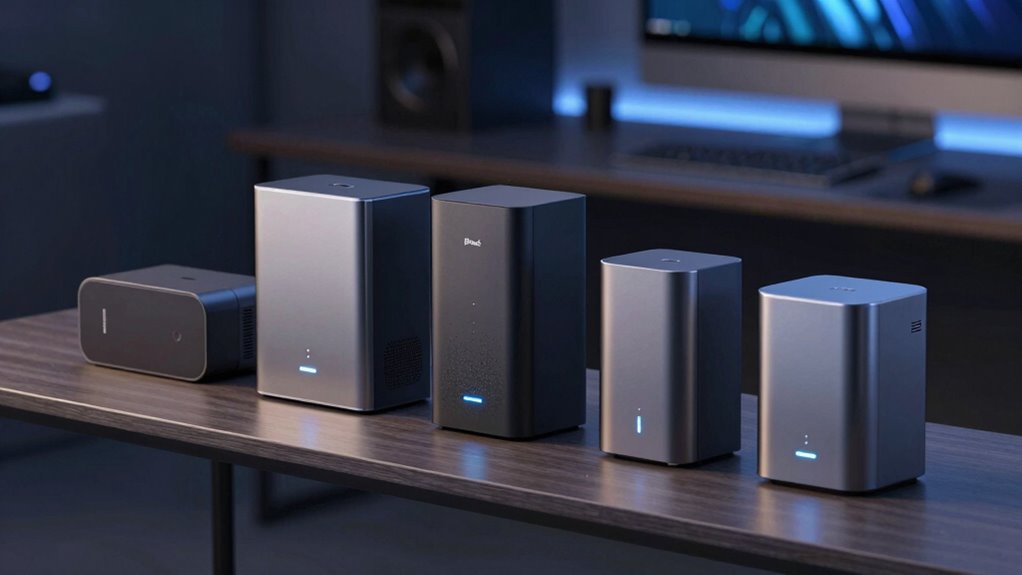

A private cloud storage device keeps files on hardware in your home rather than relying only on a third-party cloud account. For most buyers, I’d start with the UGREEN NASync DXP2800 for its more capable two-bay NAS approach; the Synology BeeStation is a simpler pick for personal file access, while the BUFFALO LinkStation 220 8TB suits buyers who want storage included. The main tradeoffs are setup complexity, room to expand, and whether you prefer a ready-to-use drive or a diskless system you configure yourself. Read on for how the 14 options differ and which one best fits your needs.

Get the latest gadgets delivered free with Prime
- Fast, free delivery on millions of items
- Prime Video, Amazon Music and more included
- Member-only deals all year
Complete the kit



Key Takeaways
- The lineup splits into simple personal clouds and configurable NAS systems. BeeStation and AMBER X favor a more approachable personal-storage experience, while diskless Synology, UGREEN, LincStation, and Yxk models call for more setup and drive choices.
- Two bays offer a useful middle ground. They provide more flexibility than the one-bay LinkStation models, though buyers still need to choose drives for diskless NAS units.
- Included capacity changes the real buying decision. The Buffalo LinkStation 220 and 210 models arrive with drives, while diskless models let buyers choose capacity and drive type but add a separate purchase and setup step.
- Synology’s range spans very different needs. The DS124 is a one-bay entry point, the DS223j is a diskless two-bay option, and the DS225+ is positioned for buyers seeking a more capable NAS.
- Redundancy is not the same as backup. A multi-bay device may help protect against a drive failure when configured appropriately, but a separate backup remains important for accidental deletion, theft, or device damage.
| LincStation E1 4-Bay NAS Storage (Diskless) |  | Best for Hybrid Storage Expansion | Processor: Quad-core Cortex-A55, 2.0 GHz | Memory: 4 GB DDR4 RAM | System storage: 64 GB eMMC | VIEW ON AMAZON | See Our Full Breakdown |
| AMBER X Personal Cloud Storage Device with 512GB SSD |  | Best Compact Personal Cloud | Storage capacity: 512 GB SSD | Media speed: 500–600 MB/s | Connectivity: Ethernet, Wi-Fi, USB 3.0 | VIEW ON AMAZON | See Our Full Breakdown |
| BUFFALO LinkStation 220 8TB 2-Bay NAS with Hard Drives |  | Best for Included Storage and Simple Backups | Model: LS220D0802 | Total capacity: 8 TB | Drive bays: 2 | VIEW ON AMAZON | See Our Full Breakdown |
| UGREEN NASync DXP2800 2-Bay NAS |  | Best for Power Users and Applications | Processor: Intel N100 quad-core | Memory: 8 GB DDR5 | Drive bays: 2 HDD bays | VIEW ON AMAZON | See Our Full Breakdown |
| Synology BeeStation 4TB Personal Cloud Storage Device (BST151-4T) |  | Best for Beginners | Model number: BST151-4T | Capacity: 4 TB | Dimensions: 7.73 × 2.46 × 5.83 in | VIEW ON AMAZON | See Our Full Breakdown |
| BUFFALO LinkStation 220 4TB 2-Bay NAS | | Best for Ready-to-Use Redundancy | Model: LS220D0402 | Drive bays: 2 | Total included capacity: 4TB | VIEW ON AMAZON | See Our Full Breakdown |
| UGREEN DH2300 2-Bay NAS for Personal Storage and Device Backup |  | Best for Cross-Device Photo Backups | Drive bays: 2 | Maximum capacity: Up to 64TB with compatible drives; drives sold separately | Memory: 4GB RAM | VIEW ON AMAZON | See Our Full Breakdown |
| Synology 2-Bay DiskStation DS223j NAS (Diskless) |  | Best for Synology Cloud and Backup Basics | Drive bays: 2 | Included drives: None; diskless | Backup support: Mac, PC, and mobile devices | VIEW ON AMAZON | See Our Full Breakdown |
| Synology DS225+ 2-Bay Diskless NAS | 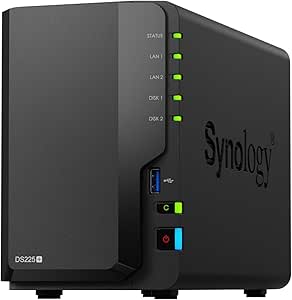 | Best for Media and Surveillance Features | Model: DS225+ | Drive bays: 2 | Drive configuration: Diskless | VIEW ON AMAZON | See Our Full Breakdown |
| Synology DS124 1-Bay Diskless NAS |  | Best Compact Single-Drive Synology | Model: DS124 | Drive bays: 1 | Drive configuration: Diskless | VIEW ON AMAZON | See Our Full Breakdown |
| Buffalo LinkStation 210 4TB 1-Bay NAS Network Storage with Included Hard Drive |  | Best for Straightforward 4TB Home Backup | Storage capacity: 4TB | Drive bays: 1 | Hard drive: Included | VIEW ON AMAZON | See Our Full Breakdown |
| BUFFALO LinkStation 210 6TB 1-Bay Network Attached Storage | | Best for Higher Capacity Without Drive Setup | Model: LS210D0601 | Storage capacity: 6TB | Drive bays: 1 | VIEW ON AMAZON | See Our Full Breakdown |
| Yxk Zero1 2-Bay Desktop NAS for Home and Personal Storage (Diskless) |  | Best for Flexible, App-Ready Storage | Drive bays: 2 | Included drives: None; diskless | Network connectivity: 2.5GbE | VIEW ON AMAZON | See Our Full Breakdown |
| BUFFALO LinkStation 210 2TB 1-Bay NAS with Included Hard Drive | | Best Entry-Level Pick for Smaller Libraries | Model: LS210D0201 | Storage capacity: 2TB | Drive bays: 1 | VIEW ON AMAZON | See Our Full Breakdown |
| private cloud storage device | Drive bays | Warranty |
|---|---|---|
| LincStation E1 4-Bay NAS Stora | — | 2 years |
| AMBER X Personal Cloud Storage | — | — |
| BUFFALO LinkStation 220 8TB 2- | 2 | 2 years, including hard drives |
| UGREEN NASync DXP2800 2-Bay NA | 2 HDD bays | — |
| Synology BeeStation 4TB Person | — | 3 years |
| BUFFALO LinkStation 220 4TB 2- | 2 | 2 years, including hard drives |
| UGREEN DH2300 2-Bay NAS for Pe | 2 | — |
| Synology 2-Bay DiskStation DS2 | 2 | 2 years |
| Synology DS225+ 2-Bay Diskless | 2 | 3 years |
| Synology DS124 1-Bay Diskless | 1 | 2 years |
| Buffalo LinkStation 210 4TB 1- | 1 | 2 years, including hard drive |
| BUFFALO LinkStation 210 6TB 1- | 1 | 2 years, including hard drive |
| Yxk Zero1 2-Bay Desktop NAS fo | 2 | — |
| BUFFALO LinkStation 210 2TB 1- | 1 | 2 years |
More Details on Our Top Picks
LincStation E1 4-Bay NAS Storage (Diskless)
The LincStation E1 suits buyers who want to build a private cloud around both hard drives and fast solid-state storage. Its two SATA bays and two M.2 NVMe slots allow a mix of bulk file storage and SSD space for frequently accessed data, with a stated capacity of up to 76 TB. Compared with the UGREEN NASync DXP2800, it offers the same broad hybrid-storage idea but uses a quad-core Cortex-A55 processor and 4 GB of RAM rather than the UGREEN’s Intel N100 and 8 GB of DDR5. That makes the UGREEN the more compelling choice for buyers prioritizing demanding applications, while the E1 adds 4K HDMI output for a direct display connection. It is diskless, and its two SATA bays limit conventional drive expansion; buyers must also supply their own storage.
Pros:- Combines two SATA bays with two M.2 NVMe slots for mixed storage needs.
- 2.5GbE networking supports faster transfers on a compatible wired network.
- 4K HDMI output allows connection to a display.
- Remote access and local storage features are offered without subscription fees.
Cons:- Diskless setup requires separate purchases of compatible drives.
- Only two SATA bays are available for conventional drive expansion.
- Its 4 GB of RAM and Cortex-A55 processor are less powerful on paper than the UGREEN NASync DXP2800’s 8 GB DDR5 and Intel N100.
Best for: Home users who want a flexible mix of SATA capacity and NVMe storage, plus 2.5GbE and direct HDMI output.
Not ideal for: Buyers seeking a ready-to-use device or a NAS with more than two SATA drive bays; drives are not included.
- Processor:Quad-core Cortex-A55, 2.0 GHz
- Memory:4 GB DDR4 RAM
- System storage:64 GB eMMC
- Drive bays and slots:2 SATA bays and 2 M.2 NVMe 2280 slots
- Maximum storage capacity:76 TB
- Networking:2.5GbE RJ45
- Video output:HDMI 2.0 with native 4K decoding
- Warranty:2 years
Our verdict“Choose the LincStation E1 if you want expandable hybrid storage and HDMI output, and are comfortable selecting and installing your own drives.”
AMBER X Personal Cloud Storage Device with 512GB SSD
The AMBER X is the most compact, self-contained pick here for someone who wants private file access without assembling a diskless NAS. Its built-in 512 GB SSD is ready to use, and USB 3.0 expansion offers a path to add storage. It supports remote file access and sharing across Android, iOS, Windows, and Mac, while Plex and Home Assistant installation add options beyond basic file storage. Compared with the Synology BeeStation, the AMBER X is smaller and includes USB expansion, but its listed capacity is far lower than the BeeStation’s fixed 4 TB. The product information also does not spell out backup or recovery options, so I would not make it the sole home for irreplaceable files without checking how those protections work. Cloud access also depends on a network connection.
Pros:- Built-in 512 GB SSD means no drive purchase is needed to get started.
- USB 3.0 provides a way to expand storage.
- Remote access and file sharing work across major mobile and desktop platforms.
- Supports Plex and Home Assistant installation.
Cons:- 512 GB may be restrictive for large family media libraries.
- The product details do not specify backup or recovery options.
- Remote cloud access requires a network connection.
Best for: Apartment dwellers or individuals who want a small, ready-to-use private cloud for everyday files and mobile access.
Not ideal for: Families with large photo and video libraries or buyers who need clearly documented backup and recovery safeguards.
- Storage capacity:512 GB SSD
- Media speed:500–600 MB/s
- Connectivity:Ethernet, Wi-Fi, USB 3.0
- Compatible devices:Android, iPhone, Mac, Windows PC
- Hardware platform:Linux
- Additional features:Video streaming with smart transcoding; multi-user support
- Dimensions:4.9 × 4.9 × 1.5 in
- Weight:300 g
Our verdict“Pick the AMBER X for a compact, ready-to-use personal cloud, but choose a higher-capacity option such as the BeeStation for a larger library.”
BUFFALO LinkStation 220 8TB 2-Bay NAS with Hard Drives
The LinkStation 220 is a straightforward route to shared home storage because it arrives with 8 TB of hard drives installed, rather than leaving drive selection and setup to the buyer. Its default RAID 1 arrangement mirrors data across the two drives, but leaves 4 TB usable; switching to RAID 0 exposes the full 8 TB while giving up that mirroring. Compared with the diskless LincStation E1, this Buffalo is easier to start with and includes backup software, folder access controls, and SSL encryption, but it lacks the E1’s listed 2.5GbE and NVMe expansion. Its focus is practical file sharing and backup, not a flexible platform for storage growth or advanced applications. The stated macOS compatibility runs through macOS 15, which may matter to buyers planning future Mac upgrades.
Pros:- Includes two hard drives, so buyers do not need to source storage separately.
- RAID 1 provides mirrored storage with 4 TB usable capacity.
- Includes backup software, folder access controls, and SSL encryption.
- Two-year warranty includes the hard drives, with 24/7 US-based support listed.
Cons:- RAID 1 reduces the usable capacity from 8 TB to 4 TB.
- Switching to RAID 0 provides the full capacity but removes the mirrored-drive arrangement.
- Listed Mac compatibility is limited to macOS 15 and earlier.
Best for: Households with Windows PCs or supported Macs that want a two-drive NAS with storage included and a familiar backup focus.
Not ideal for: Buyers who need NVMe expansion, faster-than-gigabit networking, or confirmed compatibility with macOS versions beyond 15.
- Model:LS220D0802
- Total capacity:8 TB
- Drive bays:2
- RAID 1 usable capacity:4 TB
- RAID 0 capacity:8 TB
- Compatibility:Windows and macOS 15 and earlier
- Included items:Setup CD-ROM, quick setup guide, Ethernet cable, AC adapter
- Warranty:2 years, including hard drives
Our verdict“Choose the LinkStation 220 if you want included drives and a simple shared-backup setup, and can accept its RAID capacity tradeoff.”
UGREEN NASync DXP2800 2-Bay NAS
The DXP2800 is the strongest fit in this group for buyers who want a private cloud that can also run a broader set of home or work applications. Its Intel N100 processor and 8 GB DDR5 memory give it a more capable listed hardware base than the LincStation E1, while two HDD bays and two NVMe slots support a stated maximum of 80 TB. Docker, virtual machines, and Plex-compatible media server applications make it more versatile than the BUFFALO LinkStation 220, which is centered on shared storage and backup. That flexibility comes with setup work: the DXP2800 is diskless, so both hard drives and SSDs must be sourced separately. Buyers who mainly want a guided, ready-to-use personal cloud may find the Synology BeeStation simpler, while this UGREEN is better suited to people willing to configure a more capable NAS.
Pros:- Intel N100 quad-core processor and 8 GB DDR5 provide a capable listed hardware platform.
- Two HDD bays and two NVMe slots support a mix of capacity and solid-state storage.
- Supports Docker, virtual machines, and Plex-compatible media server applications.
- Includes features for backups, photo management, and home surveillance.
Cons:- Diskless design requires buyers to purchase HDDs and SSDs separately.
- Two HDD bays limit conventional drive expansion compared with NAS units that offer more bays.
- Its application flexibility may be unnecessary for buyers seeking a simple, guided personal cloud such as the Synology BeeStation.
Best for: Creators, remote workers, and technically confident home users who want storage plus room for Docker, virtual machines, or media-server applications.
Not ideal for: Beginners who want included storage and guided setup, or buyers who do not want to configure and purchase drives separately.
- Processor:Intel N100 quad-core
- Memory:8 GB DDR5
- Drive bays:2 HDD bays
- M.2 slots:2 NVMe slots
- Maximum storage capacity:Up to 80 TB
- Networking:2.5GbE
- Operating system compatibility:Windows, macOS, Android, iOS
- Listed applications:Docker, virtual machines, Plex-compatible media server applications
Our verdict“Choose the DXP2800 if you want a configurable NAS for storage and applications, and are ready to supply and set up the drives.”
Synology BeeStation 4TB Personal Cloud Storage Device (BST151-4T)
The BeeStation is the easiest fit for people who want a private cloud without choosing drives or configuring a multi-bay NAS. Its fixed 4 TB capacity, guided setup, and no-monthly-subscription approach make it more approachable than diskless choices such as the UGREEN NASync DXP2800 or LincStation E1. It also covers common home needs with phone and computer file access, Mac Time Machine support, local AI photo and video recognition, and a three-year Acronis True Image Essentials license. That convenience limits flexibility: unlike the DXP2800, the BeeStation is not positioned for Docker, virtual machines, or a customizable storage build. Its 4 TB is also a fixed ceiling, so buyers with growing video libraries should weigh the higher-capacity options rather than assume they can expand it later.
Pros:- Guided setup makes personal cloud storage approachable for first-time NAS buyers.
- Includes 4 TB of storage without requiring a separate drive purchase.
- Supports Mac Time Machine backups and includes a three-year Acronis True Image Essentials license.
- Local AI photo and video recognition can help organize personal media.
Cons:- Fixed 4 TB capacity may not suit large or rapidly growing media libraries.
- Lacks the advanced NAS features and application flexibility offered by the UGREEN NASync DXP2800.
- Does not offer the buyer-selected HDD and NVMe configuration available with diskless NAS options.
Best for: Beginners, families, and Mac households seeking guided photo, file, and computer backups without selecting or installing drives.
Not ideal for: NAS enthusiasts who want drive-bay expansion, advanced applications, or more than the fixed 4 TB capacity.
- Model number:BST151-4T
- Capacity:4 TB
- Dimensions:7.73 × 2.46 × 5.83 in
- Weight:1.8 pounds
- Enclosure material:Metal
- Compatible devices:Laptop, smartphone, tablet
- Backup features:Mac Time Machine support; 3-year Acronis True Image Essentials license
- Warranty:3 years
Our verdict“Choose the BeeStation if guided setup and included storage matter more than expansion or advanced NAS applications.”
BUFFALO LinkStation 220 4TB 2-Bay NAS
The LinkStation 220 suits buyers who want a private cloud with drives already included and a straightforward choice between capacity and redundancy. Set the two-bay system to RAID 1 to keep a mirrored copy of your data, though that leaves 2TB usable from the included 4TB; RAID 0 gives you all 4TB but no drive-level redundancy. Its subscription-free personal cloud, folder controls, and automated computer backups make it a more self-contained starting point than the diskless Synology DS223j, which requires separate drive purchases. The tradeoff is a less flexible capacity path than the drive-free UGREEN DH2300, which can support up to 64TB with compatible drives. Mac buyers should also check the stated support limit: macOS 15 and earlier.
Pros:- Includes 4TB of drive capacity, so setup does not start with a separate drive purchase.
- RAID 1 offers a mirrored configuration for protection against a single drive failure.
- Subscription-free personal cloud includes folder access controls and SSL encryption.
- Two-year warranty includes the hard drives, with 24/7 US-based support.
Cons:- RAID 1 leaves 2TB usable from the included 4TB.
- RAID 0 uses the full capacity but does not provide drive-level redundancy.
- Compatibility is listed for macOS 15 and earlier.
Best for: Households that want included storage, scheduled computer backups, and the option to mirror data without adding a cloud subscription.
Not ideal for: Buyers who need more than 2TB while using RAID 1, want newer macOS support beyond version 15, or prefer choosing and expanding their own drive capacity.
- Model:LS220D0402
- Drive bays:2
- Total included capacity:4TB
- RAID options:RAID 1 (2TB usable) or RAID 0 (4TB usable)
- Compatibility:Windows and macOS 15 and earlier
- Included items:NAS server, network cable, and software
- Warranty:2 years, including hard drives
Our verdict“Choose the LinkStation 220 if you want an included-drive private cloud with simple backup and mirroring options, and can work within its RAID 1 capacity limit.”
UGREEN DH2300 2-Bay NAS for Personal Storage and Device Backup
The UGREEN DH2300 is a good fit for a household collecting photos and files across phones, tablets, and computers. Its support for Windows, macOS, iOS, and Android, paired with automatic backups, makes it more device-inclusive than the BUFFALO LinkStation 220’s listed Windows and macOS compatibility. AI photo tagging and duplicate detection can also reduce the chore of sorting a growing camera roll. Unlike that BUFFALO, however, the DH2300 is diskless: compatible drives are sold separately, with support for up to 64TB. It also depends on wired Ethernet unless you add an external USB Wi-Fi adapter. Buyers seeking a more expandable, hands-on setup may prefer those tradeoffs; people wanting ready-to-use included storage should compare it with the LinkStation 220 instead.
Pros:- Supports backups across Windows, macOS, iOS, and Android devices.
- AI photo tagging and duplicate detection help organize large photo collections.
- Supports up to 64TB with compatible, separately purchased drives.
- Includes two-factor authentication, permission controls, and encrypted transfers.
Cons:- Drives are not included, adding setup and configuration work.
- No built-in Wi-Fi; wireless use requires an external USB adapter.
- Does not support Docker, virtual machines, or server applications.
Best for: Families backing up photos from a mix of iPhones, Android devices, and computers who want room to choose their own drives.
Not ideal for: Buyers who want included storage, built-in Wi-Fi, or a NAS for Docker, virtual machines, Plex via Docker, or business server workloads.
- Drive bays:2
- Maximum capacity:Up to 64TB with compatible drives; drives sold separately
- Memory:4GB RAM
- Ethernet:1GbE port
- Maximum transfer speed:Up to 125MB/s
- Connectivity:Wired Ethernet; Wi-Fi requires an external USB adapter
- Supported devices:Windows, iOS, Android, and macOS
- Features:Automatic backups, AI photo tagging, duplicate detection, RAID modes, two-factor authentication, permission controls, and encrypted transfers
Our verdict“Pick the DH2300 for cross-platform photo backups and user-selected capacity, but skip it if you need included drives or NAS server apps.”
Synology 2-Bay DiskStation DS223j NAS (Diskless)
The Synology DS223j makes sense for buyers who want private file sharing and automated backups within Synology’s software ecosystem, without paying for a faster or more feature-heavy model. It handles syncing and backup for computers and mobile devices, while compatible IP cameras add a route to home surveillance. Compared with the Synology DS225+, this is the more basic choice: the supplied information does not list the DS223j’s 4K streaming, snapshot protection, or support for up to 30 cameras. That narrower feature set can suit a storage-first setup, but the DS223j is diskless, so the drives are a separate purchase. Buyers who want storage included can look to the BUFFALO LinkStation 220; those wanting more media and surveillance capabilities should examine the DS225+.
Pros:- Supports private cloud file sharing and syncing across devices.
- Automates backups for computers and mobile devices.
- Can monitor a property with compatible IP cameras.
- Includes a two-year warranty and software updates.
Cons:- Diskless design means drives must be purchased separately.
- Surveillance functionality depends on compatible IP cameras.
- The listed features are more basic than the DS225+’s 4K streaming, snapshots, and support for up to 30 cameras.
Best for: Home users who want Synology file sharing and automated backups, and are comfortable selecting and installing their own drives.
Not ideal for: Buyers seeking an out-of-box storage package, specified 4K streaming or snapshot protection, or a camera system without compatible IP cameras.
- Drive bays:2
- Included drives:None; diskless
- Backup support:Mac, PC, and mobile devices
- File features:Private cloud storage, file sharing, and syncing
- Security camera support:Multiple compatible IP cameras
- Warranty:2 years
Our verdict“Choose the DS223j for Synology’s private cloud and backup basics if you are prepared to supply drives and do not need the DS225+’s listed extras.”
Synology DS225+ 2-Bay Diskless NAS
The Synology DS225+ is the most feature-oriented pick here for a home that combines private file storage with media playback and surveillance. Its listed 4K streaming, automated backups, and snapshot-based data protection give it a broader role than the DS223j, while support for up to 30 IP cameras makes it the more capable surveillance choice in this Synology pair. The tradeoff is that it arrives diskless; buyers must choose and install drives before building their storage pool. Its two bays also mean less drive flexibility than a four-bay NAS such as the LincStation E1 mentioned elsewhere in this roundup. For straightforward cloud backups, the DS223j may be a simpler fit; choose the DS225+ when media and camera support are part of the plan.
Pros:- Supports 4K media streaming.
- Automated backups and snapshot-based protection add recovery options.
- Supports smart surveillance with up to 30 IP cameras.
- Compact tabletop form measures 9.14 x 4.25 x 6.5 inches.
Cons:- Diskless configuration requires a separate drive purchase.
- Two bays offer less drive flexibility than a four-bay option such as the LincStation E1.
- Its broader media and surveillance feature set may be unnecessary for buyers who only need basic file backups.
Best for: Home media users and property owners who want one two-bay NAS for backups, 4K streaming, snapshots, and a larger IP-camera setup.
Not ideal for: Buyers who want included drives, do not need the media or surveillance features, or need more than two drive bays for storage expansion.
- Model:DS225+
- Drive bays:2
- Drive configuration:Diskless
- Transfer speed:Up to 282MB/s
- Media support:4K streaming
- Surveillance support:Up to 30 IP cameras
- Dimensions:9.14 x 4.25 x 6.5 inches
- Warranty:3 years
Our verdict“Choose the DS225+ if 4K streaming, snapshots, and support for up to 30 cameras justify a diskless two-bay setup.”
Synology DS124 1-Bay Diskless NAS
The Synology DS124 is the simplest Synology choice in this group for centralizing household files, photos, and videos in a private cloud. Its single-bay design keeps the setup focused, with automatic phone and computer backups, file sharing, and surveillance alerts for detected people and vehicles. Compared with the two-bay DS223j and DS225+, it sacrifices a second drive bay, so it is not the pick for buyers who want a two-drive arrangement. Like both, it is diskless, and a single bay cannot provide the drive-to-drive redundancy available from a mirrored two-bay setup such as the BUFFALO LinkStation 220. The DS124 suits a compact, straightforward storage role, but buyers should choose a two-bay model if drive redundancy or more storage flexibility matters.
Pros:- Provides private cloud access and file sharing for centralized household storage.
- Supports automatic backups from phones and computers.
- Surveillance features can alert users to detected people and vehicles.
- Includes a two-year warranty and ongoing software updates.
Cons:- Diskless setup requires a separate drive purchase.
- One bay does not provide a second drive for a mirrored configuration.
- Offers less drive flexibility than the two-bay Synology DS223j and DS225+.
Best for: Individuals or small households who want Synology file sharing and automatic backups in a compact, one-drive setup.
Not ideal for: Buyers who need two-drive redundancy, room for a second drive, or an included drive ready for setup.
- Model:DS124
- Drive bays:1
- Drive configuration:Diskless
- Dimensions:2.8 x 6.54 x 8.82 inches
- Weight:1247g
- Compatible devices:Desktop, laptop, server, and smartphone
- Enclosure material:Alloy steel
- Warranty:2 years
Our verdict“Choose the DS124 for a compact Synology private cloud with automatic backups, but pick a two-bay NAS if you need drive redundancy.”
Buffalo LinkStation 210 4TB 1-Bay NAS Network Storage with Included Hard Drive
The 4TB LinkStation 210 is a practical fit for households that want a ready-to-use private cloud without buying drives separately. It centralizes files and automated backups, while folder access controls and SSL-encrypted transfers add basic safeguards for shared storage. Compared with the diskless Yxk Zero1, setup is simpler because the drive is included, but the Yxk offers two bays, 2.5GbE, and Docker support for people who want more flexibility. The main compromise here is its single drive bay: capacity cannot be expanded with a second internal disk, and the drive itself is not protected by a second-drive arrangement. Compatibility is listed through macOS 15, not macOS 26, so newer Mac households should check support before choosing it.
Pros:- Includes a 4TB hard drive, avoiding a separate drive purchase
- Centralizes files and automated backups across multiple devices
- Folder access controls and SSL-encrypted file transfers support more private sharing
- Includes a two-year warranty covering the hard drive and 24/7 US-based support
Cons:- One drive bay limits internal expansion and does not provide a second drive for redundancy
- Listed compatibility stops at macOS 15
- Less flexible for advanced apps and faster networking than the diskless Yxk Zero1
Best for: Households with Windows PCs or Macs running macOS 15 or earlier that want 4TB of shared storage and automated backups in a drive-included package.
Not ideal for: Users who need two-drive protection, room to add a second internal disk, Docker support, or compatibility with macOS 26.
- Storage capacity:4TB
- Drive bays:1
- Hard drive:Included
- Compatibility:Windows and macOS 15 and earlier
- Security:SSL-encrypted file transfers and folder access restrictions
- Warranty:2 years, including hard drive
- Support:24/7 US-based support
- Made in:Japan
Our verdict“Choose this LinkStation if you want a simple 4TB private cloud with a drive included, and skip it if you need two-bay protection or newer macOS support.”
BUFFALO LinkStation 210 6TB 1-Bay Network Attached Storage
With 6TB included, this LinkStation is the capacity-first choice among the three drive-included LinkStation 210 models here. It suits families or small home offices that expect shared files and backups to grow, while keeping setup simpler than the diskless Yxk Zero1, which requires separate drives. The tradeoff is the same one-bay design found in the 2TB and 4TB LinkStations: the extra capacity does not add a second disk for redundancy or an internal expansion slot. It provides automated backups, folder restrictions, and SSL file-transfer encryption without a monthly personal-cloud subscription. Compatibility is listed for Windows and macOS 15 and earlier, so buyers using macOS 26 should look at a supported alternative rather than assume this model will work.
Pros:- Includes a 6TB hard drive for ready-to-use shared storage
- Automated backups help centralize copies from multiple computers and devices
- Subscription-free personal cloud access with folder restrictions and SSL file-transfer encryption
- Includes a two-year warranty and 24/7 US-based support
Cons:- Single-bay design offers no second internal drive for redundancy or expansion
- Listed compatibility supports macOS 15 and earlier, not macOS 26
- Less adaptable than a diskless NAS such as the Yxk Zero1, which has two bays and Docker support
Best for: Families and small offices with compatible Windows or older macOS devices that need more shared storage than a 2TB or 4TB single-bay unit provides.
Not ideal for: Mac users on macOS 26, buyers who need two-drive redundancy, or anyone who wants to choose and upgrade drives independently.
- Model:LS210D0601
- Storage capacity:6TB
- Drive bays:1
- Hard drive:Included
- Compatible operating systems:Windows and macOS 15 and earlier
- Security:Folder access restrictions and SSL file-transfer encryption
- Warranty:2 years, including hard drive
- Included items:AC adapter, Ethernet cable, LinkStation 210, quick setup guide, setup CD-ROM, warranty statement
Our verdict“Pick the 6TB LinkStation when ready-to-use capacity matters more than drive flexibility, but choose a multi-bay NAS if redundancy is a priority.”
Yxk Zero1 2-Bay Desktop NAS for Home and Personal Storage (Diskless)
The Yxk Zero1 is the most configurable option in this group: its two bays, 2.5GbE connection, Docker support, and snapshot recovery give technically confident owners more room to shape a private cloud. It also supports access across Windows, macOS, iOS, Android, and web browsers, while user permissions help separate files among household members. Unlike the BUFFALO LinkStation 210 models, it arrives without drives, so the buyer must select and install storage before using it; that adds setup work and means the final capacity depends on the chosen drives. Its two bays and recovery features make it better suited to a flexible, evolving setup than a basic one-drive appliance, but the supplied information does not specify drive capacity or warranty details.
Pros:- Two drive bays allow a more flexible storage setup than the single-bay LinkStation 210 models
- 2.5GbE provides higher network-link capacity than a basic gigabit connection
- Snapshot recovery and automated backups add options for recovering files
- Docker support, broad device access, and per-user permissions suit more customized home setups
Cons:- Diskless design requires buying and installing hard drives separately
- Requires more setup decisions than a drive-included LinkStation 210
- The supplied product data does not specify included storage capacity or warranty
Best for: Technically confident home users who want to choose their own drives, run Docker, and access a shared NAS from computers, phones, and browsers.
Not ideal for: Buyers seeking a ready-to-use device with storage included, or those who prefer a simple appliance over drive selection and NAS configuration.
- Drive bays:2
- Included drives:None; diskless
- Network connectivity:2.5GbE
- Docker support:Yes
- Supported access:Windows, macOS, iOS, Android, and web browsers
- Data protection:RAID modes, automated backups, and snapshot recovery
- User permissions:Per-user permissions
- Weight:2 kg
Our verdict“Choose the Yxk Zero1 if you want a customizable two-bay private cloud and are comfortable supplying and configuring your own drives.”
BUFFALO LinkStation 210 2TB 1-Bay NAS with Included Hard Drive
The 2TB LinkStation 210 makes the most sense when a household wants centralized backups and file sharing but does not need the larger capacity of the 4TB or 6TB versions. It includes the hard drive, backup software, and a subscription-free personal cloud, so there is no separate drive purchase before setup. Its folder controls and SSL-encrypted transfers provide useful privacy measures for everyday sharing. Compared with the 6TB LinkStation 210, it gives up substantial room for growing photo, video, and computer backups; compared with the Yxk Zero1, it is simpler but lacks a second bay and diskless drive choice. The single-bay layout also means no second internal disk for redundancy, and listed Mac support ends at macOS 15.
Pros:- Includes a 2TB hard drive for a ready-to-use private storage setup
- Backup software supports centralized backups across multiple computers and devices
- Subscription-free personal cloud access includes folder controls and SSL-encrypted transfers
- Includes a two-year warranty and 24/7 US-based support
Cons:- 2TB provides less room for growth than the 4TB and 6TB LinkStation 210 models
- Single drive bay offers no internal redundancy or second-drive expansion
- Listed compatibility does not include macOS 26
Best for: Individuals or small households with compatible Windows or macOS 15-and-earlier devices who need a modest shared backup destination with a drive included.
Not ideal for: Households with large media libraries or fast-growing backups, users needing two-drive redundancy, and Mac users on macOS 26.
- Model:LS210D0201
- Storage capacity:2TB
- Drive bays:1
- Hard drive:Included
- Compatible operating systems:Windows and macOS 15 and earlier
- Backup software:Included
- Security:Folder access controls and SSL-encrypted file transfers
- Warranty:2 years
Our verdict“Choose this 2TB model for a smaller, drive-included backup library, but move to the 4TB or 6TB version if your files are likely to grow.”

How We Picked
I ranked these devices by how well they serve the main purpose behind a private cloud storage device: keeping personal files accessible and under the owner’s control without making everyday storage unnecessarily difficult. I weighed setup and management demands, the flexibility of one- versus two-bay designs, whether storage is included, and how well each product’s form fits a beginner, a household, or a buyer who wants a configurable NAS. I also separated simple personal-cloud appliances from broader NAS systems rather than treating every network drive as interchangeable.
The order reflects those tradeoffs, not a claim that one device suits every home. Models with a more balanced mix of usability and room to grow rank ahead of narrower choices; ready-to-use units remain strong for buyers who value simplicity, while diskless and single-bay devices rank better for specific needs. I have not assumed that a higher-capacity bundle or more elaborate hardware is automatically better: maintenance, drive selection, backup planning, and comfort with setup all affect the fit.
Factors to Consider When Choosing Private Cloud Storage Device
Before choosing a model, I’d decide how much control I want over storage and how much setup I’m prepared to handle. These broader tradeoffs can matter more than a headline capacity figure.
Choose Between a Personal Cloud Appliance and a NAS
A personal cloud appliance is aimed at making private file access feel straightforward, while a NAS generally offers more control over storage, users, and configuration. The simpler route can be a better fit if the main goal is backing up phones or sharing household files without tuning a server. A NAS makes more sense when you expect to add users, organize different kinds of data, or adjust how storage is managed. A common mistake is buying an advanced NAS for a single basic task and then leaving its useful features untouched. The opposite mistake is choosing an appliance and later expecting the flexibility of a configurable NAS. I’d match the device to the jobs I will actually run, not to the longest feature list.
Plan Capacity Around Growth, Not Just Today’s Files
Estimate the space your photos, videos, documents, and device backups occupy now, then leave room for growth. Video libraries and automatic phone backups can consume capacity faster than ordinary documents, so a device that seems ample today may become restrictive. Also check whether the listed capacity describes installed drives or a diskless enclosure; those are very different starting points. Diskless models allow a more tailored drive choice, but require extra research and installation. Included-drive models reduce setup work, though they limit the initial configuration to the bundle’s capacity. I’d avoid filling a new system close to its limit from day one, since spare capacity makes future growth and maintenance easier.
Understand Bays, Redundancy, and Backup
Bay count affects how drives can be arranged and how much room there is to change or expand a setup. A two-bay unit can support mirrored storage when configured that way, which may keep data available after one drive fails, but mirroring does not protect against accidental deletion, ransomware, theft, or damage to the whole device. A one-bay NAS can still serve private file access and backup jobs, but it has fewer options if its only drive fails. Buyers sometimes treat a second drive as a complete backup plan; I would still keep another copy on separate storage or in another location. Before choosing a layout, confirm how the device handles drive replacement and what happens to existing data during a change. The right configuration depends on whether convenience, usable capacity, or drive-failure resilience matters most.
Check Remote Access and Your Home Network
Private storage does not automatically mean easy or safe access from outside the home. Look at how the device provides remote access, how accounts and permissions are managed, and whether setup requires network changes. A fast NAS cannot overcome a slow home internet connection when files are accessed remotely, so upload speed may set the practical limit. Shared household use also calls for separate accounts or permissions rather than one login used by everyone. Before buying, confirm that the device’s apps and access methods support the phones and computers in the household. I’d favor a setup I can maintain securely over a feature-rich system whose remote access I do not understand.
Budget for Drives, Power, and Ongoing Care
The cost of a diskless NAS is only part of the decision: compatible drives, an extra backup target, and ongoing electricity use can all affect the total commitment. Included-drive units make the initial setup more predictable, but give buyers less choice over the storage installed at purchase. Drives are mechanical or electronic components that can fail, so plan for health checks and eventual replacement rather than treating the device as maintenance-free. Consider where the unit will sit, whether its noise or heat will bother you, and whether it can remain powered for the access pattern you want. A less configurable device may be the better value if it avoids a setup you would otherwise postpone. I’d spend more only when the added flexibility or capacity solves a real need.
Frequently Asked Questions
Should I choose a diskless NAS or a model with drives included?
I’d choose a diskless model if I want to select drive capacity and type myself, or if I already own suitable drives. That flexibility comes with added work: checking compatibility, buying drives separately, installing them, and setting up storage. A unit with included drives is a more direct path to a working private storage system, but its starting capacity and drive configuration are already set. Compare the complete setup you need, including a separate backup, rather than judging by the enclosure alone. If I want the fewest decisions, an included-drive unit is usually the simpler route.
Is a one-bay device enough for family photos and computer backups?
A one-bay device can be enough if the capacity suits your files and you keep another copy elsewhere. Its main limitation is that it has fewer options for handling a drive failure than a multi-bay setup. For irreplaceable family photos, I would not rely on one device as the only copy, regardless of bay count. A separate external drive or off-site copy can cover risks that an internal second drive cannot, such as theft or damage to the NAS. Choose one bay for simplicity only when your backup plan accounts for that limitation.
Does a two-bay NAS automatically protect my files if a drive fails?
No. A two-bay device only provides drive-failure protection if its storage is configured in a suitable redundant arrangement, and that can reduce the space available for files. Even then, redundancy is not a substitute for a separate backup: it will not necessarily recover files deleted by mistake or protect the device from theft, fire, or other damage. Check the setup options and usable capacity before deciding how to configure the drives. I’d keep an independent copy of important files even when using two bays.
Can I access a private cloud storage device when I’m away from home?
Many devices are designed to support remote access, but the setup and available features differ. Check the product’s access method, account controls, and app support before buying, then confirm that your home internet’s upload speed can support the files you want to retrieve. Remote access also makes account security and permissions more important, especially when several people share the device. If you only need files at home, you may not need to enable remote access at all. I’d choose the system whose access controls I can manage confidently.
Which option makes sense if I want private storage without much setup?
I’d start with a personal-cloud appliance or a NAS bundle that includes drives rather than a diskless enclosure aimed at hands-on setup. In this lineup, the Synology BeeStation is positioned for straightforward personal file access, while Buffalo’s included-drive LinkStation models avoid a separate drive-selection step. Simplicity does not remove the need to set strong account credentials or keep a second copy of important files. If you later want greater control over drive choices and NAS configuration, a diskless two-bay model may be a better fit. The best beginner choice is the one whose everyday setup and maintenance you are comfortable keeping up with.
Conclusion
For the broadest balance of flexibility and private storage, I’d make the UGREEN NASync DXP2800 my best overall pick, while buyers who want a more capable premium NAS can compare it with the Synology DS225+. For best value among ready-to-use choices, the BUFFALO LinkStation 220 models make sense when their included capacity matches the household’s needs. The Synology BeeStation is my best fit for beginners seeking personal file access with less NAS setup, and the AMBER X stands out for buyers drawn to a compact personal-cloud device with built-in SSD storage. For a single-bay setup, look at the Synology DS124 or the included-drive LinkStation 210; for a configurable two-bay system, compare the DS223j, UGREEN DH2300, LincStation E1, and Yxk Zero1 based on your comfort with setup and drive selection. I’d choose by storage plan and maintenance appetite first, then narrow the list by capacity and features.
Fall Picks
fall essentials
As an affiliate, we earn on qualifying purchases.