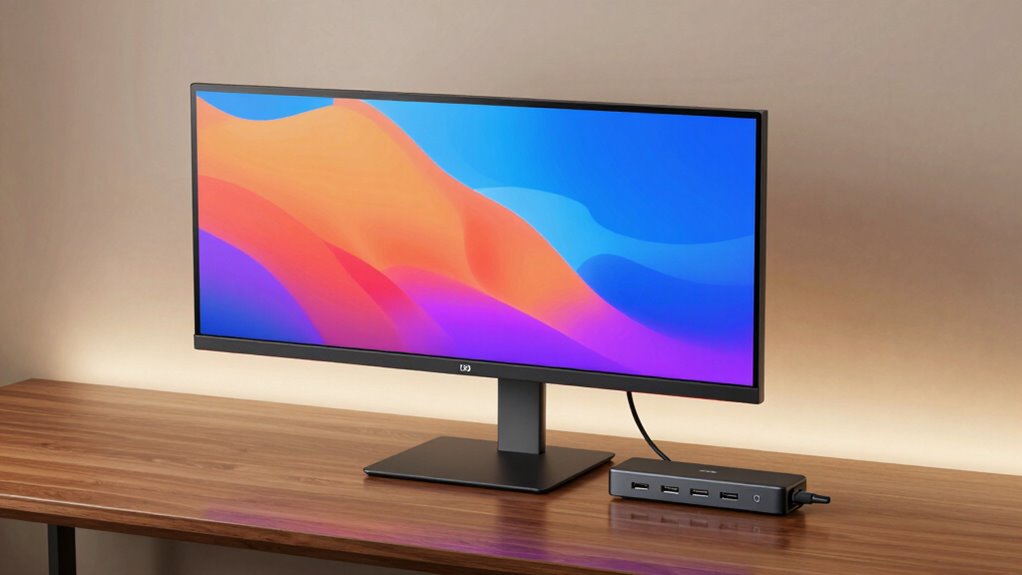

If you’re searching for a monitor with a built-in USB C hub, you’re looking for a device that combines display performance with versatile connectivity. The Philips 34 Inch Curved UWQHD stands out as the best overall, offering a sharp display and robust power delivery. For those prioritizing portability and simplicity, the Dell 24-inch FHD USB-C Monitor provides a compact, budget-friendly option. The Dell S2722DC offers a solid balance of resolution and connectivity for work and entertainment. As you consider these options, keep in mind that tradeoffs often involve resolution, refresh rate, and port variety. Continue reading for a detailed breakdown of each monitor to find the best fit for your setup.
Complete the kit



Key Takeaways
- The best monitors combine high-resolution screens with reliable USB C hubs, but tradeoffs between display quality and port options are common.
- Top picks like the Philips 34-inch curved model excel in immersive viewing, while Dell options often prioritize affordability and practical features.
- A higher refresh rate (e.g., 120Hz) benefits gaming or fast-moving content, but often comes at the expense of resolution or cost.
- Build quality and ergonomic features such as height adjustment and VESA compatibility vary significantly across models.
- Choosing the right monitor depends heavily on your primary use, whether professional, gaming, or casual browsing, as each excels in different areas.
| Philips 34 Inch Curved Computer Monitor UWQHD 100Hz USB-C PD VA, 346E2CUAE |  | Best Overall for Immersive UltraWide Experience | Screen Size: 34 inches | Resolution: 3440 x 1440 | Panel Type: VA | VIEW ON AMAZON | See Our Full Breakdown |
| ASUS 27” 1080P Docking Monitor VA27ECPSN – Full HD, IPS, 75Hz, Adaptive-Sync, Speakers, Eye Care, Low Blue Light, Flicker-Free, RJ45, USB-C, DisplayPort, HDMI, Height Adjustment, VESA Wall Mountable |  | Best for Versatile Office and Home Use with Ergonomics | Display Size: 27 inches | Resolution: 1920 x 1080 | Panel Type: IPS | VIEW ON AMAZON | See Our Full Breakdown |
| Dell 24-inch USB-C Hub Monitor P2425HE, FHD 1080p |  | Best Compact Workstation for Basic Productivity | Screen Size: 24 inches | Resolution: FHD 1080p | Connectivity: USB-C | VIEW ON AMAZON | See Our Full Breakdown |
| Dell 27 Monitor S2725QC, 4K UHD IPS, 120Hz, 99% sRGB, 4ms, FreeSync Premium |  | Best for UltraSharp 4K Clarity and Smooth Motion | Display Size: 27 inches | Resolution: 3840 x 2160 | Refresh Rate: 120Hz | VIEW ON AMAZON | See Our Full Breakdown |
| Dell 27 Plus QHD USB-C Monitor – S2725DC |  | Best for Fast-Paced Work and Entertainment | Display Size: 27 inches | Resolution: 2560×1440 (QHD) | Refresh Rate: 144Hz | VIEW ON AMAZON | See Our Full Breakdown |
| ASUS 24” USB-C Docking Monitor (BE249CGN) |  | Best Overall for Versatile Connectivity and Ergonomics | Display Size: 23.8 inches | Resolution: 1920×1080 | Refresh Rate: 120Hz | VIEW ON AMAZON | See Our Full Breakdown |
| ASUS ProArt PA278CV 27-Inch 1440p QHD USB-C Professional Monitor |  | Best for Creative Professionals Needing Color Accuracy | Screen Size: 27 inches | Resolution: 2560 x 1440 (QHD) | Panel Type: IPS | VIEW ON AMAZON | See Our Full Breakdown |
| ASUS 23.8” 1080P Docking Monitor (VA24ECPSN) |  | Best for Compact, All-in-One Workstations | Display Size: 23.8 inches | Resolution: Full HD 1080P | Refresh Rate: 75Hz | VIEW ON AMAZON | See Our Full Breakdown |
| Dell 32 Monitor S3225QS 4K UHD VA, 120Hz, FreeSync Premium |  | Best for High-Resolution Multimedia and Entertainment | Size: 32 inches | Resolution: 4K UHD | Panel Type: VA | VIEW ON AMAZON | See Our Full Breakdown |
| Dell UltraSharp 27 Thunderbolt Hub Monitor – U2726DER, QHD |  | Best for Professional Creators and Streamlined Connectivity | Display Size: 27 inches | Resolution: QHD 1440p | Display Technology: IPS | VIEW ON AMAZON | See Our Full Breakdown |
| ASUS ProArt PA247CV 24-Inch 1080p USB-C Professional Monitor |  | Best for Professional Creatives Needing Color Accuracy | Display Size: 24 inches | Resolution: 1920 x 1080 | Panel Type: IPS | VIEW ON AMAZON | See Our Full Breakdown |
| Dell 27 Plus Monitor – S2725HSM – 27-inch FHD (1920×1080) 144Hz 1ms Display, HDMI, Adjustable, AMD FreeSync |  | Best for Gamers and Media Consumers on a Budget | Size: 27 inches | Resolution: 1920 x 1080 | Refresh Rate: 144Hz | VIEW ON AMAZON | See Our Full Breakdown |
| Dell S2722DC Monitor – 27-inch WQHD (2560×1440) 75Hz 4ms Display with AMD FreeSync and USB-C |  | Best for Mid-Range Professional and Creative Use | Size: 27 inches | Resolution: 2560×1440 (WQHD) | Refresh Rate: 75Hz | VIEW ON AMAZON | See Our Full Breakdown |
| monitor with usb c hub | Resolution | Connectivity | Refresh Rate | Panel Type |
|---|---|---|---|---|
| Philips 34 Inch Curved Compute | 3440 x 1440 | USB-C with Power Delivery | 100Hz | VA |
| ASUS 27” 1080P Docking Monitor | 1920 x 1080 | HDMI, USB-C, DisplayPort, RJ45 | 75Hz | IPS |
| Dell 24-inch USB-C Hub Monitor | FHD 1080p | USB-C | — | — |
| Dell 27 Monitor S2725QC | 3840 x 2160 | HDMI, USB-C | 120Hz | — |
| Dell 27 Plus QHD USB-C Monitor | 2560×1440 (QHD) | USB-C, HDMI, DisplayPort | 144Hz | — |
| ASUS 24” USB-C Docking Monitor | 1920×1080 | HDMI, USB-C, DisplayPort, RJ45 LAN | 120Hz | IPS |
| ASUS ProArt PA278CV 27-Inch 14 | 2560 x 1440 (QHD) | USB-C, HDMI, DisplayPort | — | IPS |
| ASUS 23.8” 1080P Docking Monit | Full HD 1080P | HDMI, USB-C, DisplayPort, RJ45 | 75Hz | IPS |
| Dell 32 Monitor S3225QS 4K UHD | 4K UHD | — | 120Hz | VA |
| Dell UltraSharp 27 Thunderbolt | QHD 1440p | — | 120Hz | — |
| ASUS ProArt PA247CV 24-Inch 10 | 1920 x 1080 | DisplayPort over USB-C, DisplayPort, HDMI, USB 3.1 | — | IPS |
| Dell 27 Plus Monitor | 1920 x 1080 | HDMI | 144Hz | — |
| Dell S2722DC Monitor | 2560×1440 (WQHD) | USB-C, USB 3.2 | 75Hz | — |
More Details on Our Top Picks
Philips 34 Inch Curved Computer Monitor UWQHD 100Hz USB-C PD VA, 346E2CUAE
This Philips monitor stands out for its expansive 34-inch UltraWide Quad HD display, making it ideal for multitasking and immersive viewing. The curved VA panel enhances viewing angles and depth, which is a step above traditional flat screens like the Dell P2425HE. Its USB-C port supports both data and power delivery, streamlining connections, but the high power consumption might be a concern for energy-conscious users. The combination of a 100Hz refresh rate and 1ms response time makes it attractive for gaming and fast-paced workflows, though it lacks detailed ergonomic features and built-in speakers. Compared to the Dell S2725QC’s 4K resolution, this model sacrifices some sharpness for wider workspace and curved immersion. Overall, this monitor is best for users who prioritize screen size and immersive experience, willing to trade off some ergonomic adjustments and additional ports.
Pros:- Expansive 34-inch UltraWide Quad HD display for increased productivity
- Curved VA panel for immersive viewing angles and depth
- Single USB-C cable for both power and data transfer
Cons:- Limited ergonomic adjustments and stand customization
- Potentially high power draw with USB-C charging
Best for: Creative professionals and multitaskers needing extra screen real estate with smooth performance
Not ideal for: Users seeking a budget-friendly, highly adjustable ergonomic setup or built-in audio features
- Screen Size:34 inches
- Resolution:3440 x 1440
- Panel Type:VA
- Refresh Rate:100Hz
- Response Time:1ms (MPRT)
- Connectivity:USB-C with Power Delivery
Our verdict“Ideal for users who need a large, immersive workspace with fast performance and minimal cable clutter.”
ASUS 27” 1080P Docking Monitor VA27ECPSN – Full HD, IPS, 75Hz, Adaptive-Sync, Speakers, Eye Care, Low Blue Light, Flicker-Free, RJ45, USB-C, DisplayPort, HDMI, Height Adjustment, VESA Wall Mountable
This ASUS model is tailored for users who value flexibility and comfort, thanks to its adjustable stand, VESA compatibility, and a comprehensive set of ports including USB-C with 65W charging. Unlike the Dell P2425HE, which focuses on basic productivity, this monitor adds features like flicker-free technology and eye care to support long hours of work or entertainment. Its IPS panel ensures accurate colors and wide viewing angles, but the 75Hz refresh rate falls short for high-end gaming compared to the Dell S2725DC’s 144Hz, making it better suited for general use. The inclusion of RJ45 Ethernet port adds network options, yet it may be overkill for casual users who don’t need wired internet. Overall, this monitor makes the most sense for professionals seeking a comfortable, ergonomic setup with multiple connectivity options, but it’s not the best choice for gamers or color-critical tasks requiring 4K resolution.
Pros:- Wide viewing angles and accurate colors from IPS panel
- Ergonomic stand with tilt, swivel, pivot, and height adjustment
- Multiple ports including USB-C with 65W charging and RJ45 Ethernet
Cons:- Limited to 75Hz refresh rate, not ideal for fast-paced gaming
- Basic accessories in the box may require additional purchases
Best for: Office workers and remote professionals needing flexible positioning and reliable connectivity
Not ideal for: Competitive gamers or high-end content creators requiring ultra-high refresh rates or 4K resolution
- Display Size:27 inches
- Resolution:1920 x 1080
- Panel Type:IPS
- Refresh Rate:75Hz
- Connectivity:HDMI, USB-C, DisplayPort, RJ45
- Features:Flicker-Free, Low Blue Light, VESA Mount
Our verdict“Perfect for professionals seeking a flexible, feature-rich monitor for extended office use and multimedia consumption.”
Dell 24-inch USB-C Hub Monitor P2425HE, FHD 1080p
The Dell P2425HE is a straightforward choice for users who prioritize a compact form factor combined with essential connectivity. Its 24-inch Full HD display is suitable for everyday tasks, and the anti-glare coating helps reduce eye strain in bright environments. The USB-C port simplifies laptop connections, but the 1080p resolution limits detail sharpness compared to larger, higher-res options like the Dell S2725QC. While lacking built-in speakers and advanced ergonomic features, it’s an affordable, no-frills monitor for those who need reliable connectivity and a smaller footprint. Compared with larger or higher-spec monitors, this model might feel limiting for detailed creative work or multimedia editing, but it fits well in tight spaces or secondary setups.
Pros:- Compact size ideal for limited desk space
- Anti-glare coating reduces reflections and eye strain
- USB-C port simplifies connections and charging
Cons:- Limited to 1080p resolution, not suitable for detailed creative work
- No built-in speakers or advanced ergonomic features
Best for: Small office setups or secondary monitors for basic productivity tasks
Not ideal for: Creative professionals or gamers who need higher resolutions or refresh rates
- Screen Size:24 inches
- Resolution:FHD 1080p
- Connectivity:USB-C
- Features:Anti-glare, Eye Comfort
Our verdict“A practical, space-saving monitor suited for basic tasks and simple connectivity needs.”
Dell 27 Monitor S2725QC, 4K UHD IPS, 120Hz, 99% sRGB, 4ms, FreeSync Premium
This Dell S2725QC combines vibrant 4K visuals with a 120Hz refresh rate, making it a compelling option for creative professionals and media enthusiasts. Its IPS panel offers accurate, consistent colors across wide angles, comparable to the Dell S2725DC but with higher resolution for detailed work. The 120Hz refresh supports smoother motion, a feature often found in gaming monitors, though it lacks extensive ergonomic adjustments and built-in speakers, similar to the ASUS VA27ECPSN. Its USB-C port provides straightforward connectivity and power delivery, yet the price point might be a barrier for budget-conscious buyers. Compared with the more affordable QHD options, this model is designed for those who need maximum clarity and color fidelity, but it sacrifices some flexibility in stand adjustments.
Pros:- Vivid 4K visuals with wide IPS color accuracy
- 120Hz refresh rate for smooth motion in media and light gaming
- USB-C connection with power delivery simplifies setup
Cons:- Lacks extensive ergonomic adjustments
- No built-in speakers or additional ports beyond basic connectivity
Best for: Creative professionals and multimedia users needing high-resolution, accurate colors, and smooth motion
Not ideal for: Casual users or gamers who prioritize high refresh rates over 4K clarity or those on a tight budget
- Display Size:27 inches
- Resolution:3840 x 2160
- Refresh Rate:120Hz
- Response Time:4ms
- Color Gamut:99% sRGB
- Connectivity:HDMI, USB-C
Our verdict“A high-resolution, color-accurate monitor suited for creative work and multimedia viewing, with some limitations in adjustability.”
Dell 27 Plus QHD USB-C Monitor – S2725DC
The Dell S2725DC offers a balanced mix of high refresh rate and color accuracy, making it suitable for gaming, productivity, and multimedia. Its 27-inch QHD display with 144Hz refresh rate and 1ms response time delivers smooth visuals, outperforming many standard office monitors like the Dell P2425HE. Built-in dual 3W speakers add convenience, although the monitor lacks detailed info about color calibration for professional editing. The USB-C port supports up to 65W charging, simplifying cable management, but it doesn’t include extensive ergonomic adjustments, which could be a downside for prolonged use. Compared with the 4K models, this monitor prioritizes speed and responsiveness over ultra-high resolution, targeting users who need quick visuals and versatile connectivity.
Pros:- 144Hz refresh rate with 1ms response time for smooth motion
- Built-in dual 3W speakers for audio convenience
- USB-C port with 65W charging reduces cable clutter
Cons:- Limited color accuracy details for professional editing
- No extensive ergonomic stand adjustments
Best for: Gamers and fast-paced productivity users who need quick response times and high refresh rates
Not ideal for: Color-critical professionals or those requiring ultra-high resolution for detailed editing
- Display Size:27 inches
- Resolution:2560×1440 (QHD)
- Refresh Rate:144Hz
- Response Time:1ms
- Speakers:2 x 3W
- Connectivity:USB-C, HDMI, DisplayPort
Our verdict“Excellent for fast-paced work and gaming, balancing responsiveness with versatile connectivity, but not designed for high-end color accuracy tasks.”
ASUS 24” USB-C Docking Monitor (BE249CGN)
The ASUS BE249CGN stands out for combining a high 120Hz refresh rate with extensive connectivity options, including a built-in USB-C hub, making it a solid choice for users who need both a monitor and a docking station in one. Compared to the Dell U2726DER, it offers a more flexible setup with multiple ports, but it sacrifices 4K resolution for 1080p, which might be limiting for detailed creative work. Its ergonomic adjustments and eye care tech make it well-suited for long work sessions, though the need for multiple cables can clutter a desk. This monitor is ideal for professionals who value smooth visuals and multiple connection points without the need for additional docking hardware, but it’s less suited for high-resolution tasks or those seeking a minimalist setup.
Pros:- 120Hz refresh rate for smooth visuals
- Multiple connectivity options including HDMI, USB-C, DisplayPort, and LAN
- Ergonomic design with tilt, swivel, and height adjustments
- VESA compatibility for flexible mounting
Cons:- Limited to 1080p resolution, not ideal for detailed editing
- No built-in speakers, requiring external audio solutions
- Requires multiple cables for full connectivity setup
Best for: Professionals who need a reliable, versatile monitor with built-in docking capabilities and ergonomic features
Not ideal for: Creative professionals requiring high 4K resolution or color-critical accuracy
- Display Size:23.8 inches
- Resolution:1920×1080
- Refresh Rate:120Hz
- Panel Type:IPS
- Viewing Angle:178°
- Connectivity:HDMI, USB-C, DisplayPort, RJ45 LAN
Our verdict“This monitor suits users who prioritize connectivity and ergonomics over ultra-high resolution or color fidelity.”
ASUS ProArt PA278CV 27-Inch 1440p QHD USB-C Professional Monitor
The ASUS ProArt PA278CV is designed for creative work, featuring a 27-inch IPS display with factory-calibrated color accuracy and a USB-C port that delivers 65W power. Compared to the Dell UltraSharp U2726DER, it offers more precise color reproduction with 100% sRGB and 100% Rec. 709 coverage, making it better suited for tasks like photo editing. Its ergonomic stand with pivot options enhances comfort during long sessions, though the higher price tag may deter casual users. While it excels in color fidelity and connectivity, it requires compatible devices to fully utilize USB-C power delivery, and its 1440p resolution might fall short for users who prefer 4K detail. This monitor is best for creative professionals who need accurate visuals and reliable connectivity, but not for those on a tight budget or seeking 4K resolution.
Pros:- Factory-calibrated with high color accuracy
- USB-C with 65W power delivery for streamlined setup
- Ergonomic stand with pivot adjustment
- Extended 5-year warranty
Cons:- Premium price might be high for casual users
- Requires compatible devices to maximize USB-C features
- Lower resolution compared to 4K options
Best for: Creative professionals who need precise color accuracy and versatile connectivity
Not ideal for: Gamers or casual users seeking 4K resolution or high refresh rates
- Screen Size:27 inches
- Resolution:2560 x 1440 (QHD)
- Panel Type:IPS
- Color Gamut:100% sRGB
- Connectivity:USB-C, HDMI, DisplayPort
- Power Delivery:65W
Our verdict“This monitor is ideal for professionals prioritizing color fidelity and USB-C connectivity over resolution or gaming performance.”
ASUS 23.8” 1080P Docking Monitor (VA24ECPSN)
The ASUS VA24ECPSN offers a full-featured 23.8-inch IPS display with a 75Hz refresh rate and adaptive sync, making it suitable for day-to-day work and light multimedia. Its extensive connectivity, including USB-C with 65W power delivery, HDMI, and RJ45, makes it a practical choice for those who want a single device that handles both display and docking needs. Compared with the ASUS BE249CGN, it provides a slightly higher resolution (Full HD) with more ergonomic options, but it’s less suitable for high-refresh-rate gaming. The absence of built-in speakers is a minor inconvenience, and the 75Hz refresh rate is less ideal for fast-paced gaming but sufficient for office tasks. It’s best for office workers or small business setups where space-saving, connectivity, and comfort are priorities.
Pros:- Extensive connectivity options including USB-C with 65W power
- Ergonomic adjustments for comfortable viewing
- Eye care features like flicker-free and low blue light
- VESA compatibility for flexible mounting
Cons:- No built-in speakers, requiring external audio
- Limited to 75Hz, not suitable for high-end gaming
- Requires multiple cables for full setup
Best for: Office workers or small business setups needing a compact, all-in-one monitor with docking features
Not ideal for: Gamers or multimedia creators requiring higher refresh rates or superior sound quality
- Display Size:23.8 inches
- Resolution:Full HD 1080P
- Refresh Rate:75Hz
- Panel Type:IPS
- Connectivity:HDMI, USB-C, DisplayPort, RJ45
- Power Delivery:Up to 65W
Our verdict“This monitor suits users seeking a compact, versatile display with docking and ergonomic features for everyday office tasks.”
Dell 32 Monitor S3225QS 4K UHD VA, 120Hz, FreeSync Premium
The Dell S3225QS delivers stunning 4K visuals on a 32-inch VA panel, with a 120Hz refresh rate and FreeSync Premium, making it ideal for multimedia enthusiasts. Compared to the Dell U2726DER, it offers larger display size and higher resolution but lacks a USB-C port, limiting direct connection options for modern laptops. Its vibrant color coverage and high contrast ratio enhance media viewing, though the absence of built-in speakers or USB-C connectivity might require external peripherals. The 4K resolution provides incredible detail, but it consumes more power and may be overkill for simple office tasks. This monitor is best for users who prioritize high-resolution media and immersive visuals, but those seeking integrated USB-C docking will need an alternative.
Pros:- Vivid 4K UHD visuals with excellent color accuracy
- 120Hz refresh rate for smooth motion
- High contrast VA panel with deep blacks
- HDR support for enhanced media quality
Cons:- No built-in USB-C port, limiting direct device connection
- Higher power consumption with 4K resolution
- Lack of built-in speakers
Best for: Media consumers and creative professionals needing large, detailed 4K display
Not ideal for: Users seeking integrated docking or USB-C connectivity for streamlined setups
- Size:32 inches
- Resolution:4K UHD
- Panel Type:VA
- Refresh Rate:120Hz
- HDR:Yes
- Contrast Ratio:1500:1
Our verdict“This monitor excels for media and entertainment but isn’t the best choice for users needing integrated USB-C docking features.”
Dell UltraSharp 27 Thunderbolt Hub Monitor – U2726DER, QHD
The Dell UltraSharp U2726DER stands out for its 27-inch QHD IPS display with 98% Display P3 coverage, making it an excellent choice for creators and designers. Its key advantage over the ASUS ProArt PA278CV is the single Thunderbolt 4 cable that delivers video, data, and up to 90W power, simplifying desk setups and reducing clutter. Compared to other monitors without Thunderbolt, it offers seamless connectivity for Apple and Windows users alike. However, it lacks built-in speakers and detailed ergonomic features, which could be a drawback for those needing adjustable stands or integrated audio. Its 120Hz refresh rate and high color accuracy make it suitable for creative workflows, though the absence of a 4K resolution might be limiting for some high-detail tasks. This monitor is best for professionals who want a sleek, high-quality display with minimal cable clutter and robust connectivity options.
Pros:- High color accuracy with 98% Display P3 coverage
- Single Thunderbolt 4 cable for video, data, and power
- Large 27-inch IPS display with 120Hz refresh rate
- Sleek, borderless design for professional environments
Cons:- No built-in speakers or USB-C ports beyond Thunderbolt
- Limited ergonomic adjustments compared to other professional monitors
- Price may be higher relative to similar non-Thunderbolt displays
Best for: Professional creators or designers seeking high color fidelity and streamlined Thunderbolt connectivity
Not ideal for: Gamers or users needing 4K resolution and extensive ergonomic adjustments
- Display Size:27 inches
- Resolution:QHD 1440p
- Display Technology:IPS
- Contrast Ratio:2000:1
- Refresh Rate:120Hz
- Color Gamut:98% Display P3
Our verdict“This monitor is ideal for professionals valuing high color accuracy and minimal cable management, but not for high-resolution or gaming needs.”
ASUS ProArt PA247CV 24-Inch 1080p USB-C Professional Monitor
The ASUS ProArt PA247CV stands out for its exceptional color fidelity, making it the ideal choice for creative professionals who prioritize accurate visuals. Compared with the Dell S2722DC, this monitor offers superior color calibration with factory verification and a wider color gamut, but it sacrifices resolution, sticking to 1080p which might be limiting for detailed editing tasks. Its extensive connectivity, including USB-C with 65W Power Delivery, makes it versatile for multi-device setups, yet it lacks multimedia features like built-in speakers. The 5-year warranty emphasizes its durability for long-term professional use. In essence, this monitor is best suited for designers and photographers who need precise color reproduction, not high resolution or multimedia features.
Pros:- High color accuracy with factory calibration
- Multiple connectivity options including USB-C with Power Delivery
- Supports multi-monitor daisy-chain setups
- Extended 5-year warranty
Cons:- Limited to 1080p resolution, which may be insufficient for detailed editing
- No built-in speakers or multimedia features
Best for: Professional creatives requiring accurate color for editing and design work
Not ideal for: Casual users or gamers seeking high resolution or multimedia features
- Display Size:24 inches
- Resolution:1920 x 1080
- Panel Type:IPS
- Color Gamut:100% sRGB, 100% Rec. 709
- Calibration:Calman Verified, Delta E < 2
- Connectivity:DisplayPort over USB-C, DisplayPort, HDMI, USB 3.1
- Power Delivery:65W
- Warranty:5 years
Our verdict“This monitor is best for professionals who need color precision over resolution or entertainment features.”
Dell 27 Plus Monitor – S2725HSM – 27-inch FHD (1920×1080) 144Hz 1ms Display, HDMI, Adjustable, AMD FreeSync
The Dell S2725HSM makes a compelling case for gamers and casual users who want fast visuals and adjustable comfort. Its 144Hz refresh rate and 1ms response time outperform the Dell S2722DC’s standard 75Hz, providing smoother gameplay, but it’s limited to 1080p resolution, which may feel less sharp for detailed media editing. The inclusion of dual 3W speakers adds multimedia convenience, though their sound quality isn’t premium. Its adjustable stand and eye-care features enhance ergonomic use, yet it lacks USB-C connectivity, which could be a drawback for users with modern laptops. This monitor is ideal for gamers or streamers who prioritize speed and comfort over high resolution or USB-C versatility.
Pros:- High refresh rate and fast response time for smooth gaming
- Adjustable stand for ergonomic comfort
- Built-in dual speakers for multimedia use
- Blue light reduction for eye comfort
Cons:- Limited to 1080p resolution, less sharp for detailed tasks
- No USB-C port, reducing compatibility with newer laptops
Best for: Casual gamers, streamers, or media watchers on a budget seeking fast refresh and ergonomic features
Not ideal for: Creative professionals or users needing higher resolution and USB-C connectivity for work
- Size:27 inches
- Resolution:1920 x 1080
- Refresh Rate:144Hz
- Response Time:1ms MPRT
- Speakers:2 x 3W
- Connectivity:HDMI
- Adjustability:Height, Tilt, Pivot, Swivel
- Blue Light Reduction:Yes
Our verdict“This monitor suits budget-conscious gamers and media consumers who value speed and comfort over resolution or connectivity versatility.”
Dell S2722DC Monitor – 27-inch WQHD (2560×1440) 75Hz 4ms Display with AMD FreeSync and USB-C
The Dell S2722DC strikes a balance between resolution and connectivity, making it appealing to users who want more detail without sacrificing USB-C convenience. Its 2560×1440 resolution provides sharper images than the full HD options, but with a modest 75Hz refresh rate, it’s less suited for high-paced gaming compared to the Dell S2725HSM. The inclusion of USB-C with 65W Power Delivery allows easy connection to modern laptops, supporting a cleaner desk setup. The adjustable stand and AMD FreeSync support cater to both productivity and casual gaming, but the speakers are basic, and the refresh rate limits high-end gaming performance. This monitor is a good pick for creatives and professionals who want better resolution with USB-C but don’t need the fastest refresh rates.
Pros:- WQHD resolution offers sharper images than 1080p
- Versatile USB-C with 65W Power Delivery
- Adjustable stand for ergonomic comfort
- AMD FreeSync support for smooth visuals
Cons:- 75Hz refresh rate isn’t ideal for high-end gaming
- Built-in speakers may lack quality for serious audio needs
Best for: Creative professionals and multitaskers needing higher resolution and USB-C versatility
Not ideal for: High-end gamers or users requiring ultra-fast refresh rates for competitive gaming
- Size:27 inches
- Resolution:2560×1440 (WQHD)
- Refresh Rate:75Hz
- Response Time:4ms
- Connectivity:USB-C, USB 3.2
- Power Delivery:65W
- Features:Height-adjustable, AMD FreeSync
Our verdict“This monitor fits users seeking a step up in resolution with convenient USB-C connectivity for creative and professional tasks.”

How We Picked
We evaluated each monitor with a focus on performance, connectivity, build quality, and value. Priority was given to models that offer reliable USB C hubs with multiple ports, including power delivery, data transfer, and video output. We considered display size and resolution to match typical use cases, along with ergonomic features like height adjustment and VESA compatibility. Price was also a factor, aiming to include options for different budgets. Monitors that balanced these features effectively earned higher rankings, while tradeoffs in areas like refresh rate or port variety affected overall scores.Factors to Consider When Choosing Monitor With Usb C Hub
When selecting a monitor with a USB C hub, it’s important to consider several key factors that influence usability and compatibility. Your primary use—whether for professional work, gaming, or casual browsing—will shape which features matter most. Beyond basic specs, understanding how different features interact can help you avoid common pitfalls and find the best value. The following sections outline the main considerations to keep in mind during your decision process.Display Resolution and Size
The resolution and size of your monitor directly impact clarity and workspace. Higher resolutions like 4K or QHD are ideal for detailed work, creative tasks, or multitasking, but they often come with a higher price tag and demand more powerful hardware. Larger screens provide more room for multitasking but can also be more expensive and less space-efficient. Consider your desk setup and primary use to strike the right balance between size and resolution for your needs.
USB C Hub Capabilities and Power Delivery
The quality and variety of ports on the USB C hub are crucial. Look for models that include multiple USB ports, HDMI or DisplayPort, Ethernet, and SD card slots if needed. Power delivery (PD) is essential if you want to charge your laptop while connected; ensure the monitor supplies enough wattage—ideally 65W or higher. A hub with limited port options or insufficient PD can hinder your workflow, making it a key area to evaluate before purchase.
Refresh Rate and Response Time
For general productivity, a standard 60Hz refresh rate is sufficient, but for gaming or fast-paced video editing, 120Hz or higher can provide smoother visuals. Response time also matters for reducing motion blur in fast-moving scenes. Keep in mind that higher refresh rates may come with a tradeoff in resolution or increased cost. Match these specs to your primary activities to avoid overspending on features you won’t use.
Ergonomics and Build Quality
Comfort features like height adjustment, tilt, swivel, and VESA compatibility can greatly enhance your experience, especially during long work sessions. Build quality matters for durability and stability; cheaper monitors might feel flimsy or lack secure adjustment options. Investing in ergonomic features reduces strain and increases productivity, making it a worthwhile consideration, especially if your workspace is flexible or shared.
Budget and Overall Value
Pricing varies widely based on display size, resolution, and port options. A higher price often correlates with better build quality, advanced features, or higher resolution, but this isn’t always necessary for casual users. Identify your core needs and choose a monitor that offers the best combination of features within your budget. Sometimes, paying a little more upfront can extend the lifespan and functionality of your setup.
Frequently Asked Questions
Can I connect multiple devices to a monitor with a USB C hub?
Yes, most monitors with USB C hubs support connecting multiple peripherals, such as external drives, keyboards, or mice, through their built-in ports. However, the number of supported devices depends on the hub’s port availability and bandwidth. For extensive peripheral setups, check the number and type of ports, as well as data transfer speeds, to ensure compatibility and smooth operation.
Does a monitor with a USB C hub support charging my laptop?
Many monitors with USB C hubs include Power Delivery (PD), allowing you to charge your laptop while using the monitor. The wattage supported varies; typical ranges are from 45W to 100W. Higher wattage is preferable if you have a power-hungry device or want to charge quickly. Always verify the PD wattage before purchasing to match your laptop’s charging requirements.
Is a higher refresh rate necessary if I only use the monitor for work?
For general productivity tasks like browsing, document editing, or video conferencing, a 60Hz refresh rate suffices. Higher refresh rates are more beneficial for gaming or video editing, where smoother motion is noticeable. Investing in a higher refresh rate for purely work-focused use usually adds cost without significant benefit, so prioritize resolution and port options instead.
Should I prioritize a 4K display or more ports on my monitor?
This depends on your needs. If you do detailed creative work or 4K video editing, a 4K display provides better clarity. However, if your workflow depends on connecting multiple peripherals—like external drives, Ethernet, or additional monitors—then more ports might be more valuable. Balancing resolution with port variety ensures your setup remains flexible and productive.
Are built-in speakers worth considering on a monitor with a USB C hub?
Built-in speakers are convenient but rarely deliver high audio quality. If sound quality is important, investing in external speakers or headphones remains the better choice. However, for quick video calls or casual listening, the built-in speakers can be a handy feature. Evaluate your audio needs relative to your overall setup and whether space or budget constraints influence your choice.
Conclusion
For most users, the Philips 34 Inch Curved UWQHD offers an excellent blend of display quality and connectivity as the best overall choice. Budget-conscious buyers might prefer the Dell 24-inch FHD USB-C Monitor for its practicality and affordability. Creative professionals or power users should consider the ASUS ProArt PA278CV for color accuracy and build quality. Beginners or those looking for simplicity will find the Dell S2722DC a reliable, straightforward option. Assess your primary use and budget to select the monitor with the best combination of features for your needs.