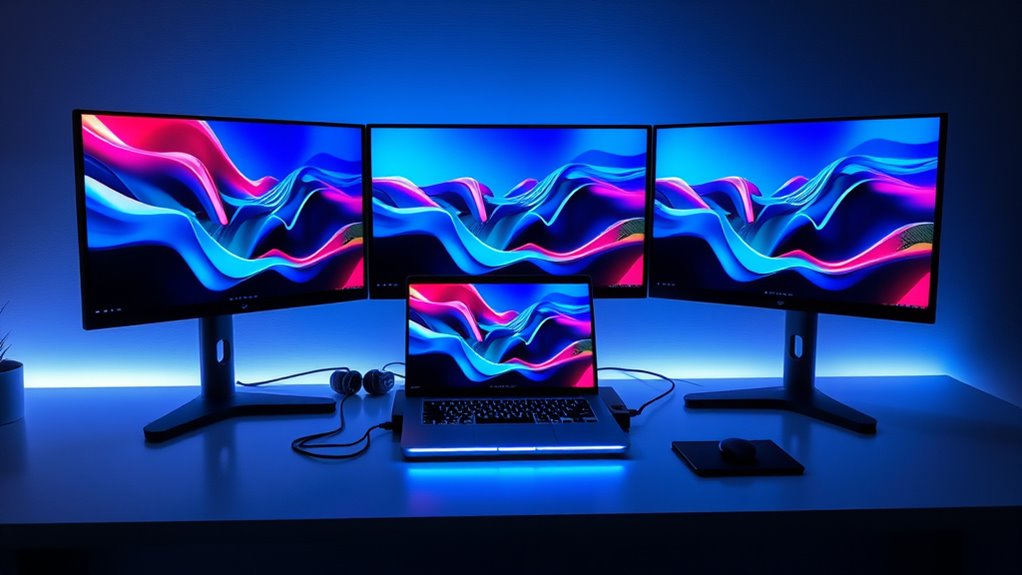

Finding the right laptop docking station for 3 monitors can transform your productivity setup, whether you’re working from home or in an office. The best options support multiple 4K displays, offer reliable data transfer, and provide sufficient power delivery. The Acer 11-in-1 USB C Docking Station stands out as the overall top pick thanks to its versatile port selection and high-resolution support. For budget-conscious users, the Anker Nano Docking Station offers excellent value with dual 4K support without sacrificing core features. Meanwhile, the TobenONE 18-in-1 Dock provides extensive connectivity for power users who need lots of ports. Keep reading to see how these options compare and which one suits your needs best.

Get the latest gadgets delivered free with Prime
- Fast, free delivery on millions of items
- Prime Video, Amazon Music and more included
- Member-only deals all year
Complete the kit



Key Takeaways
- High-resolution support (4K/8K) is common among top picks, ensuring crisp visuals on all three monitors.
- Power delivery is a key factor; most top-rated docks support at least 85W charging to keep laptops powered during intensive use.
- Port variety and versatility differentiate premium models from more basic options, especially for users needing additional USB or SD slots.
- Compatibility with different operating systems, including Windows and Chrome OS, is an important consideration for flexibility.
- Build quality and cooling features matter more than ever to maintain performance during extended use.


More Details on Our Top Picks
Acer 11-in-1 USB C Docking Station for Laptops with 3 Monitors, 8K/4K HDMI & DP, 10Gbps Data, 100W Power Delivery, Ethernet, SD/TF Slots
This Acer dock distinguishes itself by supporting triple monitors with resolutions up to 8K@30Hz or 3x 4K@60Hz, making it ideal for professional workflows requiring high visual fidelity. Unlike the WAVLINK or TobenONE options, its combination of dual HDMI and single DisplayPort offers flexible output options, though it demands a USB-C port with video output support. The inclusion of 100W power delivery and multiple USB, Ethernet, and SD slots provides a comprehensive connectivity hub. The tradeoff lies in its dependency on device compatibility—macOS users may find display extension limited, and performance can vary based on device support for HDMI 2.0 or DisplayPort. Overall, this model suits users needing high-end resolution support and reliable performance in a professional setup.
Pros:- Supports triple monitors with up to 8K resolution
- High-speed data transfer with multiple USB ports
- Power delivery up to 100W for fast charging
- Includes Ethernet and SD/TF card slots for versatile connectivity
Cons:- Requires USB-C port with video output support
- MacOS may only mirror displays, limiting extended desktop use
- Performance depends on device compatibility with HDMI 2.0 or higher
Best for: Creative professionals and engineers who need ultra-high resolution multiple monitor outputs and extensive connectivity.
Not ideal for: Mac users with devices that only mirror displays or laptops lacking USB-C with video output support.
Our verdict“This dock is best suited for professionals needing ultra-high-resolution displays and extensive port options, provided their device supports the necessary video output.”
WAVLINK Docking Station for 3 Monitors with Triple 4K@60Hz Support, USB-C, Ethernet, SD/TF, and Multiple Ports
Compared to the Acer, the WAVLINK station supports triple 4K@60Hz displays, making it perfect for high-resolution productivity on Windows and MacBook M-series laptops. Its 130W power delivery surpasses many competitors, enabling fast charging for demanding devices. The multiple HDMI and DisplayPort outputs offer flexible configurations, but it requires installing DisplayLink drivers, which can add complexity and potential compatibility issues—especially for Linux or iOS environments. This makes it a solid choice for power users who prioritize maximum resolution and power but are comfortable with driver installation and occasional software tweaks.
Pros:- Supports triple 4K@60Hz displays for crisp visuals
- Provides up to 130W power delivery for fast charging
- Multiple USB ports and stable Ethernet connection
- Supports a wide range of operating systems with driver installation
Cons:- Requires DisplayLink driver for full functionality
- Limited compatibility with Linux or iOS devices
- Only one HDMI or DisplayPort can be active at a time
Best for: Power users with Windows or MacBook M-series laptops who need triple 4K@60Hz displays and robust charging support.
Not ideal for: Linux or iOS users, since it depends on DisplayLink drivers and limited native support.
Our verdict“This station is best for Windows and MacBook users seeking maximum resolution and power, accepting some setup complexity.”
USB C Docking Station Dual Monitor Adapter with 3 Monitors and Quad Display
This docking station excels at expanding a single USB-C port into a triple monitor setup, supporting dual HDMI and DisplayPort with 4K output. Its dedicated monitor switch button simplifies managing multiple screens, which is a plus over the more complex setups of the WAVLINK or TobenONE. However, on macOS, it only mirrors displays, limiting extended desktop use—making it less suitable for Mac users requiring multiple independent screens. Its compatibility depends on the USB-C port supporting DisplayPort Alt Mode, so users should verify their hardware beforehand. It’s a good fit for Windows users who need reliable multi-monitor support and easy control.
Pros:- Supports up to 3 monitors with 4K@60Hz or 8K@30Hz on DisplayPort
- Dedicated monitor control button for easy switching
- Reliable gigabit Ethernet and fast data transfer
- Solid aluminum chassis for durability
Cons:- MacOS only supports mirrored displays, not extended
- Requires USB-C with DisplayPort Alt Mode support
- Some features need specific system configurations
Best for: Windows professionals who want flexible, high-resolution multi-monitor support with straightforward control.
Not ideal for: Mac users who need extended displays or Linux users, as some features are limited or require specific configurations.
Our verdict“Ideal for Windows users seeking a flexible, easy-to-manage triple monitor setup with high resolution.”
TobenONE 18-in-1 USB C Docking Station with Triple 4K Display and 9 USB Ports for Windows and Chrome OS Laptops
The TobenONE station offers an impressive array of 18 ports, including 3 HDMI outputs supporting triple 4K@60Hz. Its 100W power delivery and nine USB ports make it a versatile hub for multitasking, especially for users with numerous peripherals. It’s particularly suited for Windows and Chrome OS laptops from brands like Dell and Lenovo, offering an all-in-one solution to reduce clutter. The main tradeoff is the need for a separate power supply, and compatibility is limited primarily to Windows and Chrome OS, with less native support for Mac devices. This makes it less ideal for Apple users but a strong choice for those needing maximum connectivity in a single dock.
Pros:- Supports triple 4K@60Hz displays for immersive workflows
- Includes 9 USB ports for extensive peripherals
- Provides 100W fast charging
- Reduces cable clutter with an all-in-one design
Cons:- Power adapter sold separately
- Limited compatibility with Mac and Linux systems
- Requires over 65W power supply for stable operation
Best for: Power users with Windows or Chrome OS devices who need numerous ports and triple 4K display support.
Not ideal for: Mac users or those who prefer an all-in-one solution without additional power adapters, as it requires a separate power supply.
Our verdict“Best for Windows and Chrome OS users needing maximum port variety and multi-monitor support, with an acceptable extra step for power supply.”
Anker 8-in-1 USB-C Hub with Dual 4K HDMI, Ethernet, SD Card Reader, and Power Delivery for Laptops
The Anker hub provides dual 4K HDMI outputs, supporting up to 60Hz, along with Ethernet, SD card reader, and USB ports, all in a compact form. Compared with larger docks like TobenONE or WAVLINK, it’s more portable and easier to carry, making it suitable for mobile professionals. However, its display support is limited to mirrored output on MacOS, and it only offers 85W power delivery, which may not be enough for some high-power laptops. This model excels for users who prioritize portability and dual-display capability but don’t require extensive port options or the highest resolutions.
Pros:- Supports dual 4K@60Hz displays
- Compact and portable design
- Provides fast data transfer and Ethernet connectivity
- Supports fast charging up to 85W
Cons:- Displays are mirrored on macOS, not extended
- Power delivery limited to 85W
- Not compatible with Linux
Best for: Travelers and mobile professionals who need a lightweight hub supporting dual 4K displays and basic connectivity.
Not ideal for: Power users with demanding multi-monitor setups or Mac users seeking extended desktop support.
Our verdict“This hub is perfect for users seeking dual 4K support on the go, accepting some limitations in display and power capacity.”
SideTrak 4K Docking Station 13-in-1 – USB-C, USB-A, HDMI, Ethernet, Audio
This dock stands out for its ultra-lightweight, portable design, making it ideal for users who need a versatile solution on the go. Unlike larger models like the Anker Prime, it sacrifices some expandability for portability, but still supports dual HD or 4K monitors with a maximum resolution of 4K @ 60Hz. Its broad connectivity—USB-C, USB-A, HDMI, Ethernet, and audio—makes it a flexible choice for mobile professionals. However, it’s limited to specific OS compatibility (Windows MST and Mac SST) and lacks details on its power supply, which could be a concern for power-hungry setups. This pick makes sense for frequent travelers or remote workers who prioritize portability over a full desktop experience.
Pros:- Extremely portable and lightweight design
- Supports dual HD or 4K monitors with 60Hz refresh rate
- Multiple connectivity options including Ethernet and audio
Cons:- Limited OS compatibility restricts use with some systems
- No included power supply details, risking insufficient charging
Best for: Travelers and remote workers who need a lightweight, versatile docking station
Not ideal for: Power users who require extensive ports or a dedicated charging station, as it lacks detailed power specs and may be complex for non-technical users
- Compatibility:Windows MST and Mac SST
- Ports:USB-C, USB-A 3.0, HDMI, DisplayPort, Ethernet, Audio Jack
- Max Resolution:4K 60Hz
- Transfer Speed:5 Gb/s
- Dimensions:10.98 x 2.14 x 0.54 inches
- Weight:0.35 lbs
Our verdict“This dock is perfect for mobile professionals needing a compact, multi-port solution for occasional dual or 4K monitor setups.”
Acer 3-Monitor Docking Station with 13-in-1 USB C Hub for Laptop
This Acer dock excels at supporting three 4K@60Hz monitors, making it a strong choice for high-resolution multitasking. Compared to the Anker Prime, it offers a more comprehensive port selection—including SD card slots and 100W power delivery—integrating well with both Windows and macOS. However, the all-USB port setup means charging external devices isn’t supported through the dock itself, and users need a 100W+ charger (not included). Mac users will find display extension limited to mirroring, unlike Windows users who can extend desktops freely. This model is well-suited for professionals who need robust display support with broad connectivity, but it’s less ideal for users relying heavily on charging multiple devices simultaneously.
Pros:- Supports three 4K@60Hz monitors for seamless multitasking
- Wide range of ports including SD card and Ethernet
- Provides 100W power delivery for charging laptops
Cons:- All USB ports are data-only, no device charging support
- Requires a high-capacity charger (not included) for full 100W power delivery
- Limited display extension options on macOS
Best for: Professionals requiring triple 4K monitors with extensive connectivity on Windows or macOS
Not ideal for: Mac users needing extended desktop functionality or users with limited power sources, due to mirroring limits and high charger requirements
- Number of Monitors:3
- Monitor Resolution:4K@60Hz
- HDMI Ports:3
- USB-C Ports:2 (10Gbps)
- USB-A Ports:3 (10Gbps, 5Gbps, 480Mbps)
- Ethernet:1 Gbps
- Power Delivery:100W
Our verdict“This dock is ideal for high-performance workstations needing triple 4K support with comprehensive connectivity, primarily on Windows.”
Anker Nano Laptop Docking Station Dual Monitor, 8-in-1 USB-C Dock with 4K@60Hz HDMI, 10Gbps USB-C & USB-A Ports, 85W Power Delivery, SD/TF Card Reader
This compact dock is tailored for users who want dual 4K@60Hz outputs in a small footprint, comparable to the Anker Prime but with a focus on dual monitor setups. Its versatility is enhanced by multiple high-speed USB ports and SD/TF card readers, making it suitable for photographers or content creators. However, it doesn’t support video output through USB ports, limiting flexibility in display options. Also, to achieve full 85W charging, a compatible charger (not included) is necessary. This dock makes sense for professionals needing a portable, dual-monitor workstation but less so for those who require triple display support or extensive device charging capabilities.
Pros:- Supports dual 4K@60Hz monitors for crisp visuals
- Compact and lightweight, easy to carry
- Multiple high-speed USB ports and SD/TF card readers
Cons:- No video output support through USB ports
- Requires a 100W PD charger (not included) for full charging capabilities
- Limited to dual monitor setup, not ideal for triple display needs
Best for: Content creators or professionals needing dual 4K monitors with fast data transfer in a portable form
Not ideal for: Users requiring triple monitor support or extensive device charging through the dock, due to its dual display and limited charging support
- Hardware Interface:HDMI, MicroSD, USB, USB Type C
- Additional Features:10 Gbps Data Transfer, 85W Charging
- Total USB Ports:4
- Display Support:Dual 4K@60Hz
- Item Dimensions:5.5″L x 1.9″W x 0.6″H
- Item Weight:0.24 Pounds
Our verdict“This dock fits users seeking a portable dual-monitor setup with fast data transfer rather than extensive display flexibility.”
Anker Prime Docking Station (DL7400), 14-Port Triple Display with DisplayLink, 140W Max, Smart Display, Triple 4K 60Hz, Cooling Fan, for Windows Laptops
This flagship model excels at supporting three 4K@60Hz displays with a robust 140W power delivery, perfect for power users demanding extensive connectivity and stability. The built-in cooling fan and smart display enhance performance, especially during intensive multitasking on Windows laptops. Compared to the Acer 13-in-1, it offers more ports, higher power delivery, and dedicated active cooling, but it requires the latest DisplayLink driver to function fully. DRM-protected streaming may result in black screens, and front USB-C ports lack video output, which could be limiting for some workflows. This dock makes the most sense for professionals who need reliable, triple 4K support with high charging capacity and extended port options.
Pros:- Supports triple 4K@60Hz displays for demanding multitasking
- High power delivery up to 140W for fast charging
- Includes a cooling fan and smart display for stability and monitoring
Cons:- Requires latest DisplayLink driver for full functionality
- DRM-protected content may not display correctly
- Front USB-C ports do not support video output, limiting flexibility
Best for: Power users and professionals who need multiple 4K displays and extensive connectivity on Windows laptops
Not ideal for: Mac users or those with older laptops lacking DisplayLink support, due to driver requirements and compatibility issues
- Number of Ports:14
- USB-C Upstream Port:140W, 10Gbps
- USB-C Ports:two 100W 10Gbps, one 100W 5Gbps
- HDMI Ports:2
- DisplayPort:1
- USB-A Ports:two 5Gbps, one 480Mbps
- Ethernet:2.5Gbps
- Max Power Delivery:140W
Our verdict“This dock is ideal for Windows professionals needing reliable triple 4K support with maximum power and port versatility, and who can handle driver installation complexities.”
Dell USB 3.0 Ultra HD/4K Triple Display Docking Station (D3100), Black
The Dell D3100 offers a cost-effective way to connect three monitors, supporting resolutions up to 2048 x 1152 at 60Hz, which is below 4K but sufficient for many office tasks. It’s a solid choice for users with Dell laptops or those on a tighter budget, especially compared to more expensive options like the Anker Prime. Its USB 3.0 ports and HDMI and DisplayPort outputs provide flexible connectivity, but the maximum resolution limits its suitability for high-res, detail-critical work. Compatibility is best with Dell systems, and it may require additional adapters for certain setups. This dock is best suited for casual multitaskers or budget-conscious users who don’t need 4K resolution on all monitors.
Pros:- Supports triple monitor setup for increased productivity
- Multiple USB 3.0 ports for fast data transfer
- Affordable and straightforward to set up
Cons:- Maximum resolution is limited to 2048 x 1152 at 60Hz
- Requires compatible Dell laptops for optimal performance
- Lacks support for 4K at 60Hz, limiting high-res display quality
Best for: Budget-conscious users with Dell laptops or basic multi-monitor needs
Not ideal for: Creative professionals or users requiring 4K at 60Hz or extensive port options, as it’s limited in resolution and features
- USB Ports:3 x USB 3.0, 2 x USB 2.0
- Video Outputs:DisplayPort, HDMI
- Audio:Headphone input/output 3.5mm
- Network:RJ-45 Ethernet
- Max Video Resolution:2048 x 1152 at 60Hz
- System Compatibility:Windows XP, 7, 8, 8.1, 10
Our verdict“This dock offers a budget-friendly solution for basic multi-monitor setups, especially for Dell users, but falls short for high-resolution demanding tasks.”
Dell Universal Dock – D6000S, USB-C/USB-A, Supports Up to Three 4K Displays, Black
The Dell D6000S stands out for its broad compatibility with both USB-C and USB-A laptops, offering a flexible and reliable solution for multi-monitor setups. It supports up to three 4K displays, which makes it suitable for productivity-heavy environments, although it’s limited to specific resolutions and may not support very high-refresh-rate monitors. Compared to the Selore Docking Station, it lacks a built-in display or Wi-Fi, but it excels in simplicity and ease of use. The absence of included cables can be a minor inconvenience, but overall, this dock provides a straightforward, dependable experience for users who prioritize compatibility and multi-monitor support without extra frills.
Pros:- Supports three 4K displays for enhanced multitasking
- Compatible with both USB-C and USB-A ports
- Easy to connect multiple peripherals
Cons:- Limited to specific display resolutions and refresh rates
- No included cables, so additional purchase may be necessary
Best for: Professionals who need a reliable, versatile dock compatible with a wide range of laptops and prioritize multi-monitor support.
Not ideal for: Users seeking advanced features like built-in Wi-Fi or integrated displays, or those with laptops lacking compatible ports.
- Connectivity:USB-C and USB-A
- Display Support:Up to three 4K displays
- Color:Black
Our verdict“This dock is best suited for users needing dependable multi-monitor support across various laptops without extra features they don’t require.”
Selore Laptop Docking Station with Triple 4K Monitors, Wi-Fi Display, 100W PD, USB Ports, Ethernet, SD/microSD Reader
The Selore Docking Station offers a comprehensive package, supporting three 4K monitors at 60Hz with multiple HDMI and DisplayPort outputs, making it ideal for creative work or intensive multitasking. Its built-in Wi-Fi and weather display provide added convenience, though the need for an 87W or higher charger and the absence of the charger itself can be a limitation. When compared with the RayCue Docking Station, it supports a broader range of peripherals and offers a more integrated experience, but the suction base’s compatibility with all desk surfaces can be inconsistent. This station works best for users who want a feature-rich dock capable of handling complex multi-monitor setups and wireless updates in one package.
Pros:- Supports triple 4K monitors at 60Hz for smooth visuals
- Built-in Wi-Fi and weather display for added convenience
- Fast data transfer with USB 3.1 ports and 100W charging
Cons:- Charger not included, requires a higher wattage power supply
- Potential compatibility issues with macOS and some laptops
Best for: Content creators and multitaskers who need high-quality multi-monitor support with additional connectivity features.
Not ideal for: Users with limited desk space or those who prefer a simpler, cable-only setup without built-in Wi-Fi or extra features.
- Number of Monitors Supported:3
- Display Resolution:4K@60Hz
- Video Ports:3 HDMI, 2 DisplayPort
- USB Ports:2 USB-A, 1 USB-C
- Ethernet:Gigabit Ethernet
- Power Delivery:100W input, 85W output
Our verdict“This dock is optimal for users who want an all-in-one solution with high-resolution support and wireless features, provided they can supply a compatible power adapter.”
RayCue 15-in-1 Laptop Docking Station with Triple 8K Display, 3 Monitors, 6 USB Ports, Ethernet, and Shortcut Buttons
The RayCue Docking Station emphasizes maximum resolution, supporting three HDMI outputs at 4K@60Hz and a DisplayPort at 8K@30Hz, making it perfect for high-end creative or design work. Its 6 USB ports, Ethernet, and shortcut buttons enhance productivity, although the lack of a included power adapter and macOS limitations on multi-monitor extending can be drawbacks. Compared with the Anker Prime, it offers higher video resolutions but requires a more powerful external power supply and is less compatible with certain systems. This dock is best suited for users demanding ultra-high-resolution outputs and advanced connectivity, especially in Windows environments.
Pros:- Supports triple monitor setup with 8K and 4K resolutions
- Multiple USB ports and Ethernet for comprehensive connectivity
- Customizable shortcut buttons for efficiency
Cons:- Power adapter not included, requiring an additional purchase
- Limited support for macOS multi-monitor extending
Best for: Power users who need triple high-resolution displays and maximum connectivity options for demanding applications.
Not ideal for: Mac users or those seeking a plug-and-play solution without needing high-res outputs or additional adapters.
- Display Outputs:3 HDMI (4K@60Hz), 1 DisplayPort (8K@30Hz)
- USB Ports:6 (4 USB-A, 2 USB-C)
- Ethernet:Gigabit Ethernet
- Card Reader:SD/TF
- Power Input:100W USB-C PD
Our verdict“This station is designed for those who prioritize ultra-high-resolution display support and extensive connectivity in Windows environments, with the caveat of needing extra power accessories.”
USB C Docking Station 3 HDMI, 13-in-1 Multiport Dock for Windows Laptops
The USB C Docking Station excels at transforming Windows laptops into triple monitor workstations with three 4K HDMI outputs, supporting extended and mirror modes with ease. Its 10Gbps data transfer, gigabit Ethernet, and 100W power delivery make it a solid choice for professional environments. The main tradeoff is the limited support for macOS, where only extended displays work, and some compatibility issues may arise with certain laptops, especially those lacking DisplayPort Alt Mode. Compared to the Anker Prime, it offers more HDMI outputs but lacks the multi-platform versatility and high-end resolutions of more premium docks. This dock is ideal for Windows users seeking reliable multi-monitor performance without extra frills.
Pros:- Supports three 4K@60Hz HDMI monitors for vivid visuals
- Plug and play with no driver installation required
- Includes gigabit Ethernet and 100W charging
Cons:- Limited support for macOS multi-monitor extending
- Requires USB-C with DisplayPort Alt Mode or Thunderbolt 3/4 for full functionality
Best for: Windows-based professionals needing a straightforward, high-performance triple HDMI monitor setup.
Not ideal for: Mac users or those seeking multi-resolution, high-refresh-rate support beyond 4K@60Hz.
- HDMI Ports:3x 4K@60Hz
- USB-C Ports:2x USB-C 3.1 10Gbps
- USB-A Ports:1x USB-A 3.1 10Gbps, 2x USB-A 2.0
- Ethernet:Gigabit Ethernet
- Power Delivery:100W PD 3.0
Our verdict“This dock offers dependable triple HDMI support for Windows users who want a simple, high-quality multi-monitor setup without complex features.”
Anker Prime Docking Station, 14-Port with 160W Max Output, Dual 4K Display, Fast Data Transfer
The Anker Prime Docking Station offers a robust 14-in-1 array of ports, supporting dual 4K monitors at 60Hz and a maximum power output of 160W, making it suitable for power users managing multiple devices. Its high data transfer rate of 10Gbps ensures quick file transfers, and the broad compatibility with USB-C, USB4, and Thunderbolt enhances versatility. However, it falls short for users needing triple monitor support and isn’t compatible with Linux or some macOS configurations. When compared to the RayCue Docking Station, it emphasizes power and dual monitor support over high-resolution triple setups, making it ideal for users prioritizing device management and charging over maximum display count.
Pros:- Supports dual 4K displays for high-quality video
- High 160W power output for charging multiple devices
- Fast data transfer speeds up to 10Gbps
Cons:- Does not support triple monitor configurations
- Limited compatibility with Linux and some macOS systems
Best for: Power users needing high power output and dual 4K display support for productivity and device management.
Not ideal for: Users requiring triple 4K monitor setups or those working on Linux systems.
- Number of Ports:14
- Max Power Output:160W
- Display Support:Dual 4K at 60Hz
- Data Transfer Speed:10Gbps
- USB-C Power Delivery:Up to 100W per port
Our verdict“This dock is best suited for users who need high power delivery and dual 4K support, with less emphasis on triple monitor setups.”

How We Picked
Our evaluation focused on performance, compatibility, build quality, and value. We prioritized docks that reliably support three monitors at high resolutions, ideally 4K or higher, with minimal lag or flicker. Ease of use and setup complexity also played a role, as did the variety of ports for peripherals. We excluded models with limited power delivery or incompatible hardware requirements. The ranking reflects a balance of affordability, performance, and feature set, ensuring that both casual users and power users find suitable options.
Factors to Consider When Choosing Laptop Docking Station For 3 Monitors
Choosing a docking station for three monitors involves balancing several factors. While some users prioritize resolution and performance, others might need extensive port options or better build quality. Understanding these key considerations can help you avoid common pitfalls and select a dock that truly matches your workflow and budget.
Compatibility and Connectivity
Before buying, verify that the dock supports your laptop’s ports—USB-C or Thunderbolt 3/4 are common standards. Compatibility with your operating system is also crucial, as some docks rely on specific drivers or hardware features. Consider whether you need additional ports like SD cards, Ethernet, or USB-A, which can influence your choice. Ultimately, a versatile dock reduces the need for extra hubs and simplifies your setup.
Display Support and Resolution
Not all docks handle three high-resolution monitors equally well. Look for models that support 4K at 60Hz or higher on all outputs, especially if image clarity matters for your work. Check the maximum bandwidth supported by the dock to ensure smooth video playback and no flickering. For users demanding the highest quality, docks supporting 8K or dual 4K displays may be worth the investment.
Power Delivery and Charging
A dock’s ability to power your laptop while connected is often overlooked but vital. Aim for models offering at least 85W of power delivery if you plan to run demanding applications or keep your laptop charged during extended use. Docks with insufficient power support can lead to slower charging or even disconnections. Consider your laptop’s power requirements and choose accordingly.
Build Quality and Ease of Use
Durability matters, especially if your workspace involves frequent setup and teardown. Look for docks with sturdy construction and effective cooling, as heat buildup can affect performance over time. A user-friendly design with straightforward connections and clear port labeling can save frustration. Investing in higher-quality materials often results in longer-lasting performance and fewer technical issues.
Price and Long-Term Value
While budget models can be tempting, they may sacrifice key features like resolution support or power delivery. Conversely, premium docks tend to last longer and provide better performance, making them worthwhile if you rely heavily on your multi-monitor setup. Balance your immediate needs with future-proofing — a slightly higher upfront cost can lead to savings by avoiding repeated upgrades.
Frequently Asked Questions
Can a single dock support three 4K monitors at 60Hz each?
Many modern docking stations can support three 4K monitors at 60Hz, but compatibility depends on the dock’s bandwidth and the connection standards it uses. Docks that support DisplayStream Compression or have multiple HDMI/DisplayPort outputs with high bandwidth are better suited for this task. Always verify the maximum supported resolution per port, and ensure your laptop’s graphics card is capable of handling this load as well.
Will I need special cables or adapters for a triple monitor setup?
It depends on your dock’s outputs and your monitors’ inputs. Many docks come with built-in HDMI or DisplayPort cables, but some may require adapters if your monitors use different connections. For example, if your monitors only support HDMI but the dock provides DisplayPort outputs, you’ll need active adapters or cables. Checking compatibility before purchase helps avoid setup delays or performance issues.
Is a higher wattage power delivery always better?
Generally, yes. A higher wattage ensures your laptop charges efficiently during demanding tasks, and it can also support additional peripherals that draw power. However, ensure your laptop actually requires the wattage offered; excessive power delivery doesn’t provide additional benefits and might increase cost. Confirm your device’s charging specifications to select the right dock.
Are docks with DisplayLink technology more reliable for triple 4K displays?
DisplayLink-based docks are popular because they handle multiple high-resolution displays well and often support plug-and-play setup. However, they rely on specific drivers and can sometimes introduce latency or compatibility issues, especially with certain operating systems. Choosing a dock with native support for your hardware or a reputable DisplayLink model can improve reliability and ease of use.
Do I need to pay more for a dock with an extensive port selection?
Not necessarily. While more ports add versatility, they often come with increased cost and size. Consider your actual needs—if you require only three video outputs and basic connectivity, a simpler dock may suffice. For users with multiple peripherals like SD cards, Ethernet, and multiple USB devices, investing in a more comprehensive model makes sense, but avoid paying for features you won’t use.
Conclusion
If you’re a professional seeking a reliable, all-around solution, the Best Overall pick is the Acer 11-in-1 USB C Docking Station for its robust performance and support for high-resolution displays. Budget-conscious users will find the Anker Nano Docking Station offers great value with essential features. For those needing extensive connectivity and premium build quality, the TobenONE 18-in-1 Dock is ideal. Beginners or casual users should focus on docks with straightforward setup and good compatibility, while power users should look toward models with higher wattage and port variety. Matching your specific needs with these recommendations will ensure a smoother, more productive experience.
Halloween Picks
halloween
As an affiliate, we earn on qualifying purchases.