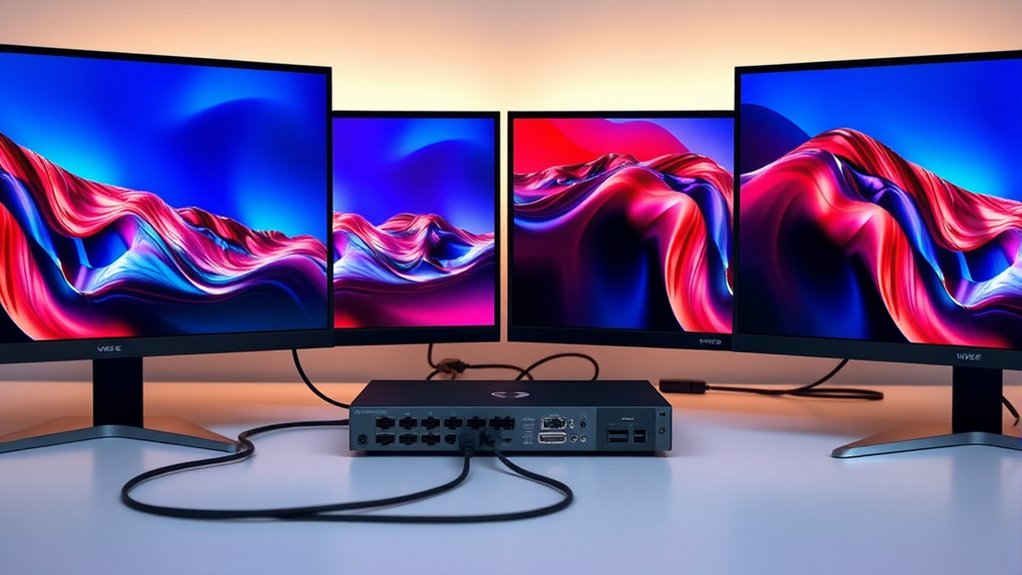

If you’re searching for a KVM switch with DisplayPort 1.4, you’re likely balancing high resolution support with multiple device management. The UGREEN DisplayPort KVM Switch stands out as a reliable overall choice, thanks to its 8K@60Hz support and solid build quality. For those needing dual monitors, the TESmart T2410-V2 offers impressive 4K@144Hz performance, while the StarTech 2-Port Dual DisplayPort 1.4 makes a strong case for professional environments with its TAA compliance. The main tradeoffs involve balancing bandwidth, multi-monitor support, and connectivity options, especially if you need USB peripherals or multi-computer setups. Continue reading for an in-depth comparison that clarifies which KVM switch best fits your needs.

Get the latest gadgets delivered free — and shop member deals
- Fast, free delivery on millions of items
- Access to Prime Big Deal Days deals on October 6–7
- Prime Video, Amazon Music and more included
Complete the kit



Key Takeaways
- High-resolution support, like 8K@60Hz or 4K@144Hz, is prevalent among the best options, but bandwidth requirements can influence compatibility and performance.
- Multi-monitor setups significantly impact the choice—dual monitor support often means higher cost and complexity but better productivity.
- Build quality and cable management features vary; aluminum enclosures tend to be more durable, but may add weight and cost.
- USB port variety and version (USB 3.0, 3.2, USB-C) are critical for seamless peripheral sharing, especially for professional or gaming setups.
- Ease of switching and control options differ; some switches feature remote, wired, or software-based controls, affecting convenience and setup complexity.
| UGREEN DisplayPort KVM Switch 2 in 1 Out, 8K@60Hz, Aluminum, 4 USB 3.0 Ports |  | Best Overall for High-Resolution Dual Computer Setup | Ports: 4 USB 3.0 (3 USB-A + 1 USB-C) | Max Resolution: 8K@60Hz (DP 1.4) | Compatible Resolutions: 8K@60Hz, 4K@240Hz, 4K@120Hz, 4K@60Hz | VIEW ON AMAZON | See Our Full Breakdown |
| J-Tech Digital 8K DisplayPort 1.4 KVM Switch (2 Computers, 1 Monitor) – JTECH-DKM21-8K |  | Best for High-Performance Single Monitor Control | Model: JTECH-DKM21-8K | Max Resolution: 8K@60Hz / 4K@240Hz | DisplayPort Version: 1.4 | VIEW ON AMAZON | See Our Full Breakdown |
| KVM Docking Station 4K120Hz USB C KVM Switch for 2 Monitors and 2 Computers |  | Best for Multi-Device, Multi-Monitor Power Users | Ports: 14-in-1 including SD, Micro SD, Ethernet, USB 3.2 | Max Monitor Resolution: 4K@120Hz dual monitors | USB Data Transfer: 10Gbps USB 3.2 | VIEW ON AMAZON | See Our Full Breakdown |
| 2-Port USB 3.0 DisplayPort 1.4 KVM Switch, 8K@60Hz/4K@144Hz, with Cables and Digital Display |  | Best Budget-Friendly 8K DisplayPort KVM | KVM Type: 2-port DisplayPort 1.4 | Maximum Resolution: 8K@30Hz | Supported Resolutions: 8K@30Hz, 5K@50/60Hz, 4K@60/120/144Hz | VIEW ON AMAZON | See Our Full Breakdown |
| TESmart T2410-V2 DisplayPort KVM Switch – 4 Computers to 1 Monitor, DP 1.4, 4K@144Hz |  | Best for Multi-Computer, Multi-Method Control | Ports: 2 DisplayPort inputs, 4 computers | Max Resolution: 4K@144Hz | Features: EDID Emulator, Hotkey, Auto Scan, IR remote | VIEW ON AMAZON | See Our Full Breakdown |
| DisplayPort 1.4 KVM Switch – 3 Computers, 2 Monitors, 8K@30Hz/4K@144Hz, 4 USB 3.0 Ports, with Desktop Controller |  | Best Overall for High-Resolution Multi-Device Setups | Max Resolution: 8K (7680×4320) @ 30Hz; 4K (3840×2160) @ 144Hz | Video Standard: DisplayPort 1.4 | Ports: 3 computers x (2 DP + 1 USB); 4 USB 3.0 device ports | VIEW ON AMAZON | See Our Full Breakdown |
| StarTech 2-Port Dual DisplayPort 1.4 KVM Switch, 8K 60Hz / 4K 144Hz, USB 3.2, TAA Compliant |  | Best for Dual 8K or HDR-Ready Displays | Max Resolution: 8K 60Hz / 4K 144Hz / 4K 120Hz | HDR Support: Up to 10-bit YCbCr 4:4:4 | USB Ports: 2x USB 3.2 Gen 2 (10Gbps), 4x USB HID | VIEW ON AMAZON | See Our Full Breakdown |
| Cable Matters USB 3.0 KVM Switch (DisplayPort 1.4) for 2 Computers |  | Best for Budget-Conscious 8K and High Refresh Rate Users | Max Resolution: 8K @ 60Hz / 4K @ 240Hz | USB Ports: 3x USB-A 3.0 (5Gbps) | Switching Method: Wireless remote and push button | VIEW ON AMAZON | See Our Full Breakdown |
| DisplayPort KVM Switch 2 Computers 1 Monitor, 1440P 240Hz |  | Best for High Refresh Rate Single-Display Gaming or Productivity | Max Resolution: 8K@30Hz, 4K@240Hz | Supported Refresh Rates: 240Hz at 1440P, 240Hz at 4K | USB Ports: 2 x USB 3.0 | VIEW ON AMAZON | See Our Full Breakdown |
| KVM Switch Dual Monitor DisplayPort 1.4, 8K@30Hz / 4K@144Hz, 2 Computers, 3 USB 3.0 + 1 USB-C, with Cables and Wired Controller |  | Best for Dual-Display Multi-Input Workstations | Video Input: 2x DisplayPort 1.4 | Video Output: 1x DisplayPort 1.4 + 1x HDMI 2.1 | Max Resolution: 8K@30Hz, 4K@144Hz | VIEW ON AMAZON | See Our Full Breakdown |
| kvm switch displayport 14 | Max Resolution | Switching Methods |
|---|---|---|
| UGREEN DisplayPort KVM Switch | 8K@60Hz (DP 1.4) | One-button switch, desktop controller |
| J-Tech Digital 8K DisplayPort | 8K@60Hz / 4K@240Hz | — |
| KVM Docking Station 4K120Hz US | — | — |
| 2-Port USB 3.0 DisplayPort 1.4 | — | Manual button, wired remote |
| TESmart T2410-V2 DisplayPort K | 4K@144Hz | Hotkey, front button, mouse gestures, IR remote, auto |
| DisplayPort 1.4 KVM Switch | 8K (7680×4320) @ 30Hz; 4K (3840×2160) @ 144Hz | Physical button; 1.5m wired desktop controller |
| StarTech 2-Port Dual DisplayPo | 8K 60Hz / 4K 144Hz / 4K 120Hz | Push-button, hotkeys |
| Cable Matters USB 3.0 KVM Swit | 8K @ 60Hz / 4K @ 240Hz | — |
| DisplayPort KVM Switch 2 Compu | 8K@30Hz, 4K@240Hz | — |
| KVM Switch Dual Monitor Displa | 8K@30Hz, 4K@144Hz | — |
More Details on Our Top Picks
UGREEN DisplayPort KVM Switch 2 in 1 Out, 8K@60Hz, Aluminum, 4 USB 3.0 Ports
This UGREEN KVM switch distinguishes itself by supporting ultra-high resolutions up to 8K@60Hz, making it ideal for users who need the highest display quality from two computers. Compared with the TESmart T2410-V2, it lacks hotkey switching but offers a more straightforward plug-and-play experience with a desktop controller, which is more accessible for users preferring physical controls. Its aluminum housing adds durability, but the need for both USB A-to-C cables for power can be a minor hassle. The switch does not support HDMI and isn’t suited for docking stations, limiting its versatility in some setups. This model is better suited to professionals or enthusiasts who prioritize maximum resolution and straightforward peripheral sharing without complex multi-monitor setups.
Pros:- Supports resolutions up to 8K@60Hz and 4K@240Hz for future-proofing
- Shares monitor plus 4 USB 3.0 devices easily
- Driver-free, plug-and-play compatibility across Windows, macOS, Linux
- Includes desktop controller for convenient switching
Cons:- Requires both USB A-to-C cables connected for power, with no power adapter included
- No hotkey switching support
- Limited to DisplayPort connections, no HDMI
Best for: Power users who need 8K resolution sharing between two computers and prioritize simplicity and durability.
Not ideal for: Users seeking HDMI compatibility or hotkey switching; those with limited desk space might find the desktop controller bulky.
- Ports:4 USB 3.0 (3 USB-A + 1 USB-C)
- Max Resolution:8K@60Hz (DP 1.4)
- Compatible Resolutions:8K@60Hz, 4K@240Hz, 4K@120Hz, 4K@60Hz
- USB Data Transfer Speed:5Gbps (USB 3.0)
- Switching Methods:One-button switch, desktop controller
- Compatible Systems:Windows, macOS, Linux
Our verdict“This pick suits users who need reliable high-resolution performance with simple peripheral sharing for dual-computer workflows.”
J-Tech Digital 8K DisplayPort 1.4 KVM Switch (2 Computers, 1 Monitor) – JTECH-DKM21-8K
The J-Tech Digital switch supports the latest DisplayPort 1.4 standard, making it ideal for users who want to control two high-end computers with a single monitor at resolutions up to 8K@60Hz. It offers a broad bandwidth of 32.4Gbps, which translates into sharp images with deep color depth and HDR support—features that surpass many competitors like the UGREEN model, which maxes out at 8K@60Hz but lacks HDR. The inclusion of a wired remote provides flexibility, but it may add clutter to the desk. Its exclusive DisplayPort focus means no HDMI compatibility, which could be a drawback for mixed setups. This switch is best for creative professionals or gamers demanding top-tier display fidelity and multiple switching options.
Pros:- Supports 8K@60Hz and 4K@240Hz with HDR and deep color
- Includes wired remote and front panel button for instant switching
- Supports 32.4Gbps bandwidth for maximum image clarity
- Provides lifetime technical support
Cons:- DisplayPort-only connection limits compatibility
- Wired remote may contribute to desk clutter
- No hotkey switching feature
Best for: Professionals or gamers requiring high-resolution, HDR-ready display switching with flexible control options.
Not ideal for: Users with HDMI-only setups or those who prefer hotkey switching without remote controls; those with limited desk space might find the remote cumbersome.
- Model:JTECH-DKM21-8K
- Max Resolution:8K@60Hz / 4K@240Hz
- DisplayPort Version:1.4
- Bandwidth:32.4Gbps
- Color Depth:12-bit deep color
- Switching:Front panel, wired remote
Our verdict“Ideal for users who need the highest resolution and color quality with flexible control options on a single monitor setup.”
KVM Docking Station 4K120Hz USB C KVM Switch for 2 Monitors and 2 Computers
This versatile docking station excels in multitasking environments, supporting dual 4K120Hz displays and fast data transfer with 10Gbps USB 3.2 ports. Compared to dedicated KVM switches like the B0CFV1M5M5, it offers the added benefit of powering two laptops via 100W PD pass-through, making it ideal for desk setups where charging convenience matters. Its 14-in-1 design caters to users who need SD and Micro SD card slots, Ethernet, and high-speed data ports—all in a single device. However, its focus on dual-monitor capability means it isn’t the best fit for users who only need a single display, and the 72W power adapter limits maximum charging capacity unless upgraded. This device is well-suited for professionals managing complex workflows across multiple devices and displays.
Pros:- Supports dual 4K120Hz monitors for advanced multitasking
- Includes 14-in-1 ports with card readers and high-speed data transfer
- Offers 100W power delivery for charging laptops
- Supports multiple switching methods including buttons and desktop control
Cons:- Included power adapter only supports 72W, limiting charging speed
- No hotkey switching support
- Limited to macOS mirroring mode
Best for: Power users managing dual monitors and multiple peripherals who need integrated charging and high-speed data.
Not ideal for: Users with simple single-monitor setups or those who do not need high-speed data or charging features.
- Ports:14-in-1 including SD, Micro SD, Ethernet, USB 3.2
- Max Monitor Resolution:4K@120Hz dual monitors
- USB Data Transfer:10Gbps USB 3.2
- PD Charging:Up to 100W
- Included Power Adapter:DC 20V 3.6A (72W)
- Supported OS:macOS (mirroring only)
Our verdict“Best for tech-savvy professionals requiring extensive device connectivity, high refresh rates, and integrated power delivery.”
2-Port USB 3.0 DisplayPort 1.4 KVM Switch, 8K@60Hz/4K@144Hz, with Cables and Digital Display
This 2-port switch offers a practical solution for those needing high-resolution output at a lower price point. It supports resolutions up to 8K@30Hz, which is sufficient for many professional and gaming applications, and includes the necessary cables and a digital display for source management. Compared to the higher-end options like the TESmart T2410-V2, it sacrifices some refresh rate and advanced features but remains a strong choice for budget-conscious users. Limitations include the absence of EDID simulation, which may cause display issues during BIOS or startup sequences, especially with BIOS-based systems. This device is ideal for users who prioritize cost-effectiveness over ultra-high refresh rates or extensive switching features.
Pros:- Supports 8K@30Hz resolution with included cables and remote switch
- Easy to set up with digital display and wired remote
- Includes cables, making it ready out of the box
- Affordable option for high-resolution sharing
Cons:- Limited to 8K@30Hz, which may not satisfy demanding users
- Lacks EDID simulation, risking display issues during startup
- No hotkey switching or advanced control options
Best for: Budget-conscious users needing high-resolution display sharing with basic switching features.
Not ideal for: Enthusiasts requiring 8K@60Hz or advanced features like EDID simulation and hotkey switching; users with complex multi-monitor setups.
- KVM Type:2-port DisplayPort 1.4
- Maximum Resolution:8K@30Hz
- Supported Resolutions:8K@30Hz, 5K@50/60Hz, 4K@60/120/144Hz
- Switching Methods:Manual button, wired remote
- Included Cables:2 USB 3.0, 2 DisplayPort 1.4
- Display Support:1 monitor
Our verdict“A budget-friendly solution for users needing high-resolution sharing at 8K@30Hz without advanced features.”
TESmart T2410-V2 DisplayPort KVM Switch – 4 Computers to 1 Monitor, DP 1.4, 4K@144Hz
The TESmart T2410-V2 stands out for supporting four computers on a single 4K@144Hz monitor, making it a versatile choice for multi-setup environments. Its extensive switching options—including hotkeys, front buttons, mouse gestures, auto-scan, and IR remote—cater to users who prefer multiple control methods. Compared with the J-Tech Digital model, it supports more computers, though the IR remote’s batteries are not included, and only two DisplayPort inputs are available despite supporting four computers. It also features EDID emulation and plug-and-play setup, making it suitable for professional workflows or gaming setups that demand fast, reliable switching without driver installation. This switch emphasizes flexibility and multi-control options over ultra-high resolutions like 8K.
Pros:- Supports high refresh rates up to 4K@144Hz with HDR and G-Sync/FreeSync
- Multiple switching methods including hotkeys, mouse gestures, IR remote
- Supports five control options for maximum flexibility
- Includes EDID emulation and plug-and-play setup
Cons:- IR remote batteries are not included, which could delay setup
- Only two DisplayPort inputs for four computers
- Limited to DisplayPort connections, no HDMI support
Best for: Power users managing multiple computers who want flexible switching methods and multi-monitor support.
Not ideal for: Users needing HDMI support or simpler control schemes; those with only two computers or limited desk space might find its features excessive.
- Ports:2 DisplayPort inputs, 4 computers
- Max Resolution:4K@144Hz
- Features:EDID Emulator, Hotkey, Auto Scan, IR remote
- Switching Methods:Hotkey, front button, mouse gestures, IR remote, auto
- Included Cables:4 x DP, 4 x USB
- Warranty:1-year
Our verdict“Ideal for users with multiple computers seeking flexible, multi-method switching with high refresh rates and multi-monitor support.”
DisplayPort 1.4 KVM Switch – 3 Computers, 2 Monitors, 8K@30Hz/4K@144Hz, 4 USB 3.0 Ports, with Desktop Controller
This switch stands out for its ability to handle stunning resolutions up to 8K@30Hz and 4K@144Hz, making it ideal for detailed visual work or gaming. Compared with the StarTech 2-Port Dual DisplayPort 1.4 KVM Switch, it offers more monitor sharing options and a dedicated desktop controller, which enhances usability in complex setups. However, the requirement of dual DisplayPort outputs per computer and the relatively low refresh rate at 8K can limit some high-speed gaming experiences. Its external power supply supports power-hungry USB devices, adding flexibility. The physical switching buttons and LED indicators provide straightforward operation, especially in shared environments.
Pros:- Supports ultra-high resolutions up to 8K@30Hz and 4K@144Hz for demanding visuals
- Shares 2 monitors and 4 USB 3.0 devices across 3 computers with single-click switching
- Includes a wired desktop controller and LED indicators for easy operation
- External 12V power port supports high-power USB peripherals
Cons:- Requires two DisplayPort outputs per computer, limiting compatibility with some systems
- 8K@30Hz refresh rate is too low for fast-paced gaming at that resolution
- Needs verification of dual-monitor output support on connected computers
Best for: Power users with high-resolution multi-monitor workstations or gaming setups needing seamless switching between three computers.
Not ideal for: Casual users or setups with limited DisplayPort outputs, since it demands multiple connections per device, which can be restrictive.
- Max Resolution:8K (7680×4320) @ 30Hz; 4K (3840×2160) @ 144Hz
- Video Standard:DisplayPort 1.4
- Ports:3 computers x (2 DP + 1 USB); 4 USB 3.0 device ports
- USB Data Transfer Rate:5Gbps
- Switching Methods:Physical button; 1.5m wired desktop controller
- Power:External 12V power port with power switch
Our verdict“This switch is best suited for users who prioritize high-resolution visuals and multi-device sharing over ultra-fast refresh rates.”
StarTech 2-Port Dual DisplayPort 1.4 KVM Switch, 8K 60Hz / 4K 144Hz, USB 3.2, TAA Compliant
This model excels at supporting dual 8K 60Hz displays or 4K 144Hz setups, making it perfect for professional content creators or high-end visual tasks. It surpasses the Cable Matters USB 3.0 KVM Switch in resolution capabilities and includes HDR support with 10-bit color depth, ideal for color-sensitive work. Its durable steel housing and ESD protection ensure long-term reliability in demanding environments. However, achieving full 8K performance requires DSC support and compatible high-quality cables, which might add to the overall cost. The hotkey and push-button switching enhance convenience, while the TAA compliance makes it suitable for government and enterprise use.
Pros:- Supports dual 8K 60Hz displays with HDR and 10-bit color depth
- Fast 10Gbps USB 3.2 Gen 2 ports for quick data transfer
- Flexible switching via hotkeys or push-buttons with clear LED indicators
- Steel housing with EMI and ESD protection for durability
Cons:- Requires DSC support and high-quality cables for full 8K performance
- No price or user ratings available, potentially limiting insight into real-world reliability
Best for: Graphics professionals or multimedia creators working with dual 8K displays or HDR workflows.
Not ideal for: Budget-conscious users or those with single-monitor setups, as its dual-display focus and high-end features may be overkill and costly.
- Max Resolution:8K 60Hz / 4K 144Hz / 4K 120Hz
- HDR Support:Up to 10-bit YCbCr 4:4:4
- USB Ports:2x USB 3.2 Gen 2 (10Gbps), 4x USB HID
- Switching Methods:Push-button, hotkeys
- Housing:Steel
- Compliance:TAA
Our verdict“This switch is ideal for professionals needing dual 8K or HDR display support with robust build quality and flexible control options.”
Cable Matters USB 3.0 KVM Switch (DisplayPort 1.4) for 2 Computers
This switch offers a compelling balance of high resolutions and refresh rates, supporting up to 8K@60Hz and 4K@240Hz, with HDR and DSC pass-through. Compared with the DisplayPort 1.4 KVM Switch, it adds wireless remote control for easier switching, which can be a major convenience in shared or multi-user environments. Its OS compatibility is broad, and the inclusion of a remote makes it more flexible for everyday use. However, the lack of EDID emulation may cause display re-detection delays, especially when switching frequently. Its 5Gbps USB 3.0 transfer speed is sufficient for most peripherals but not as fast as newer standards.
Pros:- Supports high resolutions up to 8K@60Hz and 4K@240Hz with HDR and DSC
- Wireless remote control for effortless switching
- Shares up to three USB peripherals with 5Gbps transfer
- Compatibility across Windows, macOS, ChromeOS, and Linux
Cons:- No EDID emulation, risking display detection delays
- Limited USB transfer speed compared to newer standards
Best for: Enthusiasts or small office setups needing high resolutions and remote switching without breaking the bank.
Not ideal for: High-end professional workflows requiring EDID emulation or ultra-reliable display switching, as delays may occur when switching between computers.
- Max Resolution:8K @ 60Hz / 4K @ 240Hz
- USB Ports:3x USB-A 3.0 (5Gbps)
- Switching Method:Wireless remote and push button
- Features:HDR, DSC pass-through
- OS Compatibility:Windows, macOS, ChromeOS, Linux
- EDID Emulation:Not supported
Our verdict“This switch provides high-resolution support along with remote switching, making it suitable for budget-conscious users with demanding visual needs.”
DisplayPort KVM Switch 2 Computers 1 Monitor, 1440P 240Hz
This compact switch supports high refresh rates up to 240Hz at 1440P and even 4K@240Hz, making it a prime choice for gamers or professionals needing ultra-smooth visuals. Unlike the multi-monitor or 8K-focused options, this model is tailored for fast-paced applications with a single monitor, similar to the capabilities of the Cable Matters USB 3.0 KVM Switch but with a focus on higher refresh rates at lower resolutions. Its driver-free operation simplifies setup, and the wired remote push button provides quick switching. However, it does not support EDID, which might cause display re-detection issues, and it lacks support for resolutions beyond 4K@240Hz or 8K@60Hz, limiting its versatility for future-proofing.
Pros:- Supports high refresh rates up to 240Hz at 1440P and 4K@240Hz
- Driver-free, easy to set up and use
- Includes a wired remote for quick switching
- Supports FreeSync and G-SYNC technologies
Cons:- Limited to one monitor, not suitable for multi-display setups
- No EDID emulation, risking display detection issues
- Resolutions beyond 4K@240Hz or 8K@60Hz are unsupported
Best for: Gamers or streamers who prioritize ultra-fast refresh rates on a single monitor without needing 8K resolution.
Not ideal for: Users needing dual monitors or resolutions above 4K, as this model is limited to a single display and lower max resolutions.
- Max Resolution:8K@30Hz, 4K@240Hz
- Supported Refresh Rates:240Hz at 1440P, 240Hz at 4K
- USB Ports:2 x USB 3.0
- Switching Method:Wired remote or manual button
- Features:FreeSync, G-SYNC
- Supported Resolutions:Up to 8K@60Hz
Our verdict“This switch is well-suited for high-refresh-rate gaming or productivity on a single monitor with minimal fuss and maximum speed.”
KVM Switch Dual Monitor DisplayPort 1.4, 8K@30Hz / 4K@144Hz, 2 Computers, 3 USB 3.0 + 1 USB-C, with Cables and Wired Controller
This versatile switch enables two computers to share one DisplayPort and one HDMI monitor, supporting resolutions up to 8K@30Hz and 4K@144Hz. It distinguishes itself by including both USB-C and multiple cables, simplifying setup for modern devices. The support for extend and copy modes ensures flexibility for multitasking or presentations. While it covers a broad range of resolutions and includes a wired remote, its reliance on DP 1.4 and HDMI 2.1 cables means compatibility hinges on using the right cables and computers. The absence of HDMI cables in the package could be an inconvenience for some users.
Pros:- Supports dual monitors with resolutions up to 8K@30Hz and 4K@144Hz
- Includes both DP and HDMI outputs, plus USB-C input
- Cables included for quick setup, plus a wired remote for switching
- Supports extend and copy display modes
Cons:- HDMI cable not included, potentially complicating setup
- Achieving full 8K resolution requires specific high-quality cables and compatible hardware
- DVI/VGA support not available, limiting legacy system compatibility
Best for: Professionals or content creators needing dual-monitor support with multiple input options and easy switching.
Not ideal for: Users with single-monitor setups or those requiring support for older systems without DP 1.4 or HDMI 2.1 compatibility.
- Video Input:2x DisplayPort 1.4
- Video Output:1x DisplayPort 1.4 + 1x HDMI 2.1
- Max Resolution:8K@30Hz, 4K@144Hz
- USB Ports:3x USB 3.0, 1x USB-C
- Display Modes:Extend and Copy
- Included Cables:DP and USB cables
Our verdict“This switch suits users needing dual display options and flexible input connections in high-resolution environments, provided they have compatible hardware and cables.”
How We Picked
Selection focused on performance, build quality, and feature set—especially support for DisplayPort 1.4’s bandwidth capabilities. We prioritized models that handle high resolutions and refresh rates, ensuring they meet demanding professional or gaming needs. Usability factors like switching methods, cable management, and compatibility with multiple devices also influenced rankings. Cost was balanced against features to identify options that provide the best value without sacrificing essential performance. Finally, we considered user reviews and industry reputation to gauge reliability and long-term usability, aiming to recommend options suitable for a range of users from gamers to enterprise setups.
| kvm switch displayport 14 | Switching Methods |
|---|---|
| UGREEN DisplayPort KVM Switch | One-button switch, desktop controller |
| J-Tech Digital 8K DisplayPort | — |
| KVM Docking Station 4K120Hz US | — |
| 2-Port USB 3.0 DisplayPort 1.4 | Manual button, wired remote |
| TESmart T2410-V2 DisplayPort K | Hotkey, front button, mouse gestures, IR remote, auto |
| DisplayPort 1.4 KVM Switch | Physical button; 1.5m wired desktop controller |
| StarTech 2-Port Dual DisplayPo | Push-button, hotkeys |
| Cable Matters USB 3.0 KVM Swit | — |
| DisplayPort KVM Switch 2 Compu | — |
| KVM Switch Dual Monitor Displa | — |
Factors to Consider When Choosing Kvm Switch Displayport 14
Choosing the right KVM switch with DisplayPort 1.4 involves several key considerations beyond just the number of ports. Understanding your specific needs—such as resolution, refresh rate, device compatibility, and control options—will help you avoid overspending or ending up with a feature set that doesn’t match your workflow. Here are the main factors to keep in mind:Performance and Resolution Support
Ensure the switch can handle your desired resolution and refresh rate, whether it’s 4K@144Hz for gaming or 8K@60Hz for professional editing. Not all switches support the full bandwidth of DisplayPort 1.4, so verify specifications carefully. Higher resolutions and refresh rates demand better hardware, which often increases cost but guarantees smoother visual performance.
Number of Ports and Multi-Monitor Support
Decide how many computers and monitors you need to connect. Dual or multi-monitor setups require specific support, which can complicate the switch’s design and increase price. For users with simple needs, a 2-port switch may suffice, but professionals working with multiple screens should prioritize models with extensive port options.
Connectivity and Peripherals
Look for switches with sufficient USB ports, especially if you plan to share peripherals like keyboards, mice, or external drives. USB-C support can add convenience for modern laptops, but make sure the switch’s ports match your devices. Compatibility with the latest USB standards ensures faster data transfer and better peripheral management.
Control and Switching Methods
Switching options vary from physical buttons to remote controls and software solutions. Consider how often you’ll switch between devices and whether a wired or wireless remote is more practical. Ease of switching can significantly impact daily workflow, especially in professional or gaming contexts.
Build Quality and Size
Durability matters if the switch will be used in a busy environment. Aluminum enclosures tend to last longer and dissipate heat better, but they might be bulkier. Compact models save space but may sacrifice some durability or expandability. Also, check if the switch includes cable management features to avoid clutter.
Frequently Asked Questions
Can a DisplayPort 1.4 KVM switch support 8K resolution?
Yes, many DisplayPort 1.4 KVM switches support 8K resolution at 60Hz, but not all models do. It’s vital to verify the specifications because some switches only support 4K at higher refresh rates. Supporting 8K requires higher bandwidth and quality components to maintain signal integrity, so choosing a switch explicitly rated for 8K is recommended if your setup demands it.
Will a DisplayPort 1.4 switch work with older graphics cards?
DisplayPort 1.4 switches are backward compatible with earlier versions of DisplayPort, so they should work with older graphics cards. However, the maximum resolution and refresh rate will be limited by the capabilities of your GPU. Ensure your graphics card supports the desired output resolution, and check whether the switch’s bandwidth matches your performance needs.
Is USB support necessary on a KVM switch for gaming?
For gaming, USB support is often essential to connect peripherals like gaming mice and keyboards. USB 3.0 or higher ensures minimal latency, which can be critical in fast-paced games. Some switches include dedicated USB hubs, making it easier to switch peripherals along with video signals, streamlining your setup.
Should I pay more for dual-monitor support on a KVM switch?
Investing in a dual-monitor KVM switch can significantly boost productivity, especially if you use multi-monitor setups for work or gaming. However, these models tend to be more expensive and may require more complex cabling. If your workflow demands multiple screens, paying extra can be justified, but for single-monitor setups, a simpler switch usually suffices.
What are common mistakes to avoid when choosing a DisplayPort 1.4 KVM switch?
A common mistake is choosing a switch that doesn’t support your resolution or refresh rate, leading to reduced performance. Overlooking the number of ports or the types of peripherals you want to connect can also cause inconvenience later. Additionally, ignoring build quality or cable management features might result in durability issues or clutter. Clarifying your specific needs beforehand helps select a switch that remains functional and reliable over time.
Conclusion
For most users, the UGREEN DisplayPort KVM Switch offers a reliable balance of performance and affordability, making it ideal for general use. Professionals requiring dual monitors and high refresh rates should consider the TESmart T2410-V2 for its advanced features. If budget is a concern, the Cable Matters USB 3.0 KVM Switch provides good value with solid support for 4K and USB peripherals. For those new to KVM switches, models with simple controls and straightforward setup are best. Gamers and power users who need the highest resolutions and multi-monitor configurations should look toward premium options like the StarTech 2-Port Dual DisplayPort 1.4. Matching your specific needs with these options will ensure a smoother, more efficient setup in 2026.
Halloween Picks
halloween
As an affiliate, we earn on qualifying purchases.