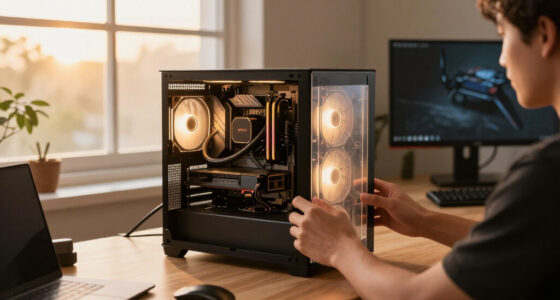
Among these ITX PC cases, I’d choose the Cooler Master NR200 as the best overall for its airflow-focused design and support for GPUs up to 330mm. The Fractal Design Terra is a standout for a compact, design-led gaming build, while the NZXT H2 Flow suits builders prioritizing airflow and liquid-cooling support. The main tradeoffs are size versus component clearance, cooling headroom versus noise, and distinctive styling versus straightforward assembly. Some listed cases support Micro-ATX rather than Mini-ITX, so checking motherboard compatibility matters as much as comparing dimensions. Read on for how each option fits a different build and budget priority.

Get the latest gadgets delivered free with Prime
- Fast, free delivery on millions of items
- Prime Video, Amazon Music and more included
- Member-only deals all year
Complete the kit



Key Takeaways
- The NR200 is the most balanced case in this group: its high-airflow design and 330mm GPU support suit a broad range of gaming components.
- The Terra prioritizes compact design over unrestricted component choice: its walnut-front styling makes it distinctive, but tight small-form-factor builds demand careful clearance checks.
- Several listings are Micro-ATX cases, not ITX-only cases: the Lian Li A3 models, JONSBO Z20, and D32 PRO may suit larger boards but need a desk-space check.
- Portability is a recurring differentiator: the JONSBO C6-ITX, Z20, and PCCOOLER K101 include handles, while the NR200’s appeal centers more on airflow and component support.
- Glass, wood, and mesh serve different priorities: glass and wood emphasize appearance, while mesh-forward designs generally make airflow and practical cooling a more direct focus.


| itx pc case | Motherboard support | Dimensions |
|---|---|---|
| Fractal Design Terra Jade | Mini-ITX | — |
| Cooler Master NR200 Mini-ITX P | — | — |
| darkFlash C275P Mini-Tower ITX | Mini-ITX | 13.11 × 10.83 × 12.72 inches (D × W × H) |
| Lian Li A3-mATX Micro Form Fac | mATX and ITX | — |
| darkFlash C275P Mini-Tower ITX | ITX | — |
| Lian Li A3-mATX PC Case | Micro-ATX, Mini-ITX | 17.4 x 7.63 x 12 inches |
| JONSBO/JONSPLUS Z20 Black Micr | — | 14.56 x 7.32 x 11.6 inches |
| JONSBO D32 PRO Micro-ATX PC Ca | Micro-ATX, Mini-ITX | 15.6 x 8.15 x 12.4 inches |
| JONSBO C6-ITX Compact Mesh Min | Mini-ITX, Mini-DTX | 202 x 266 x 295.2mm, including feet |
| JONSBO TK-0 Black ITX Mini Tow | Mini-ITX | 235 x 250 x 280mm |
| PCCOOLER CPS K101 Mini ITX PC | Mini ITX | 348 x 160 x 215mm |
| NZXT H2 Flow Mini-ITX PC Case | Mini ITX | — |
| HYTE Revolt 3 Small Form Facto | — | — |
More Details on Our Top Picks
Fractal Design Terra Jade – Small Form Factor Mini ITX Gaming Case with Walnut Front Panel
The Terra Jade is the most design-led pick here, pairing an anodized aluminum exterior with a solid walnut front panel in a compact Mini-ITX case. Its sliding central wall lets builders balance space between the graphics card and other components, while support for GPUs up to 322 mm gives it more gaming headroom than its small footprint suggests. The included PCIe 4.0 riser cable also suits a vertical GPU layout without requiring a separate purchase. Compared with the airflow-focused Cooler Master NR200, the Terra puts more emphasis on materials and adjustable component fit than on broad fan and radiator support. That makes its limited internal space and two USB ports real compromises for some builds; buyers also need to supply a power supply separately.
Pros:- Anodized aluminum exterior and FSC-certified walnut front panel give the case a distinctive, furniture-friendly finish.
- Sliding central wall allows builders to adjust internal space around their chosen components.
- Supports GPUs up to 322 mm, leaving room for many full-length gaming cards.
- PCIe 4.0 riser cable is included for vertical GPU installation.
Cons:- Tight internal space makes component selection and assembly less forgiving than in the NR200.
- Two USB ports may fall short for users with several wired peripherals.
- No power supply is included.
Best for: Small-form-factor builders who want a premium-looking case, a flexible GPU layout, and support for a substantial graphics card.
Not ideal for: Builders who prioritize extensive cooling options, frequent front-panel USB access, or the simplest possible component fit in a compact case.
- Case type:Mini-tower
- Motherboard support:Mini-ITX
- Maximum GPU length:322 mm
- Cooling method:Air
- Expansion slots:3
- Riser cable:PCIe 4.0 included
- Front-panel USB:1 USB 2.0 and 1 USB 3.0
- Materials:Metal exterior and FSC-certified solid walnut front panel
Our verdict“Choose the Terra Jade if premium materials and an adjustable compact gaming layout matter more to you than generous cooling and port options.”
Cooler Master NR200 Mini-ITX PC Case, High Airflow, 330mm GPU Support
The NR200 is the most balanced choice for builders who want a compact ITX case without giving up room for a powerful graphics card or active cooling. At 18.25 liters, it supports GPUs up to 330 mm and offers space for as many as six fans, plus 240 mm or 280 mm radiators. That broader cooling flexibility gives it an advantage over the Terra Jade, whose appeal leans more toward premium materials and a tailored internal layout. The tradeoff is that the NR200 requires an SFX power supply, so existing ATX units will not carry over. It also accommodates Mini-ITX boards only, unlike the larger Lian Li A3-mATX, which accepts mATX boards and larger cooling setups. For a gaming build where airflow and component support lead the decision, the NR200 is the clearest all-rounder.
Pros:- 18.25-liter volume keeps the case compact while accommodating substantial hardware.
- GPU clearance up to 330 mm supports many full-length graphics cards.
- Support for up to six fans gives builders flexibility to tune airflow.
- 240 mm and 280 mm radiator compatibility allows multiple liquid-cooling configurations.
Cons:- SFX-only power supply compatibility rules out standard ATX units.
- Mini-ITX motherboard support limits upgrade flexibility compared with the Lian Li A3-mATX.
- Its horizontal mounting orientation may not suit every setup.
Best for: Mini-ITX gaming builders who want strong airflow, room for a long graphics card, and several fan or radiator layout options.
Not ideal for: Builders hoping to reuse an ATX power supply or install a Micro-ATX motherboard; the Lian Li A3-mATX supports both broader board and PSU options.
- Form factor:Mini-ITX
- Volume:18.25 L
- Maximum GPU length:330 mm
- Fan support:Up to 6 fans
- Radiator compatibility:240 mm and 280 mm
- Power supply compatibility:SFX only
Our verdict“Pick the NR200 for a compact gaming build that prioritizes airflow and cooling choice, provided you are ready to use an SFX power supply.”
darkFlash C275P Mini-Tower ITX PC Case with 3 PWM ARGB Fans, Dual Tempered Glass, White
The white C275P suits builders who want their ITX components and lighting to be part of the room’s visual design. Its 270-degree dual tempered-glass view exposes more of the interior than the NR200, and the three included PWM ARGB fans provide lighting and airflow without requiring a separate fan purchase. Support for a 240 mm AIO gives liquid-cooling builds another option, while dust filters help limit debris entering through the case. This showcase focus comes with compromises: the enclosure combines glass with plastic, and Mini-ITX is the only supported motherboard size. Compared with the more restrained Terra Jade, the C275P makes lighting and component visibility the priority, not natural materials or a subdued exterior. Choose it when the display matters more than a metal build or expansive upgrade room.
Pros:- Dual tempered-glass panels provide a wide view of components and lighting.
- Three included PWM ARGB fans add airflow and lighting without a separate fan purchase.
- Supports a 240 mm AIO for liquid-cooling builds.
- Dust filters help reduce dust entering the case.
Cons:- Plastic is part of the enclosure material, unlike the Terra Jade’s metal exterior.
- Supports Mini-ITX motherboards only.
- Showcase glass makes the interior and cable presentation more visible.
Best for: ITX builders who want a white, glass-forward showcase with included ARGB fans and support for a 240 mm liquid cooler.
Not ideal for: Buyers seeking an all-metal enclosure, a quiet understated appearance, or motherboard flexibility beyond Mini-ITX.
- Model:C275P
- Case type:Mini-tower
- Motherboard support:Mini-ITX
- Included fans:3 PWM ARGB fans
- Radiator support:240 mm AIO
- USB ports:1 USB 3.0
- Dimensions:13.11 × 10.83 × 12.72 inches (D × W × H)
- Materials:Plastic and tempered glass
Our verdict“Choose the white C275P if you want a ready-to-light ITX showcase and accept a plastic-and-glass enclosure in place of a more restrained premium case.”
Lian Li A3-mATX Micro Form Factor PC Case
The A3-mATX is a strong fit for buyers who want an ITX-compatible case but do not want to limit themselves to a strictly small-form-factor layout. Its 26.3-liter capacity supports GPUs up to 415 mm, a 360 mm radiator, and as many as ten 120 mm fans. That is a substantial step up in hardware flexibility from the 18.25-liter NR200, especially for large graphics cards or more elaborate cooling. It also accepts ATX, SFX, and SFX-L power supplies, making it easier to work around parts already on hand. The compromises are its larger footprint and the absence of included fans or radiators. Since it also supports Micro-ATX, this is less of a tiny ITX enclosure and more of a flexible compact case for performance-focused builds.
Pros:- Supports both Mini-ITX and Micro-ATX motherboards.
- 415 mm GPU clearance accommodates very long graphics cards.
- 360 mm radiator support and space for up to ten 120 mm fans allow extensive cooling setups.
- Accepts ATX, SFX, SFX-L, and LIAN LI EDGE power supplies.
Cons:- At 26.3 liters, it is larger than more compact ITX-focused options such as the NR200.
- Fans and radiators are not included.
- Minimalist styling may not appeal to builders seeking a more distinctive showcase.
Best for: Builders who want an ITX-compatible case with room for an extra-long GPU, a large radiator, multiple fans, or an ATX power supply.
Not ideal for: Buyers seeking the smallest possible Mini-ITX enclosure or a case that arrives with cooling hardware included.
- Capacity:26.3 L
- Motherboard support:mATX and ITX
- Maximum GPU length:415 mm
- Radiator support:Up to 360 mm
- Fan support:Up to 10 × 120 mm
- Power supply compatibility:ATX, SFX, SFX-L, and LIAN LI EDGE
- Panel material:Steel mesh
Our verdict“Choose the A3-mATX if hardware clearance and power-supply flexibility matter more than keeping your ITX case especially small.”
darkFlash C275P Mini-Tower ITX PC Case with 3 PWM ARGB Fans, Dual Tempered Glass, Black
The black C275P offers the same glass-led showcase approach as its white counterpart, but the supplied configuration adds useful fit details for buyers planning drives or a larger graphics card. It supports GPUs up to 325 mm and provides three internal bays for a stated mix of one SSD and two HDDs. Three PWM ARGB fans and vertical airflow help make the case feel ready for a build, while top and panel dust filters address routine upkeep. Compared with the white C275P, this version lists specific GPU and drive support, making it easier to judge for a storage-heavy parts list. It still has the same main limitations: Mini-ITX-only compatibility and a plastic-and-tempered-glass enclosure. The NR200 is a better pick for broad cooling flexibility; this model is for a lit, visible build with defined storage needs.
Pros:- Dual tempered-glass panels offer a 270-degree view of the build.
- Three PWM ARGB fans support airflow and visible lighting.
- 325 mm GPU clearance accommodates many full-length graphics cards.
- Three internal bays support one SSD and two HDDs.
Cons:- Plastic is part of the enclosure material, rather than an all-metal construction.
- Mini-ITX is the only listed motherboard size.
- The panoramic glass design puts cable management and component presentation on display.
Best for: ITX builders who want a black glass showcase with included ARGB fans, room for a 325 mm GPU, and multiple drive bays.
Not ideal for: Buyers who need a metal enclosure, motherboard options beyond ITX, or the NR200’s stated six-fan and larger-radiator flexibility.
- Model:C275P
- Case type:Mini-tower
- Motherboard support:ITX
- Maximum GPU length:325 mm
- Included fans:3 PWM ARGB fans
- Radiator support:240 mm AIO
- Internal drive support:1 SSD and 2 HDDs
- Materials:Plastic and tempered glass
Our verdict“Choose the black C275P for a storage-capable, fan-equipped ITX showcase; choose the NR200 instead if cooling-layout flexibility is your priority.”
Lian Li A3-mATX PC Case, Supports 415mm GPU, 360mm AIO, Wood Front Panel, Black Mesh
For an ITX buyer who wants a compact case without giving up room for demanding parts, the Lian Li A3-mATX is the most expansion-friendly option here. It accepts Mini-ITX as well as Micro-ATX boards, and its 415mm GPU clearance and support for a 360mm radiator leave more room for large graphics cards and liquid cooling than the JONSBO Z20 or D32 PRO. The mesh panels and support for up to ten 120mm fans suit heat-heavy builds, while the wood front adds a warmer look than the C6-ITX’s all-mesh approach. The tradeoff is size: this is a mini-tower, not a tiny ITX enclosure, and it also needs separately purchased fans. Choose it for component flexibility; skip it if small footprint is the main goal.
Pros:- Supports graphics cards up to 415mm, exceeding the listed clearance of the other compact cases here
- Accommodates radiators up to 360mm and up to ten 120mm fans
- Flexible front or side PSU mounting helps adapt component layouts
- Mesh panels pair airflow with a distinctive wood front
Cons:- Fans are not included, adding parts to the build list
- Larger than specialist small-volume ITX cases
- Supports only Mini-ITX and Micro-ATX motherboards
Best for: ITX builders who want space for a long graphics card, extensive fan cooling, or a large radiator in a compact mini-tower
Not ideal for: Buyers prioritizing the smallest possible ITX footprint or a ready-to-build case with fans included
- Motherboard support:Micro-ATX, Mini-ITX
- Case type:Mini-tower
- GPU clearance:Up to 415mm
- Radiator support:Up to 360mm
- Fan support:Up to 10 x 120mm
- PSU mounting:Flexible front or side mounting
- Dimensions:17.4 x 7.63 x 12 inches
- Material:Stainless steel
Our verdict“Choose the A3-mATX if you want ITX compatibility with unusually generous GPU and cooling room, rather than the smallest case possible.”
JONSBO/JONSPLUS Z20 Black Micro-ATX Mini Tower PC Case with Detachable Handle
The JONSBO Z20 is a practical choice when a compact case needs to be moved, not just tucked under a desk. Its 20L volume and detachable handle make transport easier than with the Lian Li A3-mATX, which offers more GPU and radiator room but lacks the Z20’s carry-focused design. There is still useful component flexibility: the case supports Mini-ITX and Micro-ATX boards, graphics cards up to 363mm, and a 240mm AIO. That makes it a more capable portable build than the smaller JONSBO C6-ITX for longer cards and liquid cooling. The compromises are tight fit planning and less headroom than the A3-mATX or D32 PRO. Check each component’s dimensions before buying, especially if future upgrades are part of the plan.
Pros:- 20L enclosure with a detachable handle suited to moving the system
- Fits graphics cards up to 363mm
- Supports a 240mm AIO and tall CPU coolers
- Accepts ATX, SFX, and SFX-L power supplies
Cons:- GPU clearance is shorter than the Lian Li A3-mATX’s 415mm allowance
- Compact internal layout calls for careful hardware compatibility checks
- Small volume can limit later component changes
Best for: LAN-party, event, or shared-space builders who want a carry handle and room for a substantial GPU in a compact case
Not ideal for: Builders with oversized graphics cards, loosely planned component combinations, or a strong need for broad upgrade flexibility
- Form factor:Micro-ATX
- Volume:20L
- GPU clearance:Up to 363mm
- CPU cooler clearance:164mm Intel; 163mm AMD
- Water cooling support:Up to 240mm AIO
- Power supply support:ATX, SFX, SFX-L
- Drive bays:2 x 2.5-inch SSD and 1 x 3.5-inch HDD, or 3 x 2.5-inch SSD
- Dimensions:14.56 x 7.32 x 11.6 inches
Our verdict“Pick the Z20 if portability and a capable compact build matter more than maximum component clearance.”
JONSBO D32 PRO Micro-ATX PC Case, High Compatibility Mini Desktop Case, Supports ATX/SFX PSUs, 240mm Radiator, Tempered Glass Side Panel, Black
The JONSBO D32 PRO suits an ITX builder who wants a small desktop case with room for several drives and a visible component showcase. It supports Mini-ITX alongside Micro-ATX, offers up to six drive bays, and has a tempered-glass side panel; that storage capacity sets it apart from the more travel-oriented JONSBO Z20 and the single-drive JONSBO C6-ITX. GPU clearance reaches 365mm, close to the Z20’s 363mm, while top radiator support is limited to 240mm. Its cooler clearance also varies by layout, so component arrangement matters. The glass and storage focus make it less suited to a minimalist, carryable system, and no fans are included. Check PSU fit and plug compatibility before settling on this case.
Pros:- Supports up to six drives across 3.5-inch and 2.5-inch formats
- Fits graphics cards up to 365mm
- Tempered-glass side panel showcases internal components
- Supports Mini-ITX and top-mounted 240mm radiators
Cons:- Fans are not included, so cooling hardware must be planned separately
- Radiator support tops out at 240mm, below the A3-mATX’s 360mm capacity
- Power supply and plug compatibility may constrain some builds
Best for: ITX builders creating a desk-based system that needs multiple storage drives, a glass display panel, and room for a long GPU
Not ideal for: Portable-build shoppers or buyers who want included fans and a simple, low-planning component fit
- Motherboard support:Micro-ATX, Mini-ITX
- GPU clearance:Up to 365mm
- Radiator support:Top-mounted, up to 240mm
- CPU cooler clearance:164mm in B mode; 169mm in A mode
- Drive bays:Up to 2 x 3.5-inch and 4 x 2.5-inch
- Power supply mounting:Bottom
- Front USB:2 x USB 3.2 Gen 1 Type-A; 1 x USB 3.2 Gen 2 Type-C
- Dimensions:15.6 x 8.15 x 12.4 inches
Our verdict“Choose the D32 PRO for a storage-rich ITX desktop build with a glass display panel, not for portability or maximum radiator capacity.”
JONSBO C6-ITX Compact Mesh Mini-ITX Case with Carry Handle, Black
If keeping an ITX case physically small matters more than fitting a large graphics card, the JONSBO C6-ITX is the focused pick here. Its compact dimensions, mesh construction, and adjustable carry handle favor a simple system that can move between rooms or travel more easily than the larger Z20. Tool-free top access also makes internal work less fiddly. The key limitation is its 255mm GPU ceiling, well below the A3-mATX and the D32 PRO, so graphics-card dimensions need close attention. Storage is modest too: the listed layout accommodates one 3.5-inch HDD or one 2.5-inch SSD. ATX PSU support is useful in this size class, but the unit must be under 140mm long. Choose this case for compactness and easy access, not ambitious expansion.
Pros:- Compact dimensions and adjustable handle suit a space-conscious portable build
- Mesh panels support ventilation around the case
- Tool-free top cover and removable grille simplify access
- Accepts Mini-ITX and Mini-DTX motherboards
Cons:- 255mm GPU limit rules out many longer graphics cards
- Listed drive capacity is limited to one HDD or one SSD
- ATX or SFX PSU must be under 140mm long
Best for: Mini-ITX builders seeking a small mesh case with a handle for a modest GPU and one primary drive
Not ideal for: Gaming builds using long graphics cards, multi-drive systems, or ATX power supplies longer than 140mm
- Motherboard support:Mini-ITX, Mini-DTX
- GPU clearance:Up to 255mm
- CPU cooler clearance:Up to 170mm
- Power supply support:ATX or SFX; PSU length under 140mm
- Drive capacity:One 3.5-inch HDD or one 2.5-inch SSD
- Fan mounts:Top 120mm; optional rear 120mm; bottom 120mm or one 3.5-inch HDD
- Dimensions:202 x 266 x 295.2mm, including feet
- Front I/O:USB-C, USB 3.0, combined audio/microphone
Our verdict“Choose the C6-ITX for a small, easy-to-access build with compact components, and skip it if your GPU or storage needs are larger.”
JONSBO TK-0 Black ITX Mini Tower PC Case, Hyperboloid Glass Desktop Design, Separated Cabinet Structure, Walnut Wood
The JONSBO TK-0 is for an ITX build meant to sit visibly on a desk, where its walnut veneer and curved glass matter as much as its component layout. Its dual-chamber structure separates hardware and cable space, while horizontal or vertical placement gives it a different role from the airflow-first JONSBO C6-ITX. The design does impose tighter limits: graphics cards top out at 230mm, CPU coolers at 137mm, and the case supports only Mini-ITX motherboards. That makes it a less flexible gaming enclosure than the Z20 or Lian Li A3-mATX, both of which allow longer GPUs. The TK-0 is better matched to a deliberately chosen compact component list, with optional fan positions for tailored cooling. Treat its dimensions as a fit constraint, not just a styling detail.
Pros:- Walnut veneer and curved glass create a distinctive desk-display design
- Dual-chamber layout helps separate cables from hardware
- Can be placed horizontally or vertically
- Supports one 3.5-inch HDD and one 2.5-inch SSD
Cons:- 230mm GPU clearance is substantially shorter than the Z20 or D32 PRO
- 137mm CPU cooler limit restricts air-cooler choices
- Single expansion slot and Mini-ITX-only motherboard support limit expansion
Best for: Design-conscious Mini-ITX builders who want a wood-and-glass desktop case for a carefully sized graphics card and cooler
Not ideal for: Buyers with GPUs longer than 230mm, tall CPU coolers, or plans for broad component upgrades
- Motherboard support:Mini-ITX
- GPU clearance:Up to 230mm
- CPU cooler clearance:Up to 137mm
- Power supply support:SFX, up to 160mm
- Drive bays:1 x 3.5-inch HDD and 1 x 2.5-inch SSD
- Fan mounts:Top 120mm or 140mm; bottom 120mm or 140mm; rear 2 x 90mm
- Dimensions:235 x 250 x 280mm
- Expansion slots:1
Our verdict“Pick the TK-0 for a carefully planned, display-oriented ITX build, not for maximum GPU compatibility or upgrade room.”
PCCOOLER CPS K101 Mini ITX PC Case
At 11.9L, the PCCOOLER CPS K101 is the smallest of these three cases by stated volume, yet it supports graphics cards up to 340mm. That makes it a strong fit for builders who want a compact case without giving up room for a long GPU. Its mesh panels and support for three slim 120mm fans favor airflow, though fans are not included, so cooling requires additional parts. Unlike the larger NZXT H2 Flow, it relies on air cooling and supports low-profile CPU coolers rather than a 280mm radiator. The carrying handle and tool-free panels suit portable builds and hands-on maintenance, but the Mini ITX and SFX-only limits narrow component choices. A riser cable is also not included, so check your planned layout before buying.
Pros:- 11.9L chassis keeps the build notably compact
- Supports graphics cards up to 340mm
- Mesh airflow design supports up to three slim 120mm fans
- Carry handle and tool-free side panels ease transport and access
Cons:- Fans and riser cable are not included
- Requires an SFX power supply and a low-profile CPU cooler
- Mini ITX motherboard support limits upgrade and component options
Best for: Small-form-factor builders who want a carryable, mesh-sided case for a long GPU and are comfortable sourcing slim fans and an SFX power supply.
Not ideal for: Builders who want liquid cooling, included fans, a bundled riser cable, or flexibility to use a larger motherboard or power supply.
- Volume:11.9L
- Dimensions:348 x 160 x 215mm
- Motherboard support:Mini ITX
- Power supply:SFX
- GPU length limit:340mm
- Fan support:Up to 3 x 120mm slim fans
- Cooling method:Air
- Front I/O:USB 3.0 and USB Type-C
- Material and color:Alloy steel, grey
Our verdict“Choose the K101 if you want the smallest stated volume here with room for a long GPU and can supply its cooling and riser parts yourself.”
NZXT H2 Flow Mini-ITX PC Case
The NZXT H2 Flow is the cooling-focused choice in this group: its 20.7L layout supports a 280mm radiator and includes two 120mm fans plus a PCIe 5.0 riser cable. Those inclusions give builders a more ready-to-assemble starting point than the PCCOOLER CPS K101, which leaves fans and its riser cable to the buyer. The tradeoff is a larger case and a 331mm GPU limit, shorter than the K101’s 340mm allowance. Its mesh and dust filters suit airflow-minded systems, while the hybrid glass-and-mesh panel offers a different look from the K101’s mesh-first approach. The H2 Flow’s compact interior still calls for careful component planning, particularly when pairing a large graphics card with a radiator.
Pros:- Supports radiators up to 280mm
- Includes two 120mm fans and a PCIe 5.0 riser cable
- Mesh panels and dust filters support airflow-focused builds
- Tool-less panels and cable routing can simplify assembly
Cons:- At 20.7L, it is larger than the PCCOOLER CPS K101
- 331mm GPU limit is shorter than the K101’s 340mm limit
- Component clearances require planning in the compact interior
Best for: Mini-ITX builders planning a liquid-cooled CPU setup who want a radiator-capable case with fans and a PCIe 5.0 riser included.
Not ideal for: Buyers prioritizing the smallest footprint or fitting a graphics card longer than 331mm; the K101 offers a smaller stated volume and a higher GPU length limit.
- Capacity:20.7L
- Radiator support:Up to 280mm
- GPU length limit:331mm
- Included fans:2 x 120mm
- Riser cable:PCIe 5.0
- Motherboard support:Mini ITX
- Panel design:Hybrid glass-and-mesh side panel
- Cooling features:High-airflow mesh panels and dust filters
Our verdict“Pick the H2 Flow for a Mini-ITX liquid-cooled build with useful included parts, provided its 331mm GPU limit and larger footprint suit your components and space.”
HYTE Revolt 3 Small Form Factor Premium ITX Computer Gaming Case
The HYTE Revolt 3 puts portability and access ahead of the specified cooling and GPU measurements offered by the other two cases. Its carrying handle and removable panels make it a practical candidate for a system that may be moved or serviced often. The PCCOOLER CPS K101 is the clearer pick when a stated 340mm GPU limit and three slim-fan positions matter; the NZXT H2 Flow is better documented for radiator cooling and includes fans and a riser cable. The Revolt 3’s data instead highlights front I/O, with two USB-A ports, USB-C, and a headset jack. Its metal construction and three-year warranty add useful ownership details, but the supplied information does not specify GPU clearance, radiator capacity, or a power supply, so check compatibility before settling on it.
Pros:- Carrying handle supports easier transport
- Removable panels provide access to components and wiring
- USB-A, USB-C, and headset jack offer useful front connections
- Includes a stated three-year warranty
Cons:- GPU clearance and radiator support are not specified in the supplied data
- Power supply is not included
- ITX-only support limits motherboard choice
Best for: Portable-build owners who value a carrying handle, removable access panels, and convenient USB and headset connections over published cooling or GPU-clearance details.
Not ideal for: Builders who need confirmed graphics-card dimensions, radiator support, or an included power supply; the H2 Flow and K101 provide clearer component-fit details.
- Form factor:ITX
- Material:Metal
- Color:Black
- USB-A ports:2 x USB 3.2 Gen 1 Type-A
- USB-C port:1 x USB 3.2 Gen 2 Type-C
- Audio connection:Headset jack
- Access:Removable panels
- Warranty:3 years
Our verdict“Choose the Revolt 3 for a portable ITX build where easy access and front connections matter most, but verify component clearances before committing.”

How We Picked
I compared these cases by how well their listed form-factor support, GPU and radiator clearances, airflow features, and build-access details match common compact-PC needs. Portability, panel design, included fans, handle options, and power-supply flexibility also matter because they affect where a case can sit and how difficult a build may be to plan.
The ranking favors versatility and fewer compromises for a typical ITX build, which puts the NR200 first. Cases with a more specialized strength—such as the Terra’s compact styling, the H2 Flow’s cooling focus, or a carry handle—rank well for the right buyer but do not suit every build. I distinguish Micro-ATX models from Mini-ITX cases rather than treating their labels as interchangeable, and I weigh compatibility claims against the need to verify exact component dimensions before buying.
| itx pc case | Motherboard support |
|---|---|
| Fractal Design Terra Jade | Mini-ITX |
| Cooler Master NR200 Mini-ITX P | — |
| darkFlash C275P Mini-Tower ITX | Mini-ITX |
| Lian Li A3-mATX Micro Form Fac | mATX and ITX |
| darkFlash C275P Mini-Tower ITX | ITX |
| Lian Li A3-mATX PC Case | Micro-ATX, Mini-ITX |
| JONSBO/JONSPLUS Z20 Black Micr | — |
| JONSBO D32 PRO Micro-ATX PC Ca | Micro-ATX, Mini-ITX |
| JONSBO C6-ITX Compact Mesh Min | Mini-ITX, Mini-DTX |
| JONSBO TK-0 Black ITX Mini Tow | Mini-ITX |
| PCCOOLER CPS K101 Mini ITX PC | Mini ITX |
| NZXT H2 Flow Mini-ITX PC Case | Mini ITX |
| HYTE Revolt 3 Small Form Facto | — |
Factors to Consider When Choosing Itx Pc Cases
A compact case is a system-planning choice, not just a smaller shell. I’d start with the parts you intend to install, then decide how much space, cooling flexibility, and visual presence you are willing to trade for a smaller footprint.
Check Motherboard Support Before Case Dimensions
“Mini” describes a case’s general size, not a guarantee that it accepts every small motherboard format. Confirm whether the case supports Mini-ITX, Micro-ATX, or both, then compare your board’s exact dimensions with the manufacturer’s compatibility details. This matters especially in this lineup because several named options are Micro-ATX cases, even though they appear in an ITX-focused roundup. A larger supported board can give you more expansion options, but it may also increase the footprint and reduce room for cables or cooling hardware. Avoid choosing from a product title alone; use the case specifications and motherboard manual together.
Treat GPU Clearance as a Three-Dimensional Fit
Maximum graphics-card length is only one part of compatibility. Card thickness, height, power-connector location, and the space needed for the cable bend can all affect whether a GPU fits without stressing the panel. A stated 330mm or 415mm limit does not automatically mean every card below that length will work in every layout. Compare your exact GPU’s measurements with the case’s supported thickness and clearance, including any radiator or fan arrangement you plan to use. If you are still selecting a graphics card, favor a case with room to spare rather than planning around a single maximum figure.
Plan Cooling Around the Build, Not the Fan Count
Included fans are useful, but their presence alone does not show how well a finished system will cool. Check the positions available for intake and exhaust, the room around the CPU cooler, and whether a radiator would compete with the GPU for space. A mesh panel can help airflow, while glass and enclosed layouts may place more emphasis on component choice and fan placement. Compact cases can also make small changes in fan orientation more noticeable, so plan a clear path for cool air to reach heat-producing parts. If your build uses high-powered components, prioritize layout flexibility and verified clearances over decorative lighting or a headline fan count.
Decide How Much Build Difficulty You Will Accept
Small cases often require a more deliberate assembly order than a roomy tower. Removable or tool-free panels can make access easier, but they cannot create extra space for a bulky power supply, radiator, or cable bundle. Check whether the case supports the PSU size you own and whether that choice reduces GPU or cooling clearance. Builders new to small-form-factor PCs may have an easier time with a case that leaves more room to route cables and reach fasteners, even if it is not the smallest option. Read the internal layout details before buying so you can plan the build sequence rather than discovering a blocked connection late in assembly.
Choose Portability and Appearance With Practical Use in Mind
A carry handle can help when a PC needs to move between rooms or travel, but the case still has to suit the system’s total weight and the way you will carry it. Wood, tempered glass, and unusual curved panels create a stronger visual statement, while mesh tends to make cooling and visibility the more immediate design priorities. Think about where the case will live: a compact case may save desk space, but a showcase panel needs room to be seen and kept clear. Also check how the panels open and whether the handle or finish changes access during maintenance. Pick the design that fits your actual setup, not just the one that looks smallest in a product image.
Spend More for a Specific Advantage
Paying more makes sense when a case offers a feature your build will use, such as a particularly compact layout, distinctive materials, or better support for your cooling plan. It makes less sense to pay for a premium finish if the case cannot fit your preferred GPU or power supply. Value is also about avoiding replacement parts or a second case after discovering a compatibility mismatch. Before deciding, list your must-have components and compare their dimensions against each candidate’s official limits. If two cases meet those needs, choose based on build access, portability, and the design you will be happy to keep on display.
Frequently Asked Questions
Will a Micro-ATX case work for a Mini-ITX build?
Often, but only if the case specifications explicitly list Mini-ITX support; a Micro-ATX label by itself does not confirm that. A larger case can give you more room for cooling and cable routing, though it may take up more space than a dedicated ITX enclosure. In this roundup, several products are identified as Micro-ATX models, so check each model’s motherboard support rather than assuming all thirteen are interchangeable. Also make sure the layout still accommodates your GPU, PSU, and cooler when paired with your chosen board. The right choice depends on whether you value a smaller footprint or easier component fit.
How can I tell whether my graphics card will fit an ITX case?
Look up the exact length, height, and thickness of your graphics card, then compare all three measurements with the case’s published limits. Check whether the limit changes when you install a front radiator, case fans, or another component in the same area. Power-cable clearance matters too: a card may fit on paper but leave too little room to bend its cables safely. If the case lists a maximum length, treat that as a ceiling rather than a guarantee of comfortable assembly. When possible, leave some clearance instead of selecting a card that matches every limit exactly.
Is a mesh ITX case a better choice than a glass or wood case?
Mesh is a sensible starting point when airflow is a primary concern, but the whole internal layout still determines how effectively air reaches your components. Glass and wood panels can suit a build where appearance matters more, though you should pay close attention to ventilation, fan positions, and component heat. The cases in this roundup span mesh-forward options and more design-led models, so there is no single panel type that fits every buyer. Match the case to the heat output of your hardware and the cooling options the chassis supports. If you are choosing between two designs, prioritize the one with clear component and airflow compatibility for your build.
Should I buy an ITX case before choosing my GPU and power supply?
It is safer to choose the case and major components as a compatibility set, rather than treating the case as an afterthought. GPU dimensions and power-supply format can narrow your case choices, while the case can also limit radiator or CPU-cooler options. If you buy the case first, use its published clearances to shortlist compatible parts before ordering them. If you already own a GPU or PSU, start with those dimensions and choose a case that supports them without relying on borderline fit. This approach reduces the chance of a build that technically fits but is difficult to assemble or cool.
Which features matter most if I plan to move my PC often?
Start with a secure way to carry the case, a size and weight you can manage, and panels that stay protected during transport. A built-in handle, such as those listed on some JONSBO and PCCOOLER options, can make carrying more convenient, but it does not replace checking the assembled system’s weight and balance. Consider how firmly internal components are secured and whether a glass panel needs extra care. Also decide whether the case’s cooling setup suits the places where you will use the PC, since travel may mean different desk positions or airflow conditions. Portability is most useful when the case, component layout, and your routine all support it.
Conclusion
For most compact gaming builds, I’d start with the Cooler Master NR200: it earns the best-overall spot by pairing high airflow with 330mm GPU support. For best value, compare the NR200 and the mesh-focused JONSBO C6-ITX against your required clearances and portability needs; the better fit is the one that supports your parts without extras you will not use. The Fractal Design Terra is my premium-style pick for buyers drawn to a compact, walnut-front design, while the NZXT H2 Flow is a stronger match for builders putting cooling support first. Beginners should lean toward a case whose layout and access leave more room for assembly rather than choosing the smallest enclosure available. If you need to carry the PC, look at the handle-equipped JONSBO C6-ITX, JONSBO Z20, or PCCOOLER K101, and confirm motherboard support before choosing any Micro-ATX model.